|

|
Processed through Paypal No account required. |








Buy our over-priced crap to help pay the bills.



|
|
Processed through Paypal No account required. |
| Files | ||||
| File Name | Rating | Downloads | ||
 |
AAA v5.4.7 AAA v5.4.7 👉 A quick and powerful Windows tool for managing text notes, clipboard history, alarms and more. AAA is a free text note management utility by Mario "OiPaz" Corsolini that combines everyday note taking with a collection of useful text, clipboard and productivity tools. It stays conveniently accessible from the Windows Notification Area and can be quickly shown or hidden when needed. In addition to keeping and organizing text notes, AAA can maintain a history of the Windows Clipboard, provide multiple clipboards, calculate text and numerical statistics, set alarms, sort and format text, and launch applications. AAA requires Microsoft .NET Framework 4.8 and has been compiled for both 32-bit and 64-bit Windows systems. Features: • Create, keep and manage text notes • Quickly show or hide AAA from its Windows Notification Area icon • Use a customizable global keyboard shortcut to show or hide the program • Maintain a history of text copied to the Windows Clipboard • Multi-clipboard support for keeping multiple pieces of copied text • Automatically replace specified portions of text in the Windows Clipboard • Calculate statistics for text and Clipboard contents • Analyze numerical data and calculate statistics • Create and manage alarms with customizable messages • Sort text • Align and format text • Start individual applications or groups of applications • Add configurable delays when starting groups of applications • Reload its data file when the file has been modified externally • Save and restore the program's screen position • Single-instance operation • Automatic update checking • Requires Microsoft .NET Framework 4.8 Supported operating systems: • Windows 7 SP1, Windows 8.1, Windows 10, Windows 11 • 32-bit and 64-bit systems • Microsoft .NET Framework 4.8 required The operating-system range above is based on Microsoft's official compatibility requirements for the required .NET Framework 4.8. Windows 7 and Windows 8.1 are no longer supported by Microsoft. Supported languages: English, Esperanto, Italian Changes: v5.4.7 01-05-24 Fixed a bug where, if the saved position of ... |
 |
2,314 | Aug 31, 2026 Mario Corsolini 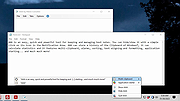 |
|
Balabolka v2.15.0.918 Balabolka v2.15.0.918 👉 Text-to-speech software for reading text aloud using installed system voices. Balabolka is a text-to-speech (TTS) program that allows you to convert written text into spoken audio using voices installed on your system. It supports a wide range of file formats and provides tools for editing text, adjusting speech parameters, and saving audio output to various formats. The program works with Microsoft Speech API (SAPI) voices and gives users control over voice selection, speed, pitch, and volume. Features: • Supports multiple file formats including TXT, DOCX, PDF, EPUB, HTML, and more • Uses Microsoft SAPI 4 and SAPI 5 compatible voices • Adjustable speech parameters such as rate, pitch, and volume • Save text as audio files in formats like WAV, MP3, OGG, and WMA • Built-in text editor with bookmarking and customization options • Can read clipboard content and monitor it for automatic reading • Spell checking and pronunciation correction tools • Batch file conversion and command line support • Customizable interface including font and color settings Supported operating systems: • Windows XP, Windows Vista, Windows 7, Windows 8, Windows 10, Windows 11 Supported languages: English, Russian, German, Spanish, French, Italian, Polish, Czech, and others depending on installed voices Changes: v2.15.0.918 2026-07-18 [-] Fixed the using of LibreTranslate. [*] Resources for Bulgarian and Turkish languages were updated (thanks to Kostadin Kolev and Fettah Pınar). This download is for the Windows portable version (very bottom of page). All other download assets are below: Windows installer: balabolka.zip Windows Command Line Utility: The utility contains no graphical user interface and works only from the command line. The application handles various command line parameters to be able to read text aloud or save as an audio file balcon.zip Text Extract Utility: The program allows to extract text from the various types of files. The extracted text can be combined into one file or/and split into few files. The utility works from the command line, without displaying any user ... |
|
9,952 | Aug 14, 2026 Ilya Morozov 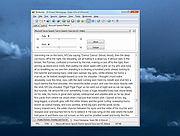 |
 |
BCTextEncoder v1.03.2.2 BCTextEncoder v1.03.2.2 👉 Encrypt and decrypt sensitive text messages with strong password or public key encryption. BCTextEncoder is a free, portable text encryption utility from Jetico that allows you to securely encode and decode sensitive text for emails, chat messages, notes, and other private communications. It compresses, encrypts, and converts plain text into an encoded text format that can be safely shared or stored. Because it runs without installation, BCTextEncoder can be used from virtually any Windows computer without leaving software installed behind. BCTextEncoder supports both password-based encryption and public key encryption. Users can generate or import PKCS-12/X.509 public and private key pairs using the included BestCrypt Key Manager, making it easy to exchange encrypted messages without sharing passwords. Encoded text can be copied directly to the clipboard, saved as a text file, or shared through your preferred communication method. Features: • Encrypt and decrypt plain text messages • Password-based encryption for secure text protection • Public key encryption using PKCS-12/X.509 key pairs • Generate or import public/private encryption keys • Compresses text before encryption • Portable application requiring no installation • Copy encrypted or decrypted text directly to the clipboard • Save encoded text as a text file • Lightweight and easy-to-use interface • Suitable for emails, instant messages, notes, and other confidential text Supported operating systems: • Windows XP, Windows Vista, Windows 7, Windows 8, Windows 10, Windows 11, Windows Server 2003, Windows Server 2008 (32-bit and 64-bit where supported) Supported languages: • English Changes: v1.03.2.2 • Not provided. Click here to visit the author's website. |
|
9,697 | Jul 07, 2026 Jetico Inc. 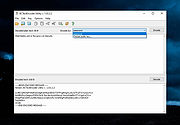 |
|
ClickPaste v1.4.4 ClickPaste v1.4.4 👉 Automatically type saved text into any field. Even ones that block normal paste operations. ClickPaste is a lightweight open-source utility that lets you store frequently used text snippets and insert them into any application quickly and easily. Instead of repeatedly typing the same phrases, commands, login names, or responses, ClickPaste allows you to maintain a list of reusable text entries and insert them whenever needed. Unlike traditional clipboard tools that paste text, ClickPaste simulates keyboard typing (keystrokes) to enter the text into the active field. This makes it especially useful for situations where standard paste operations are disabled—such as password fields, login forms, or secure input boxes that block clipboard pasting. Features: • Store and manage reusable text snippets • Automatically type text into the active field using simulated keystrokes • Works with fields that block clipboard pasting such as password boxes • Helps eliminate repetitive typing and reduce typing mistakes • Useful for support responses, commands, login names, and form entries • Lightweight and simple interface Supported operating systems: • Windows 10, Windows 11 Supported languages: English Changes: v1.4.4 05-05-26 Fix missing .cab file in installer, so the MSI can work (as a treat). Fixing #42 Click here to visit the author's website. |
|
800 | Jul 13, 2026 Collective-Software 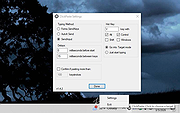 |
|
ClipAngel v2.23 ClipAngel v2.23 👉 Clipboard history capture and paste tool. ClipAngel is a clipboard manager that captures multiple clipboard objects and lets you select and paste them into any program. It is inspired by ClipDiary, Ditto, and AceText, with main priorities of usability, compatibility, and reliability. Features: • Captures clipboard history for supported clipboard formats • Supports text, HTML, RTF, image, and file clips • Text filter and clip list share key presses, so there is no need to change focus • Ability to delete and move clips in the list • History is stored encrypted on disk • Portable mode • Auto position window near text input • Always on top option • Open clip as file command • Simulate character input for windows isolated from the clipboard • Support for sending paste and input to elevated windows • Monitor clipboard switch • Word wrap and monospaced font options • Clip list shows samples for picture clips • Native formatting switch for HTML and RTF clips • Text compare command with support for Beyond Compare, ExamDiff Pro, WinMerge, Araxis Merge, DiffMerge, KDiff3, and custom applications • Translate text command • Drag and drop clips from the list • Preserves history even if the computer crashes Supported operating systems: • Windows Vista or later, Windows Server 2008 or later Supported languages: Brazilian Portuguese, Chinese (Simplified), English, French, German, Greek, Hindi, Italian, Polish, Russian, Spanish Changes: v2.23 06-04-26 Fixed inability to select text in HTML mode introduced in the previous version. Added "Text from picture" to the "Clip" submenu. Note: This file has two hits on VirusTotal. We have confirmed these to be false positives. The file is safe. Click here to visit the author's website. |
|
6,851 | Sep 03, 2026 tormozit 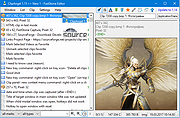 |
|
CopyQ v16.0.0 CopyQ v16.0.0 👉 Advanced clipboard manager with editing, search, tabs, and powerful scripting. CopyQ monitors the system clipboard and saves its content in customized tabs. Saved clipboard entries can later be copied and pasted directly into any application. It supports storing text, HTML, images, and other custom formats, and it includes searching, sorting, editing, drag-and-drop, notes, tags, global shortcuts, a command-line interface, and scripting for advanced automation. In version 14.0.0, the project adds tab encryption support, audio playback through the playSound() script function, a new stats() script function, Nord themes, GNOME clipboard monitoring via a custom GNOME extension, and multiple fixes and platform improvements. Features: • Stores text, HTML, images, and other custom clipboard formats • Saves clipboard history in customizable tabs • Quickly browses and filters clipboard items • Sorts, creates, edits, removes, copies, pastes, and drags items between tabs • Adds notes and tags to stored items • Uses system-wide keyboard shortcuts with customizable commands • Pastes items from the tray, main window, or keyboard shortcuts • Includes a powerful command-line interface and scripting support • Can ignore clipboard content copied from specific windows or matching specific text • Supports a simple Vim-like editor with keyboard shortcuts • Adds tab encryption support in v14.0.0 • Adds audio playback and new scripting statistics in v14.0.0 Supported operating systems: • Windows • macOS 13 or higher • Linux, including Debian 11 or higher, Ubuntu 22.04 or higher, Fedora, Arch Linux, and other Linux distributions with Flatpak support Supported languages: English, Czech, French, German, Japanese, Spanish Changes: v16.0.0 05-30-26 Added Per-MIME clipboard size limits and OOM protection via clipboard_mime_size_limit config option and COPYQ_CLIPBOARD_MIME_SIZE_LIMIT environment variable. For example text/html.*:0;.*:100M disables storing HTML and sets 100MiB max size for all other formats (this size limit is the default: .*:100M). AppImage support (WITH_APPIMAGE CMake build option). Fixed Fixed thumbnails hidden for ... |
|
7,000 | Aug 05, 2026 Lukas Holecek 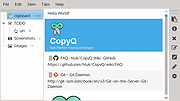 |
|
CudaText v1.234.4 CudaText v1.234.4 👉 Cross-platform, open-source text editor extensible with Python add-ons. CudaText is a cross-platform text editor written in Object Pascal. It is an open-source project that can be used free of charge (including for business use) and is designed to start quickly. CudaText is extensible via Python add-ons, including plugins, linters, code tree parsers, and external tools, and uses a feature-rich syntax parser based on the EControl engine. It starts quite fast (0.5 sec with ~30 plugins on CPU Intel Core i3 3Hz). It is extensible by Python add-ons (plugins, linters, code tree parsers, external tools). Features: • Syntax highlighting for many programming languages • Code folding • Multi-carets and multi-selections • Rectangular selection • Command palette • Tabbed interface • Split view editing (vertical and horizontal) • Side panel with file explorer • Built-in file tree • Built-in FTP client • Project manager • Snippets support • Auto-completion • Code tree (structure view) • Configurable hotkeys • Configurable UI themes • Configurable color themes • Minimap • Status bar with customizable elements • Lexer-specific settings • Session management • Recent files list • Support for large files • Portable mode support • Plugin system based on Python • Add-ons manager to install plugins, lexers, and themes • Console panel for command output • External tools integration • Multiple encodings support • Line endings support (Windows, Unix, Mac) • Bookmarks • Find and replace with regular expressions • Word wrap and non-wrap modes • Customizable indentation settings • Show invisibles • Ruler and margin configuration • Free and open source, including business use Supported operating systems: • Windows (i386, amd64) • Linux (amd64, arm, aarch64) • macOS (amd64, aarch64) • FreeBSD (i386, amd64), OpenBSD (i386, amd64), NetBSD (i386, amd64), DragonFlyBSD (amd64) • Solaris (amd64) • Haiku (i386, amd64) Supported languages: English, Chinese (Simplified), Chinese (Traditional), Czech, French, French (Switzerland), German, German (Austria), Italian, Japanese, Korean, Portuguese, Russian, Slovak, Slovenian, Spanish, Tamil (India), Tamil (Sri Lanka) Find documentation at the CudaText Wiki. Changes: v1.232.2 06-14-26 - fix: regression: "Unprinted chars" dialog lost translation - fix: improve command "delete word previous" when only 1 space ... |
|
5,919 | Jul 05, 2026 Alexey Yu. Torgashin (R.F.) 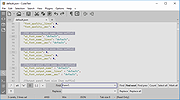 |
|
Discord portable v1.0.9232-25 Discord portable v1.0.9232-25 👉 Portable Discord desktop client for voice, video, and text chat. Discord portable is a portable Windows build of Discord made with Portapps. It lets you use Discord for voice calls, video calls, direct messages, servers, and community chat while storing its portable data in a local folder instead of a standard installed profile. Portapps also notes that this build forces the Electron user data path to the data folder, disables app update checks, and creates a temporary shortcut for native notifications while Discord is running. Features: • Portable Discord package for Windows • Voice, video, and text chat with friends and communities • Works with Discord servers, channels, and direct messages • Stores Electron user data in the portable data folder • App update checks are disabled by Portapps for portability • Creates a temporary shortcut to support native notifications • Simple upgrade process by installing the latest portable setup over the current one Supported operating systems: • Windows 10, Windows 11 Supported languages: English (US), English (UK), Bulgarian, Chinese (Simplified), Chinese (Traditional), Croatian, Czech, Danish, Dutch, Finnish, French, German, Greek, Hindi, Hungarian, Indonesian, Italian, Japanese, Korean, Lithuanian, Norwegian, Polish, Portuguese (Brazil), Romanian, Russian, Spanish (Spain), Spanish (Latin America), Swedish, Thai, Turkish, Ukrainian, Vietnamese Changes: v1.0.9232-25 04-13-26 Discord 1.0.9232 Portapps 3.18.0 Click here to visit the author's website. |
|
6,585 | Apr 19, 2026 CrazyMax and Discord  |
|
Emacs v31.1 Emacs v31.1 👉 Powerful, extensible text editor and productivity environment. Emacs is a highly extensible and customizable text editor from the GNU Project for programming, writing, system administration, and general productivity. At its core is an interpreter for Emacs Lisp, a programming language that allows virtually every part of the editor to be customized or extended. Emacs provides editing modes for a huge range of programming and markup languages, syntax highlighting, code navigation, compilation and debugging tools, version control integration, powerful search and replacement, multiple buffers and windows, shells, file management, email and news capabilities, and an extensive package ecosystem. Its popular Org mode provides outlining, note-taking, task management, scheduling, document authoring, and publishing tools. Features: • Extensible and customizable through Emacs Lisp • Editing modes for numerous programming, scripting, markup, and human languages • Syntax highlighting, automatic indentation, code navigation, and completion • Integrated compilation and debugging tools • Built-in version control interfaces • Powerful search, replacement, and regular expression support • Multiple buffers, windows, frames, and customizable window layouts • Built-in package management for installing additional functionality • Org mode for notes, outlines, tasks, scheduling, authoring, and publishing • Integrated shell and terminal capabilities • File and directory management with Dired • Keyboard macros and extensively customizable key bindings • Support for right-to-left and bidirectional text • Extensive Unicode and international character support • Runs in graphical environments or text terminals Supported operating systems: • Windows 11, Windows 10, Windows 8/8.1, Windows 7 and earlier Windows NT-family versions • macOS • GNU/Linux, including Debian/Ubuntu, Fedora/Red Hat, Arch Linux, openSUSE and other distributions • FreeBSD, NetBSD, OpenBSD • GNU/Hurd • Haiku • Android 2.2 through Android 15.0, including free Android derivatives such as Replicant • Solaris • MS-DOS, FreeDOS Supported languages: Arabic, Azerbaijani, Bulgarian, Bengali, Catalan, Czech, Danish, German, Greek, Esperanto, Spanish, Farsi/Persian, Finnish, French, Hebrew, Croatian, Indonesian, Italian, Japanese, Korean, Kurdish, Malayalam, Norwegian Bokmεl, Dutch, Norwegian Nynorsk, Polish, Brazilian Portuguese, Romanian, Russian, Slovak, Albanian, Serbian, Tamil, Thai, Tagalog, ... |
|
756 | Aug 25, 2026 Free Software Foundation, Inc. 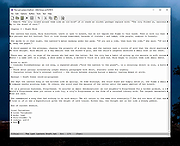 |
|
Filelister v4.1.1 Filelister v4.1.1 👉 A fast, efficient, and reliable file listing utility. Filelister is a fast, efficient and reliable file listing utility. The main function of the program is to create a text or html file from the contents of a disc or folder and display it according to the user's preferences. Features: • HTML or Text file output • Support for international characters (UTF8 file output) • Recursive or collapsed/flat list styles • File type filtering using simple regular expression • Folder exclusion using simple regular expression • Enable/Disable different file property outputs as columns • Sorting based on different file properties ascending/descending Supported operating systems: • Windows 7, Windows 10, Windows 11 Supported languages: English Changes: v4.1.1 12-31-25 Bugfix: Fixed issue with year and month not being expanded correctly Bugfix: Options dialog now has a default button Note: This file has two hits on VirusTotal. We have confirmed these to be false positives. The file is safe. This download is for the Windows installer version (very bottom of page). If you need the Windows portable version (v4.1.0), download here. Click here to visit the author's website. |
|
2,677 | Mar 24, 2026 True Human Design  |
|
FlyOutNotepad v1.05 FlyOutNotepad v1.05 👉 Smart docking notepad for storing text, code snippets, and images. FlyOutNotepad is a lightweight Windows productivity tool that docks to any screen edge and gives you fast access to notes, code snippets, text, and images. It supports drag and drop, up to 20 tabs, auto-save, and fast C++/WTL performance in a very small package. Features: • Dock to any of the 4 screen edges • Smooth flyout access when needed • Store text, code snippets, and images • Bi-directional drag and drop for text and images • Up to 20 tabs for organizing content • Auto-save support • Remembers state on shutdown or logoff • Tab renaming support • Lightweight, under 500 KB • Built in C++ with Windows Template Library • Optional portable mode by renaming the EXE with _p Supported operating systems: • Windows 11, Windows 10, Windows 8.1, Windows 7, Windows Server 2012 through 2025, 32-bit and 64-bit Supported languages: English, German, Italian, Traditional Chinese, Korean, Polish, Russian, Spanish, Portuguese, French Changes: v1.05 08-17-26 • Update of language files in FlyOut NotePad for MS Windows • Optimization and various fixes under Windows 11 and 10 Click here to visit the author's website. |
|
1,501 | Oct 01, 2026 Nenad Hrg 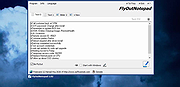 |
|
Grayslate v0.4.0 Grayslate v0.4.0 👉 A fast, free developer scratchpad for working with code, data, text and large files. Grayslate is a free and open source, cross-platform developer scratchpad designed for the small jobs that come up while coding or working with data. Paste an API response, inspect JSON, explore a large CSV, transform or encode text, preview Markdown, work with code snippets or simply capture a quick thought. Grayslate recognizes the content you are working with and puts appropriate transformations at your fingertips. New slates are automatically given useful names and extensions, saved locally as you type and made searchable for later use. Files opened from elsewhere on your computer are only changed when you explicitly save them. All transformations run locally, with no account, cloud upload or telemetry required. Features: • Automatically recognizes pasted or opened content and suggests relevant transformations • Includes more than 80 built-in transformations for code, data and text • Recognizes more than 40 programming, markup and data languages/formats from file extensions, shebangs or content • Automatically names new slates, chooses useful file extensions and saves them locally as you type • Browse recent slates or search saved slates by name and content • Opens text and CSV files up to 200 MB • Rust-backed, virtualized CSV table handles files containing hundreds of thousands of rows while keeping scrolling responsive • JSON tools include formatting, minifying, validation, key sorting, JSON/YAML conversion, JSON-to-CSV, JSON-to-TypeScript and JSON Lines conversion • Right-click JSON keys or values to copy the JSON path, key or value • CSV-to-JSON conversion with automatic delimiter detection • Base64 and Base64URL encoding and decoding • Gzip/Base64 conversion, hexadecimal/ASCII conversion, URL encoding/decoding and HTML entity encoding/decoding • Decode JWT data without verification • Generate SHA-256, SHA-512, SHA-1, MD5 and CRC32 hashes • Text tools include upper, lower, Title, camel, snake, kebab and sPoNgE case conversions • Sort and reverse lines, reverse strings, remove duplicate ... |
|
184 | Aug 27, 2026 Shriram Ethiraj 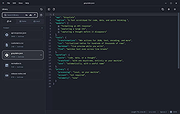 |
|
JSONedit v0.9.45 JSONedit v0.9.45 👉 A portable JSON editor with text, tree and list views. JSONedit lets you inspect and edit JSON documents as text, expandable trees or filtered lists. It requires no installation. Tools support formatting, CSV conversion, reusable snippets, Lua scripting and schema validation. You can also locate browser configuration files and edit Mozilla MOZLZ4/JSONLZ4 files. Note: Full Unicode support is unavailable. The jq filtering tool requires a separate jq executable in the application directory. Features: • Text, tree and list views. • Syntax highlighting, code folding and brace matching. • Compact or indented formatting. • Node copying, cloning, sorting and reordering. • Searching and list filtering. • Duplicate-value detection. • CSV import and export. • Reusable snippets. • Lua scripting and configurable hotkeys. • JSONPath and JMESPath queries. • JSON Patch and Merge Patch tools. • JSON Schema validation. • NDJSON viewing and export. • Mozilla MOZLZ4/JSONLZ4 support. • Browser configuration access. • External jq filtering. Supported operating systems: • Windows; specific versions: Not Found • Linux through Wine, with limitations Supported languages: English. Changes: v0.9.45 09-30-26 added File/"Open browser config" menu: lists JSON configuration files of Chromium-based browsers (Vivaldi, Opera, Chrome, Edge, Brave) and Firefox profiles saving browser configuration file: warning if browser is running (it may overwrite file on exit), warning for Chromium "Secure Preferences" (HMAC-protected values), option to remove "checksum" from Chromium "Bookmarks" added Tools/"jq filter (using external jq.exe)" window: filtering JSON with jq (https://jqlang.org/) if jq executable (jq.exe, jq-win64.exe, jq-windows-amd64.exe, jq-win32.exe or jq-windows-i386.exe) is placed in application directory; options: compact (-c), raw output (-r), sort keys (-S), slurp (-s); MRU list of filters pre-filled with basic examples MOZLZ4/JSONLZ4 files are detected also ... |
|
5,825 | Oct 05, 2026 Tomasz Ostrowski 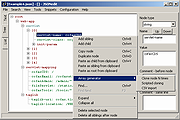 |
 |
KeenWrite v3.6.5 KeenWrite v3.6.5 👉 A free, open-source Markdown text editor for creating beautifully typeset documents and PDFs. KeenWrite is a cross-platform desktop Markdown editor designed for producing professional-quality documents with advanced typesetting capabilities. It combines a distraction-free writing environment with powerful features such as real-time preview, variable interpolation, mathematical notation using TeX syntax, and support for diagrams and structured content. KeenWrite focuses on technical writing, academic work, and long-form documents by enabling structured content and high-quality exports. Markdown documents can be converted into XHTML and then rendered into beautifully formatted PDFs using the ConTeXt typesetting engine and optional theme packs. The editor supports advanced syntax extensions, allowing writers to integrate variables, data, charts, and equations directly into their documents. The application includes a customizable interface with detachable panels, document outline navigation, integrated file management, and themeable skins for light or dark environments. KeenWrite also supports diagram creation (such as Mermaid and GraphViz), interactive statistics, and real-time math rendering, making it particularly useful for researchers, technical authors, and documentation writers. Interpolated variable replacement Features: • Cross-platform Markdown editor with live preview • Export Markdown documents to XHTML and high-quality PDF • Variable interpolation system for reusable content • Real-time math rendering using TeX notation • Diagram support including Mermaid, GraphViz, UML, and sequence diagrams • Built-in document statistics and word frequency analysis • Interactive document outline and integrated file manager • Customizable interface with detachable tabs and UI skins • Support for advanced Markdown extensions and Pandoc attributes • Dark mode and customizable visual themes Supported operating systems: • Windows 7, Windows 8, Windows 10, Windows 11 • macOS, • Linux, FreeBSD, Unix-like systems Supported languages: English, Korean, Japanese, Chinese, Simplified Chinese KeenWrite requires Java 17 or newer to run. If Java is not installed on your system, download and install the Java Runtime Environment before launching the program. Download Java Runtime Environment (JRE) See user manual for installation instructions: keenwrite-manual.pdf This download is ... |
|
878 | Mar 10, 2026 White Magic Software, Ltd. 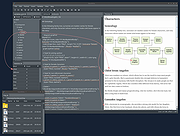 |
|
Kivo v0.1.0 Kivo v0.1.0 👉 Lightweight desktop teleprompter with smooth auto-scrolling. Kivo is a lightweight desktop teleprompter that provides a clean, always-on-top overlay for reading scripts during presentations, livestreams, video recordings, and other speaking engagements. It offers smooth automatic scrolling, adjustable speed controls, automatic reloading when the source text changes, and a distraction-free interface to help you stay focused on your content. Features: • Always-on-top frameless window • Modern translucent interface • Draggable overlay • Open plain text (.txt) files • Automatically reloads text when the file changes • Smooth teleprompter-style auto-scrolling • Adjustable scrolling speed • Pause and resume scrolling • Keyboard shortcuts for playback controls • Lightweight, distraction-free design Usage: • Run Kivo.exe • Select a text file of what you want to scroll on screen. Keyboard Shortcuts: • Esc - Close Kivo • Space - Pause/Resume scrolling • ↑ - Increase scrolling speed • ↓ - Decrease scrolling speed Supported operating systems: • Windows 10, Windows 11 Supported languages: English Changes: v0.1.0 06-27-26 First release. Initial MVP of Kivo. Added a frameless always-on-top window. Added a draggable overlay. Added a modern rounded translucent interface. Added text file loading. Added automatic file reloading. Added smooth teleprompter scrolling. Added adjustable scrolling speed. Added pause and resume functionality. Added keyboard shortcuts. Modularized the application into separate window and file selector components. Added the foundation for future settings, global hotkeys, and custom rendering. Note: This file has three hits on VirusTotal. We have confirmed these to be false positives. The file is safe. Click here to visit the author's website. |
|
448 | Jul 01, 2026 Rajtilak Bhattacharjee 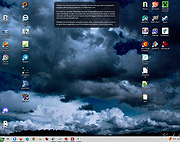 |
|
Large Text File Viewer 5.2 Large Text File Viewer 5.2 Have you ever felt frustrated when you just want to look at the content of a large text file but it takes forever for Notepad or Word to open it? This program was designed for viewing large (>1GB) text files. It uses little memory and is able to open a gigabyte file instantly. Background file indexing makes browsing even faster. It opens files that are currently being written by other programs, and automatically checks and reads the files if new contents have been appended. It supports view split. The user may split the view either horizontally or vertically, and have each side show different portion of the same file. It allows the user to perform high-speed complex text search by means of plain text or regular expression. The regular expression syntax is slightly different from the standard ones. Please click here for details. The regular expressions for finding the following items have been provided as preset for the convenience of the users: quoted string hexadecimal integer floating-point number date of any format time of any format domestic phone number (US & Canada) social security number IP address email address http address ftp address ... |
|
6,180 | Oct 23, 2019 swiftgear.com 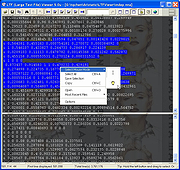 |
|
Mark Text v0.16.2 Mark Text v0.16.2 Next generation markdown editor 🌙 A simple and elegant open-source markdown editor that focused on speed and usability. Available for Linux, macOS and Windows. Features Realtime preview (WYSIWYG) and a clean and simple interface to get a distraction-free writing experience. Support CommonMark Spec, GitHub Flavored Markdown Spec and selective support Pandoc markdown. Markdown extensions such as math expressions (KaTeX), front matter and emojis. Support paragraphs and inline style shortcuts to improve your writing efficiency. Output HTML and PDF files. Various themes: Cadmium Light, Material Dark etc. Various editing modes: Source Code mode, Typewriter mode, Focus mode. Paste images directly from clipboard From the Author: Why write another editor? I love writing. I have used a lot of markdown editors, yet there is still not an editor that can fully meet my needs. I don't like to be disturbed when I write by some unbearable bug. Mark Text uses virtual DOM to render pages which has the added benefits of being highly efficient and being open source. That way anyone who loves markdown and writing can use Mark Text. As mentioned above, Mark Text is completely free and open source and will be open source forever. We hope that all markdown lovers will contribute their own code and help develop Mark Text into a popular markdown editor. There are many markdown editors and all have their own merits, some have features which others don't. It's difficult to satisfy each markdown users' needs but we hope Mark Text will be able to satisfy each markdown user as much as possible. Although the latest Mark Text is still not perfect, we will ... |
|
4,232 | Jul 17, 2020 Luo Ran 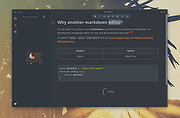 |
|
MuseTips Text Filter v2.1.0.1590 MuseTips Text Filter v2.1.0.1590 MuseTips Text Filter is a free, lightweight and portable Windows software that lets you read, search and filter text files with ease. Search As You Type Text lines are instantly filtered as you type your search phrase, with all matched terms highlighted in a contrasting color. Auto Suggestion for Search Phrase While typing into the search box, the program lists searched phrases for you to choose from. This makes text search easier and faster. Regular Expression Fully Supported You can do regex searching by checking Regex Query in Search menu. For large text files, regex query may be noticeably slow. In this case, you can uncheck the Search As You Type option in Search menu. Multiple Query Modes Besides regex query, you can also do Naive Query and Smart Query. Naive Query lets you search anywhere in the document for the entered text, while Smart Query allows for matches on word boundaries only. Multiple Filter Modes You can choose to hide either matched or unmatched lines for an easier text view. If you prefer viewing the entire document, make sure the option Show All Lines is checked in Search menu. Click here to visit the author's website. |
|
6,027 | Oct 24, 2019 musetips.com 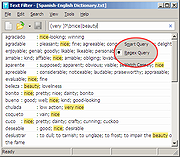 |
|
Neovim v0.12.4 Neovim v0.12.4 👉 Hyperextensible Vim-based text editor focused on usability and modern development. Neovim is a powerful, extensible text editor built as a refactor of Vim, designed to improve maintainability, usability, and plugin development. It provides a modern codebase with enhanced APIs, asynchronous job control, and built-in Language Server Protocol support, making it well-suited for programming and advanced text editing workflows. Neovim maintains strong compatibility with Vim while introducing a more developer-friendly architecture and improved user experience. Features: • Vim-compatible modal editing • Built-in Language Server Protocol (LSP) support • Asynchronous job control and event-driven architecture • Embedded Lua scripting for fast, modern configuration • Remote plugin support (Python, Node.js, Ruby, and more) • Terminal emulator built-in • Tree-sitter integration for advanced syntax highlighting • Highly customizable key mappings and workflows • Cross-platform support Supported operating systems: • Windows 10, Windows 11 • macOS 10.15 or later • Linux • FreeBSD Supported languages: • English Changes: v0.12.4 07-05-26 FEATURES - fec4045 lsp: clean up semantic token initialization and debounce #40266 - 55205b3 lsp: use LspNotify for semantic tokens (#40242) PERFORMANCE - fded370 lsp: overscan semantic_token range requests #40036 - fa365ce treesitter: reduce memory usage of _select.lua #40409 FIXES - e57c37d api: nvim_buf_set_text resets changelist to 0 #39965 - ea07b60 api: preserve ArrayOf metadata #40429 - 5ff4e14 cmdline: avoid redraw loop after wrapped line #40240 - a0d7e80 folds: foldcolumn is interrupted for virtual line above nested fold (#39999) - a4cfded health: always set 'modifiable' #40584 - 7fd0f54 health: don't check node package via yarn #40572 - 749126d highlight: keep guisp underline color in float with 'winblend' #40283 - 5c38490 lsp: allow specifying bufnr + client_id filter when enabling capabilities #37690 - c81ab60 lsp: catch another nil buffer state #40285 - bf8d0be lsp: fire LspNotify didChange autocmds after undo/redo #40404 - 41dbb82 lsp: fix multiline semantic token processing (#40340) - 3dd3a6c lsp: make LspNotify more robust (#40341) - ecda676 lsp: refresh codelens despite pending debounce #40177 - 822d969 lsp: request semantic tokens in BufWinEnter #40513 - fd27246 lsp: skip invalid file watcher globs ... |
|
2,313 | Jul 06, 2026 Neovim team  |
|
NextDiff v2.0 NextDiff v2.0 👉 Free file, text, and folder comparison tool for Windows. NextDiff is a freeware file and folder comparison utility that helps you quickly identify differences between two text files, source code files, documents, or folders. It displays content side-by-side with line-by-line and in-line highlighting, making it easy to spot added, removed, and modified text. NextDiff also supports folder synchronization tasks by identifying newer files and files that exist only on one side. Built-in editing and merge functions allow you to copy changes between files or make edits directly within the comparison window. For supported document formats, Apache Tika integration enables comparison of extracted text from files such as PDF, DOCX, XLSX, and PPTX. The program is free for both personal and commercial use. Features: • Side-by-side comparison of text files • Line-by-line and in-line difference highlighting • Compare source code, logs, scripts, configuration files, and documents • Compare folders and subfolders • Detect files that exist only on one side • Highlight newer files during folder comparison • Copy differences from left to right or right to left • Edit text directly within the comparison window • Undo recent merge and edit operations • Navigate to the first, previous, next, or last difference • Ignore case, whitespace, leading/trailing spaces, or blank lines • Supports ANSI, ASCII, UTF-8, UTF-8 BOM, and UTF-16 text encodings • Optional Apache Tika support for comparing PDF, DOCX, XLSX, PPTX, and other document formats • Customizable colors, fonts, line numbers, and grid display • Free for personal and commercial use Supported operating systems: • Windows 10, Windows 11 Supported languages: English, Czech, Dutch, French, German, Hungarian, Italian, Polish, Portuguese, Romanian, Russian, Slovak, Spanish, Turkish, Ukrainian Changes: v2.0 07-07-26 Added multilingual support. Note: This file has one hit on VirusTotal. We have confirmed this to be a false positive. The file is safe. Click here to visit the author's website. |
|
384 | Jul 17, 2026 TkoSoft 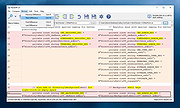 |
|
Nextpad++ v1.1.0 Nextpad++ v1.1.0 👉 A free, open-source, native port of Notepad++ for macOS and Linux. Nextpad++ is a full open-source community port of Notepad++ designed to provide the familiar Notepad++ editing experience natively on macOS and Linux. It uses the same Scintilla editing engine and provides syntax highlighting, search and replace, macro recording, split-view editing, user-defined languages and a growing ecosystem of ported plugins. The macOS interface is implemented using native Cocoa APIs, while the Linux edition uses GTK4, eliminating the need for Wine or other Windows compatibility layers. The editor supports more than 80 programming languages for syntax highlighting and includes 137 interface languages. Its search tools include regular expressions, Find in Files, line bookmarks and incremental search. Documents can be viewed side-by-side with split-view editing, and repetitive editing operations can be automated using recordable and replayable macros. Nextpad++ supports plugins through its built-in Plugin Admin, with community developers continuing to port Notepad++ plugins to macOS and Linux. Configuration files, themes and User Defined Languages are designed to remain compatible across the Windows, macOS and Linux editions. The macOS edition is a Universal Binary containing native ARM64 and x86_64 code, allowing it to run directly on Apple Silicon and Intel Macs without Rosetta. The Linux edition runs natively on x86_64 and ARM64 systems and supports both Wayland and X11. Nextpad++ is an independent community project and is not affiliated with the official Notepad++ development team. It is free and open source under the GNU General Public License v3. The application contains no advertising and the developer states that it contains no telemetry, analytics or data collection. Features: • Full independent community port of Notepad++ for macOS and Linux • Native macOS Cocoa/AppKit interface • Native GTK4 interface on Linux • Uses the same Scintilla editing engine as Notepad++ • Syntax highlighting for more than 80 programming and markup languages • User Defined ... |
|
610 | Sep 03, 2026 Nextpad++ for Mac & Linux  |
|
Notepad++ v8.9.8.1 Notepad++ v8.9.8.1 👉 Free source code editor and Notepad replacement that supports multiple programming languages. Notepad++ is a powerful text and source code editor designed as a lightweight replacement for Windows Notepad. Built on the Scintilla editing component, it provides advanced editing features, syntax highlighting, and extensive customization options while maintaining fast performance and low resource usage. Notepad++ supports a wide range of programming and scripting languages and includes features such as tabbed editing, code folding, search and replace with regular expressions, and macro recording. Its plugin system allows users to extend functionality with additional tools and enhancements. Features: • Syntax highlighting and syntax folding • Multi-document tab interface • Powerful search and replace with regular expression support • Macro recording and playback • Plugin support for extended functionality • Auto-completion and customizable GUI • Lightweight and optimized for performance Supported operating systems: • Windows 7, Windows 8, Windows 10, Windows 11 Supported languages: English, Chinese (Simplified), Chinese (Traditional), French, German, Italian, Japanese, Korean, Spanish, Russian, and more Changes: v8.9.8.1 09-24-26 Vulnerability: Fix crash caused by “Open file” & “Search on Internet” commands. CVE ID not assigned yet Vulnerability: Fix Function List array out-of-bounds risks when parsing functions. CVE ID not assigned yet Vulnerability: Fix UAC operations performed without verifying the caller. CVE ID not assigned yet Vulnerability: Fix incomplete UNC detection allowing NTLM leak bypass. CVE ID not assigned yet Vulnerability: Fix crash of NPPM API when invalid value passed as argument. CVE ID not assigned yet Regression: Fix failure to open files via Notepad++ symlink paths. (Fix #18314) Fix a crash after canceling UAC saving operation. (Fix commit) Fix Network Path Warning dialog usability problem. (Fix #18319 (comment)) Fix symlinks setting for Folder as Workspace not ... |
|
10,538 | Sep 25, 2026 Don Ho  |
|
Notepad3 v7.26.602.1 Notepad3 v7.26.602.1 👉 A fast, lightweight, Scintilla-based text editor for Windows with syntax highlighting. Notepad3 is a free, open-source text editor built as a smarter, more capable replacement for Windows Notepad. It is based on the Scintilla editing component and Lexilla lexer library, giving it powerful syntax highlighting, fast performance, a small memory footprint, and practical tools for everyday text editing, coding, scripting, configuration files, logs, and more. Features: • Fast and lightweight Windows text editor • Syntax highlighting for over 55 programming, scripting, markup, and configuration languages • Code folding with toggle-all support • Bookmarks for quick navigation • Word auto-completion • Find and Replace with PCRE2 regular expression support • grepWin integration for searching across files • Encoding detection and character encoding support • File change monitoring • AES-256 Rijndael encryption and decryption • Dark mode support with customizable colors • High-DPI aware interface with high-definition toolbar icons • Customizable status bar and toolbar labels • Portable edition available • Includes MiniPath file browser plugin Supported operating systems: • Windows 8.1, Windows 10, Windows 11 Supported languages: Afrikaans, Belarusian, Chinese Simplified, Chinese Traditional, Dutch, English US, English UK, Finnish, French, German, Greek, Hindi, Hungarian, Indonesian, Italian, Japanese, Korean, Polish, Portuguese Brazil, Portuguese Portugal, Russian, Slovak, Spanish, Swedish, Turkish, Vietnamese Supported Programming Languages Apache, ASP, Assembly, AutoHotkey, AutoIt3, AviSynth, Awk, Bash, BAT, C, C++, C#, CGI, CMake, CoffeeScript, CSS, CSV, D, Dart, DIFF, Fortran, Go, HTML, INF, INI, Inno Setup, Java, JavaScript, JSON, Julia, KiXtart, Kotlin, LaTeX, Lua, Makefiles, Markdown, MATLAB, Nim, NSIS, Pascal, Perl, PHP, PowerShell, Python, REG, Resource, R-S-SPlus Statistics, Ruby, Rust, Shell, SQL, Tcl, TOML, VB, VBScript, Verilog, VHDL, XHTML, XML, YAML and improved support for NFO ANSI. Changes: v7.26.426.1 04-26-26 • Paste-board minimization (/B /I) escape hatch if Ctrl-key held down. • PasteBoard: defer minimize on /B + /I startup so auto-pasted clipboard is visible briefly. • PasteBoard: opt-out ‘Don’t ask again’ on closing modified untitled documents. • Feat: /B auto-pastes current clipboard ... |
|
5,116 | Jun 10, 2026 Rizonetech Pty Ltd.  |
|
OSE File and Text Encryption v1.11 OSE File and Text Encryption v1.11 Free tool to encrypt files and text using any one of a number of ciphers and modes provided by OpenSSL. Features • Completely portable • Ideal for Tails persistent storage • Very fast encryption Note from the author: OSE, A Graphical Frontend to OpenSSL's symmetric encryption OSE will encrypt files and text using any one of a number of ciphers and modes provided by OpenSSL, and its use is quite self explanatory. OSE is completely self contained and portable, making it ideal for USB flash drives and Tails persistent storage. It will create one file in the working directory, ".ose_cipher", which simply keeps track of the last used cipher. It is not necessary, just there for convenience, and if it's removed or not there, OSE will simply create another one defaulting to aes-128-ecb. Of course, OpenSSL must be present for OSE to work, and additionally, it makes calls to the system utility "echo" when encrypting text, so: Linux - OpenSSL and echo are already part of every distribution Windows - OpenSSL is probably not installed on your system, and the Windows "echo" call is inadequate for use by OSE. OSE, when launched, will spawn both openssl.exe and echo.exe in the working directory. (echo.exe is a Windows port of the UNIX/Linux echo) OSE will clean up these files upon terminating. Notes on long text strings: While you can encrypt a lot of text with the "echo" pipe, it's not unlimited. If you run into the case where OSE informs of a too long text string, an option is included to encrypt text using the TCL AES package using a 256 bit keystream and cbc mode. The password hashing and salting using this mode are extremely robust; you lose no security. Using this mode, the length of the ... |
|
2,730 | Feb 06, 2024 Dana Booth  |
|
PilotEdit Lite v21.5.0 PilotEdit Lite v21.5.0 👉 Free text and hex editor designed for working with large files and advanced text processing tasks. PilotEdit Lite is a lightweight yet powerful text and source code editor built for users who need to handle large files, perform advanced search and replace operations, edit hex data, and manage coding projects efficiently. The Lite edition provides many of the core editing and file management tools found in the full version while remaining free for personal use. It is especially useful for programmers, web developers, log file analysis, and anyone working with very large text files that standard editors may struggle to open or process smoothly. Features: • Open and edit large text files • Syntax highlighting for multiple programming languages • Hex editor mode for binary file editing • Advanced multi-line search and replace • Column mode editing • Regular expression support • File compare functionality • FTP and SFTP file transfer support • Unicode and UTF-8 support • Customizable text encoding options • Line sorting and duplicate removal tools • Powerful file search across directories • Bookmark support for quick navigation • Word wrap and split window editing • Configurable keyboard shortcuts • Session and workspace management • Automatic file backup support • Portable version available Supported File Types: AHK Script, ASP, ASP.NET, AngularJS TypeScript, Apache Pig Latin Script, Assembly, AutoIt Script, BAT/CMD, C#, C/C++, COBOL, CSS, CSV, Conf, D Programming, DSV, Eiffel, Erlang, F#, Go, Groovy, HTML, Haskell, INF, INI, Inno Setup Script, J#, JSON, JSP, Java, Javascript, LESS, LISP, LaTex, Log, Lua, MATLAB, Markdown, MicroBasic Pro, PHP, Pascal, Perl, PilotEdit Script, PowerShell Script, Python, R Programming, REXX, RHTML, Ruby, SQL, Scala, TCL/TK, TSV, Text, Textile, UNIX/Linux Shell, VC++ Resource, Visual Basic, XHTML, XML Supported operating systems: • Windows 7, Windows 8, Windows 10, Windows 11, Windows Server 2008, Windows Server 2012, Windows Server 2016, Windows Server 2019, Windows Server 2022 Supported languages: Arabic, Dutch, English, Finnish, French, German, Hindi, Italian, ... |
|
9,983 | Oct 07, 2026 PilotEdit  |
|
Portable Text Encryption v14.12 Portable Text Encryption v14.12 Self contained and completely portable binary for Windows and Linux encrypts text for secure email, messaging, IRC use, etc. Ideal for USB flash drives. AES-128/192/256 (ecb/cbc), Blowfish (ecb/cbc), DES / TripleDES (ecb/cbc/ofb/cfb), or RC4. Linux and Windows binaries. Features • no config • no helper files • completely portable • very fast text encryption • options save to clipboard or file Note from author: This util does not depend on any external helper utils, and so is completely portable, making it well suited for USB flash drives and Tails persistent storage. It is written in TCL and uses the AES, DES, Blowfish, and RC4 packages from tcllib version 2.1. The use is pretty self explanatory, but... The upper text box is for plaintext, type some text or import a text file, when you "encrypt", this text will be encrypted and the result, the "cipher text", will be displayed in the bottom text box. In the password dialog, there is a checkbox labled "No L/F's in Output". By default, the cipher text will consist of lines with a width of 75 characters, if this box is checked, the output will be one continuous line without line feeds (carriage returns for Windows fans) which is desirable in some cases, i.e., copying and pasting to IRC channels or possibly web page input. If you enjoy these little scripts that I make, consider writing me an email and letting me know where you're from. Dana Booth dana@parksoft.ddns.net Changes: v14.12 - Added option to save ciphertext as file. Added option to import ciphertext from file. Click here to visit the author's website. |
|
3,053 | Aug 31, 2024 Dana Booth 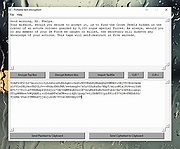 |
|
Quick Snippet v1.0.2 Quick Snippet v1.0.2 👉 Lightweight Windows utility for storing, organizing, and instantly copying reusable text snippets. Quick Snippet is a lightweight Windows application designed to help you manage and copy frequently used text such as emails, templates, ticket updates, troubleshooting steps, and other reusable content. It lets you organize snippets into categories, quickly find them with live filtering, sort both categories and snippets, and copy text to the clipboard with a single click. It also includes system tray support, JSON import and export, and light and dark theme support. Features: • Create, edit, rename, and delete snippets • Store large or small blocks of text • One-click copy to clipboard • Group snippets into categories • Instantly filter snippets by name • Filter categories independently • Results update in real time as you type • Alphabetical sorting for categories and snippets • Toggle sort direction with a single click • Minimize to tray for quick access • Import and export snippets and categories in JSON format • Light and dark mode support Supported operating systems: • Windows 10 • Windows 11 Supported languages: English Changes: v1.0.2 04-05-26 New Added snippet filtering (search box with live results) Added snippet sorting (A–Z and Z–A) Added category filtering (search categories instantly) Added category sorting (A–Z and Z–A) Improvements Improved layout and spacing for filter and sort controls More consistent behavior across categories and snippets Better usability when working with larger snippet collections Fixes Fixed minor UI sizing/alignment issues General stability improvements Note: This file has one hit on VirusTotal. We have confirmed this to be a false positive. The file is safe. Click here to visit the author's website. |
|
855 | Apr 06, 2026 Frank Noonan 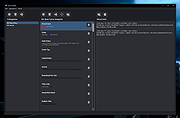 |
|
QuickTextPaste v9.55 QuickTextPaste v9.55 👉 Insert frequently used text quickly via customizable keyboard shortcuts. QuickTextPaste is a portable Windows utility that allows you to paste frequently used text, run programs, or open folders using customizable keyboard shortcuts. It is designed to save time when working with repetitive text entries such as email addresses, signatures, or standard phrases. QuickTextPaste runs in the system tray and lets you define multiple text entries, each assigned to a hotkey combination. You can also insert formatted text, launch applications, or execute commands directly from the shortcut, making it useful for power users and anyone who frequently types repetitive content. Features: • Create and manage custom text snippets • Assign individual keyboard shortcuts to each entry • Paste formatted or plain text into any application • Execute programs, open folders, or run commands • Portable version available, no installation required • Lightweight and runs in the system tray Installation: Quick paste text does not require installation, can easily be launched from the desktop with no installation and is ready to use on all Windows operating systems. Supported operating systems: Windows 11, Windows 10, Windows 10 Pro, Windows 10 Enterprise, Windows 10 Home, Windows 8.1, Windows 8.1 Enterprise and Pro, Windows 8, Windows 8 Enterprise and Pro, Windows 7, Windows 7 Enterprise, Windows 7 Home Basic, Windows 7 Home Premium + Professional, Windows 7 Starter + Ultimate, , X64, x86 and x32 all Windows, MS Windows Server 2019, 2016,2012, . Changes: v9.55 06-06-26 • Important update of the language files • Small tweaks and Improvements in Auto Hotkeys for Windows OS • Bugfix: If detect the default system language for multi-language support • Corrections if switch to admin mode This download is for the Windows 64bit portable version (very bottom of page). If you need the Windows 32bit portable version, download here. If you need the Windows 64bit installer version, download here. If you need the Windows 32bit installer ... |
|
6,617 | Jun 29, 2026 Nenad Hrg 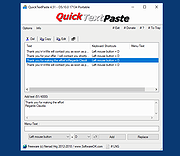 |
|
ResophNotes v1.8.1 ResophNotes v1.8.1 👉 A fast, lightweight Windows note-taking program with Simplenote synchronization, Markdown support, tags and powerful keyboard controls. ResophNotes is a free note-taking program for Windows designed to make creating, finding and managing text notes quick and uncomplicated. Notes can be kept locally or synchronized online with Simplenote, allowing them to be accessed from other devices using compatible Simplenote applications. It supports Markdown with HTML preview, tags, pinned notes, internal links, global keyboard shortcuts and optional storage of each note as an individual plain-text file. Deleted notes can be restored or permanently removed, and nearly every function can be controlled from the keyboard. A dark mode is also available. The developer warns that Simplenote may stop supporting synchronization with third-party applications, so Simplenote syncing should currently be used with caution. Features: • Simple, fast note creation and management • Synchronizes notes online with Simplenote • Access synchronized notes from other devices through Simplenote • HTTPS proxy support for Simplenote connections • Dark mode support • Global hotkey for quickly creating a new note • Global hotkey for restoring ResophNotes when minimized • Markdown text-to-HTML conversion with preview • Automatically recognizes HTTP links and email addresses • Internal note linking using wikilinks • Optional individual .txt files for storing notes • Complete keyboard control with numerous shortcuts • Single Note Mode for distraction-free note viewing and editing • Simplenote pinned-note support • Simplenote tag support • Search notes quickly from the keyboard • Import existing .txt files • Email notes directly from the program • Print notes • Insert the current timestamp with a keyboard shortcut • Restore deleted notes • Permanently delete unwanted notes • Free to use Supported operating systems: • Windows 10, Windows 11 (64-bit) Supported languages: English Changes: v1.8.1 08-14-26 Added Dark mode. Built using Microsoft Visual Studio Community 2026. Uses Qt 5.15.2. Updated OpenSSL library for connection issues. Click here to visit the author's website. |
|
79 | Sep 15, 2026 C.Y. Yen 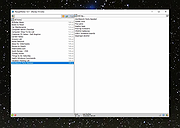 |
|
SmartTextCrypter v1.03 SmartTextCrypter v1.03 👉 A tiny portable tool for password-encrypting text before sending it through messaging apps, email or SMS. SmartTextCrypter is a free, portable Windows utility designed to encrypt text messages with a password before they are sent through services such as WhatsApp, Telegram, email or SMS. The recipient pastes the encrypted text into SmartTextCrypter and enters the same password to decrypt and read the original message. Everything is processed locally on your computer without uploading your text to a cloud service or server. The program uses the author's proprietary multi-layer encryption method consisting of password-based key generation, XOR encryption, position-dependent mixing, bit rotation and a checksum for detecting errors or incorrect passwords. It supports Unicode text, including Asian, Cyrillic and Arabic characters. SmartTextCrypter requires no installation and can be run directly from a USB drive, external drive or ordinary folder without creating registry entries. Features: • Password-based encryption and decryption of text • Send encrypted text through WhatsApp, Telegram, email, SMS and other services • Proprietary multi-layer encryption using XOR, positional mixing and bit rotation • Generates a 32-byte key from your password • Checksum detects errors and incorrect passwords • Unicode support for Asian, Cyrillic, Arabic and other characters • Completely local operation with no cloud service or server uploads • Portable and requires no installation • Can run directly from a USB drive, external drive or any folder • Does not create registry entries • Low CPU usage • Adjustable text sizes for improved readability • Free for private use Supported operating systems: • Windows XP, Windows Vista, Windows 7, Windows 8, Windows 8.1, Windows 10, Windows 11, Windows Server 2012-2025 • 32-bit and 64-bit Windows Supported languages: German, English, Italian, Chinese-Traditional, Dutch, Russian, Japanese, Korean, Spanish, Portuguese, Malay Changes: v1.03 08-26-26 • SmartTextCrypter language file update • Minor fine-tuning in SmartTextCrypter for all Windows operating systems. Click here to visit the author's website. |
|
169 | Sep 03, 2026 Nenad Hrg 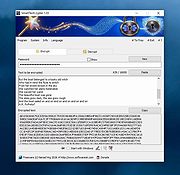 |
|
TED Notepad v6.4.1 TED Notepad v6.4.1 👉 Small, fast and powerful plain-text editor packed with advanced text-processing tools. TED Notepad is a free plain-text editor and Notepad replacement for Windows, built for users who want speed, portability and serious text manipulation without a bulky interface. It includes hundreds of tools for editing, sorting, filtering, transforming, searching and cleaning text, while staying small, quick to launch and easy to carry as a portable utility. Features: • Free, small and portable text editor with no installation required • New 64-bit version for working with very large files • Tested with huge files, including multi-gigabyte documents • 457 text-processing functions and editor features • Grep, Sort, Cut, Unique, RegEx, Shuffle, Tr and Reverse tools • Search and replace with regular expressions • Selection and search match highlighting • Search and Replace history • Line numbers, line lengths and visible spaces/tabs/newlines • Multi-level Undo and Redo • Auto-save, recovery and backup options • UTF-8 and Unicode auto-recognition • Multiple permanent clipboards and clipboard append tools • Word and line auto-completion • Portable INI file settings Supported operating systems: • Windows 11, Windows 10, Windows 8, Windows 7, Windows Vista, Windows XP, Windows Server 2008, Windows Server 2003, Windows 2000 Supported languages: English Changes: v6.4.1 06-04-26 Introducing a 64-bit version. Added selection highlighter for all occurrences of selected text. Added settings for minimum selection length, match case and highlighter color. Added search highlighter for all Search Bar matches. Added total occurrence count in the Search Bar. Added Search history and Replace history. Added positive and negative look-ahead and look-behind assertions in Regular Expressions. Added setting to include seconds when inserting date/time. Added setting to disable the "Exit without saving" hotkey. Added Session Hard to Close option. Fixed multiple Search Bar, RegEx, Grep, Filters, Sort, Columns, Status Bar and clipboard issues. Improved Unicode file detection, DPI awareness, search routines, clipboard handling and settings validation. This download is for the Windows Unicode 64bit Installer version (very bottom of page). All other download assets are ... |
|
6,246 | Jun 09, 2026 Medvedik, Juraj Simlovic 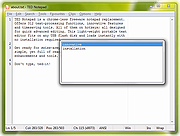 |
|
Text Editor Pro v37.0.1 Text Editor Pro v37.0.1 Formerly EditBone 👉 Powerful text editor for developers, programmers, and advanced users. Text Editor Pro is a feature-rich text editing application designed for programmers, developers, and power users who need more than a basic editor. It supports a wide range of programming and scripting languages, large file handling, advanced search and replace, and tools for code analysis and manipulation, all wrapped in a fast and lightweight interface. Features: • Syntax highlighting for many programming and scripting languages • Open and edit very large text files efficiently • Advanced search and replace with regular expression support • Code folding for easier navigation of complex files • Line numbering and customizable editor layout • File comparison and difference highlighting • Character map and ASCII table tools • Support for multiple encodings including Unicode Supported operating systems: • Windows 7, Windows 8, Windows 10, Windows 11 Supported languages: English Changes: v37.0.1 09-15-26 - Fixed AlphaControls - https://www.alphaskins.com/ - Fixed file opening - Fixed large-scale scaling issues - Fixed markdown preview - Fixed new file - Fixed -noskin issues - Fixed Virtual-TreeView control - https://github.com/JAM-Software/Virtual-TreeView - Fixed zoom step - Updated language files This download is for the Windows 64bit version (very bottom of page). If you need the Windows 32bit version, download here. If you need the Windows XP 32bit version, download here. If you need the Windows XP 64bit version, download here. If you need the Windows ARM64 version, download here. Click here to visit the author's website. |
|
7,816 | Sep 16, 2026 Lasse Markus Rautiainen 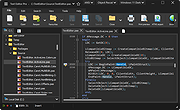 |
|
Text Images v1.0 Text Images v1.0 Create single text images with this application as well as a great number of pictures, for example from a list of your headings - of course, optionally with arbitrary Unicode characters. As a developer or designer, you would like to ensure that the correct font is displayed in the correct size. For example, you might want to create a homepage with all headings in the same font. For this, you can set your desired font in the HTML document or as a CSS rule. But you cannot be sure that the font will be displayed correctly on each system, because for this, the font have to be installed on the computer or device. If this is not the case, the heading will be displayed in another available font and this is not under the control of the designer. Similar problems arise when publishing examples of fonts or if you want to have consistent typefaces in programs or other documents. A solution to this problem is to integrate images instead of texts. On this images, you can customise the text in exactly the way you want and you can use your desired spaces, fonts and styles for this. However, creating such images costs very much work. You have to open a graphics program, you must choose the appropriate formatting and text align and finally you have to save each image as a file. Imagine that job for a number of headlines for a great web project! Fortunately, you can use our tool Text Images to do all of that work. You can create single text images with this application as well as a great number of pictures, for example from a list of your headings - of course, optionally with arbitrary Unicode characters. You can precisely adjust the writing, design, ... |
|
6,132 | Mar 24, 2019 Stefan Trost Media 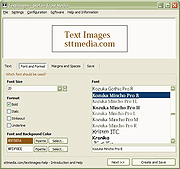 |
|
Text to MP3 Converter v1.8 Text to MP3 Converter v1.8 Free tool to convert text to speech Text to Speech (MP3) Easily convert your text into speech. Perfect for e-learning, presentations, YouTube videos and increasing the accessibility. The text can be exported as MP3 and WAV files. This program uses the preinstalled Microsoft SAPI Text-to-Speech (TTS) engines for generating voice. Text to MP3 software If you need to simply convert some text into audio content or you're just looking for a way to preview some content without having to actually spend time reading it, Text to MP3 Converter can do both, offering you choices for the used speech engine, as well as the output audio format. The two main options offer users the choice of increased quality (WAV) or a more compact recording (MP3). "Speech Speed" option allows from 10x slow to 10x fast playing and recording. If you seek a basic application that can help you perform text to audio conversions, without having to resort to complex steps and configuration processes, try out this simple yet quite capable software. How to install a new Text-to-Speech language You can install many TTS enabled languages (Voices) using Windows Settings (Control Panel). Depending on your Windows version, go to "Region & Language" area, then "Add a Language" by selecting it or downloading a language pack. Finally, restart the program to detect the installed languages. Key Features Speech speed (fast-slow) Voice pitch (high-low) Spell Emphasize Voiceover highlighting Multiple speech engine support Read aloud Insert silence MP3 export WAV export Supports: Windows Windows 11, Windows 10, Windows 8, Windows 7, Windows Vista, Windows XP (32-bit and 64-bit) Language: English License: Freeware — no nags, no ads, fully functional Changes: Text to MP3 Converter 1.8 October 14, 2021 Added “Insert - Silence” menu item Added “Edit” menu Fixed word-wrap related problem Improved UI Click here to visit the author's website. |
|
3,290 | Dec 13, 2021 Vovsoft |
|
TextWorx v2.0 TextWorx v2.0 👉 Popup text editing and manipulation tool accessible from any application. TextWorx is a lightweight productivity utility that provides a configurable popup menu and toolbar for editing and manipulating text in virtually any program. Instead of switching between applications or manually retyping content, TextWorx allows you to quickly perform text operations directly on selected text. TextWorx works system-wide and can be activated with keyboard shortcuts. When running, it stays quietly in the background with no visible window. Pressing the hotkey displays a popup menu with commands for inserting text, manipulating text, rearranging text, and performing other editing actions on the selected content. The program includes both a popup context menu and an optional toolbar interface, allowing users to access text functions quickly while working in editors, documents, browsers, and other applications. TextWorx is fully configurable so users can tailor commands and behaviors to their workflow. By default, the popup menu is triggered with Win + K, while the toolbar can be toggled using Win + Shift + K. Because TextWorx runs silently in the background, the popup menu or toolbar will only appear when activated by the hotkeys. Features: • Popup text editing menu available in any program • Perform text inserts, manipulation, and rearrangement operations • Optional toolbar interface for quick access to commands • Works with selected editable text across applications • Fully configurable behavior and menu options • Runs silently in the background with no main window • Global hotkeys for fast access (Win + K and Win + Shift + K) • Designed for quick productivity improvements when editing text • Online Documentation is here. Supported operating systems: • Windows Supported languages: English Changes: v2.0 02-28-26 Changed: Reinstated sendspeed Fixed: Major issue where the text replacement only inserts the contents of the clipboard. Now it ought not to miss anymore. Fixed: Some submenus moved to the main menu instead of a configured submenu. Fixed: Multiple separators do ... |
|
5,873 | Mar 04, 2026 bgmCoder 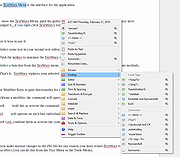 |
|
Unicodia — encyclopedia of characters v3.2.3 Unicodia — encyclopedia of characters v3.2.3 👉 A fast, searchable encyclopedia of Unicode characters with detailed technical information. Unicodia is a comprehensive Unicode character reference designed for developers, typographers, linguists, and anyone who works with extended character sets. It allows users to explore the full Unicode standard through an intuitive interface, offering instant search, categorized browsing, and in-depth character metadata. Unicodia makes it easy to locate, inspect, and copy symbols, scripts, emojis, and historical characters for use in documents, code, and design projects. Features: • Browse the complete Unicode character set by block and category • Instant search by character name, code point, or description • Detailed character metadata including properties and classifications • One-click copy of characters to the clipboard • Supports modern scripts, symbols, emojis, and historic writing systems • Clean, readable interface optimized for reference use • Fully usable offline after installation Supported operating systems: • Windows 7, Windows 8, Windows 10, Windows 11 Supported languages: English Changes: v3.2.3 06-13-26 📚 TEXT [en] #609 Grammar check done! Really need retranslation: 1) more neutral Kayah Li; 2) Khitans were defeated by KOREANS! [en] Wrote "Kyivan/Kievan" (more correct now / used by Unicode) 🐞 PROGRAM [3.1.8] In SignWriting, the style was not applied Click here to visit the author's website. |
|
2,446 | Jun 18, 2026 Mikhail Merkuryev 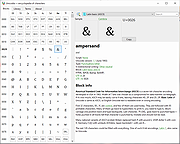 |
|
Work by Speech v3.0 Work by Speech v3.0 Control and work on your Windows computer by speech alone. Work by Speech is a Windows app that allows efficient computer use by speech alone. It includes voice commands for common actions, application switching and opening, custom voice commands, macro recording, dictation mode and speech-controlled mouse control. Features: • Work on a computer by speech alone • Quiet speaking support • Application switching and opening by speech • Built-in voice commands for common actions • Custom voice commands management • Macro recording • Separate dictation mode • Speech-controlled mouse actions • Customizable and movable mousegrid with up to 2550 figures • Automatic mousegrid optimization for every used application • Very low processor usage • Works with any microphone • Requires .NET Framework 4.7.2 or higher • Requires administrator rights for mouse clicking and key pressing in administrator-run apps Supported operating systems: • Windows 7 SP1, Windows 8.1, Windows 10, Windows 11 Supported languages: • English Changes: v3.0 07-19-26 Fixed a Smart Mousegrid bug occurring after updating from version 2.7 or earlier to versions 2.8 or 2.9, or from version 2.6 or earlier to versions 2.7, 2.8, or 2.9. Note: This program requires administrator rights to run (without them mouse clicking and keys pressing by speech would not work in apps that were run as administrator). Click here to visit the author's website. |
|
530 | Jul 21, 2026 Mikolaj Magowski 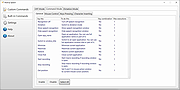 |
| Showing rows 1 to 37 of 37 | Showing Page 1 of 1 | 1 |
OlderGeeks.com Copyright (c) 2026
