|

|
Processed through Paypal No account required. |








Buy our over-priced crap to help pay the bills.



|
|
Processed through Paypal No account required. |
| Files | ||||
| File Name | Rating | Downloads | ||
 |
Process Governor v1.3.1 Process Governor v1.3.1 👉 Automate Windows process and service priority, I/O priority, and CPU affinity rules. Process Governor is a free Python-based Windows utility that automates the management of processes and services by applying user-defined rules for priority, I/O priority, and CPU core affinity. It can be used to fine-tune system responsiveness, control how selected programs use CPU cores, and automatically apply preferred settings to matching processes or services. Features: • Adjust process and service priorities • Control I/O priorities for better resource management • Set CPU core affinity for selected processes • Create rules for processes by name, path, or command line • Create rules for Windows services by service name • Supports wildcards in process and service rules • Optional force mode for continuous rule application • Optional delay before applying rules • View running process details including PID, executable path, service name, and command line • Search, sort, and filter process and service lists • System tray menu with access to settings, config file, log file, updates, startup option, and quit • Open file locations, file properties, and service properties from the process list • Undo, redo, hotkeys, and inline rule editing • Error highlighting for invalid rule entries • Optional auto-start with Windows Supported operating systems: • Windows 10 • Windows 11 Supported languages: English Changes: v1.3.1 04-19-25 Bug Fixes Fixed error messages: Resolved occasional error messages in the garbage collection process. Click here to visit the author's website. |
 |
1,028 | Jun 15, 2026 System X - Files 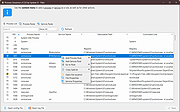 |
|
ProcessKO v6.67 ProcessKO v6.67 👉 Quickly terminate running or frozen Windows processes and programs. ProcessKO is a small, useful tool designed to quickly kill any running or hanging process or program. It is especially helpful for developers, testers, and experienced Windows users who need a faster alternative to opening Task Manager, finding a stuck task, and ending it manually. ProcessKO can also restart programs and create favorites for quickly closing troublesome applications. Features: • Quickly terminates running or hanging processes and programs • Helps avoid the longer manual Task Manager process • Can restart programs directly from within ProcessKO • Lets you create favorites for fast access to frequently terminated tasks • Portable utility that does not require installation • Useful for developers, testers, and advanced Windows users Supported operating systems: • Windows XP, Windows Vista, Windows 7, Windows 8.1, Windows 10, Windows 11 • Windows Server 2016, Windows Server 2019 Supported languages: • German, English, Russian, Swedish, French, Italian, Portuguese (Brazilian), Arabic, Serbian, Chinese Simplified, Greek, Romanian, Slovenian, Dutch, Indonesian, Hungarian, Polish, Vietnamese, Persian, Czech, Spanish, Irish, Spanish (Venezuela), Norwegian, Danish, Turkish, Chinese Traditional, Korean, Japanese, Spanish (Mexico), Bulgarian, Finnish, Spanish (Asturian) Changes: v6.67 05-16-26 Updated language files for ProcessKO—a process terminator for Windows—along with minor corrections for Windows 11, ensure that processes on Windows systems are terminated or closed reliably and without issues. This download is for the Windows 64bit version (very bottom of page). If you need the Windows 32bit version, download here. Click here to visit the author's website. |
|
9,645 | Jul 26, 2026 Nenad Hrg 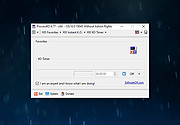 |
|
PropertySystemView v1.22 PropertySystemView v1.22 👉 View and edit Windows file and window properties with ease. PropertySystemView is a lightweight portable utility that allows you to view and modify the properties of files and Windows using the Windows Property System. It can edit metadata stored in media files, Office documents, images, and other supported file types, including fields such as Title, Comments, Authors, Tags, Date Taken, Media Created, Date Imported, Content Created Date, and many more. It also supports working with Windows properties, such as setting the System.AppUserModel.ID property of a window to customize taskbar behavior. The program supports both an easy-to-use graphical interface and a powerful command-line mode for automation. Features: • View and modify Windows Property System metadata for supported files. • Edit media, image, and Microsoft Office document properties. • Modify timestamps such as Media Created, Date Taken, and Date Imported. • View and edit Windows window properties. • Add, edit, and remove supported properties. • Drag-and-drop file loading. • Browse and display all properties available on your system. • Powerful command-line interface for scripting and automation. • Portable application with no installation required. • Available in both 32-bit and 64-bit versions. Supported operating systems: • Windows Vista, Windows 7, Windows 8, Windows 8.1, Windows 10, Windows 11 (32-bit and 64-bit) Supported languages: English, Brazilian Portuguese, Dutch, French, German, Hungarian, Italian, Japanese, Persian, Russian, Simplified Chinese, Slovak, Traditional Chinese, Turkish Changes: v1.22 07-11-26 Added 'Black Background' option (under the View menu). When enabled, the main table is displayed with a black background and white text instead of the default system colors. This download is for the Windows 64bit version (very bottom of page). If you need the Windows 32bit version, download here. Click here to visit the author's website. |
|
4,736 | Jul 17, 2026 Nir Sofer 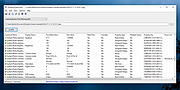 |
|
Quick Snippet v1.0.2 Quick Snippet v1.0.2 👉 Lightweight Windows utility for storing, organizing, and instantly copying reusable text snippets. Quick Snippet is a lightweight Windows application designed to help you manage and copy frequently used text such as emails, templates, ticket updates, troubleshooting steps, and other reusable content. It lets you organize snippets into categories, quickly find them with live filtering, sort both categories and snippets, and copy text to the clipboard with a single click. It also includes system tray support, JSON import and export, and light and dark theme support. Features: • Create, edit, rename, and delete snippets • Store large or small blocks of text • One-click copy to clipboard • Group snippets into categories • Instantly filter snippets by name • Filter categories independently • Results update in real time as you type • Alphabetical sorting for categories and snippets • Toggle sort direction with a single click • Minimize to tray for quick access • Import and export snippets and categories in JSON format • Light and dark mode support Supported operating systems: • Windows 10 • Windows 11 Supported languages: English Changes: v1.0.2 04-05-26 New Added snippet filtering (search box with live results) Added snippet sorting (A–Z and Z–A) Added category filtering (search categories instantly) Added category sorting (A–Z and Z–A) Improvements Improved layout and spacing for filter and sort controls More consistent behavior across categories and snippets Better usability when working with larger snippet collections Fixes Fixed minor UI sizing/alignment issues General stability improvements Note: This file has one hit on VirusTotal. We have confirmed this to be a false positive. The file is safe. Click here to visit the author's website. |
|
856 | Apr 06, 2026 Frank Noonan 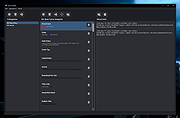 |
|
QuickMemoryTestOK v5.55 QuickMemoryTestOK v5.55 👉 Quickly test your Windows PC's RAM for errors. QuickMemoryTestOK is a small Windows utility that helps check your computer's RAM for bad or corrupted memory areas, and can also be used to test system behavior under high memory usage. Features: • Quick memory test for RAM errors • Helps detect bad or corrupted memory areas • Test Windows behavior under high memory usage • Customizable test runs • Pause and resume testing • Clear memory status display • Shows CPU load during testing • Access to useful memory and system tools • Zoom option for easier viewing • Very small program with low CPU usage • Portable version available Supported operating systems: • Windows 11, Windows 10, Windows 8.1, Windows 7, Windows Server 2012-2025, Windows Server 2022, x64, x32, x86 Supported languages: German, English, Korean, French, Bulgarian, Japanese, Traditional Chinese, Slovenian, Polish, Afrikaans, Simplified Chinese, Russian, Portuguese, Hungarian, Italian, Thai, Spanish, Hebrew, Hindi, Vietnamese, Malay, Indonesian, Filipino, Dutch, Norwegian, Danish, Finnish, Greek, Spanish-VE, Czech, Arabic, Bosnian, Turkish, Ukrainian Changes: v5.55 06-07-26 • Update of language files in the Memory Test Tool for all MS Windows operating systems • Improvements to RAM detection 👉 This download is for the Windows 64bit portable version (very bottom of page). All other download assets are below: Other Windows: QuickMemoryTestOK.zip (32bit portable) Click here to visit the author's website. |
|
6,378 | Sep 18, 2026 Nenad Hrg 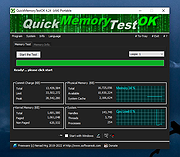 |
|
QuickTextPaste v9.55 QuickTextPaste v9.55 👉 Insert frequently used text quickly via customizable keyboard shortcuts. QuickTextPaste is a portable Windows utility that allows you to paste frequently used text, run programs, or open folders using customizable keyboard shortcuts. It is designed to save time when working with repetitive text entries such as email addresses, signatures, or standard phrases. QuickTextPaste runs in the system tray and lets you define multiple text entries, each assigned to a hotkey combination. You can also insert formatted text, launch applications, or execute commands directly from the shortcut, making it useful for power users and anyone who frequently types repetitive content. Features: • Create and manage custom text snippets • Assign individual keyboard shortcuts to each entry • Paste formatted or plain text into any application • Execute programs, open folders, or run commands • Portable version available, no installation required • Lightweight and runs in the system tray Installation: Quick paste text does not require installation, can easily be launched from the desktop with no installation and is ready to use on all Windows operating systems. Supported operating systems: Windows 11, Windows 10, Windows 10 Pro, Windows 10 Enterprise, Windows 10 Home, Windows 8.1, Windows 8.1 Enterprise and Pro, Windows 8, Windows 8 Enterprise and Pro, Windows 7, Windows 7 Enterprise, Windows 7 Home Basic, Windows 7 Home Premium + Professional, Windows 7 Starter + Ultimate, , X64, x86 and x32 all Windows, MS Windows Server 2019, 2016,2012, . Changes: v9.55 06-06-26 • Important update of the language files • Small tweaks and Improvements in Auto Hotkeys for Windows OS • Bugfix: If detect the default system language for multi-language support • Corrections if switch to admin mode This download is for the Windows 64bit portable version (very bottom of page). If you need the Windows 32bit portable version, download here. If you need the Windows 64bit installer version, download here. If you need the Windows 32bit installer ... |
|
6,617 | Jun 29, 2026 Nenad Hrg 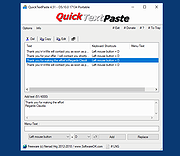 |
|
Remove Windows XP End of Life Messages Utility Remove Windows XP End of Life Messages Utility On April 8th 2014, Microsoft ended all support for Windows XP. They then released a number of Windows Updates that displays annoying messages on your desktop telling you that your operating system is now at its end of life. This is the Windows message: The second is the Microsoft Security Essentials one: We have been asked a number of times about how to remove these and we have now created a new utility that will help you to do this. (Download at bottom of page) CONSIDERATIONS There is one problem with removing the Microsoft Security Essentials end of life message. If you have already installed Version 4.5.216.0 then you cannot remove this message. Also, eventually, your system will update to this version so the best thing to do is to uninstall MSE and install another free anti-virus like Avast or Avira. If you have not yet installed Version 4.5.216.0 then this utility will work for you for the MSE part. The Windows end of life message should be able to be removed without issue using this utility. You must have Dot Net 2.0 installed for this to work. INSTRUCTIONS Once you have downloaded the file you should run the executable file to start the utility. You will then be presented with a utility that looks like this: You should then click the buttons on the right hand side in relation to what you want to do. So, if you want to remove the Windows message, click the top button, if you want to remove the MSE message, click the bottom button. Once you have done this, you should reboot your machine and you should now notice that the messages have not reappeared. |
 |
8,456 | Jul 13, 2014 Techy Geeks |
|
Rename Master v4.04 Rename Master v4.04 👉 Powerful batch file and folder renaming utility. Rename Master is a freeware utility that allows you to rename multiple files and folders quickly using a wide range of advanced renaming options. Designed for both casual and power users, it can manipulate filenames based on text patterns, file attributes, metadata, numbering schemes, and custom scripts. A real-time preview window shows exactly how files will be renamed before any changes are applied, helping prevent mistakes when working with large collections of files. Rename Master supports information stored inside MP3 tags, JPEG JFIF and EXIF data, enabling automatic renaming based on embedded metadata. It also includes powerful wildcard support, search-and-replace functions, sequential numbering, folder renaming capabilities, and the ability to save frequently used renaming configurations for future use. Despite its extensive feature set, the program remains lightweight, fast, and easy to use. Features: • Rename multiple files and folders in a single operation • Add, remove, replace, or rearrange text within filenames • Advanced search and replace with wildcard support • Sequential numbering and custom counters • Rename files using MP3 tag information • Rename photos using JPEG JFIF and EXIF metadata • Change filename case (upper, lower, title case, etc.) • Insert file dates and times into filenames • Move or remove characters at specific positions • Save and reuse renaming scripts and presets • Real-time preview before applying changes • Undo support for reverting previous renaming operations • Optional Windows Explorer integration • Fast processing of large file collections • Portable-friendly and lightweight design Supported operating systems: • Windows XP • Windows Vista • Windows 7 • Windows 8 • Windows 8.1 • Windows 10 • Windows 11 Supported languages: English Changes: v4.04 05-14-26 (Renaming Script) Fix: issues with auto-preview (introduced in v4.03) Fix: issue when loading a script when using non-default Counting settings Fix: Counting tab icon not always marked when using non-default setting (Misc) Fix: possible exception when loading a script using "File > Open Script" with default settings NOTES: Hotfixes for ... |
|
6,905 | Jun 12, 2026 joejoesoft.com 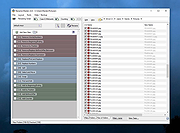 |
 |
Rufus v4.15 Rufus v4.15 👉 Create bootable USB drives easily and quickly. Rufus is a small utility that helps format and create bootable USB flash drives, such as USB keys, memory sticks, and other removable media. It is especially useful for cases where you need to create USB installation media from bootable ISOs, including Windows, Linux, and other operating systems, or when working on systems that lack an optical drive. Rufus is known for its speed and reliability, offering advanced options for power users while remaining simple enough for beginners. It supports UEFI and legacy BIOS, allows selection of partition schemes and file systems, and includes options for handling ISO images with custom settings. Features: • Create bootable USB drives from ISO images • Supports UEFI and legacy BIOS • MBR and GPT partition schemes • FAT32, NTFS, exFAT, UDF, and ReFS file systems • Detects USB devices automatically • Advanced formatting and drive options • Portable, no installation required Supported operating systems: • Windows 8, Windows 8.1, Windows 10, Windows 11 Supported languages: English, French, German, Italian, Spanish, Portuguese, Russian, Chinese (Simplified), Chinese (Traditional), Japanese, Korean, Arabic, Polish, Dutch, Greek, Turkish, Czech, Hungarian, Romanian, Vietnamese, Thai, Indonesian, Ukrainian, Bulgarian, Slovak, Slovenian, Danish, Finnish, Norwegian, Swedish, Hebrew, Persian Changes: v4.15 06-30-26 Add RISC-V 64 support to UEFI:NTFS. Improve the guards for using the "silent" Windows installation option. Improve the ability to cancel during write retries. Improve progress reporting for compressed image extraction. Fix unrestricted XML entity expansion and integer overflow in ezxml parser (courtesy of Eric Sadowski). Fix "silent" Windows installation failing at 75% in most cases. Fix a crash during boot when using UEFI:NTFS on Snapdragon X based ARM64 platforms. Fix first WUE option always being checked by default. Fix an infinite loop when using Windows ISOs that contain multiple WIMs. Fix "Enable runtime UEFI media validation" checkbox not always being properly enabled. Other WUE improvements/fixes for OneDrive removal and username validation (with thanks to @christian8641). Non exhaustive ... |
|
14,360 | Jul 02, 2026 Pete Batard/Akeo 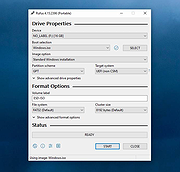 |
|
Run-Command v6.41 Run-Command v6.41 👉 Enhanced Windows Run dialog replacement with extended command execution features. Run-Command is a small but powerful alternative to the standard Windows Run dialog. It provides extended functionality for executing commands, opening programs, launching system tools, and accessing frequently used folders more efficiently. Designed as a portable utility, Run-Command enhances productivity by offering customizable favorites, command history, and quick access to administrative tools. It is lightweight, requires no installation, and is suitable for both everyday users and advanced system administrators. Features: • Alternative to the standard Windows Run dialog • Favorites menu for frequently used commands • Command history with quick recall • Run programs with administrative privileges • Drag & drop support • Portable – no installation required • Multilingual user interface • Small size and low system resource usage Supported operating systems: • Windows 7, Windows 8, Windows 8.1, Windows 10, Windows 11 • Windows Server 2012, Windows Server 2016, Windows Server 2019 Supported languages: • German, English, Greek, Russian, Simplified Chinese, French, Persian, Swedish, Romanian, Arabic (Iraq), Hungarian, Italian, Portuguese (Brazil), Dutch, Spanish (Venezuela), Indonesian, Polish, Traditional Chinese, Japanese, Taiwanese Chinese, Czech, Korean, Ukrainian, Portuguese (Portugal), Turkish, Thai, Filipino, Finnish, Norwegian, Bosnian, Croatian, Serbian, Bulgarian Changes: v6.41 05-06-26 • Improvements to the Run command as an alternative to the Windows Run dialog, including enhancements to the interpretation of Windows Run commands. • Updated language files, along with various minor adjustments and optimizations within the alternative Run dialog for MS Windows. This download is for the Windows 64bit version (very bottom of page). If you need the Windows 32bit version, download here. Click here to visit the author's website. |
|
10,836 | May 07, 2026 Nenad Hrg 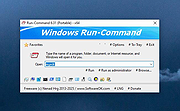 |
|
SearchMyFiles v3.36 SearchMyFiles v3.36 👉 A portable Windows search utility for finding files and folders using detailed filters, content searches, duplicate detection and more. SearchMyFiles is a portable alternative to the standard Windows file search that provides much more precise control over what you search for and how results are filtered. You can search by filename wildcards, folder locations, file size, attributes, creation, modification and access times, file contents and numerous other criteria. Search results can be opened directly, copied to the clipboard or exported to text, CSV, HTML or XML files. SearchMyFiles also includes specialized modes for locating duplicate files, files with duplicate names, non-duplicate files, empty folders and summarized folder information. No installation is required, and the program can be run from a USB flash drive without leaving configuration information in the Registry. Features: • Search files and folders using filename wildcards • Search multiple folders or drives in a single operation • Include or exclude specific folders from searches • Search through subfolders with configurable scanning depth • Search files by minimum or maximum size • Search by creation, modification or last-accessed date and time • Search for files created or modified within the last specified number of seconds, minutes, hours or days • Filter files using read-only, hidden, system, archive, compressed and encrypted attributes • Search inside files for text • Perform binary content searches using hexadecimal byte sequences • Search for multiple text or binary values at once • Search text inside Microsoft Office documents and supported PDF files using installed Windows search handlers • Search for folders as well as files • Duplicate Search mode finds files with identical contents • Duplicate files are compared byte-for-byte and visually grouped in the results • Non-Duplicates Search mode displays files that do not have duplicates • Duplicate Names Search finds files or folders sharing the same name • Duplicate Names Search can distinguish files with identical or different ... |
|
6,304 | Sep 04, 2026 Nir Sofer 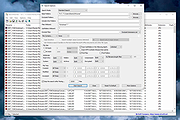 |
|
ShelfLife v0.7.1 ShelfLife v0.7.1 👉 Automatically clean, organize, and manage your folders based on customizable rules. ShelfLife is an open-source folder maintenance utility designed to keep commonly cluttered locations such as your Desktop and Downloads folder organized automatically. It can monitor selected folders and perform actions based on rules you define, including moving, deleting, or sorting files according to their age. This makes it ideal for keeping temporary files, old downloads, and accumulated clutter under control without constant manual cleanup. The program is designed with a straightforward interface that allows you to configure multiple folder management rules while providing enough flexibility for different cleanup workflows. Whether you want to archive older files, remove temporary items, or keep your Downloads folder tidy, ShelfLife automates the process in the background. Features: • Automatically organize folders using customizable rules • Monitor multiple folders simultaneously • Move files based on file age • Delete old or unwanted files automatically • Ideal for managing Desktop and Downloads folders • Helps reduce clutter and improve file organization • Simple, modern user interface • Open source Supported operating systems: • Windows 10, Windows 11 Supported languages: English Changes: v0.7.1 07-06-26 • Fix issue causing notifications to repeatedly appear after changing notification settings. • Improve notification handling behavior. Click here to visit the author's website. |
|
474 | Jul 07, 2026 LogicDX342 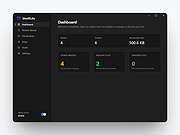 |
|
SIV (System Information Viewer) v5.88 SIV (System Information Viewer) v5.88 👉 Detailed Windows system, hardware, sensor, and network information utility. SIV (System Information Viewer) is a general Windows utility for displaying extensive system information, including CPU, PCI, PCMCIA, USB, SMBus, SPD, ACPI, machine, hardware sensor, network, and operating system details. It can also control certain AIO devices such as fans and LEDs by using the appropriate command-line option Features: • Displays detailed CPU information including processor type, features, clock speeds, and topology. • Reports motherboard, chipset, BIOS information, and firmware details. • Shows comprehensive PCI, PCIe, EISA, and PCMCIA device information. • Provides SMBus and SPD data including memory module information and sensor readings. • Displays detailed hardware sensor information including temperatures, voltages, and fan speeds. • Reports GPU information including PCIe link speed and lane configuration. • Shows USB device information and connected hardware details. • Displays ACPI information and power management related system data. • Provides detailed operating system information including installed updates and system configuration. • Shows network adapter information, IP configuration, and network statistics. • Supports viewing hardware I/O ports and device resource allocations. • Includes tools to view ghost devices and hidden hardware entries in the system. • Can generate and save detailed system reports for diagnostics or troubleshooting. • Allows optional control of supported AIO devices such as fans and LEDs via command-line options. • Designed to work across both modern and legacy Windows systems, including classic Windows 9x platforms. Supported operating systems: • Windows 11, Windows 10, Windows 8.1, Windows 8, Windows 7, Windows Vista, Windows XP, Windows Server 2022, Windows Server 2019, Windows Server 2016, Windows Server 2012, Windows Server 2008, Windows Server 2003, Windows 2000, Windows NT 4.0, Windows NT 3.51, Windows 95, Windows 98, Windows Me Supported languages: • English, Chinese (Simplified), Chinese (Traditional), Russian, Greek Changes: v5.88 10-14-26 Added GUID Class Names to [Lookup] (Menu->Help->SIV Lookup) and enable [WEB UPD] when later files are available. Added ASRock A520M-HVS ... |
|
20,324 | Oct 15, 2026 Ray Hinchliffe 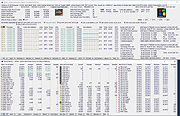 |
|
Sizer v4.0 dev673 Sizer v4.0 dev673 👉 Precisely resize and position application windows with customizable presets and hotkeys. Sizer is a lightweight window management utility that lets you instantly resize and reposition application windows to exact dimensions. Originally created for web designers and developers needing consistent browser sizes, it has evolved into a flexible productivity tool for anyone who regularly arranges windows on one or more monitors. Instead of manually dragging window borders, Sizer can snap windows to predefined sizes and positions with a click or keyboard shortcut. Sizer 4 has been completely rewritten for improved compatibility with modern Windows applications while reducing the intrusive techniques used by previous versions. It supports customizable hotkeys, advanced sizing macros and mathematical expressions, grouped menu layouts, portable operation, and easy import/export of configuration files. Power users can automate complex desktop layouts by positioning multiple windows simultaneously using macros and expressions. Features: • Resize any window to exact predefined dimensions • Move windows to precise screen locations • Assign global hotkeys to resizing actions • Launch the sizing menu with Ctrl+Win+Z or a custom shortcut • Create custom window size and position presets • Use mathematical expressions for dynamic sizing • Automate layouts with powerful window macros • Resize and reposition multiple windows simultaneously • Organize presets into cascading menu groups • Import and export configuration settings • Run as a portable application without installation • Improved compatibility with modern Windows applications • Supports high-DPI displays with DPI-aware rendering • Right-click window borders or restore buttons for quick access • Stable, lightweight design with minimal system impact Supported operating systems: • Windows 10, Windows 11 (64-bit) Supported languages: English Changes: v4.0 dev673 11-26-25 Introduced the special macro variable $_count that holds the number of wildcard matches. Note: This file has one hit on VirusTotal. We have confirmed this to be a false positive. The file is safe. Click here to visit the author's website. |
|
1,807 | Jul 27, 2026 Brian Apps 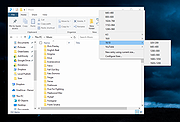 |
|
SmartSystemMenu v2.33.1 SmartSystemMenu v2.33.1 👉 Enhance Windows system menus with powerful window management features. SmartSystemMenu is a lightweight utility that extends the standard Windows system menu of application windows with a wide range of advanced window management tools. By right-clicking the title bar or using the system menu, users gain access to additional options that go far beyond the default Move, Size, Minimize, Maximize, and Close commands. SmartSystemMenu allows you to control window behavior, transparency, priority, alignment, and more, making it especially useful for power users who want finer control over their desktop environment. Features: • Adds extended options to the standard Windows system menu • Adjust window transparency levels • Set window priority (Real-time, High, Above normal, Normal, Below normal, Idle) • Resize and reposition windows with custom dimensions • Align windows to screen edges or predefined positions • Change window always-on-top state • Save and restore window positions • Take screenshots of application windows • Copy window text to clipboard • Multi-language interface • Portable version available Supported operating systems: • Windows 7, Windows 8, Windows 8.1, Windows 10, Windows 11 Supported languages: English, Russian, German, French, Spanish, Italian, Portuguese, Polish, Chinese (Simplified), Chinese (Traditional), Japanese, Korean, Turkish, Dutch, Czech, Hungarian, Ukrainian Changes: v2.33.1 03-20-26 Support of the SmartSystemMenu.xml file for previous versions Korean translation improvements Japanese translation improvements by @coolvitto Click here to visit the author's website. |
|
5,811 | Mar 23, 2026 Alexander Illarionov 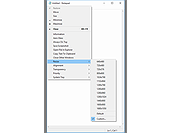 |
|
SoundVolumeView v2.53 SoundVolumeView v2.53 👉 View and change Windows sound volume from a GUI or command line. SoundVolumeView is a simple tool for Windows that displays general information and current volume levels for all active sound components on your system, and allows you to mute and unmute them instantly. SoundVolumeView can also save a sound profile to a file, including current volume levels, mute/unmute states, and default sound devices, then restore those same settings later. It also includes extensive command-line support for saving and loading profiles, changing volume, muting, unmuting, enabling, disabling, and setting audio devices without displaying the user interface. Features: • View all active sound components on your system • See current volume levels and mute status • Mute or unmute sound components instantly • Save and restore complete sound profiles • Change volume from the GUI or command line • Set default sound devices • Enable or disable audio devices • Create desktop shortcuts for common sound actions • Export sound item information to text, CSV, HTML, XML, or JSON • Supports 32-bit and 64-bit Windows Supported operating systems: • Windows Vista, Windows 7, Windows 8, Windows Server 2008, Windows 10, Windows 11 Supported languages: Arabic, Brazilian Portuguese, Dutch, Finnish, French, German, Greek, Hungarian, Italian, Japanese, Korean, Persian, Polish, Portugal Portuguese, Romanian, Russian, Simplified Chinese, Slovak, Spanish, Swedish, Traditional Chinese, Turkish Changes: v2.53 Fixed the /SetAllowExclusive and /SetExclusivePriority commands to set the value correctly. 👉 This download is for the Windows 64bit version (very bottom of page). All other download assets are below: Other Windows: soundvolumeview.zip (32bit) Click here to visit the author's website. |
|
6,314 | Sep 18, 2026 Nir Sofer 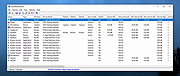 |
|
Speed-Up NVMe v1.0 Speed-Up NVMe v1.0 👉 Increase NVMe drive performance in Windows 11 up to 80%. Speed-Up NVMe is a portable utility that enables Microsoft’s newer native NVMe storage driver on supported Windows 11 systems by applying the required registry entries automatically. According to the developer, this can improve IOPS performance by up to 80% and reduce CPU cycles by about 45% on supported setups. The program also includes the registry files it applies, so you can review or revert the changes more easily. It is intended for supported Windows 11 consumer versions with the required updates installed, and the author notes that Windows 10 compatibility is not confirmed. Features: • Enables Microsoft’s newer native NVMe storage driver on supported Windows 11 systems • Portable utility with one-click apply and revert capability • Includes the registry entries used by the program in the Reg folder • Can improve NVMe SSD IOPS performance on supported systems • May reduce CPU usage during supported storage workloads • Helps expose NVMe devices under Storage Controllers instead of standard device handling after reboot • Useful for workloads such as database operations, file server metadata work, Hyper-V, virtualization, and large AI or machine learning dataset processing Supported operating systems: • Windows 11 24H2, Windows 11 25H2 • Windows Server 2025 Supported languages: English Changes: v1.0 12-29-25 Not Provided How to Use: 1) Download the Speed-Up NVMe ZIP file and extract it to any folder. 2) Right-click the executable and select Run as Administrator. 3) Click Enable NVMe Optimization (or equivalent option). 4) Restart Windows to apply the changes. To revert: 1) Run the tool again as Administrator. 2) Choose Restore Default Settings. 3) Restart Windows to apply the changes. Note: This tool modifies Windows registry settings to enable an undocumented NVMe driver. Use only on Windows 11 and at your own risk. Click here to visit the author's website. |
|
986 | Mar 24, 2026 Sordum.org 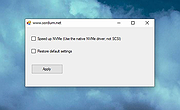 |
|
StasherX v3.12.3.7 StasherX v3.12.3.7 👉 Hide and protect your folders from view with password-based control. StasherX is a simple utility that lets you protect your directories and folders by making them hidden or visible on demand. With password control, it helps prevent casual access to sensitive folders and keeps data out of sight without modifying the files themselves. It’s lightweight and straightforward, ideal for users who want a basic folder-protection tool without complex encryption setups. Features: • Hide directories and folders from view • Toggle visibility on demand • Password protection for folder access • Simple, no-nonsense interface • Lightweight and fast Supported operating systems: • Windows 10, Windows 11 Supported languages: • English Changes: v3.12.3.7 Not provided. Click here to visit the author's website. |
|
716 | Jul 06, 2026 Cyberland 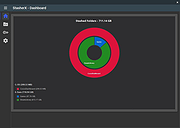 |
|
SyncTrayzor v2.1.0 SyncTrayzor v2.1.0 👉 Makes Syncthing behave like a native Windows application with a convenient system tray interface. SyncTrayzor is a Windows tray utility for Syncthing that hosts and manages Syncthing, providing a more integrated desktop experience than using the web interface alone. It includes a built-in browser for managing Syncthing, automatically starts with Windows if desired, monitors synchronization activity, and provides notifications for sync events, conflicts, and device status. SyncTrayzor also includes folder watching for faster detection of file changes and tools to help resolve synchronization conflicts. It is designed to simplify the use of Syncthing while retaining all of its powerful decentralized file synchronization capabilities. Features: • Built-in browser for managing Syncthing without opening an external web browser • Runs from the Windows system tray • Optional automatic startup with Windows • Real-time synchronization status and activity notifications • Folder watcher for faster detection of file changes • File transfer progress window • Conflict detection and conflict resolution tool • Notifications for completed syncs, conflicts, and device connections or disconnections • Supports pausing synchronization on metered networks • Native 64-bit builds, including Windows on ARM64 • Automatic update support • Open source (MIT License) Supported operating systems: • Windows 10, Windows 11 (64-bit only, including ARM64) Supported languages: • English, German, French, Spanish, Italian, Portuguese, Russian, Chinese, Japanese, Korean, Dutch, Polish, Czech, Turkish, Ukrainian, and additional community-translated languages. Changes: v2.1.0 12-17-25 • Reworked the tray activity popup to be draggable and resizable • Fixed inverted order of items in the tray activity popup • Added a warning when mixed v1/v2 installations are detected • Translation updates • Dependency and runtime upgrades • Embedded browser upgraded to Chromium/CEF v141 This download is for the Windows 64bit version (very bottom of page). If you need the Windows ARM64 version, download here. Click here to visit the author's website. |
|
3,440 | Jun 23, 2026 Maximilian Frφhling 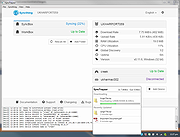 |
|
Tablacus Explorer v26.6.11 Tablacus Explorer v26.6.11 👉 Customizable tabbed file manager with extensive add-on support. Tablacus Explorer is a portable, open source tabbed file manager for Windows that supports add-ons, multiple languages, Unicode, customizable menus, keys, mouse gestures, aliases, and extra columns such as total file size and labels. It is designed for users who want a highly flexible alternative to standard Windows File Explorer. Features: • Tabbed interface • Add-on support • Completely portable with no installation required • Multiple language and Unicode support • Extra columns including total file size and label • Customizable associations, menus, keys, mouse gestures, and aliases • Open source • Available in both 32-bit and 64-bit versions Supported operating systems: • Windows XP, Windows Vista, Windows 7, Windows 8, Windows 8.1, Windows 10, Windows 11 Supported languages: English, Japanese, Spanish, Korean, German, Greek, French, Italian, Portuguese, Russian, Simplified Chinese, Traditional Chinese, Turkish Changes: v26.6.11 06-11-26 • Added ARM64 support. (Backup recommended) • Added an ARM64 version of Tablacus Explorer. • The developer does not have a Windows ARM device, so this build has not been tested by the developer. • Windows ARM users can download tearm_260611.zip, extract it over their existing installation, and run TEARM64.exe. • The developer is requesting feedback from ARM64 users about whether the build works correctly or if any problems occur. Click here to visit the author's website. |
|
7,004 | Aug 14, 2026 Gaku 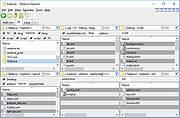 |
|
tacky-borders v1.5.0 tacky-borders v1.5.0 Add colorful, customizable borders to your Windows application windows. tacky-borders is a lightweight open-source utility that adds visible, customizable borders around application windows in Windows. It is designed to make window boundaries easier to see and to give users the ability to style their desktop with colored outlines around active and inactive windows. tacky-borders runs in the background and applies borders dynamically, helping improve window visibility and providing a more personalized desktop experience. Features: • Adds customizable borders around application windows • Supports different border colors and styles • Distinguishes between active and inactive windows • Lightweight and runs in the background • Open-source project hosted on GitHub To Configure tacky-borders: • Run tacky-borders.exe once to generate the config file automatically (created in %userprofile%/.config/tacky-borders/) • Open the config quickly by right-clicking the tray icon and choosing "Show Config" • Edit config.yaml in a text editor, then save: • watch_config_changes: True will automatically reload borders when the config file is modified • global.border_width sets border thickness in pixels • global.border_offset moves the border inwards (negative) or outwards (positive) • global.border_radius can be Auto, Square, Round, RoundSmall, or a numeric value • global.active_color and global.inactive_color support: • Solid colors using a hex value (example: "#ffffff") or "accent" • Gradient colors using a colors list + direction (example direction: 45deg or start/end coordinates) • animations and effects are configurable under global (effects note: they can significantly increase CPU/GPU usage and require rendering_backend: V2) • Per-app overrides: use window_rules to match by Class, Title, or Process (Equals, Contains, or Regex), then override any global setting for just that app • If a border is initialized but not visible for a window, try setting follow_native_border to False in a window rule Supported operating systems: • Windows 10, Windows 11 Supported languages: • English Changes: v1.5.0 04-26-26 Features add theme-aware border colors for Windows by @Louis047 in #74 Bug Fixes fix borders disappearing after waking system from ... |
|
1,113 | Jul 11, 2026 lukeyou05  |
|
TeraCopy Free v4.0.3 TeraCopy Free v4.0.3 👉 Fast and reliable file copy and move utility for Windows. TeraCopy Free is a Windows file transfer utility designed to replace the standard Windows copy and move functions with a faster, more reliable alternative. The free version improves large file transfers, verifies copied files to ensure data integrity, automatically retries failed transfers, and integrates directly into Windows Explorer for seamless everyday use. It also supports checksum generation and verification, secure file deletion, and copying locked files. This listing is for the free Windows edition intended for home and non-profit use only. Features: • Faster file copy and move operations than Windows Explorer • Verify copied files to ensure data integrity • Automatically retry failed file transfers • Skip problematic files without stopping the entire transfer • Preserve original file date and time stamps • Copy locked files • Integrates with Windows Explorer context menus • Run shell scripts (CMD or PowerShell) when transfers complete • Generate and verify checksum files including CRC32, MD5, SHA-1, SHA-256, SHA-512, Panama, Tiger, RipeMD, Whirlpool, and xxHash • Securely delete files • Keeps a history of recently used folders for quicker navigation • Free for home and non-profit use Supported operating systems: • Windows 7, Windows 8, Windows 8.1, Windows 10, Windows 11 • Windows Server 2003–2025 Supported languages: • Arabic, Bengali, Bulgarian, Catalan, Chinese Simplified, Chinese Traditional, Croatian, Czech, Danish, Dutch, English, Estonian, Finnish, French, Georgian, German, Greek, Hebrew, Hindi, Hungarian, Indonesian, Italian, Japanese, Korean, Lithuanian, Malay, Norwegian, Persian, Polish, Portuguese, Portuguese (Brazilian), Romanian, Russian, Santali, Serbian, Slovak, Slovenian, Spanish, Spanish (Argentina), Spanish (Mexico), Swedish, Thai, Turkish, Ukrainian, Vietnamese Changes: v4.0.3 07-14-26 Fixed file enumeration on macOS SMB shares: worked around a bug in Apple’s SMB server that truncates large directory listings. Fixed issue with file sizes on Macrium tbFAT. Per-user installation no longer requires elevation. ... |
|
10,220 | Jul 16, 2026 Code Sector 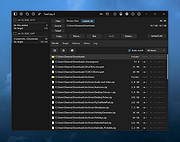 |
|
Text Editor Pro v37.0.1 Text Editor Pro v37.0.1 Formerly EditBone 👉 Powerful text editor for developers, programmers, and advanced users. Text Editor Pro is a feature-rich text editing application designed for programmers, developers, and power users who need more than a basic editor. It supports a wide range of programming and scripting languages, large file handling, advanced search and replace, and tools for code analysis and manipulation, all wrapped in a fast and lightweight interface. Features: • Syntax highlighting for many programming and scripting languages • Open and edit very large text files efficiently • Advanced search and replace with regular expression support • Code folding for easier navigation of complex files • Line numbering and customizable editor layout • File comparison and difference highlighting • Character map and ASCII table tools • Support for multiple encodings including Unicode Supported operating systems: • Windows 7, Windows 8, Windows 10, Windows 11 Supported languages: English Changes: v37.0.1 09-15-26 - Fixed AlphaControls - https://www.alphaskins.com/ - Fixed file opening - Fixed large-scale scaling issues - Fixed markdown preview - Fixed new file - Fixed -noskin issues - Fixed Virtual-TreeView control - https://github.com/JAM-Software/Virtual-TreeView - Fixed zoom step - Updated language files This download is for the Windows 64bit version (very bottom of page). If you need the Windows 32bit version, download here. If you need the Windows XP 32bit version, download here. If you need the Windows XP 64bit version, download here. If you need the Windows ARM64 version, download here. Click here to visit the author's website. |
|
7,816 | Sep 16, 2026 Lasse Markus Rautiainen 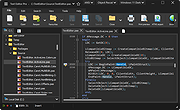 |
|
TextWorx v2.0 TextWorx v2.0 👉 Popup text editing and manipulation tool accessible from any application. TextWorx is a lightweight productivity utility that provides a configurable popup menu and toolbar for editing and manipulating text in virtually any program. Instead of switching between applications or manually retyping content, TextWorx allows you to quickly perform text operations directly on selected text. TextWorx works system-wide and can be activated with keyboard shortcuts. When running, it stays quietly in the background with no visible window. Pressing the hotkey displays a popup menu with commands for inserting text, manipulating text, rearranging text, and performing other editing actions on the selected content. The program includes both a popup context menu and an optional toolbar interface, allowing users to access text functions quickly while working in editors, documents, browsers, and other applications. TextWorx is fully configurable so users can tailor commands and behaviors to their workflow. By default, the popup menu is triggered with Win + K, while the toolbar can be toggled using Win + Shift + K. Because TextWorx runs silently in the background, the popup menu or toolbar will only appear when activated by the hotkeys. Features: • Popup text editing menu available in any program • Perform text inserts, manipulation, and rearrangement operations • Optional toolbar interface for quick access to commands • Works with selected editable text across applications • Fully configurable behavior and menu options • Runs silently in the background with no main window • Global hotkeys for fast access (Win + K and Win + Shift + K) • Designed for quick productivity improvements when editing text • Online Documentation is here. Supported operating systems: • Windows Supported languages: English Changes: v2.0 02-28-26 Changed: Reinstated sendspeed Fixed: Major issue where the text replacement only inserts the contents of the clipboard. Now it ought not to miss anymore. Fixed: Some submenus moved to the main menu instead of a configured submenu. Fixed: Multiple separators do ... |
|
5,873 | Mar 04, 2026 bgmCoder 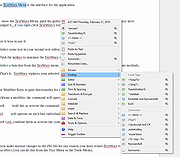 |
|
ThisIsMyFile v4.51 ThisIsMyFile v4.51 👉 Easily unlock or delete locked files and folders on Windows. ThisIsMyFile is a lightweight Windows utility designed to help users unlock, delete, rename, or move files that are locked or in use by the operating system or another application. When Windows refuses to delete or modify a file because it is currently being used, ThisIsMyFile can identify the process that is locking the file and allow you to release the lock so the file operation can proceed. The program provides a simple and portable interface where you can drag and drop a locked file to quickly determine which process is using it. From there, you can unlock the file, terminate the locking process, or delete the file immediately or at the next system restart. ThisIsMyFile is especially useful for troubleshooting stubborn files, removing leftovers from uninstalled software, or handling files that Windows reports as “access denied” or “in use.” ThisIsMyFile does not require installation and can be run directly as a portable tool, making it convenient for technicians and advanced users who need a quick way to deal with locked files without installing additional software. Features: • Unlock files that are currently in use by Windows or other programs • Identify the process that is locking a file or folder • Delete, move, or rename locked files • Option to delete files immediately or on next system restart • Drag-and-drop support for quick file analysis • Portable application with no installation required • Simple and lightweight interface designed for fast troubleshooting Supported operating systems: • Windows 7, Windows 8, Windows 10, Windows 11 Supported languages: German, English, French, Spanish, Hungarian, Turkish, Czech, Chinese Traditional, Russian, Romanian, Polish, Greek, Dutch, Portuguese, Korean, Chinese Simplified, Brazilian Portuguese, Arabic, Italian, Spanish Venezuela, Hindi, Thai, Vietnamese, Welsh, Persian, Hebrew, Malay, Indonesian, Filipino, Norwegian, Ukrainian Changes: v4.51 04-24-26 • Minor bug fixes in the ThisIsMyFile application for Windows 11 ... |
|
7,201 | May 01, 2026 Nenad Hrg 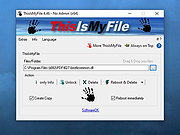 |
|
TIFF Information Viewer v1.5.1 TIFF Information Viewer v1.5.1 👉 A free, portable cross-platform utility for inspecting and decoding TIFF file structure. TIFF Information Viewer is a free Java-based utility for inspecting and decoding the structure of TIFF files. It supports most TIFF features including BigTIFF, any bit depths, and most compressions including JPEG-2000. It displays both the image and detailed TIFF tag structure, helping users explore TIFF files in depth. It also recognizes and displays metadata for popular multi-scale pyramid formats such as Aperio SVS. Features: • Inspect and decode the structure of TIFF files • Displays both image preview and detailed TIFF tag structure • Supports BigTIFF • Supports any bit depths • Supports most TIFF compressions including JPEG-2000 • Recognizes metadata for multi-scale pyramid formats such as Aperio SVS • Includes TiffInfo command-line version of the viewer • Includes TiffCopy for copying, repacking, and converting TIFF files • Includes MakeSvs for constructing Aperio SVS files from regular images • Includes demo TIFF files in the ZIP archive Supported operating systems: • Windows, Linux, macOS, other operating systems with Java Runtime Environment 21 or higher System Requirements: • Java Runtime Environment, version 21 or higher To install Java JDK: Open PowerShell (Admin) and run one of these: JDK 25 winget install Microsoft.OpenJDK.25 JDK 21 winget install -e --id Microsoft.OpenJDK.21 or Download the latest Oracle JDK for Windows 11: https://www.oracle.com/java/technologies/downloads/ Scroll to the JDK section and choose Windows x64 Installer (.exe) for your JDK version. Supported languages: English Note: This file has one hit on VirusTotal. We have confirmed this to be a false positive. The file is safe. Click here to visit the author's website. |
|
668 | May 15, 2026 Daniel Alievsky  |
|
Torrent File Editor v1.0.3 Torrent File Editor v1.0.3 👉 A cross-platform tool for creating and editing .torrent and uTorrent .dat files. Torrent File Editor is a cross-platform application intended to create and edit .torrent and uTorrent .dat files. It is designed as a replacement for BEncode Editor and adds a modern interface along with extra features for managing torrent metadata, file structure, and encoded data. Features: • Create .torrent files from scratch • Add new files to an existing .torrent file • Remove files from a .torrent file • Change file order inside a .torrent file • Edit main torrent information including name, comment, publisher, URL, creation date, trackers, and author • Edit torrent data in JSON format • Support different encodings • Portable operation • Edit .torrent files as a binary tree • Search and replace in tree view • Open files with drag-and-drop • Remove files from the file list using filters • Command line mode Supported operating systems: • Windows 7, Windows 8, Windows 10, Windows 11 • macOS • Linux distributions with CMake and Qt Supported languages: Afrikaans, Arabic, Bengali, Chinese Simplified, Chinese Traditional, Czech, Dutch, English, Finnish, French, German, Hebrew, Hungarian, Indonesian, Italian, Japanese, Korean, Polish, Portuguese (Brazil), Romanian, Russian, Spanish, Turkish, Vietnamese, Ukrainian Changes: v1.0.3 06-05-26 Update translations Add Source field to Main tab Add button to open URL from Comment field to Main tab Fix date time format in Date created This download is for the Windows 64bit version (very bottom of page). All other download assets are below: Other Windows: torrent-file-editor-1.0.3-x32.exe (32bit) macOS: torrent-file-editor-1.0.3.dmg Linux: torrent-file-editor-1.0.3.tar.gz Linux users can build Torrent File Editor from source using CMake and Qt. First install the required development packages for Qt and CMake using your distribution’s package manager. Download the source codeand open a terminal in the project folder. Run the standard CMake build process: create a build directory, run cmake .., and then compile with make. Once compilation completes, the application can be launched from the generated ... |
|
6,189 | Jun 07, 2026 Ivan Romanov 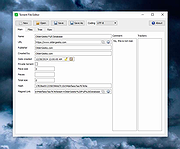 |
|
Trend Micro Anti-Threat Toolkit v1.2.62.1262 Trend Micro Anti-Threat Toolkit v1.2.62.1262 👉 Portable standalone malware scanning and cleanup tool. Trend Micro Anti-Threat Toolkit is a lightweight, standalone security utility designed to scan and clean infected computers without requiring installation. It is commonly used when a system is heavily infected and traditional antivirus software cannot be installed or updated. The tool can be run directly from removable media such as a USB flash drive and is intended for advanced malware detection and removal scenarios. Features: • Standalone executable with no installation required • Detects and removes malware, spyware, and other threats • Can be run from USB or other removable media • Designed for use on heavily infected systems • Command-line based interface for advanced troubleshooting Supported operating systems: • Windows 7, Windows 8.1, Windows 10, Windows 11 • Windows Server 2012 R2, Windows Server 2016, Windows Server 2019, Windows Server 2022 Supported languages: English Changes: v1.2.62.1262 Not provided. This download is for the Windows 64bit version (very bottom of page). If you need the Windows 32bit version, download here. Click here to visit the author's website. |
|
8,572 | Feb 26, 2026 Trend Micro Inc. 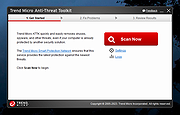 |
|
Universal USB Installer v2.0.3.8 Universal USB Installer v2.0.3.8 👉 Create bootable USB drives for Linux distributions and system utilities with ease. Universal USB Installer is a straightforward Windows utility designed to help you create bootable USB flash drives for a wide variety of Linux distributions, antivirus rescue disks, system utilities, and other bootable ISO images. It guides you through the process step by step, making it accessible for beginners while still offering flexibility for advanced users. The program supports both BIOS and UEFI systems and can optionally format USB drives as FAT32 or NTFS depending on the selected distribution. Universal USB Installer can also be used to create persistent storage for supported Linux distributions, allowing saved changes and files to remain available between reboots. Features: • Create bootable USB drives from ISO files • Supports hundreds of Linux distributions and utilities • Optional persistent storage for supported Linux builds • Works with BIOS and UEFI systems • Automatic USB formatting options • Simple step by step interface Supported operating systems: • Windows 7, Windows 8, Windows 8.1, Windows 10, Windows 11 Supported languages: English Universal USB Installer- Easily Make Bootable USB Using this open source USB boot maker software is easy as 123. To create a bootable USB drive, you simply select your target flash drive, choose your distribution from the list, browse to the ISO file (or choose to download the ISO), and then click Create. Once finished, you should have a ready to run Live USB containing the Live operating system, Windows installation media, or system diagnostics utility, or advanced system cleaner tool you previously selected. Some boot from USB tools use simple DD (Disk/Data Duplicator) copy and convert commands to directly burn ISO to USB. The DD method of copying, also commonly referred to as "Data Destroyer" works by overwriting the entire file system on a flash drive with that of a CD or DVD image. This process ... |
|
15,299 | Jul 16, 2026 Pen Drive Linux 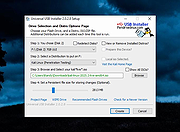 |
|
Ventoy v1.1.17 Ventoy v1.1.17 👉 Create multiboot USB drives that boot ISO, WIM, IMG, VHD(x), and EFI files directly. Ventoy is an open source tool that lets you create a bootable USB drive for ISO/WIM/IMG/VHD(x)/EFI files without repeatedly formatting the drive. You simply copy one or more supported image files to the USB drive, boot from it, and select what you want from Ventoy’s menu. It supports x86 Legacy BIOS, IA32 UEFI, x86_64 UEFI, ARM64 UEFI, and MIPS64EL UEFI, and can be installed on USB drives, local disks, SSDs, NVMe devices, and SD cards. Ventoy also supports browsing and booting image files stored on local disks, secure boot support, persistence, auto-installation options, plugin-based customization, and highly configurable themes and menus. The official Tested ISO list groups tested image files into Windows, Linux, Unix, ChromeOS, and Other categories, and Ventoy reports 1300+ tested image files overall. Features: • 100% open source • Direct boot support for ISO, WIM, IMG, VHD, VHDX, and EFI files • No need to extract image files before booting • Supports multiple image files on one device with a boot selection menu • Can browse and boot supported image files from local disks • Works with MBR and GPT partition styles • Supports x86 Legacy BIOS, IA32 UEFI, x86_64 UEFI, ARM64 UEFI, and MIPS64EL UEFI • Supports IA32 and x86_64 UEFI Secure Boot • Linux persistence support • Windows and Linux auto installation support • Supports FAT32, exFAT, NTFS, UDF, XFS, Btrfs, and Ext2/3/4 for the main partition • Supports ISO files larger than 4GB • Menu alias, password protection, ListView and TreeView modes, and customizable themes • Plugin framework with GUI plugin configurator • Official tested image file categories include Windows, Linux, Unix, ChromeOS, and Other, with 1300+ tested image files overall Get Started Instructions. Supported operating systems: • Windows, Linux Supported languages: • English, multilingual boot/menu language support available Changes: v1.1.17 07-24-26 Optimization for Secure Boot process. Fix the boot issue for ... |
|
6,985 | Sep 04, 2026 longpanda 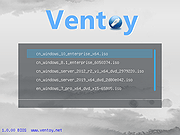 |
|
WhySoSlow Free Home Edition v1.61 WhySoSlow Free Home Edition v1.61 👉 Analyze system performance and identify why your computer is running slowly. WhySoSlow Free Home Edition is a diagnostic utility designed to help users quickly determine the causes of poor system performance. It analyzes your computer in real time and provides insights into issues such as CPU throttling, memory bottlenecks, disk performance problems, and other hardware or software limitations that may be slowing down your system. The program performs a series of checks and presents easy-to-understand results, making it useful for both casual users and more advanced troubleshooting scenarios. It helps pinpoint whether performance issues are caused by hardware limitations, thermal throttling, insufficient RAM, or background processes. Features: • Real-time system performance analysis • Detects CPU speed issues and throttling • Identifies memory and disk bottlenecks • Measures system responsiveness and load • Provides detailed system diagnostics and benchmarks • Helps pinpoint hardware or software causes of slowdowns • Simple interface with clear performance indicators Supported operating systems: • Windows 11, Windows 10 (x86 and x64), Windows 8.1 (x86 and x64), Windows 8 (x86 and x64), Windows 7 (x86 and x64) • Windows 2022 Server, Windows 2016 Server (x86 and x64), Windows 2012 Server (x86 and x64) Supported languages: English Changes: v1.61 10-22-20 Bug Fixed: "this version of WhySoSlow is not compatible with your operating system version" On certain systems, WhySoSlow could display a message "this version of WhySoSlow is not compatible with your operating system version". This has been fixed. Click here to visit the author's website. |
|
4,855 | Mar 24, 2026 Resplendence Software 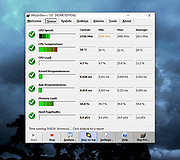 |
|
WinBin2Iso v6.77 WinBin2Iso v6.77 👉 Convert BIN disc image files into ISO format quickly and easily. WinBin2Iso is a lightweight and portable utility that converts BIN CD, DVD, and Blu-ray image files into ISO format. The program is designed to handle large image files over 2GB while remaining extremely small and simple to use. Its straightforward interface allows users to select a BIN file, choose an output location, and create an ISO image in just a few clicks. Because the program is portable, it does not require installation and can be run directly from a USB flash drive or other removable media. Features: • Convert BIN image files to ISO format • Supports CD, DVD, and Blu-ray image conversion • Handles files larger than 2GB • Portable application with no installation required • Extremely small program size • Simple and easy-to-use interface • Low CPU and system resource usage • Drag-and-drop support • Multilingual user interface • Compatible with both 32-bit and 64-bit Windows systems Supported operating systems: • Windows XP, Windows Vista, Windows 7, Windows 8, Windows 8.1, Windows 10, Windows 11 • Windows Server editions • Supports 32-bit and 64-bit systems Supported languages: English, German, Italian, French, Spanish, Traditional Chinese, Danish, Polish, Turkish, Japanese, Korean, Arabic, Portuguese, Dutch, Swedish, Finnish, Icelandic, Irish, Afrikaans, Norwegian, Luxembourgish, Māori Changes: v6.77 06-22-26 • Improvements to the Win-Bin-2-Iso app for all Windows operating systems • Language file update in the Win-Bin-2-Iso application This download is for the Windows 64bit version (very bottom of page). If you need the Windows 32bit version, download here. If you need the Windows Unicode version, download here. Click here to visit the author's website. |
|
6,561 | Jun 23, 2026 Nenad Hrg 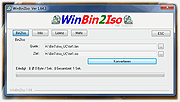 |
|
WinContig v5.0.3.3 WinContig v5.0.3.3 👉 Portable file and folder defragmentation tool for Windows. WinContig is a standalone defragmentation utility designed to defragment individual files and entire folders without requiring you to defragment a whole drive. It does not create installation folders or registry entries, supports FAT32 and NTFS file systems, works with both hard disks and SSDs, and can also analyze or defragment items directly from the File Explorer context menu. Features: • Portable standalone program with no installation required • Defragments individual files and entire folders without processing the whole disk • Supports FAT32 and NTFS file systems • Works with both hard disks and SSDs • Includes file filtering by multiple criteria • Supports command-line switches for automated or scheduled use • Can check disks for file system errors and display useful disk information • Can remove temporary files before defragmentation • Offers a customizable interface • Optionally integrates with File Explorer for direct analyze and defragment actions • Freeware for personal and commercial use • Available in more than 25 languages Supported operating systems: • Windows Vista, Windows 7, Windows 8, Windows 8.1, Windows 10, Windows 11 Supported languages: • English, Italian, Spanish, Russian, German, and more than 20 additional languages Changes: v5.0.3.3 04-16-26 If one or more filter criteria are set, the filter icon may fail to display the expected small green notification dot on the toolbar. Fixed. If WinContig is run from the command-line with the '/close', '/closeifok' or '/nogui' parameters specified, the 'Critical Stop' sound notification is played upon exit. Fixed. Thanks to MacMacMac for reporting this. Even when the settings have been configured to take no action when a computer is running on battery power, WinContig stops processing files when a computer is running on battery power. Fixed. The execution speed of some operations has been improved. Click here to visit the author's website. |
|
9,521 | Apr 16, 2026 Marco D'Amato 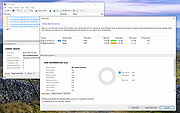 |
|
Windows 11 Context Menu Manager v1.0.1 Windows 11 Context Menu Manager v1.0.1 👉 Disable unwanted items in Windows 11 right-click context menu. Windows 11 Context Menu Manager is a simple utility that lets you turn off unwanted entries in Windows 11 right-click context menu. It is designed to help clean up the newer Windows 11 context menu so you can reduce clutter and keep only the items you want visible. Features: • Disable unwanted entries in the Windows 11 Explorer new right-click context menu • Focuses specifically on the newer Windows 11 right-click menu • Simple interface built for quickly managing context menu visibility • Helps reduce right-click menu clutter in File Explorer • Designed for modern 64-bit Windows 11 systems • Offered as a standalone desktop utility • Open-source software released under the MIT License Supported operating systems: • Windows 11 x64, Windows 11 ARM64 Supported languages: Operating System Language Changes: v1.0.1 03-25-26 fix: missing package This download is for the Windows 11 64bit version (very bottom of page). If you need the Windows 11 ARM64 version, download here. Click here to visit the author's website. |
|
725 | Apr 15, 2026 Brandon Hill 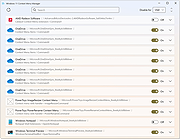 |
|
Winhance v26.06.12 Winhance v26.06.12 👉 Enhance, debloat, and customize Windows with powerful system tweaks. Winhance is a Windows optimization and customization tool designed to help users debloat, fine-tune, and enhance their Windows experience. It provides a structured interface to adjust privacy settings, remove unwanted apps, optimize performance, and configure various system components in a safe and organized way. Winhance simplifies advanced Windows configuration by grouping hundreds of commonly used tweaks, optimizations, and customization options into an intuitive interface. It can remove unnecessary Windows components, improve privacy, adjust gaming and performance settings, install or remove software, customize Explorer and the Start menu, and generate reusable configuration files for deploying the same settings across multiple computers. Winhance is open source and supports both installed and portable operation. Features: • Remove preinstalled Windows apps, optional features, and unwanted components • Apply privacy, security, gaming, and performance optimizations • Customize the taskbar, Start menu, Explorer, desktop, and Windows appearance • Install or uninstall popular third-party software from a built-in catalog • Configure Windows services, power settings, networking, and system behavior • Create reusable Winhance configuration files and unattended Windows deployment files • Review and track applied changes with a built-in change history log • Available as both an installed and portable application • Open source with support for Windows 10 and Windows 11 Supported operating systems: • Windows 10 x64 (22H2), Windows 11 (23H2, 24H2, 25H2) Supported languages: Arabic, Bulgarian, Chinese (Simplified), Chinese (Traditional), Croatian, Czech, Danish, Dutch, English, Finnish, French, German, Greek, Hebrew, Hungarian, Italian, Japanese, Korean, Norwegian Bokmεl, Polish, Portuguese (Brazil), Portuguese (Portugal), Romanian, Russian, Serbian, Slovak, Spanish, Turkish, Ukrainian Changes: v26.06.12 06-12-26 • Added Builder Mode for creating Winhance configuration files and autounattend.xml files without modifying the current PC • Added a Sponsors & Supporters page and a Change History log that records all applied settings and app installations/removals • Added Hebrew language support, bringing the total to 29 supported languages • Added new Explorer ... |
|
1,098 | Jun 29, 2026 Marco du Plessis 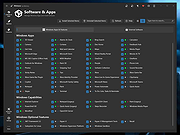 |
|
WizTree v4.33 WizTree v4.33 👉 Ultra-fast disk space analyzer that shows what files and folders are using your hard drive space. WizTree scans your hard drive and displays the files and folders using the most disk space so you can quickly locate and remove unnecessary data. Unlike many disk analyzers that slowly scan every file, WizTree reads the NTFS Master File Table (MFT) directly, allowing it to analyze an entire drive in seconds. This makes it one of the fastest disk space analysis tools available for Windows. WizTree presents results in a clear, sortable list showing folders and files by size, along with a colorful visual treemap that helps identify large files at a glance. You can quickly search for specific files, filter results, and open or delete files directly from within the interface. The program also allows exporting scan results and identifying the largest files on your system instantly. Because of its extremely fast scanning method and simple interface, WizTree is a valuable tool for quickly diagnosing disk space problems, cleaning up large files, and keeping storage organized. Features: • Extremely fast disk scanning using the NTFS Master File Table (MFT) • Visual treemap display showing relative file sizes • Sort files and folders by size, name, or other attributes • Quickly identify the largest files on a drive • Search and filter results to locate specific files • Delete files directly from the interface • Export scan results to CSV file • Supports scanning entire drives or individual folders • Portable version available Supported operating systems: • Windows 7, Windows 8, Windows 10, Windows 11 Supported languages: English, Arabic, Belarusian, Bulgarian, Catalan, Chinese Simplified, Chinese Traditional, Czech, Danish, Dutch, Estonian, Finnish, French, German, Greek, Hebrew, Hungarian, Indonesian, Italian, Japanese, Korean, Latvian, Lithuanian, Norwegian, Polish, Portuguese, Portuguese Brazilian, Romanian, Russian, Serbian, Slovak, Slovenian, Spanish, Swedish, Thai, Turkish, Ukrainian, Vietnamese Changes: v4.33 09-16-26 WizTree is now available for macOS 12 or later ... |
|
11,945 | Sep 23, 2026 antibody-software.com 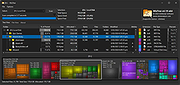 |
|
Workrave v1.10.54 Workrave v1.10.54 👉 Helps prevent repetitive strain injuries by reminding you to take healthy computer breaks. Workrave is a free and open-source program designed to help prevent and relieve Repetitive Strain Injury (RSI) and other computer-related health issues. It monitors keyboard and mouse activity and reminds users to take regular breaks from their computer to rest, stretch, and relax. The software provides configurable microbreaks, rest breaks, and daily usage limits to encourage healthier work habits. By tracking input activity and detecting idle time, Workrave can intelligently determine when breaks are needed and provide gentle reminders before enforcing them if necessary. During breaks, Workrave may display simple exercises or relaxation prompts to help reduce muscle tension and eye strain caused by prolonged computer use. Break timers and reminder behavior are fully customizable, allowing users to tailor break frequency, duration, and enforcement settings to their workflow. Workrave runs quietly in the background and integrates with the system tray, making it suitable for both home and workplace environments where long computer sessions are common. Features: • Monitors keyboard and mouse activity to detect continuous computer use • Reminds users to take microbreaks, rest breaks, and daily usage limits • Fully configurable break timers and durations • Gentle break reminders with optional enforced breaks • Microbreaks for short pauses and longer rest breaks for recovery • Tracks active and idle time to intelligently manage break timing • Optional exercises and stretching prompts during breaks • Postpone or skip options for break reminders • System tray integration and automatic startup options • Free and open-source software Supported operating systems: • Windows • Linux Supported languages: System language (Workrave uses the operating system's locale for its interface language). Changes: v1.10.54 10-16-25 Add support for GNOME Shell 49 (#636, Alessandro Astone) Note: This file has two hits on VirusTotal. We have confirmed these to be false positives. The file is safe. This download is for the Windows version (very bottom of ... |
|
4,490 | Mar 04, 2026 Raymond Penners & Rob Caelers 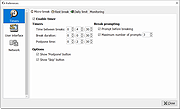 |
|
X-Mouse Button Control v2.20.5 X-Mouse Button Control v2.20.5 👉 Customize and remap your mouse buttons with application-specific profiles. X-Mouse Button Control is a powerful freeware utility that lets you reconfigure and expand the capabilities of virtually any mouse. It allows you to assign different functions to mouse buttons on a per-application or per-window basis, making it easy to tailor your mouse behavior for productivity, gaming, multimedia, or any other task. Profiles activate automatically as you switch between applications, and each profile can contain up to 10 configurable layers that can be toggled with hotkeys or mouse buttons. Features: • Remap mouse buttons to hundreds of built-in actions • Create application-specific and window-specific button profiles • Configure up to 10 independent button mapping layers per profile • Assign simulated keystrokes, shortcuts, and macros • Launch programs, documents, or folders from mouse buttons • Control multimedia playback and system volume • Customize mouse wheel behavior, scrolling, and cursor movement • Automatically activate profiles when switching applications • Import and export profile configurations • Portable version available with no installation required • Runs quietly from the system tray with minimal resource usage Supported operating systems: • Windows XP, Windows Vista, Windows 7, Windows 8, Windows 8.1, Windows 10, Windows 11 Supported languages: • Arabic, Bulgarian, Chinese (Simplified), Chinese (Traditional), Croatian, Czech, Danish, Dutch, English, Finnish, French, German, Greek, Hebrew, Hungarian, Italian, Japanese, Korean, Norwegian, Polish, Portuguese (Brazil), Portuguese (Portugal), Romanian, Russian, Serbian, Slovak, Slovenian, Spanish, Swedish, Turkish, Ukrainian Changes: v2.20.5 06-24-23 • Fixed inability to abort WAIT, WAITMS, HOLD, and HOLDMS commands when using the {flush} queue. • Fixed sticky repeat simulated key behavior after being released or aborted by another button. • Fixed an issue where simulated Volume Down stopped working while Volume Up continued to function. • Attempted to resolve a deadlock between the repeat timer thread and the main hook thread that could cause hangs or lockups. This download is for the Windows portable version (very bottom of ... |
|
7,536 | Jun 30, 2026 Phillip Gibbons 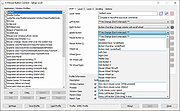 |
|
Youtube Downloader HD v5.9.9.14 Youtube Downloader HD v5.9.9.14 👉 Download YouTube videos and convert them to HD video formats. Youtube Downloader HD is a simple tool designed to download videos from YouTube and convert them into high-quality video files that can be played locally on your computer or other devices. It focuses on easy downloading and converting of HD content while keeping the interface straightforward and lightweight. Youtube Downloader HD allows users to paste a YouTube video link, select the desired output format, and download the video directly to their computer. The program supports several video formats and resolutions, including HD options, making it useful for users who want to watch YouTube content offline or store videos locally for later viewing. The program is designed to be easy for beginners while still offering useful format choices for more advanced users. It can automatically detect the video URL from the clipboard and provides quick conversion to formats compatible with PCs, media players, and mobile devices. Features: • Download videos directly from YouTube using a simple URL paste • Supports high-definition video downloads • Convert downloaded videos to AVI or MP4 formats • Choose different video quality levels including HD • Automatically detects video URLs copied to the clipboard • Simple and lightweight interface designed for quick downloads Supported operating systems: • Windows 7, Windows 8, Windows 10, Windows 11 Supported languages: English Changes: v5.9.9.14 07-06-26 Another download improvement Note: This file has two hits on VirusTotal. We have confirmed these to be false positives. The file is safe. This download is for the Windows 10/11 version (very bottom of page). If you need the Windows 7/8 version, download here. Click here to visit the author's website. |
|
6,976 | Jul 08, 2026 YoutubeDownloaderHD.com 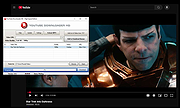 |
OlderGeeks.com Copyright (c) 2026
