|

|
Processed through Paypal No account required. |








Buy our over-priced crap to help pay the bills.



|
|
Processed through Paypal No account required. |
| Files | ||||
| File Name | Rating | Downloads | ||
 |
A Viewer For Windows v1.4.1 A Viewer For Windows v1.4.1 A free program which lets you easily view, change and save images. It's especially useful when you need to work with other desktop applications while viewing an original or changed image. With A Viewer for Windows you can: quickly open an image, level, rotate, pan, zoom and crop it, change its brightness, contrast, gamma and saturation levels, convert it to grayscale, invert and apply effects to it. The changed and original images can be viewed side by side, or one over the other, with the program automatically syncing them as they are panned, zoomed and rotated. Additionally, A Viewer for Windows can keep itself on top of other applications, ensuring your work is viewable at all times. When you're done working, your image can be saved to a file or your clipboard. A Viewer for Windows integrates with A Ruler for Windows (also free), as well as Microsoft's Snipping and Magnify tools (both of which come with Windows). If you're using a High Resolution monitor (4K) please click here Click here to visit the author's website. |
 |
3,112 | Mar 31, 2022 Rob Latour 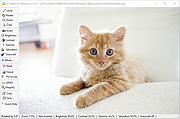 |
|
Ai Viewer v3.2 Ai Viewer v3.2 Ai Viewer is free software that supports .ai graphic files, display preview images, provides options to convert and save opened image in other file formats as JPEG, Bitmap, GIF, PNG and other extensions. Dispute converting in other file formats, AI Viewer supports resizing of AI image, enlarge or reduce, without losing any quality. Ai Viewer - Full screen True Full Screen viewer with image zoom support; Ai Viewer - Zoom Image can be zoomed using Mouse Wheel or slider. Pan image by mouse dragging the image; Ai Viewer - Rotate Rotate Clockwise button - rotate an image 90 degrees clockwise; Ai Viewer - Counterclockwise Rotate Counterclockwise button - rotate an image 90 degrees counterclockwise. Requirements Supported Operating Systems: Windows Server 2003; Windows Server 2008; Windows XP; Windows Vista; Windows 7; Windows 8; Windows 8.1 and Windows 10 Microsoft .NET Framework 3.5 (included in Windows XP SP2, Vista, Windows 7, Windows 8, Windows 8.1, Windows 10). Product Features Clean and Free AI Viewer is a freeware and does not contain any form of malware, including but not limited to: spyware, viruses, trojans and backdoors. Stable and fast AI Viewer uses only libraries that are need for processing, the interface is sample and easy to use. All this provides faster and stable work of the application. User-friendly interface AI Viewer is very simple and easy for use. All you need is to open AI file, zoom, resize and save in other format if you want. Quick Tutorial Here What is an Ai file? Ai file extension is associated as "Illustrator" by Adobe Systems Inc. ... |
|
4,566 | Jan 20, 2020 Ai Viewer 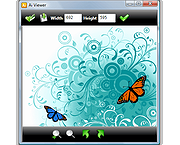 |
 |
AlternateStreamView v1.58 AlternateStreamView v1.58 👉 View, copy, export and delete hidden NTFS alternate data streams. AlternateStreamView is a small utility that scans NTFS drives or folders and finds hidden alternate streams stored in the file system. After scanning, you can extract streams to a selected folder, delete unwanted streams, or save the stream list as text, HTML, CSV or XML. Features: • Scan NTFS drives or folders for hidden alternate data streams • View stream name, file name, stream size and related file details • Export selected streams to a folder • Delete unwanted alternate streams • Save results as TXT, HTML, CSV, XML and other report formats • Scan subfolders with optional folder-depth control • Supports file wildcard filtering • Explorer context menu option for checking a single file • Command-line options for scanning and exporting results • Portable utility with no installation required Supported operating systems: • Windows 2000 through Windows 11 • 32-bit and 64-bit systems Supported languages: Arabic, Brazilian Portuguese, Czech, Dutch, Finnish, French, German, Greek, Hungarian, Italian, Japanese, Persian, Polish, Romanian, Russian, Simplified Chinese, Slovak, Spanish, Traditional Chinese, Turkish, Ukrainian, Valencian Changes: v1.58 Updated to stop the file system scan when you press the Esc key. This download is for the Windows 64bit version (very bottom of page). If you need the Windows 32bit version, download here. Click here to visit the author's website. |
|
10,318 | Jun 04, 2026 Nir Sofer 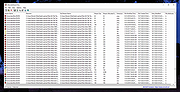 |
|
AppCrashView v1.35 AppCrashView v1.35 👉 View application crash reports from Windows Error Reporting files. AppCrashView is a small NirSoft utility that displays details of application crashes stored in Windows Error Reporting .wer files. It shows crash information in a two-pane window, with the crash list on top and the selected crash report contents below. Crash lists can be saved to text, CSV, HTML, or XML files, or copied to the clipboard for use in Excel or another spreadsheet program. Features: • Displays application crash details from Windows Error Reporting .wer files • Two-pane interface shows crash list and full selected crash report • Save crash lists as text, tab-delimited, CSV, HTML, or XML • Copy selected crash information to the clipboard • Quick Filter support for instantly narrowing crash results • Open report file folder or process folder • Delete selected reports • Run as administrator option • Command-line export options • No installation required Supported operating systems: • Windows Vista, Windows 7, Windows Server 2008, Windows 8, Windows 10 Supported languages: English, Brazilian Portuguese, Danish, Dutch, French, German, Greek, Hungarian, Italian, Japanese, Korean, Persian, Polish, Romanian, Russian, Simplified Chinese, Slovak, Spanish, Swedish, Traditional Chinese, Valencian Changes: v1.35 Added 'Quick Filter' feature (View -> Use Quick Filter or Ctrl+Q). When turned on, you can type a string in the text box under the toolbar and AppCrashView will instantly filter the application crashes list, showing only lines that contain the string you typed. Click here to visit the author's website. |
|
6,225 | Jun 14, 2026 Nir Sofer 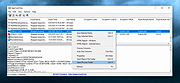 |
|
Applications Redirection Viewer v1.0.1 Applications Redirection Viewer v1.0.1 A free portable software that lists applications redirection done by the Windows Operating System. It can list two different redirection types: • ShellExecute redirection which affects ShellExecute and ShellExecuteEx (and so, double clicking in windows explorer) • Applications execution alias (which are present since Win 10) which affect all processes creation aka CreateProcess, NtCreateProcess, NtCreateProcessEx, ShellExecute, ShellExecuteEx,... Toolbar: Refresh the search Include ShellExecute redirections inside the search Include Application Execution Alias inside the search The search done in the results list will be done as a regular expression search (Applies to "String Search" field content) Do a text search in the results list Search next matching item in the result list Search previous matching item in the result list Show help Check for software update Report Bug to author Display about dialog Supported operating systems: Windows XP, 7, 8, 10, 11 This download is for the 64bit version (very bottom of page). If you need the 32bit version, download here. |
|
966 | Feb 27, 2025 Jacquelin Potier 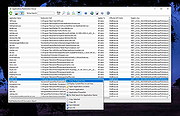 |
|
BIOS Beep Codes Viewer v11.3.1.1992 BIOS Beep Codes Viewer v11.3.1.1992 A free tool for diagnosing computer issues, interprets BIOS beep codes emitted during system checks when a computer starts. It allows users to view their motherboard and BIOS information, navigate a vast beep codes database of various manufacturers, and offers detailed issue descriptions. The Rizonesoft team keeps the database updated, and additional support can be gained from the computer’s official documentation and online communities. The BIOS (Basic Input/Output System) is the cornerstone of your computer’s operational blueprint, performing a self-diagnostic check to ensure all crucial hardware components are in working order every time the system is powered on. A crucial part of this process involves the generation of BIOS beep codes, which are audio signals emitted to indicate the status of essential hardware components. These beep codes act as a preliminary diagnostic tool, signaling any discrepancies or malfunctions that may exist within the system. The Rizonesoft BIOS Beep Codes Viewer is engineered to decipher these audio cues, enabling you to ascertain the health of your computer swiftly. BIOS Beep Codes Viewer Features View Current Motherboard and BIOS Information: This feature enables users to view vital information regarding their current motherboard and BIOS, which includes the manufacturer, model, BIOS version, and date. Having access to this information directly within the software streamlines the process of identifying and decoding relevant beep codes. Comprehensive Database: The software harbors a vast database of BIOS beep codes, covering a multitude of BIOS manufacturers such as AMI, Award, and Phoenix, among others. Ease of Navigation: The user-centric interface facilitates easy navigation through the beep code database, making it accessible for users with varying levels of technical expertise. In-depth Explanations: Each beep code is accompanied by a detailed description, elucidating the nature of ... |
|
6,583 | Jun 27, 2025 Rizonesoft 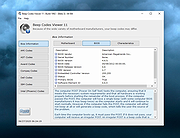 |
|
BrowserAddonsView v1.30 BrowserAddonsView v1.30 👉 View installed browser addons and plugins in one simple list. BrowserAddonsView is a simple NirSoft tool that displays details for Web browser addons and plugins installed on your system. It can scan Chrome, Firefox, Internet Explorer, and Microsoft Edge, and it detects multiple Chrome and Firefox profiles when present. Features: • Displays installed browser addons, plugins, and extensions • Supports Chrome, Firefox, Internet Explorer, and Microsoft Edge • Detects multiple Chrome and Firefox profiles • View addons from all Windows profiles • View Chrome and Firefox addons from an external drive or remote computer • Export selected items to text, CSV, tab-delimited, XML, HTML, or JSON • Copy addon information to the clipboard for use in spreadsheets • Quick Filter for instantly filtering the addon list • Command-line options for exporting, sorting, selecting columns, and loading profiles • Portable; no installation required Supported operating systems: • Windows XP, Windows Vista, Windows 7, Windows 8, Windows 10, Windows 11 • 32-bit and 64-bit systems Supported languages: English, Arabic, Brazilian Portuguese, Dutch, French, German, Greek, Hungarian, Italian, Japanese, Persian, Polish, Romanian, Russian, Simplified Chinese, Slovak, Spanish, Traditional Chinese, Turkish Changes: v1.30 07-20-24 Added 'Black Background' option (Under the View menu). When it's turned on, the main table is displayed in black background and white text, instead of default system colors. This download is for the Windows 64bit version (very bottom of page). If you need the Windows 32bit version, download here. Click here to visit the author's website. |
|
6,468 | Oct 07, 2026 Nir Sofer 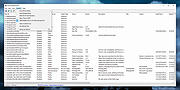 |
|
CPUID Instruction Viewer v1.0.0.2 CPUID Instruction Viewer v1.0.0.2 Utility to View Information About CPU. CPUID Instruction Viewer is a small utility designed to help developers view technical information returned by the CPUID instruction from the x86 and x86-64 instruction sets. The CPUID instruction returns results about the capabilities and features supported by the processor that this utility is running on. Such results are intended to be viewed along with the accompanying Intel or AMD technical documentation. This utility does not require installation and can be run from any location on the disk. Windows XP/Vista/7/8/10 & Windows Server 2003/R2/2008/R2/2012/R2/2016 Click here to visit the author's website. |
|
3,442 | May 27, 2021 Dennis Babkin 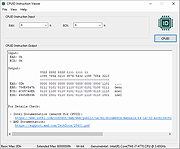 |
|
DBF Viewer Plus v1.77 DBF Viewer Plus v1.77 👉 A free, portable DBF database table viewer and editor. DBF Viewer Plus also has some additional features for searching, importing and exporting to a number of different formats. DBF formats include dBase, Clipper and Foxpro. Features: • Open and viewing DBF File. • Filtering on multiply fields to query data. • Printing Tables and preview • Add, Edit, Deleting and Updating records. • Search with partial and Case Insensitive options • Go to specified field (for tables with lots of columns) • Table Info displaying Record count, Type, Language type, Records size, Indexed, Encryption, Last updated, fields and field types. • Pack Table. • Zap Table (Empty). • Show / Hide Columns. • Export to formats such as CSV, PDF, XLS, RTF, WKS, XML, HTML, DBF. • Import wizard with field mapping. • Record View and editing screen. • New Table (Create a DBF File) • Open table using command line parameters • Set Table Type • Visual Count Printing: • You can control which columns are print by using the Show / Hide dialog to hide columns that you don't want to print. To create more space for columns reduce ... |
|
707 | Apr 16, 2026 Alex Nolan 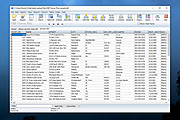 |
|
digiKam v9.1.0 digiKam v9.1.0 👉 Professional photo management with the power of open source. digiKam is an advanced open-source digital photo management application for importing, organizing, editing, and sharing photos and RAW files. It provides tools for managing large photo collections, editing metadata, tagging and rating images, handling RAW camera formats, previewing media, geolocation, batch processing, export tools, and AI-assisted photo workflows. Features: • Import, organize, and manage massive collections of photos, RAW images, and videos • Supports albums, tags, labels, ratings, comments, and hierarchical organization • Advanced metadata management including EXIF, IPTC, XMP, and GPS geotagging • Integrated map tools for assigning and editing geographic coordinates • Powerful RAW image processing using the Libraw engine • Built-in image editor with cropping, resizing, sharpening, curves, color correction, filters, and restoration tools • Includes Showfoto stand-alone image editor • AI-assisted face recognition and automatic face tagging • AI tools for image quality sorting, aesthetic detection, red-eye correction, and auto-rotation • Batch Queue Manager for automating large-scale image processing operations • Advanced search and filtering using metadata, tags, ratings, colors, and custom properties • Duplicate detection and similarity matching tools • Flexible file renaming with advanced rename templates and date formatting • Side-by-side comparison and new Survey tool for reviewing media collections • Enhanced preview system with exposure indicators, magnifier, gestures, OSD overlays, and color management • Slideshow tools with transition and transparency customization • Versioning support and non-destructive workflow options • Integrated export and sharing plugins for online services and remote storage • Database support using SQLite, MySQL, and MariaDB • Multi-core processing acceleration for thumbnail generation, AI tasks, and database operations • Supports hundreds of digital cameras and image formats Supported operating systems: • Windows 10 or later 64-bit • macOS Silicon 11.3 or later • macOS Intel 10.15 or later • Linux 64-bit AppImage, glibc 2.31 or later Supported languages: • Basque, Brazilian Portuguese, Bulgarian, Catalan, Chinese Simplified, Chinese Traditional, Croatian, Czech, Danish, Dutch, English, Esperanto, Estonian, Finnish, French, Galician, ... |
|
4,287 | Sep 28, 2026 digiKam Team 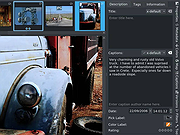 |
|
DNS Cache Viewer (DCV) v1.3 DNS Cache Viewer (DCV) v1.3 The purpose of DCV is to allow you to view what Windows has in it's local DNS Cache, and allow you to flush it if you want. Windows XP, Vista, 7, 8 and 10 From the author: "Ever wondered what's in your PC's local DNS cache?" "In troubleshooting network issues, it can be useful to see what is in the PC's DNS cache. The DNS system is the internet system that translates names like "michaelburns.net" into the actual IP Address that your PC needs to contact my server. When your PC needs such a translation, it contacts DNS Servers on the internet (usually the ones belonging to your ISP, or contacts your router which acts as a DNS proxy) to get what IP Address a given name translates into. In order to save time for servers/websites that your PC contacts frequently, the PC locally stores a table of names, IP Addresses, expiration times for the info, and other characteristics about the DNS data in the cache. That local table is your PC's DNS Cache. The next time your PC needs to go to a specific website again (say, michaelburns.net), your PC first looks to see if that name & IP Address translation already exists in it's cache. If it does, it saves time by using the info in it's cache rather than do a query to a DNS server (which takes time). There are lots of reasons why the info in the cache may be invalid, ranging from large websites like Google have many IP addresses for the same web name, and they are dynamically allocated to even out traffic flow and so the cache info expires quickly, to nefarious reasons like Adware or Malware is trying to misdirect your PC for their own purposes. If the PC looks ... |
|
3,734 | Mar 05, 2021 Michael J. Burns 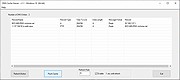 |
|
Event Viewer (PE) v1.2 Event Viewer (PE) v1.2 Free tool to view the Windows Event Logs (.evtx files) on a host computer or hard drive while running in Windows PE. Very useful for diagnosing non-bootable computers. Use 7-Zip to unzip this file. Click here to visit the author's website. |
|
852 | Apr 25, 2025 PC Assist Software 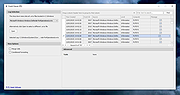 |
|
FastStone Image Viewer v8.5 FastStone Image Viewer v8.5 👉 Fast, stable image browser, editor and batch converter. FastStone Image Viewer is a fast, stable, user-friendly image browser, converter and editor. It includes image viewing, management, comparison, red-eye removal, emailing, resizing, cropping, retouching and color adjustments. Its full-screen mode gives quick access to EXIF information, thumbnail browsing and major tools through hidden edge toolbars. It also includes a high quality magnifier, musical slideshow with 150+ transition effects, lossless JPEG transformations, drop shadows, image annotation, scanner support, histogram display, batch conversion and batch renaming. Features: • Windows Explorer-like image browser and viewer • Supports BMP, JPEG, HEIC, WEBP, GIF, PNG, PCX, PDF, PSD, EPS, TIFF, WMF, ICO, CUR, TGA and many RAW camera formats • Full-screen viewer with zoom support and fly-out menu panels • Resize, rotate, crop, sharpen, blur, color correction, curves and levels tools • Clone Stamp, Healing Brush and red-eye removal • Draw text, lines, highlights, rectangles, ovals and callouts • Compare up to 4 images side-by-side • Batch convert and batch rename files • Slideshow with music and 150+ transition effects • Scanner support with batch scanning to PDF, TIFF, JPEG and PNG • Contact sheet creation, printing tools and image emailing • Portable version available Supported operating systems: • Windows XP, Windows Vista, Windows 7, Windows 8, Windows 10, Windows 11 Supported languages: Bulgarian, Chinese (Simplified), Chinese (Traditional), Czech, Danish, Dutch, Finnish, French, German, Hungarian, Italian, Japanese, Korean, Norwegian (Norsk bokmεl), Polish, Portuguese, Russian, Spanish, Swedish, Ukrainian Changes: v8.5 06-24-26 Added support for SVG format Added Start importing automatically and Handle duplicate file names automatically options to the Import Photos and Videos tool WebP files can now be rotated and saved with a single click Enhanced dark theme support in the PDF viewer Fixed a bug where some links in PDF files were not clickable Other improvements and bug fixes 👉 This download is for the Windows portable version (very bottom of page). All other download ... |
|
11,647 | Oct 07, 2026 FastStone Soft 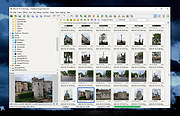 |
|
FileVoyager v26.9.6.0 FileVoyager v26.9.6.0 👉 A powerful dual-pane file manager and viewer for Windows. FileVoyager is a freeware Orthodox file manager (OFM) for Microsoft Windows that uses a dual-pane layout to make browsing, organizing, comparing, and transferring files easier. It can browse disks, folders, shares, archives, and FTP/FTPS locations in one unified interface, while also offering built-in viewers, archive handling, folder synchronization, file comparison, hashing, and media playback support. Features: • Dual-pane Orthodox file manager layout • Browse disks, folders, virtual folders, shares, archives, and FTP/FTPS locations • Multiple view modes, including report and thumbnail views • Rename, copy, move, link, delete, and recycle files • Pack and unpack ZIP, 7Zip, GZip, BZip2, XZ, Tar, and WIM archives • Unpack ARJ, CAB, XAR, Z, RAR, LZH, LZMA, ISO, WIM, and many other formats • Built-in file and folder comparison • Folder synchronization tools • Duplicate file finder • Advanced search and filtering • Quick preview for many file formats • Multimedia playback using installed codecs, Windows Media Player, and VLC support • Ebook and comic book viewing, including PDF, EPUB, MOBI, FB2, DJVU, CBR, CBZ, and XPS • Syntax highlighting for many source code formats • Hexadecimal and flat file viewing modes • Hash tool with VirusTotal-powered malware report • Dark Mode and customizable themes • Available as Setup or Portable editions • Optional VLC codec packages Supported operating systems: • Windows 10, Windows 11 • Should also run on Windows Vista, Windows 7, Windows 8.x, but these are not tested Supported languages: Arabic, Chinese Simplified, Czech, Danish, Dutch, English, French, German, Greek, Hungarian, Italian, Japanese, Korean, Polish, Portuguese, Portuguese (Brazil), Russian, Slovak, Slovenian, Spanish, Swedish Changes: v26.9.6.0 09-06-26 + New: Viewer: The main new feature in this release is folder analytics in the Viewer, with a dedicated panel providing key metrics and insights about a folder selected. + New: Browse: Added Archive & Unarchive commands in the Central toolbar, under Tools. ~ Chg: Global: Mask labels, visible in the various filter ... |
|
5,800 | Sep 11, 2026 FileVoyager 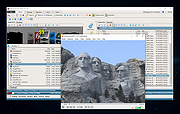 |
|
FlexBV5 Free v5.3162 FlexBV5 Free v5.3162 👉 Free cross-platform boardview viewer for electronics repair and analysis. FlexBV5 Free is a fast, native boardview viewer designed for electronics repair technicians, rework teams, and hobbyists who need a modern replacement for legacy boardview tools. Features: • Free edition for hobbyists and repair beginners • Modern SDL3-based interface • Cross-platform support for Windows, macOS, and Linux • Native decoding engine for multiple boardview formats • Supports legacy and generic boardview formats including .brd, .bdv, .bv, and .gr • Supports proprietary OEM formats including Asus FZ, Samsung CAD, Teboview, and XZZ PCB • Supports ODB++, GenCAD, Fabmaster, and Hyperlynx formats • Customizable retro and dark UI themes • High-DPI display support • Runs locally with no mandatory cloud login or telemetry Supported operating systems: • Windows 10, Windows 11 • macOS Catalina or higher • Linux x86_64 with glibc 2.31 or higher Supported languages: English Changes: v5.3162 07-27-26 * Updated fbvpdf schem viewer with performance improvements (search) * Updated fbvpdf to receive next/prev/goto commands from FlexBV * Updated FlexBV to handle more broken GenCAD exports 👉 This download is for the Windows 64bit version (very bottom of page). All other download assets are below: macOS: flexbv-free-5.3162-macos-universal.dmg Linux: flexbv-free-5.3162-linux-x86_64.tar.gz Click here to visit the author's website. |
|
1,811 | Sep 21, 2026 PLDaniels 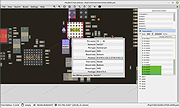 |
|
FontViewOK v9.33 FontViewOK v9.33 👉 A quick visual overview of all installed fonts. FontViewOK creates a quick visual overview of all installed fonts, or fonts from a specific folder, and helps you compare fonts side by side. Features: • Quick overview and comparison of all installed fonts • View fonts from a specific folder • Compare fonts in dual preview panes • Compare installed and non-installed fonts • Change font size, style, and color • Change background and font colors • Print fonts with print preview • Copy the selected font preview as an image to the clipboard • Save the selected font preview as an image • Open font locations in Windows Explorer • Portable use, installation is not required Supported operating systems: • Windows 11, Windows 10, Windows 8.1, Windows 7, Windows Server 2012 through Windows Server 2025, x64, x32, x86 Supported languages: English, German, Thai, Multilingual Changes: v9.33 05-06-26 General adjustments to the Front-View App; improved detection of the default system language; necessary adjustments and language file updates. This download is for the Windows 64bit version (very bottom of page). If you need the Windows 32bit version, download here. Click here to visit the author's website. |
|
6,042 | May 15, 2026 Nenad Hrg 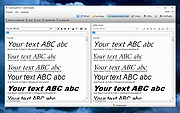 |
|
Foxit Reader Portable v2026.1.1 Foxit Reader Portable v2026.1.1 👉 Lightweight and feature-rich PDF reader you can take anywhere. Foxit Reader Portable is a compact, portable version of the popular Foxit PDF Reader that lets you view, annotate, fill out, and sign PDF documents without installing anything on your system. Designed to run from a USB drive or other portable media, it allows you to carry your PDF viewer and personal settings with you and use it on any compatible Windows computer. Foxit Reader Portable offers fast performance, a clean interface, and strong compatibility with standard PDF documents. It supports advanced features such as commenting, highlighting, form filling, digital signatures, and secure document viewing. Its small footprint and portability make it ideal for users who need a powerful PDF solution on the go. Features: • View, print, and search PDF documents • Add comments, highlights, and annotations • Fill out and save PDF forms • Support for digital signatures and document security • Tabbed interface for working with multiple PDFs • Fast startup and lightweight performance • Portable, no installation required Supported operating systems: • Windows 7, Windows 8, Windows 10, Windows 11 Supported languages: English, Deutsch (German), Espaρol (Spanish), Portuguκs (Portuguese), Franηais (French), Русский (Russian), Italiano (Italian), Nederlands (Dutch), 日本語 (Japanese), العربية (Arabic), 한국어 (Korean), 繁體中文 (Traditional Chinese) Changes: v2026.1.1 04-27-26 New Features and Improvements in Foxit PDF Reader 2026.1.1.36485 Upgrade the real-time PDF collaboration service - now powered by Foxit Document Management System (DMS) in certain regions, delivering a more efficient workflow and a smoother, seamless user experience. Issues Addressed in Foxit PDF Reader 2026.1.1.36485 Fixed some security and stability issues. Click here for details. Click here to visit the author's website. |
|
7,901 | Jun 27, 2026 Foxit Software Incorporated & PortableApps.com (Vic Saville)  |
|
Free Clipboard Viewer v3.0 Free Clipboard Viewer v3.0 A free, full-featured and portable clipboard viewer Free Clipboard Viewer is a program used to view the information that is stored in memory when you use copy and cut functions of Windows operating system. A clipboard viewer displays the current content of the clipboard. Most applications for Windows support cutting or copying data to the Windows Clipboard and pasting data from the clipboard. The clipboard data formats vary among applications. The clipboard viewer is just a handy way to know what's on your clipboard at different times. The clipboard temporarily stores whatever you've cut or copied. As soon as you cut or copy something else, the clipboard's contents change. Other useful features Free Clipboard Viewer allows you to save a clipboard data to a file and load a clipboard data from a file. So you can transfer clipboard contents between computers. The program also allows you to clear the clipboard and redeem the memory occupied by the large object. To clear the contents, click the "Delete" button in the clipboard viewer toolbar. Clipboard Formats An application can place more than one object on the clipboard, each representing the same information in a different clipboard format. Free Clipboard Viewer lists the available formats for any data that is currently stored on the clipboard. It automatically updates the information displayed as the contents of the clipboard change. For any format you can also view the clipboard contents, size and description. Run it from your portable USB flash drive Free Clipboard Viewer is a totally portable application, meaning that you can put it on any USB stick and run it directly from there. In this way, your clipboard viewer and manager will always be with you. Clipboard Software You may need more functionality than the clipboard viewer provides. In either case there is a variety of software solutions available for download ... |
|
7,045 | Jul 02, 2020 Comfort Software Group 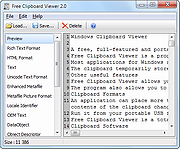 |
|
Giant Log Viewer v1.0.1 Giant Log Viewer v1.0.1 A free, opensource, cross-platform and portable application that allows viewing text files of any size when the less command is not available. Needing to check a 4.9 GB log file on a platform where the less file pager is not available? Don't cry. This software is going to save you! This software loads instantly with same low memory footprint regardless of a 4 MB, 4 GB or 4 TB text file is opened, as long as it doesn't hit any limitations (see Limitations below). The JVM is limited to use at most 80 MB heap memory (plus overheads) currently. Limitations: • Supports UTF-8 encoding and ASCII text files only • Doesn't work if there is a long line (>= 1 MB) in the file • Emoji sequences are not supported -- it would be displayed as multiple emoji characters • Doesn't work if your OS has no GUI • Doesn't work if you are not using Windows, macOS nor Linux • Not as powerful as less yet How to Use: 1) Drag and drop a UTF-8 / ASCII text file to this application. 2) Navigate with a keyboard. The less key bindings can be used. Click the "?" button in the top-right corner for the full keymap. This download is for the Windows version (very bottom of page). All other download assets are below: macOS: GiantLogViewer-v1.0.1-macos-X64.dmg GiantLogViewer-v1.0.1-macos-ARM64.dmg Linux: GiantLogViewer-v1.0.1-linux-X64.tar.gz Click here to visit the author's website. |
|
983 | Apr 15, 2025 Sunny Chung 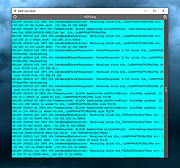 |
|
GIF Viewer v1.7.0 GIF Viewer v1.7.0 A C# program used to visualize and extract frames from .GIF files. (you need .NET Framework 3.5 installed on your computer) Features Playback GIF files Extract frames from GIFs Click here to visit the author's website. |
|
6,171 | Jan 07, 2019 Luiz Fernando 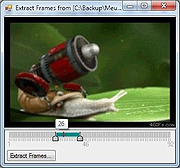 |
|
GPU Caps Viewer v1.58.0.1 GPU Caps Viewer v1.58.0.1 OpenGL, OpenCL, CUDA APIs and graphics card / GPU information utility GPU Caps Viewer is an OpenGL and OpenCL graphics card utility for Windows. Features: • quick view of the graphics configuration (graphics card / GPU type, amount of video memory, drivers version) • display of the main OpenGL capabilities (OpenGL version, texture size, number of texture units, etc.) • display of OpenCL API support and extensions. • display of the OpenGL extensions supported by your graphics card or display of all existing OpenGL extensions no matter what graphics card you have. For each extension, you can open its description webpage available at the OpenGL Extension Registry or at NVIDIA's OpenGL Extensions spec. Very handy for graphics developers! • display of NVIDIA CUDA level support • display of the system configuration: CPU type and speed, amount of systeme memory, operating system, PhysX version • display of the GPU core temperature • GPU Burner or Stability Test: allows to overheat the GPU in order to test the graphics card stability. You can start several stress test demos in the same time in order to make your graphics card working to the maximum. • list of links related to your graphics card: graphics drivers and graphics cards reviews. These links are regularly updated. • full report in text and XML format. This kind of report is useful for developers who needs an outline of the customer graphics system (for support purposes for example). • graphics card validation: your graphics card data is sent to oZone3D.Net server and in return you receive a link on the validation ... |
|
2,258 | Feb 03, 2023 Ozone3D 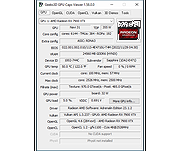 |
|
ImageGlass v10.0.6.906 ImageGlass v10.0.6.906 👉 A lightweight, versatile image viewer for Windows. ImageGlass is a feature-rich, simple-to-use image viewer with a clean, modern interface and support for over 90 image formats, including WEBP, GIF, SVG, PNG, JXL, HEIC, RAW formats and more. Features: • Supports over 90 common image formats • Fast image switching with a clean, minimal interface • Supports animated formats including GIF, WEBP, APNG and SVG • Multi-frame image support with frame navigation tools • Drag-and-drop and clipboard image opening • Six zoom modes including Auto Zoom, Lock Zoom, Scale to Width, Scale to Height, Scale to Fit and Scale to Fill • Full screen, frameless and window-fit viewing modes • Slideshow view with countdown timer • Fast thumbnail previews • Built-in color picker • EXIF metadata viewing with ExifGlass • Basic editing tools including rotate, flip, crop, resize and lossless compression • Custom themes, language packs, icon packs, layout and toolbar options • Keyboard and mouse action customization • External app integration through custom hotkeys • Color management and color channel viewing Supported operating systems: • Windows 10 64-bit version 1809 or later, Windows 11 64-bit Supported languages: Arabic, Armenian, Asturian, Azerbaijani, Belarusian, Bengali, Bulgarian, Catalan, Chinese Simplified, Chinese Traditional, Croatian, Czech, Danish, Dutch, Esperanto, Finnish, French, German, Greek, Hebrew, Hungarian, Icelandic, Indonesian, Irish, Italian, Japanese, Khmer, Korean, Kurmanji Kurdish, Kyrgyz, Lithuanian, Malay, Mongolian, Norwegian Bokmal, Persian, Polish, Portuguese, Brazilian Portuguese, Romanian, Russian, Serbian Cyrillic, Serbian Latin, Sinhala, Slovak, Slovenian, Spanish, Swedish, Tamil, Thai, Turkish, Ukrainian, Vietnamese Changes: v10.0.6.906 09-05-26 New • ImageGlass.SDK updated to 1.2.0 • Bumped plugin ABI version from 1.0.0 to 1.2.0 • Added IGHdrTransferFn.ScRgb photo metadata support for rendering HDR images from codec plugins • Added DecodeStaticRasterScaled API for requesting scaled thumbnail images from codec plugins • Added Linux AppImage package support Improvements • Updated Avalonia to 12.1.2 • Updated Magick.NET to 14.17.1 ... |
|
4,504 | Oct 06, 2026 Duong Dieu Phap  |
|
Imagine v2.7.0 Imagine v2.7.0 👉 Fast freeware image and animation viewer for Windows with broad format and plugin support. Imagine is a freeware image and animation viewer for Windows that focuses on speed while supporting a huge range of image, animation, archive, and RAW camera formats. It includes a thumbnail browser, slideshow, batch conversion and rename tools, screen capture, basic paint tools, color corrections, ICC color management, and optional add-on plugins plus Total Commander integration. Features: • View and save image and animation files with very fast speed • Supports many image and animation formats (including ANI, GIF, PNG, SVG, TIF, WEBP, and more) • Supports digital camera RAW formats (including ARW, CR2, CR3, DNG, NEF, ORF, RAF, SRW, and more) • Supports archive formats (ZIP, RAR, 7Z, ALZ, HV3, CBZ, CBR, CB7) • Extract single or all frames from animation files • Shows detailed file information plus Exif, IPTC, DICOM, and Comment information • Thumbnail browser • Basic paint tools, color corrections, and ICC color management • Batch conversion and batch rename • Slideshow and tiled view • Screen capture • Create animations, multiple page images, and panorama images • Customizable keyboard and mouse shortcuts, plus command line parameter support • Shell extension support, add-on plugin support, and Total Commander Lister, Packer, and Content plugin support • INI-based configuration (does not write unnecessary registry entries) • Native builds for x86, x64, and ARM64 Supported operating systems: • Windows 95, Windows 98, Windows ME, Windows NT 4.0, Windows 2000, Windows XP, Windows 2003, Windows Vista, Windows 7, Windows 8, Windows 10, Windows 11 Supported languages: • Arabic, Czech, Danish, Dutch, French, German, Italian, Japanese, Korean, Polish, Portuguese (Brazil), Portuguese (Portugal), Romanian, Russian, Simplified Chinese, Slovenian, Spanish, Traditional Chinese, Turkish, Ukrainian, Uzbek (O'zbekcha) Changes: v2.7.0 09-12-26 - Added: Antialiasing support for 32-bit alpha blended image - Added: 'Apply to all users'/'Current user only' option (Installer) - Added: Determine whether encoding can be skipped ... |
|
6,937 | Sep 13, 2026 Sejin Chun 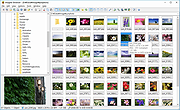 |
|
InnoExtractor v12.1.1.185 InnoExtractor v12.1.1.185 👉 Powerful utility for unpacking and exploring Inno Setup installers. InnoExtractor is an advanced application that allows you to inspect, extract, and explore the contents of installers created with Inno Setup without needing to run the installation process. It provides a clean and user-friendly interface for viewing internal files, scripts, registry entries, installation structure, and embedded resources from supported setup packages. InnoExtractor is especially useful for software archivists, developers, system administrators, and advanced users who want to analyze installer contents or recover files from installation packages. Features: • Open and inspect Inno Setup installer packages • Extract files and folders from installers without running setup • View internal installer scripts and configuration data • Explore embedded files, icons, images, and resources • Display detailed installer information and metadata • Supports password-protected installers when password is known • Search and filter installer contents • Drag-and-drop support for opening setup files • Supports Unicode installers • Export installer information and file lists • Multi-language user interface Supported operating systems: • Windows 7, Windows 8, Windows 8.1, Windows 10, Windows 11 Supported languages: Arabic, Azerbaijani, Czech, Danish, Dutch, English, French, German, Greek, Hungarian, Italian, Japanese, Korean, Polish, Portuguese (Portugal), Russian, Simplified Chinese, Spanish, Traditional Chinese, Turkish, Ukrainian Changes: v12.1.1.185 10-14-26 - Updated Danish, Italian, Russian and Ukrainian language files. - Fixed a minor bugs from previous version. Note: This file has one hit on VirusTotal. We have confirmed this to be a false positive. The file is safe. Click here to visit the author's website. |
|
741 | Oct 15, 2026 Havy Alegria 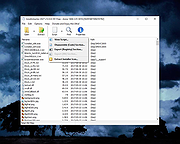 |
|
InsideClipboard v1.30 InsideClipboard v1.30 👉 Displays the binary contents of files stored in the Windows clipboard. InsideClipboard is a small, portable utility that shows the binary data currently stored in the Windows clipboard. For every format available in the clipboard, it displays the name of the format, the handle, the size of the data, and a preview of the raw binary content in a standard hex dump view. InsideClipboard allows you to inspect text, images, HTML, Rich Text, and other custom clipboard formats in detail. It is especially useful for developers, advanced users, and anyone troubleshooting clipboard-related issues who needs to see exactly what data is being copied between applications. Features: • Displays all available clipboard formats • Shows format name, handle, and data size • Built-in hex dump viewer for binary data • Supports standard and custom clipboard formats • Refresh option to reload current clipboard contents • Portable application with no installation required Supported operating systems: • Windows 2000, Windows XP, Windows Server 2003, Windows Vista, Windows 7, Windows 8, Windows 10, Windows 11 Supported languages: English, Arabic, Dutch, French, German, Greek, Hungarian, Italian, Japanese, Korean, Polish, Portuguese, Russian, Simplified Chinese, Slovak, Spanish, Turkish Changes: v1.30 05-04-2018 Added "UTF-8" Display Mode. Note: Malwarebytes and other anti-virus software may block this as a "Machine Learning" app. We have confirmed this to be a false positive. The file is safe. Click here to visit the author's website. |
|
10,302 | Jun 27, 2026 Nir Sofer 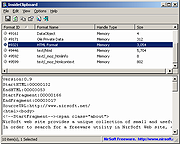 |
|
Internet Processes Viewer v3.8.5.0 Internet Processes Viewer v3.8.5.0 Retrieves detailed snapshots of your computer’s active TCP and UDP network connections along with the owning processes and users each time you run it. It gives quick results with a level of detail helpful when analyzing Cybersecurity incidents and troubleshooting network applications. SHA-256: 814fa4d55277e46a81ca07c110977191f521499989acbee2bff7e41d0b2d1c28 This application may be used at no cost after reading and accepting the built-in EULA. Typical write access to your interactive user's HKCU Software registry is required for the product license acceptance. Uniquely identify executable modules used in creating and maintaining suspicious network connections. Provide .csv reports from the application running on an endpoint of interest to your Cybersecurity support team. Intended target audience: Cybersecurity, Network, Systems Analysts, and similar technical users. Click the question mark in the upper right hand corner of the program for full instructions on it's use. Minimum system requirements Microsoft Windows 10 or 11 and .NET 6 Click here to visit the author's website. |
|
4,121 | Jun 13, 2022 Steve Chaison Software 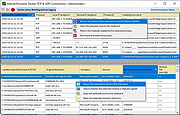 |
|
IrfanView v4.76 IrfanView v4.76 👉 Fast, compact image viewer and converter for Windows. IrfanView is a fast and compact graphic viewer for Windows that can view images, convert files, optimize images, scan and print, create slideshows, run batch processing jobs, and handle multimedia files. It is designed to be simple for everyday viewing while still offering powerful tools for image handling, editing, conversion, and automation. Features: • Fast and compact image viewer • Freeware for non-commercial use • 32-bit, 64-bit, and Windows ARM64 versions available • View, convert, and optimize images • Scan and print support • Batch processing • Slideshow creation • Multimedia support • Unicode support • Multi-language support • PlugIn support for additional formats and features Supported operating systems: • Windows XP, Windows Vista, Windows 7, Windows 8, Windows 10, Windows 11 • Windows 11 ARM, tested on Snapdragon X Supported languages: English, German, Bulgarian, Czech, Hungarian, Korean, Polish, Portuguese-Brazil, Slovak, Chinese, Estonian, French, Greek, Italian, Japanese, Dutch, Portuguese, Russian, Slovenian, Spanish, Thai, Turkish, Latvian, Norwegian, Danish, Romanian, Ukrainian, Arabic, Finnish, Catalan, English-British, Hebrew, Lithuanian, Swedish, Uzbek Changes: v4.76 09-18-26 Option to set the Toolbar on left/right (Properties->Toolbar) Option to draw a freehand selection, menu: Edit->Set selection shape New Wallpaper menu: Choose monitor (in multi monitor environment) New Thumbnails window menu: Favorite folders (max 15 folders) New in Thumbnails folder box: Write/Paste folder path, press Enter to load Changes in Zoom Magnifier (new initial zoom, CTRL + Click goes to 100%) Support for animated AVIF files New command line option to set the wallpaper per monitor /monitor=number (needs also /wall) Paint PlugIn: Option for smooth lines; Fix in the Clone tool Several PlugIns are changed/updated, please install the newest versions: Download from: https://www.irfanview.com/plugins.htm 👉 This download is for the Windows 64bit installer version (very bottom of page). All other download assets are below: Other Windows 64bit: iview476_plugins_x64_setup.exe iview476_plugins_x64.zip Windows 32bit: iview476_setup.exe iview476_plugins_setup.exe iview476_plugins.zip Windows ARM64bit: iview476_arm64_setup.exe iview476_arm64.zip iview476_plugins_arm64_setup.exe iview476_plugins_arm64.zip Click here to visit the author's website. |
|
6,451 | Sep 22, 2026 Irfan Skiljan 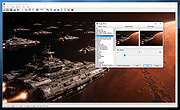 |
|
JSON Studio v1.0.0 JSON Studio v1.0.0 👉 A private, lossless desktop workspace for large JSON files. JSON Studio is a free, open source desktop application for working with large JSON files. It enables you to explore, search, query, compare, and inspect JSON, JSONL, and NDJSON files up to 500 MB entirely on your own machine. Designed for developers working with large, sensitive, or precision-critical data, JSON Studio keeps the original data intact by preserving big integers, high-precision decimals, key order, and the original source text without rounding, reordering, or reformatting. The application provides multiple ways to view and analyze JSON data, including tree, raw source, and table views. It features fast searching across keys and values, RFC 9535 JSONPath query support, structural document comparison, JSONL/NDJSON table inspection, inline image previews for supported embedded image formats, and automatic session restoration. Because it runs completely offline, there are no accounts, uploads, telemetry, analytics, or network calls, ensuring your files and settings remain private. Features: • Open JSON, JSONL, and NDJSON files up to 500 MB • Preserves big integers, high-precision decimals, key order, and original source text • Tree, raw source, and table views • Collapse and expand navigation with expand-to-depth support • Syntax highlighting, line numbers, wrapping, and parse error reporting • Fast searching with case-sensitive, whole-field, regular expression, and subtree search options • RFC 9535 JSONPath query support with history, execution timing, and result export • Structural JSON comparison with configurable array matching and optional key-order ignoring • Virtualized table view for JSONL and NDJSON files with field statistics and invalid-row highlighting • Inline preview of embedded PNG, JPEG, GIF, WebP, and SVG images • Multiple document tabs, scratch workspace, session restore, and live file reload • Fully offline operation with no uploads, analytics, telemetry, or network access Supported operating systems: • Windows • macOS • Linux Supported languages: • English Changes: v1.0.0 06-26-26 Initial release. Note: This file has two hits on VirusTotal. We have confirmed ... |
|
499 | Jun 27, 2026 Anton Liberant 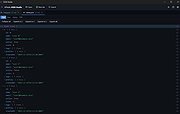 |
|
KillerPDF v1.7.3 KillerPDF v1.7.3 👉 Portable PDF editor for viewing, annotating, editing, and signing PDFs. KillerPDF is a free and open-source PDF viewer, annotator, and editor for Windows that provides PDF viewing, annotation, text editing, OCR, forms, signatures, page organization, transformation, printing, and flattening in a compact native executable. It can be run as a portable application or installed, requires no account or subscription, contains no ads, and sends no telemetry. PDFium provides document rendering while Tesseract provides built-in OCR, with additional OCR language models available on demand. Features: • High-quality PDF rendering using PDFium • Single-page, continuous scroll, two-page, book layout, and page grid viewing • Open multiple PDF documents in tabs • Split-pane mode displays two documents side by side in the same window • Each split pane maintains independent viewing and inverted-color settings • Drag tabs between split panes • Search an entire document with results highlighted while scrolling • Text selection follows columns and document reading order • Navigate outlines, bookmarks, clickable links, and internal references • Edit existing PDF text inline with font matching • Add resizable text boxes • Add freehand drawings, straight lines, shapes, and highlights • Adjust annotation colors, opacity, and line widths • Full RGB color picker for annotation colors • OCR an entire page or a selected region • Copy OCR results directly to the clipboard • Make scanned PDFs searchable by adding an invisible text layer • Extract all recognized text to a file • Built-in Tesseract OCR with additional language models available on demand • Fill and save PDF forms • Draw and reuse signatures • Import signatures from image files • Digitally sign PDFs using Certum SimplySign cloud certificates • Support for click-to-sign PDF form fields • Merge multiple PDF documents • Split and extract PDF pages • Drag and drop pages to rearrange them • Insert, rotate, move, extract, and delete pages • Drop folders or ZIP archives into the program to work with contained PDFs and images • Crop ... |
|
1,026 | Aug 17, 2026 SteveTheKiller 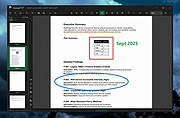 |
|
Large Text File Viewer 5.2 Large Text File Viewer 5.2 Have you ever felt frustrated when you just want to look at the content of a large text file but it takes forever for Notepad or Word to open it? This program was designed for viewing large (>1GB) text files. It uses little memory and is able to open a gigabyte file instantly. Background file indexing makes browsing even faster. It opens files that are currently being written by other programs, and automatically checks and reads the files if new contents have been appended. It supports view split. The user may split the view either horizontally or vertically, and have each side show different portion of the same file. It allows the user to perform high-speed complex text search by means of plain text or regular expression. The regular expression syntax is slightly different from the standard ones. Please click here for details. The regular expressions for finding the following items have been provided as preset for the convenience of the users: quoted string hexadecimal integer floating-point number date of any format time of any format domestic phone number (US & Canada) social security number IP address email address http address ftp address ... |
|
6,180 | Oct 23, 2019 swiftgear.com 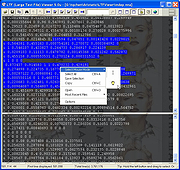 |
|
Manifold Viewer v9.0.175.7 Manifold Viewer v9.0.175.7 View huge images, raster data, and vector data, and do much, much more. Manifold Viewer is the free, read-only version of Manifold Release 9, Manifold's new GIS that blends geospatial and traditional data capabilities within a single, all-inclusive GIS product. Viewer provides phenomenal capability to view and to analyze almost all possible different types of data in tables, vector geometry, raster data, drawings, maps and images from thousands of different sources. All in a super-fast small footprint: 47 MB with no need to install gigabytes of other software. Viewer can open multiple sources at once to blend, extract, transform, analyze, validate, visualize and explore your data. Viewer provides full Release 9 power to combine, analyze and transform data for fast and elegant visualization. Viewer's huge capacity and speed - hundreds of GB on your desktop - will keep up with the fastest Enterprise DBMS and run ahead of all others. Manifold Viewer includes Release 9 parallel CPU speed, Release 9 parallel GPU speed and Release 9 automatically parallel SQL. Faster Insights GPU and CPU Parallel - Sixteen CPU cores or six thousand GPU cores, Viewer uses all of them for true parallel computation and massively parallel speed. View 300,000 x 200,000 pixel images. Amazing! Easy to Use Effortless Power - Viewer is a free subset of Release 9, Manifold's hyperfast, brutally powerful, automatically parallel GIS. Pan and zoom 100 GB data effortlessly. Browse big data even expensive GIS can't handle. All Formats Hundreds of Choices - See and use data from many sources at once using hundreds of raster, vector, and table formats, DBMS servers and web servers. Enjoy automatically parallel SQL for DBMS with phenomenal analytic power. Point and Click Easy Wizardry - Automatic templates deliver data engineering genius for spatial and non-spatial data in tables, imagery, vector geometry and more. Many ... |
|
4,623 | Dec 23, 2021 Manifold Software Limited 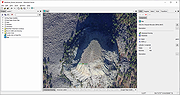 |
|
MDB Viewer Plus v2.82 MDB Viewer Plus v2.82 👉 View, edit, search, and export Microsoft Access databases without installing Access. MDB Viewer Plus is a portable viewer and editor for Microsoft Access MDB and ACCDB files. It lets you inspect tables, edit records, run SQL queries, search and filter data, and import or export information in a range of formats. It can also create databases and change table structures. Opening ACCDB files requires the Microsoft Access Database Engine when a suitable version of Access is not installed. Features: • Open MDB and ACCDB database files without installing Microsoft Access. • View and edit table records in a tabbed interface. • Search records, including partial word searches, and filter or sort by field. • Run SQL select queries and save SQL statements to files. • View field types, print table structures, and copy field names to the clipboard. • Create databases and create, rename, or delete tables. • Add, remove, rename, or alter fields and manage indexes. • Import data from formats including CSV, TXT, XLS, DBF, MDB, and XML. • Export to TXT, HTML, XML, DBF, XLS, XLSX, RTF, PDF, and SQLite. • Open databases using workgroup files and link to external tables. • Run without installation. alexnolan.net Supported operating systems: • Windows 95, Windows 98, Windows ME, Windows NT, Windows 2000, Windows XP, Windows Vista, Windows 7, Windows 8, Windows 10, Windows 11 Supported languages: English. Changes: v2.82 09-24-26 Not provided. Note: This file has one hit on VirusTotal. We have confirmed this to be a false positive. The file is safe. Click here to visit the author's website. |
|
6,890 | Sep 25, 2026 Alex Nolan 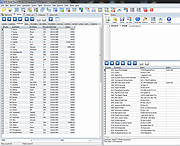 |
|
Metadata++ v3.00.2 Metadata++ v3.00.2 👉 View, edit, search, and manage metadata in thousands of file formats. Metadata++ is a powerful freeware metadata editor and browser for Windows built around ExifTool. It lets you inspect, edit, search, and organize metadata stored in photos, documents, audio, video, archives, and many other file types through a fast graphical interface. Designed to run locally without relying on the Windows registry, Metadata++ can also create sidecar files so metadata can be associated with formats that do not natively support it. It includes advanced search capabilities, batch editing, thumbnail viewing, ratings, tagging, and extensive support for industry-standard metadata formats, making it an excellent tool for photographers, archivists, content creators, and anyone who needs detailed control over file metadata. Features: • View, edit, and search metadata in thousands of supported file formats. • Built on the powerful ExifTool metadata engine. • Batch edit metadata across multiple files. • Create and use sidecar metadata files for unsupported formats. • Display image thumbnails and detailed file information. • Rate, tag, and organize files using metadata. • Fast folder navigation and high-performance directory browsing. • Export metadata in multiple formats. • Native Unicode support for international filenames and metadata. • Portable operation with all settings stored in the program folder. • No Windows registry entries required. • Runs entirely on your computer without transmitting personal data. Supported operating systems: • Windows 11 (64-bit), Windows 10 (64-bit) Supported languages: English, French, Spanish, Italian, Portuguese, Dutch, Polish Changes: v3.00.2 08-03-26 Changes since 3.00.1 Fixed the TreeView horizontal scrollbar. Added support for additional palette formats. Added GPR display support. Added conversions to JPEG, PNG and WebP. Added Save As and effects to fullscreen view. Added sidecar creation for any file format. Added the Ukrainian interface. Metadata++ can now use GDAL. Note: This file ... |
|
2,179 | Aug 02, 2026 Jean Piquemal 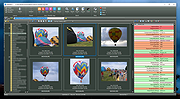 |
|
MiTeC JSON Viewer v3.2.2 MiTeC JSON Viewer v3.2.2 Full featured JSON/BSON Viewer Free to use for private, educational and non-commercial purposes. Description • Hierarchical and text preview • Text searching • Base64 encoding/decoding • Simple JSON Editor with JSON validation and formatter Supported operating systems: • Windows XP • Windows 2003 • Windows Vista • Windows 7 • Windows Server 2008 • Windows 8 • Windows 8.1 • Windows Server 2012 • Windows Server 2012 R2 • Windows 10 • Windows Server 2016 • Windows Server 2019 • Windows 11 • Windows Server 2022 Changes v3.2.2 20.1.2025 * Bug fixes Click here to visit the author's website. |
|
1,287 | May 13, 2025 MiTeC 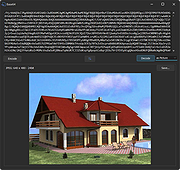 |
|
MiTeC Mail Viewer v2.5.1 MiTeC Mail Viewer v2.5.1 Viewer for standalone files containing Microsoft Outlook Express 4,5 and 6 message database (*.idx/*.mbx/*.dbx), Windows Vista Mail/Windows Live Mail and Mozilla Thunderbird message databases as well as standalone EML files. This application is based on MiTeC Outlook Express Reader and MiTeC Thunderbird Reader. It displays list of contained messages with all needed properties as ordinary e-mail client. Message can be viewed in detailed view including attachments (save ability) and HTML preview. It has powerful searching and filtering capability and also allows to extract all email address from all emails in opened folder to list by one click. Selected messages can be saved to *.eml files with or without their attachments. Attachments can be extracted from selected messages by one command. Of course, opened messages can be printed including images. Target platforms Windows 2000 Windows XP Windows 2003 Windows Vista Windows 7 Windows Server 2008 Windows 8.x Windows Server 2012 Windows Server 2012 R2 Windows 10 Click here to visit the author's website. |
|
3,567 | May 19, 2021 MiTec 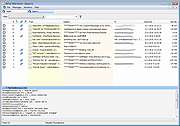 |
|
MiTeC XML Viewer v6.0.0 32bit MiTeC XML Viewer v6.0.0 32bit Full featured XML Viewer. Description Hierarchical and text preview Text searching Base64 decoding Attribute listing Image interpretation Web and Content preview Very fast SAX parser Large files up to available memory Simple XML Editor with xml validation Target platforms Windows 2000 Windows XP Windows 2003 Windows Vista Windows 7 Windows Server 2008 Windows 8 Windows 8.1 Windows Server 2012 Windows Server 2012 R2 Windows 10 Licence Free to use for private, educational and non-commercial purposes. Click here to visit the author's website. |
|
4,995 | Feb 03, 2020 MiTeC 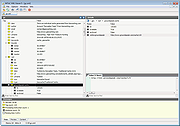 |
|
MiTeC XML Viewer v6.0.0 64bit MiTeC XML Viewer v6.0.0 64bit Full featured XML Viewer. Description Hierarchical and text preview Text searching Base64 decoding Attribute listing Image interpretation Web and Content preview Very fast SAX parser Large files up to available memory Simple XML Editor with xml validation Target platforms Windows 2000 Windows XP Windows 2003 Windows Vista Windows 7 Windows Server 2008 Windows 8 Windows 8.1 Windows Server 2012 Windows Server 2012 R2 Windows 10 Licence Free to use for private, educational and non-commercial purposes. Click here to visit the author's website. |
|
5,136 | Feb 03, 2020 MiTeC |
|
No Bloat PDF v1.5.0 No Bloat PDF v1.5.0 👉 A tiny, fast and private PDF viewer with no ads, accounts or telemetry. No Bloat PDF is a lightweight, open-source PDF viewer designed to do one thing well: open and read PDF files without the advertising, cloud services, accounts, launchers and other extras found in many modern PDF readers. The complete installer is only about 4.6 MB, yet the program provides tabbed viewing, document search, thumbnails, bookmarks, zooming, rotation and printing. It uses Mozilla's pdf.js rendering engine inside a small native application shell and is designed to open documents quickly without a splash screen or sign-in process. Privacy is a major part of the design. No Bloat PDF makes zero network calls, includes no telemetry and requires no account. PDF documents remain entirely on your computer. Multiple documents can be kept open as tabs in a single window, and the program remembers your position in previously viewed files. Dark mode follows the operating system while leaving the actual PDF pages in their original colors. Features: • Small 4.6 MB installer • Fast PDF opening with no launcher or splash screen • Built on Mozilla's pdf.js PDF rendering engine • Multiple PDF documents open as tabs in a single window • Full-text document search • Page thumbnail navigation • Document outline and bookmark navigation • Zoom controls for easier reading • Page rotation • Remembers your position in each PDF • High-resolution PDF printing directly from the viewer • Drag-and-drop support for opening PDF files • Can be configured as the system's default PDF viewer • Dark mode follows the operating system setting • PDF documents remain true-color when dark mode is enabled • Zero telemetry • Zero network calls • No user account or sign-in required • No cloud services • No advertising or upsells • Documents never leave your computer • Free to use • Open-source software released under the MIT license • Combine multiple PDFs and images into a single ... |
|
313 | Sep 09, 2026 Brian Galvan 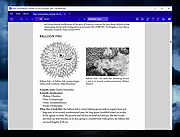 |
 |
OpenPdfEdit v1.0.2 OpenPdfEdit v1.0.2 👉 View, edit, annotate, and organize PDF files on your computer. OpenPdfEdit is a free, open-source PDF editor for macOS and Windows. It lets you view PDFs, edit text and images, add annotations, redact content, fill and sign forms, reorganize pages, merge or split documents, and compare files. Documents are opened, edited, and saved on your computer rather than uploaded to a server. OCR and watermarking are available as optional paid tools. Features: • View and navigate PDF documents • Edit text and images in PDF files • Add annotations and markups • Redact sensitive content • Fill forms and place saved signatures • Reorder, rotate, and remove pages • Merge, split, and compare PDF files • Save and work with documents locally; files are not uploaded • Optional paid tools for OCR and watermarking Supported operating systems: macOS 10.13 or later (Apple silicon and Intel), Windows 10 64-bit, Windows 11 64-bit Supported languages: English, German, Spanish, Japanese, Korean, Portuguese, Chinese (Simplified), Chinese (Traditional) Changes: v1.0.2 10-12-26 Added the first Windows build. The Mac build now supports Intel Macs as well as Apple silicon. Saved signatures can be placed by tapping the page. Ticked form checkboxes retain their on-state when saved. Flattening now includes form fields without a drawn appearance. 👉 This download is for the Windows version (very bottom of page). All other download assets are below: Other Windows: OpenPdfEdit Installer.exe (Microsoft Store Installer) macOS: OpenPdfEdit_1.0.2_universal.dmg Chrome Edge Extension: openpdfedit-extension-1.0.1-chrome-edge.zip Click here to visit the author's website. |
|
23 | Oct 15, 2026 OpenPdfEdit  |
|
PDF4QT v1.6.0.0 PDF4QT v1.6.0.0 👉 Open-source PDF editor, viewer, and toolkit for Windows and Linux. PDF4QT is an open-source PDF editor powered by the Qt framework. It provides a robust C++ library, intuitive applications for viewing and editing PDF documents, and a command-line tool for script integration. The suite includes tools for advanced PDF viewing, lightweight document viewing, page organization, and PDF comparison, making it useful for both regular users and developers. Features: • Advanced PDF viewer with zoom, rotation, page layout modes, and navigation tools • Full PDF editing capabilities including modifying document structure and content elements • Annotation tools such as highlights, notes, shapes, and markup editing • Interactive form filling and support for AcroForms • Digital signature support including signing documents and validating signatures • Encryption support with password protection and public key security • Embedded file attachments handling within PDF documents • Built-in text-to-speech engine for reading PDF content aloud • Powerful search functionality including regular expression support • PDF document comparison tool to detect differences between files • Page management tools including merge, split, reorder, rotate, clone, and insert pages • Document optimization features for reducing file size and improving performance • Internal PDF object structure inspector for advanced users and developers • Command-line interface for automation and batch processing tasks • Static XFA form support (read-only for simple XFA documents) • Multiple viewer applications included (advanced viewer and lightweight viewer modes) • Cross-platform support built on the Qt framework Supported operating systems: •Windows 10/11 •Linux Supported languages: • Czech, English, French, German, Korean, Russian, Simplified Chinese, Spanish, Traditional Chinese, Turkish Changes: v1.6.0.0 06-14-26 Major image compression and optimization update for PageMaster and assembled PDF documents. Improved PageMaster with drag and drop, recent files, page cropping, save/restore, rotation and size indicators, new icons, and faster output previews. Added image optimization feedback for final resolution and DPI. Added Advanced Find wildcard mode and Enter-to-search. Added fullscreen viewing, side-to-side scrolling, smoother scrolling, text selection, snapping, and improved keyboard ... |
|
1,148 | Aug 26, 2026 Jakub Melka 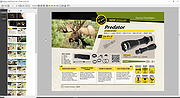 |
|
PilotEdit Lite v21.5.0 PilotEdit Lite v21.5.0 👉 Free text and hex editor designed for working with large files and advanced text processing tasks. PilotEdit Lite is a lightweight yet powerful text and source code editor built for users who need to handle large files, perform advanced search and replace operations, edit hex data, and manage coding projects efficiently. The Lite edition provides many of the core editing and file management tools found in the full version while remaining free for personal use. It is especially useful for programmers, web developers, log file analysis, and anyone working with very large text files that standard editors may struggle to open or process smoothly. Features: • Open and edit large text files • Syntax highlighting for multiple programming languages • Hex editor mode for binary file editing • Advanced multi-line search and replace • Column mode editing • Regular expression support • File compare functionality • FTP and SFTP file transfer support • Unicode and UTF-8 support • Customizable text encoding options • Line sorting and duplicate removal tools • Powerful file search across directories • Bookmark support for quick navigation • Word wrap and split window editing • Configurable keyboard shortcuts • Session and workspace management • Automatic file backup support • Portable version available Supported File Types: AHK Script, ASP, ASP.NET, AngularJS TypeScript, Apache Pig Latin Script, Assembly, AutoIt Script, BAT/CMD, C#, C/C++, COBOL, CSS, CSV, Conf, D Programming, DSV, Eiffel, Erlang, F#, Go, Groovy, HTML, Haskell, INF, INI, Inno Setup Script, J#, JSON, JSP, Java, Javascript, LESS, LISP, LaTex, Log, Lua, MATLAB, Markdown, MicroBasic Pro, PHP, Pascal, Perl, PilotEdit Script, PowerShell Script, Python, R Programming, REXX, RHTML, Ruby, SQL, Scala, TCL/TK, TSV, Text, Textile, UNIX/Linux Shell, VC++ Resource, Visual Basic, XHTML, XML Supported operating systems: • Windows 7, Windows 8, Windows 10, Windows 11, Windows Server 2008, Windows Server 2012, Windows Server 2016, Windows Server 2019, Windows Server 2022 Supported languages: Arabic, Dutch, English, Finnish, French, German, Hindi, Italian, ... |
|
9,983 | Oct 07, 2026 PilotEdit 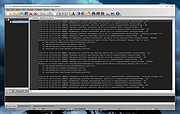 |
|
PropertySystemView v1.22 PropertySystemView v1.22 👉 View and edit Windows file and window properties with ease. PropertySystemView is a lightweight portable utility that allows you to view and modify the properties of files and Windows using the Windows Property System. It can edit metadata stored in media files, Office documents, images, and other supported file types, including fields such as Title, Comments, Authors, Tags, Date Taken, Media Created, Date Imported, Content Created Date, and many more. It also supports working with Windows properties, such as setting the System.AppUserModel.ID property of a window to customize taskbar behavior. The program supports both an easy-to-use graphical interface and a powerful command-line mode for automation. Features: • View and modify Windows Property System metadata for supported files. • Edit media, image, and Microsoft Office document properties. • Modify timestamps such as Media Created, Date Taken, and Date Imported. • View and edit Windows window properties. • Add, edit, and remove supported properties. • Drag-and-drop file loading. • Browse and display all properties available on your system. • Powerful command-line interface for scripting and automation. • Portable application with no installation required. • Available in both 32-bit and 64-bit versions. Supported operating systems: • Windows Vista, Windows 7, Windows 8, Windows 8.1, Windows 10, Windows 11 (32-bit and 64-bit) Supported languages: English, Brazilian Portuguese, Dutch, French, German, Hungarian, Italian, Japanese, Persian, Russian, Simplified Chinese, Slovak, Traditional Chinese, Turkish Changes: v1.22 07-11-26 Added 'Black Background' option (under the View menu). When enabled, the main table is displayed with a black background and white text instead of the default system colors. This download is for the Windows 64bit version (very bottom of page). If you need the Windows 32bit version, download here. Click here to visit the author's website. |
|
4,736 | Jul 17, 2026 Nir Sofer 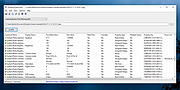 |
|
Remote Process Viewer v1.3.0.21 Remote Process Viewer v1.3.0.21 Remote Process Viewer is a free remote Windows Task Manager for your network. It displays all processes currently running on a chosen network client. This remote process explorer shows detailed information for all running processes on the remote computer and reveals information such as the process file name, full path, PID (process identifier), RAM, CPU time, Handles, PID of the parent process, user session ID, number of threads and process priority. There is absolutely no installation required. Simply download and run the software. Select a client you want to analyze. Now you see all processes on the remote computer. Remote Process Viewer uses the WMI service built into Windows. This means it does not require any additional software installation on the computers that you are connecting to (agentless monitoring). Features doesn't require installation doesn't require a client agent doesn't write to the registry doesn't modify files outside of its own folder doesn't require runtime libraries isn't adware/spyware 100% free - just remember it comes from file.net :-) System requirements Windows 10, 8, 7, Vista, XP or Windows Server only 0.5 MB free disk space Click here to visit the author's website. |
|
6,199 | Mar 11, 2020 Neuber GmbH 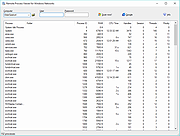 |
|
Restore Windows Photo Viewer v1.22 Restore Windows Photo Viewer v1.22 The classic Windows Photo Viewer is still hidden deep in Windows 10. This free program can easily turn it off and on. It also sets it as the default app for the picture formats you choose. Note: After closing the app, you may be asked if you need another app the author sells. Just say no unless you want more software. FEATURES: Support JPEG, JPG, JPE, JFIF format. Support BMP, DIB, ICO format. Support PNG, TIFF, TIF. Support GIF, WDP, JXR. Apply changes to either current user or all users on a computer. Restore the missing Windows Photo Viewer to Windows 10. Set Windows Photo Viewer as default photo viewer. Revert to Microsoft Photos App at any time. |
|
5,507 | Mar 13, 2019 Authorsoft Corporation 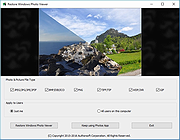 |
|
SIV (System Information Viewer) v5.88 SIV (System Information Viewer) v5.88 👉 Detailed Windows system, hardware, sensor, and network information utility. SIV (System Information Viewer) is a general Windows utility for displaying extensive system information, including CPU, PCI, PCMCIA, USB, SMBus, SPD, ACPI, machine, hardware sensor, network, and operating system details. It can also control certain AIO devices such as fans and LEDs by using the appropriate command-line option Features: • Displays detailed CPU information including processor type, features, clock speeds, and topology. • Reports motherboard, chipset, BIOS information, and firmware details. • Shows comprehensive PCI, PCIe, EISA, and PCMCIA device information. • Provides SMBus and SPD data including memory module information and sensor readings. • Displays detailed hardware sensor information including temperatures, voltages, and fan speeds. • Reports GPU information including PCIe link speed and lane configuration. • Shows USB device information and connected hardware details. • Displays ACPI information and power management related system data. • Provides detailed operating system information including installed updates and system configuration. • Shows network adapter information, IP configuration, and network statistics. • Supports viewing hardware I/O ports and device resource allocations. • Includes tools to view ghost devices and hidden hardware entries in the system. • Can generate and save detailed system reports for diagnostics or troubleshooting. • Allows optional control of supported AIO devices such as fans and LEDs via command-line options. • Designed to work across both modern and legacy Windows systems, including classic Windows 9x platforms. Supported operating systems: • Windows 11, Windows 10, Windows 8.1, Windows 8, Windows 7, Windows Vista, Windows XP, Windows Server 2022, Windows Server 2019, Windows Server 2016, Windows Server 2012, Windows Server 2008, Windows Server 2003, Windows 2000, Windows NT 4.0, Windows NT 3.51, Windows 95, Windows 98, Windows Me Supported languages: • English, Chinese (Simplified), Chinese (Traditional), Russian, Greek Changes: v5.88 10-14-26 Added GUID Class Names to [Lookup] (Menu->Help->SIV Lookup) and enable [WEB UPD] when later files are available. Added ASRock A520M-HVS ... |
|
20,308 | Oct 15, 2026 Ray Hinchliffe 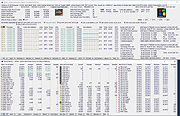 |
|
SlyNFO Viewer v2.0.0.2 SlyNFO Viewer v2.0.0.2 SlyNFO Viewer was designed for viewing files which are in text format, specifically NFO files. The program features a customizable user interface and can be configured to handle NFO and DIZ type files automatically. It supports hotkeys for certain internal command types like: window roll-up, minimizing, word wrap and transparency. The program supports command line execution and can be pre-configured to launch supported files in specific font type and color, background colors as well as position on screen. SlyNFO Viewer can be launched via a Windows command inside a Batch or VBScript file with all these features already set in the script file. Settings for the program can be configured from inside the settings dialog and some of the features include font and color backgrounds according to user preferences and tooltips. It supports a recently viewed file listing and it is in this dialog box where you can also let SLYNFO Viewer write Batch and VBScript command files for you! Yes, you don't have to do the 'coding'. SlyNFO Viewer does the coding for you! All you have to do is position your NFO file on the screen, choose the background and font colors and font type and click on the button to get the script file written and saved for you. This script file can then be used to launch your file via the program with all your configuration settings already in it. A very unique feature supported by SLYNFO Viewer is to write the configuration settings explained above into a string that is saved inside NFO file. It works in a similar way as the Batch or VBScript command file, but in this case there will be no third party file to execute first in order to view the NFO file. As long as the program is set ... |
|
7,918 | Jul 24, 2019 MetalloSoft 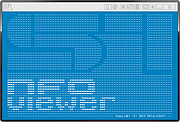 |
|
SumatraPDF v3.6.1 SumatraPDF v3.6.1 👉 A fast, lightweight, and minimalist document viewer for Windows. SumatraPDF is a free and open-source document viewer designed for speed, simplicity, and ease of use. It supports a wide range of formats including PDF, EPUB, MOBI, CHM, XPS, DjVu, and comic book archives (CBZ and CBR). Built with a minimal interface and low resource usage in mind, it launches quickly and provides a distraction-free reading experience. SumatraPDF focuses on doing one thing well, viewing documents, without unnecessary features or bloat. It is fully portable, meaning it can run without installation, making it ideal for USB drives or portable workflows. Despite its small size, it includes useful features like tabbed viewing, keyboard shortcuts, and customizable settings. Features: • Fast startup and lightweight performance • Supports PDF, EPUB, MOBI, CHM, XPS, DjVu, CBZ, and CBR formats • Portable version available with no installation required • Clean and minimal user interface • Tabbed document viewing • Keyboard shortcuts for efficient navigation • Customizable settings via configuration file • No ads, no bloat, and no unnecessary features • Open-source and actively maintained • Suitable for low-resource systems Supported operating systems: • Windows 7, Windows 8, Windows 10, Windows 11 Supported languages: Multiple languages Changes: v3.6.1 04-06-26 bugfixes This download is for the Windows 64bit installer version (very bottom of page). If you need the Windows 32bit installer version, download here. If you need the Windows 64bit portable version, download here. If you need the Windows 32bit portable version, download here. If you need the 64bit ARM installer version, download here. If you need the 64bit ARM portable version, download here. If you need the Windows XP 32bit version, download here. If you need the Windows XP 64bit version, download here. Click here to visit the author's website. |
|
5,386 | Apr 07, 2026 Krzysztof Kowalczyk 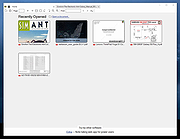 |
|
Svchost Viewer v0.5 Svchost Viewer v0.5 A free program to see what all those svchost.exe are running. A Windows program that has been designed to reveal the services behind specific svchost.exe processes on machines running Windows. The software program of choice to analyze processes is Process Explorer from Sysinternals (usually), and while it is the go-to program for many, its feature richness and functionality can be quite intimidating at first. Yes, there are other applications that do the same but Process Explorer is probably the application that most professionals and tech-savvy Windows users use for that purpose. Note: Microsoft changed how svchost processes are displayed on Windows 10. The operating system lists one process for each svchost item, and reveals what it is so that it is a lot easier to find out what a process does. The svchost process caused lots of confusion in the past as users did not know why why several svchost.exe processes were running on the system when they opened the Windows Task Manager or another process viewer. The services under each svchost process are listed in the left pane, a click opens detailed information about each service on the right larger pane of the application. It details the amount of computer memory a svchost process is using as well as a description and program path of the services it has spawned. Features • No installation required. • Only requirement is that you have .net installed (ver 2.0 or newer). • Work in Windows XP to latest Windows OS. • Coded in C# Note: This program has 2 hits on VirusTotal. These are false positives. The program has been tested and is safe. Click here to visit the author's website. |
|
1,895 | Oct 08, 2023 Boss-beep 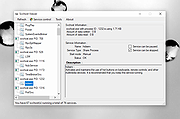 |
|
SysTools Outlook PST Viewer v4.5 SysTools Outlook PST Viewer v4.5 Open and Preview MS Outlook All Items Without Outlook Installation Preview Outlook Emails, Contacts, Calendars, Tasks, Notes, Journals Allows you to view & read Outlook emails along with attachments Dual file scanning modes: Quick scan & Advance Scan to Open PST File No 2GB file size limitation: Scan & view PST file of any size Bulk Support : View Multiple PST Files Simultaneously View and Open .bak file of Scanpst.exe without MS Outlook Supports PST File of Outlook 2016 & Below Version Outlook PST Viewer Supports Outlook 2016 (32 & 64 bit), 2013 (32 & 64 bit), 2010, 2007, 2003, 2002, 2000 versions. No MS Outlook Installation or Configuration required for PST Viewer System Specifications Support Windows 10 & All Below Windows Processor : 1 GHz Processor (2.4 GHz is recommended) RAM : 2 GB of RAM is recommended Disk Space: 50 MB of free hard disk space Microsoft .NET Framework 4.0 or above is required to be installed in your machine Application Pre-Requisites If you are using Windows 10/8.1/8/7 or Vista, then please launch the tool as "Run as Administrator". Supported Versions Microsoft Windows – 2000, 2003, 2008, XP, Vista, or Windows 7/8/8.1/10, 2008/2012 (32-bit & 64-bit)/10 MS Outlook – Outlook 2000, 2003, 2007, 2010(32/64 bit), 2013 (32/64 bit), 2016 (32/64-bit) |
|
10,110 | May 05, 2019 SysTools Software 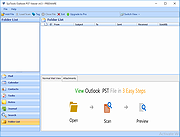 |
|
Thumbcache Viewer v1.0.3.6 32bit Thumbcache Viewer v1.0.3.6 32bit Thumbcache Viewer allows you to extract thumbnail images from the thumbcache_*.db and iconcache_*.db database files found on Windows Vista, Windows 7, Windows 8, Windows 8.1, and Windows 10. The program comes in two flavors: a graphical user interface and command-line interface. GUI Usage The main menu will allow you to save entries, export entries to a CSV (comma-separated values) file, remove entries from the list (the database is not modified), hide 0 byte entries, verify CRC-64 header and data checksums, and map files to entry hashes. When verifying entries, mismatched checksums will be displayed in red along with the correct value. It's not that common to see unless the database has been overwritten or truncated. Another thing to note is that mapping files by scanning directories must be done on the same computer system in which the database was generated. This ensures that the correct inputs can be hashed to compare against the entry hash in the database. Mapping files using Windows.edb (ESE database) should be done on an operating system that shares the same or newer operating system version in which the Windows.edb was generated. Mapped entries that included extended information while searching the Windows.edb will be displayed in green. To rename a file in the list, click once on a selected list item. An edit box will display to rename the file. Press Enter when you are finished. Some of the column headers for the list can be clicked (while pressing Ctrl) and the entries below them will change. If you press Ctrl and click the Data Size column, for example, the entries will change from displaying in kilobytes, to simply bytes. Likewise, the Cache Entry Offset column will change from bytes, to kilobytes. The three hash columns (Data Checksum, Header Checksum, and Cache Entry Hash) will change from ... |
|
5,801 | Dec 08, 2019 Eric Kutcher 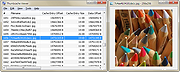 |
 |
Thumbcache Viewer v1.0.3.6 64bit Thumbcache Viewer v1.0.3.6 64bit Thumbcache Viewer allows you to extract thumbnail images from the thumbcache_*.db and iconcache_*.db database files found on Windows Vista, Windows 7, Windows 8, Windows 8.1, and Windows 10. The program comes in two flavors: a graphical user interface and command-line interface. GUI Usage The main menu will allow you to save entries, export entries to a CSV (comma-separated values) file, remove entries from the list (the database is not modified), hide 0 byte entries, verify CRC-64 header and data checksums, and map files to entry hashes. When verifying entries, mismatched checksums will be displayed in red along with the correct value. It's not that common to see unless the database has been overwritten or truncated. Another thing to note is that mapping files by scanning directories must be done on the same computer system in which the database was generated. This ensures that the correct inputs can be hashed to compare against the entry hash in the database. Mapping files using Windows.edb (ESE database) should be done on an operating system that shares the same or newer operating system version in which the Windows.edb was generated. Mapped entries that included extended information while searching the Windows.edb will be displayed in green. To rename a file in the list, click once on a selected list item. An edit box will display to rename the file. Press Enter when you are finished. Some of the column headers for the list can be clicked (while pressing Ctrl) and the entries below them will change. If you press Ctrl and click the Data Size column, for example, the entries will change from displaying in kilobytes, to simply bytes. Likewise, the Cache Entry Offset column will change from bytes, to kilobytes. The three hash columns (Data Checksum, Header Checksum, and Cache Entry Hash) will change from ... |
|
5,921 | Dec 08, 2019 Eric Kutcher |
|
TIFF Information Viewer v1.5.1 TIFF Information Viewer v1.5.1 👉 A free, portable cross-platform utility for inspecting and decoding TIFF file structure. TIFF Information Viewer is a free Java-based utility for inspecting and decoding the structure of TIFF files. It supports most TIFF features including BigTIFF, any bit depths, and most compressions including JPEG-2000. It displays both the image and detailed TIFF tag structure, helping users explore TIFF files in depth. It also recognizes and displays metadata for popular multi-scale pyramid formats such as Aperio SVS. Features: • Inspect and decode the structure of TIFF files • Displays both image preview and detailed TIFF tag structure • Supports BigTIFF • Supports any bit depths • Supports most TIFF compressions including JPEG-2000 • Recognizes metadata for multi-scale pyramid formats such as Aperio SVS • Includes TiffInfo command-line version of the viewer • Includes TiffCopy for copying, repacking, and converting TIFF files • Includes MakeSvs for constructing Aperio SVS files from regular images • Includes demo TIFF files in the ZIP archive Supported operating systems: • Windows, Linux, macOS, other operating systems with Java Runtime Environment 21 or higher System Requirements: • Java Runtime Environment, version 21 or higher To install Java JDK: Open PowerShell (Admin) and run one of these: JDK 25 winget install Microsoft.OpenJDK.25 JDK 21 winget install -e --id Microsoft.OpenJDK.21 or Download the latest Oracle JDK for Windows 11: https://www.oracle.com/java/technologies/downloads/ Scroll to the JDK section and choose Windows x64 Installer (.exe) for your JDK version. Supported languages: English Note: This file has one hit on VirusTotal. We have confirmed this to be a false positive. The file is safe. Click here to visit the author's website. |
|
666 | May 15, 2026 Daniel Alievsky  |
|
USB Device Tree Viewer v3.3.2 USB Device Tree Viewer v3.3.2 The USB Device Tree Viewer, short UsbTreeView is based upon the Microsoft "USBView" sample application found in the Windows Driver Development Kits and now standalone here: USBView sample application But it is source code only, there is no executable for end users provided. Meanwhile USBView comes as executables as part of the "Debugging Tools fόr Windows", see here: USBView. UsbTreeView started with the USBView source code from the DDK for Server 2003. Here are the improvements I've done: TreeView with handmade 16x16 icons, USBView used 32x32 icons scaled down to 15x15 Informations from the Windows Device Management are collected and matched with the found USB devices; Therefore UsbTreeView can show the child devices, including drive letters and COM-ports Window position is saved Background color and font of the right pane can be set (the font shown in the screenshots is DOSLike 7) Text output rearranged Keeps the tree item selection over refresh Some more descriptors are decoded Hexdump of the descriptors can be shown Safe removal, device restart and port restart Extended USB information available under Windows 8 (taken from the latest USBView sample application) Extended information about host controllers Enumeration of the USB devices accelerated and independent from the treeview Failed USB requests are re-tried in the background, e.g. if a USB mouse was moved while requesting its properties Toolbar with jump-lists for easily finding devices in complex trees many minor improvements Todo: USB Video Class H.264 information Maybe Unicode support Latest History V3.3.2 ... |
|
7,601 | Feb 22, 2019 Uwe Siebe 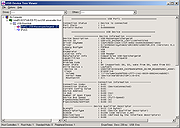 |
|
USBDeview v3.10 USBDeview v3.10 👉 View, manage, enable, disable, uninstall, and export USB device history. USBDeview is a small utility that lists all USB devices currently connected to your computer, as well as USB devices previously used on the system. For each USB device, it displays extended information including device name, description, device type, serial number, added date/time, Vendor ID, Product ID, and more. USBDeview can also uninstall previously used USB devices, disconnect currently connected USB devices, and disable or enable USB devices. It can also be used on a remote computer when logged in with administrator rights. Features: • Lists currently connected and previously used USB devices • Displays device name, description, type, serial number, Vendor ID, Product ID, and more • Uninstall previously used USB devices • Disconnect currently connected USB devices • Disable and enable USB devices • Remote computer support with administrator login • Command-line options for exporting, sorting, enabling, disabling, removing, and checking USB device status • Export USB device lists to text, tab-delimited, CSV, HTML, and XML files • Available in 32-bit and 64-bit versions Supported operating systems: • Windows 2000, Windows XP, Windows Server 2003, Windows Vista, Windows Server 2008, Windows 7, Windows 8, Windows 10, Windows 11 • 32-bit and 64-bit systems supported Supported languages: English, Arabic, Brazilian Portuguese, Bulgarian, Czech, Danish, Dutch, Euskera, Finnish, French, Galician, German, Greek, Hnidi, Hungarian, Italian, Japanese, Korean, Norwegian, Persian, Polish, Romanian, Russian, Simplified Chinese, Slovak, Spanish, Swedish, Traditional Chinese, Thai, Turkish, Ukrainian, Valencian Changes: v3.10 05-14-26 Added 'Black Background' option (Under the View menu). When it's turned on, the main table is displayed in black background and white text, instead of default system colors. Added 'Save All Items' option (Shift+Ctrl+S). Note: Th3 32bit version of this file has one hit on VirusTotal. We have confirmed this to be a false positive. The file is safe. This download is for the Windows 64bit version (very bottom of ... |
|
10,278 | May 22, 2026 Nir Sofer  |
|
WildBit Viewer v6.19 WildBit Viewer v6.19 A compact and fast image viewer with slide show and editor. Eye catching interface within blazing fast folder, file list and thumbnail viewer. Viewer includes also Image Info with Image EXIF meta data JPEG and TIFF support and IPTC (IIMV4) information (like PhotoShop file info) from JPEG and TIFF, Thumbview has changeable views, sorting and thumbnail predefined sizes for fast thumbnail size setting. WildBit Viewer also includes shell toolbar, you can drop your favorite folder there and use it as an organizer. It also includes image compare. In Compare you can compare images side-by-side. In Favorites you can save list of favorite images and load list later on and you can create custom show in to Slide Show also that list you can edit with Custom Show List Editor. With Slide Show you can view images within 176 different transition effects. Slide Show includes now multi-monitor support for fast switching between two monitors. WildBit Viewer supports all major graphic formats including BMP, JPEG, JPEG 2000, GIF, PNG, PCX, TIFF, WMF and TGA (over 70 formats). Features: Viewer • Explorer style file handling with customizable headers • Full screen view • Favorites with Browse Selected, Copy / Move and Delete • Thumbnail Browser with sorting, view change and fast thumbnail size change • Thumbnail EXIF extraction and orientation • Shell Tool Bar for organizing images • Image Rotate • Rotate by EXIF orientation • Wallpaper set capability • Image Compare with calculating similitude of two selected images • Image Info with Image EXIF meta data JPEG and TIFF support, IPTC (IIMV4) information (like PhotoShop file info) from JPEG and TIFF, XMP Info support from JPEG, TIFF, PSD and Histogram • Rename Selected a.k.a Mass Renaming with EXIF, IPTC support • Set Image Info, EXIF and IPTC info can be set to multiple images • File List Generator which generates html, csv, rtf, ... |
|
3,764 | Dec 30, 2025 WildBit Software 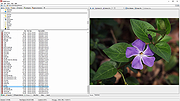 |
|
Windows Key Viewer v1.3.0.20 Windows Key Viewer v1.3.0.20 Free tool to display the Windows Product Key for the running version of Windows. By using Windows Key Viewer, the current computer product key can be easily determined. In some cases it is very important to know the product key, e.g. when reinstalling the computer. Generally, the product key can be found on the Windows installation kit or on a label on the computer. This label often gets damaged and becomes illegible, and when using multiple computers, installation packages can get mixed up. That is when Windows Key Viewer becomes useful, as the product key can be easily displayed with it. The Windows operating system stores the product key, but there is no possibility to display it directly as this data is encrypted. Windows Key Viewer can display the Windows Product key in its original format. Features: • Displays the Windows Product key in its original format • Copies the Windows Product key to the clipboard • Doesn’t require installation or setup Supported operating systems: • Windows 7/8/10/11 Changes: v1.3.0.20 12-17-25 Change: Code signing certificate Click here to visit the author's website. |
|
4,837 | Dec 18, 2025 WinTools 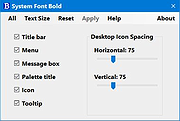 |
|
Windows Update Viewer v0.5.12 Windows Update Viewer v0.5.12 A free and open source application that displays Windows Update history in an easier layout than Windows does. It is meant to be a lightweight application that is easy to use. There aren't any confusing categories; every update is listed in one place. Updates that you don't want to see can be permanently excluded or temporarily filtered. Windows Update Viewer (WUView) uses the Windows Update API and Windows event logs to display details of installed updates. Event log entries are associated with individual updates by using the "KB" number. If an update does not use a KB number or isn't presented in a consistent format, no event log entries will be displayed. Features • View details for each update. • Easily exclude entries, such as Defender. • Link to the Support URL. • Link to HResult explanation (the HResult is placed in the clipboard). • Toggle the details pane. • Save to a text or CSV file. • Open Windows Update from the app. • Choose accent color and one of three themes. • Adjust app size and row spacing. (Helpful for us users that don't see as well as we used to.) WUView requires up-to-date .Net 6.0 Known Issues • It is possible that certain updates will show "InProgress" in the Result column even though they were successfully installed, and the machine has been rebooted. Those updates will have HResult code 0x80242014 which translates to WU_E_UH_POSTREBOOTSTILLPENDING "The post-reboot operation for the update is still in progress." This persists over multiple reboots. This appears to happen only when running Windows 10. Windows 11 doesn't seem to be subject to this ... |
|
1,944 | Jun 23, 2023 Tim Kennedy 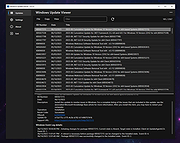 |
|
Wise WiFi Password Viewer v1.0 Wise WiFi Password Viewer v1.0 👉 Portable tool to show and recover saved WiFi passwords in Windows. Wise WiFi Password Viewer helps you recover and view saved wireless network keys stored on your Windows PC. It is designed to quickly display previously connected WiFi network names and passwords, perform local-only scans, and export the results to TXT or CSV for backup or record keeping. Features: • One-click recovery of saved WiFi credentials • Displays previously connected wireless network names and passwords • Local-only scanning with no cloud uploads or external transmissions • Export support for TXT and CSV formats • Portable utility with no installation required • Clear organized list for quick viewing and saving of credentials Supported operating systems: • Windows 7, Windows 8, Windows 8.1, Windows 10, Windows 11 • 32-bit, 64-bit Supported languages: English Changes: v1.0 04-16-26 Not Provided. Note: You MUST right click the file and Run as Administrator for it to work properly. Click here to visit the author's website. |
|
706 | Apr 17, 2026 WiseCleaner.com 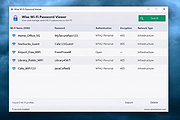 |
|
Xlideit Image Viewer v1.0.200127 Xlideit Image Viewer v1.0.200127 A lightweight image viewer with basic image processing. A thumbnail bar is shown at the bottom of the window with all the images in the folder. The name of the current image and the toolbar are shown at the top of the window. Use the toolbar to access basic commands like: image slideshow, adjust zoom, rotate, delete, crop or resize the image, sort the list or access the program settings. Move the mouse near the left or right side of the window to show the arrows and select the next or previous image. Move the mouse over the buttons to see a short description or over the thumbnails to see more information. By default, the viewer starts in full screen mode but it can be switched to windowed mode by pressing F11. Also, you can press Enter to hide or show the toolbars, Space to start the slideshow or Escape to exit the program. To use this program as the default viewer for any image file, right click on the file and use the "Open with" option in the context menu. Changes: 1.0.200127 Fixed a bug when exiting slideshow with solid color background Click here to visit the author's website. |
|
5,847 | Jan 28, 2020 picorover3  |
| Showing rows 1 to 59 of 59 | Showing Page 1 of 1 | 1 |
OlderGeeks.com Copyright (c) 2026
