|

|
Processed through Paypal No account required. |








Buy our over-priced crap to help pay the bills.



|
|
Processed through Paypal No account required. |
| Files | ||||
| File Name | Rating | Downloads | ||
 |
Advanced PortChecker v2.3.0 Advanced PortChecker v2.3.0 👉 Scan your network for open ports quickly and easily. Advanced PortChecker is a free and open source port checker that lets you scan hosts and networks for open ports in seconds. It supports multiple platforms, offers a clean graphical interface, and can export scan results in HTML, JSON, CSV or plain text formats. Features: • Scan TCP/IP ports on hosts or networks • Check whether ports are open or closed • Fast scanning performance • Export results as HTML, JSON, CSV or plain text • Similar interface across desktop platforms • Theme and preference options • Automatic update control • Open source and free to modify • Privacy-friendly: no ads, trackers or data collection • Can be compiled manually for other platforms Supported operating systems: • Windows • macOS • Linux • Android Supported languages: English, Dutch, French, Spanish, Chinese, Italian, Japanese Changes: v2.3.0 11-15-25 Added Japanese localization. Updated dependencies. Included Linux ARM preview builds and tests. Upgraded Yarn and Rust version. Added minor design upgrades. Changed runner actions. Improved stability across all platforms. This download is for the Windows version (very bottom of page). All other download assets are below: macOS: advanced-portchecker_2.3.0_aarch64.dmg advanced-portchecker_2.3.0_x64.dmg Linux: advanced-portchecker_2.3.0_amd64.deb advanced-portchecker_2.3.0_arm64.deb advanced-portchecker-2.3.0-1.x86_64.rpm advanced-portchecker-2.3.0-1.aarch64.rpm advanced-portchecker_2.3.0_amd64.AppImage advanced-portchecker_2.3.0_aarch64.AppImage advanced-portchecker_x64.app.tar.gz advanced-portchecker_aarch64.app.tar.gz Click here to visit the author's website. |
 |
6,489 | Jun 11, 2026 CodeDead 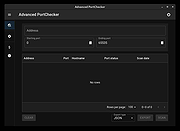 |
 |
AppNetworkCounter v1.61 AppNetworkCounter v1.61 👉 View network usage and bandwidth for every application on Windows. AppNetworkCounter is a simple Windows utility that counts and displays TCP/UDP bytes and packets sent and received by every application on your system. It shows received bytes, sent bytes, receive speed, send speed, IPv4 and IPv6 traffic totals, packet counts, and application version details such as product name, product version, file description, and company name. Features: • Displays network usage per application • Shows sent and received TCP/UDP bytes • Shows sent and received packet counts • Displays receive and send speeds • Tracks IPv4 and IPv6 traffic separately • Shows maximum and average receive/send speeds • Includes first and last activity time columns • Can group results by application name or process ID • Option to hide inactive items • Option to show a total line for all applications • Tray icon support • Export reports to text, CSV, HTML, XML, and JSON • Command-line report saving options • Portable; no installation required Supported operating systems: • Windows XP, Windows Vista, Windows 7, Windows 8, Windows 10, Windows 11 • 32-bit and 64-bit Windows supported • Administrator elevation required on Windows Vista and later Supported languages: English, Arabic, Brazilian Portuguese, Czech, Dutch, French, German, Greek, Hungarian, Italian, Japanese, Persian, Polish, Romanian, Russian, Simplified Chinese, Slovak, Spanish, Traditional Chinese, Turkish Changes: v1.61 08-23-26 Added 'Process Command-Line' column, which displays the full command-line string of every process (Only when the 'Group By' option is 'Process ID'). Added 'Keep Selected Item Visible' option. When it's turned on, the selected item always remains visible. 👉 This download is for the Windows 64bit version (very bottom of page). All other download assets are below: Other Windows: appnetworkcounter.zip (32bit) Click here to visit the author's website. |
|
6,273 | Oct 13, 2026 Nir Sofer 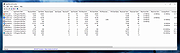 |
|
Bean Network Tester v0.8.0 Bean Network Tester v0.8.0 👉 Simulate slow, unreliable, or broken network conditions on Windows to test how applications respond. Bean Network Tester is a free and open-source network testing and emulation tool for Windows designed for software testers, developers, QA professionals, and power users. It deliberately introduces poor network conditions such as latency, jitter, packet loss, bandwidth restrictions, connection resets, outages, and other problems so you can see how an application behaves when its connection is less than perfect. Traffic can be targeted by process name, PID, IP address, port, or address family, allowing one application to be tested without necessarily disrupting the rest of the computer. The program uses the WinDivert driver to intercept and manipulate network traffic and provides both a graphical interface and a command-line interface suitable for scripts and CI/CD testing. Along with network impairment, it includes live statistics, throughput monitoring, a searchable connections table, event logging, configurable profiles and presets, reproducible seeded tests, CSV exports, and reproduction reports. Bean Network Tester is portable, requires administrator privileges to manipulate network traffic, and contains no telemetry or update-checking network client. It is released under the GNU General Public License v3.0. Features: • Add fixed or random network latency and jitter • Introduce latency spikes to simulate unstable connections and packet reordering • Drop packets randomly or in bursts to reproduce real-world wireless network failures • Corrupt or duplicate packets • Limit download and upload bandwidth in KB/s • Simulate network buffering and queuing delays • Tear down existing TCP connections using TCP resets • Prevent new connections from being established • Simulate a completely dead network link • Flap the connection on and off to reproduce intermittent outages • Simulate MTU black holes and NAT-style idle timeouts • Block selected IP addresses or ports with the built-in firewall controls • LAN mode allows local network traffic while blocking Internet access • Internet-only mode blocks ... |
|
120 | Oct 08, 2026 DonislawDev  |
|
BoostPing v1.7.2 BoostPing v1.7.2 👉 Makes your online games feel snappier. BoostPing analyzes your active network and applies gaming-focused network tweaks, including changing the network throttling index and disabling the Nagle algorithm. Features: • Analyzes and configures the active network • Changes the network throttling index • Disables the Nagle algorithm • Portable, no installation required • Freeware for office, home, government office and school use Supported operating systems: • Windows 10, Windows 11 Supported languages: English, German, Esperanto, French, Italian, Japanese, Polish, Portuguese, Russian, Slovak, Swedish, Thai, Turkish, Vietnamese, Chinese Changes: v1.7.2 09-16-26 Fixed an issue where some users could lose their previous settings after stopping optimization Improved restoration to keep unselected settings unchanged Improved reliability so remaining changes can be reverted after an unsuccessful setup Improved compatibility for safely stopping optimization started in previous versions Note: This file has one hit on VirusTotal. We have confirmed this to be a false positive. The file is safe. Click here to visit the author's website. |
|
1,252 | Oct 05, 2026 kilho.net  |
|
CountryTraceRoute v1.51 CountryTraceRoute v1.51 👉 Fast GUI traceroute utility with IP country information for Windows. CountryTraceRoute is a traceroute utility similar to Windows tracert, but with a graphical interface and faster operation. It displays each hop along the route to a host name or IP address and also shows the country of the owner of each detected IP address. Completed traceroute results can be copied to the clipboard or saved as CSV, tab-delimited, HTML, or XML files. Features: • Fast graphical traceroute tool for Windows • Displays IP address country information for each hop • Supports host names and IP addresses • Supports IPv4, IPv6, and Automatic IP address modes • Displays TTL, ASN, and company information when supported location databases are used • Can use external IP-location CSV files for country, city, and ASN data • Supports GeoLite2 City, Country, and ASN databases in CSV format • Saves selected results as CSV, tab-delimited, HTML, or XML files • Copies selected results or IP addresses to the clipboard • Command-line options for starting traceroute, maximum hops, and timeout • Portable, no installation required Supported operating systems: • Windows 2000 through Windows 11, 32-bit and 64-bit Supported languages: English, Brazilian Portuguese, Dutch, French, German, Greek, Hungarian, Italian, Japanese, Korean, Persian, Polish, Romanian, Russian, Simplified Chinese, Slovak, Spanish, Traditional Chinese, Turkish Changes: v1.51 Added 'Black Background' option (Under the View menu). When it's turned on, the main table is displayed in black background and white text, instead of default system colors. Updated the internal IP location database. Note: This file has two hits on VirusTotal. We have confirmed these to be false positives. The file is safe. Click here to visit the author's website. |
|
5,130 | Apr 30, 2026 Nir Sofer 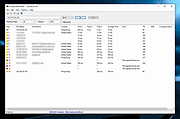 |
|
CurrPorts v2.80 CurrPorts v2.80 👉 Monitor and manage all active TCP/IP and UDP network connections on your Windows PC. CurrPorts is a lightweight network monitoring utility that displays every open TCP/IP and UDP port currently in use on your system. It provides detailed information about each connection, including the local and remote addresses, ports, protocol, process name, process ID, executable path, process version, connection state, and more. The utility is especially useful for troubleshooting network problems, identifying which applications are communicating over the network, monitoring suspicious activity, and diagnosing unwanted Internet connections. CurrPorts allows you to close selected TCP connections, terminate the process that opened them, copy connection details, or export information to HTML, XML, CSV, and text formats. It can also automatically highlight suspicious connections belonging to applications without version information or icons, making it easier to spot potentially unwanted or unknown software. Advanced filtering, logging, automatic refresh, GeoIP location support, command-line operation, and portable use make it a valuable tool for both system administrators and advanced users. Features: • Displays all active TCP and UDP connections in real time. • Shows process name, ID, executable path, version, and file description. • Displays local and remote IP addresses, ports, protocol, and connection state. • Close selected TCP connections without terminating the application. • Kill processes directly from the connection list. • Automatically highlights suspicious connections. • Advanced filtering by process, protocol, address, port, and connection state. • Automatic refresh with configurable intervals. • Logs newly opened and closed connections. • Export connection information to HTML, XML, CSV, tab-delimited text, and clipboard. • Optional GeoIP country, city, and ASN information for remote addresses. • Command-line support for automation and scripting. • Portable executable requiring no installation. • Supports customizable columns, sorting, fonts, and display options. Supported operating systems: • Windows 2000, Windows XP, Windows Server 2003, Windows Server 2008, Windows Vista, Windows 7, Windows 8, Windows 8.1, Windows 10, Windows 11 Supported languages: Arabic, ... |
|
10,863 | Jul 30, 2026 Nir Sofer 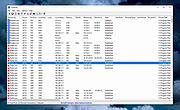 |
|
Dell Dimension 4700C Network / Ethernet / LAN Driver for Windows XP Dell Dimension 4700C Network / Ethernet / LAN Driver for Windows XP Broadcom |
 |
9,966 | Mar 07, 2013 Broadcom |
|
DNS Hop v2.4 DNS Hop v2.4 👉 Benchmark and compare DNS providers to find the fastest and most reliable DNS for your network. DNS Hop is an open-source Windows utility designed to test and compare the performance of DNS services from multiple providers. By benchmarking thousands of available DNS endpoints, it helps users determine which DNS servers provide the fastest and most reliable performance for their specific network conditions. DNS Hop simplifies what can otherwise be a confusing process. Instead of manually trying different DNS providers and guessing which one performs best, the program runs automated tests against a large list of DNS servers and ranks them based on response time and reliability. Results are presented in an easy-to-read leaderboard, allowing users to quickly identify the best options. The application also provides recommendations based on the test results. Users can choose to manually apply these DNS settings or let DNS Hop configure them directly from within the program. This makes it easy to optimize DNS performance and potentially improve browsing speed and reliability. DNS Hop also allows exporting benchmark results for further analysis or record-keeping. Data can be exported as CSV or JSON files, and the performance chart can be copied as an image for sharing or documentation. Features: • Benchmarks thousands of DNS providers to measure performance • Ranks DNS servers by speed and reliability • Displays results in a clear leaderboard format • Provides recommendations for primary and secondary DNS servers • Allows direct DNS configuration from within the application • Export benchmark results as CSV or JSON files • Copy performance charts as PNG images • Lightweight open-source utility for DNS testing and optimization Supported operating systems: • Windows 10, Windows 11 Supported languages: English, German, French, Russian and Simplified Chinese, auto-detected from your OS UI language on first launch. Changes: v2.4 06-20-26 New resolvers and encrypted protocols NordVPN (Nord Threat Protection) public encrypted DNS, in three ... |
|
793 | Jul 20, 2026 center2055 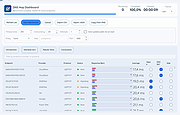 |
 |
ESET SysInspector v2.1.5.0 ESET SysInspector v2.1.5.0 👉 Free PC diagnostic tool for inspecting system issues, suspicious files, processes, services, registry entries and network connections. ESET SysInspector is an easy to use diagnostic tool that helps troubleshoot a wide range of system issues. It captures critical and detailed information about your computer and is useful for tracking down malicious code, suspicious unsigned files, software problems, hardware incompatibilities, driver issues, broken registry entries and suspicious network connections. Features: • Captures detailed system information for troubleshooting • Helps inspect running processes and services • Identifies suspicious and unsigned files • Helps diagnose software issues and hardware incompatibility • Checks for outdated or malfunctioning drivers • Helps identify unpatched operating system issues • Reports broken registry entries • Helps detect suspicious network connections • Color-coded risk levels help prioritize severe issues • Processes and network tree view • Regular expression filtering for log results • Light and dark mode support Supported operating systems: • Windows 10, Windows 11, Windows Server 2016, Windows Server 2019, Windows Server 2022 Supported languages: Several languages Changes: v2.1.5.0 Improved: Error codes on app exit Improved: File details for registry subsection Improved: Filtering functionality Added: Option to copy registry path Added: Modal window for viewing registry Added: Selecting lines with typed letter Fixed: Handling Livegrid settings Fixed: Minor UI bugs Updated: Modules with the latest improvements This download is for the Windows 64bit version (very bottom of page). If you need the Windows 32bit version, download here. If you need the Windows ARM64 version, download here. Click here to visit the author's website. |
|
4,965 | May 19, 2026 ESET, spol. s r.o. 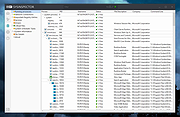 |
|
EtherApe v0.9.21 EtherApe v0.9.21 A graphical network traffic monitor for Linux with animated, real-time visualizations. EtherApe is a graphical network monitoring tool that displays network activity using animated connections and nodes. It provides a live, intuitive view of traffic flows, protocols, and hosts, making it easy to see what is happening on your network at a glance. EtherApe supports multiple capture methods and protocol layers, allowing users to filter, zoom, and inspect traffic in real time while maintaining a lightweight footprint. Features: • Real-time graphical visualization of network traffic • Animated links showing traffic volume between hosts • Supports multiple protocol layers and protocol grouping • Live packet capture using libpcap • Traffic filtering by protocol, host, or network • Zoomable and pannable network maps • Configurable color schemes and display options • Lightweight GTK-based interface Supported operating systems: • Linux, BSD, macOS (X11), Windows (via compatibility layers) System Requirements: • The libpcap packet capture library, available from the Lawrence Berkeley National Laboratory. • GTK+ and GTK Builder, available from the GTK+ site. Version 3.0 or above is needed. • The standard resolver library (exact name varies with OS and distribution) Changes: v0.9.21 (Monday, September 15, 2025) GooCanvas was unsupported and getting really old, replaced by GtkDrawingArea. --final-export is primarily meant to be used from other tools as a way to get statistics data from a replay. As such, --final-export exits automatically after the file replay ends and the dump is written. Compatibility Warnings: removed GooCanvas dependency, drawing now done with plain Gtk new behavior for --final-export: exit after saving the XML dump Changes summary: Updated german translation, thanks to Christoph Brinkhaus. Fix for german translation, thanks to Ronald W. Henderson Fix for gcc 15, thanks to Petr Gajdos Assorted refactorings and small modernizations, including autotools Click here to visit the author's website. |
|
3,593 | Feb 09, 2026 EtherApe Devs 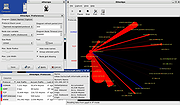 |
|
FileZilla Client Portable v3.70.6 FileZilla Client Portable v3.70.6 👉 Portable FTP, FTPS, and SFTP client for fast and reliable file transfers. FileZilla Client Portable is a portable edition of FileZilla that lets you connect to FTP, FTPS, and SFTP servers for uploading, downloading, and managing files without a traditional installation. It is designed to run from portable storage or local folders and includes drag and drop transfers, resume support, firewall and proxy support, and a tabbed interface for handling file transfer tasks more easily. Features: • Portable package that runs without traditional installation • Supports FTP, FTP over SSL/TLS (FTPS), and SFTP • Resume support for uploads and downloads • Timeout detection • Firewall support • SOCKS4/5 and HTTP/1.1 proxy support • Intuitive drag and drop interface • Tabbed user interface • IPv6 support • Supports transfer of large files over 4GB • Powerful Site Manager and transfer queue • Bookmark support • Configurable speed limits • Filename filters • Directory comparison • Network configuration wizard Supported operating systems: • Windows 7, Windows 8, Windows 10, Windows 11 Supported languages: Aragonese, Arabic, Azerbaijani, Bulgarian, Catalan, Corsican, Czech, Welsh, Danish, German, Greek, Spanish, Estonian, Basque, Persian, Finnish, French, Galician, Hebrew, Croatian, Hungarian, Armenian, Indonesian, Icelandic, Italian, Japanese, Kabyle, Georgian, Khmer, Korean, Kurdish, Kirghiz, Lao, Lithuanian, Latvian, Macedonian, Norwegian Bokmεl, Nepali, Dutch, Norwegian, Occitan, Polish, Portuguese, Romanian, Russian, Slovak, Slovenian, Serbian, Swedish, Tamil, Thai, Turkish, Ukrainian, Vietnamese, Chinese Changes: v3.70.6 06-04-26 New features: SFTP: Added compatibility flag to Site Manager to ignore invalid bits in file attributes flags received from non-compliant servers Bugfixes and minor changes: SFTP: Updated to fzssh 1.3.0 Updated to libfilezilla 0.56.1 Removed autodetection of FTP server type governing the remote path syntax. Exotic server types now need to be set explicitly on the advanced page in the Site Manager Click here to visit the author's website. |
|
5,228 | Aug 14, 2026 FileZilla Project & PortableApps.com (John T. Haller) 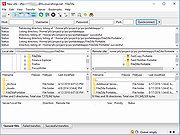 |
|
FSterm v1.2.4 FSterm v1.2.4 👉 A lightweight ANSI terminal emulator with serial, TCP, and UDP connectivity. FSterm is a lightweight, high-performance ANSI terminal designed for communicating with serial and network-connected devices without unnecessary complexity. Despite its compact portable size, it delivers an impressive feature set for developers, technicians, and hardware enthusiasts. Connect through serial ports or over TCP and UDP, enjoy comprehensive ANSI terminal emulation with truecolor support, multiple terminal sizes, mouse selection, and flicker-free rendering, then take advantage of the powerful GrafANSI© extension to display images, diagrams, shapes, pointers, layered graphics, and device-triggered audio across the same connection. Version 1.2.4 further improves performance with significantly faster rendering, smoother scrolling, expanded screenshot capabilities, command-line automation, customizable cursor styles, a wider baud rate range up to 921600, Slim-GUI mode, and permanent background image support, making FSterm a fast, flexible, and capable terminal for everything from embedded development to industrial equipment and diagnostics. Features: • Lightweight ANSI terminal emulator with a portable, no-installation design. • Connect to serial (COM) ports. • Connect to remote devices over TCP. • Connect to remote devices over UDP. • Enhanced ANSI terminal emulation with scrolling regions, alternate screen buffer, cursor position reporting, adjustable tab stops, autowrap and origin modes. • Supports truecolor ANSI text and an audible terminal bell. • Four selectable terminal sizes from 80Χ24 through 132Χ25. • Mouse text selection and copy support. • Flicker-free terminal rendering. • GrafANSI© graphics extension for displaying PNG and JPEG images directly from connected devices. • Draw lines, rectangles, circles, ellipses, arrows, and hand pointers from remote devices. • Supports layered graphics with visibility control, transparent colors, and zooming. • Devices can trigger local WAV audio playback. • Disk image caching for faster redisplay of graphics. • Free while in public beta. Supported operating systems: • Windows 10 (64-bit), Windows 11 (64-bit) Supported languages: English Changes: v1.2.4 07-30-26 Improved display performance with approximately 30-40% faster screen rendering for smoother scrolling, reduced lag with large ... |
|
326 | Aug 01, 2026 Funciona Systems 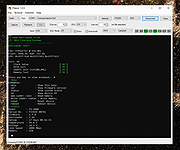 |
|
HFS (HTTP File Server) v3.2.2 HFS (HTTP File Server) v3.2.2 👉 Lightweight and easy-to-use HTTP file sharing server. HFS (HTTP File Server) is a fast and user-friendly file sharing application that allows you to share files over the web with just a few clicks. It transforms your computer into a web server, enabling others to download files using a browser without requiring complex setup or additional software. HFS is designed for simplicity and portability, making it ideal for quick file sharing, temporary hosting, or lightweight server needs. It supports drag-and-drop file management, customizable access permissions, and real-time monitoring of connections. The interface is clean and intuitive, allowing users to easily control uploads, downloads, and bandwidth limits. Advanced users can take advantage of scripting capabilities, customizable templates, and event handling to extend functionality. HFS also includes support for HTTPS, user accounts, and dynamic DNS integration for remote access over the internet. For full documentation and usage details, visit: https://rejetto.com/wiki/index.php%3Ftitle=HFS_Documentation_(English).html Features: • Easy file sharing over HTTP/HTTPS • Drag-and-drop file management • Portable and lightweight (no installation required) • User account and permission control • Real-time connection and transfer monitoring • Upload and download support via browser • Bandwidth limiting and speed control • Customizable web templates and interface • Event scripting and automation support • Dynamic DNS support for remote access Supported operating systems: • Windows 10, Windows 11 Supported languages: English, Italian, Spanish, French, German, Portuguese, Russian, Chinese Changes: v3.2.2 08-01-26 Improved plugin handling and compatibility. Updated project dependencies. Minor fixes and internal improvements. This download is for the Windows 64bit version (very bottom of page). All other download assets are below: macOS: hfs-mac-x64-3.2.2.zip hfs-mac-arm64-3.2.2.zip Linux: hfs-linux-x64-3.2.2.zip hfs-linux-arm64-3.2.2.zip Click here to visit the author's website. |
|
6,166 | Aug 06, 2026 rejetto.com 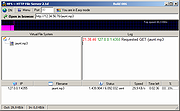 |
|
Homedale v2.25 Homedale v2.25 👉 Wi-Fi and WLAN monitor for scanning access points and tracking signal strength. Homedale scans for Wi-Fi / WLAN / IEEE 802.11 access points and monitors their signal strength. It shows available access points with details such as security type, network name (SSID), BSSID, vendor based on MAC address, channel, supported data rates, and more. Homedale also parses and displays information elements advertised by access points, graphs signal strength over time, analyzes channel usage to help find the optimal channel for your access point, and can use detected access points with Google Geolocation to help locate your position. Features: • Scans for Wi-Fi 7 / WLAN / IEEE 802.11 access points • Supports 802.11a/b/g/n/ac/ax/be wireless networks • Works with 2.4 GHz, 5 GHz, and 6 GHz frequency bands • Supports 20, 40, 80, 160, and 320 MHz channel widths • Shows signal strength, SSID, BSSID, vendor, channel, security, and supported data rates • Parses and displays advertised information elements and decoded data • Graphs signal strength of selected access points over time • Can log signal data to a text file • Can create screenshots from the signal graph • Analyzes channel usage to help identify the best Wi-Fi channel • Lets you connect to and disconnect from Wi-Fi / WLAN access points from the interface Supported operating systems: • Windows 2000, Windows XP, Windows Vista, Windows 7, Windows 8, Windows 10, Windows 11, Windows Server • macOS 10.10 or higher through macOS 15 Supported languages: • English, French, German, Greek, Italian, Japanese, Korean, Norwegian, Polish, Portuguese, Russian, Simplified Chinese, Slovenian, Spanish, Swedish, Thai, Traditional Chinese, Ukrainian Changes: v2.25 08-02-26 Windows: Rx and Tx Bitrates shown on Adapter Overview tab macOS: New: 6 GHz support added This download is for the Windows version (very bottom of page). If you need the MacOS version (1.18), download here. Click here to visit the author's website. |
|
5,755 | Aug 14, 2026 The SZ Development 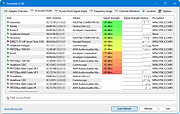 |
|
IPNeighborsView v1.03 IPNeighborsView v1.03 👉 View detailed information about computers and devices recently detected on your local network. IPNeighborsView is a lightweight, portable network utility that displays the IP neighbor table maintained by Windows. The IP neighbor table contains computers, routers, printers, smartphones, and other network devices that Windows has recently communicated with on your local network. The program displays detailed information for every detected entry, including the IP address, MAC address, MAC address vendor, address type, state, state duration, local network adapter, interface index, and connection name. IPNeighborsView can also detect randomized MAC addresses used by many modern mobile devices and clearly identifies them in the manufacturer column. IPNeighborsView requires no installation and can be run directly from any folder or portable drive. Selected entries can be copied to the clipboard or exported to text, CSV, tab-delimited, HTML, XML, and JSON formats. Permanent neighbor table entries are hidden by default but can be displayed through the Options menu when needed. Features: • Displays the Windows IP neighbor table • Lists computers and devices recently detected on the local network • Shows IPv4 and IPv6 addresses • Displays MAC addresses and associated hardware vendors • Detects and labels randomized MAC addresses • Shows address type and neighbor state information • Displays state duration for each entry • Identifies the local network adapter and connection name • Optionally displays permanent neighbor table entries • Copy selected entries directly to the clipboard • Export data to Text, CSV, Tab-delimited, HTML, XML, or JSON • Includes command-line options for automated exports • Portable with no installation required • Supports both 32-bit and 64-bit Windows Supported operating systems: • Windows Vista, Windows 7, Windows 8, Windows 8.1, Windows 10, Windows 11 Supported languages: English, Dutch, French, German, Greek, Hungarian, Italian, Japanese, Persian, Polish, Russian, Simplified Chinese, Slovak, Traditional Chinese, Turkish Changes: v1.03 07-15-26 When a randomized MAC address is detected, it is displayed in the MAC Address Company column. Updated the ... |
|
3,455 | Jul 30, 2026 Nir Sofer 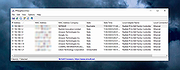 |
|
KillerScan v1.5.4 KillerScan v1.5.4 👉 Fast portable network scanner for field techs and administrators. KillerScan is a fast network scanner built for field techs that combines ARP and ping discovery, TCP port probing, active fingerprinting, vendor lookup, and weighted-score device classification in a single portable Windows executable. It is designed to quickly identify devices on a subnet, gather service and fingerprint details such as HTTP, SSH, TLS, NetBIOS, and SNMP data, and help you classify systems like Windows PCs, Linux servers, printers, NAS devices, cameras, and other network hardware without requiring a separate runtime installation. Features: • Fast network discovery using both ARP cache inspection and parallel ICMP ping sweeps • Detects devices that ignore ping by combining ARP and ICMP discovery methods • Scans 24 common TCP service ports in parallel for rapid host identification • Performs active fingerprinting using HTTP titles and server headers • Retrieves SSH server banners for Linux, Unix, and network appliance identification • Extracts TLS certificate subject information from HTTPS services • Queries NetBIOS names over UDP port 137 when available • Reads SNMP v1 sysDescr information from compatible devices • Uses ICMP Time-To-Live (TTL) values as an additional fingerprinting signal • Identifies hardware manufacturers using the IEEE MAC OUI registry • Uses a weighted scoring engine instead of simple port matching for more accurate device classification • Automatically classifies Windows PCs, Linux systems, NAS devices, printers, hypervisors, cameras, mobile devices, Home Assistant systems, IoT devices, and more • Right-click shortcuts to copy IP addresses, MAC addresses, and hostnames • Launches RDP, SSH, or a web browser directly from discovered devices • Allows manual device type overrides when automatic classification is incorrect • Exports scan results to both CSV and HTML formats • Portable single executable with no installer required • Open source under the GPLv3 license Supported operating systems: • Windows 10 (x64), Windows 11 (x64) Supported languages: English, Bengali, German, Spanish, French, Japanese, Turkish, Simplified Chinese, Traditional Chinese Changes: v1.5.4 ... |
|
888 | Aug 09, 2026 SteveTheKiller 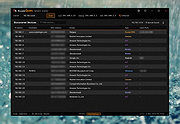 |
|
Lanemu v0.14.1 Lanemu v0.14.1 👉 Server-less (decentralized) Virtual Private Network (Open-source alternative to Hamachi, Radmin, ZeroTier, etc.) Lanemu is a free, open-source peer-to-peer virtual LAN emulator that allows computers on different Internet connections to communicate as though they were connected to the same local network. It is designed for multiplayer games, legacy software, file sharing, remote administration, and any application that relies on LAN connectivity. Unlike traditional VPN services that route traffic through a central server, Lanemu establishes encrypted peer-to-peer connections between participating computers whenever possible, reducing latency while eliminating the need for dedicated servers. Networks are created using invitations that can be shared with other users, making setup straightforward while keeping access limited to invited participants. Features: • Create private virtual LAN networks across the Internet. • Peer-to-peer architecture without requiring dedicated relay servers for normal operation. • Encrypted communications between participating computers. • Reliable UDP (RUDP) transport protocol enabled by default. • Invite-based network membership. • Works with many LAN multiplayer games and LAN-aware applications. • Automatic discovery of peers within a virtual network. • Supports multiple virtual networks. • Cross-platform support between Windows and Linux. • Automatically installs the TAP-Windows driver on supported Windows editions. • Includes an integrated Java runtime in supported Windows packages. • Open-source software released under the GPLv3 license. Supported operating systems: • Windows 11 (64-bit) • Windows 10 (64-bit) • Windows 10 (32-bit) • Windows 8.1 (32-bit and 64-bit) • Windows 8 (32-bit and 64-bit) • Windows 7 (32-bit and 64-bit) • Windows Vista (32-bit and 64-bit) • Windows XP (32-bit and 64-bit) • Linux (64-bit) Supported languages: • English Changes: v0.14.1 08-01-26 Fixed issues in the RUDP library: memory leaks when using shutdownHook, deadlocks, handling of corrupted UDP packets, and many other issues that were identified during testing. @Monsterovich Added the display of the connection protocol to the peer list. @Monsterovich Added an experimental build that compiles a .jar file into an executable using native-image in GraalVM. For now, this is for the headless version ... |
|
410 | Sep 08, 2026 Nikolay Borodin 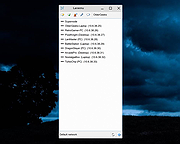 |
|
LANIPScanner v1.11 LANIPScanner v1.11 👉 Scans your local network and displays the IP and MAC address of all connected devices. LANIPScanner is a lightweight network scanning utility that quickly detects computers and devices connected to your local area network (LAN). It works by scanning a specified IP address range and listing all active devices it finds, including useful details such as IP address and MAC address. This makes it easy to identify computers, printers, routers, and other network-enabled devices currently active on your network. LANIPScanner requires no installation and runs as a simple portable application. It is designed for speed and simplicity, allowing users to quickly view the devices on their LAN without complicated configuration. The tool is especially useful for troubleshooting network connectivity, identifying unknown devices, or verifying which systems are currently active on a network. Features: • Scans a specified IP address range on your local network • Displays detected devices with their IP and MAC addresses • Fast scanning engine for quick device discovery • Simple, lightweight, and portable utility with no installation required • Ideal for identifying active devices and troubleshooting LAN connections Supported operating systems: • Windows Vista, Windows 7, Windows 8, Windows 10, Windows 11 Supported languages: English, Dutch, French, German, Greek, Hungarian, Italian, Japanese, Polish, Russian, Simplified Chinese, Slovak, Traditional Chinese, Ukrainian Changes: v1.11 08-21-26 Added option to change the sorting column from the menu (View -> Sort By). Added 'Sort By' toolbar button. Note: This file has twenty two hits on VirusTotal. We have confirmed these to be false positives. The file is safe. Note from The Older Geeks: Some antivirus programs may flag LANIPScanner because of the way it scans your local network for computers and other connected devices. Network discovery and scanning techniques are also used by legitimate system administration and diagnostic tools, so heuristic antivirus engines can occasionally classify utilities like this as potentially unwanted or suspicious. Click ... |
|
1,517 | Sep 04, 2026 Nir Sofer 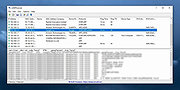 |
|
LocalSend v1.18.2 LocalSend v1.18.2 👉 Fast, private file sharing between nearby devices without the cloud. LocalSend is a free and open-source, cross-platform application for securely transferring files, folders, photos, videos, documents, text and other data between devices connected to the same local network. It provides an AirDrop-style experience that works across Windows, macOS, Linux, Android and iOS without requiring an account, an Internet connection or an external server. Devices running LocalSend automatically discover one another on the local network, allowing you to select what you want to send, choose a nearby device and begin the transfer. Data stays on your local network instead of being uploaded to a cloud service, and transfers are protected using HTTPS encryption. LocalSend can transfer any file type and is designed to take advantage of the speed of your local Wi-Fi or wired network without artificial bandwidth limits. It can also send text messages and links between devices, making it useful for quickly moving clipboard-style information from a phone to a computer or between computers. Files are saved to the receiving device's Downloads folder by default, although the destination can be changed in LocalSend's settings. Frequently used devices can be marked as favorites, and LocalSend can be configured to automatically accept transfers from trusted favorite devices. The application also includes a Share via Link feature for making selected files available through a web browser on the local network. Recent versions can receive files through links as well. No account or login is required, and LocalSend contains no advertising or tracking. Features: • Transfers files directly between nearby devices over the local network • Works across Windows, macOS, Linux, Android and iOS • No Internet connection, cloud storage or external server required • No account, registration or login required • Automatic discovery of nearby LocalSend devices • Send individual files, multiple files and folders • Supports photos, videos, documents and other file ... |
|
2,120 | Sep 29, 2026 LocalSend 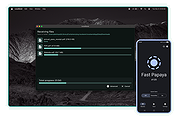 |
|
MACAddressView v1.55 MACAddressView v1.55 👉 Find the manufacturer and details behind any MAC address. MACAddressView is a lightweight MAC address lookup utility that lets you quickly identify the company name, address, and country associated with a network device's MAC address. Instead of querying an online service, it uses a built-in IEEE OUI database stored inside the executable, allowing lookups to be performed entirely offline. The program can search by MAC address, company name, company address, or country, making it useful for network administrators, technicians, security professionals, and anyone troubleshooting or documenting network hardware. Results can be copied to the clipboard or exported to TXT, CSV, HTML, XML, and other formats for reporting or further analysis. MACAddressView is fully portable, requires no installation, and supports command-line operation for automation and scripting. Features: • Offline MAC address lookup using an internal IEEE OUI database • Find vendor information by MAC address, company name, address, or country • Display company name, address, country, and assigned MAC address range • Search multiple MAC addresses simultaneously • Lookup complete MAC addresses or vendor prefixes (OUI) • View the MAC addresses assigned to the current computer • Export results to TXT, CSV, HTML, XML, and tab-delimited formats • Copy results directly to the clipboard • Command-line support for automated lookups and exports • Portable with no installation required • Supports custom language translation files Supported operating systems: • Windows 98, Windows ME, Windows 2000, Windows XP, Windows Server 2003, Windows Vista, Windows 7, Windows 8, Windows 8.1, Windows 10, Windows 11 Supported languages: • Arabic, Bulgarian, Chinese (Simplified), Chinese (Traditional), Czech, Dutch, English, French, German, Greek, Hungarian, Italian, Japanese, Korean, Polish, Portuguese (Brazil), Romanian, Russian, Slovak, Spanish, Turkish, Ukrainian Changes: v1.55 07-01-26 Updated the internal MAC Addresses database. Note: This file has two hits on VirusTotal. We have confirmed these to be false positives. The file is safe. Click here to visit the author's website. |
|
10,166 | Jul 10, 2026 Nir Sofer 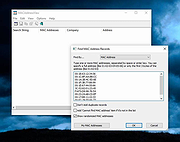 |
|
mDNSView v1.00 mDNSView v1.00 👉 Scan and view mDNS records published by devices on your local network. mDNSView is a simple Windows utility from NirSoft that displays mDNS records published by devices connected to your local network. For every discovered mDNS record, it shows the device IP address, name, record type, and record value. Features: • Displays mDNS records from devices on your local network • Shows IP address, name, record type, and record value • Supports A, AAAA, TEXT, PTR, and SRV record types • Start a scan with the toolbar button or F5 key • Export results to CSV, tab-delimited, XML, HTML5, or JSON • Copy selected records to the clipboard • Portable; no installation or extra DLL files required Supported operating systems: • Windows XP, Windows Vista, Windows 7, Windows 8, Windows 10, Windows 11 • 32-bit and 64-bit systems Supported languages: English, Dutch, French, German, Hungarian, Italian, Russian, Traditional Chinese Changes: v1.00 05-23-26 Initial release. Note: This file has multiple hits on VirusTotal because it's new and because it sniffs your network for information. We have determined these to be fair warnings but as long as you are the one using it, the file is safe. Click here to visit the author's website. |
|
532 | Jun 03, 2026 Nir Sofer 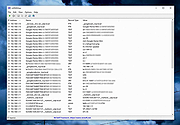 |
|
Network / IP Scanner Shared Resources 1.1.0 Network / IP Scanner Shared Resources 1.1.0 Network/IP Scanner Shared Resources is an application that helps you find open SMB shared resources on the Internet. It checks the computers only with open NBT ports, that allows you quickly scan large IP-ranges. License: Freeware. Installation and use: 1) You must have administrator privileges 2) Install WinPcap driver "WinPcap\WinPcap.exe" 3) Run "Bin\NetIpScan.exe" Attention: This program is designed to find shared resources on the Internet. The Program does not work with PPP/PPPoE/PPTP/L2TP connection directly (Modem, ADSL, WiFi, VPN) . You need to install the router and configure it for PPP/PPPoE/PPTP/L2TP connection, then connect computer to router by network cable. If program does not work or work very slow, then you must disable all firewalls, antiviruses and ndis filters. |
|
6,703 | May 04, 2016 S.K. Software 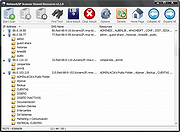 |
|
Network Aware Printing v5.1 Network Aware Printing v5.1 Automatically change default printers based on connected network. Network Aware Printing allows you to choose different default printers for different networks. This capability is useful for people who use one laptop in multiple locations—for example, at work and at home. Microsoft did not include Location Aware Printing in windows 10/11. Network Aware Printing brings that functionality back. Unlike Location Aware Printing, Network Aware Printing will alert you to choose a new default printer when a new network has been detected. You then "set it and forget it". Network Aware Printing will switch default printers in the background. Features • Alert when a new network has been detected and prompt the user to select a default printer • Automatic Updating Notice: This file has multiple hits on VirusTotal. We have confirmed these to be false positives. The file is safe. - The Older Geeks Click here to visit the author's website. |
|
1,329 | Jan 29, 2025 Robert Jackson 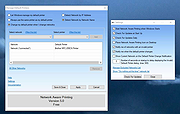 |
|
Network Drive Control (NDC) v1.68 Network Drive Control (NDC) v1.68 Authors description: "Have Windows default mapping of network drives be network dependent, similar to how the Windows default printer can be set to be network dependent." "Network Drive Control (NDC) for Windows Vista, 7, 8, 10 and 11, both 32-bit and 64-bit, is an example of a utility I wrote to solve a frustrating problem I frequently encountered, namely wanting my network servers, both at work and home, mapped to Windows drives in a network specific manner. While one can tell Windows to try to map all of the drives at logon, I didn't like the long delays waiting for the time outs of the drive mapping for the networks that are not connected. (i.e. Waiting for the mapping of the home network drives to timeout when on my work network, and vice versa.) So I wrote my own utility which would examine the network environment after I logged in, and based on what network it found itself on, it would only attempt to map those drives it knew were on that network. Basically, I wanted the map network drives on login to function equivalently to the way the Windows 7 "default printer" did by being network specific. (Start → Devices and Printers → Manage Default Printers) The short of it is I wrote a modular program to do just that, and hence Network Drive Control was born." "Network Drive Control allows you to configure the automatic mapping of network drives when you logon based on the network(s) to which you are connected. An example would be to have your laptop automatically connect and map one set of network drives when at home, and another set of network drives when at work or school, and none if it detects that the PC is connected to a network where no ... |
|
6,820 | Dec 04, 2024 Michael J. Burns 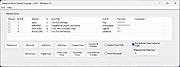 |
|
Network Password Recovery v1.57 Network Password Recovery v1.57 This utility recovers all network passwords stored on your system for the current logged-on user. When you connect to a network share on your LAN or to your .NET Passport account, Windows allows you to save your password in order to use it in each time that you connect the remote server. This utility recovers all network passwords stored on your system for the current logged-on user. It can also recover the passwords stored in Credentials file of external drive, as long as you know the last log-on password. Which passwords this utility can recover? Login passwords of remote computers on your LAN. Passwords of mail accounts on exchange server (stored by Microsoft Outlook) Password of MSN Messenger / Windows Messenger accounts Internet Explorer 7.x and 8.x: passwords of password-protected Web sites ("Basic Authentication" or "Digest Access Authentication") The item name of IE7 passwords always begin with "Microsoft_WinInet" prefix. The passwords stored by Remote Desktop 6. System Requirements This utility works properly on Windows XP, Windows 2003, Windows Vista, Windows 2008, Windows 7, Windows 8, Windows 10 and Windows 11 - only when you logged on as user with Administrator privileges. You can also use this utility for recovering network passwords under Windows 98/ME. Windows 2000 is not supported, because this version of operating system doesn't save the network passwords. Notice from The OlderGeeks: Even though these zip files are password protected, Windows Defender or other antivirus programs may not allow this download. It's not a false positive. This IS a hacking tool and there for dangerous. But in this case, YOU are the hacker trying to get your own passwords back. If you want to download it, you ... |
|
11,202 | Jan 17, 2024 Nirsoft 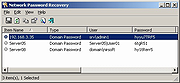 |
|
Network Printer Control (NPC) v1.15 Network Printer Control (NPC) v1.15 The purpose of NPC is to allow you to explicitly set the Windows 8/10 default printers by network name, just like you could with Windows 7. From the author: "Network Printer Control (NPC) for Windows 8 and 10, both 32-bit and 64-bit, is an example of a utility I wrote to solve a problem I found myself dealing with. In this case, when I upgraded the laptop that I use as my main home and work machine from Windows 7 Ultimate to Windows 10 Pro, I suddenly found that the way Windows 10 (and Windows 8, apparently) managed the default printer stank. Really stank. Under Windows 7 ( "Device and Printers -> Printers and Faxes" -> "Manage default printers"), I had a default printer set for every network that my laptop had to encounter at my house, my work, and the other places I used the laptop on a regular basis. Windows 10 wiped that out, and replaced it with "Let Windows manage my default printer", which behaves differently in one important and annoying way - it switches the default printer it associates with a given network to the last printer used on that network instead of keeping the same default even if you occasionally use another printer. In other words, if you mostly use a specific printer when on a specific network, you probably want that one to be the default all of the time. But under the new Windows 8/10 scheme, if you need to use another printer, the act of using that other printer changes the default associated with that network. (This is the kind of thing that makes you wonder if anyone at Microsoft actually uses Windows.)" "The bottom line is I wrote Network Printer Control to give me the old default printer ... |
|
3,820 | Aug 01, 2021 Michael J. Burns 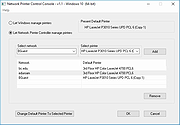 |
|
Network Profile Name Changer v1.4 Network Profile Name Changer v1.4 Delete / Rename Network Connections When you connect to a Ethernet or wired network for the first time, Windows automatically creates a network profile and assigns generic names like Network 1, Network 2, etc. finally stores it on your computer as a known network. A wireless network profile will use the SSID of the wireless network (ex: router) . Some users and administrators may dislike the non-descriptive network connections names and want to rename , delete or clear redundant network profiles (names). After Windows 7 , Microsoft removed Netork Profile rename option therefore you will not find any option whatsoever in the Settings app or Control Panel to change the network name. It is still possible to edit network profile names to make them more descriptive but the only effective way to Rename or remove the connections in Windows 11, Windows 10 and Windows 8 is by using the registry editor. (valid in all Windows versions) Changes What is New (Thursday, September 28, 2023) 1.[FIXED] – Deleted network profile leaves leftover in a registry key 2.[FIXED] – Can’t upper/lower letter in renaming 3.[ADDED] – Multiple selection feature in the List with Ctrl key 4.[ADDED] – x64 version 5.[ADDED] – High contrast support 6.[ADDED] – Manage Known Networks has been added (Under the menu button) 7.[ADDED] – Some code Improvements How to Change the Active Network Profile Name You can check the current name in the Network and Sharing Center on Windows , press the Windows + R keys to open the Run dialog, type one of the following commands and press Enter. control.exe /name Microsoft.NetworkAndSharingCenter explorer.exe shell:::{8E908FC9-BECC-40f6-915B-F4CA0E70D03D} The name of the network is displayed at the very top of the page. Windows Users have three main options to change a network name; 1. Using Local Security Policy (It is only available in professional versions of Windows) 2. Using the Windows Registry 3. Using Network ... |
|
4,445 | Mar 17, 2024 Sordum.org 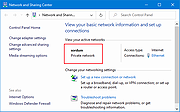 |
 |
Network Security Toolkit (NST) v38 Network Security Toolkit (NST) v38 A network security analysis and monitoring toolkit Linux distribution. Network Security Toolkit (NST) is a bootable ISO image (Live USB Flash Drive) based on Fedora 36 providing easy access to best-of-breed Open Source Network Security Applications and should run on most x86_64 systems. The main intent of developing this toolkit was to provide the security professional and network administrator with a comprehensive set of Open Source Network Security Tools. The majority of tools published in the article: Top 125 Security Tools by INSECURE.ORG are available in the toolkit. An advanced Web User Interface (WUI) is provided for system/network administration, navigation, automation, network monitoring, host geolocation, network analysis and configuration of many network and security applications found within the NST distribution. In the virtual world, NST can be used as a network security analysis, validation and monitoring tool on enterprise virtual servers hosting virtual machines. Features Multi-Tap Network Packet Capture Web-Based Network Security Tools Management Host/IPv4 Address Geolocation Network/System Monitoring Network Intrusion Detection Network Interface Bandwidth Monitor Web-based Snort IDS Integration Active Connections Monitor Network Segment ARP Scanner Network Packet Capture CloudShark Upload Support Multi-Port Terminal Server VNC / RDP Desktop Session Management Click here to visit the author's website. |
|
4,056 | Oct 03, 2023 networksecuritytoolkit.org 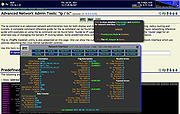 |
|
Network Spy Monitoring Software 1.0 Network Spy Monitoring Software 1.0 IMPORTANT: The zip file will ask you to enter a password. Just leave it blank. Network Spy Monitoring Software main use is to Monitor Network activities on authorized LAN Networks in real-time with a very fast ping scan. rogram Features: 1. Fast Ping Scan! 2. No PayPal Donations SPAM! 3. Easy To Use 4. 100% FREEWARE 5. 100% Spyware Free 6. Compatible With Windows 8 7. Very Lightweight 8. User Elevation 9. Newer Interface 10. Background Scan 11. Open Computer via Explorer etc. 12. VNC Remote Desktop Monitoring 13. User Interface Update - New Feature! |
|
7,696 | Oct 11, 2016 Blackbox HACKER 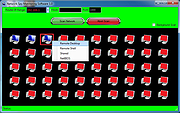 |
|
NetworkConnectLog v1.18 NetworkConnectLog v1.18 👉 Monitor and log devices connecting to and disconnecting from your local network. NetworkConnectLog is a lightweight, portable network monitoring utility that continuously scans your local area network using ARP and NetBIOS protocols, recording every device that connects to or disconnects from your network. It is ideal for home users, technicians, and network administrators who want to keep track of network activity, identify unknown devices, or troubleshoot intermittent connection issues. The program immediately performs an initial scan to detect all currently connected devices, then continues monitoring in the background for connection and disconnection events. Each log entry includes useful information such as the event time, IP address, computer name, workgroup, MAC address, and network adapter manufacturer. Logs can be searched, sorted, filtered, and exported to several common formats for documentation or further analysis. Features: • Portable application requiring no installation • Automatically detects computers and devices joining or leaving your network • Uses ARP and NetBIOS protocols for device detection • Displays connection and disconnection timestamps • Shows IP address, computer name, workgroup, MAC address, and network adapter manufacturer • Performs continuous background monitoring • Configurable network adapter and IP address scanning range • Adjustable scan interval • Automatically export logs whenever changes are detected • Export logs to TXT, CSV, HTML, XML, or tab-delimited files • Search and sort recorded events • Customizable font and MAC address display format • System tray support • Optional always-on-top mode • Optional black background display mode • High DPI display support Supported operating systems: • Windows 2000, Windows XP, Windows Vista, Windows 7, Windows 8, Windows 8.1, Windows 10, Windows 11 (32-bit and 64-bit) Supported languages: • English, Arabic, Brazilian Portuguese, Dutch, French, German, Greek, Hungarian, Italian, Japanese, Persian, Polish, Romanian, Russian, Simplified Chinese, Slovak, Spanish, Traditional Chinese, Turkish, Valencian Changes: v1.18 07-01-26 Updated the internal MAC addresses database. Click here to visit the author's website. |
|
7,266 | Jul 03, 2026 Nir Sofer 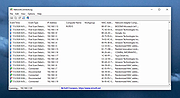 |
|
NETworkManager v2026.2.22.0 NETworkManager v2026.2.22.0 👉 Powerful open-source network management and troubleshooting tool. NETworkManager is a comprehensive open-source application designed to help administrators and power users manage, analyze, and troubleshoot network environments. It provides a wide range of built-in tools within a single, modern interface, making it easier to monitor connections, configure network settings, and diagnose connectivity issues without switching between multiple utilities. NETworkManager supports remote connections and offers advanced features for managing IP addresses, DNS, WiFi networks, ports, and more. With its modular design and extensive toolset, it is well-suited for both everyday network diagnostics and more advanced administrative tasks. Supported languages: • English, German, Spanish, French, Italian, Russian, Chinese (Simplified), Chinese (Traditional), Japanese, Korean, Portuguese, Polish Changes: v2026.2.22.0 02-22-26 Breaking Changes Migrated from .NET 8.0 (LTS) to .NET 10.0 (LTS). Upgrade your .NET Desktop Runtime to version 10.0 (LTS) - x64 before you install this version. AWS Session Manager feature has been removed. Profile and settings files have been migrated from XML to JSON. Existing files will be automatically converted to JSON on first load after the update. You should back up your settings and profile file before installing. New Features System-Wide Policies for enterprise deployment and management. Administrators can now configure system-wide policies via a config.json file in the application directory to control specific settings for all users. DNS Lookup now allows direct input for dns server ip|host:port (port - is optional) Remote Desktop connect admin (console) session Migrated Dialogs to ChildWindows This download is for the Windows portable version (very bottom of page). If you need the Windows installer version, download here. Click here to visit the author's website. |
|
4,094 | Jul 05, 2026 BornToBeRoot 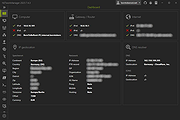 |
|
NUTs - Network Utility Tools v2.1 NUTs - Network Utility Tools v2.1 Free and open source tool to allow you to display and configure your computer's network settings in just a few clicks. Tired of typing commands to view your network settings ? Tired of opening many windows to change your IP address ? With NUTs, it's a thing of the past ! NUTs allow you to display and configure your computer's network settings in just a few clicks. NUTs is a tool that allows you to easily show and modify your network settings. With it, you no longer need to go through the Command Prompt or open lots of windows to access the network settings. Everything is centralized to save your time and your energy ! With the v2.0, you can launch commands like PING or TRACERT. Click here to visit the author's website. |
|
2,572 | Dec 08, 2022 Louis Dolbecq 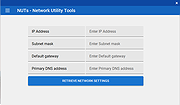 |
|
O&O DeskInfo v2.0.1033 O&O DeskInfo v2.0.1033 👉 Portable desktop system monitor that displays real-time hardware and network information directly on your desktop. O&O DeskInfo displays essential system information such as CPU usage, memory consumption, drive activity, network connections, battery status, and more directly on the Windows desktop in real time. The portable freeware utility allows users to monitor system activity without opening additional tools or menus. It also supports customizable layouts, colors, transparency, fonts, and multi-monitor positioning. O&O DeskInfo can quickly copy system details to the clipboard for troubleshooting and support purposes and includes warnings for unknown USB device connections. Features: • Real-time display of CPU, memory, drive, and network activity • Portable application with no installation required • Customizable desktop display position, colors, fonts, and transparency • Performance charts for CPU, memory, and network monitoring • Battery status display support for compatible systems • Detection of virtual machines • Profile editor with customizable columns and sortable categories • Clear distinction between local, removable, and network drives • Clipboard export for quick support and troubleshooting • Multi-monitor support • Warning notifications for unknown USB device connections • Adjustable update speeds and display modes • Tray icon integration with quick access functions • Automatic startup option with Windows Supported operating systems: • Windows 10 • Windows 11 Supported languages: • English, German, French Changes: v2.0.1033 01-28-26 • NEW: New performance charts for CPU, memory and network • NEW: Battery status display, if supported by the system • NEW: Detection of virtual machines • NEW: Greater flexibility in the profile editor with freely selectable columns and re-sortable categories • NEW: Improved customization options for the size of performance charts • NEW: Unified controls for a more consistent and clearer user interface • NEW: Extended documentation • NEW: Clearer distinction between local, removable and network drives • CHANGED: Performance charts react faster and more smoothly to display setting changes • CHANGED: Charts make better use of available space and appear overall clearer • CHANGED: Reduced visual duplication for a calmer display • ... |
|
3,673 | May 24, 2026 O&O Software GmbH 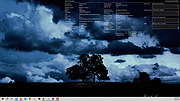 |
|
OnionHop v3.7.12 OnionHop v3.7.12 👉 Privacy-focused desktop app that easily routes your internet traffic through the Tor network. OnionHop is a cross-platform privacy application that makes routing internet traffic through the Tor network easier without requiring users to manually configure Tor. It can operate as a local SOCKS proxy or route traffic system-wide using TUN/VPN mode. Smart Connect can automatically select an appropriate connection method based on the user's network and location, including censorship-resistant methods when normal Tor connections are blocked. OnionHop offers three Tor engines: Classic Tor, Arti, and ArtiHop. Classic Tor provides the fullest set of controls, including bridges, country and relay pinning, and New Identity. Arti uses the Rust implementation of Tor, while ArtiHop uses shortened two-hop Guard-to-Exit circuits for lower latency at the expense of reduced anonymity. For restrictive networks, OnionHop supports numerous pluggable transports, including obfs4, Snowflake, WebTunnel, Conjure, meek, and dnstt. Its Bridge Scanner can retrieve and test bridges, display their latency, and apply working bridges directly. TUN/VPN mode provides system-wide routing for programs that do not honor proxy settings. Hybrid mode adds split tunneling, allowing selected applications to use Tor while others connect normally. Additional privacy protections include DNS-over-Tor, UDP blocking, and an optional kill switch. OnionHop can also host Onion Services. A service running on the computer or local network, such as a web application, NAS, or IP camera, can be made remotely accessible through a persistent .onion address without port forwarding, a static public IP address, or DynDNS. Onion Service hosting requires the Classic Tor engine. Features: • Routes internet traffic through the Tor network • Proxy Mode provides a local SOCKS5 proxy without administrator privileges • TUN/VPN Mode provides system-wide Tor routing • Hybrid mode provides application-based split tunneling • Smart Connect automatically selects connection strategies for the current network • Includes Classic Tor, Arti and ArtiHop Tor engines • Supports obfs4, Snowflake, WebTunnel, Conjure, ... |
|
861 | Aug 19, 2026 center2055  |
|
OpenNetMeter v0.14.3 OpenNetMeter v0.14.3 👉 Open-source Windows network data usage and monitoring tool. OpenNetMeter is an open-source Windows network monitoring application designed to help users track their real-time network speeds and overall data usage. The tool presents upload and download statistics, session and cumulative totals, and detailed breakdowns by process, all through an intuitive interface. The app includes additional monitoring features like a floating mini widget and historical usage logging. Features: • Real-time upload and download speed monitoring • Per-process network usage breakdown • Session and cumulative data tracking • Always-on-top mini widget window with pinning support • Up to 3-month history of data usage with date range selection • Dark mode for low-light use • No ads and lightweight • Open-source under Apache-2.0 license Supported operating systems: • Windows 10, Windows 11 (64-bit recommended) Supported languages: English Changes: v0.14.3 02-18-26 Added Added an upgrade detection dialog to better handle upgrade scenarios. Added an installer custom action to close a running app instance during uninstall. Changed Updated the desktop shortcut component GUID. Removed unused event log installer components. Fixed Fixed MSI upgrade behavior that could remove saved user files. Click here to visit the project's GitHub repository. |
|
819 | Jun 11, 2026 Ashfaaq Riphque 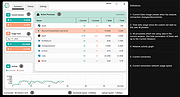 |
|
PipeWalker v1.1 PipeWalker v1.1 👉 A simple puzzle game where you rotate pieces to connect everything into one complete circuit. PipeWalker is a free and open-source puzzle game where the goal is to combine all of the pieces on the board into a single connected circuit. Depending on the selected theme, that can mean connecting computers to a network server, joining pipes to bring water to taps, or completing another type of connected system. The gameplay is easy to understand: rotate individual pieces until every component is properly connected. Figuring out how all of the branches, corners, endpoints, and junctions fit together provides the challenge. PipeWalker includes Network, Plumbing, and Hellsfire graphical themes, giving the same basic puzzle mechanic several different looks. Sound effects are also included for gameplay and puzzle completion. Features: • Connect all components into one complete circuit • Rotate individual pieces to determine the correct connections • Network theme with computers and a central server • Plumbing theme with pipes and taps • Hellsfire graphical theme • Multiple possible circuit layouts • Simple point-and-click puzzle gameplay • Sound effects during gameplay • Completion sound when a puzzle is solved • Lightweight design • Free and open-source software • Built using SDL2 and SDL2_image Supported operating systems: • Windows 7, Windows 8, Windows 10, Windows 11 Supported languages: English Changes: v1.1 Minor changes with bug fixes and optimization. Note: This file has one hit on VirusTotal. We have confirmed this to be a false positive. The file is safe. Click here to visit the author's website. |
|
6,569 | Aug 10, 2026 Artem Senichev  |
|
Portmaster Free v2.2.1 Portmaster Free v2.2.1 👉 Take complete control of your computer's network traffic and protect your privacy. Portmaster Free is a powerful open-source application firewall and privacy manager that lets you see, understand, and control every network connection made by your computer. Instead of simply allowing or blocking Internet access, Portmaster provides detailed visibility into which applications are communicating, where they are connecting, and what protocols they are using. Designed with privacy in mind, Portmaster automatically blocks many trackers, advertisements, malware hosts, and unwanted telemetry across your entire system rather than just within your web browser. It also secures DNS requests, provides extensive per-application and global network controls, and gives advanced users the flexibility to create highly customized filtering rules. Unlike traditional firewalls that focus mainly on inbound threats, Portmaster concentrates on outbound traffic, helping you identify applications that quietly phone home, collect telemetry, or communicate with unexpected servers. Whether you're a privacy enthusiast, security researcher, or simply want more insight into your computer's network activity, Portmaster offers one of the most comprehensive free solutions available. The free edition includes all core privacy and firewall functionality. Premium Safing features such as SPN (Safing Privacy Network), investigative tools, and priority support are optional and not required to use Portmaster's primary firewall and privacy capabilities. Features: • Monitor every incoming and outgoing network connection • Interactive application firewall with per-app network permissions • System-wide blocking of ads, trackers, and malware domains • Secure DNS requests using encrypted DNS-over-TLS • Create global and application-specific firewall rules • Block individual domains, IP addresses, countries, or connection types • Restrict peer-to-peer traffic to selected applications • View detailed connection history and network statistics • Control Internet access with simple allow and block rules • Automatic filter list updates for improved protection • Open-source software with publicly available source code • Automatic background updates for intelligence data and components Supported operating systems: • Windows 10 (64-bit), ... |
|
3,444 | Aug 04, 2026 Safing ICS Technologies GmbH 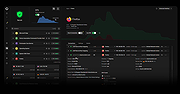 |
|
ProcessTCPSummary v1.25 ProcessTCPSummary v1.25 👉 Displays a detailed summary of TCP connections and listening UDP ports for every running Windows process. ProcessTCPSummary is a small portable network monitoring utility from NirSoft that displays a summary of processes that currently have TCP connections or listening UDP ports. For each process, it shows the total number of TCP connections, connection counts broken down by status such as Established, Listening, SYN-Sent and SYN-Received, IPv4 and IPv6 connection counts, commonly used port numbers and other connection details. When run as Administrator, it can also display TCP/UDP bytes sent and received by each process along with current sending and receiving speeds. The program requires no installation or additional DLL files. Simply extract the downloaded archive and run ProcessTCPSummary.exe. Information can also be exported from the command line to text, tab-delimited, CSV, JSON, HTML or XML files. Features: • Displays all processes with active TCP connections or listening UDP ports • Shows the total number of TCP connections for each process • Breaks TCP connections down by status, including Established, Listening, SYN-Sent and SYN-Received • Shows separate IPv4 and IPv6 TCP connection counts • Displays commonly used port numbers for each process • Shows TCP and UDP bytes sent and received when run as Administrator • Displays current network send and receive speeds • Can display the full paths of system processes when run as Administrator • Supports sorting by individual or multiple columns • Can save results as text, tab-delimited, CSV, JSON, HTML or XML files • Includes command-line options for unattended exporting and sorting • Supports a configurable system tray icon and Always On Top mode • Can start hidden when used with the tray icon option • Includes a black-background display option • Portable and requires no installation or additional DLL files Supported operating systems: • Windows XP, Windows Vista, Windows 7, Windows 8, Windows 8.1, Windows 10, Windows 11 • 32-bit and 64-bit Windows supported Supported ... |
|
6,226 | Sep 04, 2026 Nir Sofer 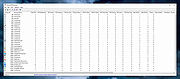 |
|
RackPeek v2.0.0 RackPeek v2.0.0 👉 Self-hosted CLI + Web UI for documenting and managing your home lab or small-scale IT infrastructure. RackPeek is a lightweight, opinionated CLI tool and Web UI designed to help you document, manage, and understand your home lab or small-scale IT environment without the usual enterprise bloat. It focuses on tracking your hardware, services, networks, and the relationships between them in a clear, structured way, using simple, scriptable YAML so you can version-control your infrastructure documentation alongside the rest of your homelab configs. Whether you are building out a rack, organizing a growing pile of mini PCs, or trying to keep straight which VLAN feeds which switch and what runs where, RackPeek gives you a clean, self-hosted “single pane of glass” that is easy to deploy and easy to maintain. Features: • Lightweight, opinionated CLI tool with a companion Web UI for homelab and small-scale IT documentation • Tracks infrastructure as structured data (YAML), making it easy to store in Git and share or review changes over time • Models relationships between resources (hardware, services, networks, and more) to help keep complex setups understandable • Multi-node / clustered system modeling (multiple parents per resource can be defined) • Key value pair labels for more flexible organization and filtering • Basic Ansible inventory generator tool • JSON Schema v2 definition for safer configuration authoring and validation • Safe schema versioning with backup and migration strategy • Improved embedded documentation plus general polish and bug fixes Supported operating systems: • Windows, macOS, Linux Supported languages: English Changes: v2.0.0 06-13-26 What's New Web UI Added /visualise with live Physical and Logical network diagrams from inventory data. Added Save PNG and Save Mermaid (.mmd) export options. Added compact topology preview cards to the home dashboard. Improved YAML import and edit errors with line, column, and contextual snippets. CLI ... |
|
754 | Jul 06, 2026 Tim Jones 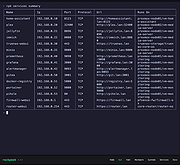 |
|
Real Network Monitor 1.4 Real Network Monitor 1.4 Real Network Monitor is a professional solution to monitor internet traffic information and statistics. Features: Auto-Run feature Stores all downloaded and uploaded rates by day / month / year of all applications with many formats as Megabytes and Gigabytes Auto-Update and Auto-Select the new connected interfaces Select the interface to see all statistics Desktop monitor function with Windows aero feature if the operating system supports the feature Taskbar monitor function to see statistics inside the Windows taskbar Download / Upload Speed Type / Speed / MAC Adress Maximum Download / Upload Rate Average Download / Upload Speed Downloaded / Uploaded data by connection Total Downloaded / Uploaded data Website Blocker Interfaces Lookup Traffic Database Compatible with all adapters, including DialUP / Bluetooth / Wireless Connections Look at the properties of the current adapter, including DNS and IP Addresses Save all data in an encrypted text file located in the root of the EXE Save the latest inferface selected in the UI for the next runtime See the local IPs and variations with connection by Time Written in English and Portuguκs do Brasil languages Minimize to tray and other UI functions Using Smart Installer Technology for the Setup, one click to install this program Smart Uninstaller will kill all running applications of the program before removal Compatibility: Windows 8 Windows ... |
|
6,223 | May 24, 2017 Josh Cell Softwares Corporation 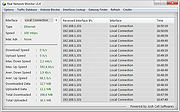 |
|
Tor Browser v15.0.25 Tor Browser v15.0.25 👉 Privacy-focused web browser that routes traffic through the Tor network to help prevent tracking, surveillance, and censorship. Tor Browser is a privacy-focused web browser based on Mozilla Firefox ESR that has been heavily modified for use with the Tor network. It routes your traffic through the Tor network to help hide your real IP address, resist online tracking and browser fingerprinting, and protect against surveillance and censorship. By default, it does not keep browsing history, and cookies are only valid for a single session unless you request a new identity. Features: • Routes internet traffic through the Tor network using multiple relays to conceal your real IP address • Uses layered (onion) encryption so each relay only knows the previous and next step in the circuit • Blocks third-party trackers and isolates cookies to prevent cross-site tracking • Automatically clears cookies and browsing data when the browser is closed • Does not retain browsing history by default for increased privacy • Resists browser fingerprinting by standardizing browser characteristics across users • Includes built-in HTTPS enforcement to help ensure encrypted connections when available • Provides “New Identity” feature to quickly reset your session and obtain a new Tor circuit • Includes “New Circuit for this Site” option to change exit nodes for specific websites • Offers multiple security levels (Standard, Safer, Safest) to reduce attack surface • Disables potentially unsafe browser features like certain scripts and media formats at higher security levels • Helps bypass censorship and access blocked websites through the Tor network • Protects against local network surveillance and ISP monitoring • Includes Tor network configuration options for censored regions (bridges, Snowflake, etc.) • Sandboxed design helps isolate web content from the underlying operating system • Regularly updated with Firefox ESR security patches and Tor-specific hardening • Open-source project with publicly auditable code • Designed to minimize data leaks such as DNS requests outside the ... |
|
7,081 | Oct 14, 2026 The Tor Project  |
|
Venmon v2.37 Venmon v2.37 👉 Compact system monitoring and multi-ping tool for Windows. Venmon is a system resource monitoring and multi-ping tool for Windows. It can monitor system memory, processor, battery life, uptime, idle time, graphic cards, network traffic, event logs, and drives while using minimal processing power and memory. It displays real-time statistics, can run in portable mode from a USB drive, and does not require the installation of runtime modules. System The main screen of Venmon displays a general system summary, memory usage, processor usage, battery status, uptime, and idle time. System events will report activities such as Page file changes, battery activity (percentage charged/plugged/unplugged/charging/not charging), allocated memory changes, and report periods of long idle times. Long idle times can be used to see when someone last used the computer. Features: • Monitors memory, processor, battery life, uptime, idle time, graphics cards, network traffic, event logs, and drives • Displays real-time system statistics with low resource usage • Includes a multi-ping tool with support for up to 1024 automated pings by IP address or host name • Provides history graphs and event logging for system, storage, network, and ping activity • Supports portable use from a USB drive with settings saved locally • Includes Event Viewer, drive monitoring, network monitoring, and system tray features • Portable Supported operating systems: • Windows 7, Windows 8, Windows 10, Windows 11 • Windows Server 2000, Windows Server 2003, Windows Server 2008, Windows Server 2012, Windows Server 2016, Windows Server 2019, Windows Server 2022, Windows Server 2025 Supported languages: English, German Changes: v2.37 11-02-25 • Added Control + Mouse Wheel Down while hovering over Mini Window to make font size smaller • Added Control + Mouse Wheel Up while hovering over Mini Window to make font size bigger • Added Control + Mouse Wheel Down while hovering over Ping List to make font size smaller • Added Control + Mouse Wheel Up while hovering ... |
|
884 | Mar 12, 2026 Ventural 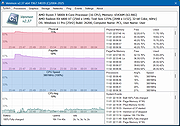 |
|
WifiInfoView v3.00 WifiInfoView v3.00 👉 Scan and analyze nearby wireless networks with detailed Wi-Fi information. WifiInfoView is a free, portable utility that scans all wireless networks within range and displays detailed technical information about each one. It provides network names (SSID), MAC addresses, signal strength, channel numbers, frequencies, PHY types, maximum supported speeds, security status, router manufacturer, and other useful details for troubleshooting or optimizing wireless networks. Advanced users can also inspect the raw Wi-Fi information elements transmitted by each access point in hexadecimal format. WifiInfoView includes a summary mode that groups detected networks by channel, router manufacturer, PHY type, or maximum speed, making it easy to identify congested channels and optimize wireless performance. Features: • Portable application requiring no installation • Scans and displays nearby wireless networks in real time • Shows SSID, MAC address, PHY type, RSSI, signal quality, frequency, and channel • Displays router manufacturer, model, and name when available • Shows network security status and maximum supported connection speed • Summary mode groups networks by channel, manufacturer, PHY type, or speed • View raw Wi-Fi information elements in hexadecimal format • Export selected information to multiple file formats • Filter, sort, and search detected wireless networks • Supports both 32-bit and 64-bit Windows systems Supported operating systems: • Windows Vista, Windows Server 2008, Windows 7, Windows 8, Windows 10, Windows 11 Supported languages: • Arabic, Basque, Bulgarian, Catalan, Chinese Simplified, Chinese Traditional, Croatian, Czech, Danish, Dutch, English, Finnish, French, German, Greek, Hebrew, Hungarian, Italian, Japanese, Korean, Norwegian, Persian, Polish, Portuguese, Portuguese (Brazil), Romanian, Russian, Slovak, Slovenian, Spanish, Swedish, Thai, Turkish, Ukrainian, Vietnamese Changes: v3.00 06-10-26 • Added "Keep Selected Item Visible" option. When enabled, the selected item always remains visible. Note: This file has two hits on VirusTotal. We have confirmed these to be false positives. The file is safe. This download is for the Windows 64bit version (very bottom of page). If you need the Windows 32bit version, ... |
|
6,744 | Jun 23, 2026 Nir Sofer 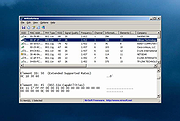 |
|
Win Network Tools v1.0 Win Network Tools v1.0 Win Network Tools is a simple Windows OS software useful to troubleshoot network-related problems, like connection problems, TCP problems, and so on. The interface is easy to use, you can easily reset TCP\IP stack, flush DNS cache, release IP, renew IP, reset Winsock, enable or disable TCP Auto-Tuning, get MAC address, and much more. The program uses Windows Command Prompt (cmd.exe) to run most network commands and it works fine on Microsoft Windows XP, Vista, 7, 8, 10 (32\64-bit). Program Key Features Help to Troubleshoot Network-related Problems All-in-One Tools to Troubleshoot Network Connection Problems View\Flush DNS Cache, Reset IP, Renew IP, Reset Winsock Reset TCP\IP Stack, Ping Test, Speed Test, and more Run it Directly from the USB with the Portable Version Works on Windows XP, Vista, 7, 8, 10 (32\64-bit) |
|
7,200 | Aug 15, 2019 Site2unblock 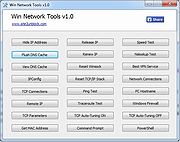 |
|
Wireless Network Watcher v2.45 Wireless Network Watcher v2.45 👉 Scans your wireless network and displays a list of all devices currently connected. Wireless Network Watcher is a lightweight network monitoring tool that scans your wireless network and displays a list of all computers and devices currently connected. The program quickly identifies devices on your network and provides useful information such as IP address, MAC address, device name, network adapter company, and connection status. Wireless Network Watcher can be useful for detecting unauthorized devices connected to your wireless network. It works by scanning a defined IP address range and presenting the results in a clear list, making it easy to identify computers, smartphones, tablets, routers, and other network hardware that are currently active. The utility is portable and does not require installation. It can also play a sound alert when a new device connects to the network and allows exporting the device list to various formats for reporting or monitoring purposes. Features: • Scans wireless networks and detects connected devices • Displays device information including IP address, MAC address, and device name • Identifies network adapter manufacturer from MAC address • Detects computers, phones, tablets, and other network hardware • Sound notification when new devices connect to the network • Export results to HTML, XML, CSV, or text files • Portable application that does not require installation • Simple interface designed for quick network scanning Supported operating systems: • Windows XP, Windows Vista, Windows 7, Windows 8, Windows 10, Windows 11 Supported languages: Arabic, Basque, Brazilian Portuguese, Bulgarian, Catalan, Croatian, Czech, Dutch, Finnish, French, German, Greek, Gujarati, Hebrew, Hellenic, Hungarian, Indonesian, Italian, Japanese, Korean, Latvian, Norwegian, Persian, Polish, Portuguese, Romanian, Russian, Serbian, Simplified Chinese, Slovak, Slovenian, Spanish, Swedish, Traditional Chinese, Thai, Turkish, Ukrainian, Valencian, Vietnamese Changes: v2.45 06-27-26 When a randomized MAC address is detected, it's displayed in the 'Network Adapter Company' column. Updated the internal MAC addresses database. This download is for the ... |
|
12,514 | Jul 01, 2026 Nir Sofer 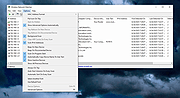 |
|
Wireshark v4.6.7 Wireshark v4.6.7 👉 Analyze and troubleshoot network traffic with the industry's leading protocol analyzer. Wireshark is a free and open-source network protocol analyzer used by network administrators, security professionals, developers, students, and IT enthusiasts to capture, inspect, and analyze network traffic in real time or from previously saved capture files. It supports hundreds of protocols and provides powerful filtering, coloring, and statistical analysis tools to help diagnose network problems, investigate security issues, debug applications, and understand how network protocols work. Wireshark can capture traffic from wired and wireless network interfaces, display packet details down to the individual protocol fields, reconstruct conversations, and export captured data in multiple formats. Its flexible display filters, extensive protocol support, customizable interface, and built-in analysis tools make it an essential utility for anyone working with computer networks. Features: • Capture live network traffic from Ethernet, Wi-Fi, Bluetooth, USB, and many other interface types • Open and analyze previously captured packet trace files • Decode hundreds of network protocols with detailed packet inspection • Powerful display filters for quickly isolating specific traffic • Colorize packets for improved readability and faster analysis • Follow TCP, UDP, HTTP, HTTP/2, TLS, QUIC, WebSocket, and other protocol streams • Generate protocol hierarchy, endpoint, conversation, I/O, and flow graphs • Inspect packet contents down to individual protocol fields • Search captured traffic by protocol, address, port, payload, or custom criteria • Support for decryption of supported encrypted protocols when appropriate keys are available • Extensive capture and display customization options • Export captured packets and analysis results in multiple formats • Extensible through Lua scripting and plugins • Cross-platform interface with consistent functionality Supported operating systems: • Windows 10, Windows 11 • macOS 12 Monterey or higher • Linux (major distributions including Debian, Ubuntu, Fedora, Red Hat Enterprise Linux, openSUSE, Arch Linux, and others) • FreeBSD, NetBSD, OpenBSD Supported languages: English, Chinese (Simplified), Chinese (Traditional), French, German, Italian, Japanese, Korean, Polish, Russian Changes: v4.6.7 07-02-26 Bug Fixes The ... |
|
10,976 | Jul 09, 2026 Gerald Combs 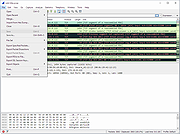 |
|
Wise WiFi Password Viewer v1.0 Wise WiFi Password Viewer v1.0 👉 Portable tool to show and recover saved WiFi passwords in Windows. Wise WiFi Password Viewer helps you recover and view saved wireless network keys stored on your Windows PC. It is designed to quickly display previously connected WiFi network names and passwords, perform local-only scans, and export the results to TXT or CSV for backup or record keeping. Features: • One-click recovery of saved WiFi credentials • Displays previously connected wireless network names and passwords • Local-only scanning with no cloud uploads or external transmissions • Export support for TXT and CSV formats • Portable utility with no installation required • Clear organized list for quick viewing and saving of credentials Supported operating systems: • Windows 7, Windows 8, Windows 8.1, Windows 10, Windows 11 • 32-bit, 64-bit Supported languages: English Changes: v1.0 04-16-26 Not Provided. Note: You MUST right click the file and Run as Administrator for it to work properly. Click here to visit the author's website. |
|
706 | Apr 17, 2026 WiseCleaner.com 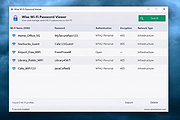 |
| Showing rows 1 to 47 of 47 | Showing Page 1 of 1 | 1 |
OlderGeeks.com Copyright (c) 2026
