|

|
Processed through Paypal No account required. |








Buy our over-priced crap to help pay the bills.



|
|
Processed through Paypal No account required. |
| File - Download RackPeek v2.0.0 | ||||||||
| Description | ||||||||
|
Always scroll to the bottom of the page for the main download link. We don't believe in fake/misleading download buttons and tricks. The link is always in the same place. RackPeek v2.0.0 👉 Self-hosted CLI + Web UI for documenting and managing your home lab or small-scale IT infrastructure. RackPeek is a lightweight, opinionated CLI tool and Web UI designed to help you document, manage, and understand your home lab or small-scale IT environment without the usual enterprise bloat. It focuses on tracking your hardware, services, networks, and the relationships between them in a clear, structured way, using simple, scriptable YAML so you can version-control your infrastructure documentation alongside the rest of your homelab configs. Whether you are building out a rack, organizing a growing pile of mini PCs, or trying to keep straight which VLAN feeds which switch and what runs where, RackPeek gives you a clean, self-hosted “single pane of glass” that is easy to deploy and easy to maintain.  Features: • Lightweight, opinionated CLI tool with a companion Web UI for homelab and small-scale IT documentation • Tracks infrastructure as structured data (YAML), making it easy to store in Git and share or review changes over time • Models relationships between resources (hardware, services, networks, and more) to help keep complex setups understandable • Multi-node / clustered system modeling (multiple parents per resource can be defined) • Key value pair labels for more flexible organization and filtering • Basic Ansible inventory generator tool • JSON Schema v2 definition for safer configuration authoring and validation • Safe schema versioning with backup and migration strategy • Improved embedded documentation plus general polish and bug fixes Supported operating systems: • Windows, macOS, Linux Supported languages: English Changes: v2.0.0 06-13-26 What's New Web UI Added /visualise with live Physical and Logical network diagrams from inventory data. Added Save PNG and Save Mermaid (.mmd) export options. Added compact topology preview cards to the home dashboard. Improved YAML import and edit errors with line, column, and contextual snippets. CLI Added rpk graph topology to output physical topology as Mermaid. Added rpk graph logical to output logical service/system diagrams as Mermaid. Added rpk tag add and rpk tag remove across all resource kinds. Added tag discovery with rpk tags list and rpk tags show. API Added POST /api/inventory for YAML or JSON inventory upserts. Supports merge, replace, and dryRun diff previews. Requires X-Api-Key authentication. Returns 503 when RPK_API_KEY is unset and 401 for invalid keys. In merge mode, tags are replaced wholesale while labels merge key-wise. Git Sync Automatically initializes a Git repo on first run when GIT_TOKEN is set and no .git/ directory exists. First-time users can now use Add Remote immediately without hitting a Git availability dead end. 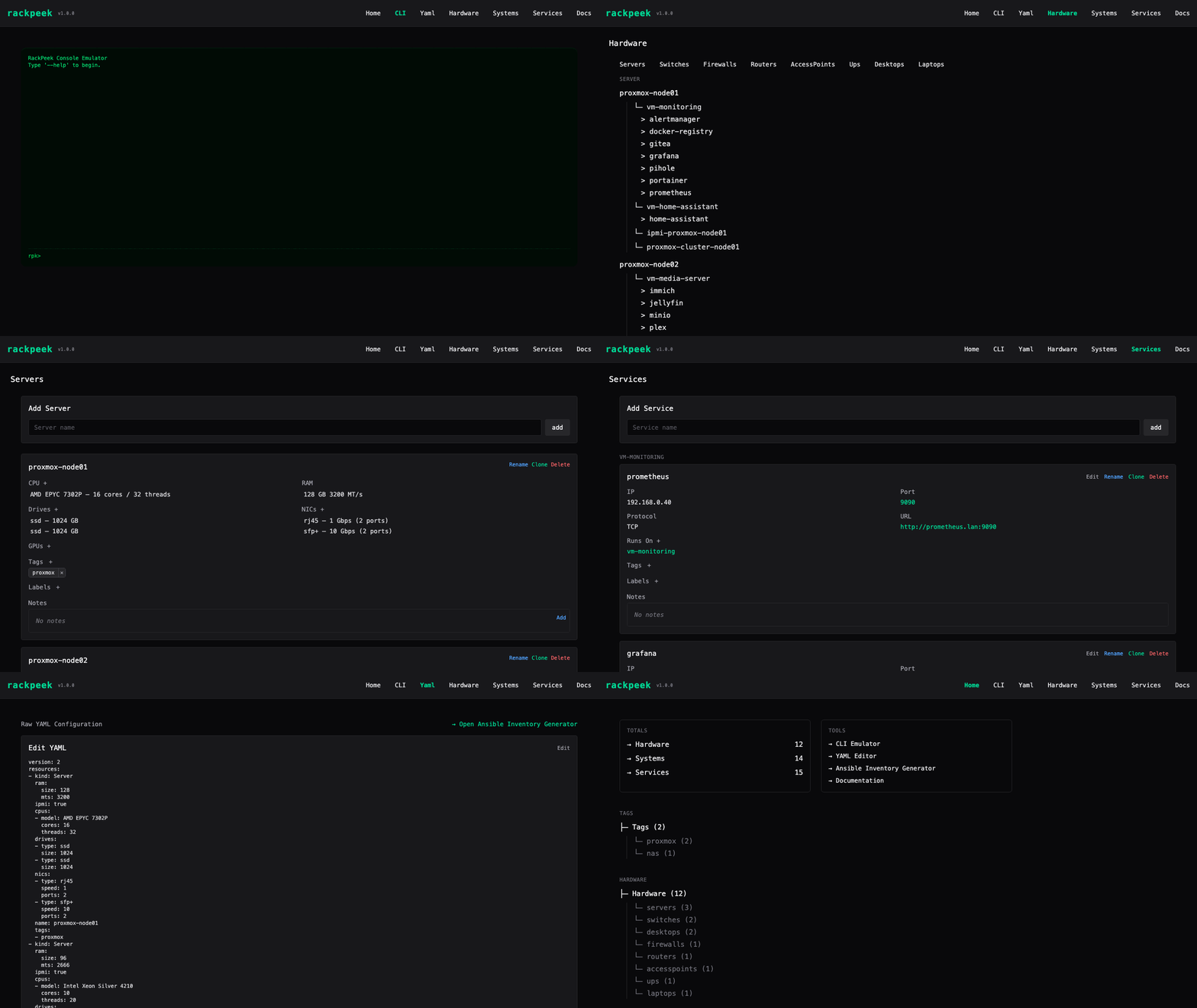 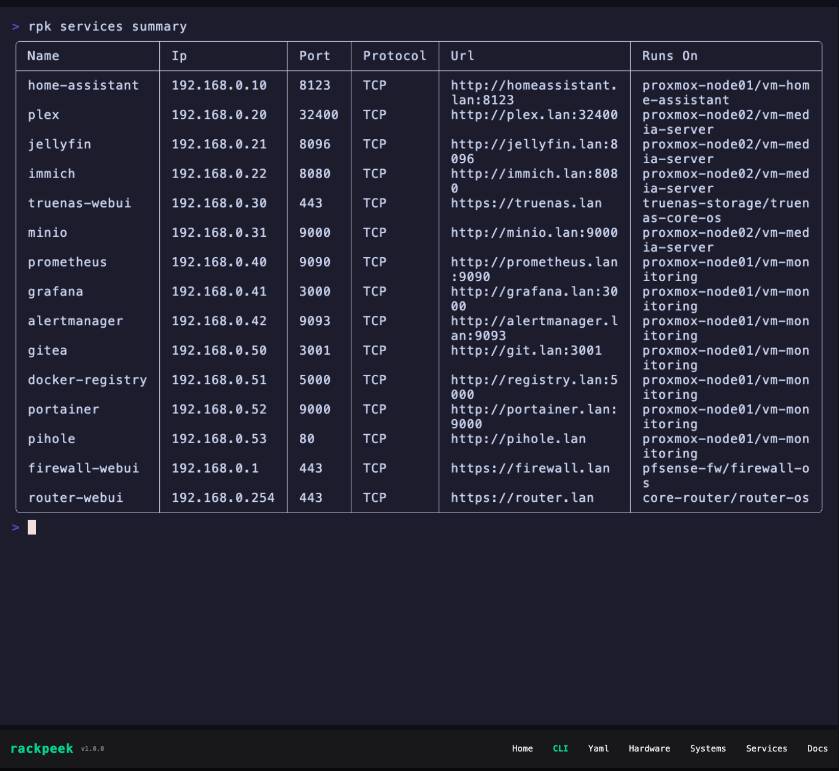 Note: This file has one hit on VirusTotal. We have confirmed this to be a false positive. The file is safe. This download is for the Windows 64bit version (very bottom of page). All other download assets are below: macOS: rackpeek_2_0_0_osx-x64 rackpeek_2_0_0_osx-arm64 Linux: rackpeek_2_0_0_linux-x64 rackpeek_2_0_0_linux-arm64 Docker Install (recommended) RackPeek is easiest to run as a container. It stores its state in /app/config inside the container (typically config/config.yaml), so you should mount that folder to preserve your data between updates. Docker Hub Image: https://hub.docker.com/r/aptacode/rackpeek Option 1: Named Docker Volume • Create the volume: docker volume create rackpeek-config• Run RackPeek: docker run -d• Open your browser: http://localhost:8080Option 2: Bind Mount to a Local Folder • Create a local folder first (example: ./config) • Run RackPeek: docker run -d• Open: http://localhost:8080Option 3: Docker Compose • Create a file named docker-compose.yml with the following contents: version: "3.9"• Start RackPeek: docker compose up -d• Open: http://localhost:8080Updating (Docker) • docker pull aptacode/rackpeek:latest• docker stop rackpeek• docker rm rackpeek• Re-run your original docker run command or:docker compose up -dClick here to visit the author's website. Continue below for the main download link. |
||||||||
| Downloads | Views | Developer | Last Update | Version | Size | Type | Rank | |
| 754 | 3,803 | Tim Jones | Jul 06, 2026 - 12:54 | 2.0.0 | 75.71MB | EXE |  , out of 10 Votes. , out of 10 Votes. |
|
| File Tags | ||||||||
| RackPeek Rack Peek home lab homelab rack documentation infrastructure documentation infrastructure as code IT inventory asset management network documentation self hosted Docker Docker Compose Ansible inventory YAML Git | ||||||||
Click to Rate File Share it on Twitter → Tweet
|


