|

|
Processed through Paypal No account required. |








Buy our over-priced crap to help pay the bills.



|
|
Processed through Paypal No account required. |
| File - Download Wireshark v4.6.7 | ||||||||
| Description | ||||||||
|
Always scroll to the bottom of the page for the main download link. We don't believe in fake/misleading download buttons and tricks. The link is always in the same place. Wireshark v4.6.7 👉 Analyze and troubleshoot network traffic with the industry's leading protocol analyzer. Wireshark is a free and open-source network protocol analyzer used by network administrators, security professionals, developers, students, and IT enthusiasts to capture, inspect, and analyze network traffic in real time or from previously saved capture files. It supports hundreds of protocols and provides powerful filtering, coloring, and statistical analysis tools to help diagnose network problems, investigate security issues, debug applications, and understand how network protocols work. Wireshark can capture traffic from wired and wireless network interfaces, display packet details down to the individual protocol fields, reconstruct conversations, and export captured data in multiple formats. Its flexible display filters, extensive protocol support, customizable interface, and built-in analysis tools make it an essential utility for anyone working with computer networks. 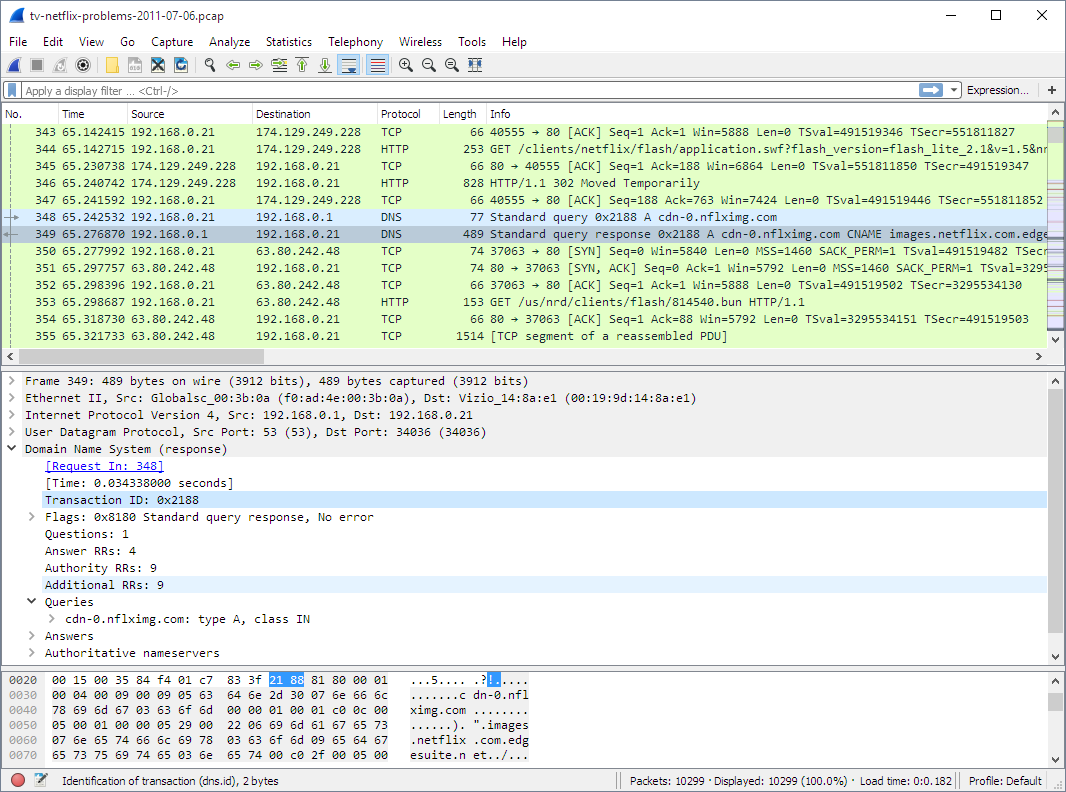 Features: • Capture live network traffic from Ethernet, Wi-Fi, Bluetooth, USB, and many other interface types • Open and analyze previously captured packet trace files • Decode hundreds of network protocols with detailed packet inspection • Powerful display filters for quickly isolating specific traffic • Colorize packets for improved readability and faster analysis • Follow TCP, UDP, HTTP, HTTP/2, TLS, QUIC, WebSocket, and other protocol streams • Generate protocol hierarchy, endpoint, conversation, I/O, and flow graphs • Inspect packet contents down to individual protocol fields • Search captured traffic by protocol, address, port, payload, or custom criteria • Support for decryption of supported encrypted protocols when appropriate keys are available • Extensive capture and display customization options • Export captured packets and analysis results in multiple formats • Extensible through Lua scripting and plugins • Cross-platform interface with consistent functionality Supported operating systems: • Windows 10, Windows 11 • macOS 12 Monterey or higher • Linux (major distributions including Debian, Ubuntu, Fedora, Red Hat Enterprise Linux, openSUSE, Arch Linux, and others) • FreeBSD, NetBSD, OpenBSD Supported languages: English, Chinese (Simplified), Chinese (Traditional), French, German, Italian, Japanese, Korean, Polish, Russian Changes: v4.6.7 07-02-26 Bug Fixes The following vulnerabilities have been fixed: wnpa-sec-2026-52 Catapult DCT2000 protocol dissector crash. Issue 21270. wnpa-sec-2026-53 pcapng file parser crash. Issue 21285. wnpa-sec-2026-54 FMP/NOTIFY protocol dissector large loop. Issue 21347. wnpa-sec-2026-55 SSH protocol dissector crash. Issue 21378. wnpa-sec-2026-56 TLS ECH decryption crash. Issue 21390. wnpa-sec-2026-57 IEEE 802.11 protocol dissector crash. Issue 21391. wnpa-sec-2026-58 Z39.50 protocol dissector crash. Issue 21397. wnpa-sec-2026-59 UMTS FP protocol dissector crash. Issue 21398. wnpa-sec-2026-60 BLF file parser information disclosure. Issue 21361. wnpa-sec-2026-61 Multiple protocol dissector infinite loops. Issue 21275, Issue 21277, Issue 21330, Issue 21383. wnpa-sec-2026-62 DBS Etherwatch file parser crash. Issue 21352. wnpa-sec-2026-63 Ciscodump extcap crash. Issue 21375. The following bugs have been fixed: Wireshark appears in German when the system language is Dutch. Issue 20347. Qt: Capture filter combo box does not enforce minimum size or expanding size policy. Issue 21080. BACapp: Error parsing you-are request. Issue 21260. Use-After-Free in Ethernet POWERLINK (EPL) Dissector during profile loading error path. Issue 21267. Sponsor slides are not properly shown. Issue 21268. Buffer overlow/segfault in Catapult DCT2000 dissector via not check no_ddi_entries in header. Issue 21270. Fuzz job issue: fuzz-2026-05-24-14517548985.pcap. Issue 21272. Fuzz job UTF-8 encoding issue: fuzz-2026-06-07-14732586286.pcap. Issue 21331. Memory leak in alp-sample1.pcap. Issue 21343. Memory leak in nspi.pcap. Issue 21344. Heap-Buffer-Overflow in Wireshark Logcat Parser. Issue 21346. IPv6 Ping from Debian (among others) is dissected as "HiPerConTracer" Issue 21349. HEVC (H.265) dissector: bit_offset not advanced after sub_layer_hrd_parameters() causes false Malformed Packet. Issue 21362. dfilter_compile_full: heap-buffer-overflow READ in ws_strptime on a time literal. Issue 21376. Wireshark crashes with a HEAP_CORRUPTION error when using the last saved recent_common file. Issue 21379. Fuzz job issue: fuzz-2026-06-30-15106674620.pcap. Issue 21381. New and Updated Features The Windows installers are now built with Visual Studio 2026. New Protocol Support There are no new protocols in this release. Updated Protocol Support ALC, BACapp, C2P, Catapult DCT2000, COTP, CSN.1, DCERPC, DCERPC MAPI, DCERPC NSPI, DNS, DVB-S2-TABLE, eDonkey, EPL, FC ELS, FMP/NOTIFY, H.265, HiPerConTracer, IEEE 802.11, LLS, MEGACO, MIH, MPEG DSM-CC, MS-WSP, RELOAD, SGP.32, SSH, STANAG 4607, UMTS FP, WOWW, and Z39.50 New and Updated Capture File Support Android Logcat, BLF, DBS Etherwatch, Netlog, and pcapng New and Updated File Format Decoding Support There is no new or updated file format support in this release. Plugin Development Changes On UN*X systems (excluding macOS when running from an app bundle, as with the official installer) extcap binaries are now searched for under the libexec directory by default, e.g., /usr/libexec/wireshark/extcap instead of /usr/lib64/wireshark/extcap or similar. This is the customary place for helper binaries, which as opposed to libraries do not need multiarch support. The location can be overridden via the environment variable WIRESHARK_EXTCAP_DIR. The extcap binaries shipped with Wireshark are installed in the new location, but third party extcaps may need packaging changes. This change was effective in version 4.6.0, but was not explicitly noted in the release notes previously. Note that some distributions do not use a libexec directory, such as Alpine Linux, which does not have multilib support. On such systems extcap binaries should be in the same location as before. 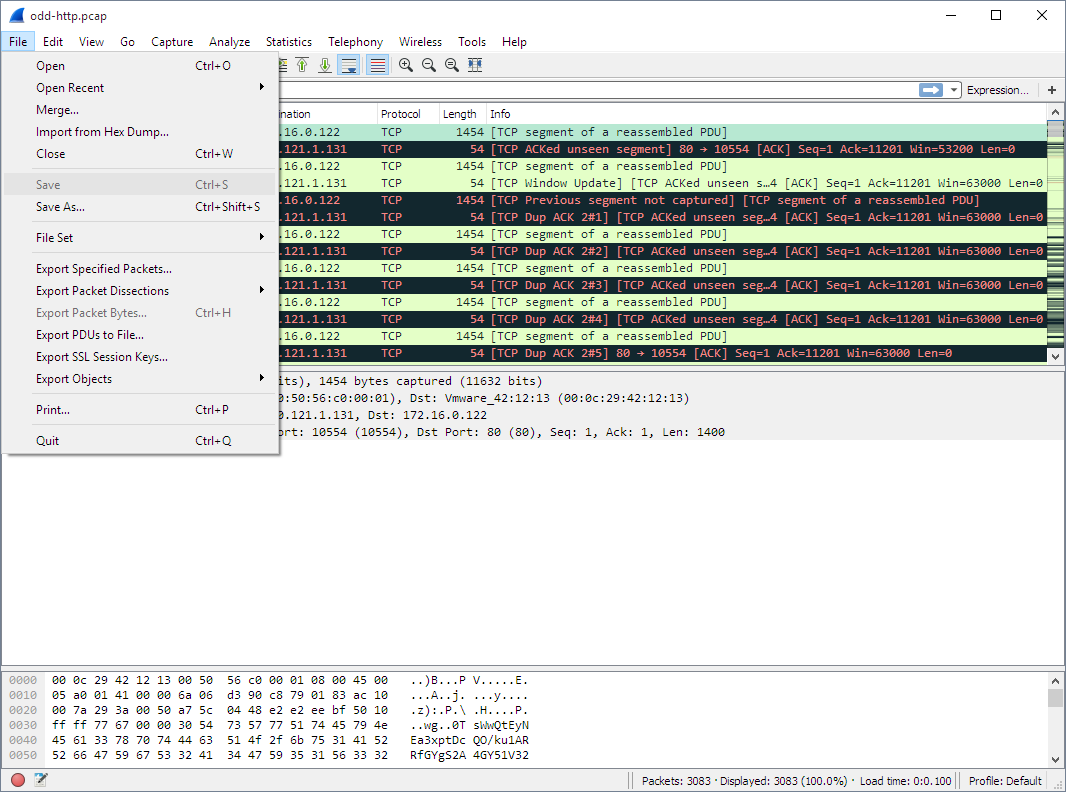 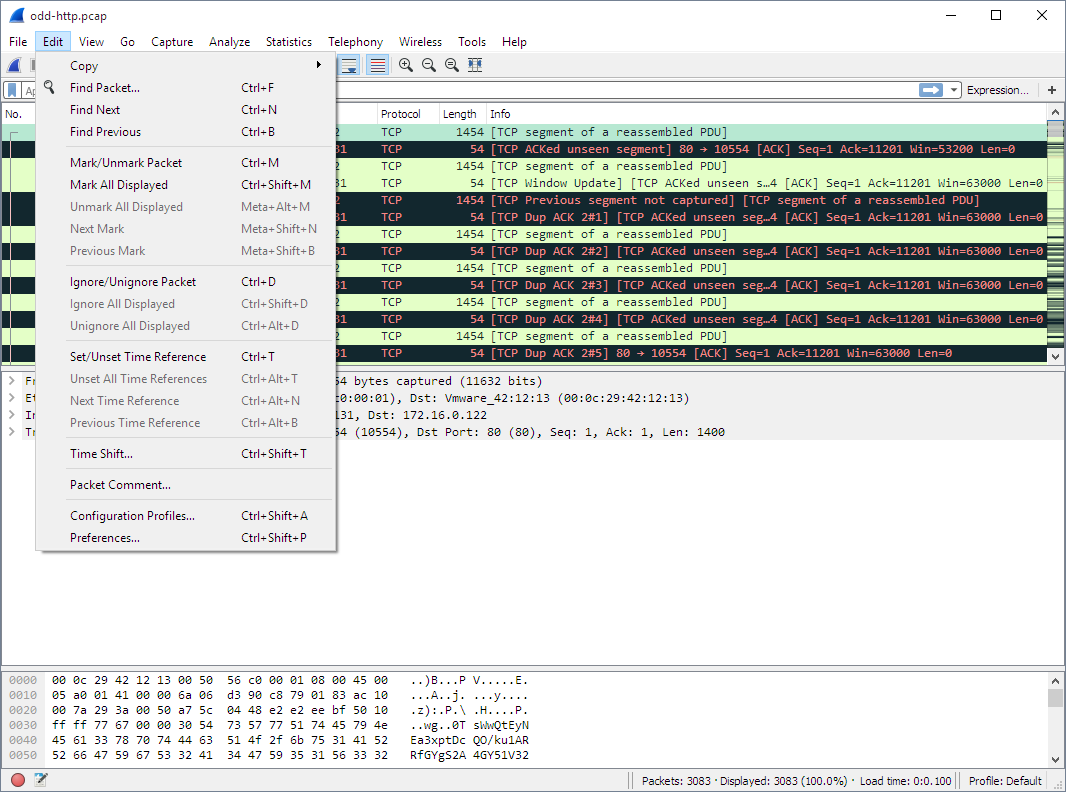 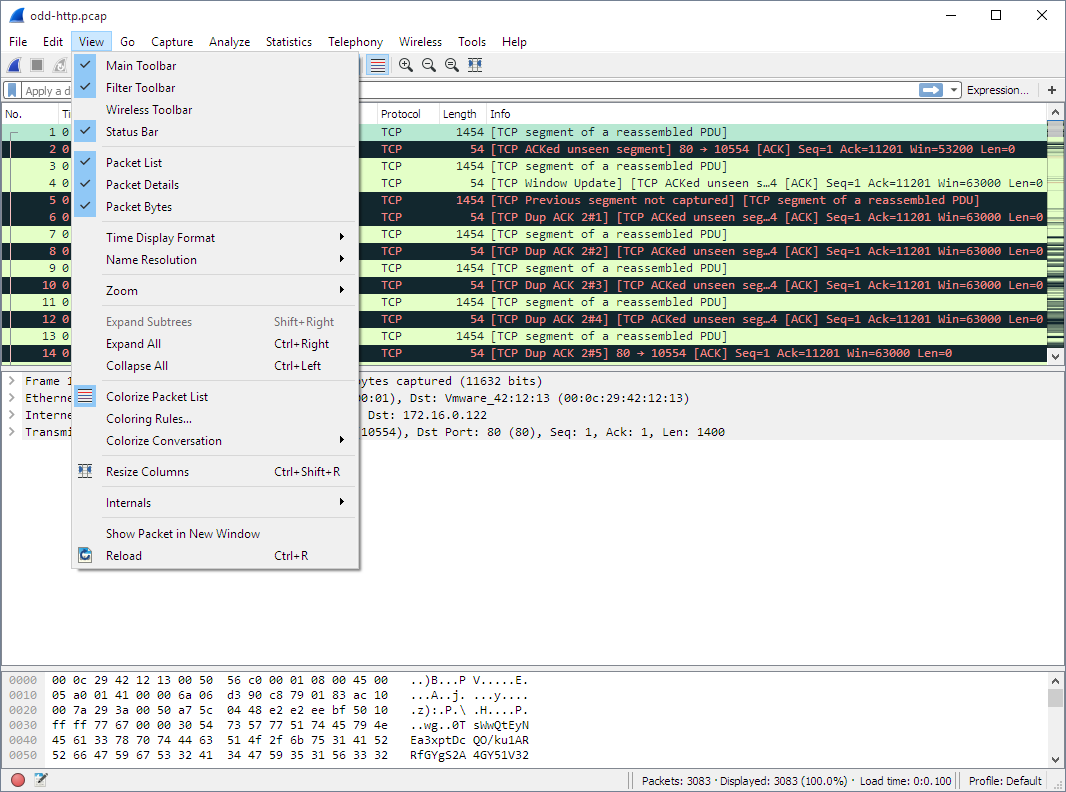 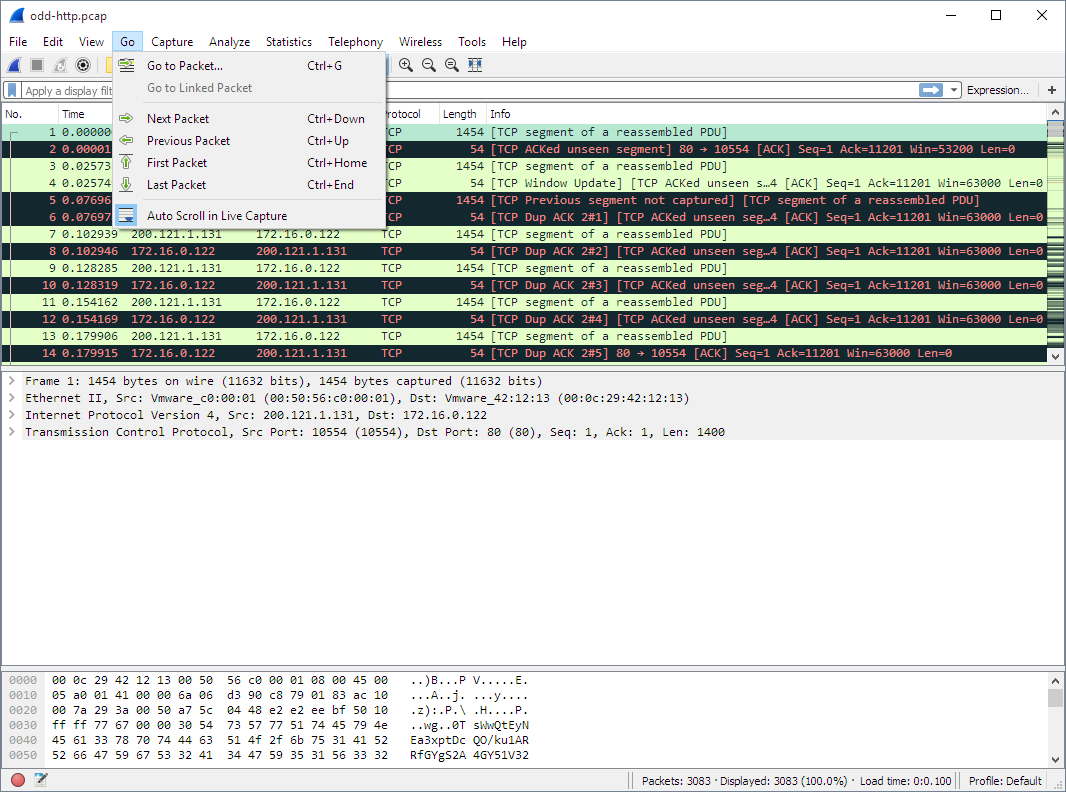 This download is for the Windows portable version (very bottom of page). All other download assets are below: Other Windows: Wireshark-4.6.7-x64.exe Wireshark-4.6.7-arm64.exe macOS: Wireshark 4.6.7.dmg User Guide: Wireshark User's Guide.pdf Click here to visit the author's website. Continue below for the main download link. |
||||||||
| Downloads | Views | Developer | Last Update | Version | Size | Type | Rank | |
| 10,976 | 29,733 | Gerald Combs | Jul 09, 2026 - 11:46 | 4.6.7 | 102.88MB | EXE |  , out of 110 Votes. , out of 110 Votes. |
|
| File Tags | ||||||||
| Wireshark packet-analyzer network sniffer protocol capture tcp udp ethernet wifi troubleshooting security lua | ||||||||
Click to Rate File Share it on Twitter → Tweet
|


