|

|
Processed through Paypal No account required. |








Buy our over-priced crap to help pay the bills.



|
|
Processed through Paypal No account required. |
| Files | ||||
| File Name | Rating | Downloads | ||
 |
Alternate File Shredder v3.100 Alternate File Shredder v3.100 👉 Securely and permanently erase files, folders, and free disk space to prevent data recovery. Alternate File Shredder is a freeware, open-source utility designed to securely destroy files and folders so they cannot be recovered with standard undelete or forensic recovery tools. Instead of simply removing file references from the file system, it repeatedly overwrites the contents using configurable methods before deleting them, making recovery extremely difficult or impossible. The program can also overwrite unused free space on a drive to eliminate remnants of files that were previously deleted without secure wiping. Additional options allow you to overwrite data with random values, a fixed value, or the contents of another file, giving you flexibility for different security requirements. Because secure deletion is permanent, the author recommends carefully reviewing all selected items before proceeding. Features: • Permanently erase files and folders by securely overwriting data before deletion • Wipe free disk space to remove recoverable traces of previously deleted files • Choose overwrite methods using random values, fixed values, or a template file • Configure multiple overwrite iterations for increased security • Optionally overwrite file names before deletion • Ignore write protection when desired • Drag-and-drop support for quickly adding files and folders • Displays detailed file information before shredding • Processing log for completed operations • Open source and free to use Supported operating systems: • Windows Vista, Windows 7, Windows 8, Windows 8.1, Windows 10, Windows 11, Windows Server Supported languages: • English, German, Spanish, French, Italian, Chinese, Japanese, Korean, Swedish, Arabic, Greek, Russian, Czech, Hungarian, Turkish, Polish, Portuguese, Slovenian, Danish, Dutch Changes: v3.100 02-13-26 Added custom colors Options extended Note: This file has four hits on VirusTotal. We have confirmed these to be false positives. The file is safe. Click here to visit the author's website. |
 |
7,428 | Jul 07, 2026 Alternate Tools 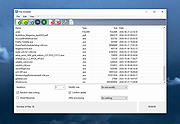 |
|
CloneScan v2.1 CloneScan v2.1 👉 Find, review, and safely remove duplicate files and folders. CloneScan is a free Windows utility designed to help you find, review, and safely remove duplicate files and duplicate folders from your computer. Features: • Find duplicate files and folders • Compare by file name, size, file name and size, or SHA-1 hash • Filter scans by file type • Set a minimum file size for scanning • Fast content scanning with parallel hashing • Grouped duplicate results • Move deleted items to the Recycle Bin • Export results to CSV Supported operating systems: • Windows 10, Windows 11 Supported languages: English Changes: v2.1 09-09-26 New scan options. Minor fixes. Click here to visit the author's website. |
|
690 | Sep 10, 2026 TkoSoft 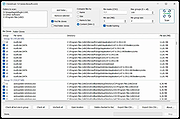 |
 |
CopyFolders 2 Portable v2.0.31 CopyFolders 2 Portable v2.0.31 👉 Automatically copy new and modified files from multiple folders with versioning support. CopyFolders 2 is a utility designed to copy new or modified files from source folders to destination folders. It is intended primarily for backup purposes, allowing users to keep folders up to date by copying only files that have changed. CopyFolders 2 supports working with multiple source and destination folders at the same time. It can also keep several previous versions of files, helping preserve older copies when updates occur. The program operates through a simple interface where users configure the folders and options, then execute the copy process as needed. Features: • Copies only new and modified files • Supports up to 9 source folders • Supports up to 9 destination folders • Designed specifically for backup and updating folders • Can keep up to 6 previous versions of files • Allows defining multiple folder pairs for processing • Simple configuration of source and destination paths • Executes copy operations based on defined setup • Portable. No installation required. Supported operating systems: • Windows 10, Windows 11 Supported languages: English, Chinese, French, German, Italian, Polish, Portuguese, Russian, Spanish. Changes: v2.0.31 04-28-26 First update: Fixed a bug where if a path contains underscores ("_") them would not be displayed in the path text box Fixed UNC network path support and improved folder selection Improved file copy error reporting Click here to visit the author's website. |
|
830 | Aug 26, 2026 eziogarr-coder 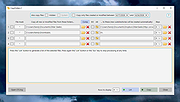 |
|
DeadLock v1.5.1 DeadLock v1.5.1 👉 Unlock files and folders that Windows refuses to release. DeadLock can be used to unlock files and folders that are locked by the system or other applications. This is especially useful when Windows will not let you delete, move, copy or rename something because it claims the file is still in use. DeadLock can unlock files and folders, take ownership, and help remove stubborn items without digging through Task Manager or command-line tools. DeadLock also supports command-line arguments, so advanced users can unlock files or folders directly from PowerShell or CMD without opening the full graphical interface. It is open source, lightweight, free to use and designed specifically for Windows. Features: • Unlock files and folders locked by Windows or other applications • Delete, move or copy locked files and folders • Take full ownership of stubborn files and folders • Command-line support for PowerShell and CMD use • Optional Windows Explorer integration • Theme and preference settings • Optional automatic update functionality • Open-source GPL-3.0 licensed software • No ads, trackers or user data collection Supported operating systems: • Windows 7 SP1, Windows 8, Windows 8.1, Windows 10, Windows 11 • Windows Server 2008 R2 SP1, Windows Server 2012, Windows Server 2012 R2, Windows Server 2016, Windows Server 2019, Windows Server 2022, Windows Server 2025 Supported languages: English, Chinese Simplified, Chinese Traditional, Russian, Bulgarian Changes: v1.5.1 02-15-26 Create Chinese simp. locale. Create a language file for Traditional Chinese. Fix Chinese Traditional locale. Updated russian translate. Added OS + updated link to HTTPS. Create bg.xml. Note: This file has two hits on VirusTotal. We have confirmed these to be false positives. The file is safe. Click here to visit the author's website. |
|
7,682 | Jun 11, 2026 CodeDead 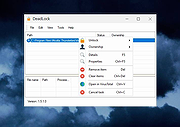 |
|
DeskRealm v0.5.8 DeskRealm v0.5.8 👉 Give each Windows virtual desktop its own real Desktop folder, icon layout and hotkeys. DeskRealm turns Windows virtual desktops into separate Desktop “realms,” each with its own Desktop folder, icon layout and optional direct hotkeys. Instead of every Win + Tab workspace showing the same desktop clutter, DeskRealm redirects the current user’s Windows Desktop Known Folder to the folder assigned to the active virtual desktop. Features: • Assigns separate Desktop folders to Windows virtual desktops • Synchronizes realm folder names with Windows Task View desktop names • Saves and restores per-realm Desktop icon layouts • Automatic icon layout autosave with change detection • Configurable global hotkeys for jumping to numbered desktops • Tray menu with status, refresh, sync, pause/resume, logs, config and restore options • Optional startup with Windows • Preserves the original Desktop folder instead of moving files during onboarding • Refuses OneDrive Desktop redirection by default • Refuses duplicate virtual desktop names and unsafe folder conflicts • Includes emergency restore script for returning the original Desktop path • Portable ZIP and install-bundle release options Supported operating systems: • Windows 10, Windows 11 Supported languages: English Changes: v0.5.8 06-12-26 Fixed: • Reworked first-run onboarding so DeskRealm no longer moves files from the original Windows Desktop into a managed realm folder. • The selected virtual desktop realm now points directly to the original Desktop folder, preserving the normal Desktop when DeskRealm is closed or disabled. • Added absolute-path realm assignments so a realm can safely use an existing external folder such as the original Desktop. • Prevented duplicate assignment of the original Desktop path to multiple virtual desktops. Changed: • The first-run wizard now describes the safe association model instead of file migration. • Config migration v6 disables the legacy initialDesktopImportMoveFiles flag. • Documentation, installation notes, safety notes and release process now describe the no-move onboarding model. Safety: • DeskRealm must not silently move user Desktop files during onboarding. Existing files remain in the original Desktop folder. ... |
|
613 | Jun 12, 2026 Ayahua Ekimaku  |
|
DesktopFrames+ v2.7.7.294 DesktopFrames+ v2.7.7.294 Formerly Desktop Fences+ 👉 Organize your Windows desktop icons, files and shortcuts into customizable virtual frames. DesktopFrames+ is a free and open-source desktop organization utility that creates virtual Frames on your desktop, allowing you to group shortcuts, files and folders into clean, convenient containers. It provides several types of Frames, including regular Data Frames for shortcuts, Portal Frames that mirror the contents of folders, and Note Frames for quickly accessible text. Frames can contain multiple tabs, be arranged into separate workspace profiles and customized with colors, transparency, visual effects, icons and other appearance options. Built-in tools such as SpotSearch, Smart Desktop, automatic backups, profile automation and extensive visibility controls provide additional ways to organize and manage a busy desktop. The program is fully portable and does not require installation. Features: • Create Data Frames for organizing shortcuts to files, folders and web links • Create Portal Frames that mirror the contents of folders • Create Note Frames for keeping text directly on the desktop • Organize shortcuts into multiple tabs within a single Frame • Create independent workspace profiles for different desktop layouts • Switch profiles manually with hotkeys • Automatically switch profiles when specified programs are launched • Smart Desktop engine automatically sorts and moves incoming files according to user-created rules • SpotSearch quickly searches for and launches shortcuts stored across your Frames • Peek Behind temporarily reveals the desktop behind Frames • Rollup hides the contents of Frames while leaving the Frame accessible • Auto-hide conceals Frames after a period of inactivity • Focus Mode highlights a specific Frame from the system tray or with a hotkey • Supports files, folders, web links, Microsoft Store apps, Steam games and Spotify URIs • Run shortcuts as administrator or as a different user • Customize individual Frame background colors and global tint levels • Chameleon Mode automatically matches Frames to the dominant color of your wallpaper • Application launch ... |
|
2,295 | Sep 07, 2026 Hand Water Pump 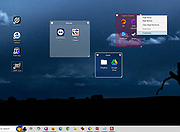 |
|
Dock Folders v1.26 Dock Folders v1.26 A simple tool to get a quick and elegant access to your files. Very useful to your documents or to create you own toolbar. Created for Windows 10 and Windows 11 Your browser does not support the video tag. Use Cases Using the settings menu, you can configure DockFolders to include your favorite files, folders or shortcuts. Following you have some examples of configuration or use cases: Special system folders Configure a system folder or folders to get access your documents. Example: %UserProfile%\Documents Will build a dock menu based on your documents folder. %UserProfile%\AppData\Roaming\Microsoft\Windows\Recent Your recent documents. Arrange your remote servers Create a folder in your personal folder, and create subfolders based on locations and groups Then build inside shortcuts to your servers with remote desktop shortcut Build your own shortcuts folders Create a folder in your personal folder, and create subfolders and shortcuts to your favorite locations or web sites. Change shortcut icons to customize dock folders aspect Changes: 1.26 Improved compatibility to run natively on 32 or 64 bits OS. General speed improvements. Click here to visit the author's website. |
|
3,539 | Feb 23, 2023 SilonSystems, S.L. 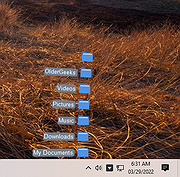 |
|
Edgetree v1.5.0 Edgetree v1.5.0 👉 A lightweight file explorer that docks to the edge of your Windows desktop. Edgetree provides a quick, always-available view of your files and folders without requiring a full Windows File Explorer window. Inspired by the Explorer panel in Visual Studio Code, it docks to the left or right edge of the screen and can automatically hide as a thin strip until you move the mouse over it. The tree begins at This PC and displays all available drives. Folders load as they are expanded, and the program remembers your previous location and expanded folders between sessions. Files can be opened, renamed, copied, cut, pasted, compressed, extracted, deleted, dragged into other programs and managed through a full right-click menu. Edgetree also includes favorites, persistent bookmarks, folder searching, file-type filtering, image previews, network drive support and extensive appearance controls. It is portable and distributed as a single executable with no installation required. Features: • Docks to the left or right edge of the screen • Auto-hide mode reduces the program to a thin screen-edge strip • Floating mode provides a normal movable window • Starts at This PC and displays local, removable and mapped network drives • Remembers expanded folders, window position and previous location • Opens folders with a single click and files with a double-click • Limits the number of initially displayed items in large folders for faster performance • Supports Ctrl-click and Shift-click multiple selection • Cut, copy, paste, rename, delete and drag-and-drop file operations • Creates new folders and ZIP archives • Extracts ZIP archives • Deletes files and folders to the Windows Recycle Bin • Opens files with their default program or another selected application • Opens folders in Windows File Explorer or Windows Terminal • Displays image previews and file information in the right-click menu • Sorts files by name, date, type or size • Provides global sorting and separate sorting for individual folders • ... |
|
314 | Aug 05, 2026 legendsteel11 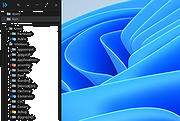 |
|
Everything v1.4.1.1032 Everything v1.4.1.1032 👉 Locate files and folders by name instantly. Everything is a fast Windows search engine that locates files and folders by filename instantly. It quickly indexes file and folder names, updates results in real time, and uses minimal system resources. Features: • Small installation file • Clean and simple user interface • Quick filename indexing • Quick searching • Minimal resource usage • Real-time updating • Content searching with the content: search function • Portable and installer versions available • x86, x64, ARM and ARM64 builds available • Multilingual support Supported operating systems: • Windows XP, Windows Vista, Windows 7, Windows 8, Windows 10, Windows 11 Supported languages: Afrikaans, Bosanski, Čeština, Dansk, Deutsch, English (AU), English (UK), English (US), Espaρol (Espaρa), Espaρol (Latinoamιrica), Espaρol (Venezuela), Estonia, Franηais, Hrvatski, Italiano, Kϋrdξ (Soranξ), Kϋrdξ, Magyar, Nederlands, Norsk bokmεl, Oʻzbekcha, Polski, Portuguκs (Brasil), Romβnă, Shqip, Slovenčina, Slovenščina, Srpski, Suomi, Svenska, Tiếng Việt, Tόrkηe, Ελληνικά, Български, Македонски, Русский, Српски, Українська, עברית, عربي, ئۇيغۇرچە, বাংলা, فارسی, தமிழ், ภาษาไทย, བོད་ཡིག, 한국어, 日本語, 简体中文, 繁體中文 Changes: v1.4.1.1032 01-23-26 fixed a security issue with launching files ending with a dot (.) fixed an issue with the msi installer not stopping Everything. This download is for the Windows 64bit installer (very bottom of page). All other download assets are below: Windows Installer 32bit Everything-1.4.1.1032.x86-Setup.exe Windows Portable version: Everything-1.4.1.1032.x64.zip Everything-1.4.1.1032.x86.zip Everything-1.4.1.1032.ARM64.zip Everything-1.4.1.1032.ARM.zip Windows Lite installer version: Everything-1.4.1.1032.x64.Lite-Setup.exe Everything-1.4.1.1032.x86.Lite-Setup.exe Click here to visit the author's website. |
|
7,613 | May 24, 2026 voidtools 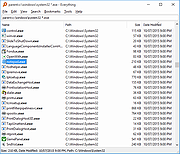 |
|
Executor v2.4.0 Executor v2.4.0 👉 Fast and customizable keyboard launcher for Windows. Executor is a highly customizable application launcher and productivity tool designed to help you quickly start programs, open files and folders, perform web searches, execute commands, and automate repetitive tasks using keyboard shortcuts. Inspired by tools like Launchy and the old Microsoft AppLauncher utilities, Executor focuses on speed and flexibility while remaining lightweight and easy to use. Executor supports keyword aliases, command parameters, clipboard handling, history tracking, and advanced search functionality. Users can create custom commands, launch websites, search online services, and manage workflows directly from a compact launcher window. It also includes support for skins and plugins, allowing users to personalize the appearance and expand functionality. Features: • Instant keyboard-based program and file launching • Custom keyword aliases and command execution • Built-in web search and URL launching support • Clipboard and command history integration • Plugin and skin support for customization • Portable and lightweight design • Auto-complete and smart search matching • Hotkey support for rapid access • Launch files, folders, commands, and websites from one interface • Configurable interface and advanced user options Supported operating systems: • Windows XP, Windows Vista, Windows 7, Windows 8, Windows 10, Windows 11 Supported languages: English Changes: v2.4.0 09-26-26 What's new Need to research an embarrassing topic, or have someone looking over your shoulder, or presenting your screen in a meeting? You can now enable Incognito mode, that per default will not add anything to history while enabled. You can further configure the incognito mode to do one or more of the following: Hide history from auto-complete and list (file system, URLs, keywords). Hide all list entries either when input is empty or all the time. Disable file navigation in list. ... |
|
6,454 | Oct 02, 2026 Martin Bresson  |
|
FileVoyager v26.9.6.0 FileVoyager v26.9.6.0 👉 A powerful dual-pane file manager and viewer for Windows. FileVoyager is a freeware Orthodox file manager (OFM) for Microsoft Windows that uses a dual-pane layout to make browsing, organizing, comparing, and transferring files easier. It can browse disks, folders, shares, archives, and FTP/FTPS locations in one unified interface, while also offering built-in viewers, archive handling, folder synchronization, file comparison, hashing, and media playback support. Features: • Dual-pane Orthodox file manager layout • Browse disks, folders, virtual folders, shares, archives, and FTP/FTPS locations • Multiple view modes, including report and thumbnail views • Rename, copy, move, link, delete, and recycle files • Pack and unpack ZIP, 7Zip, GZip, BZip2, XZ, Tar, and WIM archives • Unpack ARJ, CAB, XAR, Z, RAR, LZH, LZMA, ISO, WIM, and many other formats • Built-in file and folder comparison • Folder synchronization tools • Duplicate file finder • Advanced search and filtering • Quick preview for many file formats • Multimedia playback using installed codecs, Windows Media Player, and VLC support • Ebook and comic book viewing, including PDF, EPUB, MOBI, FB2, DJVU, CBR, CBZ, and XPS • Syntax highlighting for many source code formats • Hexadecimal and flat file viewing modes • Hash tool with VirusTotal-powered malware report • Dark Mode and customizable themes • Available as Setup or Portable editions • Optional VLC codec packages Supported operating systems: • Windows 10, Windows 11 • Should also run on Windows Vista, Windows 7, Windows 8.x, but these are not tested Supported languages: Arabic, Chinese Simplified, Czech, Danish, Dutch, English, French, German, Greek, Hungarian, Italian, Japanese, Korean, Polish, Portuguese, Portuguese (Brazil), Russian, Slovak, Slovenian, Spanish, Swedish Changes: v26.9.6.0 09-06-26 + New: Viewer: The main new feature in this release is folder analytics in the Viewer, with a dedicated panel providing key metrics and insights about a folder selected. + New: Browse: Added Archive & Unarchive commands in the Central toolbar, under Tools. ~ Chg: Global: Mask labels, visible in the various filter ... |
|
5,800 | Sep 11, 2026 FileVoyager 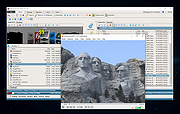 |
|
Horodruin v2026.07.841.0 Horodruin v2026.07.841.0 👉 Advanced file synchronizer for keeping two or more folders updated. Horodruin is a freeware file synchronizer designed to update folders by taking files from multiple different folders and synchronizing two or more sources with just a few clicks. It builds a virtual folder using the newest and missing files, then applies that result to each source so the folders contain the same updated files. The author notes that this tool is intended for advanced users and recommends reading the included documentation. Features: • Synchronizes two or more folders • Handles multiple folder sources in one project • Uses local full paths and UNC network paths • Analyzes folders to determine outdated or missing files • Builds a virtual folder from the newest and missing files • Lets you tune folder analysis to your needs • Saves and loads settings using project files • Export Delta feature saves source changes to a separate folder • Multi-threaded operation • Multi-threaded copy engine using temporary files and/or overwriting files • Can integrate with a text editor, hex editor, and diff viewer • Minimal registry usage, only for Explorer integration • Includes HTML Help • Small, fast, and clean • Freeware licensed under Creative Commons Attribution-NoDerivs 4.0 Supported operating systems: • Windows 10 or higher, 64-bit Supported languages: English Changes: v2026.07.841.0 07-19-26 • Now uses the new Visual Studio 2026 Segmented Heap, a faster and improved internal heap implementation. Click here to visit the author's website. |
|
6,376 | Sep 14, 2026 Stefano Bordoni  |
|
Mouzi v0.1.3 Mouzi v0.1.3 👉 Automatically organizes your Downloads folder from the system tray. Mouzi is a free, privacy-first file organizer that quietly runs from the Windows system tray and automatically sorts downloaded files by type. It can monitor selected folders, apply customizable rules, move files into organized subfolders, keep a local history of actions, and undo moves when needed. Everything stays on your computer, with no cloud uploads and no telemetry by default. Features: • Automatically organizes new downloads as they arrive • Runs quietly in the background from the system tray • Custom rules using file extensions, regex patterns, and destination folders • Dynamic paths such as {year}, {month}, {day}, {extension}, and {filename} • Built-in rules for images, documents, archives, installers, music, video, and other files • One-click Clean Now option for organizing existing files • Local history with one-click undo • Per-folder ignore rules using .mouziignore • Dark Mode support with system theme detection • 100% offline with local SQLite storage • Portable version available Supported operating systems: • Windows 10, Windows 11 Supported languages: English, Polish, Italian, German, French, Russian, Japanese Changes: v0.1.3 06-13-26 Bug Fixes Clean Now no longer processes folders set to Paused mode. Empty (0 B) files are now sorted correctly. .mouziignore patterns with multiple wildcards and spaces now work reliably. Folders are scanned for existing files when added or refreshed. NSIS installer now closes a running Mouzi instance before installing. UI / UX New warm color theme matching mouzi.cc. Added dedicated About tab in Settings. Tray tooltip now shows the number of pending files waiting for Clean Now. Added Open folder buttons in Recent Actions and History. Improved empty states with icons. Revert All button is disabled when there is nothing ... |
|
942 | Jun 15, 2026 Krystian Welcel 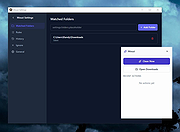 |
|
muCommander v1.6.2 muCommander v1.6.2 👉 Cross-platform dual-pane file manager designed for fast and efficient file management. muCommander is a lightweight, open-source file manager that provides a classic dual-pane interface similar to popular orthodox file managers. It is designed to make managing files and folders faster and more efficient by allowing users to easily copy, move, rename, and organize files between two panels. muCommander supports a wide range of archive formats and network protocols, enabling users to browse compressed files as if they were normal folders and access remote filesystems such as FTP, SFTP, SMB, NFS, and HTTP. The program also includes a powerful set of keyboard shortcuts, bookmarking capabilities, file search tools, and customizable interface options. Because muCommander is written in Java, it runs on multiple operating systems including Windows, macOS, Linux, and other platforms that support Java. This makes it a flexible file management solution for users who work across different environments. Supported operating systems: • Windows 7, Windows 8, Windows 10, Windows 11 • macOS • Linux Supported languages: English, French, German, Spanish, Italian, Portuguese, Dutch, Russian, Chinese, Japanese, Korean Changes: v1.6.2 05-14-26 Update previous release to 1.6.1 in the readme.txt file by @ahadas in #1469 Granting the application permission to access the module 'sun.awt.X11' by @douglasimcabral in #1471 Document #1471 by @ahadas in #1472 Fix possible NPE during startup by @ahadas in #1474 This download is for the Windows installer version. All other download assets are below: Other Windows: mucommander-1.6.2-1-portable-x86_64.zip mucommander-1.6.2-aarch64.msi macOS: mucommander-1.6.2-1-x86_64.dmg (Intel) mucommander-1.6.2-1-aarch64.dmg (Apple Silicone) mucommander-1.6.2-1-noarch.dmg (macOS 10.15 Catalina and below) Linux: mucommander_1.6.2_x86_64.deb mucommander-1.6.2-1.x86_64.rpm mucommander-1.6.2-1.aarch64.rpm Linux, Solaris, BSD, AIX, OS/2 and other OS with Java support mucommander-1.6.2-1-x86_64.tgz mucommander-1.6.2-1-aarch64.tgz Click here to visit the author's website. |
|
1,606 | Jul 22, 2026 muCommander 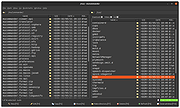 |
|
NewFileTime v8.31 NewFileTime v8.31 👉 Easily modify and correct file and folder timestamps in Windows. NewFileTime is a lightweight and portable timestamp utility that allows you to quickly change the creation date, modification date, and access date of files and folders. It is especially useful for correcting incorrect timestamps after copying files, restoring backups, sorting media collections, or organizing archived documents. The program supports drag-and-drop operation and can process multiple files and folders at once, making bulk date changes simple and efficient. NewFileTime features an easy-to-use interface with preset time options, random date generation, and precise manual controls for adjusting timestamps down to the second. The software can also import timestamps from other files, preserve original dates during operations, and work with network drives and external storage devices. Because it is portable, it can run without installation and is ideal for technicians, archivists, photographers, and power users who frequently manage file metadata. Features: • Change creation, modification, and access timestamps for files and folders • Batch process multiple files and directories simultaneously • Drag-and-drop support for quick file handling • Portable application requiring no installation • Copy timestamps from reference files • Set timestamps manually with precise date and time controls • Randomize dates and times for testing or organization purposes • Supports folders, network drives, USB drives, and external media • Easy-to-use interface with preview before applying changes • Optional administrative mode for protected files • Small system footprint and fast processing performance • Compatible with Unicode filenames and long file paths Supported operating systems: • Windows XP, Windows Vista, Windows 7, Windows 8, Windows 10, Windows 11, Windows Server 2000, Windows Server 2003, Windows Server 2008, Windows Server 2012, Windows Server 2016, Windows Server 2019, Windows Server 2022 Supported languages: • English, German, French, Spanish, Italian, Portuguese, Dutch, Polish, Russian, Chinese, Japanese, Korean, Turkish, Greek, Hungarian, Danish, Finnish, Norwegian, Swedish, Czech, Slovak, Romanian, Bulgarian, Arabic, Hebrew, Ukrainian, Indonesian, Vietnamese Changes: v8.31 ... |
|
7,064 | Oct 12, 2026 Nenad Hrg 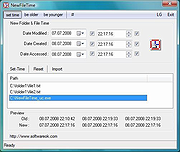 |
|
OpenDisk v1.2.2 OpenDisk v1.2.2 👉 See what is using your Mac’s storage with a fast, interactive disk map. OpenDisk is a free, open-source disk space analyzer for macOS. It scans a drive or selected folder and displays the results in an interactive sunburst chart alongside a sortable folder list. Results appear while the scan is running, and you can click through folders to find large files. Incremental rescans reuse earlier results to check for changes more quickly. Full Disk Access is needed for accurate whole-drive totals. Features: • Interactive sunburst chart shows how folders and files use space. • Live results appear during a scan. • Sortable folder list and breadcrumbs help you navigate the results. • Search the scanned file tree as you type. • Incremental rescans check for changes since the previous scan. • Quick Look previews let you inspect selected files. • Collector lets you gather files and folders, review their combined size, and delete them together. • Shows a breakdown of purgeable space and recognizes connected external drives. • Automatic updates through Sparkle. Supported operating systems: • macOS Sequoia 15 or higher, Apple Silicon and Intel Macs Supported languages: English Changes: v1.2.2 09-23-26 • Hard-linked files are counted once after a quick rescan. • HFS+ drives now use the same scanner as APFS, fixing oversized totals and enabling fast rescans. • Clearer wording in a few messages. Click here to visit the author's website. |
|
61 | Sep 24, 2026 Andeli Goli 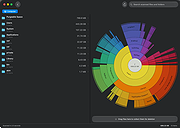 |
|
Rename Master v4.04 Rename Master v4.04 👉 Powerful batch file and folder renaming utility. Rename Master is a freeware utility that allows you to rename multiple files and folders quickly using a wide range of advanced renaming options. Designed for both casual and power users, it can manipulate filenames based on text patterns, file attributes, metadata, numbering schemes, and custom scripts. A real-time preview window shows exactly how files will be renamed before any changes are applied, helping prevent mistakes when working with large collections of files. Rename Master supports information stored inside MP3 tags, JPEG JFIF and EXIF data, enabling automatic renaming based on embedded metadata. It also includes powerful wildcard support, search-and-replace functions, sequential numbering, folder renaming capabilities, and the ability to save frequently used renaming configurations for future use. Despite its extensive feature set, the program remains lightweight, fast, and easy to use. Features: • Rename multiple files and folders in a single operation • Add, remove, replace, or rearrange text within filenames • Advanced search and replace with wildcard support • Sequential numbering and custom counters • Rename files using MP3 tag information • Rename photos using JPEG JFIF and EXIF metadata • Change filename case (upper, lower, title case, etc.) • Insert file dates and times into filenames • Move or remove characters at specific positions • Save and reuse renaming scripts and presets • Real-time preview before applying changes • Undo support for reverting previous renaming operations • Optional Windows Explorer integration • Fast processing of large file collections • Portable-friendly and lightweight design Supported operating systems: • Windows XP • Windows Vista • Windows 7 • Windows 8 • Windows 8.1 • Windows 10 • Windows 11 Supported languages: English Changes: v4.04 05-14-26 (Renaming Script) Fix: issues with auto-preview (introduced in v4.03) Fix: issue when loading a script when using non-default Counting settings Fix: Counting tab icon not always marked when using non-default setting (Misc) Fix: possible exception when loading a script using "File > Open Script" with default settings NOTES: Hotfixes for ... |
|
6,905 | Jun 12, 2026 joejoesoft.com 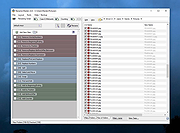 |
|
Right-Click Tools v2.0.4 Right-Click Tools v2.0.4 👉 Add powerful administrative and maintenance tools to the Windows Explorer right-click menu. Right-Click Tools adds a collection of useful commands to the Windows File Explorer context menu, providing quick access to command prompts, PowerShell, Registry Editor, ownership controls, elevated file managers, shell maintenance tools and other frequently needed Windows functions. The tools can be accessed by right-clicking a folder, drive or the background of an open Explorer window. Features: • Adds a customizable collection of tools to the Windows Explorer context menu • Opens Command Prompt or PowerShell in the selected folder • Opens Command Prompt or PowerShell with Administrator privileges • Opens Command Prompt or PowerShell with TrustedInstaller privileges • Supports Windows Terminal, Console Host and optional PowerShell Core configuration • Opens Registry Editor as a standard user, Administrator or TrustedInstaller • Takes ownership of folders and grants access using SetACL • Supports folders containing Unicode characters and long file paths • Adds or removes the selected folder from the user or system PATH variable • Toggles the display of hidden and protected system files • Clears recent items, auto-suggest entries, temporary files and Windows Defender history • Clears the Windows Defender quarantine folder • Refreshes the Windows shell after icon or display changes • Resets the Windows icon and thumbnail caches • Restarts Windows Explorer and reopens the selected folder • Opens a preferred file manager with Administrator or TrustedInstaller privileges • Supports both standard and administrator Windows accounts • Supports multiple user accounts on the same computer • Optional scheduled task reduces repeated UAC prompts • Uses registry-based menu entries instead of a continuously running context menu handler • Adds no background process or significant overhead when opening the context menu • Supports the Windows 11 modern context menu through Custom Context Menu • Automatically detects and supports Windows dark mode • Allows context menu labels and translations to be edited in Language.ini • Available as an installer or portable application • ... |
|
951 | Oct 13, 2026 LesFerch 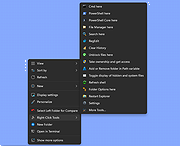 |
|
SearchMyFiles v3.36 SearchMyFiles v3.36 👉 A portable Windows search utility for finding files and folders using detailed filters, content searches, duplicate detection and more. SearchMyFiles is a portable alternative to the standard Windows file search that provides much more precise control over what you search for and how results are filtered. You can search by filename wildcards, folder locations, file size, attributes, creation, modification and access times, file contents and numerous other criteria. Search results can be opened directly, copied to the clipboard or exported to text, CSV, HTML or XML files. SearchMyFiles also includes specialized modes for locating duplicate files, files with duplicate names, non-duplicate files, empty folders and summarized folder information. No installation is required, and the program can be run from a USB flash drive without leaving configuration information in the Registry. Features: • Search files and folders using filename wildcards • Search multiple folders or drives in a single operation • Include or exclude specific folders from searches • Search through subfolders with configurable scanning depth • Search files by minimum or maximum size • Search by creation, modification or last-accessed date and time • Search for files created or modified within the last specified number of seconds, minutes, hours or days • Filter files using read-only, hidden, system, archive, compressed and encrypted attributes • Search inside files for text • Perform binary content searches using hexadecimal byte sequences • Search for multiple text or binary values at once • Search text inside Microsoft Office documents and supported PDF files using installed Windows search handlers • Search for folders as well as files • Duplicate Search mode finds files with identical contents • Duplicate files are compared byte-for-byte and visually grouped in the results • Non-Duplicates Search mode displays files that do not have duplicates • Duplicate Names Search finds files or folders sharing the same name • Duplicate Names Search can distinguish files with identical or different ... |
|
6,303 | Sep 04, 2026 Nir Sofer 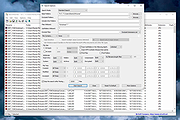 |
|
ShelfLife v0.7.1 ShelfLife v0.7.1 👉 Automatically clean, organize, and manage your folders based on customizable rules. ShelfLife is an open-source folder maintenance utility designed to keep commonly cluttered locations such as your Desktop and Downloads folder organized automatically. It can monitor selected folders and perform actions based on rules you define, including moving, deleting, or sorting files according to their age. This makes it ideal for keeping temporary files, old downloads, and accumulated clutter under control without constant manual cleanup. The program is designed with a straightforward interface that allows you to configure multiple folder management rules while providing enough flexibility for different cleanup workflows. Whether you want to archive older files, remove temporary items, or keep your Downloads folder tidy, ShelfLife automates the process in the background. Features: • Automatically organize folders using customizable rules • Monitor multiple folders simultaneously • Move files based on file age • Delete old or unwanted files automatically • Ideal for managing Desktop and Downloads folders • Helps reduce clutter and improve file organization • Simple, modern user interface • Open source Supported operating systems: • Windows 10, Windows 11 Supported languages: English Changes: v0.7.1 07-06-26 • Fix issue causing notifications to repeatedly appear after changing notification settings. • Improve notification handling behavior. Click here to visit the author's website. |
|
474 | Jul 07, 2026 LogicDX342 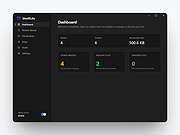 |
|
Startup Monitor 64 v4.175 Startup Monitor 64 v4.175 👉 A portable Windows utility that watches startup locations and alerts you when programs try to add themselves. Startup Monitor 64 is a portable Windows system monitoring utility designed to detect changes to startup folders, Windows Registry startup locations, scheduled tasks and other locations you choose to monitor. When a new or changed item is detected, Startup Monitor 64 presents it for review so you can decide whether it should be allowed or denied. On its first run, the program creates baseline snapshots of existing startup folders and scheduled tasks. Future scans compare the current system against this baseline along with separate Allowed and Denied lists. This helps distinguish legitimate existing startup entries from newly added or changed items. Startup Monitor 64 is not limited to traditional Windows startup locations. You can add your own folders and Registry paths, allowing the program to serve as a general-purpose change monitor for locations you want to keep an eye on. The program is fully portable. Configuration files, baselines, allowed and denied lists, and logs are kept inside an App folder within the program's directory. Features: • Monitors Windows startup folders for new or changed items • Monitors common Windows Registry startup locations • Monitors Windows Task Scheduler for newly added or changed scheduled tasks • Allows custom folders to be added to the monitoring list • Allows custom Registry paths to be monitored • Individual monitored locations can be enabled or disabled • Displays a review window when new or changed items are detected • Lets you approve detected items and add them to an Allowed list • Lets you deny detected items and remove them after confirmation • Maintains separate Allowed and Denied lists • Creates a persistent baseline of existing startup items on first run • Creates a baseline of existing scheduled tasks • Provides adjustable startup-location monitoring intervals from 1 to 60 seconds • ... |
|
268 | Sep 09, 2026 sl2365 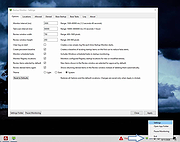 |
|
StasherX v3.12.3.7 StasherX v3.12.3.7 👉 Hide and protect your folders from view with password-based control. StasherX is a simple utility that lets you protect your directories and folders by making them hidden or visible on demand. With password control, it helps prevent casual access to sensitive folders and keeps data out of sight without modifying the files themselves. It’s lightweight and straightforward, ideal for users who want a basic folder-protection tool without complex encryption setups. Features: • Hide directories and folders from view • Toggle visibility on demand • Password protection for folder access • Simple, no-nonsense interface • Lightweight and fast Supported operating systems: • Windows 10, Windows 11 Supported languages: • English Changes: v3.12.3.7 Not provided. Click here to visit the author's website. |
|
716 | Jul 06, 2026 Cyberland 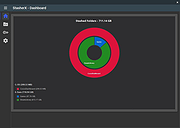 |
|
Tablacus Explorer v26.6.11 Tablacus Explorer v26.6.11 👉 Customizable tabbed file manager with extensive add-on support. Tablacus Explorer is a portable, open source tabbed file manager for Windows that supports add-ons, multiple languages, Unicode, customizable menus, keys, mouse gestures, aliases, and extra columns such as total file size and labels. It is designed for users who want a highly flexible alternative to standard Windows File Explorer. Features: • Tabbed interface • Add-on support • Completely portable with no installation required • Multiple language and Unicode support • Extra columns including total file size and label • Customizable associations, menus, keys, mouse gestures, and aliases • Open source • Available in both 32-bit and 64-bit versions Supported operating systems: • Windows XP, Windows Vista, Windows 7, Windows 8, Windows 8.1, Windows 10, Windows 11 Supported languages: English, Japanese, Spanish, Korean, German, Greek, French, Italian, Portuguese, Russian, Simplified Chinese, Traditional Chinese, Turkish Changes: v26.6.11 06-11-26 • Added ARM64 support. (Backup recommended) • Added an ARM64 version of Tablacus Explorer. • The developer does not have a Windows ARM device, so this build has not been tested by the developer. • Windows ARM users can download tearm_260611.zip, extract it over their existing installation, and run TEARM64.exe. • The developer is requesting feedback from ARM64 users about whether the build works correctly or if any problems occur. Click here to visit the author's website. |
|
7,004 | Aug 14, 2026 Gaku 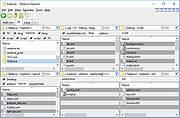 |
|
ThisIsMyFile v4.51 ThisIsMyFile v4.51 👉 Easily unlock or delete locked files and folders on Windows. ThisIsMyFile is a lightweight Windows utility designed to help users unlock, delete, rename, or move files that are locked or in use by the operating system or another application. When Windows refuses to delete or modify a file because it is currently being used, ThisIsMyFile can identify the process that is locking the file and allow you to release the lock so the file operation can proceed. The program provides a simple and portable interface where you can drag and drop a locked file to quickly determine which process is using it. From there, you can unlock the file, terminate the locking process, or delete the file immediately or at the next system restart. ThisIsMyFile is especially useful for troubleshooting stubborn files, removing leftovers from uninstalled software, or handling files that Windows reports as “access denied” or “in use.” ThisIsMyFile does not require installation and can be run directly as a portable tool, making it convenient for technicians and advanced users who need a quick way to deal with locked files without installing additional software. Features: • Unlock files that are currently in use by Windows or other programs • Identify the process that is locking a file or folder • Delete, move, or rename locked files • Option to delete files immediately or on next system restart • Drag-and-drop support for quick file analysis • Portable application with no installation required • Simple and lightweight interface designed for fast troubleshooting Supported operating systems: • Windows 7, Windows 8, Windows 10, Windows 11 Supported languages: German, English, French, Spanish, Hungarian, Turkish, Czech, Chinese Traditional, Russian, Romanian, Polish, Greek, Dutch, Portuguese, Korean, Chinese Simplified, Brazilian Portuguese, Arabic, Italian, Spanish Venezuela, Hindi, Thai, Vietnamese, Welsh, Persian, Hebrew, Malay, Indonesian, Filipino, Norwegian, Ukrainian Changes: v4.51 04-24-26 • Minor bug fixes in the ThisIsMyFile application for Windows 11 ... |
|
7,201 | May 01, 2026 Nenad Hrg 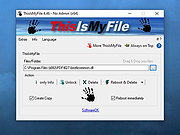 |
|
WinDirStat v2.9.0 WinDirStat v2.9.0 👉 Disk usage analyzer and cleanup assistant for Microsoft Windows. WinDirStat is a disk usage analyzer and cleanup assistant for Microsoft Windows. It scans local drives, selected drives, individual folders, and command-line targets, then shows where storage is being used through a sortable directory tree, an extension/type breakdown, and an interactive treemap where larger files and folders take up larger areas. Features: • Scan local drives, selected drives, individual folders, and command-line targets • View disk usage with All Files, Largest Files, Duplicate Files, Search Results, File Watcher, Extension, and Treemap views • Interactive treemap navigation with zooming and logical or physical sizing • Sortable file details including size, percentages, item counts, owner, modified time, hardlinks, and hash prefixes • Search, duplicate detection, and filtering with regular expressions • Configurable hash algorithms • File watching and reporting for created, deleted, modified, and renamed events • CSV scan import/export and duplicate CSV export • Built-in actions for opening items, copying paths, selecting in Explorer, moving files, deleting files, and emptying folders or the Recycle Bin • Windows cleanup and maintenance shortcuts • User-defined cleanup actions • Dark mode, portable settings, Explorer context-menu integration, localization, configurable columns, larger toolbar icons, and high-DPI aware UI Supported operating systems: • Windows 7, Windows 8, Windows 8.1, Windows 10, Windows 11 • Windows Server 2008 R2, Windows Server 2012, Windows Server 2012 R2, Windows Server 2016, Windows Server 2019, Windows Server 2022, Windows Server 2025 Supported languages: English, Chinese (Simplified), Chinese (Traditional), Czech, Danish, Dutch, Estonian, Finnish, French, German, Hungarian, Italian, Japanese, Korean, Norwegian Bokmεl, Polish, Portuguese, Russian, Slovenian, Spanish, Swedish, Turkish, Ukrainian Changes: v2.9.0 09-26-26 Enhancements Added selection of multiple individual folders (thanks @djdomi) Added scanning support for MTP portable devices Added volume / free space stats for administrative share drive paths Added size proportion tooltips showing percentages of the total ... |
|
2,729 | Sep 29, 2026 WinDirStat Team 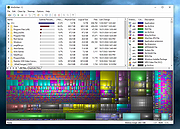 |
|
WinSetView v3.1.9 WinSetView v3.1.9 👉 Set default File Explorer folder views across Windows with just a few clicks. WinSetView is a free, portable utility that provides an easy way to configure default folder views throughout Windows File Explorer. You can apply a preferred view such as Details, List, Tiles or Icons globally, while assigning different settings to specific folder types such as Documents, Pictures, Music, Videos, Downloads, Libraries, OneDrive folders and search results. The program can customize displayed columns, column order, widths, sorting and grouping for each folder type. It also covers File Open and Save dialogs, connected devices such as phones and many virtual Windows folders that are not affected by File Explorer's standard Apply to Folders option. WinSetView works by configuring registry values that File Explorer already supports. It does not modify Explorer, install services or leave background tasks running. Existing folder-view settings can be backed up before changes are applied, restored later or reset to the original Windows defaults. The program can be used as a portable application from a local folder, flash drive or network location. An optional installer is also available for users who prefer a conventional installation. Portable use does not require administrator rights, although individual Explorer options marked with a shield may require elevation. Features: • Set a global default view for Windows File Explorer folders • Choose Details, List, Tiles, Content or multiple icon sizes • Configure every supported Windows folder type individually • Customize column headings, order, width, sorting and grouping • Apply separate views to File Open and Save dialogs • Configure views for Documents, Pictures, Music, Videos and Downloads • Supports Libraries, OneDrive, search results, Quick Access and user folders • Apply General Items column settings to connected MTP devices such as phones • Enable or disable folder thumbnails • Show hidden files, file extensions and other Explorer options • Restore the classic Windows 10 context menu ... |
|
4,602 | Oct 13, 2026 LesFerch 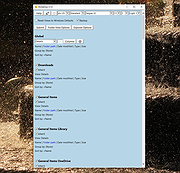 |
|
WizTree v4.33 WizTree v4.33 👉 Ultra-fast disk space analyzer that shows what files and folders are using your hard drive space. WizTree scans your hard drive and displays the files and folders using the most disk space so you can quickly locate and remove unnecessary data. Unlike many disk analyzers that slowly scan every file, WizTree reads the NTFS Master File Table (MFT) directly, allowing it to analyze an entire drive in seconds. This makes it one of the fastest disk space analysis tools available for Windows. WizTree presents results in a clear, sortable list showing folders and files by size, along with a colorful visual treemap that helps identify large files at a glance. You can quickly search for specific files, filter results, and open or delete files directly from within the interface. The program also allows exporting scan results and identifying the largest files on your system instantly. Because of its extremely fast scanning method and simple interface, WizTree is a valuable tool for quickly diagnosing disk space problems, cleaning up large files, and keeping storage organized. Features: • Extremely fast disk scanning using the NTFS Master File Table (MFT) • Visual treemap display showing relative file sizes • Sort files and folders by size, name, or other attributes • Quickly identify the largest files on a drive • Search and filter results to locate specific files • Delete files directly from the interface • Export scan results to CSV file • Supports scanning entire drives or individual folders • Portable version available Supported operating systems: • Windows 7, Windows 8, Windows 10, Windows 11 Supported languages: English, Arabic, Belarusian, Bulgarian, Catalan, Chinese Simplified, Chinese Traditional, Czech, Danish, Dutch, Estonian, Finnish, French, German, Greek, Hebrew, Hungarian, Indonesian, Italian, Japanese, Korean, Latvian, Lithuanian, Norwegian, Polish, Portuguese, Portuguese Brazilian, Romanian, Russian, Serbian, Slovak, Slovenian, Spanish, Swedish, Thai, Turkish, Ukrainian, Vietnamese Changes: v4.33 09-16-26 WizTree is now available for macOS 12 or later ... |
|
11,945 | Sep 23, 2026 antibody-software.com 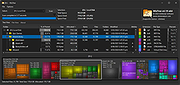 |
|
WizTreeMac v1.00 WizTreeMac v1.00 👉 Find the files and folders taking up space on your Mac. WizTreeMac scans your Mac and shows where storage space is being used. Browse the results as a folder tree, inspect a visual treemap, or search the file list for large files. It can also locate duplicate files and import or export file data as CSV. Scanning uses macOS’s native directory enumeration API with multiple threads. WizTreeMac is free for personal use; commercial use requires a license. Features: • Scan drives and folders to see what is using storage space. • Browse file sizes in a folder tree or visual treemap. • Search the file view to find large files. • Locate duplicate files. • Import and export file data as CSV. • Scan network drives. • Use Full Disk Access to read protected folders, with a separate administrator mode for root-level access. • Run from a removable drive with settings stored alongside the app. Supported operating systems: • macOS 12 or later Supported languages: English, Arabic, Belarusian, Bulgarian, Catalan, Chinese Simplified, Chinese Traditional, Czech, Danish, Dutch, Estonian, Finnish, French, German, Greek, Hebrew, Hungarian, Indonesian, Italian, Japanese, Korean, Latvian, Lithuanian, Norwegian, Polish, Portuguese, Portuguese Brazilian, Romanian, Russian, Serbian, Slovak, Slovenian, Spanish, Swedish, Thai, Turkish, Ukrainian, Vietnamese Changes: v1.00 09-16-26 Initial WizTreeMac release for macOS 12 or later. Includes most of the functionality of WizTree 4.33. Click here to visit the author's website. |
|
62 | Sep 23, 2026 antibody-software.com 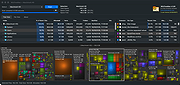 |
| Showing rows 1 to 28 of 28 | Showing Page 1 of 1 | 1 |
OlderGeeks.com Copyright (c) 2026
