|

|
Processed through Paypal No account required. |








Buy our over-priced crap to help pay the bills.



|
|
Processed through Paypal No account required. |
| Files | ||||
| File Name | Rating | Downloads | ||
 |
Pinned: Malwarebytes AdwCleaner v8.8.1.639 Malwarebytes AdwCleaner v8.8.1.639 👉 Removes adware, unwanted programs, browser hijackers, and other potentially unwanted software. Malwarebytes AdwCleaner is a lightweight, portable utility designed to scan for and remove adware, potentially unwanted programs (PUPs), browser hijackers, toolbars, and other unwanted software that can slow down your computer or interfere with your browsing experience. It does not require installation and can be run directly to quickly clean and restore system performance. AdwCleaner scans key areas of your system including files, folders, services, scheduled tasks, registry entries, and web browsers. After the scan, it presents a detailed report and allows you to review and clean detected items safely. Features: • Portable and lightweight • Detects and removes adware and PUPs • Cleans browser hijackers and unwanted toolbars • Scans services, registry, files, and scheduled tasks • Simple interface with detailed scan reports • Quarantine management and basic repair options Supported operating systems: Windows 11 (32/64-bit) AdwCleaner v8.8.0 Windows 10 (32/64-bit) AdwCleaner v8.8.0 Windows 8.1 (32/64-bit) AdwCleaner v8.4.0 Windows 8 (32/64-bit) Adwcleaner v8.4.0 Windows 7 (32/64-bit) Adwcleaner v8.4.0 Windows XP (32/64-bit) Adwcleaner v7.4.2 Windows Vista (32/64-bit) Adwcleaner v7.4.2 Supported languages: Arabic, Bulgarian, Czech, Danish, German, Greek, English, English (UK), Spanish, Basque, French, Hungarian, Indonesian, Italian, Japanese, Korean, Dutch, Polish, Portuguese (Brazil), Portuguese, Romanian, Russian, Slovak, Thai, Turkish, Ukrainian, Vietnamese, Simplified Chinese, Traditional Chinese Changes: v8.8.1 05-13-26 Features and improvements No new features included in this release Issues fixed Fixed DLL sideloading security issue. Properly avoid terminating SetMe processes This download is for the Windows 10/11 version (very bottom of page). All other download assets are below: Windows 7/8: adwcleaner 8.4.0.exe Windows XP/Vista: adwcleaner_7.4.2.exe Click here to visit the author's website. |
 |
34,852 | Aug 20, 2026 Malwarebytes 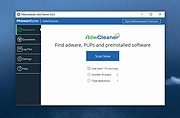 |
 |
All Bitdefender Uninstall Tools v3.0 All Bitdefender Uninstall Tools v3.0 👉 The complete collection of Bitdefender consumer and business removal tools in one ZIP file. All Bitdefender Uninstall Tools is a collection compiled by OlderGeeks containing official Bitdefender removal utilities for current and older consumer and business security products. Instead of downloading each utility separately, you can keep the entire collection together for troubleshooting and computer repairs. These tools help remove Bitdefender software when normal uninstallation fails or leaves remnants behind. They can be useful when preparing to reinstall Bitdefender or replace it with another security solution. Extract the ZIP file, identify the installed Bitdefender product and choose its corresponding removal tool. Consumer and business products require different utilities. Older product generations also have their own uninstallers, so selecting the appropriate tool matters. Consumer product coverage: • Latest Generation Bitdefender Antivirus Plus, Internet Security and Total Security. • Bitdefender Antivirus Plus, Internet Security and Total Security from the 2020 generation. • Bitdefender Antivirus Plus, Internet Security and Total Security from the 2019 generation. • Bitdefender Antivirus Plus, Internet Security and Total Security from the 2018 generation. • Bitdefender Antivirus Plus, Internet Security and Total Security from the 2017 generation. • Bitdefender Antivirus Plus, Internet Security and Total Security from the 2016 generation. • Bitdefender Antivirus Plus, Internet Security and Total Security from the 2015 generation and older, as covered by Bitdefender's corresponding tool. Business product coverage: The collection includes current and legacy business removal utilities, including separate tools for Bitdefender Endpoint Security Tools (BEST) v7 and v8, along with older endpoint uninstallers. Bitdefender's current business support page directs users of BEST up to v6.4.x to contact support. Although legacy utilities are included in this collection, additional assistance may be necessary for older installations. Features: • Complete collection ... |
|
5,176 | Oct 09, 2026 BitDefender Labs / Oldergeeks.com  |
|
AM-DeadLink v7.2 AM-DeadLink v7.2 👉 Free tool to detect broken links, missing files, redirections, and duplicate bookmarks. AM-DeadLink is a freeware utility that helps you find broken links, missing files, redirects, and duplicate entries in browser bookmarks, websites, and various file formats. It can scan entire websites, including linked pages, images, CSS files, and other resources, while also checking bookmark collections from popular web browsers. Detailed reports make it easy to identify invalid URLs, redirects, and missing resources so you can keep your bookmarks and websites organized and up to date. AM-DeadLink is designed to be lightweight, privacy-friendly, and easy to use, with no ads, nags, accounts, or user-data collection. Features: • Detects broken links, missing files, and redirects • Finds duplicate bookmarks and URL entries • Scans websites including linked pages, images, CSS files, and other resources • Checks bookmarks from Chrome, Edge, Firefox, Brave, and Vivaldi • Supports HTML, TXT, CSV, and tab-delimited files containing URLs • Generates detailed reports of scan results • Improved detection of redirects and missing resources • Checks binary file links such as ZIP, PDF, and EXE files • Internal preview for reviewing URLs • Lightweight freeware with no ads, nags, or account requirements Supported operating systems: • Windows 10, Windows 11 (64-bit) Supported languages: • English, German Changes: v7.21 10-07-26 Brave Origin supported Improved support for Cloudflare-protected pages Smaller improvements and fixes Click here to visit the author's website. |
|
6,711 | Oct 07, 2026 Aignesberger Software GmbH 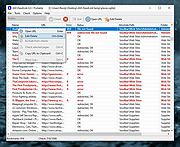 |
|
Antivirus Removal Tool v2026.02 Antivirus Removal Tool v2026.02 👉 Detects and helps completely remove leftover files from antivirus and security software. Antivirus Removal Tool is a portable utility designed to identify and assist with the complete removal of antivirus and security software remnants that standard uninstallers often leave behind. Many security programs integrate deeply into Windows and may leave drivers, services, and registry entries behind after removal. These leftovers can cause conflicts when installing new antivirus products or reduce system performance. Antivirus Removal Tool scans your system for traces of dozens of antivirus and security products and provides direct access to the official cleanup utilities provided by the vendors themselves. It can detect installed or previously installed security software and guide users through safely removing all remaining components. The program features a clean interface that lists detected security products and offers links to the official vendor removal tools when available. Because it relies on the original cleanup utilities from the developers, the removal process is safer and more reliable than attempting manual cleanup. The tool is portable and does not require installation, making it convenient for technicians and advanced users who need to troubleshoot antivirus conflicts or prepare systems for a fresh security installation. Features: • Detects installed and previously installed antivirus and security software • Provides direct links to official vendor removal tools • Helps eliminate leftover drivers, services, and registry entries • Portable application that requires no installation • Useful for resolving conflicts when switching antivirus products • Displays detailed system and security software information • Regularly updated database of antivirus vendors and cleanup utilities Supported operating systems: • Windows 7, Windows 8, Windows 10, Windows 11 Supported languages: English Changes: v2026.02 02-06-26 Database updated. Improved detection of security products. Minor interface improvements and fixes. Note: This file download may be blocked by your web browser or anti-virus software because it has antivirus removal software embedded in it. This is something a virus ... |
|
11,322 | Mar 04, 2026 Alex C. 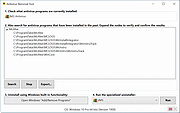 |
|
AV block remover (AVbr) v4 AV block remover (AVbr) v4 👉 A free malware-removal and system-repair tool designed to restore computers whose security software and Windows functions have been blocked by malware. AV block remover (AVbr) is a free utility designed to help clean Windows computers infected with malware that interferes with antivirus programs, security utilities and normal system operation. AVbr automates a collection of diagnostic and remediation procedures and uses Oleg Zaitsev's AVZ antivirus utility as part of its operation. It can help remove malware, restore Windows settings altered by malicious software, remove malicious policies and restrictions, and address infections that deliberately prevent security programs from running. Features: • Designed to remove active malware and repair changes made to Windows by malicious software • Helps when malware blocks antivirus and other security programs • Performs automated system diagnostics and remediation • Uses the AVZ antivirus utility during its malware detection and cleanup procedures • Includes AVZ Toolkit • Searches for malicious and suspicious system activity • Helps detect and remove malware that interferes with normal Windows operation • Removes malicious system policies and restrictions • Helps restore system settings modified by malware • Can assist with infections that prevent security and diagnostic utilities from launching • Generates diagnostic information that can be used when investigating an infected computer • Portable utility that does not require conventional installation Supported operating systems: Windows Vista, Windows 7, Windows 8, Windows 8.1, Windows 10, Windows 11 Supported languages: English, Russian Changes: v4 and AVZ Toolkit v6.12, dated 08-31-26 Now helps in the case of blocking antivirus signatures through systemic equipment. Added removal of the start-up of antivirus start-up, added by CertLock viruses blocking... Complementary functionality 1) AppLocker policy check and reset if working policies are found. 2)... Update 1) Check the existence of the Hosts file added. If it is not, it creates a pure Hosts... Note: This file has two hits on VirusTotal. We have confirmed these to be false positives. The file ... |
|
251 | Sep 01, 2026 safezone.cc / Oleg Zaitsev 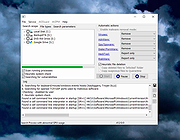 |
|
BleachBit v6.0.4 BleachBit v6.0.4 👉 Free, open-source system cleaner for freeing disk space and protecting privacy. BleachBit is a powerful, open-source cleaning tool that removes junk files, browser traces, caches, logs, cookies, temporary files, and other unwanted data to help free disk space and protect privacy. It lets users preview what will be deleted before cleaning, securely shred files, wipe empty space, and automate cleanup through command-line and scripting support. BleachBit supports Windows and Linux, includes portable use on Windows, and offers advanced CleanerML support for custom cleaning rules. Features: • Frees disk space by removing temporary files, browser caches, logs, and hidden junk • Protects privacy by deleting browsing history, cookies, saved passwords, and application traces • Preview mode shows files before deletion • Securely shreds sensitive files • Wipes empty space to help hide previously deleted files • Cleans many applications including Google Chrome, Edge, Firefox, VLC, system logs, temporary files, and more • Supports thousands of additional Windows cleaners through winapp2.ini • Includes a cookie manager for choosing which cookies to keep • Command-line interface for scripting and automation • CleanerML support for custom cleaners • No adware, spyware, telemetry, malware, bloatware, browser toolbars, or bundled extras • Windows installer and portable mode available • Open source and free of charge Uses • Free disk space • Reduce the size of backups and the time to create them by removing unnecessary files • Maintain privacy • Improve system performance • Prepare system for backups by removing junk data that wastes space and time. • Prepare whole disk images for compression (common for "ghost" backups and virtual machines) by wiping free disk space Supported operating systems: • Windows 10, Windows 11 • Linux .deb and .rpm packages for popular distributions Supported languages: • Arabic, Basque, Bulgarian, Catalan, Chinese (Simplified), Chinese (Traditional), Croatian, Czech, ... |
|
7,373 | Sep 23, 2026 Andrew Ziem 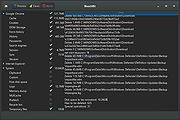 |
|
CleanSweep2 v3.1 CleanSweep2 v3.1 👉 Remove selected Windows junk files and see how much disk space you reclaim. CleanSweep2 lets you select temporary files, caches, logs, and other cleanup targets. It estimates reclaimable space before cleaning and reports the space recovered afterward. A command-line edition supports selective cleaning, logging, silent operation, and scheduled runs through Windows Task Scheduler. Review your selections carefully before removing File History snapshots or the Windows.old folder. Features: • Select cleanup targets individually. • Remove temporary files, temporary setup files, and temporary internet files. • Clear Chrome and Microsoft Edge caches, thumbnail caches, and Microsoft Office cache. • Clean Windows Update logs, error reports, Defender logs, and Delivery Optimization files. • Empty the Recycle Bin or remove Event Viewer logs when selected. • Optionally remove File History snapshots and the Windows.old folder. • See estimated reclaimable space and the amount recovered. • Save logs and remember selections in the graphical edition. • Run selective or scheduled cleaning with the command-line edition. Supported operating systems: • Windows 7, Windows 8, Windows 8.1, Windows 10, Windows 11 Supported languages: English Changes: v3.1 03-12-26 FIX - Multiple file exceptions on load CHANGE - Default to manual check for updates Click here to visit the author's website. |
|
5,044 | Sep 28, 2026 Thomas Loupe 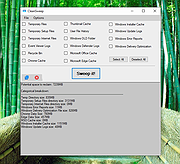 |
|
CloneScan v2.1 CloneScan v2.1 👉 Find, review, and safely remove duplicate files and folders. CloneScan is a free Windows utility designed to help you find, review, and safely remove duplicate files and duplicate folders from your computer. Features: • Find duplicate files and folders • Compare by file name, size, file name and size, or SHA-1 hash • Filter scans by file type • Set a minimum file size for scanning • Fast content scanning with parallel hashing • Grouped duplicate results • Move deleted items to the Recycle Bin • Export results to CSV Supported operating systems: • Windows 10, Windows 11 Supported languages: English Changes: v2.1 09-09-26 New scan options. Minor fixes. Click here to visit the author's website. |
|
690 | Sep 10, 2026 TkoSoft 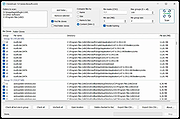 |
|
Crapfixer v2.01 CrapFixer v2.01 👉 A lightweight Windows tweaking tool for finding, fixing and reversing unwanted Windows settings and features. CrapFixer is a free, open-source Windows tweaking utility designed to identify and fix unwanted settings, preinstalled apps and other annoyances in Windows 10 and 11. This release represents a complete rebuild of the program around a new database-driven tweak engine. Instead of hardcoding tweaks into the application, CrapFixer uses the Wintweak2.ini signature database to define settings that can be scanned, reviewed, changed and restored to their Windows defaults. The program follows a scan-first approach: analyze the system, review the results and decide which recommended changes to apply. Detailed results can show registry paths, current values, recommended values and original Windows defaults. Individual tweaks or entire categories can be restored, and CrapFixer creates registry backups before applying tweaks. Version 2 also includes an App Remover, optional PowerShell extensions, custom tweak creation, database updates and optional AI-powered explanations. AI explanations are informational only and do not participate in scanning or applying changes. Features: • Scan Windows settings and identify tweaks that require attention • Signature-driven tweak engine powered by the Wintweak2.ini database • Review changes before applying them • Restore individual tweaks or entire categories to Windows defaults • Supports registry tweaks containing multiple keys and values • Automatically handles Windows version requirements, administrator privileges and restart requirements • Detailed results display registry paths, current values, recommended values and Windows defaults • Sorts incorrectly configured settings to the top of results • Creates registry backups before applying tweaks • App Remover uses a separate Winappx.ini package database • Custom Tweaks tool lets advanced users create their own Wintweak2 signatures • Lightweight Extensions section supports optional PowerShell tools • Built-in database updating with support for merging an additional custom database • Online result analyzer and clipboard-friendly report format • Optional AI explanations for individual tweaks using Groq, OpenAI, Anthropic or OpenAI-compatible providers • AI ... |
|
2,350 | Sep 01, 2026 Builtbybel 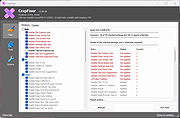 |
|
FileBricks v2.2 FileBricks v2.2 👉 Visual disk space analyzer and duplicate file finder. FileBricks is a free Windows tool for discovering what takes up space on your drives. It turns files, folders, and duplicates into colorful visual bricks, making it easier to spot large files, heavy folders, repeated copies, and common file types at a glance. Features: • Visual disk space analysis using proportional colorful bricks • Files in Folders view shows files within their folder structure • Only Files view displays individual files from largest to smallest • Only Folders view provides a graphical comparison of folder sizes • Duplicates view visually groups repeated files • Smart color coding displays files with the same extension in the same color • Scan all drives or choose a specific folder • Exclude files based on modified date • Ignore files smaller than a selected minimum size • Exclude files using wildcard filename patterns • Hover over bricks to see file or folder details and paths • Select a brick to locate its corresponding item in the tree • Tree views provide size, percentage and file-count information • Helps locate large videos, archives, installers, backups, images and other space-consuming files • Freeware for Windows Supported operating systems: • Windows 10, Windows 11 Supported languages: English Changes: v2.2 09-09-26 Improved sorting in the Duplicates section. Improved visualization of the Only Files section. Click here to visit the author's website. |
|
948 | Sep 10, 2026 TkoSoft 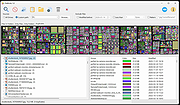 |
|
FluentCleaner Classic v1.18.250 FluentCleaner Classic v1.18.250 👉 A lightweight, portable Windows cleaner for removing temporary files, caches, logs and other unnecessary clutter. FluentCleaner Classic is a lightweight WinForms-based edition of FluentCleaner designed for users who prefer a traditional Windows desktop application with a small footprint. It uses the same FluentCleaner.Core scanning and cleaning engine as the modern edition while relying on .NET Framework 4.8 instead of the Windows App SDK. FluentCleaner Classic can analyze Windows and applications for temporary files, caches, logs, browser data and other unnecessary files, allowing you to review detected items before cleaning them. Its portable design requires no installation, and support for Winapp2 cleaning databases provides extensive coverage of Windows components and third-party applications. Features: • Scans Windows and applications for temporary files, caches, logs and other unnecessary data. • Displays detected files and recoverable disk space before cleaning. • Uses the FluentCleaner.Core scanning and cleaning engine. • Supports Winapp2 cleaning databases for additional applications and cleaning rules. • Includes cookie management with protection for cookies you want to keep. • Detects cookies from Edge, Chrome, Chromium, Brave, Vivaldi, Opera, Opera GX and Firefox profiles. • Supports custom cleaner rules. • Includes a Handoff API for testing cleaner selections from external tools. • Provides command-line options for additional control and automation. • Includes Mini mode for quick access to Analyze, Review and Clean. • Can start directly in Mini mode. • Mini mode supports always-on-top operation and remembers its window position. • Portable and does not require installation. • Uses the familiar traditional Windows WinForms interface. Supported operating systems: • Windows (practically any version capable of running Microsoft .NET Framework 4.8) Supported languages: Bulgarian, Chinese (Simplified), English, French, German, Polish Changes: v1.18.250 09-17-26 [Added] [Classic] Introduced command-line automation for scripts, batch files, PowerShell, and third-party tools. Classic can now analyze or clean the saved selection silently, optionally target a specific cleaner category, and shut down the PC after cleaning #52 [Added] [Classic] Added ... |
|
532 | Sep 30, 2026 Builtbybel 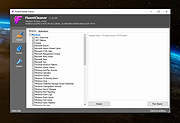 |
|
FluentCleaner Modern v26.09.01 FluentCleaner Modern v26.09.01 👉 A modern Windows cleanup tool built with WinUI 3 and powered by winapp2.ini. FluentCleaner is an open-source Windows desktop cleaner designed to reclaim disk space, clean application leftovers, remove cache files, and give users clear control over what gets deleted. It uses the community-maintained winapp2.ini ecosystem for specific, inspectable cleaning rules instead of broad, unsafe guessing. FluentCleaner also includes terminal control, multi-database support, optional AppX/bloatware database support, and a modern WinUI 3 interface with no tracking, no upsells, no scareware, and no fake registry-cleaner tricks. Features: • Modern WinUI 3 interface • Open source and donation-supported • Uses winapp2.ini cleaning rules • Supports custom winapp2-compatible databases • Multi-database loading with deduplication • Optional Winappx AppX/bloatware database • Category-based cleaning • Detail view for file and registry targets • Explorer integration for locating file paths • Command-line auto-clean support • Silent cleaning with saved selections • Optional auto-shutdown after cleaning • Detailed auto-clean log saved to AppData • Saved window size across sessions • Saved navigation pane state • No telemetry, no bundled offers, no fake registry cleaner Supported operating systems: • Windows 10, Windows 11 Supported languages: English, German, French, Indonesian, Italian, Lithuanian, Norwegian, Portuguese (BR), Russian, Ukrainian, Chinese Simplified/Traditional Changes: v26.09.01 09-17-26 [Added] [Classic] Introduced command-line automation for scripts, batch files, PowerShell, and third-party tools. Classic can now analyze or clean the saved selection silently, optionally target a specific cleaner category, and shut down the PC after cleaning #52 [Added] [Classic] Added command-line documentation and ready-to-copy examples under Options > Handoff / CLI [Changed] [Classic] Development of the built-in Mini mode has been paused for now. It may return later as a separate add-on or as part of a future plugin system. [Improved] [Classic] Deleting a cookie no longer throws the user back to the beginning of the list. FluentCleaner still refreshes the real browser databases, but now keeps the working position and selects the nearest remaining entry #185 [Added] [Classic] Added ... |
|
2,149 | Sep 30, 2026 Builtbybel 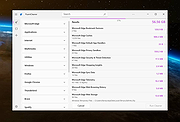 |
|
Games Cleaner v24.31022 Games Cleaner v24.31022 👉 Advanced gaming cleanup utility that removes leftover files, launcher junk, caches, logs, and temporary game data to free valuable storage space. Games Cleaner is a specialized cleanup utility designed specifically for gamers who want to reclaim wasted disk space and keep their systems organized. Unlike general-purpose cleaning tools, Games Cleaner focuses on the unique folders and temporary files created by modern PC games and digital distribution platforms. The program scans gaming-related directories for leftover uninstall files, launcher caches, outdated logs, crash reports, shader caches, empty folders, screenshots, temporary downloads, and other unnecessary data commonly left behind after gaming sessions or incomplete uninstallations. This helps reduce clutter while freeing storage space that can quickly disappear on systems with large game libraries. Games Cleaner supports many popular gaming ecosystems and launchers, making it useful for players with collections spread across multiple platforms. The utility can detect and clean files created by services such as Steam, Epic Games Launcher, Ubisoft Connect, Bethesda Launcher, EA App, Battle.net, GOG Galaxy, and other common PC gaming environments. The interface is designed to be straightforward and easy to use, allowing users to quickly scan their system, review detected items, and remove unnecessary files without manually browsing through complicated game directories. It can be especially useful for SSD users where storage space is limited and large modern games constantly generate temporary data. Features: • Cleans leftover files from installed and previously uninstalled games • Removes temporary files, caches, logs, shader caches, and crash reports • Supports multiple popular gaming launchers and ecosystems • Detects unnecessary gaming-related junk files automatically • Helps recover valuable disk space on SSDs and HDDs • Scans for empty folders and obsolete directories • Cleans launcher-generated cache and temporary download files • Helps organize cluttered gaming systems • Simple and easy-to-use interface • Lightweight Windows utility focused on gaming cleanup • Designed specifically for PC gaming ... |
|
531 | Jun 04, 2026 Rezar Behzad 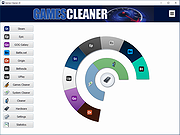 |
|
InstallerClean v3.3.0 InstallerClean v3.3.0 👉 Safely clean orphaned Windows Installer files and reclaim disk space. InstallerClean is a modern, open-source tool for cleaning unneeded files from the hidden C:\Windows\Installer folder. It scans for orphaned .msi and .msp files, checks them against the Windows Installer database, and lets you delete them to the Recycle Bin or move them to a folder you choose. Features: • Scans C:\Windows\Installer for unneeded installer and patch files • Detects orphaned MSI and MSP files • Detects superseded patches, including Adobe Acrobat patches • Uses the Windows Installer API instead of guessing by file names or dates • Shows needed and removable files with sizes • Delete sends files to the Recycle Bin • Move option lets you keep removed files in a safe folder • GUI and command-line versions included • No telemetry, no network activity, no background service, no scheduled task Supported operating systems: • Windows 10, Windows 11 Supported languages: Indonesian, German, English, Spanish, French, Italian, Dutch, Polish, Brazilian Portuguese, Vietnamese, Turkish, Russian, Ukrainian, Japanese, Simplified Chinese, Traditional Chinese, Korean Changes: v3.3.0 10-13-26 Added InstallerClean can now be shown in Traditional Chinese, written for Taiwan's usage with the words Windows itself uses there: every window, dialog, tooltip, button and screen-reader label, the command-line tool's text and the setup wizard. A Windows set to Traditional Chinese shows it automatically, and it can be picked from the main-window language menu. Like the other machine-drafted languages it is published beside the English in docs/translations/zh-Hant.md for anyone who reads it to check, and the README has a Traditional Chinese edition, which the app's README links open. Where the languages stand: Natively done Live machine-translated README only * English · Italian · Japanese · Dutch Simplified Chinese · Traditional Chinese · Russian · Spanish · Brazilian Portuguese · Polish · Turkish · Korean · French · German · ... |
|
1,143 | Oct 13, 2026 no-faff 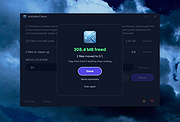 |
|
MacOSCleaner v2.3.0 MacOSCleaner v2.3.0 👉 Free, privacy-focused macOS cleaner, app uninstaller, duplicate finder, disk analyzer and system maintenance utility. MacOSCleaner is a native macOS cleaning and maintenance utility designed to help reclaim storage space while giving you control over exactly what is removed. It can scan caches, developer files, application leftovers, duplicate files, old installers and many other types of unnecessary data. It also includes a forensic application uninstaller, disk space analyzer, process manager and startup service manager. Files identified by the uninstaller and disk analyzer are moved to the Trash where possible, while protected system locations are blocked from deletion. MacOSCleaner runs locally with no telemetry or cloud transmission and includes optional on-device Apple Intelligence explanations and Siri/Shortcuts automation. Features: • Smart Cleanup scans 55 categories and more than 1,880 defined locations covering over 275 applications and 86 developer toolchains • Cleans application and browser caches, developer files, package manager data, crash reports, Mail downloads and other unnecessary files • Forensic App Uninstaller examines application-related files using bundle IDs, Team IDs, Spotlight data, property lists, Launch Services and other evidence • Post-uninstall verification lets you inspect and selectively remove remaining files after uninstalling an application • Dedicated orphan scanner finds remnants from applications that were previously removed • Orphaned files are grouped by confidence level as Guaranteed, Very Likely or Possible • Duplicate File Finder uses file size, partial hashing and full SHA-256 hashing to identify exact duplicates • Disk Space Analyzer lets you navigate folders using an interactive directory tree and breadcrumb navigation • Uses APFS allocated-size information to more accurately report physical disk usage • Built-in Quick Look support lets you preview files directly from the disk analyzer • Protects cloud-only iCloud items from being downloaded unintentionally during analysis • Project Build Artifacts category detects regenerable folders such as node_modules, target, .venv, .dart_tool and build • Build artifact age filters can target files older ... |
|
112 | Oct 05, 2026 AlexTkDev 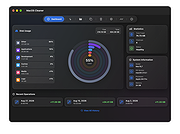 |
|
McAfee Consumer Product Removal tool (MCPR) v10.5.374.0 McAfee Consumer Product Removal tool (MCPR) v10.5.374.0 👉 Completely removes McAfee consumer security products and leftover components from Windows. McAfee Consumer Product Removal tool (MCPR) is McAfee's official cleanup utility for removing McAfee consumer security software from a Windows PC. It is particularly useful when a normal uninstall fails, leaves components behind, or you need to completely clean out an existing McAfee installation before reinstalling McAfee or switching to another security product. McAfee recommends first uninstalling its software through the normal Windows uninstall process. MCPR can then be run to remove remaining McAfee files, services, drivers, registry information, and other installation components that might otherwise remain on the computer. The program is portable and does not need to be installed. Run MCPR.exe, accept the license agreement, complete the security validation displayed by the program, and allow it to perform the cleanup. When MCPR reports that removal is complete, restart Windows to finish the process. Because McAfee updates MCPR periodically, McAfee recommends downloading a fresh copy whenever you need to use it rather than keeping an older copy. Features: • Official McAfee removal and cleanup utility • Removes McAfee consumer security software from Windows • Cleans up components that can remain after a standard uninstall • Useful when the normal McAfee uninstaller fails or does not completely remove the product • Helps prepare a computer for a clean McAfee reinstallation • Helps prevent remnants of McAfee software from interfering with another security product • Removes associated McAfee installation data and system components • Portable utility requiring no installation • Provides a guided removal process • Includes a security validation step to help prevent accidental execution • Reports when the removal process has successfully completed • Requires a Windows restart after successful removal to finish cleanup • Free to download and use Supported operating systems: • Windows 10, Windows 11 Supported languages: English Changes: Not provided. Click here to visit the author's website. |
|
10,547 | Aug 12, 2026 McAfee 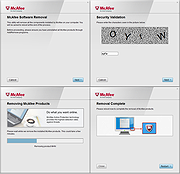 |
|
Microsoft Safety Scanner v1.457.193.0 Microsoft Safety Scanner v1.457.193.0 👉 On-demand malware scanner from Microsoft. Microsoft Safety Scanner is a free security tool designed to find and remove malware from Windows systems. It provides on-demand scanning with the latest malware definitions and is intended to complement, not replace, a full-time antivirus solution. The tool can be run directly after download, making it useful for quick system checks or emergency malware removal. Microsoft Safety Scanner uses the same detection engine as Microsoft Defender and allows users to perform quick scans, full system scans, or customized scans of specific folders and drives. Because it is updated frequently, users must download the latest version each time they want to run a scan, as older versions expire after a limited time. Features: • Uses Microsoft Defender malware detection engine • Quick scan, full scan, and custom scan options • Detects and removes viruses, spyware, and other malicious software • Simple interface for easy operation • Frequently updated definitions for current threats • Can be run alongside existing antivirus software • Ideal for troubleshooting infected systems Supported operating systems: • Windows 10, Windows 11, Windows Server 2016, Windows Server 2019, Windows Server 2022 Supported languages: All languages supported by Windows (uses system language) Changes: v1.457.193.0 08-16-26 Not Provided This download is for the Windows 64bit version (very bottom of page). If you need the Windows 32bit version, download here. Click here to visit the author's website. |
|
6,815 | Aug 16, 2026 Microsoft Corp. 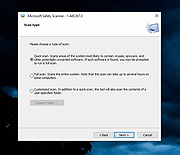 |
|
Mouzi v0.1.3 Mouzi v0.1.3 👉 Automatically organizes your Downloads folder from the system tray. Mouzi is a free, privacy-first file organizer that quietly runs from the Windows system tray and automatically sorts downloaded files by type. It can monitor selected folders, apply customizable rules, move files into organized subfolders, keep a local history of actions, and undo moves when needed. Everything stays on your computer, with no cloud uploads and no telemetry by default. Features: • Automatically organizes new downloads as they arrive • Runs quietly in the background from the system tray • Custom rules using file extensions, regex patterns, and destination folders • Dynamic paths such as {year}, {month}, {day}, {extension}, and {filename} • Built-in rules for images, documents, archives, installers, music, video, and other files • One-click Clean Now option for organizing existing files • Local history with one-click undo • Per-folder ignore rules using .mouziignore • Dark Mode support with system theme detection • 100% offline with local SQLite storage • Portable version available Supported operating systems: • Windows 10, Windows 11 Supported languages: English, Polish, Italian, German, French, Russian, Japanese Changes: v0.1.3 06-13-26 Bug Fixes Clean Now no longer processes folders set to Paused mode. Empty (0 B) files are now sorted correctly. .mouziignore patterns with multiple wildcards and spaces now work reliably. Folders are scanned for existing files when added or refreshed. NSIS installer now closes a running Mouzi instance before installing. UI / UX New warm color theme matching mouzi.cc. Added dedicated About tab in Settings. Tray tooltip now shows the number of pending files waiting for Clean Now. Added Open folder buttons in Recent Actions and History. Improved empty states with icons. Revert All button is disabled when there is nothing ... |
|
942 | Jun 15, 2026 Krystian Welcel 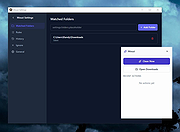 |
|
mssPortable (Microsoft Safety Scanner Portable) v1.457.164 mssPortable (Microsoft Safety Scanner Portable) v1.457.164 👉 Portable malware scanning tool from Microsoft for on-demand threat detection and removal. mssPortable is a portable version of the Microsoft Safety Scanner. It's a standalone security utility designed to scan for and remove malware from Windows systems without requiring installation. It provides a quick and reliable way to check a system for viruses, spyware, and other malicious software using the latest Microsoft threat definitions. Because it is portable, it can be run from a USB drive or other external media, making it ideal for troubleshooting infected systems or performing secondary scans alongside existing antivirus software. The tool does not offer real-time protection and is intended for manual, on-demand use. Features: • Fully portable with no installation required • Uses Microsoft’s latest malware definitions for accurate detection • Quick, full, and custom scan options • Detects and removes viruses, spyware, and other malicious software • Can be run alongside existing antivirus programs • Ideal for emergency cleanup and second-opinion scans • Simple interface for fast operation • Expires 10 days after download to ensure updated threat definitions Supported operating systems: • Windows 7, Windows 8, Windows 10, Windows 11 Supported languages: English Changes: v1.457.164 08-14-26 Not Provided Click here to visit the author's website. |
|
778 | Aug 16, 2026 Microsoft & PortableApps.com |
|
OpenDisk v1.2.2 OpenDisk v1.2.2 👉 See what is using your Mac’s storage with a fast, interactive disk map. OpenDisk is a free, open-source disk space analyzer for macOS. It scans a drive or selected folder and displays the results in an interactive sunburst chart alongside a sortable folder list. Results appear while the scan is running, and you can click through folders to find large files. Incremental rescans reuse earlier results to check for changes more quickly. Full Disk Access is needed for accurate whole-drive totals. Features: • Interactive sunburst chart shows how folders and files use space. • Live results appear during a scan. • Sortable folder list and breadcrumbs help you navigate the results. • Search the scanned file tree as you type. • Incremental rescans check for changes since the previous scan. • Quick Look previews let you inspect selected files. • Collector lets you gather files and folders, review their combined size, and delete them together. • Shows a breakdown of purgeable space and recognizes connected external drives. • Automatic updates through Sparkle. Supported operating systems: • macOS Sequoia 15 or higher, Apple Silicon and Intel Macs Supported languages: English Changes: v1.2.2 09-23-26 • Hard-linked files are counted once after a quick rescan. • HFS+ drives now use the same scanner as APFS, fixing oversized totals and enabling fast rescans. • Clearer wording in a few messages. Click here to visit the author's website. |
|
61 | Sep 24, 2026 Andeli Goli 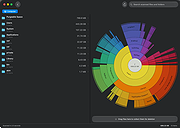 |
|
PrivaZer v4.0.127 PrivaZer v4.0.127 👉 Advanced privacy cleaner that removes traces of your activity from your PC. PrivaZer is a powerful privacy-focused cleaning tool designed to remove traces left behind by everyday computer use. It scans your system to locate leftover files, internet history, cookies, cache data, and other hidden artifacts created by Windows, browsers, and applications. By carefully cleaning these traces, PrivaZer helps improve privacy, free disk space, and keep your system running efficiently. PrivaZer performs deep scans that go beyond typical cleaning utilities, detecting residual data that many programs leave behind. It can safely remove traces from web browsers, messaging applications, system logs, and temporary files while offering detailed control over what is cleaned. Advanced options allow users to securely delete sensitive data and prevent recovery of removed files. The program also offers customizable cleaning profiles, scheduled cleanups, and secure deletion features for users who want to maintain long-term privacy protection. Despite its advanced capabilities, PrivaZer includes guided cleaning modes that help beginners safely perform system cleanup without risk. Features: • Deep scan and removal of privacy traces left by Windows and applications • Cleans browser history, cookies, cache, and internet activity records • Detects and removes residual files left after software uninstallations • Secure file deletion to prevent recovery of sensitive data • Cleans temporary files, logs, and leftover system artifacts • Guided cleaning mode for safe cleanup by less experienced users • Advanced cleaning options for experienced users • Optional scheduled cleaning and automation Supported operating systems: • Windows XP, Windows Vista, Windows 7, Windows 8, Windows 10, Windows 11 Supported languages: Arabic, Bulgarian, Chinese Simplified, Chinese Traditional, Czech, Danish, Dutch, English, Finnish, French, German, Greek, Hungarian, Indonesian, Italian, Japanese, Korean, Norwegian, Polish, Portuguese, Portuguese Brazilian, Romanian, Russian, Slovak, Slovenian, Spanish, Swedish, Turkish, Ukrainian Changes: v4.0.127 10-02-26 + Improved cleanup : HDD + Improved cleanup : TRIM + Improved cleanup : snapshots + Improved cleanup : Free Download Manager + ... |
|
15,047 | Oct 05, 2026 Goversoft LLC 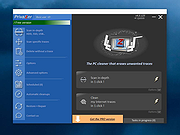 |
|
SearchMyFiles v3.36 SearchMyFiles v3.36 👉 A portable Windows search utility for finding files and folders using detailed filters, content searches, duplicate detection and more. SearchMyFiles is a portable alternative to the standard Windows file search that provides much more precise control over what you search for and how results are filtered. You can search by filename wildcards, folder locations, file size, attributes, creation, modification and access times, file contents and numerous other criteria. Search results can be opened directly, copied to the clipboard or exported to text, CSV, HTML or XML files. SearchMyFiles also includes specialized modes for locating duplicate files, files with duplicate names, non-duplicate files, empty folders and summarized folder information. No installation is required, and the program can be run from a USB flash drive without leaving configuration information in the Registry. Features: • Search files and folders using filename wildcards • Search multiple folders or drives in a single operation • Include or exclude specific folders from searches • Search through subfolders with configurable scanning depth • Search files by minimum or maximum size • Search by creation, modification or last-accessed date and time • Search for files created or modified within the last specified number of seconds, minutes, hours or days • Filter files using read-only, hidden, system, archive, compressed and encrypted attributes • Search inside files for text • Perform binary content searches using hexadecimal byte sequences • Search for multiple text or binary values at once • Search text inside Microsoft Office documents and supported PDF files using installed Windows search handlers • Search for folders as well as files • Duplicate Search mode finds files with identical contents • Duplicate files are compared byte-for-byte and visually grouped in the results • Non-Duplicates Search mode displays files that do not have duplicates • Duplicate Names Search finds files or folders sharing the same name • Duplicate Names Search can distinguish files with identical or different ... |
|
6,303 | Sep 04, 2026 Nir Sofer 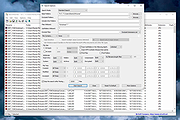 |
|
ShelfLife v0.7.1 ShelfLife v0.7.1 👉 Automatically clean, organize, and manage your folders based on customizable rules. ShelfLife is an open-source folder maintenance utility designed to keep commonly cluttered locations such as your Desktop and Downloads folder organized automatically. It can monitor selected folders and perform actions based on rules you define, including moving, deleting, or sorting files according to their age. This makes it ideal for keeping temporary files, old downloads, and accumulated clutter under control without constant manual cleanup. The program is designed with a straightforward interface that allows you to configure multiple folder management rules while providing enough flexibility for different cleanup workflows. Whether you want to archive older files, remove temporary items, or keep your Downloads folder tidy, ShelfLife automates the process in the background. Features: • Automatically organize folders using customizable rules • Monitor multiple folders simultaneously • Move files based on file age • Delete old or unwanted files automatically • Ideal for managing Desktop and Downloads folders • Helps reduce clutter and improve file organization • Simple, modern user interface • Open source Supported operating systems: • Windows 10, Windows 11 Supported languages: English Changes: v0.7.1 07-06-26 • Fix issue causing notifications to repeatedly appear after changing notification settings. • Improve notification handling behavior. Click here to visit the author's website. |
|
474 | Jul 07, 2026 LogicDX342 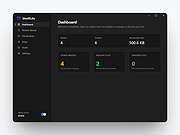 |
|
SpaceSniffer v2.2.0.27 SpaceSniffer v2.2.0.27 👉 Find lost disk space the easy way. SpaceSniffer is a freeware, portable disk space analyzer that helps you understand how folders and files are structured on your disks. It uses a Treemap visualization layout so you can quickly see where large folders and files are located. Features: • Treemap visual layout for spotting large files and folders • Portable, no installation required • Fast disk scanning • Zoom into folders for more detail • Filter results by file type, size, age, and other criteria • Drag and drop support • Customizable geometry, colors, and behavior • Multiple views for different media • Export customizable textual reports • NTFS Alternate Data Streams scanning support Supported operating systems: • Windows 7, Windows 8, Windows 10, Windows 11 Supported languages: English Changes: v2.2.0.27 [+] Added automatic detection for support of Alternate Data Streams on selected drive. [#] Fixed a crash on Alternate Data Streams scan. This download is for the Windows 64bit version (very bottom of page). If you need the Windows 32bit version (from 2016), download here. Click here to visit the author's website. |
|
7,672 | May 19, 2026 Uderzo Umberto 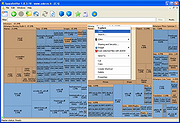 |
|
Spybot - Search & Destroy Portable v2.9.85.5-1 Spybot - Search & Destroy Portable v2.9.85.5-1 👉 Portable anti-spyware and malware removal tool with system immunization features. Spybot - Search & Destroy Portable is a standalone security utility designed to detect and remove spyware, malware, and other unwanted software from Windows systems without requiring installation. The portable edition allows you to run the program from a USB drive or external storage device, making it ideal for on-the-go troubleshooting and cleaning infected systems. Spybot - Search & Destroy Portable scans your system for malicious files, registry entries, tracking cookies, and potentially unwanted programs. In addition to removal capabilities, it includes an Immunization feature that helps block known malicious websites and harmful ActiveX components before they can affect your system. Features: • Portable version requiring no installation • Detects and removes spyware and malware • Advanced system scanning engine • Immunization to block malicious websites and threats • Startup tools and system repair utilities • Secure file shredding • Automatic updates for detection rules • Quarantine and recovery options Supported operating systems: • Windows 7, Windows 8, Windows 8.1, Windows 10, Windows 11 Supported languages: • English, German, French, Spanish, Italian, Dutch, Polish, Russian, Portuguese, Turkish Changes: v2.9.85.5-1 03-17-26 Not provided. Click here to visit the author's website. |
|
6,452 | Jul 06, 2026 Safer Networking Ltd. & PortableApps.com 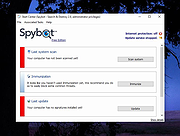 |
|
Trellix Stinger Portable v26.09.38.1 Trellix Stinger Portable v26.09.38.1 👉 Portable malware removal tool designed to detect and clean specific threats. Trellix Stinger Portable is a lightweight, standalone malware scanner created to detect and remove a targeted list of known viruses, trojans, and other malicious threats. Unlike full antivirus suites, Stinger focuses on remediation rather than continuous protection, making it ideal for emergency cleanup, second-opinion scans, or use on infected systems where traditional security software may not run properly. The portable build requires no installation and can be run directly from a USB drive or external media. Features: • Detects and removes a curated list of prevalent malware threats • Portable version runs without installation • Ideal for emergency cleanup and on-demand scanning • Command-line and GUI operation supported • Regularly updated malware definitions • Can be used alongside existing antivirus software Supported operating systems: • Windows 7, Windows 8, Windows 10, Windows 11 Supported languages: English Note: Suspicious and infected files will be quarantined to C:\Quarantine\Stinger and a database will be generated for the currently-scanned PC in that location. WARNING: You MUST close all other apps as Stinger may close them for you which can cause data loss. Click here to visit the author's website. |
|
2,078 | Sep 28, 2026 Musarubra US and PortableApps.com 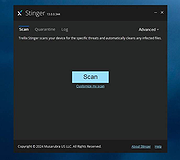 |
|
Trellix Stinger v26.09.40.1 Trellix Stinger v26.09.40.1 👉 A standalone malware detection and removal utility designed for emergency cleanup. Trellix Stinger is a specialized security tool designed to detect and remove specific families of malware from infected systems. Unlike full antivirus suites, it does not provide real-time protection and is intended primarily for use by administrators and technicians as a targeted cleanup utility. Stinger is frequently used when a system is suspected to be compromised and traditional antivirus software is unable to run or fully remediate the threat. Features: • Detects and removes a wide range of known malware threats • Standalone portable executable with no installation required • Ideal for emergency malware cleanup situations • Supports command-line options for scripted or automated use • Frequently updated threat detection engine • Minimal system impact during scanning • Detailed scan and removal logs for diagnostics • Can be used alongside existing antivirus software Supported operating systems: • Windows 10, Windows 11 Supported languages: English Changes: v26.09.40.1 09-29-26 New Detections: • Exploit-CVE2020-1058 • Exploit-CVE2020-1060.a • Exploit-CVE2020-1060.b • Exploit-cve2020-1062.a • Exploit-cve2020-1135 • Exploit-cve2020-1143.a • Exploit-cve2020-1153.a • FlyStudio-Agent • Generic exploit.ma • Generic trojan.kf • Generic trojan.kg • Generic trojan.kk • Generic trojan.ky • LNK/Downloader.ch • Ransom-LockBit • Ransom-Sodnkibi • Trojan-AutoIt.p • Trojan-BlueNoroff • Trojan-Packed.c Enhanced Detections: • Coinminer.l • Exploit-CVE2019-1367 • FakeAV-DZ • Generic Trojan.arc • Generic Trojan.kg • Generic Trojan.li • Generic Trojan.lj • Generic Trojan.ll • Generic trojan.jz • Generic trojan.kh • Generic-Trojan.z • PS/Agent.bv • Trojan-AitInject.aq • Trojan-CoinMiner.n • Trojan-PWS.k • Trojan-Ransom.a • Trojan-Ransom.b • Trojan-Trickbot.d • VBObfus.g 👉 This download is for the Windows 64bit version (very bottom of page). All other download assets are below: Other Windows: stinger32.exe Click here to visit the author's website. |
|
17,098 | Oct 05, 2026 Musarubra US LLC 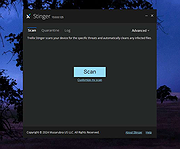 |
|
Trend Micro Anti-Threat Toolkit v1.2.62.1262 Trend Micro Anti-Threat Toolkit v1.2.62.1262 👉 Portable standalone malware scanning and cleanup tool. Trend Micro Anti-Threat Toolkit is a lightweight, standalone security utility designed to scan and clean infected computers without requiring installation. It is commonly used when a system is heavily infected and traditional antivirus software cannot be installed or updated. The tool can be run directly from removable media such as a USB flash drive and is intended for advanced malware detection and removal scenarios. Features: • Standalone executable with no installation required • Detects and removes malware, spyware, and other threats • Can be run from USB or other removable media • Designed for use on heavily infected systems • Command-line based interface for advanced troubleshooting Supported operating systems: • Windows 7, Windows 8.1, Windows 10, Windows 11 • Windows Server 2012 R2, Windows Server 2016, Windows Server 2019, Windows Server 2022 Supported languages: English Changes: v1.2.62.1262 Not provided. This download is for the Windows 64bit version (very bottom of page). If you need the Windows 32bit version, download here. Click here to visit the author's website. |
|
8,572 | Feb 26, 2026 Trend Micro Inc. 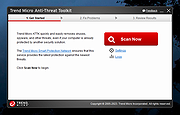 |
|
TwinPixCleaner v2.0.0 TwinPixCleaner v2.0.0 👉 Smart duplicate photo finder for macOS that detects exact matches and visually similar images. TwinPixCleaner is a native macOS utility designed to help you find and remove duplicate images so you can recover storage space and better organize your photo collection. It offers two scanning methods: exact duplicate detection using SHA-256 hashing and visual similarity detection for images that may not be byte-for-byte identical but still look the same. The program includes a simple “Keep This” workflow, native Quick Look preview support, sortable results, batch selection, and safe deletion to the macOS Trash with undo support. Features: • Dual scanning modes for exact duplicate matching and visual similarity detection • Finds identical photos as well as visually similar image variations • One-click "Keep This" option to preserve a preferred image and mark the rest • Safe deletion sends files to the macOS Trash instead of immediately removing them • Undo support with ⌘Z for restoring deleted files during the current session • Multi-select support for batch deletion • Native Quick Look previews with the Spacebar • Sorting options by size or number of copies • Native macOS interface with dark mode support • Keyboard shortcuts for scanning, previewing, deleting, undoing, closing, and quitting • Privacy-focused design with all processing performed locally • Works offline with no cloud processing required Supported operating systems: • macOS 13.0 Ventura or higher Required Permissions: • File Access TwinPixCleaner needs permission to read folders you select Granted automatically when you choose a folder • Full Disk Access (Optional) Required for system folders and external drives Enable in: System Settings → Privacy & Security → Full Disk Access Add TwinPixCleaner to the list Supported languages: Supports OS Language. Changes: v2.0.0 05-10-26 What's New Apple Photos Integration: You can now scan your native macOS Photo Library directly. The app intelligently identifies duplicates while respecting your system's privacy and safety. Batch Deletion: Optimized the deletion process for Apple ... |
|
757 | Jul 29, 2026 Akshay Kumar Gupta 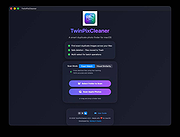 |
|
Uninstalr v3.1 Uninstalr v3.1 👉 Fast bulk uninstaller that removes programs and leftover traces in one process. Uninstalr is a Windows uninstallation tool that allows you to remove multiple applications at once while automatically detecting and deleting leftover files, folders, and registry entries. It is designed to streamline the uninstall process by combining standard removal with post-uninstall cleanup into a single operation. Uninstalr performs deep scanning after each uninstall to ensure that no residual data remains, helping keep systems clean and free from clutter. It also supports removing broken or partially uninstalled programs that cannot be removed through normal means. The program emphasizes speed, accuracy, and ease of use, making it suitable for both everyday users and advanced system maintenance. Features: • Uninstall multiple programs in a single batch • Automatically removes leftover files, folders, and registry entries • Combines uninstall and cleanup into one streamlined process • Handles broken or incomplete uninstall entries • Fast scanning engine for efficient cleanup • Portable version available Supported operating systems: Windows 11, Windows 10, Windows 8 and Windows 7. Supported languages: • Chinese Simplified, Chinese Traditional, Czech, Danish, Dutch, English, Filipino, Finnish, French, German, Greek, Hindi, Hungarian, Indonesian, Italian, Japanese, Korean, Malay, Norwegian, Polish, Portuguese, Romanian, Slovak, Spanish, Swedish, Thai, Turkish, Ukrainian, Vietnamese Changes: v3.1 07-08-26 Key Changes: Uninstalr now starts and shows the list of installed apps faster after the initial scan has been completed, and with much smaller memory usage. Uninstalr now detects and highlights apps that automatically start with Windows. Greatly improved the detection of portable apps. Improvements: New feature: Uninstalr now detects and highlights apps that automatically start with Windows. New feature: Uninstalr now highlights possible leftovers and apps from Russia and China. This can be disabled from the Settings. New feature: A ... |
|
4,656 | Jul 14, 2026 Macecraft Software 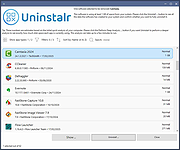 |
|
Wagnardsoft Tools (WTools) v1.0.9.5 Wagnardsoft Tools (WTools) v1.0.9.5 👉 Clean temporary files, repair Windows, and manage system settings from one utility. Wagnardsoft Tools (WTools) combines Windows cleanup, repair, monitoring, and maintenance features in one application. It finds unused Registry entries, removes temporary files from Windows and browsers, and helps repair corrupted system files. Its Home screen shows hardware, storage, and the status of selected performance settings. Beyond cleanup, WTools offers SSD TRIM, DPC latency monitoring, a performance overlay, Windows Update controls, and management of Microsoft Store apps. Advanced users can open Command Prompt and Registry Editor with SYSTEM privileges. Review the selected items before cleaning or changing Windows settings. Features: • Scan for unused Registry entries, including interface, class, and installer issues. • Select additional Registry categories for privacy traces and orphaned firewall rules. • Remove temporary files from Windows, the current user, and browsers. • Repair corrupted Windows system files. • View CPU, RAM, GPU, motherboard, operating system, and storage information. • Monitor DPC latency and view a chart covering the last 1, 5, or 15 minutes. • Display performance information in an overlay. • Run SSD TRIM with an adjustable optimization threshold. • Enable or disable Message Signaled Interrupts for supported NVIDIA cards before the RTX 3000 series. • Open Command Prompt and Registry Editor with SYSTEM privileges. • Manage Microsoft Store apps and hidden Windows updates. • Clean superseded components from the Windows WinSxS folder. • Adjust interface size from 100% to 150%. Supported operating systems: • Windows 7 SP1 with Extended Security Updates, Windows 8, Windows 8.1, Windows 10, Windows 11 Some features, including DPC latency monitoring, do not work on Windows 7. Supported languages: English, French, Spanish, German, ... |
|
4,101 | Sep 28, 2026 Wagnardsoft 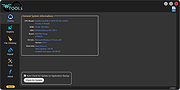 |
|
Win11Debloat v2026.08.24 Win11Debloat v2026.08.24 👉 Declutter and customize Windows 10 or 11 by removing unwanted apps, telemetry, ads, AI features and other annoyances. Win11Debloat is a lightweight PowerShell utility for cleaning up and customizing Windows without installation. It can remove preinstalled apps, disable telemetry and advertising, change privacy settings, disable unwanted Windows AI features, modify the Start menu, taskbar and File Explorer, and adjust many other Windows behaviors. It includes an interactive graphical interface as well as command-line options for administrators and automated deployments. The OlderGeeks.com download contains the official Get.ps1 quick-launch script. An Internet connection is required because this launcher downloads the current Win11Debloat release directly from the official GitHub repository before starting it. The downloaded files are placed temporarily under %TEMP%\Win11Debloat and are cleaned up when the program closes, while configuration files, logs and backups are preserved. Most changes made by Win11Debloat can be reversed, and most removed Microsoft Store applications can be reinstalled. Because the utility makes substantial changes to Windows, users should carefully review the selected options before applying them. Features: • Remove a wide variety of preinstalled Windows applications • Disable telemetry, diagnostic data collection, activity history, app-launch tracking and targeted advertising • Disable Windows tips, suggestions, lock-screen promotions and Microsoft Edge advertising • Disable Windows location services, application location access and Find My Device tracking • Hide Microsoft 365 advertising on the Settings Home page or hide the Home page completely • Disable or remove Microsoft Copilot, Windows Recall and Click to Do • Prevent the Windows AI service from starting automatically • Disable AI features in Microsoft Edge, Paint and Notepad • Restore the classic Windows 10-style context menu • Disable mouse acceleration, Sticky Keys shortcuts, Storage Sense and Fast Startup • Disable automatic BitLocker device encryption • Disable network connectivity during Modern Standby • Prevent Windows from automatically restarting after updates while a user is signed in • Disable Windows Delivery Optimization • ... |
|
302 | Aug 25, 2026 Jeffrey Raphire 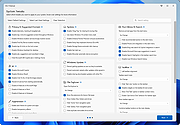 |
|
WinDirStat v2.9.0 WinDirStat v2.9.0 👉 Disk usage analyzer and cleanup assistant for Microsoft Windows. WinDirStat is a disk usage analyzer and cleanup assistant for Microsoft Windows. It scans local drives, selected drives, individual folders, and command-line targets, then shows where storage is being used through a sortable directory tree, an extension/type breakdown, and an interactive treemap where larger files and folders take up larger areas. Features: • Scan local drives, selected drives, individual folders, and command-line targets • View disk usage with All Files, Largest Files, Duplicate Files, Search Results, File Watcher, Extension, and Treemap views • Interactive treemap navigation with zooming and logical or physical sizing • Sortable file details including size, percentages, item counts, owner, modified time, hardlinks, and hash prefixes • Search, duplicate detection, and filtering with regular expressions • Configurable hash algorithms • File watching and reporting for created, deleted, modified, and renamed events • CSV scan import/export and duplicate CSV export • Built-in actions for opening items, copying paths, selecting in Explorer, moving files, deleting files, and emptying folders or the Recycle Bin • Windows cleanup and maintenance shortcuts • User-defined cleanup actions • Dark mode, portable settings, Explorer context-menu integration, localization, configurable columns, larger toolbar icons, and high-DPI aware UI Supported operating systems: • Windows 7, Windows 8, Windows 8.1, Windows 10, Windows 11 • Windows Server 2008 R2, Windows Server 2012, Windows Server 2012 R2, Windows Server 2016, Windows Server 2019, Windows Server 2022, Windows Server 2025 Supported languages: English, Chinese (Simplified), Chinese (Traditional), Czech, Danish, Dutch, Estonian, Finnish, French, German, Hungarian, Italian, Japanese, Korean, Norwegian Bokmεl, Polish, Portuguese, Russian, Slovenian, Spanish, Swedish, Turkish, Ukrainian Changes: v2.9.0 09-26-26 Enhancements Added selection of multiple individual folders (thanks @djdomi) Added scanning support for MTP portable devices Added volume / free space stats for administrative share drive paths Added size proportion tooltips showing percentages of the total ... |
|
2,729 | Sep 29, 2026 WinDirStat Team 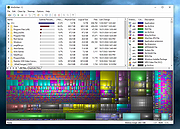 |
|
WizTree v4.33 WizTree v4.33 👉 Ultra-fast disk space analyzer that shows what files and folders are using your hard drive space. WizTree scans your hard drive and displays the files and folders using the most disk space so you can quickly locate and remove unnecessary data. Unlike many disk analyzers that slowly scan every file, WizTree reads the NTFS Master File Table (MFT) directly, allowing it to analyze an entire drive in seconds. This makes it one of the fastest disk space analysis tools available for Windows. WizTree presents results in a clear, sortable list showing folders and files by size, along with a colorful visual treemap that helps identify large files at a glance. You can quickly search for specific files, filter results, and open or delete files directly from within the interface. The program also allows exporting scan results and identifying the largest files on your system instantly. Because of its extremely fast scanning method and simple interface, WizTree is a valuable tool for quickly diagnosing disk space problems, cleaning up large files, and keeping storage organized. Features: • Extremely fast disk scanning using the NTFS Master File Table (MFT) • Visual treemap display showing relative file sizes • Sort files and folders by size, name, or other attributes • Quickly identify the largest files on a drive • Search and filter results to locate specific files • Delete files directly from the interface • Export scan results to CSV file • Supports scanning entire drives or individual folders • Portable version available Supported operating systems: • Windows 7, Windows 8, Windows 10, Windows 11 Supported languages: English, Arabic, Belarusian, Bulgarian, Catalan, Chinese Simplified, Chinese Traditional, Czech, Danish, Dutch, Estonian, Finnish, French, German, Greek, Hebrew, Hungarian, Indonesian, Italian, Japanese, Korean, Latvian, Lithuanian, Norwegian, Polish, Portuguese, Portuguese Brazilian, Romanian, Russian, Serbian, Slovak, Slovenian, Spanish, Swedish, Thai, Turkish, Ukrainian, Vietnamese Changes: v4.33 09-16-26 WizTree is now available for macOS 12 or later ... |
|
11,945 | Sep 23, 2026 antibody-software.com 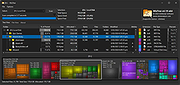 |
| Showing rows 1 to 34 of 34 | Showing Page 1 of 1 | 1 |
OlderGeeks.com Copyright (c) 2026
