|

|
Processed through Paypal No account required. |








Buy our over-priced crap to help pay the bills.



|
|
Processed through Paypal No account required. |
| File - Download TwinPixCleaner v2.0.0 | ||||||||
| Description | ||||||||
|
Always scroll to the bottom of the page for the main download link. We don't believe in fake/misleading download buttons and tricks. The link is always in the same place. TwinPixCleaner v2.0.0 👉 Smart duplicate photo finder for macOS that detects exact matches and visually similar images. TwinPixCleaner is a native macOS utility designed to help you find and remove duplicate images so you can recover storage space and better organize your photo collection. It offers two scanning methods: exact duplicate detection using SHA-256 hashing and visual similarity detection for images that may not be byte-for-byte identical but still look the same. The program includes a simple “Keep This” workflow, native Quick Look preview support, sortable results, batch selection, and safe deletion to the macOS Trash with undo support. 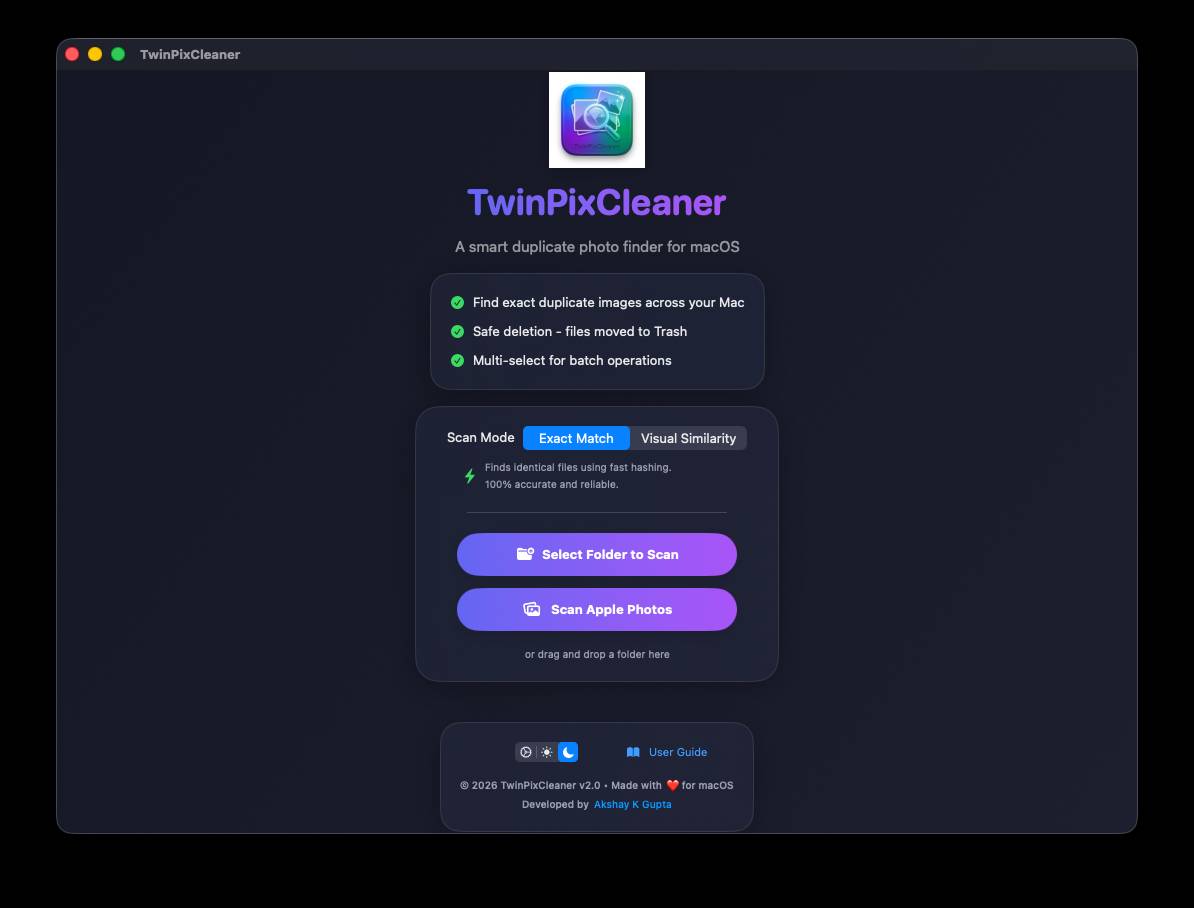 Features: • Dual scanning modes for exact duplicate matching and visual similarity detection • Finds identical photos as well as visually similar image variations • One-click "Keep This" option to preserve a preferred image and mark the rest • Safe deletion sends files to the macOS Trash instead of immediately removing them • Undo support with ⌘Z for restoring deleted files during the current session • Multi-select support for batch deletion • Native Quick Look previews with the Spacebar • Sorting options by size or number of copies • Native macOS interface with dark mode support • Keyboard shortcuts for scanning, previewing, deleting, undoing, closing, and quitting • Privacy-focused design with all processing performed locally • Works offline with no cloud processing required Supported operating systems: • macOS 13.0 Ventura or higher Required Permissions: • File Access TwinPixCleaner needs permission to read folders you select Granted automatically when you choose a folder • Full Disk Access (Optional) Required for system folders and external drives Enable in: System Settings → Privacy & Security → Full Disk Access Add TwinPixCleaner to the list Supported languages: Supports OS Language. Changes: v2.0.0 05-10-26 What's New Apple Photos Integration: You can now scan your native macOS Photo Library directly. The app intelligently identifies duplicates while respecting your system's privacy and safety. Batch Deletion: Optimized the deletion process for Apple Photos. Instead of confirming every single photo, you now get exactly one system prompt to authorize a batch of deletions. macOS Quick Look Support: Hit the Spacebar on any result to instantly preview the photo using the native macOS Quick Look panel. Smooth Scanning Animations: Completely refactored the scanning engine to run on background threads. This keeps the UI completely responsive and the scanning animation buttery smooth, even when processing thousands of files. Improved Metadata Discovery: Hover over any result (including Apple Photos) to see rich metadata, including original filename, file size, dimensions, and creation date. Improvements & Bug Fixes Precision Hashing: Updated the scanning logic for Apple Photos to use raw file byte streams. This ensures stable SHA-256 hashes and prevents "false duplicates" that can occur from image transcoding or edits. iCloud Awareness: The scanner now skips cloud-only assets that aren't downloaded locally, preventing unintentional data usage or silent background downloads. Clear Selection: Added a new "Clear Selection" button to quickly reset your choices in the results view. Responsive Cancellation: Added granular cancellation support—hitting "Cancel" now stops the scanning process instantly. Technical Notes Requires macOS 13.0 or later. Requires Photo Library access permissions for Apple Photos scanning. Apple Photos are moved to the "Recently Deleted" album for safe recovery if needed.  Click here to visit the author's website. Continue below for the main download link. |
||||||||
| Downloads | Views | Developer | Last Update | Version | Size | Type | Rank | |
| 759 | 2,734 | Akshay Kumar Gupta | Jul 29, 2026 - 11:58 | 2.0.0 | 2.85MB | DMG |  , out of 7 Votes. , out of 7 Votes. |
|
| File Tags | ||||||||
| SHA256 TwinPixCleaner images photos duplicate finder macOS duplicate visual similarity macOS cleanup organizer storage QuickLook Trash | ||||||||
Click to Rate File Share it on Twitter → Tweet
|


