|

|
Processed through Paypal No account required. |








Buy our over-priced crap to help pay the bills.



|
|
Processed through Paypal No account required. |
| Files | ||||
| File Name | Rating | Downloads | ||
 |
Batch Excel to PDF Converter v1.1 Batch Excel to PDF Converter v1.1 Powerful Excel to PDF converter program enables users to convert Excel XLS/XLSX Files to PDF format in bulk. No Office or MS Excel Required. Feature List Batch Convert XLSX/XLS to PDF Convert Single Workbook to PDF Merge Excel Files to One PDF Fit One Worksheet to One Page Change Paper Size Change Paper Orientation Support XLS, XLSX, ODS, CSV PDF Permission Settings Password Encryption Multi-language You Can Use It to - Convert Excel to PDF without Losing Formatting - Convert Excel to PDF Landscape / Portrait - Convert Excel to PDF on Windows 10 - Convert Excel to PDF on One Page - Convert Multiple Excel Sheets to PDF in Bulk - Combine Multiple Excel Files into One PDF - Combine Word and Excel Files into One PDF Features of Batch Excel to PDF Converter Batch Convert Excel XLSX/XLS Files to PDF in Bulk Convert Single Excel Worksheet to a PDF Combine and Convert Multiple Excel Spreadsheets & Files into One Single PDF Convert and Fit Each Excel Worksheet into One PDF Page Support Change PDF Paper Size and Orientation Support Owner Password & Open Password Protection Support ODS and CSV Table Formats Support WORD DOC/DOCX and Powerpoint PPTX/PPT Formats to PDF Not Require MS Office or Excel Installed Multi-language Users may often face with Excel Spreadsheets and workbooks in their daily office work, and need to convert XLSX and XLS files and worksheets to PDF format sometimes. Although the latest MS Excel version provides the feature saves a workbook as a PDF file, it is a ... |
 |
3,692 | Mar 23, 2021 PDFZilla  |
|
Calibre v9.15.0 Calibre v9.15.0 👉 A powerful and complete eBook management, conversion, and reading solution. Calibre is a comprehensive eBook management application that allows you to organize, convert, edit, and read eBooks in a wide variety of formats. It provides a complete solution for managing your digital library, syncing books with eReaders, downloading news from the web, and converting between popular eBook formats. Calibre also includes a built-in eBook viewer, powerful metadata editing tools, and support for plug-ins to extend its functionality. Features: • Organize and manage large eBook collections • Convert between multiple eBook formats including EPUB, MOBI, AZW3, PDF and more • Built-in eBook viewer with customizable reading options • Edit eBook metadata including title, author, cover and tags • Download news from websites and convert it into eBook form • Sync eBooks with popular eReaders • Powerful search and sorting tools • Plugin support to extend functionality Supported operating systems: • Windows 8.1, Windows 10, Windows 11 • macOS 10.15 or higher • Linux Supported languages: English, Afrikaans, Albanian, Arabic, Basque, Bengali, Bulgarian, Catalan, Chinese, Croatian, Czech, Danish, Dutch, Estonian, Finnish, French, Galician, German, Greek, Hebrew, Hindi, Hungarian, Icelandic, Indonesian, Italian, Japanese, Korean, Latvian, Lithuanian, Norwegian, Persian, Polish, Portuguese, Romanian, Russian, Serbian, Slovak, Slovenian, Spanish, Swedish, Tamil, Telugu, Thai, Turkish, Ukrainian, Vietnamese Changes: v9.15.0 09-18-26 New features A "Create your own adventure" writing game -- interactive storytelling with an AI managing the world you create This is a little different from the usual run of calibre features. It started out as a way to test the AI backends in calibre but turned into something fun to use. As always with AI features its completely optional and not even loaded unless you explicitly run it. Go to Preferences->Toolbars & menus and add the "Create your own Adventure" to the main toolbar to use it E-book viewer: Highlights panel: Allow ... |
|
12,269 | Sep 23, 2026 Kovid Goyal 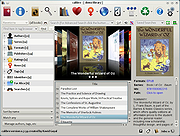 |
|
Dangerzone v0.11.0 Dangerzone v0.11.0 👉 Convert potentially dangerous documents into safe PDFs without exposing your computer to malicious content. Dangerzone is a free and open source document sanitization tool from the Freedom of the Press Foundation that lets you safely open PDFs, office documents, images and other potentially untrusted files. Instead of opening the original document directly, Dangerzone places it inside an isolated sandbox with no network access, converts each page into raw pixel data, and then reconstructs those pixels into a new, safe PDF. This process removes active content and other potentially malicious elements while preserving the document's visual appearance. Dangerzone supports more than 20 document types, including PDF files, major office-suite formats and common image formats. Because document processing takes place inside an isolated environment without network access, malicious content that might exploit the document converter is prevented from communicating with the outside world. Everything is processed locally on your computer. Features: • Converts potentially dangerous documents into safe PDF files • Uses an isolated sandbox to process untrusted documents • Renders document pages into raw pixel data before reconstructing them as PDFs • Removes potentially dangerous active content during conversion • Prevents the conversion sandbox from accessing the network • Processes documents locally on your computer • Supports more than 20 document and image formats • Supports PDFs and major office-suite document formats • Supports common image formats • Can process multiple documents • Allows additional documents to be added to an ongoing conversion • Supports converting another set of documents after completing a batch • Supports OCR processing • Free and open source under the AGPLv3 license • Maintained by the Freedom of the Press Foundation Supported operating systems: • Windows 10, Windows 11 • macOS, latest three supported releases, Intel and Apple Silicon • Ubuntu 22.04, Ubuntu 24.04, Ubuntu 25.10, Ubuntu 26.04 • Debian 12, Debian 13, Debian 14 • Fedora 43, Fedora 44 • Tails, current release • Qubes OS using a ... |
|
2,259 | Sep 02, 2026 Micah Lee  |
 |
Doro PDF Writer v2.26 Doro PDF Writer v2.26 Create PDF files for free in Windows and macOS. Create colored PDF documents from any Windows or macOS application for free. No banners nor any annoying restrictions! Just download and install Doro. After installation, you have an additional printer called ‘Doro PDF Writer’. You can enable the option to create PDF/A compliant PDF files. Create PDF files from any application: • Start any program that can print like Word© • Create your document, also colored pictures can be included • Print to the ‘Doro PDF Writer’ printer • Click ‘Create’ to create a colored PDF file in the Doro window 128-bit encryption: Encrypt the PDF file with 128-bit password protection. Also ‘copy and paste’ and printing can be prevented. Supported operating systems: Windows 11, Windows 10, Windows 8, Windows 7, Windows Vista, Windows XP, Windows 2000, Windows NT 4.0, Windows Server, Windows Me, Windows 98, macOS 15 … 10.15 Supported languages: English, German, French, Spanish, Portuguese, Greek, Italian, Dutch, Danish, Swedish, Norwegian, Japanese, Korean, Simplified Chinese, Traditional Chinese, Arabic, Russian, Ukrainian, Polish, Czech, Slovak, Hungarian, Turkish, Catalan and Occitan. This download is for the Windows version (very bottom of page). If you need the macOS version, download here. Click here to visit the author's website. |
|
9,300 | Jan 30, 2026 the sz development 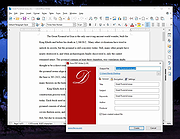 |
|
FastStone Image Viewer v8.5 FastStone Image Viewer v8.5 👉 Fast, stable image browser, editor and batch converter. FastStone Image Viewer is a fast, stable, user-friendly image browser, converter and editor. It includes image viewing, management, comparison, red-eye removal, emailing, resizing, cropping, retouching and color adjustments. Its full-screen mode gives quick access to EXIF information, thumbnail browsing and major tools through hidden edge toolbars. It also includes a high quality magnifier, musical slideshow with 150+ transition effects, lossless JPEG transformations, drop shadows, image annotation, scanner support, histogram display, batch conversion and batch renaming. Features: • Windows Explorer-like image browser and viewer • Supports BMP, JPEG, HEIC, WEBP, GIF, PNG, PCX, PDF, PSD, EPS, TIFF, WMF, ICO, CUR, TGA and many RAW camera formats • Full-screen viewer with zoom support and fly-out menu panels • Resize, rotate, crop, sharpen, blur, color correction, curves and levels tools • Clone Stamp, Healing Brush and red-eye removal • Draw text, lines, highlights, rectangles, ovals and callouts • Compare up to 4 images side-by-side • Batch convert and batch rename files • Slideshow with music and 150+ transition effects • Scanner support with batch scanning to PDF, TIFF, JPEG and PNG • Contact sheet creation, printing tools and image emailing • Portable version available Supported operating systems: • Windows XP, Windows Vista, Windows 7, Windows 8, Windows 10, Windows 11 Supported languages: Bulgarian, Chinese (Simplified), Chinese (Traditional), Czech, Danish, Dutch, Finnish, French, German, Hungarian, Italian, Japanese, Korean, Norwegian (Norsk bokmεl), Polish, Portuguese, Russian, Spanish, Swedish, Ukrainian Changes: v8.5 06-24-26 Added support for SVG format Added Start importing automatically and Handle duplicate file names automatically options to the Import Photos and Videos tool WebP files can now be rotated and saved with a single click Enhanced dark theme support in the PDF viewer Fixed a bug where some links in PDF files were not clickable Other improvements and bug fixes 👉 This download is for the Windows portable version (very bottom of page). All other download ... |
|
11,642 | Oct 07, 2026 FastStone Soft 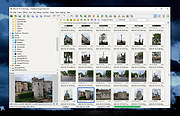 |
|
FleshNote v1.2.0 FleshNote v1.2.0 👉 A minimalist writing and worldbuilding app for novelists who want to finish their draft. FleshNote is an advanced writing tool built for novelists and worldbuilders, combining a manuscript editor with planning tools like timelines, entity tracking, plot mapping, export options, and specialized focus modes designed to keep writers moving forward. Features: • Smart Janitor assistant for passive local analysis of spelling, passive voice, weak adverbs, and show-don't-tell patterns • Hardcore sprint modes including Hemingway Mode, Zen Mode, Kamikaze Mode, and Fog Mode • Entity inspector for tracking character knowledge, goals, and narrative deception • Timeline and plot planner for mapping story beats, arcs, and foreshadowing • World history timeline for organizing backstory events before the main story begins • Unified manager for characters, locations, twists, and quick notes with inline tagging • Export support for PDF, DOCX, and EPUB output • Sketchboards, fictional calendars, relationship tracking, annotations, footnotes, writing prompts, achievements, and other quality-of-life tools Supported operating systems: • Windows, Linux Supported languages: English Changes: v1.2.0 04-26-26 New Features Location Name Generator Naming locations is hard. That's why i built this tool that will attempt to give you a decent starting point based on your answers Context-Aware Naming: The generator looks at your location's geography, history, and founder to propose names that feel earned. A coastal village might become Morskie-klify, while a site of an ancient magic disaster might evolve into something more cryptic. Cultural Roots: Full support for English, Polish and Hungarian naming traditions. The system understands complex rules like adjective gender matching (Stary Las vs Stara Gσra) and correct grammatical possessives, so your world feels linguistically consistent. Evolutionary "Drift": Use the "Phonetic Drift" slider to simulate the passing of centuries. At higher settings, names start to slur and shift, mimicking how real-world languages evolve over generations. Character Name Generator Creating names for specific genres is now ... |
|
785 | Aug 03, 2026 ArtFacility 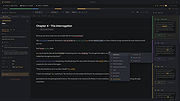 |
|
Foxit Reader Portable v2026.1.1 Foxit Reader Portable v2026.1.1 👉 Lightweight and feature-rich PDF reader you can take anywhere. Foxit Reader Portable is a compact, portable version of the popular Foxit PDF Reader that lets you view, annotate, fill out, and sign PDF documents without installing anything on your system. Designed to run from a USB drive or other portable media, it allows you to carry your PDF viewer and personal settings with you and use it on any compatible Windows computer. Foxit Reader Portable offers fast performance, a clean interface, and strong compatibility with standard PDF documents. It supports advanced features such as commenting, highlighting, form filling, digital signatures, and secure document viewing. Its small footprint and portability make it ideal for users who need a powerful PDF solution on the go. Features: • View, print, and search PDF documents • Add comments, highlights, and annotations • Fill out and save PDF forms • Support for digital signatures and document security • Tabbed interface for working with multiple PDFs • Fast startup and lightweight performance • Portable, no installation required Supported operating systems: • Windows 7, Windows 8, Windows 10, Windows 11 Supported languages: English, Deutsch (German), Espaρol (Spanish), Portuguκs (Portuguese), Franηais (French), Русский (Russian), Italiano (Italian), Nederlands (Dutch), 日本語 (Japanese), العربية (Arabic), 한국어 (Korean), 繁體中文 (Traditional Chinese) Changes: v2026.1.1 04-27-26 New Features and Improvements in Foxit PDF Reader 2026.1.1.36485 Upgrade the real-time PDF collaboration service - now powered by Foxit Document Management System (DMS) in certain regions, delivering a more efficient workflow and a smoother, seamless user experience. Issues Addressed in Foxit PDF Reader 2026.1.1.36485 Fixed some security and stability issues. Click here for details. Click here to visit the author's website. |
|
7,894 | Jun 27, 2026 Foxit Software Incorporated & PortableApps.com (Vic Saville)  |
|
Free PDF Compressor v1.1 Free PDF Compressor v1.1 Free PDF Compressor is a free PDF compression software to enable you to effectively reduce the size of PDF files. Software is simple and easy to use, select an existing PDF file, and hit button "Compress", a compressed PDF file will be created, page by page, a progress bar will show progress of the whole compression process. This software is completely freeware, free for personal and non-commercial use. Why is there a need to compress a PDF file? Some PDF files are large, especially PDF documents that contains many images, these files open very slowly, and are not easy to store, transfer and share. Now you can use this free PDF compression software to compress these files with an acceptable quality. At the same time, by reducing PDF files size, you can use PDF as your ebook format, easy to read PDF files on mobile phone, send by email as attachments, or upload and share with your friends. This software supports five different compression settings: Screen - low resolution, screen-view-only quality, 72 dpi images eBook - medium resolution, low quality, 150 dpi images Printer - high quality, 300 dpi images Prepress - high quality, color preserving, 300 dpi images Default - a wide variety of uses, possibly larger output file These five compression settings represent five different compression ratio, generally, you can get a smallest output file with "Screen" setting, and get a biggest output file with and "Prepress" setting. But, please note, for a few PDF files, the resulting file will be large with "Screen" setting, in this case, you need to try different settings. |
|
6,346 | Oct 23, 2019 freepdfcompressor.com 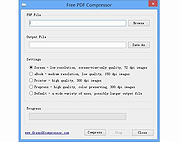 |
|
GenOffice v0.11.0 GenOffice v0.11.0 👉 A free, open-source office suite with six editors and optional AI assistance. GenOffice brings document writing, spreadsheets, presentations, PDF editing, HTML and Markdown together in one desktop workspace. It opens and saves native Microsoft Office files, including .docx, .xlsx and .pptx, and lets you work with your files locally. The suite includes Docs for word processing, Sheets for spreadsheets, Slides for presentations, PDF for editing and conversion, HTML for pages and reports, and Markdown for formatted notes. Its file engines preserve untouched portions of Office files rather than rebuilding everything each time you save. An optional AI assistant can work directly with your document. Ask it to rewrite a passage, build spreadsheet formulas, create a presentation or explain information in a file. Changes can be reviewed through snapshots, differences and rollback controls, with tracked revisions available in Docs. The office applications are free, with no ads or watermarks. AI features (optional) use Genspark credits or your own API provider, whose usage charges may apply. Opening, editing, saving and PDF-to-Office conversion run locally. Complex formatting can vary, so review important documents before sharing them. Features: • Six editors in one workspace: Docs, Sheets, Slides, PDF, HTML and Markdown. • Native Office formats: Open and save .docx documents, .xlsx workbooks and .pptx presentations. • Document editing: Work with styles, tables, images, headers, footers, comments and tracked changes. • Spreadsheet tools: Use live formulas, charts, pivot tables, slicers, conditional formatting and formula tracing. • Presentation editing: Work with slide masters, layouts, smart guides and image cropping. • PDF editing: Edit text and images directly within pages, and work with annotations and forms. • Local PDF conversion: Convert PDF files into editable Word, Excel or PowerPoint files without AI credits. • ... |
|
83 | Oct 01, 2026 Genspark 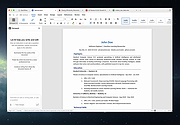 |
|
Griddy McGridFace v0.1.1 Griddy McGridFace v0.1.1 👉 Create high-quality photo collages with intelligent automatic layouts. Griddy McGridFace is an open-source desktop application for creating professional-looking photo collages quickly and easily. Simply import a folder of images, choose a page size, and let the application generate attractive layouts automatically. Built with Tauri, Rust, and SvelteKit, it runs natively across multiple platforms while providing a responsive interface and high-quality export options. The software includes intelligent face-aware cropping to help keep people properly framed, along with tools for repositioning, swapping, locking, and resizing individual photos. Projects can be saved and reopened later, making it suitable for both casual users and print-ready collage creation. Features: • Automatically generates photo collage layouts • Face-aware cropping helps keep subjects properly framed • Drag-and-drop image importing • Supports custom page sizes • Lock individual photos in place • Zoom, reposition, and swap photos within the layout • Create larger featured center images • Shuffle layouts instantly • Save and reopen projects • Autosave and crash recovery • Sort images by color, including dark-to-light and rainbow order • Export to PNG, JPEG, WebP, and PDF • Built with Tauri 2, Rust, and SvelteKit • Open source Supported operating systems: • Windows 10, Windows 11 • macOS 13 Ventura or higher • Linux (64-bit Debian-based distributions, 64-bit Arch Linux) Supported languages: English Changes: v0.1.1 07-09-26 Added drag-and-drop image import. Improved layout generation speed for larger image collections. Added per-photo fit controls. Added autosave and recovery. Added color sorting, including dark-to-light and rainbow ordering. Various bug fixes and improvements. Note: This file has two hits on VirusTotal. We have confirmed these to be false positives. The file is safe. This download is for the Windows setup version (very bottom of page). All other download assets are below: Other Windows: Griddy-McGridFace_0.1.1_x64_en-US.msi macOS: Griddy-McGridFace_0.1.1_aarch64.dmg Linux: Griddy-McGridFace_0.1.1_amd64.deb Click here to visit the author's website. |
|
471 | Jul 10, 2026 g33kphr33k 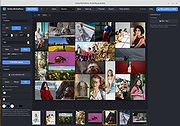 |
|
ImageConverter v2.0.0 ImageConverter v2.0.0 👉 Change image formats in one click. ImageConverter lets you quickly convert image files by dragging them into the list and clicking Convert. It supports multiple popular formats, resizing by width, high-compression JPG saving with MozJPEG, and can recognize images by file signature even when they do not have an extension. Features: • Change various image formats • Save JPG with higher compression using MozJPEG • Resize images by specifying the width • Supports PDF, SVG, AI, PSD, PNG, JPG, GIF, WEBP, and TGA • Recognizes images with file signature information even without an extension • Simple drag-and-convert workflow Supported operating systems: • Windows 10, Windows 11 Supported languages: English, German, Esperanto, French, Italian, Japanese, Polish, Portuguese, Russian, Slovak, Swedish, Thai, Turkish, Vietnamese, Chinese Changes: v2.0.0 09-22-26 - Redesigned ImageConverter with a more convenient way to start converting - Improved image size selection for easier use - Improved the update experience so you can keep using your existing settings - Improved right-click conversion in Windows - Prepared support for more operating systems Usage: • Drag the image files you want to change into the list. • Click the Convert button below. Click here to visit the author's website. |
|
1,096 | Oct 06, 2026 kilho.net 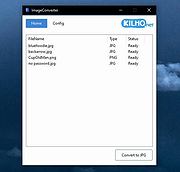 |
 |
KeenWrite v3.6.5 KeenWrite v3.6.5 👉 A free, open-source Markdown text editor for creating beautifully typeset documents and PDFs. KeenWrite is a cross-platform desktop Markdown editor designed for producing professional-quality documents with advanced typesetting capabilities. It combines a distraction-free writing environment with powerful features such as real-time preview, variable interpolation, mathematical notation using TeX syntax, and support for diagrams and structured content. KeenWrite focuses on technical writing, academic work, and long-form documents by enabling structured content and high-quality exports. Markdown documents can be converted into XHTML and then rendered into beautifully formatted PDFs using the ConTeXt typesetting engine and optional theme packs. The editor supports advanced syntax extensions, allowing writers to integrate variables, data, charts, and equations directly into their documents. The application includes a customizable interface with detachable panels, document outline navigation, integrated file management, and themeable skins for light or dark environments. KeenWrite also supports diagram creation (such as Mermaid and GraphViz), interactive statistics, and real-time math rendering, making it particularly useful for researchers, technical authors, and documentation writers. Interpolated variable replacement Features: • Cross-platform Markdown editor with live preview • Export Markdown documents to XHTML and high-quality PDF • Variable interpolation system for reusable content • Real-time math rendering using TeX notation • Diagram support including Mermaid, GraphViz, UML, and sequence diagrams • Built-in document statistics and word frequency analysis • Interactive document outline and integrated file manager • Customizable interface with detachable tabs and UI skins • Support for advanced Markdown extensions and Pandoc attributes • Dark mode and customizable visual themes Supported operating systems: • Windows 7, Windows 8, Windows 10, Windows 11 • macOS, • Linux, FreeBSD, Unix-like systems Supported languages: English, Korean, Japanese, Chinese, Simplified Chinese KeenWrite requires Java 17 or newer to run. If Java is not installed on your system, download and install the Java Runtime Environment before launching the program. Download Java Runtime Environment (JRE) See user manual for installation instructions: keenwrite-manual.pdf This download is ... |
|
875 | Mar 10, 2026 White Magic Software, Ltd. 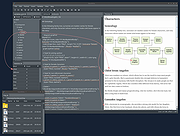 |
|
KillerPDF v1.7.3 KillerPDF v1.7.3 👉 Portable PDF editor for viewing, annotating, editing, and signing PDFs. KillerPDF is a free and open-source PDF viewer, annotator, and editor for Windows that provides PDF viewing, annotation, text editing, OCR, forms, signatures, page organization, transformation, printing, and flattening in a compact native executable. It can be run as a portable application or installed, requires no account or subscription, contains no ads, and sends no telemetry. PDFium provides document rendering while Tesseract provides built-in OCR, with additional OCR language models available on demand. Features: • High-quality PDF rendering using PDFium • Single-page, continuous scroll, two-page, book layout, and page grid viewing • Open multiple PDF documents in tabs • Split-pane mode displays two documents side by side in the same window • Each split pane maintains independent viewing and inverted-color settings • Drag tabs between split panes • Search an entire document with results highlighted while scrolling • Text selection follows columns and document reading order • Navigate outlines, bookmarks, clickable links, and internal references • Edit existing PDF text inline with font matching • Add resizable text boxes • Add freehand drawings, straight lines, shapes, and highlights • Adjust annotation colors, opacity, and line widths • Full RGB color picker for annotation colors • OCR an entire page or a selected region • Copy OCR results directly to the clipboard • Make scanned PDFs searchable by adding an invisible text layer • Extract all recognized text to a file • Built-in Tesseract OCR with additional language models available on demand • Fill and save PDF forms • Draw and reuse signatures • Import signatures from image files • Digitally sign PDFs using Certum SimplySign cloud certificates • Support for click-to-sign PDF form fields • Merge multiple PDF documents • Split and extract PDF pages • Drag and drop pages to rearrange them • Insert, rotate, move, extract, and delete pages • Drop folders or ZIP archives into the program to work with contained PDFs and images • Crop ... |
|
1,024 | Aug 17, 2026 SteveTheKiller 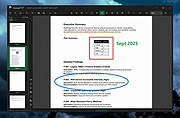 |
|
Kova v0.6.17 Kova v0.6.17 👉 Create beautiful Markdown-based presentations with live preview and PowerPoint/PDF export. Kova is an open-source presentation editor that lets you create modern slide decks using Markdown instead of traditional slide-by-slide editing. It provides a distraction-free writing environment with a live preview, built-in themes, syntax highlighting, diagrams, tables, code blocks, images, videos, speaker notes, and presenter tools. Kova can export presentations to PDF and Microsoft PowerPoint (.pptx), making it suitable for technical talks, documentation, education, and business presentations while keeping your slides in plain-text files that are easy to version and edit. Features: • Create presentations entirely in Markdown. • Live preview while editing slides. • Export presentations to PDF and Microsoft PowerPoint (.pptx). • Built-in themes with customizable appearance. • Support for syntax-highlighted code blocks. • Display Mermaid diagrams. • Insert images, videos, tables, and lists. • Automatic table of contents generation. • Presenter mode with speaker notes. • Hyperlinks, footers, and slide numbering. • Cross-platform desktop application. • Open-source under the MIT License. Supported operating systems: • Windows 10, Windows 11 • macOS 13 Ventura or higher • Linux (AppImage, Flatpak) Supported languages: • English Changes: v0.6.17 07-11-26 Added: • Table of contents entries now render as a plain hyperlinked list by default. • Added a per-document option to switch table of contents back to numbered format. Fixed: • Fixed videos hiding other slide elements and improved mixed video PowerPoint exports. • Fixed duplicate image assets when re-adding previously removed images. • Fixed links without a URL scheme by automatically using HTTPS. • Fixed footer date formatting for certain locales. • Fixed uneven font scaling in two-column layouts. • Fixed Mermaid diagram font inconsistencies in exported presentations. • Fixed opening and saving files outside the home folder on Linux builds outside Flatpak. • Fixed the application becoming stuck after certain background task failures. Performance: • Limited Mermaid diagram render cache growth during long editing sessions. • PDF and PowerPoint export libraries now load on demand for faster startup. Packaging: • Windows MSI and EXE installers ... |
|
348 | Jul 14, 2026 Kova contributors 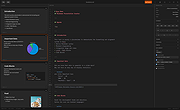 |
|
LibreOffice Portable v26.2.4 LibreOffice Portable v26.2.4 👉 LibreOffice Portable can run from a cloud folder, external drive, or local folder without installing into Windows. LibreOffice Portable is a full-featured office suite -- including a word processor, spreadsheet, presentation tool, drawing package and database -- that's compatible with Microsoft Office, Word Perfect, Lotus and other office applications. It's easy-to-use and feature-rich, performing nearly all of the functions you'd expect in an office suite, but at no cost. Additional functionality including the Base database and document creation wizards is enabled by installing the jPortable portable Java runtime environment. Features: • Portable version runs without installation from USB or external drive • Includes Writer (word processor), Calc (spreadsheet), Impress (presentations), Draw (vector graphics), Base (database), and Math (formula editor) • Compatible with Microsoft Office file formats (DOCX, XLSX, PPTX) • Supports OpenDocument Format (ODF) as its native standard • Built-in PDF export and document signing • Extensive formatting, styles, and templates for professional documents • Macro support and scripting for automation • Extensions and add-ons available to expand functionality • Multi-language interface and spellchecking support • Cross-platform compatibility with consistent interface • Offline use with no cloud dependency • Regular updates from The Document Foundation Supported operating systems: Windows 7, 8, 10, 11 and WINE Supported languages: English, Afrikaans, Albanian, Amharic, Arabic, Armenian, Assamese, Asturian, Azerbaijani, Basque, Belarusian, Bengali, Bosnian, Breton, Bulgarian, Burmese, Catalan, Chinese (Simplified), Chinese (Traditional), Croatian, Czech, Danish, Dutch, Dzongkha, English (UK), Esperanto, Estonian, Finnish, French, Galician, Georgian, German, Greek, Gujarati, Hebrew, Hindi, Hungarian, Icelandic, Indonesian, Irish, Italian, Japanese, Kannada, Kazakh, Khmer, Korean, Kurdish, Lao, Latvian, Lithuanian, Macedonian, Maithili, Malayalam, Marathi, Mongolian, Nepali, Norwegian (Bokmεl), Norwegian (Nynorsk), Occitan, Odia, Persian, Polish, Portuguese, Portuguese (Brazil), Punjabi, Romanian, Russian, Sanskrit, Scottish Gaelic, Serbian (Cyrillic), Serbian (Latin), Sinhala, Slovak, Slovenian, Spanish, Swedish, Tamil, Telugu, Thai, Tibetan, Turkish, Ukrainian, Urdu, Uyghur, Uzbek, Vietnamese, Welsh Writer Edit all kinds of documents Writer has all the features you need ... |
|
9,494 | Jul 26, 2026 The Document Foundation & PortableApps.com 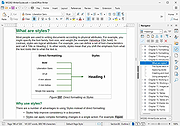 |
|
Multi PDF Merger v1.11 Multi PDF Merger v1.11 Free, portable tool to merge a large number of files, documents and images into a single PDF file. A large number of document types are supported, such as Microsoft Office, images text files and PDF and PostScript documents. Requirements: Windows 7 or newer, .NET Framework 4.x, GhostScript 9.x. Supported Document Types The following documents can be merged into PDF. Please note the individual requirements for each of the document type. Microsoft Office: Requires Microsoft Office 2013 or newer. Supported Office applications: Word, Excel, Powerpoint, Publisher, Visio. Additionally supported document types: text (*.txt), comma separated values (*.csv), rich text format (*.rtf), OpenOffice/LibreOffice. HTML documents and websites (URL): Requires Internet Explorer 8 or newer. A screenshot of the HTML page or the website is merged into the PDF document. The HTML document must be reasonably simple, otherwise a blank page is inserted instead. Images: No additional requirements. Supported image file types: JPEG (*.jpg), GIF (*.gif), Portable Network Graphics (*.png), TIFF (*.tif), PostScript (*.ps, *.eps). Changes: Version 1.11 (9 March 2020): Bugfixes. Click here to visit the author's website. |
|
3,161 | Dec 31, 2021 Jan Krohn 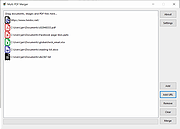 |
|
NAPS2 (Not Another PDF Scanner) v8.1.4 NAPS2 (Not Another PDF Scanner) v8.1.4 Free program to scan documents to PDF and more, as simply as possible. NAPS2 is free and open source scanning software for Windows, Mac and Linux. Easily scan with devices from Canon, Brother, HP, Epson, Fujitsu, and more. Then save to PDF, TIFF, JPEG, or PNG with a single click. Use the best drivers for your scanner Choose between WIA and TWAIN drivers, whichever works better for your scanner. Also choose settings like DPI, page size, and bit depth. Scan from a flatbed or automatic document feeder (ADF), including duplex support. Rotate, crop, and rearrange images Drag and drop your pages into whatever order you like. Interleave pages for manual duplex scanning. Rotate your pages by hand or automatically deskew to the right angle. Use image editing tools to crop or change brightness and contrast. Identify text using OCR Search through text included in your PDFs by using optical character recognition (OCR), in any of over 100 languages. Use NAPS2 in your native language Choose from over 40 different languages. Share scanners across the network Use scanners connected to other computers on your local network. Turn any scanner into a wireless scanner usable from your laptop or phone. Tools for power users and businesses Optional command-line interface (CLI) for automation and scripting NAPS2.Sdk scanning library for .NET developers MSI installer and application-level configuration available for group policy (GPO) deployment Portable archives available (doesn't require installation) Free and open source NAPS2 is completely free to use for both individuals and businesses, and includes no ads or unwanted software. Changes: v8.1.4: Windows: Added a "Theme" setting to switch between Light and Dark mode Linux: Fixed OCR on older Linux versions (e.g. Ubuntu 20.04) ... |
|
7,496 | Apr 16, 2025 Ben Olden-Cooligan 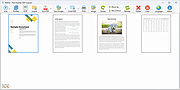 |
|
No Bloat PDF v1.5.0 No Bloat PDF v1.5.0 👉 A tiny, fast and private PDF viewer with no ads, accounts or telemetry. No Bloat PDF is a lightweight, open-source PDF viewer designed to do one thing well: open and read PDF files without the advertising, cloud services, accounts, launchers and other extras found in many modern PDF readers. The complete installer is only about 4.6 MB, yet the program provides tabbed viewing, document search, thumbnails, bookmarks, zooming, rotation and printing. It uses Mozilla's pdf.js rendering engine inside a small native application shell and is designed to open documents quickly without a splash screen or sign-in process. Privacy is a major part of the design. No Bloat PDF makes zero network calls, includes no telemetry and requires no account. PDF documents remain entirely on your computer. Multiple documents can be kept open as tabs in a single window, and the program remembers your position in previously viewed files. Dark mode follows the operating system while leaving the actual PDF pages in their original colors. Features: • Small 4.6 MB installer • Fast PDF opening with no launcher or splash screen • Built on Mozilla's pdf.js PDF rendering engine • Multiple PDF documents open as tabs in a single window • Full-text document search • Page thumbnail navigation • Document outline and bookmark navigation • Zoom controls for easier reading • Page rotation • Remembers your position in each PDF • High-resolution PDF printing directly from the viewer • Drag-and-drop support for opening PDF files • Can be configured as the system's default PDF viewer • Dark mode follows the operating system setting • PDF documents remain true-color when dark mode is enabled • Zero telemetry • Zero network calls • No user account or sign-in required • No cloud services • No advertising or upsells • Documents never leave your computer • Free to use • Open-source software released under the MIT license • Combine multiple PDFs and images into a single ... |
|
313 | Sep 09, 2026 Brian Galvan 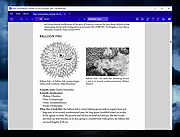 |
|
PDF Arranger v1.14.0 PDF Arranger v1.14.0 👉 Merge, split, rotate, crop and rearrange PDF pages with an easy graphical interface. PDF Arranger is a lightweight open-source application for merging, splitting, rotating, cropping, and rearranging PDF documents through a simple drag-and-drop graphical interface. Built with Python and GTK, it allows users to visually organize pages and create new PDF layouts without needing complex editing software. PDF Arranger is based on the functionality of PDF-Shuffler and uses pikepdf for PDF manipulation. It is designed to be fast, efficient, and easy to use for both casual and advanced users needing quick PDF document management. Features: • Merge multiple PDF documents into a single file • Split PDF documents into separate pages or ranges • Rotate pages individually or in groups • Crop pages visually • Rearrange pages using drag-and-drop • Duplicate pages quickly • Zoom and preview PDF pages • Supports password-protected PDFs • Import image files and convert them into PDF pages • Undo and redo editing actions • Customizable keyboard shortcuts • Open-source and cross-platform Supported operating systems: • Windows 10, Windows 11 • macOS • Linux • FreeBSD Supported languages: Arabic, Catalan, Catalan (Valencian), Czech, Danish, German, Greek, English, Spanish, Basque, Finnish, French, Hebrew, Croatian, Hungarian, Indonesian, Icelandic, Italian, Japanese, Georgian, Korean, Dutch, Occitan, Polish, Portuguese (Brazil), Portuguese (Portugal), Russian, Slovenian, Swedish, Turkish, Ukrainian, Vietnamese, Simplified Chinese, Traditional Chinese Changes: v1.14.0 04-13-26 • Added support for importing JBIG2 image files • Improved crop dialog behavior • Added new keyboard shortcuts • Improved handling of password-protected PDFs • Updated translations • Fixed several bugs and stability issues This download is for the Windows version (very bottom of page). Linux install instructions below: For Linux: pdfarranger requires pikepdf >= 6. pip will automatically install the latest pikepdf if there is no pikepdf installed on the system. On Debian based distributions sudo apt-get install python3-pip python3-wheel python3-gi python3-gi-cairo \ gir1.2-gtk-3.0 gir1.2-poppler-0.18 gir1.2-handy-1 python3-setuptools \ gettext python3-dateutil python3-venv On Arch Linux sudo pacman -S poppler-glib python-pip python-gobject ... |
|
5,119 | May 28, 2026 Jerome Robert 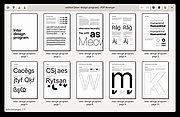 |
|
PDF Fixer v1.0.0.4 PDF Fixer v1.0.0.4 Repair Corrupt PDF data, Fix and Recover Corrupt PDFs. PDF is a very common document format in our daily work. It is a binary coding format generated by virtual printing of various files. Since most of PDF data is compressed, editing PDF files with a text editor will cause file corruption or data offset, or lose part of the data due to network instability during network transfer, which will cause PDF files to be damaged and corrupt. PDF reader programs cannot open or repair those corrupt PDF files and would prompt a few error alerts. PDF Fixer is a free PDF repair utility which repairs corrupt PDF files by restructuring the damaged PDF data, rebuilding XREF tables and then restore these damaged PDF documents into readable PDF files. OS: Windows XP / Vista / Windows 7 / Windows 8 / Windows 10 (32/64 bit) and Servers PDF Fixer Features & Highlights Fix unreadable and corrupt PDFs Fix PDF XREF tables Export recovered data to PDF files Auto preview the fixed PDF content Automatically detecting bad PDF documents Batch repair multiple damaged PDF files at once No required Adobe Acrobat installed Click here to visit the author's website. |
|
3,525 | May 06, 2021 PDF Fixer 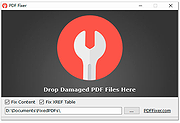 |
|
PDF Link Editor v1.6.3 PDF Link Editor v1.6.3 PDF Link Editor is a small and smart application intents to do more for you when editing PDF hyperlinks. As we all know, it is not quite convenient for users to edit multiple links in PDF with Acrobat. PDF Link Editor contains the wonderful features that enables you to edit, add, replace, remove and extract PDF links in batch mode. With its intuitive and elegant interface design, it is quite easy to access no matter you are novice or expert. All-In-One Application. Small and Smart. Replace Hundreds of PDF Links in One Click. Add or Insert Hundreds of PDF Links in One Click. Clear or Extract All Hyperlinks in One PDF in No Time. Standalone and Run Smoothly Without Any Adobe Plugin Installed. Compatible with All Adobe PDF Versions. All-In-One Application. Small and Smart. As an all-in-one pdf link editor tool, PDF Link Editor offers you the possibilities to edit, replace, clear or extract links in one PDF document conveniently. Upload any PDF document you desire and this smart tool will display all links and anchors in a Gridview. No need to search before editing and replacing anymore! In addition, it is so small in size (<10MB) that it can achieve without requiring too much space. Replace Hundreds of PDF Links in Batch. Feel tedious to search and replace pdf links one by one by using general PDF tools? Boost your productivity by using this smart pdf link editor. PDF Link Editor could search all hyperlinks effectively and list them orderly after you have added one PDF file. You can manage all of these links and anchors intuitively. Select the desired links, enter the link you want to change to. Then, click ... |
|
6,061 | Oct 23, 2019 PDF Link Editor 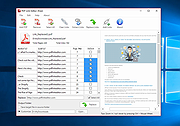 |
|
PDF Slideshow v1.0 PDF Slideshow v1.0 Free, portable tool to present a PDF like a PowerPoint slideshow. PDF Slideshow is a handy Windows tool allows you to present a PDF in the full screen mode like presenting PowerPoint slides. In our daily work, many slide files are converted into PDF format. These PDF files generated by slides can only be accessed to view the content, but cannot be used for large-screen and full-screen presentations and reports directly like PPT or PPTX files. PDF Slideshow is a handy Windows software tool that allows you to present a PDF in the full screen mode like presenting PowerPoint slides. PDF Slideshow not only supports mouse-operated presentations, but also supports the use of laser pointers for presentations and page turning. It also supports automatic playback and scrolling loop playback functions, which can automatically present PDF slides without supervision. PDF Slideshow also has many special features, such as setting the presentation background color, customizing the page switching animation and switching speed, changing the mouse pointer shape and color, supporting the presentation from a certain page of the PDF, hiding pages you don't want to display, exporting PDF to images and so on. PDF Slideshow Features and Highlights • Support Presentation Both Portrait and Landscape PDF Slides • Support Laser Pointer Operations • Support Automatic Start, Loop Playback and Page Turning Interval • Play PDF Slides from Any Page • Customize the Background Color • Customize Switching Animations • Hide Unnecessary Pages • Change Mouse Cursor Shape and Color • Customize the Animation Speed • Export Pages to Images • Lightweight, the Installer is only 7 MB • Portable Version Available (ZIP format, 9 MB) • Multi-language: English, French, German, Dutch, Japanese, Korean, Chinese, Italian, Greek, Spanish, Portuguese, Polish, Arabic, Czech, Danish, Hungarian, Finnish. Keyboard and mouse instructions • Turn to the next page (animation switching): PageDown Key / mouse wheel down • Turn to the previous ... |
|
1,030 | Aug 13, 2024 PDFZilla.com 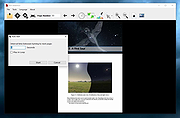 |
|
PDF Split and Merge v4.0.5 for Mac PDF Split and Merge v4.0.5 for Mac PDFsam Basic, a free, open source, multi-platform software designed to split, merge, extract pages, mix and rotate PDF files, PDFsam Basic will cover most of your PDF related needs. Merge PDF PDF merge probably is the most used PDFsam module and lets you combine PDF files together. Page ranges Input PDF documents can be merged completely or partially. A page selection can be easily set in the form of comma separated intervals (Ex. 1-10, 14, 25-) letting you specify what pages you want to merge for every input PDF document. Outline With PDFsam Basic you will be able to decide what to do with the PDF documents outline (bookmarks). You can merge them to the resulting document, discard them to keep the merge document smaller or create a new one with one entry for every merged PDF document. AcroForms And what to do with AcroForms when they are found in the input PDFs? You can discard them but also merge them into a new form or even merge them renaming fields with name clashes. Table of contents With PDFsam Basic you can add a table of contents at the beginning of the generated PDF. A list of clickable entries will let you easily navigate through the merged PDF files. PDF Split The Split module let's you split PDF files at predefined or specified page numbers. Split at predefined pages The selected PDF file can be split after every page, generating a new document for every page in the original file, or after every ever or odd page. Split specifying pages Specify the page numbers where you want to break your document. You can even tell PDFsam to split the PDF every n pages! PDF Split by bookmarks Select the outline (bookmarks) level you want to split at and your document will be divided at every page pointed by the bookmarks at ... |
|
6,617 | Jan 22, 2020 Andrea Vacondio 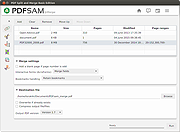 |
|
PDF Split and Merge v4.0.5 for Windows PDF Split and Merge v4.0.5 for Windows PDFsam Basic, a free, open source, multi-platform software designed to split, merge, extract pages, mix and rotate PDF files, PDFsam Basic will cover most of your PDF related needs. Merge PDF PDF merge probably is the most used PDFsam module and lets you combine PDF files together. Page ranges Input PDF documents can be merged completely or partially. A page selection can be easily set in the form of comma separated intervals (Ex. 1-10, 14, 25-) letting you specify what pages you want to merge for every input PDF document. Outline With PDFsam Basic you will be able to decide what to do with the PDF documents outline (bookmarks). You can merge them to the resulting document, discard them to keep the merge document smaller or create a new one with one entry for every merged PDF document. AcroForms And what to do with AcroForms when they are found in the input PDFs? You can discard them but also merge them into a new form or even merge them renaming fields with name clashes. Table of contents With PDFsam Basic you can add a table of contents at the beginning of the generated PDF. A list of clickable entries will let you easily navigate through the merged PDF files. PDF Split The Split module let's you split PDF files at predefined or specified page numbers. Split at predefined pages The selected PDF file can be split after every page, generating a new document for every page in the original file, or after every ever or odd page. Split specifying pages Specify the page numbers where you want to break your document. You can even tell PDFsam to split the PDF every n pages! PDF Split by bookmarks Select the outline (bookmarks) level you want to split at and your document will be divided at every page pointed by the bookmarks at ... |
|
6,979 | Jan 22, 2020 Andrea Vacondio |
|
PDF24 Creator v11.30.1 PDF24 Creator v11.30.1 👉 Free and powerful PDF creation and management tool for Windows. PDF24 Creator is a full-featured PDF creation and management suite that lets you generate, edit, merge, split, compress, secure, and otherwise work with PDF documents directly on your Windows PC. It installs as a virtual PDF printer so you can create PDFs from almost any Windows application, and includes a toolbox of useful PDF utilities — all completely free of charge and without limits. Features: • Create PDF files from virtually any Windows application via virtual printer • Merge multiple documents into a single PDF • Split, delete, rotate, extract, and insert pages • Compress and shrink PDF files • Add digital signatures, encryption, watermarks, and metadata • Integrated PDF viewer and editor tools • Support for PDF/A, PDF/X and other PDF standards • Multiple PDF printer profiles for varied tasks • Works offline with all files staying local on your PC • Multilingual interface with wide language support The Tools: PDF Creator Easily assemble, create and modify PDF files with the Drag and Drop enabled user interface. • Merge or split PDF files • Add, remove, extract, rotate, sort and move PDF pages • Import and automatic conversion of documents (Word, Excel, images, etc. to PDF • Various preview modes for easy editing of PDF documents • Integrated viewer • Drag and Drop wherever possible • Follow up tools: Save, Print, Email, Fax, ... PDF Printer Print on this printer in order to create a PDF or use it as a universal PDF converter that converts any printable file to PDF. • Virtual printer for PDF creation • Multiple PDF printers for different tasks • Automatic saving ... |
|
9,193 | Jul 11, 2026 Geek Software GmbH 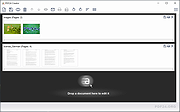 |
|
PDF4QT v1.6.0.0 PDF4QT v1.6.0.0 👉 Open-source PDF editor, viewer, and toolkit for Windows and Linux. PDF4QT is an open-source PDF editor powered by the Qt framework. It provides a robust C++ library, intuitive applications for viewing and editing PDF documents, and a command-line tool for script integration. The suite includes tools for advanced PDF viewing, lightweight document viewing, page organization, and PDF comparison, making it useful for both regular users and developers. Features: • Advanced PDF viewer with zoom, rotation, page layout modes, and navigation tools • Full PDF editing capabilities including modifying document structure and content elements • Annotation tools such as highlights, notes, shapes, and markup editing • Interactive form filling and support for AcroForms • Digital signature support including signing documents and validating signatures • Encryption support with password protection and public key security • Embedded file attachments handling within PDF documents • Built-in text-to-speech engine for reading PDF content aloud • Powerful search functionality including regular expression support • PDF document comparison tool to detect differences between files • Page management tools including merge, split, reorder, rotate, clone, and insert pages • Document optimization features for reducing file size and improving performance • Internal PDF object structure inspector for advanced users and developers • Command-line interface for automation and batch processing tasks • Static XFA form support (read-only for simple XFA documents) • Multiple viewer applications included (advanced viewer and lightweight viewer modes) • Cross-platform support built on the Qt framework Supported operating systems: •Windows 10/11 •Linux Supported languages: • Czech, English, French, German, Korean, Russian, Simplified Chinese, Spanish, Traditional Chinese, Turkish Changes: v1.6.0.0 06-14-26 Major image compression and optimization update for PageMaster and assembled PDF documents. Improved PageMaster with drag and drop, recent files, page cropping, save/restore, rotation and size indicators, new icons, and faster output previews. Added image optimization feedback for final resolution and DPI. Added Advanced Find wildcard mode and Enter-to-search. Added fullscreen viewing, side-to-side scrolling, smoother scrolling, text selection, snapping, and improved keyboard ... |
|
1,147 | Aug 26, 2026 Jakub Melka 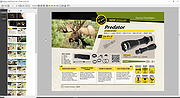 |
|
Quarkdown v2.4.0 Quarkdown v2.4.0 👉 Markdown-based typesetting system for creating books, documents, and PDFs with advanced layout features. Quarkdown is a modern, Markdown-based typesetting system designed for writing books, technical documents, reports, and PDFs with professional-quality layout and styling. It extends standard Markdown with powerful features such as variables, templates, components, conditionals, and advanced formatting controls, allowing you to structure complex documents while keeping your source files clean and readable. Quarkdown focuses on simplicity for authors while providing the flexibility of a programmable document engine. It can generate beautifully formatted PDFs and other output formats, making it suitable for documentation, publishing workflows, academic writing, and long-form content creation. Features: • Markdown-based document authoring • Advanced typesetting and layout control • Variables and reusable components • Templates for consistent document styling • Conditional content support • Book and multi-file project support • PDF generation • Cross-platform command-line interface • Open-source project Supported operating systems: • Windows 10, Windows 11 • macOS • Linux Supported languages: English Changes: v2.4.0 07-13-26 • Added experimental element styling, allowing Markdown elements to be extended with custom behavior and appearance. • Added new primitive functions: .paragraph, .math, and .link. • Added full styling support for .heading, .paragraph, .math, and .link. • Added conditional .extend support using the new where parameter. • Added the .match function for regular expression matching and replacement of inline content. • Simplified inline lambda syntax by making the @lambda prefix optional. • Improved body argument binding for native functions. • Optimized function argument binding for better performance. • Added support for body arguments in inline function calls. Requirements: • Java 17 or newer (JDK or JRE) must be installed. • Verify Java installation by opening Command Prompt or Terminal and typing: java -version • If Java is not installed, download a compatible OpenJDK build from a trusted provider such ... |
|
1,004 | Jul 14, 2026 Giorgio Garofalo  |
|
QuickLook v4.5.0 QuickLook v4.5.0 👉 Preview files instantly in Windows by selecting one and pressing the spacebar. QuickLook lets you inspect files without opening their usual applications. Select a file in File Explorer and press the spacebar to bring up a preview. You can check an image, read a document, listen to audio, watch a video, or inspect source code, then press Esc or the spacebar to close the preview. Use the arrow keys to move through neighboring files while the preview is open. QuickLook handles images, animated GIFs, video, audio, PDFs, text, Markdown, archives, fonts, and source code. Text and code previews include syntax highlighting, and plugins add support for more formats. QuickLook runs from the system tray. The installer supports previews in Open and Save dialogs. The project is free and open source. Features: • Press the spacebar to preview a selected file without launching its associated application. • Press Esc or the spacebar again to close the preview. • Use the arrow keys to preview neighboring files. • Preview JPEG, PNG, GIF, WebP, RAW, and other supported image formats. • Play supported video and audio files in the preview window. • Read PDFs, text files, and rendered Markdown. • Inspect source code and configuration files with syntax highlighting. • Preview supported archives and fonts. • Zoom images and PDFs, or open a file from its preview. • Follow the Windows light or dark theme. • Add support for more formats with plugins. • Choose an installer or portable download. Supported operating systems: Windows 10, Windows 11 Supported languages: English, Simplified Chinese, Romanian. Changes: v4.5.0 04-14-26 Updated LAVFilters to 0.81.0. Improved LRC handling by merging duplicate timestamps. Improved the Simplified Chinese translation and added Romanian translation. Added the WindowBackdrop option and F11 full-screen toggle. Added support for PKCS7 extensions, Chromium PAK viewing and extraction, Python wheel and egg archives, DICOM images, and additional syntax highlighting. Fixed Markdown previews using absolute resource paths, the Windows 10 transparency option, video loop behavior, OfficeViewer resizing errors, relative command-line paths, and the taskbar ... |
|
3,462 | Sep 28, 2026 Adnan Bhaldar 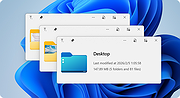 |
|
SumatraPDF v3.6.1 SumatraPDF v3.6.1 👉 A fast, lightweight, and minimalist document viewer for Windows. SumatraPDF is a free and open-source document viewer designed for speed, simplicity, and ease of use. It supports a wide range of formats including PDF, EPUB, MOBI, CHM, XPS, DjVu, and comic book archives (CBZ and CBR). Built with a minimal interface and low resource usage in mind, it launches quickly and provides a distraction-free reading experience. SumatraPDF focuses on doing one thing well, viewing documents, without unnecessary features or bloat. It is fully portable, meaning it can run without installation, making it ideal for USB drives or portable workflows. Despite its small size, it includes useful features like tabbed viewing, keyboard shortcuts, and customizable settings. Features: • Fast startup and lightweight performance • Supports PDF, EPUB, MOBI, CHM, XPS, DjVu, CBZ, and CBR formats • Portable version available with no installation required • Clean and minimal user interface • Tabbed document viewing • Keyboard shortcuts for efficient navigation • Customizable settings via configuration file • No ads, no bloat, and no unnecessary features • Open-source and actively maintained • Suitable for low-resource systems Supported operating systems: • Windows 7, Windows 8, Windows 10, Windows 11 Supported languages: Multiple languages Changes: v3.6.1 04-06-26 bugfixes This download is for the Windows 64bit installer version (very bottom of page). If you need the Windows 32bit installer version, download here. If you need the Windows 64bit portable version, download here. If you need the Windows 32bit portable version, download here. If you need the 64bit ARM installer version, download here. If you need the 64bit ARM portable version, download here. If you need the Windows XP 32bit version, download here. If you need the Windows XP 64bit version, download here. Click here to visit the author's website. |
|
5,386 | Apr 07, 2026 Krzysztof Kowalczyk 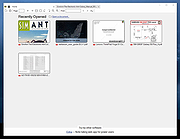 |
|
Testing Files Generator v0.4.0 Testing Files Generator v0.4.0 👉 Create real test files at exact sizes for upload, import and file-handling tests. Testing Files Generator helps developers and QA testers create files that behave like the formats they claim to be. Specify a format and an exact byte size, then use the resulting files to test upload limits, parsers, import tools or storage rules. It offers both a desktop window and a command-line program. The generator supports 26 formats, including PDF, DOCX, XLSX, PPTX, PNG, JPEG, ZIP, CSV and WAV. A generated ZIP can contain actual files, and formats such as images and spreadsheets have their own settings. Each run writes a manifest describing the files and their expected outcomes. For example, a size-boundary test can produce files one byte below a limit, exactly at it and one byte above it, with the expected accept or reject result recorded for each. Recipes and a seed let you reproduce the same test files later. The program works offline. Features: • Generate files at an exact byte size, including sizes around an upload limit. • Create 26 formats across documents, images, text and data, archives, and audio. • Set format-specific details such as image dimensions, PDF pages, spreadsheet rows and columns, and archive contents. • Generate large batches of files with sizes drawn from a specified range. • Save a manifest with file details and expected accept, reject, sanitize or unspecified outcomes. • Use built-in presets for common test scenarios or write reusable YAML recipes. • Reproduce file contents with the same recipe and seed. • Deliberately damage files to test whether an application rejects malformed input. • Preview a run without writing files, validate recipes, verify generated files and clean up files ... |
|
60 | Sep 27, 2026 DonislawDev 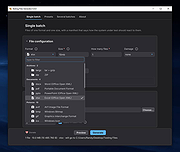 |
 |
Thoth v1.1.0 Thoth v1.1.0 👉 Local-first AI knowledge assistant with RAG, document search, and cited answers powered by Ollama. Thoth is a local-first, privacy-focused AI knowledge assistant that uses Retrieval-Augmented Generation (RAG) to help you search, organize, and interact with your information. Running entirely on your own computer with Ollama, it keeps your documents and conversations private while providing AI-powered answers complete with source citations. You can upload your own documents, search Wikipedia, browse academic papers from arXiv, perform web searches, and maintain persistent conversations without relying on cloud-hosted language models. Thoth indexes your files into a local vector database for fast semantic searches, intelligently combines information from multiple sources, and lets you switch between compatible Ollama models to best suit your hardware and workload. It is designed for researchers, students, developers, and anyone who wants a private AI assistant that can accurately answer questions using both local documents and trusted online resources. Features: • Runs completely locally using Ollama with no cloud AI required • Privacy-focused design that keeps documents and conversations on your PC • Retrieval-Augmented Generation (RAG) for context-aware answers • Upload and index PDF, DOCX, DOC, and TXT documents • Local FAISS vector database for fast semantic document searching • Multi-source retrieval from local documents, Wikipedia, arXiv, and Tavily web search • Automatic source citations for every generated response • Persistent multi-turn conversations stored locally • Automatic follow-up question rewriting for improved search accuracy • Contextual compression retrieves only the most relevant document sections • Parallel retrieval from multiple enabled sources for faster responses • Intelligent duplicate removal across retrieval results • Automatic context trimming for efficient long conversations • Supports dynamic switching between 30+ Ollama models • Automatic download of supported Ollama models • Built-in API key management through the Settings panel • Automatic conversation naming • Embedded Python runtime included with the Windows installer • Smart context assessment minimizes unnecessary searches • Improved automatic chat scrolling Supported operating systems: • Windows ... |
|
834 | Jul 26, 2026 Siddharth Sachar 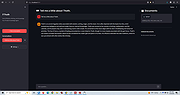 |
|
WinScan2PDF v9.77 WinScan2PDF v9.77 👉 Scan documents directly to PDF quickly and easily. WinScan2PDF is a small and portable utility that allows you to scan documents and save them directly as PDF files without the need for complex or bloated software. It is designed to be simple, lightweight, and easy to use, making it ideal for users who just want a fast way to digitize paperwork. WinScan2PDF supports most installed scanners via the standard Windows scanning interfaces and enables multi-page PDF creation. It does not require installation and can run from a USB stick, making it perfect for use on multiple systems. With its straightforward interface and minimal system requirements, WinScan2PDF gets the job done without unnecessary features or background services. Features: • Scan documents directly to PDF • Create multi-page PDF documents • Supports TWAIN and WIA scanners • Portable and does not require installation • Simple and user-friendly interface • Adjustable page size and orientation • Preview scanned pages before saving • Minimal CPU and memory usage Supported operating systems: • Windows 11, Windows 10, Windows 8.1, Windows 7, Windows Vista, Windows XP, Windows Server 2012-2025, x64, x32, x86 Supported languages: German, English, Russian, French, Italian, Dutch, Hungarian, Polish, Portuguese-Brazil, Czech, Greek, Swedish, Romanian, Serbian, Simplified Chinese, Danish, Traditional Chinese, Basque, Persian, Turkish, Catalan, Kurdish, Lithuanian, Slovak, Arabic, Ukrainian, Hebrew, Spanish, Bulgarian, Korean, Slovenian, Japanese, Norwegian, Croatian, Afrikaans, Hindi, Thai, Welsh, Malay, Indonesian, Filipino, Azerbaijani, Finnish, Belarusian, Portuguese Changes: v9.77 06-07-26 • Improvements to the detection of certain scanners • Language file updates and necessary adjustments Click here to visit the author's website. |
|
11,593 | Sep 30, 2026 Nenad Hrg 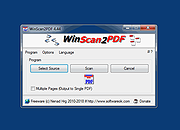 |
|
Xelitan PDF Reader v2.0 Xelitan PDF Reader v2.0 👉 A fast, free PDF viewer with tools for converting, extracting and removing document content. Xelitan PDF Reader is a lightweight PDF viewer that can open documents in tabs, display bookmarks, print files and search document text. It also includes tools for converting PDFs to PNG, JPEG, TXT or HTML, extracting embedded images, exporting selected pages and removing unwanted pages. In addition to PDF files, the program can open comic book archives, JPEG images and text files, then convert supported files into PDF documents. Features: • Opens PDF, CBZ, CBT, CBR, JPEG and TXT files • Converts comic book archives, JPEG images and TXT files to PDF • Converts PDF pages to PNG or JPEG images • Extracts PDF text to TXT or HTML • Extracts selected pages into a new PDF document • Removes unwanted pages from PDF documents • Extracts embedded images • Displays fonts used in a PDF • Supports tabs, document bookmarks and custom bookmarks • Displays PDF annotations • Supports continuous scrolling • Applies grayscale and inverted-color filters • Searches document text • Prints PDF documents • Includes full-screen viewing and keyboard shortcuts • Available as installed and portable editions Supported operating systems: • Windows 7, Windows 8, Windows 8.1, Windows 10, Windows 11 Supported languages: • English Changes: v2.0 07-19-26 • Press Ctrl+Tab to switch between tabs. • Press Ctrl with -, + or 0 to zoom out, zoom in or return to 100%. • Fixed unusual zoom behavior at startup. • Press Ctrl+P to open the Print dialog. • Fixed how a maximized window is saved. • Improved landscape mode handling when printing. • Added support for CBR comic book files. • Added PDF annotation display. • Added continuous scrolling. This download is for the Windows 64bit version (very bottom of page). If you need ... |
|
4,367 | Jul 21, 2026 Xelitan 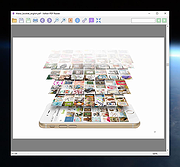 |
|
Zotero v10.0.1 Zotero v10.0.1 👉 A powerful free research assistant for collecting, organizing, annotating, citing and sharing research. Zotero is a free, open-source research and reference manager designed to help you collect, organize, annotate, cite and share research sources. It can manage books, journal articles, reports, web pages, artwork, films, letters, manuscripts, recordings, legal materials and many other types of sources. Each item can contain detailed bibliographic metadata as well as attached PDFs, files, web snapshots, links and notes. The Zotero Connector integrates with supported web browsers to capture research directly from websites. When Zotero recognizes a book, article or other source, it can automatically create the appropriate library item, fill in available metadata, download a full-text PDF when available and attach related links or supplemental files. Zotero can also create items directly from ISBNs, DOIs and PubMed IDs. Research can be organized into collections and tagged for easier retrieval. An item can appear in multiple collections without creating duplicate copies, and saved searches automatically update as new matching material is added. Zotero also provides synchronization between computers and shared group libraries for collaborative research. Features: • Collect books, journal articles, reports, web pages, artwork, films, letters, manuscripts, recordings, legal materials and many other types of research sources • Automatically capture bibliographic information from supported websites using the Zotero Connector • Automatically download full-text PDFs when they are available while saving sources • Save web pages as locally stored snapshots for later viewing, including while offline • Add sources automatically using ISBN, DOI or PubMed ID identifiers • Attach PDFs, images, audio, video and other files to library items • Create rich-text notes attached to individual sources or independent notes • Organize research into collections and subcollections without duplicating library items • Assign unlimited tags to items and use colored tags for quick identification • Quickly search metadata, tags and full-text content • Use advanced searches for ... |
|
182 | Aug 28, 2026 Digital Scholar 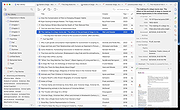 |
| Showing rows 1 to 34 of 34 | Showing Page 1 of 1 | 1 |
OlderGeeks.com Copyright (c) 2026
