|

|
Processed through Paypal No account required. |








Buy our over-priced crap to help pay the bills.



|
|
Processed through Paypal No account required. |
| Files | ||||
| File Name | Rating | Downloads | ||
 |
AAA v5.4.7 AAA v5.4.7 👉 A quick and powerful Windows tool for managing text notes, clipboard history, alarms and more. AAA is a free text note management utility by Mario "OiPaz" Corsolini that combines everyday note taking with a collection of useful text, clipboard and productivity tools. It stays conveniently accessible from the Windows Notification Area and can be quickly shown or hidden when needed. In addition to keeping and organizing text notes, AAA can maintain a history of the Windows Clipboard, provide multiple clipboards, calculate text and numerical statistics, set alarms, sort and format text, and launch applications. AAA requires Microsoft .NET Framework 4.8 and has been compiled for both 32-bit and 64-bit Windows systems. Features: • Create, keep and manage text notes • Quickly show or hide AAA from its Windows Notification Area icon • Use a customizable global keyboard shortcut to show or hide the program • Maintain a history of text copied to the Windows Clipboard • Multi-clipboard support for keeping multiple pieces of copied text • Automatically replace specified portions of text in the Windows Clipboard • Calculate statistics for text and Clipboard contents • Analyze numerical data and calculate statistics • Create and manage alarms with customizable messages • Sort text • Align and format text • Start individual applications or groups of applications • Add configurable delays when starting groups of applications • Reload its data file when the file has been modified externally • Save and restore the program's screen position • Single-instance operation • Automatic update checking • Requires Microsoft .NET Framework 4.8 Supported operating systems: • Windows 7 SP1, Windows 8.1, Windows 10, Windows 11 • 32-bit and 64-bit systems • Microsoft .NET Framework 4.8 required The operating-system range above is based on Microsoft's official compatibility requirements for the required .NET Framework 4.8. Windows 7 and Windows 8.1 are no longer supported by Microsoft. Supported languages: English, Esperanto, Italian Changes: v5.4.7 01-05-24 Fixed a bug where, if the saved position of ... |
 |
2,314 | Aug 31, 2026 Mario Corsolini 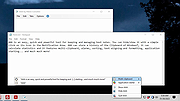 |
 |
Autorun Organizer v5.45 Autorun Organizer v5.45 Free startup manager for Windows with built-in antivirus scan through VirusTotal. Capabilities: • Turns on and off autorun elements • Removes autorun elements • Automatically controls disabled records • Batch processes autorun records • Rating of startup programs (frequency of disabling / deleting entries) • Switch between different Windows startup sections • Suspends running of programs • Shows a visual Windows boot up time diagram • Checks startup programs for viruses in VirusTotal (more than 60 antivirus programs) • Notifies you of new entries in Windows auto-start list • Quickly searches • Automatically detects erroneous records • Automatic update to newer versions of the utility System Requirements: Microsoft Windows 11 / 10 / 8 / 7 (32-bit and 64-bit) RAM: from 256 Mb Disk space: 50 Mb Administrator rights Changes: v5.45 26/09/2024 In the notification section (under the bell icon), you can now find news from the official program blog and educational articles. Tooltips, which appear in different parts of the program to help users learn how to use it most effectively, have been improved. A close button and a button to respond to program requests directly within the tooltip have been added. Click here to visit the author's website. |
|
4,807 | Sep 27, 2024 ChemTable Software 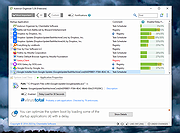 |
|
Cherrytree v1.7.2.1 Cherrytree v1.7.2.1 👉 A powerful hierarchical note-taking application with rich text, syntax highlighting, embedded files, tables, code boxes and extensive organization tools. Cherrytree is a hierarchical note-taking application designed for organizing notes, documentation, research, code snippets, ideas and other information in a structured tree. It combines rich text editing with syntax highlighting, images, tables, code boxes, mathematical equations, embedded files and extensive linking and search capabilities. Documents can be stored in a single XML or SQLite file or as multiple files and directories. Features: • Hierarchical tree structure for organizing notes and documents into nodes and subnodes • Rich text editing with foreground and background colors, bold, italic, underline, strikethrough and monospace formatting • Multiple heading levels plus subscript and superscript formatting • Syntax highlighting supporting numerous programming and scripting languages • Code boxes for keeping source code and other preformatted content inside notes • Insert images directly into notes • Resize and rotate inserted images • Save embedded images as PNG files • Render LaTeX mathematical equations within notes • Embed files directly inside documents and save them back to disk when needed • Create tables directly inside notes • Import and export table data using CSV • Bulleted, numbered and to-do lists • Multi-level lists with indentation support • Hyperlinks to websites, files and folders • Internal links between Cherrytree nodes • Anchors for linking directly to specific locations within notes • Powerful search and replace functions • Search across multiple nodes • Search node names and tags using multiple words • Tree node tags for additional organization and searching • Spell checking support • Automatic URL recognition • Insert current date and time into notes • Insert today's or tomorrow's node • Word count in the status bar, including selected text, code boxes and tables • Node sorting tools for organizing large trees • Drag and drop nodes within the tree • Import content from several other note-taking applications and document formats • Export notes to PDF • Export content ... |
|
7,780 | Sep 23, 2026 Giuseppe Penone 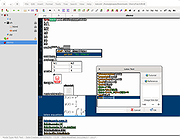 |
|
Data Crow v5.1.4 Data Crow v5.1.4 👉 A powerful open-source media cataloging and collection management application. Data Crow is a highly customizable cataloging application designed to help users organize and manage virtually any type of collection. It allows you to catalog movies, music, books, software, games, comics, photographs, tools, wines, contacts, and custom collections using flexible templates and user-defined fields. Data Crow can automatically retrieve information from online services, helping populate collection entries with detailed metadata, images, and descriptions. Built with flexibility in mind, Data Crow supports advanced searching, filtering, lending administration, barcode support, and extensive export/import capabilities. Users can create completely custom modules to track nearly anything, making it useful for both personal collectors and professional inventory management. The software also supports multi-user environments and includes reporting tools for generating detailed collection summaries. Features: • Catalog movies, books, music, software, games, comics, contacts, and more • Create fully customizable collection modules and fields • Automatically download item details and cover artwork from online sources • Advanced search, filtering, and sorting capabilities • Barcode scanning and lending administration support • Import and export data in multiple formats • Generate customizable reports and statistics • Store images, attachments, and detailed notes • Multi-user database support for shared collections • Built-in loan tracking for borrowed items • Cross-platform Java-based application • Extensive plugin and scripting support Click here to view the documentation. Supported operating systems: • Windows 7, Windows 8, Windows 10, Windows 11 • macOS • Linux Supported languages: English, Dutch, German, French, Spanish, Portuguese, Italian, Polish, Russian, Chinese, Japanese Changes: v5.1.4 06-18-26 • Fixed missing time components for creation and modification timestamps on new installations. • Fixed the advanced filter dialog in server-to-client mode for Books, TV Series, and several other modules. • Added the /login/status/unsecure API endpoint for Data Crow Reader v1.1 automatic login detection. • Google Books searches now direct users to create a free API ... |
|
10,175 | Jul 03, 2026 Robert Jan Van Der Waals 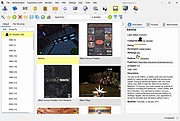 |
|
DesktopFrames+ v2.7.7.294 DesktopFrames+ v2.7.7.294 Formerly Desktop Fences+ 👉 Organize your Windows desktop icons, files and shortcuts into customizable virtual frames. DesktopFrames+ is a free and open-source desktop organization utility that creates virtual Frames on your desktop, allowing you to group shortcuts, files and folders into clean, convenient containers. It provides several types of Frames, including regular Data Frames for shortcuts, Portal Frames that mirror the contents of folders, and Note Frames for quickly accessible text. Frames can contain multiple tabs, be arranged into separate workspace profiles and customized with colors, transparency, visual effects, icons and other appearance options. Built-in tools such as SpotSearch, Smart Desktop, automatic backups, profile automation and extensive visibility controls provide additional ways to organize and manage a busy desktop. The program is fully portable and does not require installation. Features: • Create Data Frames for organizing shortcuts to files, folders and web links • Create Portal Frames that mirror the contents of folders • Create Note Frames for keeping text directly on the desktop • Organize shortcuts into multiple tabs within a single Frame • Create independent workspace profiles for different desktop layouts • Switch profiles manually with hotkeys • Automatically switch profiles when specified programs are launched • Smart Desktop engine automatically sorts and moves incoming files according to user-created rules • SpotSearch quickly searches for and launches shortcuts stored across your Frames • Peek Behind temporarily reveals the desktop behind Frames • Rollup hides the contents of Frames while leaving the Frame accessible • Auto-hide conceals Frames after a period of inactivity • Focus Mode highlights a specific Frame from the system tray or with a hotkey • Supports files, folders, web links, Microsoft Store apps, Steam games and Spotify URIs • Run shortcuts as administrator or as a different user • Customize individual Frame background colors and global tint levels • Chameleon Mode automatically matches Frames to the dominant color of your wallpaper • Application launch ... |
|
2,295 | Sep 07, 2026 Hand Water Pump 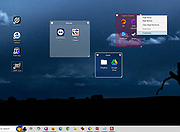 |
|
digiKam v9.1.0 digiKam v9.1.0 👉 Professional photo management with the power of open source. digiKam is an advanced open-source digital photo management application for importing, organizing, editing, and sharing photos and RAW files. It provides tools for managing large photo collections, editing metadata, tagging and rating images, handling RAW camera formats, previewing media, geolocation, batch processing, export tools, and AI-assisted photo workflows. Features: • Import, organize, and manage massive collections of photos, RAW images, and videos • Supports albums, tags, labels, ratings, comments, and hierarchical organization • Advanced metadata management including EXIF, IPTC, XMP, and GPS geotagging • Integrated map tools for assigning and editing geographic coordinates • Powerful RAW image processing using the Libraw engine • Built-in image editor with cropping, resizing, sharpening, curves, color correction, filters, and restoration tools • Includes Showfoto stand-alone image editor • AI-assisted face recognition and automatic face tagging • AI tools for image quality sorting, aesthetic detection, red-eye correction, and auto-rotation • Batch Queue Manager for automating large-scale image processing operations • Advanced search and filtering using metadata, tags, ratings, colors, and custom properties • Duplicate detection and similarity matching tools • Flexible file renaming with advanced rename templates and date formatting • Side-by-side comparison and new Survey tool for reviewing media collections • Enhanced preview system with exposure indicators, magnifier, gestures, OSD overlays, and color management • Slideshow tools with transition and transparency customization • Versioning support and non-destructive workflow options • Integrated export and sharing plugins for online services and remote storage • Database support using SQLite, MySQL, and MariaDB • Multi-core processing acceleration for thumbnail generation, AI tasks, and database operations • Supports hundreds of digital cameras and image formats Supported operating systems: • Windows 10 or later 64-bit • macOS Silicon 11.3 or later • macOS Intel 10.15 or later • Linux 64-bit AppImage, glibc 2.31 or later Supported languages: • Basque, Brazilian Portuguese, Bulgarian, Catalan, Chinese Simplified, Chinese Traditional, Croatian, Czech, Danish, Dutch, English, Esperanto, Estonian, Finnish, French, Galician, ... |
|
4,287 | Sep 28, 2026 digiKam Team  |
|
File Order Randomizer v1.0 File Order Randomizer v1.0 👉 Adds random numbers to the start of filenames to randomize play order on simple music players. File Order Randomizer is a small, portable utility intended for devices (like some car radios or clock radios) that cannot play tracks in random order from a USB stick. It generates random numbers and puts them in front of every file in a specified folder, so you can create a new play order by running it again. Features: • Adds random numbers in front of filenames in a selected folder • Designed to help create a “random” track order for cheap/basic music players using USB media • Simple run-to-rerandomize workflow (run again whenever you want a new order) Supported operating systems: • Windows 2000 SP4 • Windows XP • Windows Vista • Windows 7 • Windows 8 / 8.1 • Windows 10 • Windows 11 Supported languages: • English Click here to visit the author's website. |
|
798 | Jun 29, 2026 Lumpiluk 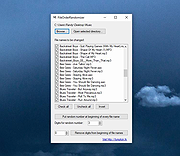 |
|
FreePlane v1.13.3 FreePlane v1.13.3 👉 Free and open-source mind mapping, knowledge management and project planning software. Freeplane is a free and open-source application for mind mapping, knowledge management, project management, note taking, outlining and organizing ideas. It helps you capture thoughts, structure information, analyze relationships, create visual maps and manage personal, school or work projects. Features: • Create and edit mind maps, concept maps and information maps • Organize ideas, notes, tasks, projects and research • Navigate large maps with folding, filtering and searching • Add links, notes, icons, attributes and formatted content • Supports add-ons and scripting for extended functionality • Can run installed or from removable storage • AI integration support in newer Java environments • Open-source and community-developed Supported operating systems: • Windows with Java 8 to 22, or Windows installer with embedded Java • macOS Intel and Apple Silicon using DMG builds with embedded Java • Linux using DEB installer or ZIP archive, requires Java 11 to 21 Supported languages: Multilingual, English source language, Freeplane is translated into 40 languages using Weblate Changes: v1.13.3 07-14-26 Tag category AI tools Tag category scripting API Copying selected chat messages as markdown Options to show root node text or bookmark titles on tab titles and map menu labels - Preferences…->Appearance->Look and Feel->Tab titles - Preferences…->Appearance->Look and Feel->Maximum tab title length Bookmarks outline and bookmark toolbar can follow the view root Switch AI Chat tool availability between reading, editing and disabled Add reusable AI prompts that are managed in a dialog like assistant profiles, exposed as dynamic actions - Tools->AI prompts->Edit prompts... Thinking effort and temperature configuration Search and filter AI model selectors in chat, reusable prompts and assistant profiles - Keep one session-wide filter across selectors - Navigate filtered models with Up and Down and confirm a model with Enter Configure OpenAI, OpenRouter, Requesty, custom OpenAI-compatible, Gemini and Ollama providers concurrently - Manage provider and model settings in the separate AI models ... |
|
6,133 | Oct 02, 2026 Dimitry Polivaev 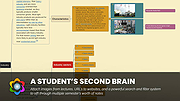 |
|
Katalog v2.12 Katalog v2.12 👉 Lightweight cataloging software to organize and manage collections. Katalog is a free and open source cataloging application designed to help you organize and manage your collections. Whether you are cataloging books, movies, music, games, or any other type of items, Katalog provides a clean and flexible interface to store detailed information and keep everything neatly structured. Katalog allows you to create custom categories and fields, making it adaptable to virtually any type of collection. You can store metadata, descriptions, ratings, and other details, and browse or search through your catalog quickly and efficiently. The program focuses on simplicity and usability while still offering powerful organization features. Features: • Create and manage multiple catalogs • Customizable fields and categories • Store detailed information for each item • Search and filter capabilities • Sorting and organization tools • Open source and free to use Supported operating systems: • Windows 7, Windows 8, Windows 10, Windows 11 • Linux Supported languages: Bulgarian, Chinese, Croatian, Czech, Danish, Dutch, English, Estonian, Finnish, French, German, Greek, Hindi, Hungarian, Indonesian, Italian, Japanese, Latvian, Lithuanian, Norwegian, Polish, Portuguese, Romanian, Serbian, Slovak, Slovenian, Spanish, Swedish, Ukrainian Changes: v2.12 06-04-26 Main improvements: #766 SEARCH: Regular expression support for file name search #222 SEARCH: Search History / Clear list (can keep last 10 searches) #684 SEARCH: List as Search input (several text search input) Pasting a list of term (several lines) and run the search, the results is equivalent to running individual searches with sames criteria except on each different term (a term can be several words). See:Search#file-name #401 DEVICES: breakdown a catalog onto 1 per file type or 1 by sub folder Split Catalog per sub directory Split Catalog per File type See:DevicesCatalogs#catalog-context-menu #770 ... |
|
1,428 | Jul 24, 2026 Stιphane Couturier 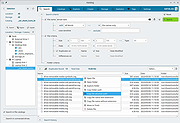 |
|
KeyNote NF v2.1.7.01 KeyNote NF v2.1.7.01 👉 Tabbed notebook and information manager for Windows. KeyNote NF is a flexible, tabbed notebook application that allows you to organize notes in a tree-structured format within multiple tabs. Based on the original KeyNote application, it has been enhanced and modernized while maintaining a lightweight and portable design. Notes can be stored in rich text format, supporting formatting, images, tables, and links, making it suitable for everything from quick reminders to complex documentation. KeyNote NF supports virtual nodes, linking, and powerful search capabilities across all notes. It can store notes in a single file for easy backup and portability, and offers encryption options to protect sensitive information. The program is designed for users who want a fast, structured, and highly customizable note management system without unnecessary bloat. Features: • Tabbed interface with tree-structured notes • Rich text editing with formatting, images, and tables • Virtual nodes for dynamic content organization • Powerful search across all notes • Internal and external linking support • Single-file storage for easy backup and portability • Optional encryption for protected notes • Customizable interface and behavior • Portable version available Supported operating systems: • Windows 7, Windows 8, Windows 10, Windows 11 Supported languages: • English Changes: v2.1.7.01 03-21-26 (Please, remember to make backups of .knt files. Recommended option: New: Shift + 'View|Encrypted content' -> highlight encrypted nodes [#985] New advanced search token, '*?' -> allows restricting searches/filters to encrypted nodes [#985] Information about tags of the protected nodes is now hidden when the encrypted content is 'closed' Improvements and fixes related to advanced search tokens in Find All/Tree filtering FIXED: Incorrect loading of ANSI plain texts with DBCS encoding in the editor in certain situations [#990] Fixed: Double click word to select only the word, without space(s) (It was partially resolved) [#951] This ... |
|
2,163 | Jul 05, 2026 Daniel Prado Velasco 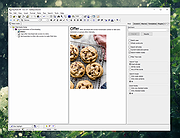 |
|
Mouzi v0.1.3 Mouzi v0.1.3 👉 Automatically organizes your Downloads folder from the system tray. Mouzi is a free, privacy-first file organizer that quietly runs from the Windows system tray and automatically sorts downloaded files by type. It can monitor selected folders, apply customizable rules, move files into organized subfolders, keep a local history of actions, and undo moves when needed. Everything stays on your computer, with no cloud uploads and no telemetry by default. Features: • Automatically organizes new downloads as they arrive • Runs quietly in the background from the system tray • Custom rules using file extensions, regex patterns, and destination folders • Dynamic paths such as {year}, {month}, {day}, {extension}, and {filename} • Built-in rules for images, documents, archives, installers, music, video, and other files • One-click Clean Now option for organizing existing files • Local history with one-click undo • Per-folder ignore rules using .mouziignore • Dark Mode support with system theme detection • 100% offline with local SQLite storage • Portable version available Supported operating systems: • Windows 10, Windows 11 Supported languages: English, Polish, Italian, German, French, Russian, Japanese Changes: v0.1.3 06-13-26 Bug Fixes Clean Now no longer processes folders set to Paused mode. Empty (0 B) files are now sorted correctly. .mouziignore patterns with multiple wildcards and spaces now work reliably. Folders are scanned for existing files when added or refreshed. NSIS installer now closes a running Mouzi instance before installing. UI / UX New warm color theme matching mouzi.cc. Added dedicated About tab in Settings. Tray tooltip now shows the number of pending files waiting for Clean Now. Added Open folder buttons in Recent Actions and History. Improved empty states with icons. Revert All button is disabled when there is nothing ... |
|
942 | Jun 15, 2026 Krystian Welcel 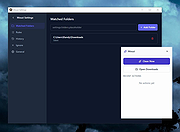 |
|
Music Collection v3.9.8.5 Music Collection v3.9.8.5 👉 Free music cataloging & organization tool for your collection. Music Collection is a free Windows program designed to help you archive and manage your music library in a searchable database. It lets you enter and organize all kinds of music media, edit metadata, categorize your albums, and browse your collection with flexible sorting and filtering options. Features: • Organize your music collection into a searchable database • Add and edit album details including genre, year, label, rating and more • Search by album artist, title, barcode number, catalog number or inserted CD • Scan folders for audio files and read tag information • Sort and filter albums using multiple criteria • Export collection data (TXT, CSV, Excel, HTML) • Print reports and collection lists • Save playlists to external formats (m3u, pls) • Import and export album data Supported operating systems: • Windows XP (32-bit, 64-bit) • Windows Vista (32-bit, 64-bit) • Windows 7 (32-bit, 64-bit) • Windows 8 (32-bit, 64-bit) • Windows 10 (32-bit, 64-bit) • Windows 11 (32-bit, 64-bit) Supported languages: English, Espaρol, Franηais, Italiano, Magyar, Nederlands, Norsk, Polski, Portuguκs (Brasil), Portuguκs (Portugal), Slovenski, Suomi, Svenska, Tόrkηe, Ελληνικά, Русский, Српски, Українська, עברית, 日本語 Changes: v3.9.8.5 06-16-26 Added : Album style field. Added : Ability to Add/Edit track details in the track presentation. Added : Album style field in the advanced album search. Added : Ability to zoom in the cover in presentation page. Changed : The new databases will be created in the .accdb format. Fixed : Some minor bugs. This download is for the Windows portable version (very bottom of page). If you need the Windows installer version, download here. Click here to visit the author's website. |
|
6,480 | Jul 11, 2026 GSoft4U 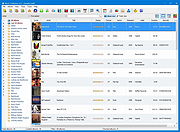 |
|
MusicBee v3.6.9668 MusicBee v3.6.9668 👉 Powerful music manager and player for organizing, tagging, and enjoying your music collection. MusicBee is a feature-rich music management application designed to help you organize, find, play, and enhance your digital music library. It supports extensive tagging tools, automatic metadata retrieval, CD ripping, podcasts, internet radio, playlist management, and synchronization with supported devices. MusicBee also offers advanced audio features including WASAPI and ASIO output, DSP effects, gapless playback, customizable skins, and plugin support, making it suitable for both casual listeners and audiophiles alike. Features: • Organize and manage large music libraries • Automatic tagging with metadata and album artwork retrieval • Built-in CD ripping and audio file conversion • Support for podcasts, web radio, and SoundCloud integration • Create and manage smart playlists • 10-band and 15-band equalizer with DSP effects • WASAPI and ASIO audio output support • Gapless playback and volume normalization • Extensive skinning and plugin support • Synchronize music, playlists, podcasts, and audiobooks with supported devices • Customizable interface with multiple layouts and views • Support for numerous audio formats including MP3, FLAC, AAC, OGG, WAV, WavPack, Opus, and more Supported operating systems: • Windows 7, Windows 8, Windows 10, Windows 11 Supported languages: • Arabic, Czech, Dutch, English, English (US), French, German, Greek, Hungarian, Italian, Japanese, Korean, Polish, Portuguese (Brazil), Portuguese (Portugal), Russian, Simplified Chinese, Spanish, Swedish, Traditional Chinese, Turkish, Ukrainian Changes: v3.6.9668 06-20-26 Not provided. Click here to visit the author's website. |
|
6,994 | Jun 22, 2026 Steven Mayall 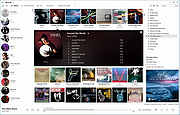 |
|
PDF Arranger v1.14.0 PDF Arranger v1.14.0 👉 Merge, split, rotate, crop and rearrange PDF pages with an easy graphical interface. PDF Arranger is a lightweight open-source application for merging, splitting, rotating, cropping, and rearranging PDF documents through a simple drag-and-drop graphical interface. Built with Python and GTK, it allows users to visually organize pages and create new PDF layouts without needing complex editing software. PDF Arranger is based on the functionality of PDF-Shuffler and uses pikepdf for PDF manipulation. It is designed to be fast, efficient, and easy to use for both casual and advanced users needing quick PDF document management. Features: • Merge multiple PDF documents into a single file • Split PDF documents into separate pages or ranges • Rotate pages individually or in groups • Crop pages visually • Rearrange pages using drag-and-drop • Duplicate pages quickly • Zoom and preview PDF pages • Supports password-protected PDFs • Import image files and convert them into PDF pages • Undo and redo editing actions • Customizable keyboard shortcuts • Open-source and cross-platform Supported operating systems: • Windows 10, Windows 11 • macOS • Linux • FreeBSD Supported languages: Arabic, Catalan, Catalan (Valencian), Czech, Danish, German, Greek, English, Spanish, Basque, Finnish, French, Hebrew, Croatian, Hungarian, Indonesian, Icelandic, Italian, Japanese, Georgian, Korean, Dutch, Occitan, Polish, Portuguese (Brazil), Portuguese (Portugal), Russian, Slovenian, Swedish, Turkish, Ukrainian, Vietnamese, Simplified Chinese, Traditional Chinese Changes: v1.14.0 04-13-26 • Added support for importing JBIG2 image files • Improved crop dialog behavior • Added new keyboard shortcuts • Improved handling of password-protected PDFs • Updated translations • Fixed several bugs and stability issues This download is for the Windows version (very bottom of page). Linux install instructions below: For Linux: pdfarranger requires pikepdf >= 6. pip will automatically install the latest pikepdf if there is no pikepdf installed on the system. On Debian based distributions sudo apt-get install python3-pip python3-wheel python3-gi python3-gi-cairo \ gir1.2-gtk-3.0 gir1.2-poppler-0.18 gir1.2-handy-1 python3-setuptools \ gettext python3-dateutil python3-venv On Arch Linux sudo pacman -S poppler-glib python-pip python-gobject ... |
|
5,119 | May 28, 2026 Jerome Robert 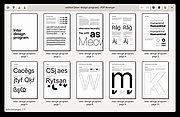 |
|
Picasa Photo Organizer 3.9.139.161 Picasa Photo Organizer 3.9.139.161 Together, Picasa and Picasa Web Albums make it easy for you to organize and edit your digital photos, then create online albums to share with friends, family and the world. Beautiful web albums Show your photos at their best. View full-screen slideshows, see your pictures arranged on a global map, enjoy video playback, and more. Focus on people People matter in your photos. Our technology helps you automatically organize your photos based on the people in them, and works in Picasa and Picasa Web Albums. Get organized Picasa automatically finds all the photos on your PC, wherever they are, and will organize them in seconds. Be creative Use Picasa to design and print beautiful photo collages, create fun video slideshows, add photo text or view your favorite photos on your desktop or screensaver. It's free to use Picasa is free to download, and Picasa Web Albums provides 1 gigabyte of free storage -- that's enough space for 4,000 wallpaper-size photos. Sharing made simple Publish your favorite photos online with one click. Create stunning online photo albums to share with friends and family, or public albums for the world to see. Get notified when your "Favorites" post new photos. Edit to perfection Improve almost any picture with Picasa's one-click fixes for common problems like red-eye, color, and lighting. Or, use tuning and effects to make your best photos look even better. Add places Easily add geo-tags to your photos so that you can remember exactly where they're from using Google Maps. Order photos & gifts, or print at home Picasa makes it easy for you to get the best out of your color printer. And Picasa Web Albums gives your friends the ability to download full-resolution pictures, so they can do the same. When ordering online, choose freely between major retail services. |
 |
9,959 | Feb 18, 2015 Google, Inc. |
|
Playlist Creator v3.6.2.18 Playlist Creator v3.6.2.18 👉 Create and edit M3U and PLS music playlists with a lightweight portable Windows utility. Playlist Creator is a simple, focused utility for building music playlists without the overhead of a full media manager. Originally created by oddgravity, this preserved and modernized edition has been rebuilt as a native 64-bit Windows application while retaining the behavior and features of the original program. Files and folders can be added to a playlist, rearranged, removed, sorted or randomized before saving. Existing M3U and PLS playlists can also be opened and modified. Playlist Creator uses MediaInfo to read metadata from many media formats and can incorporate information such as artist, track number and title into playlist entries. The modernized build is completely native x64 and portable. The MFC and C/C++ runtimes, CxImage, libpng and zlib are statically linked, while the required 64-bit MediaInfo DLL is supplied alongside the executable. The project specifically targets Windows 10 or newer. Features: • Creates M3U and PLS playlists • Opens and edits existing playlists • Add individual files or entire folders • Recursively add files from folders and subfolders • Drag and drop files directly into the playlist • Reorder playlist entries manually • Move selected entries to the top or bottom • Sort playlist entries by column • Shuffle playlists into random order • Create simple playlists containing plain file lists • Read metadata from many media formats using MediaInfo • Use artist, track number and title metadata when creating playlist entries • Highlight playlist entries that refer to missing files • Configure which media file types are included • Save playlist paths using forward or backslashes • Supports multiple playlist save/path modes • Resizable main window • Optional gridlines and alternating row colors • Keyboard shortcuts and context menus for common playlist operations • Portable native 64-bit build requiring no installation Supported operating systems: • Windows 10 64-bit, Windows 11 64-bit Supported languages: English, German Changes: v3.6.2 x64 Modernization Build 08-07-26 Updated to ... |
|
253 | Aug 18, 2026 sl2365 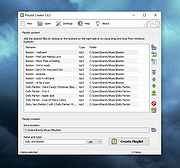 |
|
QOwnNotes v26.9.11 QOwnNotes v26.9.11 👉 Open-source markdown note-taking application with Nextcloud and ownCloud integration. QOwnNotes is a free and open-source plain-text note-taking and to-do list manager designed for users who want full control over their notes and data. It stores notes as plain text Markdown files, making them easy to synchronize with services such as Nextcloud, ownCloud, Syncthing, Dropbox, and other cloud or local storage solutions. QOwnNotes includes powerful organization tools, note encryption, scripting support, tagging, searching, and customizable interface layouts for productivity-focused workflows. Features: • Plain-text Markdown note-taking with live preview • Integration with Nextcloud and ownCloud notes • Stores notes as standard text files without vendor lock-in • AES-256 encrypted notes support • Built-in scripting engine with QML support • Powerful note searching and filtering • Tagging and note organization tools • Multiple note folders and subfolder support • Customizable themes, fonts, and layouts • To-do list and task management support • Automatic note saving and backup support • External diff tool integration • Checkbox list creation and Markdown editing tools • Portable mode support • Cross-platform support for desktop operating systems Supported operating systems: • Windows 7, Windows 8, Windows 10, Windows 11 • macOS 13 Ventura or higher • Linux Supported languages: English, Arabic, Basque, Bulgarian, Catalan, Chinese Simplified, Chinese Traditional, Czech, Danish, Dutch, English, Finnish, French, German, Greek, Hebrew, Hungarian, Italian, Japanese, Korean, Norwegian, Persian, Polish, Portuguese, Portuguese Brazilian, Romanian, Russian, Slovak, Spanish, Swedish, Turkish, Ukrainian Changes: v26.9.11 09-25-26 Deprecated the non-GitHub Qt 5 release packages by removing the legacy Ubuntu Launchpad and OBS deployments from the release process, while retaining the Qt 5 artifacts built by the GitHub release workflow (for #3752) Added more French translation (thank you, jd-develop) 👉 This download is for the Windows version (very bottom of page). All other download assets are below: MacOS: QOwnNotes.dmg QOwnNotesQt5.dmg Linux: QOwnNotes-amd64.snap QOwnNotes-Qt5-amd64.snap QOwnNotes-x86_64.AppImage Click here to visit the author's website. |
|
6,864 | Sep 25, 2026 Patrizio Bekerle 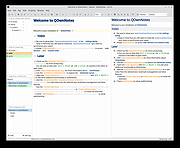 |
|
Quick Snippet v1.0.2 Quick Snippet v1.0.2 👉 Lightweight Windows utility for storing, organizing, and instantly copying reusable text snippets. Quick Snippet is a lightweight Windows application designed to help you manage and copy frequently used text such as emails, templates, ticket updates, troubleshooting steps, and other reusable content. It lets you organize snippets into categories, quickly find them with live filtering, sort both categories and snippets, and copy text to the clipboard with a single click. It also includes system tray support, JSON import and export, and light and dark theme support. Features: • Create, edit, rename, and delete snippets • Store large or small blocks of text • One-click copy to clipboard • Group snippets into categories • Instantly filter snippets by name • Filter categories independently • Results update in real time as you type • Alphabetical sorting for categories and snippets • Toggle sort direction with a single click • Minimize to tray for quick access • Import and export snippets and categories in JSON format • Light and dark mode support Supported operating systems: • Windows 10 • Windows 11 Supported languages: English Changes: v1.0.2 04-05-26 New Added snippet filtering (search box with live results) Added snippet sorting (A–Z and Z–A) Added category filtering (search categories instantly) Added category sorting (A–Z and Z–A) Improvements Improved layout and spacing for filter and sort controls More consistent behavior across categories and snippets Better usability when working with larger snippet collections Fixes Fixed minor UI sizing/alignment issues General stability improvements Note: This file has one hit on VirusTotal. We have confirmed this to be a false positive. The file is safe. Click here to visit the author's website. |
|
855 | Apr 06, 2026 Frank Noonan 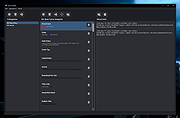 |
|
ResophNotes v1.8.1 ResophNotes v1.8.1 👉 A fast, lightweight Windows note-taking program with Simplenote synchronization, Markdown support, tags and powerful keyboard controls. ResophNotes is a free note-taking program for Windows designed to make creating, finding and managing text notes quick and uncomplicated. Notes can be kept locally or synchronized online with Simplenote, allowing them to be accessed from other devices using compatible Simplenote applications. It supports Markdown with HTML preview, tags, pinned notes, internal links, global keyboard shortcuts and optional storage of each note as an individual plain-text file. Deleted notes can be restored or permanently removed, and nearly every function can be controlled from the keyboard. A dark mode is also available. The developer warns that Simplenote may stop supporting synchronization with third-party applications, so Simplenote syncing should currently be used with caution. Features: • Simple, fast note creation and management • Synchronizes notes online with Simplenote • Access synchronized notes from other devices through Simplenote • HTTPS proxy support for Simplenote connections • Dark mode support • Global hotkey for quickly creating a new note • Global hotkey for restoring ResophNotes when minimized • Markdown text-to-HTML conversion with preview • Automatically recognizes HTTP links and email addresses • Internal note linking using wikilinks • Optional individual .txt files for storing notes • Complete keyboard control with numerous shortcuts • Single Note Mode for distraction-free note viewing and editing • Simplenote pinned-note support • Simplenote tag support • Search notes quickly from the keyboard • Import existing .txt files • Email notes directly from the program • Print notes • Insert the current timestamp with a keyboard shortcut • Restore deleted notes • Permanently delete unwanted notes • Free to use Supported operating systems: • Windows 10, Windows 11 (64-bit) Supported languages: English Changes: v1.8.1 08-14-26 Added Dark mode. Built using Microsoft Visual Studio Community 2026. Uses Qt 5.15.2. Updated OpenSSL library for connection issues. Click here to visit the author's website. |
|
79 | Sep 15, 2026 C.Y. Yen 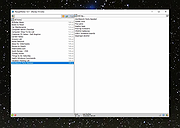 |
|
ShelfLife v0.7.1 ShelfLife v0.7.1 👉 Automatically clean, organize, and manage your folders based on customizable rules. ShelfLife is an open-source folder maintenance utility designed to keep commonly cluttered locations such as your Desktop and Downloads folder organized automatically. It can monitor selected folders and perform actions based on rules you define, including moving, deleting, or sorting files according to their age. This makes it ideal for keeping temporary files, old downloads, and accumulated clutter under control without constant manual cleanup. The program is designed with a straightforward interface that allows you to configure multiple folder management rules while providing enough flexibility for different cleanup workflows. Whether you want to archive older files, remove temporary items, or keep your Downloads folder tidy, ShelfLife automates the process in the background. Features: • Automatically organize folders using customizable rules • Monitor multiple folders simultaneously • Move files based on file age • Delete old or unwanted files automatically • Ideal for managing Desktop and Downloads folders • Helps reduce clutter and improve file organization • Simple, modern user interface • Open source Supported operating systems: • Windows 10, Windows 11 Supported languages: English Changes: v0.7.1 07-06-26 • Fix issue causing notifications to repeatedly appear after changing notification settings. • Improve notification handling behavior. Click here to visit the author's website. |
|
474 | Jul 07, 2026 LogicDX342 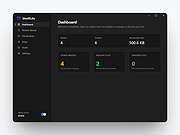 |
|
SideSlide v6.50 SideSlide v6.50 👉 A powerful, customizable desktop workspace, launcher and information organizer that stays hidden until you need it. SideSlide is a free desktop assistant designed to keep your Windows desktop organized and clutter-free while providing instant access to programs, files, folders, websites, commands, RSS feeds, notes, reminders, pictures and other frequently used information. Its customizable workspace can dock to any screen edge and remain tucked away until needed, giving you a large organizational area without permanently consuming desktop space. The workspace uses flexible containers that can be resized, detached, folded, shrunk and arranged however you prefer. Containers can hold shortcuts, notes, RSS feeds, reminders and other content, allowing large collections of information to remain accessible without covering the desktop. SideSlide also includes extensive keyboard navigation and launching features for users who prefer working without the mouse. When the workspace is collapsed, SideSlide can display a Dock Strip containing useful system information and live weather. The workspace can quickly expand again when you need access to its contents. SideSlide can also be used portably from a USB drive. Its configuration files are kept together, and the portable version can continue working even when the removable drive letter changes. Features: • Fully customizable desktop workspace that remains hidden until needed • Dock the workspace to any edge of the screen • Dock Strip displays system information and live weather while the main workspace is collapsed • Create shortcuts to programs, files, folders, commands and websites • Add RSS news feeds directly to the workspace • Built-in RSS reader with filtering and Subject Tracker capabilities • Create resizable, detachable, foldable and shrinkable containers • Containers can extend beyond the visible screen area • Create colorful notes that can be searched, edited in bulk and individually customized • Encrypt notes and automatically re-encrypt them after editing • Create ... |
|
6,515 | Sep 02, 2026 Northglide 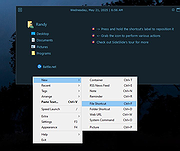 |
|
Simple Sticky Notes v6.9 Simple Sticky Notes v6.9 👉 Free desktop sticky notes with reminders, checklists, and powerful customization. Simple Sticky Notes is a free desktop note-taking application that lets you create colorful sticky notes directly on your Windows desktop. It provides a clean, intuitive interface for capturing reminders, to-do lists, ideas, and important information while keeping them easily accessible. Notes are automatically saved, support rich text formatting, and can be customized with different colors, themes, fonts, transparency levels, and sizes. Simple Sticky Notes also includes alarms and reminders, checklists with hierarchical checkboxes, notebooks for organizing related notes, a note explorer for searching and managing all notes, and options to print, export, or share notes. Additional features such as dark mode, backup and restore, and automatic updates make it a capable alternative to the built-in Windows Sticky Notes application. Features: • Create unlimited desktop sticky notes • Rich text formatting • Colorful notes with adjustable transparency • Custom themes and appearance options • Checklists with hierarchical checkboxes • Alarms and reminders • Note Explorer for searching and organizing notes • Notebooks for grouping notes • Print, export, and share notes • Dark mode support • Automatic saving of notes • Backup and restore functionality • Automatic updates Supported operating systems: • Windows 7, Windows 8, Windows 8.1, Windows 10, Windows 11, Windows 10 Arm64, Windows 11 Arm64 Supported languages: • English, French, German, Spanish, Italian, Japanese, Portuguese, Danish, Dutch, Swedish, Russian, Simplified Chinese, Turkish Changes: v6.9 02-22-26 New: Checking/unchecking a parent checkbox now checks/unchecks all indented child items Improved checkbox indent/outdent with Tab and Backspace Improved overall stability and performance Fixed some translation issues in Chinese and Japanese Fixed minor bugs reported by users Updated the SQLite database engine to version 3.51.0 Click here to visit the author's website. |
|
10,070 | Jul 19, 2026 Simnet Ltd. 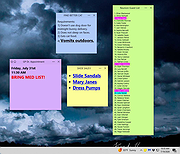 |
|
Super Productivity v18.19.0 Super Productivity v18.19.0 👉 A privacy-focused task manager with time tracking and Pomodoro timer. Super Productivity is an open-source productivity app designed to help users manage tasks, track time, and improve focus using built-in techniques like the Pomodoro timer. It integrates with popular issue tracking platforms such as Jira, GitHub, and GitLab, making it especially useful for developers and teams. The application emphasizes privacy by storing all data locally with no required sign-up or cloud dependency. Features: • Task management with subtasks, attachments, and notes • Built-in Pomodoro timer and break reminders • Time tracking with detailed statistics and reports • Integration with Jira, GitHub, GitLab, and other issue trackers • Offline-first design with local data storage • Distraction blocking and focus mode • Daily schedule planning and timeboxing • Keyboard shortcuts and command palette • Data import/export and backup support • Cross-platform synchronization options (optional) • Customizable themes and dark mode • Open-source with no ads or tracking Supported operating systems: • Windows 10, Windows 11 • macOS 11 or higher • Linux (AppImage, Snap, Flatpak, Debian/Ubuntu) • Android • iOS Supported languages: English, German, Spanish, French, Italian, Portuguese, Russian, Chinese, Japanese, Korean Changes: v18.19.0 08-07-26 Highlights Added search to global settings and a ? keyboard shortcut cheat sheet (#9302, #9318). Added crash-safe local drafts for project notes (#8982). Added interval recurrence phrases such as @every 2 weeks and @every 2 fridays (#9328). Added URL scheme actions for creating and completing tasks (#9121). Completed translations across all locales (#9360). Security and sync Enforced encrypted-only SuperSync uploads when E2EE is required and stopped clients from accepting plaintext downloads when encrypted sync is expected (GHSA-vrc7-775g-ggqc, #8903, #9457). Added diagnostics and recovery guidance for encrypted-operation integrity failures (#9331, #9439, #9444). Prevented stale-key uploads after server state replacements (#8730, #9330). Resolved ... |
|
694 | Aug 12, 2026 Super Productivity Org 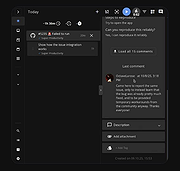 |
|
SyMenu v8.14.9685 SyMenu v8.14.9685 👉 Portable menu launcher and Start Menu replacer for organizing and launching applications. SyMenu is a portable menu launcher and Start Menu replacer designed to help you organize, find, and run your applications quickly and easily. It can manage portable apps stored on local or removable drives, automatically index applications installed on the host PC, and provide a fast search-as-you-type launcher. SyMenu also includes support for its integrated freeware suites, letting you install, update, and remove supported programs automatically through its SPS system. Features: • Portable menu launcher and Windows Start Menu replacement • Organizes applications in a hierarchical structure with custom names, folders, separators, and labels • Search-as-you-type launcher for quick access to programs and functions • Can automatically index applications installed on the host PC • Works with apps stored on local disks, USB drives, flash drives, external drives, memory cards, CDs, and DVDs • Supports integrated freeware suites with automatic install, update, and removal through SPS • Strong customization options for menu layout and organization • Includes tools such as configuration, app management, and update checking Supported operating systems: • Windows 10, Windows 11 • Windows 10 and Windows 11 support both 32-bit and 64-bit versions Supported languages: • English, Arabic, Chinese Simplified, Chinese Traditional, Czech, Finnish, French, German, Greek, Hungarian, Italian, Polish, Portuguese (Brazil), Portuguese (Portugal), Spanish, Turkish, Ukrainian • Dutch (not official), Japanese (not official), Korean (not official), Russian (not official), Slovenian (not official) Changes: v8.14.9685 07-08-26 Application upgrade to .NET 10 for improved overall performance, security, and stability. New innounp version (v2.67.9) New 7zip version (v26.02) Form splash reorganization and optimization Automatic token clearance when a new unique identifier (GUID) is generated Language updates: Japanese language added, Chinese (Simplified), French, Spanish, Finnish, Ukrainian removed. Click here to visit the author's website. |
|
9,011 | Aug 06, 2026 UGM.NET 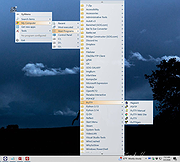 |
|
TabStick-1.2.0-win-x64-portable.zip TabStick v1.2.0 👉 A lightweight note-taking program that attaches colorful index tabs directly to your application windows. TabStick lets you place quick notes on the edge of an application window, keeping reminders and information beside the program where they are needed. Choose a tab from the color palette, attach it to a window and begin typing. Notes can be organized directly inside each tab and customized with different colors, sizes, text settings and display themes. TabStick is available as an installer or a portable download that can be extracted and run without installation. Features: • Attaches index-style notes directly to application windows • Keeps related notes beside the program where they are needed • Creates new notes by selecting a color from the tab palette • Supports quick text entry and organization within each note • Customizable application and tab sizes • Adjustable text size and line spacing • Multiple note colors • Custom note colors • Light and dark display modes • Configurable palette appearance • Changeable interface language • Available as an installer or portable program • Simple interface designed for fast note-taking Supported operating systems: • Windows 10 64-bit, Windows 11 64-bit Supported languages: Not Found Changes: v1.2.0 Not Found Click here to visit the author's website. |
|
238 | Aug 05, 2026 TabStick 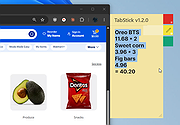 |
|
ToDoList v9.2.0 ToDoList v9.2.0 👉 Flexible and powerful task management software for organizing projects of any size. ToDoList is a highly configurable task management application that helps you organize everything from simple daily to-do lists to complex, multi-level projects. It lets you create unlimited task hierarchies with subtasks, allowing even the largest projects to remain organized and easy to navigate. ToDoList includes a wide range of customizable task attributes such as priorities, categories, tags, due dates, start dates, dependencies, recurrence, risk levels, percentages complete, file links, comments, and time tracking. Multiple task views, advanced filtering, searching, sorting, and reporting tools make it easy to focus on your work and monitor progress. Support for plugins, numerous import and export formats, and a portable edition make ToDoList suitable for both personal and professional project management. Features: • Unlimited task hierarchy with nested subtasks • Fully customizable task attributes and layouts • Priorities, categories, tags, status, and risk tracking • Start dates, due dates, recurring tasks, and dependencies • Built-in time tracking and time estimates • Powerful filtering, searching, sorting, and reporting • File attachments, links, and rich text comments • Multiple import and export formats • Plugin support for additional functionality • Portable version available Supported operating systems: • Windows 7, Windows 8, Windows 8.1, Windows 10, Windows 11 Supported languages: English Changes: v9.2.0 06-22-26 • Added new task creation options, including creating subtasks within existing tasks. • Added single-click editing to the Attribute Editor. • Added sub-expressions to Find Task rulesets. • Added Persian (Jalali) calendar support. • Added counters for remaining User Defined Tools and Custom Task Attributes. • Added spell checking support for Markdown comments. • Added drag-and-drop reordering of Task View tabs. • Added improved keyboard navigation for Week Planner and Logged Time. • Added drag-and-drop and paste support for files, images, and content in HTML and Markdown comments. • Added Cut, Copy, and Paste icons to the Rich Text Comments toolbar and context menu. • Added a UI Language ... |
|
10,946 | Jun 29, 2026 AbstractSpoon Software 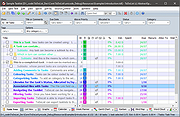 |
|
Treesheets v3247 TreeSheets v3247 👉 Hierarchical spreadsheet-style note taking for organizing complex information visually. TreeSheets is a unique information organizer that combines the structure of a spreadsheet with the flexibility of a hierarchical outliner. It allows you to create deeply nested grids of cells, making it ideal for managing complex data, brainstorming ideas, planning projects, or structuring large amounts of information in a compact and visual way. Unlike traditional spreadsheets, TreeSheets supports recursive cell structures, meaning each cell can contain another grid. This makes it especially powerful for breaking down large concepts into manageable sections while keeping everything accessible in a single document. TreeSheets is lightweight, fast, and portable, making it suitable for quick note-taking or large structured documents alike. Features: • Hierarchical spreadsheet-style data organization • Unlimited recursive grids within cells • Compact visual layout for dense information • Keyboard-driven navigation and editing • Fast search across entire document • Import and export to multiple formats including text and HTML • Printing support with automatic layout adjustments • Lightweight and portable application • Open-source and actively maintained Supported operating systems: • Windows 7, Windows 8, Windows 10, Windows 11 • macOS 10.13 or higher • Linux (AppImage and source builds) Supported languages: English, Dutch, German, Spanish, French, Italian, Russian, Chinese, Japanese Changes: v3247 07-12-26 Revert "Do not overwrite existing cells when grid is merged or multi-… This download is for the Windows 64bit installer version (very bottom of page). All other download assets are below: Other Windows: TreeSheets-3247-winx64.zip TreeSheets-3247-winarm64.exe TreeSheets-3247-winarm64.zip macOSX: TreeSheets-3247-Darwin.dmg Linux: treesheets_3247_amd64.deb treesheets_3247_arm64.deb Click here to visit the author's website. |
|
5,724 | Jul 13, 2026 Wouter van Oortmerssen 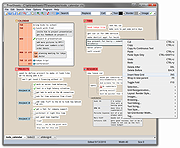 |
|
TwinPixCleaner v2.0.0 TwinPixCleaner v2.0.0 👉 Smart duplicate photo finder for macOS that detects exact matches and visually similar images. TwinPixCleaner is a native macOS utility designed to help you find and remove duplicate images so you can recover storage space and better organize your photo collection. It offers two scanning methods: exact duplicate detection using SHA-256 hashing and visual similarity detection for images that may not be byte-for-byte identical but still look the same. The program includes a simple “Keep This” workflow, native Quick Look preview support, sortable results, batch selection, and safe deletion to the macOS Trash with undo support. Features: • Dual scanning modes for exact duplicate matching and visual similarity detection • Finds identical photos as well as visually similar image variations • One-click "Keep This" option to preserve a preferred image and mark the rest • Safe deletion sends files to the macOS Trash instead of immediately removing them • Undo support with ⌘Z for restoring deleted files during the current session • Multi-select support for batch deletion • Native Quick Look previews with the Spacebar • Sorting options by size or number of copies • Native macOS interface with dark mode support • Keyboard shortcuts for scanning, previewing, deleting, undoing, closing, and quitting • Privacy-focused design with all processing performed locally • Works offline with no cloud processing required Supported operating systems: • macOS 13.0 Ventura or higher Required Permissions: • File Access TwinPixCleaner needs permission to read folders you select Granted automatically when you choose a folder • Full Disk Access (Optional) Required for system folders and external drives Enable in: System Settings → Privacy & Security → Full Disk Access Add TwinPixCleaner to the list Supported languages: Supports OS Language. Changes: v2.0.0 05-10-26 What's New Apple Photos Integration: You can now scan your native macOS Photo Library directly. The app intelligently identifies duplicates while respecting your system's privacy and safety. Batch Deletion: Optimized the deletion process for Apple ... |
|
757 | Jul 29, 2026 Akshay Kumar Gupta 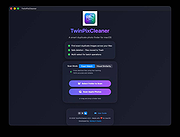 |
|
Zotero v10.0.1 Zotero v10.0.1 👉 A powerful free research assistant for collecting, organizing, annotating, citing and sharing research. Zotero is a free, open-source research and reference manager designed to help you collect, organize, annotate, cite and share research sources. It can manage books, journal articles, reports, web pages, artwork, films, letters, manuscripts, recordings, legal materials and many other types of sources. Each item can contain detailed bibliographic metadata as well as attached PDFs, files, web snapshots, links and notes. The Zotero Connector integrates with supported web browsers to capture research directly from websites. When Zotero recognizes a book, article or other source, it can automatically create the appropriate library item, fill in available metadata, download a full-text PDF when available and attach related links or supplemental files. Zotero can also create items directly from ISBNs, DOIs and PubMed IDs. Research can be organized into collections and tagged for easier retrieval. An item can appear in multiple collections without creating duplicate copies, and saved searches automatically update as new matching material is added. Zotero also provides synchronization between computers and shared group libraries for collaborative research. Features: • Collect books, journal articles, reports, web pages, artwork, films, letters, manuscripts, recordings, legal materials and many other types of research sources • Automatically capture bibliographic information from supported websites using the Zotero Connector • Automatically download full-text PDFs when they are available while saving sources • Save web pages as locally stored snapshots for later viewing, including while offline • Add sources automatically using ISBN, DOI or PubMed ID identifiers • Attach PDFs, images, audio, video and other files to library items • Create rich-text notes attached to individual sources or independent notes • Organize research into collections and subcollections without duplicating library items • Assign unlimited tags to items and use colored tags for quick identification • Quickly search metadata, tags and full-text content • Use advanced searches for ... |
|
184 | Aug 28, 2026 Digital Scholar 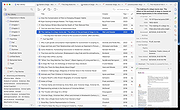 |
| Showing rows 1 to 29 of 29 | Showing Page 1 of 1 | 1 |
OlderGeeks.com Copyright (c) 2026
