|

|
Processed through Paypal No account required. |








Buy our over-priced crap to help pay the bills.



|
|
Processed through Paypal No account required. |
| Files | ||||
| File Name | Rating | Downloads | ||
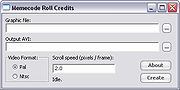 |
Roll Credits 0.3 Roll Credits 0.3 Roll Credits takes a still image and makes a scrolling credits AVI out of it, by starting with all black and then scrolling the image from the bottom up at the specified rate, until the bottom of the image has scrolled past the top of the screen and then it stops. Most movie editors make this way harder than it has to be, so I wrote this utility to do the credits for a production I was involved in. I exported the AVI to DVD and played it on the big screen. The image is centered on the screen, the background is preset to black at the moment. PAL and NTSC are the only supported output formats at the moment. Changes: 0.3 Rewrote the front end after losing the code and binaries *sigh*. Added option for custom frame size and rate. Added a progress bar. |
 |
6,847 | Oct 30, 2015 Matthew Allen |
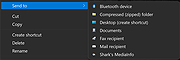 |
Shark's MediaInfo Tool v21.9-3 Shark's MediaInfo Tool v21.9-3 A free tool to squeeze out every last bit of information from your media files. The installer creates Windows send to and drag and drop desktop shortcuts automatically. The portable version comes with command line instructions on how to create send to and desktop shortcuts. When using the command line, shortcuts are created for ALL users. This download is for the installer. If you need the portable version, download here. Use 7-Zip 32bit or 7-Zip 64bit to unzip this file. Click here to visit the author's website. |
|
2,945 | Mar 09, 2022 Shark007 |
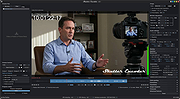 |
Shutter Encoder v20.2 Shutter Encoder v20.2 👉 A free video, audio, and image converter designed by video editors for powerful media encoding and workflow tools. Shutter Encoder is a free media converter and processing tool built around FFmpeg for handling video, audio, and image files. It is designed by video editors to be both accessible and powerful, with support for a very wide range of codecs and formats, along with trimming, subtitle work, watermarking, cut detection, analysis tools, web video downloading, render queue support, file information viewing, batch renaming, FTP upload support, and AI-assisted functions. It also includes professional workflow features such as editing codecs, broadcast codecs, archive codecs, disc burning and ripping, and preset saving for repeatable jobs. Features: • Converts video, audio, and image files using FFmpeg • Designed by video editors for accessible but advanced media work • Supports a very large range of codecs and formats • Includes trimming and cut without re-encoding tools • Lets you replace audio, rewrap, conform, merge, extract, subtitle, and insert video • Supports sound conversion to WAV, AIFF, FLAC, ALAC, MP3, AAC, AC3, OPUS, Vorbis, Dolby Digital Plus, and Dolby TrueHD • Includes editing codecs such as DNxHD, DNxHR, Apple ProRes, QT Animation, GoPro CineForm, and Uncompressed • Includes output codecs such as H.264, H.265, H.266, VP8, VP9, and AV1 • Includes broadcast codecs such as XDCAM HD422, XDCAM HD 35, AVC-Intra 100, XAVC, XAVC Long GOP, and HAP • Supports older codecs including Theora, MPEG-2, MJPEG, Xvid, DV, WMV, and MPEG-1 • Supports FFV1 for archiving workflows • Creates JPEG, JPEG XL, and image outputs • Burns and rips DVD and Blu-ray media • Includes analysis tools such as loudness and true peak, audio normalization, cut detection, black detection, media offline detection, VMAF, and FrameMD5 • Downloads web video content • Includes image adjustment tools for colors, LUTs, and color space conversion • Supports cropping for both images and videos • Can ... |
 |
3,568 | Aug 12, 2026 Paul Pacifico |
 |
SMPlayer v25.6 SMPlayer v25.6 👉 A free media player with built-in codecs that plays virtually all video and audio formats. SMPlayer is a free media player for Windows, Linux and Mac OS with built-in codecs, YouTube playback, subtitle search and download, a thumbnail generator, and audio and video filters. Features: • Plays virtually all video and audio formats • Built-in codecs, no external codec packs required • Remembers playback position and settings for each file • Supports YouTube video playback • Searches and downloads subtitles • Includes video and audio filters • Playback speed control • Audio and subtitle delay adjustment • Video equalizer • Skins and icon themes • Supports Chromecast • Free and open source Supported operating systems: • Windows 8 and above • Windows XP and other 32-bit systems via alternative package • Linux • Mac OS 10.15 and above Supported languages: English, Español, Français, Português, Português (Brasil), Euskara, Galego, Català, Lietuvių, Русский, Українська, Hrvatski, Polski, Deutsch, 日本語, 正體中文, 简体中文, 한국어, Bahasa Indonesia, Bahasa Melayu, Türkçe, Български, العربية, Dansk, Nederlands Changes: v25.6 • Various bug fixes and stability improvements. Use 7-Zip to unzip this file. This download is for the Windows 64bit version (very bottom of page). All other download assets are below: Other Windows: smplayer-25.6.0-win32-qt5.6-unsigned.exe (Windows XP and other 32-bit systems) smplayer-portable-25.6.0.0-x64.7z smplayer-portable-25.6.0.0-win32-qt5.6.7z macOS: smplayer-25.6.0.dmg Linux: SMPlayer-25.6.0-x86_64.AppImage Snap package sudo snap install smplayer Flatpak package sudo flatpak install smplayer*.flatpak Packages for Ubuntu sudo add-apt-repository ppa:rvm/smplayer sudo apt-get update sudo apt-get install smplayer smplayer-themes smplayer-skins Click here to visit the author's website. |
|
3,352 | May 20, 2026 Ricardo Villalba |
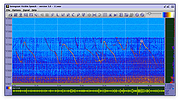 |
Sonogram Visible Speech v5.0 Sonogram Visible Speech v5.0 A free and open source speech and sound analysis tool. Sonogram visible speech has been programmed at the German Research Center for Artifical Intelligence (Deutsches Forschungszentrum für Kuenstliche Intelligenz DFKI, www.dfki.de), and is a 3D tool to analyze speech and sound signals with STFT and various other algorithms. The software originates from basic research and the attempt to build a speech recognizer with neuronal networks. The new version requires Java at least in version 16. The program was written with emacs. Note: You must have at least Java version 16 installed on your Computer in order to use Sonogram. See Oracle Java or AdoptOpenJDK. Apple Silicon (ARM) users should use the native Azul Zulu JDK or JRE. Support If you have trouble with the Sonogram settings you can start Sonogram with CAPS-LOCK enabled. A reset screen is shown: This download is for the Windows version. If you need the macOS version, download here. If you need the Linux version, download here. Click here to visit the author's website. |
|
1,590 | Dec 04, 2023 Christoph Lauer |
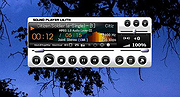 |
Sound Player Lilith v2019.01.01 Sound Player Lilith v2019.01.01 An ultra light, portable, skinnable music player that features a playlist editor, tag editor and audio converter. Lilith Audio Player plays MP3s, WMA, Ogg Vorbis, Monkeys Audio, WAV, and many more. It comes with a 10-band audio equalizer, CD text support, native VST plugin/WASAPI/ASIO support, 64fp pipeline, a convenient GUI, and consuming a very little amount of memory, it even does automatic latency compensation allowing the use of any linear phase EQ without any glitch. uLilith does much more than just play audio files, however. Lilith also allows users rip tracks from CDs and to convert audio files between a handful of formats. The program is portable, no installation required - just unzip and run it on the nearest PC. Supported operating systems: Windows (All) This download is for the 64bit version. If you need the 32bit version, download here. Use 7-Zip to unzip this file. Click here to visit the author's website. |
|
1,120 | Jun 06, 2025 Project9k |
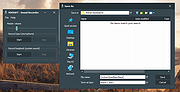 |
Sound Recorder v1.0 Sound Recorder v1.0 Sometimes you just want to record audio. No installing over-feature packed software. Just a tiny, portable audio recorder like this one. Vovsoft Sound Recorder can record audio from the current input device (microphone) and from the current output device (loopback recording) by using WASAPI. You don't have to hold up a microphone to your computer's speakers to record its audio. Even if you don't have a "Stereo Mix" option on your PC, you can easily record the sound coming from any Windows PC as WAV file. This utility can come in handy when you are only interested in quickly capturing the sounds of your microphone or the music played by your PC even if you do not have your speakers connected to the machine. Supports: Windows Windows 10/8.1/8/7 (32-bit and 64-bit) Language: English License: Freeware Sound Recorder 1.0 March 5, 2021 First public release Click here to visit the author's website. |
|
3,537 | Mar 25, 2021 Vovsoft |
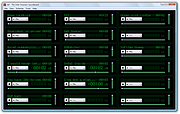 |
SoundBoard 1.30 SoundBoard 1.30 The SoundBoard loads up to eighteen .wav files, and allows you to play them at the click of a button. Each sound clips can be renamed have its volume set, and a position chosen. This configuration can be saved, and loaded so that your SFX are always instantly available and at the correct volume and position. Six "favourite" sound schemes can be chosen so that they can be quickly retrieved. Multiple sounds can be played at a time, and the sound can be paused or stopped. Different colour schemes can be chosen to distinguish between multiple instances of the application. Each SFX has its duration displayed, and whilst playing either the time elapsed, or the time remaining can be shown. Volume and position changes are effective immediately, whether or not the SFX is playing. While playing, the light on the button associated with the sound is illuminated, and when paused, the light turns orange. The screen shot above is the program in action. The file on the top-right (which has been renamed as "SIS") is 3 minutes 21 seconds in duration, and is currently paused at 1 minutes 26 seconds. It's playing at full volume, unlike the sound named "I would never let..", which has been adjusted down to half volume. Once all volumes and start times have been set, the board can be set to "compact mode" to take up less screen space, while still giving access to the sounds names and play/pause/stop buttons. Keyboard shortcuts Each sound has a corresponding key on the keyboard which activates it- the keys 1 through 9, and Q through O. Tapping the key starts and pauses the sound, and holding shift as you do this stops the sound. To get a reminder of which key plays which sound, press control. Origin The program was designed to the specification ... |
|
6,398 | Apr 12, 2016 Zhorn Software |
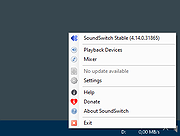 |
SoundSwitch v6.14.1 SoundSwitch v6.14.1 Switch your default playback devices and/or recording devices using simple hotkeys. Easy To start using it, simply use the default hotkey: CTRL + ALT + F11. You can also Double Click on the Systray Icon. Mute To mute your microphone use: CTRL + ALT + M. You can change it later in the settings, in the recording tab. Speeds up No more navigating through several menus and screens. Just configure SoundSwitch once - and you are able to switch between your devices as fast as never before! Configure it to match your needs! Multilingual English, French, German, Spanish, Italian and Portuguese (Brazilian). Supported operating systems: Windows 7, 8, 8.1, 10, 11 Changes: v6.14.1 (2025-06-04) Bug Fixes settings: fix opening settings crashing the application when using CLI or opening SoundSwitch again (b3dca74) Languages Amharic: Added About translation using Weblate (8a40dab) Japanese: Translated About using Weblate (3541994) Japanese: Translated Settings using Weblate (ca5b2fe) Japanese: Translated Settings using Weblate (39a2340) Japanese: Translated Tray Icon using Weblate (1286b92) Japanese: Translated Update Download using Weblate (1c2c658) Norwegian Bokmål: Translated Settings using Weblate (5aaf243) Portuguese: Translated Settings using Weblate (e11f18d) Swedish: Translated Settings using Weblate (8b7b738) Click here to visit the author's website. |
|
4,414 | Jun 08, 2025 Jeroen Pelgrims |
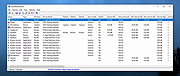 |
SoundVolumeView v2.51 SoundVolumeView v2.51 👉 View and change Windows sound volume from a GUI or command line. SoundVolumeView is a simple tool for Windows that displays general information and current volume levels for all active sound components on your system, and allows you to mute and unmute them instantly. SoundVolumeView can also save a sound profile to a file, including current volume levels, mute/unmute states, and default sound devices, then restore those same settings later. It also includes extensive command-line support for saving and loading profiles, changing volume, muting, unmuting, enabling, disabling, and setting audio devices without displaying the user interface. Features: • View all active sound components on your system • See current volume levels and mute status • Mute or unmute sound components instantly • Save and restore complete sound profiles • Change volume from the GUI or command line • Set default sound devices • Enable or disable audio devices • Create desktop shortcuts for common sound actions • Export sound item information to text, CSV, HTML, XML, or JSON • Supports 32-bit and 64-bit Windows Supported operating systems: • Windows Vista, Windows 7, Windows 8, Windows Server 2008, Windows 10, Windows 11 Supported languages: Arabic, Brazilian Portuguese, Dutch, Finnish, French, German, Greek, Hungarian, Italian, Japanese, Korean, Persian, Polish, Portugal Portuguese, Romanian, Russian, Simplified Chinese, Slovak, Spanish, Swedish, Traditional Chinese, Turkish Changes: v2.51 Added 'Copy Clicked Cell' option to the right-click context menu, which copies to the clipboard the text of cell that you right-clicked with the mouse. This download is for the Windows 64bit version (very bottom of page). If you need the Windows 32bit version, download here. Click here to visit the author's website. |
|
6,202 | May 15, 2026 Nir Sofer |
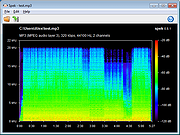 |
Spek v0.8.2 for Windows Spek v0.8.2 for Windows Spek – Acoustic Spectrum Analyser Spek helps to analyse your audio files by showing their spectrogram. Spek is free software available for Unix, Windows and Mac OS X. Features Supports all popular lossy and lossless audio file formats thanks to the FFmpeg libraries. Ultra-fast signal processing, uses multiple threads to further speed up the analysis. Shows the codec name and the audio signal parameters. Allows to save the spectrogram as an image file. Drag-and-drop support; associates with common audio file formats. Auto-fitting time, frequency and spectral density rulers. Adjustable spectral density range. Translated into 19 languages. |
|
6,019 | Aug 28, 2019 spek.cc |
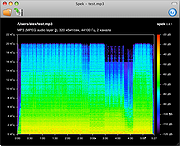 |
Spek v0.8.3 for Mac Spek v0.8.3 for Mac Spek – Acoustic Spectrum Analyser Spek helps to analyse your audio files by showing their spectrogram. Spek is free software available for Unix, Windows and Mac OS X. Features Supports all popular lossy and lossless audio file formats thanks to the FFmpeg libraries. Ultra-fast signal processing, uses multiple threads to further speed up the analysis. Shows the codec name and the audio signal parameters. Allows to save the spectrogram as an image file. Drag-and-drop support; associates with common audio file formats. Auto-fitting time, frequency and spectral density rulers. Adjustable spectral density range. Translated into 19 languages. |
|
6,121 | Aug 28, 2019 spek.cc |
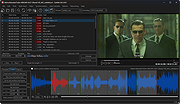 |
Subtitle Edit v5.0.0 Subtitle Edit v5.0.0 👉 Free open-source subtitle editor for creating, editing, syncing, and converting subtitles. Subtitle Edit is a free and open-source subtitle editor designed for professional and hobbyist subtitle creation alike. Version 5 represents the biggest update in the project's history, rebuilding the application with the Avalonia UI framework to provide a true native cross-platform experience on Windows, macOS, and Linux from a single codebase. It retains the powerful editing capabilities that made Subtitle Edit popular while adding a modern interface, faster performance, and improved portability. Whether you're correcting subtitle timing, creating subtitles from scratch, translating captions, performing OCR on image-based subtitles, or converting between subtitle formats, Subtitle Edit provides an extensive collection of professional tools. It supports well over 300 subtitle formats, waveform and spectrogram editing, video preview, AI-assisted translation, speech-to-text integration, spell checking, batch processing, and numerous automation tools that greatly simplify subtitle production. Features: • Create new subtitles from scratch using video preview, waveform, and spectrogram displays • Edit and synchronize subtitles using visual and time-based synchronization tools • Convert between more than 300 subtitle formats • OCR support for image-based subtitle formats including Blu-ray and DVD subtitles • AI-powered translation using multiple online and local translation engines • Speech-to-text transcription using supported recognition engines • Automatic subtitle timing adjustments and frame rate conversion • Batch conversion, batch fixing, and batch subtitle processing • Spell checking with dictionaries for numerous languages • Search, replace, split, merge, and renumber subtitle lines • Generate subtitles with waveform and spectrogram editing • Compare and merge subtitle files • Video preview using supported media playback engines • Import and export subtitle projects in hundreds of formats • Customizable keyboard shortcuts and editing layouts • Dark mode and modern cross-platform user interface • Portable versions available for supported platforms • Free and open-source software released under the GNU GPL Supported operating systems: • Windows 10, Windows 11 • macOS 12 Monterey or later (Intel, ... |
|
1,558 | Jun 24, 2026 Nikolaj Olsson |
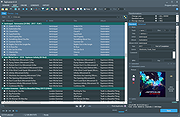 |
TagScanner v6.1.16 TagScanner v6.1.16 A powerful tool for organizing and managing your music collection. It can edit tags of most modern audio formats, supports ID3v1/v2, Vorbis comments, APEv2, WMA and MP4(iTunes) tags. You can rename files according to information from the tags, import tag information from filenames or other sources, perform any text replacement and transformations in tags and filenames. Also you may get album info and download covers via online databases like freedb, Discogs or MusicBrainz. You can create playlists in one click and export your collection to HTML, Excel or any user-defined format. Program has easy-to-use multilingual interface and built-in audio player. Features: • Rename files based on the tag and file information • Powerful multiple files tag editor • Import album information and covers from online databases like Discogs or MusicBrainz • Generate tag information from file/foldernames • Tag fields formatting and rearrangement • Words replacement and case conversion from tags and filenames • Supports MP3, OGG, FLAC, WMA, MPEG-4, Opus, Musepack, Monkey's Audio, AAC, OptimFROG, SPEEX, WavPack, TrueAudio, WAV, AIFF, Direct Stream Digital files • Supports ID3 1.0/1.1/2.2/2.3/2.4 tags, APE v1 and v2 tags, Vorbis Comments, WMA tags and MP4(iTunes) metadata • Supports for embedded lyrics and cover art • Resize cover art for portable devices on the fly • TAGs versions conversions • Quick playlists creation • Export information to HTML, XML CSV or any user-defined format • Full support for Unicode • Multilanguage interface • Built-in audio player Included languages: Belarusian, Bulgarian, Chinese Simplified, Chinese Traditional, Croatian, Czech, Danish, Dutch, English, ... |
|
6,053 | Nov 02, 2023 Sergey Serkov |
 |
Tdarr v1.2070 Tdarr v1.2070 Audio/Video Library Analytics and Transcode/Remux Automation Distributed transcode automation using FFmpeg/HandBrake + Audio/Video library analytics + video health checking For Windows, macOS, Linux and Docker Tdarr V2 is a cross-platform conditional based transcoding application for automating media library transcode/remux management in order to process your media files as required. For example, you can set rules for the required codecs, containers, languages etc that your media should have which helps keeps things organized and can increase compatability with your devices. A common use for Tdarr is to simply convert video files from h264 to h265 (hevc), saving 40%-50% in size. The application is in the form of a click-to-run web-app, comprised of the following 2 components: Tdarr_Server - Central process which all Nodes connect with Tdarr_Node - Processes running on same/other devices which collect tasks from the Server Put your spare hardware to use with Tdarr Nodes for Windows, Linux (including Linux arm/arm64) and macOS. Designed to work alongside applications like Sonarr/Radarr and built with the aim of modularisation, parallelisation and scalability, each library you add has its own transcode settings, filters and schedule. Workers can be fired up and closed down as necessary, and are split into 4 types - Transcode CPU/GPU and Health Check CPU/GPU. Worker limits can be managed by the scheduler as well as manually. For a desktop application with similar functionality please see HBBatchBeast. Cross-platform Tdarr Nodes which work together with Tdarr Server to process your files GPU and CPU workers Use/create Tdarr Plugins for infinite control on how your files are processed: https://github.com/HaveAGitGat/Tdarr_Plugins Audio and video library management 7 day, 24 hour scheduler Folder watcher Worker stall detector Load ... |
|
2,483 | Feb 06, 2024 HaveAGitGat |
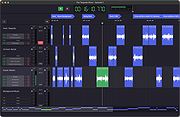 |
Teapodo v0.4.0 Teapodo v0.4.0 A Lightweight Audio Editor for Windows and MacOS Non-destructive Multi-track Editing Importing or recording into multiple Tracks, and re-arranging the audio as Clips, while keeping the source audio untouched. Your browser does not support the video tag. autoplay muted Fade-in and Fade-out Each clip's fade-in and fade-out can be adjusted easily. The adjustments reflect in real-time on both the waveform and the output audio. Audio Plugins Teapodo supports the following audio plugin formats: VST3 (on Windows and macOS) AudioUnit (on macOS) With the power of the audio plugin ecosystem, audio tracks in Teapodo can be fine-tuned easily. De-noising, dynamic range compression, EQ, and many more audio adjustments are just a few clicks away. Easy Recording Recording is as simple as clicking the Record button. Punching-in can also be done by recording onto an existing track. Recorded audio is saved incrementally into a file in order to prevent data loss in unexpected situations. ID3 Chapters Finalizing your project by marking the project into Chapters. When exported, Chapters are written as ID3 Chapter Frames in the audio file, which can then be picked up by supported audio players (such as Podcast players). Native Apple Silicon Support Teapodo runs natively on both Apple Silicon Macs and Intel Macs, making the editing experience smooth and power efficient. Windows Support Teapodo fully supports Windows 10 and later. Have a gaming monitor with a 144Hz refresh rate? Teapodo will run buttery smooth on it :) Built with Rust Teapodo's audio engine and internal data flow is written in Rust, a programming language that is fast and memory-safe. The multi-threaded nature of real-time audio processing makes it a challenging problem to solve. With the help of Rust (and a handful of well-crafted third party crates), we are able to implement a rock solid foundation for Teapodo. Changes v0.4.0 Update contact infos in About page and Help ... |
|
2,619 | Sep 19, 2023 Lamb Ribs Studio |
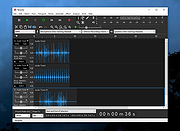 |
Tenacity v1.4.0 Tenacity v1.4.0 A free, open source, easy-to-use multi-track audio editor and recorder for Windows and Linux. Tenacity is built on top of the widely popular Audacity and is being developed by a wide, diverse group of volunteers. Features: • Recording from audio devices (real or virtual) • Export / Import a wide range of audio formats (extensible with FFmpeg) • High quality including up to 32-bit float audio support • Plug-ins providing support for VST, LV2, and AU plugins • Scripting in the built-in scripting language Nyquist, or in Python, Perl and other languages with named pipes • Editing arbitrary sampling and multi-track timeline • Accessibility including editing via keyboard, screen reader support and narration support • Tools useful in the analysis of signals, including audio Motivation: The project initially started as a fork of Audacity as a result of multiple controversies and public relation crises, which you can find out more about here: • Privacy policy which may violate the original project's GPL license • Contributor's License Agreement (CLA) which may violate the same GPL license • Attempts at adding telemetry using Google services for data collection Differences from Audacity: • New, modern themes. • Improved support for more platforms such as Haiku. • Matroska importing and exporting without needing FFmpeg. • Support for ... |
|
1,487 | Dec 23, 2025 Tenacity Team and Community |
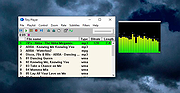 |
Tiny Player v2.8 Tiny Player v2.8 A free, tiny audio, video and CD/DVD player It uses DirectShow technology. It can read (but not modify) ID3/Ogg/APE/WMA tags and show sub/srt/aqt/dks subtitles. CD information can be obtained from freedb, CD-TEXT or cdplayer.ini and submitted to freedb. Features custom playback speed, single frame step, capture frame you can change subtitles color, size, font, vertical position no gap between audio tracks save audio to WAV file equalizer 2 visualizations - spectrum and oscilloscope Click here to visit the author's website. |
|
2,414 | Oct 18, 2022 Petr Lastovicka |
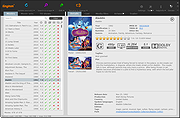 |
tinyMediaManager v4.2.6 tinyMediaManager v4.2.6 A media management tool written in Java/Swing. It is written to provide metadata for the Kodi Media Center (formerly known as XBMC), MediaPortal and Plex media server. Due to the fact that it is written in Java, tinyMediaManager will run on Windows, Linux and macOS (and possible more OS). Movie Management Get data from TheMovieDB.org, Imdb.com, Ofdb.de, HD-Trailers.net, ... Create NFO for use with Kodi (XBMC) and MediaPortal Automatically rename files and folders as you like Movie Set Management Organize movies into collections Set artwork for moviesets Support NFO tags for moviesets for Kodi (XBMC) and MediaPortal TV Show Management find TV shows and episodes in subdirectories - powerful episode/season detection Get data from TheTvDB.com, TheMovieDB.org, Imdb.com Create NFO for use with Kodi (XBMC) Automatic updates Automatic updates to always stay up to date Features Multi OS support tinyMediaManager is designed to run on Windows, Linux and Mac OSX. Automatic updates tinyMediaManager has an integrated updating system. Command line support tinyMediaManager supports command line arguments. With this function you are able to call tinyMediaManager functions from other tools. Changes Version v4.2.6 2-18-22 + added certification support for Hong Kong #1623 + added button to create movie sets from within the movie editor + (movies/TV shows) added support for clearlogo in the information panels #1604 + enabled displaying of animated gifs in the artwork panel #1621 + added an action to just (re)scrape TV shows/episodes (without the need to trigger a search) + (TV show) added changing of the display season to the bulk editor #1590 + (movie sets/TV shows) added enhanced keyboard navigation for tables #1408 + also parse TMDB id from the filename in update data sources needs to be in the form tmdb-xxxxx or tmdbid-xxxxx + added the option to ... |
|
4,606 | Feb 24, 2022 Manuel Laggner |
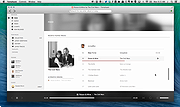 |
Tomahawk 0.8.4 for Mac Tomahawk 0.8.4 for Mac Tomahawk is a free multi-source and cross-platform music player. An application that can play not only your local files, but also stream from services like Spotify, Beats, SoundCloud, Google Music, YouTube and many others. You can even connect with your friends' Tomahawks, share your musical gems or listen along with them. Let the music play! HOW TOMAHAWK WORKS Tomahawk is basically a player for music metadata. At its core it decouples the metadata about a song from the source and reassembles it for each user based on their individual music accessibility and rights. In short, given the name of a song and artist, Tomahawk will find the right source, for the right user at the right time. This fundamentally different approach to music enables a range of new music consumption and sharing experiences previously not possible. MUSIC SOURCES Local music library (MP3, Ogg, FLAC and many other formats) Networked music libraries (other connected computers) Subscription Music Services Spotify Beats Music Google Play Music (on-demand streaming and music locker) TIDAL Rdio (Android only) Deezer (Android only) Free Streaming/Music Promotion Platforms Soundcloud Bandcamp Last.fm Jamendo Official.fm YouTube Network/Cloud storage Ampache Owncloud Subsonic Beets Third party-developed resolvers have also been written for services like YouTube, Qobuz and others. We've also heard of digital music distributors writing their own for their internal CMSes to help them navigate and preview their content. That's cool. BROWSE FRIENDS' MUSIC & LISTEN ALONG INBOX - RECEIVED & FORWARDING CHARTS - BILLBOARD'S TASTEMAKER ALBUMS FRIEND FEED DYNAMIC (AUTO-UPDATING) PLAYLIST PLUG-INS / RESOLVER SETTINGS |
|
5,885 | Feb 11, 2017 Tomahawk Team |
|
Tomahawk 0.8.4 for Windows Tomahawk 0.8.4 for Windows Tomahawk is a free multi-source and cross-platform music player. An application that can play not only your local files, but also stream from services like Spotify, Beats, SoundCloud, Google Music, YouTube and many others. You can even connect with your friends' Tomahawks, share your musical gems or listen along with them. Let the music play! HOW TOMAHAWK WORKS Tomahawk is basically a player for music metadata. At its core it decouples the metadata about a song from the source and reassembles it for each user based on their individual music accessibility and rights. In short, given the name of a song and artist, Tomahawk will find the right source, for the right user at the right time. This fundamentally different approach to music enables a range of new music consumption and sharing experiences previously not possible. MUSIC SOURCES Local music library (MP3, Ogg, FLAC and many other formats) Networked music libraries (other connected computers) Subscription Music Services Spotify Beats Music Google Play Music (on-demand streaming and music locker) TIDAL Rdio (Android only) Deezer (Android only) Free Streaming/Music Promotion Platforms Soundcloud Bandcamp Last.fm Jamendo Official.fm YouTube Network/Cloud storage Ampache Owncloud Subsonic Beets Third party-developed resolvers have also been written for services like YouTube, Qobuz and others. We've also heard of digital music distributors writing their own for their internal CMSes to help them navigate and preview their content. That's cool. BROWSE FRIENDS' MUSIC & LISTEN ALONG INBOX - RECEIVED & FORWARDING CHARTS - BILLBOARD'S TASTEMAKER ALBUMS FRIEND FEED DYNAMIC (AUTO-UPDATING) PLAYLIST PLUG-INS / RESOLVER SETTINGS |
|
5,946 | Feb 11, 2017 Tomahawk Team |
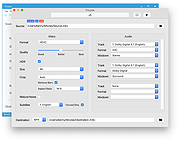 |
Tricycle v2.6.1 Tricycle v2.6.1 Takes the guesswork out of converting videos. Tricycle is an open-source video transcoder for macOS and Windows. It takes the guesswork out of converting videos by using layman's terms and providing a reasonable default configuration. Tricycle is powered by other open-source projects such as FFmpeg, x264, and x265. Features Reads/decodes most video and audio formats Writes/encodes to the following formats Container formats: MP4 MKV Video formats: AVC (H.264) HEVC (H.265) Audio formats: AAC Dolby Digital (AC-3) Dolby TrueHD (copy/passthru to MKV only) DTS (copy/passthru only) DTS Master Audio (copy/passthru to MKV only) Supports 4K resolution and HDR (HDR10) Tonemaps HDR to SDR Scales video to standard resolutions Detects and crops black bars Crops to a selected aspect ratio Reduces noise in video Overlays subtitles (all or forced only) Supports mutliple audio tracks in mono, stereo, 5.1 surround, or 7.1 surround (copy/passthru to MKV only) System Requirements macOS macOS ... |
|
3,226 | Jun 17, 2021 kmcclive |
 |
Ubiquitous Player 2014.2 Ubiquitous Player 2014.2 Portable audio player, image viewer, file manager, text editor, web browser, bookmark manager, calculator, and more. Ubiquitous Player includes: Music player Quick and easy access to your music. Dynamic meta-playlist based on folders. mp3, flac, wv, ape, alac, aac, m4a, wav, ogg, wma, aif, opus Image viewer (including full-screen mode) jpg, png, bmp, gif, tiff, ico, jpeg xr (hd photo, windows media photo) File manager (dual-panel; built-in file renamer) Text editor (txt, rtf) Web browser Bookmark manager Notes Calculator (wow) Snipping tool Color picker Screen capture tool Clipboard monitoring tool Even more Touchscreen and tablet friendly. It's 100% portable and doesn't need installation. Unicode is supported. Freeware (for non-commercial use). Available languages: English, French, German, Russian, Spanish. |
|
9,122 | Feb 17, 2014 UP Team |
 |
Ultra Beeper v3.0.0 Ultra Beeper v3.0.0 Ultra Beeper is a simple, easy to use, wave form sound generator. - Windows XP or later (32 bit), Windows 7 or later (64 bit) - 512 MB of RAM (recommended) - 18 MB available hard-disk space - Intel Celeron D 430 @ 1.80 GHZ or faster/AMD Athlon 64 3300 + or faster - .NET Framework 2.0 or later 3.0.0 28 May 2015 - New GUI (MUI3, like KeyLock) - Much more stable - 64-bit - Based on .NET instead of VB6 runtime - Added an end-user license agreement - Automatic updates Removed - The ability to execute UBP files - "Sound modes" (no longer necessary) - Possibility to display microphone input - Sound waves preview - Beep "Low to high" - Dutch translation - Ads in the program Click here to visit the author's website. |
|
5,346 | Dec 28, 2018 Brabonet |
 |
URL Snooper 2.36.01 URL Snooper 2.36.01 URL Snooper is a program written to help users locate the urls of audio and video files so that they can be recorded. Many links to streaming audio and video that you come across on the web are hidden behind javascript or activex scripts. Because of this, it is sometimes very difficult to figure out the actual urls that correspond to the streams being played. URL Snooper provides easy solution to finding the URLs for all streams by watching network traffic and identifying potential urls, especially streaming media urls. URL Snooper uses the free WinPcap network sniffing driver. |
|
7,823 | Sep 18, 2014 DonationCoder.com |
 |
Video Combiner v1.1.0.4 Video Combiner v1.1.0.4 Combine videos in Multiple Formats and different resolutions to one single video in bulk without losing video quality and display aspect ratio. License: FREE OS: Windows 10, XP(SP3), 2003, Vista, 7 ,8 or later & Windows Server (32/64 bit) Languages: English, French, German, Korean, Italian, Dutch, Greek, Simplified Chinese, Traditional Chinese, Portuguese, Spanish, Czech, Arabic, Dannish, Finnish, Hungarian. Video Combiner is a useful video merging software tool for Windows. This handy video utility enables users to combine videos in multiple formats into a single video file in bulk at one time, and has a variety of adaptive video resolution to choose from. This powerful video merger application supports video formats recorded from all major smart phones and tablets such as Apple iPhone, iPad, Android Phone, Android Tablet, and supports most of popular video formats such as MP4, MOV, FLV, 3GP, AVI, WMV, MPG, VOB and more. Video Combiner can mix and concatenate video files in multiple video formats at the same time, so you can easily combine mp4 and join other video file formats into one video at once. Video Combiner retains the original video bit rates by default, which means you can combine videos without losing the original video quality. If you want to compress the merged video file or adjust the video quality, the program also allows you to customize the video bitrate. You can adjust the value of the video bitrate according to your own needs. Auto-fit: Keep Original Aspect Ratio There is another unique feature of Video Combiner is the auto-fit "Screen Size" option. The biggest trouble you may encounter while combining video clips is that the screen resolution and aspect ratio of each video are different. In addition to merging videos into standard 16:9, 5:4, and 9:16 screen ratios, Video Combiner offers several pre-set options for adaptive video ... |
|
4,982 | Oct 02, 2019 MP3Toolkit.com |
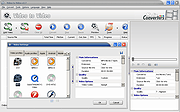 |
Video to Video Converter v2.9.6.10 Video to Video Converter v2.9.6.10 Free software for converting between various video and audio formats. Today there are a lot of different video and audio formats, different devices support various video formats, therefore in order to watch video and audio material on different devices you need to convert it, which means to adjust it to the device being used. Video converter which we present is feature-rich and allows you to convert almost all existing formats. It is possible to convert video and audio files to DivX or XviD format for watching movies on TV, HD formats for LCD, Plasma TVs, almost all types of mobile phones, android, iPhone, iPod, iPad, to prepare videos for the internet, conversion/authoring of video DVD formats, QuickTime, convert for uploading to YouTube, various rare and specific codecs etc. Features: • Video converter is free software • Supports over 200+ of input formats • Supports over 700+ of output presets • Video converter supports a large number of output video formats: AVI, DivX, Xvid, mpeg-4, AVC/H264, mpeg, mpeg2, MOV, WMV, 3GP, 3GP2, MKV, WEBM, SWF, FLV, RM, ASG, GIF, DV... • Supports many output audio files: mp2, mp3, aac, ac3, wav, m4a, Vorbis, 3gpp, flac, mmf, iff, au... • With video converter you can convert almost all existing video and audio files • Easy to use • Has a built-in high quality DVD Ripper that supports foreign languages subtitles • Video Joiner with which you can combine multiple movies in one video and convert. • Has a built-in Video Splitter with which you can cut out parts of the video that you find interesting, so you don’t convert the entire video • Commercial Remover Tool • Video to Images Tool • Video to Thumbnails Tool • Images to Video - Picshow Tool • Converting video is reliable and fast • You can also convert to DVD video (supported DVD Authoring) • Embedded tools for ... |
|
5,716 | Jan 31, 2023 Media Converters |
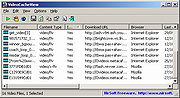 |
VideoCacheView v3.05 32bit VideoCacheView v3.05 32bit After watching a video in a Web site, you may want to save the video file into your local disk for playing it offline in the future. If the video file is stored in your browser's cache, this utility can help you to extract the video file from the cache and save it for watching it in the future. It automatically scans the entire cache of Internet Explorer, Mozilla-based Web browsers (Including Firefox), Opera, and Chrome, and then finds all video files that are currently stored in it. It allows you to easily copy the cached video files into another folder for playing/watching them in the future. If you have a movie player that is configured to play flv files, it also allows you to play the video directly from your browser's cache. Notice for users of Internet Explorer 10.0 and 11.0: In order to get videos from these versions of IE, you have to press F6 (Advanced Options) and choose the 'Internet Explorer 10 Cache' option in the 'Load video files...' section. Versions History Version 3.05 Added 'Manually Merge Selected Files' option (Ctrl+M). If you have split video files that VideoCacheView cannot detect and merge automatically, you can select all items, press Ctrl+M and then VideoCacheView will merge all selected items into one. After using the 'Manually Merge Selected Files' option, you can use the 'Copy Selected Files To...' option to generate the merged file. Be aware that the order of the merged files is determined according to the created time of every file. Using VideoCacheView VideoCacheView doesn't require any installation process or additional DLL files. In order to start using it, simply run the executable file (VideoCacheView.exe) After running VideoCacheView, it scan the cache folders of your Internet Explorer and Mozilla browsers, as ... |
|
9,609 | Dec 18, 2019 Nirsoft |
|
VideoCacheView v3.05 64bit VideoCacheView v3.05 64bit After watching a video in a Web site, you may want to save the video file into your local disk for playing it offline in the future. If the video file is stored in your browser's cache, this utility can help you to extract the video file from the cache and save it for watching it in the future. It automatically scans the entire cache of Internet Explorer, Mozilla-based Web browsers (Including Firefox), Opera, and Chrome, and then finds all video files that are currently stored in it. It allows you to easily copy the cached video files into another folder for playing/watching them in the future. If you have a movie player that is configured to play flv files, it also allows you to play the video directly from your browser's cache. Notice for users of Internet Explorer 10.0 and 11.0: In order to get videos from these versions of IE, you have to press F6 (Advanced Options) and choose the 'Internet Explorer 10 Cache' option in the 'Load video files...' section. Versions History Version 3.05 Added 'Manually Merge Selected Files' option (Ctrl+M). If you have split video files that VideoCacheView cannot detect and merge automatically, you can select all items, press Ctrl+M and then VideoCacheView will merge all selected items into one. After using the 'Manually Merge Selected Files' option, you can use the 'Copy Selected Files To...' option to generate the merged file. Be aware that the order of the merged files is determined according to the created time of every file. Using VideoCacheView VideoCacheView doesn't require any installation process or additional DLL files. In order to start using it, simply run the executable file (VideoCacheView.exe) After running VideoCacheView, it scan the cache folders of your Internet Explorer and Mozilla browsers, as ... |
|
5,474 | Dec 18, 2019 Nir Sofer |
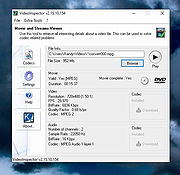 |
VideoInspector v2.15.10.154 VideoInspector v2.15.10.154 Video Playing Trouble Annihilated VideoInspector is a tool designed to provide you with as much information as possible about your video files. With VideoInspector you'll know why your video files has no sound or refuses to play correctly. VideoInspector will help you installing the required Codecs (coder/decoder software) for an optimal performance. VideoInspector can also inspect your system to find which codecs are available. Features • Container support : AVI, Matroska, MPEG I, MPEG II, QuickTime • Codecs requirements automatic detection • Lists installed Audio and Video Codecs • FourCC Changer • Bitrate Grapher • Batch file analysis, exports to CSV and HTML files • File integrity check • Automatic, content based container format detection • Displays movie info : Duration, streams • Displays Video stream info : Resolution, bitrate, frames per seconds (FPS) • Displays Audio stream info : Sample rate, bitrate, number of channels • Calculates video quality factor • Ability to burn CDs/DVDs (requires CopyToDVD) • Windows Shell Integration (Drag'n'Drop and Context menu) • International support • And much more ! Click here to visit the author's website. |
|
2,228 | Feb 16, 2023 KC Softwares |
 |
VirtualDub v1.10.4 VirtualDub v1.10.4 Do you need quick capture and encoding capabilities for video on your desktop? VirtualDub is a free, Open Source solution specifically designed for that purpose. VirtualDub might lack the editing power of a general-purpose editor such as Adobe Premiere, but is streamlined for fast linear operations over video in return. It has batch-processing capabilities for processing large numbers of files and can be extended with third-party video filters. For 32-bit and 64-bit Windows platforms (98/ME/NT4/2000/XP/Vista/7/8/10) Build 35491 (1.10.4, stable): [October 27, 2013] [features added] * ExtEnc: Added %(outputbasename) to insert output filename without extension. * ExtEnc: Editor UI now has a drop-down for tokens. * Filters: Expanded color space support in resize filter. * Preview: Return now also stops preview. [bugs fixed] * AVI: Added Copy button to AVI file information dialog. * AVI: Fixed bitsPerPixel value for NV12 output. * Capture: Improved error handling in screen capture module. * Capture: Fixed sporadic errors in DXGI 1.2 screen capture mode related to tracking pointer shape changes. * Capture: Spill drives can be adjusted on Windows XP. * Display: Fixed regression in D3D effects display mode. * ExtEnc: Fixed weird selection behavior when duplicating item. * Filters: Fixed script operation for Convert Format filter for the new modes. * Filters: Fixed crash when attempting to crop video in a format that isn't AVI-compatible. * Filters: Fixed cropping errors on alias format filter. * Filters: Fixed issues with interpolate filter in nearest mode. * GIF: Fixed shifted presentation timings when reading animated GIFs. * Render: The processing priority setting now correctly adjusts the priority of filter and compression worker threads too when multithreading is enabled. * TARGA: Fixed vertical inversion issues during read. * UI: Add Windows 8.1 per-monitor DPI awareness support. \ This download is for the 64bit version. If you ... |
|
4,825 | Jun 23, 2021 Virtualdub |
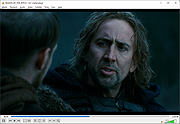 |
VLC v3.0.23 VLC v3.0.23 👉 Free, open-source multimedia player that plays most audio and video files, discs, devices, and network streams. VLC is a free and open-source cross-platform multimedia player and framework that plays most multimedia files as well as DVDs, Audio CDs, VCDs, webcams, capture devices, and various streaming protocols. It is known for broad codec support without requiring extra codec packs, hardware-accelerated playback, Chromecast streaming, HDR and 360° video support, and a clean experience with no ads, spyware, or user tracking. Features: • Plays files, discs, webcams, devices, and streams • Plays most codecs with no codec packs needed • Hardware decoding on most platforms • Supports HDR and HDR tone-mapping • Supports 360° video navigation • Chromecast streaming support • Browsing of local network drives and NAS • Free to use with no spyware, no ads, and no user tracking Supported operating systems: • Windows XP SP3, Windows Vista, Windows 7, Windows 8, Windows 8.1, Windows 10, Windows 11 • macOS 10.7.5 or higher • Linux Supported languages: Arabic, Chinese (Simplified/Traditional), English, French, German, Italian, Portuguese, Spanish, Japanese, Korean, Dutch, Polish, Russian, Turkish, and many more (106 languages are available.). Changes: v3.0.23 01-08-26 Improves playback of numerous formats including rendering of certain subtitles Codec updates, notably dav1d, ffmpeg, libvpx Add support for Windows ARM64 (minimum Windows 10 RS5 17763 / 1809) Add Dark Mode user interface option on Windows and Linux Updates of most third party libraries A large number of stability improvements to the demuxers Allow renaming/moving/deleting of playing file on Windows Fixed multiple security issues This download is for the Windows 64bit version (very bottom of page). If you need the Windows 32bit version, download here. If you need the Windows ARM64 version, download here. If you need the MacOS (Intel) version, download here. If you need the MacOS (Apple Silicone) version, download here. If you need the Linux version, download here. If you need the Android version, download here. Click here to visit the author's website. |
|
9,068 | Mar 24, 2026 videolan.org |
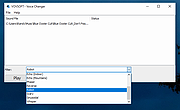 |
Voice Changer v1.0 Voice Changer v1.0 Portable audio software that allows users to apply various effects to sound files. Users are given an intuitive interface for changing audio files. There are only a few steps required for voice changing. Users can import any audio file to this software, then select the effect, play the generated audio and finally export it as .MP3 or .WAV format. Free audio enhancer Vovsoft Voice Changer is a free audio enhancer tool that lets you add special sound effects to your recordings. There's a simple user interface where you can select the file and make any alterations you wish. It also has the ability to play the tracks and export in various formats. When you've selected the track, you'll see a large selection of effects appear. While the name of the software implies you can only use voice recordings, it's worth noting that any audio files are compatible, even music. Before you can start using Vovsoft Voice Changer, you'll need to select a track you want to enhance or alter. You can opt for a voice recording, or you can use a song. With the recording at hand, you can open the panel for special effects. When you've selected the one you want to use, you can play it back to test how it sounds in case you want to try something else. You don't need to accept the built-in effects in Vovsoft Voice Changer if it doesn't completely meet your needs. When you open up the "Custom" setting, you can play with elements to change the output. If you do it right, you may be able to find a unique sound for your voice or track that no one else has created yet. Finally, you'll need to save your file so you don't lose it. The export options are .WAV and .MP3. ... |
|
3,251 | Oct 05, 2021 Vovsoft |
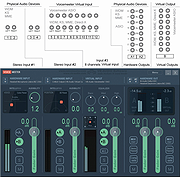 |
Voicemeeter v1.0.7.3 Voicemeeter v1.0.7.3 Voicemeeter is Audio Mixer Application endowed with Virtual Audio Device used as Virtual I/O to mix and manage any audio sources from or to any audio devices or applications. For first use, it's highly recommended to follow user manual step by step, especially step ZERO of the documentation. Standalone Application and Virtual Audio Device supporting MME, DX, KS, WDM, ASIO interfaces (XP to WIN10 32/64 bits) INSTALLATION: Run Setup program in administrative mode / Reboot after installation (and Reboot after de-installation). The Virtual Audio Mixer VoiceMeeter is able to mix audio sources coming from audio device as well as from audio applications. it mixes 3 Inputs to 3 outputs though 2 buses. Then Microphone, Music, Movie, Skype call, video game sound, net radio... can be mixed and sent to different audio outputs, VOIP or Recording Application... as Virtual Audio Device Voicemeeter is an application endowed with Virtual Audio I/O and can be used as main audio device by your system, like it was hardware mixing console. Voicemeeter supports all audio interface: MME, Direct-X, KS, WaveRT, WASAPI, and ASIO to connect audio pro DAW or musical instrument. Voicemeeter Audio Device Mixer Universal Virtual Audio Device to connect everything together Voicemeeter Virtual I/O All Audio Interfaces Support: MME, Direct-X, KS, WaveRT, WASAPI, and ASIO Voicemeeter new audio experiences [1]- To mix your voice with your music on Skype or Google Voice and make your live podcast or own radio program. [2]- To use 2x USB Headset on a computer, for VOIP applications or online educational program. [3]- To Play Video Game in 5.1 and keep the MIC for communication with your team. [4]- To make tutorial with your preferred audio/video capture software. [5]- To Record Conference or Interview in multichannel for post production. [6]- To use different Audio Application together and record the performance in live with your preferred DAW. [7]- Finally to manage simply whatever sound sources on ... |
|
3,952 | Jul 31, 2020 V.Burel |
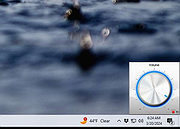 |
Volume² v1.1.9.468 Volume² v1.1.9.468 Advanced Windows volume control. Volume² is an advanced Windows volume control, which can be used as a complete replacement for the standard Windows volume control. Volume² provides easy to configure options to assign keyboard hotkeys and mouse for toggling system volume and allows scheduling the execution of applications or changes in sound configurations. Volume² comes with a multi-lingual interface and supports English, Russian, Greek, Chinese, Armenian, and other. What makes Volume² better than the default Windows mixer is it's ability to provide mouse wheel, hotkey and scheduling support for changing volume options. Supported operating systems • Windows XP • Windows Vista • Windows 7 • Windows 8/8.1 • Windows 10 • Windows 11 Changes: v1.1.9.468 Added possibility to set default audio device from scheduler (#337) Added support system variables for running application (#339) Fixed command line keys /MUTE ALTDEVICE (#338) Click here to visit the author's website. |
|
3,087 | Oct 29, 2024 Alexandr Irza |
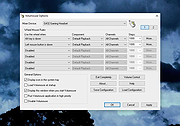 |
Volumouse v2.20 Volumouse v2.20 Control the sound volume with a wheel mouse. Volumouse provides you a quick and easy way to control the sound volume on your system - simply by rolling the wheel of your wheel mouse. It allows you to define a set of rules for determining when the wheel will be used for changing the sound volume. For example: You can configure Volumouse to use your mouse wheel for volume control when the Alt key is hold down, when the left mouse button is down, when the mouse cursor is over the taskbar, and so on... When the conditions that you define are not satisfied, your mouse wheel will be used for the regular scrolling tasks, exactly as before. System Requirements • Windows operating system: Windows 98, Windows ME, Windows NT, Windows 2000, Windows XP, Windows Server 2003, Windows 7/Vista/2008/8/10/11. (Windows 95 is not supported) • Wheel mouse • Sound card. Known Issues On Windows Vista/7/2008/8/10/11 - If UAC is turned on, Volumouse cannot work with applications that you run as Administrator. If you want that Volumouse will be able to capture mouse events from application that you run as Administrator, you should also run Volumouse as Administrator. Additional Plugins HideThisApp Plugin - Allows you to hide the active window by pressing a key combination, and showing it again by pressing another key combination. MoveResize Plugin - allows you to resize or move the current active window by rolling the mouse wheel or by pressing a hot-key. OpenCloseCD Plugin - allows you to open and close the door of your CD-ROM/DVD by rolling the mouse wheel or by pressing a hot-key. Changes: v2.20: Added 'Laptop Brightness' option to ... |
|
9,449 | Apr 08, 2025 Nir Sofer |
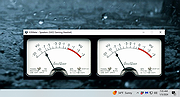 |
VUMeter v1.2 VUMeter v1.2 A free, portable analog (simulated) meter for monitoring recording and playback levels. An old style analog meter which can be used to monitor sound levels. Right click on the meters to display a menu of program options. System requirements: Microsoft Windows Vista, 7, 8, 8.1, 10, 11 |
|
1,828 | Jan 05, 2024 James Chapman/Ernest Turner |
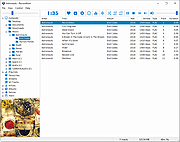 |
VUPlayer v4.19 VUPlayer v4.19 Freeware audio player for Windows VUPlayer is an open-source multi-format audio player for Windows 7 SP1 or later. • MusicBrainz functionality requires an internet connection. • Audioscrobbler functionality requires an internet connection and a Last.fm account. Command-line Ordinarily, VUPlayer stores application settings and metadata in a SQLite database in the user documents folder. To store this database in the application folder, the following command-line argument can be used to run in 'portable' mode: VUPlayer.exe -portable Please note that, when running in 'portable' mode, database storage requires write permission to the application folder. Supported operating systems: Windows 7 SP1 or later Changes: v4.19 16 October 2024 Added support for cue sheets in the folder browser, and when adding folders (issue #41). Added support for adding folders via the command line (issue #43). Fixed an issue with artwork sometimes failing to display. Various library updates. This download is for the Windows installer version (very bottom of page). If you need the Windows 32bit zip version, download here. If you need the Windows 64bit zip version, download here. Click here to visit the author's website. |
|
858 | Oct 17, 2024 James Chapman |
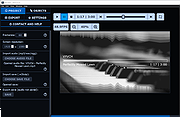 |
Wav2Bar v0.3.4 Wav2Bar v0.3.4 👉 Powerful open source software for creating advanced audio visualization videos. Wav2Bar is a free and open source audio visualization creator designed for producing animated music videos and visual effects synchronized to audio tracks. It allows users to combine visualizers, images, text, particle effects, timers, backgrounds, and custom objects into fully customizable projects that can be exported as MP4 videos for sharing online or integrating into larger productions. Built with flexibility in mind, Wav2Bar provides an editor-style workflow where users can design layered scenes and control how elements react to sound in real time. The software supports reusable project files, adjustable rendering quality, customizable frame rates and resolutions, and multiple visualizer styles for creating everything from simple waveform animations to complex motion graphics. Wav2Bar is especially useful for content creators, musicians, streamers, video editors, and anyone looking to generate professional-looking audio reactive visuals without requiring expensive commercial software. Its open source nature also allows developers and advanced users to customize or extend the software for specialized workflows. Features: • Create advanced audio reactive visualizations synchronized to music and sound • Design layered scenes using visualizers, backgrounds, text, and images • Multiple built-in visualizer styles for different animation effects • Export projects as MP4 video files • Save and reload projects for later editing • Reusable project templates for faster workflow creation • Customizable video resolution and frame rate settings • Real-time editor style interface for arranging objects and effects • Add logos, overlays, album artwork, and custom graphics • Built-in particle flow effects • Time indicators and timing-based visual elements • Audio caching system for smoother processing • Adjustable rendering quality for balancing speed and output quality • Open source architecture for customization and community development • Suitable for music videos, streaming overlays, social media clips, and promotional content • Lightweight modern interface focused on creative workflows • Supports complex animated compositions with multiple reactive elements • Free to use ... |
|
468 | May 22, 2026 Picorims |
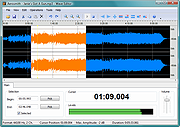 |
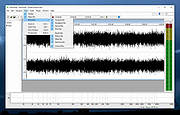
Wave Editor v4.4.3.0 Wave Editor v4.4.3.0 A fast, user-friendly digital audio editing program for Windows, ideal for beginners and casual users. Wave Editor is a fast and easy digital audio editing software for Windows. It provides a powerful and user-friendly editing environment that suits beginners especially and performs basic editing capabilities like cut, copy, paste and delete parts of recording. Unlike the other sound editors based on the same ActiveX engine, our editor developed from the ground up to be easy to use and fast. The user interface was designed with speed, accuracy, and ease of use in mind. The key feature of Wave Editor is a simple selection of audio blocks during playback. Non-destructive editing allows you to make simulated changes to an audio track without overwriting the original file. If you want more features, try the advanced version of the editor. Supported Formats: Formats: MP3, WMA, WAV (PCM, ADPCM, GSM61, DSP, A-LAW, U-LAW, and more…). Bits per sample: 8bit, 16bit Channels: Mono/Stereo Sample Rate: from 8000 Hz to 96000 Hz Supported OS: Windows Vista, Windows 7, Windows 8, Windows 10, Windows 11 Maximum audio file size: 2 Gigabytes Operations: Cut, Copy, Paste, Delete Insert Silence Normalize Amplify with Peak limiter Fade In, Fade Out Save Selected Fragment Reverse/Invert Unlimited Undo/Redo Play/Pause/Stop Zoom in/ Zoom Out Export to WAV and MP3 formats Features: Update Checker Integration with other audio tools Multilingual user interface Wave Editor is fully functional and does not contain any spyware or adware. It’s completely free! Changes: v4.4.3.0 ... |
|
6,168 | Nov 25, 2024 Abyssmedia |
 |
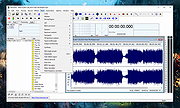
WaveShop v1.0.14 WaveShop v1.0.14 A free, open-source audio editor for Windows. WaveShop is fast, lightweight, and bit-perfect, meaning samples aren't altered unless they need to be. Editing a portion of an audio file only affects that portion; the rest of the file is untouched. Blocks of audio can be cut and pasted without changing their contents at all. This is especially useful for patching a finished master without corrupting its dither. Waveshop's features include peak, RMS and spectral analysis, normalizing, fading, sample rate conversion, audio generation, plug-ins, and more, all with unlimited undo and comprehensive help. Features: • Bit-perfect: samples aren't changed needlessly • Very fast: all processing is done in memory • 64-bit version can edit files exceeding 4GB • Supports most file formats including AAC/MP4, MP3, FLAC and Ogg/Vorbis • Clipboard: Copy/Cut/Paste/Insert/Delete • Unlimited undo • Normalize and/or fix DC offset • Amplify (boost/attenuate) • Fade in/out/custom, linear or logarithmic • Peak statistics • RMS statistics with histogram • Reversal and inversion • Find clipping with detailed report • Extract channels to mono files • Insert/delete/swap channels • Change audio format • Sample rate conversion • Generate audio w/ envelopes and modulation • Edit surround speaker assignments • Find zero crossing • Multiple Document Interface (MDI) • Multithreaded processing • Playback via DirectSound • Peak-hold meters with surround support • Real-time spectrum analyzer ... |
|
799 | Mar 31, 2025 Chris Korda |
 |
Wavosaur v1.8.0.0 Wavosaur v1.8.0.0 A cool free sound editor, audio editor, wav editor software for editing, processing and recording sounds, wav and mp3 files. Wavosaur has all the features to edit audio (cut, copy, paste, etc.) produce music loops, analyze, record, batch convert. Wavosaur supports VST plugins, ASIO driver, multichannel wav files, real time effect processing. The program has no installer and doesn't write in the registry. Use it as a free mp3 editor, for mastering, sound design. The Wavosaur freeware audio editor works on Windows 98 through Windows 11. Wavosaur features General features Wavosaur screenshot Multiple Document Interface for working with many files in one session All classic editing functions : cut, copy, paste, paste mix, paste replace/insert, paste to new file, trim/crop, delete, undo. Many processing options: mute, channel convert (stereo->mono, mono->stereo), insert silence, change volume, normalize level, fade in/out, invert/flip, undo. Accurate waveform representation, fast zoom in/out, clean easy to use interface Right mouse to scroll/display context menu. Skinable editor look. Advanced features Resample, bit-depth convert (8,16,24,32 bits), pitch shift, vocal removal, DC offset removing, auto-trim, silence remover, interpolate, auto detect region, crossfade loop, exporting multiple wav file from regions. Wavosaur can import, save and edit loop points & markers informations in wav files. Snap to zero-crossing. Batch processing : apply process/effect/VST effects to an entire folder. Export files as text for using in software such as Matlab, Excel or PSpice. Audio capabilities ASIO support. Audio routing, multichannel support, audio output samplerate up to 192 KHz, 24 bits. Record from your soundcard input (line in, mic input). Real time resampling. Loads wav, mp3, aif, aiff, ogg vorbis, raw binary, au/snd, ADPCM Dialogic vox, Akai S1000 sample, Amiga 8svx & 16svx, wavpack. Support for multichannel wav, 8 bits, 16 bits, 24 bits, 32 bits PCM, 32 bits float, 64 bits float @ any samplerate. Import any binary files, export multiple files from markers. Export MP3 (support for lame encoder). Save ... |
|
4,497 | Jan 16, 2024 The Wavosaur Team |
|
WebVideoCap v1.33 - Capture Flash video and RTSP/MMS streams. While watching a video in a Web site, you may sometimes want to save the video into your local drive, and then play it offline later. This utility allows you to capture .flv (Flash Video) files and RTSP/MMS video streams while the Web browser download and play them inside a Web page. After the entire video file is downloaded and played by the Web browser, the video file is saved in the folder that you selected, and you can play it offline later with any Video player. WebVideoCap can capture the video files of most popular video-sharing sites, including YouTube, Google Video, Yahoo Video, iFilm, Metacafe, Putfile, and more... |
|
9,601 | Nov 16, 2008 Copyright (c) 2007 - 2008 Nir Sofer |
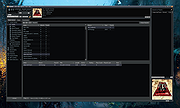 |
Winamp v5.9.2 Winamp v5.9.2 All new Winamp for the next-generation. The new Winamp Player offers the best of everything, bringing your streaming services, podcasts, radio stations, audio books and downloads together. Enjoy all your music in one place, and customize your listening experience with the legendary Winamp Player. With its epic usability, customization and irreverent attitude, Winamp forever changed how the world listened to music in the 90s. The iconic player continues to be massively popular with a vibrant community of millions of users around the world. In 2023, Winamp is launching its new platform. Integrating its legendary player, Winamp has been remastered into the ultimate music machine empowering not only listeners, but creators and fans too. Liberating music through the passion of its biggest fans, Winamp’s mission is to build a platform that unlocks the relationship between artists and fans everywhere. Click here to visit the author's website. |
|
5,864 | Dec 07, 2023 Winamp |
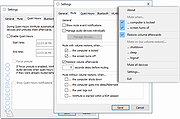 |
WinMute v2.5.1 WinMute v2.5.1 Free application that automatically mutes and unmutes all sound devices on your PC based on various triggers. Examples of triggers: • Locking your workstation • Display turning off • Logging off • Switching user • Workstation shutting down • Going into hibernate or sleep • Bluetooth headset/headphones disconnecting • Connecting to a specific wireless network WinMute only requires a few kilobytes of disk space and is available for Windows 7 and newer versions. Additionally, it is an open-source application, making it straightforward to use. To customize its behavior or explore other options, you can right-click on the taskbar notification icon and make the desired changes. Supported operating systems: Windows 7/8/10/11 Click here to visit the author's website. |
|
853 | Jul 22, 2024 Alexander Steinhöfer |
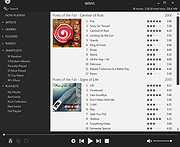 |
Winyl v3.3.1 32bit Winyl v3.3.1 32bit Winyl is a free digital audio player and music library application for organizing and playing audio on Windows. Winyl offers great new ways to organize and enjoy all your music. Listen to music and radio, rate your favorite tracks, create playlists, browse song lyrics, tag music, all of this is very simple in Winyl. Winyl uses the least system resources, it starts and working very fast. It's the best choice for a laptop or netbook. Winyl is very easy to use, it has intuitive and powerful user interface. Features Manage 100,000+ files in your music collection without sacrificing performance. Play all popular audio file formats: MP3, OGG, WMA, M4A, MPC, APE, FLAC, etc. Built-in popular radio stations: Pop, Rock, Classical, Electronic, Comedy, etc. Song lyrics with automatic retrieving lyrics from the Internet. Powerful tag editor with support of lyrics, album art and multiple values in tags. Gapless playback, WASAPI and ASIO audio outputs for best sound quality. Easy to use smart playlists: dynamic, based on tags and ratings, lists of tracks/albums. 5 built-in skins to choose more convenient the player interface for you. Very fast search in your audio library regardless of the number of tracks. Organize music in your audio library with a powerful, intuitive interface. Winyl 3.3.1 Oct 15, 2018 Changes Added x64 version. Updated radio stations. Updated lyrics providers. Changed behaviour when reloading cover arts. Fixed blurry custom icon. Changed the custom icon name to Main.ico instead of Winyl.ico. Click here to visit the author's website. |
|
4,717 | Aug 30, 2019 Winyl Player |
|
Winyl v3.3.1 64bit Winyl v3.3.1 64bit Winyl is a free digital audio player and music library application for organizing and playing audio on Windows. Winyl offers great new ways to organize and enjoy all your music. Listen to music and radio, rate your favorite tracks, create playlists, browse song lyrics, tag music, all of this is very simple in Winyl. Winyl uses the least system resources, it starts and working very fast. It's the best choice for a laptop or netbook. Winyl is very easy to use, it has intuitive and powerful user interface. Features Manage 100,000+ files in your music collection without sacrificing performance. Play all popular audio file formats: MP3, OGG, WMA, M4A, MPC, APE, FLAC, etc. Built-in popular radio stations: Pop, Rock, Classical, Electronic, Comedy, etc. Song lyrics with automatic retrieving lyrics from the Internet. Powerful tag editor with support of lyrics, album art and multiple values in tags. Gapless playback, WASAPI and ASIO audio outputs for best sound quality. Easy to use smart playlists: dynamic, based on tags and ratings, lists of tracks/albums. 5 built-in skins to choose more convenient the player interface for you. Very fast search in your audio library regardless of the number of tracks. Organize music in your audio library with a powerful, intuitive interface. Winyl 3.3.1 Oct 15, 2018 Changes Added x64 version. Updated radio stations. Updated lyrics providers. Changed behaviour when reloading cover arts. Fixed blurry custom icon. Changed the custom icon name to Main.ico instead of Winyl.ico. Click here to visit the author's website. |
|
4,608 | Aug 30, 2019 Winyl Player |
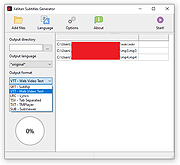 |
Xelitan Subtitle Generator v1.0 Xelitan Subtitle Generator v1.0 Intuitive program to transcribe speech into text using Artificial Intelligence. Load an audio or video file and get perfect subtitles with ease. Can also translate subtitles to another language! Features: • transcribing and translating subtitles • supports video files (MP4, WEBM, AVI, MKV, MPEG and more) • supports audio files (WAV, OGG, MP3, M4A and more) • saves subtitles in multiple formats (SRT, VTT, SUB, TXT, LRC, TSV) • batch processing • interface in mutliple languages (English, German, Spanish, Italian, French, Polish, Czech, Slovak, Swedish, Norwegian, Dutch) • no ads • free Note: This program relies heavily on your graphic's card. Minimum recommended is Geforce GTX 1080 or Intel/AMD equivalent with CUDA support. Please update your graphic's card drivers for best performance: AMD, Intel, NVIDIA. Click here to visit the author's website. |
|
777 | Nov 14, 2024 Xelitan.com |
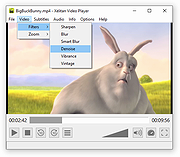 |
Xelitan Video Player v1.5 Xelitan Video Player v1.5 Free, portable and straightforward video player with lots of built-in video, audio and image decoders. Features: •comes with built-in decoders •supported video formats: MP4, MKV, AVI, MOV, 3GP, WEBM and more •supported audio formats: MP3, OGG, M4A, WAV, MID and more •supported image formats: JPEG, PNG, PSD, TIF, BMP, GIF, WEBP, TGA and more •supported subtitle formats: SubRipper, TmPlayer, SubStation Alpha and more •configurable plaback speed (25% - 400%) •video filters •saving screenshots •supports playlists •can play videos directly from the web •no ads •full version •free for personal and commercial use Changes v1.5 (2024-03-16) - bug fixes - better handling of playlists This download is for the portable version. If you need the installer version, download here. Click here to visit the author's website. |
|
1,603 | Mar 18, 2024 Xelitan.com |
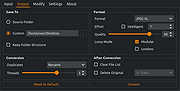 |
XL Converter v1.0.2 XL Converter v1.0.2 Free, easy-to-use image converter for modern formats. Supports multithreading, drag 'n drop, and downscaling. Available for Windows and Linux. Supported Formats Encode to JPEG XL, AVIF, WebP, and JPEG. Convert from HEIF, TIFF, and more Features JPEGLI Generate fully compatible JPEGs with up to 35% better compression ratio. JPEG XL and AVIF Achieve exceptional quality at a modest size with JPEG XL and AVIF. Parallel Encoding Encode images in parallel to speed up the process. Control how many threads to use for encoding. Lossless JPEG Recompression Losslessly transcode JPEG to JPEG XL, and reverse the process when needed. Downscaling Scale down images to resolution, percent, shortest (and longest) side, or even file size. Changes: v1.0.2 07 Aug 20:39 Added tooltips Added an option to copy original when output is larger (#45) Added an option to prevent deleting original when output is larger (#45) Added logging to file Added custom ExifTool arguments Added low RAM mode (#49) Fixed UTF-8 support in ExifTool (Windows) (#47) Fixed ExifTool handling of JPEG XL (Linux) Fixed menu entry disappearing after an update (Linux) Fixed UI bug with multiple chroma subsampling options appearing Set Windows installer to always show dir page Improved sound handling Improved settings tab scaling Switched to the system-provided ExifTool on Linux Updated ExifTool on Windows to 12.92 Updated libavif to 1.1.1 Updated libaom to 3.9.1 Updated OxiPNG to 0.9.2 This download is for the Windows version (very bottom of page). All other download assets are below: Linux: xl-converter-linux-1.0.2-x86_64.AppImage xl-converter-linux-1.0.2-x86_64.7z Click here to visit the author's website. |
|
929 | Aug 08, 2024 JacobDev1 |
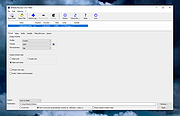 |
XMedia Recode v3.6.3.0 XMedia Recode v3.6.3.0 👉 Free video and audio converter supporting a wide range of formats and devices. XMedia Recode is a free video and audio conversion tool that allows you to convert nearly all known video and audio formats. It supports a wide variety of codecs and container formats and includes device specific profiles for smartphones, tablets, game consoles, and other multimedia devices. The program can extract audio tracks, convert unprotected DVDs, and provides basic editing features such as cutting, cropping, and filtering. Features: • Converts video and audio between numerous formats • Supports popular codecs including H.264, H.265, VP9, AV1 and more • Device presets for smartphones, tablets, consoles, and other devices • Extracts audio tracks from video files • Basic editing tools including cut, crop, and filters • Batch processing support • Subtitle support Supported operating systems: • Windows XP SP3, Windows Vista, Windows 7, Windows 8, Windows 8.1, Windows 10, Windows 11 Supported languages: • English, German, French, Italian, Spanish, Japanese, Chinese (Simplified), Chinese (Traditional), Russian, Polish, Dutch, Portuguese (Brazilian), Czech, Greek, Turkish Changes: v3.6.3.0 05-15-26 Update of ffmpeg Update of SVT AV1 (4.1.0) Codec Troubleshooting Fixed minor bugs Note: This file has two hits on VirusTotal. We have confirmed these to be false positives. The file is safe. This download is for the Windows 7-11 64bit version (very bottom of page). If you need the Windows 7-11 32bit version, download here. If you need the Windows XP-Vista 32bit version, download here. Click here to visit the author's website. |
|
10,484 | Jul 06, 2026 Sebastian Dorfler |
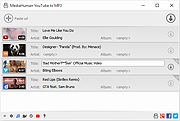 |
YouTube to MP3 Converter v3.9.9.33 YouTube to MP3 Converter v3.9.9.33 You like to listen to music on YouTube or SoundCloud and want to save it for offline playing. Or you want to download soundtrack of a new movie. Then we recommend you to try out this software developed specifically for this purpose. Downloads all music from playlist or channel Downloads highest available quality up to 320 kbps Supports YouTube, Vimeo, SoundCloud, Dailymotion, VEVO, etc. Downloads simultaneously several tracks Includes simple tag editor with cover art image support Works on all modern platforms (macOS, Windows, Ubuntu) Exports to iTunes Main Features: Playlists and channels The software supports downloading all videos of a playlist or a channel. And there is also an option for subscribing to and downloading only newly uploaded tracks. iTunes support In the preferences of the application you can select an option to add downloaded tracks into iTunes automatically. You can also specify iTunes playlist, where the converted track should be added. Saves your time & traffic The app detects audio track in YouTube video clip and downloads it, skipping the video part. As a result download speed increases dramatically, especially on HD-quality content. Simple tag editor Application automatically detects artist name and track title of the video and saves it in the downloaded file. But at the same time, you can easily change tags to whatever you want. You can even change a cover art image. Original format, no conversions You can save audio tracks in original quality without any conversion. It means that there will be no loss of quality and it greatly reduces the downloading time. Free music There is a great amount of music on YouTube. And our app will help you to convert YouTube videos to MP3 or save it on ... |
|
4,520 | Feb 24, 2020 MediaHuman |
OlderGeeks.com Copyright (c) 2026
