|

|
Processed through Paypal No account required. |








Buy our over-priced crap to help pay the bills.



|
|
Processed through Paypal No account required. |
| Files | ||||
| File Name | Rating | Downloads | ||
 |
Data Crow v5.1.4 Data Crow v5.1.4 👉 A powerful open-source media cataloging and collection management application. Data Crow is a highly customizable cataloging application designed to help users organize and manage virtually any type of collection. It allows you to catalog movies, music, books, software, games, comics, photographs, tools, wines, contacts, and custom collections using flexible templates and user-defined fields. Data Crow can automatically retrieve information from online services, helping populate collection entries with detailed metadata, images, and descriptions. Built with flexibility in mind, Data Crow supports advanced searching, filtering, lending administration, barcode support, and extensive export/import capabilities. Users can create completely custom modules to track nearly anything, making it useful for both personal collectors and professional inventory management. The software also supports multi-user environments and includes reporting tools for generating detailed collection summaries. Features: • Catalog movies, books, music, software, games, comics, contacts, and more • Create fully customizable collection modules and fields • Automatically download item details and cover artwork from online sources • Advanced search, filtering, and sorting capabilities • Barcode scanning and lending administration support • Import and export data in multiple formats • Generate customizable reports and statistics • Store images, attachments, and detailed notes • Multi-user database support for shared collections • Built-in loan tracking for borrowed items • Cross-platform Java-based application • Extensive plugin and scripting support Click here to view the documentation. Supported operating systems: • Windows 7, Windows 8, Windows 10, Windows 11 • macOS • Linux Supported languages: English, Dutch, German, French, Spanish, Portuguese, Italian, Polish, Russian, Chinese, Japanese Changes: v5.1.4 06-18-26 • Fixed missing time components for creation and modification timestamps on new installations. • Fixed the advanced filter dialog in server-to-client mode for Books, TV Series, and several other modules. • Added the /login/status/unsecure API endpoint for Data Crow Reader v1.1 automatic login detection. • Google Books searches now direct users to create a free API ... |
 |
10,175 | Jul 03, 2026 Robert Jan Van Der Waals 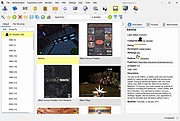 |
 |
digiKam v9.1.0 digiKam v9.1.0 👉 Professional photo management with the power of open source. digiKam is an advanced open-source digital photo management application for importing, organizing, editing, and sharing photos and RAW files. It provides tools for managing large photo collections, editing metadata, tagging and rating images, handling RAW camera formats, previewing media, geolocation, batch processing, export tools, and AI-assisted photo workflows. Features: • Import, organize, and manage massive collections of photos, RAW images, and videos • Supports albums, tags, labels, ratings, comments, and hierarchical organization • Advanced metadata management including EXIF, IPTC, XMP, and GPS geotagging • Integrated map tools for assigning and editing geographic coordinates • Powerful RAW image processing using the Libraw engine • Built-in image editor with cropping, resizing, sharpening, curves, color correction, filters, and restoration tools • Includes Showfoto stand-alone image editor • AI-assisted face recognition and automatic face tagging • AI tools for image quality sorting, aesthetic detection, red-eye correction, and auto-rotation • Batch Queue Manager for automating large-scale image processing operations • Advanced search and filtering using metadata, tags, ratings, colors, and custom properties • Duplicate detection and similarity matching tools • Flexible file renaming with advanced rename templates and date formatting • Side-by-side comparison and new Survey tool for reviewing media collections • Enhanced preview system with exposure indicators, magnifier, gestures, OSD overlays, and color management • Slideshow tools with transition and transparency customization • Versioning support and non-destructive workflow options • Integrated export and sharing plugins for online services and remote storage • Database support using SQLite, MySQL, and MariaDB • Multi-core processing acceleration for thumbnail generation, AI tasks, and database operations • Supports hundreds of digital cameras and image formats Supported operating systems: • Windows 10 or later 64-bit • macOS Silicon 11.3 or later • macOS Intel 10.15 or later • Linux 64-bit AppImage, glibc 2.31 or later Supported languages: • Basque, Brazilian Portuguese, Bulgarian, Catalan, Chinese Simplified, Chinese Traditional, Croatian, Czech, Danish, Dutch, English, Esperanto, Estonian, Finnish, French, Galician, ... |
|
4,287 | Sep 28, 2026 digiKam Team 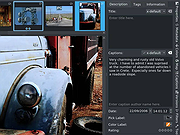 |
|
FolderTimeUpdate v1.75 FolderTimeUpdate v1.75 👉 Updates folder modified times based on the newest files inside them. FolderTimeUpdate is a simple Windows tool that scans all files and folders under a base folder you choose, then updates each folder's Modified Time according to the latest modified time of the files stored inside it. This can be useful after restoring backed-up folders when the backup program did not preserve the original folder modified times. Features: • Scans files and folders under a selected base folder • Updates folder Modified Time according to files inside the folder • Simulation Mode previews changes without applying them • Supports updating folder date/time from the command line • Can save update logs as text, tab-delimited, CSV, HTML, or XML • Supports choosing how folder modified time is calculated • Supports excluding folders from scanning or updating • Supports wildcard filtering for scanned files • Supports skipping hidden and system files • Supports Explorer context menu integration • Includes 32-bit and 64-bit downloads • No installation required Supported operating systems: • Windows 2000, Windows XP, Windows Vista, Windows 7, Windows 8, Windows 10, Windows 11 • 32-bit and 64-bit systems Supported languages: Arabic, Brazilian Portuguese, Bulgarian, Dutch, English, French, German, Greek, Hungarian, Italian, Japanese, Persian, Polish, Romanian, Russian, Simplified Chinese, Slovak, Spanish, Traditional Chinese, Turkish Changes: v1.75 Added option to change the sorting column from the menu (View -> Sort By). Like the column header click sorting, if you click again the same sorting menu item, it'll switch between ascending and descending order. Added 'Sort By' button to the toolbar. This download is for the Windows 64bit version (very bottom of page). If you need the Windows 32bit version, download here. Click here to visit the author's website. |
|
6,426 | Apr 30, 2026 Nir Sofer 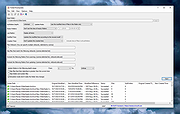 |
|
ImageGlass v10.0.6.906 ImageGlass v10.0.6.906 👉 A lightweight, versatile image viewer for Windows. ImageGlass is a feature-rich, simple-to-use image viewer with a clean, modern interface and support for over 90 image formats, including WEBP, GIF, SVG, PNG, JXL, HEIC, RAW formats and more. Features: • Supports over 90 common image formats • Fast image switching with a clean, minimal interface • Supports animated formats including GIF, WEBP, APNG and SVG • Multi-frame image support with frame navigation tools • Drag-and-drop and clipboard image opening • Six zoom modes including Auto Zoom, Lock Zoom, Scale to Width, Scale to Height, Scale to Fit and Scale to Fill • Full screen, frameless and window-fit viewing modes • Slideshow view with countdown timer • Fast thumbnail previews • Built-in color picker • EXIF metadata viewing with ExifGlass • Basic editing tools including rotate, flip, crop, resize and lossless compression • Custom themes, language packs, icon packs, layout and toolbar options • Keyboard and mouse action customization • External app integration through custom hotkeys • Color management and color channel viewing Supported operating systems: • Windows 10 64-bit version 1809 or later, Windows 11 64-bit Supported languages: Arabic, Armenian, Asturian, Azerbaijani, Belarusian, Bengali, Bulgarian, Catalan, Chinese Simplified, Chinese Traditional, Croatian, Czech, Danish, Dutch, Esperanto, Finnish, French, German, Greek, Hebrew, Hungarian, Icelandic, Indonesian, Irish, Italian, Japanese, Khmer, Korean, Kurmanji Kurdish, Kyrgyz, Lithuanian, Malay, Mongolian, Norwegian Bokmal, Persian, Polish, Portuguese, Brazilian Portuguese, Romanian, Russian, Serbian Cyrillic, Serbian Latin, Sinhala, Slovak, Slovenian, Spanish, Swedish, Tamil, Thai, Turkish, Ukrainian, Vietnamese Changes: v10.0.6.906 09-05-26 New • ImageGlass.SDK updated to 1.2.0 • Bumped plugin ABI version from 1.0.0 to 1.2.0 • Added IGHdrTransferFn.ScRgb photo metadata support for rendering HDR images from codec plugins • Added DecodeStaticRasterScaled API for requesting scaled thumbnail images from codec plugins • Added Linux AppImage package support Improvements • Updated Avalonia to 12.1.2 • Updated Magick.NET to 14.17.1 ... |
|
4,504 | Oct 06, 2026 Duong Dieu Phap  |
|
Librer v1.0979.518 Librer v1.0979.518 👉 Cross-platform GUI file cataloging with powerful search and custom metadata extraction. Librer is a cross-platform GUI file cataloging program designed to catalog files (especially on removable media like memory cards and portable drives), add metadata via custom data extractors, and perform fast multi-core searches across saved records. Features: • Catalog file systems into portable record files (great for removable media) • Add custom metadata (Custom Data) by running user-selected commands or scripts per file • Search using regular expressions, glob expressions, and fuzzy matching (filenames and custom data) • Export and import created records for sharing or backups • Import data from other catalogers including Where Is It?, Cathy (.caf), and VVV (CSV) • Highly optimized record format for fast access, compression, and repository portability • Portable by design: writes logs, configuration, and data into its own folders at runtime Supported operating systems: • Linux • Windows 10, Windows 11 Changes: v1.0979.518 06-24-26 refactoring of opening paths and URLs check xdg-open bump pyinstaller, tkinterdnd2, pywin32, dateparser better messages Note: This file has one hit on VirusTotal. We have confirmed this to be a false positive. The file is safe. This download is for the Windows portable version (very bottom of page). If you need the Linux portable version, download here. Click here to visit the author's website. |
|
1,682 | Jun 27, 2026 Piotr Jochymek 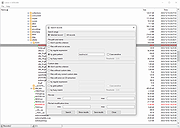 |
|
Metadata++ v3.00.2 Metadata++ v3.00.2 👉 View, edit, search, and manage metadata in thousands of file formats. Metadata++ is a powerful freeware metadata editor and browser for Windows built around ExifTool. It lets you inspect, edit, search, and organize metadata stored in photos, documents, audio, video, archives, and many other file types through a fast graphical interface. Designed to run locally without relying on the Windows registry, Metadata++ can also create sidecar files so metadata can be associated with formats that do not natively support it. It includes advanced search capabilities, batch editing, thumbnail viewing, ratings, tagging, and extensive support for industry-standard metadata formats, making it an excellent tool for photographers, archivists, content creators, and anyone who needs detailed control over file metadata. Features: • View, edit, and search metadata in thousands of supported file formats. • Built on the powerful ExifTool metadata engine. • Batch edit metadata across multiple files. • Create and use sidecar metadata files for unsupported formats. • Display image thumbnails and detailed file information. • Rate, tag, and organize files using metadata. • Fast folder navigation and high-performance directory browsing. • Export metadata in multiple formats. • Native Unicode support for international filenames and metadata. • Portable operation with all settings stored in the program folder. • No Windows registry entries required. • Runs entirely on your computer without transmitting personal data. Supported operating systems: • Windows 11 (64-bit), Windows 10 (64-bit) Supported languages: English, French, Spanish, Italian, Portuguese, Dutch, Polish Changes: v3.00.2 08-03-26 Changes since 3.00.1 Fixed the TreeView horizontal scrollbar. Added support for additional palette formats. Added GPR display support. Added conversions to JPEG, PNG and WebP. Added Save As and effects to fullscreen view. Added sidecar creation for any file format. Added the Ukrainian interface. Metadata++ can now use GDAL. Note: This file ... |
|
2,179 | Aug 02, 2026 Jean Piquemal 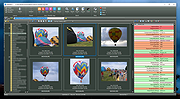 |
|
MP3tag v3.34.1 MP3tag v3.34.1 👉 Powerful and easy-to-use tag editor for managing audio file metadata. MP3tag is a popular and reliable tag editor designed to make organizing and managing your digital music collection simple and efficient. It supports batch editing of tags, import of metadata from online databases, and full Unicode support, making it suitable for both casual users and serious collectors. MP3tag works with a wide range of audio formats and allows you to rename files based on tag information or generate tags from filenames. The application is lightweight, fast, and focuses on doing one job extremely well: keeping your music library clean and properly tagged. Features: • Batch editing of audio file tags • Support for ID3v1, ID3v2, APEv2, MP4, Vorbis Comments, and more • Import tags from online databases such as Discogs and MusicBrainz • Automatic file renaming based on tag information • Create tags from filenames and directory structures • Full Unicode support for international music collections • Lightweight, fast, and portable-friendly design Supported operating systems: • Windows 7, Windows 8, Windows 10, Windows 11 Supported languages: English, German, French, Spanish, Italian, Portuguese, Dutch, Polish, Czech, Russian, Ukrainian, Chinese, Japanese, Korean, Hungarian, Romanian, Swedish, Turkish Changes: v3.34.1 05-07-26 FIX: large integer metadata values were truncated to the preferred storage width when writing MP4 atoms like `ITUNESCATALOGID`. (#71185) FIX: minor performance regression in the action groups dialog that could slow downloading or adding large numbers of action groups. (#71129) FIX: using 'Convert > Tag - Tag' changed the last used Quick Action to 'Format value'. (#71086) FIX: configuring or performing an action via a custom toolbar button also changed the last used Quick Action to this action type. LNG: updated French, Hungarian, and Traditional Chinese translations. This download is for the Windows 64bit version (very bottom of page). If you need the Windows 32bit version, download here. Click here to visit the author's website. |
|
6,340 | Jun 18, 2026 Florian Heidenreich 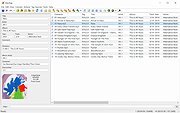 |
|
MusicBee v3.6.9668 MusicBee v3.6.9668 👉 Powerful music manager and player for organizing, tagging, and enjoying your music collection. MusicBee is a feature-rich music management application designed to help you organize, find, play, and enhance your digital music library. It supports extensive tagging tools, automatic metadata retrieval, CD ripping, podcasts, internet radio, playlist management, and synchronization with supported devices. MusicBee also offers advanced audio features including WASAPI and ASIO output, DSP effects, gapless playback, customizable skins, and plugin support, making it suitable for both casual listeners and audiophiles alike. Features: • Organize and manage large music libraries • Automatic tagging with metadata and album artwork retrieval • Built-in CD ripping and audio file conversion • Support for podcasts, web radio, and SoundCloud integration • Create and manage smart playlists • 10-band and 15-band equalizer with DSP effects • WASAPI and ASIO audio output support • Gapless playback and volume normalization • Extensive skinning and plugin support • Synchronize music, playlists, podcasts, and audiobooks with supported devices • Customizable interface with multiple layouts and views • Support for numerous audio formats including MP3, FLAC, AAC, OGG, WAV, WavPack, Opus, and more Supported operating systems: • Windows 7, Windows 8, Windows 10, Windows 11 Supported languages: • Arabic, Czech, Dutch, English, English (US), French, German, Greek, Hungarian, Italian, Japanese, Korean, Polish, Portuguese (Brazil), Portuguese (Portugal), Russian, Simplified Chinese, Spanish, Swedish, Traditional Chinese, Turkish, Ukrainian Changes: v3.6.9668 06-20-26 Not provided. Click here to visit the author's website. |
|
6,994 | Jun 22, 2026 Steven Mayall 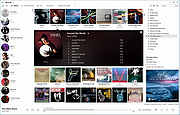 |
|
NewFileTime v8.31 NewFileTime v8.31 👉 Easily modify and correct file and folder timestamps in Windows. NewFileTime is a lightweight and portable timestamp utility that allows you to quickly change the creation date, modification date, and access date of files and folders. It is especially useful for correcting incorrect timestamps after copying files, restoring backups, sorting media collections, or organizing archived documents. The program supports drag-and-drop operation and can process multiple files and folders at once, making bulk date changes simple and efficient. NewFileTime features an easy-to-use interface with preset time options, random date generation, and precise manual controls for adjusting timestamps down to the second. The software can also import timestamps from other files, preserve original dates during operations, and work with network drives and external storage devices. Because it is portable, it can run without installation and is ideal for technicians, archivists, photographers, and power users who frequently manage file metadata. Features: • Change creation, modification, and access timestamps for files and folders • Batch process multiple files and directories simultaneously • Drag-and-drop support for quick file handling • Portable application requiring no installation • Copy timestamps from reference files • Set timestamps manually with precise date and time controls • Randomize dates and times for testing or organization purposes • Supports folders, network drives, USB drives, and external media • Easy-to-use interface with preview before applying changes • Optional administrative mode for protected files • Small system footprint and fast processing performance • Compatible with Unicode filenames and long file paths Supported operating systems: • Windows XP, Windows Vista, Windows 7, Windows 8, Windows 10, Windows 11, Windows Server 2000, Windows Server 2003, Windows Server 2008, Windows Server 2012, Windows Server 2016, Windows Server 2019, Windows Server 2022 Supported languages: • English, German, French, Spanish, Italian, Portuguese, Dutch, Polish, Russian, Chinese, Japanese, Korean, Turkish, Greek, Hungarian, Danish, Finnish, Norwegian, Swedish, Czech, Slovak, Romanian, Bulgarian, Arabic, Hebrew, Ukrainian, Indonesian, Vietnamese Changes: v8.31 ... |
|
7,064 | Oct 12, 2026 Nenad Hrg 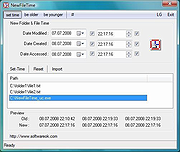 |
|
Playlist Creator v3.6.2.18 Playlist Creator v3.6.2.18 👉 Create and edit M3U and PLS music playlists with a lightweight portable Windows utility. Playlist Creator is a simple, focused utility for building music playlists without the overhead of a full media manager. Originally created by oddgravity, this preserved and modernized edition has been rebuilt as a native 64-bit Windows application while retaining the behavior and features of the original program. Files and folders can be added to a playlist, rearranged, removed, sorted or randomized before saving. Existing M3U and PLS playlists can also be opened and modified. Playlist Creator uses MediaInfo to read metadata from many media formats and can incorporate information such as artist, track number and title into playlist entries. The modernized build is completely native x64 and portable. The MFC and C/C++ runtimes, CxImage, libpng and zlib are statically linked, while the required 64-bit MediaInfo DLL is supplied alongside the executable. The project specifically targets Windows 10 or newer. Features: • Creates M3U and PLS playlists • Opens and edits existing playlists • Add individual files or entire folders • Recursively add files from folders and subfolders • Drag and drop files directly into the playlist • Reorder playlist entries manually • Move selected entries to the top or bottom • Sort playlist entries by column • Shuffle playlists into random order • Create simple playlists containing plain file lists • Read metadata from many media formats using MediaInfo • Use artist, track number and title metadata when creating playlist entries • Highlight playlist entries that refer to missing files • Configure which media file types are included • Save playlist paths using forward or backslashes • Supports multiple playlist save/path modes • Resizable main window • Optional gridlines and alternating row colors • Keyboard shortcuts and context menus for common playlist operations • Portable native 64-bit build requiring no installation Supported operating systems: • Windows 10 64-bit, Windows 11 64-bit Supported languages: English, German Changes: v3.6.2 x64 Modernization Build 08-07-26 Updated to ... |
|
253 | Aug 18, 2026 sl2365 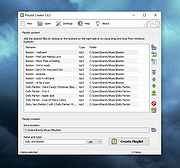 |
|
PropertySystemView v1.22 PropertySystemView v1.22 👉 View and edit Windows file and window properties with ease. PropertySystemView is a lightweight portable utility that allows you to view and modify the properties of files and Windows using the Windows Property System. It can edit metadata stored in media files, Office documents, images, and other supported file types, including fields such as Title, Comments, Authors, Tags, Date Taken, Media Created, Date Imported, Content Created Date, and many more. It also supports working with Windows properties, such as setting the System.AppUserModel.ID property of a window to customize taskbar behavior. The program supports both an easy-to-use graphical interface and a powerful command-line mode for automation. Features: • View and modify Windows Property System metadata for supported files. • Edit media, image, and Microsoft Office document properties. • Modify timestamps such as Media Created, Date Taken, and Date Imported. • View and edit Windows window properties. • Add, edit, and remove supported properties. • Drag-and-drop file loading. • Browse and display all properties available on your system. • Powerful command-line interface for scripting and automation. • Portable application with no installation required. • Available in both 32-bit and 64-bit versions. Supported operating systems: • Windows Vista, Windows 7, Windows 8, Windows 8.1, Windows 10, Windows 11 (32-bit and 64-bit) Supported languages: English, Brazilian Portuguese, Dutch, French, German, Hungarian, Italian, Japanese, Persian, Russian, Simplified Chinese, Slovak, Traditional Chinese, Turkish Changes: v1.22 07-11-26 Added 'Black Background' option (under the View menu). When enabled, the main table is displayed with a black background and white text instead of the default system colors. This download is for the Windows 64bit version (very bottom of page). If you need the Windows 32bit version, download here. Click here to visit the author's website. |
|
4,736 | Jul 17, 2026 Nir Sofer 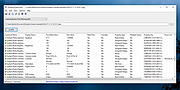 |
|
Rename Master v4.04 Rename Master v4.04 👉 Powerful batch file and folder renaming utility. Rename Master is a freeware utility that allows you to rename multiple files and folders quickly using a wide range of advanced renaming options. Designed for both casual and power users, it can manipulate filenames based on text patterns, file attributes, metadata, numbering schemes, and custom scripts. A real-time preview window shows exactly how files will be renamed before any changes are applied, helping prevent mistakes when working with large collections of files. Rename Master supports information stored inside MP3 tags, JPEG JFIF and EXIF data, enabling automatic renaming based on embedded metadata. It also includes powerful wildcard support, search-and-replace functions, sequential numbering, folder renaming capabilities, and the ability to save frequently used renaming configurations for future use. Despite its extensive feature set, the program remains lightweight, fast, and easy to use. Features: • Rename multiple files and folders in a single operation • Add, remove, replace, or rearrange text within filenames • Advanced search and replace with wildcard support • Sequential numbering and custom counters • Rename files using MP3 tag information • Rename photos using JPEG JFIF and EXIF metadata • Change filename case (upper, lower, title case, etc.) • Insert file dates and times into filenames • Move or remove characters at specific positions • Save and reuse renaming scripts and presets • Real-time preview before applying changes • Undo support for reverting previous renaming operations • Optional Windows Explorer integration • Fast processing of large file collections • Portable-friendly and lightweight design Supported operating systems: • Windows XP • Windows Vista • Windows 7 • Windows 8 • Windows 8.1 • Windows 10 • Windows 11 Supported languages: English Changes: v4.04 05-14-26 (Renaming Script) Fix: issues with auto-preview (introduced in v4.03) Fix: issue when loading a script when using non-default Counting settings Fix: Counting tab icon not always marked when using non-default setting (Misc) Fix: possible exception when loading a script using "File > Open Script" with default settings NOTES: Hotfixes for ... |
|
6,905 | Jun 12, 2026 joejoesoft.com 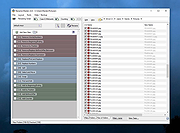 |
|
Sigil Portable v2.8.1 Sigil Portable v2.8.1 👉 A portable version of the powerful, open source EPUB ebook editor for creating and editing ebooks without installation. Sigil Portable is the PortableApps.com version of Sigil, a free and open source EPUB ebook editor that supports both visual WYSIWYG-style editing and direct editing of EPUB code. It can be carried on a USB flash drive, portable hard drive, cloud folder or other portable storage and used without a traditional installation. The portable package keeps its settings with the application, making it convenient for working with ebooks on multiple Windows computers. Sigil is designed specifically for editing EPUB ebooks and supports EPUB 2 as well as EPUB 3. Authors and editors can work directly with XHTML and CSS, edit book metadata, generate tables of contents, check spelling, perform powerful regular-expression searches and make detailed changes to the internal structure of an ebook. The interface provides multiple views so users can work visually or directly with the underlying code. Features: • Portable package designed to run from USB drives, portable drives, cloud folders and other locations • WYSIWYG word processor-style ebook editing • Direct editing of EPUB XHTML and other underlying code • Full EPUB 2 specification support • Limited EPUB 3 support • Multiple Book, Code and Preview views • Full UTF-16 support • Table of Contents generator with multi-level heading support • Metadata editor supporting more than 200 possible metadata entries with descriptions • Spell checking with default and user-configurable dictionaries • Full PCRE regular-expression support for Find and Replace • Imports EPUB and HTML files, images and style sheets • Integrated FlightCrew EPUB validator for checking EPUB compliance • Embedded HTML Tidy for correcting formatting in imported files and optionally cleaning edited content • Translated user interface • Online Sigil User's Guide and documentation • Open source under the GNU GPL Supported operating systems: • Windows 10 64-bit, Windows 11 64-bit Supported languages: Multilingual Changes: v2.8.1 07-18-26 Sigil 2.8.1 is a ... |
|
2,336 | Aug 31, 2026 Graeme Gott and PortableApps.com 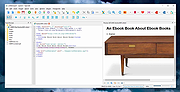 |
|
Sigil v2.8.1 Sigil v2.8.1 👉 A free, open source, cross-platform EPUB ebook editor for creating and editing EPUB 2 and EPUB 3 books. Sigil is a powerful ebook editor designed to make it easy to create, edit, format and package ebooks in the EPUB format. It can be used by anyone from people creating ebooks for personal use to professional editors preparing books for publication on multiple platforms. Sigil provides direct control over EPUB content and structure while combining editing, preview, metadata, navigation, validation and organizational tools in a single application. It is completely free and open source under the GPLv3 license. Features: • Supports both EPUB 2 and EPUB 3 specifications • Code View provides complete control over EPUB XHTML, CSS and other source files • Preview View displays changes while working on an ebook • Generates tables of contents with multi-level heading support • Includes a metadata editor for managing ebook information • Imports EPUB and HTML files, images and style sheets • Book Browser organizes the files contained inside an EPUB • Built-in spell checking with default and user-configurable dictionaries • Full Regular Expression (PCRE) support for powerful Find and Replace operations • Mend and Prettify tools can repair and clean imported formatting and source code • Plugin support allows additional functionality to be added • Checkpoint support provides snapshots that can be compared as an ebook is edited • Themeable icons and a customizable interface • Full UTF-16 support • Supports external editors, including integration with the separate PageEdit visual XHTML editor • Reports and validation tools help locate problems in EPUB, XHTML, CSS and other book resources • Image editing tools provide basic rotation, cropping and resizing • Drop Zone allows files to be added to an EPUB using drag and drop • Change Reading Order dialog provides an alternative to drag and drop for arranging book content • Prettify behavior can be customized using prettyprint.xml in Sigil preferences Supported ... |
|
6,318 | Aug 31, 2026 John Schember |
|
TIFF Information Viewer v1.5.1 TIFF Information Viewer v1.5.1 👉 A free, portable cross-platform utility for inspecting and decoding TIFF file structure. TIFF Information Viewer is a free Java-based utility for inspecting and decoding the structure of TIFF files. It supports most TIFF features including BigTIFF, any bit depths, and most compressions including JPEG-2000. It displays both the image and detailed TIFF tag structure, helping users explore TIFF files in depth. It also recognizes and displays metadata for popular multi-scale pyramid formats such as Aperio SVS. Features: • Inspect and decode the structure of TIFF files • Displays both image preview and detailed TIFF tag structure • Supports BigTIFF • Supports any bit depths • Supports most TIFF compressions including JPEG-2000 • Recognizes metadata for multi-scale pyramid formats such as Aperio SVS • Includes TiffInfo command-line version of the viewer • Includes TiffCopy for copying, repacking, and converting TIFF files • Includes MakeSvs for constructing Aperio SVS files from regular images • Includes demo TIFF files in the ZIP archive Supported operating systems: • Windows, Linux, macOS, other operating systems with Java Runtime Environment 21 or higher System Requirements: • Java Runtime Environment, version 21 or higher To install Java JDK: Open PowerShell (Admin) and run one of these: JDK 25 winget install Microsoft.OpenJDK.25 JDK 21 winget install -e --id Microsoft.OpenJDK.21 or Download the latest Oracle JDK for Windows 11: https://www.oracle.com/java/technologies/downloads/ Scroll to the JDK section and choose Windows x64 Installer (.exe) for your JDK version. Supported languages: English Note: This file has one hit on VirusTotal. We have confirmed this to be a false positive. The file is safe. Click here to visit the author's website. |
|
666 | May 15, 2026 Daniel Alievsky 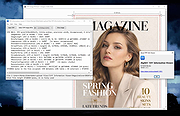 |
|
Torrent File Editor v1.0.3 Torrent File Editor v1.0.3 👉 A cross-platform tool for creating and editing .torrent and uTorrent .dat files. Torrent File Editor is a cross-platform application intended to create and edit .torrent and uTorrent .dat files. It is designed as a replacement for BEncode Editor and adds a modern interface along with extra features for managing torrent metadata, file structure, and encoded data. Features: • Create .torrent files from scratch • Add new files to an existing .torrent file • Remove files from a .torrent file • Change file order inside a .torrent file • Edit main torrent information including name, comment, publisher, URL, creation date, trackers, and author • Edit torrent data in JSON format • Support different encodings • Portable operation • Edit .torrent files as a binary tree • Search and replace in tree view • Open files with drag-and-drop • Remove files from the file list using filters • Command line mode Supported operating systems: • Windows 7, Windows 8, Windows 10, Windows 11 • macOS • Linux distributions with CMake and Qt Supported languages: Afrikaans, Arabic, Bengali, Chinese Simplified, Chinese Traditional, Czech, Dutch, English, Finnish, French, German, Hebrew, Hungarian, Indonesian, Italian, Japanese, Korean, Polish, Portuguese (Brazil), Romanian, Russian, Spanish, Turkish, Vietnamese, Ukrainian Changes: v1.0.3 06-05-26 Update translations Add Source field to Main tab Add button to open URL from Comment field to Main tab Fix date time format in Date created This download is for the Windows 64bit version (very bottom of page). All other download assets are below: Other Windows: torrent-file-editor-1.0.3-x32.exe (32bit) macOS: torrent-file-editor-1.0.3.dmg Linux: torrent-file-editor-1.0.3.tar.gz Linux users can build Torrent File Editor from source using CMake and Qt. First install the required development packages for Qt and CMake using your distribution’s package manager. Download the source codeand open a terminal in the project folder. Run the standard CMake build process: create a build directory, run cmake .., and then compile with make. Once compilation completes, the application can be launched from the generated ... |
|
6,188 | Jun 07, 2026 Ivan Romanov 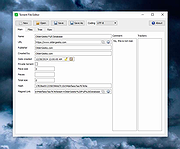 |
| Showing rows 1 to 16 of 16 | Showing Page 1 of 1 | 1 |
OlderGeeks.com Copyright (c) 2026
