|

|
Processed through Paypal No account required. |








Buy our over-priced crap to help pay the bills.



|
|
Processed through Paypal No account required. |
| Files | ||||
| File Name | Rating | Downloads | ||
 |
Apple II Disk Image Collection Apple II Disk Image Collection One massive zip file containing original utilities, popular software, audio, programming software, graphics and more for the Apple II. |
 |
8,422 | Feb 17, 2019 Apple Corp. 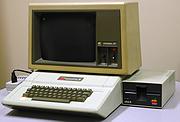 |
 |
Artweaver Free v8.1.5 Artweaver Free v8.1.5 👉 Powerful free painting and image editing software for creative digital artists. Artweaver Free is a full-featured painting and image editing program designed for beginners and advanced users alike. It offers a wide range of realistic brush types to simulate traditional media such as chalk, charcoal, pencils, and oil paint. With an intuitive user interface and support for layers, transparency, and common image formats, Artweaver Free provides the tools needed to create and edit digital artwork with precision and flexibility. Features: • Realistic brush engine with many predefined brush types • Supports layers, groups, and transparency • Wide range of image adjustment tools and filters • Event recording and playback functionality • Tablet support for pressure-sensitive drawing • Supports common image formats including AWD and PSD • Customizable user interface Supported operating systems: • Windows 10, Windows 11 Supported languages: • English, German Changes: v8.1.5 05-16-26 This version includes the following improvements and fixes Improved update installation Fixed occasional horizontal line artifacts Fixed incorrect colors in 8bf filter results Fixed scale to fit media enabled by default in print preview Fixed layer merge errors with certain blend modes Fixed navigator preview not updating after applying the crop tool Fixed an opacity issue when moving selected image data Fixed document not being marked as modified after applying a tool Fixed navigator preview issues with transparency and low zoom levels Fixed a crash when opening documents containing EXIF data This download is for the Windows version (very bottom of page). If you need the plugins and extra language files, download here. Click here to visit the author's website. |
|
6,583 | Jul 05, 2026 Boris Eyrich Software 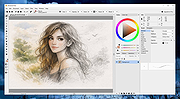 |
|
Background Generator v1.1.0 Background Generator v1.1.0 👉 Create custom backgrounds quickly and easily. Background Generator is a desktop application that allows users to create custom backgrounds for their projects. It provides a simple and straightforward interface designed to generate backgrounds without the need for complex design software. The program is intended for users who want to quickly create visually appealing backgrounds for use in websites, presentations, graphics, or other creative work. With its focused design and ease of use, Background Generator makes background creation accessible to users of all experience levels. Features: • Creates large material and random background images • High resolution output in PNG and JPG formats • Includes 7 background generating programs (including Colorful and Graphics generators) • Portable ZIP version available Supported operating systems: • Windows 7, Windows 8, Windows 10 (32/64) and later Supported languages: English, Franηais, Deutsch, Italiano, Espaρol, Dutch, Portuguκs, Polski, 简体中文, 繁體中文, 日本語, 한국어 Click here to visit the author's website. |
|
4,544 | Jun 27, 2026 BgGenerator.com 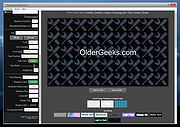 |
|
Caesium Image Compressor v2.8.2 Caesium Image Compressor v2.8.2 Compress your pictures up to 90% without visible quality loss. Caesium is an image compression software that helps you store, send and share digital pictures, supporting JPG, PNG and WebP formats. You can quickly reduce the file size (and resolution, if you want) by preserving the overall quality of the image. Image Compressor Providing a simple yet effective interface with a real-time preview and multiple image processing at the same time, everyone will be able to reach the best result. Advanced users will find extra features, like metadata storing options or folder structure support. Command Line Tool If you are working on Linux or MacOSX and want to be geeky, you can use the Command Line Tools, which are the pulsing heart of Caesium. You can compress images with advanced tools very quickly. It works on the command line! Supported Platforms • Windows 10 (build 1809) or later • macOS (10.15+) Note: only 64bit versions are supported Changes v2.8.2 10-27-24 Bugfixes Hotfix on dialog prompts #314 This download is for the Windows portable version (very bottom of page). All other download assets are below: Windows: caesium-image-compressor-2.8.2-win-setup.exe Windows Installer macOS: caesium-image-compressor-2.8.2-macos.dmg Click here to visit the author's website. |
|
2,852 | Oct 28, 2024 SaeraSoft 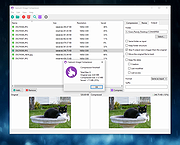 |
|
Converseen v0.15.2.6 Converseen v0.15.2.6 👉 Free and open source batch image converter and resizer. Converseen is a powerful, free, and open source image processing tool that allows you to convert, resize, rotate, and flip large batches of images quickly and efficiently. Built on top of the ImageMagick library, it supports over 100 image formats and provides an easy-to-use interface for handling bulk image operations without requiring advanced technical knowledge. With Converseen, you can process entire folders of images at once, applying consistent transformations such as resizing dimensions, adjusting resolution, or converting file formats. It is especially useful for photographers, designers, and anyone needing to optimize or standardize image collections for web or storage use. Features: • Batch conversion and processing of multiple images • Resize images by dimensions or percentage • Convert between over 100 supported image formats • Rotate and flip images • Compress and reduce image file sizes • Rename output files with customizable patterns • Set output directory for processed images • Change image resolution (DPI) • Preview images before processing • Multithreaded processing for faster performance • Built on the ImageMagick library for broad format support Supported operating systems: • Windows 10, Windows 11 • Linux • macOS Supported languages: English, Italian, Spanish, French, German, Portuguese, Russian, Chinese Changes: v0.15.2.6 07-07-26 - Updated French translation - Various Bugfixes This download is for the Windows 64bit portable version (very bottom of page). All other download assets are below: Other Windows: Converseen-0.15.2.6-1-win64-setup.msi converseen-0.15.2.6-1-win32-portable.zip macOS: converseen-0.15.2.6-1_beta_macos-x86_64.zip Linux: Converseen-0.15.2.6-1-anylinux-x86_64.AppImage Converseen-0.15.2.6-1-anylinux-aarch64.AppImage Click here to visit the author's website. |
|
3,556 | Jul 11, 2026 Francesco Mondello 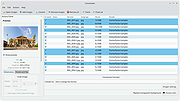 |
|
DesktopPic v2.1.0 DesktopPic v2.1.0 👉 Display or stamp images on your Windows desktop wallpaper with multi-monitor support. DesktopPic lets you display one or more pictures on your desktop as borderless slideshows or stamp images directly onto your wallpaper for a more permanent effect. It is designed to work with multiple monitors and supports convenient positioning options, letting you place images in corners, centered areas, or specific displays. DesktopPic also supports transparent images, crossfading for slideshow use, and a portable mode that does not require installation. Features: • Display images in borderless slideshow windows on the desktop • Stamp one or more images directly onto wallpaper • Full support for multiple monitors • Smart image placement including center and corner positions • Maintains original image aspect ratio • Supports transparent images • Supports crossfading in slideshow mode • Portable option available with no installation required • Supports common bitmap image formats including PNG, JPG, BMP, WebP, and animated GIFs Slideshow Displays one or more pictures in a window that has no borders or captions, so all you see is the picture. The image window may be positioned manually or set to appear in the center or any corner of any monitor. This will give the illusion of the picture being part of your wallpaper, but it’s really just another window. Any desktop icons in the same region as the picture will be covered. Bitmap image formats, such as PNG (recommended), JPG, BMP, WebP (photos), and animated GIFs are supported. You can run multiple copies of DesktopPic (use portable option) to have more than one slideshow on your desktop (on any monitor). DesktopPic does not do a wallpaper slideshow (that capability is built into Windows under “Personalize”). Stamp Image to Wallpaper One or more images can be stamped to the wallpaper in any size or position. This makes the picture part of the wallpaper, so it will ... |
|
3,010 | Jul 24, 2026 LesFerch 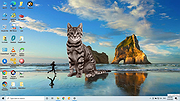 |
|
Dougi v1.0.672 Dougi v1.0.672 👉 Create high-quality JPEG images with realtime quality preview. Dougi is a lightweight portable JPEG optimization utility that lets you create high-quality JPEG images quickly and easily. Simply open, paste, or drag and drop an image, adjust the desired JPEG quality, and save. Its realtime WYSIWYG (What You See Is What You Get) preview lets you instantly see the effect of compression changes, eliminating the guesswork when balancing image quality and file size. Dougi also includes optional maximum file size limits, basic image adjustment tools, batch conversion, clipboard support, customizable appearance settings, and built-in help. Features: • Realtime WYSIWYG JPEG quality preview • Manual JPEG quality adjustment (5-100%) • Automatic quality presets: Low, Fair, Good, High, and Best • Optional maximum JPEG file size limit (5-4,000 KB) • Image adjustments including Mirror, Flip, Grey, Sepia, Noise, Invert, and Soften • Displays image dimensions, JPEG file size, and color count in realtime • Opens PNG, GIF, JPG, JIF, JPEG, TJ32, BMP, DIB, ICO, CUR, ANI, TEA, TGA, PPM, PGM, PBM, PNM, XBM, and IMG32 formats • Saves JPG, JIF, and JPEG formats • Copy images to the Clipboard as JPG or PNG • Batch conversion by dragging and dropping multiple images • Preview output in your default web browser • Customizable colors, fonts, and application settings • Portable - no installation required Supported operating systems: • Windows 7, Windows 8, Windows 8.1, Windows 10, Windows 11, Ubuntu Linux Supported languages: English Changes: v1.0.672 11-19-25 Not Provided. Click here to visit the author's website. |
|
348 | Jul 17, 2026 Blaiz Enterprises 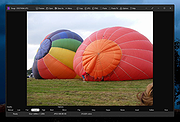 |
|
FastStone Image Viewer v8.5 FastStone Image Viewer v8.5 👉 Fast, stable image browser, editor and batch converter. FastStone Image Viewer is a fast, stable, user-friendly image browser, converter and editor. It includes image viewing, management, comparison, red-eye removal, emailing, resizing, cropping, retouching and color adjustments. Its full-screen mode gives quick access to EXIF information, thumbnail browsing and major tools through hidden edge toolbars. It also includes a high quality magnifier, musical slideshow with 150+ transition effects, lossless JPEG transformations, drop shadows, image annotation, scanner support, histogram display, batch conversion and batch renaming. Features: • Windows Explorer-like image browser and viewer • Supports BMP, JPEG, HEIC, WEBP, GIF, PNG, PCX, PDF, PSD, EPS, TIFF, WMF, ICO, CUR, TGA and many RAW camera formats • Full-screen viewer with zoom support and fly-out menu panels • Resize, rotate, crop, sharpen, blur, color correction, curves and levels tools • Clone Stamp, Healing Brush and red-eye removal • Draw text, lines, highlights, rectangles, ovals and callouts • Compare up to 4 images side-by-side • Batch convert and batch rename files • Slideshow with music and 150+ transition effects • Scanner support with batch scanning to PDF, TIFF, JPEG and PNG • Contact sheet creation, printing tools and image emailing • Portable version available Supported operating systems: • Windows XP, Windows Vista, Windows 7, Windows 8, Windows 10, Windows 11 Supported languages: Bulgarian, Chinese (Simplified), Chinese (Traditional), Czech, Danish, Dutch, Finnish, French, German, Hungarian, Italian, Japanese, Korean, Norwegian (Norsk bokmεl), Polish, Portuguese, Russian, Spanish, Swedish, Ukrainian Changes: v8.5 06-24-26 Added support for SVG format Added Start importing automatically and Handle duplicate file names automatically options to the Import Photos and Videos tool WebP files can now be rotated and saved with a single click Enhanced dark theme support in the PDF viewer Fixed a bug where some links in PDF files were not clickable Other improvements and bug fixes 👉 This download is for the Windows portable version (very bottom of page). All other download ... |
|
11,648 | Oct 07, 2026 FastStone Soft 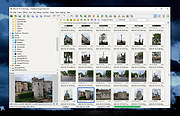 |
|
FotoSketcher v4.50 FotoSketcher Studio v4.50 👉 Turn photos into paintings, sketches, and artistic effects with a free image editing tool. FotoSketcher Studio is a free creative image editor that transforms photos into artwork using artistic effects such as pencil sketches, painting styles, drawing effects, and photo filters. It also includes tools to enhance original images, add frames and text, batch process multiple images, manually retouch selected areas, combine multiple filters, and create custom effects with scripts. It is free to use, including for commercial use. Features: • Turn photos into paintings, sketches, drawings, and photo effects • Includes 14 artistic effects spanning pencil, drawing, painting, and photo filter styles • Batch processing for applying effects to multiple images at once • Manual brush for selectively applying effects to chosen areas of an image • Can improve original photos with contrast, sharpening, luminosity, saturation, and other adjustments • Lets you add simple or realistic frames and text to images • Can combine multiple filters for mixed artistic results • Supports custom effect creation through scripts • Includes Vintage Sepia and Retro Film photo effects in v4.10 • Automatic system language detection with a keyboard shortcut to change interface language • Manual brush panning with CTRL + Left Mouse Button drag • Digitally signed Windows and macOS releases Supported operating systems: • Windows 10, Windows 11 • macOS (Intel, Apple Silicon) Supported languages: • Chinese, German, English, Spanish, French, Italian, Japanese, Korean, Dutch, Polish, Portuguese Changes: v4.50 07-27-26 This version brings a new painting effect, an image watermark tool, full keyboard navigation and a rather long list of improvements and fixes. New Gouache Painting effect 🎨 A new Gouache Painting effect joins the Painting category. Gouache sits somewhere between watercolour and oil paint: thick, opaque, with a matte finish and visible brushstrokes. Watermark and logo tool The "Add text" window has been expanded into "Add text/watermark". You can now load any image file (PNG with transparency, JPG, or other formats) ... |
|
10,835 | Aug 12, 2026 David Thoiron 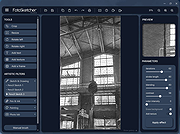 |
|
GIMP Portable v3.2.6 GIMP Portable v3.2.6 👉 Portable image editor for photo retouching, image composition and graphic creation. GIMP Portable is the portable version of the GNU Image Manipulation Program, a free and open source image editor for photo retouching, image composition, image authoring, painting, batch processing, rendering and image format conversion. It runs from a cloud folder, removable drive, local folder or the PortableApps.com Platform without needing a traditional installation. Features: • Portable version of GIMP for Windows • Runs from USB drives, cloud folders or local folders • Photo retouching and image editing • Image composition and authoring • Paint program capabilities • Expert-quality photo manipulation tools • Batch processing support • Image rendering and format conversion • Supports plug-ins and scripts • User plug-ins and scripts can be placed in the portable Data\GimpAppData folder • Optional English-only offline help add-on available • PortableApps.com Platform support for easier installs and automatic updates • Open source software under the GPL Supported operating systems: Windows XP, Vista, 7, 8, 10, 11 Supported languages: Multilingual, GIMP is available in more than 80 languages Changes: v3.2.6 09-10-26 Several months of patches, bug fixes, security updates, and stability improvements. Cut can now be used on rasterized, unlocked layer groups to cut the same area from all layers in the group. Color Picker's Sample Merged option now accounts for filters applied to a single layer. Improved performance when loading large numbers of fonts, including faster startup, text entry, and closing font lists. Fixed text being hidden at the edges when using fixed text layouts. Fixed dark smudges produced by the Heal Tool when working outside the bounds of a layer smaller than the canvas. Fixed a crash that could occur when pressing keys quickly after releasing the spacebar while panning. Text can now be selected for editing even when partially covered by a layer mask. Fixed loading of Licensor image metadata. Added a maximum width for tooltips with long descriptions. Fixed several issues involving rasterized vector layers. Added ... |
|
6,728 | Sep 11, 2026 GIMP Team & PortableApps.com 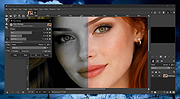 |
|
Gimp v3.2.6 Gimp v3.2.6 👉 Free and open source cross-platform image editor. GIMP is a cross-platform image editor available for GNU/Linux, macOS, Windows and more operating systems. It provides tools for graphic designers, photographers, illustrators, and scientists, with support for image manipulation, original artwork creation, graphic design elements, color management, scripting, customization, and third-party plug-ins. Features: • Advanced photo retouching tools including healing, clone, perspective clone, and content-aware fill workflows • Powerful layer-based editing with layer groups, masks, blend modes, and non-destructive editing techniques • Full support for high bit-depth images (8/16/32-bit per channel) for professional workflows • Extensive selection tools including free select, fuzzy select, foreground select, and intelligent scissors • Transform tools such as scale, rotate, shear, perspective, warp transform, and unified transform • Customizable brushes with dynamics support (pressure, velocity, randomness) for tablets and stylus input • Wide range of painting tools including pencil, paintbrush, airbrush, ink, MyPaint brushes, and gradient tools • Gradient editor and advanced gradient blending capabilities • Paths (vector) tool for precise curves, shapes, and text-on-path creation • Text tool with advanced typography support including kerning, hinting, and outline rendering • GEGL-based processing engine for high-quality image operations and non-destructive workflows • Extensive built-in filters and effects including blur, sharpen, distort, lighting, shadows, noise, and artistic filters • Support for external plug-ins such as G’MIC for hundreds of additional filters and effects • Color management with ICC profile support for accurate color reproduction across devices • Advanced color tools including levels, curves, hue-saturation, color balance, and exposure adjustments • Histogram display and analysis tools for precise tonal correction • Channel manipulation and alpha channel editing • Support for multiple file formats including JPEG, PNG, TIFF, PSD, WebP, HEIF, OpenRaster, and XCF native format • PSD import/export support for compatibility with Adobe Photoshop workflows • Multi-window and single-window interface modes for flexible workspace layouts • Fully customizable interface including dockable dialogs, tool groups, and keyboard shortcuts • Tabbed image ... |
|
9,686 | Sep 11, 2026 The Gimp Team |
|
HxC Floppy Drive Emulator v2.16.13.1 HxC Floppy Drive Emulator v2.16.13.1 👉 A free floppy drive emulator toolkit. The HxC Floppy Drive Emulator provides software and hardware solutions to replace old floppy disk drives and floppy support with modern solutions (USB, SDCard, network,...) Features: • Import and convert many floppy image file formats. • Import, analyze and convert floppy stream files images. • Create/Browse DOS/FAT and AmigaDOS floppy images. • Create floppy disk images with custom sector layout. • Low level track and disk inspection. • Floppy disk read function. • And many more Supported operating systems: Windows 2000, XP, Vista, 7, 8, 10, 11 macOS X Linux Supported languages: English Changes: v2.16.13.1 04-06-25 • Mame MFI writer : Fix memory allocation error/crashes. • Kryoflux writer : The default sample frequency can be changed with the KFRAWEXPORT_SAMPLE_FREQUENCY variable. (patch by uru2) • Kryoflux Stream Loader : Support different sample rate setting from the KFInfo string. (patch by uru2) Click here to visit the author's website. |
|
3,427 | May 24, 2026 Jean-Francois DEL NERO 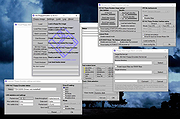 |
|
Image Analyzer v1.44 Image Analyzer v1.44 Advanced image editing, enhancement and analysis software. The program contains both most image enhancement features found in conventional image editors plus a number of advanced features not even available in professional photo suites. Features • Automatic brightness, contrast, gamma and saturation adjustment • Build-in conventional and adaptive filters for noise reduction, edge extraction etc. • Retouch tools including clone, spot healing and warping brushes • Basic support for layers • Retinex filter for reducing shadows and increasing local contrast • Deconvolution for out-of-focus and motion blur compensation (see below) • Easy red-eye removal • User specified filters in spatial and frequency domain • Resize, rotate, crop and warping of images • Pixel art scaling operation for icons and other graphic (xBR/HQx/Waifu2x) • Scanner, camera and printer support • File format support: • Read/write BMP, ICO, CUR, WMF, EMF, PNG, MNG, GIF, PCX, JPEG, JPEG 2000 and JPEG XL images • Read CR2, RAS, PNM, PGM, PPM, HIPS and Matlab files • Morphological operations • Color model conversion: RGB, CMY, HSI, Lab, YCbCr, YIQ and PCA • Distance, Fourier and discrete cosine transformation • Math expression module for creating and transforming images and advanced "pocket" calculator with equation solver • Plugin system for adding more specialized features. See below for available plugins Supported operating systems Windows 98/ME/2000/XP/Vista/7/8/10/11 Changes Use jpegli for improved jpeg compression Reduce registration memory usage usage Fix script operation This download is for all Windows versions (very bottom of page). All other download assets are ... |
|
7,791 | Mar 19, 2025 Michael Vinther 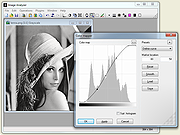 |
|
Image Eye v9.2 Image Eye v9.2 Image Eye is a specialized image viewer — made for the sole purpose of viewing images as quickly and practically as possible — nothing else! You get a window with the picture only — no bulky menus, tool-bars or other fancy but annoying clutter. By default, even the window title-bar is hidden when you don't need it, leaving just a thin black border around the image. There's also are many handy and practical user interface 'tricks' (e.g. hit Ctrl–Alt–X to close all image windows). Feature high-lights: The only image viewer you need for viewing & browsing images. Clean with no unnecessary menus and toolbars wasting desktop space. Uncompromising image quality. Small and very fast, highly tuned code. Reads all common image file formats. Image index feature with very fast thumbnail-icon creation. Rotate, mirror, zoom, pan, adjust contrast, brightness, sharpness, hue, saturation, gamma, … Adjustments can be saved non-destructively and re-applied the next time you open it. It does not attempt to be a half-baked editor, format converter, or media player. It does include a simple slide show scripting language. Translated to several languages. Freeware. Feature-list for the tech-nerds: Deep color & HDR support: Specialized code paths for grayscale and color data, with 8- or 16-bit integer, or 32-bit floating point / color component - maintaining full precision for all image processing operations. High quality dithering: Floyd-Steinberg dithering is used for superior perceived image quality when displaying high bit-depth images. Asynchronous file I/O: Images are decompressed at the same time as data is being read ... |
|
4,138 | Jul 29, 2020 FMJ-Software  |
|
Image Lock PEA v1.3 Image Lock PEA v1.3 Protects photos, drawings, and documents with a password. Thanks to the integrated viewer the images are never stored unencrypted on the hard disk, but are held only in the memory. Because all documents can be easily converted in image formats like png, bmp, gif or jpg, the Image Lock PEA is also suitable to display all sorts of documents with a little more effort. You can use for example the PeaFactory's extra menu to convert pdf files into images which can than be encrypted with the Image Lock PEA. Image Lock PEA uses functions to derive the key from the password, that protect against attackers with a high budget (availability of ASICs, FPGAs). The authenticated Encryption (EAX mode) ensures the integrity and authenticity in addition to confidentiality. The Image Lock PEA offers the possibility to export the encrypted images unencrypted. Different images can be managed by one PEA and can be encrypted with different passwords. Since version 1.0 you can encrypt several images, but for performance reasons, Image Lock PEA is still not suitable for managing a large number of images. Key Derivation Function: Catena-Dragonfly, Argon2 Cipher (EAX-Mode): Threefish, AES-256 Hash Function: Blake2b, SHA-3 How to use Start the Jar Archive You need OpenJDK, Java Runtime Environment (JRE) or something similar. On most systems there is at least one available. These PEAs are single Java jar archives, a file with the extension "jar". If you are familiar with jar archives, you can skip the following part. Linux, BSD systems and Mac OS and other UNIX like systems: unpack the compressed download file (tar or unzip), store it for example in your home folder, change in the directory in konsole and type: java -jar YOUR_ARCHIVE.jar or try to double click the file unix_start_imagePEA.sh. Windows: Normally you can open the jar archive just by a double click. But sometimes ... |
|
3,080 | Dec 08, 2021 Peafactory 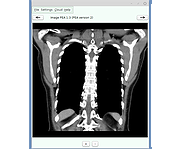 |
|
ImageConverter v2.0.0 ImageConverter v2.0.0 👉 Change image formats in one click. ImageConverter lets you quickly convert image files by dragging them into the list and clicking Convert. It supports multiple popular formats, resizing by width, high-compression JPG saving with MozJPEG, and can recognize images by file signature even when they do not have an extension. Features: • Change various image formats • Save JPG with higher compression using MozJPEG • Resize images by specifying the width • Supports PDF, SVG, AI, PSD, PNG, JPG, GIF, WEBP, and TGA • Recognizes images with file signature information even without an extension • Simple drag-and-convert workflow Supported operating systems: • Windows 10, Windows 11 Supported languages: English, German, Esperanto, French, Italian, Japanese, Polish, Portuguese, Russian, Slovak, Swedish, Thai, Turkish, Vietnamese, Chinese Changes: v2.0.0 09-22-26 - Redesigned ImageConverter with a more convenient way to start converting - Improved image size selection for easier use - Improved the update experience so you can keep using your existing settings - Improved right-click conversion in Windows - Prepared support for more operating systems Usage: • Drag the image files you want to change into the list. • Click the Convert button below. Click here to visit the author's website. |
|
1,103 | Oct 06, 2026 kilho.net 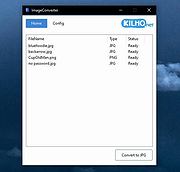 |
|
IrfanView v4.76 IrfanView v4.76 👉 Fast, compact image viewer and converter for Windows. IrfanView is a fast and compact graphic viewer for Windows that can view images, convert files, optimize images, scan and print, create slideshows, run batch processing jobs, and handle multimedia files. It is designed to be simple for everyday viewing while still offering powerful tools for image handling, editing, conversion, and automation. Features: • Fast and compact image viewer • Freeware for non-commercial use • 32-bit, 64-bit, and Windows ARM64 versions available • View, convert, and optimize images • Scan and print support • Batch processing • Slideshow creation • Multimedia support • Unicode support • Multi-language support • PlugIn support for additional formats and features Supported operating systems: • Windows XP, Windows Vista, Windows 7, Windows 8, Windows 10, Windows 11 • Windows 11 ARM, tested on Snapdragon X Supported languages: English, German, Bulgarian, Czech, Hungarian, Korean, Polish, Portuguese-Brazil, Slovak, Chinese, Estonian, French, Greek, Italian, Japanese, Dutch, Portuguese, Russian, Slovenian, Spanish, Thai, Turkish, Latvian, Norwegian, Danish, Romanian, Ukrainian, Arabic, Finnish, Catalan, English-British, Hebrew, Lithuanian, Swedish, Uzbek Changes: v4.76 09-18-26 Option to set the Toolbar on left/right (Properties->Toolbar) Option to draw a freehand selection, menu: Edit->Set selection shape New Wallpaper menu: Choose monitor (in multi monitor environment) New Thumbnails window menu: Favorite folders (max 15 folders) New in Thumbnails folder box: Write/Paste folder path, press Enter to load Changes in Zoom Magnifier (new initial zoom, CTRL + Click goes to 100%) Support for animated AVIF files New command line option to set the wallpaper per monitor /monitor=number (needs also /wall) Paint PlugIn: Option for smooth lines; Fix in the Clone tool Several PlugIns are changed/updated, please install the newest versions: Download from: https://www.irfanview.com/plugins.htm 👉 This download is for the Windows 64bit installer version (very bottom of page). All other download assets are below: Other Windows 64bit: iview476_plugins_x64_setup.exe iview476_plugins_x64.zip Windows 32bit: iview476_setup.exe iview476_plugins_setup.exe iview476_plugins.zip Windows ARM64bit: iview476_arm64_setup.exe iview476_arm64.zip iview476_plugins_arm64_setup.exe iview476_plugins_arm64.zip Click here to visit the author's website. |
|
6,451 | Sep 22, 2026 Irfan Skiljan 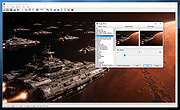 |
|
ItsPaint v0.16.1 ItsPaint v0.16.1 👉 A lightweight, free and open source MS Paint-style image editor for Mac. ItsPaint is a native image editor designed to provide the simple, quick drawing and editing experience of Microsoft Paint on macOS. It can create a blank canvas at any size, draw and paint with multiple tools, paste images directly onto the canvas, crop and resize artwork, annotate screenshots, remove backgrounds, add text and shapes, and export to numerous common image formats. It is intentionally lightweight, requires no account or subscription, contains no telemetry or networking code, and is released under the MIT license. Features: • Create blank canvases at custom sizes • Pencil, brush, highlighter and eraser drawing tools • Round, square, soft and spray brush tips • Draw lines, curves, arrows, rectangles, rounded rectangles, ellipses, triangles, diamonds, polygons, stars and speech bubbles • Solid, dashed and dotted shape outlines with optional fills • Add text with a contrasting rim that remains readable against light and dark backgrounds • Automatic numbered step badges for annotating instructions and screenshots • Pixelate areas for visual de-emphasis • Spotlight tool darkens everything outside a selected area • Clone tool copies pixels from one part of an image to another • Soften tool blends cloned or repaired areas into their surroundings • Instant Alpha selects connected pixels by color • One-command background removal without AI, cloud processing or an Internet connection • Capture a signature with a trackpad, mouse or tablet, or import one from an image • Rectangle, ellipse, lasso and Instant Alpha selection modes • Move selected pixels directly on the canvas • Paste images as floating objects that can be moved and scaled before committing • Automatically expands the canvas when pasted content is larger than the current image • Drag the current selection or entire canvas directly into another application or Finder • Pointer-centered zoom and pixel grid • Snap shapes, selections and pasted content to an 8, ... |
|
223 | Aug 13, 2026 Josh Lin 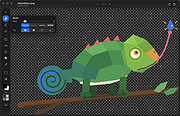 |
|
Mass Image Compressor v4.2.0 Mass Image Compressor v4.2.0 Optimize, resize, convert and watermark images and videos of entire folders. Mass Image Compressor is a fast, lightweight batch image processing tool that compresses, resizes, watermark and converts images to popular formats like WebP, AVIF, JPEG, PNG, and GIF—reducing file size while preserving quality. Just drag and drop the files and folder and it will compress all images. Best for website image optimization, photographs, game assets, animated image compression. Windows: macOS: Windows Features • Bulk Operation: Works on one or more images and on entire folder (and its sub-folders) • Image: Convert, Resize, Optimize, Watermark • Extremely Ease of use: Drag & Drop folder & files • Supports input images in all major formats including JPG/JPEG, PNG, WEBP, GIF, TIFF, AVIF, HEIC, JP2, BMP, as well as RAW image formats from leading camera brands like Sony (ARW), Adobe (DNG), Nikon (NEF), Canon (CR2, CR3, CRW), Kodak (DCR, KDC), Minolta (MRW), Olympus (ORF), Fujifilm (RAF), Pentax (PEF), Panasonic (RW2), Samsung (SRW), Epson (ERF), Hasselblad (3FR), and Mamiya (MOS, MEF). • Output Format Supported: JPEG, PNG, WebP, AVIF, GIF • Supports input and output of animated PNG, GIF, WebP! • Blazing fast and high quality compression • Preserves image metadata (EXIF Tags, XMP and IPTC data), ability to skip sensitive metadata • Output file name manipulation (suffix, prefix, replace on file names) • File name and file size based filter to exclude/include files for compression macOS Features • ... |
|
1,236 | Dec 15, 2025 COGNIRUSH LABS LLP 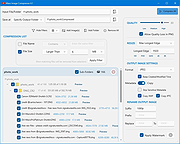 |
|
nomacs Image Lounge v3.12.1 nomacs Image Lounge v3.12.1 nomacs is a free, open source image viewer, which supports multiple platforms. You can use it for viewing all common image formats including RAW and psd images. nomacs features semi-transparent widgets that display additional information such as thumbnails, metadata or histogram. It is able to browse images in zip or MS Office files which can be extracted to a directory. Metadata stored with the image can be displayed and you can add notes to images. A thumbnail preview of the current folder is included as well as a file explorer panel which allows switching between folders. Within a directory you can apply a file filter, so that only images are displayed whose filenames have a certain string or match a regular expression. Activating the cache allows for instantly switching between images. nomacs includes image manipulation methods for adjusting brightness, contrast, saturation, hue, gamma, exposure. It has a pseudo color function which allows creating false color images. A unique feature of nomacs is the synchronization of multiple instances. With this feature you can easily compare images by zooming and/or panning at the exactly same position or even by overlaying them with different opacity. nomacs is licensed under the GNU General Public License v3 and available for Windows, Linux, FreeBSD, Mac, and OS/2. It is free for private and commercial use. Changes: nomacs 3.12 nomacs 3.12 ships with a new icon theme, an improved dark theme, and speed-ups. Here are some other things that changed: recent files panel renewed new icon theme improved drag&drop of thumbnail preview (copy/move/link) editable zoom levels fill transparent background with a color added LAN client removed batch: original filename is added to the metadata frameless: ... |
|
4,554 | Aug 06, 2024 Stefan Fiel, Markus Diem, Florian Kleber 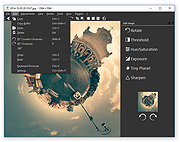 |
 |
NPS Image Editor v4.2.8 NPS Image Editor v4.2.8 A free, unique image editing program that is perfect for pixel art, drawing, and photo editing. It is lightweight, customizable, and intuitive, yet surprisingly powerful. NPS Image Editor features a user interface that should be instantly familiar to users of the "classic" version of Microsoft Paint. It includes a plethora of features that help you accomplish anything from simple edits to more complex operations with ease. Features: • Brushes of almost any shape • Multiple selection tools including freeform (lasso) select and Magic Wand • Shapes including rectangles, ellipses, and Bιzier curves • Processing tools such as black-and-white, red eye removal, and bitwise operations • Photo manipulation tools including a clone stamp and warp tool • Text tool with customizable fonts and effects • Gradient tool • Standard ancillary tools such as panning and eyedropper • Optimized for screenshot editing and pixel art • Layers • Blending modes • Layer masks • Tons of effects • Animation • Flexible workspace • 8-bit alpha transparency editing • Document templates • Extensive color tools • Transformations • Scripting and Automation • Customizable themes • Small footprint • More features coming soon! Changes: 4.2.8 build 6019 February 1, 2025 Added features for working with spritesheets and icons. New editing features Added multi-frame brush editing support ... |
|
1,479 | Feb 19, 2025 Alexey "Lyosha" Blinnikov 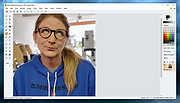 |
|
PhotoSuite v0.9.7 PhotoSuite v0.9.7 👉 A desktop image editor for layered photo editing, digital artwork, and native PSD files. PhotoSuite is a desktop image editor built around a familiar Photoshop-style workspace. It uses PSD as its native document format, preserving layers, masks, blending modes, text, vector paths, and other document data when opening and saving files. It also supports PSB for large documents. The editor brings photo retouching, painting, vector drawing, typography, filters, and document layout into one workspace. You can work with layers and masks, make selections, paint or repair parts of an image, add text and shapes, and revisit earlier work through the History palette. Smart Objects and Smart Filters provide options for editing without permanently changing the original layer. PhotoSuite runs locally as a desktop application. According to the developer, it requires no cloud account and collects no telemetry. Features: • Open, edit, and save layered PSD documents as a native format • Work with PSB files for large documents • Create raster layers, vector layers, layer groups, clipping masks, and layer masks • Use blending modes and layer styles such as Drop Shadow, Inner Shadow, glows, overlays, Bevel & Emboss, and Stroke • Edit with Smart Objects and Smart Filter stacks • Save different document arrangements with layer comps • Make selections with Marquee, Lasso, and Magic Wand tools • Paint and retouch with Brush, Clone Stamp, Healing Brush, Eraser, Blur, Sharpen, Dodge, and Burn tools • Crop images and apply gradients • Draw paths and shapes with the Pen and shape tools • Add text with support for text along a path, text warp, ligatures, and kerning • Pan, zoom, and rotate the canvas; use rulers, guides, and a pixel grid • Revisit edits with the History palette and snapshots • Apply filters, use Liquify, and make lens corrections • Open and export formats including PNG, APNG, JPEG, WebP, AVIF, TIFF, GIF, BMP, TGA, SVG, and ... |
|
110 | Sep 24, 2026 eolix 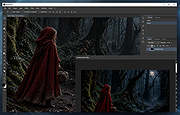 |
|
PixiEditor v2.1.2.4 PixiEditor v2.1.2.4 👉 A free, open-source universal 2D graphics editor for pixel art, painting, image editing, vector art, procedural art, and animations. PixiEditor is a universal 2D graphics editor made for all your 2D creative needs. Create sprites for games, frame-by-frame animations, edit images, draw, paint, make logos, work with vectors, and build non-destructive procedural graphics using its node graph system. Features: • Pixel art, painting, vector art, image editing, procedural art, and animation tools • Node Graph for non-destructive procedural graphics and animations • Dedicated pixel art toolset with palette management • Painting tools with soft brushes and anti-aliased shapes • Vector shapes and paths that can be mixed with raster artwork • Frame-by-frame animation support • Node-based Brush Engine for creating custom brushes • Extension Browser for browsing and installing extensions • Desktop native, cross-platform, and works offline • Export support for PNG, JPG, SVG, GIF, MP4, and more • Pixel Art — Dedicated Pixel Art toolset and advanced palette management. Create pixel art with a dedicated toolset. Perfect for game sprites, animations, or nostalgic artwork. Enjoy features like pixel-perfect pen mode for clean edges. • Animations — Bring stories to life with frame-by-frame Animations. Turn your drawings into moving stories! Create smooth frame-by-frame animations with tools that make it fun and easy to bring your art to life. • Procedural Art — Create non-destructible, procedural graphics with Node Graph. Node Graph allows for creating fully non-destructible graphics and animations. Connect nodes to easily compose complex visuals. From pre-built effects to custom shaders, the possibilities are endless! • Image Editing — Select, delete, clip, resize - everything you need for Image Editing. Use raster tools to edit images, sketch or paint. Whether you're doodling or making a masterpiece, PixiEditor is there for you! • Vector Art — Create and edit Vectors. Snapping included. Craft logos, icons, and illustrations with our flexible curve tool and vector shapes. Your designs ... |
|
1,153 | Sep 18, 2026 Pixi Labs Sp. z o.o 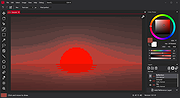 |
|
Red Burner .NET v19.5.0.0 Red Burner .NET v19.5.0.0 Lightweight optical disc burning software for CD, DVD and Blu-ray media. Red Burner .NET is a standalone disc burning tool for creating and working with optical discs, disc images and optical drives. It supports CD, DVD and Blu-ray burning, image burning and conversion, rewritable media, M-Disc, DVD-RAM and an integrated virtual drive emulator. Features: • Burn audio, video and data CD, DVD and Blu-ray discs • Supports single, double, triple and quad layer media • Burn M-Disc, rewritable discs and DVD-RAM • Create, burn and convert disc images • Browse disc images with the internal image browser • Integrated virtual drive emulator • Supports ISO, BIN/CUE, IMG/CCD, NRG, CDI, PDI, B5I, B6I and GI image formats • Lightweight standalone design • Fast burning algorithm • Code-signed files • Donationware Supported operating systems: • Windows 7 or later Supported languages: • English Changes: v19.5.0.0 Not provided. Click here to visit the author's website. |
|
906 | Jun 05, 2026 OMID SOFT 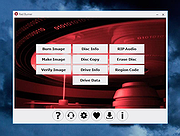 |
|
Refloow Photo Studio v1.1.0 Refloow Photo Studio v1.1.0 👉 A free, open source, privacy-focused photo editor with local AI background removal, filters, cropping, layering, text and image adjustments. Refloow Photo Studio is a free and open source desktop photo editor designed to provide professional-looking results without complicated workflows, accounts, subscriptions, advertisements, watermarks or data collection. All image processing runs locally on your computer, including its AI-powered background removal. The editor provides more than 40 built-in filters along with cropping, mirroring, brightness, contrast, saturation and warmth adjustments. Images can be dragged onto the canvas as layers to build compositions, while an undo and redo history lets you move backward or forward through up to 15 editing actions. Text can also be added to images, resized and positioned as layers. The workspace supports zooming and panning for easier navigation while editing. Features: • Free and open source photo editor • All image processing is performed locally • No accounts or logins required • No subscriptions • No advertisements • No watermarks • No data collection • One-click AI-powered background removal • AI background removal runs locally using the U-2-Netp model • More than 40 built-in professional filters • Crop images • Mirror images • Adjust brightness, contrast, saturation and warmth • Add text to images with imported fonts and customizable colors • Resize and position text as layers • Overlay multiple images to create compositions • Drag-and-drop support • Layer management for arranging compositions • Workspace zooming with the scroll wheel • Workspace panning with the middle mouse button • Undo and redo history for up to 15 actions • High-quality WYSIWYG image exporting Supported operating systems: • Windows 10 64-bit, Windows 11 64-bit • macOS Intel, macOS Apple Silicon • Linux Ubuntu, Linux Debian • Linux distributions capable of running the supplied AppImage Supported languages: English Changes: v1.1.0 06-23-26 • Added the ability to add custom text directly to compositions using imported fonts and customizable text colors. • Added full workspace zooming, panning and canvas movement. • Added smart crop ... |
|
111 | Sep 08, 2026 Veljko Vuckovic 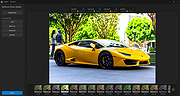 |
|
RIOT (Radical Image Optimization Tool) v2023.12 RIOT (Radical Image Optimization Tool) v2023.12 Radical Image Optimization Tool (RIOT for short) is a free image optimizer that will let you to visually adjust compression parameters while keeping minimum filesize. It uses with a side by side (dual view) or single view interface to compare the original with the optimized image in real time and instantly see the resulting file size. RIOT is lightweight, fast and simple to use, yet powerful for advanced users. You will be able to control compression, number of colors, metadata settings and much more, and select image format (JPG, GIF or PNG) for your output file. Main features • open many image types including rare/scientific types • save and optimize JPEG, WEBP, GIF and PNG with a simple, clean user interface • automatic optimization selects the most suitable format and parameters • works in dual view: (original – optimized image) or single view (optimized image). • automatic preview of resulting image • in-place compare function (alternativelly display the original image over the optimized image to notice small pixel changes) • compress files to desired filesize threshold • fast processing (all is done in memory); • see instant results including resulting filesize • batch support (process multiple files at once) • transparency handling options • decide if you want to keep metadata (comments, IPTC, Adobe XMP, EXIF profiles, ICC profiles). • Unsupported metadata is removed • transfer metadata between image formats (destination format must support them) • common tools: pan and zoom, rotate, flip • basic image adjustments: brightness, contrast, gamma, ... |
|
6,107 | Dec 29, 2023 Lucian Sabo 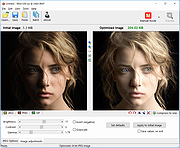 |
|
Shell WebP Converter v2.5.1 Shell WebP Converter v2.5.1 👉 Lightweight Windows shell extension for fast WebP image conversion directly from the right-click menu. Shell WebP Converter is a simple and efficient Windows shell extension that allows you to convert images to and from the WebP format directly from the Windows context menu. Once installed, it integrates seamlessly into File Explorer, enabling quick conversions without opening a separate application. Designed to be lightweight and easy to use, Shell WebP Converter supports bulk image processing and preserves image quality through configurable settings. It is ideal for users who regularly work with WebP images and want a fast, no-nonsense way to convert formats straight from the desktop. Features: • Adds right-click context menu integration in Windows Explorer • Convert images to WebP format • Convert WebP images to common formats such as PNG and JPEG • Batch conversion support for multiple selected files • Lightweight and fast performance • Simple, user-friendly operation • Maintains image quality with configurable compression options Supported operating systems: • Windows 10, Windows 11 Supported languages: English, Russian, Arabic, German, Spanish, French, Hindi, Hungarian, Italian, Japanese, Korean, Portuguese, Slovak, Turkish, Chinese Changes: v2.5.1 05-08-26 GUI fixes Note: This file has one hit on VirusTotal. We have confirmed this to be a false positive. The file is safe. Click here to visit the author's website. |
|
762 | Jun 27, 2026 SchwarzFuchs 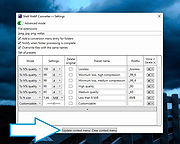 |
|
TIFF Information Viewer v1.5.1 TIFF Information Viewer v1.5.1 👉 A free, portable cross-platform utility for inspecting and decoding TIFF file structure. TIFF Information Viewer is a free Java-based utility for inspecting and decoding the structure of TIFF files. It supports most TIFF features including BigTIFF, any bit depths, and most compressions including JPEG-2000. It displays both the image and detailed TIFF tag structure, helping users explore TIFF files in depth. It also recognizes and displays metadata for popular multi-scale pyramid formats such as Aperio SVS. Features: • Inspect and decode the structure of TIFF files • Displays both image preview and detailed TIFF tag structure • Supports BigTIFF • Supports any bit depths • Supports most TIFF compressions including JPEG-2000 • Recognizes metadata for multi-scale pyramid formats such as Aperio SVS • Includes TiffInfo command-line version of the viewer • Includes TiffCopy for copying, repacking, and converting TIFF files • Includes MakeSvs for constructing Aperio SVS files from regular images • Includes demo TIFF files in the ZIP archive Supported operating systems: • Windows, Linux, macOS, other operating systems with Java Runtime Environment 21 or higher System Requirements: • Java Runtime Environment, version 21 or higher To install Java JDK: Open PowerShell (Admin) and run one of these: JDK 25 winget install Microsoft.OpenJDK.25 JDK 21 winget install -e --id Microsoft.OpenJDK.21 or Download the latest Oracle JDK for Windows 11: https://www.oracle.com/java/technologies/downloads/ Scroll to the JDK section and choose Windows x64 Installer (.exe) for your JDK version. Supported languages: English Note: This file has one hit on VirusTotal. We have confirmed this to be a false positive. The file is safe. Click here to visit the author's website. |
|
666 | May 15, 2026 Daniel Alievsky 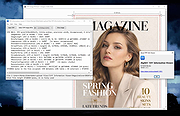 |
|
TSR Watermark Image (PORTABLE) 3.4.2.8 TSR Watermark Image (PORTABLE) 3.4.2.8 TSR Watermark Image software, is a free program for personal use that can add digital watermarks to all your images, photos and pictures with the transparency you decide. The program can also resize the images before the digital watermark is added. When creating the watermark, you can use either text or another picture as the source of the watermark. If you want to add the watermark to the background, you can set the logo or the text to be more or less transparent, and define the transparency color on the image or select the first pixel in the upper left corner as transparency color. You can even use this program instead of photoshop to watermark your images, this is a quicker and more easy way of getting a watermark on all your images. Also use the watermarked image in Word, Excel or images used in pdf files can be made with this watermarking software. The version available for download is the full version, no missing features, no nag screen, no popup and no commercials!. The software is free for personal use, if you are using it for business use, please make a purchase after testing the software for $29.00. Features: Multilanguage support, English, German, Italian, Japanese, Hungarian, Czech, Romanian, Spanish, French, Dutch, Portuguese (Brazilian & Portugal), Chinese (Simplified & Traditional), Indonesian, Russian and Danish is supported. Add text watermark that is either normal, embossed, chiseled or watermarked with a border. Automatically rotate the watermarked picture based on the orientation EXIF tag - this is written to the image by many modern cameras. Add the text used to watermark the image to the EXIF information in the resulting file. Keep or drop EXIF information in jpeg files (Camera model/lense model/etc. etc.) Output the watermarked photo to JPEG, TIFF, PNG, BMP, GIF file format. Specify the quality of the ... |
 |
9,522 | Mar 01, 2015 TSR |
|
TSR Watermark Image 3.4.2.8 TSR Watermark Image 3.4.2.8 TSR Watermark Image software, is a free program for personal use that can add digital watermarks to all your images, photos and pictures with the transparency you decide. The program can also resize the images before the digital watermark is added. When creating the watermark, you can use either text or another picture as the source of the watermark. If you want to add the watermark to the background, you can set the logo or the text to be more or less transparent, and define the transparency color on the image or select the first pixel in the upper left corner as transparency color. You can even use this program instead of photoshop to watermark your images, this is a quicker and more easy way of getting a watermark on all your images. Also use the watermarked image in Word, Excel or images used in pdf files can be made with this watermarking software. The version available for download is the full version, no missing features, no nag screen, no popup and no commercials!. The software is free for personal use, if you are using it for business use, please make a purchase after testing the software for $29.00. Features: Multilanguage support, English, German, Italian, Japanese, Hungarian, Czech, Romanian, Spanish, French, Dutch, Portuguese (Brazilian & Portugal), Chinese (Simplified & Traditional), Indonesian, Russian and Danish is supported. Add text watermark that is either normal, embossed, chiseled or watermarked with a border. Automatically rotate the watermarked picture based on the orientation EXIF tag - this is written to the image by many modern cameras. Add the text used to watermark the image to the EXIF information in the resulting file. Keep or drop EXIF information in jpeg files (Camera model/lense model/etc. etc.) Output the watermarked photo to JPEG, TIFF, PNG, BMP, GIF file format. Specify the quality of the watermarking ... |
 |
9,896 | Mar 01, 2015 TSR |
|
USB Image Tool v1.90 USB Image Tool v1.90 Creates images of USB flash drives and MP3 players, that are mounted as USB drives. It allows you switch between images with different music styles on your MP3 Player or to make an exact backup image of your USB Stick. Features create image files of USB flash drives restore images of USB flash drives compressed image file format show USB device information manage favorite USB images command line utility Supported devices USB Image Tool works with any device, that implements the USB Mass Storage protocol. This includes flash drives, card readers and a lot of other devices, like digicams, cell phones and mobile music players. USB Image Tool supports the global secure mobile work environment. Changes USB Image Tool 1.90 – fixed: volumes following an unknown partition type were not shown – fixed: volume mode restore did not write to volume – fixed: exception while canceling operation for quitting program – added: task progess info (bytes/time written/remaining) – added: integrity check to detect fake size information – added: new option to show unknown partition types as hex code – changed: internal versioning harmonized – changed: log output in list view control Click here to visit the author's website. |
|
9,271 | Dec 11, 2022 alex's coding playground 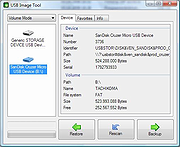 |
|
Vovsoft Image Pixelator v1.0 Vovsoft Image Pixelator v1.0 Converts images into retro pixel art. Vovsoft Image Pixelator is a versatile Windows tool that transforms your images with retro pixel effects. Whether you're aiming for a classic 8-bit game style or experimenting with advanced quadtree pixelation, this program has the features you need. It supports popular formats like JPG, PNG, and BMP, and allows you to load multiple files for efficient batch processing. Effortlessly craft stunning designs with this pixel art maker software. • Simple Pixel Effect: Create a retro, pixelated look with ease. • Quadtree Pixel Effect: Apply an advanced pixelation technique for more dynamic, artistic results. • Adjustable Scale Intensity: Fine-tune the level of pixelation to suit your needs. There are many online websites that can pixelate images. However they have upload limitations. The best part of this program is that the conversion is fast and done completely offline. You are the only controller of your private data. No image file is sent to internet in any case. Perfect for digital artists, game designers, or anyone looking to add a retro twist to their images, this tool makes pixelation simple and fun! Supported operating systems: Windows 11, Windows 10, Windows 8/8.1, Windows 7 (64-bit) Click here to visit the author's website. |
|
860 | Oct 22, 2024 VOVSOFT.COM  |
|
WinBin2Iso v6.77 WinBin2Iso v6.77 👉 Convert BIN disc image files into ISO format quickly and easily. WinBin2Iso is a lightweight and portable utility that converts BIN CD, DVD, and Blu-ray image files into ISO format. The program is designed to handle large image files over 2GB while remaining extremely small and simple to use. Its straightforward interface allows users to select a BIN file, choose an output location, and create an ISO image in just a few clicks. Because the program is portable, it does not require installation and can be run directly from a USB flash drive or other removable media. Features: • Convert BIN image files to ISO format • Supports CD, DVD, and Blu-ray image conversion • Handles files larger than 2GB • Portable application with no installation required • Extremely small program size • Simple and easy-to-use interface • Low CPU and system resource usage • Drag-and-drop support • Multilingual user interface • Compatible with both 32-bit and 64-bit Windows systems Supported operating systems: • Windows XP, Windows Vista, Windows 7, Windows 8, Windows 8.1, Windows 10, Windows 11 • Windows Server editions • Supports 32-bit and 64-bit systems Supported languages: English, German, Italian, French, Spanish, Traditional Chinese, Danish, Polish, Turkish, Japanese, Korean, Arabic, Portuguese, Dutch, Swedish, Finnish, Icelandic, Irish, Afrikaans, Norwegian, Luxembourgish, Māori Changes: v6.77 06-22-26 • Improvements to the Win-Bin-2-Iso app for all Windows operating systems • Language file update in the Win-Bin-2-Iso application This download is for the Windows 64bit version (very bottom of page). If you need the Windows 32bit version, download here. If you need the Windows Unicode version, download here. Click here to visit the author's website. |
|
6,561 | Jun 23, 2026 Nenad Hrg 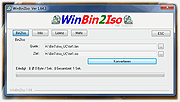 |
|
Xlideit Image Viewer v1.0.200127 Xlideit Image Viewer v1.0.200127 A lightweight image viewer with basic image processing. A thumbnail bar is shown at the bottom of the window with all the images in the folder. The name of the current image and the toolbar are shown at the top of the window. Use the toolbar to access basic commands like: image slideshow, adjust zoom, rotate, delete, crop or resize the image, sort the list or access the program settings. Move the mouse near the left or right side of the window to show the arrows and select the next or previous image. Move the mouse over the buttons to see a short description or over the thumbnails to see more information. By default, the viewer starts in full screen mode but it can be switched to windowed mode by pressing F11. Also, you can press Enter to hide or show the toolbars, Space to start the slideshow or Escape to exit the program. To use this program as the default viewer for any image file, right click on the file and use the "Open with" option in the context menu. Changes: 1.0.200127 Fixed a bug when exiting slideshow with solid color background Click here to visit the author's website. |
|
5,847 | Jan 28, 2020 picorover3 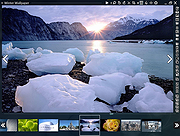 |
| Showing rows 1 to 34 of 34 | Showing Page 1 of 1 | 1 |
OlderGeeks.com Copyright (c) 2026
