|

|
Processed through Paypal No account required. |








Buy our over-priced crap to help pay the bills.



|
|
Processed through Paypal No account required. |
| File - Download Mass Image Compressor v4.2.0 | ||||||||
| Description | ||||||||
|
Always scroll to the bottom of the page for the main download link. We don't believe in fake/misleading download buttons and tricks. The link is always in the same place. Mass Image Compressor v4.2.0 Optimize, resize, convert and watermark images and videos of entire folders. Mass Image Compressor is a fast, lightweight batch image processing tool that compresses, resizes, watermark and converts images to popular formats like WebP, AVIF, JPEG, PNG, and GIF—reducing file size while preserving quality. Just drag and drop the files and folder and it will compress all images. Best for website image optimization, photographs, game assets, animated image compression. Windows: 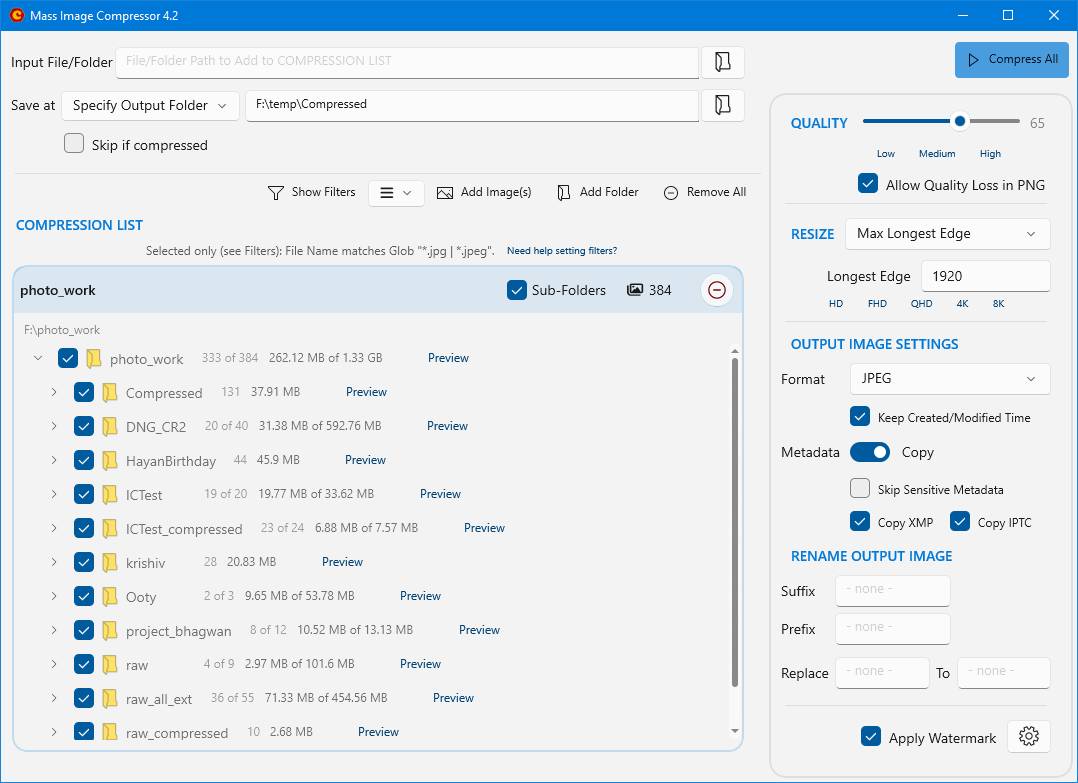 macOS: 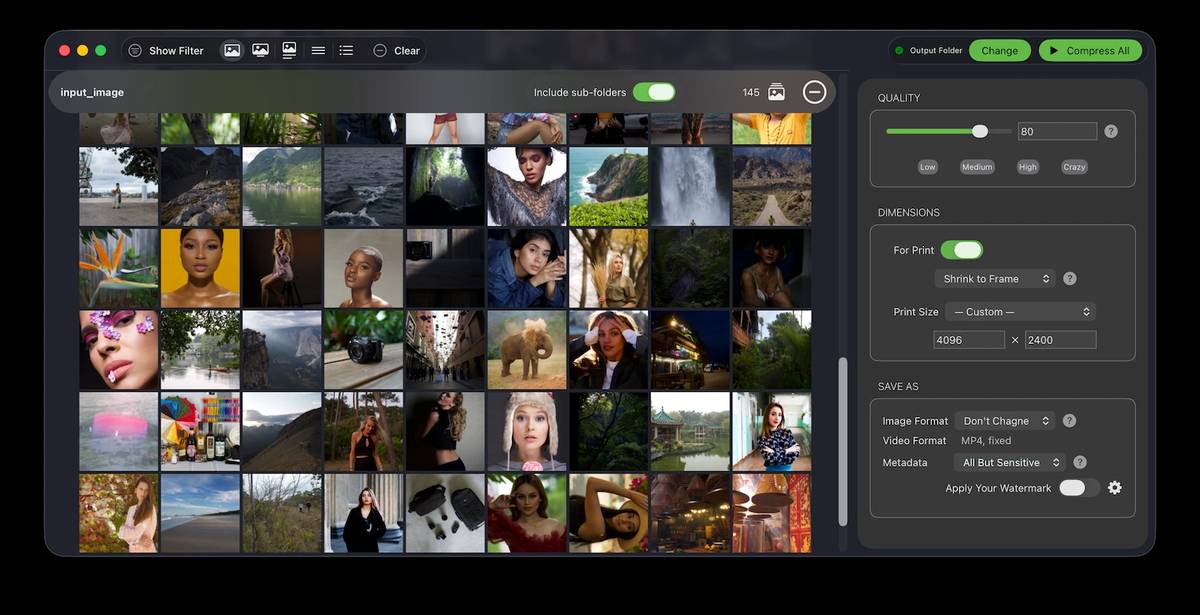 Windows Features • Bulk Operation: Works on one or more images and on entire folder (and its sub-folders) • Image: Convert, Resize, Optimize, Watermark • Extremely Ease of use: Drag & Drop folder & files • Supports input images in all major formats including JPG/JPEG, PNG, WEBP, GIF, TIFF, AVIF, HEIC, JP2, BMP, as well as RAW image formats from leading camera brands like Sony (ARW), Adobe (DNG), Nikon (NEF), Canon (CR2, CR3, CRW), Kodak (DCR, KDC), Minolta (MRW), Olympus (ORF), Fujifilm (RAF), Pentax (PEF), Panasonic (RW2), Samsung (SRW), Epson (ERF), Hasselblad (3FR), and Mamiya (MOS, MEF). • Output Format Supported: JPEG, PNG, WebP, AVIF, GIF • Supports input and output of animated PNG, GIF, WebP! • Blazing fast and high quality compression • Preserves image metadata (EXIF Tags, XMP and IPTC data), ability to skip sensitive metadata • Output file name manipulation (suffix, prefix, replace on file names) • File name and file size based filter to exclude/include files for compression macOS Features • Bulk Operation: Works on one or more images and on entire folder (and its sub-folders) • Image: Convert, Resize, Optimize, Watermark • Video: Resize, Optimize • Drag and drop images, videos and folders! No fuss. • Extensive support for input image formats: jpg/jpeg, jp2, tiff/tif (Tagged Image File Format), gif, png, bmp, heif/heic (High Efficiency Image Format), webp, cr2/cr3 (Canon Camera), nef (Nikon Camera), orf (Olympus Camera), arw (Sony Camera), raf (Fujifilm Camera), rw2 (Panasonic Camera), dng (Digital Negative), psd (Photoshop Document), srw (Samsung Raw), mov, mp4 • Unmatched output format list: JPEG, PNG, HEIC, WebP, GIF, TIFF, MP4 • Supports input and output of animated PNG, GIF, WebP and multi-framed HEIC • Blazing fast and high quality compression • Preserves image metadata (EXIF Tags), ability to skip sensitive metadata • Apply your custom watermark, keyboard short-cuts, advanced filtering options and resize the image based on target print sizes • Output file name manipulation (suffix, prefix, replace on file names) • Most easy to use file name, file size & modified date based filter to exclude/include files for compression Changes: v4.2.0 10-05-25 Scope: Ability to skip already compressed files, Stability, performance wins for larger batches, smarter filtering, UX polish Up to 8x faster file scanning when loading large folders. Improves multi-core efficiency. Skip if Compressed: avoids re-writing files that already exist at the output location. GitHub Smarter filters UI: explicit glob (.jpg|.png) and regex modes, no more “Apply Filter” button, and a clear “filter summary” indicator. Broader format support + safer preview (skip images that can’t be viewed/compressed) and dependency updates. Stability Improvements Skip showing corrupt images in preview. [crash prevention] Installer cleans older version before installing new one. Cached settings like window size and previous compression settings are untouched. VC Runtime issue resolved. Other minor stability improvements in UI. Comparison 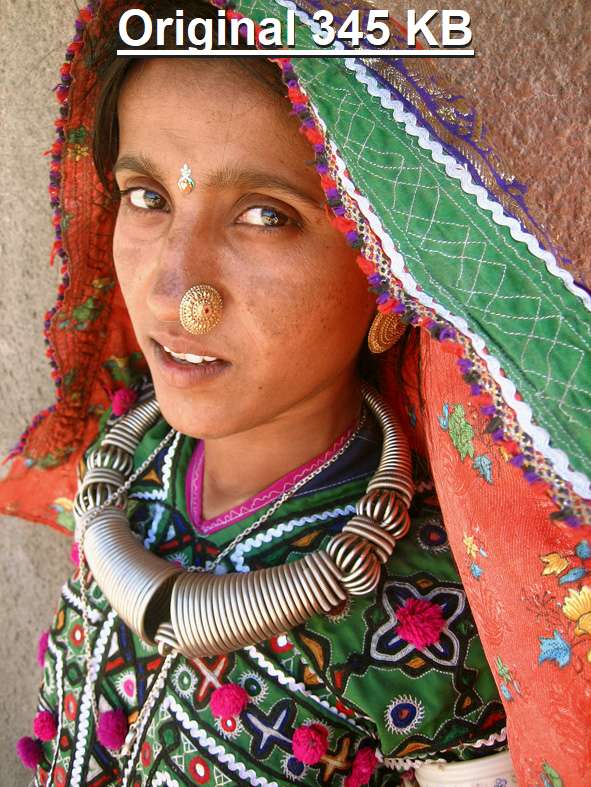 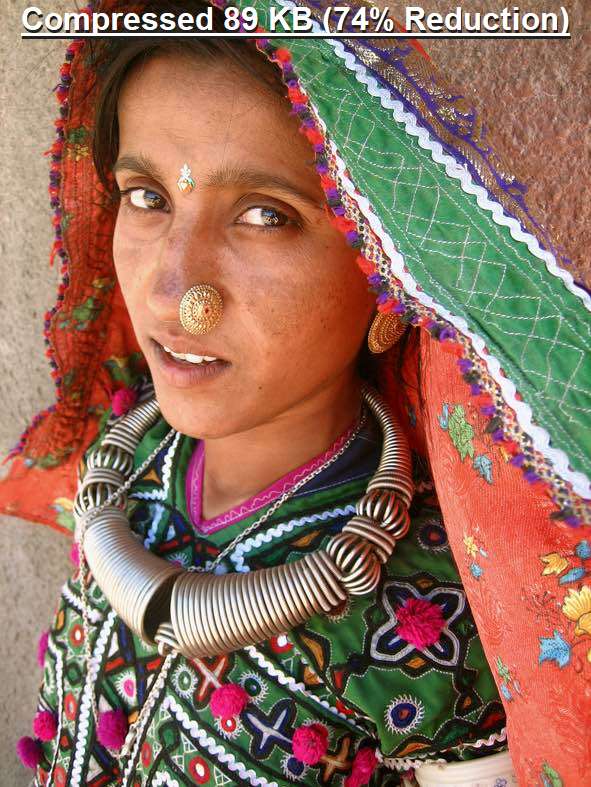 This download is for the Windows installer version (very bottom of page). If you need the Windows portable version, download here. If you need the macOS version, download from the Mac App Store. Click here to visit the author's website. Continue below for the main download link. |
||||||||
| Downloads | Views | Developer | Last Update | Version | Size | Type | Rank | |
| 1,236 | 6,034 | COGNIRUSH LABS LLP | Dec 15, 2025 - 12:23 | 4.2.0 | 97.12MB | EXE |  , out of 40 Votes. , out of 40 Votes. |
|
| File Tags | ||||||||
| v4.2.0 Mass Image Compressor | ||||||||
Click to Rate File Share it on Twitter → Tweet
|


