|

|
Processed through Paypal No account required. |








Buy our over-priced crap to help pay the bills.



|
|
Processed through Paypal No account required. |
| Files | ||||
| File Name | Rating | Downloads | ||
 |
Auto Screen Capture v2.3.3.5 Auto Screen Capture v2.3.3.5 Auto Screen Capture takes screenshots while you work and play! Features No installation required and no third-party libraries installed; just an executable named "autoscreen.exe" Small (1 MB in size) and portable application that fits on any thumb drive Schedule screen capture sessions and choose the days when screenshots should be taken Customize the naming of files using a macro with date and time stamps or user name and machine name using whatever folder structure you prefer Use your preferred image editors and edit screenshots with a chosen image editor Create actions to trigger based on conditions to automate workflows Preview what your screen captures will look like before you start a session Calendar shows what days screenshots were taken Capture multiple regions specifying name, macro, X, Y, Width, and Height Save every screenshot to either a single, constantly updated, file or as a series of time-stamped files locally on your computer and/or on a shared network drive Image formats available: BMP, EMF, GIF, JPEG, PNG, TIFF, WMF Compatible with Windows XP/Vista/7/8/10 Apply your own labels to screenshots to represent what you're working on so you can keep your projects organized Filter screenshots by label, active window title, or process name Control the application using command line options Run any other application from a schedule Email screenshots with SMTP and SSL Force focus on an application by selecting it from the list of running processes Region Select / Auto Save to ... |
 |
3,798 | Dec 08, 2020 Gavin Kendall 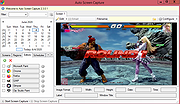 |
 |
Capture the Flag v3.2 Capture the Flag v3.2 A blast from your 1990s past! "This wilderness version of hide-and-seek remains the most exquisite shareware strategy game for the PC. What makes it so great? Maybe it's the artful melding of high detail and ease of use... Or Maybe it's the lovely artwork. This game is so intriguing that you won't want to stop playing." -Electronic Entertainment Magazine pg. 63, Oct 94 issue. Note: You will need to use DOSBox to run this on a modern computer. |
|
1,396 | Feb 07, 2024 Carr Software/Richard Carr 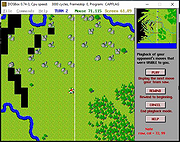 |
|
Flameshot v14.0.0 Flameshot v14.0.0 👉 Powerful open-source screenshot tool with built-in annotation and editing features. Flameshot is a free and open-source screenshot utility designed to make capturing and editing screenshots quick and easy. It provides a simple yet powerful interface that allows users to select a region of the screen, annotate it instantly, and save or share the result without needing additional image editing software. Flameshot launches a customizable capture interface that lets you draw, highlight, blur, crop, or add shapes and text directly on your screenshot before saving it. The tool is especially useful for creating tutorials, documentation, bug reports, and visual explanations. In addition to its annotation tools, Flameshot supports keyboard shortcuts, command-line usage, and integration with desktop environments. Screenshots can be copied directly to the clipboard, saved locally, or uploaded to online services depending on configuration. Features: • Interactive screenshot selection with an easy-to-use capture interface • Built-in annotation tools including arrows, shapes, lines, and text • Blur and highlight tools for emphasizing or hiding content • Instant screenshot editing without opening a separate program • Copy screenshots directly to clipboard or save to file • Keyboard shortcuts and command-line options for automation • Optional screenshot uploading and sharing features • Highly configurable behavior and interface settings Supported operating systems: • Windows 10, Windows 11 • macOS 10.15 or higher • Linux Supported languages: English, Spanish, French, German, Italian, Portuguese, Russian, Ukrainian, Polish, Czech, Dutch, Turkish, Chinese (Simplified), Chinese (Traditional), Japanese, Korean, Arabic Changes: v14.0.0 06-18-26 Translations update from Hosted Weblate by @weblate in #4330 Translations update from Hosted Weblate by @weblate in #4378 Translations update from Hosted Weblate by @weblate in #4379 Translations update from Hosted Weblate by @weblate in #4380 Fix hang caused by no Notifications service registered in DBus by @samwcoulter in #4357 bump CI to see if that picks up newer Qt in appimage by @borgmanJeremy in #4381 Translations update from Hosted Weblate by @weblate in #4383 Add support for logging ... |
|
1,078 | Jul 16, 2026 Flameshot Contributors 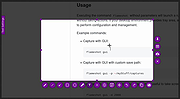 |
|
Greenshot v1.3.323 Greenshot v1.3.323 👉 A free, fast and flexible screenshot tool with built-in editing and sharing options. Greenshot is a free and open-source screenshot utility designed for quick and efficient screen capturing on Windows systems. It allows users to capture full screens, active windows, or selected regions with ease, and provides built-in editing tools to annotate, highlight, or obfuscate parts of the image. Greenshot integrates seamlessly with various destinations such as file saving, clipboard, printers, and third-party applications, making it ideal for productivity, documentation, and support workflows. Features: • Capture full screen, active window, or user-defined region • Capture Internet Explorer content including scrolling pages • Built-in image editor with annotation tools • Add text, shapes, arrows, and highlights to screenshots • Obfuscate sensitive information with blur or pixelation • Save to file, copy to clipboard, print, or email directly • Upload to services like Imgur and integrate with Office apps • Customizable hotkeys for fast capture workflows • Plugin support for additional functionality • Efficient performance with minimal system impact • Multi-language user interface • Open-source and actively maintained Supported operating systems: Windows 8/10/11 (Windows 8 may ask to install .NET 3.5. You can skip this.) Supported languages: English, German, French, Spanish, Italian, Dutch, Portuguese, Russian, Chinese, Japanese, Korean, Czech, Polish, Hungarian, Turkish, Swedish, Finnish, Danish, Norwegian, Greek Changes: v1.3.323 10-08-26 What's Changed Security Fixed a security issue where TLS certificate validation was disabled process-wide, exposing OAuth tokens and plugin uploads (Imgur, Box, Dropbox, Flickr, Confluence, Jira) to man-in-the-middle attacks. Reported by @sondt99, @lihnucs, and @dungNHVhust; fixed in backport PR #1122. GHSA-q4w7-9m8v-53fm Fixed an out-of-bounds read that could cause denial of service when processing crafted CF_DIBV5 clipboard data. Reported by @hacker1984; fixed by @Lakritzator and @jklingen in commit 80ccbde9d. GHSA-4674-75g5-79mx Fixed server-side request forgery when opening crafted SVG files by preventing Svg.NET from resolving external resources and entities. Reported by @Zenquiem; fixed ... |
|
10,255 | Oct 09, 2026 Greenshot Dev Team  |
|
Imagine v2.7.0 Imagine v2.7.0 👉 Fast freeware image and animation viewer for Windows with broad format and plugin support. Imagine is a freeware image and animation viewer for Windows that focuses on speed while supporting a huge range of image, animation, archive, and RAW camera formats. It includes a thumbnail browser, slideshow, batch conversion and rename tools, screen capture, basic paint tools, color corrections, ICC color management, and optional add-on plugins plus Total Commander integration. Features: • View and save image and animation files with very fast speed • Supports many image and animation formats (including ANI, GIF, PNG, SVG, TIF, WEBP, and more) • Supports digital camera RAW formats (including ARW, CR2, CR3, DNG, NEF, ORF, RAF, SRW, and more) • Supports archive formats (ZIP, RAR, 7Z, ALZ, HV3, CBZ, CBR, CB7) • Extract single or all frames from animation files • Shows detailed file information plus Exif, IPTC, DICOM, and Comment information • Thumbnail browser • Basic paint tools, color corrections, and ICC color management • Batch conversion and batch rename • Slideshow and tiled view • Screen capture • Create animations, multiple page images, and panorama images • Customizable keyboard and mouse shortcuts, plus command line parameter support • Shell extension support, add-on plugin support, and Total Commander Lister, Packer, and Content plugin support • INI-based configuration (does not write unnecessary registry entries) • Native builds for x86, x64, and ARM64 Supported operating systems: • Windows 95, Windows 98, Windows ME, Windows NT 4.0, Windows 2000, Windows XP, Windows 2003, Windows Vista, Windows 7, Windows 8, Windows 10, Windows 11 Supported languages: • Arabic, Czech, Danish, Dutch, French, German, Italian, Japanese, Korean, Polish, Portuguese (Brazil), Portuguese (Portugal), Romanian, Russian, Simplified Chinese, Slovenian, Spanish, Traditional Chinese, Turkish, Ukrainian, Uzbek (O'zbekcha) Changes: v2.7.0 09-12-26 - Added: Antialiasing support for 32-bit alpha blended image - Added: 'Apply to all users'/'Current user only' option (Installer) - Added: Determine whether encoding can be skipped ... |
|
6,937 | Sep 13, 2026 Sejin Chun 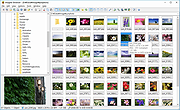 |
|
Kalmuri v4.3.1 Kalmuri v4.3.1 👉 Screen capture and recording program. Kalmuri is a freeware screen capture program that supports screenshots, screen recording, OCR text extraction, floating image display, web sharing, color extraction, full web page capture, printer output, hotkey settings and adjustable area capture. Features: • Video recording support for whole screen and selected areas • Capture whole screen, active program, window control, application area and custom area • Saves in PNG, JPG, BMP, GIF and MP4 formats • OCR support for saving text from images • Floating image feature • Share captured images on the web • Color extraction function • Full web page capture • Printer output • Hotkey settings • Keyboard adjustment for area capture using Arrow keys, Ctrl+Arrow keys and Shift+Arrow keys • Sequential and date/time file naming formats • Portable, no installation required Supported operating systems: • Windows 10, Windows 11 Supported languages: English, German, Esperanto, French, Italian, Japanese, Polish, Portuguese, Russian, Slovak, Swedish, Thai, Turkish, Vietnamese, Chinese Changes: v4.3.1 09-28-26 - Enhanced image upload security and failure handling - Fixed WebP save errors and empty file creation - Fixed recording startup and status issues in some environments - Improved screen capture and drag capture stability - Prevented existing files from being overwritten during rapid consecutive captures - Prevented OCR and configuration errors - Improved duplicate application launch prevention - Improved capture area size and position saving - Enhanced overall application stability Usage • After selecting the desired range and the format to save, press the hotkey to capture. (For the first time the hotkey is PrintScreen. It can be changed through the hotkey settings.) • For the menu, click the right mouse button on the Kalmuri screen. Click here to visit the author's website. |
|
1,235 | Oct 05, 2026 kilho.net 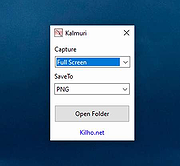 |
|
OBS Studio v32.2.2 OBS Studio v32.2.2 👉 Free and open source live streaming and screen recording software. OBS Studio is software designed for capturing, compositing, encoding, recording, and streaming video content efficiently. It provides a powerful real-time video and audio production environment that allows users to capture gameplay, desktop activity, webcams, and multiple input sources while combining them into professional-looking broadcasts or recordings. OBS Studio uses a scene-based workflow that lets users build complex layouts using sources such as game capture, display capture, window capture, images, text, media files, browsers, webcams, and capture cards. Scenes can be switched instantly or transitioned smoothly during live broadcasts, making it ideal for livestreaming, tutorials, presentations, gaming streams, and video production. The program includes a full audio mixing system with per-source volume controls, filters such as noise suppression and noise gate, and monitoring options for precise audio management. Studio Mode allows creators to preview scene changes before pushing them live, reducing mistakes during broadcasts. OBS Studio also supports hardware-accelerated encoding, customizable streaming and recording settings, hotkeys for fast control, plugin extensions, and integration with major streaming platforms such as Twitch, YouTube, and others. Because it is open source and highly extensible, OBS Studio has become one of the most widely used broadcasting tools for content creators, educators, and professionals. Features: • Free and open source software for live streaming and screen recording • Scene and source based workflow for arranging games, webcams, windows, images, text, and capture devices • Built-in audio and video filters including noise suppression, noise gate, gain, chroma key, crop/pad, color correction, and sharpen • Studio Mode for preparing scene changes before sending them live • Scene transitions such as Fade, Cut, Swipe, Slide, Fade to Color, and Luma Wipe • Hardware encoder support options depending on available system hardware and platform configuration • New Audio Mixer, new Add Source dialog, WebRTC simulcast support, and expanded ... |
|
7,218 | Aug 19, 2026 OBS Project 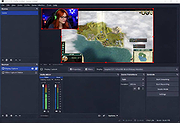 |
|
Quetoo v1.0.18 Quetoo v1.0.18 👉 A fast, free, open-source arena FPS built for glorious old-school fragging. Quetoo is a free first-person shooter based on id Tech 2, built to bring classic arena deathmatch action roaring back for modern players. Jump into Deathmatch, Team Deathmatch, Capture the Flag, Instagib, and Rocket Arena gameplay with high-speed movement, rocket fights, rail shots, bot support, legendary Quake-inspired maps, original battlegrounds, and cross-platform multiplayer for Windows, macOS, and Linux. Features: • Free first-person shooter based on id Tech 2 • Classic arena gameplay with Deathmatch, Team Deathmatch, Capture the Flag, Instagib, and Rocket Arena modes • Bot support for instant action • High-quality remakes of legendary Quake deathmatch levels • Original maps and game content • Modern rendering with real-time lighting, soft shadow mapping, bump mapping, parallax occlusion, and volumetric fog • In-game light editor for level artists • TrenchBroom support • Cross-platform multiplayer • Free to download, play, and modify • Open-source GPL v2 licensed engine Supported operating systems: • Windows 10 64bit or later. • Apple Silicon for macOS Sequoia or later. • Linux for modern x86-64 distros. • Linux for modern aarch64 distros. • Linux server packages for x86-64 servers • Linux server packages for aarch64 servers. Supported languages: English Changes: v1.0.18 09-30-26 7527533c9 Return why an item is hidden from the cull functions faa7ca6c5 Count visible BSP entities in the diagnostics 2a95fe51a Read a query as visible on the frame it re-enters the frustum 4cc8543f7 Count culled BSP entities apart from occluded ones 2d7d8f457 Read a query drawn outside the frustum as visible e178f9bb9 Give each portal and reflection its own occlusion query a1bbcd286 Count culled apart from occluded in the diagnostics cf9a9bbaa Rename RenderViewStats and SoundStageStats to *Diagnostics 8209f5a6a Rebuild the Docker SDL3 layer when the tag moves c9e5afdfe Fix stupid comments. 576c30e78 List the SDL3 sibling checkout in AGENTS.md 50c40f88c Read only the occlusion results that were downloaded 1a03024cc Skip the occlusion query download when no queries were drawn 5e87814b2 Warn when SDL3 lacks the query API 024252722 Build ... |
|
3,028 | Oct 01, 2026 Quetoo contributors 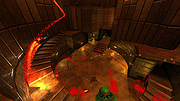 |
|
Router Screen Capture 2.0.2 ==Official Mirror== Router Screen Capture 2.0.2 Capture the WebPages of your router to submit to PcWinTech.com All you need to do is view every page in your router. Including clicking the add buttons (if any) on the port forwarding and port triggering pages. After each page is done loading the program will take a screenshot and capture the html code. Once your all done the program will let you upload the files to me. A typical router takes about 3 - 7 min to capture (30+ screens normally) This information is then used to add a screenshots page and "How To" guides on my website. Showing you how to do many things such as port forwarding, port triggering, and configuring your wireless. The html code is used to add your router to my Simple Port Forwarding program, allowing you to forward ports easier than ever. This program is totally free and very easy to use. Once you're done you simply click "Done". At which point the program will compress all the data into a single zip file and then ask you to upload the file to the site. You can even view the zip file and what was sent to me. The zip files are under the capture dir in the same dir as this program. I thank you for taking the time to get this data to me! If you need any help or notice a bug or error just contact me. What I plan on doing with these screens falls in this order: 1. Check and blur out any information on the screens such as IP addresses and such. 2. If possible add support for the router to the Simple Port Forwarding program. 3. Add the screenshots page for the router. 4. Write a port forwarding how to guide for the router. 5. Write a port triggering guide for the router. 6. ... |
 |
9,823 | Dec 21, 2013 PcWinTech |
|
ScreenArc v1.4.1 ScreenArc v1.4.1 👉 Create polished screen recordings with automatic cinematic zooming and mouse tracking. ScreenArc is a free and open-source screen recorder and editor designed to turn ordinary screen captures into polished videos. It automatically follows mouse activity and creates smooth cinematic zoom and pan effects, making it particularly useful for software demonstrations, tutorials, presentations, product walkthroughs, and instructional videos. Record your screen, edit the resulting footage, adjust its appearance, and export the finished project without having to build every movement and zoom manually. Features: • Record your screen for tutorials, demonstrations, presentations, and other projects • Automatic cinematic zoom and pan effects • Mouse tracking automatically follows activity on the screen • Smooth focus and zoom animations based on mouse activity • Built-in video editing tools for refining recordings • Timeline-based editing for working with captured footage • Webcam recording and overlay support • Customize video frames and backgrounds • Add colors, gradients, wallpapers, and shadows to recordings • Multiple aspect ratios for traditional, square, and vertical videos • Save styling choices as reusable presets • Export completed recordings as video • Cross-platform desktop application • Free and open-source software released under the GNU GPL v3 Supported operating systems: • Windows, version not specified by author • macOS 12.3 or higher • Linux x64 with X11 display server, Wayland is not currently supported Supported languages: English Changes: v1.4.1 07-22-26 Bug Fixes: • Overwrite stale recording outputs. This download is for the Windows version (very bottom of page). All other download assets are below: macOS: ScreenArc-1.4.1-universal.dmg ScreenArc-1.4.1-universal-mac.zip 1) After downloading and attempting to open the app, you'll see a security warning 2) Close the warning dialog 3) Open System Settings > Privacy & Security 4) Scroll down to the "Security" section 5) Click "Open Anyway" next to the warning about ScreenArc 6) Click "Open" in the confirmation dialog Linux: ScreenArc-1.4.1-linux-x64.AppImage ScreenArc-1.4.1-linux-x64.zip ScreenArc-1.4.1-linux-x64.deb ScreenArc-1.4.1-linux-x64.rpm Click here to visit the ... |
|
851 | Sep 14, 2026 Tam Nguyen 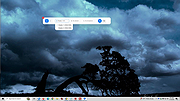 |
|
SnipSVG v2.3 SnipSVG v2.3 👉 A free screen capture and graphics editor built around sharp, fully editable SVG vector images. SnipSVG is a free screen capture and graphics editor for Windows and macOS that uses SVG vector images as its primary format. Unlike traditional JPG and PNG screenshots, SVG images remain sharp at any zoom level while individual elements remain editable. SnipSVG provides tools for capturing, cropping and annotating screenshots, obscuring sensitive information, adding formatted text, creating numbered documentation graphics and sharing finished images with other applications. It can also create animated and interactive SVG content using CSS and JavaScript. Features: • Capture and edit screenshots • Uses scalable SVG vector graphics as its primary image format • Keeps individual SVG elements separately editable • Maintains sharp image quality at different zoom levels and resolutions • Crop screenshots and physically resize large photos • Blur or obscure sensitive information in screenshots • Add HTML-formatted text to images • Add lines, arrows, shapes, highlights and other annotations • Auto-incrementing numbering tags for tutorials and documentation • Generate reference tables from numbered image tags • Integrated syntax highlighting for source code examples • Extract text from images using Windows OCR on Windows 10 and Windows 11 • Create animated SVG objects using CSS and JavaScript • Add interactive elements and hyperlinks to SVG images • Share images with HTML editors, word processors and other applications • Supports SVG and SnipX image formats • Integrates with the Help+Manual documentation authoring suite • Free for private and commercial use • Windows installer supports portable installation Supported operating systems: • Windows 7, Windows 8, Windows 10, Windows 11 • macOS 11 Big Sur or higher, Intel/Apple Silicon Supported languages: English, German, French Changes: v2.3 08-03-26 • Flipping of line and arrow objects did not work correctly when the line was rotated. • Full lasso selection on the canvas selected the picture frame, it now selects objects inside the picture frame (same as CTRL + A to select ... |
|
1,788 | Sep 14, 2026 EC Software GmbH 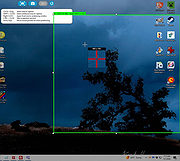 |
|
vokoscreenNG v4.10.0 vokoscreenNG v4.10.0 👉 Record your screen, audio, webcam, windows, and selected areas with a powerful open source screencast tool. vokoscreenNG is a free and open source screen recording program for Windows and Linux. It can record the full screen, a selected area, or a window, with audio recording, webcam overlay support, snapshots, a built-in video player, countdown timer, magnifier, Showclick, Halo, system tray tools, dark mode, and global keyboard shortcuts. Features: • Record the full screen, selected area, or window • Supports audio recording with level meter • Built-in webcam/camera support • Multi-screen recording support • System tray controls • Countdown and timer tools • Magnifying glass tool • Showclick and Halo mouse-click visual effects • Snapshot support • Built-in video player • Global keyboard shortcuts • Dark mode • Linux X11 and Windows: MKV, GIF, MP4 • Linux Wayland: MKV recording with conversion to WebM, GIF, or MP4 after recording Supported operating systems: • Windows 10 64-bit, Windows 64-bit • Linux Flatpak, Debian, Fedora, openSUSE Tumbleweed, openSUSE Leap, Ubuntu, Arch Linux, NixOS Supported languages: Arabic, Arabic (Egypt), Moroccan Arabic, Bengali, Bosnian, Bosnian (Bosnia and Herzegovina), Catalan, Catalan (Spain), Czech, Czech (Czech Republic), German, German (Austria), German (Switzerland), German (Germany), Greek (Greece), English (Australia), English (Canada), English (United Kingdom), English (India), English (United States), English (South Africa), Spanish, Spanish (Latin America), Spanish (Argentina), Spanish (Bolivia), Spanish (Chile), Spanish (Colombia), Spanish (Spain), Spanish (Mexico), Spanish (Peru), Spanish (El Salvador), Spanish (Venezuela), Basque (Spain), Persian (Iran), Finnish (Finland), Filipino (Philippines), French (Canada), French (France), Hebrew, Croatian, Hungarian (Hungary), Indonesian, Indonesian (Indonesia), Italian (Italy), Japanese (Japan), Kazakh (Kazakhstan), Korean (Korea), Lao, Lao (Laos), Lithuanian, Norwegian Bokmεl, Low German, Dutch (Belgium), Dutch (Netherlands), Polish (Poland), Portuguese, Portuguese (Brazil), Portuguese (Portugal), Romanian, Russian, Russian (Russia), Slovak (Slovakia), Slovenian, Serbian, Swedish, Swedish (Sweden), Thai, Thai (Thailand), Turkish (Turkey), Ukrainian (Ukraine), Wu Chinese (Simplified), Chinese (China), Chinese (Hong Kong), Chinese (Taiwan) Changes: v4.10.0 07-01-26 Code: Fixed deprecation warnings Wayland: Audio change from ... |
|
477 | Jun 30, 2026 Volker Kohaupt 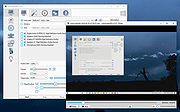 |
|
Webcam Capture v2.6 Webcam Capture v2.6 Webcam Capture is a very simple software solution that enables you to monitor one or more webcam feeds from a streamlined, minimalistic user interface. It offers several visual effects and can help you modify your webcams properties. You can click Start Video button and here you go. You can easily change your webcam device properties using the software. Operating Systems: Windows Windows 10/8.1/8/7/Vista/XP Webcam Capture 2.6 November 24, 2020 Double-clicking the preview screen starts the full screen mode, and double-clicking again restores the original window size, in addition to F11 hotkey Added “Photo” quality Improved UI Starting and stopping devices are executed using a thread which keeps application responsive Improved portability License: Freeware Click here to visit the author's website. |
|
6,359 | Dec 09, 2020 Vovsoft 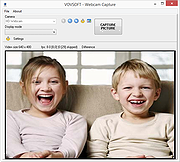 |
|
Wireshark v4.6.7 Wireshark v4.6.7 👉 Analyze and troubleshoot network traffic with the industry's leading protocol analyzer. Wireshark is a free and open-source network protocol analyzer used by network administrators, security professionals, developers, students, and IT enthusiasts to capture, inspect, and analyze network traffic in real time or from previously saved capture files. It supports hundreds of protocols and provides powerful filtering, coloring, and statistical analysis tools to help diagnose network problems, investigate security issues, debug applications, and understand how network protocols work. Wireshark can capture traffic from wired and wireless network interfaces, display packet details down to the individual protocol fields, reconstruct conversations, and export captured data in multiple formats. Its flexible display filters, extensive protocol support, customizable interface, and built-in analysis tools make it an essential utility for anyone working with computer networks. Features: • Capture live network traffic from Ethernet, Wi-Fi, Bluetooth, USB, and many other interface types • Open and analyze previously captured packet trace files • Decode hundreds of network protocols with detailed packet inspection • Powerful display filters for quickly isolating specific traffic • Colorize packets for improved readability and faster analysis • Follow TCP, UDP, HTTP, HTTP/2, TLS, QUIC, WebSocket, and other protocol streams • Generate protocol hierarchy, endpoint, conversation, I/O, and flow graphs • Inspect packet contents down to individual protocol fields • Search captured traffic by protocol, address, port, payload, or custom criteria • Support for decryption of supported encrypted protocols when appropriate keys are available • Extensive capture and display customization options • Export captured packets and analysis results in multiple formats • Extensible through Lua scripting and plugins • Cross-platform interface with consistent functionality Supported operating systems: • Windows 10, Windows 11 • macOS 12 Monterey or higher • Linux (major distributions including Debian, Ubuntu, Fedora, Red Hat Enterprise Linux, openSUSE, Arch Linux, and others) • FreeBSD, NetBSD, OpenBSD Supported languages: English, Chinese (Simplified), Chinese (Traditional), French, German, Italian, Japanese, Korean, Polish, Russian Changes: v4.6.7 07-02-26 Bug Fixes The ... |
|
10,976 | Jul 09, 2026 Gerald Combs 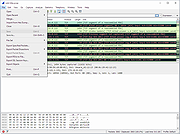 |
| Showing rows 1 to 14 of 14 | Showing Page 1 of 1 | 1 |
OlderGeeks.com Copyright (c) 2026
