|

|
Processed through Paypal No account required. |








Buy our over-priced crap to help pay the bills.



|
|
Processed through Paypal No account required. |
| Files | ||||
| File Name | Rating | Downloads | ||
 |
AOMEI Backupper Standard v8.4.0 AOMEI Backupper Standard v8.4.0 👉 Free backup, sync, restore, and disk cloning software for protecting your system and personal data. AOMEI Backupper Standard is free backup software designed to protect personal data and operating systems with backup, restore, sync, and cloning tools. It can back up files, folders, disks, partitions, and systems, create automatic scheduled backups, sync files to local and network locations, clone data disks for drive replacement or upgrades, and create bootable rescue media for recovery when the system cannot start. Features: • System, disk, partition, and file backup • File restore, system restore, disk restore, and partition restore • Automatic scheduled backups with daily, weekly, and monthly options • Incremental backup support • Basic file sync to local disks, external drives, network shares, and NAS • Disk clone for data disks and partition clone • Intelligent sector clone and SSD alignment support • Bootable media creation for recovery • Backup to local disk, external disk, USB flash drive, network/NAS, cloud drive, and CD/DVD • Backup image splitting, compression, checking, and task import/export • Recovery environment creation in the boot menu • Email notifications with Gmail and Hotmail SMTP support in the Standard edition Supported operating systems: • Windows 7, Windows 8, Windows 8.1, Windows 10, Windows 11 • macOS 10.13 (High Sierra) or higher Supported languages: • English, German, French, Japanese, Italian, Dutch, Spanish, Turkish, Polish, Simplified Chinese, Traditional Chinese Changes: v8.4.0 06-18-26 Optimized: Now it allows to reset the System Security Identifier (SID) during system/system disk clone and restore. This seamlessly eliminates network and permission conflicts after migrating systems to multiple PCs, making IT management and batch deployment much more efficient. Optimized: The task execution details page now displays "Transfer Speed" and "Estimated Time Remaining" in real-time, providing clear, at-a-glance visibility into your progress. Optimized: When the window of the backup source and destination selection pop-up is enlarged, the list column widths will automatically adjust the spacing according to ... |
 |
10,094 | Aug 14, 2026 AOMEI Technology Co., Ltd 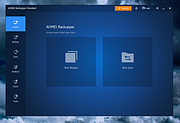 |
|
AOMEI Cyber Backup Free v4.5.0 AOMEI Cyber Backup Free v4.5.0 👉 Free centralized backup and disaster recovery solution for virtual machines, Windows systems, and SQL Server databases. AOMEI Cyber Backup Free is an enterprise-class backup and recovery platform that allows administrators to protect virtual machines, physical computers, servers, and databases from a single web-based management console. Designed for businesses, IT departments, MSPs, and home labs, it simplifies backup scheduling, monitoring, restoration, and storage management across multiple systems. The free edition provides a surprisingly comprehensive feature set for small environments. It supports up to 3 Hyper-V virtual machines, 3 VMware ESXi virtual machines, unlimited VMware Free ESXi virtual machines, 3 Microsoft SQL Server databases, 3 Windows PCs, and 1 Windows Server. Included at no cost are agentless VM backups, full, incremental, and differential backup methods, automated scheduling, Amazon S3 backup archiving, task monitoring, log management, role-based management, and point-in-time recovery. While some advanced enterprise capabilities require a paid license, the free edition delivers powerful centralized backup protection suitable for many small business and lab deployments. Features: • Centralized web-based backup management console • Protect up to 3 Hyper-V virtual machines • Protect up to 3 VMware ESXi virtual machines • Unlimited VMware Free ESXi virtual machine support • Protect up to 3 Microsoft SQL Server databases • Protect up to 3 Windows PCs • Protect 1 Windows Server • Agentless backup for VMware and Hyper-V virtual machines • Full backup support • Incremental backup support • Differential backup support • Automated backup scheduling and execution • Backup to local storage devices • Backup to network shares and NAS devices • Archive backups to Amazon S3 cloud storage • Flexible retention policy configuration • Restore entire virtual machines • Restore from any available backup point • Restore workloads to their original location • Backup task monitoring dashboard • Backup log management and reporting • Email notification support • Role-based management controls • Centralized monitoring of all protected workloads • Browser-based administration from any supported system • Free ... |
|
1,138 | Jun 12, 2026 AOMEI Technology Co., Ltd  |
|
Backup Assist v3.5 Backup Assist v3.5 Easily backup your data to an external hard drive. Simply select the items you wish to backup, choose your destination, and the tool does the rest. It also features an Advanced mode where you can add custom locations to your backup, choose to automatically shutdown your computer when the backup is complete, and for advanced users the ability to change the backup type. You can also backup to a network location (mapped drive) but need to follow instructions here first: Backing up to a mapped network location rather than an external drive Although this tool was primarily created to allow you to easily backup to an external hard drive, you can also use it to backup to a network location (mapped drive) but you do need to follow the steps below to be able to do this - if not you will see the following error in your backup logs. This is because the underlying code performing the backup requires administrative access to the destination location and mapping a drive normally in Windows File Explorer alone doesn't give it the required permissions. Error Path: Z:\Example_Mapped_Drive_Path\Backup Error Code: (0x00000003) Error Description: The system cannot find the path specified. For these instructions we are mapping drive Z: to a location called \\TESTPC\BackupFolder as an example. 1) Disconnect the existing mapped drive in File Explorer e.g. right click on it and choose Disconnect 2) Open Windows PowerShell as administrator - the quickest way is to right click on the Start Menu and choose Windows PowerShell (Admin) or Terminal (Admin) 3) Type the following command and press return (changing the drive letter and path to your desired driver letter and location): NET USE Z: \\TESTPC\BackupFolder /PERSISTENT:YES 4) Now map the drive in File Explorer as you normally would 5) You can now use Backup Assist to backup to this network location Changes: 09/06/23 v3.5 Added load / ... |
|
3,481 | Aug 16, 2023 PC Assist Software 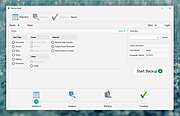 |
 |
Backup Start Menu Layout v1.3 Backup Start Menu Layout v1.3 The Windows 10 Start Menu lets you pin apps so that they are easier to access. You can group them together and manage the size of the tiles as well as the width of the Start Menu. Whether you love tiles or not, you can find ways to customize and work them so it’s easier to access your favorite apps. You can resize your tiles, pin and unpin them on the Start menu or Start screen. After devoting so much time arranging tiles on the Start menu, it would be annoying if something were to happen to it , a registry corruption , a new application installation or a bad update can rearrange or delete the tiles on the Start menu. To avoid such a situation you can Back Up And Restore The Start Menu Layout In Windows 10. This can be also handy if you do not want to have to setup your Start menu layout from scratch again. Say after a clean install of Windows 10. Backup Start Menu Layout v1.3 – (Monday , July 14, 2019) [Added] – The ability to name a backup for /C command line switch Backup and Restore Start Menu Layout in Windows 10 Backup Start menu layout is a very simple portable freeware Application to backup and restore Windows 10 start menu layout. Extract the downloaded ZIP file and run Appropriate .exe file (x64 or x86) 1. To backup Windows 10 start menu layout use the second icon (Diskette Icon) , an input will appear in the Program interface. 2. If you select the backup entry and use the first icon You can restore the saved windows 10 start menu layout. you can also double click on it How to reset Start Menu Layout in Windows 10 If your Start Menu has gotten overly cluttered, ... |
|
4,741 | Jul 02, 2020 Sordum.org 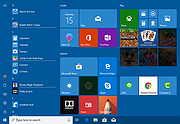 |
|
CopyFolders 2 Portable v2.0.31 CopyFolders 2 Portable v2.0.31 👉 Automatically copy new and modified files from multiple folders with versioning support. CopyFolders 2 is a utility designed to copy new or modified files from source folders to destination folders. It is intended primarily for backup purposes, allowing users to keep folders up to date by copying only files that have changed. CopyFolders 2 supports working with multiple source and destination folders at the same time. It can also keep several previous versions of files, helping preserve older copies when updates occur. The program operates through a simple interface where users configure the folders and options, then execute the copy process as needed. Features: • Copies only new and modified files • Supports up to 9 source folders • Supports up to 9 destination folders • Designed specifically for backup and updating folders • Can keep up to 6 previous versions of files • Allows defining multiple folder pairs for processing • Simple configuration of source and destination paths • Executes copy operations based on defined setup • Portable. No installation required. Supported operating systems: • Windows 10, Windows 11 Supported languages: English, Chinese, French, German, Italian, Polish, Portuguese, Russian, Spanish. Changes: v2.0.31 04-28-26 First update: Fixed a bug where if a path contains underscores ("_") them would not be displayed in the path text box Fixed UNC network path support and improved folder selection Improved file copy error reporting Click here to visit the author's website. |
|
830 | Aug 26, 2026 eziogarr-coder 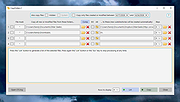 |
|
Desktop Icon Backup Manager v1.7.5 Desktop Icon Backup Manager v1.7.5 👉 Backup and restore your Windows desktop icon layout with ease. Desktop Icon Backup Manager is a lightweight utility that allows you to save and restore the exact layout of your desktop icons. It is especially useful when switching screen resolutions, using multiple monitors, updating graphics drivers, or after system changes that rearrange icon positions. With a simple interface and quick operation, it ensures your carefully arranged desktop stays exactly the way you like it. Features: • Save current desktop icon positions • Restore previously saved icon layouts • Manage multiple backup profiles • Simple and lightweight interface • Portable and easy to use Supported operating systems: • Windows 10, Windows 11 Supported languages: English, العربية, Deutsch, Ελληνικά, Español, Français, हिन्दी, Italiano, 日本語, 한국어, Norsk bokmål, Nederlands, Polski, Português (BR), Português (PT), Русский, Svenska, Türkçe, Українська, 中文 (简体), 中文 (繁體) Changes: v1.7.5 07-23-26 Switch license from MIT to GPLv3 Click here to visit the author's website. |
|
839 | Aug 14, 2026 mapi68 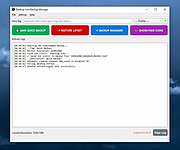 |
|
DiskGenius Free v6.2.0.1829 DiskGenius Free v6.2.0.1829 👉 Free partition management, data recovery, backup, and disk utility software. DiskGenius Free Edition is an all-in-one disk utility designed to help users manage partitions, recover lost files, back up important data, and maintain storage devices. The free version provides a powerful set of tools for partition creation, formatting, resizing, cloning, and file recovery while remaining suitable for home users, technicians, and advanced PC enthusiasts. DiskGenius Free Edition supports hard drives, SSDs, USB flash drives, memory cards, and virtual disks. It can recover deleted files, restore lost partitions, inspect SMART information, clone disks and partitions, securely erase drives, and convert partition tables between MBR and GPT. The free version also includes hexadecimal disk editing tools, bad sector checking, and support for numerous file systems. Features: • Create, delete, format, resize, split, and merge partitions • Recover deleted files from HDDs, SSDs, USB drives, and memory cards • Recover lost or damaged partitions • Clone disks and partitions • Backup and restore partition tables • Convert disks between MBR and GPT formats • Check and repair bad sectors • View and monitor SMART disk information • Securely erase files and partitions • Supports NTFS, FAT32, exFAT, EXT2, EXT3, and EXT4 file systems • Browse and edit files directly from partitions • Includes a hexadecimal disk editor • Supports virtual disk files including VMware, VirtualBox, and Hyper-V formats • Create bootable USB drives for disk recovery tasks • Analyze disk usage and partition structure Supported operating systems: • Windows XP, Windows Vista, Windows 7, Windows 8, Windows 8.1, Windows 10, Windows 11, Windows Server 2003, Windows Server 2008, Windows Server 2012, Windows Server 2016, Windows Server 2019, Windows Server 2022 Supported languages: English, German, French, Spanish, Italian, Portuguese, Russian, Japanese, Korean, Chinese Traditional, Chinese Simplified, Turkish, Czech Changes: v6.2.0.1829 08-04-26 New Add the "Disk Speed Test" feature. Add the "Windows Boot Repair and Conversion" feature. ... |
|
16,825 | Aug 04, 2026 Eassos Ltd. 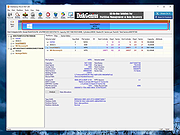 |
|
Dropbox Offline Installers v260.4.2926 Dropbox Offline Installers v260.4.2926 👉 Cloud storage and file synchronization service for easy file access and sharing across devices. These are the full offline installers for all platforms. Dropbox is a cloud storage service that lets you store, sync, and share files across computers, smartphones, and tablets. After installing Dropbox, a special folder is created on your computer. Any files placed in this folder are automatically uploaded and synchronized with your Dropbox account, allowing them to be accessed from other devices or through the web interface. Dropbox makes collaboration simple by allowing users to share files or folders with others through links or shared folders. Changes made by collaborators are automatically synced, ensuring everyone always has the latest version. The service also maintains version history and file recovery, allowing users to restore previous versions or recover deleted files. Dropbox integrates with many productivity tools and provides features such as selective sync, automatic camera uploads from mobile devices, and offline access to files. With its straightforward interface and reliable syncing technology, Dropbox is widely used for personal file storage, team collaboration, and secure file sharing. Features: • Automatic file synchronization across devices • Easy file and folder sharing through secure links • File version history and recovery of deleted files • Selective sync to control which folders are stored locally • Offline access to important files • Integration with many productivity and collaboration tools Supported operating systems: • Windows 7, 8, 8.1, 10, 11 • macOS 10.13 or later. • Linux distributions supporting Dropbox client Supported languages: English, Spanish, French, German, Italian, Portuguese, Dutch, Japanese, Korean, Chinese (Simplified), Chinese (Traditional), Russian Changes: v260.4.2926 07-10-26 Fixed in this update: Fixed an issue that would cause Dropbox items to not appear in the right-click menu for some Windows users. Improved the reliability of opening several share dialogs at the same time. Fixed a ... |
|
11,672 | Jul 16, 2026 Dropbox 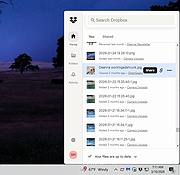 |
|
EASEUS Todo Backup Free Edition v13.0 EASEUS Todo Backup Free Edition v13.0 Full Range of Backup and Recovery Solutions for Personal Users EaseUS Todo Backup is a reliable and professional backup & recovery tool that enables personal users to protect files, partitions, disks and entire system via system backup, files backup with ease. EaseUS Todo Backup Free focuses on simplicity. Only a few clicks, users can easily realize complete data protection by recovering a backup of the entire system or restoring on new hardware. No need for IT knowledge background. Backup Free backup tool that enables personal users to protect files, partitions, disks and entire system via system backup, files backup flexibly. Clone Easily clone a smaller HDD to a larger HDD for disk upgrade, or clone HDD to SSD for better performance. Recovery Safely recover your whole system or deleted data from your backup to get everything back from unexpected crash or ransomware. Comprehensive Backup Solution EaseUS backup software makes it much easy to protect whole PC or laptop in an effective way. System Backup Easy to back up your entire system including applications, operation system and settings in one image. Partition Backup Backup individual or multiple partitions to save your time. Disk Backup Block-level disk imaging of EaseUS Todo Backup Free backs up your entire disk, volume, HDD or SSD at fast speed, such as the internal disk, external disk, USB flash drive, sd card, the hard drive on NAS and others. Flexible Backup Functions Select backup types from the full image, incremental, differential and customize times and destinations for users who handle multiple backup schedules. File Backup EaseUS file-level backup allows you to selectively back up specific files or file folders including network shared data, such as documents, photos, ... |
|
12,355 | Aug 12, 2021 CHENGDU YIWO Tech Development Co. Ltd. 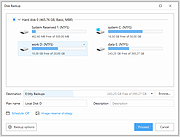 |
|
Easexp Settings Backup v1.0.0 Easexp Settings Backup v1.0.0 Easexp Settings Backup Back up, restore, sync Windows and program settings. Easexp Settings Backup (ExSB) is a tool to back up, restore, sync Windows system settings such as date time, formats, wallpaper, colors, taskbar, group policy, firewall rules, disabled services, tasks, events...and the settings of popular programs such as Office, Firefox, Edge, Chrome etc. ExSB is not designed for backing up common files, although it's able to. You can consider ExSB to be like the Windows Sync, only it's a real backup tool that can save those settings in files or folders, and restore them to system at any time you want. Backup, Restore and Sync During using Windows and favorite apps, you have adjusted them a lot to meet your need. You do NOT want to do that over and over again each time after rebuilt or reset the system. You want a tool to save those settings and restore them back whenever necessary. You also want to sync those settings across different OS versions or computers, e.g. transfer your settings from Windows 7 to Windows 10, or even from Windows 10 to Windows 7. That's what ExSB is designed for. Easexp Settings Backup a.k.a. ExSB, can back up those system and application settings, and restore them to the same system at any time, or sync them to a different system. 1) Detailed setting items - Down to each specific category such as "Date Time", "File Explorer", "Taskbar Pinned Icons", much better for users who want to take full and advanced control. 2) Additional system settings - Disabled services, tasks, events, power options and other system-wide settings which are not supported by Windows Sync. 3) Application settings - ExSB also supports to back up the settings of popular applications such as Edge, Chrome, Firefox, Office etc. More ... |
|
3,610 | Apr 15, 2021 EaseXP 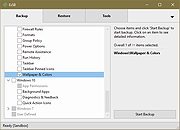 |
|
Endstate v3.10.0 Endstate v3.10.0 👉 Save your Windows apps and settings, then quickly rebuild them on a new PC. Endstate is a free, local-first Windows setup and recovery tool that records the applications installed on your computer along with settings for supported programs, then uses that information to rebuild your setup on a fresh Windows installation. Instead of copying installed program files from one PC to another, Endstate identifies your software and uses Windows Package Manager (winget) to reinstall available applications cleanly. You can scan an existing computer and save its setup to a portable file that you control. On a new or freshly installed Windows PC, load that saved setup and Endstate compares it with the new machine, shows which applications are missing and lets you choose what to install and which supported settings to restore. Scanning and saving can be performed offline, while reinstalling applications requires an internet connection to download their installers. No Endstate account is required. Features: • Automatically scans your Windows PC and detects installed applications • Detects traditional EXE/MSI-installed software and Microsoft Store applications • Uses winget to reinstall supported applications from their normal installation sources • Captures and restores settings for more than 300 supported applications • Settings support includes editors, IDEs, terminals, creative applications, media players, emulators, note-taking programs and more • Settings capture is optional and can be selected per application • Saves your setup to portable files that you control • Saved setups can be copied, backed up or moved to another computer • No mandatory cloud storage is required • No account is required for the free local product • Provides both a graphical interface and command-line interface • Supports capture, restore, profiles and manifests • Preview mode compares a computer against a saved setup without making changes • Shows which applications need to be installed and which are already present • Applications are installed individually rather than silently ... |
|
323 | Aug 11, 2026 Substrate Systems 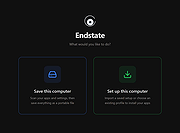 |
|
Exiland Backup Free v5.0 Exiland Backup Free v5.0 Create backups of valuable files regularly and ensure the safety of your files. Use Exiland Backup to prevent critical data loss from viruses, PC breakdowns, unwanted changes, HDD crushes, and other threats. In case of loss of files, simply restore them from a backup. Learning to use Exiland Backup takes only 2 minutes When creating Exiland Backup, we focused on the simplicity of the interface and the speed of copying files. All you have to do is to create a task by specifying the source folders that you want to copy, the schedule for running the task, and the folder where to save the backups. Everything else the program will do for you! Creates full and differential backups, performs synchronization Ability copy local files and files from 1 PC in network FTP protocol support Runs as a Windows application ZIP settings (only by default) Runs tasks on schedule On-screen notifications October 10, 2018 Version 5.0 - Added: Analyzing ExitCode (ReturnCode) after running external applications - Added: Global file masks editor - Improved: User interface - Fixed: Some bugs and defects Click here to visit the author's website. |
|
6,207 | Dec 27, 2018 Exiland Software 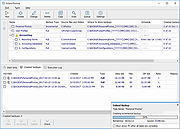 |
|
FastCopy v5.12.0 FastCopy v5.12.0 👉 High-speed file copy and backup software for Windows. FastCopy is a fast file copy and backup utility for Windows designed to maximize transfer performance by using multi-threaded read, write, and verify operations together with Overlapped I/O and Direct I/O. It supports Unicode file names, paths longer than MAX_PATH, and include or exclude filtering using UNIX-style wildcards. FastCopy is built to reduce the load on other running applications while delivering very high copy performance on modern storage devices. Features: • Fast file copy and backup software for Windows • Verification support for more reliable copying • Can record hash values for each file • Uses multi-threaded read, write, and verify processing • Uses Overlapped I/O and Direct I/O for high performance • Supports Unicode file names • Supports file paths longer than MAX_PATH (260 characters) • Supports include and exclude filters using UNIX-style wildcards • Lightweight design built with Win32 API only Supported operating systems: • Windows 7, Windows 8, Windows 8.1, Windows 10, Windows 11 • Windows Server 2012, Windows Server 2012 R2, Windows Server 2016, Windows Server 2019, Windows Server 2022, Windows Server 2025 Supported languages: • English, Japanese, Chinese Changes: v5.11.3 08-18-26 Added an option to Shell Extension to replace Explorer's standard drag & drop / paste with FastCopy. (Default: OFF) Various security enhancements. - Enabled CET Shadow Stack (/CETCOMPAT). - Enabled Control Flow Guard (/guard:cf). - Stricter DLL loading (added /DEPENDENTLOADFLAG:0x800). - (Already enabled: /GS, /NXCOMPAT (DEP), /SAFESEH (x86), /DELAYLOAD, /DYNAMICBASE, /HIGHENTROPYVA, SetDefaultDllDirectories) Note: This file has one hit on VirusTotal. We have confirmed this to be a false positive. The file is safe. Note: If you need the portable version, use the "Extract" button in the installer. Click here to visit the author's website. |
|
12,522 | Aug 21, 2026 SHIROUZU Hiroaki 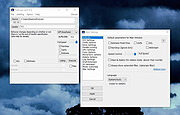 |
|
Firefox Environment Backup Extension (FEBE) 8.9.3.1 Firefox Environment Backup Extension (FEBE) 8.9.3.1 FEBE allows you to quickly and easily backup your Firefox extensions. In fact, it goes beyond just backing up -- It will actually rebuild your extensions individually into installable .xpi files. Now you can easily synchronize your office and home browsers. FEBE backs up and restores your extensions, themes, and (optionally) your bookmarks, preferences, cookies. and much more. Backup as little or as much of your Firefox environment as you wish. Perform backups on demand or schedule daily, weekly, or monthly unattended runs. Sequential backups can be stored in timestamped directories so you can restore back as far as you like. You may specify "User-defined" items to have FEBE backup Thunderbird, Greasemonkey scripts, or virtually any data on your computer - Firefox related or not. Version history (FEBE 8.0) November 11, 2016: Version 8.9.3.1 (1,375 kb) Fix for browser history restore. For Firefox v49.0 - v51.0a2 |
|
7,621 | Aug 01, 2017 Chuck Baker 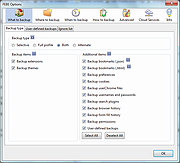 |
 |
Foxclone v55 Foxclone v55 👉 Simple Linux-based backup, restore and drive cloning tool. Foxclone is a Linux based image backup, restore and clone tool using a simple point and click interface. It takes images of partitions on your HDD or SSD and stores them for later restoration, with image files compressed to save space. Features: • Backup and restore Windows and Linux filesystems, such as NTFS and ext4 • Supports GPT and MBR/legacy/MSDOS partition tables • Automatically backs up the partition table and bootloader when a backup is taken • Clone directly from drive to drive • Clone to a drive from a full backup • Simple point and click interface • Compressed image files help save storage space • Bootable ISO designed to run from USB Supported operating systems: • Bootable 64-bit Linux live ISO • Backs up and restores Windows and Linux filesystems Supported languages: English Changes: v55 01-07-26 Fixes a bug specific to the noble version of the ISO where a clone drive-to-drive completes but the finish message shows failed. Burning the ISO to a USB Stick: To use Foxclone, you must first create a bootable USB flash drive from the downloaded ISO image. We recommend the following free utilities: • Rufus (Windows) – A fast and easy-to-use utility for creating bootable USB drives from ISO images. • balenaEtcher (Windows, Linux, macOS) – A simple cross-platform tool that writes ISO images to USB drives with minimal configuration. • Ventoy (Windows, Linux) – Allows multiple ISO files to be stored on a single USB drive. Simply copy the Foxclone ISO to the Ventoy USB drive and boot from it. After creating the USB drive, restart your computer, enter the boot menu or BIOS/UEFI setup, and select the USB device as the boot source. Foxclone will then load into its graphical interface, where you can create backups, restore images, or clone drives. This download is for the Linux-based ISO version (very bottom of page). ... |
|
486 | Jun 15, 2026 Andy Hardwick, Larry Hale  |
|
Hasleo Backup Suite Free v5.5.2.1 Hasleo Backup Suite Free v5.5.2.1 Completely free Windows backup software Hasleo Backup Suite Free is a free Windows backup and restore software, which embeds backup, restore and cloning features, it is designed for Windows operating system users and can be used on both Windows PCs and Servers. The backup and restore feature of Hasleo Backup Suite can help you back up and restore the Windows operating systems, disks, partitions and files(folders) to protect the security of your Windows operating system and personal data. The cloning feature of Hasleo Backup Suite can help you migrate Windows to another disk, or easily upgrade a disk to an SSD or a larger capacity disk. Features • Backup and Restore, clone Windows OS, disks, partitions and files (folders). • Supported backup modes: full, incremental and differential. • Supports compression, encryption, splitting and merging of backup image files. • Delta restore improves restore speed by restoring only changed blocks. • Automatically and regularly perform backup task with backup schedule. • Image retention policy and centralized backup task management. • Creation of WinPE emergency disk and command line interface (CLI) support. • Supported OS: Windows Vista/Server 2008 or later, fully compatible with GPT and UEFI. Tech Specification Supported Operating Systems Windows Vista/Server 2008 or later (32/64-bit) Supported Devices HDD, SSD, USB, Thunderbolt, etc. Supported File Systems FAT12, FAT16, FAT32, NTFS, Other Supported Compression Levels None, Low, Medium, High Supported Encryption Modes AES 128, AES 256 Supported Backup Modes Full, Incremental, Differential CPU Intel® Pentium® processor 1GHz or above RAM 1 GB or more (2 GB Recommended) Disk Space 500 MB and above free space Changes: v5.5.2.1 11-6-25 Removed the expiration time limit Fixed an issue with mounting file backup images Fixed the issue where ... |
|
2,512 | Nov 07, 2025 Hasleo Software 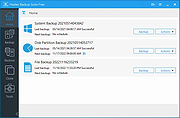 |
|
Hasleo Disk Clone v5.8.2.1 Hasleo Disk Clone v5.8.2.1 👉 Free Windows disk, partition, and system cloning software. Hasleo Disk Clone is a free and all-in-one disk cloning software for Windows that can migrate Windows to another disk, clone an entire disk, or clone a partition to another location quickly and efficiently. Features: • Migrate Windows to another disk without reinstalling Windows, apps, drivers, or user settings • Clone an entire disk to another disk • Clone individual partitions while keeping data intact • Resize and move destination partitions before cloning • Convert MBR to GPT or GPT to MBR during cloning • Sector-by-sector cloning support • Intelligent sector copy technology for faster cloning • Delta Clone support in paid editions • Rapid exFAT and ReFS cloning support • Multiple disk alignment modes • Native support for Windows X86, X64, and ARM64 • Create bootable WinPE media for cloning operations • Supports HDD, SSD, external HDD, Thunderbolt, dynamic disk, and more • Supports FAT12, FAT16, FAT32, NTFS, exFAT, ReFS, and other file systems in sector-by-sector mode Supported operating systems: • Windows Vista, Windows 7, Windows 8, Windows 8.1, Windows 10, Windows 11, Windows Server 2008 or later Supported languages: English, Arabic, Bulgarian, Chinese Traditional, Czech, Dutch, French, German, Hungarian, Italian, Japanese, Korean, Polish, Portuguese Brazilian, Russian, Simplified Chinese, Slovak, Slovenian, Spanish, Swedish, Turkish, Ukrainian Changes: v5.8.2.1 06-17-26 • Fixed an issue that caused disk enumeration to fail • Fixed an issue where WinPE created under Windows ARM64 26H1 did not work properly Click here to visit the author's website. |
|
4,651 | Sep 17, 2026 Hasleo Software 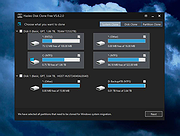 |
|
Hekasoft Backup and Restore v0.97 Hekasoft Backup and Restore v0.97 The completely free solution for your web browser and other software's backup and management. Hekasoft Backup and Restore is an all-in-one solution to manage your browser data and settings. Backup your favorite browser’s settings in a single file that you can store on external drive or cd-rom and use it to restore the profile. Hekasoft Backup and Restore doesn’t limit you to only backing up your software, you can also migrate your profile from a browser to another and you can optimize your profile folder removing useless files. 41 Supported Programs Hekasoft Backup and Restore can backup the profile folder of the major browsers available for Windows, it’s an all-in-1 solution for your backup needs. With every update the software supported list grows. Supported Programs List Chrome (Chromium) based browsers Good for you CCleaner Browser The CentBrowser CocCoc Browser Comfortable Dragon Epic Privacy Browser Google Chrome Google Chrome Canary Iridium Browser Microsoft Edge Microsoft Edge Beta Microsoft Edge Canary Naver Whale Opera and work Sleipnir Slimjet SRWare Iron Supermium Thorium UR Browser Vivaldi Yandex Firefox (Gecko) based browsers Basilisk Comfortable IceDragon LibreWolf Mercury Midori Mozilla Firefox Mozilla SeaMonkey Mullvad Browser PaleMoon Tor Browser Waterfox Other browsers Lunascape Maxthon ... |
|
6,202 | Dec 18, 2024 Hekasoft 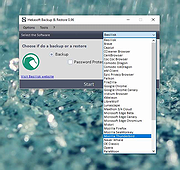 |
|
Horodruin v2026.07.841.0 Horodruin v2026.07.841.0 👉 Advanced file synchronizer for keeping two or more folders updated. Horodruin is a freeware file synchronizer designed to update folders by taking files from multiple different folders and synchronizing two or more sources with just a few clicks. It builds a virtual folder using the newest and missing files, then applies that result to each source so the folders contain the same updated files. The author notes that this tool is intended for advanced users and recommends reading the included documentation. Features: • Synchronizes two or more folders • Handles multiple folder sources in one project • Uses local full paths and UNC network paths • Analyzes folders to determine outdated or missing files • Builds a virtual folder from the newest and missing files • Lets you tune folder analysis to your needs • Saves and loads settings using project files • Export Delta feature saves source changes to a separate folder • Multi-threaded operation • Multi-threaded copy engine using temporary files and/or overwriting files • Can integrate with a text editor, hex editor, and diff viewer • Minimal registry usage, only for Explorer integration • Includes HTML Help • Small, fast, and clean • Freeware licensed under Creative Commons Attribution-NoDerivs 4.0 Supported operating systems: • Windows 10 or higher, 64-bit Supported languages: English Changes: v2026.07.841.0 07-19-26 • Now uses the new Visual Studio 2026 Segmented Heap, a faster and improved internal heap implementation. Click here to visit the author's website. |
|
6,376 | Sep 14, 2026 Stefano Bordoni 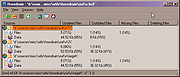 |
|
jaBuT Backup v2023.02.36857 jaBuT Backup v2023.02.36857 jaBuT Backup, just another Backup Tool, is a powerful and easy to use backup solution which is being developed since 2011. With jaBuT Backup you can configure your backups easy! You can create “profiles” where all the important and backup related information are saved. These profiles are completely independent of each other. Let your backups run automatically in the background and keep your data up-to-date - with jaBuT Backup! Custom settings for each profile Each profile can be customized with many configuration options. Run profiles by passing parameters Individual profiles or profile groups can be easily started by passing parameters. There are many other parameter available. Can be used portable An installation is not always necessary. jaBuT Backup can run also without installation on any disk in portable mode. Include or exclude specific data If necessary, jaBuT Backup can process only specific data. For this add the path of a file or directory to the white list. One the other way you can exclude specific data by adding the path from a file or directory to the blacklist. If you want to exclude only a specific file type so add for example *.txt to the blacklist. Profile groups All profiles can be sorted into profile groups for a better usability. File comparison Files can be compared based on the date of the last modification, file size, archiv bit, binary content or file hash depending on your profile setting. Manual or scheduled execution of the profiles Profiles can run manually or in scheduled mode. If multiple profiles are scheduled at the same time they start sequentially. E-mail Notification Get an email with a processing report after a profile has been executed. You can specify whether you want it always or only if errors occurred. Many processing modes selectable There are several processing methods: Simple copy, Exact copy, Move, Exact move, Compress, Exact compress, Synchronise, Mirror copy. Changes: v2023.02.36833 2023-18-02 ... |
|
5,558 | Feb 27, 2023 Michael Linden 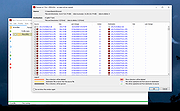 |
|
MailStore Home v26.3.0 MailStore Home v26.3.0 👉 Free email archiving software for home users to securely back up and search emails. MailStore Home is a free email archiving solution designed for private users who want to back up, preserve, and search their emails securely. It allows you to archive emails from various sources into a single, centralized database on your PC, helping protect against data loss while significantly reducing mailbox size. MailStore Home supports archiving from email clients such as Microsoft Outlook, Mozilla Thunderbird, and Windows Mail, as well as directly from POP3 and IMAP mailboxes. Archived emails can be browsed in a structured folder tree or located instantly using a powerful full-text search. MailStore Home preserves the original MIME structure of emails to ensure data integrity and compliance. The program can also create email archives from PST files and other email formats, and it allows users to export archived messages back to email clients or standard file formats if needed. Features: • Archive emails from Microsoft Outlook, Mozilla Thunderbird, Windows Mail, and other clients • Archive directly from POP3 and IMAP mailboxes • Create and manage multiple archive profiles • Fast full-text search across the entire archive • Preserve original email structure and attachments • Reduce mailbox size by deleting archived emails from the server • Export archived emails back to email clients or file formats • Secure storage in a central local archive • Create backup copies of the email archive A Central Archive for All Your Emails Internet mailboxes such as Gmail or Yahoo! Mail Any mailbox via POP3 or IMAP Outlook 2003, 2007, 2010, 2013, 2016 and 2019 Microsoft Exchange Server 2003, 2007, 2010, 2013, 2016 and 2019 mailboxes Mozilla Thunderbird and SeaMonkey PST, EML and other file formats Supported operating systems: • Windows 10 (64-bit), Windows ... |
|
10,779 | Jul 11, 2026 deepinvent Software 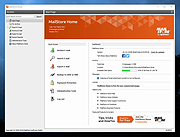 |
|
Mini Diarium v0.6.3 Mini Diarium v0.6.3 👉 An encrypted offline journal app for private daily writing. Mini Diarium is a private offline journal app designed for users who want to keep a personal diary without relying on cloud services, online accounts, or telemetry. It stores your entries locally in an encrypted SQLite database and encrypts each entry with AES-256-GCM before it is written to disk, helping keep your writing under your control. Mini Diarium is built for daily journaling with a rich text editor, auto-save, calendar navigation, writing statistics, automatic backups, and import/export tools. It can import from Mini Diary, Day One, and jrnl, and export your journal to JSON or Markdown so your data is never locked in. It also supports password-based protection and optional key file authentication for an added layer of security. Features: • Offline-only journal with no cloud, no telemetry, and no network calls • AES-256-GCM encryption for entries stored on disk • Local-first encrypted SQLite database storage • Rich text editor with bold, italic, headings, lists, spellcheck, and auto-save • Calendar navigation for quickly jumping between entry dates • Import support for Mini Diary JSON, Day One JSON and TXT, and jrnl JSON • Export support for JSON and Markdown • Automatic backups of the encrypted database • Writing statistics including word count, streaks, active days, and total entries • Optional key file authentication in addition to password-based access • Keyboard shortcuts for faster journal navigation • Open source under the MIT License Supported operating systems: • Windows • macOS • Linux Supported languages: English Changes: v0.6.3 07-27-26 This release completes the in-app navigation migration with header day controls and a ⋮ menu, adds timeline display preferences and a donation page, and fixes Linux spell check. Internally, the backend is now a three-crate open-core workspace with a sealed API façade, and the Microsoft Store update pipeline is live. Added Website donation page: added a donation page at mini-diarium.com/donate/, reachable from ... |
|
774 | Jul 29, 2026 Francisco J. Revoredo 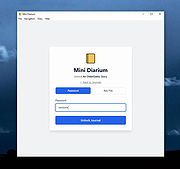 |
|
MJ Registry Watcher v1.2.9.1 MJ Registry Watcher v1.2.9.1 👉 Monitor and protect important registry keys, files, and startup locations. MJ Registry Watcher monitors selected registry keys, files, and directories for changes that could affect Windows startup or system security. It combines hooks, which can report many changes as they happen, with periodic polling to catch changes such as registry key deletions. Its monitored locations and response behavior can be configured, and it keeps a log of detected activity. The program can also monitor process launches and detect DLL injection. It includes registry backup, quarantine, and options for sending alert details by email. The author recommends running it with administrator rights so it can access the registry properly. Features: • Monitors configurable registry keys, files, and directories • Uses system hooks and periodic polling to detect changes • Protects common startup locations, registry values, and system files • Monitors process launches and detects DLL injection • Supports Accept, Reject, and Prompt modes in interactive use • Offers an invisible Windows service mode with Accept and Reject modes • Can send alert details by email and play alert sounds • Includes quarantine and an activity log • Creates periodic registry backups and retains the last 15 snapshots • Stores settings in a configuration file Supported operating systems: Windows 11, Windows 10, Windows 8, Windows 7 Supported languages: English Changes: v1.2.9.1 09-10-26 Latest Features : 64-bit OSes, Service Mode, Process Launch Monitoring, DLL Injection Detection, Emailing of Alerts, Quarantine, Registry Backup. Latest Fixes : Circular registry entries now handled without going into an infinite loop, Windows 11 support, Tray icon colour when loading. How to launch MJ Registry Watcher: Extract the downloaded files with their folder paths preserved, then open the MJRegWatcher folder and run RegWatcher.exe. The author recommends ... |
|
6,308 | Oct 14, 2026 Mark Jacobs 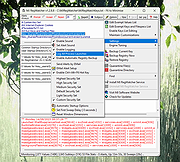 |
|
MyPhoneExplorer v2.3 MyPhoneExplorer v2.3 👉 A freeware Windows tool for managing and syncing Android phones locally. MyPhoneExplorer lets you connect your Android phone to your PC by WiFi, USB cable, or Bluetooth so you can manage contacts, calendar, messages, files, backups, notifications, and more from the desktop. Filebrowser Features: • Sync contacts, calendar, notes, and other data with Outlook, Thunderbird, and other targets • Browse and manage files on your phone with file sync support • Create backups of phone content • Control calls and SMS messages from the PC • Mirror and remotely control your phone from the desktop • Use the PC keyboard to type on the phone • Show phone notifications on the desktop • Share the clipboard between phone and PC • Connect by WiFi, USB cable, or Bluetooth Supported operating systems: • Windows • Android Supported languages: Afrikaans, Albanian, Arabic, Belarusian, Bosnian, Bulgarian, Catalan, Croatian, Czech, Danish, Dutch, English, Finnish, French, Georgian, German, Greek, Hebrew, Icelandic, Indonesian, Italian, Latvian, Lithuanian, Norwegian, Persian, Polish, Portuguese, Romanian, Russian, Serbian, Slovak, Slovene, Swedish, Thai, Turkish, Ukrainian, Vietnamese Changes: v2.3 10-27-25 Barcode and NFC scanner: use your smartphone as scanner for the PC remote controlling the phone via WiFi sync with Microsoft cloud / Outlook (new) better appointment display in calendar alot of smaller changes and bugfixes Phonebook Calendar Messages (SMS and MMS) Datasync with several targets: Its often required to keep data in sync with other databases. Because of this MyPhoneExplorer is able to sync the data of the phone with the most popular PIM suites. MyPhoneExplorer supports: • Outlook since Version 2003 • Thunderbird • Seamonkey • Lotus Notes • Tobit David • Fritz!Box • vCard-File and iCal-File • internal Sync-Database (To keep several phones in sync) Before MyPhoneExplorer changes the database or the phone data, it will confirm the action with you. This will prevent syncing accidents. This download is for ... |
|
3,953 | Mar 12, 2026 Franz Josef Wechselberger 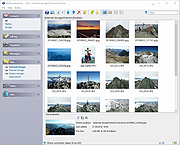 |
|
OneWay Backup v1.0.0.903 OneWay Backup v1.0.0.903 OneWay Backup is a tool to create a mirror of folder A in folder B. It can run jobs in batch and can be run from command line. It will also allow you to receive emails notifying you of errors, successes, skipped and deleted item counts. Features Scans for altered files and copies them only Jobs can be run in batches Can be called from console so scheduling a backup is very easy Can create mirrors (i.e. delete files/folders from folder B so it is identical to folder A) Easy to use interface Command line parameters OneWay Backup can be called with command line parameters which makes it ideal for backup scheduling. /all: Run all jobs, both active and passive jobs /exit: Close the program when all jobs are done /shutdown: Shutdown the whole system when all jobs are done /sendmail: Send email when done using options set in Email Configuration window /methodX: Use comparing method x where is 0, 1, 2 /method0: Full file search: Reads whole content of files /method1: Uses MD5 checksums for comparesion /method2: Compare file sizes /method3: Compare last modified date Please note that, OneWay Backup compares last modified date first before using the selected option. If 4th option is selected, only last modified dates will be compared. Licence OneWay Backup is licenced with MIT licence. Changes: v1.0.0.903 Added: Three email report types: Compressed CSV attachment, HTML table ... |
|
4,433 | Apr 02, 2020 Okan Özcan 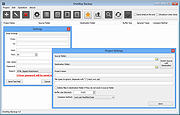 |
|
Personal Backup v6.4.14.0 Personal Backup v6.4.14.0 👉 A powerful personal backup solution for saving important files and folders to various destinations. Personal Backup is a flexible file backup program designed to help users securely store copies of their important data. It allows you to back up files and directories from your computer to different storage locations such as external drives, network shares, or FTP servers. The program provides advanced scheduling and automation features so backups can run at specific times or when certain conditions are met. Personal Backup supports incremental backups, allowing only changed files to be copied after the initial backup, saving both time and storage space. It also offers compression and encryption options to protect sensitive data. With detailed logging and verification features, users can easily monitor backup jobs and ensure that files are safely stored. The program is designed for reliability while remaining lightweight and easy to configure. Features: • Backup files and folders to local drives, external media, or network locations • Supports incremental backups to copy only modified files • Schedule automatic backups at specific times or intervals • Optional compression to reduce backup storage size • Encryption options to protect sensitive data • Detailed logging and verification of backup operations • Restore files quickly from previously created backups • Backup to FTP servers for offsite storage Supported operating systems: • Windows XP*, Windows Vista, Windows 7, Windows 8, Windows 10, Windows 11 • Windows Server 2003*, Windows Server 2008, Windows Server 2008 R2, Windows Server 2012 Supported languages: English, German, French, Dutch, Italian, Spanish, Polish, Portuguese, Hungarian, Turkish, Ukrainian, Russian, Chinese Changes: v6.4.14.0 09-24-26 - New: - DeviceBackup: : optional synchronization of the backup from a mobile device - Bug fixes: - Error detection when deleting temporary files via FTP 👉 This download is for the Windows 64bit version (very bottom ... |
|
9,056 | Oct 05, 2026 Dr. J. Rathlev 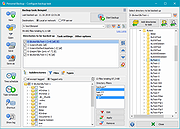 |
|
QOwnNotes v26.9.11 QOwnNotes v26.9.11 👉 Open-source markdown note-taking application with Nextcloud and ownCloud integration. QOwnNotes is a free and open-source plain-text note-taking and to-do list manager designed for users who want full control over their notes and data. It stores notes as plain text Markdown files, making them easy to synchronize with services such as Nextcloud, ownCloud, Syncthing, Dropbox, and other cloud or local storage solutions. QOwnNotes includes powerful organization tools, note encryption, scripting support, tagging, searching, and customizable interface layouts for productivity-focused workflows. Features: • Plain-text Markdown note-taking with live preview • Integration with Nextcloud and ownCloud notes • Stores notes as standard text files without vendor lock-in • AES-256 encrypted notes support • Built-in scripting engine with QML support • Powerful note searching and filtering • Tagging and note organization tools • Multiple note folders and subfolder support • Customizable themes, fonts, and layouts • To-do list and task management support • Automatic note saving and backup support • External diff tool integration • Checkbox list creation and Markdown editing tools • Portable mode support • Cross-platform support for desktop operating systems Supported operating systems: • Windows 7, Windows 8, Windows 10, Windows 11 • macOS 13 Ventura or higher • Linux Supported languages: English, Arabic, Basque, Bulgarian, Catalan, Chinese Simplified, Chinese Traditional, Czech, Danish, Dutch, English, Finnish, French, German, Greek, Hebrew, Hungarian, Italian, Japanese, Korean, Norwegian, Persian, Polish, Portuguese, Portuguese Brazilian, Romanian, Russian, Slovak, Spanish, Swedish, Turkish, Ukrainian Changes: v26.9.11 09-25-26 Deprecated the non-GitHub Qt 5 release packages by removing the legacy Ubuntu Launchpad and OBS deployments from the release process, while retaining the Qt 5 artifacts built by the GitHub release workflow (for #3752) Added more French translation (thank you, jd-develop) 👉 This download is for the Windows version (very bottom of page). All other download assets are below: MacOS: QOwnNotes.dmg QOwnNotesQt5.dmg Linux: QOwnNotes-amd64.snap QOwnNotes-Qt5-amd64.snap QOwnNotes-x86_64.AppImage Click here to visit the author's website. |
|
6,864 | Sep 25, 2026 Patrizio Bekerle 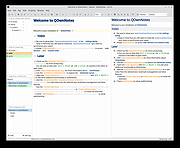 |
|
Rclone v1.75.0 Rclone v1.75.0 👉 Command-line tool for syncing, copying, mounting, and managing files across cloud storage and local systems. Rclone is a command-line program to manage files on cloud storage. It can sync files and directories to and from many different cloud storage providers, copy new or changed files, perform one-way or two-way synchronization, mount cloud storage as a disk, verify file integrity with hashes, and serve local or remote files over HTTP, WebDAV, FTP, SFTP, and DLNA. It is widely used for backup, restore, migration, and cloud-to-cloud transfers, with support for encryption, compression, chunking, and many standard transfer protocols. Features: • Syncs files and directories to and from cloud storage • Copies only new or changed files • Supports one-way sync and two-way bisync • Verifies file integrity with MD5 and SHA-1 hashes • Preserves timestamps on files • Mounts cloud storage as a network disk • Serves files over HTTP, WebDAV, FTP, SFTP, and DLNA • Supports encryption, compression, chunking, hashing, and union backends • Works with local filesystems, cloud services, and standard protocols • Useful for backup, restore, migration, and cloud-to-cloud transfers View instructions here. Supported operating systems: • Windows 10 or higher, Windows Server 2016 or higher • macOS 12 Monterey or higher • Linux Kernel 3.2 or higher • FreeBSD 12.2 or higher • OpenBSD 6.9 or higher • NetBSD • Plan 9 • Solaris Supported languages: English Changes: v1.75.0 07-31-26 New S3 Providers Scality (RING / ARTESCA) Zero Services (ZERO-Z3) Security archive: Don't crash on malformed squashfs images GHSA-6jcg-q3wp-x2f4 CVE-PENDING (Nick Craig-Wood) ftp: Fix ftp command injection when encoding doesn't include CRLF GHSA-8c48-q9wj-3w37 CVE-PENDING (Nick Craig-Wood) lib/http: Use TLS on all --addr listeners when --cert and --key are set ... |
|
5,176 | Aug 03, 2026 Nick Craig-Wood 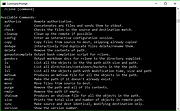 |
|
Redo Rescue: Backup and Recovery v4.0.0 Redo Rescue: Backup and Recovery v4.0.0 Backup and Recovery Made Easy Redo Rescue Backup and Recovery can backup and restore an entire system in minutes with a point-and-click interface anyone can use. Bare metal restore to a new, blank drive and be up and running in minutes. Supports saving to and restoring from local disks or shared network drives. Selectively restore partitions and remap them to different locations on the target drive. Additional tools included for partition editing, web browsing, and more. Runs from live CD/USB; no installation needed. Features Simple user interface for everyone Runs from CD or USB stick even if system won't boot Remote access option (VNC) for assisted backup and restore operations Automatically finds shared folders on your network Bare-metal (replace MBR and partition table) or selective restore mode options Re-map original data to a different target partition Verify the integrity of an existing backup image Extra tools for managing drives and partitions Web browser for downloading drivers, reading documentation File explorer for copying and editing files even when system won't boot Based on Debian and partclone, the engine used by Clonezilla UEFI Secure Boot and expanded hardware support Use balenaEtcher to create a bootable USB flash drive for Windows or MacOS. Click here to visit the author's website. |
|
3,565 | Mar 03, 2022 Zebradots Software 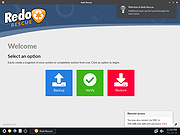 |
|
Rescuezilla v2.6.2 Rescuezilla v2.6.2 👉 Easy-to-use bootable backup, disk imaging, cloning, and system recovery environment. Rescuezilla is a free, open-source system recovery and disk imaging solution that boots from a USB flash drive or optical media, allowing you to back up, restore, clone, and recover Windows, macOS, and Linux systems even when the installed operating system will not boot. Built as a graphical front end for Clonezilla, Rescuezilla combines a straightforward point-and-click interface with powerful backup and recovery capabilities while remaining fully compatible with Clonezilla images. In addition to creating complete disk and partition backups, Rescuezilla can restore images created by Clonezilla and several other supported imaging tools, browse backup images to recover individual files, clone drives directly to replacement disks, and work with many popular virtual machine disk formats. Because it runs as a live operating system, it also includes useful utilities such as a web browser, file manager, partition editor, and recovery tools for troubleshooting damaged systems. Features: • Bootable live recovery environment with no installation required • Easy-to-use graphical interface suitable for beginners and professionals • Create complete disk and partition image backups • Restore previously created backup images • Clone entire drives directly to another disk • Fully compatible with Clonezilla backup images • Supports images from Clonezilla and other supported open-source imaging frontends • Browse backup images and recover individual files • Supports VirtualBox (VDI), VMware (VMDK), Hyper-V (VHD/VHDX), QEMU (QCOW2), raw images, and other virtual disk formats • Works with Windows, macOS, and Linux systems • Includes partition editing and disk management utilities • Built-in file manager for copying and editing files • Includes a web browser for downloading drivers and documentation • Open source software released under the GNU GPL v3 license Supported operating systems: • Boots on PCs and Intel-based Macs from USB or optical media to back up and restore Windows, macOS, and Linux systems Supported languages: • Arabic, Bengali, Brazilian Portuguese, Catalan, Chinese (Simplified), ... |
|
4,865 | Jul 08, 2026 Rescuezilla  |
|
RsyncZilla v1.3.0 RsyncZilla v1.3.0 👉 A modern FileZilla-style Windows file transfer client powered by rsync over SSH. RsyncZilla is a free and open-source file transfer client for Windows that combines a familiar dual-pane, FileZilla-style interface with the reliability and efficiency of rsync. Browse local files on one side and remote servers over SFTP on the other, then upload or download files and folders using drag and drop. RsyncZilla uses portable rsync over SSH for transfers, allowing it to send only new files and modified byte blocks instead of retransmitting entire files. Transfers use temporary files to help prevent incomplete files from replacing good copies, while rsync exit codes and detailed logs make failed transfers clearly visible instead of silently ignoring problems. It also includes remote file editing, an integrated SSH terminal, saved server profiles, transfer queues, failed-transfer retries and real-time transfer information. Passwords are not stored on disk; credentials are passed to the SSH process in memory when needed. Features: • Familiar dual-pane interface with local Windows files on the left and remote server files on the right • Remote filesystem browsing over SFTP using SSH.NET • Upload and download files and folders with bidirectional drag and drop • Drag files and folders directly from Windows Explorer into the remote pane • Multi-selection using Shift, Ctrl or selection-box dragging • Double-click navigation for directories • Open local files using their associated Windows applications • Show local files and folders directly in Windows Explorer • Portable rsync and SSH components are bundled with the application • Delta transfers send new files and modified byte blocks instead of retransmitting unchanged data • Configurable handling of existing files including size/date comparison, newer-only updates, overwrite and checksum modes • Atomic rsync writes help prevent interrupted transfers from leaving corrupted or partially written destination files • Resumable synchronization with clear reporting when a transfer is interrupted or rejected • Integrated KiTTY SSH terminal ... |
|
89 | Sep 17, 2026 kanowins 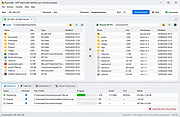 |
|
Simple Data Backup v10.0 Simple Data Backup v10.0 Simple Data Backup is free, easy and efficient backup software that creates non-proprietary backups. It can back up folders/files from one drive to another anytime you want on-demand (including with an optional direct shortcut on your desktop to run the backup), on a schedule, or at logon. Back up to another hard drive, network drive, flash drive, the 'cloud' (Internet server) via FTP, SSH, or WebDav, DVD (if packet-writing software is installed) and more. It can create identical folder/file structures on the backup drive, or can compress the data as .ZIP or LZMA-compressed .7z files. It can back up "in use" files (including Outlook data), monitor and alert you to any errors including potentially by email/SMS or reporting status to the web, and it automatically handles the whole full/incremental backup thing that other programs make you deal with. Simple Data Backup is powerful, stable, and secure, but also simple - just pick the folders you want to be backed up and a few settings and you're done! With over a decade of development behind it, Simple Data Backup is trusted and stable. Contains NO spyware, adware, viruses, or malware of any kind. Supports: Windows 10, 8.1, 8, 7, and corresponding Server OS's. The Free edition is perfectly functional, contains no ads, and will not nag you. However, some advanced functionality is disabled. Click here to visit the author's website. |
|
6,279 | May 14, 2021 Chris Long 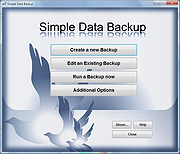 |
|
Simple Firefox Backup v1.2 Simple Firefox Backup v1.2 Every browser comes a new user profile where all of your favorites, page/search histories, addons, cookies, preferences and other settings are stored.Any computer user always runs the risk of losing his data due to program or computer crash. If you use Firefox as your Primary Browser, you may prefer to back up regularly to guard against the possibility that their profile gets corrupted or wiped after installing a new extension or a new version of Firefox. There are some ways to back up: 1. Use a backup utility 2. Do it yourself manually 3. Use Firefox Sync function Backing up Firefox manually is as simple as copying their respective profile folders to another location. For example; Key4.db : contains a key used to encrypt and decrypt saved passwords logins.json : stores the encrypted names and passwords Places.sqlite : stores the annotations, bookmarks, favorite icons, input history, keywords, and browsing history Cookies.sqlite : is used to store cookies between sessions If you do that, you’ll have a full backup with all your setting and personal data saved. Syncing is NOT as good as backing up because it is usually not Long-Term , syncing will not ensure that your files are safe and You can’t trust your vital computer data to syncing; you must back it up. When you back something up to a hard drive or external HDD/USB flash drive , they stay there until you decide to delete them. If you need a file from last week, last month or last year, it will be there exactly the way you backed it up. Backup and restore Your Firefox Bookmarks , Passwords and settings Backing up of important data is always a smart thing to do. “Simple Firefox Backup” is a portable Freeware Tool that will help you easily create back-up copies of your Mozilla Firefox data . ... |
|
4,576 | Apr 27, 2021 Sordum.org 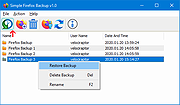 |
|
Syncthing v2.0.2 Syncthing v2.0.2 A continuous file synchronization program that securely syncs files between multiple devices. Syncthing is a continuous file synchronization program designed to keep files synchronized between two or more computers in real time. It replaces proprietary cloud sync and file-sharing services with an open, transparent, and decentralized solution that puts you fully in control of your data. All communication is encrypted, and no central server is required, ensuring privacy and security at all times. Syncthing automatically detects changes to files and folders and propagates them efficiently across connected devices. It supports versioning, conflict handling, and fine-grained folder controls, making it suitable for backups, collaborative work, or keeping data in sync across desktops, laptops, servers, and mobile devices. Features: • Continuous real-time file synchronization • Fully decentralized architecture with no central server • Secure encrypted connections between all devices • Open source and transparent design • Automatic discovery of devices on local networks • Global discovery option for syncing over the internet • File versioning and recovery options • Conflict detection and resolution handling • Web-based user interface for easy management • Cross-platform support for desktops and servers Supported operating systems: • Windows 7, Windows 8, Windows 10, Windows 11 • macOS 10.15 or higher Supported languages: English, Arabic, Bulgarian, Chinese, Croatian, Czech, Danish, Dutch, Finnish, French, German, Greek, Hebrew, Hungarian, Indonesian, Italian, Japanese, Korean, Norwegian, Polish, Portuguese, Romanian, Russian, Slovak, Spanish, Swedish, Turkish, Ukrainian Private & Secure • Private. None of your data is ever stored anywhere else other than on your computers. There is no central server that might be compromised, legally or illegally. • Encrypted. All communication is secured using TLS. The encryption used includes perfect forward secrecy to prevent any eavesdropper from ever gaining access to your data. • Authenticated. Every device is identified by a strong cryptographic certificate. Only devices you have explicitly allowed can connect to your ... |
|
3,525 | Jun 23, 2026 The Syncthing Project 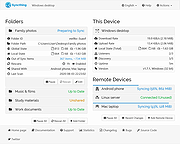 |
|
Tweaking.com - Registry Backup v4.0.0 Tweaking.com - Registry Backup v4.0.0 Registry Backup is a free backup tool that will use the Windows Volume Shadow Copy Service to backup your system registry. Key Features: The program is 100% free. One click backup and restore. Can restore from Windows Safe Mode. Portable version can be run from a thumb drive and keep backups of multiple systems. Automatic cleanup of older backups. Set and control scheduling options. Can backup & restore all user profiles on the system, not just the ones that are currently loaded. Control which registry files are backed up or restored. Detailed logs are saved with each backup. Multiple easy restore options. Online videos showing how to use the program and how to use the different restore options. Quick FAQ: Q: Does Tweaking.com - Registry Backup support Windows 2000 or older? A: The program only supports Windows XP and newer because older versions don't have the volume shadow copy service. For older operating systems I recommend my old favorite Erunt. Download - http://majorgeeks.com/Erunt_d1267.html Q: Why does the program use the Volume Shadow Copy Service instead of the RegSaveKey API like Erunt and others? A: Microsoft recommends using the Volume Shadow Copy to backup up the registry. This grabs a complete backup of the registry hives as they are. RegSaveKey function Quote From Microsoft: "Applications that back up or restore system state including system files and registry hives should use the Volume Shadow Copy Service instead of the registry functions." "Using RegSaveKey together with RegRestoreKey to copy subtrees in the registry is not recommended. This method does not trigger notifications and can invalidate handles used by other applications." By using the Volume Shadow Copy instead of the RegSaveKey API, this registry backup program is safer to use. Changelog: v4.0.0 Updated controls, bug fixes and code changes. Click here to visit ... |
|
11,292 | Mar 18, 2021 Tweaking.com 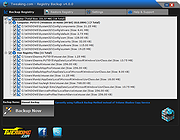 |
|
Vorn v1.0.3 Vorn v1.0.3 👉 Fast, private, crash-safe backup program with advanced features. Vorn is a modern local-first backup application designed to securely protect files without relying on cloud services, subscriptions, accounts, or telemetry. Instead of uploading data to external servers, Vorn stores everything inside a local vault controlled entirely by the user. The software uses content-addressable storage powered by BLAKE3 hashing, allowing duplicate data to be stored only once even across multiple backup sessions. This greatly reduces storage usage while improving backup efficiency. Vorn was built with reliability and data integrity in mind. It uses atomic writes, write-ahead logging, resumable operations, and integrity verification to help prevent corruption during crashes or unexpected shutdowns. Large files are automatically divided into chunks, making backups more resilient and easier to resume if interrupted. Optional gzip compression can reduce storage requirements further while maintaining compatibility with the portable vault format. The application features a clean desktop interface with dark and light themes, portable executables, and cross-platform support for Windows, macOS, and Linux systems. Since the backup vault is self-contained and self-describing, users can move backups between systems or restore files to different locations without depending on proprietary cloud infrastructure. Vorn is designed for users who want complete control of their backups while maintaining speed, privacy, and simplicity. Features: • Local-first backup architecture with no cloud dependency • Fully offline operation with no accounts or telemetry • Content-addressable storage using fast BLAKE3 hashing • Automatic deduplication across all backup sessions • Stores identical file content only once to save disk space • Chunked storage engine for efficient handling of large files • Resumable backup operations after interruptions or crashes • Atomic write protection for safer backup transactions • Write-ahead logging to improve recovery reliability • Self-describing portable vault format • Integrity verification to detect damaged or missing data • Optional gzip compression for reduced storage usage • Smart pruning system for reclaiming unused ... |
|
536 | May 29, 2026 Leonardo Ciaccio  |
|
Winamp Backup Tool v3.6.3 Winamp Backup Tool v3.6.3 Tired of losing your library database? Do you need the ability to move your Winamp config from one PC to another? Enjoy the ultimate Backup Tool for Winamp! The tool was written by Christoph Grether. A lot of people posted in the Winamp.com forums, that they have lost their library database, so I had the idea to create a Backup Tool, using NSIS as program language. The main idea was, that NSIS provides a step by step wizard for installers and already has a built-in localization system. So I decided to write the tool in 2010. Since I'm using Winamp for a very long time, I was aware about all dependencies with saved settings for the native components and for 3rd party components. Though, there were a lot of other problems, so I asked Paweł for help. He wrote a lot of backend code and code for the GUI, so that I had enough time to work on the main backup system. As of today, the tool is the best and most safe way to save all Winamp related settings, databases, skins, visualization presets etc. Even if some people still prepare to simply backup their Winamp settings folder, the tool is the better choice. Because the Winamp settings folder only holds settings for the native components (exluding Winamp Pro Registration Data, Skins, Vis Presets and especially 3rd party configuration files). Thanks go to Paweł Porwisz, who helped during the 1.0 period with a lot of code and Darren Owen. Features Allows you to backup/restore all of your Winamp settings, media library database, plugin settings, skins, visualization presets, tray control icon packs, file type icon libraries and even your Winamp Pro reg data! Allows you to create several zip compressed backup archives! Allows ... |
|
8,264 | May 15, 2019 Christoph Grether and Paweł Porwisz 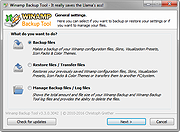 |
| Showing rows 1 to 37 of 37 | Showing Page 1 of 1 | 1 |
OlderGeeks.com Copyright (c) 2026
