|

|
Processed through Paypal No account required. |








Buy our over-priced crap to help pay the bills.



|
|
Processed through Paypal No account required. |
| File - Download Mini Diarium v0.6.3 | ||||||||
| Description | ||||||||
|
Always scroll to the bottom of the page for the main download link. We don't believe in fake/misleading download buttons and tricks. The link is always in the same place. Mini Diarium v0.6.3 👉 An encrypted offline journal app for private daily writing. Mini Diarium is a private offline journal app designed for users who want to keep a personal diary without relying on cloud services, online accounts, or telemetry. It stores your entries locally in an encrypted SQLite database and encrypts each entry with AES-256-GCM before it is written to disk, helping keep your writing under your control. Mini Diarium is built for daily journaling with a rich text editor, auto-save, calendar navigation, writing statistics, automatic backups, and import/export tools. It can import from Mini Diary, Day One, and jrnl, and export your journal to JSON or Markdown so your data is never locked in. It also supports password-based protection and optional key file authentication for an added layer of security. 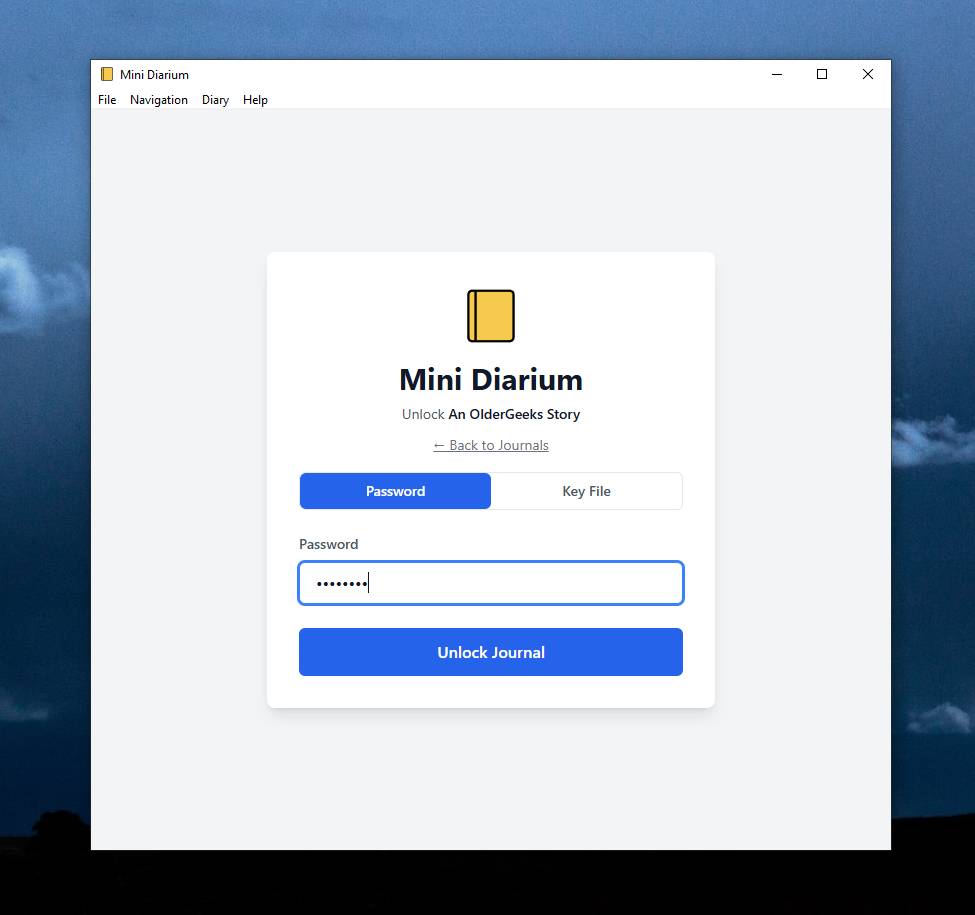 Features: • Offline-only journal with no cloud, no telemetry, and no network calls • AES-256-GCM encryption for entries stored on disk • Local-first encrypted SQLite database storage • Rich text editor with bold, italic, headings, lists, spellcheck, and auto-save • Calendar navigation for quickly jumping between entry dates • Import support for Mini Diary JSON, Day One JSON and TXT, and jrnl JSON • Export support for JSON and Markdown • Automatic backups of the encrypted database • Writing statistics including word count, streaks, active days, and total entries • Optional key file authentication in addition to password-based access • Keyboard shortcuts for faster journal navigation • Open source under the MIT License Supported operating systems: • Windows • macOS • Linux Supported languages: English Changes: v0.6.3 07-27-26 This release completes the in-app navigation migration with header day controls and a ⋮ menu, adds timeline display preferences and a donation page, and fixes Linux spell check. Internally, the backend is now a three-crate open-core workspace with a sealed API façade, and the Microsoft Store update pipeline is live. Added Website donation page: added a donation page at mini-diarium.com/donate/, reachable from a "Support the project" section on the homepage and a Donate link in the site-wide footer. It lists Ko-fi (card, PayPal, Apple Pay) and the Monero, Bitcoin, and Bitcoin-over-Lightning addresses, each with a copy-to-clipboard button, plus the same network-mismatch and traceability notes as DONATE.md. Donations were previously reachable only from the GitHub repo. Day navigation in the header (TODO-0063): the header date is now flanked by previous-day (◀) and next-day (▶) buttons, and clicking the date opens the Go to Date picker. These actions no longer require opening the OS menu bar. The next-day button respects the "allow future entries" preference, stopping at today when future entries are disabled. Statistics, Import, and Export are now always available from the app (TODO-0065): the header ⋮ menu always shows Preferences, Statistics, Import, and Export. None of them require a trip to the OS menu bar anymore. Timeline display preferences (TODO-0072, addressing #205): a new Timeline section under Preferences → Writing lets you shrink the timeline date column and hide the entry preview. Date format offers Full ("Monday, January 15, 2024"), Long, Medium, Short, and ISO (2024-01-15). Every style except ISO follows your interface language, and each option in the dropdown shows a live example using today's date. Show entry preview collapses each row to just the date and title when turned off, fitting more entries on screen. Both default to the previous behavior, so nothing changes unless you opt in. Screen readers always hear the full date, even when the visible column uses a short format. Changed The native OS menu is now just Preferences and Exit (TODO-0065): every other native menu item (Previous/Next Day, Go to Today, Go to Date, Previous/Next Month, Statistics, Import, Export, About) is gone now that all of them are reachable inside the app, from the header controls and the ⋮ menu. On Windows and Linux the menu bar is a single File menu. On macOS the Mini Diarium app menu keeps Preferences and Quit alongside the standard Services/Hide/Show All items (Edit and Window are untouched, since they back standard OS text-editing and window behavior). About now opens from the ⓘ button in the header, which already did the same thing. All keyboard shortcuts (Ctrl/Cmd+[, ], Shift+[, Shift+], T, G, F, ,) continue to work exactly as before. Fixed Spell check now works on Linux (TODO-0081, addressing #227): the "Enable spellcheck" preference silently did nothing on Linux, so misspelled words never got the red squiggly underline. It now works. Mini Diarium turns on spell checking and picks a dictionary based on your interface language, refined by your system locale's region when the two agree. Toggling the preference off removes the underlines immediately, with no restart needed. Windows and macOS are unchanged. The Flatpak build bundles dictionaries for all seven interface languages. The .deb/.rpm builds use your system's installed hunspell dictionaries, or you can drop your own into your enchant config directory. See Preferences → Spell check on Linux for details. Missing Linux spellcheck dictionary guidance: Preferences now gives plain-language recovery steps when spell checking is unavailable, including a link to Linux setup instructions and Flatpak repair guidance. Internal Native-menu removal and the JS shortcut layer (TODO-0065, closing TODO-0062/0063/0064): src-tauri/src/menu.rs now builds only the Preferences item, so menu-preferences is the only menu-* event the backend emits and MainLayout is its only listener. The LockableMenuItems managed state and update_menu_lock_state are gone (Preferences is always enabled), removing eight call sites across the auth commands and the AppHandle parameters that existed only to reach them. MenuLabels/update_menu_locale shrank to the two surviving labels across all six locales. The six removed accelerators are now a single keydown handler in the new src/lib/keyboard-shortcuts.ts (registered by MainLayout): it matches brackets on e.code, ignoring Alt so AltGr bracket input still reaches the editor. Their navigation logic moved into src/lib/day-navigation.ts (goToToday, goToPreviousMonth, goToNextMonth, the latter keeping the future-clamp). The "is any overlay open" guard that MainLayout used to duplicate is now a single isAnyOverlayOpen() in src/state/ui.ts, shared by all three consumers. inAppMenu feature flag graduated and retired (TODO-0065): the flag is gone from the FeatureFlag union and DEFAULTS, per the ADR's no-migration retirement rule. src/state/feature-flags.ts is now dormant infrastructure with an empty union. The next feature needing a runtime toggle adds three lines rather than rebuilding the store. Flags are declared in a FEATURE_FLAGS registry that pairs each with its label's i18n key. Preferences → Advanced → Experimental Features renders from that registry and hides itself entirely when it's empty, which is the case today. The inAppMenuLabel translation was deleted from en.ts and all six locale files. e2e/specs/header-actions.spec.ts no longer seeds the flag and instead adds a Ctrl+[ smoke check. That's the only proof the JS shortcut layer really replaced the OS accelerators in a real WebView. helpers.ts keeps its now-callerless setFeatureFlag helper on purpose, because the WebView2 reload gotcha it encodes is expensive to rediscover. The onboarding tour's Import step no longer needs a native-menu-bar fallback, which removed the last consumer of edgeHint. EdgeHint, computeEdgeHintPosition, and EdgeDot came out of OnboardingOverlay.tsx (the remaining cleanup is tracked as TODO-0062-01). Core-crate distribution decided (TODO-0084, open-core M4a): recorded the decision in docs/decisions/2026-07-core-crate-distribution.md, which settles how the two library crates (mini-diarium-core, mini-diarium-crypto) would reach a second consumer. The choice is a tagged git dependency. crates.io publication is deferred behind an explicit trigger, not rejected. A git submodule is rejected outright. The reasoning is a permanence asymmetry: a crates.io yank neither deletes the artifact nor frees the name, while a git dependency can always be upgraded to a published crate later. No second consumer exists yet, so publishing now would create a semver obligation with no matching benefit. Publishing is also transitive: shipping mini-diarium-core on crates.io would require publishing mini-diarium-crypto first, which is why "publish crypto only" is recorded as the fallback if a crate name ever comes under threat (all three names were unclaimed as of 2026-07-24, and leaving them unclaimed is a knowingly-accepted risk). Both library crates keep independent 0.x versions decoupled from the app's, stay out of bump-version.sh/.ps1, the pre-release guard, and RELEASING.md, and the pre-1.0/internal API.md contract is unchanged. Both API.md files, RELEASING.md, and OPEN_CORE_STRATEGY.md were updated to match. Documentation only, no code or behavior change. Filled in the Cargo manifest license and author metadata: none of the three crates declared a license, despite the repo being MIT, and all three carried a placeholder authors = ["you"]. Both are now correct (license = "MIT", repository, and the real copyright holder). This is a correctness fix made independently of the M4a distribution decision above, not publishing prep. One user-visible effect: Tauri derives the Debian package Maintainer field from the app crate's authors, so .deb releases previously shipped Maintainer: you. The Windows Installer Manufacturer field is unaffected, since tauri-utils derives bundle.publisher from the identifier (com.minidiarium → minidiarium), not from authors. Enabled the Microsoft Store update pipeline (TODO-0078): brought the never-run msstore-publish.yml to a working state and validated it end-to-end with a green dry run (draft submission created via --noCommit, confirmed PendingCommit, never published). The dry runs surfaced four fixes. The msstore publish call now uses Microsoft's documented MSIX package-update form, msstore publish <path-to-.msix> -id <productId>. It previously passed the product id as the positional project/URL argument. scripts/build-msix.ps1 is invoked directly in the already-shell: pwsh pack step, instead of through a nested pwsh that failed to resolve the script on the runner. An optional dry_run_version input lets the pipeline be validated against a branch that actually contains the msix/ tooling. No released tag at or before v0.6.2 does, since it was added hours after that tag, and such a tag's version wouldn't exceed the live Store package either. winget install failures are now fail-fast. PowerShell doesn't treat a nonzero winget exit code as terminating, so a transient download failure was previously swallowed until a confusing error showed up 15 minutes later in the pack step. Real releases are unaffected: they omit dry_run_version and derive the version from the tag. This also required a maintainer-side fix outside the codebase. The account had no Microsoft Entra tenant to associate with Partner Center, so a new tenant and app registration were created and the PARTNER_CENTER_* secrets rotated to match (see docs/RELEASING.md if this ever needs redoing). CI-only; the workflow still runs only when the five PARTNER_CENTER_*/MSSTORE_PRODUCT_ID secrets are configured. Donation-address consistency guard (bun run check:donation-addresses, wired into quick-check and pre-commit): re-derives each crypto address from its own checksum and requires every address to appear byte-identical in README.md, DONATE.md, and website/donate/index.html. It also scans tracked files for any unknown address-shaped string, so a typo'd or stray copy fails CI instead of risking funds sent to the wrong address. Pure-Node, like check:build-paths, so it can't silently pass where rg is absent. Hardened CI against two SonarCloud findings in .github/workflows/ci.yml: the d2 release-tarball download now resolves GitHub's redirect manually and asserts the resolved URL is HTTPS before fetching (no -L), closing a redirect-tampering vector (S6506). The bunx playwright step is now pinned to an exact version instead of letting the registry serve any release, closing an unversioned-dependency vector (S8543). Both rules are recorded as durable CI guidance in docs/best-practices/CI_BEST_PRACTICES.md. CI-only; no change to the shipped app. Moved the encrypted-row field codec into mini-diarium-crypto (TODO-0083, open-core M3b): the three field-codec helpers (encrypt_for_storage, decrypt_utf8, decrypt_bytes) that transform every entry/tag/image column between plaintext and at-rest ciphertext moved verbatim from mini-diarium-core's db/queries into a new mini_diarium_crypto::format module, keyed only by a cipher::Key. All plaintext↔ciphertext transforms now live in the rusqlite-free crate, so they're callable against any SQLite substitute. db/queries remains the desktop adapter (row assembly and SQL binding) behind that boundary and re-exports the codec under its historical names, so every call site compiles unchanged. The on-disk blob format is byte-identical, so no data migration is needed. This completes M3. It's a behavior-preserving code move with no user-visible change. Extracted the mini-diarium-crypto crate (TODO-0082, open-core M3a): the SQLite-free cryptographic code (AES-256-GCM, Argon2id, X25519/HKDF key wrapping, and the SecretBytes/KeypairFiles value types) moved into a new crates/mini-diarium-crypto/ library crate with no rusqlite dependency, keeping a future browser/WASM tier viable. mini-diarium-core now depends on it and re-exports the crypto/auth modules, so the M2 façade, the app crate, and the benches see an unchanged surface with no call-site edits. The db-coupled pieces (composed slot ops, encrypted-row format) stay in core for M3b. Behavior-preserving code move; no user-visible change. Architecture diagram: reflect the open-core workspace split (TODO-0079): split the backend block in architecture.d2/architecture-dark.d2 (and the ASCII quick-reference in the root CLAUDE.md) into the three workspace crates (app → core → crypto). Split the oversized mini-diarium-core modules before open-core M3 (TODO-0080): six core modules that exceeded the file-size thresholds, and that M3's storage boundary threads through, were cut into directory modules whose mod.rs re-exports the same names (export/markdown, db/queries/images, plugin/rhai_loader, plus a new DB-free search/text module), so every caller path resolves unchanged. Two files were split by size signal only, keeping their small production code in place and moving just their tests to an external file. The only production-code change is collapsing two byte-identical tag scanners into one. Behavior-preserving; no user-visible change. Closed the open-core M1/M2 review findings (TODO-0076 / TODO-0077 follow-up): the last database access outside the façade, the unlock screen's "which credentials does this journal want?" read, moved into core through the mandatory connection helper. rusqlite was dropped from the app crate entirely, so a direct driver call there is now a compile error, not just a convention violation. API.md was rewritten as an honest pre-1.0 contract (status, error policy, secret-handling and transaction semantics, frozen serde field names) rather than a symbol inventory, and stale build-path references (src-tauri/target/ → repo-root target/) were fixed and are now guarded by a new check:build-paths step. No user-visible change. mini-diarium-core façade API (TODO-0077, open-core M2): the core crate now exposes one deliberate public surface (open/unlock, entry CRUD, search, import/export, auth-slot management) instead of letting the app reach into internal module paths. db::queries/db::schema and the auth/export/import/plugin sub-modules are pub(crate), and the curated API is re-exported at each module root. DatabaseConnection::conn()/key() are sealed, so no raw rusqlite handle or master key can escape the crate. Serde field names are unchanged, so the IPC contract is untouched. Documented in crates/mini-diarium-core/API.md (pre-1.0, internal until M4). No user-visible change. Extracted the mini-diarium-core crate (TODO-0076, open-core M1 workspace split): the Rust backend is now a repo-root Cargo workspace. The Tauri-free business layer (crypto, auth, db, import/export, plugin, backup, config, domain types) moved into a new crates/mini-diarium-core/ library crate with zero tauri references. The app crate stays at src-tauri/ and depends on it via a path dependency, and its lib.rs re-exports the core modules so existing crate::db::… paths resolve unchanged. The shared release profile, Cargo.lock, and build target moved to the repo root, and CI/release/benchmark/flathub workflows, coverage tooling, Nix, Dependabot, and the docs were updated for the two-crate layout. Behavior-preserving code move; no user-visible change. Onboarding tour's Import step retargeted to the in-app ⋮ menu (TODO-0062, completing the in-app-menu migration begun in 0.6.2): the first-run tour's Import step now spotlights the header overflow trigger when the inAppMenu feature flag is on, and falls back transparently to the native-menu-bar edge hint when the flag is off (the default). This is no onboarding change in a default build. It was the last piece before the flag could graduate to on-by-default (TODO-0065, still approval-gated at the time). Consolidated the post-task completion checklist into a single source of truth at docs/best-practices/POST_TASK_BEST_PRACTICES.md: the scope-to-checks mapping, the E2E-only-when-needed rule, and the verbatim task-summary template. Root CLAUDE.md, CONTRIBUTING.md, scripts/README.md, and the domain CLAUDE.md files now point at it instead of duplicating the verification command list, and the CHANGELOG format spec was reconciled across the docs-sync-guardian agent, the release template, and the template block at the top of CHANGELOG.md. No production behavior change. 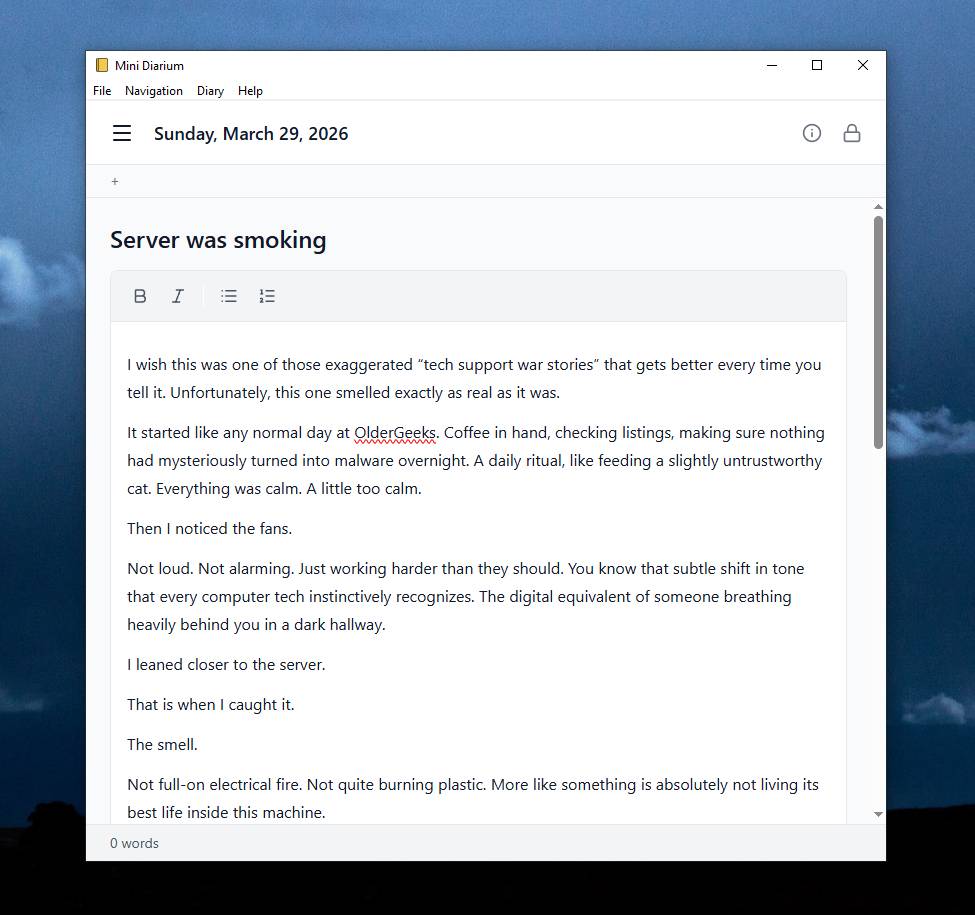 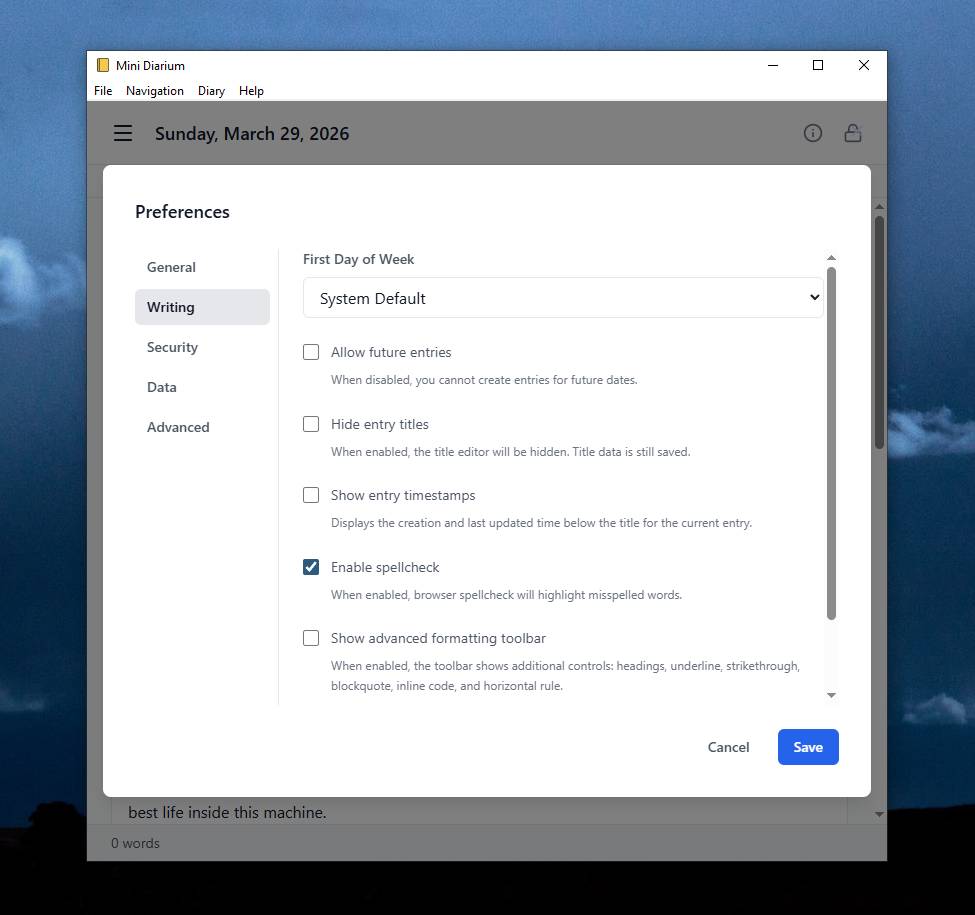 This download is for the Windows version (very bottom of page). All other download assets are below: macOS: Mini-Diarium-0.6.3-macos.dmg Linux: Mini-Diarium-0.6.3-linux.deb Mini-Diarium-0.6.3-linux.AppImage Click here to visit the author's website. Continue below for the main download link. |
||||||||
| Downloads | Views | Developer | Last Update | Version | Size | Type | Rank | |
| 776 | 3,696 | Francisco J. Revoredo | Jul 29, 2026 - 12:23 | 0.6.3 | 12.3MB | EXE |  , out of 7 Votes. , out of 7 Votes. |
|
| File Tags | ||||||||
| calendar memories writing notes offline private encrypted notebook journaling journal diary Diarium Mini markdown backup SQLite AES search | ||||||||
Click to Rate File Share it on Twitter → Tweet
|


