|

|
Processed through Paypal No account required. |








Buy our over-priced crap to help pay the bills.



|
|
Processed through Paypal No account required. |
| Files | ||||
| File Name | Rating | Downloads | ||
 |
BootVis 1.3.37.0 Customer research shows a frequently requested feature that users want from their PCs is fast system startup, whether from cold boot or when resuming from standby or hibernation. The Windows development team at Microsoft has taken bold steps in making fast startup PCs a reality with the Microsoft® Windows® XP operating system. The design goals for Windows XP on a typical consumer PC are: - Boot to a useable state in a total of 30 seconds - Resume from Hibernate (S4) in a total of 20 seconds - Resume from Standby (S3) in a total of 5 seconds Boot and resume times are measured from the time the power switch is pressed to being able to start a program from a desktop shortcut. |
 |
9,853 | Apr 07, 2012 Microsoft |
 |
DebugView v5.02 DebugView v5.02 👉 Monitor local and remote Windows debug output in real time. DebugView is a Sysinternals utility that captures and displays both Win32 and kernel-mode debug output from your local system or from remote computers you can reach over TCP/IP. It is designed for developers, administrators, and troubleshooters who want to view debug messages without attaching a traditional debugger. DebugView can also recover kernel-mode debug output from crash dump files when it was capturing at the time of the crash, and it includes tools for filtering, logging, searching, printing, and managing captured output. Features: • Captures Win32 OutputDebugString output • Captures kernel-mode DbgPrint output • Captures all kernel-mode DbgPrint variants implemented in Windows and Windows Server • Monitors debug output from local or remote computers over TCP/IP • Supports simultaneous monitoring of multiple remote systems • Recovers kernel-mode debug output from crash dump files when capture was active • Includes filtering and highlighting options for debug output • Lets you toggle display of process IDs for Win32 debug output • Copies selected output lines to the clipboard • Logs captured debug output to a file • Loads saved log files back into the output window • Prints all or part of captured output • Runs as a single executable file • Requires administrative privileges to view kernel-mode debug output Supported operating systems: • Windows Vista, Windows 7, Windows 8, Windows 10, Windows 11, Server Supported languages: English Changes: v5.02 06-17-26 Command-line interface (DbgViewCLI): A new standalone command-line tool (dbgviewcli.exe) provides full debug capture capabilities from the terminal. Designed for scripted, automated, and AI-agent-driven workflows with bounded execution, machine-readable output, and process-specific filtering. See the DbgViewCLI section below for full details. AI-agent automation parameters: New CLI options (--duration, --max-lines, --wait-for, --tail, --no-banner, --status, --pid-filter, --process-filter) guarantee bounded execution and clean output for programmatic use by coding agents. Embedded agent skills with one-command install: DbgViewCLI embeds agent skill files as a binary resource and can ... |
 |
746 | Aug 04, 2026 Microsoft Corp. 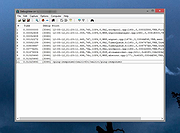 |
|
Fido v1.70 Fido v1.70 👉 PowerShell tool for downloading official Microsoft Windows retail ISO and UEFI Shell images. Fido is a PowerShell script designed primarily for use with Rufus, but it can also be used standalone to automate access to official Microsoft Windows retail ISO download links and provide convenient access to bootable UEFI Shell images. It helps simplify the process of obtaining official Windows installation media directly from Microsoft, while also offering command-line options for selecting Windows version, release, edition, language, architecture, or just retrieving the direct download URL. Features: • Automates access to official Microsoft Windows retail ISO download links • Can also download bootable UEFI Shell images • Works as a standalone PowerShell script or alongside Rufus • Supports command-line mode as well as GUI operation • Lets you choose Windows version, release, edition, language, and architecture • Can display the direct download URL instead of starting the download automatically • Attempts to match the system locale for language selection when not specified • Attempts to match the current system architecture when not specified Supported operating systems: • Windows 8, Windows 8.1, Windows 10, Windows 11 Supported languages: • English Changes: v1.70 03-30-26 Add Windows 11 23H2 v2 downloads (with thanks to @ave9858) 1 👉 2 👉 3 👉 4 👉 5 👉 6 👉 Click here to visit the author's website. |
|
4,417 | Apr 23, 2026 Pete Batard 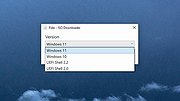 |
|
Hasleo Windows ISO Downloader v3.2 Hasleo Windows ISO Downloader v3.2 👉 Free tool to download official Windows 11/10 installation ISO files directly from Microsoft. Hasleo Windows ISO Downloader is a small free utility that helps you download official Windows 11 and Windows 10 installation ISO files directly from Microsoft's website. It supports x86, x64, and ARM64 Windows installation ISOs, lets you copy the generated download link for use with a third-party downloader, requires no installation, and is designed to be simple and easy to use. Features: • Download official Windows 11 and Windows 10 installation ISO files from Microsoft's website • Supports x86, x64, and ARM64 installation ISO downloads • Can copy the generated download link for use with third-party download tools • No installation required • Small, simple, and easy to use • Completely free Supported operating systems: • Windows 8.1, Windows 10, Windows 11 Supported languages: English Changes: v3.2 05-06-26 Fixed bug: Failed to retrieve the correct ISO download URL after changing the language in some cases. Click here to visit the author's website. |
|
5,513 | May 08, 2026 Hasleo Software 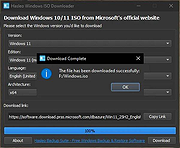 |
|
KillWindowsAI v2.0.0 KillWindowsAI v2.0.0 👉 Safely Remove Copilot, Recall and More in Windows 11. KillWindowsAI is a free utility designed to help users disable or remove AI-related features and components from Windows 11. It provides an easy-to-use interface for managing features such as Microsoft Copilot, Recall, Widgets, telemetry-related components, and other integrated AI services that some users may prefer not to use. KillWindowsAI includes both graphical and command-line modes, making it suitable for casual users as well as advanced administrators who want more control over Windows AI functionality. • Disable or remove Microsoft Copilot components • Remove or disable Windows Recall functionality • Manage Widgets and AI-related Windows features • Supports graphical user interface and command-line usage • Includes dry-run simulation mode before applying changes • Backup and restore options for safer configuration changes • Simple one-file PowerShell-based utility • Designed for advanced Windows privacy and customization control • Portable operation without traditional installation Supported operating systems: Windows 11 Disable vs Remove (Important): • Disable Uses supported registry and policy settings. Reversible and generally safe across Windows updates. • Remove Removes AppX and provisioned packages and disables related tasks. Some components may be reinstalled by future Windows updates and may require repair or reinstall to fully undo. The UI clearly labels these options and shows what will be affected. How to use:: 1) Unzip folder. 2) Run KillWindowsAI.cmd. 3) Allow PowerShell prompt. If Windows SmartScreen appears: • Click More info • Click Run anyway The program will automatically request administrator privileges if required. Changes: v2.0.0 01-22-26 Major reliability update for Windows 11 24H2 / 25H2 Fixed Fixed issue where a PowerShell window briefly appeared and closed with no interface. Fixed failure caused by users selecting “Run with PowerShell” from Explorer. Fixed failure when script is launched from inside the Windows ZIP preview (virtual temp path issue). Fixed UI failing to initialize due to PowerShell not running in STA mode. Fixed silent exits caused by restricted PowerShell host ... |
|
1,063 | May 24, 2026 OlderGeeks.com 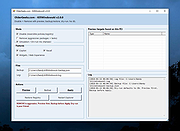 |
|
Microsoft Autoruns v14.3 Microsoft Autoruns v14.3 👉 See everything that starts automatically with Windows. Microsoft Autoruns is a powerful Sysinternals utility that shows what programs, drivers, services, browser add-ons, scheduled tasks, codecs, shell extensions, Winlogon entries, and other components are configured to run automatically during system boot, login, or when Windows applications start. Features: • Displays one of the most complete views of Windows auto-start locations • Shows startup programs, drivers, services, Explorer extensions, browser helper objects, toolbars, codecs, scheduled tasks, Winsock providers, and more • Hide Signed Microsoft Entries option helps focus on third-party items • View auto-start entries for different user accounts • Disable entries by unchecking them • Delete unwanted auto-start configuration entries • Jump directly to Registry or file system locations • Verify digital signatures • VirusTotal integration for hash checking • Includes Autorunsc command-line version with CSV, tab-delimited, XML, hash, signature, and offline Windows scan options Supported operating systems: • Windows Supported languages: Operating system language. Changes: v14.3 06-17-26 Not provided. Click here to visit the author's website. |
|
11,596 | Sep 16, 2026 Microsoft Corp. 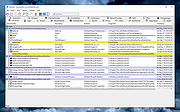 |
 |
Microsoft Bob v1.00a Microsoft Bob v1.00a A disk image (ISO) of Microsoft Bob. For use on a very old computer or a virtual machine. Microsoft Bob was Microsoft’s quirky attempt in the mid-90s to make computers easier for beginners. Instead of the typical Windows desktop, it gave users a cartoon-style house where rooms represented different computer tasks. Want to write a letter? Click the desk. Need to do math? Click the calculator on the shelf. It also came with friendly cartoon guides, like Rover the dog, to help walk you through things—kind of like an early (and less annoying) version of Clippy from Microsoft Office. Bob had good intentions, but it was slow, weird, and most people didn’t like it. It quickly became one of Microsoft’s most famous flops, but it did leave behind some legacies—like inspiring Comic Sans and parts of later Windows helpers. Click here to visit the author's website. |
|
982 | Jun 02, 2025 Microsoft 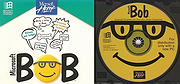 |
|
Microsoft Disk2vhd 2.01 Microsoft Disk2vhd 2.01 Disk2vhd is a utility that creates VHD (Virtual Hard Disk - Microsoft’s Virtual Machine disk format) versions of physical disks for use in Microsoft Virtual PC or Microsoft Hyper-V virtual machines (VMs). The difference between Disk2vhd and other physical-to-virtual tools is that you can run Disk2vhd on a system that’s online. Disk2vhd uses Windows’ Volume Snapshot capability, introduced in Windows XP, to create consistent point-in-time snapshots of the volumes you want to include in a conversion. You can even have Disk2vhd create the VHDs on local volumes, even ones being converted (though performance is better when the VHD is on a disk different than ones being converted). It will create one VHD for each disk on which selected volumes reside. It preserves the partitioning information of the disk, but only copies the data contents for volumes on the disk that are selected. This enables you to capture just system volumes and exclude data volumes, for example. Note: Virtual PC supports a maximum virtual disk size of 127GB. If you create a VHD from a larger disk it will not be accessible from a Virtual PC VM. To use VHDs produced by Disk2vhd, create a VM with the desired characteristics and add the VHDs to the VM’s configuration as IDE disks. On first boot, a VM booting a captured copy of Windows will detect the VM’s hardware and automatically install drivers, if present in the image. If the required drivers are not present, install them via the Virtual PC or Hyper-V integration components. You can also attach to VHDs using the Windows 7 or Windows Server 2008 R2 Disk Management or Diskpart utilities. Note: do not attach to VHDs on the same system on which you created them if you plan on booting from them. If you do so, Windows will ... |
|
11,153 | Sep 07, 2016 Microsoft Corp. |
|
Microsoft Edge Browser (Latest) Microsoft Edge Browser (Latest) The browser for business is here. Built on Chromium open source, backed by Microsoft security and innovation. Supports IE Apps and sites Open Internet Explorer-based legacy apps and sites—and the modern web—all while staying in Microsoft Edge. Protects your users and data Microsoft Edge has the highest-rated protection against phishing and malware to help protect your network from external threats. Empowers productivity Microsoft Edge turns every new tab into a portal for productivity with quick access to Office apps, files, sites and built-in Microsoft Search. Unlocks remote work Use Microsoft Edge across your devices whether at home or work with cross-platform support and profiles that sync. Access legacy Internet Explorer-based sites in Microsoft Edge Microsoft Edge with Internet Explorer (IE) mode is the only browser with built-in compatibility for legacy sites and apps. Set up IE mode Improve compatibility, retain value, and streamline productivity with Microsoft Edge and Internet Explorer mode. LEARN MORE Harness Microsoft 365 Microsoft Edge seamlessly works with Microsoft 365 management, security, and productivity tools. Work across platforms Available on supported versions of Windows, macOS, iOS, Android, and Linux (coming soon). Easy sync Have your favorites, passwords, settings, and more with you on home, work, or mobile devices. Security and Protection for your users and data With built-in tools and support for Microsoft 365 security, Microsoft Edge provides a comprehensive approach to browser security on your endpoints. SmartScreen Microsoft Edge has the highest-rated protection against phishing and malware. Conditional Access Single-sign on and native Azure Active Directory Conditional Access allow IT to securely manage access to corporate data using identity. Application Guard Run Microsoft Edge in an isolated container to help prevent bad actors from infiltrating the device OS or corporate network. Information Protection Separate corporate data and control how it’s copied, pasted, or otherwise used with native support for Windows Information Protection. Data Loss Prevention (DLP) Microsoft Endpoint DLP is natively supported so organizations can easily extend their control over data when accessed from the browser. Tracking Prevention Control how ... |
|
5,053 | May 29, 2022 Microsoft Corp. 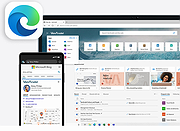 |
|
Microsoft Edge Remover v2.6 Microsoft Edge Remover v2.6 Remove Microsoft Edge Chromium , and Microsoft Edge UWP (<20H1) from Windows PC. Microsoft Edge Remover is a tool designed to help Windows users remove Microsoft Edge Chromium and Edge UWP from their devices. By removing Microsoft Edge, users can free up space on their devices and eliminate any unwanted software. IMPORTANT NOTES: 1) Right-click on the file after downloading and choose to "Run as Administrator". 2) This will remove Edge as soon as you run the file. It won't ask... it will just do it. Be sure you want to do this before running the file. 3) If you want Edge back, go here: https://www.microsoft.com/en-us/edge/download?form=MA13FJ System Requirements The Microsoft Edge Remover tool requires a Windows operating system to function. It is compatible with Windows 10 (all versions) and Windows 11. Before using the tool, it is important to ensure that the user's device meets the system requirements. This will ensure that the tool runs smoothly and effectively removes Microsoft Edge Chromium and Edge UWP. The tool may also require administrator permission to run, depending on the user's version of Windows. By having the correct system requirements, users can be confident that the Microsoft Edge Remover tool will work efficiently on their device. Changes: v2.6 NEW! Removing the GUI and make the script simplifier! FIX Using the ShadowWhisperer's way to remove UWP Edge. ATTENTION! Because of breaking of some apps, Edge WebView will not be removed in this script. Also EdgeUpdate its not removed because updating of Edge Webview and it don't download Edge. Click here to visit the author's website. |
|
2,668 | May 17, 2023 John Bar  |
|
Microsoft Expression Design 4 (Free Version) Microsoft Expression Design 4 (Free Version) The convenience and ease of editing vector graphics in Expression Design can be a cornerstone of your Windows Presentation Foundation (WPF), Microsoft Silverlight, and web images. Whether you're a veteran professional illustrator, a designer building a dazzling website, or a budding artist eagerly experimenting with various styles and techniques, you will find Expression Design an indispensable tool for your creative tasks. Expression Design is now available as a free download from the Microsoft Download Center, and no new versions will be developed. Note from OlderGeeks: Disregard the file name (Design_Trial_en.exe). Before pulling this file from their website, Microsoft made it free. Supported Operating System Windows 7, Windows 8, Windows 10, Windows Vista, Windows XP PC with 1 GHz or faster processor 1 GB of RAM or more 2 GB or more of available hard-disk space .NET Framework 4.0 Silverlight 4.0 Support for Microsoft DirectX® 9.0 graphics with Windows Vista Display Driver Model (WDDM) Driver, 128 MB of graphics RAM or more, Pixel Shader 3.0 in hardware, 32-bits per pixel DVD compatible drive 1024 x 768 or higher resolution monitor with 24-bit color Internet functionality requires Internet access (additional fees may apply) Some product features require FireFox 3.0 or later, Internet Explorer 8 Actual requirements and product functionality may vary based on your system configuration and operating system. Click here to visit the ... |
|
4,748 | Jan 14, 2021 Microsoft Corp. 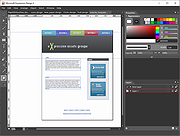 |
|
Microsoft Expression Web 4 (Free Version) Microsoft Expression Web 4 (Free Version) Expression Web is a full-featured professional tool for designing, developing, and publishing compelling, feature-rich websites that conform to web standards. Expression Web 4 gives you the tools you need to produce high-quality, standards-based Web sites: built-in support for today’s Web standards, sophisticated CSS design capabilities, and visual diagnostic tools. Whether you work with PHP, HTML/XHTML, CSS, JavaScript, ASP.NET or ASP.NET AJAX, Expression Web makes it faster and easier to create and maintain exceptional web sites. Supported Operating System Windows 7, Windows 8, Windows 10, Windows Vista, Windows XP PC with 1 GHz or faster processor 1 GB of RAM or more 2 GB or more of available hard-disk space .NET Framework 4.0 Silverlight 4.0 Support for Microsoft DirectX® 9.0 graphics with Windows Vista Display Driver Model (WDDM) Driver, 128 MB of graphics RAM or more, Pixel Shader 3.0 in hardware, 32-bits per pixel DVD compatible drive 1024 x 768 or higher resolution monitor with 24-bit color Internet functionality requires Internet access (additional fees may apply) Some product features require FireFox 3.0 or later, Internet Explorer 8 ... |
|
6,303 | Jan 13, 2021 Microsoft Corp. 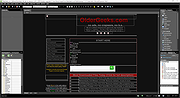 |
|
Microsoft Handle v5.0 Microsoft Handle v5.0 Free tool to search for open file references in Windows. Ever wondered which program has a particular file or directory open? Now you can find out. Handle is a utility that displays information about open handles for any process in the system. You can use it to see the programs that have a file open, or to see the object types and names of all the handles of a program. Installation You run Handle by typing "handle". You must have administrative privilege to run Handle. Usage Handle is targeted at searching for open file references, so if you do not specify any command-line parameters it will list the values of all the handles in the system that refer to open files and the names of the files. It also takes several parameters that modify this behavior. Click here to visit the author's website. |
|
2,540 | Oct 28, 2022 Microsoft Corporation 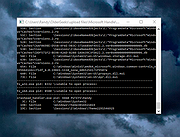 |
|
Microsoft Kodu Game Lab v1.5.53.0 Microsoft Kodu Game Lab v1.5.53.0 Kodu is a new visual programming language made specifically for creating games. It is designed to be accessible for children and enjoyable for anyone. The visual nature of the language allows for rapid design iteration using only an Xbox game controller for input (mouse/keyboard input is also supported). Kodu lets kids create games on the PC and Xbox via a simple visual programming language. Kodu can be used to teach creativity, problem solving, storytelling, as well as programming. Anyone can use Kodu to make a game, young children as well as adults with no design or programming skills. Since Kodu's introduction in 2009, we have visited the White House, teamed up with great groups like NCWIT and DigiGirlz, inspired academic research and been the subject of a book (Kodu for Kids). Kodu for the PC is available to download for free. Kodu for the Xbox is also available in the USA on the Xbox Marketplace, in the Indie Games channel for about $5. Supported Operating System Windows 10 , Windows 7, Windows 8, Windows Vista, Windows XP A graphics card that supports DirectX 9.0c and Shader Model 2.0 or higher is required. .NET Framework 4.0 or higher is required. XNA Framework 4.0 Redistributable is required. Click here to visit the author's website. |
|
9,605 | Apr 16, 2020 Microsoft Corp.  |
|
Microsoft Money Plus Home & Business Sunset v17.0.150.3817 Microsoft Money Plus Home & Business Sunset v17.0.150.3817 👉 Free offline software for managing personal finances, small-business expenses, and invoices. Microsoft Money Plus Home & Business Sunset combines personal financial management with tools for keeping track of small-business finances. Organize accounts, record income and expenses, monitor spending, manage investments, and create financial reports. The Home & Business edition also includes invoicing tools for preparing customer invoices with your business information. Money Invoice Designer lets you customize invoices with your business name, address, and logo. Financial information is organized into sections for accounts, bills, reports, and investments, helping you review household and business activity in one application. The Sunset edition was released after Microsoft discontinued the Money product line. It removes the activation requirement, allowing installation and reinstallation without contacting an activation server. You can install it as a standalone program without owning an earlier edition. Features: • Manage personal and business financial accounts. • Record income, expenses, deposits, and payments. • Organize transactions into spending categories. • Create budgets and monitor spending. • Review account balances and cash flow. • Generate financial reports. • Track investments and manually update investment prices. • Create customer invoices with Money Invoice Designer. • Customize invoices with your business name, address, and logo. • Use Insights alerts to monitor upcoming bills, spending, and cash flow. • Import OFX or QIF statement files downloaded separately from your financial institution. • Open and convert compatible files from earlier U.S. editions of Microsoft Money. • Protect Money data files with a standard Money password. • Access a local Help file. • Install and reinstall without product activation. Important information: This is discontinued software. ... |
|
97 | Oct 06, 2026 Microsoft Corp. 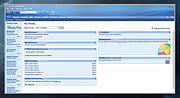 |
|
Microsoft Money Plus Sunset Deluxe v17.0.120.3817 Microsoft Money Plus Sunset Deluxe v17.0.120.3817 👉 Free personal finance management software for tracking accounts, budgets, and investments. Microsoft Money Plus Sunset Deluxe is a discontinued but still widely used personal finance application from Microsoft, released as a free version after the product line was retired. It allows users to manage bank accounts, track spending, create budgets, monitor investments, and generate detailed financial reports—all without requiring online services. This “Sunset” edition removes all online features such as automatic bank downloads and bill pay services, allowing the program to function indefinitely without activation or Microsoft services. It is especially useful for users who prefer a local, offline financial tracking solution or who need continued access to existing Money data files. Microsoft Money Plus Sunset Deluxe supports importing and working with existing Money files, providing a familiar interface for long-time users while maintaining core functionality for managing personal finances. Features: • Manage bank accounts, credit cards, and cash accounts • Track income, expenses, and spending categories • Create and monitor budgets • View financial summaries and reports • Manage investments and track portfolio performance • Import and use existing Microsoft Money data files • Offline functionality with no activation required • Simplified interface based on Microsoft Money Plus More Information: • Microsoft Money Plus Sunset Deluxe is provided as-is with no support or updates from Microsoft • All online services have been permanently removed and are not available • Designed primarily for users of earlier Microsoft Money versions needing continued access • Cannot download transactions, stock quotes, or perform online bill payments • No activation is required, and the software will not expire Supported operating systems: • Windows XP, Windows Vista, Windows 7, Windows 8, Windows 10, Windows 11 Supported languages: English Changes: v17.0.120.3817 Not Provided Click here to visit the author's website. |
|
17,979 | Jul 29, 2026 Microsoft Corp. 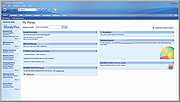 |
|
Microsoft PID Checker v1.49 Microsoft PID Checker v1.49 Microsoft PID Checker validates Microsoft Product Keys for Microsoft Windows, Office, Visual Studio, SQL and others. Microsoft PID Checker can validate Microsoft Product Keys from the following: Windows 7 / Server 2008 R2 Windows 8 / Server 2012 Windows 8 / Server 2012 CSVLK Windows 8.1 / Server 2012 R2 Windows 8.1 / Server 2012 R2 CSVLK Windows 8.1 / Server 2012 R2 preRTM Windows 8.1.1 / Server 2012 R2 Update1 Windows 8.1.1 / Server 2012 R2 Update1 CSVLK Windows 10 / Server 2016 (10240) Windows 10 / Server 2016 CSVLK (10240) Windows 10 / Server 2016 (10586) Windows 10 / Server 2016 CSVLK (10586) Windows 10 / Server 2016 RS1 RTM (14393) Windows 10 / Server 2016 RS1 RTM CSVLK (14393) Windows 10 / Server 2016 RS2 RTM (15063) Windows 10 / Server 2016 RS2 RTM CSVLK (15063) Windows Vista / Server 2008 Windows Embedded Standard 7 Windows Embedded Standard 8 Windows Embedded Standard 8 CSVLK Windows Embedded Industry Pro 8 Windows Embedded Industry 8.1 Windows Embedded POSReady 7 Windows Embedded Compact 2013 Windows Home Server 2011 Windows Storage Server Essentials 2011 Windows ThinPC Embedded Windows ThinPC Embedded Standard Exchange Server 2010 Exchange Server 2013 Exchange Server 2016 Office 2010 Office 2010 KMS Host Office 2013 Office 2013 KMS Host Office 2016 Office 2016 KMS Host Office Online Server 2016 Office Web Apps / Sharepoint Server 2010 Office Web Apps / Sharepoint Server 2013 Office Web Apps / Sharepoint Server 2016 Server Essentials 2012 R2 Small Business Server 2011 Storage Server 2012 R2 SQL Server 2012 SQL Server 2014 SQL Server 2016 Visual Studio 2010 Visual Studio 2012 Visual Studio 2013 Visual Studio 2015 Visual Studio 2017 |
|
6,640 | Mar 28, 2019 user_hidden 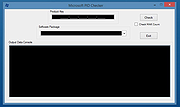 |
|
Microsoft PowerToys v0.101 Microsoft PowerToys v0.101 Windows system utilities to maximize productivity Microsoft PowerToys is a set of utilities for power users to tune and streamline their Windows experience for greater productivity. Features: • Advanced Paste - A tool that enables you to paste the text from your clipboard into any format needed. It can paste as plain text, Markdown, or JSON directly with the interface or with a direct keystroke. These actions are executed entirely on your local machine. An optional AI-powered feature is also available. • Always on Top - A system-wide Windows utility to pin windows above other windows. • PowerToys Awake - A tool designed to keep a computer awake without having to manage its power and sleep settings. This is useful when running time-consuming tasks and preventing the computer from sleeping or turning off its screens. • Command Not Found - A PowerShell 7 module that detects command-line errors and suggests a relevant WinGet package to install, if available. • Color Picker - A system-wide color picking utility for selecting colors from any screen and copying them to the clipboard in a configurable format. • Command Palette - Provides fast access to frequently used commands, applications, development tools, and extensions from a customizable and extensible launcher. Command Palette is intended to be the successor to PowerToys Run. • Crop And Lock - Allows you to crop a current application into a smaller window or create a thumbnail of it. • CursorWrap - Allows the mouse pointer to wrap around the edges of the screen, moving it to the opposite edge when it reaches a boundary. • Environment Variables - Provides an easy way to manage environment variables and create profiles containing groups of variables. Profile variables can take precedence over User and System variables. • FancyZones - A window manager for arranging and snapping windows into efficient custom layouts. Windows can ... |
|
7,270 | Aug 25, 2026 Microsoft Corp.  |
|
Microsoft Process Monitor v4.01 Microsoft Process Monitor v4.01 Process Monitor is an advanced monitoring tool for Windows that shows real-time file system, Registry and process/thread activity. It combines the features of two legacy Sysinternals utilities, Filemon and Regmon, and adds an extensive list of enhancements including rich and non-destructive filtering, comprehensive event properties such as session IDs and user names, reliable process information, full thread stacks with integrated symbol support for each operation, simultaneous logging to a file, and much more. Its uniquely powerful features will make Process Monitor a core utility in your system troubleshooting and malware hunting toolkit. Overview of Process Monitor Capabilities Process Monitor includes powerful monitoring and filtering capabilities, including: • More data captured for operation input and output parameters • Non-destructive filters allow you to set filters without losing data • Capture of thread stacks for each operation make it possible in many cases to identify the root cause of an operation • Reliable capture of process details, including image path, command line, user and session ID • Configurable and moveable columns for any event property • Filters can be set for any data field, including fields not configured as columns • Advanced logging architecture scales to tens of millions of captured events and gigabytes of log data • Process tree tool shows relationship of all processes referenced in a trace • Native log format preserves all data for loading in a different Process Monitor instance • Process tooltip for easy viewing of process image information • Detail tooltip allows convenient access to formatted data that doesn't fit in the column • Cancellable search ... |
|
8,083 | Jun 24, 2024 Microsoft Corp. 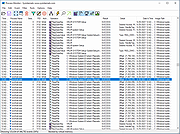 |
|
Microsoft RAMMap v1.60 Microsoft RAMMap v1.60 Have you ever wondered exactly how Windows is assigning physical memory, how much file data is cached in RAM, or how much RAM is used by the kernel and device drivers? RAMMap makes answering those questions easy. RAMMap is an advanced physical memory usage analysis utility for Windows Vista and higher. It presents usage information in different ways on its several different tabs: Use Counts: usage summary by type and paging list Processes: process working set sizes Priority Summary: prioritized standby list sizes Physical Pages: per-page use for all physical memory Physical Ranges: physical memory addresses File Summary: file data in RAM by file File Details: individual physical pages by file Use RAMMap to gain understanding of the way Windows manages memory, to analyze application memory usage, or to answer specific questions about how RAM is being allocated. RAMMap’s refresh feature enables you to update the display and it includes support for saving and loading memory snapshots. For definitions of the labels RAMMap uses as well as to learn about the physical-memory allocation algorithms used by the Windows memory manager, please see Windows Internals, 5th Edition. Runs on: Client: Windows Vista and higher. Server: Windows Server 2008 and higher. Attention: After unzipping the file, you MUST run RAMMap.exe NOT RAMMap64a.exe regardless of which version of Windows you have. Click here to visit the author's website. |
|
10,243 | Nov 05, 2020 Microsoft Corp. 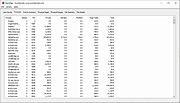 |
|
Microsoft Safety Scanner v1.457.193.0 Microsoft Safety Scanner v1.457.193.0 👉 On-demand malware scanner from Microsoft. Microsoft Safety Scanner is a free security tool designed to find and remove malware from Windows systems. It provides on-demand scanning with the latest malware definitions and is intended to complement, not replace, a full-time antivirus solution. The tool can be run directly after download, making it useful for quick system checks or emergency malware removal. Microsoft Safety Scanner uses the same detection engine as Microsoft Defender and allows users to perform quick scans, full system scans, or customized scans of specific folders and drives. Because it is updated frequently, users must download the latest version each time they want to run a scan, as older versions expire after a limited time. Features: • Uses Microsoft Defender malware detection engine • Quick scan, full scan, and custom scan options • Detects and removes viruses, spyware, and other malicious software • Simple interface for easy operation • Frequently updated definitions for current threats • Can be run alongside existing antivirus software • Ideal for troubleshooting infected systems Supported operating systems: • Windows 10, Windows 11, Windows Server 2016, Windows Server 2019, Windows Server 2022 Supported languages: All languages supported by Windows (uses system language) Changes: v1.457.193.0 08-16-26 Not Provided This download is for the Windows 64bit version (very bottom of page). If you need the Windows 32bit version, download here. Click here to visit the author's website. |
|
6,815 | Aug 16, 2026 Microsoft Corp. 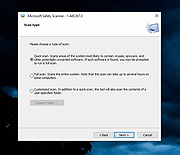 |
|
Microsoft Show or Hide Updates Troubleshooter (wushowhide) Microsoft Show or Hide Updates Troubleshooter (wushowhide) Temporarily prevent Windows updates or driver updates from being installed. To run the troubleshooter, open wushowhide.diagcab, select Next, and then follow the instructions in the troubleshooter to hide the problematic driver or update. Click here to visit the author's website. |
|
8,020 | May 03, 2024 Microsoft Corp. 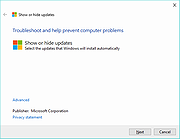 |
|
Microsoft Small Basic v1.2 Microsoft Small Basic v1.2 Every kid can code. Small Basic is the only programming language created specially to help students transition from block-based coding to text-based coding. By teaching the fundamental elements of syntax-based languages in an approachable manner, Small Basic gives students the skills and confidence to tackle more complex programming languages such as Java and C#. You can also build applications for Kinect, Lego Mindstorm, Raspberry Pi, Arduino, Oculus Rift, and more using Small Basic. For ages 7 to 107, Small Basic is one of the easiest ways to learn to code. Small Basic combines a friendly environment with a very simple language and a rich and engaging set of libraries to make your programs and games pop! In a matter of few lines of code, you will be well on your way to creating your very own game! With smart coding hints from IntelliSense, Small Basic makes writing code a breeze. Social Share your programs with your friends and let them import your published programs and run them on their computer. Using the Silverlight player, you can even post your games on your own blogs and websites and play them in the browser. Gradual Learn programming concepts starting with the fundamentals and move your way up. Small Basic is based on .NET and what you learn here could be easily applied to other .NET programming languages like Visual Basic. And when you graduate to Visual Basic, you can bring your existing programs with you using a built-in conversion utility. Why Learn to Code? You might be wondering: why should I learn to code anyways? Coding is a fun way to express your imagination, creativity, and logical thinking all at once! When you learn to code, you develop various skills, such as how to break down complex problems and solve them ... |
|
6,313 | Jan 14, 2025 Microsoft Corp. 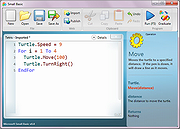 |
|
Microsoft Solitaire and Spider Solitaire from Windows XP Microsoft Solitaire and Spider Solitaire from Windows XP Microsoft Solitaire and Spider Solitaire extracted from Windows XP For Windows XP through Windows 10 And for Linux with WINE Included: cards.dll No installation required Click here to visit the author's website. |
|
5,456 | Mar 04, 2020 Microsoft Corp. 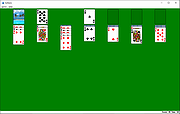 |
|
Microsoft Start Menu Troubleshooter Microsoft Start Menu Troubleshooter Microsoft's Start Menu troubleshooter has been designed to fix start menu problems that you experience when running devices with Windows 10. Start menu related issues that users may experience include problems opening it, missing items, or tiles that don't update or are not showing up correctly. The tool scans for the following issues when run: Whether required applications are not installed correctly. For permission issues with Registry keys. For tile database corruption. Whether application manifest data is corrupt. |
|
7,132 | Jun 22, 2016 Microsoft 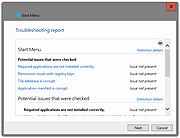 |
|
Microsoft Support and Recovery Assistant v17.01.0268.003 Microsoft Support and Recovery Assistant v17.01.0268.003 The Microsoft Support and Recovery Assistant works by running tests to figure out what's wrong and offers the best solution for the identified problem. System Requirements: Supported Operating Systems Windows 7, Windows 8, Windows 8.1, Windows 10, Windows 11 Outlook in any of the following Office versions can be scanned: Microsoft Office 365 (2019, 2016, or 2013, 32-bit or 64-bit) Microsoft Office 2019 (32-bit or 64-bit; Click-to-Run or MSI installations) Microsoft Office 2016 (32-bit or 64-bit; Click-to-Run or MSI installations) Microsoft Office 2013 (32-bit or 64-bit; Click-to-Run or MSI installations) Microsoft Office 2010 (32-bit or 64-bit) Note: If you are running any edition of Windows 7, you must also have .NET Framework 4.5 installed. Windows 8 and later versions of Windows include at least .NET Framework 4.5. The Microsoft Support and Recovery Assistant offers the best solution for these identified problems: Office I get an error when I install Office I can't activate Office I need to uninstall Office Outlook Outlook won't start I can't setup my Microsoft 365 email in Outlook Outlook keeps asking for my password Outlook keeps saying "Trying to connect..." or "Disconnected" Shared mailboxes or shared calendars don't work I'm having problems with my calendar Outlook stops responding Outlook keeps crashing I can't send, receive, or find email OneDrive for Business I can't sync my files with OneDrive I can't install OneDrive Other Office apps I can't sign into Skype for Business I can't get email on my phone I'm having trouble opening or signing in to Outlook on the web I can't install, connect, or enable Dynamics 365 for Outlook The Teams Meeting option isn’t shown or the Teams Meeting add-in doesn’t load in Outlook There are additional scenarios for Outlook on the web, Outlook for Mac, and Mobile devices, plus advanced diagnostics for Exchange Online and Outlook. Click here to visit the author's website. |
|
4,349 | Jul 02, 2023 Microsoft Corp. 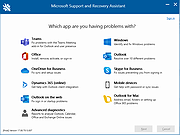 |
|
Microsoft Sysinternals Suite v2026.7 Microsoft Sysinternals Suite v2026.7 👉 A complete collection of Microsoft's advanced Windows system utilities. Microsoft Sysinternals Suite is a comprehensive package containing Microsoft's renowned Sysinternals troubleshooting, diagnostic, monitoring, and system management utilities in a single download. Created by Mark Russinovich and the Sysinternals team, the suite provides administrators, developers, IT professionals, and power users with portable tools for analyzing processes, monitoring system activity, managing startup entries, inspecting security settings, recovering information, and troubleshooting Windows systems. The suite is regularly updated as individual utilities receive new features and improvements. Features: • Includes over 70 portable Sysinternals utilities in one package • No installation required - simply extract and run the tools • Monitor running processes with Process Explorer • Capture real-time file system, Registry, and process activity with Process Monitor • Analyze Windows startup entries using Autoruns • View TCP and UDP network connections with TCPView • Securely delete files using SDelete • Verify digital signatures with Sigcheck • Display system information with BgInfo • Examine handles, DLLs, services, sessions, and security permissions • Includes command-line and graphical utilities • Frequently updated by Microsoft with new tools and enhancements Supported operating systems: • Windows 10, Windows 11, Windows Server 2016, Windows Server 2019, Windows Server 2022, Windows Server 2025 (all 64bit) Supported languages: • English Changes: v2026.7 07-05-26 Updated the Sysinternals Suite package with the latest releases of the included Sysinternals utilities. Note: This file has three hits on VirusTotal. VirusTotal reports detections for Sysinternals tools such as PsExec because they are legitimate administrative utilities that can also be abused by attackers. These detections are generally classified as HackTool or Potentially Unwanted Application (PUA) rather than malware. These tools are safe and widely used by IT professionals and system administrators. This download is for the Windows version (very bottom of page). All other download assets are below: ARM64: SysinternalsSuite-ARM64.zip Nano Server: SysinternalsSuite-Nano.zip Click here to visit the author's website. |
|
11,354 | Jul 10, 2026 Microsoft Corp. 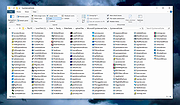 |
|
Microsoft Sysmon v15.15 Microsoft Sysmon v15.15 A Windows system service and device driver that, once installed on a system, remains resident across system reboots to monitor and log system activity to the Windows event log. It provides detailed information about process creations, network connections, and changes to file creation time. By collecting the events it generates using Windows Event Collection or SIEM agents and subsequently analyzing them, you can identify malicious or anomalous activity and understand how intruders and malware operate on your network. Note that Sysmon does not provide analysis of the events it generates, nor does it attempt to protect or hide itself from attackers. Overview of Sysmon Capabilities Sysmon includes the following capabilities: • Logs process creation with full command line for both current and parent processes. • Records the hash of process image files using SHA1 (the default), MD5, SHA256 or IMPHASH. • Multiple hashes can be used at the same time. • Includes a process GUID in process create events to allow for correlation of events even when Windows reuses process IDs. • Includes a session GUID in each event to allow correlation of events on same logon session. • Logs loading of drivers or DLLs with their signatures and hashes. • Logs opens for raw read access of disks and volumes. • Optionally logs network connections, including each connection’s source process, IP addresses, port numbers, hostnames and port names. • Detects changes in file creation time to understand when a file was really created. Modification of file create timestamps is a technique commonly used by malware to cover its tracks. • Automatically reload configuration if changed in the registry. ... |
|
6,692 | Feb 12, 2025 Microsoft Corp. 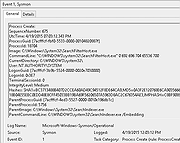 |
|
Microsoft VMMap v3.31 Microsoft VMMap v3.31 VMMap is a process virtual and physical memory analysis utility. It shows a breakdown of a process's committed virtual memory types as well as the amount of physical memory (working set) assigned by the operating system to those types. Besides graphical representations of memory usage, VMMap also shows summary information and a detailed process memory map. Powerful filtering and refresh capabilities allow you to identify the sources of process memory usage and the memory cost of application features. Besides flexible views for analyzing live processes, VMMap supports the export of data in multiple forms, including a native format that preserves all the information so that you can load back in. It also includes command-line options that enable scripting scenarios. VMMap is the ideal tool for developers wanting to understand and optimize their application's memory resource usage. Click here to visit the author's website. |
|
7,335 | Nov 05, 2020 Microsoft Corp. 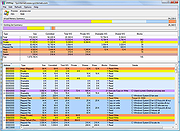 |
|
Microsoft Windows 95 Year 2000 Update Microsoft Windows 95 Year 2000 Update The Windows 95 Year 2000 Update provides replacement files to correct known year 2000 (Y2K) issues with the Windows 95 and Windows 95 OEM Service Release (OSR) versions 1, 2, 2.1, and 2.5 operating systems. DON'T WAIT!!!! ;) Click here to visit the author's website. |
|
3,780 | Jan 07, 2021 Microsoft Corp.  |
|
Microsoft Windows and Office ISO Download Tool v8.46 Microsoft Windows and Office ISO Download Tool v8.46 Note: This tool now opens an ad window that says you must donate or volunteer to close it. You can minimize this window and continue to use the tool but please consider donating to their project. This tool allows an easy and comfortable way to download genuine Windows 7, Windows 8.1 and Windows 10 disk images (ISO) directly from Microsoft's servers, as well as Office 2010, Office 2013, Office 2016, Office 2019, Expression Studio and Office for Mac. In the past, Microsoft provided disk images for many of their products through their subcontractor "Digital River". These downloads were pulled in early 2014. Afterwards, Microsoft made a limited selection of downloads available on their TechBench site. Our tool is based on TechBench, and makes a range of hidden products available for download. Requirements: Windows 7 or newer, .NET Framework 4.x, Internet Explorer 8 or newer. Version 8.46 (8 January 2021): Added new builds for Office 2019 for Mac; added new Insider and developer versions up to build 21286; ISO Tools with full SHA256 support for MSDN metadata dump (and MD5 support for old Digital River downloads); many small bugfixes under the hood. Click here to visit the author's website. |
|
10,686 | Aug 15, 2021 Jan Krohn 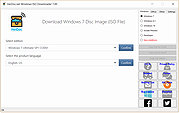 |
|
Microsoft Windows Explorer Crash in Windows 7 (Hotfix KB2638018) Microsoft Windows Explorer Crash in Windows 7 (Hotfix KB2638018) Assume that you open Windows Explorer on a computer that is running Windows 7 or Windows Server 2008 R2 in a network environment. In this situation, Windows Explorer crashes randomly. This is the hotfix. This is a known issue with Windows 7 going back to the beta and has not been fixed as of Service Pack 1. To apply this hotfix, you must be running one of the following operating systems: Windows 7 Windows 7 Service Pack 1 (SP1) Windows Server 2008 R2 Windows Server 2008 R2 Service Pack 1 (SP1) Editor's Note: This hotfix is intended to correct only the problem that is described in this article. Apply this hotfix only to systems that are experiencing the problem described in this article. Again, the issue is when you open Windows Explorer, it hangs. To work around this issue, hide the Network tree in the Windows Explorer navigation pane. To do this, create the following registry entry: Location: HKEY_LOCAL_MACHINE\Software\Microsoft\Windows\CurrentVersion\Policies\NonEnum Entry name: F02C1A0D-BE21-4350-88B0-7367FC96EF3C Type: REG_DWORD Value: 1 |
|
10,159 | Sep 02, 2017 Microsoft Corp. |
|
Microsoft Works 7.0 (.ISO) Microsoft Works 7.0 (.ISO) Here's an .ISO (Disk image) of Microsoft Works 7.0 No, it does not run on Windows 10. If you get it to run on Windows 10, send us your instructions to thegeek@oldergeeks.com You can burn a CD from this file but that would be silly. Just unpack it with 7zip or something and run the setup file. Click here to visit the author's website. |
|
5,259 | Oct 24, 2019 Microsoft Corp. 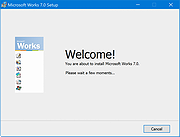 |
|
Microsoft Works 9 (ISO) Microsoft Works 9 (ISO) An ISO (Disk image) of Microsoft Works 9 Microsoft Works 9 is a discontinued home productivity software suite that offered basic word processing, spreadsheet, database, and calendar tools for everyday personal and household tasks. It featured a simple user interface with a Works Task Launcher for easy access to programs and customizable templates for tasks like creating letters, resumes, and budgets. As a less feature-rich and lower-cost alternative to Microsoft Office, it was often pre-installed on new computers. Features: • Word Processor: For creating letters, documents, and greeting cards. • Spreadsheet: For managing budgets and performing calculations. • Database: For organizing and tracking household records. • Calendar: For managing schedules and appointments. • Works Task Launcher: A central hub to quickly find and launch applications and projects. • Customizable Templates: Ready-to-use templates for various documents and tasks, like creating greeting cards. • Built-in Dictionary and Spelling Checker: To help with writing and proofreading. This disk image has been tested to run under Windows up to Windows 11. If you have issues, right-click the desktop icon and choose Properties -> Compatibility Tab and then choose a Compatibility Mode such as Windows 7. You can burn a CD from this file but that would be silly. Just unpack it with 7-Zip or something and run the setup file. You can also right-click the ISO and choose Open With and then Windows Explorer. This will mount the ISO as a virtual DVD drive. Notes: ▸ Only use this disk image if you received Microsoft Works 9 bundled with a new computer and you misplaced the disk. ▸ This program will install slowly and appear stuck at certain points. Be patient. When it's done initially ... |
|
3,273 | Oct 03, 2025 Microsoft Corp. 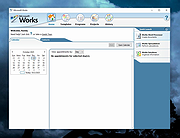 |
|
Microsoft Worldwide Telescope (WWT) 5.2.9 Microsoft Worldwide Telescope (WWT) 5.2.9 The WorldWide Telescope (WWT) is a visualization environment that enables your computer to function as a virtual telescope—bringing together imagery from the world’s best ground- and space-based telescopes for the exploration of the universe. WWT blends terabytes of images, information, and stories from multiple sources into a seamless, immersive, rich media experience. Explorers of all ages will feel empowered to explore and understand the cosmos using WWT’s simple and powerful user interface. The mission of the WorldWide Telescope is twofold: To aggregate scientific data from major telescopes, observatories, and institutions and make temporal and multi-spectral studies available through a single, cohesive Internet–based portal To stimulate interest in science among younger generations, providing a compelling base for teaching astronomy, scientific discovery, and computational science WorldWide Telescope is dedicated to the memory of Jim Gray. It is a free, open-source resource to the astronomy and education communities with the hope that it will inspire and empower people to explore and understand the universe like never before. Version 5.2 runs on Windows 7 or Windows 8, in either 32- or 64-bit mode, depending on your operating system. It also supports native DirectX 11, DirectX 10, and has some support for down-level DirectX 9 hardware running through the DirectX 11 API. WWT 5.2 System Requirements To run this software, you need the following on your computer: Windows 7 or Windows 8 (older versions of Windows are not supported) Discrete graphics card with 512 MB VRAM, DirectX 10 or DirectX 11 compatibility, high-end GTX 480 class or better, and 1 GB VRAM recommended WorldWide Telescope 5.2 Microsoft .NET Framework 4.5.1 Do not attempt to install WWT 5.2 on Windows XP. It does not run and can potentially prevent ... |
|
7,405 | Apr 09, 2017 Microsoft Research Corp. 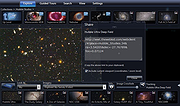 |
|
Microsoft Worldwide Telescope (WWT) Legacy Microsoft Worldwide Telescope (WWT) Legacy The WorldWide Telescope (WWT) is a visualization environment that enables your computer to function as a virtual telescope—bringing together imagery from the world’s best ground- and space-based telescopes for the exploration of the universe. WWT blends terabytes of images, information, and stories from multiple sources into a seamless, immersive, rich media experience. Explorers of all ages will feel empowered to explore and understand the cosmos using WWT’s simple and powerful user interface. The mission of the WorldWide Telescope is twofold: To aggregate scientific data from major telescopes, observatories, and institutions and make temporal and multi-spectral studies available through a single, cohesive Internet–based portal To stimulate interest in science among younger generations, providing a compelling base for teaching astronomy, scientific discovery, and computational science WorldWide Telescope is dedicated to the memory of Jim Gray. It is a free, open-source resource to the astronomy and education communities with the hope that it will inspire and empower people to explore and understand the universe like never before. The legacy version of WWT supports Windows XP, Windows Vista, and DirectX 9.0c hardware running as a 32-bit application. Install the 5.2.9 version for Win7,8,10. |
|
7,227 | Apr 09, 2017 Microsoft Research Corp. |
|
MultiPack .NET Windows Desktop Installer v2.2 MultiPack .NET Windows Desktop Installer v2.2 👉 “MPDNI” – A Simple GUI installer bundle for the latest .NET Desktop Runtime redistributables. MultiPack .NET Windows Desktop Installer is a simple GUI packaged installer for all the latest .NET Desktop Runtime redistributables. It bundles the newest .NET Desktop Runtimes 6 through 10 into a single installer package, making it easier to deploy the required Microsoft .NET desktop runtimes on supported Windows systems. Features: • Simple GUI packaged installer • Bundles .NET Desktop Runtime redistributables into one package • Includes Windows Desktop Runtime 6.0.36 (x64 only) • Includes Windows Desktop Runtime 7.0.20 (x64 only) • Includes Windows Desktop Runtime 8.0.28 (x64 only) • Includes Windows Desktop Runtime 9.0.17 (x64 only) • Includes Windows Desktop Runtime 10.0.9 (x64 only) Supported operating systems: • Windows 10, Windows 11 Supported languages: • Operating system language Changes: v2.2 07-10-26 MPDNI 2.2 July 2026 Edition (Win10+ supported) Updated Windows Desktop Runtime 8 from 8.0.26 to 8.0.28. Updated Windows Desktop Runtime 9 from 9.0.15 to 9.0.17. Updated Windows Desktop Runtime 10 from 10.0.7 to 10.0.9. Click here to visit the author's website. |
|
1,730 | Aug 26, 2026 BobSpwg 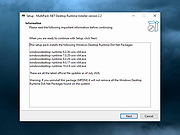 |
|
MultiPack Visual C++ Installer v4.2 MultiPack Visual C++ Installer v4.2 👉 Installs the latest Microsoft Visual C++ redistributable packages in one simple GUI installer. MultiPack Visual C++ Installer is a simple packaged installer for Microsoft Visual C++ redistributables, bundled into one easy-to-use setup for installing the commonly needed Visual C++ runtime packages from 2005 through 2022. Features: • Simple GUI-based installer • Installs Microsoft Visual C++ 2005 through 2022 redistributables • Includes x86 and x64 packages where available • Useful for fixing missing Visual C++ runtime errors • Designed for quick setup on Windows systems • Installer bundle includes all the newest VC++ 2005 – 2022 Packages: -Microsoft Visual C++ 2005 (x86 only) 8.0.61001 -Microsoft Visual C++ 2008 (x86/x64) 9.0.30729.6161 -Microsoft Visual C++ 2010 (x86/x64) 10.0.40219.473 -Microsoft Visual C++ 2012 (x86/x64) 11.0.61030.0 -Microsoft Visual C++ 2013 (x86/x64) 12.0.40664.0 -Microsoft Visual C++ 2015-2022 (x86/x64) *14.51.36247.0 Supported operating systems: • Windows 10, Windows 11 Supported languages: English Changes: v4.2 07-10-26 Not Provided Click here to visit the author's website. |
|
8,064 | Jul 11, 2026 BobSpwg 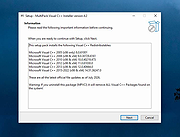 |
|
Policy Plus vOctober 2025 Policy Plus vOctober 2025 👉 Local Group Policy Editor for all editions of Windows. Policy Plus is a free and open-source utility that brings the Local Group Policy Editor (gpedit.msc) functionality to all editions of Windows, including Home editions that do not normally include it. It provides a familiar interface for viewing and editing administrative templates and policy settings, making it easy to configure advanced system settings without needing to manually edit the registry. Policy Plus reads and applies the same policy definitions used by the official Group Policy Editor, ensuring compatibility with Windows administrative templates. It also supports importing the latest policy definitions and offers advanced search capabilities, making it a powerful tool for administrators and power users who want fine-grained control over system configuration. Features: • Full Local Group Policy Editor functionality for all Windows editions • Compatible with official Microsoft Administrative Template files (ADMX/ADML) • Built-in ADMX acquisition tool for downloading latest policy definitions • Advanced search and filtering of policy settings • View, edit, and manage registry-based policies • Portable and open-source Important: To ensure you have the latest Administrative Templates, you can download the full set of ADMX files directly within the program. Go to Help → Acquire ADMX Files, choose the destination folder (typically C:\Windows\PolicyDefinitions), and click Begin to download them from Microsoft. You can also manually open or load ADMX files by selecting File → Open ADMX File or File → Open ADMX Folder. This is useful if you have downloaded specific templates separately or want to work with a custom policy definitions folder. Supported operating systems: • Windows 7, Windows 8, Windows 8.1, Windows 10, Windows 11 Supported languages: English Click here to visit the author's website. |
|
7,596 | Jun 27, 2026 Ben Nordick 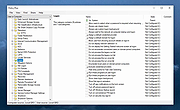 |
|
RemoveWGA 1.2 Remove Microsoft Windows Genuine Advantage A small utility that enables you to remove the Microsoft Windows Genuine Advantage Notifications tool RemoveWGA will enable you to easily remove the Microsoft \\\"Windows Genuine Advantage Notifications\\\" tool, which is calling home and connect to MS servers every time you boot. Futures updates of this notification tool will (officialy) setup the connection rate to once every two weeks. Once the WGA Notification tool has checked your OS and has confirmed you had a legit copy, there is no decent point or reason to check it again and again every boot. Moreover, connecting to Microsoft brings security issue for corporate networks, and privacy issues for everyone. It is also unclear which information are transmitted (Microsoft published an official answer, but an individual study brought some questions). All of that, along the fact that Microsoft used deceptive ways to make you install this tool (it was told you it was an urgent security update, whereas it is a new installation giving you no extra security) makes me calling this tool a spyware. Also, Windows Genuine Advantage Notifications is different than Windows Genuine Advantage Validation. RemoveWGA only removes the notification part, phoning home, and does not touch the Validation part. Note: Some antivirus and antispyware programs flag RemoveWGA as being infected/malware, although the application is perfectly safe and does not pose a threat to your system. This is called a \\\'false positive\\\'. The term false positive is used when antivirus software wrongly classifies an innocuous ( inoffensive ) file as a virus. The incorrect detection may be due to heuristics or to an incorrect virus signature in a database. [Similar problems can occur with antitrojan or antispyware software.] Here are some key features of \\\"RemoveWGA\\\": · Tell you if the WGA notification tool is active on your system · Allows you to remove the WGA notification tool from your ... |
|
10,415 | Jul 07, 2010 Guillaume Kaddouch |
|
Tunnel Adapter Microsoft 6to4 Adapter Remover 1.2 Tunnel Adapter Microsoft 6to4 Adapter Remover 1.2 The 6to4 adapter is a windows component for correctly transmitting IPv6 packets through a IPv4 network. If you have more than one 6to4 adapter in Device Manager, you likely have experienced a Windows bug in which a new Microsoft 6to4 adapter was unexpectedly created after a restart in Windows 7 or Windows Server 2008 R2. This can be repaired with Tunnel Adapter – 6to4 Adapter Remover. Just download the ZIP and extract its contents to a folder of your choice. For 32-bit systems, run i386.exe (x86), or for 64-bit (x64) systems run ia64.exe. In some cases, there may be many of these 6to4 adapters listed in Device Manager. Removing them one at a time can be both tedious and time consuming. Our freeware tool automates this process, and will not use devon.exe. Supported Operating Systems: Windows 10 , Windows 8.1 , Windows 8 , Windows 7 , Windows Vista , Winsows Xp – (both x86 and x64) Supported Languages: English 6to4remover v1.2 what is new (22.05.2013) – The program will no longer use devcon.exe |
|
6,656 | Jun 10, 2016 Sordum.org 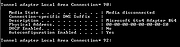 |
|
Visual Code Studio v1.130 Visual Code Studio v1.130 👉 Lightweight but powerful source code editor with extensive customization and extensions. Visual Studio Code is a free, open-source code editor developed by Microsoft that supports a wide range of programming languages and development workflows. It provides a fast and responsive editing experience with features like intelligent code completion, debugging tools, built-in Git integration, and an extensive extension marketplace. Visual Studio Code is designed to be highly customizable, allowing developers to tailor the editor to their specific needs with themes, keybindings, and plugins. Features: • IntelliSense for smart code completion and suggestions • Built-in debugging tools for multiple programming languages • Integrated Git version control support • Extensive extension marketplace for added functionality • Customizable interface with themes and keyboard shortcuts • Cross-platform support with consistent performance • Integrated terminal for command-line operations • Support for remote development and containers Supported operating systems: • Windows 10, Windows 11 • macOS 10.15 or higher • Linux (Debian, Ubuntu, Red Hat, Fedora, SUSE) Supported languages: English, Chinese, French, German, Italian, Japanese, Korean, Spanish, Portuguese, Russian Changes: v1.130.0 07-22-26 • Added the new agent host, allowing AI agent sessions to run in a dedicated process that can be shared across multiple VS Code windows. • Improved the Agents window with compact multi-file diffs, file-level change statistics, compact quick chats, and worktree support for all supported agent harnesses. • Added assisted tool approvals, allowing the AI model to evaluate tool-call risk and reduce unnecessary approval prompts. • Added chat timestamps and aggregate AI credit usage visibility for GitHub Copilot Business and Enterprise users. • Added clickable file links in Git terminal diff output when Git mnemonic prefixes are enabled. • Updated the VS Code codebase and extension to use the release version of TypeScript 7. This download is for the Windows 64bit System Setup version (very ... |
|
6,231 | Jul 26, 2026 Microsoft Corp. 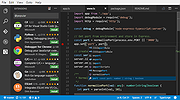 |
|
Wallpapers from Microsoft Design Wallpapers from Microsoft Design "Enjoy this small collection we curated for you." -Microsoft Design Several wallpapers are included that are designed for the Microsoft Surface Duo. The archive also includes the wallpapers in MacOS format. Microsoft Design partners with people across the industry in a range of internships, workshops, and partnership programs. They explore how design creates better experiences for everyone. Just a few... Click here to visit the author's website. |
|
4,068 | Sep 22, 2020 Microsoft Design  |
|
Windows 7 Games for Windows 11 and Windows 10 v4.2 Windows 7 Games for Windows 11 and Windows 10 v4.2 👉 Restores the classic Windows 7 games on newer versions of Windows. Windows 7 Games for Windows 11 and Windows 10 is a package that restores the classic games removed from Windows beginning with Windows 8. It includes Solitaire, Spider Solitaire, Minesweeper, FreeCell, Hearts, Chess Titans, Mahjong Titans, Purble Place, Internet Spades, Internet Checkers and Internet Backgammon. The package works with all builds of Windows 11, Windows 10, Windows 8.1 and Windows 8. Features: • Restores the classic Windows 7 games • Includes Solitaire, Spider Solitaire, Minesweeper, FreeCell and Hearts • Includes Chess Titans, Mahjong Titans and Purble Place • Includes optional Internet Spades, Internet Checkers and Internet Backgammon • Supports high-DPI displays • Supports unattended installation • Installs games in the operating system's supported display language • Does not install the non-working Game Explorer • Does not write files to the Windows System32 directory Supported operating systems: • Windows 8, Windows 8.1, Windows 10, Windows 11 Supported languages: Arabic, Bulgarian, Chinese (Simplified), Chinese (Traditional), Croatian, Czech, Danish, Dutch, English, Estonian, Finnish, French, German, Greek, Hebrew, Hungarian, Italian, Japanese, Korean, Latvian, Lithuanian, Norwegian, Polish, Portuguese (Brazil), Portuguese (Portugal), Romanian, Russian, Serbian (Latin), Slovak, Slovenian, Spanish, Swedish, Thai, Turkish, Ukrainian Changes: v4.2 06-24-26 Fixed a bug that prevented card games from launching for some users. Click here to visit the author's website. |
|
14,129 | Jul 19, 2026 Winaero 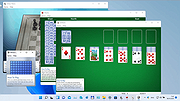 |
|
ZoomIt v12.11 ZoomIt v12.11 👉 A free screen zoom, annotation, and recording tool for technical presentations and demos. ZoomIt is a screen zoom, annotation, and recording tool for technical presentations and demos. It can also snip screenshots to the clipboard or to a file, runs unobtrusively in the tray, and uses customizable hotkeys to zoom in on an area of the screen, move around while zoomed, and draw on the zoomed image. ZoomIt also supports touch and pen input for drawing on tablets. Features: • Screen zoom with customizable hotkeys for presentations and demos. • Drawing and annotation tools with adjustable pen color and size. • Draw-without-zoom mode for annotating the screen at native resolution. • Break timer with opacity, position, background image, sound, and workstation lock options. • Screenshot snipping to the clipboard or to PNG files, including cropped captures. • OCR text extraction from a selected screen region. • Screen recording to MP4 or GIF, including full screen, cropped, and window-targeted recording modes. • LiveZoom and LiveDraw modes for real-time zooming and on-screen drawing. • DemoType mode for simulated typing during demonstrations. • Panorama and scrolling screenshot support, improved break timer behavior, and trimming of existing MP4 clips. Supported operating systems: Windows 11 or Windows 10 version 2004 (20H1 / build 19041) or newer Requirements for macOS macOS 14 or newer. Xcode command-line tools. Screen Recording permission for capture. Microphone and Camera permissions are required only for those recording options. Supported languages: Operating System Language Changes: v12.11 07-09-26 Not provided. This download is for the Windows version (very bottom of page). If you need the macOS version, download here. Click here to visit the author's website. |
|
4,603 | Aug 12, 2026 Microsoft Corp. 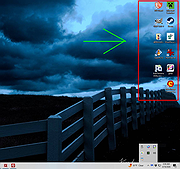 |
| Showing rows 1 to 45 of 45 | Showing Page 1 of 1 | 1 |
OlderGeeks.com Copyright (c) 2026
