|

|
Processed through Paypal No account required. |








Buy our over-priced crap to help pay the bills.



|
|
Processed through Paypal No account required. |
| File - Download Microsoft Money Plus Home & Business Sunset v17.0.150.3817 | ||||||||
| Description | ||||||||
|
A plea... Deanna and I have been running this site since 2008 and lately we're seeing a big increase in users (and cost) but a decline in percentage of users who donate. Our ad-free and junkware-free download site only works if everyone chips in to offset the revenue that ads on other sites bring in. Please donate at the bottom of the page. Every little bit helps. Thank you so much. Sincerely, your Older Geeks: Randy and Deanna Always scroll to the bottom of the page for the main download link. We don't believe in fake/misleading download buttons and tricks. The link is always in the same place. Microsoft Money Plus Home & Business Sunset v17.0.150.3817 👉 Free offline software for managing personal finances, small-business expenses, and invoices. Microsoft Money Plus Home & Business Sunset combines personal financial management with tools for keeping track of small-business finances. Organize accounts, record income and expenses, monitor spending, manage investments, and create financial reports. The Home & Business edition also includes invoicing tools for preparing customer invoices with your business information. Money Invoice Designer lets you customize invoices with your business name, address, and logo. Financial information is organized into sections for accounts, bills, reports, and investments, helping you review household and business activity in one application. The Sunset edition was released after Microsoft discontinued the Money product line. It removes the activation requirement, allowing installation and reinstallation without contacting an activation server. You can install it as a standalone program without owning an earlier edition. 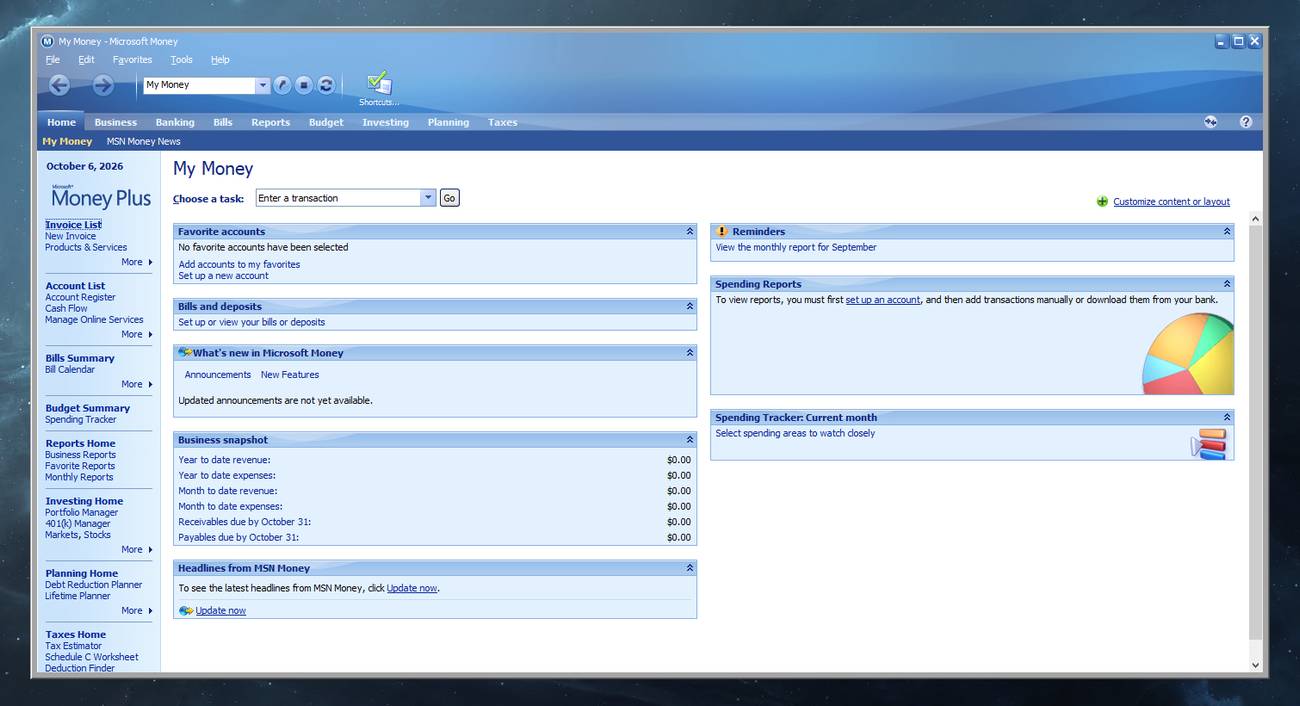 Features: • Manage personal and business financial accounts. • Record income, expenses, deposits, and payments. • Organize transactions into spending categories. • Create budgets and monitor spending. • Review account balances and cash flow. • Generate financial reports. • Track investments and manually update investment prices. • Create customer invoices with Money Invoice Designer. • Customize invoices with your business name, address, and logo. • Use Insights alerts to monitor upcoming bills, spending, and cash flow. • Import OFX or QIF statement files downloaded separately from your financial institution. • Open and convert compatible files from earlier U.S. editions of Microsoft Money. • Protect Money data files with a standard Money password. • Access a local Help file. • Install and reinstall without product activation. Important information: This is discontinued software. Microsoft no longer provides assisted support or online financial services for it. Sunset does not connect directly to banks to download transactions, retrieve online investment quotes, pay bills online, or synchronize with MSN Money. You can enter transactions yourself or import supported statement files obtained through your bank's website. Investment prices can also be entered manually. The built-in Help contains references to online features from earlier editions. Those services are unavailable in Sunset. File conversion is intended for U.S. editions of Microsoft Money. Microsoft states that Sunset cannot convert files created by regional, non-U.S. editions. Keep a backup of your original data before converting it. Sunset cannot be installed alongside another Microsoft Money Plus edition. Its installer removes an existing Money Plus installation. For older files protected with a Windows Live ID, Microsoft's guidance recommends removing the Live ID association and using a standard Money password. MICROSOFT MONEY OFFLINE 🔴 Ameridan's Blog provides a huge amount of resources for Microsoft Money. Supported operating systems: • Windows XP SP3, Windows Vista, Windows 7 • Unofficially: Windows 8, Windows 10, Windows 11 Supported languages: • English Changes: Not Provided. 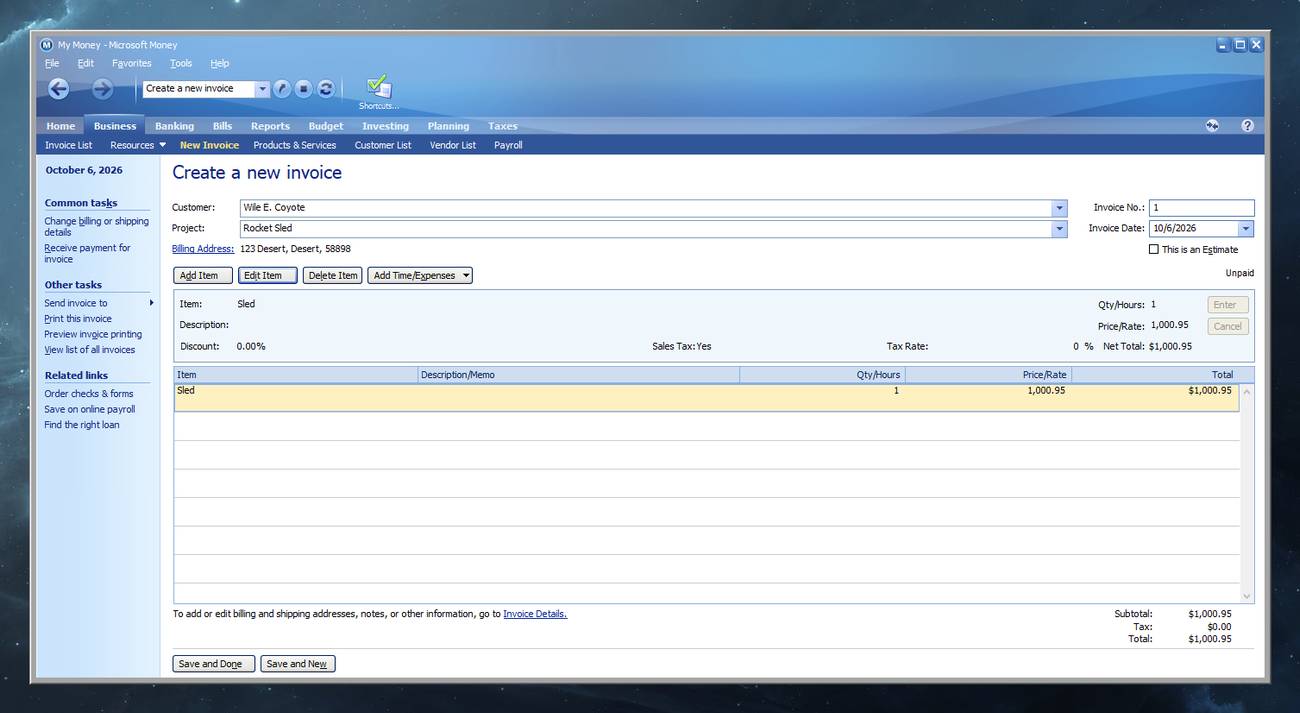 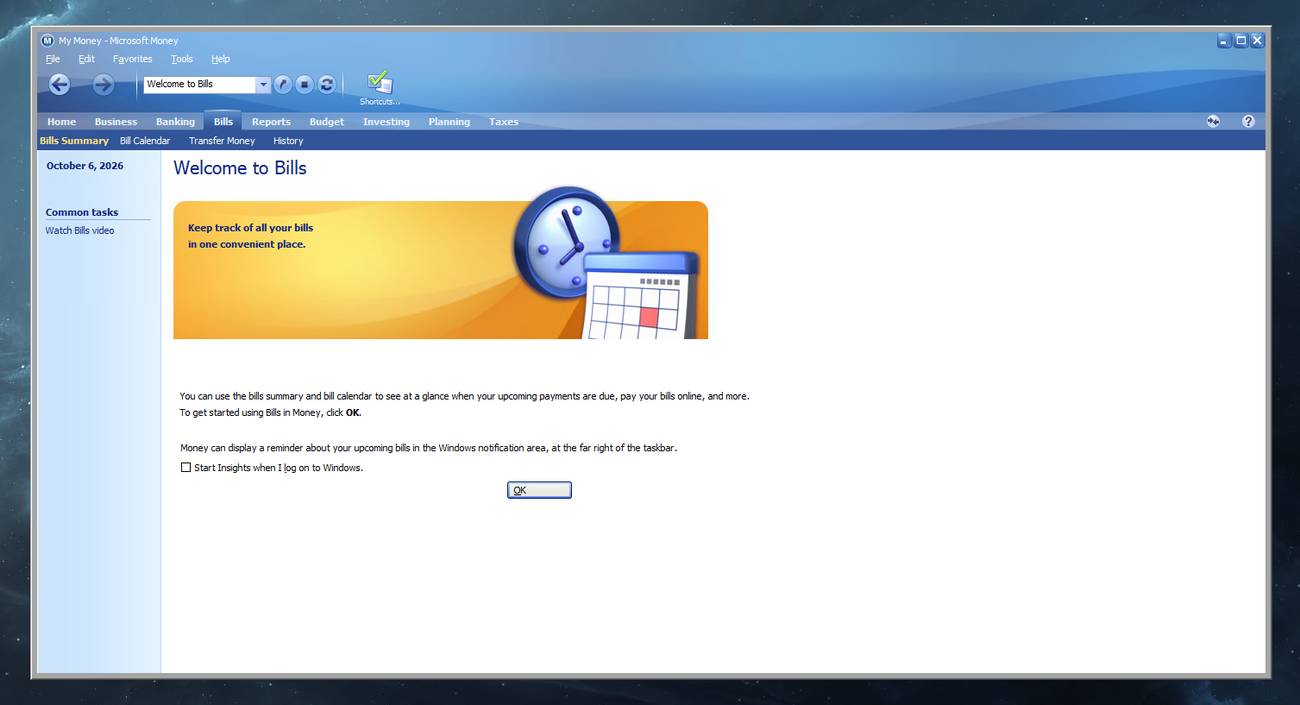 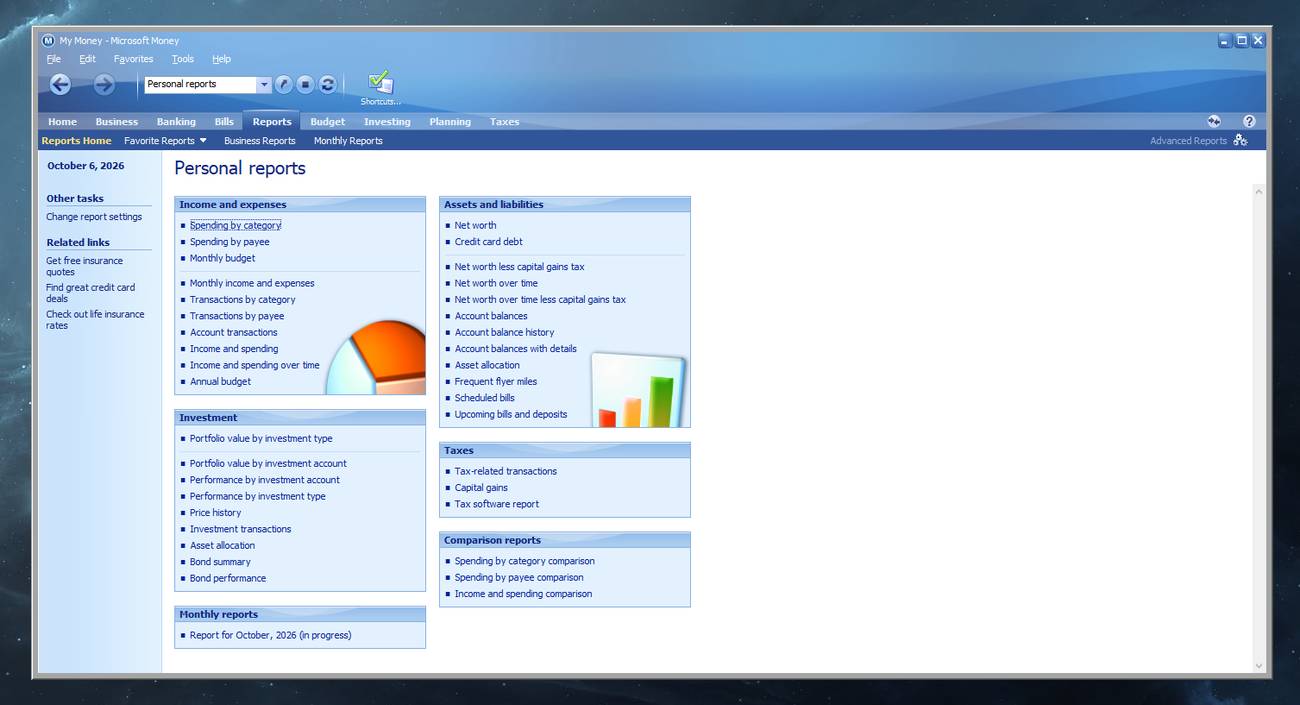 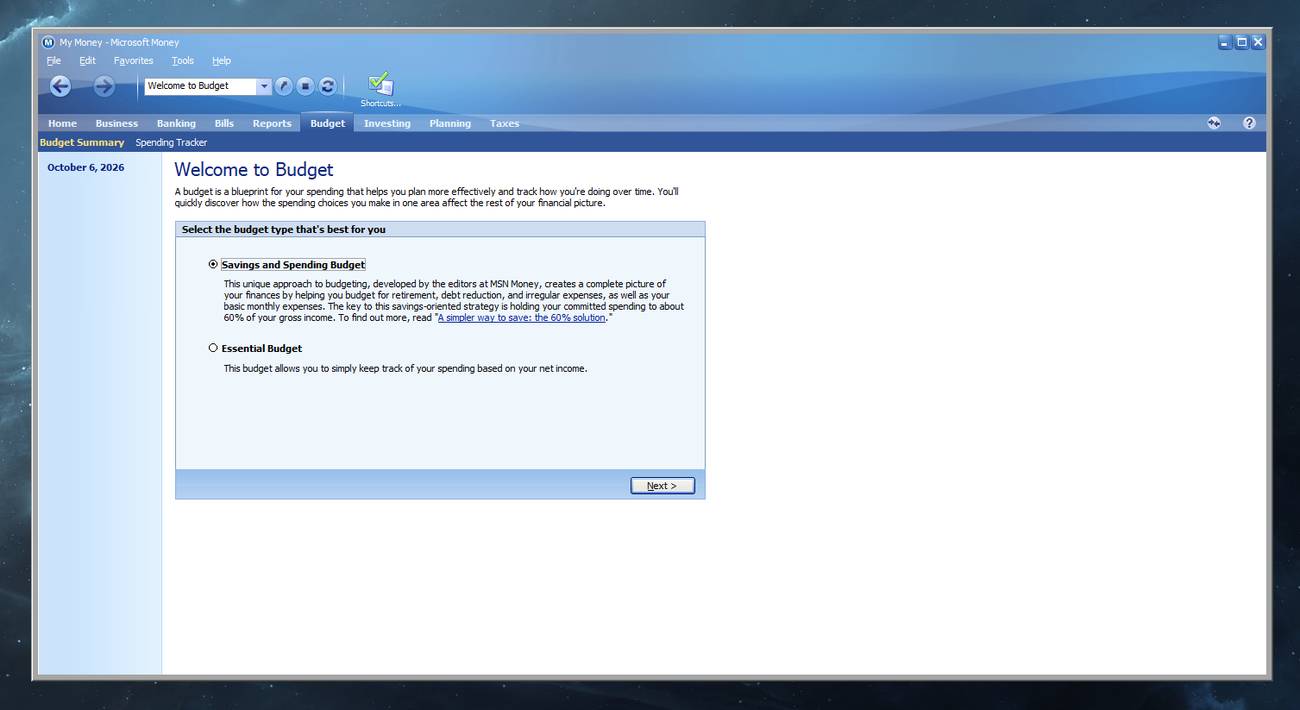 Note #1: Investing, Planning, and Taxes tabs Clicking these tabs may display a blank page or a "Stack overflow at line: 1" message. These tabs contain old links to Microsoft's online content that may now redirect to the modern MSN website, which Money's outdated built-in browser cannot display correctly. This is a webpage error and does not, by itself, mean your financial data is damaged. Click OK to dismiss the message and return to your accounts. Some local features can still be accessed through the Shortcuts menu instead of these tabs. Note #2: Compatibility settings for newer versions of Windows If Microsoft Money has trouble starting or running correctly, try the settings shown above. Open C:\ProgramData\Microsoft\Windows\Start Menu\Programs\Microsoft Money Plus, right-click the Money Plus shortcut, and select Properties. On the Compatibility tab, check "Run this program in compatibility mode for" and select Windows 7. Also check "Run this program as an administrator," then click Apply and OK. These settings may help this older application run on newer Windows versions, but they do not restore Microsoft's discontinued online services. Running as administrator may cause Windows to ask for permission each time you open Money. 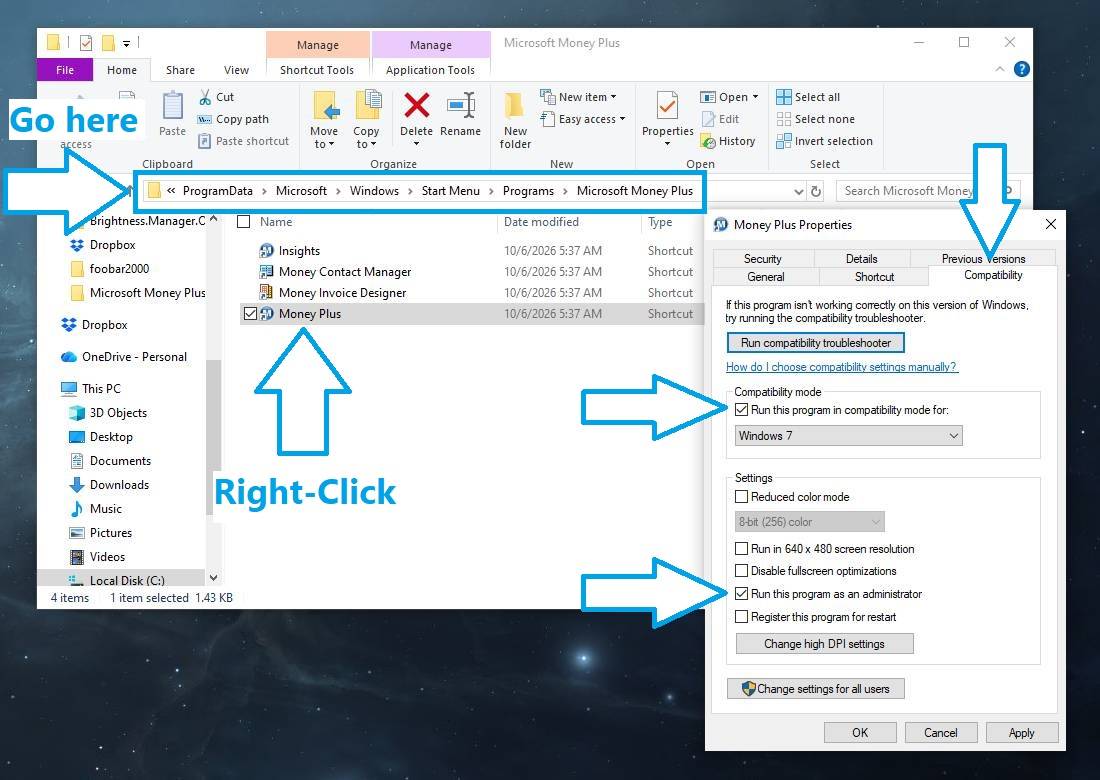 Click here to visit the author's website. Continue below for the main download link. |
||||||||
| Downloads | Views | Developer | Last Update | Version | Size | Type | Rank | |
| 3 | 69 | Microsoft Corp. | Oct 06, 2026 - 12:06 | 17.0.150.3817 | 34.97MB | EXE |  , out of 1 Votes. , out of 1 Votes. |
|
| File Tags | ||||||||
| Microsoft Money Plus Home Business Sunset finance accounting budgeting invoices expenses investments banking reports offline | ||||||||
Click to Rate File Share it on Twitter → Tweet
|


