|

|
Processed through Paypal No account required. |








Buy our over-priced crap to help pay the bills.



|
|
Processed through Paypal No account required. |
| Files | ||||
| File Name | Rating | Downloads | ||
 |
Adobe Digital Negative Converter v17.2 Adobe Digital Negative Converter v17.2 Convert camera-specific raw files from supported cameras to DNG raw files. The Adobe DNG Converter enables you to easily convert camera-specific raw files from supported cameras to a more universal DNG raw file. Another benefit of using the DNG Converter is backward compatibility. Workflow overview For conceptual information about raw files and the DNG format, and to understand why you should convert your files to DNG, see the Appendix. Note: Adobe provides backwards compatibility for the latest cameras for use in older versions of Photoshop, Lightroom, Bridge, After Effects, and Photoshop Elements through the DNG Converter. Requirements: MacOS: • Multicore Intelฎ processor (2 GHz or faster with SSE 4.2 or later, and 64-bit support) or Apple M1 or later processor • Operating System macOS Ventura (version 13) or later Windows: • Intelฎ or AMD processor (2 GHz or faster with SSE 4.2 or later, and 64-bit support), or ARM processor (2 GHz or faster with 64-bit support) • Operating System Windows 10 (version v22H2 or later) or Windows 11 (version 21H2 or later) Installation 1) Open the downloaded file and double-click the DNG Converter executable file. 2) Follow the onscreen instructions. The DNG Converter is now available in your Programs (Windows) or Applications (macOS) directory. The installation utility is designed to also install a set of color profiles required for the DNG Converter to function properly. These profiles are copied to a common resource location. Convert images The DNG Converter dialog box 1) Launch the DNG Converter by double-clicking its icon. Alternatively, drag and drop individual images or a folder of images directly onto the Adobe DNG Converter icon. This action automatically launches the converter. 2) Select the folder of images you'd like to convert to DNG. 3) Select the location where you want to save ... |
 |
3,751 | Mar 19, 2025 Adobe 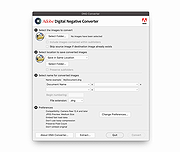 |
|
Batch Excel to PDF Converter v1.1 Batch Excel to PDF Converter v1.1 Powerful Excel to PDF converter program enables users to convert Excel XLS/XLSX Files to PDF format in bulk. No Office or MS Excel Required. Feature List Batch Convert XLSX/XLS to PDF Convert Single Workbook to PDF Merge Excel Files to One PDF Fit One Worksheet to One Page Change Paper Size Change Paper Orientation Support XLS, XLSX, ODS, CSV PDF Permission Settings Password Encryption Multi-language You Can Use It to - Convert Excel to PDF without Losing Formatting - Convert Excel to PDF Landscape / Portrait - Convert Excel to PDF on Windows 10 - Convert Excel to PDF on One Page - Convert Multiple Excel Sheets to PDF in Bulk - Combine Multiple Excel Files into One PDF - Combine Word and Excel Files into One PDF Features of Batch Excel to PDF Converter Batch Convert Excel XLSX/XLS Files to PDF in Bulk Convert Single Excel Worksheet to a PDF Combine and Convert Multiple Excel Spreadsheets & Files into One Single PDF Convert and Fit Each Excel Worksheet into One PDF Page Support Change PDF Paper Size and Orientation Support Owner Password & Open Password Protection Support ODS and CSV Table Formats Support WORD DOC/DOCX and Powerpoint PPTX/PPT Formats to PDF Not Require MS Office or Excel Installed Multi-language Users may often face with Excel Spreadsheets and workbooks in their daily office work, and need to convert XLSX and XLS files and worksheets to PDF format sometimes. Although the latest MS Excel version provides the feature saves a workbook as a PDF file, it is a ... |
|
3,701 | Mar 23, 2021 PDFZilla  |
|
Batch WORD to JPG Converter v1.1 Batch WORD to JPG Converter v1.1 Converting Word Doc/Docx files to JPG images is a good choice to make documents be transferred and read easily on the web. Batch Word to JPG Converter is such a great free software program that enables you to convert MS Word doc and docx files to JPG and more image formats on Windows. With this tool, you can save Word files into JPG, PNG, BMP, TIF, GIF, PCX and TGA pictures without installing MS Office and Word suite. You can add hundreds or thousands of Word files to convert at once. In addition to those image formats, Word to JPG converter also supports converting Word files to PDF format, so you can batch create PDF documents from Word files to transfer your documents on the internet with a much smaller file size than images. Besides *.Doc and *.Docx formats, Word to JPG converter also supports to convert rich text RTF formats, HTML and HTM web page formats, and Open Document Format (ODT) into various image formats. Word to JPG Converter also allows you to set the output image size. You can simply set the DPI value (such as 200, 300, 500) to get better output image size and quality. Easily convert, save and split Word pages into JPG and more picture formats. Download the Word to JPG converter now and start converting! OS: Windows 10/Win 8/Win 7/Vista/XP or later (32/64 bit) & Windows Server Features and Benefits of Batch WORD to JPG Converter * Convert Word Doc/Docx Files to JPG Format in Bulk * Support DOC, DOCX, RTF, HTML/HTM and ODT(Open Document Format) to Images * Multiple Image Formats Output: JPG PNG BMP TIF GIF PCX TGA * Convert Documents to PDF format * MS Office and Word are not Required * Customize Converted Image Size and DPI * Split Word Pages to JPG * Multi-language Languages Supported: English, ... |
|
4,894 | Dec 08, 2019 PDFZilla 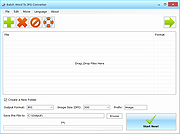 |
|
BatEx v1.0.1 BatEx v1.0.1 👉 Turn Windows batch scripts into EXE applications. BatEx is a modern Windows desktop app that converts .bat and .cmd scripts into runnable .exe applications. You can drop an existing batch or command script into the app, or write a new script directly inside BatEx, then choose output options such as folder, icon, metadata, admin mode, console mode, platform, and more. Features: • Convert .bat and .cmd files to .exe • Write scripts directly inside the app • Modern WinUI 3 interface • Drag and drop support • Show or hide the console window • Run generated EXE as administrator • Add a custom .ico icon • Add file metadata including description, product name, company name, copyright, version, internal name, and original filename • Choose target platform: x64, x86, or AnyCPU • Optional script obfuscation • Conversion history • Auto-open output folder after build Supported operating systems: • Windows 10, Windows 11 Supported languages: English Changes: v1.0.1 05-22-26 You can now add more files that your script needs into the new exe! Fixed script editor issues Now the software checks for updates Note: This file has one hit on VirusTotal. We have confirmed this to be a false positive. The file is safe. Click here to visit the author's website. |
|
640 | May 22, 2026 The Yali 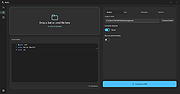 |
|
Calibre v9.15.0 Calibre v9.15.0 👉 A powerful and complete eBook management, conversion, and reading solution. Calibre is a comprehensive eBook management application that allows you to organize, convert, edit, and read eBooks in a wide variety of formats. It provides a complete solution for managing your digital library, syncing books with eReaders, downloading news from the web, and converting between popular eBook formats. Calibre also includes a built-in eBook viewer, powerful metadata editing tools, and support for plug-ins to extend its functionality. Features: • Organize and manage large eBook collections • Convert between multiple eBook formats including EPUB, MOBI, AZW3, PDF and more • Built-in eBook viewer with customizable reading options • Edit eBook metadata including title, author, cover and tags • Download news from websites and convert it into eBook form • Sync eBooks with popular eReaders • Powerful search and sorting tools • Plugin support to extend functionality Supported operating systems: • Windows 8.1, Windows 10, Windows 11 • macOS 10.15 or higher • Linux Supported languages: English, Afrikaans, Albanian, Arabic, Basque, Bengali, Bulgarian, Catalan, Chinese, Croatian, Czech, Danish, Dutch, Estonian, Finnish, French, Galician, German, Greek, Hebrew, Hindi, Hungarian, Icelandic, Indonesian, Italian, Japanese, Korean, Latvian, Lithuanian, Norwegian, Persian, Polish, Portuguese, Romanian, Russian, Serbian, Slovak, Slovenian, Spanish, Swedish, Tamil, Telugu, Thai, Turkish, Ukrainian, Vietnamese Changes: v9.15.0 09-18-26 New features A "Create your own adventure" writing game -- interactive storytelling with an AI managing the world you create This is a little different from the usual run of calibre features. It started out as a way to test the AI backends in calibre but turned into something fun to use. As always with AI features its completely optional and not even loaded unless you explicitly run it. Go to Preferences->Toolbars & menus and add the "Create your own Adventure" to the main toolbar to use it E-book viewer: Highlights panel: Allow ... |
|
12,274 | Sep 23, 2026 Kovid Goyal 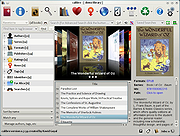 |
 |
Converseen v0.15.2.6 Converseen v0.15.2.6 👉 Free and open source batch image converter and resizer. Converseen is a powerful, free, and open source image processing tool that allows you to convert, resize, rotate, and flip large batches of images quickly and efficiently. Built on top of the ImageMagick library, it supports over 100 image formats and provides an easy-to-use interface for handling bulk image operations without requiring advanced technical knowledge. With Converseen, you can process entire folders of images at once, applying consistent transformations such as resizing dimensions, adjusting resolution, or converting file formats. It is especially useful for photographers, designers, and anyone needing to optimize or standardize image collections for web or storage use. Features: • Batch conversion and processing of multiple images • Resize images by dimensions or percentage • Convert between over 100 supported image formats • Rotate and flip images • Compress and reduce image file sizes • Rename output files with customizable patterns • Set output directory for processed images • Change image resolution (DPI) • Preview images before processing • Multithreaded processing for faster performance • Built on the ImageMagick library for broad format support Supported operating systems: • Windows 10, Windows 11 • Linux • macOS Supported languages: English, Italian, Spanish, French, German, Portuguese, Russian, Chinese Changes: v0.15.2.6 07-07-26 - Updated French translation - Various Bugfixes This download is for the Windows 64bit portable version (very bottom of page). All other download assets are below: Other Windows: Converseen-0.15.2.6-1-win64-setup.msi converseen-0.15.2.6-1-win32-portable.zip macOS: converseen-0.15.2.6-1_beta_macos-x86_64.zip Linux: Converseen-0.15.2.6-1-anylinux-x86_64.AppImage Converseen-0.15.2.6-1-anylinux-aarch64.AppImage Click here to visit the author's website. |
|
3,556 | Jul 11, 2026 Francesco Mondello 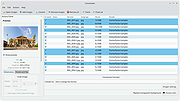 |
|
Convert The Spire Reborn v14.3.1 Convert The Spire Reborn v14.3.1 👉 A native media suite for downloading playlists and online media, managing torrents, converting files, playing your library and casting to compatible devices. Convert The Spire Reborn is a free, open-source media application built with Flutter for downloading media and large playlists, managing torrents, converting files, playing audio and video, and organizing a local media library. It uses yt-dlp for supported online sources and can process content from more than 1,800 supported sites. The program also includes a built-in media player, playlist tools, DLNA/UPnP casting, a browser with ad and tracker blocking, userscript support, and a Watch Together feature for synchronized playback across devices on the same network. The native application avoids Electron and is designed to run directly on Windows, macOS and Android. Features: • Download individual media files and large playlists from supported online sources • Uses yt-dlp with support for more than 1,800 compatible sites • Torrent manager for adding, downloading and managing torrent queues • Built-in audio and video media player • Playlist management, queue handling and local library tracking • Convert between more than 27 document, image, archive and media formats • DLNA and UPnP casting to compatible smart TVs and speakers • Watch Together synchronizes playback between phones, PCs, Macs and compatible TVs on the same local network • Watch Together rooms use a six-character sharing code and require no account • Built-in browser accepts URLs, IP addresses and ordinary search queries • Browser includes ad and tracker blocking • Supports Tampermonkey and Greasemonkey-style userscripts • Custom file explorer suitable for desktop and TV interfaces • Playlist-to-folder matching helps identify missing media • Supports automated playlist installation and downloading • Native Flutter application without an Electron-based runtime • Raw UDP and TCP networking supports local device discovery and casting • Battery-aware background processing can reduce intensive activity when battery power is low • Privacy-focused design with no tracking of downloaded ... |
|
76 | Sep 22, 2026 Lukas Bohez  |
|
CSVMusic v1.6.6 CSVMusic v1.6.6 👉 Convert playlists and albums from music services into fully tagged audio files. CSVMusic is a free and open source tool that converts playlists and albums from supported music services into ready-to-use audio files. You can paste a supported playlist or album link directly into the program, or import a playlist exported as a CSV file. CSVMusic finds the best matching tracks on YouTube Music, downloads the audio, and adds metadata such as artist, album and artwork. Audio can be saved as M4A or MP3, with optional native Opus output available in Settings. CSVMusic can also create M3U and M3U8 playlist files so the original track order can be retained when the music is imported into iTunes, a phone, MP3 player or local music library. Features: • Import supported playlist and album links directly without first creating a CSV file • Direct link support for Spotify, Apple Music, YouTube Music, YouTube playlists, SoundCloud sets, Deezer and Amazon Music when public track data is available • CSV importing remains available for services supported by TuneMyMusic • First-class Exportify CSV support • Automatically finds matching tracks on YouTube Music • Downloads and converts audio to M4A or MP3 • Optional native Opus output remuxes Opus streams without lossy re-encoding • Automatically adds artist/title, album information and embedded artwork • Optionally creates M3U and M3U8 playlist files • Library Mode maintains multiple public Spotify playlists in a persistent local catalog • Library Mode can scan playlists, identify tracks missing from disk and let you select individual tracks • Rescanning the library preserves track selections and manually corrected YouTube matches while reporting added and removed tracks • Alternatives lets you select a better result when CSVMusic is not confident about an automatic match • Listen lets you preview an alternative candidate in your browser • Paste URL lets you download a specific YouTube or YouTube Music video when choosing an ... |
|
1,012 | Aug 26, 2026 angall1 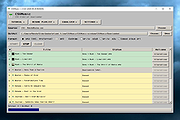 |
|
Dougi v1.0.672 Dougi v1.0.672 👉 Create high-quality JPEG images with realtime quality preview. Dougi is a lightweight portable JPEG optimization utility that lets you create high-quality JPEG images quickly and easily. Simply open, paste, or drag and drop an image, adjust the desired JPEG quality, and save. Its realtime WYSIWYG (What You See Is What You Get) preview lets you instantly see the effect of compression changes, eliminating the guesswork when balancing image quality and file size. Dougi also includes optional maximum file size limits, basic image adjustment tools, batch conversion, clipboard support, customizable appearance settings, and built-in help. Features: • Realtime WYSIWYG JPEG quality preview • Manual JPEG quality adjustment (5-100%) • Automatic quality presets: Low, Fair, Good, High, and Best • Optional maximum JPEG file size limit (5-4,000 KB) • Image adjustments including Mirror, Flip, Grey, Sepia, Noise, Invert, and Soften • Displays image dimensions, JPEG file size, and color count in realtime • Opens PNG, GIF, JPG, JIF, JPEG, TJ32, BMP, DIB, ICO, CUR, ANI, TEA, TGA, PPM, PGM, PBM, PNM, XBM, and IMG32 formats • Saves JPG, JIF, and JPEG formats • Copy images to the Clipboard as JPG or PNG • Batch conversion by dragging and dropping multiple images • Preview output in your default web browser • Customizable colors, fonts, and application settings • Portable - no installation required Supported operating systems: • Windows 7, Windows 8, Windows 8.1, Windows 10, Windows 11, Ubuntu Linux Supported languages: English Changes: v1.0.672 11-19-25 Not Provided. Click here to visit the author's website. |
|
348 | Jul 17, 2026 Blaiz Enterprises  |
|
EZ CD Audio Converter Free 1.5.3 EZ CD Audio Converter Free 1.5.3 The Easy CD-DA Extractor application is the Swiss Army Knife Of Digital Audio is ALL-IN-ONE music converter that rips Audio CDs, converts audio files from one format to another, edits metadata of audio files. Supports all popular audio file formats such as MP3, AAC, aacPlus, Apple Lossless, Windows Media Audio, Ogg Vorbis, FLAC, Monkey's Audio, and more. You can use Audio CD Ripper to rip CDs to different audio formats. CD ripping is powered by AccurateCDDA that provides accurate, error detective, and high-performance CD ripping. Audio CD Ripper can read disc information from CD-Text, and retrieve it from freedb and MusicBrainz metadata servers. Cover art can be automatically downloaded from Amazon store. The metadata from different sources are combined and written to the output file. Compatible media player will show this information when playing the file. Audio CD Ripper also contains DSP panel that allows you to normalize audio from different CDs to the same volume level, or you can apply fade in/out, or delete leading and trailing silence of a song. |
 |
9,589 | Feb 17, 2014 Poikosoft |
|
FastStone Image Viewer v8.5 FastStone Image Viewer v8.5 👉 Fast, stable image browser, editor and batch converter. FastStone Image Viewer is a fast, stable, user-friendly image browser, converter and editor. It includes image viewing, management, comparison, red-eye removal, emailing, resizing, cropping, retouching and color adjustments. Its full-screen mode gives quick access to EXIF information, thumbnail browsing and major tools through hidden edge toolbars. It also includes a high quality magnifier, musical slideshow with 150+ transition effects, lossless JPEG transformations, drop shadows, image annotation, scanner support, histogram display, batch conversion and batch renaming. Features: • Windows Explorer-like image browser and viewer • Supports BMP, JPEG, HEIC, WEBP, GIF, PNG, PCX, PDF, PSD, EPS, TIFF, WMF, ICO, CUR, TGA and many RAW camera formats • Full-screen viewer with zoom support and fly-out menu panels • Resize, rotate, crop, sharpen, blur, color correction, curves and levels tools • Clone Stamp, Healing Brush and red-eye removal • Draw text, lines, highlights, rectangles, ovals and callouts • Compare up to 4 images side-by-side • Batch convert and batch rename files • Slideshow with music and 150+ transition effects • Scanner support with batch scanning to PDF, TIFF, JPEG and PNG • Contact sheet creation, printing tools and image emailing • Portable version available Supported operating systems: • Windows XP, Windows Vista, Windows 7, Windows 8, Windows 10, Windows 11 Supported languages: Bulgarian, Chinese (Simplified), Chinese (Traditional), Czech, Danish, Dutch, Finnish, French, German, Hungarian, Italian, Japanese, Korean, Norwegian (Norsk bokmๅl), Polish, Portuguese, Russian, Spanish, Swedish, Ukrainian Changes: v8.5 06-24-26 Added support for SVG format Added Start importing automatically and Handle duplicate file names automatically options to the Import Photos and Videos tool WebP files can now be rotated and saved with a single click Enhanced dark theme support in the PDF viewer Fixed a bug where some links in PDF files were not clickable Other improvements and bug fixes 👉 This download is for the Windows portable version (very bottom of page). All other download ... |
|
11,648 | Oct 07, 2026 FastStone Soft 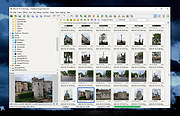 |
|
File Converter v2.0.2 File Converter v2.0.2 Convert and compress everything in 2 clicks! File Converter is a very simple tool which allows you to convert and compress files using the context menu in windows explorer. It is open source (GLP v3), free and without any adds or data collection so you just have to enjoy it! The interface is designed to be as light as possible to keep the application easy to use. It supports a lot of different file formats: *You need to have Microsoft Office installed and activated in order to convert Office documents. You can heavily customize the application in order to add / remove conversion presets in the files context menus or edit the existing one to change the conversion options. Supported operating systems: Windows 7 / 8 / 10 and 11 Changes: v2.0.2 New: Hebrew translation (thanks to AshiVered). Fixes: Issue where installer was not working due to registry key not updated correctly during install (issue #382). Fixes: Update chinese translations (thanks to jie65535). Fixes: Issue where tempo/pitch conversion settings were not considered as default settings resulting is some issues during backward compatibility check. Click here to visit the author's website. |
|
1,090 | Aug 27, 2024 Adrien Allard 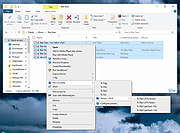 |
|
foobar2000 v2.26 foobar2000 v2.26 👉 Advanced freeware audio player with tagging, conversion, replay gain, and customizable playback features. foobar2000 is an advanced freeware audio player designed for playing mainstream audio formats out of the box, with support for additional decoder components, gapless playback, advanced tagging, Audio CD ripping, transcoding, ReplayGain, internet radio, customizable keyboard shortcuts, and a flexible component architecture for extending functionality. Features: • Plays all mainstream audio formats out of the box • Supports additional decoder components for more formats • Gapless playback • Stream music on your local network • Easily customizable user interface layout • Advanced tagging capabilities • Audio CD ripping and audio transcoding • Full ReplayGain support • Customizable keyboard shortcuts • Built-in DSP effects with support for more through components • Internet radio support • Open component architecture for third-party extensions • No telemetry or data collection Supported operating systems: • Windows 7 or newer • macOS 11 Big Sur or newer Supported languages: • English Changes: v2.26 06-26-26 Converter changes New preset format, presets stored as .ini files in profile subfolder. Old presets imported on first run. Better error messages when receiving unexpected data format change in mid-conversion; made discard blank chunks before checking for format match. Added extensible post-conversion actions which can be used for ReplayGain scanning, integrity testing, etc. On conversion error, encoder's stderr output is forwarded to foobar2000 console. Ogg chaining is now off by default, Ogg chapters written by default instead. Added %source_list_index% & %source_list_total%, only for multi track image naming pattern use, to allow use of list indexes in the pattern. Made file name preview recognize newly added %source_list_index%. Made show output of command-line encoder program in error popup if conversion has failed. Made "no DSP reset" explicitly shown in overview, as ... |
|
6,754 | Oct 05, 2026 foobar2000.org 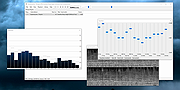 |
|
fre:ac - Free Audio Converter v1.1.4 fre:ac - Free Audio Converter v1.1.4 fre:ac is a free audio converter and CD ripper with support for various popular formats and encoders. It currently converts between MP3, MP4/M4A, WMA, Ogg Vorbis, FLAC, AAC, WAV and Bonk formats. With fre:ac you easily rip your audio CDs to MP3 or WMA files for use with your hardware player or convert files that do not play with other audio software. You can even convert whole music libraries retaining the folder and filename structure. The integrated CD ripper supports the CDDB/freedb online CD database. It will automatically query song information and write it to ID3v2 or other title information tags. Features Converter for MP3, MP4/M4A, WMA, Ogg Vorbis, FLAC, AAC, WAV and Bonk formats Integrated CD ripper with CDDB/freedb title database support Portable application, install on a USB stick and take it with you Multi-core optimized encoders to speed up conversions on modern PCs Full Unicode support for tags and file names Easy to learn and use, still offers expert options when you need them Multilingual user interface available in 40 languages Completely free and open source without a catch This download is for the 64bit Windows version. If you need the 32bit Windows version, download here. If you need the Intel and PowerPC Macs, macOS 10.x version, download here. If you need the Intel and Apple Silicon Macs, macOS 11.0 version, download here. If you need the Linux x86 (64 bit) version, download here. If you need the Linux x86 (32 bit) version, download here. If you need the Linux ARM (64 bit) version, download here. If you need the Linux ARM (32 bit) version, download here. If you need the FreeBSD (64 bit) version, download here. If you need the ... |
|
6,526 | Feb 16, 2021 Robert Kausch 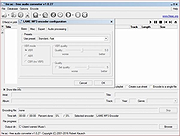 |
|
HandBrake v1.11.2 HandBrake v1.11.2 👉 Open-source video transcoder for converting video files into modern, widely supported formats. HandBrake is a free and open-source video transcoder that allows users to convert video files from nearly any format into modern, widely supported codecs and containers. It is widely used for compressing large video files, preparing videos for mobile devices, and converting DVD or Blu-ray sources into digital files. HandBrake supports a wide range of input sources including common video formats, DVDs, and Blu-ray discs that are not copy-protected. Users can choose from optimized device presets or customize encoding settings such as bitrate, resolution, frame rate, filters, and subtitles to match their specific needs. The application includes advanced features like hardware acceleration, batch processing, subtitle management, chapter markers, and video filters for deinterlacing, denoising, and scaling. HandBrake also provides preview capabilities so users can test encoding settings before processing an entire file. Its clean interface and powerful engine make it useful for beginners and advanced users alike. Features: • Convert video from nearly any format to MP4, MKV, or WebM • Built-in presets for common devices and streaming platforms • Hardware accelerated encoding (Intel Quick Sync, NVIDIA NVENC, AMD VCE/VCN, Apple VideoToolbox) • Video filters including deinterlace, denoise, sharpen, and scaling • Subtitle support including burned-in, soft subtitles, and external subtitle tracks • Chapter markers and audio track selection • Batch encoding and queue management • Live preview to test encoding settings before processing Supported operating systems: • Windows 10, Windows 11 • macOS 13 Ventura or higher • Linux Ubuntu 22.04 or higher Supported languages: English, Catalan, Chinese (Simplified), Chinese (Traditional), Czech, Dutch, French, German, Hungarian, Italian, Japanese, Korean, Polish, Portuguese, Portuguese (Brazil), Russian, Spanish, Swedish, Turkish, Ukrainian Changes: v1.11.2 06-07-26 Fixed a crash when performing a 2-pass lossless x265 encode. Fixed a memory leak during 2-pass MPEG-4, MPEG-2, VP9, and FFV1 encodes. Updated supported dither and encoder combinations. Fixed the Core Audio AAC encoder 7.1 channel ... |
|
10,850 | Jul 30, 2026 The HandBrake Team 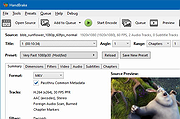 |
|
Heic File Converter v1.2.0 Heic File Converter v1.2.0 Free Software to Convert HEIC File to JPG / PNG / PDF Can not open .heic image files? Use Heic File Converter to convert .heic files to jpg/png in one go. Easy to use. Convert .heic file to jpg, png and pdf file with only 3 steps. Small in size. No more than 20Mb for the .exe file and less than 10Mb for .dmg file. Powerful conversion engine. High-quality, reliable and fast conversion process from .heic to jpg, png and pdf. Offline software. No internet connection required. Keep your privacy and files safe. Batch process. Turn multiple .heic files to jpg, png and pdf files at one time. Works with Windows 7/8/10/Vista/Xp What is HEIC? Best Converter for Heic File on Win / Mac Heic File Converter is carefully designed for transferring Heic photos to jpg, png and pdf. Convert hundreds of Heic files at one time! A Few Steps to Process HEIC to JPG / PNG / PDF Convert HEIC automatically with high quality preserved. Click here to visit the author's website. |
|
4,770 | Jan 11, 2020 Shane Steven 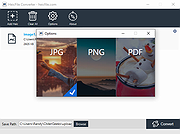 |
|
Helium Converter v3.2.49 Helium Converter v3.2.49 The Swiss Army knife of audio converters! Helium Converter is a free, fully functioning, helper application that enables you to convert your audio files into many different formats. It provides comprehensive support for the conversion from and to a large variety of lossless and lossy music file formats, namely: Supported source formats: AAC FLAC M4A M4B Monkey Audio (APE) MP3 MP4 MPEG+/MPC Ogg Vorbis WavPack Wave WMA Supported target formats: FLAC M4A M4B MP3 MP4 Ogg Vorbis WavPack Wave WMA The most output formats also supports volume normalizing (non-destructive) which can be configured per encoder. In addition, the music file tag content (meta data) is also converted and saved to the destination files. DRM (copy protected) music file conversion is not supported. Helium Converter exists in the following languages: Brazilian Portuguese Deutsch Spanish French Greek Hungarian Japaneese Dutch English Russian Slovak Swedish Click here to visit the author's website. |
|
4,542 | Dec 12, 2024 Imploded Software 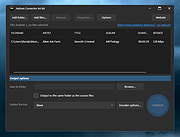 |
|
Imagine v2.7.0 Imagine v2.7.0 👉 Fast freeware image and animation viewer for Windows with broad format and plugin support. Imagine is a freeware image and animation viewer for Windows that focuses on speed while supporting a huge range of image, animation, archive, and RAW camera formats. It includes a thumbnail browser, slideshow, batch conversion and rename tools, screen capture, basic paint tools, color corrections, ICC color management, and optional add-on plugins plus Total Commander integration. Features: • View and save image and animation files with very fast speed • Supports many image and animation formats (including ANI, GIF, PNG, SVG, TIF, WEBP, and more) • Supports digital camera RAW formats (including ARW, CR2, CR3, DNG, NEF, ORF, RAF, SRW, and more) • Supports archive formats (ZIP, RAR, 7Z, ALZ, HV3, CBZ, CBR, CB7) • Extract single or all frames from animation files • Shows detailed file information plus Exif, IPTC, DICOM, and Comment information • Thumbnail browser • Basic paint tools, color corrections, and ICC color management • Batch conversion and batch rename • Slideshow and tiled view • Screen capture • Create animations, multiple page images, and panorama images • Customizable keyboard and mouse shortcuts, plus command line parameter support • Shell extension support, add-on plugin support, and Total Commander Lister, Packer, and Content plugin support • INI-based configuration (does not write unnecessary registry entries) • Native builds for x86, x64, and ARM64 Supported operating systems: • Windows 95, Windows 98, Windows ME, Windows NT 4.0, Windows 2000, Windows XP, Windows 2003, Windows Vista, Windows 7, Windows 8, Windows 10, Windows 11 Supported languages: • Arabic, Czech, Danish, Dutch, French, German, Italian, Japanese, Korean, Polish, Portuguese (Brazil), Portuguese (Portugal), Romanian, Russian, Simplified Chinese, Slovenian, Spanish, Traditional Chinese, Turkish, Ukrainian, Uzbek (O'zbekcha) Changes: v2.7.0 09-12-26 - Added: Antialiasing support for 32-bit alpha blended image - Added: 'Apply to all users'/'Current user only' option (Installer) - Added: Determine whether encoding can be skipped ... |
|
6,937 | Sep 13, 2026 Sejin Chun 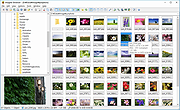 |
|
IrfanView v4.76 IrfanView v4.76 👉 Fast, compact image viewer and converter for Windows. IrfanView is a fast and compact graphic viewer for Windows that can view images, convert files, optimize images, scan and print, create slideshows, run batch processing jobs, and handle multimedia files. It is designed to be simple for everyday viewing while still offering powerful tools for image handling, editing, conversion, and automation. Features: • Fast and compact image viewer • Freeware for non-commercial use • 32-bit, 64-bit, and Windows ARM64 versions available • View, convert, and optimize images • Scan and print support • Batch processing • Slideshow creation • Multimedia support • Unicode support • Multi-language support • PlugIn support for additional formats and features Supported operating systems: • Windows XP, Windows Vista, Windows 7, Windows 8, Windows 10, Windows 11 • Windows 11 ARM, tested on Snapdragon X Supported languages: English, German, Bulgarian, Czech, Hungarian, Korean, Polish, Portuguese-Brazil, Slovak, Chinese, Estonian, French, Greek, Italian, Japanese, Dutch, Portuguese, Russian, Slovenian, Spanish, Thai, Turkish, Latvian, Norwegian, Danish, Romanian, Ukrainian, Arabic, Finnish, Catalan, English-British, Hebrew, Lithuanian, Swedish, Uzbek Changes: v4.76 09-18-26 Option to set the Toolbar on left/right (Properties->Toolbar) Option to draw a freehand selection, menu: Edit->Set selection shape New Wallpaper menu: Choose monitor (in multi monitor environment) New Thumbnails window menu: Favorite folders (max 15 folders) New in Thumbnails folder box: Write/Paste folder path, press Enter to load Changes in Zoom Magnifier (new initial zoom, CTRL + Click goes to 100%) Support for animated AVIF files New command line option to set the wallpaper per monitor /monitor=number (needs also /wall) Paint PlugIn: Option for smooth lines; Fix in the Clone tool Several PlugIns are changed/updated, please install the newest versions: Download from: https://www.irfanview.com/plugins.htm 👉 This download is for the Windows 64bit installer version (very bottom of page). All other download assets are below: Other Windows 64bit: iview476_plugins_x64_setup.exe iview476_plugins_x64.zip Windows 32bit: iview476_setup.exe iview476_plugins_setup.exe iview476_plugins.zip Windows ARM64bit: iview476_arm64_setup.exe iview476_arm64.zip iview476_plugins_arm64_setup.exe iview476_plugins_arm64.zip Click here to visit the author's website. |
|
6,451 | Sep 22, 2026 Irfan Skiljan  |
|
Kabuu Audio Converter v1.1.0 Kabuu Audio Converter v1.1.0 Kabuu Audio Converter is a multithreaded audio converter and extractor. It can convert any file to mp3, m4a, flac, alac, wav, ogg, opus. You can also extract audio from video files like mp4, avi, vob, mkv, webm, etc. Kabuu Audio Converter has several built in presets which make encoding even easier. You can also create your own presets, adjust encoding parameters like bitrate, channel count, sampling rate, bit depth, compression ratio. Kabuu Audio Converter can extract audio streams from video files. Even if the video file in question has more than one audio stream, Kabuu Audio Converter gives you the option to select the one you want to extract. If your audio tracks have language information, you can configure Kabuu Audio Converter so it can select the language you want for you. Kabuu Audio Converter is completely free and does not contain any malicious code or addon. Features Convert audio files in parallel to maximize encoding speed Supported output formats mp3, m4a, ogg, opus, flac, wav, alac, wma Keeps folder structure at output for your convenience Create or use built in presets for easy configuration Extract audio from video files, audio track selection for multitrack files Can convert and extract from almost any media file Supported Formats Input Audio Formats .mp3, .wav, .m4a, .flac, .ogg, .tta, .mpc, .aac, .ac3, .spx, .opus, .shn, .wv, .mpc, .ape, .wma, .3ga, .thd, .amr, .aac, .m4b, .tak, .dts, .aiff, .aif, .dtsma, .mpa, .mp2, .mka Input Video Formats ... |
|
4,408 | Jun 06, 2020 Kabuusoft 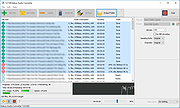 |
|
MiniTool Video Converter v2.1.2 MiniTool Video Converter v2.1.2 Convert audio and video files within minutes. Supports 1000+ popular output formats. Batch video conversion at once. 100% Free, no bundle, no ads. Convert to Audio, Video and Device MiniTool Video Converter is the most direct solution to convert audio and videos files to multiple formats. This free video converter is available to turn audio to video and convert video to audio. Convert Between 1000+ Formats This free video converter supports 1000+ conversion formats including 4K/FHD/HD MP4, MOV, MKV, AVI, WMV, M4V files and audio formats like high quality MP3, WAV, M4A, WMA, AAC, AC3. Batch Video Conversion MiniTool Video Converter enables you to convert batch files at once. Simply select the files to convert, set up the output format for each file or for the whole files, and then you can convert all of them in bulk. Fast Converting Speed and High Video Quality Enjoy both faster converting speed and higher video quality! MiniTool Video Converter can quickly convert multiple videos and deliver significantly high video/audio quality. MiniTool Video Converter is not only free video converter software, it also helps download YouTube videos and then make free video conversion. The free video converter software lets you download 4K YouTube videos, download YouTube playlist, and extract audios to popular formats. System Requirements OS Windows 10, Windows 8.1, Windows 8, Windows 7. CPU Intel Core i3 processors and above. RAM At least 4GB RAM is recommended. Space At least 400MB free hard disk space. Click here to visit the author's website. |
|
4,159 | Dec 16, 2020 MiniToolฎ Software Limited  |
|
PDFgear v2.1.19 PDFgear v2.1.19 👉 Free all-in-one PDF editor, reader, converter, OCR tool and AI assistant. PDFgear is a free PDF editor and management suite for viewing, editing, converting, creating, annotating, signing, organizing and protecting PDF documents. It allows existing PDF text and images to be edited directly, includes OCR for scanned documents, supports batch conversions and provides PDFgear Copilot for working with documents using natural-language commands. PDFgear does not require an account, places no watermarks on exported documents and does not impose file-size or file-number limits on its desktop software. Features: • View and read PDF documents with multiple reading and navigation options • Directly edit, replace, add and delete existing PDF text • Change fonts, font sizes, styles and other text formatting • Add, replace, reposition and edit images and other PDF objects • Add text boxes, hyperlinks and customizable shapes • Highlight, underline and strike through text • Add notes, comments, stamps, watermarks and freehand drawings • Fill interactive PDF forms • Add signatures and certificate-based digital signatures • Secure eSign for signing documents with greater security and confidence • Request signatures from multiple parties • OCR scanned PDFs and image-based documents • Extract text from selected areas with OCR • OCR supports more than 30 languages during PDF conversion • Convert PDFs to Word, Excel, PowerPoint, TXT, images and other formats • Create PDF documents from multiple file formats • Batch convert multiple PDF documents • Merge and split PDF files • Rearrange, rotate, crop, extract, duplicate, insert and delete PDF pages • Add customizable page numbers to headers or footers • Compress PDF documents • View and manage PDF attachments • Redact sensitive information • Manage PDF properties • PDFgear Copilot accepts natural-language instructions for PDF tasks • AI tools can summarize, analyze, translate, rewrite and proofread document content • Search and replace text in PDF documents • Dark mode for PDF viewing • Process ordinary PDF editing tasks locally on the computer • No account required • No ... |
|
2,474 | Aug 20, 2026 PDF Gear Tech PTE. LTD.  |
|
Realistic VHS Video Converter v1.4.0 Realistic VHS Video Converter v1.4.0 Turn your fancy, high quality videos into crappy VHS-looking videos from the 80s and 90s. Features • Microsoft .NET Framework 4.5.2 - 4.7.2 - 4.8 • Required FFmpeg Libraries • NAudio Sound System • Customizable video/audio effects • Realistic VHS glitch effect with Glitch0r (made by Frei0r video effect plugin) (Unsupported on Windows 10) • Supported any video input formats (MP4, AVI, MOV, WMV) • Multi-Languages Support • Customizable overlays (Startup, black screen) • Realistic VHS overlays and artifacts sound effects • Manage presets • Processing Log Console Click here to visit the author's website. |
|
1,548 | Oct 09, 2024 Josu้ Beauregard  |
|
Red Burner .NET v19.5.0.0 Red Burner .NET v19.5.0.0 Lightweight optical disc burning software for CD, DVD and Blu-ray media. Red Burner .NET is a standalone disc burning tool for creating and working with optical discs, disc images and optical drives. It supports CD, DVD and Blu-ray burning, image burning and conversion, rewritable media, M-Disc, DVD-RAM and an integrated virtual drive emulator. Features: • Burn audio, video and data CD, DVD and Blu-ray discs • Supports single, double, triple and quad layer media • Burn M-Disc, rewritable discs and DVD-RAM • Create, burn and convert disc images • Browse disc images with the internal image browser • Integrated virtual drive emulator • Supports ISO, BIN/CUE, IMG/CCD, NRG, CDI, PDI, B5I, B6I and GI image formats • Lightweight standalone design • Fast burning algorithm • Code-signed files • Donationware Supported operating systems: • Windows 7 or later Supported languages: • English Changes: v19.5.0.0 Not provided. Click here to visit the author's website. |
|
906 | Jun 05, 2026 OMID SOFT  |
|
Reg Converter v1.2 Reg Converter v1.2 Reg Converter is a portable freeware utility to convert .reg data to .bat, .vbs, or .au3. This is particularly useful for files which need administrator privileges in order to be merged into the registry , or for unattended installations. Reg Converter v1.2 – What’s New – (Monday, 22. January 2018) 1. [ Fixed ] – Convert Clipboard button bug 2. [ Fixed ] – Minor BUGS and some code weakness 3. [ Added ] – Small settings for REG_DWORD registry values 4. [ Added ] – Non zero return code and syntax error identification in Command line mode 1. To convert any .reg file to .bat, .vbs, or .au3, click the ‘Select reg file” icon (the yellow folder) or just drag and drop the .reg file into the window. 2. Choose an ouput file type. If you choose .bat file output, you can select “Use Reg.exe” or “Use Regedit.exe”, though this has some limitations, for example writing Unicode characters to the registry is problematic. 3. To convert the .reg data, click the Convert button in the upper right, then click the “Save” button to save your converted data. If you find a useful registry tweak on a website, and want to easily convert it to one of the supported formats, just copy it, then in Reg Converter use the “Clipboard” button in the upper right. It will convert the clipboard content, simplifying the process by saving you the steps of pasting text into Notepad, saving as a .reg file, then using regconverter.exe to convert it. You can also add convert options to your right-click context menu. To do so, click the “Menu” button, then “Context Menu Options”. You can then choose which converters you would like to see on your context menu. Click “Apply Changes” to confirm your choices. Reg Converter has CMD (command line) support. The screenshot ... |
|
6,115 | May 21, 2019 Sordum.org 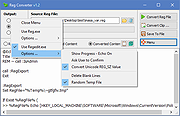 |
|
Shell WebP Converter v2.5.1 Shell WebP Converter v2.5.1 👉 Lightweight Windows shell extension for fast WebP image conversion directly from the right-click menu. Shell WebP Converter is a simple and efficient Windows shell extension that allows you to convert images to and from the WebP format directly from the Windows context menu. Once installed, it integrates seamlessly into File Explorer, enabling quick conversions without opening a separate application. Designed to be lightweight and easy to use, Shell WebP Converter supports bulk image processing and preserves image quality through configurable settings. It is ideal for users who regularly work with WebP images and want a fast, no-nonsense way to convert formats straight from the desktop. Features: • Adds right-click context menu integration in Windows Explorer • Convert images to WebP format • Convert WebP images to common formats such as PNG and JPEG • Batch conversion support for multiple selected files • Lightweight and fast performance • Simple, user-friendly operation • Maintains image quality with configurable compression options Supported operating systems: • Windows 10, Windows 11 Supported languages: English, Russian, Arabic, German, Spanish, French, Hindi, Hungarian, Italian, Japanese, Korean, Portuguese, Slovak, Turkish, Chinese Changes: v2.5.1 05-08-26 GUI fixes Note: This file has one hit on VirusTotal. We have confirmed this to be a false positive. The file is safe. Click here to visit the author's website. |
|
762 | Jun 27, 2026 SchwarzFuchs 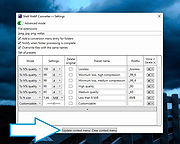 |
|
Shutter Encoder v20.2 Shutter Encoder v20.2 👉 A free video, audio, and image converter designed by video editors for powerful media encoding and workflow tools. Shutter Encoder is a free media converter and processing tool built around FFmpeg for handling video, audio, and image files. It is designed by video editors to be both accessible and powerful, with support for a very wide range of codecs and formats, along with trimming, subtitle work, watermarking, cut detection, analysis tools, web video downloading, render queue support, file information viewing, batch renaming, FTP upload support, and AI-assisted functions. It also includes professional workflow features such as editing codecs, broadcast codecs, archive codecs, disc burning and ripping, and preset saving for repeatable jobs. Features: • Converts video, audio, and image files using FFmpeg • Designed by video editors for accessible but advanced media work • Supports a very large range of codecs and formats • Includes trimming and cut without re-encoding tools • Lets you replace audio, rewrap, conform, merge, extract, subtitle, and insert video • Supports sound conversion to WAV, AIFF, FLAC, ALAC, MP3, AAC, AC3, OPUS, Vorbis, Dolby Digital Plus, and Dolby TrueHD • Includes editing codecs such as DNxHD, DNxHR, Apple ProRes, QT Animation, GoPro CineForm, and Uncompressed • Includes output codecs such as H.264, H.265, H.266, VP8, VP9, and AV1 • Includes broadcast codecs such as XDCAM HD422, XDCAM HD 35, AVC-Intra 100, XAVC, XAVC Long GOP, and HAP • Supports older codecs including Theora, MPEG-2, MJPEG, Xvid, DV, WMV, and MPEG-1 • Supports FFV1 for archiving workflows • Creates JPEG, JPEG XL, and image outputs • Burns and rips DVD and Blu-ray media • Includes analysis tools such as loudness and true peak, audio normalization, cut detection, black detection, media offline detection, VMAF, and FrameMD5 • Downloads web video content • Includes image adjustment tools for colors, LUTs, and color space conversion • Supports cropping for both images and videos • Can ... |
|
3,680 | Aug 12, 2026 Paul Pacifico 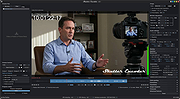 |
|
Subtitle Edit v5.0.0 Subtitle Edit v5.0.0 👉 Free open-source subtitle editor for creating, editing, syncing, and converting subtitles. Subtitle Edit is a free and open-source subtitle editor designed for professional and hobbyist subtitle creation alike. Version 5 represents the biggest update in the project's history, rebuilding the application with the Avalonia UI framework to provide a true native cross-platform experience on Windows, macOS, and Linux from a single codebase. It retains the powerful editing capabilities that made Subtitle Edit popular while adding a modern interface, faster performance, and improved portability. Whether you're correcting subtitle timing, creating subtitles from scratch, translating captions, performing OCR on image-based subtitles, or converting between subtitle formats, Subtitle Edit provides an extensive collection of professional tools. It supports well over 300 subtitle formats, waveform and spectrogram editing, video preview, AI-assisted translation, speech-to-text integration, spell checking, batch processing, and numerous automation tools that greatly simplify subtitle production. Features: • Create new subtitles from scratch using video preview, waveform, and spectrogram displays • Edit and synchronize subtitles using visual and time-based synchronization tools • Convert between more than 300 subtitle formats • OCR support for image-based subtitle formats including Blu-ray and DVD subtitles • AI-powered translation using multiple online and local translation engines • Speech-to-text transcription using supported recognition engines • Automatic subtitle timing adjustments and frame rate conversion • Batch conversion, batch fixing, and batch subtitle processing • Spell checking with dictionaries for numerous languages • Search, replace, split, merge, and renumber subtitle lines • Generate subtitles with waveform and spectrogram editing • Compare and merge subtitle files • Video preview using supported media playback engines • Import and export subtitle projects in hundreds of formats • Customizable keyboard shortcuts and editing layouts • Dark mode and modern cross-platform user interface • Portable versions available for supported platforms • Free and open-source software released under the GNU GPL Supported operating systems: • Windows 10, Windows 11 • macOS 12 Monterey or later (Intel, ... |
|
1,666 | Jun 24, 2026 Nikolaj Olsson 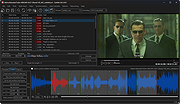 |
|
SVG Converter v1.0 SVG Converter v1.0 Converts SVG files to PNG or BMP images. What is SVG SVG is the extension of vector graphic files that contain scalable images. This image format is XML based. It supports animation that can contains vector graphics, raster graphics, and text. It contains data using lossless data compression algorithm. SVG files can be edited using drawing software as well as text editors. Batch SVG Converter Convert scalable vector images to PNG or BMP with Vovsoft SVG Converter. Conversion preserves transparency and allows you to scale lossless to any specified size. There are a lot of online websites that can convert SVG images. However they have upload limitations. Vovsoft SVG Converter can convert images as many as you want through a user-friendly interface. You can easily create PNG or BMP files by selecting the input SVG files in bulk. The application will do the rest for you. The best part of the program is that the conversion is done completely offline. You are the only controller of your private data. No image file is sent to internet in any case. Key Features SVG to PNG SVG to BMP Supported Operating Systems Windows 11, Windows 10, Windows 8/8.1, Windows 7, Windows Vista (32-bit and 64-bit) Click here to visit the author's website. |
|
2,535 | Sep 05, 2022 Vovsoft 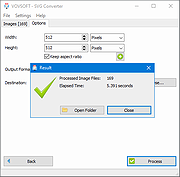 |
|
Text to MP3 Converter v1.8 Text to MP3 Converter v1.8 Free tool to convert text to speech Text to Speech (MP3) Easily convert your text into speech. Perfect for e-learning, presentations, YouTube videos and increasing the accessibility. The text can be exported as MP3 and WAV files. This program uses the preinstalled Microsoft SAPI Text-to-Speech (TTS) engines for generating voice. Text to MP3 software If you need to simply convert some text into audio content or you're just looking for a way to preview some content without having to actually spend time reading it, Text to MP3 Converter can do both, offering you choices for the used speech engine, as well as the output audio format. The two main options offer users the choice of increased quality (WAV) or a more compact recording (MP3). "Speech Speed" option allows from 10x slow to 10x fast playing and recording. If you seek a basic application that can help you perform text to audio conversions, without having to resort to complex steps and configuration processes, try out this simple yet quite capable software. How to install a new Text-to-Speech language You can install many TTS enabled languages (Voices) using Windows Settings (Control Panel). Depending on your Windows version, go to "Region & Language" area, then "Add a Language" by selecting it or downloading a language pack. Finally, restart the program to detect the installed languages. Key Features Speech speed (fast-slow) Voice pitch (high-low) Spell Emphasize Voiceover highlighting Multiple speech engine support Read aloud Insert silence MP3 export WAV export Supports: Windows Windows 11, Windows 10, Windows 8, Windows 7, Windows Vista, Windows XP (32-bit and 64-bit) Language: English License: Freeware — no nags, no ads, fully functional Changes: Text to MP3 Converter 1.8 October 14, 2021 Added “Insert - Silence” menu item Added “Edit” menu Fixed word-wrap related problem Improved UI Click here to visit the author's website. |
|
3,290 | Dec 13, 2021 Vovsoft |
|
Video to Video Converter v2.9.6.10 Video to Video Converter v2.9.6.10 Free software for converting between various video and audio formats. Today there are a lot of different video and audio formats, different devices support various video formats, therefore in order to watch video and audio material on different devices you need to convert it, which means to adjust it to the device being used. Video converter which we present is feature-rich and allows you to convert almost all existing formats. It is possible to convert video and audio files to DivX or XviD format for watching movies on TV, HD formats for LCD, Plasma TVs, almost all types of mobile phones, android, iPhone, iPod, iPad, to prepare videos for the internet, conversion/authoring of video DVD formats, QuickTime, convert for uploading to YouTube, various rare and specific codecs etc. Features: • Video converter is free software • Supports over 200+ of input formats • Supports over 700+ of output presets • Video converter supports a large number of output video formats: AVI, DivX, Xvid, mpeg-4, AVC/H264, mpeg, mpeg2, MOV, WMV, 3GP, 3GP2, MKV, WEBM, SWF, FLV, RM, ASG, GIF, DV... • Supports many output audio files: mp2, mp3, aac, ac3, wav, m4a, Vorbis, 3gpp, flac, mmf, iff, au... • With video converter you can convert almost all existing video and audio files • Easy to use • Has a built-in high quality DVD Ripper that supports foreign languages subtitles • Video Joiner with which you can combine multiple movies in one video and convert. • Has a built-in Video Splitter with which you can cut out parts of the video that you find interesting, so you don’t convert the entire video • Commercial Remover Tool • Video to Images Tool • Video to Thumbnails Tool • Images to Video - Picshow Tool • Converting video is reliable and fast • You can also convert to DVD video (supported DVD Authoring) • Embedded tools for ... |
|
5,804 | Jan 31, 2023 Media Converters 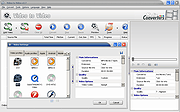 |
|
Webp Converter v1.2.0 Webp Converter v1.2.0 Convert hundreds of WebP images to JPG/JPEG/PNG/GIF, or from any other image formats to WebP on your Win/Mac computer! This program converts other image formats into .webp or converts .webp images to jpg, png or ico. Features: Convert .webp to .jpg/.png/.ico Convert .jpg/.png/.ico/.bmp/.svg/.gif to .webp Free free to use and no limitations at all Add hundreds of .webp or other image files for conversion This download is for the Windows version. If you need the MacOS version, download here. Click here to visit the author's website. |
|
3,601 | Sep 20, 2021 AnyWebP 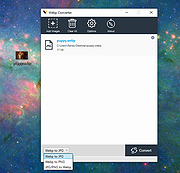 |
|
WinBin2Iso v6.77 WinBin2Iso v6.77 👉 Convert BIN disc image files into ISO format quickly and easily. WinBin2Iso is a lightweight and portable utility that converts BIN CD, DVD, and Blu-ray image files into ISO format. The program is designed to handle large image files over 2GB while remaining extremely small and simple to use. Its straightforward interface allows users to select a BIN file, choose an output location, and create an ISO image in just a few clicks. Because the program is portable, it does not require installation and can be run directly from a USB flash drive or other removable media. Features: • Convert BIN image files to ISO format • Supports CD, DVD, and Blu-ray image conversion • Handles files larger than 2GB • Portable application with no installation required • Extremely small program size • Simple and easy-to-use interface • Low CPU and system resource usage • Drag-and-drop support • Multilingual user interface • Compatible with both 32-bit and 64-bit Windows systems Supported operating systems: • Windows XP, Windows Vista, Windows 7, Windows 8, Windows 8.1, Windows 10, Windows 11 • Windows Server editions • Supports 32-bit and 64-bit systems Supported languages: English, German, Italian, French, Spanish, Traditional Chinese, Danish, Polish, Turkish, Japanese, Korean, Arabic, Portuguese, Dutch, Swedish, Finnish, Icelandic, Irish, Afrikaans, Norwegian, Luxembourgish, Māori Changes: v6.77 06-22-26 • Improvements to the Win-Bin-2-Iso app for all Windows operating systems • Language file update in the Win-Bin-2-Iso application This download is for the Windows 64bit version (very bottom of page). If you need the Windows 32bit version, download here. If you need the Windows Unicode version, download here. Click here to visit the author's website. |
|
6,561 | Jun 23, 2026 Nenad Hrg 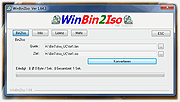 |
|
XL Converter v1.0.2 XL Converter v1.0.2 Free, easy-to-use image converter for modern formats. Supports multithreading, drag 'n drop, and downscaling. Available for Windows and Linux. Supported Formats Encode to JPEG XL, AVIF, WebP, and JPEG. Convert from HEIF, TIFF, and more Features JPEGLI Generate fully compatible JPEGs with up to 35% better compression ratio. JPEG XL and AVIF Achieve exceptional quality at a modest size with JPEG XL and AVIF. Parallel Encoding Encode images in parallel to speed up the process. Control how many threads to use for encoding. Lossless JPEG Recompression Losslessly transcode JPEG to JPEG XL, and reverse the process when needed. Downscaling Scale down images to resolution, percent, shortest (and longest) side, or even file size. Changes: v1.0.2 07 Aug 20:39 Added tooltips Added an option to copy original when output is larger (#45) Added an option to prevent deleting original when output is larger (#45) Added logging to file Added custom ExifTool arguments Added low RAM mode (#49) Fixed UTF-8 support in ExifTool (Windows) (#47) Fixed ExifTool handling of JPEG XL (Linux) Fixed menu entry disappearing after an update (Linux) Fixed UI bug with multiple chroma subsampling options appearing Set Windows installer to always show dir page Improved sound handling Improved settings tab scaling Switched to the system-provided ExifTool on Linux Updated ExifTool on Windows to 12.92 Updated libavif to 1.1.1 Updated libaom to 3.9.1 Updated OxiPNG to 0.9.2 This download is for the Windows version (very bottom of page). All other download assets are below: Linux: xl-converter-linux-1.0.2-x86_64.AppImage xl-converter-linux-1.0.2-x86_64.7z Click here to visit the author's website. |
|
1,007 | Aug 08, 2024 JacobDev1 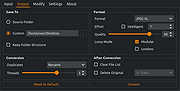 |
|
XMedia Recode v3.6.3.0 XMedia Recode v3.6.3.0 👉 Free video and audio converter supporting a wide range of formats and devices. XMedia Recode is a free video and audio conversion tool that allows you to convert nearly all known video and audio formats. It supports a wide variety of codecs and container formats and includes device specific profiles for smartphones, tablets, game consoles, and other multimedia devices. The program can extract audio tracks, convert unprotected DVDs, and provides basic editing features such as cutting, cropping, and filtering. Features: • Converts video and audio between numerous formats • Supports popular codecs including H.264, H.265, VP9, AV1 and more • Device presets for smartphones, tablets, consoles, and other devices • Extracts audio tracks from video files • Basic editing tools including cut, crop, and filters • Batch processing support • Subtitle support Supported operating systems: • Windows XP SP3, Windows Vista, Windows 7, Windows 8, Windows 8.1, Windows 10, Windows 11 Supported languages: • English, German, French, Italian, Spanish, Japanese, Chinese (Simplified), Chinese (Traditional), Russian, Polish, Dutch, Portuguese (Brazilian), Czech, Greek, Turkish Changes: v3.6.3.0 05-15-26 Update of ffmpeg Update of SVT AV1 (4.1.0) Codec Troubleshooting Fixed minor bugs Note: This file has two hits on VirusTotal. We have confirmed these to be false positives. The file is safe. This download is for the Windows 7-11 64bit version (very bottom of page). If you need the Windows 7-11 32bit version, download here. If you need the Windows XP-Vista 32bit version, download here. Click here to visit the author's website. |
|
10,591 | Jul 06, 2026 Sebastian Dorfler 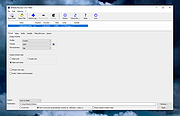 |
|
YouTube to MP3 Converter v3.9.9.33 YouTube to MP3 Converter v3.9.9.33 You like to listen to music on YouTube or SoundCloud and want to save it for offline playing. Or you want to download soundtrack of a new movie. Then we recommend you to try out this software developed specifically for this purpose. Downloads all music from playlist or channel Downloads highest available quality up to 320 kbps Supports YouTube, Vimeo, SoundCloud, Dailymotion, VEVO, etc. Downloads simultaneously several tracks Includes simple tag editor with cover art image support Works on all modern platforms (macOS, Windows, Ubuntu) Exports to iTunes Main Features: Playlists and channels The software supports downloading all videos of a playlist or a channel. And there is also an option for subscribing to and downloading only newly uploaded tracks. iTunes support In the preferences of the application you can select an option to add downloaded tracks into iTunes automatically. You can also specify iTunes playlist, where the converted track should be added. Saves your time & traffic The app detects audio track in YouTube video clip and downloads it, skipping the video part. As a result download speed increases dramatically, especially on HD-quality content. Simple tag editor Application automatically detects artist name and track title of the video and saves it in the downloaded file. But at the same time, you can easily change tags to whatever you want. You can even change a cover art image. Original format, no conversions You can save audio tracks in original quality without any conversion. It means that there will be no loss of quality and it greatly reduces the downloading time. Free music There is a great amount of music on YouTube. And our app will help you to convert YouTube videos to MP3 or save it on ... |
|
4,610 | Feb 24, 2020 MediaHuman 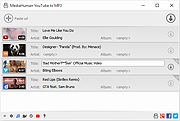 |
| Showing rows 1 to 36 of 36 | Showing Page 1 of 1 | 1 |
OlderGeeks.com Copyright (c) 2026
