|

|
Processed through Paypal No account required. |








Buy our over-priced crap to help pay the bills.



|
|
Processed through Paypal No account required. |
| Files | ||||
| File Name | Rating | Downloads | ||
 |
Aegisub v3.4.2 Aegisub v3.4.2 👉 Advanced cross-platform subtitle creation, timing, and editing software. Aegisub is a free, open-source subtitle editor designed for creating, modifying, timing, and styling subtitles for video content. It provides powerful tools for subtitle synchronization, visual typesetting, karaoke effects, and subtitle formatting while offering a built-in real-time video preview. Aegisub is widely used by subtitle creators, translators, fansub groups, and video editors who need precise control over subtitle appearance and timing. The program supports Advanced SubStation Alpha (ASS) subtitles and can import and export multiple subtitle formats. Its audio waveform display, timing tools, automation scripting support, and advanced styling features make it suitable for both beginners and professional subtitle authors. Features: • Create and edit subtitle files with precise timing controls • Advanced SubStation Alpha (ASS) subtitle support • Built-in real-time video preview window • Audio waveform and spectrogram displays for accurate synchronization • Powerful subtitle styling and typesetting tools • Karaoke timing and visual effects creation • Visual positioning and subtitle placement tools • Multiple subtitle format import and export support • Automation support through Lua and MoonScript scripting • Spell checking and text editing tools • Frame-by-frame subtitle adjustment capabilities • Video, audio, and subtitle synchronization tools • Cross-platform open-source design • Unicode and multilingual subtitle support Supported operating systems: • Windows 10/11 • macOS 10.15 and newer • Linux (Most major distributions via package manager.) Supported languages: English, Czech, German, Spanish, Finnish, French, Hungarian, Italian, Japanese, Catalan, Brazilian Portuguese, Traditional Chinese, Simplified Chinese, Russian, Bulgarian, Serbian, Greek, Turkish Changes: v3.4.2 01-12-25 Internationalization Fix more locale-dependent path issues Discard MRU entries with invalid encodings instead of crashing Linux Work around wxGTK crash when clicking “Show Original” Round instead of truncating in float audio converter to pass 32-bit tests Stuff Fix error “ERROR in finalizer: wrong number of arguments for function ... |
 |
659 | May 31, 2026 Rodrigo Braz Monteiro & contributers 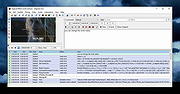 |
 |
Android Webcam System v1.0.6 Android Webcam System v1.0.6 👉 Turn an Android phone into a high-quality Windows webcam over USB or Wi-Fi. Android Webcam System is a free and open-source webcam solution that uses an Android smartphone as a webcam for a Windows computer. The system consists of the AWA Android app, which streams video from the phone, and the AWC desktop client, which receives the stream and provides a virtual webcam device that can be selected by compatible Windows applications. Everything operates locally without requiring a cloud streaming service. The project supports both USB and Wi-Fi connections. USB provides lower latency and improved stability without requiring Wi-Fi, while wireless mode lets the phone and computer communicate over the same local network. The Android app supports resolutions from 480p through 4K and allows switching between the phone's front and rear cameras. The virtual webcam can be used with programs such as Zoom, Microsoft Teams, Google Meet, Discord, OBS Studio and Skype, as well as other Windows programs capable of selecting a webcam device. Features: • Turns an Android smartphone into a Windows webcam • Includes AWA, a Kotlin-based Android camera and streaming application • Includes AWC, the desktop client that receives the phone's video stream • Creates a virtual webcam device for compatible Windows applications • Supports USB and Wi-Fi connections • USB mode offers lower latency and improved connection stability • Wi-Fi mode provides completely wireless operation over the local network • Supports 480p, 720p, 1080p and 4K video resolutions • Supports front and rear Android cameras • Displays real-time connection status • Provides desktop connection statistics • Designed for low battery usage on the Android device • Works with Zoom, Microsoft Teams, Google Meet, Discord, OBS Studio and Skype • Can be used by other applications that support standard webcam devices • Uses a fully local, serverless architecture • No cloud video relay is required • No advertisements • Free and open-source under the ... |
|
271 | Aug 09, 2026 Soubhagyajit Borah  |
|
Cinecred v1.8.1 Cinecred v1.8.1 👉 Create beautiful film credits without the pain. Cinecred is a free and open source program for creating professional film credits from spreadsheet data. It reads credits from Excel, LibreOffice, Apple Numbers, CSV, or Google Sheets, then lets you interactively arrange, style, preview, and export title cards or rolling credits. Features: • Create title cards and rolling film credits • Reads Microsoft Excel, LibreOffice Calc, Apple Numbers, CSV, and Google Sheets credit data • Live visual preview while editing • Interactive styling with contextual controls and easy reverts • Default project template for quick setup • Flexible layouts and pixel-level customization • Use custom fonts, logos, images, and videos • Runtime fine adjustment for matching a desired credit roll length • Integrated real-time playback • DeckLink preview playout support • Export to video files, image sequences, stills, PDFs, and production formats • Supports ProRes, DNxHR, CineForm, H.264, H.265, Theora, PNG sequences, TIFF, and more • Free software licensed under GPLv3 Supported operating systems: • Windows • macOS • Linux Supported languages: English, German, Czech, Spanish, French, Chinese (China) Changes: v1.8.1 Not provided. This download is for the Windows version (very bottom of page). All other download assets are below: macOS: cinecred-1.8.1-arm64.pkg cinecred-1.8.1-x86_64.pkg Linux: cinecred-1.8.1-x86_64.deb cinecred-1.8.1-x86_64.rpm cinecred-1.8.1-x86_64.appimage Click here to visit the author's website. |
|
495 | Jun 15, 2026 Felix Mujkanovic  |
|
Discord portable v1.0.9232-25 Discord portable v1.0.9232-25 👉 Portable Discord desktop client for voice, video, and text chat. Discord portable is a portable Windows build of Discord made with Portapps. It lets you use Discord for voice calls, video calls, direct messages, servers, and community chat while storing its portable data in a local folder instead of a standard installed profile. Portapps also notes that this build forces the Electron user data path to the data folder, disables app update checks, and creates a temporary shortcut for native notifications while Discord is running. Features: • Portable Discord package for Windows • Voice, video, and text chat with friends and communities • Works with Discord servers, channels, and direct messages • Stores Electron user data in the portable data folder • App update checks are disabled by Portapps for portability • Creates a temporary shortcut to support native notifications • Simple upgrade process by installing the latest portable setup over the current one Supported operating systems: • Windows 10, Windows 11 Supported languages: English (US), English (UK), Bulgarian, Chinese (Simplified), Chinese (Traditional), Croatian, Czech, Danish, Dutch, Finnish, French, German, Greek, Hindi, Hungarian, Indonesian, Italian, Japanese, Korean, Lithuanian, Norwegian, Polish, Portuguese (Brazil), Romanian, Russian, Spanish (Spain), Spanish (Latin America), Swedish, Thai, Turkish, Ukrainian, Vietnamese Changes: v1.0.9232-25 04-13-26 Discord 1.0.9232 Portapps 3.18.0 Click here to visit the author's website. |
|
6,585 | Apr 19, 2026 CrazyMax and Discord  |
|
Drift v0.1.1 Drift v0.1.1 👉 A free, open-source video editor for creating polished videos without subscriptions or watermarks. Drift is a beginner-friendly desktop video editor that combines a straightforward workflow with a full collection of creative tools. Import video clips, photographs and music, then arrange everything on a multi-track timeline with tools for trimming, splitting, snapping and ripple editing. Add effects, transitions, titles, shapes, stickers and emoji without leaving the editor. Drift can also generate editable captions from speech, isolate subjects, create masks, remove green-screen backgrounds, adjust playback speed and clean up noisy audio. The preview and export systems use the same compositor, helping the completed video match what you saw while editing. Drift is completely free and open source with no account, subscription, telemetry or watermark. Optional fonts, stickers, effects and speech-recognition models can be installed through the built-in Addon Manager as needed. Features: • Multi-track timeline for video, audio, text and shapes • Trim, split, snap and ripple editing tools • Mute or hide individual timeline tracks • Full undo and redo support • GPU-powered video effects • Adjustable transitions between overlapping clips • Reusable effect and appearance templates • Customizable titles with fonts, colors, outlines, shadows and alignment • Stickers, emoji and optional content packs • Speech-to-text caption generation • Edit caption wording and timing directly on the timeline • Subject cutout and masking tools • Green-screen background removal • Playback speed adjustment and reversing • Custom speed ramps, fades and beat-based animation • Audio mixing and effect chains • Background-noise cleanup • Project bundles that include associated media • Optional downloadable fonts, effects, stickers and speech models • Export quality and bitrate controls • H.264, H.265, AV1, ProRes and additional export formats • Preview and export use the same compositor • No account, subscription, telemetry or watermark Supported operating systems: • Windows • Linux • macOS, build from source only Supported languages: English Changes: v0.1.1 07-31-26 A small fix-up release on top of the first public version. Curves in the keyframe editor are now ... |
|
329 | Aug 03, 2026 CutWire Studios 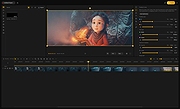 |
|
Flash Video Downloader Free v8.4.5 Flash Video Downloader Free v8.4.5 You can download videos from hundreds of thousands of websites. It detects videos (flash player) that playing on any web browser (IE,Firefox,Google Chrome etc.) FREEWARE (no ads, no toolbar) Download flash videos currently playing on web browsers (ie,firefox,google chrome ...) Start Video Detector (by pressing START Video Link Detector), Start playing online Video using Web Browser. Video link will be detected when the video starting to play and added to the download queue. There is no need to wait end of detected videos, you can stop it (by closing Webbrowser or Tab) To Download Detected videos press START Download button. NOTE:Some video links may expire so try to download videos as soon as possible. All in one software (video downloder, video converter, Photo downloader, Audio converter, Video Thumbnails maker...) Video link detector, Flash video downloader, Flv downloader, Mp4 downloader, video downloader Download Videos from almost any website Up to 4 parallel downloads. Convert video to mp3, or extract audio from video (lossless) Convert mp4 to mp3 Language:Turkish and English OS:Windows All All in one software and FREE Video Link Detector and Downloader Free YouTube Downloader Free YouTube Subtitle and Caption Downloader free Website Photo Downloader Free | Website image Downloader free Video Thumbnails Maker Free Audio Converter Free | Mp4 to Mp3 | MP3,MP2,AAC,AC3,OGG,WMA,FLAC,WAV,AIFF,m4a Converter Video Converter Free | Any Video Converter Free Magic Video Downloader Video and audio merger Extract Audios from Videos (lossless) Subtitle Maker for Music Clips Click here to visit the author's website. |
|
7,786 | Sep 27, 2019 Rentanadviser.com 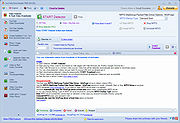 |
|
Free Audio Video Pack v2.22 32bit Free Audio Video Pack v2.22 32bit Free Audio Video Pack is a collection of portable video and audio converters which helps you to convert between all most popular audio and video formats like AVI, MPG, MP4, MP3, WAV, FLAC, AAC, MOV, WebM, WMV, WMA, OGG, WebM, FLV, OGV, 3GP. The package also includes applications that allows you to extract audio tracks from CD images based on the CUE sheets. Do not run this program from the 7z archive. Extract all files from archive before using! Unzip with 7zip. Download here All converters have a very similar interface and they are simple to use, even for novice users. To install, just extract archive FreeAudioVideoPack.7z to any folder on a hard disk or USB drive, then run FreeAudioVideoPack.exe file. Current version includes: Free WMA to MP3 Converter 1.4 Free MP4 to AVI Converter 1.16 Free MP4 to MP3 Converter 1.6 ---------------------------------------------- Pazera Free Audio Extractor 2.10 Free MKV to AVI Converter 1.9 Free WebM to MP3 Converter 1.4 Free OGV Video Converter 1.2 Free AVI to MP3 Converter 1.2 Free FLV to MP3 Converter ... |
|
5,765 | Dec 18, 2019 Jacek Pazera 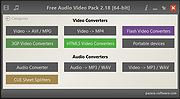 |
|
Free Audio Video Pack v2.22 64bit Free Audio Video Pack v2.22 64bit Free Audio Video Pack is a collection of portable video and audio converters which helps you to convert between all most popular audio and video formats like AVI, MPG, MP4, MP3, WAV, FLAC, AAC, MOV, WebM, WMV, WMA, OGG, WebM, FLV, OGV, 3GP. The package also includes applications that allows you to extract audio tracks from CD images based on the CUE sheets. Do not run this program from the 7z archive. Extract all files from archive before using! Unzip with 7zip. Download here All converters have a very similar interface and they are simple to use, even for novice users. To install, just extract archive FreeAudioVideoPack.7z to any folder on a hard disk or USB drive, then run FreeAudioVideoPack.exe file. Current version includes: Free WMA to MP3 Converter 1.4 Free MP4 to AVI Converter 1.16 Free MP4 to MP3 Converter 1.6 ---------------------------------------------- Pazera Free Audio Extractor 2.10 Free MKV to AVI Converter 1.9 Free WebM to MP3 Converter 1.4 Free OGV Video Converter 1.2 Free AVI to MP3 Converter 1.2 Free FLV to MP3 Converter ... |
|
6,038 | Dec 18, 2019 Jacek Pazera |
|
FurMark 2 v2.10.2 FurMark 2 v2.10.2 OpenGL and Vulkan GPU stress test and graphics benchmark. FurMark 2 is the next-generation edition of the legendary GPU stress testing and benchmarking utility from Geeks3D. Designed for gamers, overclockers, system builders and hardware enthusiasts, FurMark 2 pushes graphics cards to their thermal and performance limits using demanding OpenGL and Vulkan rendering workloads. It is commonly used to test cooling performance, verify GPU stability, identify overheating issues, detect graphical artifacts, and benchmark overall graphics performance. Unlike the original FurMark 1, FurMark 2 introduces a redesigned engine with modern rendering technologies, Vulkan support, improved compatibility with current GPUs, and enhanced benchmarking capabilities. The software can run intensive fullscreen or windowed stress tests while displaying real-time GPU information including temperatures, clocks, usage, fan speeds, and performance statistics. FurMark 2 also includes benchmark presets for quick comparisons, customizable testing modes, anti-aliasing options, artifact scanning, and command-line support for automation and advanced diagnostics. Whether you are validating a fresh GPU installation, testing overclock stability, troubleshooting crashes, or simply comparing benchmark scores with other systems online, FurMark 2 provides a fast and reliable solution for GPU performance analysis. Features: • Advanced OpenGL and Vulkan GPU stress testing • Designed to heavily load GPUs for thermal and stability testing • Modern rendering engine optimized for current graphics hardware • Built-in benchmark presets for quick performance comparisons • Custom benchmark modes with adjustable resolution and anti-aliasing • Real-time GPU monitoring during testing sessions • Displays GPU temperature, clocks, fan speed, usage and performance data • Artifact scanner helps detect rendering errors and unstable overclocks • Supports fullscreen and windowed testing modes • Online benchmark score submission and comparison support • Useful for validating overclocking and cooling system performance • Command-line options for scripting and automated testing • Compatible with many NVIDIA, AMD and Intel graphics cards • Includes GPU information and hardware identification tools • Lightweight interface with quick access to common ... |
|
2,154 | Jun 05, 2026 Geeks3D 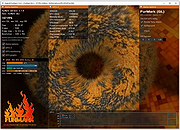 |
|
HandBrake v1.11.2 HandBrake v1.11.2 👉 Open-source video transcoder for converting video files into modern, widely supported formats. HandBrake is a free and open-source video transcoder that allows users to convert video files from nearly any format into modern, widely supported codecs and containers. It is widely used for compressing large video files, preparing videos for mobile devices, and converting DVD or Blu-ray sources into digital files. HandBrake supports a wide range of input sources including common video formats, DVDs, and Blu-ray discs that are not copy-protected. Users can choose from optimized device presets or customize encoding settings such as bitrate, resolution, frame rate, filters, and subtitles to match their specific needs. The application includes advanced features like hardware acceleration, batch processing, subtitle management, chapter markers, and video filters for deinterlacing, denoising, and scaling. HandBrake also provides preview capabilities so users can test encoding settings before processing an entire file. Its clean interface and powerful engine make it useful for beginners and advanced users alike. Features: • Convert video from nearly any format to MP4, MKV, or WebM • Built-in presets for common devices and streaming platforms • Hardware accelerated encoding (Intel Quick Sync, NVIDIA NVENC, AMD VCE/VCN, Apple VideoToolbox) • Video filters including deinterlace, denoise, sharpen, and scaling • Subtitle support including burned-in, soft subtitles, and external subtitle tracks • Chapter markers and audio track selection • Batch encoding and queue management • Live preview to test encoding settings before processing Supported operating systems: • Windows 10, Windows 11 • macOS 13 Ventura or higher • Linux Ubuntu 22.04 or higher Supported languages: English, Catalan, Chinese (Simplified), Chinese (Traditional), Czech, Dutch, French, German, Hungarian, Italian, Japanese, Korean, Polish, Portuguese, Portuguese (Brazil), Russian, Spanish, Swedish, Turkish, Ukrainian Changes: v1.11.2 06-07-26 Fixed a crash when performing a 2-pass lossless x265 encode. Fixed a memory leak during 2-pass MPEG-4, MPEG-2, VP9, and FFV1 encodes. Updated supported dither and encoder combinations. Fixed the Core Audio AAC encoder 7.1 channel ... |
|
10,850 | Jul 30, 2026 The HandBrake Team 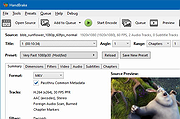 |
|
IBM Rev 1.5 motherboard Drivers- Video Driver IBM Rev 1.5 motherboard Drivers- Video Driver e49z77us.exe |
|
16,220 | Aug 02, 2009 IBM |
|
InstalledCodec v1.05 - Disable/enable codec drivers and DirectShow filters InstalledCodec is a small utility displays the list of all Codec drivers and DirectShow filters currently installed on your system. For each component the following information is displayed: Display Name, Type, Disabled Status, Installed/Modified Time, Description, Company Name, Filename, and more... It allows you to easily disable or enable any Codec/DirectShow component or export the list into text/xml/html file. |
 |
10,033 | Sep 22, 2021 Copyright (c) 2007 - 2008 Nir Sofer |
|
Kabuu Video Downloader v1.1.0 Kabuu Video Downloader v1.1.0 A free video downloader for YouTube without bundleware, adware or spyware. Kabuu Video Downloader is a multithreaded video and audio downloader for YouTube. You can download 2K, 1080p, 720p, 480p, etc videos with Kabuu Video Downloader. It can download Mp4 and Webm formats and opus and ogg audio formats. You can convert downloaded videos to mp4, webm, mkv, avi and other formats. Same convertion function also exists for audio downloads. You can convert downloaded audio files to mp3, m4a, ogg, wav, opus and more. The list of supported output formats is constantly updated. Kabuu Video Downloader can download playlist, user account as well as single videos. You can drag and drop or copy links to main window. You can also export your download lists in order to import them later and continue the download. If you have private playlists or videos, you can enter your YouTube credentials and download these content as well. Features Download mp4, webm, m4a, opus Download in parallel and maximize your bandwidth usag Download playlists and profiles Convert downloaded videos to mp4, mkv etc Download in 4K, 2K, 1080p, 720p etc quality Use YouTube account to download private videos, playlists etc Constant updates to ensure continued download functionality Changes: Add: Support for yt-dlp as default backend Add: New dark and light skin options Add: A few interface changes Fix: Better WebP thumbnail handling Before you download and use it, you better read the YouTube Terms of Service. Click here to visit the author's website. |
|
5,549 | Apr 08, 2022 Kabuusoft 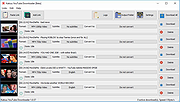 |
|
Kdenlive v26.04.3 Kdenlive v26.04.3 👉 Free and open-source non-linear video editor packed with powerful professional editing tools. Kdenlive is a free and open-source non-linear video editor from KDE designed for everything from simple video projects to complex multi-track productions. Built around the MLT Framework and FFmpeg, it can work directly with almost any audio and video format supported by FFmpeg without requiring clips to be converted first. Kdenlive combines flexible timeline editing, effects, transitions, titles, subtitles, color and audio analysis tools, proxy editing, multicam support, keyframing, automatic backups and extensive interface customization. Features: • Unlimited video and audio tracks with individual hiding, muting, resizing, collapsing and custom track names • Direct editing of almost any audio or video format supported by FFmpeg without first converting or re-encoding clips • Industry-standard 3-point editing with clip In/Out points and insert or overwrite editing modes • Flexible non-linear timeline for arranging, trimming and combining video and audio clips • Customizable interface with movable and resizable panels to fit different editing workflows • Save different workspace layouts for logging, editing, color grading and audio editing • Customizable keyboard shortcuts for creating a personalized workflow or adapting from another editor • Built-in 2D Title Editor for titles, callouts, scrolling credits and other text • Title formatting includes installed system fonts, character and line spacing, colors, alignment and positioning • Typewriter title effect with character-by-character, word-by-word or line-by-line text display • Glaxnimate integration for creating and working with SVG vector animations • Dozens of video and audio effects supplied through MLT, avfilter, frei0r and LADSPA • Video effects include color correction, blur, sharpening, artistic effects and transformations • Audio effects and adjustment tools for improving and modifying sound • Keyframe support for changing most effect parameters over time • Linear, discrete and smooth-curve keyframe types • Multi-camera editing with simultaneous viewing of multiple camera angles or other footage • Quickly switch between multicam sources while adding selected ... |
|
5,373 | Aug 20, 2026 Kdenlive Team 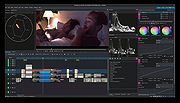 |
|
King--Less Video Cutter v1.0 King--Less Video Cutter v1.0 A free, portable video cutter. Featuring: No re-encording Lossless Direct cutting Easy and fast King-sized buttons! Click here to visit the author's website. |
|
3,461 | Oct 05, 2021 KLVC 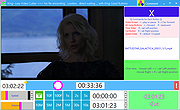 |
|
Media Player Classic - Home Cinema (MPC-HC) v2.8.2 Media Player Classic - Home Cinema (MPC-HC) v2.8.2 👉 Free and open-source video and audio player for Windows. Media Player Classic - Home Cinema is a free and open-source video and audio player for Windows. It is known for its simple and effective user interface while offering a large amount of functionality. As a DirectShow player, it also provides flexibility and extensibility through third-party filters. Features • Modern GUI Theme (Dark or Light) Options > Player > User Interface When using modern theme it is also possible to change the height of the seekbar and size of the toolbar buttons. • Video preview on the seekbar Options > Player > User Interface • Play HDR video This requires using MPC Video Renderer (download below) or madVR. After installation these renderers can be selected here: Options > Playback > Output Tip: If you want an easy to use all-in-one package that contains MPC-HC and these renderers, then use K-Lite Codec pack. • Ability to search for subtitles Press D for manual search. Or enable automatic search in: Options > Subtitles > Misc • Adjust playback speed Menu > Play > Playback rate The buttons in the player that control playback rate take a 2x step by default. This can be customized to smaller values (like 10%): Options > Playback > Speed step Adjusting playback speed works best with the SaneAR audio renderer. This also has automatic pitch correction. Options > Playback > Output > Audio Renderer • MPC-HC can remember playback position, so you can resume from that point later ... |
|
7,130 | Sep 23, 2026 MPC-HC Team 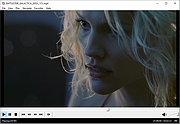 |
|
Media Player Classic Black Edition v1.9.0 Media Player Classic - Black Edition v1.9.0 👉 Lightweight, open-source audio and video player for Windows with built-in codecs. Media Player Classic - Black Edition (MPC-BE) is a free and open-source audio and video player for Microsoft Windows. Based on the original Media Player Classic and Media Player Classic Home Cinema projects, MPC-BE provides a clean, familiar interface with powerful playback features and a wide range of built-in audio and video codecs. It is designed to be lightweight, efficient, and highly compatible with modern multimedia formats while maintaining the classic Windows-style look and feel. Features: • Supports a wide range of video and audio formats using built-in codecs • High-quality video rendering with support for DXVA hardware acceleration • Subtitle support (external and embedded) with customizable styles • Playlist support and favorite files management • Audio switcher and built-in audio renderer • Customizable interface and toolbar • Screenshot capture and preview thumbnails • Video frame stepping and playback speed control • Command line support and extensive configuration options • Available in portable and installer versions Supported operating systems: • Windows 7, Windows 8, Windows 8.1, Windows 10, Windows 11 Supported languages: English, Russian, Ukrainian, Belarusian, German, French, Spanish, Italian, Polish, Czech, Slovak, Hungarian, Dutch, Portuguese (Brazil), Portuguese (Portugal), Romanian, Bulgarian, Greek, Turkish, Chinese (Simplified), Chinese (Traditional), Japanese, Korean Changes: v1.9.0 06-27-26 Splitters: Fixed crashes in some situations. AudioSplitter: Added support for the RF64 format. Fixed reading of channe This download is for the Windows 64bit installer version (very bottom of page). All other download assets are below: 32bit installer 64bit portable 32bit portable Standalone Filters 64bit Standalone Filters 32bit Use 7-Zip to unzip this file. Click here to visit the author's website. |
|
3,773 | Jul 11, 2026 MPC-BE Devs 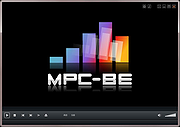 |
|
MediaPlayerOK v1.01 MediaPlayerOK v1.01 👉 Fast and portable media player for Windows. MediaPlayerOK is a compact portable media player for Windows that plays audio and video files with playlists, docking support, tray function, flexible playlists, drag & drop and automatic resume playback. Features: • Plays audio and video files • Compact and portable • Playlist support • Flexible playlists • Docking mode • Tray function • Automatic resume playback • Optional portable mode • Small system resource usage • No installation required Supported operating systems: • Windows XP, Windows Vista, Windows 7, Windows 8.1, Windows 10, Windows 11, Windows Server 2012-2025, 32-bit and 64-bit Supported languages: German, English, Italian, Korean, French, Greek, Traditional Chinese Changes: v1.01 06-11-26 • Minor adjustments in MediaPlayerOK • New languages added to MediaPlayerOK: Italian, Korean, French, Greek, and Traditional Chinese. Click here to visit the author's website. |
|
614 | Sep 23, 2026 Nenad Hrg 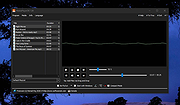 |
|
Metadata++ v3.00.2 Metadata++ v3.00.2 👉 View, edit, search, and manage metadata in thousands of file formats. Metadata++ is a powerful freeware metadata editor and browser for Windows built around ExifTool. It lets you inspect, edit, search, and organize metadata stored in photos, documents, audio, video, archives, and many other file types through a fast graphical interface. Designed to run locally without relying on the Windows registry, Metadata++ can also create sidecar files so metadata can be associated with formats that do not natively support it. It includes advanced search capabilities, batch editing, thumbnail viewing, ratings, tagging, and extensive support for industry-standard metadata formats, making it an excellent tool for photographers, archivists, content creators, and anyone who needs detailed control over file metadata. Features: • View, edit, and search metadata in thousands of supported file formats. • Built on the powerful ExifTool metadata engine. • Batch edit metadata across multiple files. • Create and use sidecar metadata files for unsupported formats. • Display image thumbnails and detailed file information. • Rate, tag, and organize files using metadata. • Fast folder navigation and high-performance directory browsing. • Export metadata in multiple formats. • Native Unicode support for international filenames and metadata. • Portable operation with all settings stored in the program folder. • No Windows registry entries required. • Runs entirely on your computer without transmitting personal data. Supported operating systems: • Windows 11 (64-bit), Windows 10 (64-bit) Supported languages: English, French, Spanish, Italian, Portuguese, Dutch, Polish Changes: v3.00.2 08-03-26 Changes since 3.00.1 Fixed the TreeView horizontal scrollbar. Added support for additional palette formats. Added GPR display support. Added conversions to JPEG, PNG and WebP. Added Save As and effects to fullscreen view. Added sidecar creation for any file format. Added the Ukrainian interface. Metadata++ can now use GDAL. Note: This file ... |
|
2,179 | Aug 02, 2026 Jean Piquemal 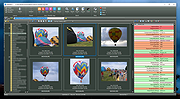 |
|
MiniTool Video Converter v2.1.2 MiniTool Video Converter v2.1.2 Convert audio and video files within minutes. Supports 1000+ popular output formats. Batch video conversion at once. 100% Free, no bundle, no ads. Convert to Audio, Video and Device MiniTool Video Converter is the most direct solution to convert audio and videos files to multiple formats. This free video converter is available to turn audio to video and convert video to audio. Convert Between 1000+ Formats This free video converter supports 1000+ conversion formats including 4K/FHD/HD MP4, MOV, MKV, AVI, WMV, M4V files and audio formats like high quality MP3, WAV, M4A, WMA, AAC, AC3. Batch Video Conversion MiniTool Video Converter enables you to convert batch files at once. Simply select the files to convert, set up the output format for each file or for the whole files, and then you can convert all of them in bulk. Fast Converting Speed and High Video Quality Enjoy both faster converting speed and higher video quality! MiniTool Video Converter can quickly convert multiple videos and deliver significantly high video/audio quality. MiniTool Video Converter is not only free video converter software, it also helps download YouTube videos and then make free video conversion. The free video converter software lets you download 4K YouTube videos, download YouTube playlist, and extract audios to popular formats. System Requirements OS Windows 10, Windows 8.1, Windows 8, Windows 7. CPU Intel Core i3 processors and above. RAM At least 4GB RAM is recommended. Space At least 400MB free hard disk space. Click here to visit the author's website. |
|
4,159 | Dec 16, 2020 MiniTool® Software Limited 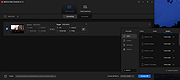 |
|
OBS Studio v32.2.2 OBS Studio v32.2.2 👉 Free and open source live streaming and screen recording software. OBS Studio is software designed for capturing, compositing, encoding, recording, and streaming video content efficiently. It provides a powerful real-time video and audio production environment that allows users to capture gameplay, desktop activity, webcams, and multiple input sources while combining them into professional-looking broadcasts or recordings. OBS Studio uses a scene-based workflow that lets users build complex layouts using sources such as game capture, display capture, window capture, images, text, media files, browsers, webcams, and capture cards. Scenes can be switched instantly or transitioned smoothly during live broadcasts, making it ideal for livestreaming, tutorials, presentations, gaming streams, and video production. The program includes a full audio mixing system with per-source volume controls, filters such as noise suppression and noise gate, and monitoring options for precise audio management. Studio Mode allows creators to preview scene changes before pushing them live, reducing mistakes during broadcasts. OBS Studio also supports hardware-accelerated encoding, customizable streaming and recording settings, hotkeys for fast control, plugin extensions, and integration with major streaming platforms such as Twitch, YouTube, and others. Because it is open source and highly extensible, OBS Studio has become one of the most widely used broadcasting tools for content creators, educators, and professionals. Features: • Free and open source software for live streaming and screen recording • Scene and source based workflow for arranging games, webcams, windows, images, text, and capture devices • Built-in audio and video filters including noise suppression, noise gate, gain, chroma key, crop/pad, color correction, and sharpen • Studio Mode for preparing scene changes before sending them live • Scene transitions such as Fade, Cut, Swipe, Slide, Fade to Color, and Luma Wipe • Hardware encoder support options depending on available system hardware and platform configuration • New Audio Mixer, new Add Source dialog, WebRTC simulcast support, and expanded ... |
|
7,217 | Aug 19, 2026 OBS Project 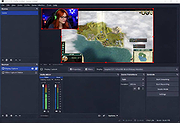 |
|
Overcaption v0.4.0 Overcaption v0.4.0 👉 A free, private subtitle studio for transcribing, editing, translating and adding captions to videos. Overcaption is a desktop subtitle and captioning application that can transcribe video and audio, edit and retime subtitles, translate captions and export finished subtitles or burn them directly into video. Its core processing runs locally on your computer, so videos do not need to be uploaded to an online service. The free version has no time limit, requires no account and produces watermark-free output. Overcaption combines automatic speech recognition with a subtitle editor featuring waveform-based timing, a frame filmstrip and live checks for reading speed and line length. It can work with video, audio-only recordings and standalone subtitle files. Features: • Automatic on-device transcription with word-level timing • Works completely offline for its core transcription, editing and translation features • Keeps video and audio files on your computer instead of uploading them to a web service • No account required • No time limit on the free version • No watermark on exported video • Built-in subtitle editor • Waveform-based subtitle retiming • Frame filmstrip for visual timing reference • Inline subtitle text editing • Instant find and replace • Keyboard-oriented editing workflow • Live reading-speed checks • Live subtitle line-length checks • Grammar-aware subtitle line breaking for supported languages • Dedicated word segmentation for Chinese, Japanese, Burmese, Cantonese, Khmer, Lao and Thai • Local subtitle translation using models from Mozilla and Google • Side-by-side translation editing • Imports and exports SRT subtitle files • Imports and exports VTT subtitle files • Supports plain-text subtitle content • Opens SRT and VTT files without requiring an accompanying video • Hardware-accelerated subtitle burn-in • Free subtitle burn-in at resolutions up to 1080p • Burned subtitles match the editor preview • Supports vertical, square and widescreen video • Handles audio-only files such as podcasts, recordings and voice notes • Includes titles, lower thirds, name straps and animated callouts • No telemetry unless the user opts in • GPU acceleration ... |
|
274 | Aug 28, 2026 Overcaption  |
|
PotPlayer v260622 PotPlayer v260622 👉 A multimedia player for Windows with built-in codec support, subtitle handling, 3D playback, and hardware acceleration. PotPlayer is a multimedia player designed for Windows that provides maximum performance with minimum resource usage using DXVA, CUDA, and QuickSync. It supports various types of 3D glasses and 3D output formats, including Side by Side, Top and Bottom, and Page Flipping. PotPlayer also supports multiple subtitle formats such as SMI, SRT, DVD Vobsub, Blu-ray subtitles, ASS/SSA animation, and SMI Ruby tags. It includes OpenCodec support so users can add codecs easily, and offers advanced playback features such as smooth video playback, sound card selection, scene preview snapshots, bookmarking favorite scenes or chapters, and support for devices such as DVD, TV, and HDTV. Features: • Provides maximum performance with minimum resource usage using DXVA, CUDA, and QuickSync • Supports various types of 3D glasses and 3D output formats • Supports text subtitles, DVD subtitles, Blu-ray subtitles, ASS/SSA animation, and SMI Ruby tags • Supports OpenCodec so users can easily add additional codecs • Smooth and seamless video playback • Lets you choose which sound card to use when multiple sound cards are installed • Allows scene preview with snapshots • Lets you bookmark favorite scenes or chapters • Supports Direct3D9 Ex Flip Mode and Overlay • Supports devices such as DVD, TV, and HDTV Supported operating systems: • Windows 7, Windows 8, Windows 8.1, Windows 10, Windows 11 Supported languages: • Korean, Chinese (Simplified), Chinese (Traditional), English, Ukrainian, Russian, Polish Changes: v260622 08-06-26 * Removed Kakao TV + Added pause function when navigating via the navigation bar - Significantly improved internal stability - Fixed an issue where colors appeared strange during RGB24 processing - Improved playback for some HTTP streams - Improved sync processing for the built-in audio renderer - Fixed an issue where certain MP4 files behaved abnormally during playback This download is for the Windows 64bit version. If you need the 32bit version, download here. Click here ... |
|
5,040 | Aug 06, 2026 Kakao Corp. 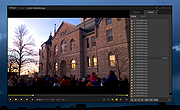 |
|
Realistic VHS Video Converter v1.4.0 Realistic VHS Video Converter v1.4.0 Turn your fancy, high quality videos into crappy VHS-looking videos from the 80s and 90s. Features • Microsoft .NET Framework 4.5.2 - 4.7.2 - 4.8 • Required FFmpeg Libraries • NAudio Sound System • Customizable video/audio effects • Realistic VHS glitch effect with Glitch0r (made by Frei0r video effect plugin) (Unsupported on Windows 10) • Supported any video input formats (MP4, AVI, MOV, WMV) • Multi-Languages Support • Customizable overlays (Startup, black screen) • Realistic VHS overlays and artifacts sound effects • Manage presets • Processing Log Console Click here to visit the author's website. |
|
1,548 | Oct 09, 2024 Josué Beauregard 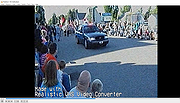 |
|
ScreenArc v1.4.1 ScreenArc v1.4.1 👉 Create polished screen recordings with automatic cinematic zooming and mouse tracking. ScreenArc is a free and open-source screen recorder and editor designed to turn ordinary screen captures into polished videos. It automatically follows mouse activity and creates smooth cinematic zoom and pan effects, making it particularly useful for software demonstrations, tutorials, presentations, product walkthroughs, and instructional videos. Record your screen, edit the resulting footage, adjust its appearance, and export the finished project without having to build every movement and zoom manually. Features: • Record your screen for tutorials, demonstrations, presentations, and other projects • Automatic cinematic zoom and pan effects • Mouse tracking automatically follows activity on the screen • Smooth focus and zoom animations based on mouse activity • Built-in video editing tools for refining recordings • Timeline-based editing for working with captured footage • Webcam recording and overlay support • Customize video frames and backgrounds • Add colors, gradients, wallpapers, and shadows to recordings • Multiple aspect ratios for traditional, square, and vertical videos • Save styling choices as reusable presets • Export completed recordings as video • Cross-platform desktop application • Free and open-source software released under the GNU GPL v3 Supported operating systems: • Windows, version not specified by author • macOS 12.3 or higher • Linux x64 with X11 display server, Wayland is not currently supported Supported languages: English Changes: v1.4.1 07-22-26 Bug Fixes: • Overwrite stale recording outputs. This download is for the Windows version (very bottom of page). All other download assets are below: macOS: ScreenArc-1.4.1-universal.dmg ScreenArc-1.4.1-universal-mac.zip 1) After downloading and attempting to open the app, you'll see a security warning 2) Close the warning dialog 3) Open System Settings > Privacy & Security 4) Scroll down to the "Security" section 5) Click "Open Anyway" next to the warning about ScreenArc 6) Click "Open" in the confirmation dialog Linux: ScreenArc-1.4.1-linux-x64.AppImage ScreenArc-1.4.1-linux-x64.zip ScreenArc-1.4.1-linux-x64.deb ScreenArc-1.4.1-linux-x64.rpm Click here to visit the ... |
|
851 | Sep 14, 2026 Tam Nguyen  |
|
Shotcut v26.8.1 Shotcut v26.8.1 👉 Free, open-source, cross-platform video editor with powerful editing and format support. Shotcut is a free, open-source video editor that provides a wide range of professional-grade features for video editing without requiring expensive software. It supports hundreds of audio and video formats thanks to FFmpeg and offers native timeline editing, meaning you can work with media without first importing or converting files. Shotcut features a flexible, dockable interface, powerful video and audio filters, multi-track timeline editing, and support for resolutions up to 8K. It is designed to be accessible to beginners while offering advanced tools for more experienced users, including color grading, keyframing, and detailed audio controls. Features: • Native timeline editing without import • Wide format support via FFmpeg • Multi-track video and audio editing • Video effects and filters including color grading tools • Audio filters including compression, gain, balance, and more • Keyframeable filters for advanced animation and effects • 4K and 8K resolution support • Hardware encoding support • Flexible, dockable and customizable interface • Playlist panel with thumbnail view and drag-and-drop support Supported operating systems: • Windows 7, Windows 8, Windows 10, Windows 11 • macOS 10.14 or higher • Linux (64-bit) Supported languages: English, Arabic, Basque, Catalan, Chinese (Simplified), Chinese (Traditional), Czech, Danish, Dutch, Finnish, French, German, Greek, Hindi, Hungarian, Italian, Japanese, Korean, Norwegian Bokmål, Polish, Portuguese (Brazil), Portuguese (Portugal), Russian, Slovak, Slovenian, Spanish, Swedish, Turkish, Ukrainian Changes: v26.8.1 08-01-26 Elements 🔥 Added Elements panel to the File > New and View menus and the Generate buttons. This is a very slim (22MB) stock asset library: emoji stickers, sounds, overlay transitions, animated text, graphics. The content licenses are royalty free, including commercial, and do not require attribution: Emojis: Open Font License 1.1 Sounds: The Sonniss #GameAudioGDC Bundle Licensing Agreement Text, Transitions, Graphics: Lottie Simple ... |
|
12,387 | Sep 17, 2026 Meltytech, LLC. 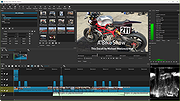 |
|
Shutter Encoder v20.2 Shutter Encoder v20.2 👉 A free video, audio, and image converter designed by video editors for powerful media encoding and workflow tools. Shutter Encoder is a free media converter and processing tool built around FFmpeg for handling video, audio, and image files. It is designed by video editors to be both accessible and powerful, with support for a very wide range of codecs and formats, along with trimming, subtitle work, watermarking, cut detection, analysis tools, web video downloading, render queue support, file information viewing, batch renaming, FTP upload support, and AI-assisted functions. It also includes professional workflow features such as editing codecs, broadcast codecs, archive codecs, disc burning and ripping, and preset saving for repeatable jobs. Features: • Converts video, audio, and image files using FFmpeg • Designed by video editors for accessible but advanced media work • Supports a very large range of codecs and formats • Includes trimming and cut without re-encoding tools • Lets you replace audio, rewrap, conform, merge, extract, subtitle, and insert video • Supports sound conversion to WAV, AIFF, FLAC, ALAC, MP3, AAC, AC3, OPUS, Vorbis, Dolby Digital Plus, and Dolby TrueHD • Includes editing codecs such as DNxHD, DNxHR, Apple ProRes, QT Animation, GoPro CineForm, and Uncompressed • Includes output codecs such as H.264, H.265, H.266, VP8, VP9, and AV1 • Includes broadcast codecs such as XDCAM HD422, XDCAM HD 35, AVC-Intra 100, XAVC, XAVC Long GOP, and HAP • Supports older codecs including Theora, MPEG-2, MJPEG, Xvid, DV, WMV, and MPEG-1 • Supports FFV1 for archiving workflows • Creates JPEG, JPEG XL, and image outputs • Burns and rips DVD and Blu-ray media • Includes analysis tools such as loudness and true peak, audio normalization, cut detection, black detection, media offline detection, VMAF, and FrameMD5 • Downloads web video content • Includes image adjustment tools for colors, LUTs, and color space conversion • Supports cropping for both images and videos • Can ... |
|
3,679 | Aug 12, 2026 Paul Pacifico 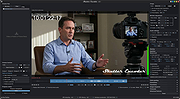 |
|
Simple Video Editor v2.0.0.0 Simple Video Editor v2.0.0.0 A simple video editor that acts as a basic GUI for ffmpeg. To use Simple Video Editor, download and extract the zip file. It contains the license, and the two executables needed. As long as these files are present, the application is fully portable. Run the SimpleVideoEditor.exe to open the main GUI. Video Editing Features: • Trim start/end (frame perfect) • Crop (manual and automatic) • Rotate • Reduce resolution • Convert file type • Modify volume • Delete duplicate frames • Change playback speed • Reduce framerate • Color key Advanced Features: • Detect and remove duplicate content from multiple videos • Create videos from collections of images • Subtitle editor • Generate command line arguments for use in other ffmpeg scripts • Generate batch scripts to easily process many videos • Export frames, individually, or combined and overlaid using alpha blend Interface Overview Click here to visit the author's website. |
|
993 | Oct 17, 2024 LightGuide, Inc. 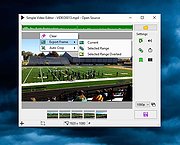 |
|
Slimjet v50.0.0.0 Slimjet v50.0.0.0 👉 Fast and feature-rich Chromium-based web browser focused on privacy and productivity. Slimjet is a powerful web browser built on the Chromium engine, offering high-speed browsing combined with enhanced privacy protection and built-in productivity tools. It includes features that go beyond standard browsers, such as advanced download management, form filling, ad blocking, and video downloading. Slimjet is designed to improve user efficiency while minimizing tracking and unwanted data collection, making it a strong alternative to mainstream browsers. Features: • Built on Chromium for fast and secure browsing • Integrated ad blocker and anti-tracking protection • Built-in video downloader for various websites • Advanced download manager with acceleration • Automatic form filler and password manager • Customizable toolbar and interface options • Flexible tab management and session control • Photo salon for quick image editing and enhancement • Supports Chrome extensions • Privacy-focused with reduced data collection Supported operating systems: • Windows 7, Windows 8, Windows 10, Windows 11 • macOS 10.10 or higher • Linux Supported languages: English, German, French, Spanish, Italian, Portuguese, Dutch, Polish, Russian, Chinese, Japanese, Korean Changes: v50.0.0.0 04-18-26 Migrate to Chromium 144 This download is for the Windows 64bit installer version (very bottom of page). All other download assets are below: Other Windows: sjtsetup_x86.exe (32bit installer) sjt7z_x64.exe (64bit portable) sjt7z_x86.exe (32bit portable) MacOS: slimjet.dmg (Intel) slimjet_arm.dmg (Apple Silicone) Linux: slimjet_amd64.deb slimjet_amd64.tar.xz Click here to visit the author's website. |
|
3,340 | Apr 20, 2026 FlashPeak Inc.  |
|
SMPlayer v26.8.29 SMPlayer v26.8.29 👉 A free media player with built-in codecs that plays virtually all video and audio formats. SMPlayer is a free media player for Windows, Linux and Mac OS with built-in codecs, YouTube playback, subtitle search and download, a thumbnail generator, and audio and video filters. Features: • Plays virtually all video and audio formats • Built-in codecs, no external codec packs required • Remembers playback position and settings for each file • Supports YouTube video playback • Searches and downloads subtitles • Includes video and audio filters • Playback speed control • Audio and subtitle delay adjustment • Video equalizer • Skins and icon themes • Supports Chromecast • Free and open source Supported operating systems: • Windows 8 and above • Windows XP and other 32-bit systems via alternative package • Linux • Mac OS 10.15 and above Supported languages: English, Español, Français, Português, Português (Brasil), Euskara, Galego, Català, Lietuvių, Русский, Українська, Hrvatski, Polski, Deutsch, 日本語, 正體中文, 简体中文, 한국어, Bahasa Indonesia, Bahasa Melayu, Türkçe, Български, العربية, Dansk, Nederlands Changes: v26.8.29 Added an option to show a thumbnail preview when hovering over the seek bar (Preferences -> Interface). Playlist positions/progress are now remembered between sessions. Added a pause button to the playlist. Added an option to enable/disable secondary subtitles. Fixed zoom behavior. Fixed playlist item numbering after removing items. Playlist is now re-sorted automatically after adding files. Fixed the add black borders option. Improved retrieval of the track (song) title for internet radio streams (icy-title). Fixed video aspect ratio override support. Added support for additional network URI schemes (KDE integration). Forced the xcb backend on Linux to avoid display issues. macOS builds are now available for arm64 (Apple Silicon), in addition to the existing x86_64 builds. Experimental packages compiled with Qt 6 are now available for Windows and macOS. Various translation updates (German, Italian, Spanish, English UK/US, and others) Use 7-Zip to unzip this file. 👉 This download is for the Windows 64bit version (very bottom of page). All other download assets are below: Other Windows: smplayer-26.8.29-win32-qt5.6-unsigned.exe ... |
|
3,467 | Sep 28, 2026 Ricardo Villalba  |
|
VCL Video Poker v1.1 VCL Video Poker v1.1 Have fun with our free Video Poker. This casino based game will help you perfect your poker skills. It is played on a console similar to a slot machine. Try it now! |
|
6,150 | Jun 06, 2019 vclexamples  |
|
Video Combiner v1.1.0.4 Video Combiner v1.1.0.4 Combine videos in Multiple Formats and different resolutions to one single video in bulk without losing video quality and display aspect ratio. License: FREE OS: Windows 10, XP(SP3), 2003, Vista, 7 ,8 or later & Windows Server (32/64 bit) Languages: English, French, German, Korean, Italian, Dutch, Greek, Simplified Chinese, Traditional Chinese, Portuguese, Spanish, Czech, Arabic, Dannish, Finnish, Hungarian. Video Combiner is a useful video merging software tool for Windows. This handy video utility enables users to combine videos in multiple formats into a single video file in bulk at one time, and has a variety of adaptive video resolution to choose from. This powerful video merger application supports video formats recorded from all major smart phones and tablets such as Apple iPhone, iPad, Android Phone, Android Tablet, and supports most of popular video formats such as MP4, MOV, FLV, 3GP, AVI, WMV, MPG, VOB and more. Video Combiner can mix and concatenate video files in multiple video formats at the same time, so you can easily combine mp4 and join other video file formats into one video at once. Video Combiner retains the original video bit rates by default, which means you can combine videos without losing the original video quality. If you want to compress the merged video file or adjust the video quality, the program also allows you to customize the video bitrate. You can adjust the value of the video bitrate according to your own needs. Auto-fit: Keep Original Aspect Ratio There is another unique feature of Video Combiner is the auto-fit "Screen Size" option. The biggest trouble you may encounter while combining video clips is that the screen resolution and aspect ratio of each video are different. In addition to merging videos into standard 16:9, 5:4, and 9:16 screen ratios, Video Combiner offers several pre-set options for adaptive video ... |
|
5,075 | Oct 02, 2019 MP3Toolkit.com  |
|
Video to Video Converter v2.9.6.10 Video to Video Converter v2.9.6.10 Free software for converting between various video and audio formats. Today there are a lot of different video and audio formats, different devices support various video formats, therefore in order to watch video and audio material on different devices you need to convert it, which means to adjust it to the device being used. Video converter which we present is feature-rich and allows you to convert almost all existing formats. It is possible to convert video and audio files to DivX or XviD format for watching movies on TV, HD formats for LCD, Plasma TVs, almost all types of mobile phones, android, iPhone, iPod, iPad, to prepare videos for the internet, conversion/authoring of video DVD formats, QuickTime, convert for uploading to YouTube, various rare and specific codecs etc. Features: • Video converter is free software • Supports over 200+ of input formats • Supports over 700+ of output presets • Video converter supports a large number of output video formats: AVI, DivX, Xvid, mpeg-4, AVC/H264, mpeg, mpeg2, MOV, WMV, 3GP, 3GP2, MKV, WEBM, SWF, FLV, RM, ASG, GIF, DV... • Supports many output audio files: mp2, mp3, aac, ac3, wav, m4a, Vorbis, 3gpp, flac, mmf, iff, au... • With video converter you can convert almost all existing video and audio files • Easy to use • Has a built-in high quality DVD Ripper that supports foreign languages subtitles • Video Joiner with which you can combine multiple movies in one video and convert. • Has a built-in Video Splitter with which you can cut out parts of the video that you find interesting, so you don’t convert the entire video • Commercial Remover Tool • Video to Images Tool • Video to Thumbnails Tool • Images to Video - Picshow Tool • Converting video is reliable and fast • You can also convert to DVD video (supported DVD Authoring) • Embedded tools for ... |
|
5,804 | Jan 31, 2023 Media Converters  |
|
WannaCut v0.2.0 WannaCut v0.2.0 👉 A lightweight, open source video editor for fast, simple video cutting and editing. WannaCut is a lightweight, open source desktop video editor designed to make trimming, cutting, and assembling videos quick and straightforward. It focuses on an intuitive editing experience that lets you import video clips, arrange them on a timeline, trim unwanted sections, and export the finished result without the complexity of professional editing suites. Built with a modern interface, WannaCut is suitable for creating short videos, social media clips, tutorials, and other basic editing projects while remaining fast and easy to learn. Features: • Lightweight and open source video editor. • Simple timeline-based editing. • Trim and cut video clips with precision. • Rearrange clips by drag-and-drop. • Import multiple video files into a project. • Export completed videos. • Clean, modern user interface. • Designed for quick editing without unnecessary complexity. • Cross-platform application. Supported operating systems: • Windows 10, Windows 11 • macOS • Linux Supported languages: • English Changes: v0.2.0 06-18-26 Modern and fluid UI redesign Different colors per clip for easier navigation Split tool precision fix Move playhead in decimals of seconds Seek to next/previous cut Speed system for clips with keyframes This download is for the Windows 64bit version (very bottom of page). All other download assets are below: Debian/Ubuntu: WannaCut_0.2.0_amd64.deb Fedora/RPM: WannaCut-0.2.0-1.x86_64.rpm Arch Linux: wanna-cut-0.2.0-1-x86_64.pkg.tar.zst Click here to visit the author's website. |
|
467 | Jun 19, 2026 Gabriel Martins  |
|
Wav2Bar v0.3.5 Wav2Bar v0.3.5 👉 Powerful open source software for creating advanced audio visualization videos. Wav2Bar is a free and open source audio visualization creator designed for producing animated music videos and visual effects synchronized to audio tracks. It allows users to combine visualizers, images, text, particle effects, timers, backgrounds, and custom objects into fully customizable projects that can be exported as MP4 videos for sharing online or integrating into larger productions. Built with flexibility in mind, Wav2Bar provides an editor-style workflow where users can design layered scenes and control how elements react to sound in real time. The software supports reusable project files, adjustable rendering quality, customizable frame rates and resolutions, and multiple visualizer styles for creating everything from simple waveform animations to complex motion graphics. Wav2Bar is especially useful for content creators, musicians, streamers, video editors, and anyone looking to generate professional-looking audio reactive visuals without requiring expensive commercial software. Its open source nature also allows developers and advanced users to customize or extend the software for specialized workflows. Features: • Create advanced audio reactive visualizations synchronized to music and sound • Design layered scenes using visualizers, backgrounds, text, and images • Multiple built-in visualizer styles for different animation effects • Export projects as MP4 video files • Save and reload projects for later editing • Reusable project templates for faster workflow creation • Customizable video resolution and frame rate settings • Real-time editor style interface for arranging objects and effects • Add logos, overlays, album artwork, and custom graphics • Built-in particle flow effects • Time indicators and timing-based visual elements • Audio caching system for smoother processing • Adjustable rendering quality for balancing speed and output quality • Open source architecture for customization and community development • Suitable for music videos, streaming overlays, social media clips, and promotional content • Lightweight modern interface focused on creative workflows • Supports complex animated compositions with multiple reactive elements • Free to use ... |
|
603 | Sep 30, 2026 Picorims 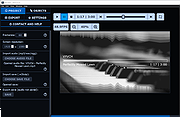 |
|
WebVideoCap v1.33 - Capture Flash video and RTSP/MMS streams. While watching a video in a Web site, you may sometimes want to save the video into your local drive, and then play it offline later. This utility allows you to capture .flv (Flash Video) files and RTSP/MMS video streams while the Web browser download and play them inside a Web page. After the entire video file is downloaded and played by the Web browser, the video file is saved in the folder that you selected, and you can play it offline later with any Video player. WebVideoCap can capture the video files of most popular video-sharing sites, including YouTube, Google Video, Yahoo Video, iFilm, Metacafe, Putfile, and more... |
|
9,687 | Nov 16, 2008 Copyright (c) 2007 - 2008 Nir Sofer |
|
Xelitan Video Player v1.5 Xelitan Video Player v1.5 Free, portable and straightforward video player with lots of built-in video, audio and image decoders. Features: •comes with built-in decoders •supported video formats: MP4, MKV, AVI, MOV, 3GP, WEBM and more •supported audio formats: MP3, OGG, M4A, WAV, MID and more •supported image formats: JPEG, PNG, PSD, TIF, BMP, GIF, WEBP, TGA and more •supported subtitle formats: SubRipper, TmPlayer, SubStation Alpha and more •configurable plaback speed (25% - 400%) •video filters •saving screenshots •supports playlists •can play videos directly from the web •no ads •full version •free for personal and commercial use Changes v1.5 (2024-03-16) - bug fixes - better handling of playlists This download is for the portable version. If you need the installer version, download here. Click here to visit the author's website. |
|
1,715 | Mar 18, 2024 Xelitan.com 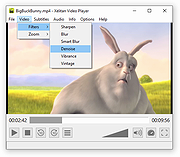 |
|
xldchina.com JJ-01 RU 94V-0 0448 PCI\VEN_1105\DEV_8400 PCI MPEG DVD Decoder Video Card xldchina.com JJ-01 RU 94V-0 0448 PCI\VEN_1105\DEV_8400 For Windows XP and 2000 |
 |
9,884 | Dec 01, 2012 xldchina.com |
|
XMedia Recode v3.6.3.0 XMedia Recode v3.6.3.0 👉 Free video and audio converter supporting a wide range of formats and devices. XMedia Recode is a free video and audio conversion tool that allows you to convert nearly all known video and audio formats. It supports a wide variety of codecs and container formats and includes device specific profiles for smartphones, tablets, game consoles, and other multimedia devices. The program can extract audio tracks, convert unprotected DVDs, and provides basic editing features such as cutting, cropping, and filtering. Features: • Converts video and audio between numerous formats • Supports popular codecs including H.264, H.265, VP9, AV1 and more • Device presets for smartphones, tablets, consoles, and other devices • Extracts audio tracks from video files • Basic editing tools including cut, crop, and filters • Batch processing support • Subtitle support Supported operating systems: • Windows XP SP3, Windows Vista, Windows 7, Windows 8, Windows 8.1, Windows 10, Windows 11 Supported languages: • English, German, French, Italian, Spanish, Japanese, Chinese (Simplified), Chinese (Traditional), Russian, Polish, Dutch, Portuguese (Brazilian), Czech, Greek, Turkish Changes: v3.6.3.0 05-15-26 Update of ffmpeg Update of SVT AV1 (4.1.0) Codec Troubleshooting Fixed minor bugs Note: This file has two hits on VirusTotal. We have confirmed these to be false positives. The file is safe. This download is for the Windows 7-11 64bit version (very bottom of page). If you need the Windows 7-11 32bit version, download here. If you need the Windows XP-Vista 32bit version, download here. Click here to visit the author's website. |
|
10,591 | Jul 06, 2026 Sebastian Dorfler 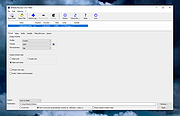 |
|
Youtube Downloader HD v5.9.9.14 Youtube Downloader HD v5.9.9.14 👉 Download YouTube videos and convert them to HD video formats. Youtube Downloader HD is a simple tool designed to download videos from YouTube and convert them into high-quality video files that can be played locally on your computer or other devices. It focuses on easy downloading and converting of HD content while keeping the interface straightforward and lightweight. Youtube Downloader HD allows users to paste a YouTube video link, select the desired output format, and download the video directly to their computer. The program supports several video formats and resolutions, including HD options, making it useful for users who want to watch YouTube content offline or store videos locally for later viewing. The program is designed to be easy for beginners while still offering useful format choices for more advanced users. It can automatically detect the video URL from the clipboard and provides quick conversion to formats compatible with PCs, media players, and mobile devices. Features: • Download videos directly from YouTube using a simple URL paste • Supports high-definition video downloads • Convert downloaded videos to AVI or MP4 formats • Choose different video quality levels including HD • Automatically detects video URLs copied to the clipboard • Simple and lightweight interface designed for quick downloads Supported operating systems: • Windows 7, Windows 8, Windows 10, Windows 11 Supported languages: English Changes: v5.9.9.14 07-06-26 Another download improvement Note: This file has two hits on VirusTotal. We have confirmed these to be false positives. The file is safe. This download is for the Windows 10/11 version (very bottom of page). If you need the Windows 7/8 version, download here. Click here to visit the author's website. |
|
6,974 | Jul 08, 2026 YoutubeDownloaderHD.com 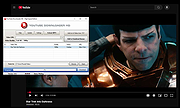 |
| Showing rows 1 to 40 of 40 | Showing Page 1 of 1 | 1 |
OlderGeeks.com Copyright (c) 2026
