|

|
Processed through Paypal No account required. |








Buy our over-priced crap to help pay the bills.



|
|
Processed through Paypal No account required. |
| Files | ||||
| File Name | Rating | Downloads | ||
 |
GenOffice v0.11.0 GenOffice v0.11.0 👉 A free, open-source office suite with six editors and optional AI assistance. GenOffice brings document writing, spreadsheets, presentations, PDF editing, HTML and Markdown together in one desktop workspace. It opens and saves native Microsoft Office files, including .docx, .xlsx and .pptx, and lets you work with your files locally. The suite includes Docs for word processing, Sheets for spreadsheets, Slides for presentations, PDF for editing and conversion, HTML for pages and reports, and Markdown for formatted notes. Its file engines preserve untouched portions of Office files rather than rebuilding everything each time you save. An optional AI assistant can work directly with your document. Ask it to rewrite a passage, build spreadsheet formulas, create a presentation or explain information in a file. Changes can be reviewed through snapshots, differences and rollback controls, with tracked revisions available in Docs. The office applications are free, with no ads or watermarks. AI features (optional) use Genspark credits or your own API provider, whose usage charges may apply. Opening, editing, saving and PDF-to-Office conversion run locally. Complex formatting can vary, so review important documents before sharing them. Features: • Six editors in one workspace: Docs, Sheets, Slides, PDF, HTML and Markdown. • Native Office formats: Open and save .docx documents, .xlsx workbooks and .pptx presentations. • Document editing: Work with styles, tables, images, headers, footers, comments and tracked changes. • Spreadsheet tools: Use live formulas, charts, pivot tables, slicers, conditional formatting and formula tracing. • Presentation editing: Work with slide masters, layouts, smart guides and image cropping. • PDF editing: Edit text and images directly within pages, and work with annotations and forms. • Local PDF conversion: Convert PDF files into editable Word, Excel or PowerPoint files without AI credits. • ... |
 |
88 | Oct 01, 2026 Genspark 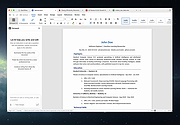 |
|
Grayslate v0.4.0 Grayslate v0.4.0 👉 A fast, free developer scratchpad for working with code, data, text and large files. Grayslate is a free and open source, cross-platform developer scratchpad designed for the small jobs that come up while coding or working with data. Paste an API response, inspect JSON, explore a large CSV, transform or encode text, preview Markdown, work with code snippets or simply capture a quick thought. Grayslate recognizes the content you are working with and puts appropriate transformations at your fingertips. New slates are automatically given useful names and extensions, saved locally as you type and made searchable for later use. Files opened from elsewhere on your computer are only changed when you explicitly save them. All transformations run locally, with no account, cloud upload or telemetry required. Features: • Automatically recognizes pasted or opened content and suggests relevant transformations • Includes more than 80 built-in transformations for code, data and text • Recognizes more than 40 programming, markup and data languages/formats from file extensions, shebangs or content • Automatically names new slates, chooses useful file extensions and saves them locally as you type • Browse recent slates or search saved slates by name and content • Opens text and CSV files up to 200 MB • Rust-backed, virtualized CSV table handles files containing hundreds of thousands of rows while keeping scrolling responsive • JSON tools include formatting, minifying, validation, key sorting, JSON/YAML conversion, JSON-to-CSV, JSON-to-TypeScript and JSON Lines conversion • Right-click JSON keys or values to copy the JSON path, key or value • CSV-to-JSON conversion with automatic delimiter detection • Base64 and Base64URL encoding and decoding • Gzip/Base64 conversion, hexadecimal/ASCII conversion, URL encoding/decoding and HTML entity encoding/decoding • Decode JWT data without verification • Generate SHA-256, SHA-512, SHA-1, MD5 and CRC32 hashes • Text tools include upper, lower, Title, camel, snake, kebab and sPoNgE case conversions • Sort and reverse lines, reverse strings, remove duplicate ... |
|
184 | Aug 27, 2026 Shriram Ethiraj 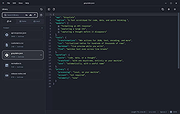 |
|
HelixNotes v1.3.3 HelixNotes v1.3.3 👉 A fast, local-first Markdown note-taking application with powerful organization tools. HelixNotes is a privacy-focused, open-source Markdown note-taking application that stores your notes as standard .md files on your own computer instead of locking them into a proprietary database or cloud service. Built with Rust and Tauri for excellent performance and low resource usage, it combines a clean WYSIWYG editor with the flexibility of raw Markdown editing. Features such as wiki links, graph visualization, task management, version history, full-text search, Mermaid diagrams, KaTeX math, optional WebDAV synchronization, and optional AI integration make it suitable for everything from simple note-taking to large personal knowledge bases. Features: • Plain Markdown (.md) file storage with no proprietary database • Clean WYSIWYG editor with optional raw Markdown source mode • Slash commands, tables, syntax-highlighted code blocks, and live KaTeX math • Wiki links with automatic interactive graph view • Centralized task management with priorities, due dates, and calendar view • Daily notes with integrated calendar • Fast local full-text search • Native Mermaid diagram rendering • Version history with automatic backups and diff viewer • Optional WebDAV synchronization • Optional AI integration using Ollama or your own API key • Obsidian import support • Outline panel and tag autocomplete • Custom themes, fonts, accent colors, and interface scaling • Built with Rust and Tauri for fast startup and low memory usage Supported operating systems: • Windows 10, Windows 11 • macOS (Apple Silicon and Intel with Rosetta 2) • Linux (AppImage, Debian/Ubuntu APT, Arch Linux, Fedora 43+, openSUSE Tumbleweed, Solus) • Android 16 or later Supported languages: • English Changes: v1.3.3 06-30-26 Android: removed the Updates tab from Settings, since updates are handled by the ArkHost F-Droid repo or Obtainium. Editor: the inline task tokens (!high, due:2026-06-12) are now dimmed in the rich editor so they're less distracting while staying readable. Fixed the desktop app showing the mobile layout (no sidebar or top bar) on some Linux systems such as CachyOS. (community ... |
|
480 | Jul 03, 2026 ArkHost 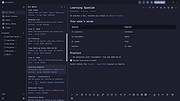 |
|
Kate v26.07.70 Kate v26.07.70 👉 Advanced multi-document text editor and source code editor for programmers. Kate is a feature-rich text editor developed by the KDE community. Designed for programmers, system administrators, and power users, it provides advanced editing capabilities including syntax highlighting, code folding, project management, powerful search and replace functions, session management, and integrated terminal access. Kate can open and edit multiple documents simultaneously using tabs and split views, making it ideal for managing large projects and working across numerous files at once. Kate supports hundreds of programming and markup languages through its extensive syntax highlighting engine and includes Language Server Protocol (LSP) integration for code completion, diagnostics, symbol navigation, and other modern development features. Its plugin architecture allows users to extend functionality with tools such as file browsers, document previews, external command execution, and Git integration. Kate is available for Linux, Windows, and macOS, providing a consistent editing experience across platforms. Features: • Multi-document and multi-window editing interface • Tabbed and split-view editing • Syntax highlighting for over 300 file formats • Code folding and bracket matching • Language Server Protocol (LSP) support • Intelligent code completion and symbol navigation • Powerful search and replace tools • Regular expression support • Session management for restoring workspaces • Project management tools • Embedded terminal window • Git integration and developer-focused plugins • Multiple cursors and selections • Vi/Vim input mode • Automatic file encoding detection • Support for local and remote file editing via network protocols • Markdown, HTML, and SVG preview support through plugins • Extensive customization options and plugin architecture Supported operating systems: • Windows 10, Windows 11 • macOS 13 Ventura or higher • Linux distributions supporting KDE Gear 26.07.70 Supported languages: Arabic, Basque, Catalan, Chinese (Simplified), Chinese (Traditional), Czech, Danish, Dutch, English, Finnish, French, Galician, German, Greek, Hebrew, Hungarian, Italian, Japanese, Korean, Norwegian Bokmεl, Polish, Portuguese, Portuguese (Brazilian), Romanian, Russian, Slovak, Slovenian, Spanish, Swedish, Turkish, Ukrainian, and many additional KDE translation languages. Changes: v26.07.70 Not provided. This download is ... |
|
2,632 | Jun 16, 2026 Kate KDE Team 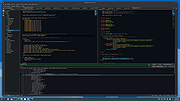 |
 |
KeenWrite v3.6.5 KeenWrite v3.6.5 👉 A free, open-source Markdown text editor for creating beautifully typeset documents and PDFs. KeenWrite is a cross-platform desktop Markdown editor designed for producing professional-quality documents with advanced typesetting capabilities. It combines a distraction-free writing environment with powerful features such as real-time preview, variable interpolation, mathematical notation using TeX syntax, and support for diagrams and structured content. KeenWrite focuses on technical writing, academic work, and long-form documents by enabling structured content and high-quality exports. Markdown documents can be converted into XHTML and then rendered into beautifully formatted PDFs using the ConTeXt typesetting engine and optional theme packs. The editor supports advanced syntax extensions, allowing writers to integrate variables, data, charts, and equations directly into their documents. The application includes a customizable interface with detachable panels, document outline navigation, integrated file management, and themeable skins for light or dark environments. KeenWrite also supports diagram creation (such as Mermaid and GraphViz), interactive statistics, and real-time math rendering, making it particularly useful for researchers, technical authors, and documentation writers. Interpolated variable replacement Features: • Cross-platform Markdown editor with live preview • Export Markdown documents to XHTML and high-quality PDF • Variable interpolation system for reusable content • Real-time math rendering using TeX notation • Diagram support including Mermaid, GraphViz, UML, and sequence diagrams • Built-in document statistics and word frequency analysis • Interactive document outline and integrated file manager • Customizable interface with detachable tabs and UI skins • Support for advanced Markdown extensions and Pandoc attributes • Dark mode and customizable visual themes Supported operating systems: • Windows 7, Windows 8, Windows 10, Windows 11 • macOS, • Linux, FreeBSD, Unix-like systems Supported languages: English, Korean, Japanese, Chinese, Simplified Chinese KeenWrite requires Java 17 or newer to run. If Java is not installed on your system, download and install the Java Runtime Environment before launching the program. Download Java Runtime Environment (JRE) See user manual for installation instructions: keenwrite-manual.pdf This download is ... |
|
878 | Mar 10, 2026 White Magic Software, Ltd. 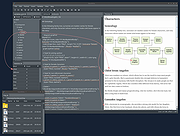 |
|
Kova v0.6.17 Kova v0.6.17 👉 Create beautiful Markdown-based presentations with live preview and PowerPoint/PDF export. Kova is an open-source presentation editor that lets you create modern slide decks using Markdown instead of traditional slide-by-slide editing. It provides a distraction-free writing environment with a live preview, built-in themes, syntax highlighting, diagrams, tables, code blocks, images, videos, speaker notes, and presenter tools. Kova can export presentations to PDF and Microsoft PowerPoint (.pptx), making it suitable for technical talks, documentation, education, and business presentations while keeping your slides in plain-text files that are easy to version and edit. Features: • Create presentations entirely in Markdown. • Live preview while editing slides. • Export presentations to PDF and Microsoft PowerPoint (.pptx). • Built-in themes with customizable appearance. • Support for syntax-highlighted code blocks. • Display Mermaid diagrams. • Insert images, videos, tables, and lists. • Automatic table of contents generation. • Presenter mode with speaker notes. • Hyperlinks, footers, and slide numbering. • Cross-platform desktop application. • Open-source under the MIT License. Supported operating systems: • Windows 10, Windows 11 • macOS 13 Ventura or higher • Linux (AppImage, Flatpak) Supported languages: • English Changes: v0.6.17 07-11-26 Added: • Table of contents entries now render as a plain hyperlinked list by default. • Added a per-document option to switch table of contents back to numbered format. Fixed: • Fixed videos hiding other slide elements and improved mixed video PowerPoint exports. • Fixed duplicate image assets when re-adding previously removed images. • Fixed links without a URL scheme by automatically using HTTPS. • Fixed footer date formatting for certain locales. • Fixed uneven font scaling in two-column layouts. • Fixed Mermaid diagram font inconsistencies in exported presentations. • Fixed opening and saving files outside the home folder on Linux builds outside Flatpak. • Fixed the application becoming stuck after certain background task failures. Performance: • Limited Mermaid diagram render cache growth during long editing sessions. • PDF and PowerPoint export libraries now load on demand for faster startup. Packaging: • Windows MSI and EXE installers ... |
|
352 | Jul 14, 2026 Kova contributors 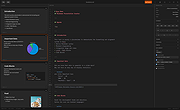 |
|
Mini Diarium v0.6.3 Mini Diarium v0.6.3 👉 An encrypted offline journal app for private daily writing. Mini Diarium is a private offline journal app designed for users who want to keep a personal diary without relying on cloud services, online accounts, or telemetry. It stores your entries locally in an encrypted SQLite database and encrypts each entry with AES-256-GCM before it is written to disk, helping keep your writing under your control. Mini Diarium is built for daily journaling with a rich text editor, auto-save, calendar navigation, writing statistics, automatic backups, and import/export tools. It can import from Mini Diary, Day One, and jrnl, and export your journal to JSON or Markdown so your data is never locked in. It also supports password-based protection and optional key file authentication for an added layer of security. Features: • Offline-only journal with no cloud, no telemetry, and no network calls • AES-256-GCM encryption for entries stored on disk • Local-first encrypted SQLite database storage • Rich text editor with bold, italic, headings, lists, spellcheck, and auto-save • Calendar navigation for quickly jumping between entry dates • Import support for Mini Diary JSON, Day One JSON and TXT, and jrnl JSON • Export support for JSON and Markdown • Automatic backups of the encrypted database • Writing statistics including word count, streaks, active days, and total entries • Optional key file authentication in addition to password-based access • Keyboard shortcuts for faster journal navigation • Open source under the MIT License Supported operating systems: • Windows • macOS • Linux Supported languages: English Changes: v0.6.3 07-27-26 This release completes the in-app navigation migration with header day controls and a ⋮ menu, adds timeline display preferences and a donation page, and fixes Linux spell check. Internally, the backend is now a three-crate open-core workspace with a sealed API faηade, and the Microsoft Store update pipeline is live. Added Website donation page: added a donation page at mini-diarium.com/donate/, reachable from ... |
|
775 | Jul 29, 2026 Francisco J. Revoredo 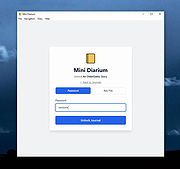 |
 |
QOwnNotes v26.9.11 QOwnNotes v26.9.11 👉 Open-source markdown note-taking application with Nextcloud and ownCloud integration. QOwnNotes is a free and open-source plain-text note-taking and to-do list manager designed for users who want full control over their notes and data. It stores notes as plain text Markdown files, making them easy to synchronize with services such as Nextcloud, ownCloud, Syncthing, Dropbox, and other cloud or local storage solutions. QOwnNotes includes powerful organization tools, note encryption, scripting support, tagging, searching, and customizable interface layouts for productivity-focused workflows. Features: • Plain-text Markdown note-taking with live preview • Integration with Nextcloud and ownCloud notes • Stores notes as standard text files without vendor lock-in • AES-256 encrypted notes support • Built-in scripting engine with QML support • Powerful note searching and filtering • Tagging and note organization tools • Multiple note folders and subfolder support • Customizable themes, fonts, and layouts • To-do list and task management support • Automatic note saving and backup support • External diff tool integration • Checkbox list creation and Markdown editing tools • Portable mode support • Cross-platform support for desktop operating systems Supported operating systems: • Windows 7, Windows 8, Windows 10, Windows 11 • macOS 13 Ventura or higher • Linux Supported languages: English, Arabic, Basque, Bulgarian, Catalan, Chinese Simplified, Chinese Traditional, Czech, Danish, Dutch, English, Finnish, French, German, Greek, Hebrew, Hungarian, Italian, Japanese, Korean, Norwegian, Persian, Polish, Portuguese, Portuguese Brazilian, Romanian, Russian, Slovak, Spanish, Swedish, Turkish, Ukrainian Changes: v26.9.11 09-25-26 Deprecated the non-GitHub Qt 5 release packages by removing the legacy Ubuntu Launchpad and OBS deployments from the release process, while retaining the Qt 5 artifacts built by the GitHub release workflow (for #3752) Added more French translation (thank you, jd-develop) 👉 This download is for the Windows version (very bottom of page). All other download assets are below: MacOS: QOwnNotes.dmg QOwnNotesQt5.dmg Linux: QOwnNotes-amd64.snap QOwnNotes-Qt5-amd64.snap QOwnNotes-x86_64.AppImage Click here to visit the author's website. |
|
6,865 | Sep 25, 2026 Patrizio Bekerle 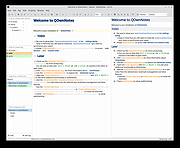 |
|
Quarkdown v2.4.0 Quarkdown v2.4.0 👉 Markdown-based typesetting system for creating books, documents, and PDFs with advanced layout features. Quarkdown is a modern, Markdown-based typesetting system designed for writing books, technical documents, reports, and PDFs with professional-quality layout and styling. It extends standard Markdown with powerful features such as variables, templates, components, conditionals, and advanced formatting controls, allowing you to structure complex documents while keeping your source files clean and readable. Quarkdown focuses on simplicity for authors while providing the flexibility of a programmable document engine. It can generate beautifully formatted PDFs and other output formats, making it suitable for documentation, publishing workflows, academic writing, and long-form content creation. Features: • Markdown-based document authoring • Advanced typesetting and layout control • Variables and reusable components • Templates for consistent document styling • Conditional content support • Book and multi-file project support • PDF generation • Cross-platform command-line interface • Open-source project Supported operating systems: • Windows 10, Windows 11 • macOS • Linux Supported languages: English Changes: v2.4.0 07-13-26 • Added experimental element styling, allowing Markdown elements to be extended with custom behavior and appearance. • Added new primitive functions: .paragraph, .math, and .link. • Added full styling support for .heading, .paragraph, .math, and .link. • Added conditional .extend support using the new where parameter. • Added the .match function for regular expression matching and replacement of inline content. • Simplified inline lambda syntax by making the @lambda prefix optional. • Improved body argument binding for native functions. • Optimized function argument binding for better performance. • Added support for body arguments in inline function calls. Requirements: • Java 17 or newer (JDK or JRE) must be installed. • Verify Java installation by opening Command Prompt or Terminal and typing: java -version • If Java is not installed, download a compatible OpenJDK build from a trusted provider such ... |
|
1,005 | Jul 14, 2026 Giorgio Garofalo  |
|
ResophNotes v1.8.1 ResophNotes v1.8.1 👉 A fast, lightweight Windows note-taking program with Simplenote synchronization, Markdown support, tags and powerful keyboard controls. ResophNotes is a free note-taking program for Windows designed to make creating, finding and managing text notes quick and uncomplicated. Notes can be kept locally or synchronized online with Simplenote, allowing them to be accessed from other devices using compatible Simplenote applications. It supports Markdown with HTML preview, tags, pinned notes, internal links, global keyboard shortcuts and optional storage of each note as an individual plain-text file. Deleted notes can be restored or permanently removed, and nearly every function can be controlled from the keyboard. A dark mode is also available. The developer warns that Simplenote may stop supporting synchronization with third-party applications, so Simplenote syncing should currently be used with caution. Features: • Simple, fast note creation and management • Synchronizes notes online with Simplenote • Access synchronized notes from other devices through Simplenote • HTTPS proxy support for Simplenote connections • Dark mode support • Global hotkey for quickly creating a new note • Global hotkey for restoring ResophNotes when minimized • Markdown text-to-HTML conversion with preview • Automatically recognizes HTTP links and email addresses • Internal note linking using wikilinks • Optional individual .txt files for storing notes • Complete keyboard control with numerous shortcuts • Single Note Mode for distraction-free note viewing and editing • Simplenote pinned-note support • Simplenote tag support • Search notes quickly from the keyboard • Import existing .txt files • Email notes directly from the program • Print notes • Insert the current timestamp with a keyboard shortcut • Restore deleted notes • Permanently delete unwanted notes • Free to use Supported operating systems: • Windows 10, Windows 11 (64-bit) Supported languages: English Changes: v1.8.1 08-14-26 Added Dark mode. Built using Microsoft Visual Studio Community 2026. Uses Qt 5.15.2. Updated OpenSSL library for connection issues. Click here to visit the author's website. |
|
82 | Sep 15, 2026 C.Y. Yen 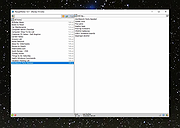 |
| Showing rows 1 to 10 of 10 | Showing Page 1 of 1 | 1 |
OlderGeeks.com Copyright (c) 2026
