|

|
Processed through Paypal No account required. |








Buy our over-priced crap to help pay the bills.



|
|
Processed through Paypal No account required. |
| Files | ||||
| File Name | Rating | Downloads | ||
 |
GenOffice v0.11.0 GenOffice v0.11.0 👉 A free, open-source office suite with six editors and optional AI assistance. GenOffice brings document writing, spreadsheets, presentations, PDF editing, HTML and Markdown together in one desktop workspace. It opens and saves native Microsoft Office files, including .docx, .xlsx and .pptx, and lets you work with your files locally. The suite includes Docs for word processing, Sheets for spreadsheets, Slides for presentations, PDF for editing and conversion, HTML for pages and reports, and Markdown for formatted notes. Its file engines preserve untouched portions of Office files rather than rebuilding everything each time you save. An optional AI assistant can work directly with your document. Ask it to rewrite a passage, build spreadsheet formulas, create a presentation or explain information in a file. Changes can be reviewed through snapshots, differences and rollback controls, with tracked revisions available in Docs. The office applications are free, with no ads or watermarks. AI features (optional) use Genspark credits or your own API provider, whose usage charges may apply. Opening, editing, saving and PDF-to-Office conversion run locally. Complex formatting can vary, so review important documents before sharing them. Features: • Six editors in one workspace: Docs, Sheets, Slides, PDF, HTML and Markdown. • Native Office formats: Open and save .docx documents, .xlsx workbooks and .pptx presentations. • Document editing: Work with styles, tables, images, headers, footers, comments and tracked changes. • Spreadsheet tools: Use live formulas, charts, pivot tables, slicers, conditional formatting and formula tracing. • Presentation editing: Work with slide masters, layouts, smart guides and image cropping. • PDF editing: Edit text and images directly within pages, and work with annotations and forms. • Local PDF conversion: Convert PDF files into editable Word, Excel or PowerPoint files without AI credits. • ... |
 |
14 | Oct 01, 2026 Genspark 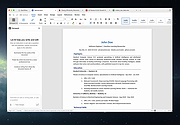 |
| Showing rows 1 to 1 of 1 | Showing Page 1 of 1 | 1 |
OlderGeeks.com Copyright (c) 2026
