|

|
Processed through Paypal No account required. |








Buy our over-priced crap to help pay the bills.



|
|
Processed through Paypal No account required. |
| Files | ||||
| File Name | Rating | Downloads | ||
 |
AnyViewer Free v5.8.0 WARNING: If someone you don’t know called you... or you dialed a number that suddenly appeared on your screen... and they told you to download this program... IT IS A SCAM. HANG UP IMMEDIATELY! AnyViewer Free v5.8.0 👉 Free remote desktop software for accessing and supporting computers from another computer, tablet, or phone. AnyViewer Free is remote desktop software for personal use that lets you remotely access and support devices, whether attended or unattended, from another computer, tablet, or smartphone. It is designed for fast remote control, stable connections, high-quality image display, remote file transfer, chat, multiple monitor support, screen mirroring, and secure remote sessions using end-to-end encryption. Features: • Remotely access personal devices from a PC, Mac, tablet, or smartphone • Supports attended and unattended remote access • Fast remote control with stable connection routing • High-quality image display with low latency • In-session and off-session remote file transfer • Chat during remote support sessions • Multiple monitor support • Display multiple remote screens in separate windows • Adaptive screen scaling • Mirror Android or iOS screens to a computer • Remote reboot and reconnect • Shortcuts to tools such as Command Prompt and Task Manager • Blacklist and whitelist access permissions by account or device ID • 256-bit asymmetric ECC end-to-end encryption • Two-factor authentication support Supported operating systems: • Windows 8.1, Windows 10, Windows 11 • Windows Server 2012 R2, Windows Server 2016, Windows Server 2019, Windows Server 2022 • macOS 10.15 or later • iOS 10.0 to iOS 16 • Android 6.0 or later Supported languages: English, French, German Changes: v5.8.0 07-07-26 Enhanced: Support for quick file transfer between My Devices on Windows. Simply drag and drop files into the Send Files area to send them directly to the target device without the need to open the File Transfer window. This download is for the Windows portable version (very bottom of page). All other download assets are below: Other Windows: AnyViewerSetup_x64.exe AnyViewerSetup.exe (32bit) macOS: AnyViewer.dmg iOS: App Store Android: AnyViewerSetup.apk Google Play Click here to visit the author's website. |
 |
1,312 | Sep 16, 2026 AOMEI Technology Co., Ltd 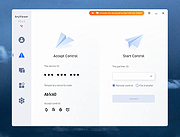 |
 |
MobileFileSearch v1.51 MobileFileSearch v1.51 👉 Search files inside smartphones and tablets connected through USB MTP mode. MobileFileSearch is a lightweight utility that allows you to search files stored on smartphones, tablets, and other portable devices connected to your computer through USB using the Media Transfer Protocol (MTP). It can quickly scan connected devices and display matching files based on filename, extension, size, date, and other search filters. MobileFileSearch is especially useful for locating photos, videos, documents, music, APK files, and other content stored on Android devices or portable media players without manually browsing through folders. Search results can be copied, exported, or opened directly from the interface for easier file management. Be aware that this tool is useful if your Smartphone/Tablet uses the Media Transfer Protocol (MTP) to view and transfer files via USB. Features: • Search files on smartphones and tablets connected through USB • Works with devices using the Media Transfer Protocol (MTP) • Filter results by filename, extension, size, and modified date • View full file paths and file details • Open files directly from search results • Export search results to text, CSV, HTML, JSON, or XML • Lightweight and portable utility with no installation required • Supports drag-and-drop exporting of files • Command-line support for advanced usage Supported operating systems: • Windows 7, Windows 8, Windows 8.1, Windows 10, Windows 11 Supported languages: • English Changes: v1.51 05-11-26 • Fixed bug: MobileFileSearch crashed when using the 'Open Folder In Explorer' option and the folder path contained a slash character ('/'). This download is for the Windows 64bit version (very bottom of page). If you need the Windows 32bit version, download here. Click here to visit the author's website. |
|
5,292 | Jun 03, 2026 Nir Sofer 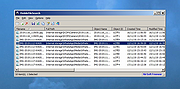 |
|
PearPass v2.1.0 PearPass v2.1.0 👉 Peer-to-peer password manager with private, device-to-device syncing. PearPass is an open-source password manager that prioritizes privacy and user control by avoiding centralized servers. Built on Pear Runtime, it uses peer-to-peer technology to sync your credentials directly between your devices, ensuring your data remains private, secure, and fully under your control. Instead of relying on cloud storage, PearPass keeps your information encrypted and shared only between your authorized devices. With a clean and minimal interface, it provides a straightforward way to manage passwords while maintaining modern security practices and full data ownership across desktop and mobile devices. Features: • Peer-to-peer syncing between devices with no central server • Built on Pear Runtime for decentralized application architecture • End-to-end encryption to protect all stored credentials • Local-first storage with no mandatory cloud dependency • Open-source codebase for transparency and independent auditing • Secure device-to-device authorization for syncing • No tracking, telemetry, or third-party data collection • Simple vault-style organization for managing credentials • Clean, minimal interface focused on ease of use • Fast access and retrieval of stored passwords • Designed for full user ownership and control of sensitive data • Lightweight application with low resource usage • Cross-platform support including desktop and mobile devices Supported operating systems: • Windows 10, Windows 11 • macOS • Linux • Android • iOS Supported languages: English Changes: v2.1.0 05-20-26 New features TOTP support: including OTP-to-login matching, duplicate-code warnings, and account search. Vault Deletion: Local vault removal with automatic cross-device syncing. Bitwarden Import: Support for encrypted vault imports. UI & UX Improvements UX improvements: Cleaned up core UI flows (Home, Settings, Autofill, Passkeys). Stability & Performance Faster Diagnostics: Optional local logs for monitoring for quicker bug fixes. Reliable Sync: Fixed Home screen vault name updates and improved cross-device syncing. This download is for the Windows 64bit version (very bottom of page). All ... |
|
860 | Sep 16, 2026 Tether Data, S.A. de C.V. 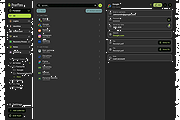 |
| Showing rows 1 to 3 of 3 | Showing Page 1 of 1 | 1 |
OlderGeeks.com Copyright (c) 2026
