|

|
Processed through Paypal No account required. |








Buy our over-priced crap to help pay the bills.



|
|
Processed through Paypal No account required. |
| File - Download Fan Control v275 | ||||||||
| Description | ||||||||
|
Always scroll to the bottom of the page for the main download link. We don't believe in fake/misleading download buttons and tricks. The link is always in the same place. Fan Control v275 👉 Highly customizable fan control software for Windows. Fan Control is a focused and highly customizable fan controlling software for Windows that lets you control CPU, GPU, and case fans using temperature-based logic. It supports guided setup, multiple profiles, theme customization, multiple temperature sources, several fan curve functions including custom graphs, mixed fan curves and sensors using max, min, or average logic, low resource usage, and advanced tuning options such as steps, start and stop percentages, response time, and hysteresis. 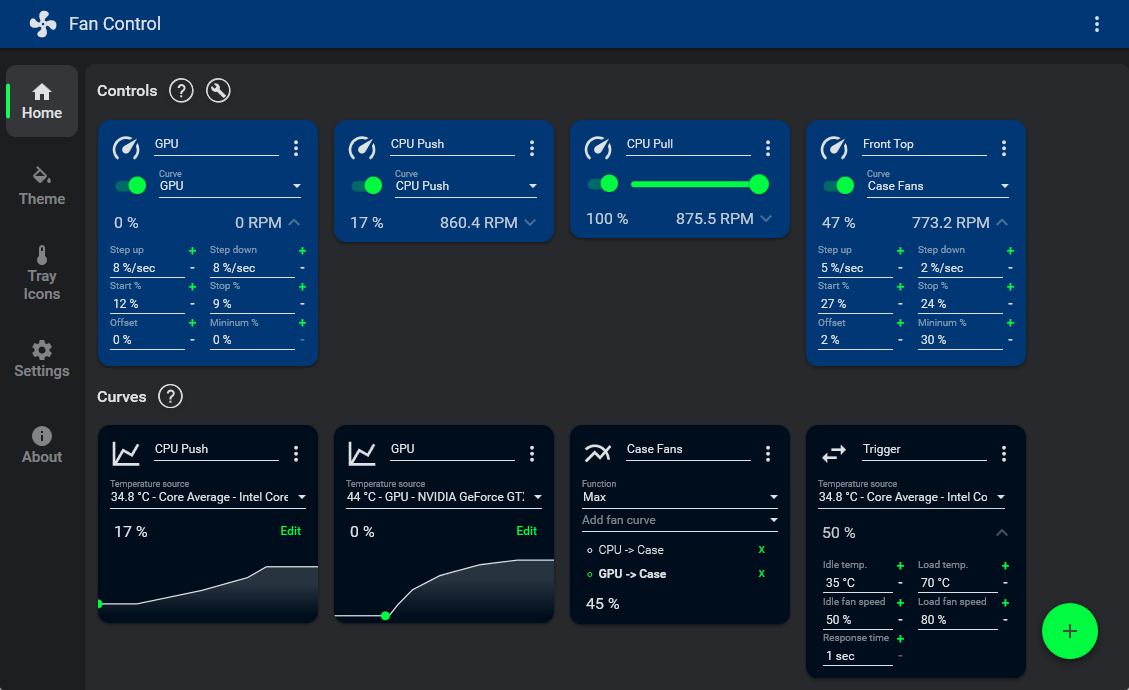 Features: • Guided setup process on first launch • Save, edit, and load multiple profiles • Change the theme and color of the application • Multiple temperature sources including CPU, GPU, motherboard, and hard drives • Multiple fan curve functions, including a custom graph • Mix fan curves or sensors together using max, min, or average • Low resource usage • Advanced tuning with steps, start %, stop %, response time, and hysteresis • Extensive support for CPU, GPU, case fans, and other hardware such as AIOs • Plugin support for adding third-party temperature, speed, or control sensors Fan curve types • Auto: PI-ish type function. % will surf until temp is stable at load. • Linear : Temperature based linear function • Graph : Temperature based custom curve • Target: Temperature based that holds speed until target temperature is reached • Mix : Use two different curves and apply a mix function (Min, Max, Sum, Average) • Sync : Sync to an existing control • Flat: Set a fixed % Graph fan curve editor • Change the temperature range for finer control over a small range • Add, remove and drag points arround the graph • Copy and paste points from a graph to another • Fine-tune the response with the hysteresis and response time parameters 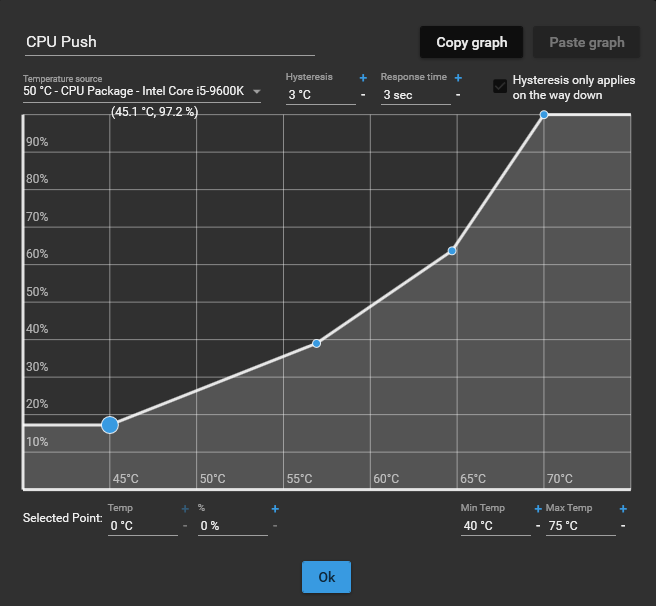 Supported operating systems: • The .NET 10 build supports Windows 10 (fully updated) and Windows 11 • The .NET Framework 4.8 build supports Windows 7 SP1, Windows 8.1, Windows 10, and Windows 11 Supported languages: • Arabic, Belarusian, Czech, Danish, German, Greek, English, Spanish, Finnish, French, Hebrew, Hungarian, Italian, Japanese, Korean, Dutch, Polish, Portuguese (Brazil), Portuguese (Portugal), Romanian, Russian, Slovak, Turkish, Ukrainian, Vietnamese, Chinese (Simplified), Chinese (Traditional) Changes: v275 08-25-26 Fixed a bug where the tray icon would not appear when the service started. Fixed a bug preventing a fan curve from being added to a mix. Fixed a bug when canceling a graph edit. Tweaked the appearance of disabled control cards. Updated LibreHardwareMonitorLib. This download is for the .NET 10-based version for newer versions of Windows (very bottom of page). If you need the .NET 4.8-based version (for older versions of Windows), download here. Click here to visit the author's website. Continue below for the main download link. |
||||||||
| Downloads | Views | Developer | Last Update | Version | Size | Type | Rank | |
| 7,181 | 15,990 | Rem0o | Aug 26, 2026 - 11:36 | 275 | 17.75MB | ZIP |  , out of 114 Votes. , out of 114 Votes. |
|
| File Tags | ||||||||
| CPU temperature fans FanControl cooling hardware cooling utility GPU curves monitoring sensors profiles | ||||||||
Click to Rate File Share it on Twitter → Tweet
|


