|

|
Processed through Paypal No account required. |








Buy our over-priced crap to help pay the bills.



|
|
Processed through Paypal No account required. |
| Files | ||||
| File Name | Rating | Downloads | ||
 |
CoolerControl v4.3.1 CoolerControl v4.3.1 👉 Monitor and control cooling devices, fan curves, RGB lighting, and system temperatures on Linux. CoolerControl is a powerful Linux application for monitoring and managing your PC's cooling hardware from a single modern interface. It combines support for standard hardware monitoring with advanced fan and pump control, custom temperature sensors, RGB lighting management, dashboards, and automation profiles. CoolerControl works with many motherboard sensors, GPUs, AIO liquid coolers, and other supported devices through Linux hardware monitoring frameworks and supported back-end services. The application provides real-time monitoring of temperatures, fan speeds, pump speeds, voltages, utilization, and other hardware statistics while allowing you to create custom fan curves based on multiple temperature sources. Built-in dashboards, profiles, and automation make it easy to optimize cooling for quiet operation, gaming, or maximum performance. Features: • Monitor CPU, GPU, motherboard, storage, and other hardware sensors • Create custom fan and pump curves • Control supported RGB lighting devices • Build custom dashboards for system monitoring • Create and switch between cooling profiles and modes • Use multiple temperature sources for intelligent fan control • Support custom sensors and calculated values • View real-time graphs and historical statistics • Configure alerts and advanced device settings • Support supported liquid coolers, fan controllers, and motherboard sensors • Automatic detection of supported hardware • Modern desktop interface with dark theme support • Includes both desktop application and background daemon Supported operating systems: • Arch Linux • Debian 12 Bookworm or higher • Fedora • NixOS • openSUSE Tumbleweed • Ubuntu 22.04 or higher Supported languages: English Changes: v4.3.1 05-23-26 Added True Duty Mapping calibration for RPM-reporting fans and pumps. Added automatic kick-in boost detection during calibration with configurable behavior. Added disconnected fan and diagnostic reporting during calibration. Added calibration popover with duty-to-RPM relationship graph. Added reset button for Table View statistics. Added quick-menu links for creating Dashboards and Modes. Changed Table View statistics to span the full daemon runtime. Fixed Dashboard time axis display when changing filters in smaller windows. Installation: This download includes ... |
 |
1,224 | Jul 09, 2026 Guy Boldon 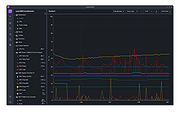 |
|
Fan Control v275 Fan Control v275 👉 Highly customizable fan control software for Windows. Fan Control is a focused and highly customizable fan controlling software for Windows that lets you control CPU, GPU, and case fans using temperature-based logic. It supports guided setup, multiple profiles, theme customization, multiple temperature sources, several fan curve functions including custom graphs, mixed fan curves and sensors using max, min, or average logic, low resource usage, and advanced tuning options such as steps, start and stop percentages, response time, and hysteresis. Features: • Guided setup process on first launch • Save, edit, and load multiple profiles • Change the theme and color of the application • Multiple temperature sources including CPU, GPU, motherboard, and hard drives • Multiple fan curve functions, including a custom graph • Mix fan curves or sensors together using max, min, or average • Low resource usage • Advanced tuning with steps, start %, stop %, response time, and hysteresis • Extensive support for CPU, GPU, case fans, and other hardware such as AIOs • Plugin support for adding third-party temperature, speed, or control sensors Fan curve types • Auto: PI-ish type function. % will surf until temp is stable at load. • Linear : Temperature based linear function • Graph : Temperature based custom curve • Target: Temperature based that holds speed until target temperature is reached • Mix : Use two different curves and apply a mix function (Min, Max, Sum, Average) • Sync : Sync to an existing control • Flat: Set a fixed % Graph fan curve editor • Change the temperature range for finer control ... |
|
7,182 | Aug 26, 2026 Rem0o 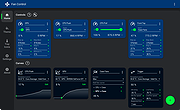 |
|
FurMark 2 v2.10.2 FurMark 2 v2.10.2 OpenGL and Vulkan GPU stress test and graphics benchmark. FurMark 2 is the next-generation edition of the legendary GPU stress testing and benchmarking utility from Geeks3D. Designed for gamers, overclockers, system builders and hardware enthusiasts, FurMark 2 pushes graphics cards to their thermal and performance limits using demanding OpenGL and Vulkan rendering workloads. It is commonly used to test cooling performance, verify GPU stability, identify overheating issues, detect graphical artifacts, and benchmark overall graphics performance. Unlike the original FurMark 1, FurMark 2 introduces a redesigned engine with modern rendering technologies, Vulkan support, improved compatibility with current GPUs, and enhanced benchmarking capabilities. The software can run intensive fullscreen or windowed stress tests while displaying real-time GPU information including temperatures, clocks, usage, fan speeds, and performance statistics. FurMark 2 also includes benchmark presets for quick comparisons, customizable testing modes, anti-aliasing options, artifact scanning, and command-line support for automation and advanced diagnostics. Whether you are validating a fresh GPU installation, testing overclock stability, troubleshooting crashes, or simply comparing benchmark scores with other systems online, FurMark 2 provides a fast and reliable solution for GPU performance analysis. Features: • Advanced OpenGL and Vulkan GPU stress testing • Designed to heavily load GPUs for thermal and stability testing • Modern rendering engine optimized for current graphics hardware • Built-in benchmark presets for quick performance comparisons • Custom benchmark modes with adjustable resolution and anti-aliasing • Real-time GPU monitoring during testing sessions • Displays GPU temperature, clocks, fan speed, usage and performance data • Artifact scanner helps detect rendering errors and unstable overclocks • Supports fullscreen and windowed testing modes • Online benchmark score submission and comparison support • Useful for validating overclocking and cooling system performance • Command-line options for scripting and automated testing • Compatible with many NVIDIA, AMD and Intel graphics cards • Includes GPU information and hardware identification tools • Lightweight interface with quick access to common ... |
|
2,154 | Jun 05, 2026 Geeks3D 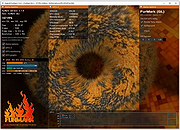 |
| Showing rows 1 to 3 of 3 | Showing Page 1 of 1 | 1 |
OlderGeeks.com Copyright (c) 2026
