|

|
Processed through Paypal No account required. |








Buy our over-priced crap to help pay the bills.



|
|
Processed through Paypal No account required. |
| Files | ||||
| File Name | Rating | Downloads | ||
 |
Pinned: Malwarebytes AdwCleaner v8.8.1.639 Malwarebytes AdwCleaner v8.8.1.639 👉 Removes adware, unwanted programs, browser hijackers, and other potentially unwanted software. Malwarebytes AdwCleaner is a lightweight, portable utility designed to scan for and remove adware, potentially unwanted programs (PUPs), browser hijackers, toolbars, and other unwanted software that can slow down your computer or interfere with your browsing experience. It does not require installation and can be run directly to quickly clean and restore system performance. AdwCleaner scans key areas of your system including files, folders, services, scheduled tasks, registry entries, and web browsers. After the scan, it presents a detailed report and allows you to review and clean detected items safely. Features: • Portable and lightweight • Detects and removes adware and PUPs • Cleans browser hijackers and unwanted toolbars • Scans services, registry, files, and scheduled tasks • Simple interface with detailed scan reports • Quarantine management and basic repair options Supported operating systems: Windows 11 (32/64-bit) AdwCleaner v8.8.0 Windows 10 (32/64-bit) AdwCleaner v8.8.0 Windows 8.1 (32/64-bit) AdwCleaner v8.4.0 Windows 8 (32/64-bit) Adwcleaner v8.4.0 Windows 7 (32/64-bit) Adwcleaner v8.4.0 Windows XP (32/64-bit) Adwcleaner v7.4.2 Windows Vista (32/64-bit) Adwcleaner v7.4.2 Supported languages: Arabic, Bulgarian, Czech, Danish, German, Greek, English, English (UK), Spanish, Basque, French, Hungarian, Indonesian, Italian, Japanese, Korean, Dutch, Polish, Portuguese (Brazil), Portuguese, Romanian, Russian, Slovak, Thai, Turkish, Ukrainian, Vietnamese, Simplified Chinese, Traditional Chinese Changes: v8.8.1 05-13-26 Features and improvements No new features included in this release Issues fixed Fixed DLL sideloading security issue. Properly avoid terminating SetMe processes This download is for the Windows 10/11 version (very bottom of page). All other download assets are below: Windows 7/8: adwcleaner 8.4.0.exe Windows XP/Vista: adwcleaner_7.4.2.exe Click here to visit the author's website. |
 |
34,852 | Aug 20, 2026 Malwarebytes 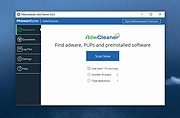 |
|
Pinned: Malwarebytes Anti-Malware v5.7.2.358 Malwarebytes Anti-Malware v5.7.2.358 OlderGeeks.com is an official mirror of Malwarebytes Anti-Malware 👉 Advanced malware detection and removal tool to protect your PC from threats. Malwarebytes Anti-Malware is a powerful security application designed to detect, block, and remove malware, ransomware, spyware, adware, and other online threats that traditional antivirus programs may miss. Using advanced heuristic analysis and signature-based detection, it provides real-time protection and on-demand scanning to keep your system clean and secure. Malwarebytes Anti-Malware works alongside other antivirus software or as a standalone solution, offering layered defense against emerging threats. Its streamlined interface makes it easy for both beginners and advanced users to perform quick scans, deep scans, and custom scans, while maintaining minimal impact on system performance. Features: • Real-time protection against malware, ransomware, spyware, and adware • Advanced heuristic and behavior-based threat detection • Quick, Threat, and Custom scan options • Protection against malicious websites and phishing attempts • Automatic updates to the malware database • Quarantine and restore functionality • Lightweight design with minimal system impact • Compatible with other antivirus programs Supported operating systems: • Windows 10, Windows 11 Supported languages: English, Spanish, French, German, Italian, Portuguese, Dutch, Japanese, Korean, Chinese (Simplified), Chinese (Traditional) Changes: v5.7.2.358 10-01-26 Features and improvements Added the ability to directly open Browser Guard's extension settings from the Malwarebytes for Windows Settings page. This link only appears when Chrome or Edge is your default browser. Improved the error messages that appear when license activation fails, so it's clear what went wrong and what to do next. Improved detection of malicious scripts. Issues fixed Fixed security, stability, and performance issues related to detection, protection, and remediation. Fixed minor localization issues. Note: Malwarebytes initially installs as a 14 day trial of full real-time protection. After the 14 days are up, Malwarebytes reverts to a free version that will only disinfect ... |
|
28,610 | Oct 09, 2026 Malwarebytes.com 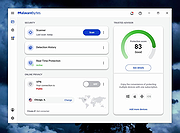 |
 |
Agent DVR v7.9.2.0 Agent DVR v7.9.2.0 👉 A powerful, self-hosted video surveillance and monitoring platform. Agent DVR is a full-featured video surveillance application designed for local and remote monitoring of cameras and microphones. It supports a wide range of devices including IP cameras, USB webcams, and audio inputs, and provides advanced functionality such as motion detection, recording, alerts, and remote access through a web-based interface. Features: • Supports IP cameras, USB webcams, RTSP streams, and audio devices • Compatible with ONVIF devices for easy camera discovery and setup • Browser-based interface with no client software required • Remote access from anywhere via secure web portal • Motion detection with adjustable sensitivity, zones, and filters • AI object detection including people, vehicles, animals, and custom models • Facial recognition support (with configured AI services) • License plate recognition (via integrations) • Continuous, motion-triggered, and scheduled recording modes • Timeline-based playback with fast scrubbing and event markers • Multiple simultaneous camera streams with grid and custom layouts • PTZ control including presets, tours, and auto-tracking (supported cameras) • Audio recording, live listening, and two-way audio support • Alerts and notifications via email, SMS, push, webhook, and API triggers • Smart alerts based on AI detection events • Event logging with searchable history • User accounts with roles, permissions, and access restrictions • HTTPS support for secure connections • No port forwarding required using built-in remote access services • Local storage with configurable retention policies • Cloud upload support including FTP, SFTP, and third-party services • Automatic cleanup and disk management options • Multi-server support for distributed camera setups • Plugin system for extending functionality • Integration with home automation systems and external APIs • Support for hardware acceleration (GPU) to improve performance • Cross-platform support via .NET and Docker containers • Import/export configuration and backup settings • Supports multiple layouts, themes, and UI customization • Snapshot capture and image archiving • Privacy masking zones for sensitive areas • Time-lapse recording and export • Multi-language interface support (where available in ... |
|
4,579 | Aug 19, 2026 iSpyConnect.com  |
|
All Bitdefender Uninstall Tools v3.0 All Bitdefender Uninstall Tools v3.0 👉 The complete collection of Bitdefender consumer and business removal tools in one ZIP file. All Bitdefender Uninstall Tools is a collection compiled by OlderGeeks containing official Bitdefender removal utilities for current and older consumer and business security products. Instead of downloading each utility separately, you can keep the entire collection together for troubleshooting and computer repairs. These tools help remove Bitdefender software when normal uninstallation fails or leaves remnants behind. They can be useful when preparing to reinstall Bitdefender or replace it with another security solution. Extract the ZIP file, identify the installed Bitdefender product and choose its corresponding removal tool. Consumer and business products require different utilities. Older product generations also have their own uninstallers, so selecting the appropriate tool matters. Consumer product coverage: • Latest Generation Bitdefender Antivirus Plus, Internet Security and Total Security. • Bitdefender Antivirus Plus, Internet Security and Total Security from the 2020 generation. • Bitdefender Antivirus Plus, Internet Security and Total Security from the 2019 generation. • Bitdefender Antivirus Plus, Internet Security and Total Security from the 2018 generation. • Bitdefender Antivirus Plus, Internet Security and Total Security from the 2017 generation. • Bitdefender Antivirus Plus, Internet Security and Total Security from the 2016 generation. • Bitdefender Antivirus Plus, Internet Security and Total Security from the 2015 generation and older, as covered by Bitdefender's corresponding tool. Business product coverage: The collection includes current and legacy business removal utilities, including separate tools for Bitdefender Endpoint Security Tools (BEST) v7 and v8, along with older endpoint uninstallers. Bitdefender's current business support page directs users of BEST up to v6.4.x to contact support. Although legacy utilities are included in this collection, additional assistance may be necessary for older installations. Features: • Complete collection ... |
|
5,176 | Oct 09, 2026 BitDefender Labs / Oldergeeks.com 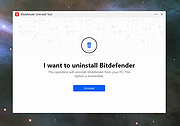 |
 |
Antivirus Live CD v52.0-1.5.2 Antivirus Live CD v52.0-1.5.2 👉 A 4MLinux fork including the ClamAV scanner. It's designed for users who need a lightweight live CD, which will help them to protect their computers against viruses. Ethernet, WiFi, PPP and PPPoE are supported by Antivirus Live CD to enable automatic updates of its virus signature databases. All partitions are mounted during the boot process so that they can be scanned by ClamAV. The Antivirus Live CD ISO images are fully compatible with UNetbootin, which can be used to create an easy-to-use Antivirus Live USB. Features: • Lightweight bootable antivirus rescue environment based on 4MLinux • Includes the ClamAV antivirus engine • Scans all mounted disk partitions automatically • Updates virus signature databases over the Internet • Supports Ethernet, Wi-Fi, PPP, and PPPoE network connections • Boots from CD, DVD, or USB flash drive • Fully compatible with UNetbootin for creating bootable USB media • Command-line interface optimized for malware removal and system recovery • Supports a wide range of Windows and Linux file systems • Ideal for scanning systems that cannot boot normally • Small download size with low system requirements • Includes essential Linux utilities for file management and troubleshooting Supported operating systems: • Windows XP, Windows Vista, Windows 7, Windows 8, Windows 8.1, Windows 10, Windows 11 • Linux distributions with supported file systems (btrfs, ext2, ext3, ext4, f2fs, FAT16, FAT32, HFS, HFS+, JFS, NILFS2, NTFS, ReiserFS, Reiser4, XFS) Supported languages: • English Changes: v51.0-1.5.1 02-08-26 • Updated to 4MLinux 51.0 BETA. • Updated ClamAV to v1.5.1. Click here to visit the author's website. |
|
8,997 | Aug 06, 2026 zk1234 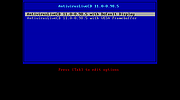 |
|
Antivirus Removal Tool v2026.02 Antivirus Removal Tool v2026.02 👉 Detects and helps completely remove leftover files from antivirus and security software. Antivirus Removal Tool is a portable utility designed to identify and assist with the complete removal of antivirus and security software remnants that standard uninstallers often leave behind. Many security programs integrate deeply into Windows and may leave drivers, services, and registry entries behind after removal. These leftovers can cause conflicts when installing new antivirus products or reduce system performance. Antivirus Removal Tool scans your system for traces of dozens of antivirus and security products and provides direct access to the official cleanup utilities provided by the vendors themselves. It can detect installed or previously installed security software and guide users through safely removing all remaining components. The program features a clean interface that lists detected security products and offers links to the official vendor removal tools when available. Because it relies on the original cleanup utilities from the developers, the removal process is safer and more reliable than attempting manual cleanup. The tool is portable and does not require installation, making it convenient for technicians and advanced users who need to troubleshoot antivirus conflicts or prepare systems for a fresh security installation. Features: • Detects installed and previously installed antivirus and security software • Provides direct links to official vendor removal tools • Helps eliminate leftover drivers, services, and registry entries • Portable application that requires no installation • Useful for resolving conflicts when switching antivirus products • Displays detailed system and security software information • Regularly updated database of antivirus vendors and cleanup utilities Supported operating systems: • Windows 7, Windows 8, Windows 10, Windows 11 Supported languages: English Changes: v2026.02 02-06-26 Database updated. Improved detection of security products. Minor interface improvements and fixes. Note: This file download may be blocked by your web browser or anti-virus software because it has antivirus removal software embedded in it. This is something a virus ... |
|
11,322 | Mar 04, 2026 Alex C. 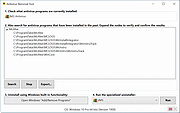 |
|
AppControl v1.3.0.335b AppControl v1.3.0.335b 👉 Historical Task Manager with powerful application control, privacy monitoring, and system insights. AppControl is a free Windows system monitoring and application management utility developed by Jon Hundley and the AppControl team. Rather than only showing what your computer is doing right now, AppControl continuously records system activity for up to 72 hours, allowing you to review past CPU, GPU, memory, disk, temperature, and application activity to identify exactly what happened when your PC slowed down, overheated, or behaved unexpectedly. AppControl also extends far beyond the capabilities of the standard Windows Task Manager by providing detailed information about running processes, historical hardware usage, application launches, privacy events, and system activity. It can alert you when new or unsigned applications run, when software accesses your webcam, microphone, or location, and allows you to permanently disable unwanted applications or block entire publishers with custom rules. Built-in plain-language descriptions explain what Windows processes and executables actually do, making it easier to understand what's happening on your PC without searching the web Features: • Historical CPU, GPU, memory, disk, and temperature monitoring • Review up to 72 hours of recorded system activity • Timeline graphs with click-and-drag zoom • Monitor application launches, updates, and system events • Alerts for new, unusual, or unsigned applications • Privacy alerts for webcam, microphone, and location access • Permanently disable unwanted applications • Block entire software publishers • Plain-language descriptions of running processes and executables • Command-line monitoring tool for Windows Terminal, PowerShell, and Command Prompt • Automatic light and dark theme support • Custom notification options • Search and investigate running applications quickly Supported operating systems: • Windows 10 • Windows 11 Supported languages: English, German, Spanish, Japanese, French, Polish, Russian, Dutch, Serbian (Cyrillic), Italian, Turkish, Chinese Changes: v1.3.0.335b 05-14-26 Added range selection and zooming on timeline graphs. Added a command-line monitoring tool for Windows Terminal, PowerShell, and Command Prompt. Added an automatic theme that matches Windows light or dark mode. Added ... |
|
821 | Jun 27, 2026 Jon Hundley and Team 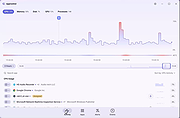 |
|
AV block remover (AVbr) v4 AV block remover (AVbr) v4 👉 A free malware-removal and system-repair tool designed to restore computers whose security software and Windows functions have been blocked by malware. AV block remover (AVbr) is a free utility designed to help clean Windows computers infected with malware that interferes with antivirus programs, security utilities and normal system operation. AVbr automates a collection of diagnostic and remediation procedures and uses Oleg Zaitsev's AVZ antivirus utility as part of its operation. It can help remove malware, restore Windows settings altered by malicious software, remove malicious policies and restrictions, and address infections that deliberately prevent security programs from running. Features: • Designed to remove active malware and repair changes made to Windows by malicious software • Helps when malware blocks antivirus and other security programs • Performs automated system diagnostics and remediation • Uses the AVZ antivirus utility during its malware detection and cleanup procedures • Includes AVZ Toolkit • Searches for malicious and suspicious system activity • Helps detect and remove malware that interferes with normal Windows operation • Removes malicious system policies and restrictions • Helps restore system settings modified by malware • Can assist with infections that prevent security and diagnostic utilities from launching • Generates diagnostic information that can be used when investigating an infected computer • Portable utility that does not require conventional installation Supported operating systems: Windows Vista, Windows 7, Windows 8, Windows 8.1, Windows 10, Windows 11 Supported languages: English, Russian Changes: v4 and AVZ Toolkit v6.12, dated 08-31-26 Now helps in the case of blocking antivirus signatures through systemic equipment. Added removal of the start-up of antivirus start-up, added by CertLock viruses blocking... Complementary functionality 1) AppLocker policy check and reset if working policies are found. 2)... Update 1) Check the existence of the Hosts file added. If it is not, it creates a pure Hosts... Note: This file has two hits on VirusTotal. We have confirmed these to be false positives. The file ... |
|
251 | Sep 01, 2026 safezone.cc / Oleg Zaitsev 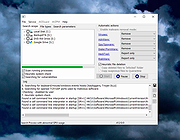 |
|
BCTextEncoder v1.03.2.2 BCTextEncoder v1.03.2.2 👉 Encrypt and decrypt sensitive text messages with strong password or public key encryption. BCTextEncoder is a free, portable text encryption utility from Jetico that allows you to securely encode and decode sensitive text for emails, chat messages, notes, and other private communications. It compresses, encrypts, and converts plain text into an encoded text format that can be safely shared or stored. Because it runs without installation, BCTextEncoder can be used from virtually any Windows computer without leaving software installed behind. BCTextEncoder supports both password-based encryption and public key encryption. Users can generate or import PKCS-12/X.509 public and private key pairs using the included BestCrypt Key Manager, making it easy to exchange encrypted messages without sharing passwords. Encoded text can be copied directly to the clipboard, saved as a text file, or shared through your preferred communication method. Features: • Encrypt and decrypt plain text messages • Password-based encryption for secure text protection • Public key encryption using PKCS-12/X.509 key pairs • Generate or import public/private encryption keys • Compresses text before encryption • Portable application requiring no installation • Copy encrypted or decrypted text directly to the clipboard • Save encoded text as a text file • Lightweight and easy-to-use interface • Suitable for emails, instant messages, notes, and other confidential text Supported operating systems: • Windows XP, Windows Vista, Windows 7, Windows 8, Windows 10, Windows 11, Windows Server 2003, Windows Server 2008 (32-bit and 64-bit where supported) Supported languages: • English Changes: v1.03.2.2 • Not provided. Click here to visit the author's website. |
|
9,697 | Jul 07, 2026 Jetico Inc. 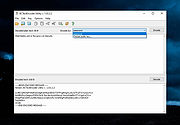 |
|
Belarc Advisor v13.1 Belarc Advisor v13.1 👉 Creates a detailed profile of your PC’s hardware, software, and security status. Belarc Advisor builds a comprehensive report of your computer’s installed hardware, software, network inventory, missing Microsoft hotfixes, antivirus status, and security benchmarks. The report is generated locally and displayed in your web browser, ensuring that your data remains private and is not sent to any external server. Belarc Advisor is widely used for auditing systems, tracking installed software licenses, and identifying potential security risks. It provides a clear, organized breakdown of system components, including CPU, memory, storage devices, and connected peripherals, along with detailed software version information. Features: • Creates a complete system profile including hardware and software • Displays installed applications with version and license details • Identifies missing Microsoft security updates and hotfixes • Reports antivirus status and overall system security • Shows detailed network configuration and connected devices • Generates results locally for enhanced privacy (no data uploaded) • Provides browser-based report for easy viewing and printing • Tracks software licenses for auditing and recovery purposes • Displays detailed information about CPU, RAM, drives, and peripherals Supported operating systems: • Windows 7, Windows 8, Windows 10, Windows 11 Supported languages: English Changes: Not Provided Click here to visit the author's website. |
|
11,494 | Apr 29, 2026 Belarc, Inc.  |
|
BitDefender Antivirus Free Edition v27.0.62.352 BitDefender Antivirus Free Edition v27.0.62.352 👉 Free real-time antivirus protection for Windows PCs. BitDefender Antivirus Free Edition provides lightweight, cloud-powered antivirus protection designed to defend Windows computers against viruses, malware, ransomware, phishing attacks, and other online threats. It uses Bitdefender’s award-winning security technologies while maintaining a simple “install and forget” approach that runs quietly in the background without slowing down your system. The program delivers real-time threat detection, automatic malware scanning, web attack prevention, anti-phishing protection, and malicious website blocking. It also includes integrated Bitdefender VPN access with limited daily encrypted traffic for safer browsing. BitDefender Antivirus Free Edition is optimized for gaming, multimedia editing, and other resource-intensive activities by minimizing system impact while maintaining continuous protection. Features: • Real-time antivirus and malware protection • Cloud-powered threat detection • Advanced anti-phishing protection • Malicious website and scam blocking • Automatic security updates • Lightweight system resource usage • Optimized for gaming and multimedia tasks • Integrated Bitdefender VPN with limited daily traffic • Automatic threat remediation and quarantine • Simple install-and-forget interface • Web traffic scanning • Protection against ransomware and online threats Supported operating systems: • Windows 7 SP1, Windows 8.1, Windows 10, Windows 11 Supported languages: English, German, French, Spanish, Italian, Romanian, Dutch, Swedish, Chinese Traditional, Chinese Simplified, Portuguese, English UK, English AU Changes: v27.0.62.352 08-20-26 Fixed an issue where protection review reports included monitored web and email activity even when the related protection features were disabled Fixed an issue where Bitdefender services were not responding at startup Fixed an issue where Bitdefender services could appear unresponsive while the product remained functional Fixed an issue where SecurePass could not remain disabled in Safepay Fixed an issue causing continuous notifications about webcam access Fixed an issue where the verified links counter reset to zero after rebooting on Windows 11 Fixed an issue causing multiple firewall notifications stating that an application had changed Note: BitDefender Antivirus Free Edition requires you to create a free account. Click here to ... |
|
11,989 | Aug 27, 2026 BitDefender Labs 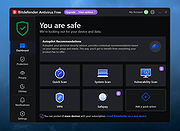 |
|
ClickShield v1.2.1 ClickShield v1.2.1 👉 Helps block ClickFix phishing attacks and suspicious clipboard commands in Windows. ClickShield is a free Windows security utility designed to help protect against ClickFix and similar phishing attacks that attempt to trick users into executing malicious commands. These attacks commonly use fake CAPTCHA or verification screens that copy a command to the clipboard and instruct the user to paste it into the Windows Run dialog or Command Prompt. ClickShield monitors clipboard changes for suspicious commands, including PowerShell commands and Windows LOLBINs such as mshta, bitsadmin, wmic and regsvr32. When suspicious clipboard content is detected, it can alert the user and prevent the Run dialog from opening. Its LOLBIN Shield can also block selected Windows utilities from accessing the internet, adding another layer of protection against common ClickFix techniques. Features: • Monitors the Windows clipboard for suspicious text and commands • Helps protect against ClickFix and similar fake CAPTCHA phishing attacks • Detects suspicious PowerShell commands, including encoded commands • Detects commands involving commonly abused Windows LOLBIN utilities • LOLBIN Shield can block several Windows utilities from accessing the internet • Can prevent the Windows Run dialog from opening when suspicious clipboard content is detected • Provides alerts when potentially dangerous clipboard commands are found • Includes an option to completely disable the Windows Run dialog • Run dialog restriction can be useful for administrators managing employee computers • Designed to operate with minimal memory usage • Supports both 32-bit and 64-bit Windows systems Supported operating systems: • Windows 7, Windows 8, Windows 8.1, Windows 10, Windows 11 Supported languages: • English Changes: v1.2.1 09-04-26 [*] Fixes and Improvements: • The alert message now stays on top of all windows instead of launching on the browser. This way it protects itself from ClickFix attack variants that attempt to close it and CrashFix attacks that crash the browser. The alert message remains visible until the user closes it. • The alert ... |
|
647 | Sep 30, 2026 Emir Alp Kocak  |
|
Cyber Prot v4.1.1.53 Cyber Prot v4.1.1.53 👉 Lightweight anti-ransomware protection that monitors system behavior to stop malicious encryption attacks before they damage your files. Cyber Prot is an anti-ransomware security tool designed to protect your system from file-encrypting malware and similar threats. It uses behavioral analysis and advanced algorithms to monitor system activity and detect suspicious operations that may indicate a ransomware attack. Instead of relying solely on signature databases like traditional antivirus software, Cyber Prot analyzes how programs behave. If a process begins performing suspicious actions such as rapid file encryption, mass file renaming, or unusual changes to file headers, the program can immediately intervene and terminate the offending process before it causes serious damage. Cyber Prot is designed to run alongside your existing antivirus solution, adding an additional layer of protection without significantly impacting system performance. The program runs quietly in the system tray and continuously monitors processes in the background. When a potential threat is detected, Cyber Prot can respond in several ways depending on your configuration. Possible actions include playing a warning sound, sending an email notification, shutting down the computer, or preventing the system from booting again until the issue is addressed. These flexible response options allow users to tailor the program’s behavior to their specific security needs. Features: • Behavioral monitoring of running processes to detect ransomware activity • Heuristic detection capable of identifying previously unknown threats • Real-time monitoring of file system activity • Ability to stop malicious processes before files are encrypted • Customizable actions when threats are detected • Email notification and sound alerts for detected attacks • Can shut down or lock the system to prevent further damage • Designed to run alongside existing antivirus solutions • Lightweight system tray operation with minimal performance impact Supported operating systems: • Windows 10, Windows 11 Supported languages: English Changes: v4.1.1.53 Not provided Click here to visit the author's website. |
|
774 | Mar 06, 2026 Cyberland 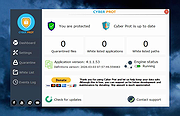 |
|
Dangerzone v0.11.0 Dangerzone v0.11.0 👉 Convert potentially dangerous documents into safe PDFs without exposing your computer to malicious content. Dangerzone is a free and open source document sanitization tool from the Freedom of the Press Foundation that lets you safely open PDFs, office documents, images and other potentially untrusted files. Instead of opening the original document directly, Dangerzone places it inside an isolated sandbox with no network access, converts each page into raw pixel data, and then reconstructs those pixels into a new, safe PDF. This process removes active content and other potentially malicious elements while preserving the document's visual appearance. Dangerzone supports more than 20 document types, including PDF files, major office-suite formats and common image formats. Because document processing takes place inside an isolated environment without network access, malicious content that might exploit the document converter is prevented from communicating with the outside world. Everything is processed locally on your computer. Features: • Converts potentially dangerous documents into safe PDF files • Uses an isolated sandbox to process untrusted documents • Renders document pages into raw pixel data before reconstructing them as PDFs • Removes potentially dangerous active content during conversion • Prevents the conversion sandbox from accessing the network • Processes documents locally on your computer • Supports more than 20 document and image formats • Supports PDFs and major office-suite document formats • Supports common image formats • Can process multiple documents • Allows additional documents to be added to an ongoing conversion • Supports converting another set of documents after completing a batch • Supports OCR processing • Free and open source under the AGPLv3 license • Maintained by the Freedom of the Press Foundation Supported operating systems: • Windows 10, Windows 11 • macOS, latest three supported releases, Intel and Apple Silicon • Ubuntu 22.04, Ubuntu 24.04, Ubuntu 25.10, Ubuntu 26.04 • Debian 12, Debian 13, Debian 14 • Fedora 43, Fedora 44 • Tails, current release • Qubes OS using a ... |
|
2,266 | Sep 02, 2026 Micah Lee  |
|
DeepTaskScan v1.0.0 DeepTaskScan v1.0.0 👉 Portable Windows forensics tool for detecting hidden and persistent scheduled tasks. DeepTaskScan is an advanced Windows scheduled task viewer and forensics tool designed to uncover scheduled tasks that may be hidden from standard Windows utilities. Unlike Task Scheduler, schtasks, PowerShell and similar tools, it uses a different scanning method rather than relying on Windows API calls to discover scheduled tasks. This can help system administrators, technicians and security researchers identify tasks concealed through techniques involving deleted task files or registry keys. The developer notes that such techniques have been used by state-backed Advanced Persistent Threat (APT) groups. DeepTaskScan is completely portable, requires no installation and is available in both 32-bit and 64-bit versions. Features: • Deeply scans Windows for scheduled tasks using an alternative detection method • Detects scheduled tasks hidden through advanced techniques • Does not rely on Windows API calls for scheduled task detection • Helps uncover tasks that may not appear in Windows Task Scheduler • Can detect more scheduled task entries than Task Scheduler, PowerShell and other standard tools • Highlights hidden or persistent entries • Can help detect APT activity involving hidden Task Scheduler entries • Allows discovered information to be extracted to a file • Useful for system administration, troubleshooting and security forensics • Available as separate 32-bit and 64-bit executables • Completely portable with no installation required Supported operating systems: • Windows 7 or newer Supported languages: • English Changes: v1.0.0 08-16-26 Initial release. This download is for the Windows 64bit version (very bottom of page). If you need the Windows 32bit version, download here. Click here to visit the author's website. |
|
352 | Aug 20, 2026 Emir Alp Kocak |
|
Emsisoft Emergency Kit v2025.7.0.12683 Emsisoft Emergency Kit v2025.7.0.12683 👉 Free portable malware and virus scanner to detect and remove infections. Emsisoft Emergency Kit is a fully portable security toolkit designed to scan, detect, and remove malware, viruses, ransomware, trojans, spyware, adware, worms, keyloggers, and other malicious threats from Windows computers without requiring installation. The kit combines powerful dual-engine scanning technology in a portable package that can be run directly from a USB stick, hard drive folder, or any storage location to clean infected systems. It includes both a graphical scanner and a command-line scanner for more advanced usage. Features: • Portable on-demand malware scanner with dual-engine detection. • Graphical Emergency Kit Scanner for interactive scanning. • Command-line scanner for scripted or advanced use. • Detects and removes viruses, ransomware, spyware, PUPs, bots and more. • Quarantine or delete detected threats. • Self-updating malware detection engine. • No installation required — just unzip and run. Supported operating systems: • Windows 10 (64-bit) and higher • Windows Server 2016 and higher Supported languages: English (various UI language options depending on package) Changes: v2025.7.0.12683 08-24-26 Updated detections. Click here to visit the author's website. |
|
11,322 | Aug 24, 2026 Emsisoft 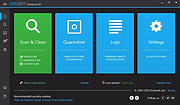 |
|
Enigmak-2.0.0.zip ENIGMAK v2.0.0 👉 Offline multi-round rotor cipher tool for encrypting messages with a 68-symbol alphabet. ENIGMAK is a browser-based cipher machine inspired by the historical Enigma rotor machine, but built on a fundamentally different architecture for educational, research, and general personal use. It runs entirely offline as a single HTML file with no installation, no server, and no network requests, and the project also includes Python and JavaScript implementations. ENIGMAK supports 1 to 13 rotors with irregular key-derived stepping, up to 34 Steckerbrett character-pair swaps, 10 keyboard layouts as substitution tables, key-derived rounds, a keyed diffusion layer, nonce support, embedded message authentication, a key fingerprint, and passphrase-based key representation. The author notes that it has not undergone formal cryptanalytic review and should not be used for classified, medical, legal, financial, or life-critical communications. Features: • 68-symbol alphabet covering uppercase letters, digits, semicolon, and standard special characters • 1 to 13 rotors with irregular key-derived stepping • Up to 34 symmetric Steckerbrett character-pair swaps • Dynamic plugboard and scramble stages from unused keyboard layouts • 10 keyboard layouts used as substitution tables • Key-derived rounds from 1 to 999 • Keyed 68-position diffusion transposition layer • Optional nonce to prevent identical plaintexts from producing identical ciphertexts • Embedded message authentication checksum at a key-derived position • 4-character verbal key fingerprint • Passphrase encoding for key sharing • Live IoC display for statistical feedback • Full offline operation with no dependencies for the main cipher files • Included Python and JavaScript implementations alongside the HTML version • Electron desktop wrapper available for standalone desktop use • Supports only the 68-symbol ASCII alphabet; non-ASCII characters pass through unencrypted Supported operating systems: • Windows • macOS • Linux Supported languages: • English Changes: v2.0.0 04-03-26 Breaking Change Ciphertexts from v1.0.0 are not compatible with v2.0.0. Keys are unchanged; messages encrypted under v1.0.0 must be re-encrypted. Security Fixes (consolidated from rc.1 through rc.3.1) Position whitening layer (rc.1) - a key-derived LCG stream (seed = keySum XOR 0xC0FFEE42, ... |
 |
652 | Apr 03, 2026 Awesomem8112  |
|
ESET SysInspector v2.1.5.0 ESET SysInspector v2.1.5.0 👉 Free PC diagnostic tool for inspecting system issues, suspicious files, processes, services, registry entries and network connections. ESET SysInspector is an easy to use diagnostic tool that helps troubleshoot a wide range of system issues. It captures critical and detailed information about your computer and is useful for tracking down malicious code, suspicious unsigned files, software problems, hardware incompatibilities, driver issues, broken registry entries and suspicious network connections. Features: • Captures detailed system information for troubleshooting • Helps inspect running processes and services • Identifies suspicious and unsigned files • Helps diagnose software issues and hardware incompatibility • Checks for outdated or malfunctioning drivers • Helps identify unpatched operating system issues • Reports broken registry entries • Helps detect suspicious network connections • Color-coded risk levels help prioritize severe issues • Processes and network tree view • Regular expression filtering for log results • Light and dark mode support Supported operating systems: • Windows 10, Windows 11, Windows Server 2016, Windows Server 2019, Windows Server 2022 Supported languages: Several languages Changes: v2.1.5.0 Improved: Error codes on app exit Improved: File details for registry subsection Improved: Filtering functionality Added: Option to copy registry path Added: Modal window for viewing registry Added: Selecting lines with typed letter Fixed: Handling Livegrid settings Fixed: Minor UI bugs Updated: Modules with the latest improvements This download is for the Windows 64bit version (very bottom of page). If you need the Windows 32bit version, download here. If you need the Windows ARM64 version, download here. Click here to visit the author's website. |
|
4,965 | May 19, 2026 ESET, spol. s r.o. 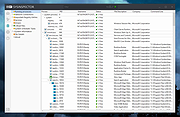 |
|
G Security 1.0 G Security 1.0 G Security is an easy to use Desktop locker/Screen locker developed for Microsoft Windows. It allows a user to securely lock down Windows in such a way that it cannot be accessed by an unauthorized user. G Security is light weight and easy to use with a highly user friendly interface. It prevents anyone from accessing your computer when its locked down so that your private data stored on the computer cannot be accessed by anyone. It completely locks down your computer so that even if someone gets a hold of your computer, he or she can do nothing on it. It can lock down your computer on start up as well as any time you want just by pressing some keys. Once the computer is locked down shortcut keys like Alt+tab, Ctrl+Alt+Esc, Alt+F4 etc will not work at all. The Ctrl+Alt+Del screen will also be secured in such a way that no one can unlock you computer without correct password. Any running application will also be prevented from messing up with the locked computer. It can be used by multiple users at a time on a single computer with settings stored for each user individually so that each user can use G Security with its own preferences. G Security also supports hotkey to lock the system. In a few words its extremely secure, easy to use and configurable desktop locking solution available for everyone free of cost. Some of its key features include : Its easy to use. Its a Freeware. Fully locks down your computer. Can protect Windows on startup. Suitable for all kinds of users. Multi user support. ... |
|
6,436 | Jun 20, 2016 Malik Usman Aura 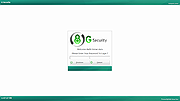 |
|
HashMyFiles v2.51 HashMyFiles v2.51 👉 Calculate and verify file hashes to confirm file integrity and authenticity. HashMyFiles is a lightweight, portable utility that calculates the hash values of one or more files or folders, making it easy to verify file integrity, compare downloaded files against published checksums, detect duplicate content, and confirm that files have not been modified. It supports multiple hashing algorithms including CRC32, MD5, SHA-1, SHA-256, SHA-384, and SHA-512. Hashes can be copied to the clipboard or exported to text, HTML, XML, CSV, JSON, or tab-delimited formats. HashMyFiles also integrates with the Windows Explorer context menu for quick access and requires no installation. Features: • Calculate CRC32, MD5, SHA-1, SHA-256, SHA-384, and SHA-512 hashes • Hash individual files, multiple files, or entire folders • Portable application requiring no installation • Drag-and-drop support • Windows Explorer context menu integration • Compare copied hashes with calculated values • Highlight identical hashes • Export results to TXT, HTML, XML, CSV, JSON, and tab-delimited formats • Command-line support for automation • Display file information including size, timestamps, version, and attributes Supported operating systems: • Windows 2000, Windows XP, Windows Server 2003, Windows Vista, Windows 7, Windows 8, Windows 8.1, Windows 10, Windows 11 Supported languages: English, Arabic, Basque, Belarusian, Bulgarian, Catalan, Chinese (Simplified), Chinese (Traditional), Croatian, Czech, Danish, Dutch, Finnish, French, Galician, German, Greek, Hebrew, Hungarian, Italian, Japanese, Korean, Lithuanian, Norwegian, Persian, Polish, Portuguese (Brazil), Portuguese (Portugal), Romanian, Russian, Serbian, Slovak, Slovenian, Spanish, Swedish, Thai, Turkish, Ukrainian, Vietnamese Changes: v2.51 07-16-26 Added the 'Hashing Duration' option to display the total hashing time in the status bar. Added 'Show Hashing Duration In Milliseconds' option. Added 'Hashes Per Second' column. This download is for the 64bit version (very bottom of page). If you need the 32bit version, download here. Click here to visit the author's website. |
|
10,386 | Jul 17, 2026 Nir Sofer 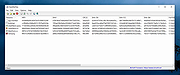 |
|
HiJackThis+ v3.5.0.1 HiJackThis+ v3.5.0.1 👉 Advanced malware and system hijack diagnostic scanner for Windows. HiJackThis+ is a free utility for Microsoft Windows that scans your computer for settings changed by adware, spyware, malware, and other unwanted programs. It is a passive scanner that focuses on detecting hijacking methods rather than relying on traditional signature databases, and it can help experienced users inspect browser, startup, registry, policy, task, and other system areas that may have been altered by suspicious software. It also includes a collection of extra tools such as StartupList, Process Manager, Hosts Manager, ADS Spy, uninstall management, file and registry unlockers, a registry key type analyzer, and batch digital signature checking. Features: • Scans Windows for changes made by adware, spyware, malware, and other unwanted programs • Detects hijacking methods instead of depending on signature database updates • Checks many sensitive system areas including startup entries, registry locations, policies, tasks, browser related items, and more • Includes StartupList 2 for expanded startup inspection • Includes Process Manager for reviewing running processes • Includes Hosts Manager for reviewing and resetting the Hosts file • Includes ADS Spy for finding alternate data streams • Includes uninstall management tools • Includes Windows service removal tools • Includes File Unlocker and Registry Key Unlocker • Includes Registry Key Type Analyzer for advanced inspection • Includes batch digital signature checking • Supports backup and fix workflows for detected items • Can be used as a supplemental diagnostic tool alongside a regular antivirus Supported operating systems: • Windows XP, Windows Vista, Windows 7, Windows 8, Windows 8.1, Windows 10, Windows 11, Windows Server editions, 32-bit, 64-bit Supported languages: English, French, Russian, Spanish, Ukrainian Changes: v3.5.0.1 07-02-26 - Updated certificates and databases. - Fixed Windows Defender Exclusion log. - Improved O23 - Service check logic. - Improved digital signature verification: Third-party files signed by a Microsoft Root CA will no longer be flagged as "Sign 'Microsoft'" if the trust ... |
|
3,847 | Aug 14, 2026 Alex Dragokas 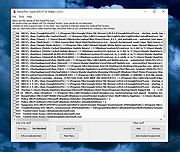 |
|
KCleaner v3.8.2 KCleaner v3.8.2 Closes all unnecessary processes, leaving only the essential ones running. KCleaner is a Windows utility designed to close unnecessary processes and leave only essential ones running. According to the author, it can help remove unwanted or forcibly installed security programs, terminate malicious programs disguised with the same names as Windows system processes, and manage programs that automatically run from various startup locations. It also avoids closing essential drivers such as graphics and sound drivers, and does not terminate trusted antivirus software. Features: • Easily remove unwanted or forcibly installed security programs • Cleanly terminate malicious programs that disguise themselves with the same names as Windows system processes • Conveniently manage programs that automatically run from various locations at startup • Does not close essential drivers such as graphics or sound drivers • Does not terminate trusted antivirus software • Runs as a standalone file with no installation required Supported operating systems: • Windows 10, Windows 11 Supported languages: English, German, Esperanto, French, Italian, Japanese, Polish, Portuguese, Russian, Slovak, Swedish, Thai, Turkish, Vietnamese, Chinese Changes: v3.8.2 10-24-25 - Improved stability under antivirus or restricted permission environments Click here to visit the author's website. |
|
804 | Mar 10, 2026 kilho.net 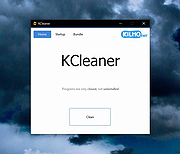 |
 |
killer-tools v2.0 killer-tools v2.0 👉 A collection of handy online tools for developers and IT pros. killer-tools is a custom fork of IT-Tools with personalized branding, deployed as a client-side web app at killertools.net. It provides a collection of online utilities for developers and IT professionals, including formatting, lookup, conversion, and other productivity-focused tools. Features: • Fully client-side web application with no data sent to external servers • Based on a customized fork of IT-Tools with tailored branding and layout • No installation or setup required, runs instantly in any modern web browser • Includes a large suite of utilities for developers, IT professionals, and power users • JSON tools including formatting, validation, and minification • Encoding and decoding tools such as Base64, URL encoding, and HTML entities • Cryptographic utilities including hash generators (MD5, SHA family) and encoders • Text manipulation tools for case conversion, trimming, and formatting • Data conversion tools for timestamps, units, numbers, and formats • UUID and random data generators for development and testing • Password and secure string generators • Network-related tools for IP lookup, subnet calculations, and related utilities • Instant processing with real-time results as you type • Clean, modern, and fast user interface designed for productivity • Responsive design that works on desktop, tablet, and mobile devices • Offline-capable once loaded in the browser (cached assets) • No tracking, telemetry, or account required to use tools • Open-source project under the GNU GPLv3 license • Easy to self-host or customize from the original source Tools and References: Killer Scripts, Exchange NDR Lookup, Group Policy Reference, M365 SKU Decoder, PowerShell Builder, SafeLink Decoder, Windows Error Codes, Windows Event Lookup, CVE Lookup, Email DNS Checker, Email Header Parser, IPv4 Address Converter, IPv4 Range Expander, IPv4 Subnet Calculator, IPv6 ULA Generator, MAC Address Lookup, Port Protocol Reference, WHOIS Checker, Basic Auth Generator, Device Information, HTML Entities, HTML WYSIWYG Editor, HTTP Status Codes, JSON Diff, JWT Parser, Keycode Info, Meta ... |
|
1,067 | Aug 09, 2026 SteveTheKiller 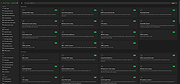 |
|
KillerScan v1.5.4 KillerScan v1.5.4 👉 Fast portable network scanner for field techs and administrators. KillerScan is a fast network scanner built for field techs that combines ARP and ping discovery, TCP port probing, active fingerprinting, vendor lookup, and weighted-score device classification in a single portable Windows executable. It is designed to quickly identify devices on a subnet, gather service and fingerprint details such as HTTP, SSH, TLS, NetBIOS, and SNMP data, and help you classify systems like Windows PCs, Linux servers, printers, NAS devices, cameras, and other network hardware without requiring a separate runtime installation. Features: • Fast network discovery using both ARP cache inspection and parallel ICMP ping sweeps • Detects devices that ignore ping by combining ARP and ICMP discovery methods • Scans 24 common TCP service ports in parallel for rapid host identification • Performs active fingerprinting using HTTP titles and server headers • Retrieves SSH server banners for Linux, Unix, and network appliance identification • Extracts TLS certificate subject information from HTTPS services • Queries NetBIOS names over UDP port 137 when available • Reads SNMP v1 sysDescr information from compatible devices • Uses ICMP Time-To-Live (TTL) values as an additional fingerprinting signal • Identifies hardware manufacturers using the IEEE MAC OUI registry • Uses a weighted scoring engine instead of simple port matching for more accurate device classification • Automatically classifies Windows PCs, Linux systems, NAS devices, printers, hypervisors, cameras, mobile devices, Home Assistant systems, IoT devices, and more • Right-click shortcuts to copy IP addresses, MAC addresses, and hostnames • Launches RDP, SSH, or a web browser directly from discovered devices • Allows manual device type overrides when automatic classification is incorrect • Exports scan results to both CSV and HTML formats • Portable single executable with no installer required • Open source under the GPLv3 license Supported operating systems: • Windows 10 (x64), Windows 11 (x64) Supported languages: English, Bengali, German, Spanish, French, Japanese, Turkish, Simplified Chinese, Traditional Chinese Changes: v1.5.4 ... |
|
888 | Aug 09, 2026 SteveTheKiller 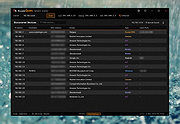 |
|
Kudu v3.6.1 Kudu v3.6.1 👉 Free open-source system maintenance, optimization, and security suite for Windows, macOS, and Linux. Kudu is a comprehensive system maintenance toolkit designed to help users clean, optimize, monitor, and secure their computers from a single unified interface. Built as a free and open-source alternative to many commercial system utilities, it combines system cleaning, malware detection, startup management, privacy protection, software updating, disk analysis, and performance monitoring tools into one package. Kudu focuses on providing powerful maintenance capabilities without advertisements, bundled software, or subscription requirements. It is suitable for both home users and IT professionals who want to keep systems running efficiently while maintaining privacy and security. Kudu also includes automation features, real-time monitoring, gaming optimizations, and optional cloud-based fleet management (paid) capabilities for managing multiple devices. Features: • System Cleaner for removing temporary files, caches, logs, and system junk • Multi-engine malware scanner with signature-based threat detection • Real-time performance monitoring for CPU, memory, disk, and network activity • S.M.A.R.T. disk health monitoring and analysis • Startup Manager with impact ratings for startup entries • Interactive Disk Analyzer with visual storage usage mapping • Privacy Shield for auditing and applying privacy settings • Software Updater for detecting outdated applications • Debloater for removing unwanted pre-installed Windows applications • Registry Cleaner with automatic backup protection • One-click Game Mode with performance and latency optimizations • Scheduled maintenance, scanning, and update tasks • Automatic backup safeguards before system changes • Command-line support for automation and scripting • Optional cloud-based centralized device management • Open-source MIT-licensed project with no advertisements or bundled software Supported operating systems: • Windows 10, Windows 11 • macOS • Linux Supported languages: • 30 languages supported Changes: v3.6.1 10-06-26 Bug Fixes icons: add missing Windows DPI sizes to the app icon (#513) (920f59c) malware: stop flagging validly signed binaries with the PE heuristic (#507) (e9784a1) 👉 This download is for the Windows version (very bottom of page). All ... |
|
661 | Oct 07, 2026 Advent Development, Inc. 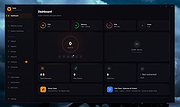 |
|
McAfee Consumer Product Removal tool (MCPR) v10.5.374.0 McAfee Consumer Product Removal tool (MCPR) v10.5.374.0 👉 Completely removes McAfee consumer security products and leftover components from Windows. McAfee Consumer Product Removal tool (MCPR) is McAfee's official cleanup utility for removing McAfee consumer security software from a Windows PC. It is particularly useful when a normal uninstall fails, leaves components behind, or you need to completely clean out an existing McAfee installation before reinstalling McAfee or switching to another security product. McAfee recommends first uninstalling its software through the normal Windows uninstall process. MCPR can then be run to remove remaining McAfee files, services, drivers, registry information, and other installation components that might otherwise remain on the computer. The program is portable and does not need to be installed. Run MCPR.exe, accept the license agreement, complete the security validation displayed by the program, and allow it to perform the cleanup. When MCPR reports that removal is complete, restart Windows to finish the process. Because McAfee updates MCPR periodically, McAfee recommends downloading a fresh copy whenever you need to use it rather than keeping an older copy. Features: • Official McAfee removal and cleanup utility • Removes McAfee consumer security software from Windows • Cleans up components that can remain after a standard uninstall • Useful when the normal McAfee uninstaller fails or does not completely remove the product • Helps prepare a computer for a clean McAfee reinstallation • Helps prevent remnants of McAfee software from interfering with another security product • Removes associated McAfee installation data and system components • Portable utility requiring no installation • Provides a guided removal process • Includes a security validation step to help prevent accidental execution • Reports when the removal process has successfully completed • Requires a Windows restart after successful removal to finish cleanup • Free to download and use Supported operating systems: • Windows 10, Windows 11 Supported languages: English Changes: Not provided. Click here to visit the author's website. |
|
10,547 | Aug 12, 2026 McAfee 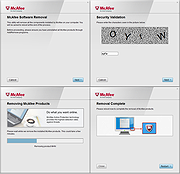 |
|
Microsoft Autoruns v14.3 Microsoft Autoruns v14.3 👉 See everything that starts automatically with Windows. Microsoft Autoruns is a powerful Sysinternals utility that shows what programs, drivers, services, browser add-ons, scheduled tasks, codecs, shell extensions, Winlogon entries, and other components are configured to run automatically during system boot, login, or when Windows applications start. Features: • Displays one of the most complete views of Windows auto-start locations • Shows startup programs, drivers, services, Explorer extensions, browser helper objects, toolbars, codecs, scheduled tasks, Winsock providers, and more • Hide Signed Microsoft Entries option helps focus on third-party items • View auto-start entries for different user accounts • Disable entries by unchecking them • Delete unwanted auto-start configuration entries • Jump directly to Registry or file system locations • Verify digital signatures • VirusTotal integration for hash checking • Includes Autorunsc command-line version with CSV, tab-delimited, XML, hash, signature, and offline Windows scan options Supported operating systems: • Windows Supported languages: Operating system language. Changes: v14.3 06-17-26 Not provided. Click here to visit the author's website. |
|
11,596 | Sep 16, 2026 Microsoft Corp. 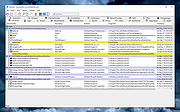 |
|
Microsoft Safety Scanner v1.457.193.0 Microsoft Safety Scanner v1.457.193.0 👉 On-demand malware scanner from Microsoft. Microsoft Safety Scanner is a free security tool designed to find and remove malware from Windows systems. It provides on-demand scanning with the latest malware definitions and is intended to complement, not replace, a full-time antivirus solution. The tool can be run directly after download, making it useful for quick system checks or emergency malware removal. Microsoft Safety Scanner uses the same detection engine as Microsoft Defender and allows users to perform quick scans, full system scans, or customized scans of specific folders and drives. Because it is updated frequently, users must download the latest version each time they want to run a scan, as older versions expire after a limited time. Features: • Uses Microsoft Defender malware detection engine • Quick scan, full scan, and custom scan options • Detects and removes viruses, spyware, and other malicious software • Simple interface for easy operation • Frequently updated definitions for current threats • Can be run alongside existing antivirus software • Ideal for troubleshooting infected systems Supported operating systems: • Windows 10, Windows 11, Windows Server 2016, Windows Server 2019, Windows Server 2022 Supported languages: All languages supported by Windows (uses system language) Changes: v1.457.193.0 08-16-26 Not Provided This download is for the Windows 64bit version (very bottom of page). If you need the Windows 32bit version, download here. Click here to visit the author's website. |
|
6,815 | Aug 16, 2026 Microsoft Corp. 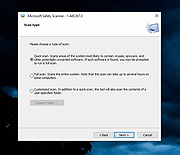 |
|
MJ Registry Watcher v1.2.9.1 MJ Registry Watcher v1.2.9.1 👉 Monitor and protect important registry keys, files, and startup locations. MJ Registry Watcher monitors selected registry keys, files, and directories for changes that could affect Windows startup or system security. It combines hooks, which can report many changes as they happen, with periodic polling to catch changes such as registry key deletions. Its monitored locations and response behavior can be configured, and it keeps a log of detected activity. The program can also monitor process launches and detect DLL injection. It includes registry backup, quarantine, and options for sending alert details by email. The author recommends running it with administrator rights so it can access the registry properly. Features: • Monitors configurable registry keys, files, and directories • Uses system hooks and periodic polling to detect changes • Protects common startup locations, registry values, and system files • Monitors process launches and detects DLL injection • Supports Accept, Reject, and Prompt modes in interactive use • Offers an invisible Windows service mode with Accept and Reject modes • Can send alert details by email and play alert sounds • Includes quarantine and an activity log • Creates periodic registry backups and retains the last 15 snapshots • Stores settings in a configuration file Supported operating systems: Windows 11, Windows 10, Windows 8, Windows 7 Supported languages: English Changes: v1.2.9.1 09-10-26 Latest Features : 64-bit OSes, Service Mode, Process Launch Monitoring, DLL Injection Detection, Emailing of Alerts, Quarantine, Registry Backup. Latest Fixes : Circular registry entries now handled without going into an infinite loop, Windows 11 support, Tray icon colour when loading. How to launch MJ Registry Watcher: Extract the downloaded files with their folder paths preserved, then open the MJRegWatcher folder and run RegWatcher.exe. The author recommends ... |
|
6,308 | Oct 14, 2026 Mark Jacobs 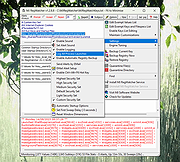 |
|
Mozilla Firefox ESR v153.2.0 Mozilla Firefox ESR v153.2.0 👉 A stable, long-term Firefox release designed for users and organizations that prefer fewer major browser changes. Mozilla Firefox ESR is the Extended Support Release of Mozilla's popular open-source web browser, designed for organizations, businesses, schools, system administrators and users who value stability over frequent feature changes. ESR receives regular security and stability updates while keeping major interface and feature changes on a longer release cycle than standard Firefox. It provides the familiar Firefox browsing experience with strong privacy protections, tracker blocking, private browsing, password management, synchronization, extensions and extensive customization. ESR is especially useful in managed environments where administrators need predictable browser behavior and more time to test compatibility between major releases. Features: • Extended Support Release with a longer major-version lifecycle • Regular security and stability updates without frequent major feature changes • Enhanced Tracking Protection blocks many known trackers automatically • Private Browsing mode with additional protection against tracking • Built-in password manager for storing and managing website logins • Firefox Sync can synchronize bookmarks, passwords, history, tabs and settings between devices • Separate Firefox profiles can keep work, personal and other browsing activities apart • Container support can isolate cookies, logins and tracking data between different browsing activities • Large library of extensions and browser themes • Customizable toolbar, menus and browser appearance • Tabbed browsing with tab search and organization tools • Built-in PDF viewing • Automatic browser updates and security fixes • Support for enterprise policies and centralized browser management • Available in 32-bit, 64-bit and ARM64 builds where supported • Free and open-source Supported operating systems: • Windows 10, Windows 11 • macOS 10.15 or higher • GNU/Linux with glibc 2.17 or higher, GTK+ 3.14 or higher, libglib 2.42 or higher, libstdc++ 4.8.1 or higher and X.Org 1.0 or higher Supported languages: English (US) Changes: v153.2.0 09-13-26 General Firefox now includes a new profile management system that helps you separate your online life into ... |
|
7,011 | Sep 13, 2026 Mozilla  |
|
Mozilla Firefox Portable v155.0.1 Mozilla Firefox Portable v155.0.1 👉 Take the full Firefox web browser, along with your bookmarks, passwords and settings, anywhere you go. Mozilla Firefox Portable is the popular Firefox web browser packaged by PortableApps.com to run from a USB flash drive, portable hard drive, cloud folder or local folder without a traditional installation. Your bookmarks, saved passwords, extensions, preferences and other personal browser data stay with the portable package, making it easy to carry your familiar Firefox environment between Windows computers. It provides the same Firefox browsing experience, privacy protections, customization, extension support and web standards compatibility as the regular desktop browser while adding the portability provided by the PortableApps.com Launcher. It can also integrate with the PortableApps.com Platform for convenient launching and automatic updates. Features: • Runs from removable drives, cloud folders or local folders without a traditional Firefox installation • Carries your bookmarks, saved passwords, preferences and other Firefox profile data with you • Works with the PortableApps.com Platform for easy launching and automatic updates • Built-in Enhanced Tracking Protection helps block trackers while browsing • Supports Firefox extensions and themes for extensive customization • Includes private browsing for sessions that do not retain local browsing history • Built-in password management and synchronization through a Mozilla account • Supports tab organization, containers and vertical tabs • Built-in translation capabilities for supported languages • PDF viewing and printing are built directly into the browser • Developer Tools provide debugging, inspection and web development features • Supports modern web technologies including WebAssembly, WebRTC, WebTransport and HTTP/3 • Open source and based on Mozilla Firefox • Can coexist with an installed copy of Firefox Supported operating systems: • Windows 10, Windows 11 • WINE (64-bit only) Supported languages: Afrikaans, Arabic, Asturian, Basque, Belarusian, Bulgarian, Breton, Catalan, Chinese (Simplified), Chinese (Traditional), Croatian, Czech, Danish, Dutch, English, Estonian, Finnish, French, Frisian, Gaelic (Scotland), Galician, German, Greek, Hebrew, Hungarian, Icelandic, Indonesian, Irish, Italian, Japanese, Korean, Lithuanian, Norwegian ... |
|
11,462 | Sep 13, 2026 Mozilla & John T. Haller |
|
Mozilla Firefox v155.0.1 Mozilla Firefox v155.0.1 👉 A fast, customizable web browser with strong privacy protections, security features and a huge library of extensions. Mozilla Firefox is a free, open-source web browser developed by Mozilla with an emphasis on privacy, security, performance and user control. Firefox includes built-in tracking protection, private browsing, password management, tab organization, synchronization across devices and extensive customization through themes and add-ons. Its independent Gecko browser engine provides an alternative to Chromium-based browsers, while frequent security and feature updates keep the browser current with modern web standards. Features: • Enhanced Tracking Protection blocks many social media trackers, cross-site tracking cookies, fingerprinters and cryptominers • Private Browsing automatically removes browsing information such as cookies and history when sessions are closed • Built-in password manager saves and securely fills website logins • Firefox Sync can synchronize bookmarks, passwords, history, open tabs and settings across devices • Extensive add-on support lets you expand Firefox with thousands of extensions and themes • Customizable toolbar and browser interface • Picture-in-Picture lets you watch videos in a floating window while browsing other pages • Reader View removes distracting page elements for easier reading • Built-in PDF viewer lets you view and work with PDF documents without additional software • Tab search and management tools make large numbers of open tabs easier to handle • Automatic updates deliver security fixes and browser improvements • Developer tools provide inspectors, debugging, network analysis and responsive-design testing • Supports modern web standards using Mozilla's independent Gecko browser engine • Import tools help transfer bookmarks, passwords and other browser data from other browsers • Available for Intel, AMD and ARM-based systems depending on operating system Supported operating systems: • Windows 10, Windows 11 • macOS 10.15 or higher • Linux 64-bit, Linux ARM64/AArch64 Supported languages: English (US) Changes: v155.0.1 09-04-26 Fixed Firefox becoming unresponsive on some pages that use CSS blur and backdrop filters together. Fixed the sidebar not reappearing after restarting Firefox when the "Hide ... |
|
12,770 | Sep 13, 2026 Mozilla |
|
mssPortable (Microsoft Safety Scanner Portable) v1.457.164 mssPortable (Microsoft Safety Scanner Portable) v1.457.164 👉 Portable malware scanning tool from Microsoft for on-demand threat detection and removal. mssPortable is a portable version of the Microsoft Safety Scanner. It's a standalone security utility designed to scan for and remove malware from Windows systems without requiring installation. It provides a quick and reliable way to check a system for viruses, spyware, and other malicious software using the latest Microsoft threat definitions. Because it is portable, it can be run from a USB drive or other external media, making it ideal for troubleshooting infected systems or performing secondary scans alongside existing antivirus software. The tool does not offer real-time protection and is intended for manual, on-demand use. Features: • Fully portable with no installation required • Uses Microsoft’s latest malware definitions for accurate detection • Quick, full, and custom scan options • Detects and removes viruses, spyware, and other malicious software • Can be run alongside existing antivirus programs • Ideal for emergency cleanup and second-opinion scans • Simple interface for fast operation • Expires 10 days after download to ensure updated threat definitions Supported operating systems: • Windows 7, Windows 8, Windows 10, Windows 11 Supported languages: English Changes: v1.457.164 08-14-26 Not Provided Click here to visit the author's website. |
|
778 | Aug 16, 2026 Microsoft & PortableApps.com |
|
Nearby Glasses v1.0.8 Nearby Glasses v1.0.8 👉 Detects nearby smart glasses using Bluetooth Low Energy signals. Nearby Glasses is a free, open-source utility designed to detect nearby smart glasses by passively scanning Bluetooth Low Energy (BLE) advertising data. The app identifies supported smart glasses using Bluetooth manufacturer identifiers and can notify you when a compatible device is detected within range. Detection is based solely on publicly broadcast BLE advertising frames and does not establish a connection with other devices or transmit any of your data. The developer notes that false positives and missed detections are possible, as some non-glasses devices may use the same manufacturer identifiers. The project is licensed under the GNU AGPL v3.0 and is available for both Android and iOS.      Features: • Passively scans Bluetooth Low Energy (BLE) advertisements • Detects supported smart glasses using manufacturer identifiers • Adjustable RSSI threshold to control detection sensitivity • Configurable notification cooldown • Canary Mode for iOS operation • Optional scan log display • Processes all scan data locally on the device • Does not establish Bluetooth connections or pair with devices • No advertisements or user tracking • Free and open source under the AGPL v3.0 license Supported operating systems: • Android 8.0 (Oreo) or higher • iOS 17.0 or higher Supported languages: English, French, German, Swiss German, Italian, Portuguese (Brazil), Spanish Changes: v1.0.8 07-16-26 added fixes to Russian translation (partly) added support for HeyCyan (Nilox Smart AI Glasses, sold by ALDI/Hofer) added support for RollMe and Rogbird fixed some minor bugs      This download is for the Android APK file (very bottom of page). All other download assets are below: F-Droid APK: yj_nearbyglasses_1.0.8-izziFdroid.apk Or: Click here to visit the author's website. |
|
304 | Jul 17, 2026 Yves Jeanrenaud 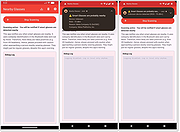 |
|
Network Security Toolkit (NST) v38 Network Security Toolkit (NST) v38 A network security analysis and monitoring toolkit Linux distribution. Network Security Toolkit (NST) is a bootable ISO image (Live USB Flash Drive) based on Fedora 36 providing easy access to best-of-breed Open Source Network Security Applications and should run on most x86_64 systems. The main intent of developing this toolkit was to provide the security professional and network administrator with a comprehensive set of Open Source Network Security Tools. The majority of tools published in the article: Top 125 Security Tools by INSECURE.ORG are available in the toolkit. An advanced Web User Interface (WUI) is provided for system/network administration, navigation, automation, network monitoring, host geolocation, network analysis and configuration of many network and security applications found within the NST distribution. In the virtual world, NST can be used as a network security analysis, validation and monitoring tool on enterprise virtual servers hosting virtual machines. Features Multi-Tap Network Packet Capture Web-Based Network Security Tools Management Host/IPv4 Address Geolocation Network/System Monitoring Network Intrusion Detection Network Interface Bandwidth Monitor Web-based Snort IDS Integration Active Connections Monitor Network Segment ARP Scanner Network Packet Capture CloudShark Upload Support Multi-Port Terminal Server VNC / RDP Desktop Session Management Click here to visit the author's website. |
|
4,056 | Oct 03, 2023 networksecuritytoolkit.org 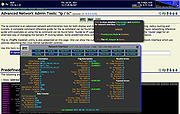 |
|
Nmap Security Scanner v7.95 Nmap Security Scanner v7.95 A free and open source (license) utility for network exploration or security auditing. Many systems and network administrators also find it useful for tasks such as network inventory, managing service upgrade schedules, and monitoring host or service uptime. Nmap uses raw IP packets in novel ways to determine what hosts are available on the network, what services (application name and version) those hosts are offering, what operating systems (and OS versions) they are running, what type of packet filters/firewalls are in use, and dozens of other characteristics. It was designed to rapidly scan large networks, but works fine against single hosts. Nmap runs on all major computer operating systems, and official binary packages are available for Linux, Windows, and Mac OS X. In addition to the classic command-line Nmap executable, the Nmap suite includes an advanced GUI and results viewer (Zenmap), a flexible data transfer, redirection, and debugging tool (Ncat), a utility for comparing scan results (Ndiff), and a packet generation and response analysis tool (Nping). Features: Flexible: Supports dozens of advanced techniques for mapping out networks filled with IP filters, firewalls, routers, and other obstacles. This includes many port scanning mechanisms (both TCP & UDP), OS detection, version detection, ping sweeps, and more. See the documentation page. Powerful: Nmap has been used to scan huge networks of literally hundreds of thousands of machines. Portable: Most operating systems are supported, including Linux, Microsoft Windows, FreeBSD, OpenBSD, Solaris, IRIX, Mac OS X, HP-UX, NetBSD, Sun OS, Amiga, and more. Easy: While Nmap offers a rich set of advanced features for power users, you can start out as simply as "nmap -v -A targethost". Both traditional command line and graphical (GUI) versions are available to suit your preference. Binaries are available for those who do not wish to compile Nmap from source. Free: The primary ... |
|
10,964 | Jul 26, 2024 Nmap 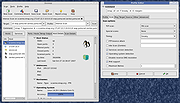 |
|
OnionHop v3.7.12 OnionHop v3.7.12 👉 Privacy-focused desktop app that easily routes your internet traffic through the Tor network. OnionHop is a cross-platform privacy application that makes routing internet traffic through the Tor network easier without requiring users to manually configure Tor. It can operate as a local SOCKS proxy or route traffic system-wide using TUN/VPN mode. Smart Connect can automatically select an appropriate connection method based on the user's network and location, including censorship-resistant methods when normal Tor connections are blocked. OnionHop offers three Tor engines: Classic Tor, Arti, and ArtiHop. Classic Tor provides the fullest set of controls, including bridges, country and relay pinning, and New Identity. Arti uses the Rust implementation of Tor, while ArtiHop uses shortened two-hop Guard-to-Exit circuits for lower latency at the expense of reduced anonymity. For restrictive networks, OnionHop supports numerous pluggable transports, including obfs4, Snowflake, WebTunnel, Conjure, meek, and dnstt. Its Bridge Scanner can retrieve and test bridges, display their latency, and apply working bridges directly. TUN/VPN mode provides system-wide routing for programs that do not honor proxy settings. Hybrid mode adds split tunneling, allowing selected applications to use Tor while others connect normally. Additional privacy protections include DNS-over-Tor, UDP blocking, and an optional kill switch. OnionHop can also host Onion Services. A service running on the computer or local network, such as a web application, NAS, or IP camera, can be made remotely accessible through a persistent .onion address without port forwarding, a static public IP address, or DynDNS. Onion Service hosting requires the Classic Tor engine. Features: • Routes internet traffic through the Tor network • Proxy Mode provides a local SOCKS5 proxy without administrator privileges • TUN/VPN Mode provides system-wide Tor routing • Hybrid mode provides application-based split tunneling • Smart Connect automatically selects connection strategies for the current network • Includes Classic Tor, Arti and ArtiHop Tor engines • Supports obfs4, Snowflake, WebTunnel, Conjure, ... |
|
861 | Aug 19, 2026 center2055 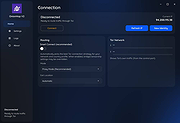 |
|
OnionShare v2.6.5 OnionShare v2.6.5 👉 Securely and anonymously share files, receive files, host websites and chat over the Tor network. OnionShare is a free, open-source privacy tool that lets you securely and anonymously share files, receive files, host websites and chat with others using the Tor network. Instead of uploading your data to a third-party file-sharing service, OnionShare runs a Tor onion service directly on your computer and provides a unique .onion address that others can open using Tor Browser. OnionShare provides separate modes for sending and receiving files, publishing an onion website and creating anonymous chat rooms. The application handles the Tor connection for you and can create temporary or persistent onion services depending on how you want to use it. Because transfers take place through the Tor network, users do not need to expose their public IP addresses to one another. Features: • Securely and anonymously shares files through the Tor network • Receives files directly from other users without relying on a conventional cloud storage provider • Hosts websites as Tor onion services directly from your computer • Creates private anonymous chat rooms • Generates .onion addresses that recipients can open with Tor Browser • Allows multiple Share, Receive, Website and Chat tabs to be used at the same time • Supports persistent onion addresses for services you want to reuse • Provides ephemeral onion services when a permanent address is not needed • Keeps chat history from being permanently stored by OnionShare • Assigns chat participants random names, which they can change • Includes its own Tor connectivity for normal desktop use • Supports Tor bridges for networks where direct Tor connections are restricted • Provides a graphical desktop application and command-line interface • Open-source software released under the GNU GPLv3 license • Does not require users to create accounts with OnionShare Supported operating systems: • Windows • macOS • Linux Supported languages: Afrikaans, Albanian, Arabic, Belarusian, Bengali, Bulgarian, Catalan, Chinese (Simplified), ... |
|
5,565 | Aug 19, 2026 Lockdown Systems 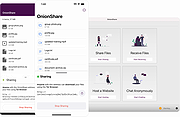 |
|
Password Safe v3.72.2 Password Safe v3.72.2 👉 Secure, open-source password manager for storing logins in an encrypted database. Password Safe helps you securely store usernames, passwords, and other login details in an encrypted database protected by a single master password. Designed by Bruce Schneier, it focuses on simple, local password management while offering tools such as AutoType, password policies, import and export options, database compare and merge functions, filters, reports, and multiple viewing modes for organizing entries. Features: • Stores usernames, passwords, and related notes in an encrypted database • Uses one master password to unlock and access all stored entries • Copies passwords, usernames, notes, and authentication codes from the toolbar • Supports AutoType for entering credentials into other windows • Can browse to a stored URL and execute AutoType • Includes password policy management and password generation options • Supports password history • Lets you organize entries in nested tree or flattened list views • Supports filters, subviews, reports, and search tools • Can import from text, XML, and KeePass V1 databases • Can export to text, XML, and older Password Safe database formats • Includes compare, merge, and synchronize tools for safes • Supports keyboard shortcuts and drag-and-drop style Dragbar entry actions • Open source and designed for straightforward local password management Supported operating systems: • Windows 7 and later • macOS 10.14 Mojave and later • Linux distributions with available packages • FreeBSD Supported languages: Arabic, Czech, Chinese, Danish, Dutch, French, German, Hungarian, Italian, Korean, Polish, Portuguese (Brazilian), Russian, Slovak, Slovenian, Spanish, Swedish, Turkish Changes: v3.72.2 09-06-26 Bugs Fixed GH1898 Arrow keys can now be used to navigate between Custom Value rows. GH1892 Regression: In the Add/Edit dialog's Basic tab, Alt-N (or the equivalent for non-English langauges) set the keyboard focus to the Notes field. SF1636 Minor UI issues in Custom Values display (column width) and edit (use correct font). ... |
|
8,497 | Sep 15, 2026 Bruce Schneier  |
 |
Password Security Scanner v1.64 Password Security Scanner v1.64 A free utility that scans the passwords stored by popular Windows applications and displays security information about them. This utility scans the passwords stored by popular Windows applications (Microsoft Outlook, Internet Explorer, Mozilla Firefox, and more...) and displays security information about all these passwords. The security information of every stored password includes the total number of characters, number of numeric characters, number of lowercase/uppercase characters, number of repeating characters, and password strength. You can use this tool to determine whether the passwords used by other users are secured enough, without watching the passwords themselves. System Requirements: This utility works on any version of Windows, starting from Windows 2000 and up to Windows 11. On the latest update of Windows 11 (24H2), LSA protection is enabled by default, and this feature blocks this tool from retrieving the Windows Credentials passwords. You can disable the LSA protection by following the instructions on this Microsoft Web page: Disable LSA protection Supported Applications: Currently, Password Security Scanner scans the passwords of the following applications: • Internet Explorer 4.0 - 6.0 • Internet Explorer 7.0 - 11.0 • Mozilla Firefox (All Versions) • Mozilla Thunderbird • Google Chrome • Dialup/VPN passwords of Windows (Requires elevation) • MSN/Windows Messenger • Microsoft Outlook • Windows Live Mail • Yandex Web Browser • Vivaldi Web Browser • SeaMonkey Web browser. • Pale Moon Web browser. • Chromium-Based Edge Web browser • Opera Web browser (Version 15 or greater) • Windows Credentials Passwords (Requires elevation) Support for more applications will be added ... |
|
5,737 | Jul 08, 2025 Nir Sofer  |
|
Patch My PC Home Updater Portable v5.4.5.0 Patch My PC Home Updater Portable v5.4.5.0 👉 Automatically update and install over 500 common Windows applications. Patch My PC Home Updater Portable is a free, easy-to-use tool that scans your computer for outdated software and updates it with one click. It supports hundreds of popular applications, helping you keep your system secure and up to date without the hassle of manually checking each program. Patch My PC Home Updater Portable runs without installation and does not require a setup process, making it ideal for technicians and advanced users who prefer a portable solution. It installs updates silently, can skip unwanted bundled offers, and allows you to customize installation options such as disabling auto-start entries or desktop shortcuts. The interface is simple and clearly organized, showing which applications are installed, which are outdated, and which can be newly installed. It can also automatically close applications before updating and optionally create restore points for added safety. Features: • Updates over 500 third-party applications • One-click update process • Portable version requires no installation • Silent install and silent update options • Automatically closes apps before updating • Option to create restore points before updates • Installs new applications in addition to updating existing ones • Skips bundled offers during installations • Customizable install options such as disabling auto-start or desktop shortcuts • Clean and simple user interface Supported operating systems: • Windows 10, Windows 11 Supported languages: English Changes: v5.4.5.0 07-09-26 Home Updater 5.4.5.0 includes improvements to the Scheduler experience and enhanced registry matching logic for applications with multiple installed versions. This release is already self-updating for users on the beta channel and will be available for self-update for non-beta users in the coming days. Improvements Improved UI/UX on the Scheduler view. Enhanced registry matching logic to better support multiple versions of the same application installed on a device. Apps Support Added Recently: AnyViewer Brother iPrint&Scan Bulk ... |
|
1,866 | Sep 22, 2026 PatchMyPC.net 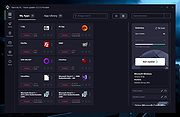 |
|
PearPass v2.1.0 PearPass v2.1.0 👉 Peer-to-peer password manager with private, device-to-device syncing. PearPass is an open-source password manager that prioritizes privacy and user control by avoiding centralized servers. Built on Pear Runtime, it uses peer-to-peer technology to sync your credentials directly between your devices, ensuring your data remains private, secure, and fully under your control. Instead of relying on cloud storage, PearPass keeps your information encrypted and shared only between your authorized devices. With a clean and minimal interface, it provides a straightforward way to manage passwords while maintaining modern security practices and full data ownership across desktop and mobile devices. Features: • Peer-to-peer syncing between devices with no central server • Built on Pear Runtime for decentralized application architecture • End-to-end encryption to protect all stored credentials • Local-first storage with no mandatory cloud dependency • Open-source codebase for transparency and independent auditing • Secure device-to-device authorization for syncing • No tracking, telemetry, or third-party data collection • Simple vault-style organization for managing credentials • Clean, minimal interface focused on ease of use • Fast access and retrieval of stored passwords • Designed for full user ownership and control of sensitive data • Lightweight application with low resource usage • Cross-platform support including desktop and mobile devices Supported operating systems: • Windows 10, Windows 11 • macOS • Linux • Android • iOS Supported languages: English Changes: v2.1.0 05-20-26 New features TOTP support: including OTP-to-login matching, duplicate-code warnings, and account search. Vault Deletion: Local vault removal with automatic cross-device syncing. Bitwarden Import: Support for encrypted vault imports. UI & UX Improvements UX improvements: Cleaned up core UI flows (Home, Settings, Autofill, Passkeys). Stability & Performance Faster Diagnostics: Optional local logs for monitoring for quicker bug fixes. Reliable Sync: Fixed Home screen vault name updates and improved cross-device syncing. This download is for the Windows 64bit version (very bottom of page). All ... |
|
860 | Sep 16, 2026 Tether Data, S.A. de C.V. 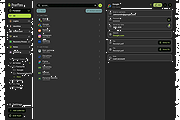 |
|
PrivaZer v4.0.127 PrivaZer v4.0.127 👉 Advanced privacy cleaner that removes traces of your activity from your PC. PrivaZer is a powerful privacy-focused cleaning tool designed to remove traces left behind by everyday computer use. It scans your system to locate leftover files, internet history, cookies, cache data, and other hidden artifacts created by Windows, browsers, and applications. By carefully cleaning these traces, PrivaZer helps improve privacy, free disk space, and keep your system running efficiently. PrivaZer performs deep scans that go beyond typical cleaning utilities, detecting residual data that many programs leave behind. It can safely remove traces from web browsers, messaging applications, system logs, and temporary files while offering detailed control over what is cleaned. Advanced options allow users to securely delete sensitive data and prevent recovery of removed files. The program also offers customizable cleaning profiles, scheduled cleanups, and secure deletion features for users who want to maintain long-term privacy protection. Despite its advanced capabilities, PrivaZer includes guided cleaning modes that help beginners safely perform system cleanup without risk. Features: • Deep scan and removal of privacy traces left by Windows and applications • Cleans browser history, cookies, cache, and internet activity records • Detects and removes residual files left after software uninstallations • Secure file deletion to prevent recovery of sensitive data • Cleans temporary files, logs, and leftover system artifacts • Guided cleaning mode for safe cleanup by less experienced users • Advanced cleaning options for experienced users • Optional scheduled cleaning and automation Supported operating systems: • Windows XP, Windows Vista, Windows 7, Windows 8, Windows 10, Windows 11 Supported languages: Arabic, Bulgarian, Chinese Simplified, Chinese Traditional, Czech, Danish, Dutch, English, Finnish, French, German, Greek, Hungarian, Indonesian, Italian, Japanese, Korean, Norwegian, Polish, Portuguese, Portuguese Brazilian, Romanian, Russian, Slovak, Slovenian, Spanish, Swedish, Turkish, Ukrainian Changes: v4.0.127 10-02-26 + Improved cleanup : HDD + Improved cleanup : TRIM + Improved cleanup : snapshots + Improved cleanup : Free Download Manager + ... |
|
15,047 | Oct 05, 2026 Goversoft LLC 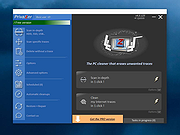 |
|
S.O.S. Security Suite v2.9.2.0 S.O.S. Security Suite v2.9.2.0 A free tool to help get rid of malware, adware and spyware, and prevent infections. There is also a hardware and security flaws detection element and a system optimization module. All these features together bring you what the application's initials stand for: A Safer and Optimal System. Based on the well known UVK tech, S.O.S. Security Suite contains everything most users need to keep their computer safe and running smoothly. S.O.S. Security Suite is not an antivirus application in the sense it does not provide real time analysis of running application and Internet traffic. It should be used as a complement to your current antivirus and a second opinion malware scanner, to improve the protection of your data through methods not provided by regular security applications. In addition to the threat prevention and removal, S.O.S. Security also includes: • A system flaw detection module that tells you about software and hardware related issues and helps you to fix them. • A system optimization, maintenance and repair module that lets you esily ensure the best privacy, performance and reliabillity of your system. S.O.S. Security Suite ican be used as a portable tool or an installed application. Portable tool is great if you plan to use the threat scanner and the optimization modules in many computers. Otherwise, if you plan to use the System Immunization or Execute Prevent modules, you should install the app. Once installed, you can uninstall S.O.S. Security from the Settings tab, or as any other application, from the Windows Settings App. The protection provided by S.O;S; Security does not use any system resources, except when it is performing the threat scan, which usually only takes a minute or two. System immunization and Execute prevent work by preventing ... |
|
923 | May 29, 2025 Carifred 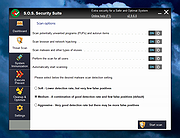 |
|
Sandboxie-Classic v5.73.3 Sandboxie-Classic v5.73.3 👉 Run programs in an isolated sandbox to prevent permanent system changes. Sandboxie Classic is a sandbox-based isolation tool that allows applications to run in a controlled environment, preventing them from making permanent changes to your system. It is especially useful for safely testing unknown software, browsing the web securely, and protecting your system from malware or unwanted modifications. Sandboxie Classic creates a virtualized environment where files, registry changes, and system interactions are contained within the sandbox. Once the sandbox is deleted, all changes made during the session are completely removed, leaving your system unchanged. Features: • Run applications in an isolated sandbox environment • Prevent permanent changes to files and Windows registry • Secure web browsing by containing browser activity • Test untrusted programs safely before installing • Easy sandbox deletion to remove all traces of activity • Lightweight and efficient with minimal system impact • Supports forced programs and folders to always run sandboxed • Snapshot and recovery options for sandbox contents • Compatible with many common Windows applications • Open source and actively maintained Supported operating systems: • Windows 7, Windows 8, Windows 8.1, Windows 10, Windows 11 Supported languages: English, German, French, Spanish, Italian, Dutch, Russian, Chinese, Japanese, Korean, Portuguese, Polish Changes: v5.73.3 08-30-26 Added added a visible Cleanup Trace Log action to the standalone SandMan trace monitor Fixed fixed File Migration action dropdown changes being discarded when clicking Apply or OK while the editor still has focus #5548 fixed SandMan File Panel and Browse Files preserving expanded folders and restoring selection, keyboard focus, and scrolling to the nearest surviving item after deletion #5499 fixed Start.exe autorun handling for oversized registry values, bounded shortcut paths, paginated Startup directories, and dynamically sized launch command lines fixed SandMan Trace Log crashes and stale entries when clearing the log while integrated and ... |
|
6,424 | Sep 02, 2026 David Xanatos  |
|
Sandboxie-Plus v1.18.3 Sandboxie-Plus v1.18.3 👉 Run programs in an isolated sandbox so they cannot make permanent changes to Windows or your files. Sandboxie-Plus is an open-source sandbox-based isolation tool for Windows. It creates a controlled virtual environment where applications can be run or even installed without permanently modifying the local drive, mapped drives, or the Windows registry. The Plus edition uses a modern Qt-based interface and adds newer management and customization features on top of the shared Sandboxie core. Features: • Runs programs in isolated sandboxes to help prevent permanent changes to local and mapped drives or the Windows registry • Allows creation of virtually unlimited sandboxes • Can run multiple programs at the same time in one sandbox or across separate sandboxes • Modern Qt-based Sandboxie-Plus interface • Snapshot Manager for saving and restoring sandbox states • Maintenance menu for installing, uninstalling, starting, and stopping the Sandboxie driver and service • Portable mode that can extract all files to a directory • Additional UI options to block access to Windows components such as the printer spooler and clipboard • More customization options for Start/Run and Internet access restrictions • Privacy mode sandboxes to help protect user data from illegitimate access • Security-enhanced sandboxes that restrict syscall and endpoint availability • Global hotkeys to suspend or terminate all boxed processes • Per-sandbox network firewall support using Windows Filtering Platform • Search for sandboxes with Ctrl+F • Search function for Global Settings and Sandbox Options • Import and export sandboxes to and from 7z files • Windows Start menu integration for sandboxes • Browser compatibility wizard for unsupported browsers • Vintage View mode to reproduce the look of Sandboxie Control • Troubleshooting wizard to assist with problems • Add-on manager for extending functionality with additional components • Includes protections of sandboxes against the host, including prevention of taking screenshots Supported operating systems: • Windows 7 or higher (64-bit) Supported languages: Arabic, Simplified Chinese, Traditional Chinese, Dutch, French, German, Hungarian, Italian, Japanese, Korean, ... |
|
5,943 | Sep 02, 2026 David Xanatos  |
|
Service Security Editor v2.0.0.13 Service Security Editor v2.0.0.13 A Free Standalone, portable GUI utility to Set Permissions for any Windows Service Easily allow (or deny) a user the ability to start, stop, pause or modify any Windows Service with just a few clicks of your mouse. Service Security Editor will help you to configure who can access your important Windows Services. It is an easy-to-use GUI alternative to Microsoft's powerful SC and SubInACL.exe command line programs. However, as with any other administrative tool, please use it with caution. When you start Service Security Editor, it shows the list of the services running on your machine: Select a service and click the Open... button to pop up the service's standard Windows Service Security Settings window: From there, select a user in the top portion and check the boxes lower down to grant or deny him whatever capabilities you see fit. Click the Add... button to bring in an account not already on the list. And of course, click the OK or Apply buttons to record your changes. Granting a Non-Admin User Start & Stop Rights to a Service For example, suppose you have a non-administrative user called Albert Newton who needs to restart the Print Spooler service when it acts up. Unfortunately he doesn't have the necessary rights and the Stop button is disabled when he opens the service from the Services Control Panel application: To grant Albert the ability to start and stop the Print Spooler service: 1) Start Service Security Editor. 2) Select the Print Spooler service from the list: 3) Click the Open... button to launch the Service Security Settings window: 4) Albert isn't on the list, so click on the Add... button to open the Select Users or Groups window. Type in Albert's ... |
|
3,579 | Sep 23, 2021 Core Technologies Consulting, LLC  |
|
Shortcut Virus Removal Tool v2.3.0 Shortcut Virus Removal Tool v2.3.0 👉 Portable tool for removing shortcut virus infections from USB drives and recovering hidden files. Shortcut Virus Removal Tool is a portable USB malware cleanup utility for Windows designed to fix USB drives, external HDD / SSD drives, and computers affected by shortcut virus infections. It can remove shortcut virus traces, restore files hidden by malware, remove suspicious shortcuts and files, repair registry changes, undo unwanted malware changes, and delete autorun virus entries from USB drives. The developer says the tool works with a simple drive selection and Clean button workflow, and recommends running it as Administrator if needed. It also opens a log after cleaning and may place some restored files in a RECOVERED folder. Features: • Cleans shortcut virus infections from USB drives and external storage. • Recovers files hidden by malware. • Deletes suspicious files, scripts, and malicious shortcuts. • Repairs registry changes and undoes unwanted malware modifications. • Deletes autorun virus entries from USB drives. • Opens a cleanup log after completion so you can review recovered and deleted items. • Can recover some files into a RECOVERED folder on the USB drive. • Simple one-click cleaning workflow after selecting the target drive. Supported operating systems: • Windows XP or later, .NET Framework 4.0 required. Supported languages: • English, German, Turkish, Arabic, Indonesian Changes: v2.3.0 07-23-26 New Features: Added Vaccinate Computer feature. This feature vaccinates your computer from most of the shortcut virus and other USB disk viruses. Added Vaccinate USB feature. This feature vaccinates your USB and even if it's infected, shortcut virus and other USB disk viruses cannot run from the USB. Added Options menu. You can click it to show more options. About button is moved there. Fixes and Changes: A lot of problems with the translations has been fixed. Fixed a problem that caused the application to crash sometimes when you change the language to ... |
|
3,151 | Aug 20, 2026 Emir Alp Kocak  |
|
SmartTextCrypter v1.03 SmartTextCrypter v1.03 👉 A tiny portable tool for password-encrypting text before sending it through messaging apps, email or SMS. SmartTextCrypter is a free, portable Windows utility designed to encrypt text messages with a password before they are sent through services such as WhatsApp, Telegram, email or SMS. The recipient pastes the encrypted text into SmartTextCrypter and enters the same password to decrypt and read the original message. Everything is processed locally on your computer without uploading your text to a cloud service or server. The program uses the author's proprietary multi-layer encryption method consisting of password-based key generation, XOR encryption, position-dependent mixing, bit rotation and a checksum for detecting errors or incorrect passwords. It supports Unicode text, including Asian, Cyrillic and Arabic characters. SmartTextCrypter requires no installation and can be run directly from a USB drive, external drive or ordinary folder without creating registry entries. Features: • Password-based encryption and decryption of text • Send encrypted text through WhatsApp, Telegram, email, SMS and other services • Proprietary multi-layer encryption using XOR, positional mixing and bit rotation • Generates a 32-byte key from your password • Checksum detects errors and incorrect passwords • Unicode support for Asian, Cyrillic, Arabic and other characters • Completely local operation with no cloud service or server uploads • Portable and requires no installation • Can run directly from a USB drive, external drive or any folder • Does not create registry entries • Low CPU usage • Adjustable text sizes for improved readability • Free for private use Supported operating systems: • Windows XP, Windows Vista, Windows 7, Windows 8, Windows 8.1, Windows 10, Windows 11, Windows Server 2012-2025 • 32-bit and 64-bit Windows Supported languages: German, English, Italian, Chinese-Traditional, Dutch, Russian, Japanese, Korean, Spanish, Portuguese, Malay Changes: v1.03 08-26-26 • SmartTextCrypter language file update • Minor fine-tuning in SmartTextCrypter for all Windows operating systems. Click here to visit the author's website. |
|
169 | Sep 03, 2026 Nenad Hrg 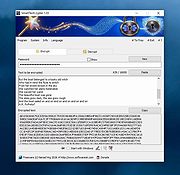 |
|
Spybot - Search & Destroy Portable v2.9.85.5-1 Spybot - Search & Destroy Portable v2.9.85.5-1 👉 Portable anti-spyware and malware removal tool with system immunization features. Spybot - Search & Destroy Portable is a standalone security utility designed to detect and remove spyware, malware, and other unwanted software from Windows systems without requiring installation. The portable edition allows you to run the program from a USB drive or external storage device, making it ideal for on-the-go troubleshooting and cleaning infected systems. Spybot - Search & Destroy Portable scans your system for malicious files, registry entries, tracking cookies, and potentially unwanted programs. In addition to removal capabilities, it includes an Immunization feature that helps block known malicious websites and harmful ActiveX components before they can affect your system. Features: • Portable version requiring no installation • Detects and removes spyware and malware • Advanced system scanning engine • Immunization to block malicious websites and threats • Startup tools and system repair utilities • Secure file shredding • Automatic updates for detection rules • Quarantine and recovery options Supported operating systems: • Windows 7, Windows 8, Windows 8.1, Windows 10, Windows 11 Supported languages: • English, German, French, Spanish, Italian, Dutch, Polish, Russian, Portuguese, Turkish Changes: v2.9.85.5-1 03-17-26 Not provided. Click here to visit the author's website. |
|
6,452 | Jul 06, 2026 Safer Networking Ltd. & PortableApps.com 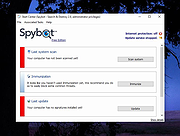 |
|
Spybot Free Edition v2.9.85.5 Spybot Free Edition v2.9.85.5 👉 Free on-demand malware and spyware scanner with system immunization tools. Spybot Free Edition is a security utility designed to detect and remove spyware, malware, and other unwanted software from your computer. It provides on-demand scanning to identify threats and includes system immunization features that help block known malicious websites and tracking cookies before they can affect your system. The program also offers tools for managing startup entries and repairing system issues caused by malware, giving users additional control over system security and performance. Features: • On-demand malware and spyware scanning • Detection and removal of tracking cookies • System immunization to block known malicious sites • Startup tools to manage boot entries • Secure file shredding • Rootkit scanning • Detailed scan reports and logs Supported operating systems: • Windows 7, Windows 8, Windows 10, Windows 11 Supported languages: • English, German Changes: v2.9.85.5 Not provided. This download is for the Windows 7-11 version (very bottom of page). If you need the Windows XP version, download here. Click here to visit the author's website. |
|
10,308 | Feb 26, 2026 Safer Networking Ltd. 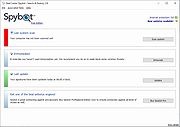 |
|
Startup Monitor 64 v4.175 Startup Monitor 64 v4.175 👉 A portable Windows utility that watches startup locations and alerts you when programs try to add themselves. Startup Monitor 64 is a portable Windows system monitoring utility designed to detect changes to startup folders, Windows Registry startup locations, scheduled tasks and other locations you choose to monitor. When a new or changed item is detected, Startup Monitor 64 presents it for review so you can decide whether it should be allowed or denied. On its first run, the program creates baseline snapshots of existing startup folders and scheduled tasks. Future scans compare the current system against this baseline along with separate Allowed and Denied lists. This helps distinguish legitimate existing startup entries from newly added or changed items. Startup Monitor 64 is not limited to traditional Windows startup locations. You can add your own folders and Registry paths, allowing the program to serve as a general-purpose change monitor for locations you want to keep an eye on. The program is fully portable. Configuration files, baselines, allowed and denied lists, and logs are kept inside an App folder within the program's directory. Features: • Monitors Windows startup folders for new or changed items • Monitors common Windows Registry startup locations • Monitors Windows Task Scheduler for newly added or changed scheduled tasks • Allows custom folders to be added to the monitoring list • Allows custom Registry paths to be monitored • Individual monitored locations can be enabled or disabled • Displays a review window when new or changed items are detected • Lets you approve detected items and add them to an Allowed list • Lets you deny detected items and remove them after confirmation • Maintains separate Allowed and Denied lists • Creates a persistent baseline of existing startup items on first run • Creates a baseline of existing scheduled tasks • Provides adjustable startup-location monitoring intervals from 1 to 60 seconds • ... |
|
268 | Sep 09, 2026 sl2365 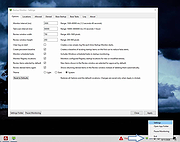 |
|
TPM Info v1.0.0.0 TPM Info v1.0.0.0 View detailed information about the Trusted Platform Module (TPM) installed on your system. TPM Info is a small, portable utility designed to display detailed information about the Trusted Platform Module present on your computer. It provides a quick and clear overview of TPM availability, version, manufacturer details, and current status, making it useful for checking system compatibility with security features such as BitLocker, Windows 11 requirements, and other TPM-dependent technologies. The tool requires no installation and is ideal for both casual users and administrators who need fast access to TPM data. Features: • Displays TPM presence and operational status • Shows TPM version and specification details • Reports manufacturer ID and firmware information • Indicates whether TPM is enabled and activated • Lightweight and portable with no installation required Supported operating systems: • Windows 7, Windows 8, Windows 8.1, Windows 10, Windows 11 Supported languages: English If no compatible TPM is found: If the program shows that no TPM is available or that the TPM version is lower than 2.0, your computer may not meet the Windows 11 security requirements. Here are a few things you can try: • Check the BIOS/UEFI settings: Look for settings named TPM, PTT (Platform Trust Technology for Intel), or fTPM (Firmware TPM for AMD), and make sure they are enabled. • TPM may be disabled by default. • How to Enable TPM 2.0 in BIOS [For Different Versions] Click here to visit the author's website. |
|
724 | Feb 09, 2026 Peter Panisz  |
|
Trellix Stinger Portable v26.09.38.1 Trellix Stinger Portable v26.09.38.1 👉 Portable malware removal tool designed to detect and clean specific threats. Trellix Stinger Portable is a lightweight, standalone malware scanner created to detect and remove a targeted list of known viruses, trojans, and other malicious threats. Unlike full antivirus suites, Stinger focuses on remediation rather than continuous protection, making it ideal for emergency cleanup, second-opinion scans, or use on infected systems where traditional security software may not run properly. The portable build requires no installation and can be run directly from a USB drive or external media. Features: • Detects and removes a curated list of prevalent malware threats • Portable version runs without installation • Ideal for emergency cleanup and on-demand scanning • Command-line and GUI operation supported • Regularly updated malware definitions • Can be used alongside existing antivirus software Supported operating systems: • Windows 7, Windows 8, Windows 10, Windows 11 Supported languages: English Note: Suspicious and infected files will be quarantined to C:\Quarantine\Stinger and a database will be generated for the currently-scanned PC in that location. WARNING: You MUST close all other apps as Stinger may close them for you which can cause data loss. Click here to visit the author's website. |
|
2,078 | Sep 28, 2026 Musarubra US and PortableApps.com  |
|
Trellix Stinger v26.09.40.1 Trellix Stinger v26.09.40.1 👉 A standalone malware detection and removal utility designed for emergency cleanup. Trellix Stinger is a specialized security tool designed to detect and remove specific families of malware from infected systems. Unlike full antivirus suites, it does not provide real-time protection and is intended primarily for use by administrators and technicians as a targeted cleanup utility. Stinger is frequently used when a system is suspected to be compromised and traditional antivirus software is unable to run or fully remediate the threat. Features: • Detects and removes a wide range of known malware threats • Standalone portable executable with no installation required • Ideal for emergency malware cleanup situations • Supports command-line options for scripted or automated use • Frequently updated threat detection engine • Minimal system impact during scanning • Detailed scan and removal logs for diagnostics • Can be used alongside existing antivirus software Supported operating systems: • Windows 10, Windows 11 Supported languages: English Changes: v26.09.40.1 09-29-26 New Detections: • Exploit-CVE2020-1058 • Exploit-CVE2020-1060.a • Exploit-CVE2020-1060.b • Exploit-cve2020-1062.a • Exploit-cve2020-1135 • Exploit-cve2020-1143.a • Exploit-cve2020-1153.a • FlyStudio-Agent • Generic exploit.ma • Generic trojan.kf • Generic trojan.kg • Generic trojan.kk • Generic trojan.ky • LNK/Downloader.ch • Ransom-LockBit • Ransom-Sodnkibi • Trojan-AutoIt.p • Trojan-BlueNoroff • Trojan-Packed.c Enhanced Detections: • Coinminer.l • Exploit-CVE2019-1367 • FakeAV-DZ • Generic Trojan.arc • Generic Trojan.kg • Generic Trojan.li • Generic Trojan.lj • Generic Trojan.ll • Generic trojan.jz • Generic trojan.kh • Generic-Trojan.z • PS/Agent.bv • Trojan-AitInject.aq • Trojan-CoinMiner.n • Trojan-PWS.k • Trojan-Ransom.a • Trojan-Ransom.b • Trojan-Trickbot.d • VBObfus.g 👉 This download is for the Windows 64bit version (very bottom of page). All other download assets are below: Other Windows: stinger32.exe Click here to visit the author's website. |
|
17,098 | Oct 05, 2026 Musarubra US LLC  |
|
Trend Micro Anti-Threat Toolkit v1.2.62.1262 Trend Micro Anti-Threat Toolkit v1.2.62.1262 👉 Portable standalone malware scanning and cleanup tool. Trend Micro Anti-Threat Toolkit is a lightweight, standalone security utility designed to scan and clean infected computers without requiring installation. It is commonly used when a system is heavily infected and traditional antivirus software cannot be installed or updated. The tool can be run directly from removable media such as a USB flash drive and is intended for advanced malware detection and removal scenarios. Features: • Standalone executable with no installation required • Detects and removes malware, spyware, and other threats • Can be run from USB or other removable media • Designed for use on heavily infected systems • Command-line based interface for advanced troubleshooting Supported operating systems: • Windows 7, Windows 8.1, Windows 10, Windows 11 • Windows Server 2012 R2, Windows Server 2016, Windows Server 2019, Windows Server 2022 Supported languages: English Changes: v1.2.62.1262 Not provided. This download is for the Windows 64bit version (very bottom of page). If you need the Windows 32bit version, download here. Click here to visit the author's website. |
|
8,572 | Feb 26, 2026 Trend Micro Inc.  |
|
uBlock Origin v1.72.0 uBlock Origin v1.72.0 👉 Efficiently block ads, trackers, malware, and other unwanted web content. uBlock Origin is a free, open-source, wide-spectrum content blocker designed to improve privacy, security, and browsing performance while using minimal CPU and memory. Rather than focusing only on advertisements, it blocks trackers, malicious domains, cryptocurrency miners, popups, anti-adblock scripts, and many other forms of unwanted web content. It supports multiple filter lists out of the box, while also allowing advanced users to create custom filtering rules and import additional lists. uBlock Origin is known for its efficiency, making it one of the lightest and fastest content blockers available. Note: Google Chrome has removed support for Manifest V2 extensions. The full version of uBlock Origin is best supported on Firefox. Chromium-based browsers need uBlock Origin Lite. Features: • Blocks ads, trackers, malware sites, popups, cryptocurrency miners, and other unwanted content • Lightweight design with low CPU and memory usage • Includes EasyList, EasyPrivacy, Peter Lowe's Blocklist, Online Malicious URL Blocklist, and uBlock Origin filter lists by default • Supports additional community filter lists and custom filters • Dynamic filtering for advanced users • Cosmetic filtering to hide unwanted page elements • Supports hosts files • Import and export custom settings and filter lists • Per-site blocking controls • Free and open source (GPLv3) Supported operating systems: • Windows 10, Windows 11 • macOS • Linux • Firefox for Android Supported languages: English, Arabic, Bulgarian, Catalan, Chinese (Simplified), Chinese (Traditional), Croatian, Czech, Danish, Dutch, Estonian, Finnish, French, German, Greek, Hebrew, Hindi, Hungarian, Indonesian, Italian, Japanese, Korean, Lithuanian, Norwegian Bokmๅl, Persian, Polish, Portuguese, Portuguese (Brazil), Romanian, Russian, Serbian, Slovak, Slovenian, Spanish, Swedish, Thai, Turkish, Ukrainian, Vietnamese, Welsh, and others. Changes: v1.72.0 06-28-26 Fix broken rendering of final URL in strict-block page. Fix potential exception in set-attribute scriptlet. Improve parsing and interpretation of consecutive $$ in network filters. Improve googlesyndication_adsbygoogle shim. Add edit-object-on-getter and edit-object-on-setter scriptlets. Improve JSONPath support, including regex selectors, RFC9535 conformance, double-quoted names, and ... |
|
491 | Jul 05, 2026 Raymond Hill  |
|
Vivaldi v8.2.4133.52 Vivaldi v8.2.4133.52 👉 Highly customizable web browser built for power users, privacy, and productivity. Vivaldi is a feature-rich Chromium-based web browser designed for users who want extensive control over their browsing experience. Created by former Opera developers, Vivaldi focuses on customization, efficiency, privacy, and integrated productivity tools rather than simplified mainstream browsing. It combines advanced tab management, built-in communication tools, customizable interface layouts, and strong privacy protections into a single browser package. Vivaldi allows users to tailor nearly every aspect of the interface, including tab placement, themes, keyboard shortcuts, gestures, toolbars, and panel layouts. The browser includes built-in features such as Mail, Calendar, Feed Reader, Notes, screenshot capture, ad and tracker blocking, Workspaces, split-screen tab tiling, and powerful session management tools. Unlike many browsers that rely heavily on extensions for advanced functionality, Vivaldi includes many professional-grade tools directly within the browser itself. Features: • Chromium-based browser engine for broad website compatibility • Highly customizable menus, toolbars, themes, and browser interface • Advanced tab management with Tab Stacks and multiple tab placement options • Tab Tiling for viewing multiple webpages side by side • Workspaces for separating tabs by projects, activities, or interests • Built-in Mail client • Built-in Calendar • Integrated Feed Reader for RSS and Atom feeds • Notes manager for saving text and information while browsing • Built-in tracker and ad blocker • Web Panels for displaying websites alongside the main browser window • Custom keyboard shortcuts and mouse gestures • Quick Commands for quickly accessing browser commands and content • Command Chains for combining multiple browser actions • Extensive theme customization • Bookmark and browsing history management • Built-in screenshot and webpage capture tools • Session saving and restoration • Sync for supported browser data across devices • Reader View for simplified webpage reading • Reading List for saving pages to read later • Custom search engines • Customizable Start Page and Speed Dials • Private browsing windows • Supports extensions from the Chrome Web ... |
|
6,716 | Sep 13, 2026 Vivaldi Technologies 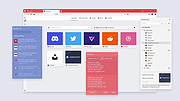 |
|
VT Uploader v1.26.4.12 VT Uploader v1.26.4.12 👉 A portable Windows utility for uploading files to VirusTotal and viewing detailed scan reports. VT Uploader is a portable Windows client for working directly with the VirusTotal service. It lets you upload and scan files, look up existing reports using MD5, SHA-1 or SHA-256 hashes, analyze executable files belonging to running processes and work with files stored in supported antivirus quarantine areas. Important: VT Uploader requires your own VirusTotal API key to access VirusTotal services. You can obtain a free API key by creating a free VirusTotal Community account. Once you have your key, enter it in VT Uploader's settings before scanning files or retrieving reports. Files can be selected normally, dragged and dropped onto the program, sent through the Windows Explorer Send to menu or supplied by pasting a path from the clipboard. VT Uploader calculates MD5, SHA-1 and SHA-256 hashes and can use them to determine whether VirusTotal already has a report for the file before uploading it. VT Uploader can display VirusTotal detection results and the verdicts returned by individual antivirus engines. It also provides options for viewing raw JSON reports, requesting a reanalysis and opening the complete report on the VirusTotal website. The program can also analyze executables associated with currently running processes and access files from supported antivirus quarantine locations. Privacy-related options include warnings before opening file types that could contain personal information. When settings are stored in the Windows Registry, the VirusTotal API key is encrypted. VT Uploader is portable, requires no installation or additional frameworks and is available in separate 32-bit and 64-bit versions. Features: • Upload files to VirusTotal for malware analysis • Retrieve existing VirusTotal reports • Calculate MD5, SHA-1 and SHA-256 file hashes • Look up reports using file hashes • Analyze executable files belonging to running processes • Access files stored in supported antivirus quarantine areas • Drag and ... |
|
420 | Aug 07, 2026 Denis Anisimov 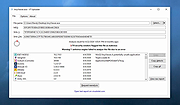 |
|
Web Link Communications Security Inspector v1.3.2.0 Web Link Communications Security Inspector v1.3.2.0 Safely inspect and analyze suspicious web links from email or other messages before opening them in your web browser. About: This application inspects communications used in URIs without compromising your endpoint security and privacy. Just read and accept the built-in EULA to use the application's fully enabled features. A User's Guide is bundled along with the Application in the .zip file. More info, licensing and uses: The application may be used at no cost after reading and accepting the built-in EULA. Web Link Communications Security Inspector safely provides useful analytical information on web link communications whether you use it in a professional setting or personally from your own computer. In addition to analyzing suspicious web links from your email or other messaging system, you can also use this application to diagnose or validate communications with your company webservers or with your personal webserver before setting them up live on the Internet. This application may also be useful in security awareness training scenarios, to illustrate how the security of protocols used often varies from link-to-link or when client or server configurations place constraints on TLS negotiation. SHA-256: 2186f8898e92517f1838a3d1bc10c81a96be35d2bc052ee5023be26d3423df19 Requirements: x64 .NETฎ 6 Desktop runtime must be installed before using this application. Get it from Microsoft. Click here to visit the author's website. |
|
2,988 | May 22, 2022 Steve Chaison Software 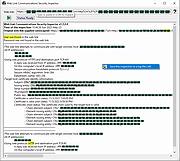 |
|
Win10 Security Plus v1.0 Win10 Security Plus v1.0 Win10 Security Plus is a powerful Windows OS software application that improves the security of Windows. It applies many recommended security settings and advanced security enhancements to the operating system, the changes should not cause conflicts or system errors, we have tested them many times. The program enables important security services, disables vulnerable system features (such as autorun.inf autoplay, NTVDM executions, Windows host script), improves the security of Internet Explorer and of the system integrity. And best of all, you just need to click the button "Apply Selected" and reboot the PC, that's all. This program works on Windows XP, Vista, 7, 8, 8.1, 10 (32\64-bit). If you have programs that use cscript.exe or wscript.exe you should uncheck the option "Disable Windows Script Host". Else you may get an error message like "Windows Script Host access is disabled on this machine. Contact your administrator for details." when a program executes VBScript or JScript scripts. Program Key Features Enable Important System Security Services Disable Commonly Exploited System Features Disable Autorun.inf Autoplay, 16-bit Processes, WSCRIPT.EXE Enable SmartScreen, Windows Updates, Windows Defender Enable User Acces Control (UAC), Windows File Protection (SFC) Activate Internet Explorer Memory Protection Enable Structured Exception Handling Overwrite Protection Disable Remote Registry, Remote Assistance, Short File Names Enable Driver Signing Check, System Restore, Security Center Enable Signature Verification of Downloaded Programs 40+ Security Improvements in One Powerful Program Improves System Protection Against Malware ... |
|
6,224 | Nov 13, 2019 site2unblock 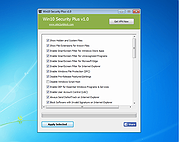 |
|
Wireshark v4.6.7 Wireshark v4.6.7 👉 Analyze and troubleshoot network traffic with the industry's leading protocol analyzer. Wireshark is a free and open-source network protocol analyzer used by network administrators, security professionals, developers, students, and IT enthusiasts to capture, inspect, and analyze network traffic in real time or from previously saved capture files. It supports hundreds of protocols and provides powerful filtering, coloring, and statistical analysis tools to help diagnose network problems, investigate security issues, debug applications, and understand how network protocols work. Wireshark can capture traffic from wired and wireless network interfaces, display packet details down to the individual protocol fields, reconstruct conversations, and export captured data in multiple formats. Its flexible display filters, extensive protocol support, customizable interface, and built-in analysis tools make it an essential utility for anyone working with computer networks. Features: • Capture live network traffic from Ethernet, Wi-Fi, Bluetooth, USB, and many other interface types • Open and analyze previously captured packet trace files • Decode hundreds of network protocols with detailed packet inspection • Powerful display filters for quickly isolating specific traffic • Colorize packets for improved readability and faster analysis • Follow TCP, UDP, HTTP, HTTP/2, TLS, QUIC, WebSocket, and other protocol streams • Generate protocol hierarchy, endpoint, conversation, I/O, and flow graphs • Inspect packet contents down to individual protocol fields • Search captured traffic by protocol, address, port, payload, or custom criteria • Support for decryption of supported encrypted protocols when appropriate keys are available • Extensive capture and display customization options • Export captured packets and analysis results in multiple formats • Extensible through Lua scripting and plugins • Cross-platform interface with consistent functionality Supported operating systems: • Windows 10, Windows 11 • macOS 12 Monterey or higher • Linux (major distributions including Debian, Ubuntu, Fedora, Red Hat Enterprise Linux, openSUSE, Arch Linux, and others) • FreeBSD, NetBSD, OpenBSD Supported languages: English, Chinese (Simplified), Chinese (Traditional), French, German, Italian, Japanese, Korean, Polish, Russian Changes: v4.6.7 07-02-26 Bug Fixes The ... |
|
10,976 | Jul 09, 2026 Gerald Combs 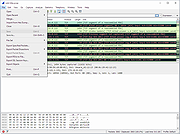 |
|
Yowl v1.3.2 Yowl v1.3.2 👉 A MacBook theft alarm that sounds if someone tries to take your laptop and snaps a pic of the thief. Yowl is a menu-bar app for macOS that sounds an alarm when a MacBook is unplugged, moved, or its lid is partly closed. You choose which triggers to enable. When the alarm sounds, Yowl can play a siren, lock the screen, take photos, and send optional alerts and photos to your phone through ntfy. Photo capture and phone alerts are optional. Yowl is free and open source, with no accounts, analytics, or servers of its own. Features: • Runs from the macOS menu bar. • Triggers the alarm when the charger is unplugged. • Offers optional camera-based movement detection and a partial-lid-close trigger. • Sounds a siren at maximum volume, even if the Mac is muted or using headphones. • Can lock the screen when the alarm sounds. • Can optionally take photos, including images captured during the 10 seconds before the alarm. • Can optionally send an alert and up to three photos to your phone using a private ntfy link. • Saves captured photos on the Mac, keeping up to 40 recent images. • Uses a universal binary for Apple Silicon and Intel Macs. The lid trigger requires a hinge sensor and is unavailable on Intel Macs. • Requires macOS 14 or later. Supported operating systems: • macOS 14 or later Supported languages: English Changes: v1.3.2 10-08-26 Keep screaming with the lid closed: if installing the helper fails, Yowl now says why, instead of only showing "Helper: not installed". Cancelling the password prompt still reads as not authorised; anything else shows the underlying error (#1). The install now checks only Yowl's ... |
|
26 | Oct 12, 2026 nejcar20 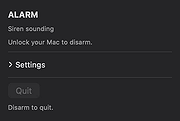 |
| Showing rows 1 to 63 of 63 | Showing Page 1 of 1 | 1 |
OlderGeeks.com Copyright (c) 2026
