|

|
Processed through Paypal No account required. |








Buy our over-priced crap to help pay the bills.



|
|
Processed through Paypal No account required. |
| Files | ||||
| File Name | Rating | Downloads | ||
 |
Pinned: Malwarebytes Anti-Malware v5.7.2.358 Malwarebytes Anti-Malware v5.7.2.358 OlderGeeks.com is an official mirror of Malwarebytes Anti-Malware 👉 Advanced malware detection and removal tool to protect your PC from threats. Malwarebytes Anti-Malware is a powerful security application designed to detect, block, and remove malware, ransomware, spyware, adware, and other online threats that traditional antivirus programs may miss. Using advanced heuristic analysis and signature-based detection, it provides real-time protection and on-demand scanning to keep your system clean and secure. Malwarebytes Anti-Malware works alongside other antivirus software or as a standalone solution, offering layered defense against emerging threats. Its streamlined interface makes it easy for both beginners and advanced users to perform quick scans, deep scans, and custom scans, while maintaining minimal impact on system performance. Features: • Real-time protection against malware, ransomware, spyware, and adware • Advanced heuristic and behavior-based threat detection • Quick, Threat, and Custom scan options • Protection against malicious websites and phishing attempts • Automatic updates to the malware database • Quarantine and restore functionality • Lightweight design with minimal system impact • Compatible with other antivirus programs Supported operating systems: • Windows 10, Windows 11 Supported languages: English, Spanish, French, German, Italian, Portuguese, Dutch, Japanese, Korean, Chinese (Simplified), Chinese (Traditional) Changes: v5.7.2.358 10-01-26 Features and improvements Added the ability to directly open Browser Guard's extension settings from the Malwarebytes for Windows Settings page. This link only appears when Chrome or Edge is your default browser. Improved the error messages that appear when license activation fails, so it's clear what went wrong and what to do next. Improved detection of malicious scripts. Issues fixed Fixed security, stability, and performance issues related to detection, protection, and remediation. Fixed minor localization issues. Note: Malwarebytes initially installs as a 14 day trial of full real-time protection. After the 14 days are up, Malwarebytes reverts to a free version that will only disinfect ... |
 |
28,609 | Oct 09, 2026 Malwarebytes.com 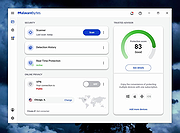 |
 |
Advanced PortChecker v2.3.0 Advanced PortChecker v2.3.0 👉 Scan your network for open ports quickly and easily. Advanced PortChecker is a free and open source port checker that lets you scan hosts and networks for open ports in seconds. It supports multiple platforms, offers a clean graphical interface, and can export scan results in HTML, JSON, CSV or plain text formats. Features: • Scan TCP/IP ports on hosts or networks • Check whether ports are open or closed • Fast scanning performance • Export results as HTML, JSON, CSV or plain text • Similar interface across desktop platforms • Theme and preference options • Automatic update control • Open source and free to modify • Privacy-friendly: no ads, trackers or data collection • Can be compiled manually for other platforms Supported operating systems: • Windows • macOS • Linux • Android Supported languages: English, Dutch, French, Spanish, Chinese, Italian, Japanese Changes: v2.3.0 11-15-25 Added Japanese localization. Updated dependencies. Included Linux ARM preview builds and tests. Upgraded Yarn and Rust version. Added minor design upgrades. Changed runner actions. Improved stability across all platforms. This download is for the Windows version (very bottom of page). All other download assets are below: macOS: advanced-portchecker_2.3.0_aarch64.dmg advanced-portchecker_2.3.0_x64.dmg Linux: advanced-portchecker_2.3.0_amd64.deb advanced-portchecker_2.3.0_arm64.deb advanced-portchecker-2.3.0-1.x86_64.rpm advanced-portchecker-2.3.0-1.aarch64.rpm advanced-portchecker_2.3.0_amd64.AppImage advanced-portchecker_2.3.0_aarch64.AppImage advanced-portchecker_x64.app.tar.gz advanced-portchecker_aarch64.app.tar.gz Click here to visit the author's website. |
|
6,489 | Jun 11, 2026 CodeDead 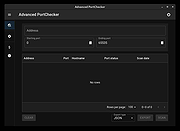 |
|
AM-DeadLink v7.2 AM-DeadLink v7.2 👉 Free tool to detect broken links, missing files, redirections, and duplicate bookmarks. AM-DeadLink is a freeware utility that helps you find broken links, missing files, redirects, and duplicate entries in browser bookmarks, websites, and various file formats. It can scan entire websites, including linked pages, images, CSS files, and other resources, while also checking bookmark collections from popular web browsers. Detailed reports make it easy to identify invalid URLs, redirects, and missing resources so you can keep your bookmarks and websites organized and up to date. AM-DeadLink is designed to be lightweight, privacy-friendly, and easy to use, with no ads, nags, accounts, or user-data collection. Features: • Detects broken links, missing files, and redirects • Finds duplicate bookmarks and URL entries • Scans websites including linked pages, images, CSS files, and other resources • Checks bookmarks from Chrome, Edge, Firefox, Brave, and Vivaldi • Supports HTML, TXT, CSV, and tab-delimited files containing URLs • Generates detailed reports of scan results • Improved detection of redirects and missing resources • Checks binary file links such as ZIP, PDF, and EXE files • Internal preview for reviewing URLs • Lightweight freeware with no ads, nags, or account requirements Supported operating systems: • Windows 10, Windows 11 (64-bit) Supported languages: • English, German Changes: v7.21 10-07-26 Brave Origin supported Improved support for Cloudflare-protected pages Smaller improvements and fixes Click here to visit the author's website. |
|
6,711 | Oct 07, 2026 Aignesberger Software GmbH 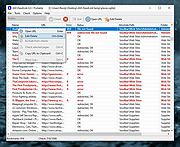 |
|
Angry IP scanner v3.9.1 Angry IP scanner v3.9.1 A very fast IP address and port scanner. It can scan IP addresses in any range as well as any their ports. It is cross-platform and lightweight. Not requiring any installations, it can be freely copied and used anywhere. Angry IP scanner simply pings each IP address to check if it’s alive, then optionally it is resolving its hostname, determines the MAC address, scans ports, etc. The amount of gathered data about each host can be extended with plugins. It also has additional features, like NetBIOS information (computer name, workgroup name, and currently logged in Windows user), favorite IP address ranges, web server detection, customizable openers, etc. Scanning results can be saved to CSV, TXT, XML or IP-Port list files. With help of plugins, Angry IP Scanner can gather any information about scanned IPs. Anybody who can write Java code is able to write plugins and extend functionality of Angry IP Scanner. In order to increase scanning speed, it uses multithreaded approach: a separate scanning thread is created for each scanned IP address. Changes: v3.9.1: Mac: fix permissions in bundled JRE, so that MAC address scanning would work #384 Linux startup fix if JAVA_HOME has spaces #391 Update MAC vendors This download is for the Windows version. All other download assets are below: MacOS: ipscan-macX86-3.9.1.zip ipscan-macArm64-3.9.1.zip Linux: ipscan_3.9.1_all.deb ipscan_3.9.1_amd64.deb ipscan-3.9.1-1.x86_64.rpm Click here to visit the author's website. |
|
11,583 | Feb 24, 2023 Anton Keks 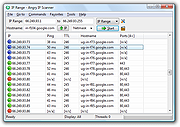 |
 |
Antivirus Live CD v52.0-1.5.2 Antivirus Live CD v52.0-1.5.2 👉 A 4MLinux fork including the ClamAV scanner. It's designed for users who need a lightweight live CD, which will help them to protect their computers against viruses. Ethernet, WiFi, PPP and PPPoE are supported by Antivirus Live CD to enable automatic updates of its virus signature databases. All partitions are mounted during the boot process so that they can be scanned by ClamAV. The Antivirus Live CD ISO images are fully compatible with UNetbootin, which can be used to create an easy-to-use Antivirus Live USB. Features: • Lightweight bootable antivirus rescue environment based on 4MLinux • Includes the ClamAV antivirus engine • Scans all mounted disk partitions automatically • Updates virus signature databases over the Internet • Supports Ethernet, Wi-Fi, PPP, and PPPoE network connections • Boots from CD, DVD, or USB flash drive • Fully compatible with UNetbootin for creating bootable USB media • Command-line interface optimized for malware removal and system recovery • Supports a wide range of Windows and Linux file systems • Ideal for scanning systems that cannot boot normally • Small download size with low system requirements • Includes essential Linux utilities for file management and troubleshooting Supported operating systems: • Windows XP, Windows Vista, Windows 7, Windows 8, Windows 8.1, Windows 10, Windows 11 • Linux distributions with supported file systems (btrfs, ext2, ext3, ext4, f2fs, FAT16, FAT32, HFS, HFS+, JFS, NILFS2, NTFS, ReiserFS, Reiser4, XFS) Supported languages: • English Changes: v51.0-1.5.1 02-08-26 • Updated to 4MLinux 51.0 BETA. • Updated ClamAV to v1.5.1. Click here to visit the author's website. |
|
8,997 | Aug 06, 2026 zk1234 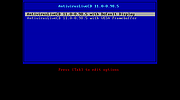 |
|
AV block remover (AVbr) v4 AV block remover (AVbr) v4 👉 A free malware-removal and system-repair tool designed to restore computers whose security software and Windows functions have been blocked by malware. AV block remover (AVbr) is a free utility designed to help clean Windows computers infected with malware that interferes with antivirus programs, security utilities and normal system operation. AVbr automates a collection of diagnostic and remediation procedures and uses Oleg Zaitsev's AVZ antivirus utility as part of its operation. It can help remove malware, restore Windows settings altered by malicious software, remove malicious policies and restrictions, and address infections that deliberately prevent security programs from running. Features: • Designed to remove active malware and repair changes made to Windows by malicious software • Helps when malware blocks antivirus and other security programs • Performs automated system diagnostics and remediation • Uses the AVZ antivirus utility during its malware detection and cleanup procedures • Includes AVZ Toolkit • Searches for malicious and suspicious system activity • Helps detect and remove malware that interferes with normal Windows operation • Removes malicious system policies and restrictions • Helps restore system settings modified by malware • Can assist with infections that prevent security and diagnostic utilities from launching • Generates diagnostic information that can be used when investigating an infected computer • Portable utility that does not require conventional installation Supported operating systems: Windows Vista, Windows 7, Windows 8, Windows 8.1, Windows 10, Windows 11 Supported languages: English, Russian Changes: v4 and AVZ Toolkit v6.12, dated 08-31-26 Now helps in the case of blocking antivirus signatures through systemic equipment. Added removal of the start-up of antivirus start-up, added by CertLock viruses blocking... Complementary functionality 1) AppLocker policy check and reset if working policies are found. 2)... Update 1) Check the existence of the Hosts file added. If it is not, it creates a pure Hosts... Note: This file has two hits on VirusTotal. We have confirmed these to be false positives. The file ... |
|
249 | Sep 01, 2026 safezone.cc / Oleg Zaitsev 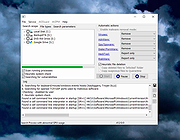 |
|
BitDefender Antivirus Free Edition v27.0.62.352 BitDefender Antivirus Free Edition v27.0.62.352 👉 Free real-time antivirus protection for Windows PCs. BitDefender Antivirus Free Edition provides lightweight, cloud-powered antivirus protection designed to defend Windows computers against viruses, malware, ransomware, phishing attacks, and other online threats. It uses Bitdefender’s award-winning security technologies while maintaining a simple “install and forget” approach that runs quietly in the background without slowing down your system. The program delivers real-time threat detection, automatic malware scanning, web attack prevention, anti-phishing protection, and malicious website blocking. It also includes integrated Bitdefender VPN access with limited daily encrypted traffic for safer browsing. BitDefender Antivirus Free Edition is optimized for gaming, multimedia editing, and other resource-intensive activities by minimizing system impact while maintaining continuous protection. Features: • Real-time antivirus and malware protection • Cloud-powered threat detection • Advanced anti-phishing protection • Malicious website and scam blocking • Automatic security updates • Lightweight system resource usage • Optimized for gaming and multimedia tasks • Integrated Bitdefender VPN with limited daily traffic • Automatic threat remediation and quarantine • Simple install-and-forget interface • Web traffic scanning • Protection against ransomware and online threats Supported operating systems: • Windows 7 SP1, Windows 8.1, Windows 10, Windows 11 Supported languages: English, German, French, Spanish, Italian, Romanian, Dutch, Swedish, Chinese Traditional, Chinese Simplified, Portuguese, English UK, English AU Changes: v27.0.62.352 08-20-26 Fixed an issue where protection review reports included monitored web and email activity even when the related protection features were disabled Fixed an issue where Bitdefender services were not responding at startup Fixed an issue where Bitdefender services could appear unresponsive while the product remained functional Fixed an issue where SecurePass could not remain disabled in Safepay Fixed an issue causing continuous notifications about webcam access Fixed an issue where the verified links counter reset to zero after rebooting on Windows 11 Fixed an issue causing multiple firewall notifications stating that an application had changed Note: BitDefender Antivirus Free Edition requires you to create a free account. Click here to ... |
|
11,989 | Aug 27, 2026 BitDefender Labs 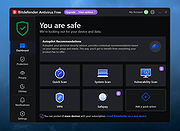 |
|
Bitdefender Home Scanner 1.0 Bitdefender Home Scanner 1.0 Scan for weaknesses and hidden backdoors into your home Bitdefender Home Scanner is a free tool that scans your Wi-Fi network, maps devices and identifies and highlights network security flaws. Bitdefender Home Scanner looks for weak passwords, as well as vulnerable or poorly encrypted communications. It correlates the information gathered from your connected devices with online vulnerability databases and gives you a thorough report so you can ensure maximum security for your network. Map your home network Scan open ports in the network Wi-Fi scanner: identify all connected devices and security risks Complementary to and compatible with all existing security tools Why use Bitdefender Home Scanner New software vulnerabilities are being discovered in many smart devices every day, and hackers are taking advantage of these security flaws to target homes and businesses. It is time to start thinking about the security of your smart devices. Recently, a mom who had installed a smart surveillance system in her home discovered that someone had hacked into a webcam and live-streamed her daughters’ room on the Internet. There have been numerous reports about light bulbs being hacked. In one case, a security company demonstrated that unauthorized persons could hack into a home network by posing as a new light bulb joining the system. This way the other light bulbs were tricked into giving away the username and password for the network. Moreover, hackers can take advantage of vulnerabilities to take control of vast numbers of smart devices and use them to launch massive attacks against commercial and government websites. Technical Details Minimum system requirements: Windows 7 SP 1, 8, 8.1, 10 CPU: Dual Core 1.6 GHz RAM: 1 GB HDD: 300 MB Recommended system requirements: Windows 7 SP ... |
|
6,223 | Nov 13, 2019 BitDefender Labs 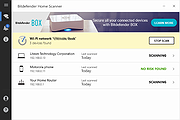 |
|
Bopup Scanner 2.1.9 Bopup Scanner 2.1.9 This freeware network scanner displays active computers with logged user names (NetBIOS), MAC and IP addresses. Bopup Scanner also recognizes and shows HTTP (Web) servers running on remote computers (TCP ports 80, 8080), quickly detects online computers, allows to browse shared resources of a remote computer and save results to a text file. Advanced users can enter IP range to scan, change a timeout to resolve a remote host and run the program from a command line interface. Portable software Bopup Scanner is a fully portable software. It requires no any setup and installation on a destination computer and can be easily copied to a USB flash drive to move to another PC. Browsing Shared Resources on Remote Computers Bopup Scanner allows to open shared folders on remote computers in Windows Explorer. Right-click on a computer and then select "Browse..." from the pop-up menu. Exploring HTTP Servers Bopup Scanner recognizes HTTP (Web) servers running on remote computers (TCP ports 80, 8080) and shows "Running" label in the "HTTP server" column. Command line support The program can be executed with the command line paramaters in order to specify pre-defined options, such as IP range to scan (start and end IP addresses), a path of the file where to save results. So the scanner can be used in batch files as a tool for an automated monitoring. To see the available command line options run the scanner.exe file with the /? or /h parameters or click More infomation... button in the About dialog. Logging Results Results can be saved to a text file. Just select "Actions\Save list..." and type a file name to save. Changing IP Range to Scan Administrators can enter IP range to scan and timeout to resolve a remote computer. Latest version is 2.1.9 Released on October 29, 2016 Supports Windowsฎ 95/98/Me/NT 4.0/2000/XP/2003/Vista/2008/7/8/2012/10 |
|
6,518 | Nov 24, 2016 B Labs 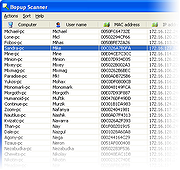 |
|
CloneScan v2.1 CloneScan v2.1 👉 Find, review, and safely remove duplicate files and folders. CloneScan is a free Windows utility designed to help you find, review, and safely remove duplicate files and duplicate folders from your computer. Features: • Find duplicate files and folders • Compare by file name, size, file name and size, or SHA-1 hash • Filter scans by file type • Set a minimum file size for scanning • Fast content scanning with parallel hashing • Grouped duplicate results • Move deleted items to the Recycle Bin • Export results to CSV Supported operating systems: • Windows 10, Windows 11 Supported languages: English Changes: v2.1 09-09-26 New scan options. Minor fixes. Click here to visit the author's website. |
|
690 | Sep 10, 2026 TkoSoft 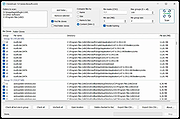 |
|
DeepTaskScan v1.0.0 DeepTaskScan v1.0.0 👉 Portable Windows forensics tool for detecting hidden and persistent scheduled tasks. DeepTaskScan is an advanced Windows scheduled task viewer and forensics tool designed to uncover scheduled tasks that may be hidden from standard Windows utilities. Unlike Task Scheduler, schtasks, PowerShell and similar tools, it uses a different scanning method rather than relying on Windows API calls to discover scheduled tasks. This can help system administrators, technicians and security researchers identify tasks concealed through techniques involving deleted task files or registry keys. The developer notes that such techniques have been used by state-backed Advanced Persistent Threat (APT) groups. DeepTaskScan is completely portable, requires no installation and is available in both 32-bit and 64-bit versions. Features: • Deeply scans Windows for scheduled tasks using an alternative detection method • Detects scheduled tasks hidden through advanced techniques • Does not rely on Windows API calls for scheduled task detection • Helps uncover tasks that may not appear in Windows Task Scheduler • Can detect more scheduled task entries than Task Scheduler, PowerShell and other standard tools • Highlights hidden or persistent entries • Can help detect APT activity involving hidden Task Scheduler entries • Allows discovered information to be extracted to a file • Useful for system administration, troubleshooting and security forensics • Available as separate 32-bit and 64-bit executables • Completely portable with no installation required Supported operating systems: • Windows 7 or newer Supported languages: • English Changes: v1.0.0 08-16-26 Initial release. This download is for the Windows 64bit version (very bottom of page). If you need the Windows 32bit version, download here. Click here to visit the author's website. |
|
352 | Aug 20, 2026 Emir Alp Kocak  |
|
Delta v0.1.8 Delta v0.1.8 👉 Disk space analyzer with historical snapshot comparison. Delta is a disk space analysis tool that allows you to scan your drives, save storage snapshots, and compare changes over time. It helps you quickly identify which folders and files have grown or shrunk between scans. Designed to work fully offline, Delta stores scan data locally and focuses on lightweight performance with a modern user interface. Features: • Scan drives and analyze folder and file size usage • Save disk usage snapshots for historical tracking • Compare past and current scans to detect size changes • Fully offline operation with no telemetry • Lightweight application built with Rust and Tauri • Modern interface powered by React Supported operating systems: • Windows 10, Windows 11, Linux Supported languages: English Changes: v0.1.8 05-31-26 • Bug fixes • Added sorting improvements • UI changes Note: This file has one hit on VirusTotal. We have confirmed this to be a false positive. The file is safe. This download is for the Windows 64bit setup version (very bottom of page). All other download assets are below: Other Windows: delta_0.1.8_x64_en-US.msi Linux: delta-disk-analyzer_0.1.8_amd64.deb delta-disk-analyzer-0.1.8-1.x86_64.rpm delta-disk-analyzer_0.1.8_amd64.AppImage Click here to visit the author's website. |
|
798 | Jul 11, 2026 Austin Bian 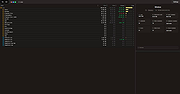 |
|
Double File Scanner 2.04 Double File Scanner 2.04 This tool allows for detecting duplicate files on your hard-drive quickly, based on SHA-1 hashes. 1. Introduction ------------------------------------------------------------------------------ The purpose of this tool is scanning the selected directory or directories for duplicate files, i.e. files with identical content. Duplicate files are identified by first calculating the SHA-1 digest of each file and then looking for values that appear more than once. In particular, files with identical content are guaranteed to have the same SHA-1 digest, while files with differing content will have different SHA-1 values with very high certainty. All computed SHA-1 values are stored in a hash table, so collisions are found quickly and we do NOT need to compare every digest to every other one. Also, the files are processed concurrently in multiple "worker" threads in order to parallelize and speed-up the SHA-1 computations on multi-core processors. On our test machine it took ~15 minutes to analyse all the ~260,000 files on the system drive (~63.5 GB). During this operation ~44,000 duplicates were found. Once the scan is completed, the program provides commands to review, rename or delete the duplicate files manually. Alternatively, the "automatic clean-up" wizard may be invoked in order to remove ALL redundant files at a single blow. Optionally, the list of duplicates can be exported to the XML or INI format. ------------------------------------------------------------------------------ 2. Platform Support ------------------------------------------------------------------------------ The following platforms are supported: - Windows 8 and 8.1, 32-Bit and 64-Bit versions - Windows 7, 32-Bit and 64-Bit versions - Windows XP, Service Pack 3 is required! Platforms that should work too, but are not tested extensively: - Windows Vista, 32-Bit and 64-Bit versions - Windows XP Professional x64 Edition, Service Pack 2 is required! ------------------------------------------------------------------------------ 3. Anti-Virus Warning ------------------------------------------------------------------------------ Anti-Virus programs can interfere with the Double File Scanner software and significantly slow down the process! Therefore it is highly recommend to turn off the "real time scanner" or "guard" feature of your Anti-Virus program while the Double File Scanner is running. But don't forget to re-enable ... |
|
6,215 | Dec 21, 2021 LoRd_MuldeR 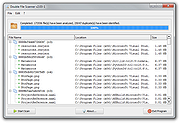 |
|
Emsisoft Emergency Kit v2025.7.0.12683 Emsisoft Emergency Kit v2025.7.0.12683 👉 Free portable malware and virus scanner to detect and remove infections. Emsisoft Emergency Kit is a fully portable security toolkit designed to scan, detect, and remove malware, viruses, ransomware, trojans, spyware, adware, worms, keyloggers, and other malicious threats from Windows computers without requiring installation. The kit combines powerful dual-engine scanning technology in a portable package that can be run directly from a USB stick, hard drive folder, or any storage location to clean infected systems. It includes both a graphical scanner and a command-line scanner for more advanced usage. Features: • Portable on-demand malware scanner with dual-engine detection. • Graphical Emergency Kit Scanner for interactive scanning. • Command-line scanner for scripted or advanced use. • Detects and removes viruses, ransomware, spyware, PUPs, bots and more. • Quarantine or delete detected threats. • Self-updating malware detection engine. • No installation required — just unzip and run. Supported operating systems: • Windows 10 (64-bit) and higher • Windows Server 2016 and higher Supported languages: English (various UI language options depending on package) Changes: v2025.7.0.12683 08-24-26 Updated detections. Click here to visit the author's website. |
|
11,322 | Aug 24, 2026 Emsisoft 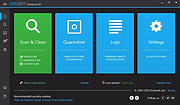 |
|
Epson Perfection 2450 Photo Scanner Software (2002) Epson Perfection 2450 Photo Scanner Software (2002) 👉 Original drivers and software package for the Epson Perfection 2450 Photo scanner. Epson Perfection 2450 Photo Scanner Software is the official software bundle released in 2002 for the Epson Perfection 2450 Photo flatbed scanner. This package includes the necessary drivers and utilities required to install, configure, and operate the scanner on supported systems. It typically contains Epson TWAIN drivers, scanning utilities, and bundled applications used for photo scanning, document capture, and image management at the time of release. This ISO image is a disc archive of the original installation CD. It must be mounted or extracted before use depending on your operating system. Once accessed, users can run the installer to properly set up the scanner and associated software. Features: • Official Epson driver and software package for Perfection 2450 Photo • Includes TWAIN driver support for scanning applications • Provides Epson Scan utility for image acquisition • Supports photo, film, and document scanning • Includes bundled software for image editing and management (varies by release) • Designed for USB-connected flatbed scanner operation • Original CD image preserved in ISO format Supported operating systems: • Windows 98, Windows ME, Windows 2000, Windows XP • macOS Classic (Mac OS 9), macOS 10.1 to 10.2 Supported languages: English Changes: Not Provided How to use this ISO file: Windows XP / 2000 / Me / 98: • Burn the ISO to a CD using software like ImgBurn or Nero • Insert the CD into your computer • The installer should start automatically • If not, open the CD and run Setup.exe Mac OS 8.5 through 9.x (Classic Mac): • Burn the ISO to a CD • Insert into your Mac • Open the disc and run the installer Notes: • This is original 2002 software and may not fully support modern systems • Scanner functionality on Windows 10/11 may be limited • You can extract the ISO with 7-Zip instead of mounting if preferred • TWAIN drivers ... |
|
641 | Apr 14, 2026 Epson America, Inc. 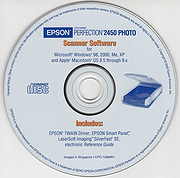 |
|
ESET Online Scanner v3.7.9.0 ESET Online Scanner v3.7.9.0 One-time scan to remove malware and threats from your computer for FREE. ESET Online Scanner is an easy-to-use tool free of charge that can run alongside any existing antivirus software. It supports regular and automatic monthly check for infections and suspicious applications. Smart way to test your antivirus Easy-to-use tool that can run alongside any existing antivirus Comprehensive malware detection Find and remove viruses, Trojans, spyware, phishing and other internet threats FREE and easy-to-use tool No commitment, no registration – completely free one-time scan Periodic scanning of your device Regular and automatic monthly check for infections and suspicious applications System requirements Supported operating systems: Microsoft Windows 11/10/8.1/8/7 Disk space: 350MB (minimum), 400MB (optimum) Memory: 500MB Click here to visit the author's website. |
|
4,110 | Apr 09, 2025 ESET North America 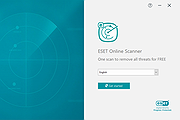 |
|
Farbar Service Scanner v14.8.2024.0 Farbar Service Scanner v14.8.2024.0 A small portable tool that allows you to diagnose network connectivity issues due to corrupted or missing Windows services. Certain malware, such as TDSS, may delete or corrupt Windows services, which would cause your computer to no longer have network connectivity. When FSS is run it will display a detailed report on the services, driver services, their configurations and the files that are responsible for network connectivity. Using this information a user can diagnose issues with their network connectivty as well as other Microsoft services. The tool checks the following services: • RpcSs • PlugPlay • Internet Services • Windows Firewall • System Restore • Security Center/Action Center • Windows Update • Windows Defender Click here to visit the author's website. |
|
7,333 | Oct 13, 2024 Farbar 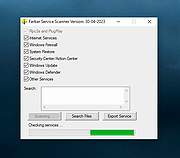 |
|
FastStone Image Viewer v8.5 FastStone Image Viewer v8.5 👉 Fast, stable image browser, editor and batch converter. FastStone Image Viewer is a fast, stable, user-friendly image browser, converter and editor. It includes image viewing, management, comparison, red-eye removal, emailing, resizing, cropping, retouching and color adjustments. Its full-screen mode gives quick access to EXIF information, thumbnail browsing and major tools through hidden edge toolbars. It also includes a high quality magnifier, musical slideshow with 150+ transition effects, lossless JPEG transformations, drop shadows, image annotation, scanner support, histogram display, batch conversion and batch renaming. Features: • Windows Explorer-like image browser and viewer • Supports BMP, JPEG, HEIC, WEBP, GIF, PNG, PCX, PDF, PSD, EPS, TIFF, WMF, ICO, CUR, TGA and many RAW camera formats • Full-screen viewer with zoom support and fly-out menu panels • Resize, rotate, crop, sharpen, blur, color correction, curves and levels tools • Clone Stamp, Healing Brush and red-eye removal • Draw text, lines, highlights, rectangles, ovals and callouts • Compare up to 4 images side-by-side • Batch convert and batch rename files • Slideshow with music and 150+ transition effects • Scanner support with batch scanning to PDF, TIFF, JPEG and PNG • Contact sheet creation, printing tools and image emailing • Portable version available Supported operating systems: • Windows XP, Windows Vista, Windows 7, Windows 8, Windows 10, Windows 11 Supported languages: Bulgarian, Chinese (Simplified), Chinese (Traditional), Czech, Danish, Dutch, Finnish, French, German, Hungarian, Italian, Japanese, Korean, Norwegian (Norsk bokmๅl), Polish, Portuguese, Russian, Spanish, Swedish, Ukrainian Changes: v8.5 06-24-26 Added support for SVG format Added Start importing automatically and Handle duplicate file names automatically options to the Import Photos and Videos tool WebP files can now be rotated and saved with a single click Enhanced dark theme support in the PDF viewer Fixed a bug where some links in PDF files were not clickable Other improvements and bug fixes 👉 This download is for the Windows portable version (very bottom of page). All other download ... |
|
11,647 | Oct 07, 2026 FastStone Soft 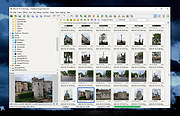 |
|
FurMark 2 v2.10.2 FurMark 2 v2.10.2 OpenGL and Vulkan GPU stress test and graphics benchmark. FurMark 2 is the next-generation edition of the legendary GPU stress testing and benchmarking utility from Geeks3D. Designed for gamers, overclockers, system builders and hardware enthusiasts, FurMark 2 pushes graphics cards to their thermal and performance limits using demanding OpenGL and Vulkan rendering workloads. It is commonly used to test cooling performance, verify GPU stability, identify overheating issues, detect graphical artifacts, and benchmark overall graphics performance. Unlike the original FurMark 1, FurMark 2 introduces a redesigned engine with modern rendering technologies, Vulkan support, improved compatibility with current GPUs, and enhanced benchmarking capabilities. The software can run intensive fullscreen or windowed stress tests while displaying real-time GPU information including temperatures, clocks, usage, fan speeds, and performance statistics. FurMark 2 also includes benchmark presets for quick comparisons, customizable testing modes, anti-aliasing options, artifact scanning, and command-line support for automation and advanced diagnostics. Whether you are validating a fresh GPU installation, testing overclock stability, troubleshooting crashes, or simply comparing benchmark scores with other systems online, FurMark 2 provides a fast and reliable solution for GPU performance analysis. Features: • Advanced OpenGL and Vulkan GPU stress testing • Designed to heavily load GPUs for thermal and stability testing • Modern rendering engine optimized for current graphics hardware • Built-in benchmark presets for quick performance comparisons • Custom benchmark modes with adjustable resolution and anti-aliasing • Real-time GPU monitoring during testing sessions • Displays GPU temperature, clocks, fan speed, usage and performance data • Artifact scanner helps detect rendering errors and unstable overclocks • Supports fullscreen and windowed testing modes • Online benchmark score submission and comparison support • Useful for validating overclocking and cooling system performance • Command-line options for scripting and automated testing • Compatible with many NVIDIA, AMD and Intel graphics cards • Includes GPU information and hardware identification tools • Lightweight interface with quick access to common ... |
|
2,152 | Jun 05, 2026 Geeks3D 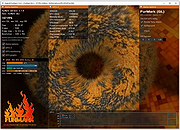 |
|
HiJackThis+ v3.5.0.1 HiJackThis+ v3.5.0.1 👉 Advanced malware and system hijack diagnostic scanner for Windows. HiJackThis+ is a free utility for Microsoft Windows that scans your computer for settings changed by adware, spyware, malware, and other unwanted programs. It is a passive scanner that focuses on detecting hijacking methods rather than relying on traditional signature databases, and it can help experienced users inspect browser, startup, registry, policy, task, and other system areas that may have been altered by suspicious software. It also includes a collection of extra tools such as StartupList, Process Manager, Hosts Manager, ADS Spy, uninstall management, file and registry unlockers, a registry key type analyzer, and batch digital signature checking. Features: • Scans Windows for changes made by adware, spyware, malware, and other unwanted programs • Detects hijacking methods instead of depending on signature database updates • Checks many sensitive system areas including startup entries, registry locations, policies, tasks, browser related items, and more • Includes StartupList 2 for expanded startup inspection • Includes Process Manager for reviewing running processes • Includes Hosts Manager for reviewing and resetting the Hosts file • Includes ADS Spy for finding alternate data streams • Includes uninstall management tools • Includes Windows service removal tools • Includes File Unlocker and Registry Key Unlocker • Includes Registry Key Type Analyzer for advanced inspection • Includes batch digital signature checking • Supports backup and fix workflows for detected items • Can be used as a supplemental diagnostic tool alongside a regular antivirus Supported operating systems: • Windows XP, Windows Vista, Windows 7, Windows 8, Windows 8.1, Windows 10, Windows 11, Windows Server editions, 32-bit, 64-bit Supported languages: English, French, Russian, Spanish, Ukrainian Changes: v3.5.0.1 07-02-26 - Updated certificates and databases. - Fixed Windows Defender Exclusion log. - Improved O23 - Service check logic. - Improved digital signature verification: Third-party files signed by a Microsoft Root CA will no longer be flagged as "Sign 'Microsoft'" if the trust ... |
|
3,847 | Aug 14, 2026 Alex Dragokas 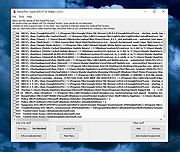 |
|
Homedale v2.25 Homedale v2.25 👉 Wi-Fi and WLAN monitor for scanning access points and tracking signal strength. Homedale scans for Wi-Fi / WLAN / IEEE 802.11 access points and monitors their signal strength. It shows available access points with details such as security type, network name (SSID), BSSID, vendor based on MAC address, channel, supported data rates, and more. Homedale also parses and displays information elements advertised by access points, graphs signal strength over time, analyzes channel usage to help find the optimal channel for your access point, and can use detected access points with Google Geolocation to help locate your position. Features: • Scans for Wi-Fi 7 / WLAN / IEEE 802.11 access points • Supports 802.11a/b/g/n/ac/ax/be wireless networks • Works with 2.4 GHz, 5 GHz, and 6 GHz frequency bands • Supports 20, 40, 80, 160, and 320 MHz channel widths • Shows signal strength, SSID, BSSID, vendor, channel, security, and supported data rates • Parses and displays advertised information elements and decoded data • Graphs signal strength of selected access points over time • Can log signal data to a text file • Can create screenshots from the signal graph • Analyzes channel usage to help identify the best Wi-Fi channel • Lets you connect to and disconnect from Wi-Fi / WLAN access points from the interface Supported operating systems: • Windows 2000, Windows XP, Windows Vista, Windows 7, Windows 8, Windows 10, Windows 11, Windows Server • macOS 10.10 or higher through macOS 15 Supported languages: • English, French, German, Greek, Italian, Japanese, Korean, Norwegian, Polish, Portuguese, Russian, Simplified Chinese, Slovenian, Spanish, Swedish, Thai, Traditional Chinese, Ukrainian Changes: v2.25 08-02-26 Windows: Rx and Tx Bitrates shown on Adapter Overview tab macOS: New: 6 GHz support added This download is for the Windows version (very bottom of page). If you need the MacOS version (1.18), download here. Click here to visit the author's website. |
|
5,755 | Aug 14, 2026 The SZ Development 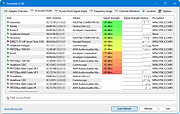 |
|
IPNeighborsView v1.03 IPNeighborsView v1.03 👉 View detailed information about computers and devices recently detected on your local network. IPNeighborsView is a lightweight, portable network utility that displays the IP neighbor table maintained by Windows. The IP neighbor table contains computers, routers, printers, smartphones, and other network devices that Windows has recently communicated with on your local network. The program displays detailed information for every detected entry, including the IP address, MAC address, MAC address vendor, address type, state, state duration, local network adapter, interface index, and connection name. IPNeighborsView can also detect randomized MAC addresses used by many modern mobile devices and clearly identifies them in the manufacturer column. IPNeighborsView requires no installation and can be run directly from any folder or portable drive. Selected entries can be copied to the clipboard or exported to text, CSV, tab-delimited, HTML, XML, and JSON formats. Permanent neighbor table entries are hidden by default but can be displayed through the Options menu when needed. Features: • Displays the Windows IP neighbor table • Lists computers and devices recently detected on the local network • Shows IPv4 and IPv6 addresses • Displays MAC addresses and associated hardware vendors • Detects and labels randomized MAC addresses • Shows address type and neighbor state information • Displays state duration for each entry • Identifies the local network adapter and connection name • Optionally displays permanent neighbor table entries • Copy selected entries directly to the clipboard • Export data to Text, CSV, Tab-delimited, HTML, XML, or JSON • Includes command-line options for automated exports • Portable with no installation required • Supports both 32-bit and 64-bit Windows Supported operating systems: • Windows Vista, Windows 7, Windows 8, Windows 8.1, Windows 10, Windows 11 Supported languages: English, Dutch, French, German, Greek, Hungarian, Italian, Japanese, Persian, Polish, Russian, Simplified Chinese, Slovak, Traditional Chinese, Turkish Changes: v1.03 07-15-26 When a randomized MAC address is detected, it is displayed in the MAC Address Company column. Updated the ... |
|
3,454 | Jul 30, 2026 Nir Sofer 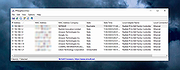 |
|
KillerScan v1.5.4 KillerScan v1.5.4 👉 Fast portable network scanner for field techs and administrators. KillerScan is a fast network scanner built for field techs that combines ARP and ping discovery, TCP port probing, active fingerprinting, vendor lookup, and weighted-score device classification in a single portable Windows executable. It is designed to quickly identify devices on a subnet, gather service and fingerprint details such as HTTP, SSH, TLS, NetBIOS, and SNMP data, and help you classify systems like Windows PCs, Linux servers, printers, NAS devices, cameras, and other network hardware without requiring a separate runtime installation. Features: • Fast network discovery using both ARP cache inspection and parallel ICMP ping sweeps • Detects devices that ignore ping by combining ARP and ICMP discovery methods • Scans 24 common TCP service ports in parallel for rapid host identification • Performs active fingerprinting using HTTP titles and server headers • Retrieves SSH server banners for Linux, Unix, and network appliance identification • Extracts TLS certificate subject information from HTTPS services • Queries NetBIOS names over UDP port 137 when available • Reads SNMP v1 sysDescr information from compatible devices • Uses ICMP Time-To-Live (TTL) values as an additional fingerprinting signal • Identifies hardware manufacturers using the IEEE MAC OUI registry • Uses a weighted scoring engine instead of simple port matching for more accurate device classification • Automatically classifies Windows PCs, Linux systems, NAS devices, printers, hypervisors, cameras, mobile devices, Home Assistant systems, IoT devices, and more • Right-click shortcuts to copy IP addresses, MAC addresses, and hostnames • Launches RDP, SSH, or a web browser directly from discovered devices • Allows manual device type overrides when automatic classification is incorrect • Exports scan results to both CSV and HTML formats • Portable single executable with no installer required • Open source under the GPLv3 license Supported operating systems: • Windows 10 (x64), Windows 11 (x64) Supported languages: English, Bengali, German, Spanish, French, Japanese, Turkish, Simplified Chinese, Traditional Chinese Changes: v1.5.4 ... |
|
887 | Aug 09, 2026 SteveTheKiller 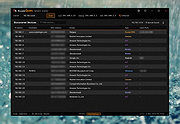 |
|
Kudu v3.6.1 Kudu v3.6.1 👉 Free open-source system maintenance, optimization, and security suite for Windows, macOS, and Linux. Kudu is a comprehensive system maintenance toolkit designed to help users clean, optimize, monitor, and secure their computers from a single unified interface. Built as a free and open-source alternative to many commercial system utilities, it combines system cleaning, malware detection, startup management, privacy protection, software updating, disk analysis, and performance monitoring tools into one package. Kudu focuses on providing powerful maintenance capabilities without advertisements, bundled software, or subscription requirements. It is suitable for both home users and IT professionals who want to keep systems running efficiently while maintaining privacy and security. Kudu also includes automation features, real-time monitoring, gaming optimizations, and optional cloud-based fleet management (paid) capabilities for managing multiple devices. Features: • System Cleaner for removing temporary files, caches, logs, and system junk • Multi-engine malware scanner with signature-based threat detection • Real-time performance monitoring for CPU, memory, disk, and network activity • S.M.A.R.T. disk health monitoring and analysis • Startup Manager with impact ratings for startup entries • Interactive Disk Analyzer with visual storage usage mapping • Privacy Shield for auditing and applying privacy settings • Software Updater for detecting outdated applications • Debloater for removing unwanted pre-installed Windows applications • Registry Cleaner with automatic backup protection • One-click Game Mode with performance and latency optimizations • Scheduled maintenance, scanning, and update tasks • Automatic backup safeguards before system changes • Command-line support for automation and scripting • Optional cloud-based centralized device management • Open-source MIT-licensed project with no advertisements or bundled software Supported operating systems: • Windows 10, Windows 11 • macOS • Linux Supported languages: • 30 languages supported Changes: v3.6.1 10-06-26 Bug Fixes icons: add missing Windows DPI sizes to the app icon (#513) (920f59c) malware: stop flagging validly signed binaries with the PE heuristic (#507) (e9784a1) 👉 This download is for the Windows version (very bottom of page). All ... |
|
661 | Oct 07, 2026 Advent Development, Inc. 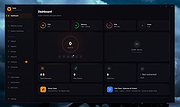 |
|
MAC Address Scanner 1.5 MAC Address Scanner 1.5 MAC Address Scanner is the free desktop tool to remotely scan and find MAC Address of all systems on your local network. It allows you to scan either a single host or range of hosts at a time. During the scan, it displays the current status for each host. After the completion, you can generate detailed scan report in HTML/XML/TEXT/CSV format. Note that you can find MAC address for all systems within your subnet only. For all others, you will see the MAC address of the gateway or router. On certain secure WiFi configurations with MAC filtering enabled, this tool can help pentesters to find out active MAC addresses and then use them to connect to such wireless network. Being GUI based tool makes it very easy to use for all level of users including beginners. It is fully portable and works on all platforms. Features: Quickly find MAC address of all systems on the Network Scan single or multiple systems Ability to stop the scanning operation at any time Color based representation for successful and failed hosts Save the scan report to HTML/XML/TEXT/CSV file Free and easy to use tool with cool GUI interface Fully Portable and can be run on any Windows system Support for local Installation & Un-installation Change Info: New feature to generate MAC address scanner report in CSV (Comma-Seperated Values) File Format. |
 |
9,512 | Jan 27, 2014 SecurityXploded |
|
MACAddressView v1.55 MACAddressView v1.55 👉 Find the manufacturer and details behind any MAC address. MACAddressView is a lightweight MAC address lookup utility that lets you quickly identify the company name, address, and country associated with a network device's MAC address. Instead of querying an online service, it uses a built-in IEEE OUI database stored inside the executable, allowing lookups to be performed entirely offline. The program can search by MAC address, company name, company address, or country, making it useful for network administrators, technicians, security professionals, and anyone troubleshooting or documenting network hardware. Results can be copied to the clipboard or exported to TXT, CSV, HTML, XML, and other formats for reporting or further analysis. MACAddressView is fully portable, requires no installation, and supports command-line operation for automation and scripting. Features: • Offline MAC address lookup using an internal IEEE OUI database • Find vendor information by MAC address, company name, address, or country • Display company name, address, country, and assigned MAC address range • Search multiple MAC addresses simultaneously • Lookup complete MAC addresses or vendor prefixes (OUI) • View the MAC addresses assigned to the current computer • Export results to TXT, CSV, HTML, XML, and tab-delimited formats • Copy results directly to the clipboard • Command-line support for automated lookups and exports • Portable with no installation required • Supports custom language translation files Supported operating systems: • Windows 98, Windows ME, Windows 2000, Windows XP, Windows Server 2003, Windows Vista, Windows 7, Windows 8, Windows 8.1, Windows 10, Windows 11 Supported languages: • Arabic, Bulgarian, Chinese (Simplified), Chinese (Traditional), Czech, Dutch, English, French, German, Greek, Hungarian, Italian, Japanese, Korean, Polish, Portuguese (Brazil), Romanian, Russian, Slovak, Spanish, Turkish, Ukrainian Changes: v1.55 07-01-26 Updated the internal MAC Addresses database. Note: This file has two hits on VirusTotal. We have confirmed these to be false positives. The file is safe. Click here to visit the author's website. |
|
10,166 | Jul 10, 2026 Nir Sofer 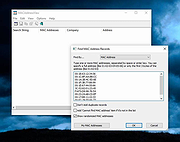 |
|
Macrorit Disk Scanner v6.6.8 Macrorit Disk Scanner v6.6.8 Free Disk Scanner to Check Hard Drive Errors and Issues Hard disk bad sector is the most common problem and the disk is not safe to store data any longer. Bad sector will cause the important data loss and blue screen error sometimes, and even slow disk space. Macrorit Disk Scanner is a third party disk surface test portable tool for disk bad sectors which provides you better options and performance than Windows native disk scanner. With the fastest algorithm, this disk scanner free software usually could reach to the maximum speed that supported by the device. It is compatible with all recent versions of Microsoft Windows - both client and server, and supports major storage device types such as IDE and SATA HDD and SSD, SCSI, FireWire, hardware RAID, flash cards and more. Features: SCAN DISKS BAD SECTORS Surface test on hard drives and you can define scan area MARK BAD SECTORS When bad sectors/blocks are found, we mark them as red UNDERSTANDABLE LOGFILE Easy to find where are the bad sectors are in scan log PORTABLE EDITION Yes, you can put Scanner in to USB and Scan off-line Disks Changes: v6.6.8 Fixed Ukrainian translation Fixed some multilingual texts Click here to visit the author's website. |
|
6,739 | Sep 19, 2023 Macrorit 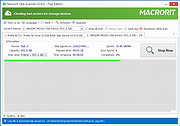 |
|
mDNSView v1.00 mDNSView v1.00 👉 Scan and view mDNS records published by devices on your local network. mDNSView is a simple Windows utility from NirSoft that displays mDNS records published by devices connected to your local network. For every discovered mDNS record, it shows the device IP address, name, record type, and record value. Features: • Displays mDNS records from devices on your local network • Shows IP address, name, record type, and record value • Supports A, AAAA, TEXT, PTR, and SRV record types • Start a scan with the toolbar button or F5 key • Export results to CSV, tab-delimited, XML, HTML5, or JSON • Copy selected records to the clipboard • Portable; no installation or extra DLL files required Supported operating systems: • Windows XP, Windows Vista, Windows 7, Windows 8, Windows 10, Windows 11 • 32-bit and 64-bit systems Supported languages: English, Dutch, French, German, Hungarian, Italian, Russian, Traditional Chinese Changes: v1.00 05-23-26 Initial release. Note: This file has multiple hits on VirusTotal because it's new and because it sniffs your network for information. We have determined these to be fair warnings but as long as you are the one using it, the file is safe. Click here to visit the author's website. |
|
532 | Jun 03, 2026 Nir Sofer 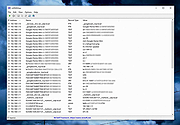 |
|
MeinPlatz v8.66 MeinPlatz v8.66 👉 Quickly scan drives and folders to find lost disk space. MeinPlatz helps you quickly analyze hard drive, SSD, USB drive, and folder space usage so you can see where your storage has gone. It displays results by folder, file type, size, date, percentage usage, file count, and folder count, making it easier to locate large files and space-hogging directories. Features: • Fast disk and folder space scanning • Percentage-based storage analysis • Group results by folders, file types, size, or date • Export results to XLS, CSV, TXT, and HTML • Print function with print preview • Small built-in screen magnifier • Portable version available • Low resource use Supported operating systems: • Windows XP, Windows Vista, Windows 7, Windows 8.1, Windows 10, Windows 11 • Windows Server 2016, Windows Server 2019 Supported languages: German, English, Polish, Chinese Traditional, Chinese Simplified, French, Russian, Dutch, Korean Changes: v8.66 05-22-26 • New: Right-click option to open file properties and the target file path for shortcuts. • Updated MeinPlatz language files. This download is for the Windows 64bit version (very bottom of page). If you need the Windows 32bit version, download here. Click here to visit the author's website. |
|
6,984 | May 22, 2026 Nenad Hrg 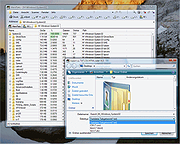 |
|
Microsoft Safety Scanner v1.457.193.0 Microsoft Safety Scanner v1.457.193.0 👉 On-demand malware scanner from Microsoft. Microsoft Safety Scanner is a free security tool designed to find and remove malware from Windows systems. It provides on-demand scanning with the latest malware definitions and is intended to complement, not replace, a full-time antivirus solution. The tool can be run directly after download, making it useful for quick system checks or emergency malware removal. Microsoft Safety Scanner uses the same detection engine as Microsoft Defender and allows users to perform quick scans, full system scans, or customized scans of specific folders and drives. Because it is updated frequently, users must download the latest version each time they want to run a scan, as older versions expire after a limited time. Features: • Uses Microsoft Defender malware detection engine • Quick scan, full scan, and custom scan options • Detects and removes viruses, spyware, and other malicious software • Simple interface for easy operation • Frequently updated definitions for current threats • Can be run alongside existing antivirus software • Ideal for troubleshooting infected systems Supported operating systems: • Windows 10, Windows 11, Windows Server 2016, Windows Server 2019, Windows Server 2022 Supported languages: All languages supported by Windows (uses system language) Changes: v1.457.193.0 08-16-26 Not Provided This download is for the Windows 64bit version (very bottom of page). If you need the Windows 32bit version, download here. Click here to visit the author's website. |
|
6,815 | Aug 16, 2026 Microsoft Corp. 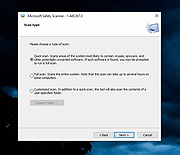 |
|
mssPortable (Microsoft Safety Scanner Portable) v1.457.164 mssPortable (Microsoft Safety Scanner Portable) v1.457.164 👉 Portable malware scanning tool from Microsoft for on-demand threat detection and removal. mssPortable is a portable version of the Microsoft Safety Scanner. It's a standalone security utility designed to scan for and remove malware from Windows systems without requiring installation. It provides a quick and reliable way to check a system for viruses, spyware, and other malicious software using the latest Microsoft threat definitions. Because it is portable, it can be run from a USB drive or other external media, making it ideal for troubleshooting infected systems or performing secondary scans alongside existing antivirus software. The tool does not offer real-time protection and is intended for manual, on-demand use. Features: • Fully portable with no installation required • Uses Microsoft’s latest malware definitions for accurate detection • Quick, full, and custom scan options • Detects and removes viruses, spyware, and other malicious software • Can be run alongside existing antivirus programs • Ideal for emergency cleanup and second-opinion scans • Simple interface for fast operation • Expires 10 days after download to ensure updated threat definitions Supported operating systems: • Windows 7, Windows 8, Windows 10, Windows 11 Supported languages: English Changes: v1.457.164 08-14-26 Not Provided Click here to visit the author's website. |
|
778 | Aug 16, 2026 Microsoft & PortableApps.com |
|
NAPS2 (Not Another PDF Scanner) v8.5.1 NAPS2 (Not Another PDF Scanner) v8.5.1 👉 Scan, organize, edit, and save documents as searchable PDFs and other image formats. NAPS2 is free, open-source scanning software for Windows, macOS, and Linux. It connects to supported scanners using WIA, TWAIN, SANE, or eSCL drivers, then lets you scan pages from a flatbed or automatic document feeder. Save scans as PDF, TIFF, JPEG, or PNG, and use optical character recognition (OCR) to make text searchable inside PDFs. Create reusable scan profiles with settings such as the scanner, paper size, resolution, color mode, and page source. NAPS2 can rotate, crop, deskew, reorder, split, combine, and adjust scanned pages. It can also import existing images and PDFs, apply OCR, email PDFs, and share scanners over a local network. The optional command-line interface supports scanning and document workflows through scripts. Portable archives are available, and an MSI installer with application-level configuration supports organizational deployment. NAPS2 is free for personal and business use, with no ads or unwanted software. Features: • Scan using WIA, TWAIN, SANE, or eSCL scanner drivers • Scan from a flatbed, automatic document feeder, or duplex feeder • Save scans as PDF, TIFF, JPEG, or PNG • Use OCR to create searchable PDFs, with OCR support for over 100 languages • Create reusable profiles for scanner and image settings • Rotate, crop, deskew, split, combine, and rearrange pages • Adjust brightness, contrast, resolution, and color depth • Auto-crop scanned pages, including items of different sizes • Import and edit PDFs and images • Compress PDF files and adjust image dimensions, resolution, color depth, and quality • Email PDFs and share scanners over a local network • Automate scanning and other tasks with ... |
|
7,508 | Oct 14, 2026 Ben Olden-Cooligan 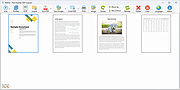 |
|
Nearby Glasses v1.0.8 Nearby Glasses v1.0.8 👉 Detects nearby smart glasses using Bluetooth Low Energy signals. Nearby Glasses is a free, open-source utility designed to detect nearby smart glasses by passively scanning Bluetooth Low Energy (BLE) advertising data. The app identifies supported smart glasses using Bluetooth manufacturer identifiers and can notify you when a compatible device is detected within range. Detection is based solely on publicly broadcast BLE advertising frames and does not establish a connection with other devices or transmit any of your data. The developer notes that false positives and missed detections are possible, as some non-glasses devices may use the same manufacturer identifiers. The project is licensed under the GNU AGPL v3.0 and is available for both Android and iOS.      Features: • Passively scans Bluetooth Low Energy (BLE) advertisements • Detects supported smart glasses using manufacturer identifiers • Adjustable RSSI threshold to control detection sensitivity • Configurable notification cooldown • Canary Mode for iOS operation • Optional scan log display • Processes all scan data locally on the device • Does not establish Bluetooth connections or pair with devices • No advertisements or user tracking • Free and open source under the AGPL v3.0 license Supported operating systems: • Android 8.0 (Oreo) or higher • iOS 17.0 or higher Supported languages: English, French, German, Swiss German, Italian, Portuguese (Brazil), Spanish Changes: v1.0.8 07-16-26 added fixes to Russian translation (partly) added support for HeyCyan (Nilox Smart AI Glasses, sold by ALDI/Hofer) added support for RollMe and Rogbird fixed some minor bugs      This download is for the Android APK file (very bottom of page). All other download assets are below: F-Droid APK: yj_nearbyglasses_1.0.8-izziFdroid.apk Or: Click here to visit the author's website. |
|
303 | Jul 17, 2026 Yves Jeanrenaud 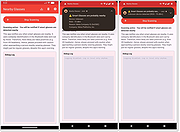 |
|
NegPy v0.59.0 NegPy v0.59.0 👉 Powerful open-source darkroom-style software for converting, processing, repairing and printing scanned film negatives and transparencies. NegPy is a specialized film-processing application designed to turn scanned negatives into finished positives using a non-destructive, darkroom-style workflow. Rather than simply inverting an image, it models film and photographic paper behavior in density space, automatically neutralizes the orange mask and provides Auto Density and Auto Grade controls for establishing useful starting points. It can work with camera scans, dedicated film scanners, RAW and TIFF images, slide film, narrowband and trichrome scans, and specialized scanner formats. NegPy also includes extensive tools for dust repair, dodge and burn, color management, soft proofing, metadata, batch processing and print-ready exporting. Original source files are never modified, with edits and history stored separately in a local database. Features: • Converts scanned film negatives using a film and photographic-paper simulation rather than simple image inversion • Neutralizes the orange mask mathematically using channel sensitometry without requiring camera profiles or border color picking • Models film H&D characteristic curves in density space with toe, linear and shoulder response • Per-frame Auto Density and Auto Grade analyze negatives for automatic brightness and contrast starting points • Darkroom paper profiles provide paper-specific curve shaping, channel gamma and base tint • Dedicated transparency support for positive and slide film with optional normalization for faded or expired film • Process option allows already-finished positive images to bypass unnecessary as-captured lift and highlight roll-off • Supports standard RAW and TIFF files along with specialized formats such as Kodak Pakon scanner RAW files • Direct scanner control for supported film scanners including Plustek and Nikon Coolscan models • Nikon Coolscan strip scanning includes automatic frame detection, roll-wide offset and drift controls, plus individual per-frame registration • Supports 16-bit monochrome TIFF scanning for single-record film • Camera scanning can capture negatives directly from a tethered camera on supported platforms • ... |
|
961 | Sep 17, 2026 marcinz606 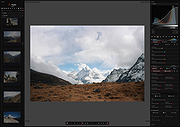 |
|
Network / IP Scanner Shared Resources 1.1.0 Network / IP Scanner Shared Resources 1.1.0 Network/IP Scanner Shared Resources is an application that helps you find open SMB shared resources on the Internet. It checks the computers only with open NBT ports, that allows you quickly scan large IP-ranges. License: Freeware. Installation and use: 1) You must have administrator privileges 2) Install WinPcap driver "WinPcap\WinPcap.exe" 3) Run "Bin\NetIpScan.exe" Attention: This program is designed to find shared resources on the Internet. The Program does not work with PPP/PPPoE/PPTP/L2TP connection directly (Modem, ADSL, WiFi, VPN) . You need to install the router and configure it for PPP/PPPoE/PPTP/L2TP connection, then connect computer to router by network cable. If program does not work or work very slow, then you must disable all firewalls, antiviruses and ndis filters. |
|
6,703 | May 04, 2016 S.K. Software 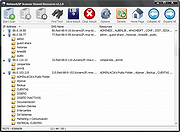 |
|
NETworkManager v2026.2.22.0 NETworkManager v2026.2.22.0 👉 Powerful open-source network management and troubleshooting tool. NETworkManager is a comprehensive open-source application designed to help administrators and power users manage, analyze, and troubleshoot network environments. It provides a wide range of built-in tools within a single, modern interface, making it easier to monitor connections, configure network settings, and diagnose connectivity issues without switching between multiple utilities. NETworkManager supports remote connections and offers advanced features for managing IP addresses, DNS, WiFi networks, ports, and more. With its modular design and extensive toolset, it is well-suited for both everyday network diagnostics and more advanced administrative tasks. Supported languages: • English, German, Spanish, French, Italian, Russian, Chinese (Simplified), Chinese (Traditional), Japanese, Korean, Portuguese, Polish Changes: v2026.2.22.0 02-22-26 Breaking Changes Migrated from .NET 8.0 (LTS) to .NET 10.0 (LTS). Upgrade your .NET Desktop Runtime to version 10.0 (LTS) - x64 before you install this version. AWS Session Manager feature has been removed. Profile and settings files have been migrated from XML to JSON. Existing files will be automatically converted to JSON on first load after the update. You should back up your settings and profile file before installing. New Features System-Wide Policies for enterprise deployment and management. Administrators can now configure system-wide policies via a config.json file in the application directory to control specific settings for all users. DNS Lookup now allows direct input for dns server ip|host:port (port - is optional) Remote Desktop connect admin (console) session Migrated Dialogs to ChildWindows This download is for the Windows portable version (very bottom of page). If you need the Windows installer version, download here. Click here to visit the author's website. |
|
4,094 | Jul 05, 2026 BornToBeRoot 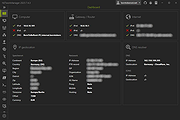 |
|
Nmap Security Scanner v7.95 Nmap Security Scanner v7.95 A free and open source (license) utility for network exploration or security auditing. Many systems and network administrators also find it useful for tasks such as network inventory, managing service upgrade schedules, and monitoring host or service uptime. Nmap uses raw IP packets in novel ways to determine what hosts are available on the network, what services (application name and version) those hosts are offering, what operating systems (and OS versions) they are running, what type of packet filters/firewalls are in use, and dozens of other characteristics. It was designed to rapidly scan large networks, but works fine against single hosts. Nmap runs on all major computer operating systems, and official binary packages are available for Linux, Windows, and Mac OS X. In addition to the classic command-line Nmap executable, the Nmap suite includes an advanced GUI and results viewer (Zenmap), a flexible data transfer, redirection, and debugging tool (Ncat), a utility for comparing scan results (Ndiff), and a packet generation and response analysis tool (Nping). Features: Flexible: Supports dozens of advanced techniques for mapping out networks filled with IP filters, firewalls, routers, and other obstacles. This includes many port scanning mechanisms (both TCP & UDP), OS detection, version detection, ping sweeps, and more. See the documentation page. Powerful: Nmap has been used to scan huge networks of literally hundreds of thousands of machines. Portable: Most operating systems are supported, including Linux, Microsoft Windows, FreeBSD, OpenBSD, Solaris, IRIX, Mac OS X, HP-UX, NetBSD, Sun OS, Amiga, and more. Easy: While Nmap offers a rich set of advanced features for power users, you can start out as simply as "nmap -v -A targethost". Both traditional command line and graphical (GUI) versions are available to suit your preference. Binaries are available for those who do not wish to compile Nmap from source. Free: The primary ... |
|
10,964 | Jul 26, 2024 Nmap 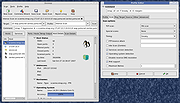 |
|
Norascan AntiMalware Scanner v4.0 Norascan AntiMalware Scanner v4.0 A free, second-opinion malware scanner. Compatible with all known antivirus software find discover and assimilate active zero-hour malware. Features • Wave pattern based malware engine so that you do not have to rely only on signatures • Cloud verification to rule out false positives and to use the power of multiple users behavior analysis data. • Watches over that your antivirus is updated and patches are installed to keep you more detected • We keep you updated with daily reports and alerts such as log details for scans, tasks, and threats, license utilization, and unprotected systems. • Behavior analysis; to see why I file was on your system, where did it came from, what’s the file doing,…. Click here to visit the author's website. |
|
5,450 | Nov 22, 2022 Noralabs 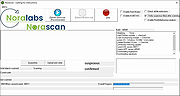 |
 |
Password Security Scanner v1.64 Password Security Scanner v1.64 A free utility that scans the passwords stored by popular Windows applications and displays security information about them. This utility scans the passwords stored by popular Windows applications (Microsoft Outlook, Internet Explorer, Mozilla Firefox, and more...) and displays security information about all these passwords. The security information of every stored password includes the total number of characters, number of numeric characters, number of lowercase/uppercase characters, number of repeating characters, and password strength. You can use this tool to determine whether the passwords used by other users are secured enough, without watching the passwords themselves. System Requirements: This utility works on any version of Windows, starting from Windows 2000 and up to Windows 11. On the latest update of Windows 11 (24H2), LSA protection is enabled by default, and this feature blocks this tool from retrieving the Windows Credentials passwords. You can disable the LSA protection by following the instructions on this Microsoft Web page: Disable LSA protection Supported Applications: Currently, Password Security Scanner scans the passwords of the following applications: • Internet Explorer 4.0 - 6.0 • Internet Explorer 7.0 - 11.0 • Mozilla Firefox (All Versions) • Mozilla Thunderbird • Google Chrome • Dialup/VPN passwords of Windows (Requires elevation) • MSN/Windows Messenger • Microsoft Outlook • Windows Live Mail • Yandex Web Browser • Vivaldi Web Browser • SeaMonkey Web browser. • Pale Moon Web browser. • Chromium-Based Edge Web browser • Opera Web browser (Version 15 or greater) • Windows Credentials Passwords (Requires elevation) Support for more applications will be added ... |
|
5,737 | Jul 08, 2025 Nir Sofer 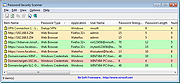 |
|
Product Key Scanner v1.02 Product Key Scanner v1.02 A free tool that scans the Registry of Windows Operating system and finds the product keys of Windows and other Microsoft products. You can scan the Registry of your current running system, as well as you can scan the Registry from external hard drive plugged to your computer. When scanning the product keys of your current running system, you can also search product key stored in BIOS, and search product keys by using WMI. System Requirements This tool works on any version of Windows, starting from Windows XP, and up to Windows 11. Both 32-bit and 64-bit systems are supported. Known Limitations If you purchased a computer from a large company, the product key displayed by this tool might be different from the product key you see on the sticker. It happens because the company uses the same duplicated disk with the same product key on all computers of the same model. You might see the same product key multiple times, simply because it's stored in multiple locations or because the key was found with multiple scan methods (Registry, BIOS, WMI). This tool can find your product key only if it's stored on your systems. For some license types, the product key is not stored in the Registry at all. Changes v1.02: Updated to stop the scanning process when you press the Esc key. Fixed the default columns size in high DPI mode. Start Using Product Key Scanner Product Key Scanner doesn't require any installation process or additional DLL files. In order to start using it, simply run the executable file - ProductKeyScanner.exe After running ProductKeyScanner.exe, the 'Scan Options' window is displayed, and you can choose to scan your current running system or to scan a system on external hard ... |
|
3,779 | Aug 24, 2023 Nir Sofer 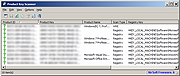 |
|
Spybot Free Edition v2.9.85.5 Spybot Free Edition v2.9.85.5 👉 Free on-demand malware and spyware scanner with system immunization tools. Spybot Free Edition is a security utility designed to detect and remove spyware, malware, and other unwanted software from your computer. It provides on-demand scanning to identify threats and includes system immunization features that help block known malicious websites and tracking cookies before they can affect your system. The program also offers tools for managing startup entries and repairing system issues caused by malware, giving users additional control over system security and performance. Features: • On-demand malware and spyware scanning • Detection and removal of tracking cookies • System immunization to block known malicious sites • Startup tools to manage boot entries • Secure file shredding • Rootkit scanning • Detailed scan reports and logs Supported operating systems: • Windows 7, Windows 8, Windows 10, Windows 11 Supported languages: • English, German Changes: v2.9.85.5 Not provided. This download is for the Windows 7-11 version (very bottom of page). If you need the Windows XP version, download here. Click here to visit the author's website. |
|
10,306 | Feb 26, 2026 Safer Networking Ltd. 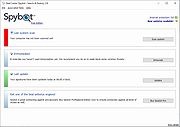 |
|
TCP/IP Port Scanner 1.5 TCP/IP Port Scanner 1.5 Tcp Port Scanner is the software that helps to find TCP/IP opened ports. It can scan up to 10,000 ports per second. License: Freeware. Installation and use: 1) You must have administrator privileges 2) Install "Tcp Port Scanner\WinPcap\WinPcap.exe" 3) Run "Tcp Port Scanner\Bin\TcpScanner.exe" Attention: The Program does not work with PPP/PPPoE/PPTP/L2TP connection directly (Modem, ADSL, WiFi, VPN) . You need to install the router and configure it for PPP/PPPoE/PPTP/L2TP connection, then connect computer to router by network cable. If program does not work or work very slow, then you must disable all firewalls, antiviruses and ndis filters. |
|
6,732 | May 04, 2016 S.K. Software 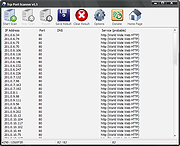 |
 |
Trellix GetSusp v6.0.0.141 Trellix GetSusp v6.0.0.141 👉 Find suspicious files and possible undetected malware using Trellix threat intelligence. Trellix GetSusp is a free, portable malware investigation tool designed for computers where undetected malware is suspected. It uses heuristics together with the Trellix Global Threat Intelligence (GTI) File Reputation database to identify suspicious files without requiring extensive technical knowledge. GetSusp runs as a single executable with no installation required and can operate through its graphical interface, command line or ePO mode. The graphical interface can also scan URLs, documents and PDF files and lets you review suspicious files before submitting selected samples to Trellix for further analysis. Features: • Uses heuristics to locate files that may contain undetected malware • Queries Trellix Global Threat Intelligence File Reputation to evaluate suspicious files • Runs as a single executable with no installation required • Supports graphical interface, command-line and ePO operation modes • Scans URLs, documents and PDF files from the graphical interface • Allows suspicious files to be reviewed before submission to Trellix • Lets you select which files are submitted for further analysis • Records system information and installed Trellix product information • Records the execution date and details about suspected files • Includes GetQuarantine integration with the ePO version • Can be used as an initial investigation tool when malware is suspected but has not been detected by installed security software Supported operating systems: • Windows 7, Windows 8, Windows 8.1, Windows 10 through 21H2, Windows 11 • Windows Server 2008 R2 SP1, Windows Server 2012, Windows Server 2016 Supported languages: • English Changes: Not Provided. This download is for the Windows 64bit version. If you need the Windows 32bit version, download here. Click here to visit the author's website. |
|
6,136 | Aug 16, 2026 Musarubra US LLC 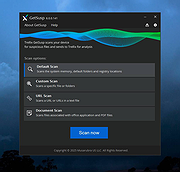 |
|
Trend Micro Anti-Threat Toolkit v1.2.62.1262 Trend Micro Anti-Threat Toolkit v1.2.62.1262 👉 Portable standalone malware scanning and cleanup tool. Trend Micro Anti-Threat Toolkit is a lightweight, standalone security utility designed to scan and clean infected computers without requiring installation. It is commonly used when a system is heavily infected and traditional antivirus software cannot be installed or updated. The tool can be run directly from removable media such as a USB flash drive and is intended for advanced malware detection and removal scenarios. Features: • Standalone executable with no installation required • Detects and removes malware, spyware, and other threats • Can be run from USB or other removable media • Designed for use on heavily infected systems • Command-line based interface for advanced troubleshooting Supported operating systems: • Windows 7, Windows 8.1, Windows 10, Windows 11 • Windows Server 2012 R2, Windows Server 2016, Windows Server 2019, Windows Server 2022 Supported languages: English Changes: v1.2.62.1262 Not provided. This download is for the Windows 64bit version (very bottom of page). If you need the Windows 32bit version, download here. Click here to visit the author's website. |
|
8,572 | Feb 26, 2026 Trend Micro Inc. 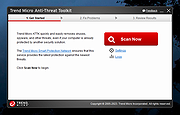 |
|
VirusTotal Scanner v7.5 VirusTotal Scanner v7.5 VirusTotal Scanner is the desktop tool to quickly perform Anti-virus scan using VirusTotal.com VirusTotal.com is a free online scan service that analyzes suspicious files using 40+ Anti-virus applications. It facilitates the quick detection of viruses, worms, trojans, all kinds of malware and provides reliable results preventing any False Positive cases. 'VirusTotal Scanner' is the desktop tool which helps you to quickly scan your file using VirusTotal without actually uploading the file. It performs direct Hash based scan on VirusTotal thus reducing the time taken to upload the file. It comes with attractive & user friendly interface making the VirusTotal scanning process simpler and quicker. You can simply right click on your file and start the scan. VirusTotal Scanner is fully portable tool but also comes with Installer for local installation & un-installation. It works on wide range of platforms starting from Windows XP to new Windows 10 version. Features Easily & Quickly perform VirusTotal scan of your file. Performs Hash based scan without uploading the file. Right click context menu to launch it directly by simply right clicking on the file. 'Drag & Drop' feature to quickly choose the file Displays detailed VirusTotal Scan report Very easy to use with attractive interface Completely Portable Tool and can be run directly Includes optional Installer for local Installation & Uninstallation. Installation & Uninstallation Though VirusTotalScanner is a Portable tool, it comes with Installer so that you can install it locally on your system for regular usage. It has intuitive setup wizard which guides you through series of steps in completion of installation. At any point of time, you can uninstall the product using the Uninstaller located at following location (by default) [Windows 32 bit] C:\Program ... |
|
6,127 | Nov 13, 2019 SecurityXploded 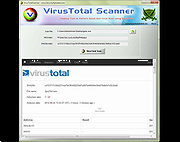 |
|
VT Uploader v1.26.4.12 VT Uploader v1.26.4.12 👉 A portable Windows utility for uploading files to VirusTotal and viewing detailed scan reports. VT Uploader is a portable Windows client for working directly with the VirusTotal service. It lets you upload and scan files, look up existing reports using MD5, SHA-1 or SHA-256 hashes, analyze executable files belonging to running processes and work with files stored in supported antivirus quarantine areas. Important: VT Uploader requires your own VirusTotal API key to access VirusTotal services. You can obtain a free API key by creating a free VirusTotal Community account. Once you have your key, enter it in VT Uploader's settings before scanning files or retrieving reports. Files can be selected normally, dragged and dropped onto the program, sent through the Windows Explorer Send to menu or supplied by pasting a path from the clipboard. VT Uploader calculates MD5, SHA-1 and SHA-256 hashes and can use them to determine whether VirusTotal already has a report for the file before uploading it. VT Uploader can display VirusTotal detection results and the verdicts returned by individual antivirus engines. It also provides options for viewing raw JSON reports, requesting a reanalysis and opening the complete report on the VirusTotal website. The program can also analyze executables associated with currently running processes and access files from supported antivirus quarantine locations. Privacy-related options include warnings before opening file types that could contain personal information. When settings are stored in the Windows Registry, the VirusTotal API key is encrypted. VT Uploader is portable, requires no installation or additional frameworks and is available in separate 32-bit and 64-bit versions. Features: • Upload files to VirusTotal for malware analysis • Retrieve existing VirusTotal reports • Calculate MD5, SHA-1 and SHA-256 file hashes • Look up reports using file hashes • Analyze executable files belonging to running processes • Access files stored in supported antivirus quarantine areas • Drag and ... |
|
420 | Aug 07, 2026 Denis Anisimov 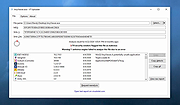 |
|
WifiInfoView v3.00 WifiInfoView v3.00 👉 Scan and analyze nearby wireless networks with detailed Wi-Fi information. WifiInfoView is a free, portable utility that scans all wireless networks within range and displays detailed technical information about each one. It provides network names (SSID), MAC addresses, signal strength, channel numbers, frequencies, PHY types, maximum supported speeds, security status, router manufacturer, and other useful details for troubleshooting or optimizing wireless networks. Advanced users can also inspect the raw Wi-Fi information elements transmitted by each access point in hexadecimal format. WifiInfoView includes a summary mode that groups detected networks by channel, router manufacturer, PHY type, or maximum speed, making it easy to identify congested channels and optimize wireless performance. Features: • Portable application requiring no installation • Scans and displays nearby wireless networks in real time • Shows SSID, MAC address, PHY type, RSSI, signal quality, frequency, and channel • Displays router manufacturer, model, and name when available • Shows network security status and maximum supported connection speed • Summary mode groups networks by channel, manufacturer, PHY type, or speed • View raw Wi-Fi information elements in hexadecimal format • Export selected information to multiple file formats • Filter, sort, and search detected wireless networks • Supports both 32-bit and 64-bit Windows systems Supported operating systems: • Windows Vista, Windows Server 2008, Windows 7, Windows 8, Windows 10, Windows 11 Supported languages: • Arabic, Basque, Bulgarian, Catalan, Chinese Simplified, Chinese Traditional, Croatian, Czech, Danish, Dutch, English, Finnish, French, German, Greek, Hebrew, Hungarian, Italian, Japanese, Korean, Norwegian, Persian, Polish, Portuguese, Portuguese (Brazil), Romanian, Russian, Slovak, Slovenian, Spanish, Swedish, Thai, Turkish, Ukrainian, Vietnamese Changes: v3.00 06-10-26 • Added "Keep Selected Item Visible" option. When enabled, the selected item always remains visible. Note: This file has two hits on VirusTotal. We have confirmed these to be false positives. The file is safe. This download is for the Windows 64bit version (very bottom of page). If you need the Windows 32bit version, ... |
|
6,744 | Jun 23, 2026 Nir Sofer 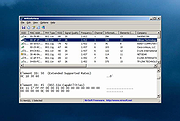 |
|
WinDirStat v2.9.0 WinDirStat v2.9.0 👉 Disk usage analyzer and cleanup assistant for Microsoft Windows. WinDirStat is a disk usage analyzer and cleanup assistant for Microsoft Windows. It scans local drives, selected drives, individual folders, and command-line targets, then shows where storage is being used through a sortable directory tree, an extension/type breakdown, and an interactive treemap where larger files and folders take up larger areas. Features: • Scan local drives, selected drives, individual folders, and command-line targets • View disk usage with All Files, Largest Files, Duplicate Files, Search Results, File Watcher, Extension, and Treemap views • Interactive treemap navigation with zooming and logical or physical sizing • Sortable file details including size, percentages, item counts, owner, modified time, hardlinks, and hash prefixes • Search, duplicate detection, and filtering with regular expressions • Configurable hash algorithms • File watching and reporting for created, deleted, modified, and renamed events • CSV scan import/export and duplicate CSV export • Built-in actions for opening items, copying paths, selecting in Explorer, moving files, deleting files, and emptying folders or the Recycle Bin • Windows cleanup and maintenance shortcuts • User-defined cleanup actions • Dark mode, portable settings, Explorer context-menu integration, localization, configurable columns, larger toolbar icons, and high-DPI aware UI Supported operating systems: • Windows 7, Windows 8, Windows 8.1, Windows 10, Windows 11 • Windows Server 2008 R2, Windows Server 2012, Windows Server 2012 R2, Windows Server 2016, Windows Server 2019, Windows Server 2022, Windows Server 2025 Supported languages: English, Chinese (Simplified), Chinese (Traditional), Czech, Danish, Dutch, Estonian, Finnish, French, German, Hungarian, Italian, Japanese, Korean, Norwegian Bokmๅl, Polish, Portuguese, Russian, Slovenian, Spanish, Swedish, Turkish, Ukrainian Changes: v2.9.0 09-26-26 Enhancements Added selection of multiple individual folders (thanks @djdomi) Added scanning support for MTP portable devices Added volume / free space stats for administrative share drive paths Added size proportion tooltips showing percentages of the total ... |
|
2,729 | Sep 29, 2026 WinDirStat Team 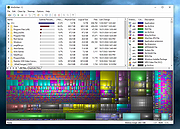 |
|
Wireless Network Watcher v2.45 Wireless Network Watcher v2.45 👉 Scans your wireless network and displays a list of all devices currently connected. Wireless Network Watcher is a lightweight network monitoring tool that scans your wireless network and displays a list of all computers and devices currently connected. The program quickly identifies devices on your network and provides useful information such as IP address, MAC address, device name, network adapter company, and connection status. Wireless Network Watcher can be useful for detecting unauthorized devices connected to your wireless network. It works by scanning a defined IP address range and presenting the results in a clear list, making it easy to identify computers, smartphones, tablets, routers, and other network hardware that are currently active. The utility is portable and does not require installation. It can also play a sound alert when a new device connects to the network and allows exporting the device list to various formats for reporting or monitoring purposes. Features: • Scans wireless networks and detects connected devices • Displays device information including IP address, MAC address, and device name • Identifies network adapter manufacturer from MAC address • Detects computers, phones, tablets, and other network hardware • Sound notification when new devices connect to the network • Export results to HTML, XML, CSV, or text files • Portable application that does not require installation • Simple interface designed for quick network scanning Supported operating systems: • Windows XP, Windows Vista, Windows 7, Windows 8, Windows 10, Windows 11 Supported languages: Arabic, Basque, Brazilian Portuguese, Bulgarian, Catalan, Croatian, Czech, Dutch, Finnish, French, German, Greek, Gujarati, Hebrew, Hellenic, Hungarian, Indonesian, Italian, Japanese, Korean, Latvian, Norwegian, Persian, Polish, Portuguese, Romanian, Russian, Serbian, Simplified Chinese, Slovak, Slovenian, Spanish, Swedish, Traditional Chinese, Thai, Turkish, Ukrainian, Valencian, Vietnamese Changes: v2.45 06-27-26 When a randomized MAC address is detected, it's displayed in the 'Network Adapter Company' column. Updated the internal MAC addresses database. This download is for the ... |
|
12,514 | Jul 01, 2026 Nir Sofer 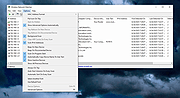 |
|
WizTree v4.33 WizTree v4.33 👉 Ultra-fast disk space analyzer that shows what files and folders are using your hard drive space. WizTree scans your hard drive and displays the files and folders using the most disk space so you can quickly locate and remove unnecessary data. Unlike many disk analyzers that slowly scan every file, WizTree reads the NTFS Master File Table (MFT) directly, allowing it to analyze an entire drive in seconds. This makes it one of the fastest disk space analysis tools available for Windows. WizTree presents results in a clear, sortable list showing folders and files by size, along with a colorful visual treemap that helps identify large files at a glance. You can quickly search for specific files, filter results, and open or delete files directly from within the interface. The program also allows exporting scan results and identifying the largest files on your system instantly. Because of its extremely fast scanning method and simple interface, WizTree is a valuable tool for quickly diagnosing disk space problems, cleaning up large files, and keeping storage organized. Features: • Extremely fast disk scanning using the NTFS Master File Table (MFT) • Visual treemap display showing relative file sizes • Sort files and folders by size, name, or other attributes • Quickly identify the largest files on a drive • Search and filter results to locate specific files • Delete files directly from the interface • Export scan results to CSV file • Supports scanning entire drives or individual folders • Portable version available Supported operating systems: • Windows 7, Windows 8, Windows 10, Windows 11 Supported languages: English, Arabic, Belarusian, Bulgarian, Catalan, Chinese Simplified, Chinese Traditional, Czech, Danish, Dutch, Estonian, Finnish, French, German, Greek, Hebrew, Hungarian, Indonesian, Italian, Japanese, Korean, Latvian, Lithuanian, Norwegian, Polish, Portuguese, Portuguese Brazilian, Romanian, Russian, Serbian, Slovak, Slovenian, Spanish, Swedish, Thai, Turkish, Ukrainian, Vietnamese Changes: v4.33 09-16-26 WizTree is now available for macOS 12 or later ... |
|
11,945 | Sep 23, 2026 antibody-software.com 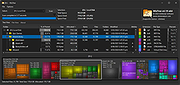 |
|
X-Sec Malware Scanner v3.2.4.0 X-Sec Malware Scanner v3.2.4.0 Forever free, easy to use Features • Fully compatible with other antivirus software • Simple user interface • Multi-language • X-Sec Antivirus Engine + X-Sec Heuristic Engine + X-Sec Cloud Engine + Rising Antivirus Engine + Rising Cloud Engine • Supported operating system: Windows 7/8/8.1/10/11 32bit and 64bit Requirements For 32-bit system: Visual C++ 2022 Runtime(x86 version) For 64-bit system: Visual C++ 2022 Runtime(x64 version) Changes: v3.2.4.0 12-17-25 10th anniversary! IMPROVED Code optimization from Copilot Update X-Sec Antivirus Engine Module Update Rising Antivirus Engine Module FIXED Bug in X-Sec Antivirus Engine This download is for the Windows 64bit version (very bottom of page). If you need the Windows 32bit version, download here. Use 7-Zip to unzip this file. Click here to visit the author's website. |
|
6,357 | Jan 28, 2026 X-Sec 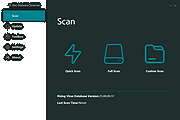 |
| Showing rows 1 to 51 of 51 | Showing Page 1 of 1 | 1 |
OlderGeeks.com Copyright (c) 2026
