|

|
Processed through Paypal No account required. |








Buy our over-priced crap to help pay the bills.



|
|
Processed through Paypal No account required. |
| Files | ||||
| File Name | Rating | Downloads | ||
 |
AAA v5.4.7 AAA v5.4.7 👉 A quick and powerful Windows tool for managing text notes, clipboard history, alarms and more. AAA is a free text note management utility by Mario "OiPaz" Corsolini that combines everyday note taking with a collection of useful text, clipboard and productivity tools. It stays conveniently accessible from the Windows Notification Area and can be quickly shown or hidden when needed. In addition to keeping and organizing text notes, AAA can maintain a history of the Windows Clipboard, provide multiple clipboards, calculate text and numerical statistics, set alarms, sort and format text, and launch applications. AAA requires Microsoft .NET Framework 4.8 and has been compiled for both 32-bit and 64-bit Windows systems. Features: • Create, keep and manage text notes • Quickly show or hide AAA from its Windows Notification Area icon • Use a customizable global keyboard shortcut to show or hide the program • Maintain a history of text copied to the Windows Clipboard • Multi-clipboard support for keeping multiple pieces of copied text • Automatically replace specified portions of text in the Windows Clipboard • Calculate statistics for text and Clipboard contents • Analyze numerical data and calculate statistics • Create and manage alarms with customizable messages • Sort text • Align and format text • Start individual applications or groups of applications • Add configurable delays when starting groups of applications • Reload its data file when the file has been modified externally • Save and restore the program's screen position • Single-instance operation • Automatic update checking • Requires Microsoft .NET Framework 4.8 Supported operating systems: • Windows 7 SP1, Windows 8.1, Windows 10, Windows 11 • 32-bit and 64-bit systems • Microsoft .NET Framework 4.8 required The operating-system range above is based on Microsoft's official compatibility requirements for the required .NET Framework 4.8. Windows 7 and Windows 8.1 are no longer supported by Microsoft. Supported languages: English, Esperanto, Italian Changes: v5.4.7 01-05-24 Fixed a bug where, if the saved position of ... |
 |
2,314 | Aug 31, 2026 Mario Corsolini 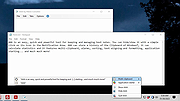 |
 |
Alarm Stickies 3 v3.2.05.5 Alarm Stickies 3 v3.2.05.5 👉 Electronic sticky notes with alerts, recurrences, calendar, and phonebook. Alarm Stickies 3 is a freeware reminder utility that lets you create electronic sticky notes, save them to a database, and optionally set date/time alerts so the sticky appears when the reminder is due. It also includes recurring events, Windows notifications, a quarterly calendar, programmable shortcut keys, backup/restore, shared data folder support, and a phonebook/rubric. Features: • Create electronic sticky notes quickly from the tray icon, hotkey, menu, or quarterly calendar • Notes are saved to a database when closed • Set date and time alerts for stickies • Alerted stickies can jump to the screen position you choose • Optional alert sounds • Customize sticky size, color, font, and font size • Save a modified sticky layout as the default for new stickies • Choose from 9 date formats • Programmable shortcut keys • Print the shortcut key list for paper or PDF reference • Recurring events for birthdays, anniversaries, payment deadlines, and more • Supports annual, semi-annual, four-monthly, quarterly, bimonthly, and monthly recurrences • Recurrence notifications can appear through Windows notifications • Set a programmable notification range before recurrence expiration • Quarterly calendar highlights recurrences in different colors • Click future calendar dates to create a sticky already set to that date at 12:00 • Spacious phonebook/rubric with 21 tables and 40 lines each • Case-insensitive search in the phonebook/rubric • Choose the folder used for settings and data • Data folder can be placed in a shared folder, such as a cloud folder, for use across your own PCs • Backup and restore program data • Keeps the last three backups • Optional automatic start with Windows • Optional automatic update check at program startup • Freeware with no advertising and no donation popups Supported operating systems: • Windows 7 SP1 with Microsoft .NET Framework 4.8, Windows 8 with Microsoft .NET Framework 4.8, Windows 10, Windows 11 Supported languages: English, French, Spanish, Italian Changes: v3.2.05 12-16-25 Fixed ... |
|
792 | Apr 24, 2026 eziogarr-coder 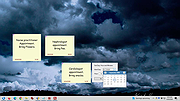 |
|
Anki v26.05 Anki v26.05 👉 Powerful spaced repetition flashcard software for efficient learning and long-term memory retention. Anki is a free, open-source flashcard application that uses an advanced spaced repetition system (SRS) to help you memorize information more efficiently. Rather than reviewing every flashcard equally, Anki intelligently schedules cards based on how well you know them, allowing you to spend more time on difficult material and less time on concepts you've already mastered. It is widely used by students, language learners, medical professionals, and anyone who needs to retain large amounts of information. Anki supports rich-text flashcards containing images, audio, video, mathematical equations, and HTML formatting. You can create your own study decks or download thousands of shared decks created by the community. Your decks and learning progress can be synchronized across multiple computers and supported mobile devices through a free AnkiWeb account. Features: • Intelligent spaced repetition scheduling to maximize long-term retention • Create flashcards containing text, images, audio, video, and LaTeX equations • Download thousands of community-created shared decks • Organize study material with decks, note types, tags, and custom fields • Free synchronization through AnkiWeb • Detailed study statistics and progress tracking • Powerful search and filtering tools • Extensive add-on support for customizing and extending functionality • Import and export multiple flashcard and text formats • Fully customizable card templates and study options • Keyboard shortcuts for efficient studying • Cross-platform compatibility with desktop and mobile devices Supported operating systems: • Windows 10 or later • macOS 12 Monterey or later • Linux (2023 or newer distributions) Supported languages: • Afrikaans, Bahasa Melayu, Catalΰ, Dansk, Deutsch, Eesti, English (United Kingdom), English (United States), Espaρol, Esperanto, Euskara, Filipino, Franηais, Galego, Hrvatski, Italiano, Latin, Lenga d'ςc, Magyar, Nederlands, Norsk, Oʻzbekcha, Polski, Portuguκs, Portuguκs Brasileiro, Русский язык, Romβnă, Slovenčina, Slovenščina, Suomi, Svenska, Tiếng Việt, Tόrkηe, Ido, Čeština, Ελληνικά, Беларуская мова, Български, Монгол хэл, Српски, Українська мова, Қазақша, Հայերեն, עברית, ئۇيغۇرچە, العربية, فارسی, ଓଡ଼ିଆ, ... |
|
4,194 | Jun 19, 2026 Anki 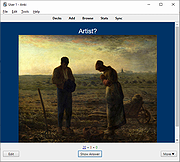 |
|
Beaver Notes v3.5.0 Beaver Notes v3.5.0 A privacy-focused note-taking application for Mac OS, Windows and GNU/Linux. With Beaver Notes, your notes are securely stored on your device, ensuring complete privacy and control over your data. Features 🛠️ 🛡️ Privacy First: Your notes stay on your device, not in the cloud. Enjoy peace of mind knowing your personal information remains private. 👋 User-Friendly Interface: Beaver Notes offers a simple and intuitive interface, making note-taking a delightful experience. 🖋️ Markdown Support: Elevate your notes with Markdown formatting. Organize, style, and structure your ideas effortlessly. 🏷️ Tags: Stay organized by using tags to group related notes. Quickly find what you need when you need it. 🔎 Efficient Search: The powerful search functionality helps you locate notes instantly, saving you time and effort. 🔗 Note Linking: Create a web of ideas and interconnected thoughts. ⌨️ Command Prompt: Streamline your workflow and save time by using the command prompt to navigate through the app. 🔏 Locked Notes: Your thoughts and ideas can be kept even more private, ensuring that only you can access them. 🔄 Sync your Notes: Share your notes across devices by simply setting the path of your favorite service and clicking a button whenever you need your notes to be shared with other devices or loaded on yours. It's that easy! Empowering Note-Taking Privacy First Your ideas, projects, and thoughts are exclusively saved on your personal computer, giving you, the user, full control over your data. Offline Access Take notes on the go, even without an internet connection. Access and edit your notes offline, ensuring you stay productive wherever you are. Elevate Your Productivity Discover the power of versatile Markdown, enabling you to swiftly accomplish tasks seamlessly with just a keystroke. Batteries Included All the essential tools for taking, organizing, and sharing your notes, right out of the box. Note Linking Connect your ... |
|
1,028 | Aug 09, 2024 Beaver Notes 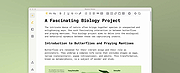 |
|
Cherrytree v1.7.2.1 Cherrytree v1.7.2.1 👉 A powerful hierarchical note-taking application with rich text, syntax highlighting, embedded files, tables, code boxes and extensive organization tools. Cherrytree is a hierarchical note-taking application designed for organizing notes, documentation, research, code snippets, ideas and other information in a structured tree. It combines rich text editing with syntax highlighting, images, tables, code boxes, mathematical equations, embedded files and extensive linking and search capabilities. Documents can be stored in a single XML or SQLite file or as multiple files and directories. Features: • Hierarchical tree structure for organizing notes and documents into nodes and subnodes • Rich text editing with foreground and background colors, bold, italic, underline, strikethrough and monospace formatting • Multiple heading levels plus subscript and superscript formatting • Syntax highlighting supporting numerous programming and scripting languages • Code boxes for keeping source code and other preformatted content inside notes • Insert images directly into notes • Resize and rotate inserted images • Save embedded images as PNG files • Render LaTeX mathematical equations within notes • Embed files directly inside documents and save them back to disk when needed • Create tables directly inside notes • Import and export table data using CSV • Bulleted, numbered and to-do lists • Multi-level lists with indentation support • Hyperlinks to websites, files and folders • Internal links between Cherrytree nodes • Anchors for linking directly to specific locations within notes • Powerful search and replace functions • Search across multiple nodes • Search node names and tags using multiple words • Tree node tags for additional organization and searching • Spell checking support • Automatic URL recognition • Insert current date and time into notes • Insert today's or tomorrow's node • Word count in the status bar, including selected text, code boxes and tables • Node sorting tools for organizing large trees • Drag and drop nodes within the tree • Import content from several other note-taking applications and document formats • Export notes to PDF • Export content ... |
|
7,779 | Sep 23, 2026 Giuseppe Penone 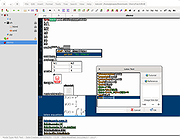 |
|
CopyQ v16.0.0 CopyQ v16.0.0 👉 Advanced clipboard manager with editing, search, tabs, and powerful scripting. CopyQ monitors the system clipboard and saves its content in customized tabs. Saved clipboard entries can later be copied and pasted directly into any application. It supports storing text, HTML, images, and other custom formats, and it includes searching, sorting, editing, drag-and-drop, notes, tags, global shortcuts, a command-line interface, and scripting for advanced automation. In version 14.0.0, the project adds tab encryption support, audio playback through the playSound() script function, a new stats() script function, Nord themes, GNOME clipboard monitoring via a custom GNOME extension, and multiple fixes and platform improvements. Features: • Stores text, HTML, images, and other custom clipboard formats • Saves clipboard history in customizable tabs • Quickly browses and filters clipboard items • Sorts, creates, edits, removes, copies, pastes, and drags items between tabs • Adds notes and tags to stored items • Uses system-wide keyboard shortcuts with customizable commands • Pastes items from the tray, main window, or keyboard shortcuts • Includes a powerful command-line interface and scripting support • Can ignore clipboard content copied from specific windows or matching specific text • Supports a simple Vim-like editor with keyboard shortcuts • Adds tab encryption support in v14.0.0 • Adds audio playback and new scripting statistics in v14.0.0 Supported operating systems: • Windows • macOS 13 or higher • Linux, including Debian 11 or higher, Ubuntu 22.04 or higher, Fedora, Arch Linux, and other Linux distributions with Flatpak support Supported languages: English, Czech, French, German, Japanese, Spanish Changes: v16.0.0 05-30-26 Added Per-MIME clipboard size limits and OOM protection via clipboard_mime_size_limit config option and COPYQ_CLIPBOARD_MIME_SIZE_LIMIT environment variable. For example text/html.*:0;.*:100M disables storing HTML and sets 100MiB max size for all other formats (this size limit is the default: .*:100M). AppImage support (WITH_APPIMAGE CMake build option). Fixed Fixed thumbnails hidden for ... |
|
7,000 | Aug 05, 2026 Lukas Holecek 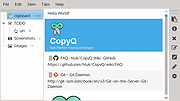 |
|
Daino Notes v3.1.1 Daino Notes v3.1.1 formerly Notes Write beautifully, effortlessly. Daino Notes is designed for whatever’s on your mind. Write down your thoughts. For Windows, MacOS and Linux. "There is something wonderful in writing. We believe it's the ability of words to create emotionally, inspiring and thrilling stories. Daino Notes was created on top of that belief. It's your place to express yourself." - Daino Notes Team Features • Quickly scan a Task Board to see what needs to be done next. Stay focused and prioritize your tasks more effectively. • Enhance your thoughts with beautiful images. • Daino Notes is designed for instant results. It's not going to slow you down. • Daino Notes sets a new standard in terms of performance for block editors. • Focus on what you're currently writing or what you only want to see. • Re-order lists, paragraphs and arrange images, effortlessly. • Daino Notes looks beautiful in the many languages it supports. • Daino Notes supports Markdown rendering in real time. • Prioritizes local storage, ensuring your notes and ideas are saved directly on your device first. • Available on Windows, Linux and macOS. • Find what you're looking for - fast. • Supports many keyboard shortcuts to make it easy to use with just a keyboard. • Different themes for different moods. • Daino Notes is always in the background, waiting for a thought to hit you This download is for the Windows version (very bottom of page). All other download assets are below: macOS: DainoNotes.3.1.1.dmg Linux: dainonotes_3.1.1_amd64.deb daino_notes_3.1.1-Qt6.7.2-x86_64.AppImage dainonotes-3.1.1-1.x86_64-qt6-fedora-38.rpm dainonotes-3.1.1-1.x86_64-qt6-opensuse-leap-15.6.rpm Click here to visit the author's website. |
|
3,072 | Oct 18, 2024 Ruby Mamistvalove and Team 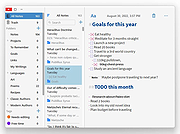 |
|
FleshNote v1.2.0 FleshNote v1.2.0 👉 A minimalist writing and worldbuilding app for novelists who want to finish their draft. FleshNote is an advanced writing tool built for novelists and worldbuilders, combining a manuscript editor with planning tools like timelines, entity tracking, plot mapping, export options, and specialized focus modes designed to keep writers moving forward. Features: • Smart Janitor assistant for passive local analysis of spelling, passive voice, weak adverbs, and show-don't-tell patterns • Hardcore sprint modes including Hemingway Mode, Zen Mode, Kamikaze Mode, and Fog Mode • Entity inspector for tracking character knowledge, goals, and narrative deception • Timeline and plot planner for mapping story beats, arcs, and foreshadowing • World history timeline for organizing backstory events before the main story begins • Unified manager for characters, locations, twists, and quick notes with inline tagging • Export support for PDF, DOCX, and EPUB output • Sketchboards, fictional calendars, relationship tracking, annotations, footnotes, writing prompts, achievements, and other quality-of-life tools Supported operating systems: • Windows, Linux Supported languages: English Changes: v1.2.0 04-26-26 New Features Location Name Generator Naming locations is hard. That's why i built this tool that will attempt to give you a decent starting point based on your answers Context-Aware Naming: The generator looks at your location's geography, history, and founder to propose names that feel earned. A coastal village might become Morskie-klify, while a site of an ancient magic disaster might evolve into something more cryptic. Cultural Roots: Full support for English, Polish and Hungarian naming traditions. The system understands complex rules like adjective gender matching (Stary Las vs Stara Gσra) and correct grammatical possessives, so your world feels linguistically consistent. Evolutionary "Drift": Use the "Phonetic Drift" slider to simulate the passing of centuries. At higher settings, names start to slur and shift, mimicking how real-world languages evolve over generations. Character Name Generator Creating names for specific genres is now ... |
|
791 | Aug 03, 2026 ArtFacility 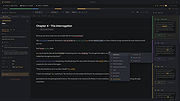 |
|
FlyOutNotepad v1.05 FlyOutNotepad v1.05 👉 Smart docking notepad for storing text, code snippets, and images. FlyOutNotepad is a lightweight Windows productivity tool that docks to any screen edge and gives you fast access to notes, code snippets, text, and images. It supports drag and drop, up to 20 tabs, auto-save, and fast C++/WTL performance in a very small package. Features: • Dock to any of the 4 screen edges • Smooth flyout access when needed • Store text, code snippets, and images • Bi-directional drag and drop for text and images • Up to 20 tabs for organizing content • Auto-save support • Remembers state on shutdown or logoff • Tab renaming support • Lightweight, under 500 KB • Built in C++ with Windows Template Library • Optional portable mode by renaming the EXE with _p Supported operating systems: • Windows 11, Windows 10, Windows 8.1, Windows 7, Windows Server 2012 through 2025, 32-bit and 64-bit Supported languages: English, German, Italian, Traditional Chinese, Korean, Polish, Russian, Spanish, Portuguese, French Changes: v1.05 08-17-26 • Update of language files in FlyOut NotePad for MS Windows • Optimization and various fixes under Windows 11 and 10 Click here to visit the author's website. |
|
1,501 | Oct 01, 2026 Nenad Hrg 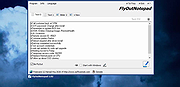 |
|
HelixNotes v1.3.3 HelixNotes v1.3.3 👉 A fast, local-first Markdown note-taking application with powerful organization tools. HelixNotes is a privacy-focused, open-source Markdown note-taking application that stores your notes as standard .md files on your own computer instead of locking them into a proprietary database or cloud service. Built with Rust and Tauri for excellent performance and low resource usage, it combines a clean WYSIWYG editor with the flexibility of raw Markdown editing. Features such as wiki links, graph visualization, task management, version history, full-text search, Mermaid diagrams, KaTeX math, optional WebDAV synchronization, and optional AI integration make it suitable for everything from simple note-taking to large personal knowledge bases. Features: • Plain Markdown (.md) file storage with no proprietary database • Clean WYSIWYG editor with optional raw Markdown source mode • Slash commands, tables, syntax-highlighted code blocks, and live KaTeX math • Wiki links with automatic interactive graph view • Centralized task management with priorities, due dates, and calendar view • Daily notes with integrated calendar • Fast local full-text search • Native Mermaid diagram rendering • Version history with automatic backups and diff viewer • Optional WebDAV synchronization • Optional AI integration using Ollama or your own API key • Obsidian import support • Outline panel and tag autocomplete • Custom themes, fonts, accent colors, and interface scaling • Built with Rust and Tauri for fast startup and low memory usage Supported operating systems: • Windows 10, Windows 11 • macOS (Apple Silicon and Intel with Rosetta 2) • Linux (AppImage, Debian/Ubuntu APT, Arch Linux, Fedora 43+, openSUSE Tumbleweed, Solus) • Android 16 or later Supported languages: • English Changes: v1.3.3 06-30-26 Android: removed the Updates tab from Settings, since updates are handled by the ArkHost F-Droid repo or Obtainium. Editor: the inline task tokens (!high, due:2026-06-12) are now dimmed in the rich editor so they're less distracting while staying readable. Fixed the desktop app showing the mobile layout (no sidebar or top bar) on some Linux systems such as CachyOS. (community ... |
|
480 | Jul 03, 2026 ArkHost 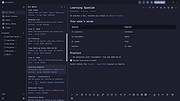 |
|
KeyNote NF v2.1.7.01 KeyNote NF v2.1.7.01 👉 Tabbed notebook and information manager for Windows. KeyNote NF is a flexible, tabbed notebook application that allows you to organize notes in a tree-structured format within multiple tabs. Based on the original KeyNote application, it has been enhanced and modernized while maintaining a lightweight and portable design. Notes can be stored in rich text format, supporting formatting, images, tables, and links, making it suitable for everything from quick reminders to complex documentation. KeyNote NF supports virtual nodes, linking, and powerful search capabilities across all notes. It can store notes in a single file for easy backup and portability, and offers encryption options to protect sensitive information. The program is designed for users who want a fast, structured, and highly customizable note management system without unnecessary bloat. Features: • Tabbed interface with tree-structured notes • Rich text editing with formatting, images, and tables • Virtual nodes for dynamic content organization • Powerful search across all notes • Internal and external linking support • Single-file storage for easy backup and portability • Optional encryption for protected notes • Customizable interface and behavior • Portable version available Supported operating systems: • Windows 7, Windows 8, Windows 10, Windows 11 Supported languages: • English Changes: v2.1.7.01 03-21-26 (Please, remember to make backups of .knt files. Recommended option: New: Shift + 'View|Encrypted content' -> highlight encrypted nodes [#985] New advanced search token, '*?' -> allows restricting searches/filters to encrypted nodes [#985] Information about tags of the protected nodes is now hidden when the encrypted content is 'closed' Improvements and fixes related to advanced search tokens in Find All/Tree filtering FIXED: Incorrect loading of ANSI plain texts with DBCS encoding in the editor in certain situations [#990] Fixed: Double click word to select only the word, without space(s) (It was partially resolved) [#951] This ... |
|
2,163 | Jul 05, 2026 Daniel Prado Velasco 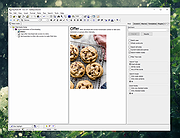 |
|
Mini Diarium v0.6.3 Mini Diarium v0.6.3 👉 An encrypted offline journal app for private daily writing. Mini Diarium is a private offline journal app designed for users who want to keep a personal diary without relying on cloud services, online accounts, or telemetry. It stores your entries locally in an encrypted SQLite database and encrypts each entry with AES-256-GCM before it is written to disk, helping keep your writing under your control. Mini Diarium is built for daily journaling with a rich text editor, auto-save, calendar navigation, writing statistics, automatic backups, and import/export tools. It can import from Mini Diary, Day One, and jrnl, and export your journal to JSON or Markdown so your data is never locked in. It also supports password-based protection and optional key file authentication for an added layer of security. Features: • Offline-only journal with no cloud, no telemetry, and no network calls • AES-256-GCM encryption for entries stored on disk • Local-first encrypted SQLite database storage • Rich text editor with bold, italic, headings, lists, spellcheck, and auto-save • Calendar navigation for quickly jumping between entry dates • Import support for Mini Diary JSON, Day One JSON and TXT, and jrnl JSON • Export support for JSON and Markdown • Automatic backups of the encrypted database • Writing statistics including word count, streaks, active days, and total entries • Optional key file authentication in addition to password-based access • Keyboard shortcuts for faster journal navigation • Open source under the MIT License Supported operating systems: • Windows • macOS • Linux Supported languages: English Changes: v0.6.3 07-27-26 This release completes the in-app navigation migration with header day controls and a ⋮ menu, adds timeline display preferences and a donation page, and fixes Linux spell check. Internally, the backend is now a three-crate open-core workspace with a sealed API faηade, and the Microsoft Store update pipeline is live. Added Website donation page: added a donation page at mini-diarium.com/donate/, reachable from ... |
|
773 | Jul 29, 2026 Francisco J. Revoredo 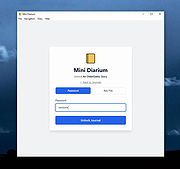 |
|
Notes Keeper v5.0.3.0 Notes Keeper v5.0.3.0 A portable software to save notes and retrieve them for future use. Notes Keeper is a simple, yet powerful, software to take notes and save them. You can insert files and pictures to your note. It has simple Interface and it is user friendly to use. Steps to create new database Click on Note menu. Click on New Database. Give it a name. {Optional} Set a password for it. Be aware that passwords aren't recoverable. Done. Start creating notes by Ctrl+N or by new note button on the toolbar. Features of Notes Keeper -Creating a note -Auto saving -Groping notes -MultiTag -Unicode support -Encrypting a note -Set line spacing -Add space before and after a paragraph -Add many bullets -Change text case to one of 5 cases like title case, upper case, etc. -Ability to insert table, text, image and files to your notes -Add date and time to your note in many format. -Ability to set your custom date and time format. -Note statistics -Ability to protect specific text -Ability to format your note -Creating folders to organize your notes -Powerful search for notes and folders -Search within a note -Group filtering -Dynamic date and time at the status bar -Easy creating notes and folders -Easy connecting and creating databases -Easy grouping a note, and selecting a folder. -Number of notes and folders is shown -Home button [ALT+Home]. Jumping from anywhere to the root folder. -Default font and text color are customizable. -Default background color is customizable. -Date and time format is customizable. -Minimize to system tray and exit to system tray exist. -Option to start Notes Keeper minimized, maximized or normal. -Option to start Notes Keeper at windows startup. -Ability to set a note as startup note -Option to auto save notes starting from 1 minute to 30 minutes. -You can select a browser of choice to open links or let Notes Keeper use the default browser. -Option to remember ... |
|
5,524 | Dec 17, 2021 Sami Jildeh 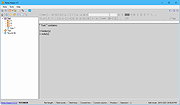 |
|
Perpetual Notes v4.01 Perpetual Notes v4.01 Write beautifully. Organize easily. Find everything. Take notes faster. Find information easily. Save notes in RTF with rich text formatting and images, meeting notes, web pages, projects, travel plan, research drafts - with Perpetual Notes as your note taking app, have fun with note taking again. Runs on Windows 7/8/10/11. Features Your notes are yours. No sign up needed. Notes are stored in RTF format. Supports plain text too. You choose your cloud integration platform. Add rich text, image, list etc. Search across all notes Auto Save Portable software Note: This file has a few hits on VirusTotal from the few engines that find viruses in every file. These are false positives. All of the major antivirus engines including Microsoft Defender and Malwarebytes give it a green light. The file is safe. - The Older Geeks Click here to visit the author's website. |
|
2,920 | Nov 10, 2023 Ensel Software 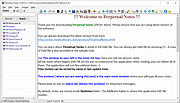 |
|
Pindrop v1.18.0 Pindrop v1.18.0 👉 Private, open-source Mac dictation from your menu bar. Pindrop is a native macOS menu bar dictation application that provides fast, private, and fully local speech-to-text transcription. Using WhisperKit and Apple’s on-device speech technologies, Pindrop keeps your recordings and transcriptions on your Mac while allowing you to dictate text anywhere with customizable hotkeys, clipboard integration, and direct text insertion. Designed for privacy-conscious users, writers, developers, students, and professionals, Pindrop supports multiple transcription engines, AI-assisted cleanup tools, searchable transcription history, and note organization features. The lightweight menu bar design keeps dictation accessible without interrupting your workflow. Features: • Fully local and private speech-to-text transcription • Native macOS menu bar interface • Powered by WhisperKit and Apple Speech frameworks • Optional Parakeet transcription engine support • Push-to-talk and toggle recording hotkeys • Automatic clipboard copying and direct text insertion • Searchable transcription and recording history • Export transcripts to JSON, CSV, and TXT formats • Built-in notes system with tags and pinned items • AI-assisted transcript cleanup and enhancement • Custom word replacement dictionary support • Multiple AI model sizes for speed or accuracy • Floating recording indicators and audio controls • Optional OpenAI-compatible API integrations • Automatic update support via Sparkle Supported operating systems: • macOS Sonoma 14.0 or Higher Supported languages: English Changes: v1.18.0 04-20-26 Added built-in Apple Speech transcription support. Added embedded MCP server support and configuration settings. Improved AI enhancement presets and transcript cleanup behavior. Added release notes display within update notifications. Improved live transcription handling for tentative and committed text. Updated floating recording indicators and default visual styling. Fixed locale switching and improved language name display. Improved Dock icon rendering and app icon behavior. Enhanced release automation and development tooling. Click here to visit the author's website. |
|
731 | Jun 10, 2026 Chris Watson 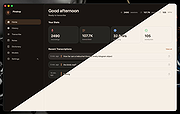 |
|
QOwnNotes v26.9.11 QOwnNotes v26.9.11 👉 Open-source markdown note-taking application with Nextcloud and ownCloud integration. QOwnNotes is a free and open-source plain-text note-taking and to-do list manager designed for users who want full control over their notes and data. It stores notes as plain text Markdown files, making them easy to synchronize with services such as Nextcloud, ownCloud, Syncthing, Dropbox, and other cloud or local storage solutions. QOwnNotes includes powerful organization tools, note encryption, scripting support, tagging, searching, and customizable interface layouts for productivity-focused workflows. Features: • Plain-text Markdown note-taking with live preview • Integration with Nextcloud and ownCloud notes • Stores notes as standard text files without vendor lock-in • AES-256 encrypted notes support • Built-in scripting engine with QML support • Powerful note searching and filtering • Tagging and note organization tools • Multiple note folders and subfolder support • Customizable themes, fonts, and layouts • To-do list and task management support • Automatic note saving and backup support • External diff tool integration • Checkbox list creation and Markdown editing tools • Portable mode support • Cross-platform support for desktop operating systems Supported operating systems: • Windows 7, Windows 8, Windows 10, Windows 11 • macOS 13 Ventura or higher • Linux Supported languages: English, Arabic, Basque, Bulgarian, Catalan, Chinese Simplified, Chinese Traditional, Czech, Danish, Dutch, English, Finnish, French, German, Greek, Hebrew, Hungarian, Italian, Japanese, Korean, Norwegian, Persian, Polish, Portuguese, Portuguese Brazilian, Romanian, Russian, Slovak, Spanish, Swedish, Turkish, Ukrainian Changes: v26.9.11 09-25-26 Deprecated the non-GitHub Qt 5 release packages by removing the legacy Ubuntu Launchpad and OBS deployments from the release process, while retaining the Qt 5 artifacts built by the GitHub release workflow (for #3752) Added more French translation (thank you, jd-develop) 👉 This download is for the Windows version (very bottom of page). All other download assets are below: MacOS: QOwnNotes.dmg QOwnNotesQt5.dmg Linux: QOwnNotes-amd64.snap QOwnNotes-Qt5-amd64.snap QOwnNotes-x86_64.AppImage Click here to visit the author's website. |
|
6,864 | Sep 25, 2026 Patrizio Bekerle 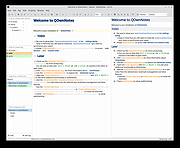 |
|
ResophNotes v1.8.1 ResophNotes v1.8.1 👉 A fast, lightweight Windows note-taking program with Simplenote synchronization, Markdown support, tags and powerful keyboard controls. ResophNotes is a free note-taking program for Windows designed to make creating, finding and managing text notes quick and uncomplicated. Notes can be kept locally or synchronized online with Simplenote, allowing them to be accessed from other devices using compatible Simplenote applications. It supports Markdown with HTML preview, tags, pinned notes, internal links, global keyboard shortcuts and optional storage of each note as an individual plain-text file. Deleted notes can be restored or permanently removed, and nearly every function can be controlled from the keyboard. A dark mode is also available. The developer warns that Simplenote may stop supporting synchronization with third-party applications, so Simplenote syncing should currently be used with caution. Features: • Simple, fast note creation and management • Synchronizes notes online with Simplenote • Access synchronized notes from other devices through Simplenote • HTTPS proxy support for Simplenote connections • Dark mode support • Global hotkey for quickly creating a new note • Global hotkey for restoring ResophNotes when minimized • Markdown text-to-HTML conversion with preview • Automatically recognizes HTTP links and email addresses • Internal note linking using wikilinks • Optional individual .txt files for storing notes • Complete keyboard control with numerous shortcuts • Single Note Mode for distraction-free note viewing and editing • Simplenote pinned-note support • Simplenote tag support • Search notes quickly from the keyboard • Import existing .txt files • Email notes directly from the program • Print notes • Insert the current timestamp with a keyboard shortcut • Restore deleted notes • Permanently delete unwanted notes • Free to use Supported operating systems: • Windows 10, Windows 11 (64-bit) Supported languages: English Changes: v1.8.1 08-14-26 Added Dark mode. Built using Microsoft Visual Studio Community 2026. Uses Qt 5.15.2. Updated OpenSSL library for connection issues. Click here to visit the author's website. |
|
79 | Sep 15, 2026 C.Y. Yen 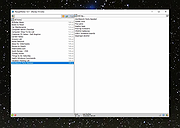 |
|
SideSlide v6.50 SideSlide v6.50 👉 A powerful, customizable desktop workspace, launcher and information organizer that stays hidden until you need it. SideSlide is a free desktop assistant designed to keep your Windows desktop organized and clutter-free while providing instant access to programs, files, folders, websites, commands, RSS feeds, notes, reminders, pictures and other frequently used information. Its customizable workspace can dock to any screen edge and remain tucked away until needed, giving you a large organizational area without permanently consuming desktop space. The workspace uses flexible containers that can be resized, detached, folded, shrunk and arranged however you prefer. Containers can hold shortcuts, notes, RSS feeds, reminders and other content, allowing large collections of information to remain accessible without covering the desktop. SideSlide also includes extensive keyboard navigation and launching features for users who prefer working without the mouse. When the workspace is collapsed, SideSlide can display a Dock Strip containing useful system information and live weather. The workspace can quickly expand again when you need access to its contents. SideSlide can also be used portably from a USB drive. Its configuration files are kept together, and the portable version can continue working even when the removable drive letter changes. Features: • Fully customizable desktop workspace that remains hidden until needed • Dock the workspace to any edge of the screen • Dock Strip displays system information and live weather while the main workspace is collapsed • Create shortcuts to programs, files, folders, commands and websites • Add RSS news feeds directly to the workspace • Built-in RSS reader with filtering and Subject Tracker capabilities • Create resizable, detachable, foldable and shrinkable containers • Containers can extend beyond the visible screen area • Create colorful notes that can be searched, edited in bulk and individually customized • Encrypt notes and automatically re-encrypt them after editing • Create ... |
|
6,515 | Sep 02, 2026 Northglide 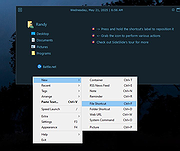 |
|
Simple Sticky Notes v6.9 Simple Sticky Notes v6.9 👉 Free desktop sticky notes with reminders, checklists, and powerful customization. Simple Sticky Notes is a free desktop note-taking application that lets you create colorful sticky notes directly on your Windows desktop. It provides a clean, intuitive interface for capturing reminders, to-do lists, ideas, and important information while keeping them easily accessible. Notes are automatically saved, support rich text formatting, and can be customized with different colors, themes, fonts, transparency levels, and sizes. Simple Sticky Notes also includes alarms and reminders, checklists with hierarchical checkboxes, notebooks for organizing related notes, a note explorer for searching and managing all notes, and options to print, export, or share notes. Additional features such as dark mode, backup and restore, and automatic updates make it a capable alternative to the built-in Windows Sticky Notes application. Features: • Create unlimited desktop sticky notes • Rich text formatting • Colorful notes with adjustable transparency • Custom themes and appearance options • Checklists with hierarchical checkboxes • Alarms and reminders • Note Explorer for searching and organizing notes • Notebooks for grouping notes • Print, export, and share notes • Dark mode support • Automatic saving of notes • Backup and restore functionality • Automatic updates Supported operating systems: • Windows 7, Windows 8, Windows 8.1, Windows 10, Windows 11, Windows 10 Arm64, Windows 11 Arm64 Supported languages: • English, French, German, Spanish, Italian, Japanese, Portuguese, Danish, Dutch, Swedish, Russian, Simplified Chinese, Turkish Changes: v6.9 02-22-26 New: Checking/unchecking a parent checkbox now checks/unchecks all indented child items Improved checkbox indent/outdent with Tab and Backspace Improved overall stability and performance Fixed some translation issues in Chinese and Japanese Fixed minor bugs reported by users Updated the SQLite database engine to version 3.51.0 Click here to visit the author's website. |
|
10,070 | Jul 19, 2026 Simnet Ltd. 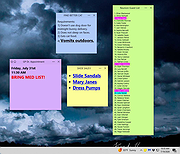 |
|
TabStick-1.2.0-win-x64-portable.zip TabStick v1.2.0 👉 A lightweight note-taking program that attaches colorful index tabs directly to your application windows. TabStick lets you place quick notes on the edge of an application window, keeping reminders and information beside the program where they are needed. Choose a tab from the color palette, attach it to a window and begin typing. Notes can be organized directly inside each tab and customized with different colors, sizes, text settings and display themes. TabStick is available as an installer or a portable download that can be extracted and run without installation. Features: • Attaches index-style notes directly to application windows • Keeps related notes beside the program where they are needed • Creates new notes by selecting a color from the tab palette • Supports quick text entry and organization within each note • Customizable application and tab sizes • Adjustable text size and line spacing • Multiple note colors • Custom note colors • Light and dark display modes • Configurable palette appearance • Changeable interface language • Available as an installer or portable program • Simple interface designed for fast note-taking Supported operating systems: • Windows 10 64-bit, Windows 11 64-bit Supported languages: Not Found Changes: v1.2.0 Not Found Click here to visit the author's website. |
|
237 | Aug 05, 2026 TabStick 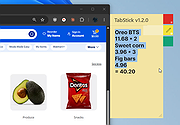 |
|
Trilium Notes v0.63.7 Trilium Notes v0.63.7 A hierarchical note taking application with focus on building large personal knowledge bases. Features • Notes can be arranged into arbitrarily deep tree. Single note can be placed into multiple places in the tree (see cloning) • Rich WYSIWYG note editing including e.g. tables, images and math with markdown autoformat • Support for editing notes with source code, including syntax highlighting • Fast and easy navigation between notes, full text search and note hoisting • Seamless note versioning • Note attributes can be used for note organization, querying and advanced scripting • Synchronization with self-hosted sync server there's a 3rd party service for hosting synchronization server • Sharing (publishing) notes to public internet • Strong note encryption with per-note granularity • Sketching diagrams with built-in Excalidraw (note type "canvas") • Relation maps and link maps for visualizing notes and their relations • Scripting - see Advanced showcases • REST API for automation • Scales well in both usability and performance upwards of 100 000 notes • Touch optimized mobile frontend for smartphones and tablets • Night theme • Evernote and Markdown import & export • Web Clipper for easy saving of web content Changes: v0.63.7 fixed the botched 0.63.6 build (windows binaries are back) backported Excalidraw upgrade to 0.17.3 Builds Trilium is provided as either desktop application (Linux and Windows) or web application hosted on your server (Linux). Mac OS desktop build is available, ... |
|
3,839 | Sep 28, 2024 zadam 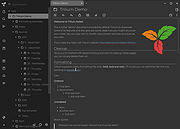 |
|
Vivaldi v8.2.4133.52 Vivaldi v8.2.4133.52 👉 Highly customizable web browser built for power users, privacy, and productivity. Vivaldi is a feature-rich Chromium-based web browser designed for users who want extensive control over their browsing experience. Created by former Opera developers, Vivaldi focuses on customization, efficiency, privacy, and integrated productivity tools rather than simplified mainstream browsing. It combines advanced tab management, built-in communication tools, customizable interface layouts, and strong privacy protections into a single browser package. Vivaldi allows users to tailor nearly every aspect of the interface, including tab placement, themes, keyboard shortcuts, gestures, toolbars, and panel layouts. The browser includes built-in features such as Mail, Calendar, Feed Reader, Notes, screenshot capture, ad and tracker blocking, Workspaces, split-screen tab tiling, and powerful session management tools. Unlike many browsers that rely heavily on extensions for advanced functionality, Vivaldi includes many professional-grade tools directly within the browser itself. Features: • Chromium-based browser engine for broad website compatibility • Highly customizable menus, toolbars, themes, and browser interface • Advanced tab management with Tab Stacks and multiple tab placement options • Tab Tiling for viewing multiple webpages side by side • Workspaces for separating tabs by projects, activities, or interests • Built-in Mail client • Built-in Calendar • Integrated Feed Reader for RSS and Atom feeds • Notes manager for saving text and information while browsing • Built-in tracker and ad blocker • Web Panels for displaying websites alongside the main browser window • Custom keyboard shortcuts and mouse gestures • Quick Commands for quickly accessing browser commands and content • Command Chains for combining multiple browser actions • Extensive theme customization • Bookmark and browsing history management • Built-in screenshot and webpage capture tools • Session saving and restoration • Sync for supported browser data across devices • Reader View for simplified webpage reading • Reading List for saving pages to read later • Custom search engines • Customizable Start Page and Speed Dials • Private browsing windows • Supports extensions from the Chrome Web ... |
|
6,716 | Sep 13, 2026 Vivaldi Technologies 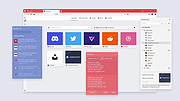 |
|
Zim v0.77.0 Zim v0.77.0 A graphical text editor for maintaining a collection of wiki-style notes stored in plain text files. Zim is a desktop wiki application designed to help you organize notes, ideas, and documentation using a simple and flexible wiki-style structure. Pages are stored as plain text files in folders, making your data easy to back up, sync, and edit outside the program if needed. Zim supports linking between pages, attachments, tags, and powerful plugins, making it well suited for note taking, personal knowledge bases, project documentation, and journaling. The editor window with all widgets visible Features: • Wiki-style linking between pages using simple syntax • Plain text storage for easy backup, portability, and version control • Hierarchical page structure with automatic index generation • Rich text formatting including lists, tables, code blocks, and checkboxes • Full-text search across notebooks and pages • Tagging system for organizing and filtering notes • Built-in spell checking and word count • Attachment support for images and files • Plugin system for added functionality such as task lists, diagrams, and calendars • Export notes to HTML, LaTeX, or other formats Supported operating systems: • Windows 7, Windows 8, Windows 10, Windows 11 • Linux • macOS Supported languages: English, Afrikaans, Arabic, Bulgarian, Catalan, Chinese, Croatian, Czech, Danish, Dutch, Estonian, Finnish, French, German, Greek, Hebrew, Hungarian, Italian, Japanese, Korean, Latvian, Lithuanian, Norwegian, Polish, Portuguese, Romanian, Russian, Serbian, Slovak, Slovenian, Spanish, Swedish, Turkish, Ukrainian Changes: v0.77.0 06-11-26 Merge markdown support as source format for notebooks (experimental) Allow multiple source formats in one notebook Refactor page search to be extendable improve speed Support options for 'case sensitive' and 'word boundaries' in page search Let find match glob patterns like search Add search query support for tasklist filtering Add default page template to notebook properties Add input for alternate text in Insert Image Dialog Remove overruling window positioning Fix latex templates for working with pdflatex, xelatex and lualatex Fix bug with _object_widgets.remove() Zim can be used to: • Keep an archive ... |
|
4,529 | Jun 21, 2026 Brendan Kidwell 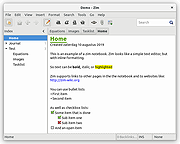 |
| Showing rows 1 to 23 of 23 | Showing Page 1 of 1 | 1 |
OlderGeeks.com Copyright (c) 2026
