|

|
Processed through Paypal No account required. |








Buy our over-priced crap to help pay the bills.



|
|
Processed through Paypal No account required. |
| Files | ||||
| File Name | Rating | Downloads | ||
 |
Alchemy v008 Alchemy v008 Experimental open source drawing and sketching software for exploring creative ideas. Alchemy is an open source drawing application designed to help artists, designers, and creative thinkers generate ideas during the earliest stages of the creative process. Rather than focusing on producing polished artwork, Alchemy encourages experimentation through a collection of unique drawing modules that introduce randomness, symmetry, procedural shapes, voice interaction, and other unconventional techniques. The intentionally minimalist interface removes distractions such as undo and object editing, allowing users to rapidly explore concepts and discover unexpected forms. Built in Java, Alchemy is cross-platform and extensible through a modular plugin system, making it easy for developers and artists to create and share their own drawing modules. Features: • Experimental sketching environment focused on concept generation • Minimal interface designed to reduce distractions • Modular architecture with removable and expandable drawing modules • Random and procedural shape generation • Real-time mirror drawing for symmetrical artwork • Blind drawing mode for creative experimentation • Voice-controlled drawing modules • Session recording with automatic PDF snapshots • Automatic canvas clearing at configurable intervals • Export artwork as SVG, PDF, PNG, and JPEG • Adjustable export image scaling • Horizontal and vertical canvas flipping • Smooth, Ribbon Shapes, Limit, and Splatter Shapes modules • Configurable background transparency • Open source and extensible through custom Java modules Supported operating systems: • Windows • macOS • Linux • Requires Java Runtime Environment 1.5 or higher required Supported languages: • English, Persian Changes: v008 • Added SVG export and switching support using the Batik library • Added export image scaling for JPEG and PNG • Added horizontal and vertical canvas flipping • Added Smooth, Ribbon Shapes, Limit, and Splatter Shapes modules • Added configurable background transparency • Added Persian localization • Added outline-only rendering option for Shapes module while drawing • Alchemy now remembers the export directory between sessions • Fixed Mirror and Color Switcher coloring issues • Improved Color Palette positioning • Updated the JPen tablet library • Fixed fullscreen transparent mode rendering • Fixed ... |
 |
4,318 | Jun 25, 2026 Karl D.D. Willis/Jacob Hina 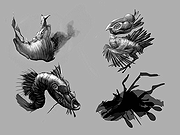 |
 |
AMD Ryzen Master v3.1.1.5502 AMD Ryzen Master v3.1.1.5502 👉 Unlock, monitor, and tune AMD Ryzen processor performance. AMD Ryzen Master is AMD's official utility for controlling and monitoring supported AMD Ryzen processors. It provides access to overclocking, system telemetry, automatic tuning, performance profiles, CPU and RAM views, integrated Radeon graphics tuning, PBO and Curve Optimizer settings, and real-time monitoring for clock rates, temperatures, and voltages. Features: • Official AMD utility for supported Ryzen processors • Redesigned interface for essential controls and telemetry • Basic and Advanced modes • Automatic CPU and RAM overclocking • Real-time per-core clock monitoring • Temperature and voltage monitoring • Average and peak readings • Custom monitoring views • Multiple performance profiles • Tune Ryzen CPU settings • Adjust integrated Radeon graphics frequency • Adjust DDR5 memory timings • Workspace for immediate tuning adjustments • Integrated Radeon graphics overclocking on supported processors • PBO and Curve Optimizer adjustment options • CPU CCD monitoring views • RAM views focused on EXPO parameters Supported operating systems: • Windows 10 64-bit, Windows 11 64-bit Supported languages: English, German, French, Simplified Chinese Changes: v3.1.1.5502 07-22-26 Release Highlights Added support for the Curve Shaper feature – a fine‑grain voltage/frequency tuning capability that allows selective voltage adjustments across temperature and frequency bands; applicable to the AMD Ryzen™ 9000 Series. Known Issues The application may take a bit longer to load on systems with higher core count CPUs In certain scenarios, when Ryzen Master is launched from AMD Software: Adrenalin Edition™, Ryzen Master Dashboard may not display accurate metric values. As a workaround, restart your system, and then launch Ryzen Master before starting AMD Software: Adrenalin Edition™. This download is for the Ryzen 5000 Series processors and later version (very bottom of page). All other download assets are below: For Ryzen 3000 Series to 4000 Series processors version: amd_ryzen_master_2.14.3.5040.exe For Ryzen 2000 Series processors and earlier version: amd-ryzen-master-2-13-1-3097.exe Click here to visit the author's website. |
|
24,014 | Sep 16, 2026 Advanced Micro Devices, Inc 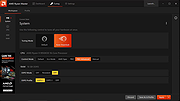 |
|
Artweaver Free v8.1.5 Artweaver Free v8.1.5 👉 Powerful free painting and image editing software for creative digital artists. Artweaver Free is a full-featured painting and image editing program designed for beginners and advanced users alike. It offers a wide range of realistic brush types to simulate traditional media such as chalk, charcoal, pencils, and oil paint. With an intuitive user interface and support for layers, transparency, and common image formats, Artweaver Free provides the tools needed to create and edit digital artwork with precision and flexibility. Features: • Realistic brush engine with many predefined brush types • Supports layers, groups, and transparency • Wide range of image adjustment tools and filters • Event recording and playback functionality • Tablet support for pressure-sensitive drawing • Supports common image formats including AWD and PSD • Customizable user interface Supported operating systems: • Windows 10, Windows 11 Supported languages: • English, German Changes: v8.1.5 05-16-26 This version includes the following improvements and fixes Improved update installation Fixed occasional horizontal line artifacts Fixed incorrect colors in 8bf filter results Fixed scale to fit media enabled by default in print preview Fixed layer merge errors with certain blend modes Fixed navigator preview not updating after applying the crop tool Fixed an opacity issue when moving selected image data Fixed document not being marked as modified after applying a tool Fixed navigator preview issues with transparency and low zoom levels Fixed a crash when opening documents containing EXIF data This download is for the Windows version (very bottom of page). If you need the plugins and extra language files, download here. Click here to visit the author's website. |
|
6,583 | Jul 05, 2026 Boris Eyrich Software 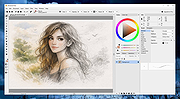 |
|
Dougi v1.0.672 Dougi v1.0.672 👉 Create high-quality JPEG images with realtime quality preview. Dougi is a lightweight portable JPEG optimization utility that lets you create high-quality JPEG images quickly and easily. Simply open, paste, or drag and drop an image, adjust the desired JPEG quality, and save. Its realtime WYSIWYG (What You See Is What You Get) preview lets you instantly see the effect of compression changes, eliminating the guesswork when balancing image quality and file size. Dougi also includes optional maximum file size limits, basic image adjustment tools, batch conversion, clipboard support, customizable appearance settings, and built-in help. Features: • Realtime WYSIWYG JPEG quality preview • Manual JPEG quality adjustment (5-100%) • Automatic quality presets: Low, Fair, Good, High, and Best • Optional maximum JPEG file size limit (5-4,000 KB) • Image adjustments including Mirror, Flip, Grey, Sepia, Noise, Invert, and Soften • Displays image dimensions, JPEG file size, and color count in realtime • Opens PNG, GIF, JPG, JIF, JPEG, TJ32, BMP, DIB, ICO, CUR, ANI, TEA, TGA, PPM, PGM, PBM, PNM, XBM, and IMG32 formats • Saves JPG, JIF, and JPEG formats • Copy images to the Clipboard as JPG or PNG • Batch conversion by dragging and dropping multiple images • Preview output in your default web browser • Customizable colors, fonts, and application settings • Portable - no installation required Supported operating systems: • Windows 7, Windows 8, Windows 8.1, Windows 10, Windows 11, Ubuntu Linux Supported languages: English Changes: v1.0.672 11-19-25 Not Provided. Click here to visit the author's website. |
|
348 | Jul 17, 2026 Blaiz Enterprises 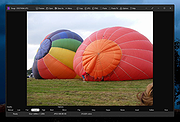 |
|
FastStone Image Viewer v8.5 FastStone Image Viewer v8.5 👉 Fast, stable image browser, editor and batch converter. FastStone Image Viewer is a fast, stable, user-friendly image browser, converter and editor. It includes image viewing, management, comparison, red-eye removal, emailing, resizing, cropping, retouching and color adjustments. Its full-screen mode gives quick access to EXIF information, thumbnail browsing and major tools through hidden edge toolbars. It also includes a high quality magnifier, musical slideshow with 150+ transition effects, lossless JPEG transformations, drop shadows, image annotation, scanner support, histogram display, batch conversion and batch renaming. Features: • Windows Explorer-like image browser and viewer • Supports BMP, JPEG, HEIC, WEBP, GIF, PNG, PCX, PDF, PSD, EPS, TIFF, WMF, ICO, CUR, TGA and many RAW camera formats • Full-screen viewer with zoom support and fly-out menu panels • Resize, rotate, crop, sharpen, blur, color correction, curves and levels tools • Clone Stamp, Healing Brush and red-eye removal • Draw text, lines, highlights, rectangles, ovals and callouts • Compare up to 4 images side-by-side • Batch convert and batch rename files • Slideshow with music and 150+ transition effects • Scanner support with batch scanning to PDF, TIFF, JPEG and PNG • Contact sheet creation, printing tools and image emailing • Portable version available Supported operating systems: • Windows XP, Windows Vista, Windows 7, Windows 8, Windows 10, Windows 11 Supported languages: Bulgarian, Chinese (Simplified), Chinese (Traditional), Czech, Danish, Dutch, Finnish, French, German, Hungarian, Italian, Japanese, Korean, Norwegian (Norsk bokmεl), Polish, Portuguese, Russian, Spanish, Swedish, Ukrainian Changes: v8.5 06-24-26 Added support for SVG format Added Start importing automatically and Handle duplicate file names automatically options to the Import Photos and Videos tool WebP files can now be rotated and saved with a single click Enhanced dark theme support in the PDF viewer Fixed a bug where some links in PDF files were not clickable Other improvements and bug fixes 👉 This download is for the Windows portable version (very bottom of page). All other download ... |
|
11,648 | Oct 07, 2026 FastStone Soft 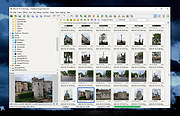 |
|
Film.Strip.Explorer v1.05 Film.Strip.Explorer v1.05 👉 Create stylish filmstrip-style previews from your photos. Film.Strip.Explorer is a lightweight and portable Windows utility that lets you generate attractive filmstrip-style image previews from your photos and graphics. It’s ideal for creating visual overviews of image collections, adding cinematic presentation effects, or preparing eye-catching previews for websites, documentation, and digital projects. With its simple interface, Film.Strip.Explorer allows you to quickly load images and arrange them into a classic filmstrip layout. The program is designed for ease of use, making it suitable for beginners while still offering flexibility for more advanced users who want to customize the look and feel of their filmstrip output. Features: • Generate classic filmstrip-style image layouts • Quick and simple image loading • Adjustable layout and spacing options • Preview output before saving • Lightweight and portable (no installation required) • Low system resource usage • Clean and user-friendly interface Supported operating systems: • Windows 7, Windows 8, Windows 10, Windows 11 Supported languages: English, German Changes: v1.05 05-10-26 • Updated language files in Film.Strip.Explorer. Minor adjustments for the next Windows 11 build. This download is for the Windows 64bit portable version (very bottom of page). If you need the Windows 64bit installer version, download here. If you need the Windows 32bit portable version, download here. If you need the Windows 32bit installer version, download here. Click here to visit the author's website. |
 |
824 | Jun 27, 2026 Nenad Hrg 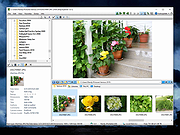 |
|
FurMark 1 v1.39.3.0 FurMark 1 v1.39.3.0 Advanced GPU stress testing and graphics benchmarking utility. FurMark 1 is a powerful OpenGL-based GPU stress testing and benchmarking application designed to push graphics cards to their thermal and performance limits. Commonly used by enthusiasts, overclockers, and technicians, FurMark helps evaluate graphics card stability, cooling efficiency, and overall performance under extreme load conditions. FurMark 1 uses an intensive fur rendering engine that heavily loads the GPU, making it useful for detecting overheating issues, cooling problems, instability, graphical artifacts, or power delivery limitations. The application also provides benchmarking modes, fullscreen and windowed testing, custom resolutions, anti-aliasing options, frame rate monitoring, and GPU temperature tracking. FurMark 1 includes support for GPU monitoring utilities such as GPU-Z and GPU Shark, preset benchmark profiles, screenshot capture, and multi-GPU configurations. It is frequently used to validate graphics card stability after driver updates, hardware upgrades, or overclocking adjustments. Features: • Intensive GPU stress testing and burn-in benchmarking • OpenGL-based rendering engine • Real-time GPU temperature monitoring • Fullscreen and windowed benchmark modes • Custom resolutions and anti-aliasing support • GPU stability and overheating detection • Preset benchmark profiles • Multi-GPU support • FPS monitoring and performance statistics • Screenshot capture support • GPU information support through GPU-Z and GPU Shark • Portable and installer versions available • Useful for overclock stability testing and thermal validation Supported operating systems: • Windows 7, Windows 8, Windows 10, Windows 11 Supported languages: • English Changes: v1.39.3.0 10-08-25 + added support of AMD Radeon RX 7700, Radeon RX 7400 and Radeon PRO W7400. + added support of NVIDIA GeForce RTX 5050, RTX PRO 5000 and RTX 5090 D v2. + added support of AMD Radeon RX 9060 XT, Radeon RX 9060, Radeon RX 9070 GRE, Radeon AI PRO R9700. + added logos in benchmark score box for Qualcomm and Moore Threads. ! updated: GPU Shark 0.33.3.0. ! updated: GPU-Z 2.68.0 ! updated: ZoomGPU 1.43.0 (32-bit GPU monitoring library) Click here ... |
|
8,305 | Jun 05, 2026 Geeks3D 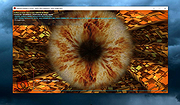 |
|
FurMark 2 v2.10.2 FurMark 2 v2.10.2 OpenGL and Vulkan GPU stress test and graphics benchmark. FurMark 2 is the next-generation edition of the legendary GPU stress testing and benchmarking utility from Geeks3D. Designed for gamers, overclockers, system builders and hardware enthusiasts, FurMark 2 pushes graphics cards to their thermal and performance limits using demanding OpenGL and Vulkan rendering workloads. It is commonly used to test cooling performance, verify GPU stability, identify overheating issues, detect graphical artifacts, and benchmark overall graphics performance. Unlike the original FurMark 1, FurMark 2 introduces a redesigned engine with modern rendering technologies, Vulkan support, improved compatibility with current GPUs, and enhanced benchmarking capabilities. The software can run intensive fullscreen or windowed stress tests while displaying real-time GPU information including temperatures, clocks, usage, fan speeds, and performance statistics. FurMark 2 also includes benchmark presets for quick comparisons, customizable testing modes, anti-aliasing options, artifact scanning, and command-line support for automation and advanced diagnostics. Whether you are validating a fresh GPU installation, testing overclock stability, troubleshooting crashes, or simply comparing benchmark scores with other systems online, FurMark 2 provides a fast and reliable solution for GPU performance analysis. Features: • Advanced OpenGL and Vulkan GPU stress testing • Designed to heavily load GPUs for thermal and stability testing • Modern rendering engine optimized for current graphics hardware • Built-in benchmark presets for quick performance comparisons • Custom benchmark modes with adjustable resolution and anti-aliasing • Real-time GPU monitoring during testing sessions • Displays GPU temperature, clocks, fan speed, usage and performance data • Artifact scanner helps detect rendering errors and unstable overclocks • Supports fullscreen and windowed testing modes • Online benchmark score submission and comparison support • Useful for validating overclocking and cooling system performance • Command-line options for scripting and automated testing • Compatible with many NVIDIA, AMD and Intel graphics cards • Includes GPU information and hardware identification tools • Lightweight interface with quick access to common ... |
|
2,154 | Jun 05, 2026 Geeks3D 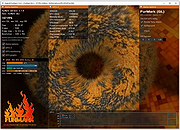 |
|
GetPixelColor v3.55 GetPixelColor v3.55 👉 Instantly identify the color value of any pixel on your Windows desktop. GetPixelColor is a lightweight, portable utility that lets you quickly determine the exact color value of any pixel displayed anywhere on your Windows desktop. Whether you're a web designer, graphic artist, software developer, digital artist, or simply need to identify a specific color, GetPixelColor provides an easy way to retrieve precise color information with minimal effort. The program follows your mouse cursor in real time, displaying the selected pixel's color in multiple formats for use in graphics, web development, and design projects. Its compact interface requires no installation, making it ideal for keeping on a USB flash drive or using as a quick desktop utility. Despite its small size, GetPixelColor supports numerous interface languages and works across virtually all modern Windows versions. Features: • Instantly identify the color of any screen pixel • Live color detection as the mouse cursor moves • Displays precise color values for selected pixels • Simple, lightweight, and portable application • No installation required • Low system resource usage • Suitable for web design, graphic design, development, and troubleshooting • Supports numerous interface languages • Compatible with virtually all Windows desktop environments Supported operating systems: • Windows XP, Windows Vista, Windows 7, Windows 8, Windows 8.1, Windows 10, Windows 11, Windows Server 2003, Windows Server 2008, Windows Server 2012, Windows Server 2016, Windows Server 2019, Windows Server 2022 Supported languages: English, Arabic, Basque, Bulgarian, Catalan, Chinese (Simplified), Chinese (Traditional), Croatian, Czech, Danish, Dutch, Finnish, French, German, Greek, Hebrew, Hungarian, Italian, Japanese, Korean, Norwegian, Persian, Polish, Portuguese, Portuguese (Brazilian), Romanian, Russian, Slovak, Slovenian, Spanish, Swedish, Thai, Turkish, Ukrainian, Vietnamese Changes: v3.55 06-30-26 Improvements to GetPixelColor for all Windows operating systems. Language file update in the pixel query app. This download is for the Windows 64bit portable version (very bottom of page). If you need the Windows 32bit portable version, download here. Click here ... |
|
4,366 | Jul 08, 2026 Nenad Hrg  |
|
GIMP Portable v3.2.6 GIMP Portable v3.2.6 👉 Portable image editor for photo retouching, image composition and graphic creation. GIMP Portable is the portable version of the GNU Image Manipulation Program, a free and open source image editor for photo retouching, image composition, image authoring, painting, batch processing, rendering and image format conversion. It runs from a cloud folder, removable drive, local folder or the PortableApps.com Platform without needing a traditional installation. Features: • Portable version of GIMP for Windows • Runs from USB drives, cloud folders or local folders • Photo retouching and image editing • Image composition and authoring • Paint program capabilities • Expert-quality photo manipulation tools • Batch processing support • Image rendering and format conversion • Supports plug-ins and scripts • User plug-ins and scripts can be placed in the portable Data\GimpAppData folder • Optional English-only offline help add-on available • PortableApps.com Platform support for easier installs and automatic updates • Open source software under the GPL Supported operating systems: Windows XP, Vista, 7, 8, 10, 11 Supported languages: Multilingual, GIMP is available in more than 80 languages Changes: v3.2.6 09-10-26 Several months of patches, bug fixes, security updates, and stability improvements. Cut can now be used on rasterized, unlocked layer groups to cut the same area from all layers in the group. Color Picker's Sample Merged option now accounts for filters applied to a single layer. Improved performance when loading large numbers of fonts, including faster startup, text entry, and closing font lists. Fixed text being hidden at the edges when using fixed text layouts. Fixed dark smudges produced by the Heal Tool when working outside the bounds of a layer smaller than the canvas. Fixed a crash that could occur when pressing keys quickly after releasing the spacebar while panning. Text can now be selected for editing even when partially covered by a layer mask. Fixed loading of Licensor image metadata. Added a maximum width for tooltips with long descriptions. Fixed several issues involving rasterized vector layers. Added ... |
|
6,728 | Sep 11, 2026 GIMP Team & PortableApps.com 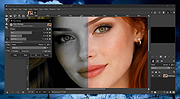 |
|
Gimp v3.2.6 Gimp v3.2.6 👉 Free and open source cross-platform image editor. GIMP is a cross-platform image editor available for GNU/Linux, macOS, Windows and more operating systems. It provides tools for graphic designers, photographers, illustrators, and scientists, with support for image manipulation, original artwork creation, graphic design elements, color management, scripting, customization, and third-party plug-ins. Features: • Advanced photo retouching tools including healing, clone, perspective clone, and content-aware fill workflows • Powerful layer-based editing with layer groups, masks, blend modes, and non-destructive editing techniques • Full support for high bit-depth images (8/16/32-bit per channel) for professional workflows • Extensive selection tools including free select, fuzzy select, foreground select, and intelligent scissors • Transform tools such as scale, rotate, shear, perspective, warp transform, and unified transform • Customizable brushes with dynamics support (pressure, velocity, randomness) for tablets and stylus input • Wide range of painting tools including pencil, paintbrush, airbrush, ink, MyPaint brushes, and gradient tools • Gradient editor and advanced gradient blending capabilities • Paths (vector) tool for precise curves, shapes, and text-on-path creation • Text tool with advanced typography support including kerning, hinting, and outline rendering • GEGL-based processing engine for high-quality image operations and non-destructive workflows • Extensive built-in filters and effects including blur, sharpen, distort, lighting, shadows, noise, and artistic filters • Support for external plug-ins such as G’MIC for hundreds of additional filters and effects • Color management with ICC profile support for accurate color reproduction across devices • Advanced color tools including levels, curves, hue-saturation, color balance, and exposure adjustments • Histogram display and analysis tools for precise tonal correction • Channel manipulation and alpha channel editing • Support for multiple file formats including JPEG, PNG, TIFF, PSD, WebP, HEIF, OpenRaster, and XCF native format • PSD import/export support for compatibility with Adobe Photoshop workflows • Multi-window and single-window interface modes for flexible workspace layouts • Fully customizable interface including dockable dialogs, tool groups, and keyboard shortcuts • Tabbed image ... |
|
9,686 | Sep 11, 2026 The Gimp Team |
|
ImageGlass v10.0.6.906 ImageGlass v10.0.6.906 👉 A lightweight, versatile image viewer for Windows. ImageGlass is a feature-rich, simple-to-use image viewer with a clean, modern interface and support for over 90 image formats, including WEBP, GIF, SVG, PNG, JXL, HEIC, RAW formats and more. Features: • Supports over 90 common image formats • Fast image switching with a clean, minimal interface • Supports animated formats including GIF, WEBP, APNG and SVG • Multi-frame image support with frame navigation tools • Drag-and-drop and clipboard image opening • Six zoom modes including Auto Zoom, Lock Zoom, Scale to Width, Scale to Height, Scale to Fit and Scale to Fill • Full screen, frameless and window-fit viewing modes • Slideshow view with countdown timer • Fast thumbnail previews • Built-in color picker • EXIF metadata viewing with ExifGlass • Basic editing tools including rotate, flip, crop, resize and lossless compression • Custom themes, language packs, icon packs, layout and toolbar options • Keyboard and mouse action customization • External app integration through custom hotkeys • Color management and color channel viewing Supported operating systems: • Windows 10 64-bit version 1809 or later, Windows 11 64-bit Supported languages: Arabic, Armenian, Asturian, Azerbaijani, Belarusian, Bengali, Bulgarian, Catalan, Chinese Simplified, Chinese Traditional, Croatian, Czech, Danish, Dutch, Esperanto, Finnish, French, German, Greek, Hebrew, Hungarian, Icelandic, Indonesian, Irish, Italian, Japanese, Khmer, Korean, Kurmanji Kurdish, Kyrgyz, Lithuanian, Malay, Mongolian, Norwegian Bokmal, Persian, Polish, Portuguese, Brazilian Portuguese, Romanian, Russian, Serbian Cyrillic, Serbian Latin, Sinhala, Slovak, Slovenian, Spanish, Swedish, Tamil, Thai, Turkish, Ukrainian, Vietnamese Changes: v10.0.6.906 09-05-26 New • ImageGlass.SDK updated to 1.2.0 • Bumped plugin ABI version from 1.0.0 to 1.2.0 • Added IGHdrTransferFn.ScRgb photo metadata support for rendering HDR images from codec plugins • Added DecodeStaticRasterScaled API for requesting scaled thumbnail images from codec plugins • Added Linux AppImage package support Improvements • Updated Avalonia to 12.1.2 • Updated Magick.NET to 14.17.1 ... |
|
4,505 | Oct 06, 2026 Duong Dieu Phap 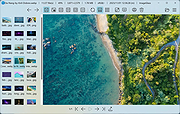 |
|
Imagine v2.7.0 Imagine v2.7.0 👉 Fast freeware image and animation viewer for Windows with broad format and plugin support. Imagine is a freeware image and animation viewer for Windows that focuses on speed while supporting a huge range of image, animation, archive, and RAW camera formats. It includes a thumbnail browser, slideshow, batch conversion and rename tools, screen capture, basic paint tools, color corrections, ICC color management, and optional add-on plugins plus Total Commander integration. Features: • View and save image and animation files with very fast speed • Supports many image and animation formats (including ANI, GIF, PNG, SVG, TIF, WEBP, and more) • Supports digital camera RAW formats (including ARW, CR2, CR3, DNG, NEF, ORF, RAF, SRW, and more) • Supports archive formats (ZIP, RAR, 7Z, ALZ, HV3, CBZ, CBR, CB7) • Extract single or all frames from animation files • Shows detailed file information plus Exif, IPTC, DICOM, and Comment information • Thumbnail browser • Basic paint tools, color corrections, and ICC color management • Batch conversion and batch rename • Slideshow and tiled view • Screen capture • Create animations, multiple page images, and panorama images • Customizable keyboard and mouse shortcuts, plus command line parameter support • Shell extension support, add-on plugin support, and Total Commander Lister, Packer, and Content plugin support • INI-based configuration (does not write unnecessary registry entries) • Native builds for x86, x64, and ARM64 Supported operating systems: • Windows 95, Windows 98, Windows ME, Windows NT 4.0, Windows 2000, Windows XP, Windows 2003, Windows Vista, Windows 7, Windows 8, Windows 10, Windows 11 Supported languages: • Arabic, Czech, Danish, Dutch, French, German, Italian, Japanese, Korean, Polish, Portuguese (Brazil), Portuguese (Portugal), Romanian, Russian, Simplified Chinese, Slovenian, Spanish, Traditional Chinese, Turkish, Ukrainian, Uzbek (O'zbekcha) Changes: v2.7.0 09-12-26 - Added: Antialiasing support for 32-bit alpha blended image - Added: 'Apply to all users'/'Current user only' option (Installer) - Added: Determine whether encoding can be skipped ... |
|
6,937 | Sep 13, 2026 Sejin Chun 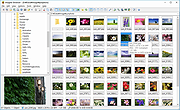 |
|
Inkscape v1.4.4 Inkscape v1.4.4 👉 Professional quality vector graphics editor for illustrations, logos, diagrams, icons, maps and web graphics. Inkscape is a free and open source vector graphics editor that uses SVG as its native file format. It is built for creating and editing scalable artwork such as illustrations, icons, logos, diagrams, maps, charts, technical drawings, line art and web graphics. Features: • Create and edit SVG vector graphics • Draw with pencil, pen and calligraphy tools • Use rectangles, ellipses, stars, polygons, spirals and 3D boxes • Edit paths and nodes with precision • Boolean path operations including union, difference, intersection and exclusion • Layers and object organization • Text tools with text on path support • Gradients, patterns, markers, clones, clipping and masking • Bitmap tracing for converting raster images to vector paths • Import and export many common vector and image formats • PDF import and export support • Extensions and command line options for advanced workflows Supported operating systems: • Windows 10, Windows 11, Windows on Arm • macOS • Linux Supported languages: English, Basque, Brazilian Portuguese, Bulgarian, Croatian, Dutch, Finnish, French, German, Hebrew, Hungarian, Italian, Latvian, Polish, Portuguese, Romanian, Russian, Simplified Chinese, Slovenian, Spanish, Swedish, Traditional Chinese, Ukrainian, Vietnamese Changes: v1.4.4 05-06-26 Maintenance and bugfix release. 20 crash fixes. More than 25 bug fixes and performance improvements. A couple small new features. 26 updated translations. First release to provide packages for Windows on Arm. Faster zooming in documents with many paths. Faster copy and paste of large numbers of objects with gradients. Faster Layers and Objects dialog when many objects are selected. Faster Object Properties dialog when selecting paths. Faster Gradient Tool editing. New button to rotate selected stars or polygons into an upright position. Added Elementary OS color palette. Fixed multiple crashes involving startup, recent files, graphics tablets, pages, PDF files, broken SVG markers, export dialog use, raster image sizing, Tweak tool, Connector Tool, PowerStroke Live Path Effect, Corners Live Path Effect, gradients, Break Apart and raster tracing. Windows on Arm builds ... |
|
7,859 | May 07, 2026 Inkscape 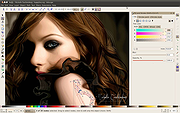 |
|
IrfanView v4.76 IrfanView v4.76 👉 Fast, compact image viewer and converter for Windows. IrfanView is a fast and compact graphic viewer for Windows that can view images, convert files, optimize images, scan and print, create slideshows, run batch processing jobs, and handle multimedia files. It is designed to be simple for everyday viewing while still offering powerful tools for image handling, editing, conversion, and automation. Features: • Fast and compact image viewer • Freeware for non-commercial use • 32-bit, 64-bit, and Windows ARM64 versions available • View, convert, and optimize images • Scan and print support • Batch processing • Slideshow creation • Multimedia support • Unicode support • Multi-language support • PlugIn support for additional formats and features Supported operating systems: • Windows XP, Windows Vista, Windows 7, Windows 8, Windows 10, Windows 11 • Windows 11 ARM, tested on Snapdragon X Supported languages: English, German, Bulgarian, Czech, Hungarian, Korean, Polish, Portuguese-Brazil, Slovak, Chinese, Estonian, French, Greek, Italian, Japanese, Dutch, Portuguese, Russian, Slovenian, Spanish, Thai, Turkish, Latvian, Norwegian, Danish, Romanian, Ukrainian, Arabic, Finnish, Catalan, English-British, Hebrew, Lithuanian, Swedish, Uzbek Changes: v4.76 09-18-26 Option to set the Toolbar on left/right (Properties->Toolbar) Option to draw a freehand selection, menu: Edit->Set selection shape New Wallpaper menu: Choose monitor (in multi monitor environment) New Thumbnails window menu: Favorite folders (max 15 folders) New in Thumbnails folder box: Write/Paste folder path, press Enter to load Changes in Zoom Magnifier (new initial zoom, CTRL + Click goes to 100%) Support for animated AVIF files New command line option to set the wallpaper per monitor /monitor=number (needs also /wall) Paint PlugIn: Option for smooth lines; Fix in the Clone tool Several PlugIns are changed/updated, please install the newest versions: Download from: https://www.irfanview.com/plugins.htm 👉 This download is for the Windows 64bit installer version (very bottom of page). All other download assets are below: Other Windows 64bit: iview476_plugins_x64_setup.exe iview476_plugins_x64.zip Windows 32bit: iview476_setup.exe iview476_plugins_setup.exe iview476_plugins.zip Windows ARM64bit: iview476_arm64_setup.exe iview476_arm64.zip iview476_plugins_arm64_setup.exe iview476_plugins_arm64.zip Click here to visit the author's website. |
|
6,451 | Sep 22, 2026 Irfan Skiljan 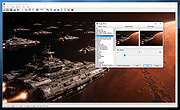 |
|
ItsPaint v0.16.1 ItsPaint v0.16.1 👉 A lightweight, free and open source MS Paint-style image editor for Mac. ItsPaint is a native image editor designed to provide the simple, quick drawing and editing experience of Microsoft Paint on macOS. It can create a blank canvas at any size, draw and paint with multiple tools, paste images directly onto the canvas, crop and resize artwork, annotate screenshots, remove backgrounds, add text and shapes, and export to numerous common image formats. It is intentionally lightweight, requires no account or subscription, contains no telemetry or networking code, and is released under the MIT license. Features: • Create blank canvases at custom sizes • Pencil, brush, highlighter and eraser drawing tools • Round, square, soft and spray brush tips • Draw lines, curves, arrows, rectangles, rounded rectangles, ellipses, triangles, diamonds, polygons, stars and speech bubbles • Solid, dashed and dotted shape outlines with optional fills • Add text with a contrasting rim that remains readable against light and dark backgrounds • Automatic numbered step badges for annotating instructions and screenshots • Pixelate areas for visual de-emphasis • Spotlight tool darkens everything outside a selected area • Clone tool copies pixels from one part of an image to another • Soften tool blends cloned or repaired areas into their surroundings • Instant Alpha selects connected pixels by color • One-command background removal without AI, cloud processing or an Internet connection • Capture a signature with a trackpad, mouse or tablet, or import one from an image • Rectangle, ellipse, lasso and Instant Alpha selection modes • Move selected pixels directly on the canvas • Paste images as floating objects that can be moved and scaled before committing • Automatically expands the canvas when pasted content is larger than the current image • Drag the current selection or entire canvas directly into another application or Finder • Pointer-centered zoom and pixel grid • Snap shapes, selections and pasted content to an 8, ... |
|
223 | Aug 13, 2026 Josh Lin 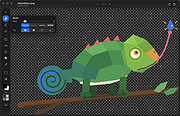 |
|
Lifetec lt 9310 or Medion MD 9310 Graphics Pad or \"Grafics Pad\" driver for win95/98/ME Lifetec lt 9310 or Medion MD 9310 Graphics Pad or \"Grafics Pad\" driver for win95/98/ME 9310w9x.exe |
 |
8,911 | May 19, 2014 Lifetec / Medion |
|
Lifetec lt 9310 or Medion MD 9310 Graphics Pad or \"Grafics Pad\" driver for Windows 2000 Lifetec lt 9310 or Medion MD 9310 Graphics Pad or \"Grafics Pad\" driver for Windows 2000 9310w2k.exe |
|
10,048 | Apr 08, 2009 Lifetec / Medion |
|
Lifetec lt 9310 or Medion MD 9310 Graphics Pad or \"Grafics Pad\" driver for Windows 95/98/ME Lifetec lt 9310 or Medion MD 9310 Graphics Pad or \"Grafics Pad\" driver for Windows 95/98/ME 9310w9x.exe |
|
9,605 | Apr 08, 2009 Lifetec / Medion |
|
Lifetec lt 9310 or Medion MD 9310 Graphics Pad or \"Grafics Pad\" driver for Windows NT Lifetec lt 9310 or Medion MD 9310 Graphics Pad or \"Grafics Pad\" driver for Windows NT 9310wnt.exe |
|
9,742 | Apr 08, 2009 Lifetec / Medion |
|
Lifetec lt 9310 or Medion MD 9310 Graphics Pad or \"Grafics Pad\" driver for Windows XP Lifetec lt 9310 or Medion MD 9310 Graphics Pad or \"Grafics Pad\" driver for Windows XP 9310xp.exe |
|
10,047 | Apr 08, 2009 Lifetec / Medion |
|
PhotoSuite v0.9.7 PhotoSuite v0.9.7 👉 A desktop image editor for layered photo editing, digital artwork, and native PSD files. PhotoSuite is a desktop image editor built around a familiar Photoshop-style workspace. It uses PSD as its native document format, preserving layers, masks, blending modes, text, vector paths, and other document data when opening and saving files. It also supports PSB for large documents. The editor brings photo retouching, painting, vector drawing, typography, filters, and document layout into one workspace. You can work with layers and masks, make selections, paint or repair parts of an image, add text and shapes, and revisit earlier work through the History palette. Smart Objects and Smart Filters provide options for editing without permanently changing the original layer. PhotoSuite runs locally as a desktop application. According to the developer, it requires no cloud account and collects no telemetry. Features: • Open, edit, and save layered PSD documents as a native format • Work with PSB files for large documents • Create raster layers, vector layers, layer groups, clipping masks, and layer masks • Use blending modes and layer styles such as Drop Shadow, Inner Shadow, glows, overlays, Bevel & Emboss, and Stroke • Edit with Smart Objects and Smart Filter stacks • Save different document arrangements with layer comps • Make selections with Marquee, Lasso, and Magic Wand tools • Paint and retouch with Brush, Clone Stamp, Healing Brush, Eraser, Blur, Sharpen, Dodge, and Burn tools • Crop images and apply gradients • Draw paths and shapes with the Pen and shape tools • Add text with support for text along a path, text warp, ligatures, and kerning • Pan, zoom, and rotate the canvas; use rulers, guides, and a pixel grid • Revisit edits with the History palette and snapshots • Apply filters, use Liquify, and make lens corrections • Open and export formats including PNG, APNG, JPEG, WebP, AVIF, TIFF, GIF, BMP, TGA, SVG, and ... |
|
110 | Sep 24, 2026 eolix 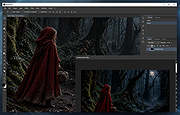 |
|
PixiEditor v2.1.2.4 PixiEditor v2.1.2.4 👉 A free, open-source universal 2D graphics editor for pixel art, painting, image editing, vector art, procedural art, and animations. PixiEditor is a universal 2D graphics editor made for all your 2D creative needs. Create sprites for games, frame-by-frame animations, edit images, draw, paint, make logos, work with vectors, and build non-destructive procedural graphics using its node graph system. Features: • Pixel art, painting, vector art, image editing, procedural art, and animation tools • Node Graph for non-destructive procedural graphics and animations • Dedicated pixel art toolset with palette management • Painting tools with soft brushes and anti-aliased shapes • Vector shapes and paths that can be mixed with raster artwork • Frame-by-frame animation support • Node-based Brush Engine for creating custom brushes • Extension Browser for browsing and installing extensions • Desktop native, cross-platform, and works offline • Export support for PNG, JPG, SVG, GIF, MP4, and more • Pixel Art — Dedicated Pixel Art toolset and advanced palette management. Create pixel art with a dedicated toolset. Perfect for game sprites, animations, or nostalgic artwork. Enjoy features like pixel-perfect pen mode for clean edges. • Animations — Bring stories to life with frame-by-frame Animations. Turn your drawings into moving stories! Create smooth frame-by-frame animations with tools that make it fun and easy to bring your art to life. • Procedural Art — Create non-destructible, procedural graphics with Node Graph. Node Graph allows for creating fully non-destructible graphics and animations. Connect nodes to easily compose complex visuals. From pre-built effects to custom shaders, the possibilities are endless! • Image Editing — Select, delete, clip, resize - everything you need for Image Editing. Use raster tools to edit images, sketch or paint. Whether you're doodling or making a masterpiece, PixiEditor is there for you! • Vector Art — Create and edit Vectors. Snapping included. Craft logos, icons, and illustrations with our flexible curve tool and vector shapes. Your designs ... |
|
1,153 | Sep 18, 2026 Pixi Labs Sp. z o.o 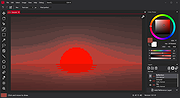 |
|
SnipSVG v2.3 SnipSVG v2.3 👉 A free screen capture and graphics editor built around sharp, fully editable SVG vector images. SnipSVG is a free screen capture and graphics editor for Windows and macOS that uses SVG vector images as its primary format. Unlike traditional JPG and PNG screenshots, SVG images remain sharp at any zoom level while individual elements remain editable. SnipSVG provides tools for capturing, cropping and annotating screenshots, obscuring sensitive information, adding formatted text, creating numbered documentation graphics and sharing finished images with other applications. It can also create animated and interactive SVG content using CSS and JavaScript. Features: • Capture and edit screenshots • Uses scalable SVG vector graphics as its primary image format • Keeps individual SVG elements separately editable • Maintains sharp image quality at different zoom levels and resolutions • Crop screenshots and physically resize large photos • Blur or obscure sensitive information in screenshots • Add HTML-formatted text to images • Add lines, arrows, shapes, highlights and other annotations • Auto-incrementing numbering tags for tutorials and documentation • Generate reference tables from numbered image tags • Integrated syntax highlighting for source code examples • Extract text from images using Windows OCR on Windows 10 and Windows 11 • Create animated SVG objects using CSS and JavaScript • Add interactive elements and hyperlinks to SVG images • Share images with HTML editors, word processors and other applications • Supports SVG and SnipX image formats • Integrates with the Help+Manual documentation authoring suite • Free for private and commercial use • Windows installer supports portable installation Supported operating systems: • Windows 7, Windows 8, Windows 10, Windows 11 • macOS 11 Big Sur or higher, Intel/Apple Silicon Supported languages: English, German, French Changes: v2.3 08-03-26 • Flipping of line and arrow objects did not work correctly when the line was rotated. • Full lasso selection on the canvas selected the picture frame, it now selects objects inside the picture frame (same as CTRL + A to select ... |
|
1,788 | Sep 14, 2026 EC Software GmbH 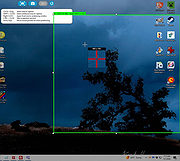 |
|
TimVer v0.14.1 TimVer v0.14.1 👉 Displays Windows version, hardware, drive, graphics, environment, and build history information. TimVer displays the same Windows version information as the built-in Winver command, along with additional system details that Winver does not provide. It can show information about Windows, the computer's hardware, processors, BIOS, memory, disk drives, graphics controllers, environment variables, and Windows build history. TimVer also provides extensive appearance and language options, clipboard functions, portable versions, and settings backup and restore. Features: • Displays Windows version, build number, build branch, architecture, and installation date • Shows computer manufacturer, model, computer name, processor, BIOS, physical memory, and last boot information • Displays logical drive information with optional physical drive details • Shows graphics controller information including adapter name, type, description, resolution, refresh rate, and number of colors • Supports systems with multiple graphics controllers and lets you select each adapter from a dropdown • Displays current environment variables with filtering by variable name • Optionally keeps a history of installed Windows build numbers • Copies an entire supported information page to the clipboard • Copies individual values to the clipboard by right-clicking • Lets you choose the display language • Provides selectable themes, accent colors, fonts, UI sizing, and row spacing • Supports automatic light and dark theme selection when using the System theme • Exports and imports application settings for backup or transfer to another computer • Can open or list the current application settings • Includes an optional check for newer TimVer releases • Runs without elevation for normal system information gathering Supported operating systems: • Windows 10 64-bit, Windows 11 64-bit Supported languages: • English (United Kingdom), English (United States), Spanish, French, Italian, Japanese, Korean, Dutch, Slovak, Thai Changes: v0.14.1 07-25-26 Fixed an issue where mismatched information could be displayed on the Graphics (Video) Information page when two or more video controllers were present. Cleaned up and optimized video controller information retrieval and UI handling. Inactive controllers may show "Not ... |
|
2,284 | Aug 24, 2026 Tim Kennedy 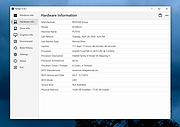 |
|
Wav2Bar v0.3.5 Wav2Bar v0.3.5 👉 Powerful open source software for creating advanced audio visualization videos. Wav2Bar is a free and open source audio visualization creator designed for producing animated music videos and visual effects synchronized to audio tracks. It allows users to combine visualizers, images, text, particle effects, timers, backgrounds, and custom objects into fully customizable projects that can be exported as MP4 videos for sharing online or integrating into larger productions. Built with flexibility in mind, Wav2Bar provides an editor-style workflow where users can design layered scenes and control how elements react to sound in real time. The software supports reusable project files, adjustable rendering quality, customizable frame rates and resolutions, and multiple visualizer styles for creating everything from simple waveform animations to complex motion graphics. Wav2Bar is especially useful for content creators, musicians, streamers, video editors, and anyone looking to generate professional-looking audio reactive visuals without requiring expensive commercial software. Its open source nature also allows developers and advanced users to customize or extend the software for specialized workflows. Features: • Create advanced audio reactive visualizations synchronized to music and sound • Design layered scenes using visualizers, backgrounds, text, and images • Multiple built-in visualizer styles for different animation effects • Export projects as MP4 video files • Save and reload projects for later editing • Reusable project templates for faster workflow creation • Customizable video resolution and frame rate settings • Real-time editor style interface for arranging objects and effects • Add logos, overlays, album artwork, and custom graphics • Built-in particle flow effects • Time indicators and timing-based visual elements • Audio caching system for smoother processing • Adjustable rendering quality for balancing speed and output quality • Open source architecture for customization and community development • Suitable for music videos, streaming overlays, social media clips, and promotional content • Lightweight modern interface focused on creative workflows • Supports complex animated compositions with multiple reactive elements • Free to use ... |
|
603 | Sep 30, 2026 Picorims 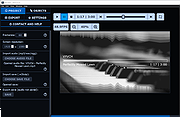 |
| Showing rows 1 to 26 of 26 | Showing Page 1 of 1 | 1 |
OlderGeeks.com Copyright (c) 2026
