|

|
Processed through Paypal No account required. |








Buy our over-priced crap to help pay the bills.



|
|
Processed through Paypal No account required. |
| Files | ||||
| File Name | Rating | Downloads | ||
 |
AAA v5.4.7 AAA v5.4.7 👉 A quick and powerful Windows tool for managing text notes, clipboard history, alarms and more. AAA is a free text note management utility by Mario "OiPaz" Corsolini that combines everyday note taking with a collection of useful text, clipboard and productivity tools. It stays conveniently accessible from the Windows Notification Area and can be quickly shown or hidden when needed. In addition to keeping and organizing text notes, AAA can maintain a history of the Windows Clipboard, provide multiple clipboards, calculate text and numerical statistics, set alarms, sort and format text, and launch applications. AAA requires Microsoft .NET Framework 4.8 and has been compiled for both 32-bit and 64-bit Windows systems. Features: • Create, keep and manage text notes • Quickly show or hide AAA from its Windows Notification Area icon • Use a customizable global keyboard shortcut to show or hide the program • Maintain a history of text copied to the Windows Clipboard • Multi-clipboard support for keeping multiple pieces of copied text • Automatically replace specified portions of text in the Windows Clipboard • Calculate statistics for text and Clipboard contents • Analyze numerical data and calculate statistics • Create and manage alarms with customizable messages • Sort text • Align and format text • Start individual applications or groups of applications • Add configurable delays when starting groups of applications • Reload its data file when the file has been modified externally • Save and restore the program's screen position • Single-instance operation • Automatic update checking • Requires Microsoft .NET Framework 4.8 Supported operating systems: • Windows 7 SP1, Windows 8.1, Windows 10, Windows 11 • 32-bit and 64-bit systems • Microsoft .NET Framework 4.8 required The operating-system range above is based on Microsoft's official compatibility requirements for the required .NET Framework 4.8. Windows 7 and Windows 8.1 are no longer supported by Microsoft. Supported languages: English, Esperanto, Italian Changes: v5.4.7 01-05-24 Fixed a bug where, if the saved position of ... |
 |
2,314 | Aug 31, 2026 Mario Corsolini 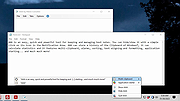 |
|
ArsClip v5.46 ArsClip v5.46 👉 A highly configurable clipboard manager for tracking, organizing, and automating copied content. ArsClip is a freeware clipboard manager utility that monitors the clipboard and keeps track of entries for later pasting. It can display saved clips through a triggered popup window, and it has grown from a simple clipboard helper into a feature-rich tool that specializes in copy-and-paste automation tasks. ArsClip also includes Delphi XE2 source code. Features: • Permanent Clips and Macros for copy-and-paste automation • Supports picture, RichText, file copy, Unicode, and HTML clip types • Triggered popup window for quick pasting • Can be triggered by hotkey, holding right-click, a special trigger window, and other methods • Highly configurable behavior and display options • Optional Clipboard Bar for clipboard viewing • Optional Global Clipboard for sharing clips with other Windows and Android devices • Win7 Jumplist support • Optional setup program included, with portable-style use also supported Supported operating systems: • Windows XP, Windows Vista, Windows 7, Windows 8, Windows 8.1, Windows 10 Supported languages: • English Changes: v5.46 06-18-26 (Window: Configuration) New: added "Program Center" option for Popup placement (Window: Edit Permanent Clip) New: updated the CLIPBOARDFIND macro to support \uXXXX escape for Unicode characters New: updated to support new JavaScript "deletePopupClip(int)" function (Window: Popup) New: if the first menu item is a Clipset Header, highlight the next item when first showing the Popup New: icon shown on current Permanent Clips with Global Hotkeys New: hotkey shown on hover for current Permanent Clips Fix: issue scaling small pictures for Popup Clips Fix: issue when using a Modkey+Click, where the action may simulate keystrokes (Window: Edit Clips/Macros) Fix: "Destroy Selected" not working for all selected clips (Misc) Fix: issues when restarting Windows Note: This file has two hits on VirusTotal. We have confirmed these to be false positives. The file is safe. Click here to visit the author's website. |
|
6,581 | Jun 21, 2026 joejoesoft.com 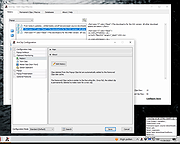 |
|
ClickPaste v1.4.4 ClickPaste v1.4.4 👉 Automatically type saved text into any field. Even ones that block normal paste operations. ClickPaste is a lightweight open-source utility that lets you store frequently used text snippets and insert them into any application quickly and easily. Instead of repeatedly typing the same phrases, commands, login names, or responses, ClickPaste allows you to maintain a list of reusable text entries and insert them whenever needed. Unlike traditional clipboard tools that paste text, ClickPaste simulates keyboard typing (keystrokes) to enter the text into the active field. This makes it especially useful for situations where standard paste operations are disabled—such as password fields, login forms, or secure input boxes that block clipboard pasting. Features: • Store and manage reusable text snippets • Automatically type text into the active field using simulated keystrokes • Works with fields that block clipboard pasting such as password boxes • Helps eliminate repetitive typing and reduce typing mistakes • Useful for support responses, commands, login names, and form entries • Lightweight and simple interface Supported operating systems: • Windows 10, Windows 11 Supported languages: English Changes: v1.4.4 05-05-26 Fix missing .cab file in installer, so the MSI can work (as a treat). Fixing #42 Click here to visit the author's website. |
|
800 | Jul 13, 2026 Collective-Software 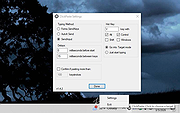 |
|
ClickShield v1.2.1 ClickShield v1.2.1 👉 Helps block ClickFix phishing attacks and suspicious clipboard commands in Windows. ClickShield is a free Windows security utility designed to help protect against ClickFix and similar phishing attacks that attempt to trick users into executing malicious commands. These attacks commonly use fake CAPTCHA or verification screens that copy a command to the clipboard and instruct the user to paste it into the Windows Run dialog or Command Prompt. ClickShield monitors clipboard changes for suspicious commands, including PowerShell commands and Windows LOLBINs such as mshta, bitsadmin, wmic and regsvr32. When suspicious clipboard content is detected, it can alert the user and prevent the Run dialog from opening. Its LOLBIN Shield can also block selected Windows utilities from accessing the internet, adding another layer of protection against common ClickFix techniques. Features: • Monitors the Windows clipboard for suspicious text and commands • Helps protect against ClickFix and similar fake CAPTCHA phishing attacks • Detects suspicious PowerShell commands, including encoded commands • Detects commands involving commonly abused Windows LOLBIN utilities • LOLBIN Shield can block several Windows utilities from accessing the internet • Can prevent the Windows Run dialog from opening when suspicious clipboard content is detected • Provides alerts when potentially dangerous clipboard commands are found • Includes an option to completely disable the Windows Run dialog • Run dialog restriction can be useful for administrators managing employee computers • Designed to operate with minimal memory usage • Supports both 32-bit and 64-bit Windows systems Supported operating systems: • Windows 7, Windows 8, Windows 8.1, Windows 10, Windows 11 Supported languages: • English Changes: v1.2.1 09-04-26 [*] Fixes and Improvements: • The alert message now stays on top of all windows instead of launching on the browser. This way it protects itself from ClickFix attack variants that attempt to close it and CrashFix attacks that crash the browser. The alert message remains visible until the user closes it. • The alert ... |
|
647 | Sep 30, 2026 Emir Alp Kocak  |
|
ClipAngel v2.23 ClipAngel v2.23 👉 Clipboard history capture and paste tool. ClipAngel is a clipboard manager that captures multiple clipboard objects and lets you select and paste them into any program. It is inspired by ClipDiary, Ditto, and AceText, with main priorities of usability, compatibility, and reliability. Features: • Captures clipboard history for supported clipboard formats • Supports text, HTML, RTF, image, and file clips • Text filter and clip list share key presses, so there is no need to change focus • Ability to delete and move clips in the list • History is stored encrypted on disk • Portable mode • Auto position window near text input • Always on top option • Open clip as file command • Simulate character input for windows isolated from the clipboard • Support for sending paste and input to elevated windows • Monitor clipboard switch • Word wrap and monospaced font options • Clip list shows samples for picture clips • Native formatting switch for HTML and RTF clips • Text compare command with support for Beyond Compare, ExamDiff Pro, WinMerge, Araxis Merge, DiffMerge, KDiff3, and custom applications • Translate text command • Drag and drop clips from the list • Preserves history even if the computer crashes Supported operating systems: • Windows Vista or later, Windows Server 2008 or later Supported languages: Brazilian Portuguese, Chinese (Simplified), English, French, German, Greek, Hindi, Italian, Polish, Russian, Spanish Changes: v2.23 06-04-26 Fixed inability to select text in HTML mode introduced in the previous version. Added "Text from picture" to the "Clip" submenu. Note: This file has two hits on VirusTotal. We have confirmed these to be false positives. The file is safe. Click here to visit the author's website. |
|
6,851 | Sep 03, 2026 tormozit 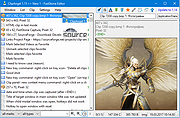 |
 |
Clipboard Help+Spell v2.42.0 Clipboard Help+Spell v2.42.0 Clipboard Help+Spell is a clipboard history utility with the following features: Database stores history of all past text and image clipboard entries for easy viewing, modification, and search Use it for keeping hierarchical notes - search, sort, filter by text, modification date, last view date Super easy and super fast search function - or use complex filters if you need them - you'll never have a problem finding a note again! Organize your notes and clips any way you want - show them all or view by group or category; view your clips any way you like High-quality spellcheck - underlined mistakes; learning spellchecker Configurable hotkeys for common functions Powerful text formatting options - make your own presets for common functions Simple functions for copying and pasting into and out of other applications Windows 2k/XP/VISTA/Win7/Win8/Win10 Version History v2.42.0 - April 25, 2017 • [Improvement] Deleting clip(s) keeps the selection where it was, does not move the list of clips to top or bottom; other situations where clip list position was lost are now fixed as well. • [BugFix] Custom group filter sql expressions were being capped at 500 character length. • [Improvement] Statusbar now shows linecount of each clip. • [BugFix] When StayOnTop option is set (View menu), some dialogs were showing behind the main form. • [Feature] New (customizable) hotkey to quickly toggle clipboard monitoring on and off. • [Improvement] The hotkey that used to be used to trigger a copy even when CHS monitoring is disabled now does double duty, and can be used to tell CHS to trigger a copy and *NOT* store the clip if CHS monitoring is enabled. |
|
7,055 | Oct 23, 2019 DonationCoder 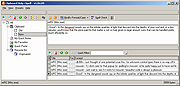 |
|
CopyQ v16.0.0 CopyQ v16.0.0 👉 Advanced clipboard manager with editing, search, tabs, and powerful scripting. CopyQ monitors the system clipboard and saves its content in customized tabs. Saved clipboard entries can later be copied and pasted directly into any application. It supports storing text, HTML, images, and other custom formats, and it includes searching, sorting, editing, drag-and-drop, notes, tags, global shortcuts, a command-line interface, and scripting for advanced automation. In version 14.0.0, the project adds tab encryption support, audio playback through the playSound() script function, a new stats() script function, Nord themes, GNOME clipboard monitoring via a custom GNOME extension, and multiple fixes and platform improvements. Features: • Stores text, HTML, images, and other custom clipboard formats • Saves clipboard history in customizable tabs • Quickly browses and filters clipboard items • Sorts, creates, edits, removes, copies, pastes, and drags items between tabs • Adds notes and tags to stored items • Uses system-wide keyboard shortcuts with customizable commands • Pastes items from the tray, main window, or keyboard shortcuts • Includes a powerful command-line interface and scripting support • Can ignore clipboard content copied from specific windows or matching specific text • Supports a simple Vim-like editor with keyboard shortcuts • Adds tab encryption support in v14.0.0 • Adds audio playback and new scripting statistics in v14.0.0 Supported operating systems: • Windows • macOS 13 or higher • Linux, including Debian 11 or higher, Ubuntu 22.04 or higher, Fedora, Arch Linux, and other Linux distributions with Flatpak support Supported languages: English, Czech, French, German, Japanese, Spanish Changes: v16.0.0 05-30-26 Added Per-MIME clipboard size limits and OOM protection via clipboard_mime_size_limit config option and COPYQ_CLIPBOARD_MIME_SIZE_LIMIT environment variable. For example text/html.*:0;.*:100M disables storing HTML and sets 100MiB max size for all other formats (this size limit is the default: .*:100M). AppImage support (WITH_APPIMAGE CMake build option). Fixed Fixed thumbnails hidden for ... |
|
7,000 | Aug 05, 2026 Lukas Holecek 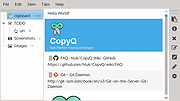 |
|
FlyOutNotepad v1.05 FlyOutNotepad v1.05 👉 Smart docking notepad for storing text, code snippets, and images. FlyOutNotepad is a lightweight Windows productivity tool that docks to any screen edge and gives you fast access to notes, code snippets, text, and images. It supports drag and drop, up to 20 tabs, auto-save, and fast C++/WTL performance in a very small package. Features: • Dock to any of the 4 screen edges • Smooth flyout access when needed • Store text, code snippets, and images • Bi-directional drag and drop for text and images • Up to 20 tabs for organizing content • Auto-save support • Remembers state on shutdown or logoff • Tab renaming support • Lightweight, under 500 KB • Built in C++ with Windows Template Library • Optional portable mode by renaming the EXE with _p Supported operating systems: • Windows 11, Windows 10, Windows 8.1, Windows 7, Windows Server 2012 through 2025, 32-bit and 64-bit Supported languages: English, German, Italian, Traditional Chinese, Korean, Polish, Russian, Spanish, Portuguese, French Changes: v1.05 08-17-26 • Update of language files in FlyOut NotePad for MS Windows • Optimization and various fixes under Windows 11 and 10 Click here to visit the author's website. |
|
1,501 | Oct 01, 2026 Nenad Hrg 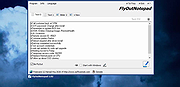 |
|
Free Clipboard Viewer v3.0 Free Clipboard Viewer v3.0 A free, full-featured and portable clipboard viewer Free Clipboard Viewer is a program used to view the information that is stored in memory when you use copy and cut functions of Windows operating system. A clipboard viewer displays the current content of the clipboard. Most applications for Windows support cutting or copying data to the Windows Clipboard and pasting data from the clipboard. The clipboard data formats vary among applications. The clipboard viewer is just a handy way to know what's on your clipboard at different times. The clipboard temporarily stores whatever you've cut or copied. As soon as you cut or copy something else, the clipboard's contents change. Other useful features Free Clipboard Viewer allows you to save a clipboard data to a file and load a clipboard data from a file. So you can transfer clipboard contents between computers. The program also allows you to clear the clipboard and redeem the memory occupied by the large object. To clear the contents, click the "Delete" button in the clipboard viewer toolbar. Clipboard Formats An application can place more than one object on the clipboard, each representing the same information in a different clipboard format. Free Clipboard Viewer lists the available formats for any data that is currently stored on the clipboard. It automatically updates the information displayed as the contents of the clipboard change. For any format you can also view the clipboard contents, size and description. Run it from your portable USB flash drive Free Clipboard Viewer is a totally portable application, meaning that you can put it on any USB stick and run it directly from there. In this way, your clipboard viewer and manager will always be with you. Clipboard Software You may need more functionality than the clipboard viewer provides. In either case there is a variety of software solutions available for download ... |
|
7,045 | Jul 02, 2020 Comfort Software Group 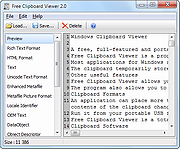 |
|
InsideClipboard v1.30 InsideClipboard v1.30 👉 Displays the binary contents of files stored in the Windows clipboard. InsideClipboard is a small, portable utility that shows the binary data currently stored in the Windows clipboard. For every format available in the clipboard, it displays the name of the format, the handle, the size of the data, and a preview of the raw binary content in a standard hex dump view. InsideClipboard allows you to inspect text, images, HTML, Rich Text, and other custom clipboard formats in detail. It is especially useful for developers, advanced users, and anyone troubleshooting clipboard-related issues who needs to see exactly what data is being copied between applications. Features: • Displays all available clipboard formats • Shows format name, handle, and data size • Built-in hex dump viewer for binary data • Supports standard and custom clipboard formats • Refresh option to reload current clipboard contents • Portable application with no installation required Supported operating systems: • Windows 2000, Windows XP, Windows Server 2003, Windows Vista, Windows 7, Windows 8, Windows 10, Windows 11 Supported languages: English, Arabic, Dutch, French, German, Greek, Hungarian, Italian, Japanese, Korean, Polish, Portuguese, Russian, Simplified Chinese, Slovak, Spanish, Turkish Changes: v1.30 05-04-2018 Added "UTF-8" Display Mode. Note: Malwarebytes and other anti-virus software may block this as a "Machine Learning" app. We have confirmed this to be a false positive. The file is safe. Click here to visit the author's website. |
|
10,302 | Jun 27, 2026 Nir Sofer 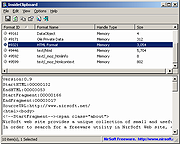 |
|
Notepad3 v7.26.602.1 Notepad3 v7.26.602.1 👉 A fast, lightweight, Scintilla-based text editor for Windows with syntax highlighting. Notepad3 is a free, open-source text editor built as a smarter, more capable replacement for Windows Notepad. It is based on the Scintilla editing component and Lexilla lexer library, giving it powerful syntax highlighting, fast performance, a small memory footprint, and practical tools for everyday text editing, coding, scripting, configuration files, logs, and more. Features: • Fast and lightweight Windows text editor • Syntax highlighting for over 55 programming, scripting, markup, and configuration languages • Code folding with toggle-all support • Bookmarks for quick navigation • Word auto-completion • Find and Replace with PCRE2 regular expression support • grepWin integration for searching across files • Encoding detection and character encoding support • File change monitoring • AES-256 Rijndael encryption and decryption • Dark mode support with customizable colors • High-DPI aware interface with high-definition toolbar icons • Customizable status bar and toolbar labels • Portable edition available • Includes MiniPath file browser plugin Supported operating systems: • Windows 8.1, Windows 10, Windows 11 Supported languages: Afrikaans, Belarusian, Chinese Simplified, Chinese Traditional, Dutch, English US, English UK, Finnish, French, German, Greek, Hindi, Hungarian, Indonesian, Italian, Japanese, Korean, Polish, Portuguese Brazil, Portuguese Portugal, Russian, Slovak, Spanish, Swedish, Turkish, Vietnamese Supported Programming Languages Apache, ASP, Assembly, AutoHotkey, AutoIt3, AviSynth, Awk, Bash, BAT, C, C++, C#, CGI, CMake, CoffeeScript, CSS, CSV, D, Dart, DIFF, Fortran, Go, HTML, INF, INI, Inno Setup, Java, JavaScript, JSON, Julia, KiXtart, Kotlin, LaTeX, Lua, Makefiles, Markdown, MATLAB, Nim, NSIS, Pascal, Perl, PHP, PowerShell, Python, REG, Resource, R-S-SPlus Statistics, Ruby, Rust, Shell, SQL, Tcl, TOML, VB, VBScript, Verilog, VHDL, XHTML, XML, YAML and improved support for NFO ANSI. Changes: v7.26.426.1 04-26-26 • Paste-board minimization (/B /I) escape hatch if Ctrl-key held down. • PasteBoard: defer minimize on /B + /I startup so auto-pasted clipboard is visible briefly. • PasteBoard: opt-out ‘Don’t ask again’ on closing modified untitled documents. • Feat: /B auto-pastes current clipboard ... |
|
5,116 | Jun 10, 2026 Rizonetech Pty Ltd. 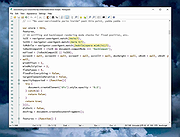 |
|
Pindrop v1.18.0 Pindrop v1.18.0 👉 Private, open-source Mac dictation from your menu bar. Pindrop is a native macOS menu bar dictation application that provides fast, private, and fully local speech-to-text transcription. Using WhisperKit and Apple’s on-device speech technologies, Pindrop keeps your recordings and transcriptions on your Mac while allowing you to dictate text anywhere with customizable hotkeys, clipboard integration, and direct text insertion. Designed for privacy-conscious users, writers, developers, students, and professionals, Pindrop supports multiple transcription engines, AI-assisted cleanup tools, searchable transcription history, and note organization features. The lightweight menu bar design keeps dictation accessible without interrupting your workflow. Features: • Fully local and private speech-to-text transcription • Native macOS menu bar interface • Powered by WhisperKit and Apple Speech frameworks • Optional Parakeet transcription engine support • Push-to-talk and toggle recording hotkeys • Automatic clipboard copying and direct text insertion • Searchable transcription and recording history • Export transcripts to JSON, CSV, and TXT formats • Built-in notes system with tags and pinned items • AI-assisted transcript cleanup and enhancement • Custom word replacement dictionary support • Multiple AI model sizes for speed or accuracy • Floating recording indicators and audio controls • Optional OpenAI-compatible API integrations • Automatic update support via Sparkle Supported operating systems: • macOS Sonoma 14.0 or Higher Supported languages: English Changes: v1.18.0 04-20-26 Added built-in Apple Speech transcription support. Added embedded MCP server support and configuration settings. Improved AI enhancement presets and transcript cleanup behavior. Added release notes display within update notifications. Improved live transcription handling for tentative and committed text. Updated floating recording indicators and default visual styling. Fixed locale switching and improved language name display. Improved Dock icon rendering and app icon behavior. Enhanced release automation and development tooling. Click here to visit the author's website. |
|
731 | Jun 10, 2026 Chris Watson 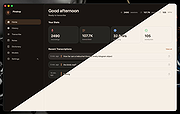 |
|
Quick Clipboard Editor v3.0 Quick Clipboard Editor v3.0 A free Windows Clipboard text editor. Quick Clipboard Editor (QCE) gives you direct access to the Clipboard’s text allowing to quickly make the changes you need before pasting it to your target application. It remembers your past clips with all their formatting. • Do quick touch-ups to the text with advanced editing features • Paste text and image clips from the Clipboard history with all their formatting • Insert, trim or filter content on each line • Change case, reformat paragraphs and clean-up punctuation • Sort by all sort of criteria • Save frequently used commands and script Clipboard transformations • and much more! Quick Clipboard Editor gives a window, agile hands and a powerful memory to your Clipboard. It is directly connected to your Clipboard allowing to open it, do changes and send the edited text directly to your target application, all this in only a few clicks! Quick Start When first launched, QCE offers two initial configurations: the Basic Setup configuration for those who prefer a simple and distraction-free editor and the Power User Setup configuration for coders and users who prefer to take advantage of the most advanced editing features. In any case, you can customize the configuration to select the best options for you in the Options menu. Once installed, you can open the QCE editor, copy text or images from any application or paste the content from the editor to any application. Here are the main hotkeys to use: • Open the editor with Ctrl + Middle ... |
|
1,778 | May 24, 2025 Jean Lalonde 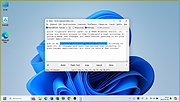 |
|
Quick Snippet v1.0.2 Quick Snippet v1.0.2 👉 Lightweight Windows utility for storing, organizing, and instantly copying reusable text snippets. Quick Snippet is a lightweight Windows application designed to help you manage and copy frequently used text such as emails, templates, ticket updates, troubleshooting steps, and other reusable content. It lets you organize snippets into categories, quickly find them with live filtering, sort both categories and snippets, and copy text to the clipboard with a single click. It also includes system tray support, JSON import and export, and light and dark theme support. Features: • Create, edit, rename, and delete snippets • Store large or small blocks of text • One-click copy to clipboard • Group snippets into categories • Instantly filter snippets by name • Filter categories independently • Results update in real time as you type • Alphabetical sorting for categories and snippets • Toggle sort direction with a single click • Minimize to tray for quick access • Import and export snippets and categories in JSON format • Light and dark mode support Supported operating systems: • Windows 10 • Windows 11 Supported languages: English Changes: v1.0.2 04-05-26 New Added snippet filtering (search box with live results) Added snippet sorting (A–Z and Z–A) Added category filtering (search categories instantly) Added category sorting (A–Z and Z–A) Improvements Improved layout and spacing for filter and sort controls More consistent behavior across categories and snippets Better usability when working with larger snippet collections Fixes Fixed minor UI sizing/alignment issues General stability improvements Note: This file has one hit on VirusTotal. We have confirmed this to be a false positive. The file is safe. Click here to visit the author's website. |
|
855 | Apr 06, 2026 Frank Noonan 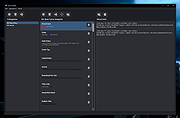 |
|
QuickTextPaste v9.55 QuickTextPaste v9.55 👉 Insert frequently used text quickly via customizable keyboard shortcuts. QuickTextPaste is a portable Windows utility that allows you to paste frequently used text, run programs, or open folders using customizable keyboard shortcuts. It is designed to save time when working with repetitive text entries such as email addresses, signatures, or standard phrases. QuickTextPaste runs in the system tray and lets you define multiple text entries, each assigned to a hotkey combination. You can also insert formatted text, launch applications, or execute commands directly from the shortcut, making it useful for power users and anyone who frequently types repetitive content. Features: • Create and manage custom text snippets • Assign individual keyboard shortcuts to each entry • Paste formatted or plain text into any application • Execute programs, open folders, or run commands • Portable version available, no installation required • Lightweight and runs in the system tray Installation: Quick paste text does not require installation, can easily be launched from the desktop with no installation and is ready to use on all Windows operating systems. Supported operating systems: Windows 11, Windows 10, Windows 10 Pro, Windows 10 Enterprise, Windows 10 Home, Windows 8.1, Windows 8.1 Enterprise and Pro, Windows 8, Windows 8 Enterprise and Pro, Windows 7, Windows 7 Enterprise, Windows 7 Home Basic, Windows 7 Home Premium + Professional, Windows 7 Starter + Ultimate, , X64, x86 and x32 all Windows, MS Windows Server 2019, 2016,2012, . Changes: v9.55 06-06-26 • Important update of the language files • Small tweaks and Improvements in Auto Hotkeys for Windows OS • Bugfix: If detect the default system language for multi-language support • Corrections if switch to admin mode This download is for the Windows 64bit portable version (very bottom of page). If you need the Windows 32bit portable version, download here. If you need the Windows 64bit installer version, download here. If you need the Windows 32bit installer ... |
|
6,617 | Jun 29, 2026 Nenad Hrg 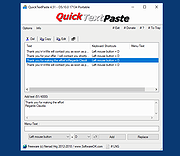 |
|
SnipSVG v2.3 SnipSVG v2.3 👉 A free screen capture and graphics editor built around sharp, fully editable SVG vector images. SnipSVG is a free screen capture and graphics editor for Windows and macOS that uses SVG vector images as its primary format. Unlike traditional JPG and PNG screenshots, SVG images remain sharp at any zoom level while individual elements remain editable. SnipSVG provides tools for capturing, cropping and annotating screenshots, obscuring sensitive information, adding formatted text, creating numbered documentation graphics and sharing finished images with other applications. It can also create animated and interactive SVG content using CSS and JavaScript. Features: • Capture and edit screenshots • Uses scalable SVG vector graphics as its primary image format • Keeps individual SVG elements separately editable • Maintains sharp image quality at different zoom levels and resolutions • Crop screenshots and physically resize large photos • Blur or obscure sensitive information in screenshots • Add HTML-formatted text to images • Add lines, arrows, shapes, highlights and other annotations • Auto-incrementing numbering tags for tutorials and documentation • Generate reference tables from numbered image tags • Integrated syntax highlighting for source code examples • Extract text from images using Windows OCR on Windows 10 and Windows 11 • Create animated SVG objects using CSS and JavaScript • Add interactive elements and hyperlinks to SVG images • Share images with HTML editors, word processors and other applications • Supports SVG and SnipX image formats • Integrates with the Help+Manual documentation authoring suite • Free for private and commercial use • Windows installer supports portable installation Supported operating systems: • Windows 7, Windows 8, Windows 10, Windows 11 • macOS 11 Big Sur or higher, Intel/Apple Silicon Supported languages: English, German, French Changes: v2.3 08-03-26 • Flipping of line and arrow objects did not work correctly when the line was rotated. • Full lasso selection on the canvas selected the picture frame, it now selects objects inside the picture frame (same as CTRL + A to select ... |
|
1,788 | Sep 14, 2026 EC Software GmbH 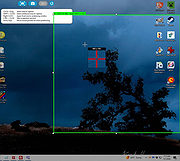 |
|
SoundVolumeView v2.53 SoundVolumeView v2.53 👉 View and change Windows sound volume from a GUI or command line. SoundVolumeView is a simple tool for Windows that displays general information and current volume levels for all active sound components on your system, and allows you to mute and unmute them instantly. SoundVolumeView can also save a sound profile to a file, including current volume levels, mute/unmute states, and default sound devices, then restore those same settings later. It also includes extensive command-line support for saving and loading profiles, changing volume, muting, unmuting, enabling, disabling, and setting audio devices without displaying the user interface. Features: • View all active sound components on your system • See current volume levels and mute status • Mute or unmute sound components instantly • Save and restore complete sound profiles • Change volume from the GUI or command line • Set default sound devices • Enable or disable audio devices • Create desktop shortcuts for common sound actions • Export sound item information to text, CSV, HTML, XML, or JSON • Supports 32-bit and 64-bit Windows Supported operating systems: • Windows Vista, Windows 7, Windows 8, Windows Server 2008, Windows 10, Windows 11 Supported languages: Arabic, Brazilian Portuguese, Dutch, Finnish, French, German, Greek, Hungarian, Italian, Japanese, Korean, Persian, Polish, Portugal Portuguese, Romanian, Russian, Simplified Chinese, Slovak, Spanish, Swedish, Traditional Chinese, Turkish Changes: v2.53 Fixed the /SetAllowExclusive and /SetExclusivePriority commands to set the value correctly. 👉 This download is for the Windows 64bit version (very bottom of page). All other download assets are below: Other Windows: soundvolumeview.zip (32bit) Click here to visit the author's website. |
|
6,314 | Sep 18, 2026 Nir Sofer 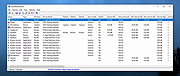 |
|
TED Notepad v6.4.1 TED Notepad v6.4.1 👉 Small, fast and powerful plain-text editor packed with advanced text-processing tools. TED Notepad is a free plain-text editor and Notepad replacement for Windows, built for users who want speed, portability and serious text manipulation without a bulky interface. It includes hundreds of tools for editing, sorting, filtering, transforming, searching and cleaning text, while staying small, quick to launch and easy to carry as a portable utility. Features: • Free, small and portable text editor with no installation required • New 64-bit version for working with very large files • Tested with huge files, including multi-gigabyte documents • 457 text-processing functions and editor features • Grep, Sort, Cut, Unique, RegEx, Shuffle, Tr and Reverse tools • Search and replace with regular expressions • Selection and search match highlighting • Search and Replace history • Line numbers, line lengths and visible spaces/tabs/newlines • Multi-level Undo and Redo • Auto-save, recovery and backup options • UTF-8 and Unicode auto-recognition • Multiple permanent clipboards and clipboard append tools • Word and line auto-completion • Portable INI file settings Supported operating systems: • Windows 11, Windows 10, Windows 8, Windows 7, Windows Vista, Windows XP, Windows Server 2008, Windows Server 2003, Windows 2000 Supported languages: English Changes: v6.4.1 06-04-26 Introducing a 64-bit version. Added selection highlighter for all occurrences of selected text. Added settings for minimum selection length, match case and highlighter color. Added search highlighter for all Search Bar matches. Added total occurrence count in the Search Bar. Added Search history and Replace history. Added positive and negative look-ahead and look-behind assertions in Regular Expressions. Added setting to include seconds when inserting date/time. Added setting to disable the "Exit without saving" hotkey. Added Session Hard to Close option. Fixed multiple Search Bar, RegEx, Grep, Filters, Sort, Columns, Status Bar and clipboard issues. Improved Unicode file detection, DPI awareness, search routines, clipboard handling and settings validation. This download is for the Windows Unicode 64bit Installer version (very bottom of page). All other download assets are ... |
|
6,246 | Jun 09, 2026 Medvedik, Juraj Simlovic 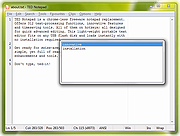 |
|
Youtube Downloader HD v5.9.9.14 Youtube Downloader HD v5.9.9.14 👉 Download YouTube videos and convert them to HD video formats. Youtube Downloader HD is a simple tool designed to download videos from YouTube and convert them into high-quality video files that can be played locally on your computer or other devices. It focuses on easy downloading and converting of HD content while keeping the interface straightforward and lightweight. Youtube Downloader HD allows users to paste a YouTube video link, select the desired output format, and download the video directly to their computer. The program supports several video formats and resolutions, including HD options, making it useful for users who want to watch YouTube content offline or store videos locally for later viewing. The program is designed to be easy for beginners while still offering useful format choices for more advanced users. It can automatically detect the video URL from the clipboard and provides quick conversion to formats compatible with PCs, media players, and mobile devices. Features: • Download videos directly from YouTube using a simple URL paste • Supports high-definition video downloads • Convert downloaded videos to AVI or MP4 formats • Choose different video quality levels including HD • Automatically detects video URLs copied to the clipboard • Simple and lightweight interface designed for quick downloads Supported operating systems: • Windows 7, Windows 8, Windows 10, Windows 11 Supported languages: English Changes: v5.9.9.14 07-06-26 Another download improvement Note: This file has two hits on VirusTotal. We have confirmed these to be false positives. The file is safe. This download is for the Windows 10/11 version (very bottom of page). If you need the Windows 7/8 version, download here. Click here to visit the author's website. |
|
6,974 | Jul 08, 2026 YoutubeDownloaderHD.com 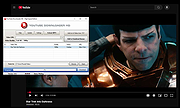 |
| Showing rows 1 to 19 of 19 | Showing Page 1 of 1 | 1 |
OlderGeeks.com Copyright (c) 2026
