|

|
Processed through Paypal No account required. |








Buy our over-priced crap to help pay the bills.



|
|
Processed through Paypal No account required. |
| Files | ||||
| File Name | Rating | Downloads | ||
 |
Bananas Screen Sharing v0.0.22 Bananas Screen Sharing v0.0.22 Bananas🍌, Cross-Platform screen 🖥️ sharing 📡 made simple ⚡. Multiple cursors Share your screen with anyone , anywhere , anytime and collaborate with multiple cursors. Zero configuration No need to sign up, log in, or create an account . Just share your screen and start collaborating. Bananas creates a unique connection url for you to share with your friends, family, or colleagues. These urls should be treated as sensitive information. Because there are no servers involved (except for the stun, turn and signaling servers that are needed for exchanging the initial connection information), you need to have a way to communicate the url to the person you're sharing your screen with. Privacy first Your data is never stored on any server. It's a direct connection between you and the person you're sharing your screen with. Bananas Screen Sharing uses WebRTC technology to establish a secure connection between you and the person you're sharing your screen with. Changes: v0.0.22 Exciting New Features ✨ ARM64 Linux versions by @gorillamoe Tutorial: 1. Host: Host a session Click on host a session to start sharing your screen. 2. Host: Click start a new session You'll be given a unique url that you can share with your friends, family, or colleagues. 3. Host: Optionally select a screen to share If you have multiple screens, you can select the one you want to share. 4. Host: Copy host connection string Click on the copy button to copy the host connection string. 5. Host: Send link to participant Send the copied host connection string to the participant. 6. Participant: Join session Joined the session by clicking on the link, or by pasting it into the host connection string input field and click connect. 7. Participant: Copy connection string Click on the copy button to copy the participant connection string. 8. Participant: Send URL to host Send the copied participant ... |
 |
870 | Mar 02, 2025 mistweaverco 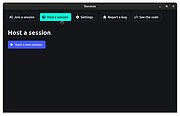 |
|
Dropbox Offline Installers v260.4.2926 Dropbox Offline Installers v260.4.2926 👉 Cloud storage and file synchronization service for easy file access and sharing across devices. These are the full offline installers for all platforms. Dropbox is a cloud storage service that lets you store, sync, and share files across computers, smartphones, and tablets. After installing Dropbox, a special folder is created on your computer. Any files placed in this folder are automatically uploaded and synchronized with your Dropbox account, allowing them to be accessed from other devices or through the web interface. Dropbox makes collaboration simple by allowing users to share files or folders with others through links or shared folders. Changes made by collaborators are automatically synced, ensuring everyone always has the latest version. The service also maintains version history and file recovery, allowing users to restore previous versions or recover deleted files. Dropbox integrates with many productivity tools and provides features such as selective sync, automatic camera uploads from mobile devices, and offline access to files. With its straightforward interface and reliable syncing technology, Dropbox is widely used for personal file storage, team collaboration, and secure file sharing. Features: • Automatic file synchronization across devices • Easy file and folder sharing through secure links • File version history and recovery of deleted files • Selective sync to control which folders are stored locally • Offline access to important files • Integration with many productivity and collaboration tools Supported operating systems: • Windows 7, 8, 8.1, 10, 11 • macOS 10.13 or later. • Linux distributions supporting Dropbox client Supported languages: English, Spanish, French, German, Italian, Portuguese, Dutch, Japanese, Korean, Chinese (Simplified), Chinese (Traditional), Russian Changes: v260.4.2926 07-10-26 Fixed in this update: Fixed an issue that would cause Dropbox items to not appear in the right-click menu for some Windows users. Improved the reliability of opening several share dialogs at the same time. Fixed a ... |
|
11,672 | Jul 16, 2026 Dropbox 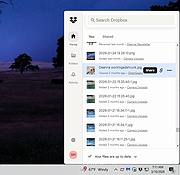 |
|
Greenshot v1.3.323 Greenshot v1.3.323 👉 A free, fast and flexible screenshot tool with built-in editing and sharing options. Greenshot is a free and open-source screenshot utility designed for quick and efficient screen capturing on Windows systems. It allows users to capture full screens, active windows, or selected regions with ease, and provides built-in editing tools to annotate, highlight, or obfuscate parts of the image. Greenshot integrates seamlessly with various destinations such as file saving, clipboard, printers, and third-party applications, making it ideal for productivity, documentation, and support workflows. Features: • Capture full screen, active window, or user-defined region • Capture Internet Explorer content including scrolling pages • Built-in image editor with annotation tools • Add text, shapes, arrows, and highlights to screenshots • Obfuscate sensitive information with blur or pixelation • Save to file, copy to clipboard, print, or email directly • Upload to services like Imgur and integrate with Office apps • Customizable hotkeys for fast capture workflows • Plugin support for additional functionality • Efficient performance with minimal system impact • Multi-language user interface • Open-source and actively maintained Supported operating systems: Windows 8/10/11 (Windows 8 may ask to install .NET 3.5. You can skip this.) Supported languages: English, German, French, Spanish, Italian, Dutch, Portuguese, Russian, Chinese, Japanese, Korean, Czech, Polish, Hungarian, Turkish, Swedish, Finnish, Danish, Norwegian, Greek Changes: v1.3.323 10-08-26 What's Changed Security Fixed a security issue where TLS certificate validation was disabled process-wide, exposing OAuth tokens and plugin uploads (Imgur, Box, Dropbox, Flickr, Confluence, Jira) to man-in-the-middle attacks. Reported by @sondt99, @lihnucs, and @dungNHVhust; fixed in backport PR #1122. GHSA-q4w7-9m8v-53fm Fixed an out-of-bounds read that could cause denial of service when processing crafted CF_DIBV5 clipboard data. Reported by @hacker1984; fixed by @Lakritzator and @jklingen in commit 80ccbde9d. GHSA-4674-75g5-79mx Fixed server-side request forgery when opening crafted SVG files by preventing Svg.NET from resolving external resources and entities. Reported by @Zenquiem; fixed ... |
|
10,249 | Oct 09, 2026 Greenshot Dev Team  |
|
HFS (HTTP File Server) v3.2.2 HFS (HTTP File Server) v3.2.2 👉 Lightweight and easy-to-use HTTP file sharing server. HFS (HTTP File Server) is a fast and user-friendly file sharing application that allows you to share files over the web with just a few clicks. It transforms your computer into a web server, enabling others to download files using a browser without requiring complex setup or additional software. HFS is designed for simplicity and portability, making it ideal for quick file sharing, temporary hosting, or lightweight server needs. It supports drag-and-drop file management, customizable access permissions, and real-time monitoring of connections. The interface is clean and intuitive, allowing users to easily control uploads, downloads, and bandwidth limits. Advanced users can take advantage of scripting capabilities, customizable templates, and event handling to extend functionality. HFS also includes support for HTTPS, user accounts, and dynamic DNS integration for remote access over the internet. For full documentation and usage details, visit: https://rejetto.com/wiki/index.php%3Ftitle=HFS_Documentation_(English).html Features: • Easy file sharing over HTTP/HTTPS • Drag-and-drop file management • Portable and lightweight (no installation required) • User account and permission control • Real-time connection and transfer monitoring • Upload and download support via browser • Bandwidth limiting and speed control • Customizable web templates and interface • Event scripting and automation support • Dynamic DNS support for remote access Supported operating systems: • Windows 10, Windows 11 Supported languages: English, Italian, Spanish, French, German, Portuguese, Russian, Chinese Changes: v3.2.2 08-01-26 Improved plugin handling and compatibility. Updated project dependencies. Minor fixes and internal improvements. This download is for the Windows 64bit version (very bottom of page). All other download assets are below: macOS: hfs-mac-x64-3.2.2.zip hfs-mac-arm64-3.2.2.zip Linux: hfs-linux-x64-3.2.2.zip hfs-linux-arm64-3.2.2.zip Click here to visit the author's website. |
|
6,166 | Aug 06, 2026 rejetto.com 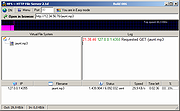 |
|
HopToDesk v1.46.50 WARNING: If someone you don’t know called you... or you dialed a number that suddenly appeared on your screen... and they told you to download this program... IT IS A SCAM. HANG UP IMMEDIATELY! HopToDesk v1.46.50 👉 Free and secure remote desktop software with screen sharing, remote control, file transfer, and live chat. HopToDesk is a free remote desktop tool that lets you share your screen, remotely control computers and devices, transfer files, and chat during support sessions. It is free for personal and commercial use, open source, and uses end-to-end encryption for screen sharing, chats, and file transfers. Features: • Remote desktop control • Screen sharing • File transfer • Live chat • End-to-end encrypted traffic • Free for personal and commercial use • Open source • Portable mode on Windows • Installed mode with background service support • Unattended access with permanent password • Direct IP access • IP whitelisting • SOCKS5 proxy connections • Remote terminal • Port forwarding • Camera / view-only mode • Quick Support mode • Address book and tags • LAN discovery • Multiple screen support • Remote printing on Windows and macOS • Audio streaming • Session recording • Screenshots • Switch sides during a session • Privacy mode on Windows and macOS • Two-factor authentication • Clipboard sync permission control • File transfer permission control • Remote restart permission control • TCP tunneling permission control • Wake On LAN permission support Supported operating systems: • Windows XP, Windows 7 or newer • macOS 10.14 Mojave or newer • Ubuntu 18.04 or newer, Debian 9 or newer, CentOS 7 or newer, openSUSE 42/15 or equivalent, Fedora, Manjaro, AppImage, Flatpak • FreeBSD 13 or newer • Raspberry Pi 2 and newer • ChromeOS devices compatible with Google Play • Android 5.0 or newer • iOS 11.0 or newer Supported languages: English, French, Spanish, Portuguese, German, Dutch, Polish, Czech, Norwegian, Swedish, Russian, Turkish, Hebrew, Arabic, Bahasa, Vietnamese, Simplified Chinese, Traditional Chinese, Japanese, Korean, Thai Changes v1.46.50 09-12-2026 Wayland, Windows Server and other Linux improvements, translation updates. This download is for the Windows 64bit version (very bottom of ... |
|
4,657 | Sep 16, 2026 HopToDesk 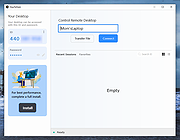 |
|
LocalSend v1.18.2 LocalSend v1.18.2 👉 Fast, private file sharing between nearby devices without the cloud. LocalSend is a free and open-source, cross-platform application for securely transferring files, folders, photos, videos, documents, text and other data between devices connected to the same local network. It provides an AirDrop-style experience that works across Windows, macOS, Linux, Android and iOS without requiring an account, an Internet connection or an external server. Devices running LocalSend automatically discover one another on the local network, allowing you to select what you want to send, choose a nearby device and begin the transfer. Data stays on your local network instead of being uploaded to a cloud service, and transfers are protected using HTTPS encryption. LocalSend can transfer any file type and is designed to take advantage of the speed of your local Wi-Fi or wired network without artificial bandwidth limits. It can also send text messages and links between devices, making it useful for quickly moving clipboard-style information from a phone to a computer or between computers. Files are saved to the receiving device's Downloads folder by default, although the destination can be changed in LocalSend's settings. Frequently used devices can be marked as favorites, and LocalSend can be configured to automatically accept transfers from trusted favorite devices. The application also includes a Share via Link feature for making selected files available through a web browser on the local network. Recent versions can receive files through links as well. No account or login is required, and LocalSend contains no advertising or tracking. Features: • Transfers files directly between nearby devices over the local network • Works across Windows, macOS, Linux, Android and iOS • No Internet connection, cloud storage or external server required • No account, registration or login required • Automatic discovery of nearby LocalSend devices • Send individual files, multiple files and folders • Supports photos, videos, documents and other file ... |
|
2,120 | Sep 29, 2026 LocalSend 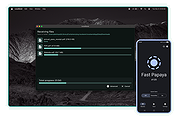 |
|
OnionShare v2.6.5 OnionShare v2.6.5 👉 Securely and anonymously share files, receive files, host websites and chat over the Tor network. OnionShare is a free, open-source privacy tool that lets you securely and anonymously share files, receive files, host websites and chat with others using the Tor network. Instead of uploading your data to a third-party file-sharing service, OnionShare runs a Tor onion service directly on your computer and provides a unique .onion address that others can open using Tor Browser. OnionShare provides separate modes for sending and receiving files, publishing an onion website and creating anonymous chat rooms. The application handles the Tor connection for you and can create temporary or persistent onion services depending on how you want to use it. Because transfers take place through the Tor network, users do not need to expose their public IP addresses to one another. Features: • Securely and anonymously shares files through the Tor network • Receives files directly from other users without relying on a conventional cloud storage provider • Hosts websites as Tor onion services directly from your computer • Creates private anonymous chat rooms • Generates .onion addresses that recipients can open with Tor Browser • Allows multiple Share, Receive, Website and Chat tabs to be used at the same time • Supports persistent onion addresses for services you want to reuse • Provides ephemeral onion services when a permanent address is not needed • Keeps chat history from being permanently stored by OnionShare • Assigns chat participants random names, which they can change • Includes its own Tor connectivity for normal desktop use • Supports Tor bridges for networks where direct Tor connections are restricted • Provides a graphical desktop application and command-line interface • Open-source software released under the GNU GPLv3 license • Does not require users to create accounts with OnionShare Supported operating systems: • Windows • macOS • Linux Supported languages: Afrikaans, Albanian, Arabic, Belarusian, Bengali, Bulgarian, Catalan, Chinese (Simplified), ... |
|
5,565 | Aug 19, 2026 Lockdown Systems 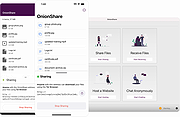 |
|
qBittorrent Portable v5.2.3 qBittorrent Portable v5.2.3 👉 Lightweight portable BitTorrent client with search, RSS, WebUI, and advanced torrent controls. qBittorrent Portable is the lightweight qBittorrent torrent client packaged as a portable app, so you can run it from a cloud folder, removable drive, or local folder without installing it on the PC. It includes a familiar interface, built-in search engine, support for BitTorrent extensions, WebUI remote control, RSS downloading with filters, bandwidth scheduling, IP filtering, IPv6 support, and torrent creation tools. Features: • Polished, familiar user interface • Well-integrated and extensible search engine • Simultaneous search across popular BitTorrent search sites • Category-specific search requests • Supports DHT, Peer Exchange, full encryption, Magnet URIs, and BitComet URIs • Remote control through a Web user interface • Advanced control over trackers, peers, and torrents • Torrent queueing and prioritizing • UPnP and NAT-PMP port forwarding support • Torrent creation tool • Advanced RSS support with download filters, including regex • Bandwidth scheduler • IP filtering compatible with eMule and PeerGuardian • IPv6 compliant • PortableApps.com format for easy portable use and automatic updates through the PortableApps.com Platform Supported operating systems: Windows 10/11 (64-bit Only) Supported operating systems: • Windows 10, Windows 11 64-bit only Supported languages: Multilingual, approximately 25 languages Changes: v5.2.3 07-07-26 BUGFIX: Fix MIME header encoding in email to require ASCII (quinot) #24382 BUGFIX: Fix potential invalid migration procedure (Chocobo1) #24502 BUGFIX: Resolve relative UI theme paths (TurboTheTurtle) #24514 BUGFIX: Clear transfer filters when sections collapse (TurboTheTurtle) #24517 BUGFIX: Fix potential deadlock when database transaction failed (Chocobo1) #24542 BUGFIX: Fix wrong torrent tracker conversion (Chocobo1) #24546 BUGFIX: Fix wrong encoding for Web Seeds (Chocobo1) #24593 BUGFIX: Use stricter parsing for Peer Address inputs (Chocobo1) #24595 BUGFIX: Revise regex expression for parsing HTML links (Chocobo1) #24597 WEBUI: Correctly escape CSS query selector so the UI won't break (vafada) #24539 RSS: Fix feeds not following the specified interval (vafada) #24553 SEARCH: Fix plugin counting when updating (Chocobo1) #24544 WINDOWS: Avoid using invalid file attributes when renaming files (Chocobo1) #24543 Note: This program will ... |
|
7,693 | Oct 02, 2026 qBittorrent Team & PortableApps.com 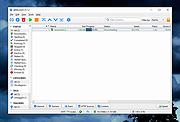 |
| Showing rows 1 to 8 of 8 | Showing Page 1 of 1 | 1 |
OlderGeeks.com Copyright (c) 2026
