|

|
Processed through Paypal No account required. |








Buy our over-priced crap to help pay the bills.



|
|
Processed through Paypal No account required. |
| Files | ||||
| File Name | Rating | Downloads | ||
 |
Batch Excel to PDF Converter v1.1 Batch Excel to PDF Converter v1.1 Powerful Excel to PDF converter program enables users to convert Excel XLS/XLSX Files to PDF format in bulk. No Office or MS Excel Required. Feature List Batch Convert XLSX/XLS to PDF Convert Single Workbook to PDF Merge Excel Files to One PDF Fit One Worksheet to One Page Change Paper Size Change Paper Orientation Support XLS, XLSX, ODS, CSV PDF Permission Settings Password Encryption Multi-language You Can Use It to - Convert Excel to PDF without Losing Formatting - Convert Excel to PDF Landscape / Portrait - Convert Excel to PDF on Windows 10 - Convert Excel to PDF on One Page - Convert Multiple Excel Sheets to PDF in Bulk - Combine Multiple Excel Files into One PDF - Combine Word and Excel Files into One PDF Features of Batch Excel to PDF Converter Batch Convert Excel XLSX/XLS Files to PDF in Bulk Convert Single Excel Worksheet to a PDF Combine and Convert Multiple Excel Spreadsheets & Files into One Single PDF Convert and Fit Each Excel Worksheet into One PDF Page Support Change PDF Paper Size and Orientation Support Owner Password & Open Password Protection Support ODS and CSV Table Formats Support WORD DOC/DOCX and Powerpoint PPTX/PPT Formats to PDF Not Require MS Office or Excel Installed Multi-language Users may often face with Excel Spreadsheets and workbooks in their daily office work, and need to convert XLSX and XLS files and worksheets to PDF format sometimes. Although the latest MS Excel version provides the feature saves a workbook as a PDF file, it is a ... |
 |
3,680 | Mar 23, 2021 PDFZilla 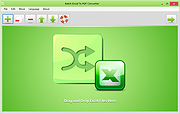 |
 |
StaticDesktopRuler v1.05 StaticDesktopRuler v1.05 👉 Add customizable on-screen guide rulers that make it easy to visually follow rows, columns, and align desktop objects. StaticDesktopRuler is a free, portable desktop utility that places one or more customizable rulers on your screen as visual reference guides. Its primary purpose is not measuring distances, but making it easier to keep your eyes on the correct row or column while working with large spreadsheets, databases, documents, source code, CAD drawings, image editors, and other information-dense applications. As shown in the example below, horizontal and vertical rulers can be positioned over a worksheet so you can instantly locate the exact cell where a row and column intersect, dramatically reducing the chance of reading or entering data on the wrong line. Each ruler can be customized with its own color, thickness, transparency, and ghost mode, allowing the guides to remain visible without blocking the content beneath them. Because it is portable, StaticDesktopRuler can be launched anywhere without installation. Features: • Place multiple horizontal and vertical guide rulers anywhere on the desktop • Easily follow spreadsheet rows and columns to the correct cell intersection • Reduce reading and data-entry mistakes in large worksheets and tables • Keep your place while reading databases, documents, logs, and source code • Customize each ruler's color, thickness, and transparency • Ghost mode keeps guides visible while allowing you to see and work through them • Portable application requiring no installation • Lightweight and uses very little system resources Supported operating systems: • Windows 7, Windows 8, Windows 8.1, Windows 10, Windows 11, Windows Server 2012, Windows Server 2016, Windows Server 2019, Windows Server 2022 Supported languages: • German, English, Traditional Chinese, Korean, French, Russian, Italian, Japanese, Spanish, Portuguese Changes: v1.05 07-25-26 • Minor adjustments to StaticDesktopRuler • New languages added for Static Desktop Ruler: Spanish and Portuguese • Many thanks to Pedro for the Spanish and Portuguese translations. This download is for the ... |
|
454 | Aug 04, 2026 Nenad Hrg 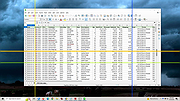 |
| Showing rows 1 to 2 of 2 | Showing Page 1 of 1 | 1 |
OlderGeeks.com Copyright (c) 2026
