|

|
Processed through Paypal No account required. |








Buy our over-priced crap to help pay the bills.


|
|
Processed through Paypal No account required. |
| Files | ||||
| File Name | Rating | Downloads | ||
 |
SmartContextMenu v1.9.0 SmartContextMenu v1.9.0 👉 Add a powerful context menu to almost any window in Windows. SmartContextMenu adds an extra context menu to system windows, including windows that do not have a standard system menu. Move the pointer over a window and use the default Ctrl + right-click shortcut to open the menu. You can customize its menu items and hotkeys through the system tray settings or the SmartContextMenu.xml file. Features: • Display information about a window and its process, including the window title, class, process name, ID, and file path. • Keep a window on top, send it behind other windows, hide it, roll it up, or make it borderless. • Dim other windows, adjust transparency, or make a window click-through. • Resize, reposition, align, or move a window to another monitor. • Change a window’s title or icon, and enable or disable its Minimize, Maximize, and Close buttons. • Save window screenshots, copy screenshots or window text to the clipboard, and clear the clipboard. • Minimize or suspend windows to the system tray, or minimize and close other windows. • Open a process location in File Explorer and launch programs configured in the settings. • Customize the menu and hotkeys through the system tray settings or SmartContextMenu.xml. • Use command-line options to manage windows, adjust settings, and run without the graphical interface. • Apply Aero Glass blur to windows on Windows Vista and later. Supported operating systems: • Windows XP SP3 and later, x86 and x64 Supported languages: Chinese (Simplified), Chinese (Traditional), English, French, German, Hebrew, Hungarian, Italian, Japanese, Korean, Portuguese, Russian, Serbian, Slovenian, Spanish, Tamil, Vietnamese Changes: v1.9.0 08-02-26 Added an option to call the menu for the entire window and ... |
 |
1,931 | Oct 20, 2026 Alexander Illarionov  |
|
SmartSystemMenu v2.34.0 SmartSystemMenu v2.34.0 👉 Enhanced Windows system menus with powerful window management features. SmartSystemMenu is a lightweight utility that extends the standard Windows system menu of application windows with a wide range of advanced window management tools. By right-clicking the title bar or using the system menu, users gain access to additional options that go far beyond the default Move, Size, Minimize, Maximize, and Close commands. SmartSystemMenu allows you to control window behavior, transparency, priority, alignment, and more, making it especially useful for power users who want finer control over their desktop environment. Features: • Adds extended options to the standard Windows system menu • Adjust window transparency levels • Set window priority (Real-time, High, Above normal, Normal, Below normal, Idle) • Resize and reposition windows with custom dimensions • Align windows to screen edges or predefined positions • Change window always-on-top state • Save and restore window positions • Take screenshots of application windows • Copy window text to clipboard • Multi-language interface • Portable version available Supported operating systems: • Windows 7, Windows 8, Windows 8.1, Windows 10, Windows 11 Supported languages: English, Russian, Chinese, Korean, Indonesian, Vietnamese, Spanish, Japanese Changes: v2.34.0 10-10-26 Renamed "Buttons" menu group to "Title Bar" menu group. Moved "Change Icon" and "Change Title" menu items to "Title Bar" menu group. Added a new "Dark Mode" menu item to "Title Bar" menu group. More correct saving of Avalonia window settings Changed hotkeys for "Alignment" menu group by @stamminator Vietnamese translation by @vuanhvu11982 Indonesian translation by @Yoruxyv Spanish translation improvements by @Deliond Japanese translation improvements by @Rukoto Several bugfixes and code improvements Click here to visit the author's website. |
|
5,883 | Oct 20, 2026 Alexander Illarionov  |
|
StaticDesktopRuler v1.06 StaticDesktopRuler v1.06 👉 Add customizable on-screen guide rulers that make it easy to visually follow rows, columns, and align desktop objects. StaticDesktopRuler is a free, portable desktop utility that places one or more customizable rulers on your screen as visual reference guides. Its primary purpose is not measuring distances, but making it easier to keep your eyes on the correct row or column while working with large spreadsheets, databases, documents, source code, CAD drawings, image editors, and other information-dense applications. As shown in the example below, horizontal and vertical rulers can be positioned over a worksheet so you can instantly locate the exact cell where a row and column intersect, dramatically reducing the chance of reading or entering data on the wrong line. Each ruler can be customized with its own color, thickness, transparency, and ghost mode, allowing the guides to remain visible without blocking the content beneath them. Because it is portable, StaticDesktopRuler can be launched anywhere without installation. Features: • Place multiple horizontal and vertical guide rulers anywhere on the desktop • Easily follow spreadsheet rows and columns to the correct cell intersection • Reduce reading and data-entry mistakes in large worksheets and tables • Keep your place while reading databases, documents, logs, and source code • Customize each ruler's color, thickness, and transparency • Ghost mode keeps guides visible while allowing you to see and work through them • Portable application requiring no installation • Lightweight and uses very little system resources Supported operating systems: • Windows 7, Windows 8, Windows 8.1, Windows 10, Windows 11, Windows Server 2012, Windows Server 2016, Windows Server 2019, Windows Server 2022 Supported languages: • German, English, Traditional Chinese, Korean, French, Russian, Italian, Japanese, Spanish, Portuguese Changes: v1.06 08-26-26 • StaticDesktopRuler language file update • Minor fine-tuning in StaticDesktopRuler for all Windows operating systems. 👉 This download is for the Windows portable version (very bottom of page). All other download ... |
|
675 | Oct 04, 2026 Nenad Hrg 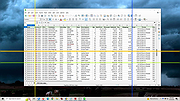 |
| Showing rows 1 to 3 of 3 | Showing Page 1 of 1 | 1 |
OlderGeeks.com Copyright (c) 2026
