|

|
Processed through Paypal No account required. |








Buy our over-priced crap to help pay the bills.



|
|
Processed through Paypal No account required. |
| Files | ||||
| File Name | Rating | Downloads | ||
 |
Endstate v3.10.0 Endstate v3.10.0 👉 Save your Windows apps and settings, then quickly rebuild them on a new PC. Endstate is a free, local-first Windows setup and recovery tool that records the applications installed on your computer along with settings for supported programs, then uses that information to rebuild your setup on a fresh Windows installation. Instead of copying installed program files from one PC to another, Endstate identifies your software and uses Windows Package Manager (winget) to reinstall available applications cleanly. You can scan an existing computer and save its setup to a portable file that you control. On a new or freshly installed Windows PC, load that saved setup and Endstate compares it with the new machine, shows which applications are missing and lets you choose what to install and which supported settings to restore. Scanning and saving can be performed offline, while reinstalling applications requires an internet connection to download their installers. No Endstate account is required. Features: • Automatically scans your Windows PC and detects installed applications • Detects traditional EXE/MSI-installed software and Microsoft Store applications • Uses winget to reinstall supported applications from their normal installation sources • Captures and restores settings for more than 300 supported applications • Settings support includes editors, IDEs, terminals, creative applications, media players, emulators, note-taking programs and more • Settings capture is optional and can be selected per application • Saves your setup to portable files that you control • Saved setups can be copied, backed up or moved to another computer • No mandatory cloud storage is required • No account is required for the free local product • Provides both a graphical interface and command-line interface • Supports capture, restore, profiles and manifests • Preview mode compares a computer against a saved setup without making changes • Shows which applications need to be installed and which are already present • Applications are installed individually rather than silently ... |
 |
323 | Aug 11, 2026 Substrate Systems 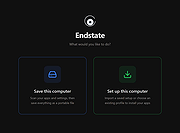 |
 |
Flyoobe v3.03.100 Flyoobe v3.03.100 👉 A Windows setup and upgrade toolkit for reviewing, customizing and applying Windows 11 settings from one streamlined interface. Flyoobe is a Windows setup assistant that brings Windows settings, applications, personalization, bloatware management and upgrade tools together in one place. It uses a signature-driven checklist approach to show what is currently configured, what differs from its recommendations and what can be changed. Users can apply individual settings, restore defaults, create portable setup recipes, install apps through winget, review removable preinstalled apps and access common Windows workflows without replacing Windows Settings. The built-in Flyby11 upgrade path also helps Windows 10 systems that do not meet every Windows 11 requirement move to Windows 11. Features: • Unified overview for Windows settings, apps, personalization, bloatware and system tasks • Signature-driven Windows configuration using the editable Flyoobe.ini file • Portable setup recipes that can be saved, imported, reviewed and applied on another PC • Recipe review mode lets you inspect and discard staged changes before applying them • Individual Apply and Restore default controls for supported Windows settings • Searchable winget application installer using an editable Apps.ini catalog • Detects matching preinstalled Windows apps using Bloatware.ini and offers optional removal • Detects installed web browsers and provides quick access to Windows default-app settings • Personalization controls for Windows mode, app mode, taskbar alignment, transparency and wallpaper • Quick access to account, device, network and Windows Update workflows • Integrated Flyby11 upgrade path for Windows 10 PCs that do not meet every Windows 11 requirement • Read-only compatibility checks for TPM, Secure Boot, memory, architecture, storage and Windows version • Optional AI explanations for individual settings without allowing AI to apply changes • Native WinForms interface with improved high-DPI scaling • Editable configuration files keep recommendations, app catalogs, bloatware signatures and upgrade limits separate from the executable Supported operating systems: • Windows 10, Windows 11 Supported languages: • English, German Changes: v3.03.100 09-28-26 [Added] ... |
|
3,857 | Sep 30, 2026 Builtbybel 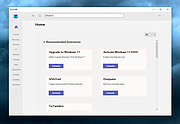 |
|
InnoExtractor v12.1.1.185 InnoExtractor v12.1.1.185 👉 Powerful utility for unpacking and exploring Inno Setup installers. InnoExtractor is an advanced application that allows you to inspect, extract, and explore the contents of installers created with Inno Setup without needing to run the installation process. It provides a clean and user-friendly interface for viewing internal files, scripts, registry entries, installation structure, and embedded resources from supported setup packages. InnoExtractor is especially useful for software archivists, developers, system administrators, and advanced users who want to analyze installer contents or recover files from installation packages. Features: • Open and inspect Inno Setup installer packages • Extract files and folders from installers without running setup • View internal installer scripts and configuration data • Explore embedded files, icons, images, and resources • Display detailed installer information and metadata • Supports password-protected installers when password is known • Search and filter installer contents • Drag-and-drop support for opening setup files • Supports Unicode installers • Export installer information and file lists • Multi-language user interface Supported operating systems: • Windows 7, Windows 8, Windows 8.1, Windows 10, Windows 11 Supported languages: Arabic, Azerbaijani, Czech, Danish, Dutch, English, French, German, Greek, Hungarian, Italian, Japanese, Korean, Polish, Portuguese (Portugal), Russian, Simplified Chinese, Spanish, Traditional Chinese, Turkish, Ukrainian Changes: v12.1.1.185 10-14-26 - Updated Danish, Italian, Russian and Ukrainian language files. - Fixed a minor bugs from previous version. Note: This file has one hit on VirusTotal. We have confirmed this to be a false positive. The file is safe. Click here to visit the author's website. |
|
744 | Oct 15, 2026 Havy Alegria 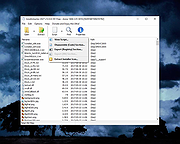 |
|
InnoUnpacker v2.2.13 InnoUnpacker v2.2.13 👉 Inspect and unpack Inno Setup installer files. InnoUnpacker is a graphical user interface for unpacking Inno Setup installers, allowing you to explore setup contents, view included files and languages, verify installer integrity, and extract files from supported Inno Setup packages. The program supports opening installers via file dialog, drag and drop, command line, or Windows context menu, and immediately displays detailed information about the selected setup file. It can also operate in portable mode, storing settings alongside the executable when run from removable media or with the /p option. Features: • Open Inno Setup installers via file dialog, drag and drop, command line, or context menu • Display general information about the setup file • View a complete list of included files • Show all supported languages within the installer • Verify setup file integrity • Select custom destination for extracted files • Extract full contents or selectively extract specific files or scripts • Filter extraction by file types or user selection • Portable mode support with local settings storage • Supports Windows Dark Mode Supported operating systems: • Windows 7, Windows 8.1, Windows 10, Windows 11 Supported languages: English, German, French, Italian, Spanish, Hungarian, Chinese Changes: v2.2.13 10-11-26 This release includes: Inno Setup Unpacker - Windows GUI v 2.2.13 Inno Unpacker console version 2.71.1 suitable for setups made with Inno Setup up to version 7.1 Last changes in Windows GUI: Bug fixes Last changes in console version: Support for Inno Setup up to 7.1.0 Bug fixes Note: This file has one hit on VirusTotal. We have confirmed this to be a false positive. The file is safe. Click here to visit the author's website. |
|
1,151 | Oct 14, 2026 Dr. Jόrgen Rathlev 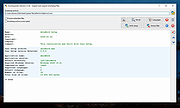 |
|
InstallerClean v3.3.0 InstallerClean v3.3.0 👉 Safely clean orphaned Windows Installer files and reclaim disk space. InstallerClean is a modern, open-source tool for cleaning unneeded files from the hidden C:\Windows\Installer folder. It scans for orphaned .msi and .msp files, checks them against the Windows Installer database, and lets you delete them to the Recycle Bin or move them to a folder you choose. Features: • Scans C:\Windows\Installer for unneeded installer and patch files • Detects orphaned MSI and MSP files • Detects superseded patches, including Adobe Acrobat patches • Uses the Windows Installer API instead of guessing by file names or dates • Shows needed and removable files with sizes • Delete sends files to the Recycle Bin • Move option lets you keep removed files in a safe folder • GUI and command-line versions included • No telemetry, no network activity, no background service, no scheduled task Supported operating systems: • Windows 10, Windows 11 Supported languages: Indonesian, German, English, Spanish, French, Italian, Dutch, Polish, Brazilian Portuguese, Vietnamese, Turkish, Russian, Ukrainian, Japanese, Simplified Chinese, Traditional Chinese, Korean Changes: v3.3.0 10-13-26 Added InstallerClean can now be shown in Traditional Chinese, written for Taiwan's usage with the words Windows itself uses there: every window, dialog, tooltip, button and screen-reader label, the command-line tool's text and the setup wizard. A Windows set to Traditional Chinese shows it automatically, and it can be picked from the main-window language menu. Like the other machine-drafted languages it is published beside the English in docs/translations/zh-Hant.md for anyone who reads it to check, and the README has a Traditional Chinese edition, which the app's README links open. Where the languages stand: Natively done Live machine-translated README only * English · Italian · Japanese · Dutch Simplified Chinese · Traditional Chinese · Russian · Spanish · Brazilian Portuguese · Polish · Turkish · Korean · French · German · ... |
|
1,144 | Oct 13, 2026 no-faff  |
|
SSE Setup v8.7 SSE Setup v8.7 SSE SetupTM is a freeware Windows installation creator that is easy, full-featured and mature. Installers run on Windows 10 and all relevant Windows OS's (you choose which) Installs both 32-bit and 64-bit programs NOT some complicated scripting language! (unlike many other installers) Create a fully functional installer in minutes (NOT days!) Handles the most common things automatically Creates small, efficient .EXE's or .ZIP's, or burns to CD/DVD Non-Admin (Limited/Standard user) install support Upgrade and patch support for installed programs Integrated Internet Updater solution that can download & install needed updates Prerequisites checks to look for needed hardware / OS's / software Can download any required software (runtimes) your program needs For .NET installs, easy framework download if user needs For Access developers: Easy Access database deployment Built-in Language support for 12 of the world's most-used (multilanguage) Works well with UAC / Very "UAC Friendly" Customizable GUI and 7 presets to choose from Ability to digitally sign installer/uninstaller/your program's files Display license agreement that must be agreed to Install files & shortcuts; modify registry Automatic DLL/OCX registration or font installation if needed Full Unicode support Complete context-sensitive help a button away Automatic removal of everything installed during uninstall Run external programs during install/uninstall Show welcome screen or custom messages Play audio files Associate filetypes with your ... |
|
6,014 | Nov 20, 2019 Chris Long 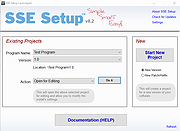 |
|
WSCC - Windows System Control Center v10.0.4.3 WSCC - Windows System Control Center v10.0.4.3 👉 Centralized launcher and update manager for Sysinternals, NirSoft, and other Windows utility suites. WSCC - Windows System Control Center allows you to install, update, execute and organize the utilities from various system utility suites. WSCC can install and update the supported utilities automatically. Alternatively, WSCC can use the http protocol to download and run the programs. The same download package provides both setup and portable usage, allowing you to choose installation or run it directly without installing. Features: • Simple and intuitive user interface • Centralized workspace for organizing and launching utilities • Built-in Update Manager for keeping tools up to date • Automatically detects installed Sysinternals and NirSoft utilities • Can download and install missing supported utilities • Supports Sysinternals Suite integration • Supports NirSoft Utilities integration • Runs utilities directly from the interface with quick access • Supports HTTP downloading and execution of tools • Displays detailed information about each utility • Search and filter tools for quick navigation • Allows grouping and categorizing of utilities • Supports command-line parameters for advanced usage • Portable-friendly design with no installation required • Single package supports both setup and portable modes Supported operating systems: • Windows 11/10/7 32/64bit (all editions) • Windows Server 2025/2022/2019/2016/2012R2/2012/2008R2 32/64bit (all editions) Supported languages: • English, German, Spanish Changes: v10.0.4.3 09-15-26 Not provided. Warning: Due to the nature of some of the available apps (password crackers, etc) that WSCC can download, your antivirus (if enabled) will block them from installing. You will need to add an exception for them in your antivirus software or disable your antivirus software while using this software. This download is for the Windows 64bit setup/portable version (very bottom of page). If you need the Windows 32bit setup/portable version, download here. Click here to visit the author's website. |
|
13,171 | Sep 16, 2026 KLS Soft 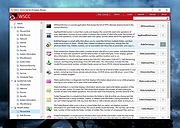 |
| Showing rows 1 to 7 of 7 | Showing Page 1 of 1 | 1 |
OlderGeeks.com Copyright (c) 2026
