|

|
Processed through Paypal No account required. |








Buy our over-priced crap to help pay the bills.



|
|
Processed through Paypal No account required. |
| Files | ||||
| File Name | Rating | Downloads | ||
 |
BCTextEncoder v1.03.2.2 BCTextEncoder v1.03.2.2 👉 Encrypt and decrypt sensitive text messages with strong password or public key encryption. BCTextEncoder is a free, portable text encryption utility from Jetico that allows you to securely encode and decode sensitive text for emails, chat messages, notes, and other private communications. It compresses, encrypts, and converts plain text into an encoded text format that can be safely shared or stored. Because it runs without installation, BCTextEncoder can be used from virtually any Windows computer without leaving software installed behind. BCTextEncoder supports both password-based encryption and public key encryption. Users can generate or import PKCS-12/X.509 public and private key pairs using the included BestCrypt Key Manager, making it easy to exchange encrypted messages without sharing passwords. Encoded text can be copied directly to the clipboard, saved as a text file, or shared through your preferred communication method. Features: • Encrypt and decrypt plain text messages • Password-based encryption for secure text protection • Public key encryption using PKCS-12/X.509 key pairs • Generate or import public/private encryption keys • Compresses text before encryption • Portable application requiring no installation • Copy encrypted or decrypted text directly to the clipboard • Save encoded text as a text file • Lightweight and easy-to-use interface • Suitable for emails, instant messages, notes, and other confidential text Supported operating systems: • Windows XP, Windows Vista, Windows 7, Windows 8, Windows 10, Windows 11, Windows Server 2003, Windows Server 2008 (32-bit and 64-bit where supported) Supported languages: • English Changes: v1.03.2.2 • Not provided. Click here to visit the author's website. |
 |
9,697 | Jul 07, 2026 Jetico Inc. 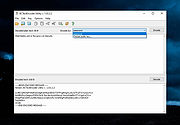 |
|
EntropyVerify v1.0.0 EntropyVerify v1.0.0 👉 Portable, high-performance storage validation utility for verifying drive capacity and integrity. EntropyVerify is an open source, cross-platform storage validation utility written in Rust. Designed as a modern alternative to H2testw, it verifies the true capacity and integrity of storage devices by writing hardware-accelerated, incompressible AES-CTR data and validating it using BLAKE3 block checksums. The program is optimized for modern high-speed NVMe SSDs while remaining compatible with virtually any storage device. It features a real-time terminal dashboard, detailed verification reports, built-in safeguards to prevent accidental testing of system drives, and configurable command-line options for advanced users. Features: • Verifies the true capacity and integrity of storage devices. • High-performance asynchronous I/O for Windows and Linux. • Hardware-accelerated AES-128-CTR data generation. • BLAKE3 block-level integrity verification. • Real-time terminal dashboard with throughput graphs, progress bars, and ETA. • Automatically detects CPU topology and assigns worker threads to physical cores. • Built-in safety checks to prevent overwriting system drives and protected mount points. • Supports write-only and verify-only testing modes. • Generates detailed Markdown verification reports. • Automatically removes test files after a successful validation pass while retaining failed data for analysis. • Interactive controls for pausing, resuming, changing displayed units, and aborting tests. Supported operating systems: • Windows 10, Windows 11 Supported languages: • English Changes: v1.0.0 06-23-26 • Initial public release. • Introduced high-performance storage validation with asynchronous I/O. • Added hardware-accelerated AES-CTR data generation and BLAKE3 verification. • Added interactive terminal dashboard, Markdown reporting, and built-in safety protections. Click here to visit the author's website. |
|
474 | Jun 23, 2026 blamie 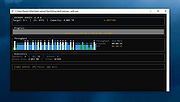 |
|
Mini Diarium v0.6.3 Mini Diarium v0.6.3 👉 An encrypted offline journal app for private daily writing. Mini Diarium is a private offline journal app designed for users who want to keep a personal diary without relying on cloud services, online accounts, or telemetry. It stores your entries locally in an encrypted SQLite database and encrypts each entry with AES-256-GCM before it is written to disk, helping keep your writing under your control. Mini Diarium is built for daily journaling with a rich text editor, auto-save, calendar navigation, writing statistics, automatic backups, and import/export tools. It can import from Mini Diary, Day One, and jrnl, and export your journal to JSON or Markdown so your data is never locked in. It also supports password-based protection and optional key file authentication for an added layer of security. Features: • Offline-only journal with no cloud, no telemetry, and no network calls • AES-256-GCM encryption for entries stored on disk • Local-first encrypted SQLite database storage • Rich text editor with bold, italic, headings, lists, spellcheck, and auto-save • Calendar navigation for quickly jumping between entry dates • Import support for Mini Diary JSON, Day One JSON and TXT, and jrnl JSON • Export support for JSON and Markdown • Automatic backups of the encrypted database • Writing statistics including word count, streaks, active days, and total entries • Optional key file authentication in addition to password-based access • Keyboard shortcuts for faster journal navigation • Open source under the MIT License Supported operating systems: • Windows • macOS • Linux Supported languages: English Changes: v0.6.3 07-27-26 This release completes the in-app navigation migration with header day controls and a ⋮ menu, adds timeline display preferences and a donation page, and fixes Linux spell check. Internally, the backend is now a three-crate open-core workspace with a sealed API faηade, and the Microsoft Store update pipeline is live. Added Website donation page: added a donation page at mini-diarium.com/donate/, reachable from ... |
|
776 | Jul 29, 2026 Francisco J. Revoredo 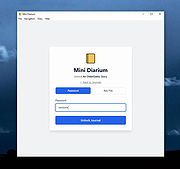 |
| Showing rows 1 to 3 of 3 | Showing Page 1 of 1 | 1 |
OlderGeeks.com Copyright (c) 2026
