|

|
Processed through Paypal No account required. |








Buy our over-priced crap to help pay the bills.



|
|
Processed through Paypal No account required. |
| Files | ||||
| File Name | Rating | Downloads | ||
 |
Cherrytree v1.7.2.1 Cherrytree v1.7.2.1 👉 A powerful hierarchical note-taking application with rich text, syntax highlighting, embedded files, tables, code boxes and extensive organization tools. Cherrytree is a hierarchical note-taking application designed for organizing notes, documentation, research, code snippets, ideas and other information in a structured tree. It combines rich text editing with syntax highlighting, images, tables, code boxes, mathematical equations, embedded files and extensive linking and search capabilities. Documents can be stored in a single XML or SQLite file or as multiple files and directories. Features: • Hierarchical tree structure for organizing notes and documents into nodes and subnodes • Rich text editing with foreground and background colors, bold, italic, underline, strikethrough and monospace formatting • Multiple heading levels plus subscript and superscript formatting • Syntax highlighting supporting numerous programming and scripting languages • Code boxes for keeping source code and other preformatted content inside notes • Insert images directly into notes • Resize and rotate inserted images • Save embedded images as PNG files • Render LaTeX mathematical equations within notes • Embed files directly inside documents and save them back to disk when needed • Create tables directly inside notes • Import and export table data using CSV • Bulleted, numbered and to-do lists • Multi-level lists with indentation support • Hyperlinks to websites, files and folders • Internal links between Cherrytree nodes • Anchors for linking directly to specific locations within notes • Powerful search and replace functions • Search across multiple nodes • Search node names and tags using multiple words • Tree node tags for additional organization and searching • Spell checking support • Automatic URL recognition • Insert current date and time into notes • Insert today's or tomorrow's node • Word count in the status bar, including selected text, code boxes and tables • Node sorting tools for organizing large trees • Drag and drop nodes within the tree • Import content from several other note-taking applications and document formats • Export notes to PDF • Export content ... |
 |
7,782 | Sep 23, 2026 Giuseppe Penone 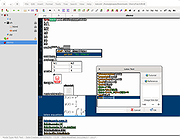 |
|
Letos v4.0.0 Letos v4.0.0 (Formerly SQLiteStudio) 👉 Free, open source cross-platform SQLite database manager with an advanced SQL editor and visual ERD designer. Letos is a free, open source SQLite database manager for creating, editing, and browsing SQLite databases. Formerly known as SQLiteStudio, Letos provides a powerful SQL editor with syntax highlighting, code formatting, query history, and intelligent code assistance. Version 4.0.0 introduces a completely new visual ERD (Entity Relationship Diagram) editor, native ARM64 builds, a Qt 6-based interface, and numerous improvements for database browsing, editing, importing, exporting, scripting, and overall workflow. It also supports encrypted SQLite databases, plugins, custom SQL functions, and portable operation without installation. Features: • Advanced SQL editor with syntax highlighting, formatting, code assistance, and query history • Visual ERD (Entity Relationship Diagram) editor for designing and reverse-engineering databases • Supports SQLCipher, WxSQLite3, and System.Data.SQLite encrypted databases • Execute queries across multiple attached databases • Custom SQL functions and aggregate functions using JavaScript, Python, or Tcl • Custom collation sequence support • Drag and drop database objects between databases • Built-in data import and export for SQL, CSV, HTML, XML, PDF, and JSON • Data population tools with random, sequence, dictionary, and script-based generators • Plugin architecture for scripting languages, import/export formats, formatters, renderers, and more • Portable edition requiring no installation • Extensive interface customization and docking options • Native ARM64 builds and signed Windows and macOS packages • High-DPI aware Qt 6 interface with scalable SVG icons • Command Palette for quick access to commands and settings • Built-in image rendering and JSON editor for data browsing Supported operating systems: • Windows 10, Windows 11 (x64, ARM64) • macOS (Intel and Apple Silicon) • Linux (x64, ARM64) Supported languages: Afrikaans, Arabic, Belarusian, Catalan, Czech, Danish, Dutch, English, Greek, Hungarian, Japanese, Korean, Norwegian, Polish, Portuguese, Romanian, Serbian, Slovak, Swedish, Turkish and additional updated translations. Changes: v4.0.0 06-23-26 Added a new visual ERD editor. Renamed the project from SQLiteStudio to Letos. Migrated the application to Qt ... |
|
2,639 | Jun 24, 2026 Pawel Salawa 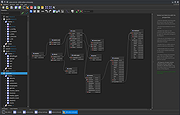 |
|
Mini Diarium v0.6.3 Mini Diarium v0.6.3 👉 An encrypted offline journal app for private daily writing. Mini Diarium is a private offline journal app designed for users who want to keep a personal diary without relying on cloud services, online accounts, or telemetry. It stores your entries locally in an encrypted SQLite database and encrypts each entry with AES-256-GCM before it is written to disk, helping keep your writing under your control. Mini Diarium is built for daily journaling with a rich text editor, auto-save, calendar navigation, writing statistics, automatic backups, and import/export tools. It can import from Mini Diary, Day One, and jrnl, and export your journal to JSON or Markdown so your data is never locked in. It also supports password-based protection and optional key file authentication for an added layer of security. Features: • Offline-only journal with no cloud, no telemetry, and no network calls • AES-256-GCM encryption for entries stored on disk • Local-first encrypted SQLite database storage • Rich text editor with bold, italic, headings, lists, spellcheck, and auto-save • Calendar navigation for quickly jumping between entry dates • Import support for Mini Diary JSON, Day One JSON and TXT, and jrnl JSON • Export support for JSON and Markdown • Automatic backups of the encrypted database • Writing statistics including word count, streaks, active days, and total entries • Optional key file authentication in addition to password-based access • Keyboard shortcuts for faster journal navigation • Open source under the MIT License Supported operating systems: • Windows • macOS • Linux Supported languages: English Changes: v0.6.3 07-27-26 This release completes the in-app navigation migration with header day controls and a ⋮ menu, adds timeline display preferences and a donation page, and fixes Linux spell check. Internally, the backend is now a three-crate open-core workspace with a sealed API faηade, and the Microsoft Store update pipeline is live. Added Website donation page: added a donation page at mini-diarium.com/donate/, reachable from ... |
|
777 | Jul 29, 2026 Francisco J. Revoredo 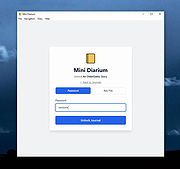 |
|
Pelton v2026.3.2 Pelton v2026.3.2 👉 A privacy-focused open-source email client that keeps your mail under your control. Pelton is a free, open-source desktop email client designed around privacy, speed, and simplicity. Instead of routing your email through third-party services, Pelton connects directly to your existing IMAP and SMTP accounts while storing your data locally in an SQLite database. There is no telemetry, no tracking, and no cloud service standing between you and your email. Built with a modern interface and a keyboard-friendly workflow, Pelton offers fast local searching, offline access, scheduled sending, message snoozing, built-in document previews, customizable themes, and portable configuration backups. Everything runs locally, making it equally suitable for everyday email users and privacy-conscious professionals who want complete control over their communications. Features: • Fast local search using a local SQLite database for instant results, even with large mailboxes. • Cross-platform support for Windows, macOS, and Linux. • Zero telemetry with no tracking or crash reporting. • Connects directly to standard IMAP and SMTP mail providers. • Stores email locally while remaining synchronized with your existing mail provider. • Download messages for offline reading by pinning messages or selecting a date range. • Immediate synchronization using IMAP IDLE for prompt delivery of new mail. • Native desktop notifications for Windows, macOS, and Linux. • Built-in previewer for PDFs, images, and text files. • Snooze messages to return unread at a scheduled time. • Schedule outgoing messages with Send Later. • Export accounts, preferences, and layouts into a portable configuration file. • Eight colored message flags stored locally or synchronized using IMAP keywords. • Extensive customization including themes, layouts, display density, and custom CSS. • Import themes safely with selective importing and automatic removal of remote references. Supported operating systems: • Windows 10, Windows 11 • macOS 13 Ventura or higher (Intel and Apple Silicon) • Linux x86-64 (Debian/Ubuntu, Fedora, and other modern distributions) Supported languages: English, German, French, Dutch, Spanish, Polish Changes: v2026.3.2 08-01-26 • Added ... |
|
256 | Aug 05, 2026 Arne K. 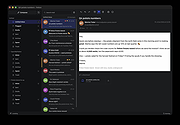 |
| Showing rows 1 to 4 of 4 | Showing Page 1 of 1 | 1 |
OlderGeeks.com Copyright (c) 2026
