|

|
Processed through Paypal No account required. |








Buy our over-priced crap to help pay the bills.



|
|
Processed through Paypal No account required. |
| Files | ||||
| File Name | Rating | Downloads | ||
 |
Imagine v2.7.0 Imagine v2.7.0 👉 Fast freeware image and animation viewer for Windows with broad format and plugin support. Imagine is a freeware image and animation viewer for Windows that focuses on speed while supporting a huge range of image, animation, archive, and RAW camera formats. It includes a thumbnail browser, slideshow, batch conversion and rename tools, screen capture, basic paint tools, color corrections, ICC color management, and optional add-on plugins plus Total Commander integration. Features: • View and save image and animation files with very fast speed • Supports many image and animation formats (including ANI, GIF, PNG, SVG, TIF, WEBP, and more) • Supports digital camera RAW formats (including ARW, CR2, CR3, DNG, NEF, ORF, RAF, SRW, and more) • Supports archive formats (ZIP, RAR, 7Z, ALZ, HV3, CBZ, CBR, CB7) • Extract single or all frames from animation files • Shows detailed file information plus Exif, IPTC, DICOM, and Comment information • Thumbnail browser • Basic paint tools, color corrections, and ICC color management • Batch conversion and batch rename • Slideshow and tiled view • Screen capture • Create animations, multiple page images, and panorama images • Customizable keyboard and mouse shortcuts, plus command line parameter support • Shell extension support, add-on plugin support, and Total Commander Lister, Packer, and Content plugin support • INI-based configuration (does not write unnecessary registry entries) • Native builds for x86, x64, and ARM64 Supported operating systems: • Windows 95, Windows 98, Windows ME, Windows NT 4.0, Windows 2000, Windows XP, Windows 2003, Windows Vista, Windows 7, Windows 8, Windows 10, Windows 11 Supported languages: • Arabic, Czech, Danish, Dutch, French, German, Italian, Japanese, Korean, Polish, Portuguese (Brazil), Portuguese (Portugal), Romanian, Russian, Simplified Chinese, Slovenian, Spanish, Traditional Chinese, Turkish, Ukrainian, Uzbek (O'zbekcha) Changes: v2.7.0 09-12-26 - Added: Antialiasing support for 32-bit alpha blended image - Added: 'Apply to all users'/'Current user only' option (Installer) - Added: Determine whether encoding can be skipped ... |
 |
6,937 | Sep 13, 2026 Sejin Chun 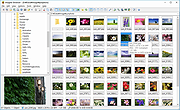 |
 |
IrfanView v4.76 IrfanView v4.76 👉 Fast, compact image viewer and converter for Windows. IrfanView is a fast and compact graphic viewer for Windows that can view images, convert files, optimize images, scan and print, create slideshows, run batch processing jobs, and handle multimedia files. It is designed to be simple for everyday viewing while still offering powerful tools for image handling, editing, conversion, and automation. Features: • Fast and compact image viewer • Freeware for non-commercial use • 32-bit, 64-bit, and Windows ARM64 versions available • View, convert, and optimize images • Scan and print support • Batch processing • Slideshow creation • Multimedia support • Unicode support • Multi-language support • PlugIn support for additional formats and features Supported operating systems: • Windows XP, Windows Vista, Windows 7, Windows 8, Windows 10, Windows 11 • Windows 11 ARM, tested on Snapdragon X Supported languages: English, German, Bulgarian, Czech, Hungarian, Korean, Polish, Portuguese-Brazil, Slovak, Chinese, Estonian, French, Greek, Italian, Japanese, Dutch, Portuguese, Russian, Slovenian, Spanish, Thai, Turkish, Latvian, Norwegian, Danish, Romanian, Ukrainian, Arabic, Finnish, Catalan, English-British, Hebrew, Lithuanian, Swedish, Uzbek Changes: v4.76 09-18-26 Option to set the Toolbar on left/right (Properties->Toolbar) Option to draw a freehand selection, menu: Edit->Set selection shape New Wallpaper menu: Choose monitor (in multi monitor environment) New Thumbnails window menu: Favorite folders (max 15 folders) New in Thumbnails folder box: Write/Paste folder path, press Enter to load Changes in Zoom Magnifier (new initial zoom, CTRL + Click goes to 100%) Support for animated AVIF files New command line option to set the wallpaper per monitor /monitor=number (needs also /wall) Paint PlugIn: Option for smooth lines; Fix in the Clone tool Several PlugIns are changed/updated, please install the newest versions: Download from: https://www.irfanview.com/plugins.htm 👉 This download is for the Windows 64bit installer version (very bottom of page). All other download assets are below: Other Windows 64bit: iview476_plugins_x64_setup.exe iview476_plugins_x64.zip Windows 32bit: iview476_setup.exe iview476_plugins_setup.exe iview476_plugins.zip Windows ARM64bit: iview476_arm64_setup.exe iview476_arm64.zip iview476_plugins_arm64_setup.exe iview476_plugins_arm64.zip Click here to visit the author's website. |
|
6,454 | Sep 22, 2026 Irfan Skiljan 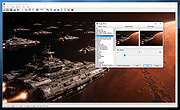 |
|
Metadata++ v3.00.2 Metadata++ v3.00.2 👉 View, edit, search, and manage metadata in thousands of file formats. Metadata++ is a powerful freeware metadata editor and browser for Windows built around ExifTool. It lets you inspect, edit, search, and organize metadata stored in photos, documents, audio, video, archives, and many other file types through a fast graphical interface. Designed to run locally without relying on the Windows registry, Metadata++ can also create sidecar files so metadata can be associated with formats that do not natively support it. It includes advanced search capabilities, batch editing, thumbnail viewing, ratings, tagging, and extensive support for industry-standard metadata formats, making it an excellent tool for photographers, archivists, content creators, and anyone who needs detailed control over file metadata. Features: • View, edit, and search metadata in thousands of supported file formats. • Built on the powerful ExifTool metadata engine. • Batch edit metadata across multiple files. • Create and use sidecar metadata files for unsupported formats. • Display image thumbnails and detailed file information. • Rate, tag, and organize files using metadata. • Fast folder navigation and high-performance directory browsing. • Export metadata in multiple formats. • Native Unicode support for international filenames and metadata. • Portable operation with all settings stored in the program folder. • No Windows registry entries required. • Runs entirely on your computer without transmitting personal data. Supported operating systems: • Windows 11 (64-bit), Windows 10 (64-bit) Supported languages: English, French, Spanish, Italian, Portuguese, Dutch, Polish Changes: v3.00.2 08-03-26 Changes since 3.00.1 Fixed the TreeView horizontal scrollbar. Added support for additional palette formats. Added GPR display support. Added conversions to JPEG, PNG and WebP. Added Save As and effects to fullscreen view. Added sidecar creation for any file format. Added the Ukrainian interface. Metadata++ can now use GDAL. Note: This file ... |
|
2,186 | Aug 02, 2026 Jean Piquemal 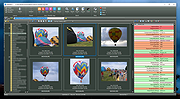 |
|
TwinPixCleaner v2.0.0 TwinPixCleaner v2.0.0 👉 Smart duplicate photo finder for macOS that detects exact matches and visually similar images. TwinPixCleaner is a native macOS utility designed to help you find and remove duplicate images so you can recover storage space and better organize your photo collection. It offers two scanning methods: exact duplicate detection using SHA-256 hashing and visual similarity detection for images that may not be byte-for-byte identical but still look the same. The program includes a simple “Keep This” workflow, native Quick Look preview support, sortable results, batch selection, and safe deletion to the macOS Trash with undo support. Features: • Dual scanning modes for exact duplicate matching and visual similarity detection • Finds identical photos as well as visually similar image variations • One-click "Keep This" option to preserve a preferred image and mark the rest • Safe deletion sends files to the macOS Trash instead of immediately removing them • Undo support with ⌘Z for restoring deleted files during the current session • Multi-select support for batch deletion • Native Quick Look previews with the Spacebar • Sorting options by size or number of copies • Native macOS interface with dark mode support • Keyboard shortcuts for scanning, previewing, deleting, undoing, closing, and quitting • Privacy-focused design with all processing performed locally • Works offline with no cloud processing required Supported operating systems: • macOS 13.0 Ventura or higher Required Permissions: • File Access TwinPixCleaner needs permission to read folders you select Granted automatically when you choose a folder • Full Disk Access (Optional) Required for system folders and external drives Enable in: System Settings → Privacy & Security → Full Disk Access Add TwinPixCleaner to the list Supported languages: Supports OS Language. Changes: v2.0.0 05-10-26 What's New Apple Photos Integration: You can now scan your native macOS Photo Library directly. The app intelligently identifies duplicates while respecting your system's privacy and safety. Batch Deletion: Optimized the deletion process for Apple ... |
|
760 | Jul 29, 2026 Akshay Kumar Gupta 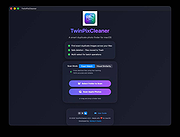 |
| Showing rows 1 to 4 of 4 | Showing Page 1 of 1 | 1 |
OlderGeeks.com Copyright (c) 2026
