|

|
Processed through Paypal No account required. |








Buy our over-priced crap to help pay the bills.



|
|
Processed through Paypal No account required. |
| Files | ||||
| File Name | Rating | Downloads | ||
 |
QuickLook v4.5.0 QuickLook v4.5.0 👉 Preview files instantly in Windows by selecting one and pressing the spacebar. QuickLook lets you inspect files without opening their usual applications. Select a file in File Explorer and press the spacebar to bring up a preview. You can check an image, read a document, listen to audio, watch a video, or inspect source code, then press Esc or the spacebar to close the preview. Use the arrow keys to move through neighboring files while the preview is open. QuickLook handles images, animated GIFs, video, audio, PDFs, text, Markdown, archives, fonts, and source code. Text and code previews include syntax highlighting, and plugins add support for more formats. QuickLook runs from the system tray. The installer supports previews in Open and Save dialogs. The project is free and open source. Features: • Press the spacebar to preview a selected file without launching its associated application. • Press Esc or the spacebar again to close the preview. • Use the arrow keys to preview neighboring files. • Preview JPEG, PNG, GIF, WebP, RAW, and other supported image formats. • Play supported video and audio files in the preview window. • Read PDFs, text files, and rendered Markdown. • Inspect source code and configuration files with syntax highlighting. • Preview supported archives and fonts. • Zoom images and PDFs, or open a file from its preview. • Follow the Windows light or dark theme. • Add support for more formats with plugins. • Choose an installer or portable download. Supported operating systems: Windows 10, Windows 11 Supported languages: English, Simplified Chinese, Romanian. Changes: v4.5.0 04-14-26 Updated LAVFilters to 0.81.0. Improved LRC handling by merging duplicate timestamps. Improved the Simplified Chinese translation and added Romanian translation. Added the WindowBackdrop option and F11 full-screen toggle. Added support for PKCS7 extensions, Chromium PAK viewing and extraction, Python wheel and egg archives, DICOM images, and additional syntax highlighting. Fixed Markdown previews using absolute resource paths, the Windows 10 transparency option, video loop behavior, OfficeViewer resizing errors, relative command-line paths, and the taskbar ... |
 |
3,468 | Sep 28, 2026 Adnan Bhaldar 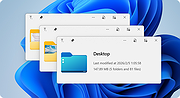 |
|
TwinPixCleaner v2.0.0 TwinPixCleaner v2.0.0 👉 Smart duplicate photo finder for macOS that detects exact matches and visually similar images. TwinPixCleaner is a native macOS utility designed to help you find and remove duplicate images so you can recover storage space and better organize your photo collection. It offers two scanning methods: exact duplicate detection using SHA-256 hashing and visual similarity detection for images that may not be byte-for-byte identical but still look the same. The program includes a simple “Keep This” workflow, native Quick Look preview support, sortable results, batch selection, and safe deletion to the macOS Trash with undo support. Features: • Dual scanning modes for exact duplicate matching and visual similarity detection • Finds identical photos as well as visually similar image variations • One-click "Keep This" option to preserve a preferred image and mark the rest • Safe deletion sends files to the macOS Trash instead of immediately removing them • Undo support with ⌘Z for restoring deleted files during the current session • Multi-select support for batch deletion • Native Quick Look previews with the Spacebar • Sorting options by size or number of copies • Native macOS interface with dark mode support • Keyboard shortcuts for scanning, previewing, deleting, undoing, closing, and quitting • Privacy-focused design with all processing performed locally • Works offline with no cloud processing required Supported operating systems: • macOS 13.0 Ventura or higher Required Permissions: • File Access TwinPixCleaner needs permission to read folders you select Granted automatically when you choose a folder • Full Disk Access (Optional) Required for system folders and external drives Enable in: System Settings → Privacy & Security → Full Disk Access Add TwinPixCleaner to the list Supported languages: Supports OS Language. Changes: v2.0.0 05-10-26 What's New Apple Photos Integration: You can now scan your native macOS Photo Library directly. The app intelligently identifies duplicates while respecting your system's privacy and safety. Batch Deletion: Optimized the deletion process for Apple ... |
|
757 | Jul 29, 2026 Akshay Kumar Gupta 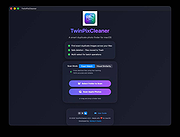 |
| Showing rows 1 to 2 of 2 | Showing Page 1 of 1 | 1 |
OlderGeeks.com Copyright (c) 2026
