|

|
Processed through Paypal No account required. |








Buy our over-priced crap to help pay the bills.



|
|
Processed through Paypal No account required. |
| Files | ||||
| File Name | Rating | Downloads | ||
 |
Apple iPad 9th Gen. Wi-Fi A2602 820-02558 boardview & images. Apple iPad 9th Gen. Wi-Fi A2602 820-02558 boardview & images. Boardview & images for Apple iPad 9th Gen. Wi-Fi A2602 820-02558 mainboard. Note: Used in Apple iPad 9th Gen. Wi-Fi A2602 tablet. Use FlexBV5 to view the boardview file. Click here to visit the author's website. |
 |
876 | May 16, 2026 Apple Corp. 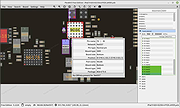 |
|
ClipAngel v2.23 ClipAngel v2.23 👉 Clipboard history capture and paste tool. ClipAngel is a clipboard manager that captures multiple clipboard objects and lets you select and paste them into any program. It is inspired by ClipDiary, Ditto, and AceText, with main priorities of usability, compatibility, and reliability. Features: • Captures clipboard history for supported clipboard formats • Supports text, HTML, RTF, image, and file clips • Text filter and clip list share key presses, so there is no need to change focus • Ability to delete and move clips in the list • History is stored encrypted on disk • Portable mode • Auto position window near text input • Always on top option • Open clip as file command • Simulate character input for windows isolated from the clipboard • Support for sending paste and input to elevated windows • Monitor clipboard switch • Word wrap and monospaced font options • Clip list shows samples for picture clips • Native formatting switch for HTML and RTF clips • Text compare command with support for Beyond Compare, ExamDiff Pro, WinMerge, Araxis Merge, DiffMerge, KDiff3, and custom applications • Translate text command • Drag and drop clips from the list • Preserves history even if the computer crashes Supported operating systems: • Windows Vista or later, Windows Server 2008 or later Supported languages: Brazilian Portuguese, Chinese (Simplified), English, French, German, Greek, Hindi, Italian, Polish, Russian, Spanish Changes: v2.23 06-04-26 Fixed inability to select text in HTML mode introduced in the previous version. Added "Text from picture" to the "Clip" submenu. Note: This file has two hits on VirusTotal. We have confirmed these to be false positives. The file is safe. Click here to visit the author's website. |
|
6,849 | Sep 03, 2026 tormozit 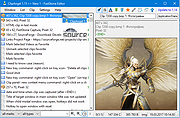 |
|
CopyQ v16.0.0 CopyQ v16.0.0 👉 Advanced clipboard manager with editing, search, tabs, and powerful scripting. CopyQ monitors the system clipboard and saves its content in customized tabs. Saved clipboard entries can later be copied and pasted directly into any application. It supports storing text, HTML, images, and other custom formats, and it includes searching, sorting, editing, drag-and-drop, notes, tags, global shortcuts, a command-line interface, and scripting for advanced automation. In version 14.0.0, the project adds tab encryption support, audio playback through the playSound() script function, a new stats() script function, Nord themes, GNOME clipboard monitoring via a custom GNOME extension, and multiple fixes and platform improvements. Features: • Stores text, HTML, images, and other custom clipboard formats • Saves clipboard history in customizable tabs • Quickly browses and filters clipboard items • Sorts, creates, edits, removes, copies, pastes, and drags items between tabs • Adds notes and tags to stored items • Uses system-wide keyboard shortcuts with customizable commands • Pastes items from the tray, main window, or keyboard shortcuts • Includes a powerful command-line interface and scripting support • Can ignore clipboard content copied from specific windows or matching specific text • Supports a simple Vim-like editor with keyboard shortcuts • Adds tab encryption support in v14.0.0 • Adds audio playback and new scripting statistics in v14.0.0 Supported operating systems: • Windows • macOS 13 or higher • Linux, including Debian 11 or higher, Ubuntu 22.04 or higher, Fedora, Arch Linux, and other Linux distributions with Flatpak support Supported languages: English, Czech, French, German, Japanese, Spanish Changes: v16.0.0 05-30-26 Added Per-MIME clipboard size limits and OOM protection via clipboard_mime_size_limit config option and COPYQ_CLIPBOARD_MIME_SIZE_LIMIT environment variable. For example text/html.*:0;.*:100M disables storing HTML and sets 100MiB max size for all other formats (this size limit is the default: .*:100M). AppImage support (WITH_APPIMAGE CMake build option). Fixed Fixed thumbnails hidden for ... |
|
6,999 | Aug 05, 2026 Lukas Holecek 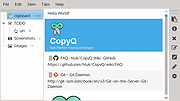 |
|
FlyOutNotepad v1.05 FlyOutNotepad v1.05 👉 Smart docking notepad for storing text, code snippets, and images. FlyOutNotepad is a lightweight Windows productivity tool that docks to any screen edge and gives you fast access to notes, code snippets, text, and images. It supports drag and drop, up to 20 tabs, auto-save, and fast C++/WTL performance in a very small package. Features: • Dock to any of the 4 screen edges • Smooth flyout access when needed • Store text, code snippets, and images • Bi-directional drag and drop for text and images • Up to 20 tabs for organizing content • Auto-save support • Remembers state on shutdown or logoff • Tab renaming support • Lightweight, under 500 KB • Built in C++ with Windows Template Library • Optional portable mode by renaming the EXE with _p Supported operating systems: • Windows 11, Windows 10, Windows 8.1, Windows 7, Windows Server 2012 through 2025, 32-bit and 64-bit Supported languages: English, German, Italian, Traditional Chinese, Korean, Polish, Russian, Spanish, Portuguese, French Changes: v1.05 08-17-26 • Update of language files in FlyOut NotePad for MS Windows • Optimization and various fixes under Windows 11 and 10 Click here to visit the author's website. |
|
1,486 | Oct 01, 2026 Nenad Hrg 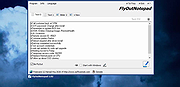 |
 |
Griddy McGridFace v0.1.1 Griddy McGridFace v0.1.1 👉 Create high-quality photo collages with intelligent automatic layouts. Griddy McGridFace is an open-source desktop application for creating professional-looking photo collages quickly and easily. Simply import a folder of images, choose a page size, and let the application generate attractive layouts automatically. Built with Tauri, Rust, and SvelteKit, it runs natively across multiple platforms while providing a responsive interface and high-quality export options. The software includes intelligent face-aware cropping to help keep people properly framed, along with tools for repositioning, swapping, locking, and resizing individual photos. Projects can be saved and reopened later, making it suitable for both casual users and print-ready collage creation. Features: • Automatically generates photo collage layouts • Face-aware cropping helps keep subjects properly framed • Drag-and-drop image importing • Supports custom page sizes • Lock individual photos in place • Zoom, reposition, and swap photos within the layout • Create larger featured center images • Shuffle layouts instantly • Save and reopen projects • Autosave and crash recovery • Sort images by color, including dark-to-light and rainbow order • Export to PNG, JPEG, WebP, and PDF • Built with Tauri 2, Rust, and SvelteKit • Open source Supported operating systems: • Windows 10, Windows 11 • macOS 13 Ventura or higher • Linux (64-bit Debian-based distributions, 64-bit Arch Linux) Supported languages: English Changes: v0.1.1 07-09-26 Added drag-and-drop image import. Improved layout generation speed for larger image collections. Added per-photo fit controls. Added autosave and recovery. Added color sorting, including dark-to-light and rainbow ordering. Various bug fixes and improvements. Note: This file has two hits on VirusTotal. We have confirmed these to be false positives. The file is safe. This download is for the Windows setup version (very bottom of page). All other download assets are below: Other Windows: Griddy-McGridFace_0.1.1_x64_en-US.msi macOS: Griddy-McGridFace_0.1.1_aarch64.dmg Linux: Griddy-McGridFace_0.1.1_amd64.deb Click here to visit the author's website. |
|
467 | Jul 10, 2026 g33kphr33k 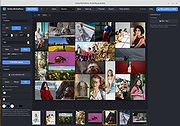 |
|
QuickLook v4.5.0 QuickLook v4.5.0 👉 Preview files instantly in Windows by selecting one and pressing the spacebar. QuickLook lets you inspect files without opening their usual applications. Select a file in File Explorer and press the spacebar to bring up a preview. You can check an image, read a document, listen to audio, watch a video, or inspect source code, then press Esc or the spacebar to close the preview. Use the arrow keys to move through neighboring files while the preview is open. QuickLook handles images, animated GIFs, video, audio, PDFs, text, Markdown, archives, fonts, and source code. Text and code previews include syntax highlighting, and plugins add support for more formats. QuickLook runs from the system tray. The installer supports previews in Open and Save dialogs. The project is free and open source. Features: • Press the spacebar to preview a selected file without launching its associated application. • Press Esc or the spacebar again to close the preview. • Use the arrow keys to preview neighboring files. • Preview JPEG, PNG, GIF, WebP, RAW, and other supported image formats. • Play supported video and audio files in the preview window. • Read PDFs, text files, and rendered Markdown. • Inspect source code and configuration files with syntax highlighting. • Preview supported archives and fonts. • Zoom images and PDFs, or open a file from its preview. • Follow the Windows light or dark theme. • Add support for more formats with plugins. • Choose an installer or portable download. Supported operating systems: Windows 10, Windows 11 Supported languages: English, Simplified Chinese, Romanian. Changes: v4.5.0 04-14-26 Updated LAVFilters to 0.81.0. Improved LRC handling by merging duplicate timestamps. Improved the Simplified Chinese translation and added Romanian translation. Added the WindowBackdrop option and F11 full-screen toggle. Added support for PKCS7 extensions, Chromium PAK viewing and extraction, Python wheel and egg archives, DICOM images, and additional syntax highlighting. Fixed Markdown previews using absolute resource paths, the Windows 10 transparency option, video loop behavior, OfficeViewer resizing errors, relative command-line paths, and the taskbar ... |
|
3,460 | Sep 28, 2026 Adnan Bhaldar 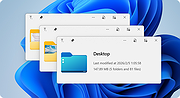 |
|
SnipSVG v2.3 SnipSVG v2.3 👉 A free screen capture and graphics editor built around sharp, fully editable SVG vector images. SnipSVG is a free screen capture and graphics editor for Windows and macOS that uses SVG vector images as its primary format. Unlike traditional JPG and PNG screenshots, SVG images remain sharp at any zoom level while individual elements remain editable. SnipSVG provides tools for capturing, cropping and annotating screenshots, obscuring sensitive information, adding formatted text, creating numbered documentation graphics and sharing finished images with other applications. It can also create animated and interactive SVG content using CSS and JavaScript. Features: • Capture and edit screenshots • Uses scalable SVG vector graphics as its primary image format • Keeps individual SVG elements separately editable • Maintains sharp image quality at different zoom levels and resolutions • Crop screenshots and physically resize large photos • Blur or obscure sensitive information in screenshots • Add HTML-formatted text to images • Add lines, arrows, shapes, highlights and other annotations • Auto-incrementing numbering tags for tutorials and documentation • Generate reference tables from numbered image tags • Integrated syntax highlighting for source code examples • Extract text from images using Windows OCR on Windows 10 and Windows 11 • Create animated SVG objects using CSS and JavaScript • Add interactive elements and hyperlinks to SVG images • Share images with HTML editors, word processors and other applications • Supports SVG and SnipX image formats • Integrates with the Help+Manual documentation authoring suite • Free for private and commercial use • Windows installer supports portable installation Supported operating systems: • Windows 7, Windows 8, Windows 10, Windows 11 • macOS 11 Big Sur or higher, Intel/Apple Silicon Supported languages: English, German, French Changes: v2.3 08-03-26 • Flipping of line and arrow objects did not work correctly when the line was rotated. • Full lasso selection on the canvas selected the picture frame, it now selects objects inside the picture frame (same as CTRL + A to select ... |
|
1,780 | Sep 14, 2026 EC Software GmbH 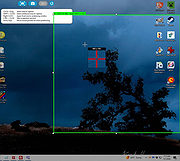 |
|
Text Images v1.0 Text Images v1.0 Create single text images with this application as well as a great number of pictures, for example from a list of your headings - of course, optionally with arbitrary Unicode characters. As a developer or designer, you would like to ensure that the correct font is displayed in the correct size. For example, you might want to create a homepage with all headings in the same font. For this, you can set your desired font in the HTML document or as a CSS rule. But you cannot be sure that the font will be displayed correctly on each system, because for this, the font have to be installed on the computer or device. If this is not the case, the heading will be displayed in another available font and this is not under the control of the designer. Similar problems arise when publishing examples of fonts or if you want to have consistent typefaces in programs or other documents. A solution to this problem is to integrate images instead of texts. On this images, you can customise the text in exactly the way you want and you can use your desired spaces, fonts and styles for this. However, creating such images costs very much work. You have to open a graphics program, you must choose the appropriate formatting and text align and finally you have to save each image as a file. Imagine that job for a number of headlines for a great web project! Fortunately, you can use our tool Text Images to do all of that work. You can create single text images with this application as well as a great number of pictures, for example from a list of your headings - of course, optionally with arbitrary Unicode characters. You can precisely adjust the writing, design, ... |
|
6,126 | Mar 24, 2019 Stefan Trost Media 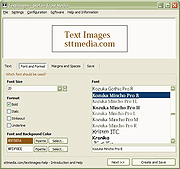 |
|
TwinPixCleaner v2.0.0 TwinPixCleaner v2.0.0 👉 Smart duplicate photo finder for macOS that detects exact matches and visually similar images. TwinPixCleaner is a native macOS utility designed to help you find and remove duplicate images so you can recover storage space and better organize your photo collection. It offers two scanning methods: exact duplicate detection using SHA-256 hashing and visual similarity detection for images that may not be byte-for-byte identical but still look the same. The program includes a simple “Keep This” workflow, native Quick Look preview support, sortable results, batch selection, and safe deletion to the macOS Trash with undo support. Features: • Dual scanning modes for exact duplicate matching and visual similarity detection • Finds identical photos as well as visually similar image variations • One-click "Keep This" option to preserve a preferred image and mark the rest • Safe deletion sends files to the macOS Trash instead of immediately removing them • Undo support with ⌘Z for restoring deleted files during the current session • Multi-select support for batch deletion • Native Quick Look previews with the Spacebar • Sorting options by size or number of copies • Native macOS interface with dark mode support • Keyboard shortcuts for scanning, previewing, deleting, undoing, closing, and quitting • Privacy-focused design with all processing performed locally • Works offline with no cloud processing required Supported operating systems: • macOS 13.0 Ventura or higher Required Permissions: • File Access TwinPixCleaner needs permission to read folders you select Granted automatically when you choose a folder • Full Disk Access (Optional) Required for system folders and external drives Enable in: System Settings → Privacy & Security → Full Disk Access Add TwinPixCleaner to the list Supported languages: Supports OS Language. Changes: v2.0.0 05-10-26 What's New Apple Photos Integration: You can now scan your native macOS Photo Library directly. The app intelligently identifies duplicates while respecting your system's privacy and safety. Batch Deletion: Optimized the deletion process for Apple ... |
|
743 | Jul 29, 2026 Akshay Kumar Gupta 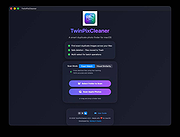 |
| Showing rows 1 to 9 of 9 | Showing Page 1 of 1 | 1 |
OlderGeeks.com Copyright (c) 2026
