|

|
Processed through Paypal No account required. |








Buy our over-priced crap to help pay the bills.



|
|
Processed through Paypal No account required. |
| Files | ||||
| File Name | Rating | Downloads | ||
 |
Bitvise SSH Client v9.66 Bitvise SSH Client v9.66 👉 A powerful Windows SSH client for secure remote access, file transfer, tunneling, and terminal emulation. Bitvise SSH Client is a secure, flexible SSH (Secure Shell) client for Windows. It lets users connect to remote systems securely for terminal access, encrypted file transfers, dynamic and static port forwarding, and other SSH-based operations. Its graphical and command-line interfaces make securely managing remote servers, transferring files, and setting up secure tunnels easy for both casual and advanced users. It supports advanced protocols, customizable authentication methods, and a robust set of features to meet modern secure networking needs. Features: • Graphical SFTP client with advanced file transfer features. • Terminal emulator supporting bvterm, xterm, and VT100 protocols. • Powerful SSH2 port forwarding and tunneling (SOCKS/HTTP). • Dynamic tunneling and proxy support (SOCKS4/5, HTTP CONNECT). • Drive-mapping support for SFTP remote directories. • Command-line clients for scripted file transfer, execution, terminal, and tunneling. • Integrated authentication with public keys, Kerberos/GSSAPI, and NTLM. • Single-click remote desktop forwarding. Supported operating systems: • Windows XP SP3, Vista, 7, 8.1, 10, Windows 11 • Windows Server 2003 through Windows Server 2025 Supported languages: English Changes: v9.66 07-20-26 SSH: Improved multiple avenues which a server could use to exert disproportionate memory pressure on the client. SFTP drive: The SSH Client now includes WinFsp version 2.2.26194. This addresses CVE-2026-7162, which is a local privilege escalation. Users who install the SSH Client with the SFTP drive feature are recommended to update, especially on multi-user systems. The SFTP drive feature is available if Install WinFsp is selected when installing. The UNC path used by the SFTP drive is now configurable. This makes it practical to configure a UNC path for access by other users on the system. The SFTP drive can now be configured to expose only the UNC path, without assigning a ... |
 |
6,289 | Sep 16, 2026 Bitvise Limited 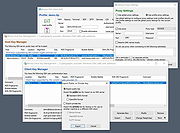 |
|
FileZilla Client Portable v3.70.6 FileZilla Client Portable v3.70.6 👉 Portable FTP, FTPS, and SFTP client for fast and reliable file transfers. FileZilla Client Portable is a portable edition of FileZilla that lets you connect to FTP, FTPS, and SFTP servers for uploading, downloading, and managing files without a traditional installation. It is designed to run from portable storage or local folders and includes drag and drop transfers, resume support, firewall and proxy support, and a tabbed interface for handling file transfer tasks more easily. Features: • Portable package that runs without traditional installation • Supports FTP, FTP over SSL/TLS (FTPS), and SFTP • Resume support for uploads and downloads • Timeout detection • Firewall support • SOCKS4/5 and HTTP/1.1 proxy support • Intuitive drag and drop interface • Tabbed user interface • IPv6 support • Supports transfer of large files over 4GB • Powerful Site Manager and transfer queue • Bookmark support • Configurable speed limits • Filename filters • Directory comparison • Network configuration wizard Supported operating systems: • Windows 7, Windows 8, Windows 10, Windows 11 Supported languages: Aragonese, Arabic, Azerbaijani, Bulgarian, Catalan, Corsican, Czech, Welsh, Danish, German, Greek, Spanish, Estonian, Basque, Persian, Finnish, French, Galician, Hebrew, Croatian, Hungarian, Armenian, Indonesian, Icelandic, Italian, Japanese, Kabyle, Georgian, Khmer, Korean, Kurdish, Kirghiz, Lao, Lithuanian, Latvian, Macedonian, Norwegian Bokmεl, Nepali, Dutch, Norwegian, Occitan, Polish, Portuguese, Romanian, Russian, Slovak, Slovenian, Serbian, Swedish, Tamil, Thai, Turkish, Ukrainian, Vietnamese, Chinese Changes: v3.70.6 06-04-26 New features: SFTP: Added compatibility flag to Site Manager to ignore invalid bits in file attributes flags received from non-compliant servers Bugfixes and minor changes: SFTP: Updated to fzssh 1.3.0 Updated to libfilezilla 0.56.1 Removed autodetection of FTP server type governing the remote path syntax. Exotic server types now need to be set explicitly on the advanced page in the Site Manager Click here to visit the author's website. |
|
5,228 | Aug 14, 2026 FileZilla Project & PortableApps.com (John T. Haller) 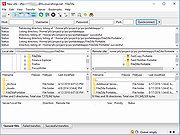 |
|
muCommander v1.6.2 muCommander v1.6.2 👉 Cross-platform dual-pane file manager designed for fast and efficient file management. muCommander is a lightweight, open-source file manager that provides a classic dual-pane interface similar to popular orthodox file managers. It is designed to make managing files and folders faster and more efficient by allowing users to easily copy, move, rename, and organize files between two panels. muCommander supports a wide range of archive formats and network protocols, enabling users to browse compressed files as if they were normal folders and access remote filesystems such as FTP, SFTP, SMB, NFS, and HTTP. The program also includes a powerful set of keyboard shortcuts, bookmarking capabilities, file search tools, and customizable interface options. Because muCommander is written in Java, it runs on multiple operating systems including Windows, macOS, Linux, and other platforms that support Java. This makes it a flexible file management solution for users who work across different environments. Supported operating systems: • Windows 7, Windows 8, Windows 10, Windows 11 • macOS • Linux Supported languages: English, French, German, Spanish, Italian, Portuguese, Dutch, Russian, Chinese, Japanese, Korean Changes: v1.6.2 05-14-26 Update previous release to 1.6.1 in the readme.txt file by @ahadas in #1469 Granting the application permission to access the module 'sun.awt.X11' by @douglasimcabral in #1471 Document #1471 by @ahadas in #1472 Fix possible NPE during startup by @ahadas in #1474 This download is for the Windows installer version. All other download assets are below: Other Windows: mucommander-1.6.2-1-portable-x86_64.zip mucommander-1.6.2-aarch64.msi macOS: mucommander-1.6.2-1-x86_64.dmg (Intel) mucommander-1.6.2-1-aarch64.dmg (Apple Silicone) mucommander-1.6.2-1-noarch.dmg (macOS 10.15 Catalina and below) Linux: mucommander_1.6.2_x86_64.deb mucommander-1.6.2-1.x86_64.rpm mucommander-1.6.2-1.aarch64.rpm Linux, Solaris, BSD, AIX, OS/2 and other OS with Java support mucommander-1.6.2-1-x86_64.tgz mucommander-1.6.2-1-aarch64.tgz Click here to visit the author's website. |
|
1,606 | Jul 22, 2026 muCommander 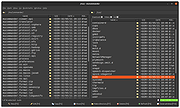 |
 |
Multi Commander v16.5 Multi Commander v16.5 👉 Dual-pane, multi-tabbed file manager for Windows power users. Multi Commander is a multi-tabbed file manager and Windows Explorer alternative using an efficient dual-panel layout. It includes standard file management tools such as copy, move, rename, and view, along with advanced tools for archive browsing, FTP/SFTP access, Registry browsing, file searching, batch renaming, scripting, plug-ins, and portable use. Features: • Dual-pane, tabbed file manager interface • Commander-style or Windows Explorer-style keyboard and mouse setup • View files in detail, list, or thumbnail modes • Browse local drives, network shares, FTP with SSL/TLS, SFTP/SCP, archives, Windows Registry, and Windows Portable Devices • Archive support for Zip, 7-Zip, Rar, Tar, gz, bz2, tar.gz, and tar.bz2 • Background file operations so the interface does not freeze • Copy/move filters, queues, auto-unpacking, auto-sorting, presets, and overwrite handling • Powerful Multi-Rename tool for batch renaming • Built-in file viewer with ASCII, UTF-8, Unicode, Binary, and Hex viewing • Search by file contents, attributes, size, date, regular expressions, duplicates, empty folders, and inside archives • Picture tools for converting, rotating, EXIF viewing/removal, and EXIF date adjustment • Audio tools for viewing audio properties and editing MP3 tags • Built-in scripting, extensions, plug-ins, and SDK support • Portable version available; unpack and run MultiCommander.exe Supported operating systems: • Windows Vista, Windows Server 2008 R2, Windows 7, Windows 8.x, Windows 10, Windows 11, Windows Server 2012 R2 • Note: The normal version does not work on Windows XP anymore. Multi Commander XP is available separately for Windows XP users. Supported languages: English, Bulgarian, Catalan, Chinese (Simplified), Chinese (Traditional), Czech, Dutch, Finnish, French, German, Hungarian, Italian, Japanese, Korean, Lithuanian, Norwegian, Polish, Portuguese (Brazil), Portuguese (Portugal), Romanian, Russian, Slovenian, Spanish, Swedish, Turkish, Ukrainian Changes: v16.5 09-11-26 ADDED - WebView and what formats should be opened in WebView can now be configured in Options in FileViewer. FIXED - Linked navigation now works again. Can be enabled from View mode popup. FIXED ... |
|
6,866 | Sep 25, 2026 Mathias Svensson 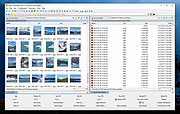 |
|
PilotEdit Lite v21.5.0 PilotEdit Lite v21.5.0 👉 Free text and hex editor designed for working with large files and advanced text processing tasks. PilotEdit Lite is a lightweight yet powerful text and source code editor built for users who need to handle large files, perform advanced search and replace operations, edit hex data, and manage coding projects efficiently. The Lite edition provides many of the core editing and file management tools found in the full version while remaining free for personal use. It is especially useful for programmers, web developers, log file analysis, and anyone working with very large text files that standard editors may struggle to open or process smoothly. Features: • Open and edit large text files • Syntax highlighting for multiple programming languages • Hex editor mode for binary file editing • Advanced multi-line search and replace • Column mode editing • Regular expression support • File compare functionality • FTP and SFTP file transfer support • Unicode and UTF-8 support • Customizable text encoding options • Line sorting and duplicate removal tools • Powerful file search across directories • Bookmark support for quick navigation • Word wrap and split window editing • Configurable keyboard shortcuts • Session and workspace management • Automatic file backup support • Portable version available Supported File Types: AHK Script, ASP, ASP.NET, AngularJS TypeScript, Apache Pig Latin Script, Assembly, AutoIt Script, BAT/CMD, C#, C/C++, COBOL, CSS, CSV, Conf, D Programming, DSV, Eiffel, Erlang, F#, Go, Groovy, HTML, Haskell, INF, INI, Inno Setup Script, J#, JSON, JSP, Java, Javascript, LESS, LISP, LaTex, Log, Lua, MATLAB, Markdown, MicroBasic Pro, PHP, Pascal, Perl, PilotEdit Script, PowerShell Script, Python, R Programming, REXX, RHTML, Ruby, SQL, Scala, TCL/TK, TSV, Text, Textile, UNIX/Linux Shell, VC++ Resource, Visual Basic, XHTML, XML Supported operating systems: • Windows 7, Windows 8, Windows 10, Windows 11, Windows Server 2008, Windows Server 2012, Windows Server 2016, Windows Server 2019, Windows Server 2022 Supported languages: Arabic, Dutch, English, Finnish, French, German, Hindi, Italian, ... |
|
9,986 | Oct 07, 2026 PilotEdit 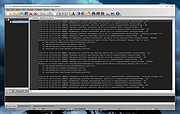 |
|
RsyncZilla v1.3.0 RsyncZilla v1.3.0 👉 A modern FileZilla-style Windows file transfer client powered by rsync over SSH. RsyncZilla is a free and open-source file transfer client for Windows that combines a familiar dual-pane, FileZilla-style interface with the reliability and efficiency of rsync. Browse local files on one side and remote servers over SFTP on the other, then upload or download files and folders using drag and drop. RsyncZilla uses portable rsync over SSH for transfers, allowing it to send only new files and modified byte blocks instead of retransmitting entire files. Transfers use temporary files to help prevent incomplete files from replacing good copies, while rsync exit codes and detailed logs make failed transfers clearly visible instead of silently ignoring problems. It also includes remote file editing, an integrated SSH terminal, saved server profiles, transfer queues, failed-transfer retries and real-time transfer information. Passwords are not stored on disk; credentials are passed to the SSH process in memory when needed. Features: • Familiar dual-pane interface with local Windows files on the left and remote server files on the right • Remote filesystem browsing over SFTP using SSH.NET • Upload and download files and folders with bidirectional drag and drop • Drag files and folders directly from Windows Explorer into the remote pane • Multi-selection using Shift, Ctrl or selection-box dragging • Double-click navigation for directories • Open local files using their associated Windows applications • Show local files and folders directly in Windows Explorer • Portable rsync and SSH components are bundled with the application • Delta transfers send new files and modified byte blocks instead of retransmitting unchanged data • Configurable handling of existing files including size/date comparison, newer-only updates, overwrite and checksum modes • Atomic rsync writes help prevent interrupted transfers from leaving corrupted or partially written destination files • Resumable synchronization with clear reporting when a transfer is interrupted or rejected • Integrated KiTTY SSH terminal ... |
|
89 | Sep 17, 2026 kanowins 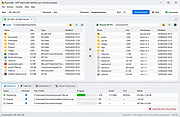 |
|
Submarine v0.3.8 Submarine v0.3.8 👉 An SSH and SFTP client that puts terminals, file transfers, tunnels, and server tools in one window. Submarine is a free, open-source client for connecting to and managing remote servers. Each server session can bring together a tabbed terminal, an SFTP file browser, port forwarding, saved commands, server information, and Docker tools. You can keep multiple sessions open, view two side by side, or pin terminals from different hosts to a monitoring wall. The SFTP browser shows local and remote files, supports drag and drop and bulk operations, and can open a remote file in your usual editor. When you save an edited file, Submarine uploads it back to the server. On desktop systems, Folder Mirror can synchronize a local folder with a remote folder, preview possible overwrites, and apply your chosen conflict rule. Saved server profiles and credentials are encrypted locally. Optional profile sync uploads the encrypted data so you can access your saved connections on another device. The Android app includes terminal, SFTP, port forwarding, server information, and Docker tools; Folder Mirror is limited to desktop systems. Features: • Open tabbed SSH terminals, including multiple shells for a server. • View two sessions side by side or arrange terminals from several hosts on the Wall. • Broadcast typed input to selected sessions. • Browse local and remote files with SFTP, drag and drop files, and select multiple files for bulk operations. • Edit remote files in your default editor and upload changes when you save. • Confirm overwrites before replacing files during uploads or downloads. • Create local, remote, and dynamic port forwarding tunnels, including SOCKS and HTTP proxy options. • Mirror a local folder to a remote server on desktop systems, with ... |
|
62 | Sep 29, 2026 Sina Xhpm 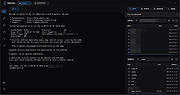 |
|
Waydir v0.22.0 Waydir v0.22.0 👉 A fast, keyboard-first dual-pane file manager for Linux, Windows and macOS. Waydir is a cross-platform desktop file manager built for users who prefer speed, direct control and fewer trips to the mouse. It combines classic dual-pane file management with tabs, live search, network drives, Quick Look previews, archive browsing, a built-in terminal and a native Rust core that keeps heavy file work off the interface thread. Features: • Dual-pane file browsing with tabs in each pane • Keyboard-driven navigation, selection, copying, moving, renaming and searching • Command palette for actions, bookmarks, drives, recent locations, files and plugin commands • Fast live recursive search with substring, regex and glob matching • Quick Look previews for images, PDFs, text, code and file details • Browse ZIP and TAR archives without extracting first • SMB and SFTP network drive support • Built-in terminal per pane • WSL file browsing and terminal support on Windows • Git status, branch switching and stash management • Light, Dark, Nord and One Dark themes, plus custom themes • Lua plugin support for actions, buttons, shortcuts and status bars • Free and open source under the MIT License Supported operating systems: • Windows • macOS • Linux Ubuntu, Debian, Fedora, RHEL, openSUSE and other Linux distributions using AppImage or portable tarball Supported languages: English Changes: v0.22.0 06-29-26 Added duplicate selected files and folders in place with Ctrl+Shift+D, available from the keyboard, command palette and context menu. Faster file copying, especially on Windows and when copying lots of small files. Renamed the "Kind" column to "Format". This download is for the Windows installer version (very bottom of page). All other download assets are below: Other Windows: waydir-0.22.0+29-windows.zip macOS: waydir-0.22.0+29-macos.dmg Linux: waydir-0.22.0+29-linux.AppImage waydir-0.22.0+29-linux.deb waydir-0.22.0+29-linux.rpm waydir-0.22.0-linux-x64.tar.gz Click here to visit the author's website. |
|
436 | Jul 02, 2026 Mikolaj Badyl 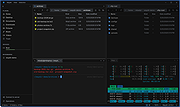 |
|
WinSCP v6.5.6 WinSCP v6.5.6 👉 A secure and powerful SFTP, SCP, and FTP client for Windows with an easy-to-use interface. WinSCP is a popular open-source file transfer client for Windows that supports secure protocols such as SFTP and SCP over SSH, along with standard FTP and WebDAV. It provides both a familiar dual-panel file manager style interface and an Explorer-like view, making it easy to transfer, synchronize, and manage files between a local computer and remote servers. WinSCP also includes scripting and automation capabilities, strong encryption support, and deep integration with PuTTY for advanced SSH features. Features: • Secure file transfers using SFTP, SCP, and FTP over SSH • Dual-panel and Explorer-style interfaces for flexible workflows • File synchronization for keeping local and remote directories in sync • Built-in text editor and remote file editing support • Scriptable and command-line automation for advanced users • Strong encryption and authentication using SSH keys • Integration with PuTTY for terminal access • Support for WebDAV and Amazon S3 Supported operating systems: • Windows 7, Windows 8, Windows 8.1, Windows 10, Windows 11 Supported languages: English, Arabic, Bulgarian, Chinese, Croatian, Czech, Danish, Dutch, Finnish, French, German, Greek, Hebrew, Hungarian, Italian, Japanese, Korean, Norwegian, Polish, Portuguese, Romanian, Russian, Slovak, Slovenian, Spanish, Swedish, Turkish, Ukrainian Changes: v6.5.5 11-19-25 Translation updated: Vietnamese. Bug fix: Pasting files using local directory tree context menu pastes them to the current directory, instead of the selected one. Bug fix: Failure when opening site imported from PuTTY with unsupported SSH proxy. 2407 Bug fix: Incorrect hostname validation when connecting to S3 endpoint with certificate that does not cover root S3 hostname. 2409 Note: This file has two hits on VirusTotal. We have confirmed these to be false positives. The file is safe. This download is for the Windows portable version (very bottom of page). If you need the Windows ... |
|
8,188 | Jun 18, 2026 WinSCP 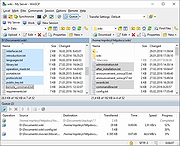 |
| Showing rows 1 to 9 of 9 | Showing Page 1 of 1 | 1 |
OlderGeeks.com Copyright (c) 2026
