|

|
Processed through Paypal No account required. |








Buy our over-priced crap to help pay the bills.



|
|
Processed through Paypal No account required. |
| Files | ||||
| File Name | Rating | Downloads | ||
 |
Executor v2.4.0 Executor v2.4.0 👉 Fast and customizable keyboard launcher for Windows. Executor is a highly customizable application launcher and productivity tool designed to help you quickly start programs, open files and folders, perform web searches, execute commands, and automate repetitive tasks using keyboard shortcuts. Inspired by tools like Launchy and the old Microsoft AppLauncher utilities, Executor focuses on speed and flexibility while remaining lightweight and easy to use. Executor supports keyword aliases, command parameters, clipboard handling, history tracking, and advanced search functionality. Users can create custom commands, launch websites, search online services, and manage workflows directly from a compact launcher window. It also includes support for skins and plugins, allowing users to personalize the appearance and expand functionality. Features: • Instant keyboard-based program and file launching • Custom keyword aliases and command execution • Built-in web search and URL launching support • Clipboard and command history integration • Plugin and skin support for customization • Portable and lightweight design • Auto-complete and smart search matching • Hotkey support for rapid access • Launch files, folders, commands, and websites from one interface • Configurable interface and advanced user options Supported operating systems: • Windows XP, Windows Vista, Windows 7, Windows 8, Windows 10, Windows 11 Supported languages: English Changes: v2.4.0 09-26-26 What's new Need to research an embarrassing topic, or have someone looking over your shoulder, or presenting your screen in a meeting? You can now enable Incognito mode, that per default will not add anything to history while enabled. You can further configure the incognito mode to do one or more of the following: Hide history from auto-complete and list (file system, URLs, keywords). Hide all list entries either when input is empty or all the time. Disable file navigation in list. ... |
 |
6,454 | Oct 02, 2026 Martin Bresson 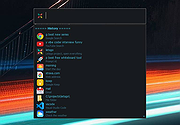 |
|
Games Cleaner v24.31022 Games Cleaner v24.31022 👉 Advanced gaming cleanup utility that removes leftover files, launcher junk, caches, logs, and temporary game data to free valuable storage space. Games Cleaner is a specialized cleanup utility designed specifically for gamers who want to reclaim wasted disk space and keep their systems organized. Unlike general-purpose cleaning tools, Games Cleaner focuses on the unique folders and temporary files created by modern PC games and digital distribution platforms. The program scans gaming-related directories for leftover uninstall files, launcher caches, outdated logs, crash reports, shader caches, empty folders, screenshots, temporary downloads, and other unnecessary data commonly left behind after gaming sessions or incomplete uninstallations. This helps reduce clutter while freeing storage space that can quickly disappear on systems with large game libraries. Games Cleaner supports many popular gaming ecosystems and launchers, making it useful for players with collections spread across multiple platforms. The utility can detect and clean files created by services such as Steam, Epic Games Launcher, Ubisoft Connect, Bethesda Launcher, EA App, Battle.net, GOG Galaxy, and other common PC gaming environments. The interface is designed to be straightforward and easy to use, allowing users to quickly scan their system, review detected items, and remove unnecessary files without manually browsing through complicated game directories. It can be especially useful for SSD users where storage space is limited and large modern games constantly generate temporary data. Features: • Cleans leftover files from installed and previously uninstalled games • Removes temporary files, caches, logs, shader caches, and crash reports • Supports multiple popular gaming launchers and ecosystems • Detects unnecessary gaming-related junk files automatically • Helps recover valuable disk space on SSDs and HDDs • Scans for empty folders and obsolete directories • Cleans launcher-generated cache and temporary download files • Helps organize cluttered gaming systems • Simple and easy-to-use interface • Lightweight Windows utility focused on gaming cleanup • Designed specifically for PC gaming ... |
|
531 | Jun 04, 2026 Rezar Behzad 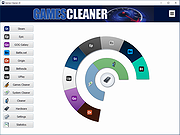 |
|
Heroic Games Launcher v2.11.0 Heroic Games Launcher v2.11.0 A Native GOG, Amazon and Epic Games Launcher for Linux, Windows and Mac. Right now it supports launching games from the Epic Games Store using Legendary and GOG Games using our custom implementation with gogdl. Heroic is built with Web Technologies: • Typescript • React • MUI • NodeJS • Electron • Electron-Builder • Jest • Vite Features available right now • Login with an existing Epic Games, GOG or Amazon account • Install, uninstall, update, repair and move Games • Import an already installed game • Play Epic games online [AntiCheat on macOS and on Linux depends on the game] • Play games using Wine or Proton [Linux] • Play games using Crossover [macOS] • Download custom Wine and Proton versions [Linux] • Access to Epic, GOG and Amazon Games stores directly from Heroic • Search for the game on ProtonDB for compatibility information [Linux] • Show ProtonDB and Steam Deck compatibility information [Linux] • Sync installed games with an existing Epic Games Store installation • Sync saves with the cloud • Custom Theming Support • Download queue • Add Games and Applications outside GOG, Epic Games and Amazon Games Planned features • Support Other Store (IndieGala, etc) • Play GOG games online Supported Operating Systems • Linux: — ... |
|
3,075 | Nov 30, 2023 Heroic Games Launcher Team 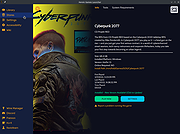 |
 |
MAMEUI64 v0.289 MAMEUI64 v0.289 👉 Integrated Windows GUI front-end for MAME. MAMEUI is an integrated front-end for MAME. It provides an inbuilt graphical interface that lets you run games from a list, and each emulation instance can include an optional Windows-style menubar known as NewUI. The official download includes the needed official support files. Features: • Integrated graphical front-end for MAME • Lets you run games from a built-in list • Optional Windows-style menubar called NewUI • 64-bit GUI build for Windows • Official download includes needed support files Supported operating systems: • Windows 7 SP1 or later (64-bit) Supported languages: • Afrikaans, Albanian, Arabic, Basque, Belarusian, Bosnian, Bulgarian, Burmese, Catalan, Chinese (Simplified), Chinese (Traditional), Croatian, Czech, Danish, Dutch, English, Estonian, Finnish, French, French (Belgium), French (Canada), Georgian, German, Greek, Hebrew, Hindi, Hungarian, Indonesian, Italian, Japanese, Korean, Latvian, Lithuanian, Macedonian, Norwegian, Persian, Polish, Portuguese, Portuguese (Brazil), Romanian, Russian, Serbian, Serbian (Cyrillic), Slovak, Slovenian, Spanish, Spanish (Mexico), Swedish, Thai, Turkish, Ukrainian, Vietnamese Changes: v0.289 07-30-26 - Fixed the fallout from the icon changes in the last release - plugins: Improved their addition/removal. Fixed crash if there's a problem with a plugin. - aplscar: Removed due to fatal error at start - motoxgo/clones: Removed due to total freeze at start (regression) - backfire: Applied fix to stop fatal error at start [cam900] - mbeeic: patched a bug - treeview: added folder to show games that don't support savestates - treeview: if cache files go missing, automatically recreate them. - Split diff folder into per-game folders to mitigate name collisions. Use 7-Zip to unzip this file. Click here to visit the author's website. |
|
9,732 | Aug 04, 2026 Robbbert 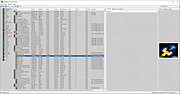 |
|
Microsoft PowerToys v0.101 Microsoft PowerToys v0.101 Windows system utilities to maximize productivity Microsoft PowerToys is a set of utilities for power users to tune and streamline their Windows experience for greater productivity. Features: • Advanced Paste - A tool that enables you to paste the text from your clipboard into any format needed. It can paste as plain text, Markdown, or JSON directly with the interface or with a direct keystroke. These actions are executed entirely on your local machine. An optional AI-powered feature is also available. • Always on Top - A system-wide Windows utility to pin windows above other windows. • PowerToys Awake - A tool designed to keep a computer awake without having to manage its power and sleep settings. This is useful when running time-consuming tasks and preventing the computer from sleeping or turning off its screens. • Command Not Found - A PowerShell 7 module that detects command-line errors and suggests a relevant WinGet package to install, if available. • Color Picker - A system-wide color picking utility for selecting colors from any screen and copying them to the clipboard in a configurable format. • Command Palette - Provides fast access to frequently used commands, applications, development tools, and extensions from a customizable and extensible launcher. Command Palette is intended to be the successor to PowerToys Run. • Crop And Lock - Allows you to crop a current application into a smaller window or create a thumbnail of it. • CursorWrap - Allows the mouse pointer to wrap around the edges of the screen, moving it to the opposite edge when it reaches a boundary. • Environment Variables - Provides an easy way to manage environment variables and create profiles containing groups of variables. Profile variables can take precedence over User and System variables. • FancyZones - A window manager for arranging and snapping windows into efficient custom layouts. Windows can ... |
|
7,270 | Aug 25, 2026 Microsoft Corp.  |
|
NirLauncher v1.30.25 NirLauncher v1.30.25 👉 Portable launcher package containing more than 200 NirSoft freeware utilities for Windows. NirLauncher is a package of more than 200 portable freeware utilities for Windows, all developed for the NirSoft website. It can be used from a USB flash drive without installation, saves each utility's configuration into .cfg files when run from removable media, and automatically runs x64 versions of supported tools on x64 systems. NirLauncher also makes it easy to run utilities, open their help files, jump to each utility's webpage, and add additional software packages beyond the main NirSoft collection. Features: • Includes more than 200 portable NirSoft freeware utilities • Runs without installation from a USB flash drive or local folder • Saves utility configuration files to the drive when used portably • Automatically launches x64 versions of utilities on x64 systems when available • Lets you run tools, view help files, or open each utility's webpage • Can add extra software packages in addition to the main NirSoft package • Can generate BartPE plugin files for use from a bootable live Windows CD • Contains no spyware, adware, malware, toolbars, browser plugins, or bundled third-party software Supported operating systems: • Windows 2000, Windows XP, Windows Server 2003, Windows Vista, Windows 7, Windows 8, Windows 8.1, Windows 10 • x64 systems supported Supported languages: • English, Dutch, French, German, Italian, Japanese, Polish, Russian, Simplified Chinese, Spanish, Traditional Chinese, Greek, Romanian, Czech, Slovak, Hungarian Changes: v1.30.25 08-15-26 Not Provided Read this. It's important: This file contains hacking software. Hacking software for you to use to hack your own computer. This is for doing things like retrieving a lost password. Because of this, Anti-virus software WILL treat it as dangerous because, in the wrong hands, it is dangerous. This zip file has always been password protected by Nir Sofer so it can be downloaded without being blocked. The password is nirsoft9876$. Click here to visit ... |
|
24,432 | Aug 19, 2026 Nir Sofer 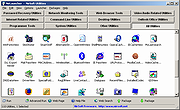 |
|
Open-Shell v4.4.198 Open-Shell v4.4.198 Bring back the classic Windows Start menu and shell experience. Open-Shell is an open-source continuation of the popular Classic Shell project, designed to restore familiar Windows interface elements that many users prefer over the newer default layouts found in modern versions of Windows. It gives users deep control over the Start menu appearance and behavior while adding classic Explorer enhancements that improve usability and workflow efficiency. Open-Shell can replicate the appearance and functionality of classic Start menus from Windows 7, Windows XP and even older Microsoft operating systems while still supporting the latest versions of Windows 10 and Windows 11. Users can customize nearly every aspect of the Start menu, including styles, skins, icons, button graphics, menu behavior, search settings, animations and shortcuts. Beyond the Start menu itself, Open-Shell includes Explorer enhancements such as a customizable toolbar, additional status bar information and improved file management conveniences. The software is lightweight, fast and designed to integrate naturally into Windows without consuming excessive system resources. The project is maintained by the open-source community and continues to receive updates for compatibility with new Windows releases and user-requested improvements. Features: • Restore classic-style Start menus on Windows 10 and Windows 11 • Multiple Start menu layouts inspired by Windows 7, XP and Classic styles • Highly customizable skins, themes and Start button replacements • Drag-and-drop organization for Start menu items • Fast application and file search functionality • Customizable menu behavior, animations and hotkeys • Explorer toolbar with common file operation buttons • Enhanced Explorer status bar information • Optional classic copy and file operation interface • Extensive settings for power users and advanced customization • Lightweight and low system resource usage • Community-maintained open-source project • Supports Windows ARM systems • Backup and restore Start menu configuration settings • Multi-language interface support Supported operating systems: • Windows 7 • Windows 8 • Windows 8.1 • Windows 10 • Windows 11 • Windows on ARM Supported languages: English, German, French, Spanish, ... |
|
7,086 | Jun 05, 2026 Open-Shell 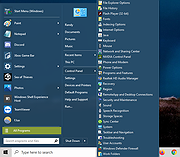 |
|
Run-Command v6.41 Run-Command v6.41 👉 Enhanced Windows Run dialog replacement with extended command execution features. Run-Command is a small but powerful alternative to the standard Windows Run dialog. It provides extended functionality for executing commands, opening programs, launching system tools, and accessing frequently used folders more efficiently. Designed as a portable utility, Run-Command enhances productivity by offering customizable favorites, command history, and quick access to administrative tools. It is lightweight, requires no installation, and is suitable for both everyday users and advanced system administrators. Features: • Alternative to the standard Windows Run dialog • Favorites menu for frequently used commands • Command history with quick recall • Run programs with administrative privileges • Drag & drop support • Portable – no installation required • Multilingual user interface • Small size and low system resource usage Supported operating systems: • Windows 7, Windows 8, Windows 8.1, Windows 10, Windows 11 • Windows Server 2012, Windows Server 2016, Windows Server 2019 Supported languages: • German, English, Greek, Russian, Simplified Chinese, French, Persian, Swedish, Romanian, Arabic (Iraq), Hungarian, Italian, Portuguese (Brazil), Dutch, Spanish (Venezuela), Indonesian, Polish, Traditional Chinese, Japanese, Taiwanese Chinese, Czech, Korean, Ukrainian, Portuguese (Portugal), Turkish, Thai, Filipino, Finnish, Norwegian, Bosnian, Croatian, Serbian, Bulgarian Changes: v6.41 05-06-26 • Improvements to the Run command as an alternative to the Windows Run dialog, including enhancements to the interpretation of Windows Run commands. • Updated language files, along with various minor adjustments and optimizations within the alternative Run dialog for MS Windows. This download is for the Windows 64bit version (very bottom of page). If you need the Windows 32bit version, download here. Click here to visit the author's website. |
|
10,836 | May 07, 2026 Nenad Hrg 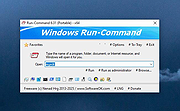 |
|
Settings Quick Launcher v1.0 Settings Quick Launcher v1.0 Quick Settings Launcher is a free and portable one click launcher for different Windows10 settings pages. The Windows10 settings application can be a little confusing sometimes, Quick Settings Launcher is a mini utility that provides a simple and Straightforward list of all the settings pages and a one click launcher for each page directly. Quick Settings Launcher is a portable application, installation is not needed, just unzip and execute SetQL.exe. The application can run from any folder or removable drive. Quick Settings Launcher features: -Straightforward list of all the settings pages -A one click launcher for each page -Can be minimized to system tray or start minimized with '-m' as parameter -Display the executed URI. -Portable and small size executable Supported OS: Windows10, some pages may also work with Windows8/8.1 (never tested). Note: Whether a settings page is available varies by Windows SKU. Not all settings page available on Windows 10 for desktop are available on Windows 10 Mobile, and vice-versa. also additional requirements (hardware or software) may be needed for a page to be available. Supported OS: Windows 10 (should work on Win8/8.1 but wasn't tested) |
|
6,068 | Jul 02, 2020 LeeLu Soft 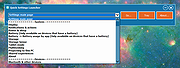 |
|
SideSlide v6.50 SideSlide v6.50 👉 A powerful, customizable desktop workspace, launcher and information organizer that stays hidden until you need it. SideSlide is a free desktop assistant designed to keep your Windows desktop organized and clutter-free while providing instant access to programs, files, folders, websites, commands, RSS feeds, notes, reminders, pictures and other frequently used information. Its customizable workspace can dock to any screen edge and remain tucked away until needed, giving you a large organizational area without permanently consuming desktop space. The workspace uses flexible containers that can be resized, detached, folded, shrunk and arranged however you prefer. Containers can hold shortcuts, notes, RSS feeds, reminders and other content, allowing large collections of information to remain accessible without covering the desktop. SideSlide also includes extensive keyboard navigation and launching features for users who prefer working without the mouse. When the workspace is collapsed, SideSlide can display a Dock Strip containing useful system information and live weather. The workspace can quickly expand again when you need access to its contents. SideSlide can also be used portably from a USB drive. Its configuration files are kept together, and the portable version can continue working even when the removable drive letter changes. Features: • Fully customizable desktop workspace that remains hidden until needed • Dock the workspace to any edge of the screen • Dock Strip displays system information and live weather while the main workspace is collapsed • Create shortcuts to programs, files, folders, commands and websites • Add RSS news feeds directly to the workspace • Built-in RSS reader with filtering and Subject Tracker capabilities • Create resizable, detachable, foldable and shrinkable containers • Containers can extend beyond the visible screen area • Create colorful notes that can be searched, edited in bulk and individually customized • Encrypt notes and automatically re-encrypt them after editing • Create ... |
|
6,515 | Sep 02, 2026 Northglide 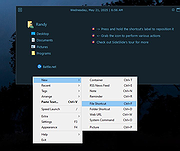 |
|
Stella v7.0c Stella v7.0c 👉 A multi-platform Atari 2600 VCS emulator. Stella is an open source Atari 2600 Video Computer System (VCS) emulator that faithfully recreates the original console on modern computers. It allows you to play thousands of Atari 2600 game ROMs while providing a wide range of enhancements including save states, debugging tools, customizable controls, video filters, bezel support, high score saving, and an advanced ROM launcher. Stella is designed for both casual retro gamers and Atari homebrew developers, offering highly accurate emulation along with powerful analysis and debugging features. Features: • Accurate Atari 2600 VCS emulation • Supports thousands of Atari 2600 ROMs • Advanced ROM launcher with artwork support • Save and load game states • High score saving • Built-in debugger for homebrew development • Multiple video rendering modes and TV effects • Automatic phosphor mode support • Bezel support, including Sinden Lightgun compatibility • Customizable keyboard, mouse, and game controller mappings • Screenshot capture • Multiple UI themes • Open source Supported operating systems: • Windows, macOS, Linux Supported languages: • English Changes: v7.0c 10-05-24 • Enhanced ROM launcher to allow multiple images per ROM • Added many additional ROM launcher images • Added filename searching for ROM launcher images • Added option to start a random ROM • Added automatically enabled phosphor modes • Enhanced Game Properties dialog for multigame ROMs • Added a second UI theme and hotkey for toggling themes • Added bezel support including Sinden Lightgun compatibility • Added optional type format detection based on colors used This download is for the binary ZIP (32-bit and 64-bit) for Windows 7/8/10/11 version (very bottom of page). All other download assets are below: Other Windows: binary installer (exe) for 64-bit Windows 7/8/10/11 binary installer (exe) for 32-bit Windows 7/8/10/11 NOTE for Windows: Visual C++ Redistributable for Visual Studio 2017 is required. MacOS: Binary DMG for macOS (ARM M1 and 64-bit Intel) Linux: Binary 64-bit DEB for Ubuntu 22.04 Source: Source code tarball for all systems Miscellaneous / Extras: Complete distribution and port for the RetroN 77 Snapshot files for ... |
|
8,368 | Jun 21, 2026 The Stella Team 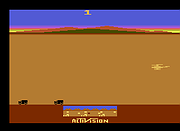 |
|
SyMenu v8.14.9685 SyMenu v8.14.9685 👉 Portable menu launcher and Start Menu replacer for organizing and launching applications. SyMenu is a portable menu launcher and Start Menu replacer designed to help you organize, find, and run your applications quickly and easily. It can manage portable apps stored on local or removable drives, automatically index applications installed on the host PC, and provide a fast search-as-you-type launcher. SyMenu also includes support for its integrated freeware suites, letting you install, update, and remove supported programs automatically through its SPS system. Features: • Portable menu launcher and Windows Start Menu replacement • Organizes applications in a hierarchical structure with custom names, folders, separators, and labels • Search-as-you-type launcher for quick access to programs and functions • Can automatically index applications installed on the host PC • Works with apps stored on local disks, USB drives, flash drives, external drives, memory cards, CDs, and DVDs • Supports integrated freeware suites with automatic install, update, and removal through SPS • Strong customization options for menu layout and organization • Includes tools such as configuration, app management, and update checking Supported operating systems: • Windows 10, Windows 11 • Windows 10 and Windows 11 support both 32-bit and 64-bit versions Supported languages: • English, Arabic, Chinese Simplified, Chinese Traditional, Czech, Finnish, French, German, Greek, Hungarian, Italian, Polish, Portuguese (Brazil), Portuguese (Portugal), Spanish, Turkish, Ukrainian • Dutch (not official), Japanese (not official), Korean (not official), Russian (not official), Slovenian (not official) Changes: v8.14.9685 07-08-26 Application upgrade to .NET 10 for improved overall performance, security, and stability. New innounp version (v2.67.9) New 7zip version (v26.02) Form splash reorganization and optimization Automatic token clearance when a new unique identifier (GUID) is generated Language updates: Japanese language added, Chinese (Simplified), French, Spanish, Finnish, Ukrainian removed. Click here to visit the author's website. |
|
9,011 | Aug 06, 2026 UGM.NET 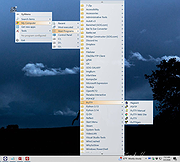 |
|
SyncTrayzor v2.1.0 SyncTrayzor v2.1.0 👉 Makes Syncthing behave like a native Windows application with a convenient system tray interface. SyncTrayzor is a Windows tray utility for Syncthing that hosts and manages Syncthing, providing a more integrated desktop experience than using the web interface alone. It includes a built-in browser for managing Syncthing, automatically starts with Windows if desired, monitors synchronization activity, and provides notifications for sync events, conflicts, and device status. SyncTrayzor also includes folder watching for faster detection of file changes and tools to help resolve synchronization conflicts. It is designed to simplify the use of Syncthing while retaining all of its powerful decentralized file synchronization capabilities. Features: • Built-in browser for managing Syncthing without opening an external web browser • Runs from the Windows system tray • Optional automatic startup with Windows • Real-time synchronization status and activity notifications • Folder watcher for faster detection of file changes • File transfer progress window • Conflict detection and conflict resolution tool • Notifications for completed syncs, conflicts, and device connections or disconnections • Supports pausing synchronization on metered networks • Native 64-bit builds, including Windows on ARM64 • Automatic update support • Open source (MIT License) Supported operating systems: • Windows 10, Windows 11 (64-bit only, including ARM64) Supported languages: • English, German, French, Spanish, Italian, Portuguese, Russian, Chinese, Japanese, Korean, Dutch, Polish, Czech, Turkish, Ukrainian, and additional community-translated languages. Changes: v2.1.0 12-17-25 • Reworked the tray activity popup to be draggable and resizable • Fixed inverted order of items in the tray activity popup • Added a warning when mixed v1/v2 installations are detected • Translation updates • Dependency and runtime upgrades • Embedded browser upgraded to Chromium/CEF v141 This download is for the Windows 64bit version (very bottom of page). If you need the Windows ARM64 version, download here. Click here to visit the author's website. |
|
3,440 | Jun 23, 2026 Maximilian Frφhling 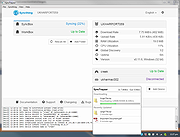 |
|
WSCC - Windows System Control Center v10.0.4.3 WSCC - Windows System Control Center v10.0.4.3 👉 Centralized launcher and update manager for Sysinternals, NirSoft, and other Windows utility suites. WSCC - Windows System Control Center allows you to install, update, execute and organize the utilities from various system utility suites. WSCC can install and update the supported utilities automatically. Alternatively, WSCC can use the http protocol to download and run the programs. The same download package provides both setup and portable usage, allowing you to choose installation or run it directly without installing. Features: • Simple and intuitive user interface • Centralized workspace for organizing and launching utilities • Built-in Update Manager for keeping tools up to date • Automatically detects installed Sysinternals and NirSoft utilities • Can download and install missing supported utilities • Supports Sysinternals Suite integration • Supports NirSoft Utilities integration • Runs utilities directly from the interface with quick access • Supports HTTP downloading and execution of tools • Displays detailed information about each utility • Search and filter tools for quick navigation • Allows grouping and categorizing of utilities • Supports command-line parameters for advanced usage • Portable-friendly design with no installation required • Single package supports both setup and portable modes Supported operating systems: • Windows 11/10/7 32/64bit (all editions) • Windows Server 2025/2022/2019/2016/2012R2/2012/2008R2 32/64bit (all editions) Supported languages: • English, German, Spanish Changes: v10.0.4.3 09-15-26 Not provided. Warning: Due to the nature of some of the available apps (password crackers, etc) that WSCC can download, your antivirus (if enabled) will block them from installing. You will need to add an exception for them in your antivirus software or disable your antivirus software while using this software. This download is for the Windows 64bit setup/portable version (very bottom of page). If you need the Windows 32bit setup/portable version, download here. Click here to visit the author's website. |
|
13,171 | Sep 16, 2026 KLS Soft 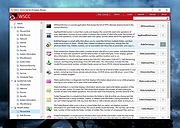 |
| Showing rows 1 to 14 of 14 | Showing Page 1 of 1 | 1 |
OlderGeeks.com Copyright (c) 2026
