|

|
Processed through Paypal No account required. |








Buy our over-priced crap to help pay the bills.



|
|
Processed through Paypal No account required. |
| Files | ||||
| File Name | Rating | Downloads | ||
 |
Account Profile Fixer v1.9.0.0 Account Profile Fixer v1.9.0.0 👉 Repair broken Windows user profiles without reinstalling or resetting Windows. Account Profile Fixer helps repair severe Windows account profile problems by replacing a damaged user account with a new working one while keeping the same user name, profile folder, privileges and user data. It can be useful when Microsoft Edge will not work, Windows Store apps are broken, Windows Explorer is not showing the Start screen or notification area, or a user cannot log in properly. APF automates the normally tedious process of creating a new user account, moving data from the old profile, deleting the broken account and logging back into the repaired profile. Features: • Repairs severe user profile problems without a full Windows reinstall • Creates a new user account with the same name, profile directory and privileges • Moves user data from the broken profile to the repaired profile • Automatically deletes the old broken user account • Uses a temporary admin account during the repair process • Automatically reboots and logs into the repaired account when finished • Optional preservation of Windows Store app package data • Optional preservation of Windows system AppData settings • Displays a repair operation log when complete • Free software supported by donations Supported operating systems: • Windows 7, Windows 8, Windows 8.1, Windows 10, Windows 11 • 32-bit and 64-bit Supported languages: English Changes: v1.9.0.0 09-14-24 Not provided. Click here to visit the author's website. |
 |
7,017 | Jun 14, 2026 Carifred  |
 |
BrowserAddonsView v1.30 BrowserAddonsView v1.30 👉 View installed browser addons and plugins in one simple list. BrowserAddonsView is a simple NirSoft tool that displays details for Web browser addons and plugins installed on your system. It can scan Chrome, Firefox, Internet Explorer, and Microsoft Edge, and it detects multiple Chrome and Firefox profiles when present. Features: • Displays installed browser addons, plugins, and extensions • Supports Chrome, Firefox, Internet Explorer, and Microsoft Edge • Detects multiple Chrome and Firefox profiles • View addons from all Windows profiles • View Chrome and Firefox addons from an external drive or remote computer • Export selected items to text, CSV, tab-delimited, XML, HTML, or JSON • Copy addon information to the clipboard for use in spreadsheets • Quick Filter for instantly filtering the addon list • Command-line options for exporting, sorting, selecting columns, and loading profiles • Portable; no installation required Supported operating systems: • Windows XP, Windows Vista, Windows 7, Windows 8, Windows 10, Windows 11 • 32-bit and 64-bit systems Supported languages: English, Arabic, Brazilian Portuguese, Dutch, French, German, Greek, Hungarian, Italian, Japanese, Persian, Polish, Romanian, Russian, Simplified Chinese, Slovak, Spanish, Traditional Chinese, Turkish Changes: v1.30 07-20-24 Added 'Black Background' option (Under the View menu). When it's turned on, the main table is displayed in black background and white text, instead of default system colors. This download is for the Windows 64bit version (very bottom of page). If you need the Windows 32bit version, download here. Click here to visit the author's website. |
|
6,468 | Oct 07, 2026 Nir Sofer 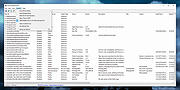 |
|
DeadLock v1.5.1 DeadLock v1.5.1 👉 Unlock files and folders that Windows refuses to release. DeadLock can be used to unlock files and folders that are locked by the system or other applications. This is especially useful when Windows will not let you delete, move, copy or rename something because it claims the file is still in use. DeadLock can unlock files and folders, take ownership, and help remove stubborn items without digging through Task Manager or command-line tools. DeadLock also supports command-line arguments, so advanced users can unlock files or folders directly from PowerShell or CMD without opening the full graphical interface. It is open source, lightweight, free to use and designed specifically for Windows. Features: • Unlock files and folders locked by Windows or other applications • Delete, move or copy locked files and folders • Take full ownership of stubborn files and folders • Command-line support for PowerShell and CMD use • Optional Windows Explorer integration • Theme and preference settings • Optional automatic update functionality • Open-source GPL-3.0 licensed software • No ads, trackers or user data collection Supported operating systems: • Windows 7 SP1, Windows 8, Windows 8.1, Windows 10, Windows 11 • Windows Server 2008 R2 SP1, Windows Server 2012, Windows Server 2012 R2, Windows Server 2016, Windows Server 2019, Windows Server 2022, Windows Server 2025 Supported languages: English, Chinese Simplified, Chinese Traditional, Russian, Bulgarian Changes: v1.5.1 02-15-26 Create Chinese simp. locale. Create a language file for Traditional Chinese. Fix Chinese Traditional locale. Updated russian translate. Added OS + updated link to HTTPS. Create bg.xml. Note: This file has two hits on VirusTotal. We have confirmed these to be false positives. The file is safe. Click here to visit the author's website. |
|
7,682 | Jun 11, 2026 CodeDead 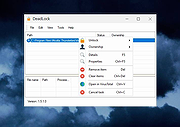 |
|
DriverStore Explorer v0.11.79 DriverStore Explorer v0.11.79 Free, open source tool to make it easier to deal with the Windows driver store. Supported operations include list/add/install/delete third-party driver packages. Features • Support online (local machine) and offline driver store. • Enumerate / list all third-party driver packages in the driver store. Showing device associated with drivers. Export the driver package list as CSV. • Add a driver package to the driver store. • Delete one or multiple driver packages from the store. • Detect old and not used driver packages (best effort). • Full-fledged GUI Supports grouping / sorting on any column. Supports re-arranging of / selecting specific columns. Requirements • .NET Framework 4.5.2 or newer • Windows 7 or newer Click here to visit the author's website. |
|
6,789 | Dec 28, 2022 Teddy Z 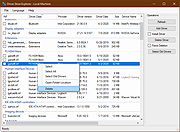 |
|
Edgetree v1.5.0 Edgetree v1.5.0 👉 A lightweight file explorer that docks to the edge of your Windows desktop. Edgetree provides a quick, always-available view of your files and folders without requiring a full Windows File Explorer window. Inspired by the Explorer panel in Visual Studio Code, it docks to the left or right edge of the screen and can automatically hide as a thin strip until you move the mouse over it. The tree begins at This PC and displays all available drives. Folders load as they are expanded, and the program remembers your previous location and expanded folders between sessions. Files can be opened, renamed, copied, cut, pasted, compressed, extracted, deleted, dragged into other programs and managed through a full right-click menu. Edgetree also includes favorites, persistent bookmarks, folder searching, file-type filtering, image previews, network drive support and extensive appearance controls. It is portable and distributed as a single executable with no installation required. Features: • Docks to the left or right edge of the screen • Auto-hide mode reduces the program to a thin screen-edge strip • Floating mode provides a normal movable window • Starts at This PC and displays local, removable and mapped network drives • Remembers expanded folders, window position and previous location • Opens folders with a single click and files with a double-click • Limits the number of initially displayed items in large folders for faster performance • Supports Ctrl-click and Shift-click multiple selection • Cut, copy, paste, rename, delete and drag-and-drop file operations • Creates new folders and ZIP archives • Extracts ZIP archives • Deletes files and folders to the Windows Recycle Bin • Opens files with their default program or another selected application • Opens folders in Windows File Explorer or Windows Terminal • Displays image previews and file information in the right-click menu • Sorts files by name, date, type or size • Provides global sorting and separate sorting for individual folders • ... |
|
315 | Aug 05, 2026 legendsteel11  |
|
Enigeo v4.2.0 Enigeo v4.2.0 👉 Learn countries, capitals and flags with fun geography quizzes. Enigeo is a free geography learning program that helps you study countries, capitals, flags and national anthems around the world. You can answer questions in a highly customizable quiz mode or explore the world freely in explorer mode to learn about different countries. Features: • Two modes: quiz mode and explorer mode • Highly customizable geography quizzes • Choose between different types of questions • Limit quizzes by continent • Limit quizzes by country area or population • Detailed quiz statistics and highscores • Question types include country name, capital, map position, flag and national anthem • Free to use Supported operating systems: • Windows 11, Windows 10, Windows 8.1, Windows 8, Windows 7, Windows Vista, Windows XP, Windows 2000 Supported languages: English, German, Italian, Spanish, Chinese (simplified), Chinese (traditional), Polish, French, Swedish, Portuguese, Russian, Czech, Tagalog, Vietnamese, Greek Changes: v4.2.0 - Added Kosovo and Palestine (marked as disputed) - Updated the name of North Macedonia - Updated the name of Eswatini in some languages - Updated the capital of Burundi - Updated the capital of Kazakhstan - Updated the capital of Palau - Changed the capital of Sri Lanka to Sri Jayawardenepura Kotte - Updated the flag of Malawi - Updated the flag of Mauritania - Updated the flag of Afghanistan - Corrected several other flags - Updated several links to Wikipedia - Updated area and population data for all countries - Updated Portuguese translation - Fixed a bug that could cause enigeo to crash Click here to visit the author's website. |
|
593 | May 29, 2026 enigeo-Team 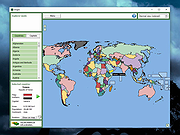 |
|
FileVoyager v26.9.6.0 FileVoyager v26.9.6.0 👉 A powerful dual-pane file manager and viewer for Windows. FileVoyager is a freeware Orthodox file manager (OFM) for Microsoft Windows that uses a dual-pane layout to make browsing, organizing, comparing, and transferring files easier. It can browse disks, folders, shares, archives, and FTP/FTPS locations in one unified interface, while also offering built-in viewers, archive handling, folder synchronization, file comparison, hashing, and media playback support. Features: • Dual-pane Orthodox file manager layout • Browse disks, folders, virtual folders, shares, archives, and FTP/FTPS locations • Multiple view modes, including report and thumbnail views • Rename, copy, move, link, delete, and recycle files • Pack and unpack ZIP, 7Zip, GZip, BZip2, XZ, Tar, and WIM archives • Unpack ARJ, CAB, XAR, Z, RAR, LZH, LZMA, ISO, WIM, and many other formats • Built-in file and folder comparison • Folder synchronization tools • Duplicate file finder • Advanced search and filtering • Quick preview for many file formats • Multimedia playback using installed codecs, Windows Media Player, and VLC support • Ebook and comic book viewing, including PDF, EPUB, MOBI, FB2, DJVU, CBR, CBZ, and XPS • Syntax highlighting for many source code formats • Hexadecimal and flat file viewing modes • Hash tool with VirusTotal-powered malware report • Dark Mode and customizable themes • Available as Setup or Portable editions • Optional VLC codec packages Supported operating systems: • Windows 10, Windows 11 • Should also run on Windows Vista, Windows 7, Windows 8.x, but these are not tested Supported languages: Arabic, Chinese Simplified, Czech, Danish, Dutch, English, French, German, Greek, Hungarian, Italian, Japanese, Korean, Polish, Portuguese, Portuguese (Brazil), Russian, Slovak, Slovenian, Spanish, Swedish Changes: v26.9.6.0 09-06-26 + New: Viewer: The main new feature in this release is folder analytics in the Viewer, with a dedicated panel providing key metrics and insights about a folder selected. + New: Browse: Added Archive & Unarchive commands in the Central toolbar, under Tools. ~ Chg: Global: Mask labels, visible in the various filter ... |
|
5,800 | Sep 11, 2026 FileVoyager 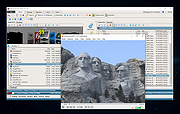 |
|
FluentTweaker v26.06.02 FluentTweaker v26.06.02 👉 Customize and tweak Windows 10/11 with a modern Fluent-style interface. FluentTweaker is a lightweight Windows customization and tweaking utility designed to give users more control over the look, feel, and behavior of Windows 10 and Windows 11. Developed with a clean Fluent Design-inspired interface, the application provides access to a wide variety of system tweaks, personalization settings, and hidden Windows options from a centralized dashboard. FluentTweaker focuses on making Windows customization easier and more accessible by grouping settings into organized categories. Users can quickly adjust privacy features, taskbar behavior, File Explorer settings, visual effects, system performance options, and interface tweaks without manually editing the registry or searching through scattered Windows menus. The program is portable and designed to be simple to use while still offering advanced customization possibilities for enthusiasts who want a cleaner, more personalized Windows experience. Features: • Modern Fluent Design-inspired user interface • Centralized access to Windows 11 customization options • Privacy and telemetry configuration tools • Taskbar and Start menu customization tweaks • File Explorer behavior and appearance adjustments • System performance and visual effect optimizations • Quick access to hidden Windows settings • Portable application with no installation required • Lightweight and easy-to-use design • Registry-based tweaks presented through a graphical interface • Organized categories for simplified navigation • Designed specifically for modern Windows versions Supported operating systems: • Windows 11 • Windows 10 Supported languages: • English Changes: v26.06.02 06-06-26 Not provided Note for Windows 10 users: Microsoft's Windows App Runtime 2.x package is required and you will be offered the download. Click here to visit the author's website. |
|
836 | Jun 08, 2026 Builtbybel 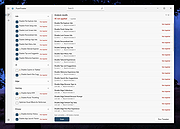 |
|
InnoExtractor v12.1.1.185 InnoExtractor v12.1.1.185 👉 Powerful utility for unpacking and exploring Inno Setup installers. InnoExtractor is an advanced application that allows you to inspect, extract, and explore the contents of installers created with Inno Setup without needing to run the installation process. It provides a clean and user-friendly interface for viewing internal files, scripts, registry entries, installation structure, and embedded resources from supported setup packages. InnoExtractor is especially useful for software archivists, developers, system administrators, and advanced users who want to analyze installer contents or recover files from installation packages. Features: • Open and inspect Inno Setup installer packages • Extract files and folders from installers without running setup • View internal installer scripts and configuration data • Explore embedded files, icons, images, and resources • Display detailed installer information and metadata • Supports password-protected installers when password is known • Search and filter installer contents • Drag-and-drop support for opening setup files • Supports Unicode installers • Export installer information and file lists • Multi-language user interface Supported operating systems: • Windows 7, Windows 8, Windows 8.1, Windows 10, Windows 11 Supported languages: Arabic, Azerbaijani, Czech, Danish, Dutch, English, French, German, Greek, Hungarian, Italian, Japanese, Korean, Polish, Portuguese (Portugal), Russian, Simplified Chinese, Spanish, Traditional Chinese, Turkish, Ukrainian Changes: v12.1.1.185 10-14-26 - Updated Danish, Italian, Russian and Ukrainian language files. - Fixed a minor bugs from previous version. Note: This file has one hit on VirusTotal. We have confirmed this to be a false positive. The file is safe. Click here to visit the author's website. |
|
743 | Oct 15, 2026 Havy Alegria 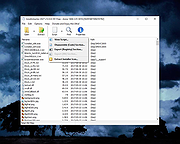 |
|
Metalogic Finance Explorer Portable v9.0.0 Metalogic Finance Explorer Portable v9.0.0 A free and easy-to-use personal finance program. Metalogic Finance Explorer Portable packs enough features for those of us who don't need the overload of features that the big commercial packages offer. It's small yet powerful! Features: • Price: Completely free! • Real time: Update your stock quotes directly from the web. • Easy to use: Visit our online tutorial. • Interface: A familiar and easy to use Windows Explorer-like user interface. • Import transactions: Download them from your bank and import them directly into MLFE. No need to manually enter them. This will save you time and avoid mistakes. All popular formats are supported: Microsoft Money (OFX), Intuit Quicken (both QFX and QIF) and OFC. • Budgeting: Set some financial goals and let our budget feature help you achieve them. At the same time get fine control over your spending. By sticking to your budget you will be able to achieve your goals faster, whether it's paying your debt or saving for something. • Accounts: Supports several types of accounts including bank, cash, credit, etc. Can handle an unlimited number of them. • Stock tracking: Keep track of your stocks. Current stock quotes can be downloaded from the web with a mouse click. • Categorization: Put all your transactions into categories so you can get a better overview of all your expenditures and income. • Net worth: Get a complete view of your finances at a ... |
|
972 | Jun 17, 2025 Metalogic Software and PortableApps.com 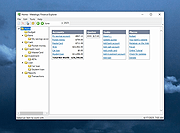 |
|
Microsoft Windows Explorer Crash in Windows 7 (Hotfix KB2638018) Microsoft Windows Explorer Crash in Windows 7 (Hotfix KB2638018) Assume that you open Windows Explorer on a computer that is running Windows 7 or Windows Server 2008 R2 in a network environment. In this situation, Windows Explorer crashes randomly. This is the hotfix. This is a known issue with Windows 7 going back to the beta and has not been fixed as of Service Pack 1. To apply this hotfix, you must be running one of the following operating systems: Windows 7 Windows 7 Service Pack 1 (SP1) Windows Server 2008 R2 Windows Server 2008 R2 Service Pack 1 (SP1) Editor's Note: This hotfix is intended to correct only the problem that is described in this article. Apply this hotfix only to systems that are experiencing the problem described in this article. Again, the issue is when you open Windows Explorer, it hangs. To work around this issue, hide the Network tree in the Windows Explorer navigation pane. To do this, create the following registry entry: Location: HKEY_LOCAL_MACHINE\Software\Microsoft\Windows\CurrentVersion\Policies\NonEnum Entry name: F02C1A0D-BE21-4350-88B0-7367FC96EF3C Type: REG_DWORD Value: 1 |
|
10,159 | Sep 02, 2017 Microsoft Corp. |
|
Mitec EXE Explorer v3.7.4 Mitec EXE Explorer v3.7.4 Executable File Explorer for OS/2, NE, PE32, PE32+ and VxD file types. • It enumerates introduced classes, used units and forms for files compiled by Borland compilers. • It contains powerful Resource Viewer that is able to analyze and display all basic resource types and some extra ones as JPEG, PNG, GIF, AVI, REGISTRY. • It contains excellent Type Library viewer that enumerates all objects and creates import interface unit in Object Pascal language. Every type of resource can be saved to file. • EXE Explorer produces text report with all important information about selected file. • Searching capability is also available. It searches all resources that can be interpreted as text. Here are enumerated structures that are evaluated: • DOS, File, Optional, Rich and CLR headers • CLR Metadata streams • Sections • Directories • Imports • Exports • Resources • ASCII and Unicode Strings • .NET Metadata • Load Config • Debug • Thread Local Storage • Exceptions • Units • Forms • Packages • Classes • Certificates • Package Flags • Version Info • Hexadecimal File Content View • TypeLib Viewer • Form Preview • VirusTotal scan report • Compiler and installer/packer/protector identification Supported operating systems: Windows XP Windows 2003 Windows Vista Windows 7 Windows Server 2008 Windows 8 Windows 8.1 Windows Server 2012 Windows Server 2012 R2 Windows 10 Windows 11 Windows Server 2016 Windows Server 2019+ Changes: v3.7.4 17.12.2024 * Exceptions for 64bit fixed Click ... |
|
4,971 | Dec 17, 2024 MiTeC 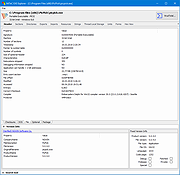 |
|
MiTeC Icon Explorer v5.2.0 MiTeC Icon Explorer v5.2.0 This tool allows to manage icon libraries, standalone icons and executable that contains icons as resources. MicroAngelo 16-bit format (icl) and 16-bit executables (NE) is no longer supported and Icon Explorer now creates 32-bit DLLs as icon libraries. 32-bit icons and 256x256 sized icons are supported. It has powerfull searching tool that searches specified path with directory recursion and examines any file if it contains any icon and then extract it. Icons can be saved as icons, individual icon images or bitmaps. Target platforms Windows XP Windows 2003 Windows Vista Windows 7 Windows Server 2008 Windows Server 2008 R2 Windows 8 Windows 8.1 Windows 10 Click here to visit the author's website. |
|
5,488 | Nov 08, 2020 MiTeC 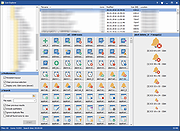 |
|
MobileFileSearch v1.51 MobileFileSearch v1.51 👉 Search files inside smartphones and tablets connected through USB MTP mode. MobileFileSearch is a lightweight utility that allows you to search files stored on smartphones, tablets, and other portable devices connected to your computer through USB using the Media Transfer Protocol (MTP). It can quickly scan connected devices and display matching files based on filename, extension, size, date, and other search filters. MobileFileSearch is especially useful for locating photos, videos, documents, music, APK files, and other content stored on Android devices or portable media players without manually browsing through folders. Search results can be copied, exported, or opened directly from the interface for easier file management. Be aware that this tool is useful if your Smartphone/Tablet uses the Media Transfer Protocol (MTP) to view and transfer files via USB. Features: • Search files on smartphones and tablets connected through USB • Works with devices using the Media Transfer Protocol (MTP) • Filter results by filename, extension, size, and modified date • View full file paths and file details • Open files directly from search results • Export search results to text, CSV, HTML, JSON, or XML • Lightweight and portable utility with no installation required • Supports drag-and-drop exporting of files • Command-line support for advanced usage Supported operating systems: • Windows 7, Windows 8, Windows 8.1, Windows 10, Windows 11 Supported languages: • English Changes: v1.51 05-11-26 • Fixed bug: MobileFileSearch crashed when using the 'Open Folder In Explorer' option and the folder path contained a slash character ('/'). This download is for the Windows 64bit version (very bottom of page). If you need the Windows 32bit version, download here. Click here to visit the author's website. |
|
5,292 | Jun 03, 2026 Nir Sofer 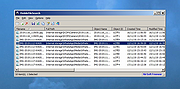 |
|
muCommander v1.6.2 muCommander v1.6.2 👉 Cross-platform dual-pane file manager designed for fast and efficient file management. muCommander is a lightweight, open-source file manager that provides a classic dual-pane interface similar to popular orthodox file managers. It is designed to make managing files and folders faster and more efficient by allowing users to easily copy, move, rename, and organize files between two panels. muCommander supports a wide range of archive formats and network protocols, enabling users to browse compressed files as if they were normal folders and access remote filesystems such as FTP, SFTP, SMB, NFS, and HTTP. The program also includes a powerful set of keyboard shortcuts, bookmarking capabilities, file search tools, and customizable interface options. Because muCommander is written in Java, it runs on multiple operating systems including Windows, macOS, Linux, and other platforms that support Java. This makes it a flexible file management solution for users who work across different environments. Supported operating systems: • Windows 7, Windows 8, Windows 10, Windows 11 • macOS • Linux Supported languages: English, French, German, Spanish, Italian, Portuguese, Dutch, Russian, Chinese, Japanese, Korean Changes: v1.6.2 05-14-26 Update previous release to 1.6.1 in the readme.txt file by @ahadas in #1469 Granting the application permission to access the module 'sun.awt.X11' by @douglasimcabral in #1471 Document #1471 by @ahadas in #1472 Fix possible NPE during startup by @ahadas in #1474 This download is for the Windows installer version. All other download assets are below: Other Windows: mucommander-1.6.2-1-portable-x86_64.zip mucommander-1.6.2-aarch64.msi macOS: mucommander-1.6.2-1-x86_64.dmg (Intel) mucommander-1.6.2-1-aarch64.dmg (Apple Silicone) mucommander-1.6.2-1-noarch.dmg (macOS 10.15 Catalina and below) Linux: mucommander_1.6.2_x86_64.deb mucommander-1.6.2-1.x86_64.rpm mucommander-1.6.2-1.aarch64.rpm Linux, Solaris, BSD, AIX, OS/2 and other OS with Java support mucommander-1.6.2-1-x86_64.tgz mucommander-1.6.2-1-aarch64.tgz Click here to visit the author's website. |
|
1,606 | Jul 22, 2026 muCommander 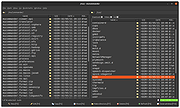 |
|
Open-Shell v4.4.198 Open-Shell v4.4.198 Bring back the classic Windows Start menu and shell experience. Open-Shell is an open-source continuation of the popular Classic Shell project, designed to restore familiar Windows interface elements that many users prefer over the newer default layouts found in modern versions of Windows. It gives users deep control over the Start menu appearance and behavior while adding classic Explorer enhancements that improve usability and workflow efficiency. Open-Shell can replicate the appearance and functionality of classic Start menus from Windows 7, Windows XP and even older Microsoft operating systems while still supporting the latest versions of Windows 10 and Windows 11. Users can customize nearly every aspect of the Start menu, including styles, skins, icons, button graphics, menu behavior, search settings, animations and shortcuts. Beyond the Start menu itself, Open-Shell includes Explorer enhancements such as a customizable toolbar, additional status bar information and improved file management conveniences. The software is lightweight, fast and designed to integrate naturally into Windows without consuming excessive system resources. The project is maintained by the open-source community and continues to receive updates for compatibility with new Windows releases and user-requested improvements. Features: • Restore classic-style Start menus on Windows 10 and Windows 11 • Multiple Start menu layouts inspired by Windows 7, XP and Classic styles • Highly customizable skins, themes and Start button replacements • Drag-and-drop organization for Start menu items • Fast application and file search functionality • Customizable menu behavior, animations and hotkeys • Explorer toolbar with common file operation buttons • Enhanced Explorer status bar information • Optional classic copy and file operation interface • Extensive settings for power users and advanced customization • Lightweight and low system resource usage • Community-maintained open-source project • Supports Windows ARM systems • Backup and restore Start menu configuration settings • Multi-language interface support Supported operating systems: • Windows 7 • Windows 8 • Windows 8.1 • Windows 10 • Windows 11 • Windows on ARM Supported languages: English, German, French, Spanish, ... |
|
7,088 | Jun 05, 2026 Open-Shell 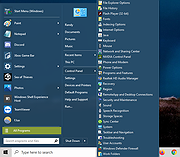 |
|
QuickLook v4.5.0 QuickLook v4.5.0 👉 Preview files instantly in Windows by selecting one and pressing the spacebar. QuickLook lets you inspect files without opening their usual applications. Select a file in File Explorer and press the spacebar to bring up a preview. You can check an image, read a document, listen to audio, watch a video, or inspect source code, then press Esc or the spacebar to close the preview. Use the arrow keys to move through neighboring files while the preview is open. QuickLook handles images, animated GIFs, video, audio, PDFs, text, Markdown, archives, fonts, and source code. Text and code previews include syntax highlighting, and plugins add support for more formats. QuickLook runs from the system tray. The installer supports previews in Open and Save dialogs. The project is free and open source. Features: • Press the spacebar to preview a selected file without launching its associated application. • Press Esc or the spacebar again to close the preview. • Use the arrow keys to preview neighboring files. • Preview JPEG, PNG, GIF, WebP, RAW, and other supported image formats. • Play supported video and audio files in the preview window. • Read PDFs, text files, and rendered Markdown. • Inspect source code and configuration files with syntax highlighting. • Preview supported archives and fonts. • Zoom images and PDFs, or open a file from its preview. • Follow the Windows light or dark theme. • Add support for more formats with plugins. • Choose an installer or portable download. Supported operating systems: Windows 10, Windows 11 Supported languages: English, Simplified Chinese, Romanian. Changes: v4.5.0 04-14-26 Updated LAVFilters to 0.81.0. Improved LRC handling by merging duplicate timestamps. Improved the Simplified Chinese translation and added Romanian translation. Added the WindowBackdrop option and F11 full-screen toggle. Added support for PKCS7 extensions, Chromium PAK viewing and extraction, Python wheel and egg archives, DICOM images, and additional syntax highlighting. Fixed Markdown previews using absolute resource paths, the Windows 10 transparency option, video loop behavior, OfficeViewer resizing errors, relative command-line paths, and the taskbar ... |
|
3,467 | Sep 28, 2026 Adnan Bhaldar 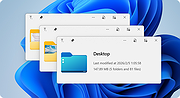 |
|
Registry Explorer v0.7 Registry Explorer v0.7 Portable replacement for the Windows built-in Regedit.exe tool. Improvements over that tool include: Show real Registry (not just the standard one) Sort list view by any column Key icons for hives, inaccessible keys, and links Key details: last write time and number of keys/values Displays MUI and REG_EXPAND_SZ expanded values Full search (Find All / Ctrl+Shift+F) Enhanced hex editor for binary values Undo/redo Copy/paste of keys/values Optionally replace RegEdit more to come! Changes: v0.7 Beta 7-25-21 import/export single instance option replace regedit option "lightweight" dark mode load/unload hives bug fixes Click here to visit the author's website. |
|
3,630 | Jul 26, 2021 Pavel Yosifovich 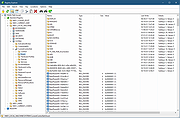 |
|
Right-Click Tools v2.0.4 Right-Click Tools v2.0.4 👉 Add powerful administrative and maintenance tools to the Windows Explorer right-click menu. Right-Click Tools adds a collection of useful commands to the Windows File Explorer context menu, providing quick access to command prompts, PowerShell, Registry Editor, ownership controls, elevated file managers, shell maintenance tools and other frequently needed Windows functions. The tools can be accessed by right-clicking a folder, drive or the background of an open Explorer window. Features: • Adds a customizable collection of tools to the Windows Explorer context menu • Opens Command Prompt or PowerShell in the selected folder • Opens Command Prompt or PowerShell with Administrator privileges • Opens Command Prompt or PowerShell with TrustedInstaller privileges • Supports Windows Terminal, Console Host and optional PowerShell Core configuration • Opens Registry Editor as a standard user, Administrator or TrustedInstaller • Takes ownership of folders and grants access using SetACL • Supports folders containing Unicode characters and long file paths • Adds or removes the selected folder from the user or system PATH variable • Toggles the display of hidden and protected system files • Clears recent items, auto-suggest entries, temporary files and Windows Defender history • Clears the Windows Defender quarantine folder • Refreshes the Windows shell after icon or display changes • Resets the Windows icon and thumbnail caches • Restarts Windows Explorer and reopens the selected folder • Opens a preferred file manager with Administrator or TrustedInstaller privileges • Supports both standard and administrator Windows accounts • Supports multiple user accounts on the same computer • Optional scheduled task reduces repeated UAC prompts • Uses registry-based menu entries instead of a continuously running context menu handler • Adds no background process or significant overhead when opening the context menu • Supports the Windows 11 modern context menu through Custom Context Menu • Automatically detects and supports Windows dark mode • Allows context menu labels and translations to be edited in Language.ini • Available as an installer or portable application • ... |
|
953 | Oct 13, 2026 LesFerch 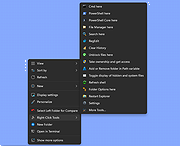 |
|
System Explorer 7.1.0 System Explorer 7.1.0 System Explorer is free, awards winning software for exploration and management of System Internals. This small software includes many useful tools which help you Keep Your System Under Control. With System Explorer You get also fast access to File Database which help you to determine unwanted processes or threats. System Explorer is translated into 21 languages and is available for download in installer and portable version. Features: Detailed information about Tasks, Processes, Modules, Startups, IE Addons, Uninstallers, Windows, Services, Drivers, Connections and Opened Files. Easy check of suspicious files via VirusTotal, Jotti service or our File Database. Easy monitoring of processes activities and System changes. Usage graphs of important System resources. Tray Hint with detailed System and Battery status WMI Browser and System Additional Info Multilanguage Support |
|
10,598 | May 01, 2016 Mister Group 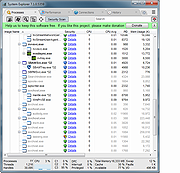 |
|
System Explorer Portable Version 6.4.3 System Explorer portable Version 6.4.3 System Explorer is free, awards winning software for exploration and management of System Internals. This small software includes many useful tools which help you Keep Your System Under Control. With System Explorer You get also fast access to File Database which help you to determine unwanted processes or threats. System Explorer is translated into 21 languages and is available for download in installer and portable version. Features: Detailed information about Tasks, Processes, Modules, Startups, IE Addons, Uninstallers, Windows, Services, Drivers, Connections and Opened Files. Easy check of suspicious files via VirusTotal, Jotti service or our File Database. Easy monitoring of processes activities and System changes. Usage graphs of important System resources. Tray Hint with detailed System and Battery status WMI Browser and System Additional Info Multilanguage Support Change Info: System Explorer Version 6.4.3 Changes Bugfixes |
 |
10,792 | Jul 28, 2015 Mister Group  |
|
TeraCopy Free v4.0.3 TeraCopy Free v4.0.3 👉 Fast and reliable file copy and move utility for Windows. TeraCopy Free is a Windows file transfer utility designed to replace the standard Windows copy and move functions with a faster, more reliable alternative. The free version improves large file transfers, verifies copied files to ensure data integrity, automatically retries failed transfers, and integrates directly into Windows Explorer for seamless everyday use. It also supports checksum generation and verification, secure file deletion, and copying locked files. This listing is for the free Windows edition intended for home and non-profit use only. Features: • Faster file copy and move operations than Windows Explorer • Verify copied files to ensure data integrity • Automatically retry failed file transfers • Skip problematic files without stopping the entire transfer • Preserve original file date and time stamps • Copy locked files • Integrates with Windows Explorer context menus • Run shell scripts (CMD or PowerShell) when transfers complete • Generate and verify checksum files including CRC32, MD5, SHA-1, SHA-256, SHA-512, Panama, Tiger, RipeMD, Whirlpool, and xxHash • Securely delete files • Keeps a history of recently used folders for quicker navigation • Free for home and non-profit use Supported operating systems: • Windows 7, Windows 8, Windows 8.1, Windows 10, Windows 11 • Windows Server 2003–2025 Supported languages: • Arabic, Bengali, Bulgarian, Catalan, Chinese Simplified, Chinese Traditional, Croatian, Czech, Danish, Dutch, English, Estonian, Finnish, French, Georgian, German, Greek, Hebrew, Hindi, Hungarian, Indonesian, Italian, Japanese, Korean, Lithuanian, Malay, Norwegian, Persian, Polish, Portuguese, Portuguese (Brazilian), Romanian, Russian, Santali, Serbian, Slovak, Slovenian, Spanish, Spanish (Argentina), Spanish (Mexico), Swedish, Thai, Turkish, Ukrainian, Vietnamese Changes: v4.0.3 07-14-26 Fixed file enumeration on macOS SMB shares: worked around a bug in Apple’s SMB server that truncates large directory listings. Fixed issue with file sizes on Macrium tbFAT. Per-user installation no longer requires elevation. ... |
|
10,220 | Jul 16, 2026 Code Sector 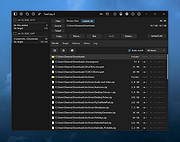 |
|
Tom's Hash Explorer 1.2 Tom's Hash Explorer 1.2 Tom's Hash Explorer is a free Windows utility that allows you to easily calculate cryptographic hash values for single or multiple files in order to verify file integrity. Tom's Hash Explorer features an innovative Explorer-like graphical user interface to navigate your file system and calculate cryptographic hash values for either a single file or for all files within a folder. The most popular Hash algorithms are supported, including MD5 Message-Digest Algorithm, SHA1 (160-bits), and SHA2 (256 bits, 384-bits, and 512 bits). Its multi-threaded hash computation engine results in extremely fast results. Features Innovative Explorer-like User Interface Themes/Skins new.ping Multi-Threaded Computation Engine Calculate Hash Values using Industry Standard Hash Algorithms Message Digest (MD5) Secure Hashing Algorithm 1 (SHA-1) Secure Hashing Algorithm 2 (SHA 256, SHA 384, SHA 512) Calulate File Entropy using Shannon’s Entropy Algorithm new.ping Calculate Hash Values or Entropy for Single File or Multiple Files Drag and Drop new.ping Save Hash Values to Text File or Copy to Clipboard for easy import into Whitelisting applications Export Full Results Microsoft Excel (XLS) Comma Separated Values File (CSV) Rich Text Format (RTF) Adobe Acrobat Portable Document Format (PDF) Print Full Results Print Preview with Page Setup, Header & Footer, Watermark “Tests show that the MD5 hash value is computed in ... |
|
6,501 | Aug 06, 2024 Tom Andreas Mannerud 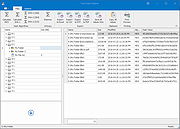 |
|
Tweaking.com - Repair Internet Explorer 2.8.8 Tweaking.com - Repair Internet Explorer 2.8.8 This will repair Internet Explorer. When IE is corrupt and stops working you will notice you get just a white page and nothing more when using it. Also other errors and problems. This repair tool will get IE working normally again. This doesn't replace ANY IE settings. It only repairs IE files. This tool is also a part of Windows Repair (All In One). |
|
9,945 | Sep 02, 2017 Tweaking.com 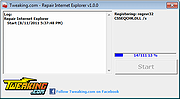 |
|
Win11Debloat v2026.08.24 Win11Debloat v2026.08.24 👉 Declutter and customize Windows 10 or 11 by removing unwanted apps, telemetry, ads, AI features and other annoyances. Win11Debloat is a lightweight PowerShell utility for cleaning up and customizing Windows without installation. It can remove preinstalled apps, disable telemetry and advertising, change privacy settings, disable unwanted Windows AI features, modify the Start menu, taskbar and File Explorer, and adjust many other Windows behaviors. It includes an interactive graphical interface as well as command-line options for administrators and automated deployments. The OlderGeeks.com download contains the official Get.ps1 quick-launch script. An Internet connection is required because this launcher downloads the current Win11Debloat release directly from the official GitHub repository before starting it. The downloaded files are placed temporarily under %TEMP%\Win11Debloat and are cleaned up when the program closes, while configuration files, logs and backups are preserved. Most changes made by Win11Debloat can be reversed, and most removed Microsoft Store applications can be reinstalled. Because the utility makes substantial changes to Windows, users should carefully review the selected options before applying them. Features: • Remove a wide variety of preinstalled Windows applications • Disable telemetry, diagnostic data collection, activity history, app-launch tracking and targeted advertising • Disable Windows tips, suggestions, lock-screen promotions and Microsoft Edge advertising • Disable Windows location services, application location access and Find My Device tracking • Hide Microsoft 365 advertising on the Settings Home page or hide the Home page completely • Disable or remove Microsoft Copilot, Windows Recall and Click to Do • Prevent the Windows AI service from starting automatically • Disable AI features in Microsoft Edge, Paint and Notepad • Restore the classic Windows 10-style context menu • Disable mouse acceleration, Sticky Keys shortcuts, Storage Sense and Fast Startup • Disable automatic BitLocker device encryption • Disable network connectivity during Modern Standby • Prevent Windows from automatically restarting after updates while a user is signed in • Disable Windows Delivery Optimization • ... |
|
302 | Aug 25, 2026 Jeffrey Raphire 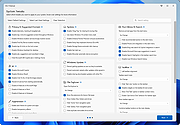 |
|
Windows 11 Context Menu Manager v1.0.1 Windows 11 Context Menu Manager v1.0.1 👉 Disable unwanted items in Windows 11 right-click context menu. Windows 11 Context Menu Manager is a simple utility that lets you turn off unwanted entries in Windows 11 right-click context menu. It is designed to help clean up the newer Windows 11 context menu so you can reduce clutter and keep only the items you want visible. Features: • Disable unwanted entries in the Windows 11 Explorer new right-click context menu • Focuses specifically on the newer Windows 11 right-click menu • Simple interface built for quickly managing context menu visibility • Helps reduce right-click menu clutter in File Explorer • Designed for modern 64-bit Windows 11 systems • Offered as a standalone desktop utility • Open-source software released under the MIT License Supported operating systems: • Windows 11 x64, Windows 11 ARM64 Supported languages: Operating System Language Changes: v1.0.1 03-25-26 fix: missing package This download is for the Windows 11 64bit version (very bottom of page). If you need the Windows 11 ARM64 version, download here. Click here to visit the author's website. |
|
725 | Apr 15, 2026 Brandon Hill 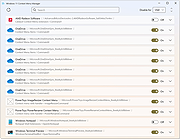 |
|
Winhance v26.06.12 Winhance v26.06.12 👉 Enhance, debloat, and customize Windows with powerful system tweaks. Winhance is a Windows optimization and customization tool designed to help users debloat, fine-tune, and enhance their Windows experience. It provides a structured interface to adjust privacy settings, remove unwanted apps, optimize performance, and configure various system components in a safe and organized way. Winhance simplifies advanced Windows configuration by grouping hundreds of commonly used tweaks, optimizations, and customization options into an intuitive interface. It can remove unnecessary Windows components, improve privacy, adjust gaming and performance settings, install or remove software, customize Explorer and the Start menu, and generate reusable configuration files for deploying the same settings across multiple computers. Winhance is open source and supports both installed and portable operation. Features: • Remove preinstalled Windows apps, optional features, and unwanted components • Apply privacy, security, gaming, and performance optimizations • Customize the taskbar, Start menu, Explorer, desktop, and Windows appearance • Install or uninstall popular third-party software from a built-in catalog • Configure Windows services, power settings, networking, and system behavior • Create reusable Winhance configuration files and unattended Windows deployment files • Review and track applied changes with a built-in change history log • Available as both an installed and portable application • Open source with support for Windows 10 and Windows 11 Supported operating systems: • Windows 10 x64 (22H2), Windows 11 (23H2, 24H2, 25H2) Supported languages: Arabic, Bulgarian, Chinese (Simplified), Chinese (Traditional), Croatian, Czech, Danish, Dutch, English, Finnish, French, German, Greek, Hebrew, Hungarian, Italian, Japanese, Korean, Norwegian Bokmεl, Polish, Portuguese (Brazil), Portuguese (Portugal), Romanian, Russian, Serbian, Slovak, Spanish, Turkish, Ukrainian Changes: v26.06.12 06-12-26 • Added Builder Mode for creating Winhance configuration files and autounattend.xml files without modifying the current PC • Added a Sponsors & Supporters page and a Change History log that records all applied settings and app installations/removals • Added Hebrew language support, bringing the total to 29 supported languages • Added new Explorer ... |
|
1,098 | Jun 29, 2026 Marco du Plessis 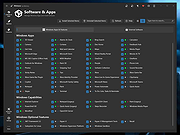 |
|
WinSetView v3.1.9 WinSetView v3.1.9 👉 Set default File Explorer folder views across Windows with just a few clicks. WinSetView is a free, portable utility that provides an easy way to configure default folder views throughout Windows File Explorer. You can apply a preferred view such as Details, List, Tiles or Icons globally, while assigning different settings to specific folder types such as Documents, Pictures, Music, Videos, Downloads, Libraries, OneDrive folders and search results. The program can customize displayed columns, column order, widths, sorting and grouping for each folder type. It also covers File Open and Save dialogs, connected devices such as phones and many virtual Windows folders that are not affected by File Explorer's standard Apply to Folders option. WinSetView works by configuring registry values that File Explorer already supports. It does not modify Explorer, install services or leave background tasks running. Existing folder-view settings can be backed up before changes are applied, restored later or reset to the original Windows defaults. The program can be used as a portable application from a local folder, flash drive or network location. An optional installer is also available for users who prefer a conventional installation. Portable use does not require administrator rights, although individual Explorer options marked with a shield may require elevation. Features: • Set a global default view for Windows File Explorer folders • Choose Details, List, Tiles, Content or multiple icon sizes • Configure every supported Windows folder type individually • Customize column headings, order, width, sorting and grouping • Apply separate views to File Open and Save dialogs • Configure views for Documents, Pictures, Music, Videos and Downloads • Supports Libraries, OneDrive, search results, Quick Access and user folders • Apply General Items column settings to connected MTP devices such as phones • Enable or disable folder thumbnails • Show hidden files, file extensions and other Explorer options • Restore the classic Windows 10 context menu ... |
|
4,603 | Oct 13, 2026 LesFerch 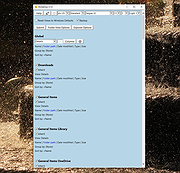 |
|
WMI Explorer 2.0 WMI Explorer 2.0 WMI Explorer is a utility intended to provide the ability to browse and view WMI namespaces/classes/instances/properties in a single pane of view and is inspired by the PowerShell based WMI Explorer written by Marc. As someone who works with Configuration Manager (SCCM), I spend a lot of time in wbemtest trying to find things which is very time consuming. I started this project with the intention to combine the features of currently available WMI Explorers, and to make it easier and quicker to find what you're looking for in WMI. WMI Explorer is a utility intended to provide the ability to browse and view WMI namespaces/classes/instances/properties in a single pane of view and is inspired by the PowerShell based WMI Explorer written by Marc. As someone who works with Configuration Manager (SCCM), I spend a lot of time in wbemtest trying to find things which is very time consuming. I started this project with the intention to combine the features of currently available WMI Explorers, and to make it easier and quicker to find what you're looking for in WMI. Requirements * Microsoft .NET Framework 4.0 Full or .NET Framework 4.5.1 * Minimum display resolution: 1024x768 * Administrator rights to view some WMI objects * (Optional) Internet access for automatic update check Features * Browse and view WMI objects in a single pane of view. * Connect as alternate credentials to remote computers. * Asynchronous and Synchronous mode for enumeration. * Method execution. * SMS (Configuration Manager) mode providing additional functionality for Configuration Manager. * Filter classes and instances matching specified criteria. * View classes/instances in Managed Object Format (MOF). * Search classes, methods and properties for names matching specified criteria. * Run WQL queries. * Automatic generation of WQL query for the selected Class/Instance. * Automatic script creation (PowerShell and VBS). * Highlighting enumerated objects. * Display property descriptions and possible enumeration values (if available). * Display methods descriptions ... |
|
6,629 | May 06, 2016 Vinpa 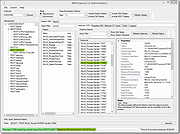 |
| Showing rows 1 to 29 of 29 | Showing Page 1 of 1 | 1 |
OlderGeeks.com Copyright (c) 2026
