|

|
Processed through Paypal No account required. |








Buy our over-priced crap to help pay the bills.



|
|
Processed through Paypal No account required. |
| Files | ||||
| File Name | Rating | Downloads | ||
 |
12-Ants v6.91 12-Ants v6.91 👉 Add a swarm of animated ants to your Windows desktop for a little harmless fun. 12-Ants is a tiny freeware desktop decoration that fills your screen with animated ants crawling across the Windows desktop. The ants can interact with your mouse pointer in several ways, including attacking it, fleeing from it, reacting only when the pointer moves, or simply strolling around on their own. You can customize the number of ants displayed, their movement speed, size, color and transparency. Despite potentially putting a sizable colony on your screen, the program is designed to consume very few system resources. It is also portable, so it can be run directly from a folder or USB drive without installation. Features: • Displays animated ants crawling around the Windows desktop • Choose from five different ant movement algorithms • Ants can attack the mouse cursor • Ants can attack the cursor only when it moves • Ants can flee from the mouse cursor • Ants can flee only when the cursor moves • Ants can simply stroll around the desktop • Adjustable number of desktop ants • Adjustable ant movement speed • Adjustable ant size • Change ant colors, including red, black and green • Optional transparency • Low system resource consumption • Portable operation with no installation required • Can be carried and run from a USB drive • Installer and portable packages are available • Supports both 32-bit and 64-bit Windows Supported operating systems: • Windows 7, Windows 8, Windows 8.1, Windows 10, Windows 11 • Windows Server 2012, Windows Server 2016, Windows Server 2019, Windows Server 2022, Windows Server 2025 • 32-bit and 64-bit Windows Supported languages: German, English, French, Traditional Chinese, Korean, Greek, Italian, Spanish (Colombia), Russian, Simplified Chinese, Arabic, Romanian, Japanese, Afrikaans, Swedish, Danish, Norwegian, Dutch, Thai, Vietnamese, Hindi, Portuguese, Spanish, Spanish (Venezuela), Finnish, Bosnian/Croatian/Serbian Changes: v6.91 04-24-26 • Verification of Desktop BUGs on next MS Windows 11 Build • Small adjustments for Windows 11 • ... |
 |
6,377 | Sep 03, 2026 Nenad Hrg  |
|
Blank And Secure v8.44 Blank And Secure v8.44 👉 Securely delete files to prevent recovery. Blank And Secure is a small, portable tool designed to securely delete files so they cannot be recovered by any data recovery software. It overwrites selected files multiple times using different patterns, ensuring that sensitive data is permanently erased. The program is lightweight, requires no installation, and is ideal for users who want a quick and reliable way to securely remove confidential files. Features: • Secure file deletion with multiple overwrite passes • Prevents recovery by standard and advanced recovery tools • Adjustable overwrite count for customizable security • Drag-and-drop support for quick file handling • Portable, no installation required • Very small footprint and low system resource usage • Simple and user-friendly interface Supported operating systems: • Windows 7, Windows 8, Windows 10, Windows 11 Supported languages: German, English, Russian, Dutch, Romanian, Swedish, French, Italian, Turkish, Arabic, Spanish, Bulgarian, Greek, Portuguese (Brazil), Chinese Simplified, Czech, Korean, Chinese Traditional, Polish, Thai, Indonesian, Japanese, Hungarian, Norwegian, Portuguese, Danish, Irish, Vietnamese, Spanish (Venezuela), Hebrew, Malay, Filipino, Finnish, Afrikaans, Bosnian, Ukrainian Changes: v8.44 08-27-2026 • BlankAndSecure language file update • Minor fine-tuning in BlankAndSecure for all Windows operating systems This download is for the Windows 64bit version (very bottom of page). All other download assets are below: Other Windows: BlankAndSecure.zip (32bit) BlankAndSecure_Win98.zip (Windows 98) Click here to visit the author's website. |
|
7,381 | Sep 07, 2026 Nenad Hrg 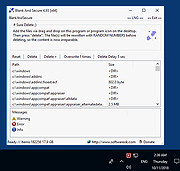 |
|
Brightness.Manager.OK v1.77 Brightness.Manager.OK v1.77 👉 Adjust screen brightness and individual RGB levels in Windows. Brightness.Manager.OK is a small freeware utility for adjusting your display when Windows brightness controls or monitor buttons are unavailable. Separate red, green, and blue adjustments help compensate for unwanted color casts. You can apply saved settings at startup and launch the program automatically when you sign in. Note: Closing the window moves it to the notification area. Use the Exit button to quit. Features: • Overall brightness adjustment. • Independent RGB controls. • Apply saved values at startup. • Optional automatic startup with Windows. • Notification area access. • Shortcuts to related system settings. • Portable operation. • Low processor and memory usage. • Built-in self-delete option. Supported operating systems: • Windows 7, Windows 8.1, Windows 10, Windows 11 • Windows Server 2012 through Windows Server 2025 Supported languages: Arabic, Brazilian Portuguese, Dutch, English, French, German, Italian, Japanese, Korean, Portuguese, Russian, Simplified Chinese, Spanish, Traditional Chinese Changes: v1.77 05-31-26 Updates to the language files in the Brightness.Manager.OK application. Minor improvements and new languages: Spanish and Portuguese Click here to visit the author's website. |
|
1,381 | Oct 04, 2026 Nenad Hrg 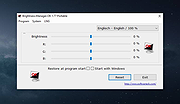 |
|
DesktopOK v12.61 DesktopOK v12.61 👉 Save and restore the positions of desktop icons with ease. DesktopOK is a small but powerful utility that allows you to save and restore the positions of icons on your Windows desktop. It is especially useful for users who frequently change screen resolutions, use multiple monitors, or encounter situations where Windows rearranges desktop icons unexpectedly. DesktopOK can store multiple icon layout snapshots so you can quickly switch between saved configurations. The program can automatically save layouts at timed intervals, restore layouts with a single click, and even manage different layouts for different screen resolutions. It also includes additional desktop tools such as minimizing all windows to the system tray, creating transparent desktop areas, and controlling the visibility of desktop icons. Despite its powerful functionality, DesktopOK remains lightweight and portable, making it ideal for use on USB drives or as a quick troubleshooting tool for restoring desktop layouts. Features: • Save and restore desktop icon layouts • Create multiple layout snapshots for different setups • Automatically save icon positions at timed intervals • Restore layouts after screen resolution or monitor changes • Portable utility with no installation required • Minimize windows to the system tray • Toggle desktop icon visibility quickly • Works well with multi-monitor configurations Supported operating systems: • Windows 7, Windows 8, Windows 10, Windows 11 Supported languages: German, English, French, Italian, Polish, Korean, Chinese (Simplified), Czech, Russian, Portuguese (Brazil), Swedish, Dutch, Finnish, Spanish, Chinese (Traditional), Norwegian, Hungarian, Greek, Turkish, Serbian, Japanese, Danish, Bulgarian, Ukrainian, Catalan, Slovak, Malay, Indonesian, Filipino, Persian, Hebrew, Afrikaans, Hindi, Thai, Vietnamese, Portuguese, Bosnian, Romanian, Flemish Changes: v12.61 06-28-26 • Improvements to DesktopOK for all Windows operating systems • Language file update in DesktopOK This download is for the Windows 64bit version (very bottom of page). If you need the Windows 32bit version, download here. Click here to visit the author's website. |
|
11,026 | Jun 29, 2026 Nenad Hrg 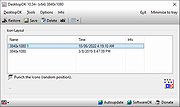 |
|
Don't Sleep v10.22 Don't Sleep v10.22 👉 Prevent your computer from automatically entering sleep, shutdown, or standby modes. Don't Sleep is a small portable utility designed to prevent Windows from automatically entering sleep, standby, hibernate, shutdown, or screen-saver modes. This lightweight tool runs quietly in the background and provides a simple interface that allows users to temporarily block various power management functions that may interrupt ongoing tasks such as downloads, video playback, presentations, or long-running operations. Don't Sleep includes flexible control options that allow users to enable or disable blocking functions with a timer, schedule system behavior, or trigger actions when specific conditions occur. It can also prevent screen savers from activating and optionally disable monitor power-off functions. Because the program is portable and requires no installation, it can easily be run from a USB drive or any folder, making it convenient for troubleshooting, temporary use, or portable environments. Features: • Prevents sleep, standby, hibernation, shutdown, and logoff events • Blocks screen saver activation and monitor power-off functions • Includes timer and scheduling options for automatic control • Portable application requiring no installation • Small system footprint with minimal resource usage • Optional command-line parameters for automation and scripting • Runs quietly in the system tray for quick access Supported operating systems: • Windows 7, Windows 8, Windows 10, Windows 11 Supported languages: German, English, Russian, French, Latvian, Italian, Portuguese, Traditional Chinese, Hungarian, Polish, Turkish, Dutch, Chinese Simplified, Slovak, Swedish, Romanian, Greek, Czech, Chinese Traditional (Taiwan), Danish, Arabic, Persian, Korean, Spanish, Spanish (Argentina), Japanese, Irish, Norwegian, Thai, Welsh, Afrikaans, Hindi, Hebrew, Finnish, Ukrainian, Malay, Indonesian, Filipino, Portuguese (Brazil), Spanish (Venezuela), Bosnian / Croatian / Serbian Changes: v10.22 06-20-26 • Improvements to DontSleep for all Windows operating systems • DontSleep language file update This download is for the Windows 64bit portable version (very bottom of page). If you need the Windows 32bit portable version, download here. Click here to visit the author's website. |
|
8,262 | Jun 29, 2026 Nenad Hrg 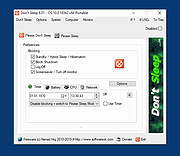 |
|
Film.Strip.Explorer v1.05 Film.Strip.Explorer v1.05 👉 Create stylish filmstrip-style previews from your photos. Film.Strip.Explorer is a lightweight and portable Windows utility that lets you generate attractive filmstrip-style image previews from your photos and graphics. It’s ideal for creating visual overviews of image collections, adding cinematic presentation effects, or preparing eye-catching previews for websites, documentation, and digital projects. With its simple interface, Film.Strip.Explorer allows you to quickly load images and arrange them into a classic filmstrip layout. The program is designed for ease of use, making it suitable for beginners while still offering flexibility for more advanced users who want to customize the look and feel of their filmstrip output. Features: • Generate classic filmstrip-style image layouts • Quick and simple image loading • Adjustable layout and spacing options • Preview output before saving • Lightweight and portable (no installation required) • Low system resource usage • Clean and user-friendly interface Supported operating systems: • Windows 7, Windows 8, Windows 10, Windows 11 Supported languages: English, German Changes: v1.05 05-10-26 • Updated language files in Film.Strip.Explorer. Minor adjustments for the next Windows 11 build. This download is for the Windows 64bit portable version (very bottom of page). If you need the Windows 64bit installer version, download here. If you need the Windows 32bit portable version, download here. If you need the Windows 32bit installer version, download here. Click here to visit the author's website. |
 |
824 | Jun 27, 2026 Nenad Hrg 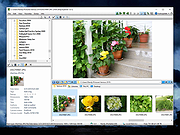 |
|
FlyOutNotepad v1.05 FlyOutNotepad v1.05 👉 Smart docking notepad for storing text, code snippets, and images. FlyOutNotepad is a lightweight Windows productivity tool that docks to any screen edge and gives you fast access to notes, code snippets, text, and images. It supports drag and drop, up to 20 tabs, auto-save, and fast C++/WTL performance in a very small package. Features: • Dock to any of the 4 screen edges • Smooth flyout access when needed • Store text, code snippets, and images • Bi-directional drag and drop for text and images • Up to 20 tabs for organizing content • Auto-save support • Remembers state on shutdown or logoff • Tab renaming support • Lightweight, under 500 KB • Built in C++ with Windows Template Library • Optional portable mode by renaming the EXE with _p Supported operating systems: • Windows 11, Windows 10, Windows 8.1, Windows 7, Windows Server 2012 through 2025, 32-bit and 64-bit Supported languages: English, German, Italian, Traditional Chinese, Korean, Polish, Russian, Spanish, Portuguese, French Changes: v1.05 08-17-26 • Update of language files in FlyOut NotePad for MS Windows • Optimization and various fixes under Windows 11 and 10 Click here to visit the author's website. |
|
1,501 | Oct 01, 2026 Nenad Hrg 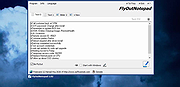 |
|
FontViewOK v9.33 FontViewOK v9.33 👉 A quick visual overview of all installed fonts. FontViewOK creates a quick visual overview of all installed fonts, or fonts from a specific folder, and helps you compare fonts side by side. Features: • Quick overview and comparison of all installed fonts • View fonts from a specific folder • Compare fonts in dual preview panes • Compare installed and non-installed fonts • Change font size, style, and color • Change background and font colors • Print fonts with print preview • Copy the selected font preview as an image to the clipboard • Save the selected font preview as an image • Open font locations in Windows Explorer • Portable use, installation is not required Supported operating systems: • Windows 11, Windows 10, Windows 8.1, Windows 7, Windows Server 2012 through Windows Server 2025, x64, x32, x86 Supported languages: English, German, Thai, Multilingual Changes: v9.33 05-06-26 General adjustments to the Front-View App; improved detection of the default system language; necessary adjustments and language file updates. This download is for the Windows 64bit version (very bottom of page). If you need the Windows 32bit version, download here. Click here to visit the author's website. |
|
6,042 | May 15, 2026 Nenad Hrg 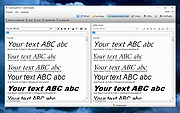 |
|
FreeCellOK v1.06 FreeCellOK v1.06 👉 A lightweight and portable FreeCell solitaire game for Windows. FreeCellOK is a small, easy-to-use FreeCell solitaire game designed for Windows systems. It offers a classic FreeCell experience with a portable option and a multilingual user interface. Features: • Strategic Puzzle Game: All 52 cards are face-up from the beginning – pure strategy gameplay • Smart Gameplay Assists: Automatic hints and warnings for critical moves • Full Control: Every game is winnable through strategic moving of card sequences • Multiple Themes: From the classic green felt table to modern Dark Mode • Automatic Adaptation to high screen resolutions (up to 4K and beyond) • Best Times & Statistics: Track your successes and improvements * Use the AI Player: To recognize strategies and develop into a FreeCell master step by step without frustration. • Play in Easy Mode at the beginning: This allows you to understand the rules and strategies without making many invalid moves. • No Ads – Uninterrupted gaming fun • No Internet Required – Play anytime, anywhere • Full Data Control – All data stays on your PC • Local Storage of all settings and statistics Supported operating systems: • Windows XP, Windows Vista, Windows 7, Windows 8, Windows 10, Windows 11, Windows 12 Supported languages: German, English, French, Bosnian, Croatian, Serbian, Italian, Korean, Spanish, Portuguese Changes: v1.06 05-09-26 • Updating language files in the FreeCell APP • Important tests and adjustments in FreeCellOK-OK for the next Microsoft Windows 11 update/build. Click here to visit the author's website. |
|
794 | Jul 11, 2026 Nenad Hrg 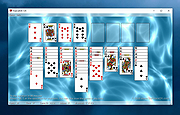 |
|
GetPixelColor v3.55 GetPixelColor v3.55 👉 Instantly identify the color value of any pixel on your Windows desktop. GetPixelColor is a lightweight, portable utility that lets you quickly determine the exact color value of any pixel displayed anywhere on your Windows desktop. Whether you're a web designer, graphic artist, software developer, digital artist, or simply need to identify a specific color, GetPixelColor provides an easy way to retrieve precise color information with minimal effort. The program follows your mouse cursor in real time, displaying the selected pixel's color in multiple formats for use in graphics, web development, and design projects. Its compact interface requires no installation, making it ideal for keeping on a USB flash drive or using as a quick desktop utility. Despite its small size, GetPixelColor supports numerous interface languages and works across virtually all modern Windows versions. Features: • Instantly identify the color of any screen pixel • Live color detection as the mouse cursor moves • Displays precise color values for selected pixels • Simple, lightweight, and portable application • No installation required • Low system resource usage • Suitable for web design, graphic design, development, and troubleshooting • Supports numerous interface languages • Compatible with virtually all Windows desktop environments Supported operating systems: • Windows XP, Windows Vista, Windows 7, Windows 8, Windows 8.1, Windows 10, Windows 11, Windows Server 2003, Windows Server 2008, Windows Server 2012, Windows Server 2016, Windows Server 2019, Windows Server 2022 Supported languages: English, Arabic, Basque, Bulgarian, Catalan, Chinese (Simplified), Chinese (Traditional), Croatian, Czech, Danish, Dutch, Finnish, French, German, Greek, Hebrew, Hungarian, Italian, Japanese, Korean, Norwegian, Persian, Polish, Portuguese, Portuguese (Brazilian), Romanian, Russian, Slovak, Slovenian, Spanish, Swedish, Thai, Turkish, Ukrainian, Vietnamese Changes: v3.55 06-30-26 Improvements to GetPixelColor for all Windows operating systems. Language file update in the pixel query app. This download is for the Windows 64bit portable version (very bottom of page). If you need the Windows 32bit portable version, download here. Click here ... |
|
4,366 | Jul 08, 2026 Nenad Hrg  |
 |
IsMyMemoryOK v1.33 IsMyMemoryOK v1.33 👉 Quick and reliable RAM testing tool for Windows systems. IsMyMemoryOK is a lightweight memory diagnostics utility designed to test the stability and performance of DDR3, DDR4, DDR5, and DDR6 RAM modules on Windows PCs. The program allows users to quickly check for memory errors, instability, or hardware issues that can cause crashes, freezes, and blue screens. Its portable design means no installation is required, making it useful for technicians, troubleshooting, and system diagnostics on both older and modern Windows systems. Features: • Fast RAM stability and stress testing • Supports DDR3, DDR4, DDR5, and DDR6 memory • Portable application with no installation required • Adjustable test duration and memory load • Quick benchmark and diagnostic functions • Helps identify defective or unstable RAM • Simple and lightweight user interface • Optional screenshot functionality • Low CPU overhead during testing • Suitable for technicians and troubleshooting tasks Supported operating systems: • Windows XP, Windows Vista, Windows 7, Windows 8, Windows 8.1, Windows 10, Windows 11, Windows Server 2016, Windows Server 2019 Supported languages: English, German, French, Spanish, Italian, Portuguese, Dutch, Polish, Czech, Slovak, Hungarian, Romanian, Bulgarian, Greek, Russian, Ukrainian, Turkish, Chinese, Japanese, Korean, Arabic Changes: v1.33 05-11-26 Minor adjustments to the IsMyMemoryOK memory test application for all Windows operating systems. Bug fix in the screenshot function. Improved system language translation. This download is for the Windows 64bit version (very bottom of page). If you need the Windows 32bit version, download here. Click here to visit the author's website. |
|
1,331 | May 15, 2026 Nenad Hrg 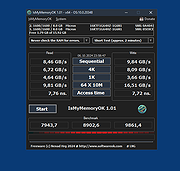 |
|
MagicMouseMove v1.0.3 MagicMouseMove v1.0.3 👉 Prevent idle time with automatic natural mouse movement. MagicMouseMove is a small Windows tool that performs minimal, natural-looking mouse movements after an adjustable period of inactivity. It is designed to help prevent unwanted idle states, connection drops, standby interruptions, and similar inactivity-related issues during tasks such as streaming, remote access, presentations, or long-running sessions. MagicMouseMove runs as a lightweight utility and is also available in a portable version, making it easy to use without a complicated setup. Its focus is simple automatic mouse activity simulation with natural movement behavior. Features: • Performs small, natural-looking mouse movements automatically • Helps prevent idle time and connection drops • Adjustable inactivity timing before movement begins • Small and lightweight utility • Available as a portable version for flexible use Instructions: • Download and run MagicMouseMove or the portable version • Set the idle time delay before automatic mouse movement starts • Let the program run while you need to avoid inactivity-related interruptions • Adjust settings as needed for your session or workflow Supported operating systems: • Windows XP, Windows Vista, Windows 7, Windows 8.1, Windows 10, Windows 11 • Windows Server 2016, Windows Server 2019 Supported languages: • German, English, Dutch, Traditional Chinese, Spanish, Russian, Simplified Chinese, Korean, French, Hebrew Changes: v1.0.3 05-10-2026 • Minor adjustments and general bug fixes • Updated MagicMouseMove language file and new languages: Korean, French, Hebrew • Many thanks to Venus Girl for the Korean translation. • Many thanks to Drake4478 for the French translation. • Many thanks to peterg for the Hebrew translation. Click here to visit the author's website. |
|
722 | Aug 04, 2026 Nenad Hrg  |
|
MediaPlayerOK v1.01 MediaPlayerOK v1.01 👉 Fast and portable media player for Windows. MediaPlayerOK is a compact portable media player for Windows that plays audio and video files with playlists, docking support, tray function, flexible playlists, drag & drop and automatic resume playback. Features: • Plays audio and video files • Compact and portable • Playlist support • Flexible playlists • Docking mode • Tray function • Automatic resume playback • Optional portable mode • Small system resource usage • No installation required Supported operating systems: • Windows XP, Windows Vista, Windows 7, Windows 8.1, Windows 10, Windows 11, Windows Server 2012-2025, 32-bit and 64-bit Supported languages: German, English, Italian, Korean, French, Greek, Traditional Chinese Changes: v1.01 06-11-26 • Minor adjustments in MediaPlayerOK • New languages added to MediaPlayerOK: Italian, Korean, French, Greek, and Traditional Chinese. Click here to visit the author's website. |
|
615 | Sep 23, 2026 Nenad Hrg 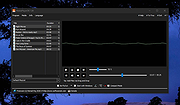 |
|
MeinPlatz v8.66 MeinPlatz v8.66 👉 Quickly scan drives and folders to find lost disk space. MeinPlatz helps you quickly analyze hard drive, SSD, USB drive, and folder space usage so you can see where your storage has gone. It displays results by folder, file type, size, date, percentage usage, file count, and folder count, making it easier to locate large files and space-hogging directories. Features: • Fast disk and folder space scanning • Percentage-based storage analysis • Group results by folders, file types, size, or date • Export results to XLS, CSV, TXT, and HTML • Print function with print preview • Small built-in screen magnifier • Portable version available • Low resource use Supported operating systems: • Windows XP, Windows Vista, Windows 7, Windows 8.1, Windows 10, Windows 11 • Windows Server 2016, Windows Server 2019 Supported languages: German, English, Polish, Chinese Traditional, Chinese Simplified, French, Russian, Dutch, Korean Changes: v8.66 05-22-26 • New: Right-click option to open file properties and the target file path for shortcuts. • Updated MeinPlatz language files. This download is for the Windows 64bit version (very bottom of page). If you need the Windows 32bit version, download here. Click here to visit the author's website. |
|
6,984 | May 22, 2026 Nenad Hrg 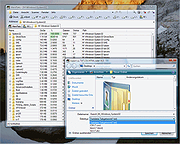 |
|
MineSweeperOK v1.21 MineSweeperOK v1.21 👉 A classic Minesweeper game for Windows with customizable difficulty and modern enhancements. MineSweeperOK is a lightweight and portable implementation of the classic Minesweeper puzzle game for Microsoft Windows. It recreates the familiar gameplay of the original Windows Minesweeper while adding useful enhancements such as custom field sizes, adjustable mine counts, and alternative visual themes. Designed to run without installation, MineSweeperOK is ideal for users who want a simple, no-frills time-killer that works smoothly even on older systems. Features: • Classic Minesweeper gameplay with intuitive controls • Customizable game board sizes • Adjustable number of mines • Multiple difficulty levels • Portable version – no installation required • Optional sound effects • Different visual themes and color options • Low CPU and memory usage • Suitable for older Windows systems • Freeware for private use Supported operating systems: • Windows 7, Windows 8, Windows 8.1, Windows 10, Windows 11 Supported languages: English, German Changes: v1.21 05-05-26 • Bug fix for detecting the default system language across all Windows OS versions, as well as updated language files for Minesweeper. Click here to visit the author's website. |
|
1,140 | May 06, 2026 Nenad Hrg 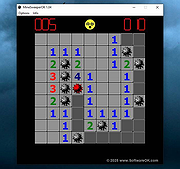 |
|
OpenCloseDriveEject v3.55 OpenCloseDriveEject v3.55 👉 Quickly open, close, and safely eject drives and removable media in Windows. OpenCloseDriveEject is a small Windows tool that lets you open and close DVD, CD, and Blu-ray drives, and safely eject removable storage like USB, SD, and SSD devices. It can run as a portable app, includes optional To-Tray/hidden startup behavior, and also offers command-line options for simple automation. Features: • Open and close optical drive trays (CD, DVD, Blu-ray) • Safely eject removable media (USB, SD, SSD, external drives) • Portable application, no installation required • Command-line support (start hidden, start to tray, custom INI path) • Optional start minimized or in system tray • Multilingual interface Supported operating systems: • Windows XP, Windows Vista, Windows 7, Windows 8.1, Windows 10, Windows 11 • Windows Server 2012, Windows Server 2016, Windows Server 2019, Windows Server 2022, Windows Server 2025 Supported languages: German, English, French, Greek, Traditional Chinese, Bulgarian, Korean, Russian, Japanese, Polish, Turkish, Italian, Dutch, Swedish, Norwegian, Portuguese, Danish, Irish, Thai, Spanish (Venezuela), Persian, Arabic, Hebrew, Finnish, Czech, Simplified Chinese, Bosnian, Croatian, Serbian, Catalan Changes: v3.55 05-02-26 • Important tests of the OpenCloseDriveEject app for the next MS Windows 11 build • Update of the OpenCloseDriveEject.exe language files A simple example of using the "Open Close Eject the Drive Tool" This download is for the Windows 64bit portable version. If you need the Windows 32bit portable version, download here. Click here to visit the author's website. |
|
5,535 | Jul 11, 2026 Nenad Hrg 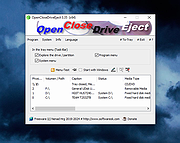 |
|
ProcessKO v6.67 ProcessKO v6.67 👉 Quickly terminate running or frozen Windows processes and programs. ProcessKO is a small, useful tool designed to quickly kill any running or hanging process or program. It is especially helpful for developers, testers, and experienced Windows users who need a faster alternative to opening Task Manager, finding a stuck task, and ending it manually. ProcessKO can also restart programs and create favorites for quickly closing troublesome applications. Features: • Quickly terminates running or hanging processes and programs • Helps avoid the longer manual Task Manager process • Can restart programs directly from within ProcessKO • Lets you create favorites for fast access to frequently terminated tasks • Portable utility that does not require installation • Useful for developers, testers, and advanced Windows users Supported operating systems: • Windows XP, Windows Vista, Windows 7, Windows 8.1, Windows 10, Windows 11 • Windows Server 2016, Windows Server 2019 Supported languages: • German, English, Russian, Swedish, French, Italian, Portuguese (Brazilian), Arabic, Serbian, Chinese Simplified, Greek, Romanian, Slovenian, Dutch, Indonesian, Hungarian, Polish, Vietnamese, Persian, Czech, Spanish, Irish, Spanish (Venezuela), Norwegian, Danish, Turkish, Chinese Traditional, Korean, Japanese, Spanish (Mexico), Bulgarian, Finnish, Spanish (Asturian) Changes: v6.67 05-16-26 Updated language files for ProcessKO—a process terminator for Windows—along with minor corrections for Windows 11, ensure that processes on Windows systems are terminated or closed reliably and without issues. This download is for the Windows 64bit version (very bottom of page). If you need the Windows 32bit version, download here. Click here to visit the author's website. |
|
9,644 | Jul 26, 2026 Nenad Hrg 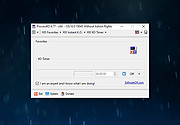 |
|
Q-Dir v12.79 Q-Dir v12.79 👉 A powerful multi-pane file manager that makes managing files and folders faster and more efficient. Q-Dir is a lightweight yet feature-rich file manager for Windows that offers up to four file panes in a single window, making file operations like copying, moving, and comparing directories significantly easier. Designed as an enhanced alternative to Windows File Explorer, Q-Dir supports drag-and-drop operations, customizable layouts, and a wide range of viewing modes. It runs without installation, making it ideal for portable use from USB drives while still integrating smoothly into everyday workflows. Features: • Up to four file panes for efficient file management • Portable version available with no installation required • Tabbed browsing within each file pane • Drag-and-drop support between panes and external apps • Multiple view modes including details, icons, and thumbnails • Directory size calculation and folder highlighting • Favorites system for quick access to frequently used folders • Low system resource usage with fast startup times Supported operating systems: • Windows 7, Windows 8, Windows 8.1, Windows 10, Windows 11 Supported languages: English, German, French, Spanish, Italian, Portuguese, Dutch, Polish, Czech, Russian, Chinese, Japanese, Korean, Turkish, Hungarian, Greek, Swedish, Norwegian, Finnish, Danish Changes: v12.79 10-11-26 • Various fixes in File Explorer on Windows 11 • Improvements to the startup behavior of Quad File Explorer for Windows 👉 This download is for the Windows 64bit portable version (very bottom of page). All other download assets are below: Other Windows: Q-Dir_Portable.zip (32bit) Q-Dir_Installer_x64.zip Q-Dir_Installer.zip (32bit) Q-Dir_Portable_Win98.zip Q-Dir_Installer_Win98.zip Click here to visit the author's website. |
|
11,181 | Oct 12, 2026 Nenad Hrg 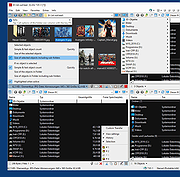 |
|
QuickMemoryTestOK v5.55 QuickMemoryTestOK v5.55 👉 Quickly test your Windows PC's RAM for errors. QuickMemoryTestOK is a small Windows utility that helps check your computer's RAM for bad or corrupted memory areas, and can also be used to test system behavior under high memory usage. Features: • Quick memory test for RAM errors • Helps detect bad or corrupted memory areas • Test Windows behavior under high memory usage • Customizable test runs • Pause and resume testing • Clear memory status display • Shows CPU load during testing • Access to useful memory and system tools • Zoom option for easier viewing • Very small program with low CPU usage • Portable version available Supported operating systems: • Windows 11, Windows 10, Windows 8.1, Windows 7, Windows Server 2012-2025, Windows Server 2022, x64, x32, x86 Supported languages: German, English, Korean, French, Bulgarian, Japanese, Traditional Chinese, Slovenian, Polish, Afrikaans, Simplified Chinese, Russian, Portuguese, Hungarian, Italian, Thai, Spanish, Hebrew, Hindi, Vietnamese, Malay, Indonesian, Filipino, Dutch, Norwegian, Danish, Finnish, Greek, Spanish-VE, Czech, Arabic, Bosnian, Turkish, Ukrainian Changes: v5.55 06-07-26 • Update of language files in the Memory Test Tool for all MS Windows operating systems • Improvements to RAM detection 👉 This download is for the Windows 64bit portable version (very bottom of page). All other download assets are below: Other Windows: QuickMemoryTestOK.zip (32bit portable) Click here to visit the author's website. |
|
6,378 | Sep 18, 2026 Nenad Hrg 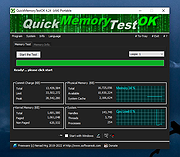 |
|
QuickTextPaste v9.55 QuickTextPaste v9.55 👉 Insert frequently used text quickly via customizable keyboard shortcuts. QuickTextPaste is a portable Windows utility that allows you to paste frequently used text, run programs, or open folders using customizable keyboard shortcuts. It is designed to save time when working with repetitive text entries such as email addresses, signatures, or standard phrases. QuickTextPaste runs in the system tray and lets you define multiple text entries, each assigned to a hotkey combination. You can also insert formatted text, launch applications, or execute commands directly from the shortcut, making it useful for power users and anyone who frequently types repetitive content. Features: • Create and manage custom text snippets • Assign individual keyboard shortcuts to each entry • Paste formatted or plain text into any application • Execute programs, open folders, or run commands • Portable version available, no installation required • Lightweight and runs in the system tray Installation: Quick paste text does not require installation, can easily be launched from the desktop with no installation and is ready to use on all Windows operating systems. Supported operating systems: Windows 11, Windows 10, Windows 10 Pro, Windows 10 Enterprise, Windows 10 Home, Windows 8.1, Windows 8.1 Enterprise and Pro, Windows 8, Windows 8 Enterprise and Pro, Windows 7, Windows 7 Enterprise, Windows 7 Home Basic, Windows 7 Home Premium + Professional, Windows 7 Starter + Ultimate, , X64, x86 and x32 all Windows, MS Windows Server 2019, 2016,2012, . Changes: v9.55 06-06-26 • Important update of the language files • Small tweaks and Improvements in Auto Hotkeys for Windows OS • Bugfix: If detect the default system language for multi-language support • Corrections if switch to admin mode This download is for the Windows 64bit portable version (very bottom of page). If you need the Windows 32bit portable version, download here. If you need the Windows 64bit installer version, download here. If you need the Windows 32bit installer ... |
|
6,617 | Jun 29, 2026 Nenad Hrg 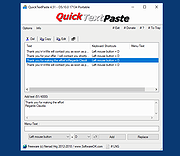 |
|
RAMagic v1.22 RAMagic v1.22 👉 Lightweight tool to quickly optimize and free up RAM on Windows systems. RAMagic is a small and portable Windows utility designed to help improve system responsiveness by freeing unused memory with a single click. It provides a simple interface that allows users to quickly reclaim RAM without complicated configuration. RAMagic is especially useful on systems with limited memory or when running multiple applications that consume significant resources. The program runs without installation and can be used as a quick-access tool to refresh available memory and potentially reduce slowdowns. Features: • Quick RAM optimization with one click • Portable application, no installation required • Simple and user-friendly interface • Displays current memory status • Designed for minimal system resource usage Supported operating systems: • Windows XP, Windows Vista, Windows 7, Windows 8, Windows 10, Windows 11 (32-bit and 64-bit) Supported languages: German, English, Korean, French, Traditional Chinese, Greek, Simplified Chinese, Italian, Polish, Russian, Spanish, Turkish, Dutch, Swedish, Norwegian, Portuguese, Danish, Irish, Thai, Spanish, Spanish (Venezuela), Hebrew, Persian, Malay, Indonesian, Filipino, Finnish, Bosnian, Japanese, Bulgarian, Hungarian, Arabic Changes: v1.22 05-06-26 • General improvements in RAMagic, the RAM optimizer for Windows • New language in RAMagic: Spanish and Italian • Many thanks to Rastafe for the Spanish language support. • Many thanks to bovirus for the Italian language support. Click here to visit the author's website. |
|
868 | Aug 04, 2026 Nenad Hrg 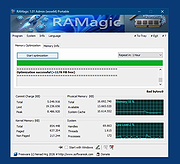 |
|
Run-Command v6.41 Run-Command v6.41 👉 Enhanced Windows Run dialog replacement with extended command execution features. Run-Command is a small but powerful alternative to the standard Windows Run dialog. It provides extended functionality for executing commands, opening programs, launching system tools, and accessing frequently used folders more efficiently. Designed as a portable utility, Run-Command enhances productivity by offering customizable favorites, command history, and quick access to administrative tools. It is lightweight, requires no installation, and is suitable for both everyday users and advanced system administrators. Features: • Alternative to the standard Windows Run dialog • Favorites menu for frequently used commands • Command history with quick recall • Run programs with administrative privileges • Drag & drop support • Portable – no installation required • Multilingual user interface • Small size and low system resource usage Supported operating systems: • Windows 7, Windows 8, Windows 8.1, Windows 10, Windows 11 • Windows Server 2012, Windows Server 2016, Windows Server 2019 Supported languages: • German, English, Greek, Russian, Simplified Chinese, French, Persian, Swedish, Romanian, Arabic (Iraq), Hungarian, Italian, Portuguese (Brazil), Dutch, Spanish (Venezuela), Indonesian, Polish, Traditional Chinese, Japanese, Taiwanese Chinese, Czech, Korean, Ukrainian, Portuguese (Portugal), Turkish, Thai, Filipino, Finnish, Norwegian, Bosnian, Croatian, Serbian, Bulgarian Changes: v6.41 05-06-26 • Improvements to the Run command as an alternative to the Windows Run dialog, including enhancements to the interpretation of Windows Run commands. • Updated language files, along with various minor adjustments and optimizations within the alternative Run dialog for MS Windows. This download is for the Windows 64bit version (very bottom of page). If you need the Windows 32bit version, download here. Click here to visit the author's website. |
|
10,836 | May 07, 2026 Nenad Hrg 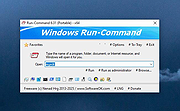 |
|
StressMyPC v5.88 StressMyPC v5.88 👉 Stress test your PC’s CPU, GPU and hard drive. StressMyPC is stress testing software used to put a Windows PC under heavy load for stability testing, battery drain testing or general hardware stress testing. It can stress the processor, graphics card and hard drive, and it is especially useful for seeing how a system behaves under full load. Features: • Start and stop PC stress testing quickly • Paint-Stress for simple GPU stress testing • Aggressive CPU-Stress for processor load testing • HD-Stress for hard drive stress testing • Useful for laptop battery drain testing • Portable, no installation required • Small program size • Multilingual interface Supported operating systems: • Windows 11, Windows 10, Windows 8.1, Windows 7, Windows Desktop and MS Server operating systems Supported languages: German, English, Swedish, Danish, Brazilian Portuguese, Slovak, Spanish, Simplified Chinese, French, Italian, Turkish, Czech, Russian, Ukrainian, Greek, Traditional Chinese, Romanian, Korean, Polish, Hungarian, Japanese, Thai, Arabic, Finnish, Frisian, Norwegian, Irish, Dutch, Portuguese, Vietnamese, Persian, Hindi, Hebrew, Spanish-VE, Malay, Indonesian, Filipino, Bosnian, Croatian, Serbian Changes: v5.88 05-13-26 Updated language files in the app for stress-testing Windows PCs, along with minor corrections in the stress-test app for Windows 11 that ensure a smoother PC stress test experience. Click here to visit the author's website. |
|
10,345 | May 17, 2026 SoftwareOK 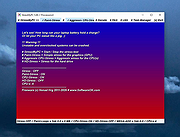 |
|
ThisIsMyFile v4.51 ThisIsMyFile v4.51 👉 Easily unlock or delete locked files and folders on Windows. ThisIsMyFile is a lightweight Windows utility designed to help users unlock, delete, rename, or move files that are locked or in use by the operating system or another application. When Windows refuses to delete or modify a file because it is currently being used, ThisIsMyFile can identify the process that is locking the file and allow you to release the lock so the file operation can proceed. The program provides a simple and portable interface where you can drag and drop a locked file to quickly determine which process is using it. From there, you can unlock the file, terminate the locking process, or delete the file immediately or at the next system restart. ThisIsMyFile is especially useful for troubleshooting stubborn files, removing leftovers from uninstalled software, or handling files that Windows reports as “access denied” or “in use.” ThisIsMyFile does not require installation and can be run directly as a portable tool, making it convenient for technicians and advanced users who need a quick way to deal with locked files without installing additional software. Features: • Unlock files that are currently in use by Windows or other programs • Identify the process that is locking a file or folder • Delete, move, or rename locked files • Option to delete files immediately or on next system restart • Drag-and-drop support for quick file analysis • Portable application with no installation required • Simple and lightweight interface designed for fast troubleshooting Supported operating systems: • Windows 7, Windows 8, Windows 10, Windows 11 Supported languages: German, English, French, Spanish, Hungarian, Turkish, Czech, Chinese Traditional, Russian, Romanian, Polish, Greek, Dutch, Portuguese, Korean, Chinese Simplified, Brazilian Portuguese, Arabic, Italian, Spanish Venezuela, Hindi, Thai, Vietnamese, Welsh, Persian, Hebrew, Malay, Indonesian, Filipino, Norwegian, Ukrainian Changes: v4.51 04-24-26 • Minor bug fixes in the ThisIsMyFile application for Windows 11 ... |
|
7,201 | May 01, 2026 Nenad Hrg 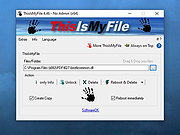 |
|
WinBin2Iso v6.77 WinBin2Iso v6.77 👉 Convert BIN disc image files into ISO format quickly and easily. WinBin2Iso is a lightweight and portable utility that converts BIN CD, DVD, and Blu-ray image files into ISO format. The program is designed to handle large image files over 2GB while remaining extremely small and simple to use. Its straightforward interface allows users to select a BIN file, choose an output location, and create an ISO image in just a few clicks. Because the program is portable, it does not require installation and can be run directly from a USB flash drive or other removable media. Features: • Convert BIN image files to ISO format • Supports CD, DVD, and Blu-ray image conversion • Handles files larger than 2GB • Portable application with no installation required • Extremely small program size • Simple and easy-to-use interface • Low CPU and system resource usage • Drag-and-drop support • Multilingual user interface • Compatible with both 32-bit and 64-bit Windows systems Supported operating systems: • Windows XP, Windows Vista, Windows 7, Windows 8, Windows 8.1, Windows 10, Windows 11 • Windows Server editions • Supports 32-bit and 64-bit systems Supported languages: English, German, Italian, French, Spanish, Traditional Chinese, Danish, Polish, Turkish, Japanese, Korean, Arabic, Portuguese, Dutch, Swedish, Finnish, Icelandic, Irish, Afrikaans, Norwegian, Luxembourgish, Māori Changes: v6.77 06-22-26 • Improvements to the Win-Bin-2-Iso app for all Windows operating systems • Language file update in the Win-Bin-2-Iso application This download is for the Windows 64bit version (very bottom of page). If you need the Windows 32bit version, download here. If you need the Windows Unicode version, download here. Click here to visit the author's website. |
|
6,561 | Jun 23, 2026 Nenad Hrg 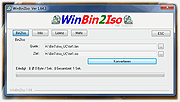 |
|
WinScan2PDF v9.77 WinScan2PDF v9.77 👉 Scan documents directly to PDF quickly and easily. WinScan2PDF is a small and portable utility that allows you to scan documents and save them directly as PDF files without the need for complex or bloated software. It is designed to be simple, lightweight, and easy to use, making it ideal for users who just want a fast way to digitize paperwork. WinScan2PDF supports most installed scanners via the standard Windows scanning interfaces and enables multi-page PDF creation. It does not require installation and can run from a USB stick, making it perfect for use on multiple systems. With its straightforward interface and minimal system requirements, WinScan2PDF gets the job done without unnecessary features or background services. Features: • Scan documents directly to PDF • Create multi-page PDF documents • Supports TWAIN and WIA scanners • Portable and does not require installation • Simple and user-friendly interface • Adjustable page size and orientation • Preview scanned pages before saving • Minimal CPU and memory usage Supported operating systems: • Windows 11, Windows 10, Windows 8.1, Windows 7, Windows Vista, Windows XP, Windows Server 2012-2025, x64, x32, x86 Supported languages: German, English, Russian, French, Italian, Dutch, Hungarian, Polish, Portuguese-Brazil, Czech, Greek, Swedish, Romanian, Serbian, Simplified Chinese, Danish, Traditional Chinese, Basque, Persian, Turkish, Catalan, Kurdish, Lithuanian, Slovak, Arabic, Ukrainian, Hebrew, Spanish, Bulgarian, Korean, Slovenian, Japanese, Norwegian, Croatian, Afrikaans, Hindi, Thai, Welsh, Malay, Indonesian, Filipino, Azerbaijani, Finnish, Belarusian, Portuguese Changes: v9.77 06-07-26 • Improvements to the detection of certain scanners • Language file updates and necessary adjustments Click here to visit the author's website. |
|
11,597 | Sep 30, 2026 Nenad Hrg 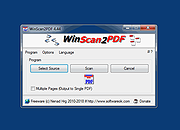 |
| Showing rows 1 to 26 of 26 | Showing Page 1 of 1 | 1 |
OlderGeeks.com Copyright (c) 2026
