|

|
Processed through Paypal No account required. |








Buy our over-priced crap to help pay the bills.



|
|
Processed through Paypal No account required. |
| Files | ||||
| File Name | Rating | Downloads | ||
 |
Bitvise SSH Client v9.66 Bitvise SSH Client v9.66 👉 A powerful Windows SSH client for secure remote access, file transfer, tunneling, and terminal emulation. Bitvise SSH Client is a secure, flexible SSH (Secure Shell) client for Windows. It lets users connect to remote systems securely for terminal access, encrypted file transfers, dynamic and static port forwarding, and other SSH-based operations. Its graphical and command-line interfaces make securely managing remote servers, transferring files, and setting up secure tunnels easy for both casual and advanced users. It supports advanced protocols, customizable authentication methods, and a robust set of features to meet modern secure networking needs. Features: • Graphical SFTP client with advanced file transfer features. • Terminal emulator supporting bvterm, xterm, and VT100 protocols. • Powerful SSH2 port forwarding and tunneling (SOCKS/HTTP). • Dynamic tunneling and proxy support (SOCKS4/5, HTTP CONNECT). • Drive-mapping support for SFTP remote directories. • Command-line clients for scripted file transfer, execution, terminal, and tunneling. • Integrated authentication with public keys, Kerberos/GSSAPI, and NTLM. • Single-click remote desktop forwarding. Supported operating systems: • Windows XP SP3, Vista, 7, 8.1, 10, Windows 11 • Windows Server 2003 through Windows Server 2025 Supported languages: English Changes: v9.66 07-20-26 SSH: Improved multiple avenues which a server could use to exert disproportionate memory pressure on the client. SFTP drive: The SSH Client now includes WinFsp version 2.2.26194. This addresses CVE-2026-7162, which is a local privilege escalation. Users who install the SSH Client with the SFTP drive feature are recommended to update, especially on multi-user systems. The SFTP drive feature is available if Install WinFsp is selected when installing. The UNC path used by the SFTP drive is now configurable. This makes it practical to configure a UNC path for access by other users on the system. The SFTP drive can now be configured to expose only the UNC path, without assigning a ... |
 |
6,281 | Sep 16, 2026 Bitvise Limited 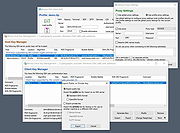 |
 |
Simple Port Forwarding Portable v3.8.5 ==Official Mirror== Simple Port Forwarding v3.8.5 Portable 2000, XP SP3, 2003, Vista, 2008, 7, 8 & Requires Internet Explorer 6.0 or higher Simple Port Forwarding works with WebPages and not directly with your router. Making it a safe program to use. Its no different than using Firefox, IE or any other browser to setup port forwarding yourself. The program works by automating the process for you. So whether you don't understand how to forward ports, or you're simply looking for an easier way to forward ports then this program is for you. Its port forwarding made simple. The main interface of the program is small and clean. Giving options of seeing what is going to be forwarded to the router and how many entries and ports it will use in the process. You have the ability to save your list and send it to another user of the program. An example would be, lets say you have a family member who lives far from you and doesn't really understand port forwarding, so instead of spending a lot of time over the phone walking them through it you can simply have them use the program and have them load the list and update their router, then your all done. Now that's a time saver. The program has a large database of known ports for over 700+ games and programs, so finding the port you need is made a little easier. The program will also remember custom applications you put in, so you don't have to reenter them. The program remembers the last IP address you use to forward to, this helps not having to set it every time you load new ports! The program has many extra tools, such as a tool to set your IP to static or back to DHCP. When port forwarding the router ... |
 |
10,261 | Jan 30, 2014 PcWinTech |
|
Simple Port Forwarding v3.8.5 ==Official Mirror== Simple Port Forwarding v3.8.5 2000, XP SP3, 2003, Vista, 2008, 7, 8 & Requires Internet Explorer 6.0 or higher Simple Port Forwarding works with WebPages and not directly with your router. Making it a safe program to use. Its no different than using Firefox, IE or any other browser to setup port forwarding yourself. The program works by automating the process for you. So whether you don't understand how to forward ports, or you're simply looking for an easier way to forward ports then this program is for you. Its port forwarding made simple. The main interface of the program is small and clean. Giving options of seeing what is going to be forwarded to the router and how many entries and ports it will use in the process. You have the ability to save your list and send it to another user of the program. An example would be, lets say you have a family member who lives far from you and doesn't really understand port forwarding, so instead of spending a lot of time over the phone walking them through it you can simply have them use the program and have them load the list and update their router, then your all done. Now that's a time saver. The program has a large database of known ports for over 700+ games and programs, so finding the port you need is made a little easier. The program will also remember custom applications you put in, so you don't have to reenter them. The program remembers the last IP address you use to forward to, this helps not having to set it every time you load new ports! The program has many extra tools, such as a tool to set your IP to static or back to DHCP. When port forwarding the router forwards ... |
|
13,750 | Jan 30, 2014 PcWinTech |
|
Submarine v0.3.8 Submarine v0.3.8 👉 An SSH and SFTP client that puts terminals, file transfers, tunnels, and server tools in one window. Submarine is a free, open-source client for connecting to and managing remote servers. Each server session can bring together a tabbed terminal, an SFTP file browser, port forwarding, saved commands, server information, and Docker tools. You can keep multiple sessions open, view two side by side, or pin terminals from different hosts to a monitoring wall. The SFTP browser shows local and remote files, supports drag and drop and bulk operations, and can open a remote file in your usual editor. When you save an edited file, Submarine uploads it back to the server. On desktop systems, Folder Mirror can synchronize a local folder with a remote folder, preview possible overwrites, and apply your chosen conflict rule. Saved server profiles and credentials are encrypted locally. Optional profile sync uploads the encrypted data so you can access your saved connections on another device. The Android app includes terminal, SFTP, port forwarding, server information, and Docker tools; Folder Mirror is limited to desktop systems. Features: • Open tabbed SSH terminals, including multiple shells for a server. • View two sessions side by side or arrange terminals from several hosts on the Wall. • Broadcast typed input to selected sessions. • Browse local and remote files with SFTP, drag and drop files, and select multiple files for bulk operations. • Edit remote files in your default editor and upload changes when you save. • Confirm overwrites before replacing files during uploads or downloads. • Create local, remote, and dynamic port forwarding tunnels, including SOCKS and HTTP proxy options. • Mirror a local folder to a remote server on desktop systems, with ... |
|
57 | Sep 29, 2026 Sina Xhpm 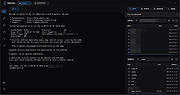 |
|
Tcp Port Forwarding 1.1.2 Tcp Port Forwarding 1.1.2 Tcp Port Forwarding tool allows to capture and redirect TCP traffic that flows through a particular port. Tcp Port Forwarding software also can work as network bridge for redirecting TCP network traffic from one network card to another one. This tool is used for testing some services, firewall and intrusion detection systems. The program can also be used for debugging programs and configuring other network tools. |
|
9,012 | Apr 08, 2014 Nsasoft LLC |
| Showing rows 1 to 5 of 5 | Showing Page 1 of 1 | 1 |
OlderGeeks.com Copyright (c) 2026
