|

|
Processed through Paypal No account required. |








Buy our over-priced crap to help pay the bills.



|
|
Processed through Paypal No account required. |
| Files | ||||
| File Name | Rating | Downloads | ||
 |
Better Windows Services v0.4.0 Better Windows Services v0.4.0 👉 Search, manage, and audit Windows services with a desktop app or command line tool. Better Windows Services gives administrators a searchable view of the local machine’s services and drivers. Its desktop app and command line tool use the same query language, so a search such as start:auto !status:running can find services set to start automatically that are currently stopped. Before starting, stopping, restarting, or changing a service’s startup type, the program shows a plan of the steps it will take, including affected dependent services. The command line can also save a snapshot of service settings and compare it with another snapshot or the live machine. The comparison separates configuration changes from ordinary changes in running state. Snapshots are available through the command line, not the desktop app. Features: • Search services and drivers by name, status, startup type, account, file, signature, publisher, dependencies, and other fields. • Preview service actions and their effects on dependent services before applying them. • Start, stop, restart, and change the startup type of services. • Offer a force stop that first requests a normal stop, then ends the process if necessary, with other services sharing that process identified in the preview. • Show details including triggers, required privileges, security descriptors, process information, and file signatures. • Export service lists from the desktop app. • Create and compare JSON snapshots with the command line tool to identify service configuration changes. • Provide JSON command output and exit codes for scripts. Supported operating systems: • Windows 10 version 1809 or later 64-bit, Windows Server 2019 or later 64-bit Supported languages: English Changes: v0.4.0 10-07-26 CHANGELOGBWS.txt Note: The GUI and CLI come in separate portable ZIP files. They include their own .NET runtime and work offline. Administrator rights are needed to make changes; viewing services without elevation may show fewer entries. 👉 This download is for the Windows 64bit GUI version (very bottom of page). All other download assets are below: Other ... |
 |
144 | Oct 08, 2026 DonislawDev 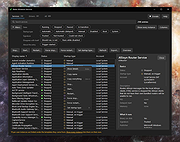 |
|
BootRacer v9.55 BootRacer v9.55 👉 Measure Windows boot speed and identify startup programs that slow your PC. BootRacer is a free utility for non-commercial use that accurately measures how long Windows takes to boot and helps identify startup programs that increase boot time. Unlike a simple stopwatch, it measures the actual Windows startup process while excluding password entry time, providing a more realistic view of system performance. BootRacer records each boot, tracks changes over time, and lets you compare results to determine whether your system is speeding up or slowing down. BootRacer also includes startup management tools that allow you to review, disable, delay, reorder, or customize startup applications so Windows can become usable more quickly. It displays detailed timing information for the boot process and startup programs, provides boot history with graphs and statistics, and can notify you when Windows has completely finished loading background services so you know when your computer is truly ready for use. Additional features such as service optimization and advanced system tweaks are available in the Premium edition. Features: • Measures true Windows boot time without including password entry delays • Monitors every boot and keeps a detailed boot history • Displays boot performance graphs and statistics • Identifies startup applications that slow Windows • Disable, delay, reorder, or customize startup programs • Shows the time consumed by individual startup applications • Compares current boot times with previous boots • Writes boot information to the Windows Event Log • Includes boot completion notifications when Windows is fully ready • Lightweight with minimal system resource usage • Free for personal, non-commercial use Supported operating systems: • Windows 2000, Windows XP, Windows Server 2003, Windows Vista, Windows 7, Windows 8, Windows 8.1, Windows 10, Windows 11 (32-bit and 64-bit) Supported languages: • English, Brazilian Portuguese, French, German, Hungarian, Italian, Japanese, Korean, Polish, Russian, Turkish, Ukrainian Changes: v9.55.2026.519 05-19-25 Fixed the timing race condition bug affecting applications launched from ... |
|
6,458 | Jun 26, 2026 Greatis Software 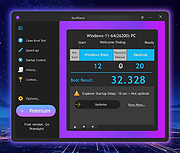 |
 |
DDS v2012-11-20-01 DDS v2012-11-20-01 👉 Generate detailed diagnostic logs for malware troubleshooting and system analysis. DDS is a lightweight diagnostic utility created by sUBs that gathers extensive information about a Windows computer without making permanent changes to the system. It is widely used by malware removal specialists and technical support forums to generate detailed reports containing running processes, startup entries, services, installed software, network settings, browser information, restore points, security software status, and numerous other system details. Rather than attempting to detect or remove malware, DDS focuses on collecting information that allows an experienced analyst to identify suspicious activity, unwanted startup items, rootkit indicators, or other system problems. When the scan is complete, DDS automatically creates two text reports, DDS.txt and Attach.txt, which can be uploaded to security forums or shared with a technician for analysis. The utility is completely portable, requires no installation, and performs no registry modifications or permanent file creation during its operation. Features: • Creates comprehensive DDS.txt and Attach.txt diagnostic reports • Lists active processes, services, drivers, and startup entries • Displays installed applications and Windows configuration details • Reports browser settings and Internet Explorer information • Shows antivirus, firewall, and security software status • Lists System Restore points and disk partition information • Includes optional MBR checking and extended search options • Portable executable requiring no installation • Makes no permanent files or registry changes • Designed for malware investigation and technical support Supported operating systems: • Windows XP, Windows Vista, Windows 7 (32-bit and 64-bit) Supported languages: • English Changes: v2012-11-20-01 • Latest publicly released version. Click here to visit the author's website. |
|
7,179 | Jun 30, 2026 sUBs 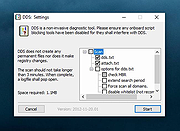 |
|
Feex v0.19.12 Feex v0.19.12 👉 A free Windows utility for monitoring, diagnosing, understanding and maintaining your PC. Feex is a free Windows system utility that combines PC monitoring, diagnostics and maintenance tools in a single application. It provides real-time information about CPU, GPU, memory, disks and other system activity while helping identify applications and processes that may be consuming excessive resources. Feex goes beyond basic system monitoring by keeping useful historical information about your computer. It can analyze startup programs, monitor boot speed over time and help identify common Windows problems and changes that may be affecting performance. Detailed hardware and system information is available to help you understand the components and configuration of your PC. Built-in maintenance tools can help clean caches and unnecessary files, locate duplicate files and perform Windows maintenance and performance tasks. When Feex proposes meaningful changes to the system, it explains what will be affected and asks for approval before proceeding. Privacy is an important part of Feex's design. System understanding and history are stored locally on the PC, and the program can continue operating without an Internet connection. File discovery uses metadata such as filenames, types, sizes and dates rather than reading the contents of documents, emails or chats. Feex does not collect passwords or browsing history, capture the screen, log keystrokes, record audio or video, or inspect the contents of network traffic. It is not intended to replace antivirus software and can be used alongside Windows Defender or other security software. Features: • Monitors CPU, GPU, RAM, disk and overall system activity • Identifies resource-heavy applications and processes • Analyzes programs configured to run at startup • Monitors boot speed and maintains boot history • Provides detailed hardware and system information • Detects common Windows issues • Cleans caches and unnecessary files • Detects duplicate files • Provides Windows maintenance and performance tools • Keeps historical information about system behavior • ... |
|
392 | Sep 04, 2026 Feex 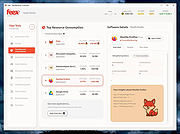 |
|
Grub2Win v3.0.5.2 Grub2Win v3.0.5.2 👉 Safely multiboot Windows and Linux from a Windows-based GRUB setup. Grub2Win is a free and open source Windows application that lets you configure GRUB boot screens and boot options directly from Windows. It includes GNU GRUB 2.12, supports Windows and Linux multiboot setups, and can automatically generate boot configuration files for many popular systems including Windows, Ubuntu, Debian, Fedora, Kali, Manjaro, Mint, PhoenixOS, Android, OpenCore and more. Features: • Includes GNU GRUB 2.12 boot modules and libraries • Configure GRUB boot screens and options directly from Windows • Simple Windows GUI for setting up boot entries • Lets you set EFI firmware boot order from within Windows • Automatically generates config files for Windows and many Linux distributions • Import Linux config files for most other distributions • Supports GPT and MBR disks • Supports extremely large disks and partitions over 40 TB • Works with many filesystems including NTFS, FAT, ext, Btrfs and Mac HFS • Search for and boot partitions by UUID or label • Supports advanced scripting • Customize boot menu wallpaper with included images or your own JPG files • Installs to a small directory on the Windows C: drive • Free and open source with no adware or spyware Supported operating systems: • Windows 11, Windows 10 64-bit EFI • Older Windows versions and BIOS firmware through Grub2Win Legacy Supported languages: • Arabic, Chinese, Croatian, Czech, Danish, Dutch, English, Finnish, French, German, Greek, Hebrew, Hindi, Hungarian, Indonesian, Italian, Japanese, Korean, Norwegian, Polish, Portuguese, Romanian, Russian, Serbian, Slovak, Slovenian, Spanish, Swedish, Thai, Turkish, Ukrainian, Vietnamese and more Changes: v3.0.5.2 10-05-26 Minor updates to the GUI and help files. More Info: Grub2Win is a tool that lets you boot grub2 from your PC's EFI firmware or MBR. It supports Windows 11, Windows 10. Download this simple Windows program and instructions that help you get grub2 booting quickly. All the files for Grub2Win reside on the Windows C: ... |
|
5,958 | Oct 06, 2026 Drummer 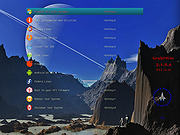 |
|
HiBit Startup Manager v2.6.60 HiBit Startup Manager v2.6.60 Manage the list of all applications that are loaded automatically when Windows starts up. Features • Scan items with VirusTotal • Allow adding, edit, disable and remove startup programs • Improve the overall performance of the computer • Enhance System Security with Startup Monitoring • Delay the Launching of Startup Apps • Solve annoying error messages when the system load • Manage and Optimize Windows Services and Scheduled Tasks • Easily manage the right-click context menu on your computer • Easily Manage Windows system restore points • Easy-to-use User Interface • Automatic update to the latest version • Windows Vista/7/8/10/11 (32/64 bits) Changes: v2.6.60 (2025-01-15) Added support for UWP apps in Context Menu Manager tool. Improved detection of UWP apps in Startup Manager tool. Updated VirusTotal API. Fixed minor bugs. Click here to visit the author's website. |
|
5,433 | May 02, 2025 HiBitSoft.IR 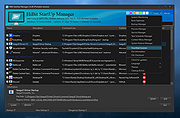 |
|
HiJackThis+ v3.5.0.1 HiJackThis+ v3.5.0.1 👉 Advanced malware and system hijack diagnostic scanner for Windows. HiJackThis+ is a free utility for Microsoft Windows that scans your computer for settings changed by adware, spyware, malware, and other unwanted programs. It is a passive scanner that focuses on detecting hijacking methods rather than relying on traditional signature databases, and it can help experienced users inspect browser, startup, registry, policy, task, and other system areas that may have been altered by suspicious software. It also includes a collection of extra tools such as StartupList, Process Manager, Hosts Manager, ADS Spy, uninstall management, file and registry unlockers, a registry key type analyzer, and batch digital signature checking. Features: • Scans Windows for changes made by adware, spyware, malware, and other unwanted programs • Detects hijacking methods instead of depending on signature database updates • Checks many sensitive system areas including startup entries, registry locations, policies, tasks, browser related items, and more • Includes StartupList 2 for expanded startup inspection • Includes Process Manager for reviewing running processes • Includes Hosts Manager for reviewing and resetting the Hosts file • Includes ADS Spy for finding alternate data streams • Includes uninstall management tools • Includes Windows service removal tools • Includes File Unlocker and Registry Key Unlocker • Includes Registry Key Type Analyzer for advanced inspection • Includes batch digital signature checking • Supports backup and fix workflows for detected items • Can be used as a supplemental diagnostic tool alongside a regular antivirus Supported operating systems: • Windows XP, Windows Vista, Windows 7, Windows 8, Windows 8.1, Windows 10, Windows 11, Windows Server editions, 32-bit, 64-bit Supported languages: English, French, Russian, Spanish, Ukrainian Changes: v3.5.0.1 07-02-26 - Updated certificates and databases. - Fixed Windows Defender Exclusion log. - Improved O23 - Service check logic. - Improved digital signature verification: Third-party files signed by a Microsoft Root CA will no longer be flagged as "Sign 'Microsoft'" if the trust ... |
|
3,847 | Aug 14, 2026 Alex Dragokas 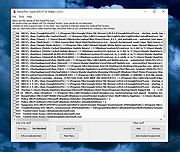 |
|
KCleaner v3.8.2 KCleaner v3.8.2 Closes all unnecessary processes, leaving only the essential ones running. KCleaner is a Windows utility designed to close unnecessary processes and leave only essential ones running. According to the author, it can help remove unwanted or forcibly installed security programs, terminate malicious programs disguised with the same names as Windows system processes, and manage programs that automatically run from various startup locations. It also avoids closing essential drivers such as graphics and sound drivers, and does not terminate trusted antivirus software. Features: • Easily remove unwanted or forcibly installed security programs • Cleanly terminate malicious programs that disguise themselves with the same names as Windows system processes • Conveniently manage programs that automatically run from various locations at startup • Does not close essential drivers such as graphics or sound drivers • Does not terminate trusted antivirus software • Runs as a standalone file with no installation required Supported operating systems: • Windows 10, Windows 11 Supported languages: English, German, Esperanto, French, Italian, Japanese, Polish, Portuguese, Russian, Slovak, Swedish, Thai, Turkish, Vietnamese, Chinese Changes: v3.8.2 10-24-25 - Improved stability under antivirus or restricted permission environments Click here to visit the author's website. |
|
804 | Mar 10, 2026 kilho.net 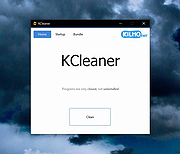 |
|
Kudu v3.6.1 Kudu v3.6.1 👉 Free open-source system maintenance, optimization, and security suite for Windows, macOS, and Linux. Kudu is a comprehensive system maintenance toolkit designed to help users clean, optimize, monitor, and secure their computers from a single unified interface. Built as a free and open-source alternative to many commercial system utilities, it combines system cleaning, malware detection, startup management, privacy protection, software updating, disk analysis, and performance monitoring tools into one package. Kudu focuses on providing powerful maintenance capabilities without advertisements, bundled software, or subscription requirements. It is suitable for both home users and IT professionals who want to keep systems running efficiently while maintaining privacy and security. Kudu also includes automation features, real-time monitoring, gaming optimizations, and optional cloud-based fleet management (paid) capabilities for managing multiple devices. Features: • System Cleaner for removing temporary files, caches, logs, and system junk • Multi-engine malware scanner with signature-based threat detection • Real-time performance monitoring for CPU, memory, disk, and network activity • S.M.A.R.T. disk health monitoring and analysis • Startup Manager with impact ratings for startup entries • Interactive Disk Analyzer with visual storage usage mapping • Privacy Shield for auditing and applying privacy settings • Software Updater for detecting outdated applications • Debloater for removing unwanted pre-installed Windows applications • Registry Cleaner with automatic backup protection • One-click Game Mode with performance and latency optimizations • Scheduled maintenance, scanning, and update tasks • Automatic backup safeguards before system changes • Command-line support for automation and scripting • Optional cloud-based centralized device management • Open-source MIT-licensed project with no advertisements or bundled software Supported operating systems: • Windows 10, Windows 11 • macOS • Linux Supported languages: • 30 languages supported Changes: v3.6.1 10-06-26 Bug Fixes icons: add missing Windows DPI sizes to the app icon (#513) (920f59c) malware: stop flagging validly signed binaries with the PE heuristic (#507) (e9784a1) 👉 This download is for the Windows version (very bottom of page). All ... |
|
661 | Oct 07, 2026 Advent Development, Inc. 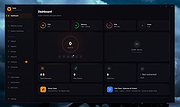 |
|
Microsoft Autoruns v14.3 Microsoft Autoruns v14.3 👉 See everything that starts automatically with Windows. Microsoft Autoruns is a powerful Sysinternals utility that shows what programs, drivers, services, browser add-ons, scheduled tasks, codecs, shell extensions, Winlogon entries, and other components are configured to run automatically during system boot, login, or when Windows applications start. Features: • Displays one of the most complete views of Windows auto-start locations • Shows startup programs, drivers, services, Explorer extensions, browser helper objects, toolbars, codecs, scheduled tasks, Winsock providers, and more • Hide Signed Microsoft Entries option helps focus on third-party items • View auto-start entries for different user accounts • Disable entries by unchecking them • Delete unwanted auto-start configuration entries • Jump directly to Registry or file system locations • Verify digital signatures • VirusTotal integration for hash checking • Includes Autorunsc command-line version with CSV, tab-delimited, XML, hash, signature, and offline Windows scan options Supported operating systems: • Windows Supported languages: Operating system language. Changes: v14.3 06-17-26 Not provided. Click here to visit the author's website. |
|
11,596 | Sep 16, 2026 Microsoft Corp. 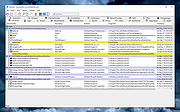 |
|
MJ Registry Watcher v1.2.9.1 MJ Registry Watcher v1.2.9.1 👉 Monitor and protect important registry keys, files, and startup locations. MJ Registry Watcher monitors selected registry keys, files, and directories for changes that could affect Windows startup or system security. It combines hooks, which can report many changes as they happen, with periodic polling to catch changes such as registry key deletions. Its monitored locations and response behavior can be configured, and it keeps a log of detected activity. The program can also monitor process launches and detect DLL injection. It includes registry backup, quarantine, and options for sending alert details by email. The author recommends running it with administrator rights so it can access the registry properly. Features: • Monitors configurable registry keys, files, and directories • Uses system hooks and periodic polling to detect changes • Protects common startup locations, registry values, and system files • Monitors process launches and detects DLL injection • Supports Accept, Reject, and Prompt modes in interactive use • Offers an invisible Windows service mode with Accept and Reject modes • Can send alert details by email and play alert sounds • Includes quarantine and an activity log • Creates periodic registry backups and retains the last 15 snapshots • Stores settings in a configuration file Supported operating systems: Windows 11, Windows 10, Windows 8, Windows 7 Supported languages: English Changes: v1.2.9.1 09-10-26 Latest Features : 64-bit OSes, Service Mode, Process Launch Monitoring, DLL Injection Detection, Emailing of Alerts, Quarantine, Registry Backup. Latest Fixes : Circular registry entries now handled without going into an infinite loop, Windows 11 support, Tray icon colour when loading. How to launch MJ Registry Watcher: Extract the downloaded files with their folder paths preserved, then open the MJRegWatcher folder and run RegWatcher.exe. The author recommends ... |
|
6,308 | Oct 14, 2026 Mark Jacobs 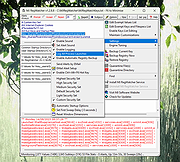 |
|
Multiple Reboot Scheduler v2.6.0.0 Multiple Reboot Scheduler v2.6.0.0 👉 Automates a series of Windows restarts and records how long each reboot takes. Multiple Reboot Scheduler is a portable technician tool that restarts a Windows PC several times, with a configurable pause between restarts. The sequence is intended to trigger Windows’ built-in boot tracing and optimization. It records the time taken by each reboot so you can see whether startup time improved. It can also run selected maintenance tasks before the sequence, preserve desktop icon positions, and sign the current user in automatically between restarts. Features: • Set the number of reboots and the delay between them. • View the timing history during the sequence and a results summary when it finishes. • Optionally defragment the system partition or process idle tasks before starting. • Back up and restore the desktop icon layout, either automatically or manually. • Set up automatic sign-in for the current user so the sequence can continue unattended. • Pause the countdown, enable a sound for its final 10 seconds, or cancel the sequence. • Run directly as a portable executable. Supported operating systems: • Windows XP, Windows Vista, Windows 7, Windows 8.1, Windows 10, Windows 11, 32-bit and 64-bit Supported languages: English Changes: v2.6.0.0 09-16-24 Not provided. Note: This file has one hit on VirusTotal. We have confirmed this to be a false positive. The file is safe. Click here to visit the author's website. |
No Votes | 72 | Sep 24, 2026 Carifred 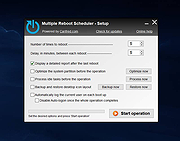 |
|
My Startup Delayer v1.80 My Startup Delayer v1.80 Improve the loading time of Windows by delaying the startup of programs! Every time you start Windows a lot of programs starts automatically making Windows really unresponsive for minutes. This is noticeable especially on slow PC (like netbooks / nettop with Atom CPU / old pc). With My Startup Delayer you can choose wich processes delay (or disable) at startup! Also you can decide after how many seconds you want to start them and the delay between each execution! You can also add your favorite programs to be executed automatically (useful at work! ... every day you open the same programs? :D) What is the difference between using our software insted of the Windows "Startup" menu? Well.. Windows launch ALL the software simultaneously making it really slow and unresponsive. My Startup Delayer launch them one by one (you can set the seconds to wait after each execution). Example loading times, Windows usability after login: with My Startup Delayer without My Startup Delayer Netbook Acer Aspire One D150 - Win XP / 1GB RAM (standard usage - office / antivirus / various software) 10 seconds 1,10 / 1,30 minutes Nettop Asus EEEBOX B202 - Win XP / 2GB RAM (server usage - lot of programs / suite installed) 1 minutes over 4 / 5 minutes What's new in 1.80: - added a new registration method: download a temporary license code! - removed third bundle software (I'm sorry, I didn't thought there was too many problems with the third software installed) - updated internal libraries code - updated registration code |
|
6,723 | Apr 13, 2016 My Portable Software 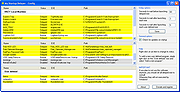 |
|
Revo Uninstaller Free Portable v2.7.2 Revo Uninstaller Free Portable v2.7.2 👉 Uninstall programs, Windows apps, and leftover traces from a portable utility. Revo Uninstaller Free Portable helps you remove unwanted programs from Windows without installing the uninstaller itself. It runs the selected program’s built-in uninstaller first, then scans for leftover files, folders, and Windows Registry entries that may remain behind after a normal uninstall. Features: • Portable version requires no installation • Uninstall regular desktop programs • Remove Windows Apps • Scan for leftover files, folders, and Registry entries • Hunter Mode for managing visible programs, shortcuts, tray icons, and startup items • Autorun Manager to control Windows startup items • Junk Files Cleaner • Windows Tools shortcut panel • Browsers Cleaner • MS Office Cleaner • Windows Cleaner • Evidence Remover • Unrecoverable Delete for permanently erasing files and folders Supported operating systems: • Windows 7, Windows 8, Windows 8.1, Windows 10, Windows 11, Windows Server Editions Supported languages: English, German, French, Italian, Portuguese, Brazilian Portuguese, Russian, Polish, Spanish, Dutch, Norwegian, Swedish, Hindi, Japanese, Chinese, Korean Changes: v2.7.2 10-06-26 Improved – Scanning and safety algorithms for leftovers Fixed minor bugs Updated language files Note: This file has one hit on VirusTotal. We have confirmed this to be a false positive. The file is safe. Click here to visit the author's website. |
|
10,330 | Oct 09, 2026 VS Revo Group 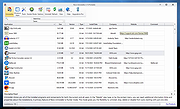 |
|
Safe Startup v4.16 Safe Startup v4.16 Attention AskWoody readers and others: PrivacyRoot, S.R.O. has removed the ability of this download installer to function and they have killed-off the program entirely. Bummer! Look under the category of "System Information and Monitoring" for similar programs. Sorry :( -Deanna This program will monitor auto-startup records in OS Windows and notify you about any new programs which will be automatically launched on your PC. Using this utility you can manage programs with auto-start option. You can choose to allow auto-start for these programs or you can choose to stop or even delete them. You can stop unwanted or useless programs, spyware or even viruses. Program works with system services also, thus you can make deep review of your PC. By using our program you can see hidden running programs, reduce number of running processes, tray icons and other apps which you don't need and, thus, really boost performance of your PC. Make your PC faster. Our program can continue working in the background to always monitor new records for auto-startup, and it will remove undesired items if they will appear again. This program compatible with any other antivirus. Our program include function to recover deleted startup records. For example, if you'll delete some important file at auto-startup by mistake you can always undo delete and everything will be back as usual. Requirement Windows XP, Vista, 7, 8, 10 .NET framework 3.5 What's new in version 4.16? • In this release we are improving security of the program. In one word: we have replaced old security schema with a newer one. Due to the nature of security itself we cannot describe in details changes that were made. Thats because first rule of security is that everything should be in a secret. • Date of release: 4 November 2019. Click here to visit the author's website. |
|
6,074 | Jun 22, 2020 PrivacyRoot, S.R.O. 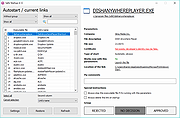 |
|
Spybot Free Edition v2.9.85.5 Spybot Free Edition v2.9.85.5 👉 Free on-demand malware and spyware scanner with system immunization tools. Spybot Free Edition is a security utility designed to detect and remove spyware, malware, and other unwanted software from your computer. It provides on-demand scanning to identify threats and includes system immunization features that help block known malicious websites and tracking cookies before they can affect your system. The program also offers tools for managing startup entries and repairing system issues caused by malware, giving users additional control over system security and performance. Features: • On-demand malware and spyware scanning • Detection and removal of tracking cookies • System immunization to block known malicious sites • Startup tools to manage boot entries • Secure file shredding • Rootkit scanning • Detailed scan reports and logs Supported operating systems: • Windows 7, Windows 8, Windows 10, Windows 11 Supported languages: • English, German Changes: v2.9.85.5 Not provided. This download is for the Windows 7-11 version (very bottom of page). If you need the Windows XP version, download here. Click here to visit the author's website. |
|
10,309 | Feb 26, 2026 Safer Networking Ltd. 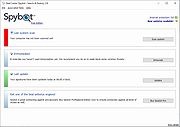 |
|
Startup Delayer 3.0.364 Startup Delayer 3.0.364 Startup Delayer gives you the power to optimize your Startup Process by delaying applications from starting up as soon as you log into your computer. By delaying the applications during start up, your computer becomes usable a lot faster. Startup Delayer will then start launching your delayed applications when your computer is more idle. What's new in Startup Delayer 3.0 build 364 Added a new option to allow you to choose if you want to give a launched application focus when it's run. This can help fix some applications that usually minimize to tray on launch but don't when Startup Delayer launches them without focus Added additional debugging to the launch log Added Norsk translation Removed the executable signing from the main application to see if it fixes the strange random performance issues due to the remote cert validation required Updated Chinese Simplified translation Updated Hungarian translation Updated German translation Updated Italian translation |
 |
9,769 | Aug 20, 2015 r2 Studios 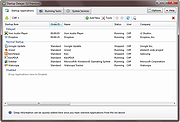 |
|
Startup Folder v1.1.2 Startup Folder v1.1.2 Run anything at startup by simply placing it in a special folder on your Mac. Startup Folder creates a Startup folder in your home directory. Anything you place in this folder will run at startup automatically. You can place apps, scripts, Shortcuts, links, and really anything you want in the folder. How it works The app is designed to be as simple as possible. It runs a background agent that launches and keeps track of startup items. The agent uses zero resources and has no impact on your system's performance. Drag and drop Apps can be dragged with Command-Option to create an alias. Links can be dragged directly from the browser address bar. Shortcuts simply need an empty file named Shortcut Name.shortcut and scripts can be written directly inside the folder. The app also provides a convenient interface that helps you choose apps, pick Shortcuts, create scripts and manage the startup items. Launch apps hidden Startup Folder can launch apps hidden at startup, and also force hide those apps that insist on showing a window anyway. This is useful for apps that you want to have available in the background for when you'll use them later. Keep alive The app can keep apps and scripts alive by relaunching them if they crash. This is useful for apps that are not well-behaved and crash often. A crash loop detection mechanism is built-in to detect when an app or script crashes too often and stop relaunching it. Supported operating systems: macOS 14.0+ (Sonoma and later) Click here to visit the author's website. |
|
915 | Jan 31, 2025 The low-tech guys 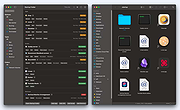 |
|
Startup Monitor 64 v4.175 Startup Monitor 64 v4.175 👉 A portable Windows utility that watches startup locations and alerts you when programs try to add themselves. Startup Monitor 64 is a portable Windows system monitoring utility designed to detect changes to startup folders, Windows Registry startup locations, scheduled tasks and other locations you choose to monitor. When a new or changed item is detected, Startup Monitor 64 presents it for review so you can decide whether it should be allowed or denied. On its first run, the program creates baseline snapshots of existing startup folders and scheduled tasks. Future scans compare the current system against this baseline along with separate Allowed and Denied lists. This helps distinguish legitimate existing startup entries from newly added or changed items. Startup Monitor 64 is not limited to traditional Windows startup locations. You can add your own folders and Registry paths, allowing the program to serve as a general-purpose change monitor for locations you want to keep an eye on. The program is fully portable. Configuration files, baselines, allowed and denied lists, and logs are kept inside an App folder within the program's directory. Features: • Monitors Windows startup folders for new or changed items • Monitors common Windows Registry startup locations • Monitors Windows Task Scheduler for newly added or changed scheduled tasks • Allows custom folders to be added to the monitoring list • Allows custom Registry paths to be monitored • Individual monitored locations can be enabled or disabled • Displays a review window when new or changed items are detected • Lets you approve detected items and add them to an Allowed list • Lets you deny detected items and remove them after confirmation • Maintains separate Allowed and Denied lists • Creates a persistent baseline of existing startup items on first run • Creates a baseline of existing scheduled tasks • Provides adjustable startup-location monitoring intervals from 1 to 60 seconds • ... |
|
268 | Sep 09, 2026 sl2365 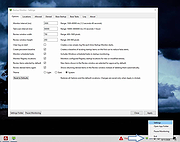 |
|
Synei Startup Manager (Portable) 1.40 Synei Startup Manager (Portable) 1.40 Detects and disables more than 16,000 different types of unneeded programs that are automatically loading at startup and causing slow performance, freezing, and errors. Most of the programs you install today or already have installed tend to automatically start when your computer starts. Imagine how hectic it is for a computer to start hundreds of different programs simultaneously. You'll definitely notice a decrease in speed, freezing, and errors. This program eliminates all those problems. Provides you with a complete analysis so you know exactly what is needed on startup and what is not. Removes Spyware, Adware, or other dangerous files from starting up with your computer. Expedites Windows startup and login time for quicker access to your PC. Features: Overall Speed Boost Your computer will perform much faster if it has fewer applications running in the background and is not undertaking activities without your consent. Feature iconSpeeds up login time You'll be able to login to your computer much faster and smoother because your computer will have less programs to load. Feature iconCompletely Safe All the programs essential to your computer will be untouched. No harm will be caused to your computer, EVER! Feature iconDon't want to install? No problem! We offer both the installer and portable version. Portable version lets you run the program without even installing it. You could also take it with you and load it anywhere, like on a USB Drive. Frees up Memory (RAM) Less program running in the background means more memory! The more memory your computer has, the faster it performs. Feature iconLess Lag, Freezes, and errors Without unneeded programs constantly trying to do use your computer's resources, it will produce less lag, freeze up, and errors. Feature iconHighly Customizable You choose what you want to keep enabled and disabled. In fact, you can even add new programs to your startup. Feature iconAbsolutely FREE! Synei Startup Manager is ... |
|
9,753 | Dec 22, 2013 Synei |
|
Synei Startup Manager 1.40 Synei Startup Manager 1.40 Detects and disables more than 16,000 different types of unneeded programs that are automatically loading at startup and causing slow performance, freezing, and errors. Most of the programs you install today or already have installed tend to automatically start when your computer starts. Imagine how hectic it is for a computer to start hundreds of different programs simultaneously. You'll definitely notice a decrease in speed, freezing, and errors. This program eliminates all those problems. Provides you with a complete analysis so you know exactly what is needed on startup and what is not. Removes Spyware, Adware, or other dangerous files from starting up with your computer. Expedites Windows startup and login time for quicker access to your PC. Features: Overall Speed Boost Your computer will perform much faster if it has fewer applications running in the background and is not undertaking activities without your consent. Feature iconSpeeds up login time You'll be able to login to your computer much faster and smoother because your computer will have less programs to load. Feature iconCompletely Safe All the programs essential to your computer will be untouched. No harm will be caused to your computer, EVER! Feature iconDon't want to install? No problem! We offer both the installer and portable version. Portable version lets you run the program without even installing it. You could also take it with you and load it anywhere, like on a USB Drive. Frees up Memory (RAM) Less program running in the background means more memory! The more memory your computer has, the faster it performs. Feature iconLess Lag, Freezes, and errors Without unneeded programs constantly trying to do use your computer's resources, it will produce less lag, freeze up, and errors. Feature iconHighly Customizable You choose what you want to keep enabled and disabled. In fact, you can even add new programs to your startup. Feature iconAbsolutely FREE! Synei Startup Manager is and ... |
|
9,801 | Dec 22, 2013 Synei |
 |
Tweaking.com - Set Windows Services To Default Startup 2.8.8 Tweaking.com - Set Windows Services To Default Startup 2.8.8 This will set the Windows services to their default startup state. This will set the services startup by the "sc config" command and not by the registry. This tool is also a part of Windows Repair (All In One). Here is the current service list this repair sets. AeLookupSvc = demand Alerter = disabled ALG = demand AllUserInstallAgent = demand AppHostSvc = auto AppIDSvc = demand Appinfo = demand AppMgmt = demand aspnet_state = demand AudioEndpointBuilder = auto AudioSrv = auto AxInstSV = demand BDESVC = demand BFE = auto BITS = auto bthserv = demand CertPropSvc = demand ClipSrv = disabled COMSysApp = demand CryptSvc = auto CscService = auto DcomLaunch = auto defragsvc = demand DeviceAssociationService = demand DeviceInstall = demand DFSR = demand Dhcp = auto dmadmin = demand dmserver = auto Dnscache = auto Dot3svc = demand DPS = auto DsmSVC = demand DsRoleSvc = demand EapHost = demand EFS = demand ehRecvr = demand ehSched = demand EMDMgmt = auto ERSvc = auto EventLog = auto EventSystem = auto FastUserSwitchingCompatibility = demand Fax = demand FCRegSvc = demand fdPHost = demand fhsvc = demand FontCache = auto FontCache3.0.0.0 = demand gpsvc = auto helpsvc = auto hidserv = demand hkmsvc = demand HomeGroupListener = demand HTTPFilter = demand idsvc = demand IKEEXT = demand ImapiService = demand IPBusEnum = demand iphlpsvc = auto KeyIso = demand KtmRm = demand LanmanServer = auto LanmanWorkstation = auto lltdsvc = demand lmhosts = auto LPDSVC = auto LSM = auto Mcx2Svc = disabled Messenger = disabled MMCSS = auto mnmsrvc = demand MpsSvc = auto MSDTC = demand MSiSCSI = demand msiserver = demand napagent = demand NetDDE = disabled NetDDEdsdm = disabled Netlogon = demand Netman = demand NetMsmqActivator = auto NetPipeActivator = auto netprofm = demand NetTcpActivator = auto NetTcpPortSharing = disabled Nla = demand NlaSvc = auto nsi = auto NtLmSsp = demand NtmsSvc = demand p2pimsvc = demand p2psvc = demand PeerDistSvc = demand PerfHost = demand pla = demand PlugPlay = auto PNRPAutoReg = demand PNRPsvc = demand Power = auto ProfSvc = auto QWAVE = demand RasAuto = demand RasMan = demand RDSessMgr = demand RemoteAccess = disabled RpcEptMapper = auto RpcLocator = demand RpcSs = auto RSoPProv = demand RSVP = demand sacsvr = demand SamSs = auto SCardSvr = demand Schedule = auto SCPolicySvc = demand SDRSVC = demand SENS = auto SensrSvc = demand SessionEnv = demand ShellHWDetection = auto simptcp ... |
|
10,169 | Sep 02, 2017 Tweaking.com 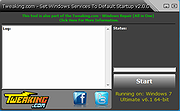 |
| Showing rows 1 to 22 of 22 | Showing Page 1 of 1 | 1 |
OlderGeeks.com Copyright (c) 2026
