|

|
Processed through Paypal No account required. |








Buy our over-priced crap to help pay the bills.



|
|
Processed through Paypal No account required. |
| Files | ||||
| File Name | Rating | Downloads | ||
 |
AAA v5.4.7 AAA v5.4.7 👉 A quick and powerful Windows tool for managing text notes, clipboard history, alarms and more. AAA is a free text note management utility by Mario "OiPaz" Corsolini that combines everyday note taking with a collection of useful text, clipboard and productivity tools. It stays conveniently accessible from the Windows Notification Area and can be quickly shown or hidden when needed. In addition to keeping and organizing text notes, AAA can maintain a history of the Windows Clipboard, provide multiple clipboards, calculate text and numerical statistics, set alarms, sort and format text, and launch applications. AAA requires Microsoft .NET Framework 4.8 and has been compiled for both 32-bit and 64-bit Windows systems. Features: • Create, keep and manage text notes • Quickly show or hide AAA from its Windows Notification Area icon • Use a customizable global keyboard shortcut to show or hide the program • Maintain a history of text copied to the Windows Clipboard • Multi-clipboard support for keeping multiple pieces of copied text • Automatically replace specified portions of text in the Windows Clipboard • Calculate statistics for text and Clipboard contents • Analyze numerical data and calculate statistics • Create and manage alarms with customizable messages • Sort text • Align and format text • Start individual applications or groups of applications • Add configurable delays when starting groups of applications • Reload its data file when the file has been modified externally • Save and restore the program's screen position • Single-instance operation • Automatic update checking • Requires Microsoft .NET Framework 4.8 Supported operating systems: • Windows 7 SP1, Windows 8.1, Windows 10, Windows 11 • 32-bit and 64-bit systems • Microsoft .NET Framework 4.8 required The operating-system range above is based on Microsoft's official compatibility requirements for the required .NET Framework 4.8. Windows 7 and Windows 8.1 are no longer supported by Microsoft. Supported languages: English, Esperanto, Italian Changes: v5.4.7 01-05-24 Fixed a bug where, if the saved position of ... |
 |
2,315 | Aug 31, 2026 Mario Corsolini 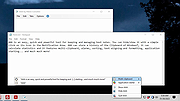 |
|
All Bitdefender Uninstall Tools v3.0 All Bitdefender Uninstall Tools v3.0 👉 The complete collection of Bitdefender consumer and business removal tools in one ZIP file. All Bitdefender Uninstall Tools is a collection compiled by OlderGeeks containing official Bitdefender removal utilities for current and older consumer and business security products. Instead of downloading each utility separately, you can keep the entire collection together for troubleshooting and computer repairs. These tools help remove Bitdefender software when normal uninstallation fails or leaves remnants behind. They can be useful when preparing to reinstall Bitdefender or replace it with another security solution. Extract the ZIP file, identify the installed Bitdefender product and choose its corresponding removal tool. Consumer and business products require different utilities. Older product generations also have their own uninstallers, so selecting the appropriate tool matters. Consumer product coverage: • Latest Generation Bitdefender Antivirus Plus, Internet Security and Total Security. • Bitdefender Antivirus Plus, Internet Security and Total Security from the 2020 generation. • Bitdefender Antivirus Plus, Internet Security and Total Security from the 2019 generation. • Bitdefender Antivirus Plus, Internet Security and Total Security from the 2018 generation. • Bitdefender Antivirus Plus, Internet Security and Total Security from the 2017 generation. • Bitdefender Antivirus Plus, Internet Security and Total Security from the 2016 generation. • Bitdefender Antivirus Plus, Internet Security and Total Security from the 2015 generation and older, as covered by Bitdefender's corresponding tool. Business product coverage: The collection includes current and legacy business removal utilities, including separate tools for Bitdefender Endpoint Security Tools (BEST) v7 and v8, along with older endpoint uninstallers. Bitdefender's current business support page directs users of BEST up to v6.4.x to contact support. Although legacy utilities are included in this collection, additional assistance may be necessary for older installations. Features: • Complete collection ... |
|
5,177 | Oct 09, 2026 BitDefender Labs / Oldergeeks.com 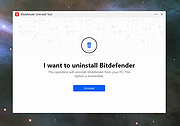 |
|
Don't Sleep v10.22 Don't Sleep v10.22 👉 Prevent your computer from automatically entering sleep, shutdown, or standby modes. Don't Sleep is a small portable utility designed to prevent Windows from automatically entering sleep, standby, hibernate, shutdown, or screen-saver modes. This lightweight tool runs quietly in the background and provides a simple interface that allows users to temporarily block various power management functions that may interrupt ongoing tasks such as downloads, video playback, presentations, or long-running operations. Don't Sleep includes flexible control options that allow users to enable or disable blocking functions with a timer, schedule system behavior, or trigger actions when specific conditions occur. It can also prevent screen savers from activating and optionally disable monitor power-off functions. Because the program is portable and requires no installation, it can easily be run from a USB drive or any folder, making it convenient for troubleshooting, temporary use, or portable environments. Features: • Prevents sleep, standby, hibernation, shutdown, and logoff events • Blocks screen saver activation and monitor power-off functions • Includes timer and scheduling options for automatic control • Portable application requiring no installation • Small system footprint with minimal resource usage • Optional command-line parameters for automation and scripting • Runs quietly in the system tray for quick access Supported operating systems: • Windows 7, Windows 8, Windows 10, Windows 11 Supported languages: German, English, Russian, French, Latvian, Italian, Portuguese, Traditional Chinese, Hungarian, Polish, Turkish, Dutch, Chinese Simplified, Slovak, Swedish, Romanian, Greek, Czech, Chinese Traditional (Taiwan), Danish, Arabic, Persian, Korean, Spanish, Spanish (Argentina), Japanese, Irish, Norwegian, Thai, Welsh, Afrikaans, Hindi, Hebrew, Finnish, Ukrainian, Malay, Indonesian, Filipino, Portuguese (Brazil), Spanish (Venezuela), Bosnian / Croatian / Serbian Changes: v10.22 06-20-26 • Improvements to DontSleep for all Windows operating systems • DontSleep language file update This download is for the Windows 64bit portable version (very bottom of page). If you need the Windows 32bit portable version, download here. Click here to visit the author's website. |
|
8,262 | Jun 29, 2026 Nenad Hrg 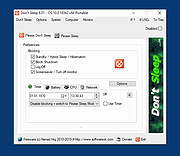 |
 |
Feex v0.19.12 Feex v0.19.12 👉 A free Windows utility for monitoring, diagnosing, understanding and maintaining your PC. Feex is a free Windows system utility that combines PC monitoring, diagnostics and maintenance tools in a single application. It provides real-time information about CPU, GPU, memory, disks and other system activity while helping identify applications and processes that may be consuming excessive resources. Feex goes beyond basic system monitoring by keeping useful historical information about your computer. It can analyze startup programs, monitor boot speed over time and help identify common Windows problems and changes that may be affecting performance. Detailed hardware and system information is available to help you understand the components and configuration of your PC. Built-in maintenance tools can help clean caches and unnecessary files, locate duplicate files and perform Windows maintenance and performance tasks. When Feex proposes meaningful changes to the system, it explains what will be affected and asks for approval before proceeding. Privacy is an important part of Feex's design. System understanding and history are stored locally on the PC, and the program can continue operating without an Internet connection. File discovery uses metadata such as filenames, types, sizes and dates rather than reading the contents of documents, emails or chats. Feex does not collect passwords or browsing history, capture the screen, log keystrokes, record audio or video, or inspect the contents of network traffic. It is not intended to replace antivirus software and can be used alongside Windows Defender or other security software. Features: • Monitors CPU, GPU, RAM, disk and overall system activity • Identifies resource-heavy applications and processes • Analyzes programs configured to run at startup • Monitors boot speed and maintains boot history • Provides detailed hardware and system information • Detects common Windows issues • Cleans caches and unnecessary files • Detects duplicate files • Provides Windows maintenance and performance tools • Keeps historical information about system behavior • ... |
|
393 | Sep 04, 2026 Feex 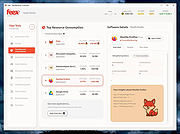 |
|
FluentTaskScheduler v1.9.0 FluentTaskScheduler v1.9.0 👉 A modern, fluent UI-based task scheduler for Windows. FluentTaskScheduler is a Windows task scheduling utility that provides a clean and modern interface for creating, managing, and monitoring scheduled tasks. Built with a fluent design approach, it simplifies interaction with the Windows Task Scheduler by offering an intuitive graphical interface while still exposing advanced configuration options. It is designed for both casual users and advanced users who want more control over automation without navigating the default Windows scheduler. Features: • Create, edit, and delete scheduled tasks with ease • Modern fluent UI design for improved usability • View detailed task information and status • Support for triggers, actions, and conditions • Simplified interface compared to Windows Task Scheduler • Lightweight and easy to use Supported operating systems: • Windows 10, Windows 11 Supported languages: English Changes: v1.9.0 07-26-26 New Features Task Chaining (Completion Actions): Chain tasks together and configure a task to automatically start other tasks when it succeeds or fails, right from a new "Completion Actions" section in the task editor. FluentTaskScheduler watches the Task Scheduler event log in real time (no polling) and includes built-in loop protection so you can't accidentally chain a task into itself. Global & Per-Task Snooze: Need a break? Hit "Snooze All Tasks" to pause task execution app-wide for 30 minutes, 1 hour, 3 hours, until your next reboot, or a custom time. You can also now snooze individual tasks (including a working custom time option). Optionally suspends scheduled triggers at the OS level too, and un-suspends exactly what it suspended when the snooze ends. Dashboard Analytics: The Dashboard got a serious upgrade: a 24-hour execution heatmap, a health-score ring, average/longest run duration, and a live, filterable execution log (Success / Failed / Snoozed). Task Template Library: 17 ready-to-deploy templates (temp cleanup, restore points, ... |
|
1,091 | Sep 16, 2026 TRGamer-tech 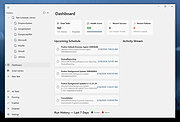 |
|
FS Utilities 1.0 FS Utilities 1.0 FS Utilities is a suite of tools useful for treating a lot of file and folders: for example you can easily put a file list into Excel sheet, search quickly for files using all his properties, search for duplicates and much more. Click here for instructions. |
|
6,126 | Jan 12, 2022 iSystems 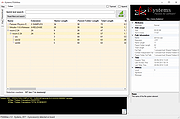 |
|
Hidden Utilities XP v1.0 Hidden Utilities XP v1.0 Hidden Utilities XP allows access to nearly 100 hidden utilities that are not normally accessible to the average user in Windows XP. System information, diagnostics, repair tools and more in both Windows and Command Line utilities are now easily opened. Hidden Utilities XP includes easy access to 53 Windows tools and 43 Command Line utilities. Click here to visit the author's website. |
|
5,322 | Jul 01, 2019 Camtech 2000 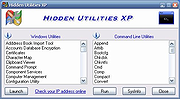 |
|
JSimStudio v1.1.3 JSimStudio v1.1.3 👉 Control and simulation utility for the Jupiter Instruments JI-820 USB incremental encoder emulator. JSimStudio is a portable simulation and control utility designed for the Jupiter Instruments JI-820 USB incremental encoder emulator. It allows engineers and developers to simulate encoder signals in real-world units, configure encoder scaling, and generate quadrature outputs for testing encoder-input hardware, PLCs, motion controllers, and software before connecting physical equipment. A built-in motion profile engine makes it easy to create repeatable test sequences using step, ramp, S-curve, and loop segments. JSimStudio also includes an integrated GPS/NMEA simulator that converts simulated encoder movement into standard NMEA-0183 data streams over serial, TCP, or UDP, making it useful for testing navigation and positioning applications. Version 1.1.1 adds a complete rotational simulation mode with RPM, degrees, and radians support, pulses-per-revolution scaling, independently selectable velocity and acceleration units, and the ability to bind GPS/NMEA network output to a specific network adapter. A built-in mock mode allows the software to run without JI-820 hardware attached for evaluation and development. When using an actual JI-820 device, the standard FTDI USB driver is required. Features: • Controls the Jupiter Instruments JI-820 USB incremental encoder emulator • Simulates quadrature encoder signals using real-world engineering units • Configurable encoder scaling and pulses-per-revolution settings • Motion profile editor with step, ramp, S-curve, and loop segments • Rotational simulation using RPM, degrees, or radians • Independently configurable velocity and acceleration units • Built-in GPS/NMEA-0183 simulator • Outputs NMEA data over serial, TCP, or UDP • Option to bind GPS/NMEA network output to a single network adapter • Mock mode allows operation without connected hardware • Portable application requiring no installation Supported operating systems: • Windows 10 (64-bit), Windows 11 (64-bit) Supported languages: English Changes: v1.1.3 07-20-26 Improved support for smaller displays and resized application windows. Fixed the velocity-profile loop function not working correctly. Note: This file has one hit on VirusTotal. We have confirmed this to be a false positive. ... |
|
332 | Jul 21, 2026 Funciona Systems 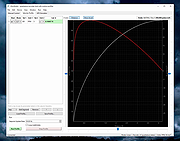 |
 |
killer-tools v2.0 killer-tools v2.0 👉 A collection of handy online tools for developers and IT pros. killer-tools is a custom fork of IT-Tools with personalized branding, deployed as a client-side web app at killertools.net. It provides a collection of online utilities for developers and IT professionals, including formatting, lookup, conversion, and other productivity-focused tools. Features: • Fully client-side web application with no data sent to external servers • Based on a customized fork of IT-Tools with tailored branding and layout • No installation or setup required, runs instantly in any modern web browser • Includes a large suite of utilities for developers, IT professionals, and power users • JSON tools including formatting, validation, and minification • Encoding and decoding tools such as Base64, URL encoding, and HTML entities • Cryptographic utilities including hash generators (MD5, SHA family) and encoders • Text manipulation tools for case conversion, trimming, and formatting • Data conversion tools for timestamps, units, numbers, and formats • UUID and random data generators for development and testing • Password and secure string generators • Network-related tools for IP lookup, subnet calculations, and related utilities • Instant processing with real-time results as you type • Clean, modern, and fast user interface designed for productivity • Responsive design that works on desktop, tablet, and mobile devices • Offline-capable once loaded in the browser (cached assets) • No tracking, telemetry, or account required to use tools • Open-source project under the GNU GPLv3 license • Easy to self-host or customize from the original source Tools and References: Killer Scripts, Exchange NDR Lookup, Group Policy Reference, M365 SKU Decoder, PowerShell Builder, SafeLink Decoder, Windows Error Codes, Windows Event Lookup, CVE Lookup, Email DNS Checker, Email Header Parser, IPv4 Address Converter, IPv4 Range Expander, IPv4 Subnet Calculator, IPv6 ULA Generator, MAC Address Lookup, Port Protocol Reference, WHOIS Checker, Basic Auth Generator, Device Information, HTML Entities, HTML WYSIWYG Editor, HTTP Status Codes, JSON Diff, JWT Parser, Keycode Info, Meta ... |
|
1,068 | Aug 09, 2026 SteveTheKiller  |
|
Microsoft Autoruns v14.3 Microsoft Autoruns v14.3 👉 See everything that starts automatically with Windows. Microsoft Autoruns is a powerful Sysinternals utility that shows what programs, drivers, services, browser add-ons, scheduled tasks, codecs, shell extensions, Winlogon entries, and other components are configured to run automatically during system boot, login, or when Windows applications start. Features: • Displays one of the most complete views of Windows auto-start locations • Shows startup programs, drivers, services, Explorer extensions, browser helper objects, toolbars, codecs, scheduled tasks, Winsock providers, and more • Hide Signed Microsoft Entries option helps focus on third-party items • View auto-start entries for different user accounts • Disable entries by unchecking them • Delete unwanted auto-start configuration entries • Jump directly to Registry or file system locations • Verify digital signatures • VirusTotal integration for hash checking • Includes Autorunsc command-line version with CSV, tab-delimited, XML, hash, signature, and offline Windows scan options Supported operating systems: • Windows Supported languages: Operating system language. Changes: v14.3 06-17-26 Not provided. Click here to visit the author's website. |
|
11,596 | Sep 16, 2026 Microsoft Corp.  |
|
Microsoft PowerToys v0.101 Microsoft PowerToys v0.101 Windows system utilities to maximize productivity Microsoft PowerToys is a set of utilities for power users to tune and streamline their Windows experience for greater productivity. Features: • Advanced Paste - A tool that enables you to paste the text from your clipboard into any format needed. It can paste as plain text, Markdown, or JSON directly with the interface or with a direct keystroke. These actions are executed entirely on your local machine. An optional AI-powered feature is also available. • Always on Top - A system-wide Windows utility to pin windows above other windows. • PowerToys Awake - A tool designed to keep a computer awake without having to manage its power and sleep settings. This is useful when running time-consuming tasks and preventing the computer from sleeping or turning off its screens. • Command Not Found - A PowerShell 7 module that detects command-line errors and suggests a relevant WinGet package to install, if available. • Color Picker - A system-wide color picking utility for selecting colors from any screen and copying them to the clipboard in a configurable format. • Command Palette - Provides fast access to frequently used commands, applications, development tools, and extensions from a customizable and extensible launcher. Command Palette is intended to be the successor to PowerToys Run. • Crop And Lock - Allows you to crop a current application into a smaller window or create a thumbnail of it. • CursorWrap - Allows the mouse pointer to wrap around the edges of the screen, moving it to the opposite edge when it reaches a boundary. • Environment Variables - Provides an easy way to manage environment variables and create profiles containing groups of variables. Profile variables can take precedence over User and System variables. • FancyZones - A window manager for arranging and snapping windows into efficient custom layouts. Windows can ... |
|
7,270 | Aug 25, 2026 Microsoft Corp.  |
|
Microsoft Sysinternals Suite v2026.7 Microsoft Sysinternals Suite v2026.7 👉 A complete collection of Microsoft's advanced Windows system utilities. Microsoft Sysinternals Suite is a comprehensive package containing Microsoft's renowned Sysinternals troubleshooting, diagnostic, monitoring, and system management utilities in a single download. Created by Mark Russinovich and the Sysinternals team, the suite provides administrators, developers, IT professionals, and power users with portable tools for analyzing processes, monitoring system activity, managing startup entries, inspecting security settings, recovering information, and troubleshooting Windows systems. The suite is regularly updated as individual utilities receive new features and improvements. Features: • Includes over 70 portable Sysinternals utilities in one package • No installation required - simply extract and run the tools • Monitor running processes with Process Explorer • Capture real-time file system, Registry, and process activity with Process Monitor • Analyze Windows startup entries using Autoruns • View TCP and UDP network connections with TCPView • Securely delete files using SDelete • Verify digital signatures with Sigcheck • Display system information with BgInfo • Examine handles, DLLs, services, sessions, and security permissions • Includes command-line and graphical utilities • Frequently updated by Microsoft with new tools and enhancements Supported operating systems: • Windows 10, Windows 11, Windows Server 2016, Windows Server 2019, Windows Server 2022, Windows Server 2025 (all 64bit) Supported languages: • English Changes: v2026.7 07-05-26 Updated the Sysinternals Suite package with the latest releases of the included Sysinternals utilities. Note: This file has three hits on VirusTotal. VirusTotal reports detections for Sysinternals tools such as PsExec because they are legitimate administrative utilities that can also be abused by attackers. These detections are generally classified as HackTool or Potentially Unwanted Application (PUA) rather than malware. These tools are safe and widely used by IT professionals and system administrators. This download is for the Windows version (very bottom of page). All other download assets are below: ARM64: SysinternalsSuite-ARM64.zip Nano Server: SysinternalsSuite-Nano.zip Click here to visit the author's website. |
|
11,354 | Jul 10, 2026 Microsoft Corp.  |
|
NirLauncher v1.30.25 NirLauncher v1.30.25 👉 Portable launcher package containing more than 200 NirSoft freeware utilities for Windows. NirLauncher is a package of more than 200 portable freeware utilities for Windows, all developed for the NirSoft website. It can be used from a USB flash drive without installation, saves each utility's configuration into .cfg files when run from removable media, and automatically runs x64 versions of supported tools on x64 systems. NirLauncher also makes it easy to run utilities, open their help files, jump to each utility's webpage, and add additional software packages beyond the main NirSoft collection. Features: • Includes more than 200 portable NirSoft freeware utilities • Runs without installation from a USB flash drive or local folder • Saves utility configuration files to the drive when used portably • Automatically launches x64 versions of utilities on x64 systems when available • Lets you run tools, view help files, or open each utility's webpage • Can add extra software packages in addition to the main NirSoft package • Can generate BartPE plugin files for use from a bootable live Windows CD • Contains no spyware, adware, malware, toolbars, browser plugins, or bundled third-party software Supported operating systems: • Windows 2000, Windows XP, Windows Server 2003, Windows Vista, Windows 7, Windows 8, Windows 8.1, Windows 10 • x64 systems supported Supported languages: • English, Dutch, French, German, Italian, Japanese, Polish, Russian, Simplified Chinese, Spanish, Traditional Chinese, Greek, Romanian, Czech, Slovak, Hungarian Changes: v1.30.25 08-15-26 Not Provided Read this. It's important: This file contains hacking software. Hacking software for you to use to hack your own computer. This is for doing things like retrieving a lost password. Because of this, Anti-virus software WILL treat it as dangerous because, in the wrong hands, it is dangerous. This zip file has always been password protected by Nir Sofer so it can be downloaded without being blocked. The password is nirsoft9876$. Click here to visit ... |
|
24,432 | Aug 19, 2026 Nir Sofer 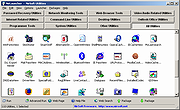 |
|
NixThis v0.42 NixThis v0.42 👉 A portable tool for blocking unwanted Windows ads, suggestions, and interface clutter. NixThis helps you find and disable unwanted Windows features by pointing at them on your screen. Instead of searching through Settings or sorting through hundreds of unfamiliar tweaks, you select an interface element and let NixThis look for the Windows setting behind it. Click “Pick an element” or press Ctrl + Shift + Space, then move your pointer over the item you want to remove. A green outline means NixThis recognizes the element. Click it to review what will change before deciding whether to block it. NixThis intercepts the click so you do not accidentally activate the button underneath. A gray outline means the element is not recognized; its signature is recorded locally, and no settings are changed. You can also use the searchable filter list to review available changes, including features that are not currently visible on your screen. Each entry explains where the item appears and what its filter changes. Select the entries you want and choose “Apply changes.” NixThis remembers previous registry values so you can restore settings through “What you blocked” and “Bring it back.” Uninstalled Microsoft Store apps work differently: NixThis opens the matching Store page so you can reinstall them. The program is portable. Extract the download into a folder you can write to and run NixThis.exe. Its normal blocking features work locally. Optional AI explanations require your own API key and send only the selected setting’s name and technical details to the provider. Features: • Point-and-click element picker for identifying recognized Windows interface features. • Green and gray outlines distinguish recognized elements from unknown ones. • Review the proposed setting change before applying a filter. • Searchable filter list includes items that are not currently visible on screen. • Apply multiple selected filters together. • Each filter explains where its target appears and what will change. • Restore ... |
|
103 | Oct 08, 2026 Builtbybel 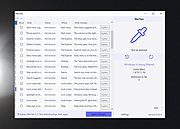 |
|
Right-Click Tools v2.0.4 Right-Click Tools v2.0.4 👉 Add powerful administrative and maintenance tools to the Windows Explorer right-click menu. Right-Click Tools adds a collection of useful commands to the Windows File Explorer context menu, providing quick access to command prompts, PowerShell, Registry Editor, ownership controls, elevated file managers, shell maintenance tools and other frequently needed Windows functions. The tools can be accessed by right-clicking a folder, drive or the background of an open Explorer window. Features: • Adds a customizable collection of tools to the Windows Explorer context menu • Opens Command Prompt or PowerShell in the selected folder • Opens Command Prompt or PowerShell with Administrator privileges • Opens Command Prompt or PowerShell with TrustedInstaller privileges • Supports Windows Terminal, Console Host and optional PowerShell Core configuration • Opens Registry Editor as a standard user, Administrator or TrustedInstaller • Takes ownership of folders and grants access using SetACL • Supports folders containing Unicode characters and long file paths • Adds or removes the selected folder from the user or system PATH variable • Toggles the display of hidden and protected system files • Clears recent items, auto-suggest entries, temporary files and Windows Defender history • Clears the Windows Defender quarantine folder • Refreshes the Windows shell after icon or display changes • Resets the Windows icon and thumbnail caches • Restarts Windows Explorer and reopens the selected folder • Opens a preferred file manager with Administrator or TrustedInstaller privileges • Supports both standard and administrator Windows accounts • Supports multiple user accounts on the same computer • Optional scheduled task reduces repeated UAC prompts • Uses registry-based menu entries instead of a continuously running context menu handler • Adds no background process or significant overhead when opening the context menu • Supports the Windows 11 modern context menu through Custom Context Menu • Automatically detects and supports Windows dark mode • Allows context menu labels and translations to be edited in Language.ini • Available as an installer or portable application • ... |
|
955 | Oct 13, 2026 LesFerch 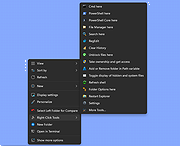 |
|
SourceDoc Pro v2.00 SourceDoc Pro v2.00 👉 Print, analyze, and document Visual Basic 6 source code projects. SourceDoc Pro is a free utility for Visual Basic 6 developers that creates professional printed documentation from VB6 source code projects. It reads VB6 project files (.VBP), displays all project modules and procedures, and allows you to selectively print individual routines, complete modules, dependency reports, or entire projects. Printed output includes syntax highlighting, structured formatting, and unique visual loop bracket connectors that make nested code easier to follow on paper or in PDF form. SourceDoc Pro also generates procedure dependency reports showing which routines call a procedure and which routines are called by it, helping developers understand project flow and maintain legacy applications. Additional options include custom fonts, page layout controls, margin settings, duplex printing support, table of contents generation, and the ability to mimic the appearance of code as displayed within the VB6 IDE. The program includes a complete User Manual and automatically installs the required VB6 runtime components. Features: • Opens and analyzes Visual Basic 6 project files • Displays project modules and procedures in organized lists • Prints individual procedures, modules, or entire projects • Generates procedure dependency reports showing "Called By" and "Calls" relationships • Creates printable project tables of contents • Full syntax highlighting for keywords, comments, constants, variables, procedure names, and literals • Visual loop bracket connectors make nested code structures easier to read • Output can be sent to printers, PDF writers, or text files • Customizable fonts and font sizes • Supports portrait and landscape page orientation • Adjustable page margins and binding offsets • Duplex printing support • Optional aggregation of Get/Set/Let property routines • Option to mimic VB6 IDE code formatting in printed output • User-selectable syntax highlight colors • Includes complete User Manual • VB6 runtime automatically installed when needed Supported operating systems: • Windows 7 or later (32-bit or 64-bit) Supported languages: • English Changes: v2.00 08-05-26 Form Image rendering ... |
|
547 | Aug 07, 2026 Michael W. Cetera 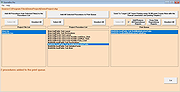 |
|
Ultimate Settings Panel v8.0.0 Ultimate Settings Panel v8.0.0 👉 Access 250+ Windows settings, tools, diagnostics and commands from one searchable panel. Ultimate Settings Panel brings hundreds of Windows settings, administrative tools, diagnostic commands and system utilities together in one convenient interface. The completely rebuilt application provides instant searching and direct access to Windows Settings pages, Control Panel items, networking tools, diagnostics, PowerShell, Windows Terminal, system administration utilities and more. The native Windows version requires no installation and launches tools and settings directly from its interface. A separate portable web edition is also available. Features: • More than 250 Windows settings, tools, diagnostics and commands • Instant search across tool names, descriptions and commands • 13 categories including Windows Settings, Windows Tools, Control Panel, Networking, Diagnostics, Power & Session, Server Administration, Terminal & Shell, Outlook/Office, Browsers and more • Direct access to approximately 70 Windows 11 Settings pages using ms-settings links • Launch Windows utilities and settings directly from the native application • Built-in access to SFC, DISM, battery reports, energy reports and other diagnostic tools • Wi-Fi reporting, Winsock reset and TCP/IP reset commands • Windows Terminal, PowerShell 7 and winget tools • Save frequently used items as Favorites • Light and dark themes with automatic system theme detection • Copy commands for use elsewhere • Export commands as batch files from the web edition • Native application requires no installation • Portable web edition works offline • No analytics, tracking or telemetry Supported operating systems: • Windows 10, Windows 11 Supported languages: English Changes: v8.0.0 08-07-26 Complete ground-up rebuild replacing the original C#/WinForms application. Added a native Windows application using Microsoft Edge WebView2. Added a self-contained portable web edition that can operate offline. Added instant searching of names, descriptions and underlying commands. Added a Windows 11 Settings category with approximately 70 direct Settings links. Added a Terminal & Shell category covering Windows Terminal, PowerShell 7 and winget. Added modern system diagnostics including SFC, DISM, battery and energy reports, Wi-Fi reporting, Winsock reset ... |
|
5,097 | Aug 19, 2026 TechyGeeksHome 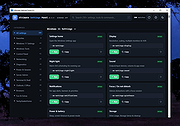 |
|
WSCC - Windows System Control Center v10.0.4.3 WSCC - Windows System Control Center v10.0.4.3 👉 Centralized launcher and update manager for Sysinternals, NirSoft, and other Windows utility suites. WSCC - Windows System Control Center allows you to install, update, execute and organize the utilities from various system utility suites. WSCC can install and update the supported utilities automatically. Alternatively, WSCC can use the http protocol to download and run the programs. The same download package provides both setup and portable usage, allowing you to choose installation or run it directly without installing. Features: • Simple and intuitive user interface • Centralized workspace for organizing and launching utilities • Built-in Update Manager for keeping tools up to date • Automatically detects installed Sysinternals and NirSoft utilities • Can download and install missing supported utilities • Supports Sysinternals Suite integration • Supports NirSoft Utilities integration • Runs utilities directly from the interface with quick access • Supports HTTP downloading and execution of tools • Displays detailed information about each utility • Search and filter tools for quick navigation • Allows grouping and categorizing of utilities • Supports command-line parameters for advanced usage • Portable-friendly design with no installation required • Single package supports both setup and portable modes Supported operating systems: • Windows 11/10/7 32/64bit (all editions) • Windows Server 2025/2022/2019/2016/2012R2/2012/2008R2 32/64bit (all editions) Supported languages: • English, German, Spanish Changes: v10.0.4.3 09-15-26 Not provided. Warning: Due to the nature of some of the available apps (password crackers, etc) that WSCC can download, your antivirus (if enabled) will block them from installing. You will need to add an exception for them in your antivirus software or disable your antivirus software while using this software. This download is for the Windows 64bit setup/portable version (very bottom of page). If you need the Windows 32bit setup/portable version, download here. Click here to visit the author's website. |
|
13,171 | Sep 16, 2026 KLS Soft 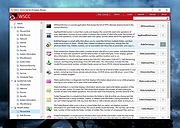 |
| Showing rows 1 to 18 of 18 | Showing Page 1 of 1 | 1 |
OlderGeeks.com Copyright (c) 2026
