|

|
Processed through Paypal No account required. |








Buy our over-priced crap to help pay the bills.



|
|
Processed through Paypal No account required. |
| Files | ||||
| File Name | Rating | Downloads | ||
 |
Jim's Toolbox v7 Jim's Toolbox v7 👉 A free Windows toolbox for reinstall help, repair tools, diagnostics, shortcuts, and handy system fixes. Jim's Toolbox is a collection of functions and links created to make reinstalling Windows quicker and easier by gathering programs, settings, hacks, repair tools, diagnostic tools, and useful fixes into one place. The author says the project began as a personal tool for reinstalling Windows without having to search all over for programs, settings, and hacks, and later expanded with additional tools for fixing an install and adding handy registry hacks and fixes. It requires elevated permissions and a minimum of .NET Framework 4.8. Features: • Collects functions and links in one toolbox-style program • Designed to help make Windows reinstalls quicker and easier • Includes access to programs, settings, hacks, and fixes • Adds tools for fixing a Windows install • Includes handy registry hacks and fixes • Includes Windows repair tools • Includes diagnostic tools • Includes a Windows tab • Includes ISO download access and Media Creator direct download access • Can install Chocolatey and restart afterward if needed • You MUST run this program as an Administrator. After unzipping, right-click on Toolbox vx.x.exe and choose Run as Administrator. Supported operating systems: • Windows 10 64-bit, Windows 11 64-bit Supported languages: English Use 7-Zip to unzip this file. Changes: v7 11-24-25 Added Microsoft Malicious Software Removal Tool to windows repair tools. Added Print Management shortcut to windows repair tools. Added backup & restore shortcut to windows repair tools Moved Windows Iso to Diagnostic Tools Background graphics added Main logo made smaller 7.Restart added after installing Chocolatey 8.Windows Tab added Iso download moved to Windows tab 10 . Direct download button added for media creator with the iso menu. The activation script is back as a link to the GitHub page. Debloating script from Chris Titus added. Click here to visit the author's website. |
 |
7,618 | Mar 26, 2026 Cemil Taşdemir 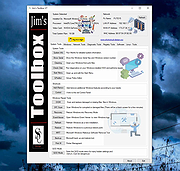 |
|
UniGetUI v2026.2.7.0 UniGetUI v2026.2.7.0 👉 Manage, install, update, and remove software from multiple package managers through one powerful interface. UniGetUI is a free, open-source package manager frontend that makes installing, updating, and removing software simple by bringing multiple package managers together into a single, modern interface. Instead of learning command-line syntax for each package manager, UniGetUI provides an intuitive graphical environment that lets you search, compare, and manage thousands of applications from one place. It is maintained by Devolutions and supports Windows, macOS, and Linux through a modern cross-platform interface. UniGetUI can search across multiple repositories simultaneously, display detailed package information, install or uninstall applications individually or in batches, detect available updates, and automate software maintenance. It supports popular package managers including WinGet, Chocolatey, Scoop, Pip, NPM, .NET Tool, PowerShell Gallery, Homebrew, APT, DNF, Pacman, Flatpak, and Snap, depending on the operating system. Advanced users can view or execute the underlying package manager commands, while new users benefit from an easy-to-use graphical interface. Software bundles allow you to export a collection of installed applications and quickly recreate the same environment on another computer, making UniGetUI particularly useful for technicians, developers, IT administrators, and anyone who frequently configures or rebuilds systems. The application also includes package filtering, update scheduling, notification controls, customizable installation options, and integrated release notes to simplify long-term software maintenance. Features: • Unified interface for multiple package managers • Search thousands of software packages from multiple repositories • Install, update, and uninstall applications individually or in batches • Supports WinGet, Chocolatey, Scoop, Pip, NPM, .NET Tool, PowerShell Gallery, Homebrew, APT, DNF, Pacman, Flatpak, and Snap (platform dependent) • Export and import software bundles for rapid system deployment • Automatic update detection and notifications • View package details, release notes, and version history • Custom installation parameters and package filtering • Manual install, update, and uninstall modes for greater control • NativeAOT builds for faster startup ... |
|
434 | Aug 19, 2026 Devolutions 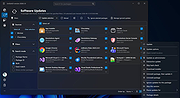 |
| Showing rows 1 to 2 of 2 | Showing Page 1 of 1 | 1 |
OlderGeeks.com Copyright (c) 2026
