|

|
Processed through Paypal No account required. |








Buy our over-priced crap to help pay the bills.



|
|
Processed through Paypal No account required. |
| Files | ||||
| File Name | Rating | Downloads | ||
 |
Pismo File Mount Audit Package v190 Pismo File Mount Audit Package v190 Pismo File Mount Audit Package is a Windows application that allows users to mount the contents of ZIP, ISO, Compact ISO, Compact File Set and Private Folder files to the file system as virtual folders. Pismo File Mount Audit Package is available free of charge for personal and business use. Supported Platforms The Pismo File Mount Audit Package supports all versions of Microsoft Windows since Windows XP, both 32 bit and 64 bit. Features ZIP reader Most zip archive files can be mounted as read-only folders to allow access to contents, including the ability to execute contained applications. CD/DVD image file reader DVD and CD images can be mounted in place as a read-only folder to allow access to contents. ISO and CISO image formats are supported. Compact File Set reader CFS files can be mounted in place as read-only folders to allow access to contents, including the ability to execute contained applications. Private Folders Private Folders can be created and used to store sensitive data files and applications in an encrypted and compressed container file. Private folders are created using a password to generate the encryption key. Once the password is provided at mount time, the protected contents become accessible in place through the file system. Explorer integration Most functionality is available in the shell using context menus and drag-drop operations. Full file system support All built-in Windows file systems and 3rd party file systems are supported. Files on local, removable, and network devices, can be mounted. Command line interface All functionality is available ... |
 |
6,100 | May 22, 2019 Pismo Technic Inc. 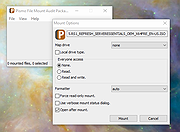 |
 |
UniGetUI v2026.2.7.0 UniGetUI v2026.2.7.0 👉 Manage, install, update, and remove software from multiple package managers through one powerful interface. UniGetUI is a free, open-source package manager frontend that makes installing, updating, and removing software simple by bringing multiple package managers together into a single, modern interface. Instead of learning command-line syntax for each package manager, UniGetUI provides an intuitive graphical environment that lets you search, compare, and manage thousands of applications from one place. It is maintained by Devolutions and supports Windows, macOS, and Linux through a modern cross-platform interface. UniGetUI can search across multiple repositories simultaneously, display detailed package information, install or uninstall applications individually or in batches, detect available updates, and automate software maintenance. It supports popular package managers including WinGet, Chocolatey, Scoop, Pip, NPM, .NET Tool, PowerShell Gallery, Homebrew, APT, DNF, Pacman, Flatpak, and Snap, depending on the operating system. Advanced users can view or execute the underlying package manager commands, while new users benefit from an easy-to-use graphical interface. Software bundles allow you to export a collection of installed applications and quickly recreate the same environment on another computer, making UniGetUI particularly useful for technicians, developers, IT administrators, and anyone who frequently configures or rebuilds systems. The application also includes package filtering, update scheduling, notification controls, customizable installation options, and integrated release notes to simplify long-term software maintenance. Features: • Unified interface for multiple package managers • Search thousands of software packages from multiple repositories • Install, update, and uninstall applications individually or in batches • Supports WinGet, Chocolatey, Scoop, Pip, NPM, .NET Tool, PowerShell Gallery, Homebrew, APT, DNF, Pacman, Flatpak, and Snap (platform dependent) • Export and import software bundles for rapid system deployment • Automatic update detection and notifications • View package details, release notes, and version history • Custom installation parameters and package filtering • Manual install, update, and uninstall modes for greater control • NativeAOT builds for faster startup ... |
|
434 | Aug 19, 2026 Devolutions 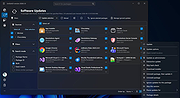 |
| Showing rows 1 to 2 of 2 | Showing Page 1 of 1 | 1 |
OlderGeeks.com Copyright (c) 2026
